7 Booth.Events Alternatives: Photo Booth Solutions for Every Operator and Use Case (2026)

Booth.events has earned a loyal following among independent operators, DJs, photographers, and small photo booth businesses. Its strengths are real: Live Sync pushes template changes to all running iPads without restarting events, built-in SMS eliminates the need to set up a Twilio account, AI background removal works offline, and events can remain active for up to a year, making it a natural fit for permanent kiosks and multi-day conferences.
But as your photo booth business grows, or as your needs move beyond what a single iPad app can deliver, you may find yourself looking for tools that go deeper in specific areas. Whether you need to:
- Deliver premium photo quality with integrated professional lighting and lead capture
- Manage a mixed booth fleet (360, Mirror, GlamBot, Roaming) from one platform
- Run affordable dual-device setups with access to a large ready-made template library
- Deploy on Android, Windows, Linux, or Raspberry Pi hardware
- Run virtual and hybrid brand activations at scale
- Operate Windows-based booths at the lowest professional subscription price on the market
- Own your software outright through a one-time perpetual license
This guide can help. We researched and compared tools that lead in each of these areas, so you can find the right fit for your operation. Some operators use these alongside booth.events to fill a gap; others migrate entirely. This is not about finding a “better” platform. It is about finding the right fit as your business evolves.
The Best Booth.Events Alternatives
 | Starts at: $14.99/week App Store: 4.7 (2,400+ ratings) | Simple Booth Best Alternative for Premium Photo Quality, Integrated Hardware & Lead Capture We chose Simple Booth because its HALO ring-light hardware, browser-based Virtual Booth, and 87%+ opt-in lead capture create an integrated system for operators and marketing teams alike. |
|---|---|---|
 | Starts at: $69/mo Support: 24/7/365 | Snappic Best Alternative for Multi-Hardware Fleet Operators We chose Snappic because a single account covers iPad, 360, Mirror, GlamBot, and Roaming hardware types, with an agency tier for multi-client operations. |
 | Starts at: ~$18/mo (billed annually) | LumaBooth Best Alternative for Affordable Dual-Device Licensing & Ready-Made Templates We chose LumaBooth because its subscription covers two devices simultaneously for roughly $18/month, backed by a library of 820+ professional templates accessible from the dashboard. |
 | Starts at: $439.90/yr App Store: 4.8 (5,400+ ratings) | TouchPix Best Alternative for Cross-Platform Hardware Flexibility & 360 Specialists We chose TouchPix because it runs natively on iOS, Android, Windows, Linux, and Raspberry Pi with unlimited devices, and its 360 video booth engine is widely recognized as the category standard. |
 | Starts at: Custom (enterprise pricing) | Snapbar Best Alternative for Enterprise Brand Activations & Virtual/Hybrid Events We chose Snapbar because its web-based platform (no hardware required) scales from 50 to 50,000+ participants with custom AI creative direction, CRM-ready lead export, and a 95% email open rate on content delivery. |
 | Starts at: €12/mo (2 devices included) | BoothLedger Best Alternative for Windows Operators at the Lowest Subscription Price We chose BoothLedger because its AI Photobooth plan at €35/month includes two device licenses and unlimited AI effects with no per-image credit charges, the lowest professional price point in this comparison. |
 | Starts at: $295 (one-time license) | Darkroom Booth Best Alternative for Operators Who Want to Own Their Software Outright We chose Darkroom Booth because its one-time $295 perpetual license runs indefinitely on Windows hardware with full offline operation, green screen compositing, and no recurring subscription. |
What is Booth.Events?
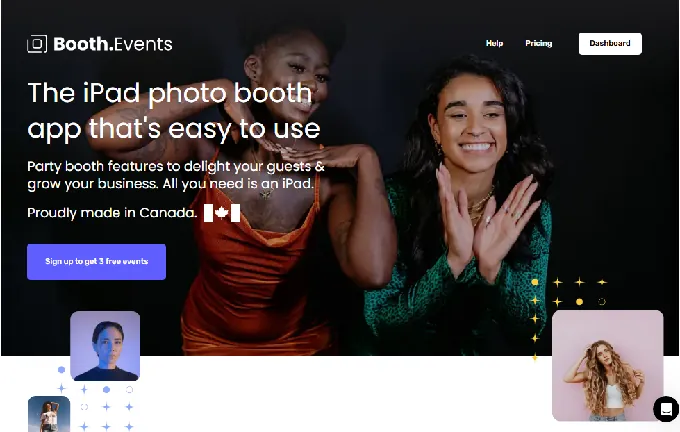
Booth.Events is an iPad and iPhone photo booth app built for event professionals, from photo booth operators and DJs to photographers and retail kiosk operators. The platform centers on three pillars: Build (create events with custom templates and galleries), Share (capture, print, email, and text media to guests instantly), and Grow (use guest data to expand your reach).
Its key features include:
- Five capture formats (photos, slow-motion video, boomerangs, GIFs, and video testimonials) in one app
- AI Portraits with 160+ pre-built styles and AI Prompts powered by Google’s Nano Banana models
- SceneSelect AI background removal that works offline, no physical green screen required
- AI Glam Filter with adjustable intensity and detail preservation in eyes, lips, and hair
- A browser-based template editor supporting custom pixel dimensions, Canva PDF import, and attract screen design with live-view blending
- Live Sync that pushes dashboard changes to all running iPads instantly
- Built-in SMS and email delivery without requiring a third-party Twilio account
- USB tethering for Canon, Nikon, Sony DSLR/mirrorless cameras and GoPro
- Remote-In for live iPad control from any browser (Pro+)
- Scheduled Events for automated booth open and close times (Pro+)
- Guest surveys with pre-session and post-capture stages, plus webhooks for CRM integration via Zapier or IFTTT
When a guest walks up to a booth.events-powered iPad, the experience is clean: the operator has configured everything from a web browser, changes sync to the device in real time, and guests interact with a branded experience that delivers their photos via email, SMS, QR code, or AirDrop. Events can remain active for up to a year, making booth.events well suited for permanent kiosks and multi-day conferences.
That said, the platform is exclusively Apple-based (the company has stated it will not build a Windows or Android version), does not offer virtual or hybrid event capabilities, and charges per iPad for multi-device setups. These boundaries are part of what makes booth.events work well for its core audience, but they also define the gaps where other platforms can serve operators with different needs.
Looking for a photo booth system that combines professional hardware with lead capture? Start your Simple Booth free trial and see the difference integrated quality makes.
How We Curated Our List of Booth.Events Alternatives
After testing booth.events and researching the photo booth software market, we found that operators look for solutions beyond what a single iPad app can provide. While booth.events delivers a polished, easy-to-use photo booth experience, growing businesses and specialized use cases often need more from:
- Delivering premium photo quality with integrated professional lighting and a data capture engine
- Managing mixed booth fleets (360, Mirror, GlamBot, Roaming) from a single subscription
- Running affordable dual-device setups backed by hundreds of ready-made templates
- Deploying on Android, Windows, Linux, or Raspberry Pi hardware
- Running virtual and hybrid brand activations at scale
- Operating Windows-based booths at the lowest professional subscription cost
- Owning software outright through a one-time perpetual license
Each tool on this list leads in one of these areas. You might use them alongside booth.events or switch entirely; it depends on what your growing operation needs.
| ❗DISCLAIMER: We aren’t covering every single photo booth tool on the market! Our focus is on highlighting the best alternatives that address some of booth.events’ limitations for various use cases. |
|---|
1. Simple Booth, Best Alternative for Premium Photo Quality, Integrated Hardware & Enterprise Lead Capture
Simple Booth is the photo booth that runs itself, pairing a subscription-based iPad app with its own HALO ring-light hardware, plus a browser-based Virtual Booth that requires no hardware at all. Its key features include:
- Integrated HALO hardware: A machined aluminum ring light with 112 LEDs producing up to 2,100 lumens, rated for 50,000 hours, with a tool-less iPad mount and sub-one-minute setup
- Virtual Booth: A browser-based photo experience running on any device with no app install needed, supporting AI effects, background replacement, and multi-language localization
- Layout Designer: A full in-app design tool with layers, fonts, gradients, QR code embedding, and multi-layout support
- AI Effects with identity preservation: Nano Banana AI models transform guest photos while maintaining facial likeness, with zero-cost prompt testing outside booth mode
- High-converting lead capture: Customizable data capture forms achieving 87-89% opt-in rates, with CSV export, MailChimp integration, and Open API
- Enterprise compliance (Pro/Select): Brand moderation, age gate, data compliance tools, in-app custom legal terms, and security questionnaire support
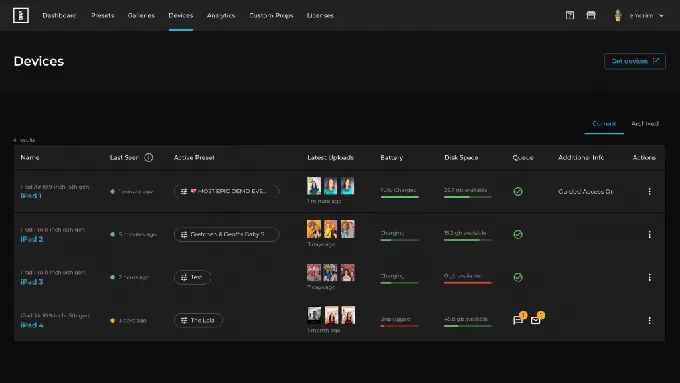
- Remote device management: A web dashboard for monitoring all iPads in real time (battery level, disk space, upload queue, and active preset) with remote preset switching for multi-event operations
With 30,000+ customers globally, a 4.7-star App Store rating from 2,400+ ratings, and 40 million+ moments captured since 2012, Simple Booth serves event rental professionals looking to build a more profitable photo booth business and marketing teams who use photo experiences as a first-party data capture and social sharing engine.
Why Choose Simple Booth Over Booth.Events
While booth.events offers a polished iPad photo booth experience with responsive support and competitive pricing, Simple Booth delivers a system where hardware, software, and cloud work together from a single vendor.
Here is where Simple Booth steps up.
Hardware That Elevates Photo Quality and Brand Perception
Photo quality at an event depends on lighting more than any other factor. Booth.events is software-only; operators supply their own iPad and whatever external lighting they choose.
Simple Booth takes the opposite approach: the HALO chassis is engineered from a single billet of anodized aluminum with a patented ring-light system delivering up to 2,100 lumens from 112 LEDs. Groups can stand 6-8 feet back from the camera and still be evenly lit in most indoor environments.
The practical result: consistent, flattering output across every event, every venue, without troubleshooting external ring lights or adjusting for ambient conditions. The HALO’s concealed USB-C cable keeps the iPad charged throughout the event, the tool-less faceplate enables setup in under one minute, and the rugged travel case (49 lbs with wheels and extendable handle) survives weekly multi-venue schedules.
For operators commanding premium rental rates, the hardware communicates quality before a single photo is taken.
Simple Booth also supports Canon DSLR and mirrorless camera integration on Core and above, with both wired USB connections for long-event reliability and wireless WiFi connections for creative setups. For operators who don’t use external cameras, Background Blur (Core+) keeps subjects sharp while softening the background, delivering a professional bokeh effect from the iPad alone.
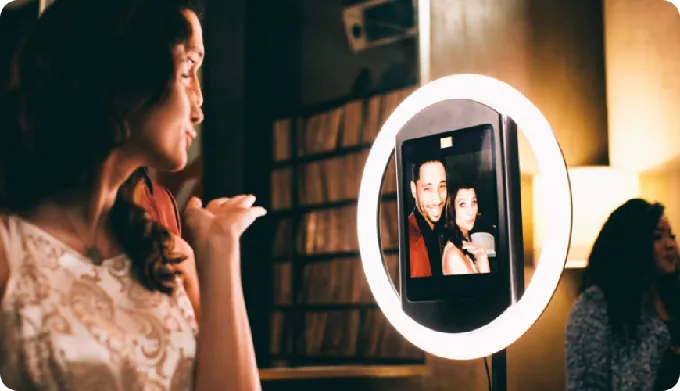
- Source: Simple Booth
⚡ Simple Booth in Action: You arrive at a corporate venue with 30 minutes before doors open. You unbox the HALO, snap the iPad into the faceplate, and extend the selfie stand. The ring light powers on, bathing the area in even light. A preset you configured from your hotel room that morning is already synced. Guests walk up, take photos, and receive them instantly via QR code, SMS, or WhatsApp. No separate lighting rig, no cable management, no technician on-site.
Virtual Booth: Reach Audiences Beyond the Physical Kiosk
Booth.events does not support virtual events or external photo uploads. If your activation includes remote participants, distributed teams, or an always-on digital campaign, booth.events cannot reach them.
Simple Booth’s Virtual Booth eliminates that gap.
It runs in any web browser, requires no app installation, and works on iOS, Android, and desktop. Participants join via a QR code or custom link, take a photo or upload one, apply overlays, stickers, or AI effects (including background replacement without a green screen), and share to social media. All submissions feed the same analytics, Live Feed, and gallery infrastructure as HALO hardware sessions.
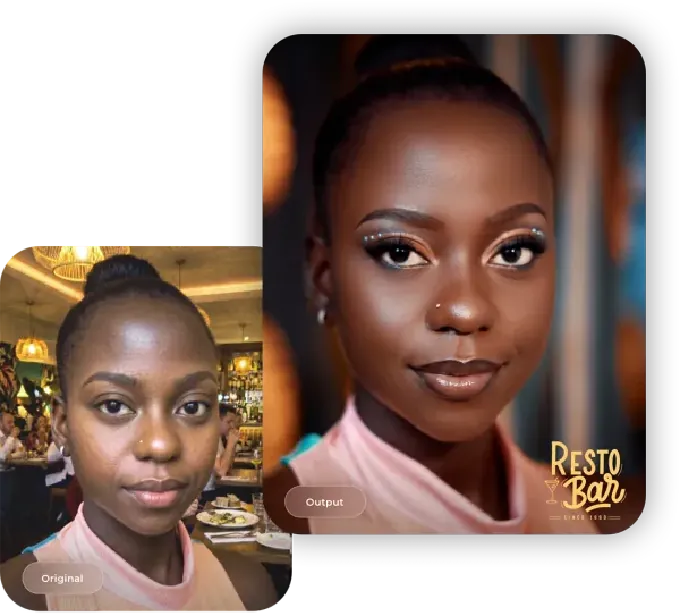
Source: Simple Booth
This means brands can run hybrid activations: physical HALO kiosks for in-person attendees and Virtual Booth for remote participants, with all data flowing into a single view. Virtual Booth also works as an always-on campaign tool, embeddable in email campaigns, printed on product packaging, or placed on a brand website.
⚡ Simple Booth in Action: A consumer goods brand launches a product at a trade show with 500 in-person attendees and 2,000 remote viewers on a virtual event platform. The in-person booth runs on HALO hardware with branded overlays. Remote viewers scan a QR code from the livestream, take a selfie from their phone, apply the same branded AI effect, and share to Instagram. Both groups’ submissions appear on the same Live Feed displayed on screens at the venue. After the event, the marketing team exports all collected email addresses from one dashboard.
Layout Designer and AI Effects: Design Without External Software
Booth.events offers a browser-based template editor with custom pixel dimensions and Canva PDF import.
Simple Booth’s Layout Designer, introduced in HALO 5.0, goes further: photo placement, text layers with font/color/alignment/shadow options, background gradients, logo/overlay positioning, border rounding, layer copy/undo/redo, and element alignment, all inside the app or web dashboard. Dynamic QR codes embed directly in layouts, and operators can offer multiple layout options per event, each with its own motion type.
Guest-editable text layers (Plus+) let participants type their own names, captions, or hashtags directly onto their photo before sharing, with dynamic text sizing that keeps designs clean regardless of message length.
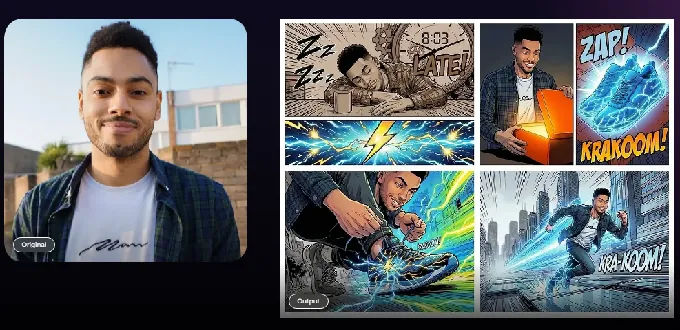
For AI, Simple Booth’s Nano Banana models transform guest photos using text prompts, with identity preservation built in at the platform level. Operators can assign a unique AI prompt to each frame in a multi-frame layout, enabling sequential narrative strips. Credits cost $0.10 each, and testing prompts outside booth mode costs nothing, so operators can iterate freely before the event.
Source: Simple Booth
G7 Entertainment Marketing has captured 136,000+ fan interactions over 10+ years: “We’re big Simple Booth believers.” (Simple Booth)
Lead Capture with 87%+ Opt-In Rates
Photo booth data capture typically suffers from low opt-in rates because it interrupts the guest experience.
Simple Booth integrates the data capture form into the natural photo-receiving flow, producing opt-in rates as high as 87-89%. Forms support up to 6 standard fields on Pro and up to 10 custom fields on Select, including checkboxes and required legal terms. Data exports as CSV, syncs natively with MailChimp, and connects to custom CRMs via the Open API.
For marketing teams, the combination of high opt-in rates, branded social sharing (pre-populated hashtags on X/Twitter and Facebook), and face-detection demographic analytics (Select tier) transforms a photo booth from entertainment into a measurable marketing channel.
Treetop Golf built 150,000 unique email addresses across their locations using Simple Booth’s lead capture. (Simple Booth)
Built for Drop-Off Events: Intuitive Operation and Remote Management
Booth.events provides a clean guest-facing UI with responsive support.
Simple Booth takes unattended operation further with a system built for drop-off events, where operators leave equipment at a venue, service multiple bookings in one night, and need everything to run without an on-site attendant.
The guest experience is intuitive enough that participants navigate capture, effects, and sharing without guidance.
From the web dashboard, operators can monitor every iPad in real time (checking battery level, disk space, upload queue status, and which preset is running) and switch presets remotely without being on-site. For growing rental companies hiring staff, the organized visual workflow means new hires learn the system quickly rather than digging through dense settings panels.
Source: Simple Booth
On the performance side, image previews render up to 12x faster thanks to optimized rendering, and a reliable offline queue ensures photos upload even when connectivity drops mid-event. All effects, filters, and DSLR integration work together across every capture format (including video and offline mode) without compatibility restrictions.
With sharing options spanning AirDrop, WhatsApp, SMS, email, and QR codes, operators can serve guests at international events where carrier-based delivery may not be reliable. Combined with a development history stretching back to 2012 and 7-day-a-week human support, operators can deploy with confidence.
Simple Booth Pricing
Simple Booth uses a per-license subscription model with weekly, monthly, and yearly billing. Each plan includes one license (one iPad); additional devices require add-on licenses at the same rate.
Everyday Plans:
- Lite: $14.99/week (~$72/month, $290/year). Custom layouts, motion and still capture, photo delivery, online galleries, 60+ themes and 100+ digital props. Includes ads; excludes custom branding, DSLR, video, AI effects, analytics, and lead capture.
- Core: $24.99/week (~$49/month, $490/year). Adds: ads removed, multiple layouts, DSLR/mirrorless camera support, full-length video, background replacement and blur, AI effects, Virtual Booth, Dropbox integration, AI-generated layout images.
- Plus: $49.99/week (~$99/month, $990/year). Adds: custom branding, custom photo delivery messages, analytics and reporting, guest-editable text layers, custom digital props and stickers, custom AI effects.
Business Plans:
- Pro: $149/month ($1,490/year). Adds: lead capture, API integration, drawing tool, phone support, AI guest inputs, moderation, age gate, data compliance tools.
- Select: $249/month ($2,490/year). Adds: in-app custom legal terms, security questionnaires, demographic analytics via face detection.
A 7-day free trial is available, including 25 free AI credits. AI effect credits cost $0.10 each, purchased separately. HALO hardware kits are sold separately at buy.simplebooth.com, with 0% financing available.
Who Should Use Simple Booth?
Choose Simple Booth if:
- You run drop-off or unattended events and need a system guests can navigate without an attendant, with remote device management so you can monitor and adjust booths from anywhere.
- You want an integrated hardware-software system where the ring light, iPad mount, and software are designed together from a single vendor, delivering consistent photo quality without external lighting setups.
- You need to reach audiences beyond the physical booth through a browser-based Virtual Booth for hybrid events, remote activations, or always-on digital campaigns.
- Lead capture and first-party data collection are core business objectives, and you want documented 87%+ opt-in rates with CRM integration rather than traditional form placements.
- You’re starting out or scaling a photo booth business and want an accessible entry point at $14.99/week with room to grow into compliance features as your client base expands.
- You want an in-app Layout Designer and AI effects with zero-cost prompt testing, eliminating dependence on external design software.
Looking for a photo booth system that combines professional hardware with lead capture? Start your Simple Booth free trial and see the difference integrated quality makes.
2. Snappic, Best Alternative for Multi-Hardware Fleet Operators
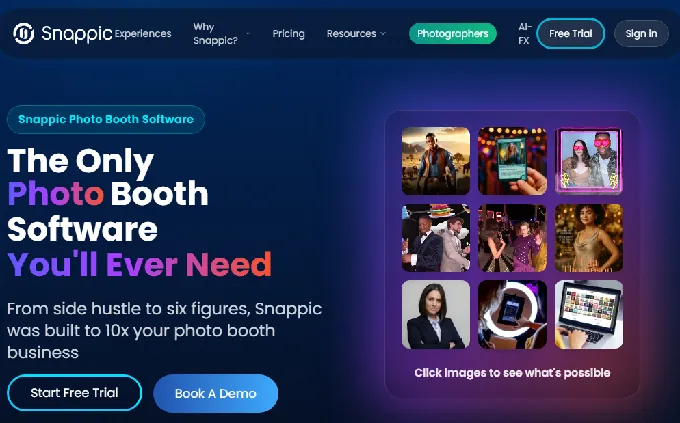
Snappic is an iOS-first photo booth platform built for professional operators who manage more than one type of booth hardware. A single account covers iPad photo booths, 360-degree video booths, Robot/GlamBot setups, Mirror booths, and Roaming photography under one subscription, without separate software for each rig.
Its key capabilities include:
- Multi-format hardware support covering iPad, 360, Robot/GlamBot, Mirror, and Roaming under one dashboard
- AI-FX suite with multiple parallel AI engines (AI-FX, PersonaFX, BananaFX) for magazine covers, branded avatars, and on-site AI headshots
- Enterprise agency tier with unlimited sub-accounts, an unbranded Grey Label App, and a dedicated Customer Success Manager
- 24/7/365 live support accessible from the dashboard
Why Choose Snappic Over Booth.Events for Multi-Hardware Fleet Operations?
Snappic stands out in the following areas:
Every Major Booth Hardware Type Under One Account Booth.events supports iPad/iPhone capture and 360-spinner setups via its iOS app. Snappic goes further: a single account supports iPad, 360, Robot/GlamBot, Mirror, and Roaming hardware, all sharing the same dashboard, template system, and effect library. That breadth comes with a steeper learning curve.
Operators report that Snappic’s settings can feel overwhelming compared to simpler platforms, particularly when configuring multiple hardware types for the first time. The VideoFX engine includes three pre-built GlamBot templates producing 8x slow-motion outputs, and AI Segmentation for video applies background removal to motion video without a physical green screen.
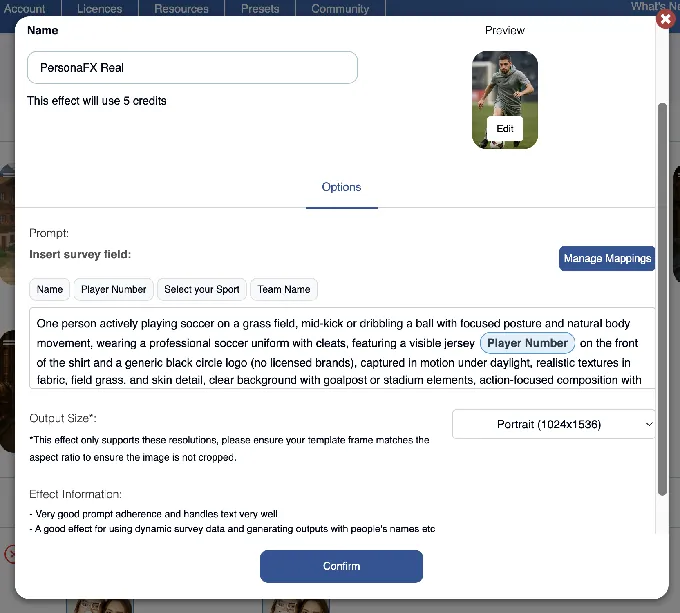
An AI-FX Suite Built for Corporate Event Pricing Snappic runs multiple AI subsystems: core AI-FX with a preset library, PersonaFX with survey-driven personalization (injecting guest responses into AI prompts), and BananaFX powered by Google Gemini 2.5. Photo Glam processes on-device with no internet and no credit consumption.
Note: AI-FX credits ($20 per 200 credits) and background removal credits ($15 per 100) are billed separately from any subscription tier, and features like green screen and branded galleries require higher-tier plans.
Source: Snappic
- Enterprise Agency Infrastructure The Scale plan ($399/month) includes unlimited sub-accounts, a Grey Label App that removes all Snappic branding, multi-client management, and centralized billing. The July 2024 acquisition by Banyan Software provides long-term financial backing, though some operators have noted a shift toward a more corporate approach since the acquisition.
*🏅 NOTE: We also evaluated Curator (enterprise-positioned with white-labeling) and TouchPix (strong 360 specialist). While both have merit, Snappic offers the most established combination of multi-hardware coverage, AI-FX depth, and agency management for operators running mixed-rig fleets at scale.*
Snappic Pricing
- Starter: $69/month ($499/year). 1 Photo Booth License; core photo capture, SMS/email sharing, 60+ templates, 24/7 support. Excludes VideoFX, AI-FX, green screen, and branded galleries. Photo delivery is limited to email and text at this tier.
- Business: $189/month ($1,799/year). Adds VideoFX (360, GlamBot, Mirror, Roaming), AI-FX suite, brandable microsites, green screen, client analytics.
- Premium: $279/month. Adds white-label URLs/emails, webhooks, LiveConnect remote control, SmartShare.
- Scale: $399/month ($3,999/year). Adds unlimited sub-accounts, Grey Label App, multi-client management, Dedicated Customer Success Manager.
Per-event licenses available at $29 or $79 per event. 14-day free trial, no credit card required.
Who Should Use Snappic?
Choose Snappic if:
- You operate more than one booth hardware type (360, Mirror, GlamBot, Roaming) alongside standard iPad booths and need one platform to cover all of them.
- You target corporate and brand activation clients who expect AI-transformed photo experiences justifying $1,500-$3,000+ per event pricing.
- You’re building a photo booth agency with multiple corporate clients under separate branding requirements and need sub-account management and a fully unbranded app.
3. LumaBooth, Best Alternative for Affordable Dual-Device Licensing & Ready-Made Templates
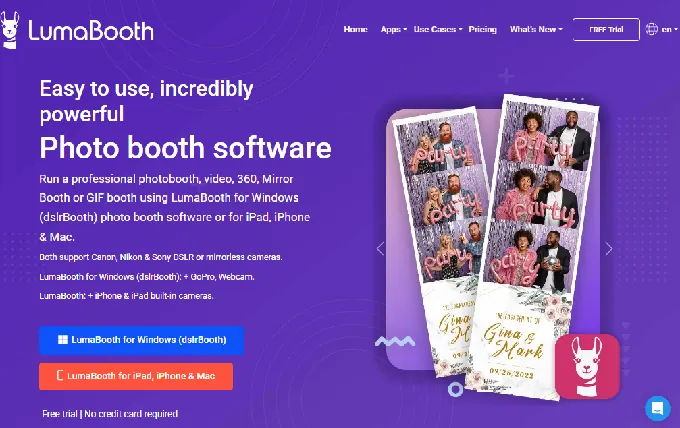
LumaBooth (by Lumasoft, the company behind the long-running dslrBooth for Windows) is a cross-platform photo booth app for iPad, iPhone, Mac, and Windows PC. Its core pitch for operators evaluating booth.events alternatives: a single subscription covers two devices simultaneously at approximately $18/month billed annually, backed by a library of over 820 professionally designed templates.
Key capabilities include:
- Two iPad licenses per subscription at ~$18/month (billed annually)
- 820+ professional templates browsable from the LumaBooth Dashboard
- AI Portraits with 170+ preset styles generated in approximately 10 seconds
- Canon, Nikon, and Sony DSLR/mirrorless camera support via USB tethering
- 360 Booth, Glam Booth, Mirror Booth, Green Screen, Video Guestbook, GIF, and Boomerang included in one subscription
Why Choose LumaBooth Over Booth.Events for Small Operators?
LumaBooth stands out in the following areas:
Two Active Devices for One Monthly Price Booth.events charges per iPad, so operators running two iPads simultaneously pay for two licenses. LumaBooth’s subscription covers two devices at approximately $18/month billed annually. For a solo operator who deploys two booths at the same event (one for capture, one as a share kiosk), the effective per-device cost is around $10/month.
820+ Ready-Made Templates Eliminate Design Overhead LumaBooth’s subscription includes access to a browsable library of over 820 professionally designed templates, organized by event type (weddings, birthdays, corporate events, seasonal themes), all accessible from the dashboard. The Canva Direct Import feature lets operators who design in Canva bring their work into the platform as editable files.
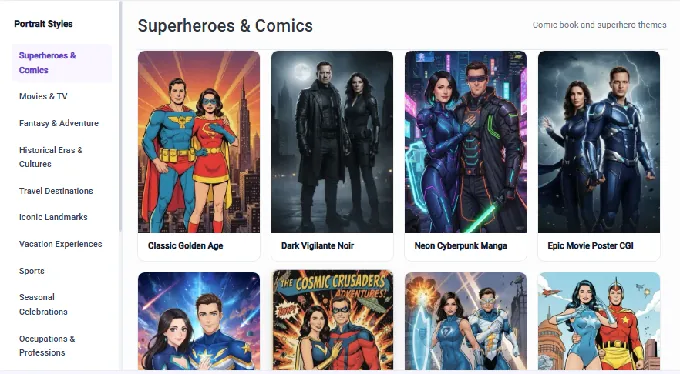
AI Portraits Built Into the Subscription LumaBooth’s AI Portraits include 170+ preset styles (superheroes, anime, oil painting, 3D characters), with no green screen needed. The Custom AI Portraits extension lets operators write free-text prompts and attach per-guest questions. AI credits are separate (from $14.99/month for 150 credits), but the infrastructure is built in with no third-party account required.
Source: LumaBooth
One consideration: LumaBooth’s event configuration and booth management happen primarily within the app rather than through a web dashboard, so operators who prefer browser-based remote management or advance event setup from a computer may find the workflow less flexible for multi-event or multi-location operations.
The interface can also feel dated in places, reflecting its heritage from the dslrBooth Windows application, and the built-in design tools are more limited compared to layout designers available in other platforms.
*🏅 NOTE: We also evaluated TouchPix and BoothLedger. While TouchPix excels at 360 slow-motion video and BoothLedger is a capable Windows-based option, LumaBooth offers the most practical combination for iPad-focused solo operators: dual-device pricing, a 820+ template library, and multi-brand DSLR support.*
LumaBooth Pricing
- LumaBooth for Apple: $18/month billed annually (~$216/year) or $19.99/month. Covers two devices. Includes all capture modes, fotoShare Cloud basic plan, and full template library access.
- Optional Add-Ons: LumaShare (+$7.99/month), SMS Plan (+$10/month, USA/Canada), AI Credits (from +$14.99/month for 150 credits).
An unlimited-duration free trial is available (no time cutoff, no credit card), with a permanent watermark on all trial outputs. New subscribers receive 20 free AI credits.
Who Should Use LumaBooth?
Choose LumaBooth if:
- You run one or two iPad booths simultaneously and want to minimize per-device subscription costs.
- You need a large volume of ready-made, professionally designed event templates without a dedicated graphic designer on staff.
- You already own Canon, Nikon, or Sony DSLR/mirrorless camera bodies and want to leverage that gear for photo booth capture.
4. TouchPix, Best Alternative for Cross-Platform Hardware Flexibility & 360 Specialists
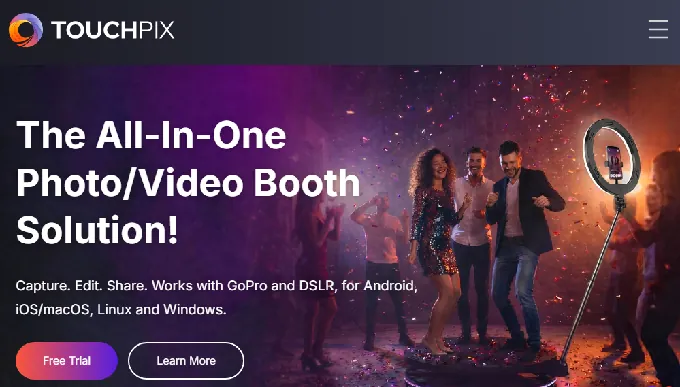
TouchPix is a subscription-based photo and video booth platform built for event professionals who need cross-platform hardware freedom and dedicated 360-degree video booth capabilities. Where booth.events is Apple-only by design, TouchPix runs natively on iOS, Android, macOS, Windows, Linux, and Raspberry Pi.
Key capabilities include:
- Native support for six operating systems on a single subscription with unlimited devices
- A dedicated 360 video booth engine with a visual multi-segment slow-motion timeline editor
- Six capture modes: still photos, AI-transformed photos, boomerangs, video, animated GIFs, and slow-motion video
- 80+ AI transformation styles plus custom prompt support
- Compatibility with GoPro Hero 7 through 14, Canon, Nikon, and Sony DSLRs in wired and wireless modes
- A web-based virtual photo booth for remote and hybrid events
Why Choose TouchPix Over Booth.Events for Multi-Platform Hardware and 360 Booths?
TouchPix stands out in the following areas:
Cross-Platform Hardware Support Including Android, Windows, and Raspberry Pi Booth.events will not build a Windows or Android version. TouchPix removes that wall: a single subscription at $879.99/year (MultiPass) covers unlimited devices across every major OS.
For operators with mixed fleets or those building custom hardware from commodity Android tablets, this is a fundamental capability difference. The BoothBuilder Touch collaboration shows TouchPix embedding itself as the preferred software layer for third-party booth hardware manufacturers.
Dedicated 360 Video Booth Engine TouchPix’s wired GoPro integration covers GoPro Hero 7 through 14, with firmware version requirements documented per model. The 360 Bluetooth trigger auto-starts capture when spinner motion is detected. The visual multi-segment slow-motion timeline editor gives operators custom speed ratios, segment durations, and transitions for each portion of the 360 spin.
Virtual Booth Bundled Into the Subscription Booth.events does not support virtual events. TouchPix includes a web-based virtual photo booth in the MultiPass Pro tier and above at no additional per-use cost, letting operators extend the physical booth experience to hybrid formats.
TouchPix grew rapidly since its 2020 launch by focusing on 360 booths and cross-platform coverage, but the platform’s relative youth means some areas are still maturing.
Some operators have reported reliability concerns (including a notable cloud service outage), and captured images and videos can be slower to render compared to platforms with longer optimization histories. The interface may also require more attendant guidance for unattended setups compared to booth.events’ streamlined guest flow.
*🏅 NOTE: We also evaluated Snappic and LumaBooth. While Snappic targets a higher price point oriented toward enterprise operators, and LumaBooth is stronger for dual-device iPad setups, TouchPix offers the broadest combination of OS support, native 360 booth depth, and an active hardware partnership ecosystem.*
TouchPix Pricing
- PhotoPass: $439.90/year, 2 active events. Photos, Photo AI (80+ styles), Animated GIFs. Excludes video capture.
- MultiPass: $879.99/year (Most Popular), 4 active events. Adds video, slow-motion, boomerang.
- MultiPass Pro: $1,407.99/year, 8 active events. Adds Virtual Booth and Advanced Surveys.
- MultiPass Enterprise: $2,199.99/year, 12 active events. Adds Mosaic and RAW cloud backups.
All tiers include unlimited devices. AI Pro credits for cloud AI transformations: 100 credits for $12, 500 for $49.
Who Should Use TouchPix?
Choose TouchPix if:
- Your primary booth product is a 360 spinning-arm video booth and you need a platform built around that format, with GoPro wired integration and Bluetooth auto-trigger.
- Your hardware fleet includes Android tablets, Windows PCs, or custom Raspberry Pi builds that booth.events cannot support.
- You occasionally run hybrid or virtual-only events and need a remote photo booth experience without managing a separate product.
5. Snapbar, Best Alternative for Enterprise Brand Activations & Virtual/Hybrid Events
- Source: Snapbar
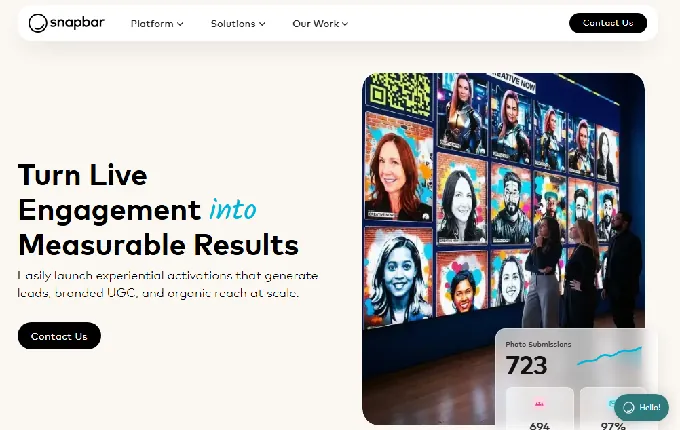
Snapbar is an AI-powered experiential marketing platform that turns live event engagement into measurable business outcomes. Where booth.events is built for iPad-toting operators, Snapbar is built for marketing teams at mid-to-enterprise brands and experiential agencies running activations at scale.
Key capabilities include:
- Web-based access for participants via QR code or custom URL on any device, no hardware required
- Virtual and hybrid event support deployable as standalone microsites or iframes into conference platforms
- Scaling from 50 to 50,000+ participants on the same infrastructure
- Custom AI creative direction per activation, built collaboratively with Snapbar’s design team
- Full-funnel lead capture with export to Salesforce, HubSpot, and Marketo
- 95% email open rate on branded content delivery emails
Why Choose Snapbar Over Booth.Events for Enterprise Activations?
Snapbar stands out in the following areas:
Virtual and Hybrid Event Support Booth.events does not support virtual events. Snapbar was redesigned around web-based delivery in 2020 and claims to have invented the virtual photo booth. A global product launch with teams in London, Singapore, and Chicago can all participate simultaneously. Activations embed into Goldcast, Bizzabo, or RingCentral Events via native event platform partnerships.
Scale That Matches Large-Audience Events Booth.events scales with the number of physical iPads you deploy. Snapbar’s infrastructure handles 50 to 50,000+ participants without architectural changes, because every guest uses their own phone.
Custom AI Creative Direction Built Around Brand Identity Booth.events offers AI Portraits and AI Prompts on a self-serve model. Snapbar builds custom AI styles collaboratively with each client to match brand identity and campaign direction. The result is a one-of-a-kind activation that other clients cannot replicate.
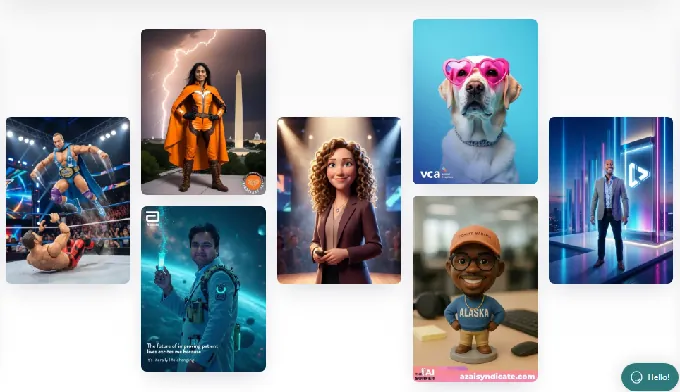
Source: Snapbar
*🏅 NOTE: We also evaluated Snappic and TouchPix for this category. While both offer iPad-based platforms for operators, Snapbar is the strongest solution for marketing teams and experiential agencies who need branded AI activations at virtual or hybrid events, or at scales that iPad-based tools cannot match.*
Snapbar Pricing
Snapbar does not publish fixed pricing tiers.
The company uses a build-your-own quote model where customers construct a price based on product selection, experience level, and expected participation count. Every paying customer operates under a bespoke Master Services Agreement. Demos are available via the pricing page.
Who Should Use Snapbar?
Choose Snapbar if:
- You are a marketing team or experiential agency (not a photo booth rental company) running sponsored activations, product launches, and conference engagements at scale.
- Any portion of your audience joins virtually or from multiple distributed locations.
- Lead capture and measurable ROI (cost per qualified lead) are the primary business objectives, and you need CRM-ready contact data exported to Salesforce, HubSpot, or Marketo.
6. BoothLedger, Best Alternative for Windows Operators at the Lowest Subscription Price
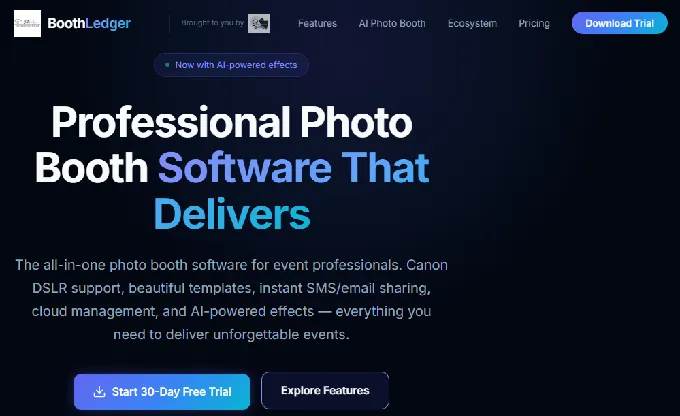
BoothLedger is a Windows-native photo booth platform built and tested by PhotoBooth Guys, an active Irish event rental company. Its value proposition is direct: professional-grade output at the lowest published subscription price in the category, with two device licenses included at every tier.
Key capabilities include:
- Windows 10/11 native application
- Canon DSLR USB tethering with real-time live view, per-shot autofocus, and RAW+JPEG capture
- Two built-in AI engines (Core and Nano Banana Pro) delivering face swap, AI background removal, and 50+ creative art styles, all at a flat monthly rate with no per-image credit charges
- €20/month Basic plan and €35/month AI Photobooth plan, both including 2 device licenses
Why Choose BoothLedger Over Booth.Events for Windows Operators?
BoothLedger stands out in the following areas:
BoothLedger Runs on Windows Booth.events is Apple-only and will not build a Windows version. BoothLedger runs natively on Windows 10/11, with the full feature set available on hardware operators likely already own.
For roaming photographer setups, the software runs on any Windows tablet tethered to a Canon DSLR. For permanent installs, kiosk mode includes a daily scheduled reboot and auto-restart logic for crash recovery.
AI Suite With No Per-Image Credit Costs Booth.events charges credits for AI Prompts and AI Portraits ($8 for 100 credits). The BoothLedger AI Photobooth plan at €35/month bundles face swap, AI background removal, face enhancement, and 50+ creative art styles through two AI engines with no per-image surcharge. Operators know their monthly cost regardless of how many AI images they generate.
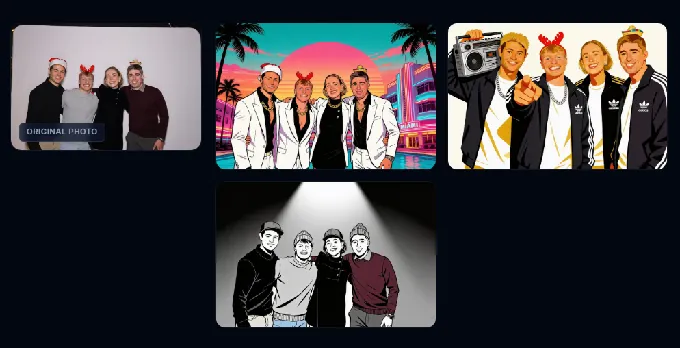
Source: BoothLedger
- 30-Day Free Trial With No Credit Card Booth.events provides a 14-day free trial on paid plans. BoothLedger offers a 30-day free trial with no credit card required, giving operators a full month to test on real events. When the trial expires, events and photos are preserved.
*🏅 NOTE: We also evaluated Darkroom Booth for this category. While Darkroom Booth offers a mature perpetual-license model, BoothLedger offers the most accessible entry price for operators prioritizing AI capabilities with no per-image cost and the longest no-commitment trial window.*
BoothLedger Pricing
- Basic: €12/month, 2 device licenses, Canon DSLR tethering, template editor, photo sharing via SMS/email/QR/AirDrop, BoothLedger Cloud, dye-sub printing.
- AI Photobooth: €35/month, Everything in Basic plus AI photo effects (50+ styles), AI face swap, AI background removal, face enhancement, live swap mode, Core and Nano Banana Pro engines.
Annual billing saves approximately 15%. 30-day free trial, no credit card required. Cancel anytime with no penalties.
Who Should Use BoothLedger?
Choose BoothLedger if:
- Your event setup runs on Windows 10/11 hardware and you want professional photo booth software native to that environment.
- You want AI effects at a flat monthly rate with no credit consumption, so your costs are predictable regardless of volume.
- You’re running two booths simultaneously and want both covered under one subscription rather than paying per-device fees.
7. Darkroom Booth, Best Alternative for Operators Who Want to Own Their Software Outright
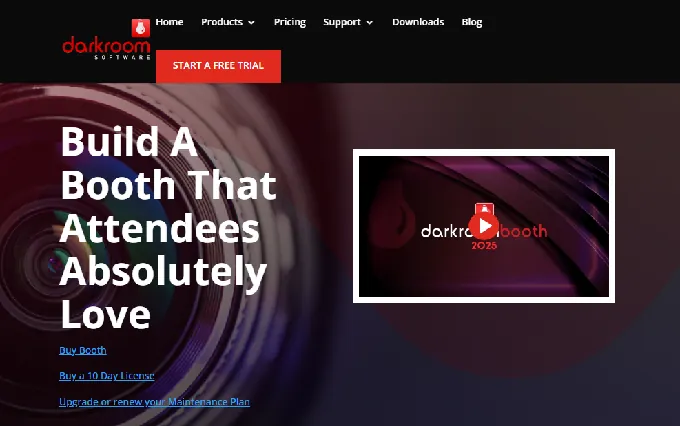
Darkroom Booth is a Windows-native photo booth software from Darkroom Software, LLC, a family-owned company with roots in professional photography software going back to 1992. It is built for operators who want to pay once and own their software, rather than committing to a recurring subscription.
Key capabilities include:
- One-time perpetual license at $295 with no expiration and an optional $95/year maintenance plan
- Full offline operation on Windows 10/11, no internet required for core booth functionality
- Native USB and wireless tethering for Canon EOS and Nikon Z/D series, GoPro HERO 9/10, and any Windows webcam
- Built-in green screen compositing with chroma key and Remove.bg AI background removal
- 75+ customizable templates bundled at no extra cost
- AI-generated photo transformations including generative portraits and face swap
Why Choose Darkroom Booth Over Booth.Events for a Perpetual-License Photo Booth Platform?
Darkroom Booth stands out in the following areas:
A One-Time Purchase That Doesn’t Expire Booth.events operates on a monthly subscription; the software deactivates if billing lapses. Darkroom Booth’s $295 license is a one-time purchase, and the software continues running even if the optional maintenance plan lapses.
Cloud-dependent features (email server, Twilio-based image hosting) require active maintenance, but core capture, printing, green screen, and template workflows run indefinitely. For operators running 20-30 events per year, the total cost difference over two years is substantial.
Windows-Native With the Full Hardware Ecosystem Any Windows-compatible printer works, including DNP, Fujifilm, Mitsubishi, and HiTi models with built-in Darkroom drivers. Camera tethering covers Canon EOS R/M/Rebel/PowerShot series and Nikon Z/D series. Built-in Phidget support enables bill acceptors, coin-op mechanisms, and arcade-style button panels for pay-per-print kiosk installations.
Green Screen and Offline Operation Are Standard Green screen chroma key compositing is built into the template system. No internet connection is required for on-device operation. Templates, captures, printing, and green screen processing all work offline, which matters for outdoor venues, rural events, and trade show floors with congested wireless.
*🏅 NOTE: We also evaluated CyraTok (free but locked to proprietary hardware) and BoothLedger. While BoothLedger offers the lowest subscription price for Windows operators, Darkroom Booth offers the most complete free trial (every feature unlocked, watermarked outputs only) and its one-time purchase model is structurally different for operators who prefer to own their tools outright.*
Darkroom Booth Pricing
- Full License: $295 (one-time), Complete software for Windows 11/10. Includes one year of updates. License activates on up to 2 computers simultaneously. Core software runs indefinitely.
- Annual Maintenance: $95/year (optional), Continues software updates, tech support, and cloud features. Software operates core functions if maintenance lapses.
- 10-Day Temporary License: $45, For existing customers in overbooking scenarios.
- Free Trial: No time limit, full features, watermarked outputs only. Templates and events transfer to the licensed installation.
Who Should Use Darkroom Booth?
Choose Darkroom Booth if:
- You want to pay once and own your software outright, particularly if you run occasional rather than weekly events and don’t want a recurring subscription.
- You’re deploying a semi-permanent or venue-based installation needing coin-op or bill-acceptor payment hardware via Phidget integration.
- Your events take place in locations with unreliable internet, and you need the full capture-print-green-screen workflow to function offline.
- You want an unlimited free trial (no time cap) to run real events before deciding whether $295 makes sense for your operation.
The Final Verdict
Booth.events excels as an easy-to-use iPad photo booth app with responsive support and competitive pricing. But growing businesses and specialized use cases often need tools built for specific areas. Based on our research, here are the best alternatives:
- Simple Booth for premium photo quality with integrated HALO hardware, a browser-based Virtual Booth for hybrid events, and lead capture with 87%+ opt-in rates
- Snappic for multi-hardware fleet operators managing iPad, 360, Mirror, and GlamBot rigs under one platform with agency infrastructure
- LumaBooth for affordable dual-device licensing with 820+ ready-made templates and multi-brand DSLR support
- TouchPix for cross-platform hardware flexibility (Android, Windows, Linux, Raspberry Pi) and dedicated 360 video booth capabilities
- Snapbar for enterprise brand activations and virtual/hybrid events scaling to 50,000+ participants with custom AI creative direction
- BoothLedger for Windows operators wanting the lowest professional subscription price with flat-rate AI and no per-image credit charges
- Darkroom Booth for operators who want to own their software outright through a one-time $295 perpetual license with full offline operation
You don’t have to choose between booth.events and these alternatives exclusively. Many operators use booth.events alongside specialized tools. Consider your hardware, audience, and growth plans when deciding which solution fits your operation.
Looking for a photo booth system that combines professional hardware, AI-powered effects, and lead capture? Start your Simple Booth free trial and deliver share-worthy photo experiences at every event.
Booth.Events Alternatives FAQ
Why do operators look for booth.events alternatives?
Booth.events works well as an iPad photo booth app, but operators often outgrow its capabilities in specific areas.
Its main limitations include Apple-only hardware support (no Android, Windows, or Linux), no virtual or hybrid event capabilities, per-iPad licensing costs that add up for multi-device fleets, and no integrated professional lighting hardware. Operators with specialized needs in any of these areas typically explore alternatives.
What is the best overall booth.events alternative?
There is no single best alternative because booth.events covers many different use cases.
Simple Booth is the top choice for operators who want integrated hardware with lead capture. Snappic leads for multi-hardware fleet operators. TouchPix is the strongest option for 360 video booth specialists or operators who need Android and Windows support.
Is there a free alternative to booth.events?
Booth.events itself offers a permanent free tier (Starter) with up to 3 events, capped at 100 photos and a 7-day gallery each. Among the alternatives, Darkroom Booth offers an unlimited-duration free trial with full features and watermarked outputs. LumaBooth provides an unlimited free trial with a permanent watermark. TouchPix, Snappic, and BoothLedger all offer time-limited free trials (ranging from 14 to 30 days).
Which booth.events alternative works on Windows?
Three alternatives on this list run natively on Windows: TouchPix (also supports Android, Linux, and Raspberry Pi), BoothLedger (Windows 10/11 only, starting at €12/month), and Darkroom Booth (Windows 10/11 only, $295 one-time license). Booth.events has stated it will not build a Windows version, so these are permanent alternatives rather than temporary workarounds.
Which alternative is best for 360 spinner booths?
TouchPix is widely recognized as the category standard for 360 spinning-arm video booths, with GoPro Hero 7-14 wired integration, Bluetooth auto-trigger via accelerometer, and a visual multi-segment slow-motion timeline editor. Snappic also supports 360 workflows with comparable depth, particularly for operators who also need Mirror and GlamBot support under the same subscription.
Can I use booth.events alternatives for virtual or hybrid events?
Simple Booth offers a Virtual Booth product that runs in any web browser with no hardware required, supporting AI effects, background replacement, and multi-language localization. Snapbar is built for enterprise virtual and hybrid events, scaling to 50,000+ participants. TouchPix includes a virtual photo booth in its MultiPass Pro tier. Booth.events does not support virtual events.
Which alternative is cheapest for running two iPads?
LumaBooth covers two devices under a single subscription at approximately $18/month billed annually, making it the most cost-effective option for dual-iPad setups. BoothLedger includes two device licenses at €12/month (Basic) or €35/month (AI Photobooth), though it runs on Windows only. Booth.events requires separate per-iPad licenses for multi-device setups.
Is it difficult to switch from booth.events to another platform?
Migration complexity depends on your setup.
If you’re switching to another iPad app (Simple Booth, Snappic, LumaBooth), the transition primarily involves rebuilding templates and reconfiguring event settings in the new platform. Most alternatives offer free trials long enough to test on real events before committing.
If you’re moving to a Windows platform (BoothLedger, Darkroom Booth, TouchPix), you’ll also need to factor in hardware changes. Gallery data from booth.events can be downloaded as ZIP files before canceling.
Keep reading
 Showdowns
Simple Booth vs Booth.Events: Which iPad Photo Booth App Fits Your Business in 2026?
Turnkey hardware vs low-cost iPad. Simple Booth or Booth.Events?
 Pricing
Booth.Events Pricing: Worth It or Consider Simple Booth? June 2026
Every tier, credit and sneaky add on. Booth.Events pricing, fully unpacked.
 Reviews
Booth.Events Review 2026: Is This iPad Photo Booth App Right for You?
We poked at Booth.Events so you don't have to. Here is the honest verdict.