Booth.Events Review 2026: Is This iPad Photo Booth App Right for You?

Booth.Events has earned a 4.8-star App Store rating from 897 reviews and built a following among event professionals who want affordable iPad photo booth software. The founder personally fields support requests. The app delivers on a clear promise: photo booth software that runs on the iPad you already own.
But as photo booth businesses grow and client expectations rise, the question is whether software alone is enough.
To create this Booth.Events review, we analyzed it in detail. We believe it’s the right choice if:
- You want affordable, software-only photo booth operation on iPad
- You need flexible iPad licensing that scales with your usage
- You value bundled SMS sharing without setting up a Twilio account
- You run multi-day events or permanent kiosk installations
- You want AI background removal that works offline without a green screen
However, Booth.Events might not be the best choice if:
- You need integrated photo booth hardware with professional lighting
- You want virtual or hybrid event capabilities without physical hardware
- You need marketing tools with lead capture analytics
- You’re running brand activations where first-party data collection and social sharing are the primary KPIs
- You need on-device background blur and portrait effects at DSLR quality
In this case, you should consider Simple Booth: a photo booth platform that pairs its HALO hardware (a patented ring-light system in machined aluminum) with a cloud-connected iPad app and a browser-based Virtual Booth product, giving operators professional lighting, lead capture, and marketing analytics in one system, with plans starting at $14.99 per week.
We’ve included a detailed look at Simple Booth at the end of this Booth.Events review as the best alternative for operators who need a complete hardware-and-software system. If you’re ready to explore Simple Booth, you can start with a free trial here.
What is Booth.Events?
Booth.Events is an iPad and iPhone photo booth app built by Solodigitalis Inc., a small digital product company in Hamilton, Ontario, Canada.
Tim Carr, a professional photographer who previously worked in Switzerland, founded the company out of frustration with existing photo booth software.
Booth.Events is the second-generation, cloud-first successor to Wifibooth, adding a web dashboard, Live Sync, online galleries, and subscription pricing.
The platform targets photo booth professionals, DJs and performers, photographers, and retail locations. Its pitch centers on three pillars: Build (create events with custom templates and galleries), Share (capture, print, email, and text media to guests instantly), and Grow (use the guest list from events to expand your reach).
With a team of about six people, Booth.Events is a bootstrapped, founder-led product. The App Store copyright dates to 2020, and the company has shipped consistently since then, adding AI background removal, AI Portraits, a Windows print companion, and full remote iPad control.
Booth.Events Pros & Cons
| Pros | Cons |
|---|---|
| 4.8-star App Store rating (897 reviews) | iOS/macOS only (no Android or Windows capture) |
| Bundled SMS with no Twilio setup required | No virtual or hybrid event support |
| Live Sync pushes changes to all iPads instantly | Free tier limited to 100 photos and 7-day galleries |
| AI background removal works offline | AI Portraits and advanced features gated to Pro+ |
| Flexible iPad licensing (auto-assigns, not locked) | No integrated hardware for professional lighting |
| Events can run for up to a year | Per-event credits limited to one iPad |
| Custom template dimensions at any pixel size | No public product roadmap |
| Generous post-cancellation gallery access | Phone support only on the highest tier |
Booth.Events Review: How it Works & Key Features
Capture & Media: Five capture formats in one app with DSLR tethering and 360 spinner support.
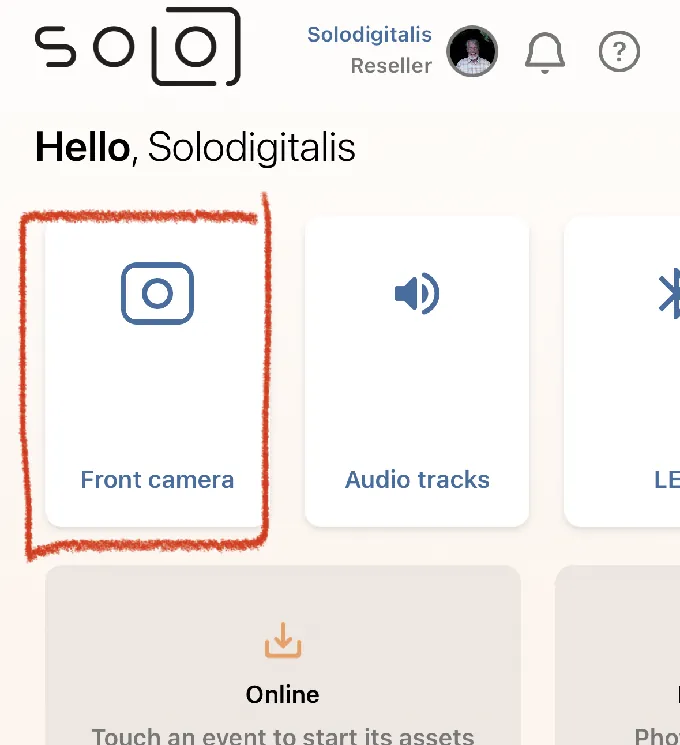
Booth.Events consolidates photos, slow-motion video, boomerangs, GIFs, and video testimonials into a single iPad app.
Operators toggle each format per event, so a wedding client can get standard photos and GIFs while a corporate client gets slow-motion 360 video. Video testimonials let guests record up to 2 minutes of video with sound.
For camera quality, operators can connect a Canon, Nikon, or Sony DSLR or mirrorless camera via USB using the cable that shipped with the camera. No proprietary capture cards or adapters are needed. GoPro Hero Black Series 9+ is also supported for 360 spinner setups.
Source: Booth.Events
The 360 spinner workflow is well-designed. An iPhone on the spinner arm serves as the Capture Station, with the phone’s accelerometer auto-starting recording when the spinner begins rotating.
Operators control slow-motion timing through a visual multi-segment timeline editor on the web dashboard, setting speed ratios and segment durations with smooth transitions between segments. A separate iPad acts as the Share Station, displaying the live gallery so guests can send photos to themselves without queuing at the capture device.
AI Features: Background removal, glam retouching, generative portraits, and open-ended AI prompts.
Booth.Events offers four AI features, each addressing a different part of the photo booth experience.
SceneSelect (AI Background Removal) uses on-device AI to detect subjects and replace backgrounds without a physical green screen. Operators upload custom background “scenes,” and guests either choose their preferred background after capture or get assigned a specific one.
Source: Booth.Events
A transparency layer mode enables composites like magazine covers or sports cards. The feature works offline and is included on all plans with no credit cost.
AI Glam Filter applies machine-learning retouching to smooth skin, whiten teeth, and cover blemishes while preserving detail in eyes, lips, and hair. An adjustable intensity slider lets operators calibrate for different skin tones, and the filter stacks with color and black-and-white presets. Like SceneSelect, it is unlimited on Pro plans and above with no per-image cost.
AI Portraits generates styled portrait images using custom-trained AI models with 160+ pre-built styles. Each generation costs 2 AI credits. Operators can order a custom filter trained to a specific brief for a minimum of $200 USD with a two-week lead time. The feature is exclusive to Pro+ subscribers.
Source: Booth.Events
AI Prompts is the most flexible option, letting operators write open-ended text prompts that transform guest photos into any artistic style. Three model tiers are available: Nano Banana 1K (1 credit), Nano Banana Pro 2K (3 credits), and Nano Banana Pro 4K (4 credits).
In Capture Station mode, guests don’t wait at the iPad for generation. They enter their contact info and move on, receiving the finished image via SMS or email. Unlike AI Portraits, AI Prompts supports group photos.
AI credits cost $8 USD for 100. New Pro/Pro+ subscribers receive 200 free credits. SceneSelect and the Glam Filter do not consume credits.
Templates, Branding & Customization: Browser-based design tools with tiered white-labeling.
All customization happens through the web dashboard.
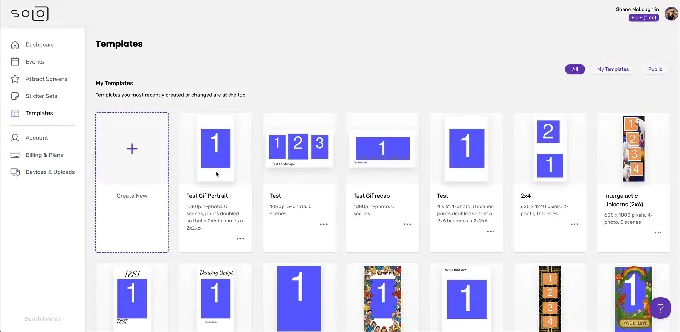
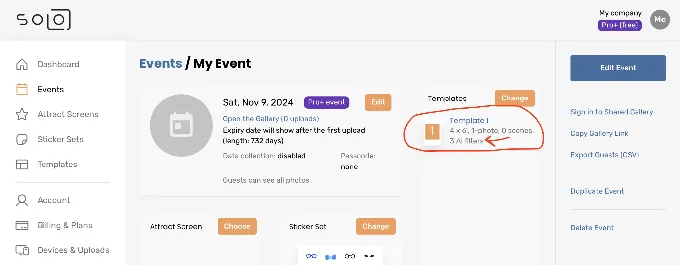
The online template editor provides a layered canvas where operators define photo areas, upload backgrounds and overlays, add text, and adjust layer order, transparency, position, and rotation. Templates support preset sizes or custom pixel dimensions. A Template Preview button generates a proof image with photo areas filled in for client approval.
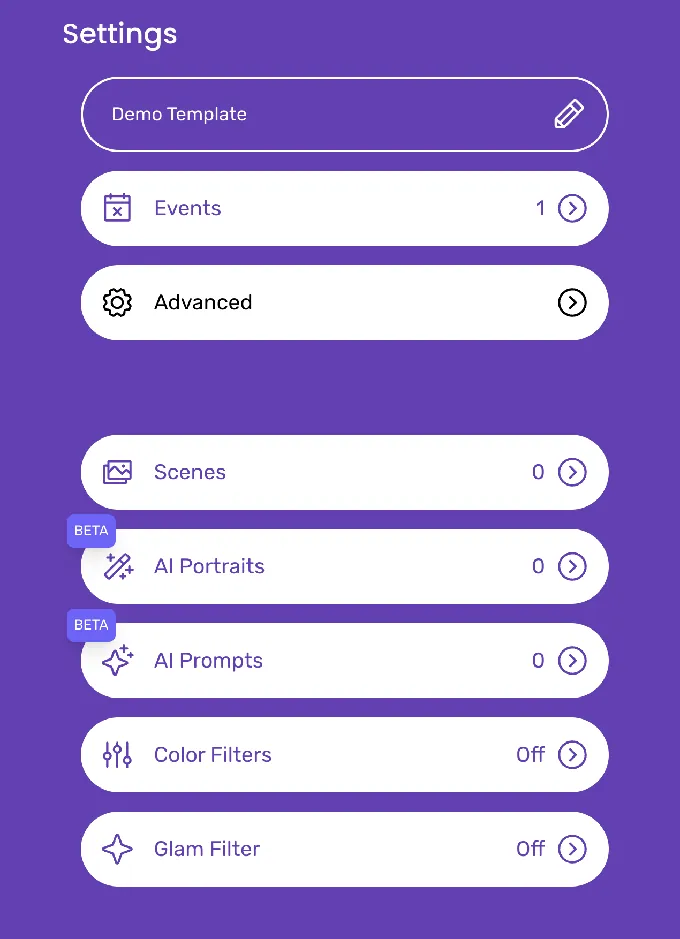
Source: Booth.Events
Operators can import designs from Canva by saving as a non-flattened PDF, which imports as editable layers. Attract screens (the idle display) support video backgrounds, live-view camera blending at adjustable opacity, and static images.
Branding scales with the plan tier.
No plan shows the Booth.Events logo to guests. Pro and Pro+ add custom HTML microsites in the gallery message area. Pro+ unlocks custom domains for galleries and a fully white-labelled iPad app. A cross-account duplication feature lets resellers run events under their own branding through sub-operator accounts.
Sharing & Galleries: Instant delivery across email, SMS, AirDrop, and QR code with long-lasting online galleries.
Every event automatically generates a Shared.Gallery where photos and videos appear in real time.
Guests receive their photos via email, SMS, AirDrop, or QR code scan. Email delivery is unlimited on all plans with no third-party account required. SMS coverage varies by tier: free plans cover the USA and Canada; Basic adds Mexico, Malaysia, and Indonesia (the latter three via WhatsApp); Pro and Pro+ cover most countries worldwide.
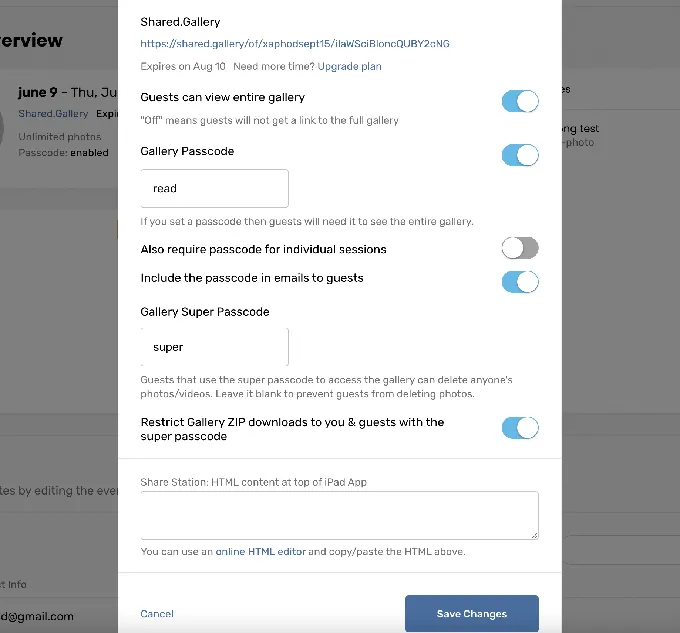
Source: Booth.Events
The Share Station mode turns an additional iPad into a self-serve sharing kiosk that updates the instant a new photo uploads. Galleries persist for 3 months on Basic, 1 year on Pro, and 2 years on Pro+. Canceling a subscription does not shorten the expiry date of events created while subscribed.
Gallery access uses a two-tier passcode system: a standard guest passcode for viewing, and a super passcode granting full access including deletion and ZIP download rights.
Guest Management & Remote Operations: Surveys, webhooks, scheduled events, and full remote iPad control.
Booth.Events includes a Survey builder with two independently toggled stages (pre-session and post-capture), ten field types including checkboxes and rich text for GDPR consent, and CSV export of all collected data.
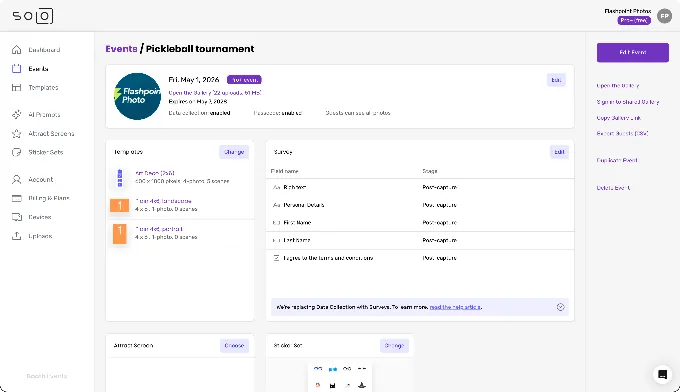
Source: Booth.Events
For automation, Pro+ subscribers get two webhook types: an Upload Webhook (fires on every file upload for automatic backup to Dropbox or Google Drive) and a Share Webhook (fires when a guest enters contact info, enabling CRM integration via Zapier or IFTTT).
Scheduled Events (Pro+) let operators set per-device start and end times. Before the start time, the iPad displays a customizable countdown; after the end time, it switches to a closed screen automatically. This suits drop-off rentals and venues with back-to-back bookings.
The standout remote feature is Remote-In (Pro+), which streams the iPad display in real time to a browser window and transmits touch input back to the device. Operators can navigate menus, change settings, and troubleshoot from anywhere.
A Drawing mode lets them annotate the live screen to guide on-site attendants. Even on lower tiers, every device uploads an automated screenshot every five minutes for basic fleet visibility.
Booth.Events Pricing
Booth.Events uses a flat-fee recurring subscription with no usage-based overages on core features. The exception is AI-generated content (AI Prompts and AI Portraits), which runs on a credit system.
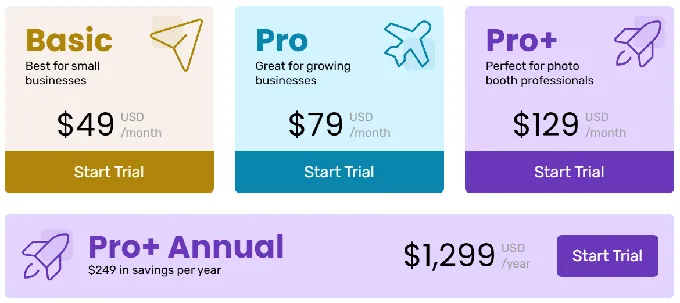
- Starter (Free): Up to 3 free events. Free events are capped at 100 photo uploads with a 7-day gallery and a persistent Booth.Events banner.
- Basic: 1 iPad or 1 iPhone (not simultaneously). 3-month gallery storage. SMS limited to USA and four additional countries. Online support only.
- Pro: 1 iPad plus unlimited iPhones. 1-year gallery storage. Worldwide SMS. Adds custom HTML microsites and additional Share Station device support. Online support only.
- Pro+: 4 iPads included plus unlimited iPhones; additional iPads available as a paid add-on. 2-year gallery storage. Adds custom domain, white-label app, event scheduling, webhooks, LED connectivity, Remote-In, and AI Portraits access. Online plus emergency phone support.
All paid memberships include a 14-day free trial. Month-to-month billing is the default; an annual Pro+ option saves additional money. Non-subscription options include a 1 Week Pass (Basic-level access for one week, non-renewing) and a 4x Pro Event Credits pack (four non-expiring event credits with full Pro features).
All purchases are explicitly final and non-refundable. Discounts are available for registered charities, nurses, educators, and competitive switchers via direct outreach.
Where Booth.Events Falls Short
Booth.Events delivers solid value as a software-only photo booth solution, but several limitations surface as operators scale their businesses or serve more demanding clients.
No Integrated Hardware Solution: Booth.Events is software only. Operators must source their own iPad stands, lighting rigs, and enclosures separately. This means inconsistent photo quality across setups, additional vendor management, and no guarantee that the lighting will flatter guests in different venue conditions.
For operators who want to deliver a consistent experience at every event, the hardware gap creates real friction.
iOS and macOS Only: Booth.Events explicitly states it will not create a Windows or Android version. Operators invested in Android tablets or Windows-based booth enclosures cannot use the platform. This limits the addressable market and locks operators into Apple’s hardware ecosystem.
No Virtual or Hybrid Event Support: External photo upload and virtual event modes are not supported. Brands now run in-person and remote activations simultaneously, and the absence of a browser-based virtual booth means operators need a separate product for hybrid events.
Limited Marketing Features: Booth.Events captures guest data through surveys and exports via CSV and webhooks, but it lacks native CRM integrations, social sharing analytics, demographic insights, or brand moderation tools. For marketing teams measuring ROI on brand activations, the data capture is functional but thin compared to platforms built for marketing.
Camera Support Is Broad, But No Built-in Lighting: While Booth.Events supports Canon, Nikon, and Sony cameras, the broader issue is that the platform provides no built-in lighting solution. Photo quality depends entirely on the operator’s external lighting setup, which varies from event to event.
Small Team, Concentrated Risk: With about six team members, Booth.Events delivers strong individual support (App Store reviews frequently name founder Tim Carr), but the small team means product velocity and support capacity are limited. There is no public product roadmap, so future direction must be inferred from the changelog.
These limitations reflect Booth.Events’ deliberate focus on being an affordable, reliable photo booth app rather than a full event marketing platform. But they create a clear opening for operators who need professional hardware, virtual event capabilities, or data tools built into their booth workflow.
Top Booth.Events Alternative: Simple Booth
Simple Booth addresses Booth.Events’ gaps with a complete photo booth system: proprietary hardware with professional lighting, a cloud-connected iPad app built for unattended operation, a browser-based Virtual Booth for remote events, and marketing tools with lead capture analytics.
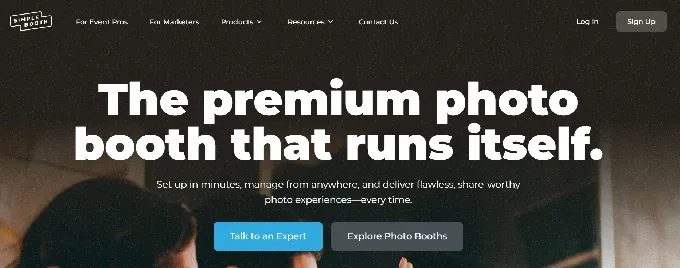
Building iPad photo booth apps since 2012 (one of the first on the platform), Simple Booth now serves 30,000+ customers worldwide with 40 million+ moments captured and holds a 4.7-star App Store rating from 2,400+ reviews, with plans starting at $14.99 per week.
HALO Hardware: Dedicated ring-light photo booth that sets up in under a minute.
Where Booth.Events leaves operators to assemble their own hardware setups, Simple Booth’s HALO is a dedicated photo booth chassis machined from a single billet of aluminum with a patented ring-light system.
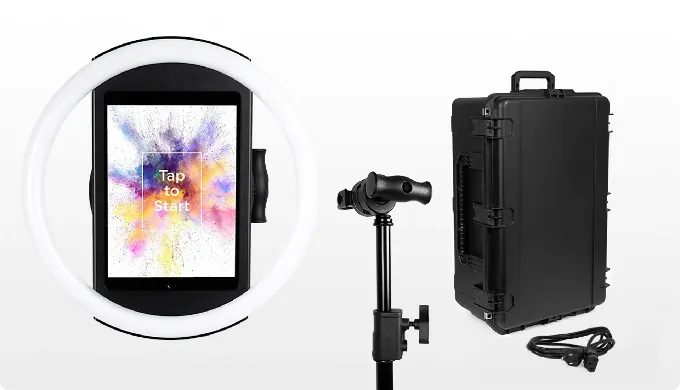
The ring light contains 112 LEDs producing up to 2,100 lumens, rated for 50,000 hours of operation, with a diffuser that delivers even illumination for groups standing 6 to 8 feet from the camera.
The iPad snaps in via a tool-less faceplate and stays charged through a concealed built-in USB-C cable. The full Event Kit (selfie stand, HALO body, and rolling hard case) weighs 49 lbs and sets up in under one minute with no tools. An Install Kit with a heavy-duty steel wall mount serves permanent venues.
The hardware advantage matters most at the point of capture. Consistent, professional lighting eliminates the variable that software alone cannot control: how guests actually look in the photo. Combined with on-device background blur (Core plans and up) and Glam skin smoothing, the HALO delivers photo quality that earns repeat bookings.
Operators who bring their own Canon DSLR or mirrorless camera can connect via USB for long-event reliability or wirelessly over WiFi for more creative setups, a capability most competing platforms lack. Image previews render up to 12x faster than previous versions, and a reliable offline queue ensures photos upload even if connectivity drops mid-event, keeping unattended booths running without interruption.
Kurt Nielson Photography found that the investment “paid for itself pretty quickly. Now it’s just extra money coming in.” (Simple Booth)
Virtual Booth: Browser-based photo experiences with no hardware required.
Simple Booth’s Virtual Booth fills the gap that Booth.Events cannot address at all: branded photo experiences delivered to participants on any device, anywhere, through a web browser.
No app installation, no iPad, no physical presence required.
Participants visit a branded link or scan a QR code, grant camera permissions (or upload an existing photo), apply effects (overlays, stickers, AI transformations, background replacement), and share to social media. The platform automatically localizes into nine languages based on browser settings.
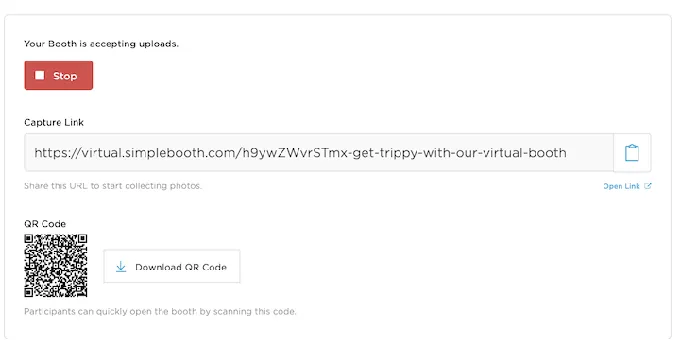
Source: Simple Booth
Because Virtual Booth connects to the same analytics, Live Feed, and Gallery infrastructure as the HALO app, brands running hybrid events can operate physical kiosks for in-room attendees and Virtual Booth for remote participants, with all submissions feeding one combined gallery.
Beyond events, Virtual Booth can be embedded in email campaigns, printed on consumer packaging, or placed on a brand website as a persistent activation.
Layout Designer & AI Effects: Full design tools and AI generation built into the booth workflow.
Simple Booth’s Layout Designer, introduced in HALO 5.0, is a complete design tool available on both the iPad app and web dashboard on all plans.
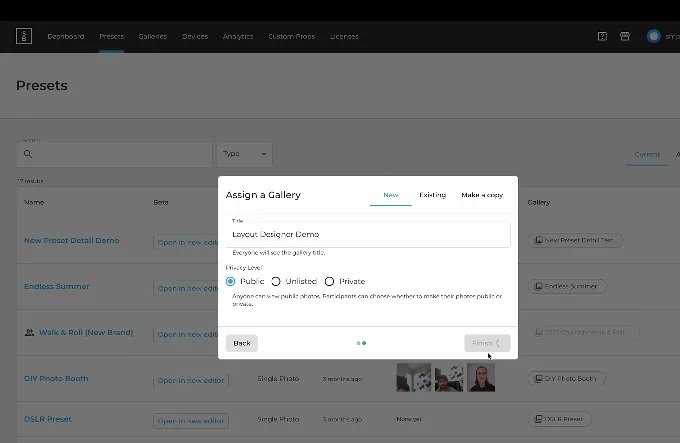
Source: Simple Booth
It includes photo placement, text layers (font, color, alignment, shadow), background gradients, logo positioning, border rounding, element alignment, and 60+ importable themes. Guest-editable text layers (Plus plans and up) let participants type their own names, captions, or custom messages directly onto photos before sharing, a popular choice for digital guest books and personalized keepsakes.
Templates that previously required Photoshop or Canva can now be built entirely within Simple Booth, with dynamic QR codes and multiple layout options per event, each with its own motion type (still, GIF, Live GIF, Rebound, or video). All effects, filters, and features work together with video, DSLR integration, and offline mode, so operators don’t have to navigate complex compatibility rules.
AI Effects use Nano Banana models to transform captured photos using text prompts. The system handles identity preservation automatically at the platform level, so guests remain recognizable regardless of how extreme the transformation. Operators can test prompts outside of booth mode at zero credit cost, iterating freely before the event.
A Guest Input system on Pro/Select plans lets participants answer questions that inject directly into the AI prompt as template variables, producing personalized outputs per guest.
AI effects composite directly with the Layout Designer’s brand overlays in a single workflow, meaning branded logos, frames, and graphics layer on top of AI-generated photos without stitching two tools together.
Marketing & Data Capture: Turn every photo into a lead with 87%+ opt-in rates.
Where Booth.Events captures guest data through surveys and CSV export, Simple Booth treats the photo booth as a first-party data engine.
The platform reports opt-in rates of 87 to 89% because data capture happens as a natural part of receiving a photo rather than as a separate form.
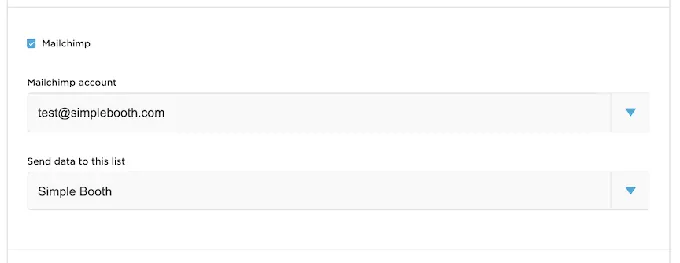
Lead capture fields scale with plan tier: 6 standard fields on Pro, up to 10 custom fields with checkboxes and required legal terms on Select. Data exports as CSV, syncs natively with MailChimp, or routes through the Open API to custom CRMs. Gallery analytics track participants, uploads, gallery views, social shares (Facebook, X, LinkedIn, Instagram), and referred views.
Source: Simple Booth
Select-tier accounts add demographic insights via face detection, estimating age, gender breakdown, and average group size.
Social sharing is built directly into the delivery flow. The platform pre-populates event hashtags on X/Twitter and Facebook and automatically reformats layouts for Instagram compatibility. Enterprise features include brand moderation (approve photos before delivery or gallery display), age gating, in-app custom legal terms, and data compliance tools for PII deletion.
Arizona Opera grew its email list by 1,000 addresses in a few events using the HALO installation. (Simple Booth)
Booth.Events or Simple Booth: Comparison Summary
| Booth.Events | Simple Booth | |
|---|---|---|
| Primary focus | Software-only iPad photo booth app | Integrated hardware + software + virtual booth platform |
| Hardware | None (BYOD stands and lighting) | HALO ring-light kits (machined aluminum, patented design) |
| App Store rating | 4.8 stars (897 ratings) | 4.7 stars (2,400+ ratings) |
| Virtual / hybrid events | Not supported | Virtual Booth (browser-based, no hardware) |
| Camera support | Canon, Nikon, Sony, GoPro | Canon DSLR/mirrorless via USB or wireless WiFi (Core+) |
| AI background removal | SceneSelect (offline, all plans, no credits) | Background replacement (Core+) |
| AI generative effects | AI Portraits + AI Prompts (credit-based) | AI Effects with Nano Banana models (credit-based) |
| Template design | Browser-based editor with Canva PDF import | Layout Designer (in-app + web dashboard, all plans) with 60+ themes |
| SMS sharing | Bundled, no Twilio setup needed | Included; international on Core+ |
| WhatsApp delivery | Basic tier: select countries via WhatsApp | All plans |
| Lead capture | Surveys with CSV export + webhooks (Pro+) | Up to 10 fields, MailChimp sync, API, demographic analytics |
| Social sharing analytics | Not available | Facebook, X, LinkedIn, Instagram tracking |
| Brand moderation | Not available | Pro/Select (approve before delivery) |
| Remote management | Remote-In with live control (Pro+) | Web dashboard with real-time device monitoring, remote preset switching, battery/storage tracking |
| Event duration | Up to 1 year | Standard event model |
| Pricing model | Flat-fee subscription + AI credits | Per-license subscription + AI credits + hardware |
| Free tier | 3 free events (100 photos, 7-day gallery) | 7-day free trial (no permanent free plan) |
| Best for | Budget-conscious operators who own their hardware | Operators who want a complete system at any scale (from $14.99/week) |
Final Verdict
The choice between Booth.Events and Simple Booth comes down to what kind of photo booth business you’re building.
Choose Booth.Events if you want an affordable iPad photo booth app that handles the software well without locking you into proprietary hardware. It suits operators who already own their stands and lighting, value multi-brand camera tethering (Canon, Nikon, Sony), and use features like Live Sync, bundled SMS, and unlimited event duration for kiosk installations.
The flat-rate pricing and generous iPad licensing model make it cost-effective for small teams scaling gradually. With responsive founder-led support and a strong App Store reputation, Booth.Events delivers solid value for operators whose primary need is reliable capture-and-share software.
Choose Simple Booth if you want a complete photo booth system where hardware, software, and marketing tools work together from a single vendor while staying easy to use.
The HALO’s integrated ring light solves the lighting problem that software alone cannot fix, producing consistent, professional photo quality at every event, while the simple interface means guests navigate the booth without an attendant and new staff learn quickly.
Virtual Booth extends your reach to remote and hybrid audiences. And the marketing layer (87%+ opt-in lead capture, social sharing analytics, brand moderation, demographic insights) turns every booth session into measurable business data.
With plans starting at $14.99 per week, Simple Booth works whether you’re a rental company starting out, a venue installing a permanent booth, or a marketing team running brand activations.
Get started with Simple Booth here.
Booth.Events FAQ
Is there a free version of Booth.Events?
Yes, Booth.Events offers a permanent Starter tier that includes up to 3 free events. However, free events are capped at 100 photo uploads, galleries expire after 7 days, and a Booth.Events banner appears that cannot be removed. All paid memberships include a 14-day free trial before any charge.
Simple Booth offers a 7-day free trial but does not have a permanent free plan.
What devices does Booth.Events support?
Booth.Events runs on iPad, iPhone, and (as of January 2025) macOS. The company has stated it will not develop a Windows or Android version. A companion Windows app called Print.Events handles print jobs routed from the iPad.
Simple Booth’s HALO app is iPad-only for capture, with its Virtual Booth product running in any web browser on any device.
Does Booth.Events require a Twilio account for SMS?
No. Booth.Events handles all SMS infrastructure internally at no extra charge within supported countries. Most competing apps require operators to create and register their own Twilio A2P campaign, a process that can take a week or longer with additional fees. Operators on Pro+ who need custom sender numbers or unsupported countries can optionally connect their own Twilio account.
How does Booth.Events’ AI background removal work?
SceneSelect uses on-device AI to detect subjects and replace backgrounds without a physical green screen. Operators upload custom background images, and guests choose their preferred scene after capture. The feature works offline, requires no internet connection, and is included on all plans with no credit cost. A scene blending mode merges the background with the real photo for a more natural look.
Can Booth.Events run events longer than one day?
Yes. Booth.Events allows a single event to remain active for up to a year, making it suited for permanent kiosk installations, multi-day conferences, and long-running brand activations. Most competing photo booth apps cap events at roughly one day. Scheduled Events on the Pro+ tier add per-device start and end times for automatic open and close.
What is Booth.Events’ Live Sync feature?
Live Sync pushes any change made in the web dashboard (templates, settings, assets) to all connected iPads automatically and instantly, without requiring a restart or interruption to guests. An operator can correct a layout error or swap a template mid-event from a phone browser without physically touching any booth hardware.
How much does Booth.Events cost?
Booth.Events uses flat-fee subscriptions across three tiers (Basic, Pro, Pro+) with month-to-month or annual billing. AI Prompts and AI Portraits are credit-based at $8 USD per 100 credits. Non-subscription options include a 1 Week Pass and a 4x Pro Event Credits pack.
Simple Booth’s pricing ranges from $14.99/week (Lite) to $249/month (Select), with additional costs for hardware kits and AI credits at $0.10 each.
Does Booth.Events offer remote iPad management?
Yes. The Remote-In feature (Pro+) provides full live remote control of the iPad from any web browser, streaming the display in real time and transmitting touch input back to the device. A Drawing mode lets operators annotate the screen to guide on-site staff. All plans include passive device screenshots uploaded automatically every five minutes for basic fleet monitoring.
Keep reading
 Showdowns
Simple Booth vs Booth.Events: Which iPad Photo Booth App Fits Your Business in 2026?
Turnkey hardware vs low-cost iPad. Simple Booth or Booth.Events?
 Alternatives
7 Booth.Events Alternatives: Photo Booth Solutions for Every Operator and Use Case (2026)
Eyeing the exit from Booth.Events? These alternatives are worth a look.
 Pricing
Booth.Events Pricing: Worth It or Consider Simple Booth? June 2026
Every tier, credit and sneaky add on. Booth.Events pricing, fully unpacked.