Breeze Booth vs Touchpix (vs Simple Booth): Which Photo Booth Software Wins in 2026?

Choosing between Breeze Booth vs Touchpix for your photo booth business usually comes down to these five questions:
- Do you need full design control over every screen a guest touches, or would you rather pick from ready-made templates and get running fast?
- Is your fleet iPad-only, or do you run a mix of Android, Windows, and Mac devices?
- Are 360-degree spinning video booths a core part of your business, or are you focused on standard photo and GIF activations?
- Do you want software-only and source your own hardware, or would an integrated hardware-and-software system simplify your operations?
- How important is it that your booth works fully offline, including AI effects and guest sharing?
In short, here’s what we recommend:
Breeze Booth is the customization pick for operators who want pixel-level control over every element of the guest experience. Its Touch Screen Designer, Photo Layout Editor, and Profile system let you replace every screen, animation, countdown, and print layout with your own branded assets.
Combined with Canon DSLR tethering, a token system that injects survey data directly into prints, and 100% offline capability with no data sent to third parties, Breeze Booth is built for operators serving brand activation agencies and privacy-sensitive corporate clients.
The trade-off is a steep learning curve and an ecosystem that fragments across separately priced products (Breeze Booth, Breeze Cloud, Breeze FX) when you need the full feature set.
Touchpix is the cross-platform option for operators who need one subscription covering every booth format they run.
It’s the leading 360 photo booth app with native Bluetooth spinner integration and wired GoPro support (models 7 to 14), and it runs on iOS, Android, macOS, Windows, Linux, and Raspberry Pi with unlimited devices per account. The Scanpix 2 offline sharing system delivers media to guests without any internet connection.
Where Touchpix falls short is design depth: operators get overlays and templates, but not the screen-by-screen UI rebuilding that Breeze Booth enables.
Touchpix launched in 2020 and grew quickly on the strength of its 360 capabilities, but the platform is still maturing: App Store reviewers report crashes and GoPro disconnections during live events, and a recent cloud service outage raised reliability questions for operators running unattended setups.
Both platforms give operators strong capture and sharing tools. But they’re both software-only solutions that assume you’ll source your own hardware, lighting, and enclosures separately. For operators who want a complete, integrated system that pairs dedicated hardware with cloud-managed software, there’s a third option worth considering.
Simple Booth pairs its HALO ring-light hardware (machined aluminum, 112 LEDs, 2,100 lumens) with the HALO iPad app and an online management dashboard into a single integrated system. Setup takes under one minute with no tools.
The app handles photos, GIFs, video, AI effects, and a Layout Designer that eliminates the need for external graphic design software. For marketing teams, Simple Booth captures first-party data with opt-in rates as high as 87 to 89% and feeds it directly into analytics, galleries, and CRM exports.
With iPad photo booth apps in development since 2012, 30,000+ customers, and a 4.7-star App Store rating from 2,400+ reviews, Simple Booth is the choice for operators who value reliability and speed over configurability.
If a complete hardware-and-software system that sets up in a minute and runs itself sounds right for your business, start your free trial of Simple Booth.
Breeze Booth vs Touchpix vs Simple Booth at a glance
| Breeze Booth | Touchpix | Simple Booth | |
|---|---|---|---|
| Primary strength | Design customization | Cross-platform 360 booth leader | Integrated hardware + software system |
| Platforms | iPad/iPhone only | iOS, Android, macOS, Windows, Linux, Raspberry Pi | iPad only (with HALO hardware) |
| 360 booth support | Yes (Auto Motion Start) | Yes (native Bluetooth trigger, GoPro wired) | No |
| DSLR/mirrorless support | Canon (tethered) | Canon, Nikon, Sony, GoPro 7 to 14 | Canon wired + wireless (Core plan and above) |
| AI effects | Cloud-based (Breeze FX, pay-per-image) | 80+ styles + custom prompts (credit-based) | Nano Banana models + custom prompts (credit-based) |
| Offline capability | 100% offline, including AI background removal | Offline sharing (Scanpix 2), offline face replacement | Offline upload queue; AI requires internet |
| Design flexibility | Full UI replacement, screen-by-screen | Overlay templates and 300+ designs | Layout Designer with layers, fonts, gradients |
| Dedicated hardware | No (software only) | No (software only) | Yes (HALO ring-light kits) |
| Starting price | $49/month per device | ~$37/month (PhotoPass yearly) | $14.99/week (Lite) |
| App Store rating | 3.6 stars (5 ratings) | 4.8 stars (6,600+ ratings) | 4.7 stars (2,400+ ratings) |
Design flexibility separates the three platforms
This is where the differences are sharpest.
Breeze Booth treats every pixel of the guest experience as a canvas.
The Touch Screen Designer lets operators place and resize action zones on any custom screen, with percentage-based positioning that adapts across iPad models. The Photo Layout Editor is a drag-and-drop builder for print layouts with photo placement, overlays, logos, QR codes, and text with dynamic token support.
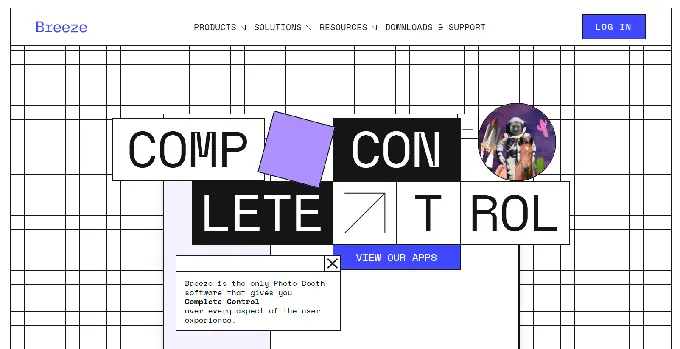
Every screen in the guest journey (ready screen, countdown frames, menus, keyboards, info screens, gallery screens) can be replaced with custom JPG, PNG, GIF, or video assets.
The Profile system takes this further. A single event can house multiple complete UI configurations in separate subfolders, and guests switch between them via touchscreen menus. Think team-selection experiences at sports events, or format-choice menus where guests pick between a 6×4 print and a three-shot strip. Each Profile is a separate bundle of settings, screens, and assets.
Touchpix takes a different approach.
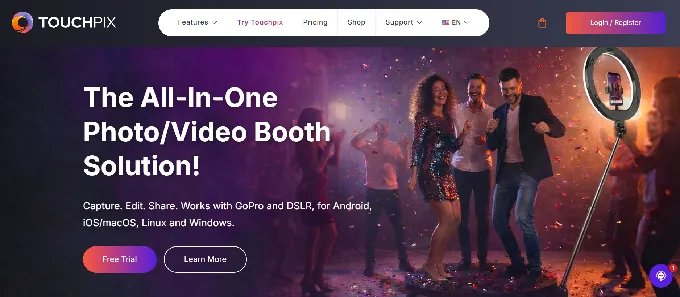
Operators work within a framework of 300+ pre-built overlays and designs via an Online Designer, customizing colors, logos, and branding elements. For most events, this gets the job done quickly. But you’re working within the template system, not rebuilding the interface from scratch.
There’s no equivalent of Breeze Booth’s screen-by-screen UI replacement or animated alpha-channel video overlays composited over a live camera view.
Simple Booth sits between these two extremes with the Layout Designer introduced in HALO 5.0.
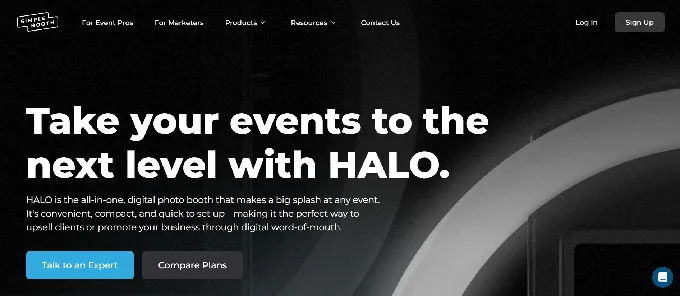
It’s a full in-app design tool with layers, font controls, color and gradient options, logo placement, border rounding, and dynamic QR code embedding. Multiple layout options per event, each with its own motion type.
Where it differs from Breeze Booth is scope: the Layout Designer handles the output design (what the photo looks like), while Breeze Booth handles the entire guest-facing interface design (every screen they interact with).
For corporate brand activations requiring pixel-perfect brief compliance, Breeze Booth’s depth is hard to match. For operators who want strong branding without investing hours in external design tools, Simple Booth’s built-in designer offers the better balance.
360 and video booths reveal different hardware strategies
If 360-degree spinning video booths are a core part of your business, this section matters most.
Touchpix built its reputation on 360 booths.
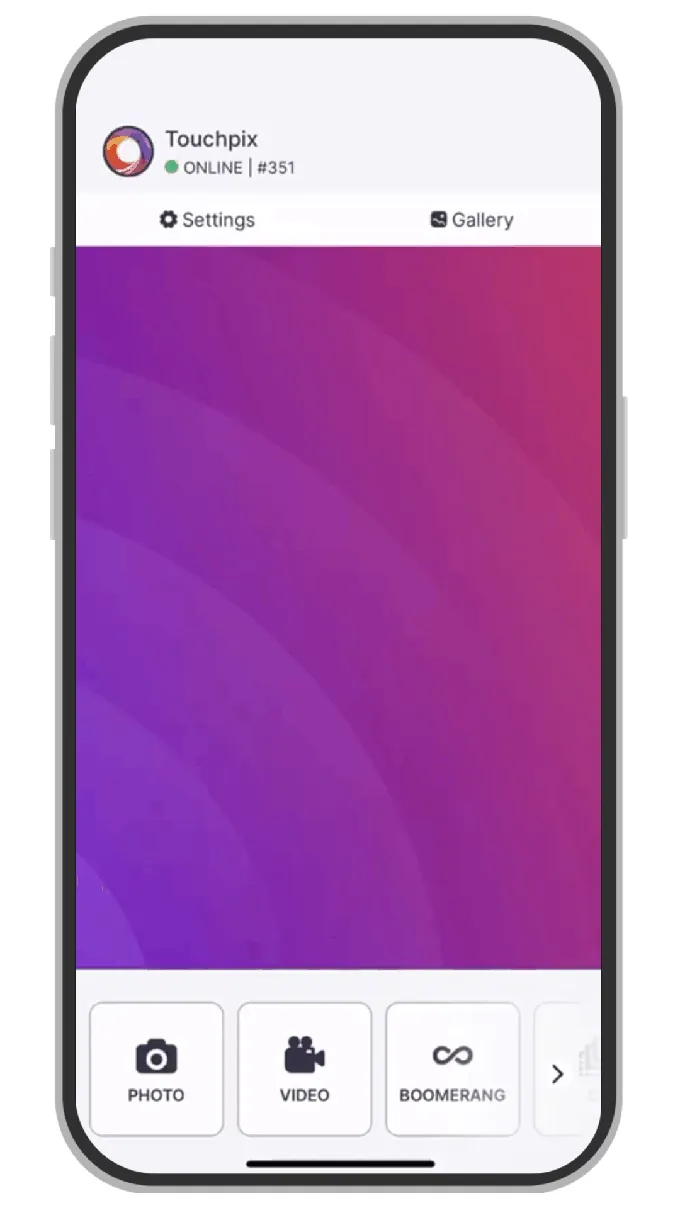
The app communicates with spinning platforms over Bluetooth, triggering the capture sequence automatically without an attendant pressing a button. It supports wired GoPro connections for models 7 to 14 alongside Canon, Nikon, and Sony DSLRs and mirrorless cameras. Six capture modes (still photos, AI photos, boomerang, video, animated GIFs, and slow-motion) run within the same app.
Source: Touchpix
The combination of native 360 hardware control, GoPro wired integration, and cross-platform support makes Touchpix the default choice for operators whose primary format is 360 video. That said, captured media can be slow to render and appear in the app, and some operators find the interface confusing enough that unattended 360 setups require extra testing.
Breeze Booth supports 360 booths through Auto Motion Start (Smart Motion Start), which detects when any spinning platform or robot arm begins moving and triggers recording automatically.
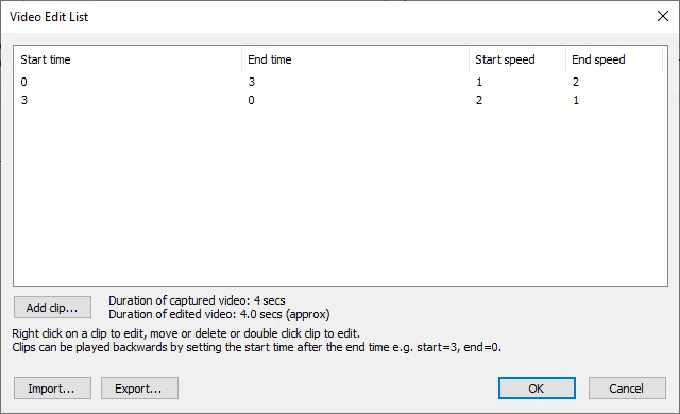
The product page claims compatibility with “any 360 on the market.” Its Video Edit List provides frame-level editing with speed ramps, jump cuts, pans, zooms, and rotations, all exportable as a reusable file.
Source: Breeze Booth
For operators who also run Glam Robot video or tethered Canon DSLR photo sessions, Breeze Booth handles all formats in one app. The difference: Breeze Booth connects only to Canon cameras, while Touchpix adds Nikon, Sony, and GoPro support.
Simple Booth does not offer 360-degree video booth support.
The platform is built around the HALO ring-light setup for open-air photo booths, capturing stills, GIFs, Rebound boomerang clips, and video up to 120 seconds. Canon DSLR and mirrorless camera support was added in HALO 5.0 for operators wanting studio-grade image quality, with both wired USB and wireless Wi-Fi connections supported (wireless being a capability most competitors don’t offer).
Background Blur adds a bokeh effect directly from the iPad camera, delivering a look traditionally reserved for DSLR setups. For operators focused on standard photo and GIF activations with professional image quality and AI effects, Simple Booth covers the use case. For 360 specialists, it’s not the right fit.
AI effects take three different approaches
All three platforms offer AI photo transformation, but the architectures and pricing models diverge.
Breeze Booth runs AI through Breeze FX, a separately billed cloud service.
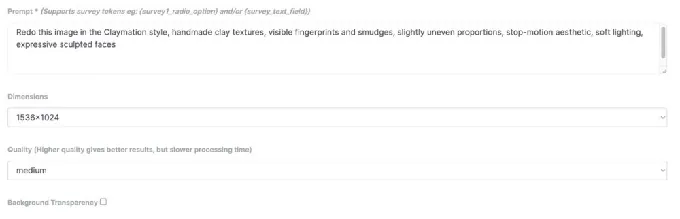
It exposes multiple AI models under a single credit pool: OpenAI GPT-4o for image generation ($0.455/image), Face Swap ($0.032/image), Cartoon conversion in nine styles ($0.195/image), skin smoothing ($0.065/image), head extraction ($0.065/image), and AI content moderation that screens for nudity, weapons, and inappropriate content ($0.065/image). Processing takes 10 to 60 seconds depending on the effect.
Source: Breeze Booth
What sets Breeze FX apart is survey-driven prompt personalization. The GPT Image integration supports token injection from survey responses, so a guest’s answers (team color, name, jersey number) feed directly into the AI prompt that generates their image. That goes deeper than a fixed style library.
Separately, Breeze Booth includes on-device AI background removal at no extra cost. It runs locally, works offline, and requires no credits. This two-tier architecture (free local AI for real-time effects, paid cloud AI for transformative effects) is unique.
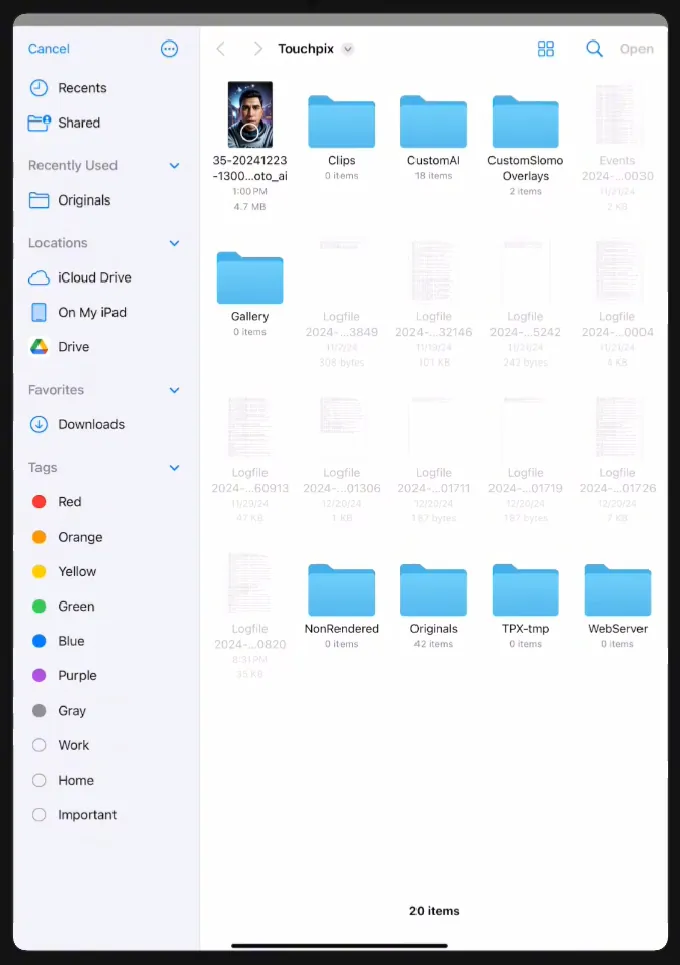
Touchpix offers 80+ ready-made AI transformation styles plus custom prompt support, with processing described as happening “in seconds.”
Cloud AI runs on Google Gemini and consumes credits (100 credits for $12, scaling to 5,000 for $375). Like Breeze Booth, Touchpix separates local and cloud processing: AI face replacement and background removal run on-device without internet, while the style transformation library is cloud-based. Photo AI is included on all pricing tiers, not gated behind higher plans.
Source: Touchpix
Simple Booth uses Nano Banana AI models at three quality tiers (1x, 2x, and 3x credits per generation). Credits cost $0.10 each.
The platform handles identity preservation automatically, so guests stay recognizable regardless of how extreme the transformation. Operators can test prompts outside booth mode at zero credit cost, iterate freely, then deploy. A Guest Input system lets participants answer questions post-capture, injecting their responses into the AI prompt as template variables for personalized output.
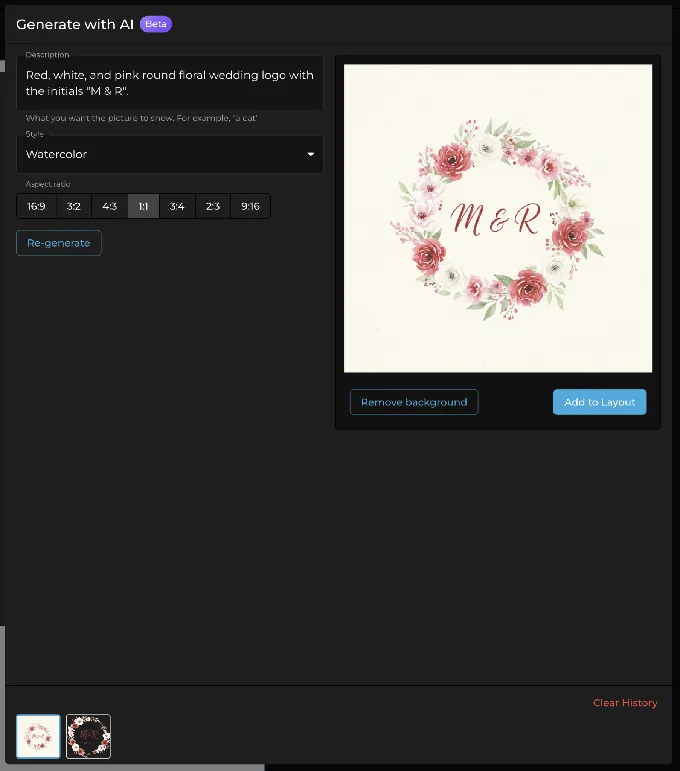
Simple Booth also generates AI layout images (design elements like borders and frames) at no credit cost, and AI-generated start screens are announced as coming soon.
Source: Simple Booth
For high-volume activations where per-image cost matters, Touchpix’s credit pricing is the most economical at scale. For survey-driven personalization, Breeze FX’s token injection into OpenAI prompts is the most capable. For the easiest operator experience with built-in identity preservation and free prompt testing, Simple Booth is the simplest to deploy.
Offline capability is not equal across platforms
Unreliable Wi-Fi is a reality at weddings, outdoor festivals, corporate venues, and international events. How each platform handles it makes a practical difference.
Breeze Booth offers the strongest offline story.
The entire app can run 100% offline with no personal data or images sent to any third parties, including Breeze Software itself. On-device AI background removal works without internet. Collected email addresses and phone numbers can be optionally encrypted. GDPR compliance is stated on the product page.
For European operators and privacy-sensitive corporate clients, this offline-first architecture is a purchasing requirement, not a convenience.
The limitation: cloud AI effects through Breeze FX require internet, so transformative AI features are online-only. But the core photo/GIF/video booth runs completely disconnected.
Touchpix takes a hybrid approach.
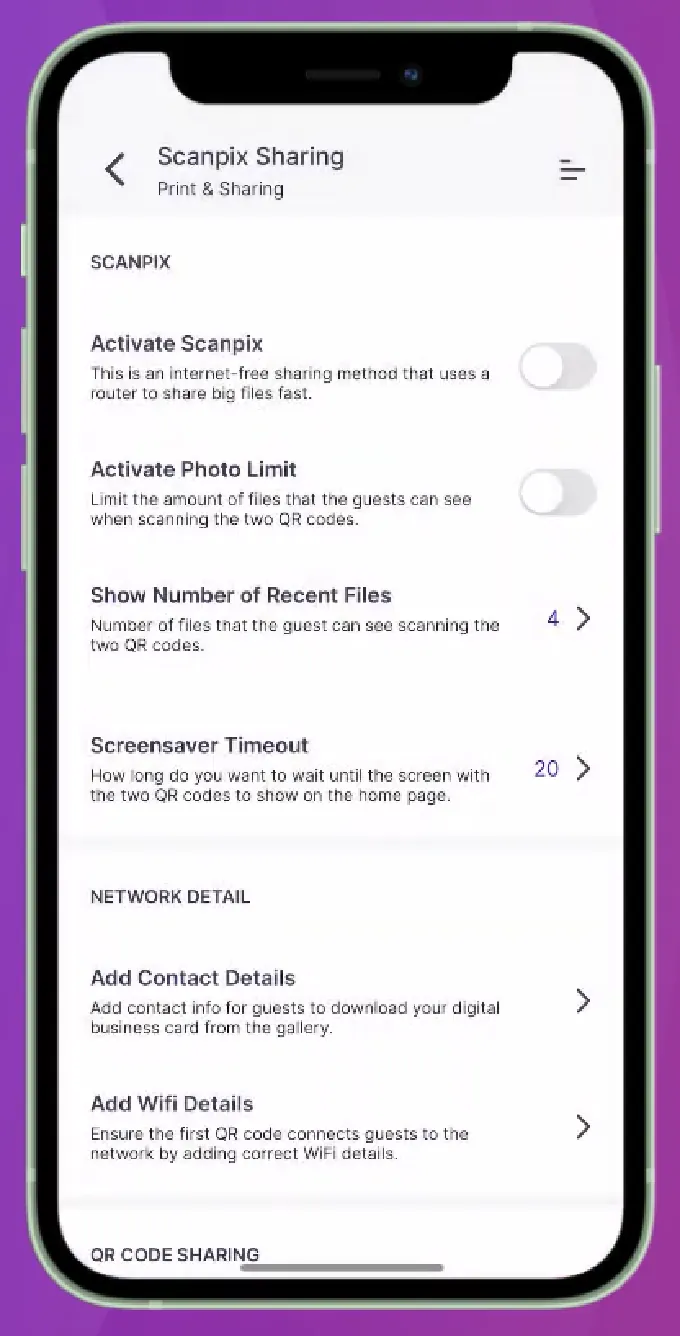
Its Scanpix 2 system delivers media to guests via QR code with no internet connection on both iOS and Android. AI face replacement and background removal run on-device. An offline queue holds cloud uploads until connectivity returns. Cloud AI transformations (the 80+ style library) require internet.
Source: Touchpix
Touchpix’s offline sharing is the standout feature here: guests walk away with their content immediately, regardless of venue connectivity.
Simple Booth maintains a reliable offline queue that delivers sessions when connectivity returns.
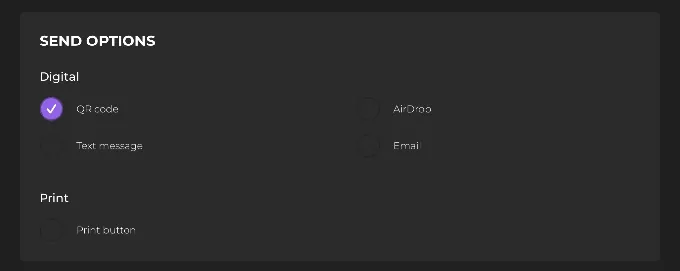
AI effects require an active internet connection, but the core booth runs uninterrupted. For immediate guest delivery without Wi-Fi, AirDrop sends photos directly to nearby iPhones with no internet required and no personal information collected, and WhatsApp sharing works over cellular networks (particularly valuable for international events where carrier SMS isn’t reliable).
Source: Simple Booth
For operators who frequently work venues with no reliable internet, all three platforms offer offline strategies. Breeze Booth’s full offline mode is the most complete, with no data touching any server.
Touchpix’s Scanpix 2 delivers instant QR sharing to both iOS and Android guests without Wi-Fi. Simple Booth’s AirDrop provides instant delivery to nearby iPhones without internet, while its offline queue and WhatsApp fallback handle the rest. Breeze Booth has the edge on data privacy, while Touchpix covers the widest range of guest devices.
Platform support dictates your hardware options
This is a straightforward but important difference.
Touchpix runs on iOS, Android, macOS, Windows, Linux, and Raspberry Pi.
That’s the widest hardware footprint in the category. Operators who already own Android tablets, Windows laptops, or Linux-based kiosk systems can use their existing equipment. All devices are covered under a single subscription with unlimited device connections.
Breeze Booth is iPad and iPhone only.
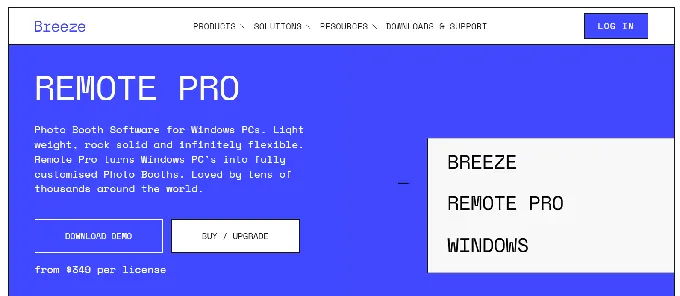
M Series Mac support is listed as coming soon. Windows operators use a separate product (Remote Pro), creating fragmentation for operators with mixed hardware fleets.
Simple Booth is iPad only. No Android, no Windows, no Mac app.
The HALO hardware kit is built around an iPad mounted inside the ring-light chassis. This constraint is deliberate: by controlling the hardware-software combination, Simple Booth ensures consistent quality and a reliable setup experience.
The web dashboard compensates by enabling remote device management, letting operators monitor all booth statuses in real time, track battery and disk space, and switch presets across multiple locations without being on-site.
For operators with mixed-platform fleets or existing non-Apple hardware, Touchpix is the only option that covers everything. For iPad-committed operators, the choice is between Breeze Booth’s software-only flexibility and Simple Booth’s integrated hardware system.
The pricing models serve different business sizes
Each platform’s pricing structure reveals who they’re building for.
Breeze Booth charges $49/month per device ($499/year).
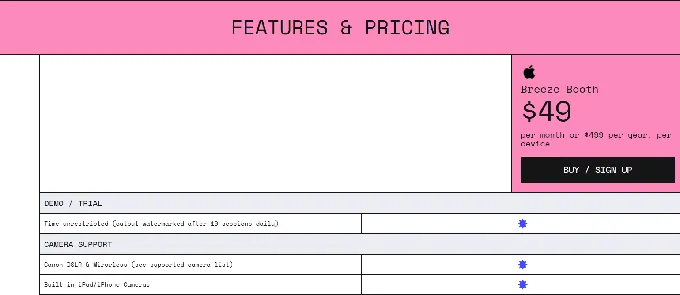
A single plan includes the full feature set with no tiered restrictions. But the headline number doesn’t tell the whole story. Full capability requires adding Breeze Cloud Pro ($39.99/month for webhooks, API, and custom domains) and Breeze FX credits (from $0.032 to $0.455 per image depending on the effect).
A three-device operator running cloud AI at events faces $147/month in base subscriptions plus cloud and AI costs. No volume discounts are publicly listed.
The free trial is generous: fully featured with no time limit, watermarked only after 10 sessions per day. Operators can evaluate the software thoroughly before committing.
Touchpix prices by active event slots, not devices.
The entry-level PhotoPass at $439.90/year covers 2 simultaneous events with photos, AI photos, and GIFs (no video). The popular MultiPass at $879.99/year covers 4 events with all capture modes. MultiPass Pro ($1,407.99/year, 8 events) adds Virtual Booth and surveys. Enterprise ($2,199.99/year, 12 events) adds Mosaic and RAW backups.
The event-slot model is efficient for operators running multiple booths: unlimited devices share the same subscription. But the active event caps can force upgrades because of scheduling, not features. No monthly billing option exists for the entry tier, which is a barrier for operators testing the market.
Simple Booth uses per-license weekly, monthly, or annual pricing.
Lite starts at $14.99/week (includes ads, excludes branding and analytics). Core at $24.99/week removes ads and adds DSLR support, video, and background features. Plus at $49.99/week adds custom branding, analytics, and custom AI effects. Pro at $149/month adds lead capture, API access, moderation, and phone support. Select at $249/month adds enterprise compliance tools.
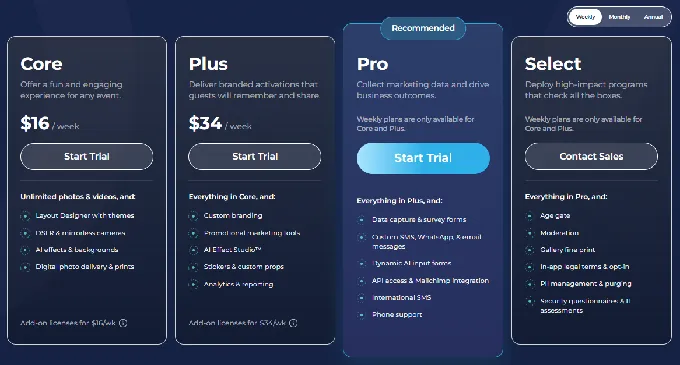
Each additional device requires an add-on license at the same rate. A five-device operation on Plus costs $249.95/week in software. Hardware kits (starting around $2,090 for an Event Kit) are separate.
Simple Booth’s weekly billing is unique in the category. Operators with variable booking volumes can subscribe only during busy seasons and pause during slow periods. Touchpix’s annual pricing rewards commitment but doesn’t offer that flexibility.
After switching to Simple Booth, Ole Red Nashville built a customer database of thousands of email addresses through their permanent HALO installation, turning a guest entertainment feature into a marketing channel. (Ole Red Case Study)
Data capture and marketing tools serve different buyers
For operators who sell photo booth activations to marketing teams and brands, the data capture layer matters as much as the photo quality.
Breeze Booth captures guest data through customizable survey screens with text fields, checkboxes, and radio buttons.
Survey responses feed into the token system, driving dynamic print layouts, file names, and overlay selection. Data exports as tab-delimited CSV via Breeze Hub reports. The weakness: no native CRM integration. There’s no documented Mailchimp, HubSpot, or Zapier connector. Operators serving marketing-driven clients must manually export and import data.
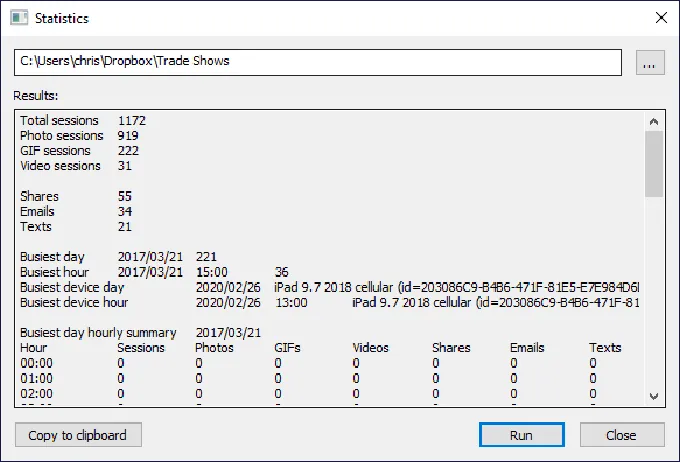
Source: Breeze Booth
Touchpix offers Advanced Surveys on MultiPass Pro and above, with lower tiers excluding surveys entirely.
The online dashboard manages event settings remotely, and galleries are customizable with branding. Like Breeze Booth, Touchpix lacks native CRM integrations. Data capture is available but not the platform’s primary focus.
Simple Booth treats data capture as a core feature.
The lead capture form achieves 87 to 89% opt-in rates because it’s embedded in the photo delivery flow itself. Pro and Select tiers offer up to 10 custom fields including checkboxes and required legal terms. Data syncs natively to MailChimp and flows to custom systems via the Open API.
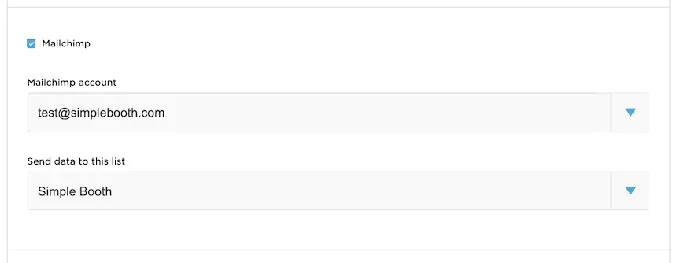
Source: Simple Booth
The analytics dashboard tracks gallery views, social shares, Facebook reactions, and (on Select) estimated demographics via face detection.
The gallery and Live Feed system adds a second marketing layer. Every event generates a branded online gallery that doubles as a real-time slideshow for TV or projector with a single tap. Interstitial ads can be placed within the gallery grid. Custom hashtags auto-populate on social shares.
G7 Entertainment Marketing has used Simple Booth for 10+ years across 136,000+ fan interactions, relying on the platform as a data capture and branded content engine for major entertainment and music events. (G7 Case Study)
For operators selling to marketing teams and brands who need measurable ROI from activations, Simple Booth’s data-capture-to-analytics pipeline is the most complete offering.
Setup and learning curve reflect different philosophies
How quickly an operator can go from unboxing to a live event shapes the practical experience.
Simple Booth prioritizes speed.
The HALO hardware sets up in under one minute: snap the iPad into the tool-less faceplate, extend the selfie stand, power on. A Preflight Check screen catches configuration issues before the event starts. The redesigned preset editor in HALO 5.0 presents the full booth flow visually rather than as a settings list. A numbered Start Guide walks new operators through plan selection to event-day operations.
The interface also pays off for growing rental companies: training new staff is fast because the visual workflow and organized settings make the platform easy to learn. Image previews render up to 12x faster than previous versions, so guests see results instantly.
Touchpix is moderately complex.
Operators design events in the online dashboard, download the app on their device, and connect their camera hardware. The tutorial library of 17 YouTube videos covers the main use cases, and weekly Masterclass webinars lower the learning floor. The breadth of supported platforms and hardware means more initial configuration, but the remote dashboard means subsequent events are faster.
Breeze Booth has the steepest learning curve by design.
The platform operates through two distinct applications: the Event Editor (web-based) for configuration and the Breeze Booth App (iPad) for capture. Operators build custom interfaces in external design tools (Photoshop, After Effects), place named files into Profile folders, configure touch-action zones in the Touchscreen Editor, and set up token systems for dynamic output.
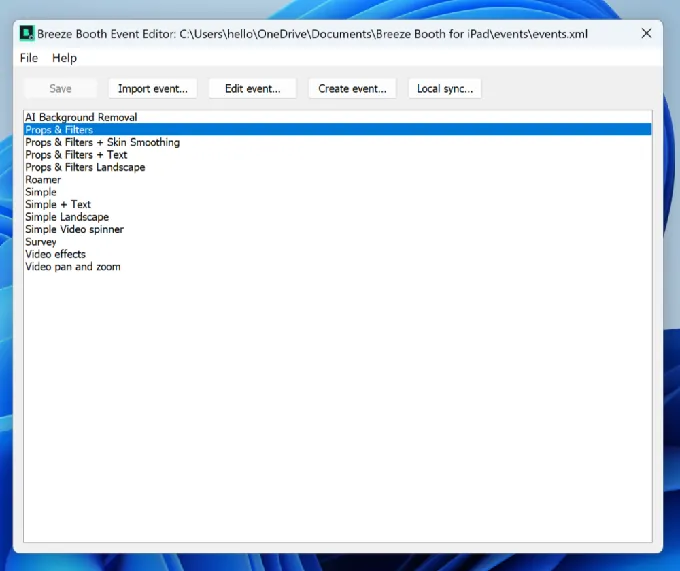
Source: Breeze Booth
The documentation spans syncing, importing, camera setup, print setup, screen designs, overlays, profiles, device lockdown, and more.
That complexity is the price of Breeze Booth’s “Your way, not our way” promise. For experienced operators who invest in learning the platform, the ceiling is higher than either competitor. For operators who need to hand the booth to a less technical attendant, Simple Booth’s one-minute setup and visual preset editor are the safer bet.
Support models match each platform’s scale
Simple Booth provides support 7 days a week from real humans, tiered by plan: email and chat for all users, phone support on Pro and above, and a dedicated account manager during events on Select.
The Help Center hosts 148+ articles, and a separate 5.0 Transition Guide includes a GitBook AI assistant for natural language documentation queries.
Touchpix offers 24/7 live chat in English, Spanish, and Portuguese, plus email support with a one-business-day response target and schedulable Zoom sessions Monday through Thursday.
For operators working evening and weekend events, the round-the-clock chat availability is a practical advantage. A service status page updates every 60 seconds. Despite these options, some users report mixed experiences with Touchpix’s support responsiveness, particularly when troubleshooting reliability issues during live events.
Breeze Booth provides email support, a help center, an 11-lesson video course, a YouTube channel, a Facebook community group, and a forum.
The company is active at trade shows including Photo Booth Expo (Las Vegas) and Photo Booth Expo Europe (Amsterdam). No live chat or phone support is publicly documented.
Breeze Booth vs Touchpix vs Simple Booth: Which should you choose?
The right platform depends on what kind of photo booth business you’re building.
Choose Breeze Booth if:
- You serve corporate brand activation clients who require pixel-perfect branded experiences
- You want full creative control over every screen, animation, and print layout
- Privacy and offline capability are non-negotiable (GDPR-sensitive events, venues with no internet)
- You run trading card booths, payment kiosks, or permanent unattended installations
- You’re willing to invest significant time mastering a complex platform
Choose Touchpix if:
- 360-degree spinning video booths are your primary or fastest-growing format
- You run a mixed-hardware fleet across iOS, Android, Windows, Mac, or Linux
- You need offline guest sharing at venues with poor connectivity
- You want one subscription covering unlimited devices with no per-device fees
- GoPro wired integration and multi-brand camera support matter to your setup
Choose Simple Booth if:
- You want an integrated hardware-and-software system that’s ready to run in under a minute
- Lead capture, marketing analytics, and ROI reporting are important to your clients
- You need a platform reliable enough to run unattended at permanent venue installations
- You value a built-in Layout Designer over external design tool workflows
- You want a clear upgrade path from a weekend side hustle to enterprise brand activations
Start your free trial of Simple Booth and see the HALO experience firsthand.
Breeze Booth, Touchpix, and Simple Booth each solve the same problem (turning hardware into a professional photo experience) with different priorities. Breeze Booth maximizes what’s possible. Touchpix maximizes what’s compatible. Simple Booth maximizes what’s practical. The best choice is the one that matches how you actually run events, not the one with the longest feature list.
Breeze Booth vs Touchpix vs Simple Booth FAQ
What is the main difference between Breeze Booth, Touchpix, and Simple Booth?
Breeze Booth is a software-only iPad platform offering full design customization over every screen a guest touches, built for operators serving brand activation agencies and privacy-sensitive corporate clients.
Touchpix is a cross-platform app (iOS, Android, Windows, Mac, Linux) built for 360-degree video booths and mixed-hardware fleets, with offline sharing that works without internet.
Simple Booth is an integrated hardware-and-software system pairing a machined aluminum ring-light with an iPad app and cloud dashboard, designed for operators who want a turnkey setup that handles capture, branding, data capture, and analytics in one product.
Which platform is best for 360-degree spinning video booths?
Touchpix is the strongest choice for 360 booth operators. It offers native Bluetooth trigger integration with spinning platforms, wired GoPro support for models 7 through 14, and six capture modes including slow-motion video.
Breeze Booth supports 360 booths through Auto Motion Start detection but connects only to Canon cameras.
Simple Booth does not support 360-degree video booths.
Which platform works offline?
Breeze Booth offers the most complete offline capability, with the entire app configurable to run with no internet connection and no data sent to any third party.
Touchpix’s Scanpix 2 system delivers media to guests via QR code without internet, and its AI face replacement and background removal run on-device.
Simple Booth queues sessions offline and delivers them when connectivity returns, with AirDrop providing instant photo delivery to nearby iPhones without any internet. AI effects require an active internet connection.
How do the pricing models compare?
Breeze Booth charges $49 per month per device with a single full-feature plan, plus separate costs for Breeze Cloud Pro ($39.99 per month) and Breeze FX AI credits ($0.032 to $0.455 per image).
Touchpix prices by active event slots: $439.90 per year for 2 events (photos only) up to $2,199.99 per year for 12 events (all features), with unlimited devices included.
Simple Booth uses per-license pricing starting at $14.99 per week for Lite, with Core at $24.99 per week, Plus at $49.99 per week, Pro at $149 per month, and Select at $249 per month. Hardware kits are sold separately starting around $2,090.
Which platform has the best AI photo effects?
All three offer AI transformation, but the approaches differ. Breeze Booth’s cloud-based Breeze FX service exposes multiple AI models (OpenAI GPT-4o, face swap, cartoon, and others) with survey-driven prompt personalization, where guest answers inject directly into AI prompts.
Touchpix offers 80-plus ready-made styles and custom prompts with on-device face replacement that works offline.
Simple Booth’s Nano Banana models include automatic identity preservation and zero-cost prompt testing outside booth mode.
Which platform is easiest to set up and learn?
Simple Booth has the lowest learning curve. The HALO hardware sets up in under a minute with no tools, the preset editor presents the full booth flow visually, and a numbered Start Guide walks operators through every step.
Touchpix is moderately complex, with an online dashboard for event design and a library of tutorials and weekly webinars.
Breeze Booth has the steepest learning curve, requiring configuration across a web-based Event Editor and the iPad app, with custom interfaces built in external design tools.
Can I run any of these on Android or Windows devices?
Only Touchpix supports Android, Windows, Linux, and Raspberry Pi in addition to iOS and macOS. Breeze Booth is iPad and iPhone only, with M Series Mac support listed as coming soon. Simple Booth is iPad only, designed to work with its HALO hardware kit.
Which platform is best for marketing teams and lead capture?
Simple Booth offers the most complete marketing toolkit. Its lead capture form achieves 87 to 89 percent opt-in rates, with data flowing to native MailChimp integration and an Open API for custom CRM delivery. The analytics dashboard tracks gallery views, social shares, and demographic insights via face detection on the Select plan.
Breeze Booth captures survey data with token-driven output but requires manual CSV export with no native CRM connectors.
Touchpix offers Advanced Surveys on higher tiers but lacks native CRM integrations.
Keep reading
 Showdowns
Snappic vs Touchpix (vs Simple Booth): Which Photo Booth Software Should You Choose in 2026?
Multi-format all-rounder vs 360 video specialist. Snappic or Touchpix?
 Showdowns
LumaBooth vs Touchpix (vs Simple Booth): Which Photo Booth Software Wins in 2026?
Cross-platform all-rounder vs 360 video specialist. LumaBooth or Touchpix?
 Showdowns
Simple Booth vs Breeze Booth: Which iPad Photo Booth Software Fits Your Business in 2026?
Turnkey system vs pixel-level control. Simple Booth or Breeze Booth?