Darkroom Booth vs Touchpix (vs Simple Booth): Which Photo Booth Software Wins Your Next Event? [2026]

Choosing between Darkroom Booth and Touchpix for your photo booth business often comes down to five questions:
- Do you want to own your software outright or pay a recurring subscription?
- Does your hardware run Windows, iPad, Android, or a mix of everything?
- How important is 360-degree spinning video booth support to your business?
- Do you need to share photos with guests when the venue has no Wi-Fi?
- Are you running one booth at a time or managing multiple simultaneous events?
In short, here’s what we recommend:
Darkroom Booth is the veteran’s choice for Windows-based operators who want full control over their booth experience. Its perpetual $295 license eliminates recurring software costs, and the platform supports a wide range of Canon, Nikon, and GoPro cameras alongside most Windows-compatible printers.
With 75+ included templates, green screen compositing, AI-generated portraits, and Booth Control™ remote management, it’s a complete toolkit for operators who already know what they want. The trade-off: it runs only on Windows, support is limited to business hours, and the interface shows its age compared to newer competitors.
Touchpix leads the 360-degree spinning video booth market with native Bluetooth trigger integration for spinning arm rigs and wired GoPro support across models 7 through 14. It runs on iOS, Android, macOS, Windows, Linux, and Raspberry Pi, giving operators the most hardware options in the category. Its Scanpix 2 offline sharing system delivers media to guests without any internet connection.
But the platform launched in 2020 and has grown fast without fully maturing: operators report app stability issues during live events, GoPro disconnections under load, and slow rendering that keeps guests waiting. There’s no monthly billing at the entry level, and the starting price of $39.99/week is steep for new operators.
Both platforms give operators serious tools. But each asks you to make compromises: Darkroom locks you into Windows, Touchpix struggles with reliability at critical moments, and neither offers a self-running experience that lets you step away from the booth entirely.
Simple Booth takes a different approach. Instead of building software that runs on whatever hardware you can assemble, Simple Booth designed an integrated system pairing its HALO ring-light hardware with a cloud-connected iPad app that sets up in under a minute and manages itself.
The result is a photo booth that operators trust to run unattended, with remote preset management, offline session queuing, and a 4.7-star rating from 2,400+ App Store reviews earned across over 30,000 customers since 2012. For operators and marketers who want a self-operating photo booth with lead capture and analytics, Simple Booth eliminates the assembly that Darkroom and Touchpix require.
If a self-running photo booth system sounds like what your business needs, see Simple Booth in action with a free trial.
Darkroom Booth vs Touchpix vs Simple Booth at a glance
| Darkroom Booth | Touchpix | Simple Booth | |
|---|---|---|---|
| Pricing model | $295 one-time license | $39.99/week; $440–$2,200/year | Starting at $14.99/week; monthly and annual options |
| Platform | Windows only | iOS, Android, macOS, Windows, Linux, Raspberry Pi | iPad only |
| 360 booth support | No native 360 spinner integration | Native Bluetooth 360 trigger | No native 360 spinner integration |
| Camera support | Canon, Nikon, GoPro, webcams | GoPro 7 to 14, Canon, Nikon, Sony, device cameras | iPad camera + Canon DSLR/mirrorless (Core+) |
| Offline sharing | No (requires internet for digital delivery) | Scanpix 2 (fully offline QR sharing) | Offline session queue; AirDrop |
| AI features | AI portraits, face swap, scene generation | 80+ AI styles, custom prompts, offline face replacement | AI Effects with identity preservation, custom prompts |
| Setup time | Requires Windows PC configuration | App install + dashboard setup | Under 1 minute with HALO hardware |
| Remote management | Booth Control™ (local network) | Online dashboard | Cloud dashboard with live sync |
| Lead capture | Surveys and quizzes (local SQLite export) | Advanced Surveys (Pro tier) | Custom forms with 87%+ opt-in rate |
| Support hours | Mon–Fri, 9am–5pm CT | 24/7 live chat | 7-day to phone support (by plan) |
Which reaches further: physical booths or virtual ones?
Two of the three platforms extend beyond physical hardware to reach audiences remotely.
Darkroom Booth is a desktop application designed for physical, attended events. There is no virtual or browser-based product in the Darkroom lineup.
Touchpix includes VirtualBooth for remote and hybrid activations, available on the MultiPass Pro tier and above or as a 14-day extension add-on ($19.99).
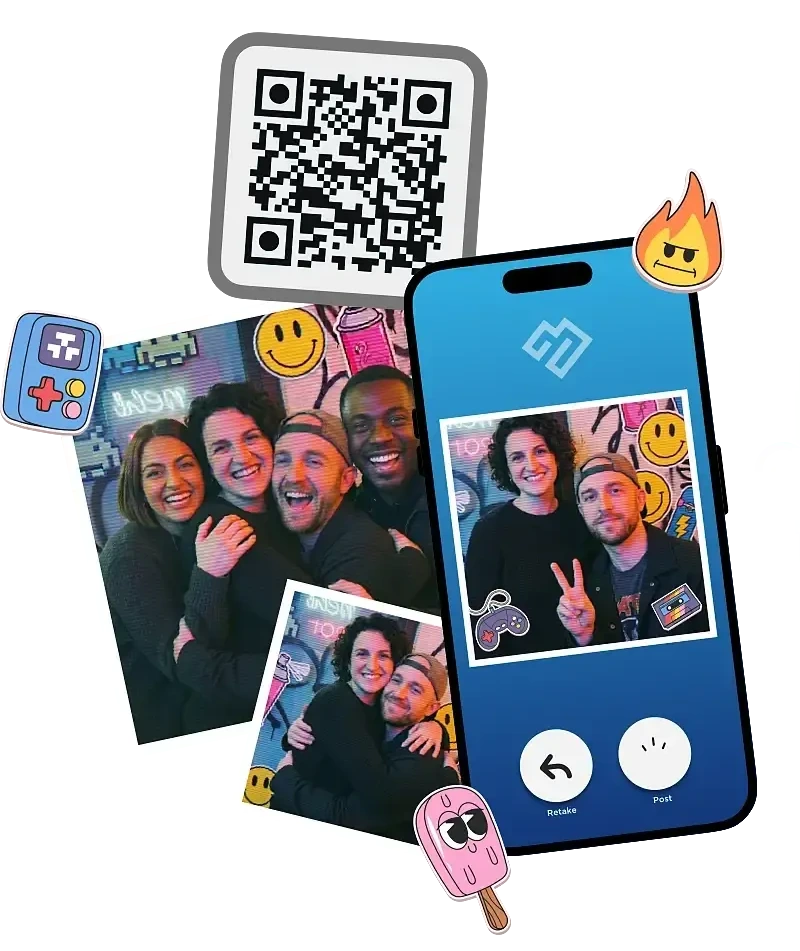
Simple Booth offers Virtual Booth as a standalone product that runs entirely in the browser with no app download required. It includes AI effects, background replacement, overlays, data capture, and social sharing, all feeding into the same analytics and gallery infrastructure as the physical HALO booth.
Source: Simple Booth
For brands running hybrid events or always-on digital activations (QR codes on packaging, links in email campaigns), Virtual Booth extends the photo booth concept beyond physical venues.
Platform lock-in shapes everything else
Your operating system determines your options before features enter the conversation.
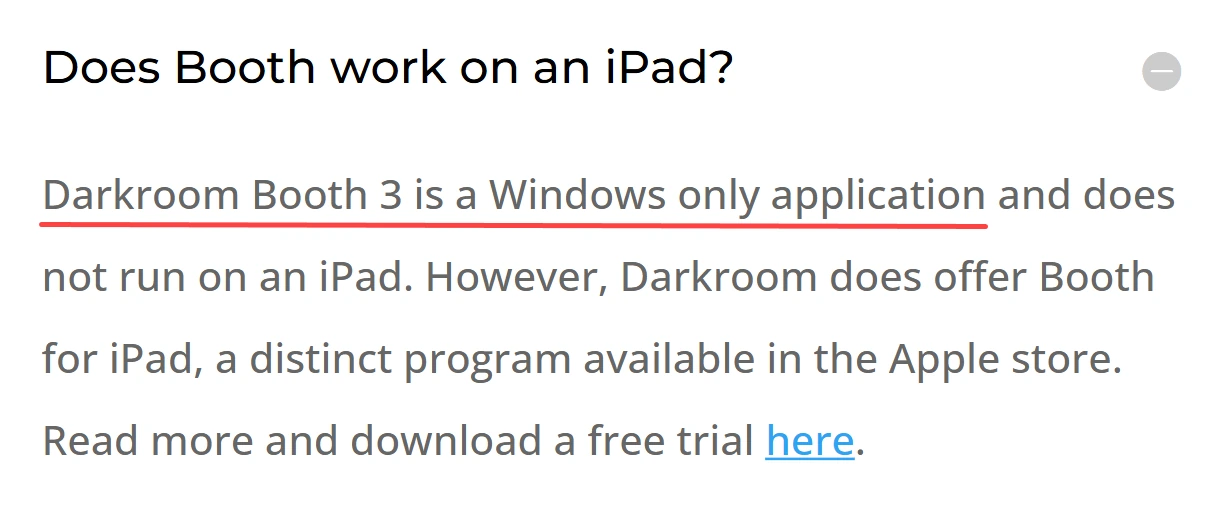
Darkroom Booth runs exclusively on Windows 10 or Windows 11. It can run under Boot Camp on Intel Macs, but there’s no native macOS version and no mobile app for running the booth itself (the separate Booth for iPad is a different product with a different feature set). For operators whose entire workflow runs on Windows PCs, this isn’t a limitation. For everyone else, it’s a hard stop.
Source: Darkroom Booth
Touchpix takes the opposite approach, running on iOS, Android, macOS, Windows, Linux, and Raspberry Pi. This cross-platform breadth means operators can deploy on whatever device they already own. A single subscription covers unlimited devices, so an operator with an iPad for one gig and an Android tablet for another uses the same license.

Source: Touchpix
The downside is that feature parity across platforms isn’t perfect. The Mirror Booth’s offline AI face replacement, for example, requires a Mac from 2018 or later.
Simple Booth runs on iPad only. This constraint is deliberate: by building for one platform, Simple Booth optimizes for a single hardware environment, integrates with iOS features like AirDrop and Guided Access, and delivers consistent performance across every deployment.
Source: Simple Booth
The HALO hardware fits the iPad form factor, with a concealed USB-C cable that keeps the device charged and a tool-less faceplate for quick insertion. For operators who don’t own iPads, this means a hardware purchase. For those who do, it means a system where every component works together.
Setup speed determines how many events you can run
The difference between a 5-minute setup and a 30-minute setup compounds across a busy weekend.
Darkroom Booth requires a Windows PC, a tethered camera, a printer (optional), and configuration of templates, sharing settings, and hardware connections. Experienced operators who’ve dialed in their setup can move fast. New users face a real learning curve.
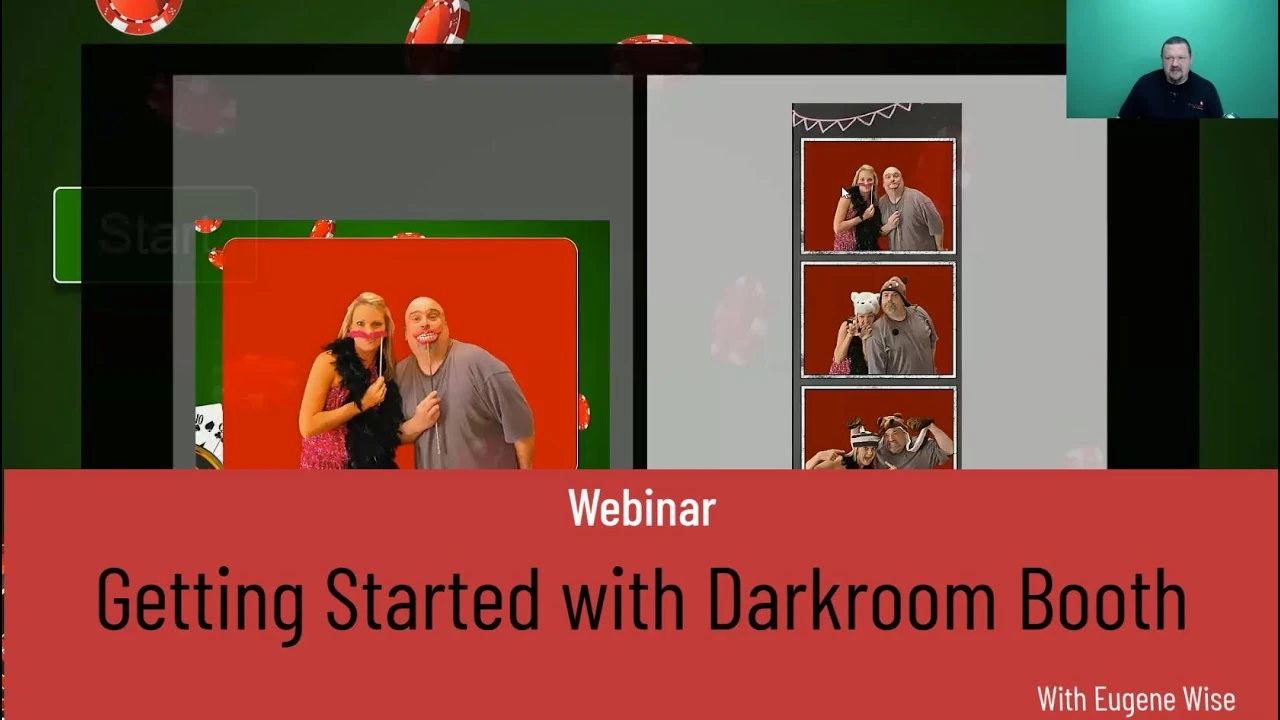
Capterra reviewers note that button labels like “Settings” and “Global Settings” feel vague during initial configuration. Darkroom acknowledges the complexity by offering both a “Getting Started” and an “Advanced” webinar for new users.
Source: Darkroom Booth
Touchpix streamlines setup through its online dashboard, where operators design events and generate a QR code that loads the configuration onto the booth device. But the app runs on six platforms with varying hardware combinations, and setup complexity scales with the gear involved. Connecting a GoPro in wired mode requires specific firmware versions per camera model.
For an iPad-based photo booth, Touchpix is quick. For a 360 rig with a GoPro and a Printpix box, allow extra time. Once running, operators note that images and videos can be slow to render, creating wait times that affect guest throughput. The interface can also confuse guests at unattended events where no staff is present to guide them.

Simple Booth was built for setup speed. The HALO hardware deploys in under a minute: the iPad snaps into a tool-less faceplate, the selfie stand requires no assembly, and a concealed USB-C cable handles charging automatically. The app’s Preflight Check screen catches configuration issues before the event starts.
Source: Simple Booth
Operators configure presets in advance through the online dashboard and sync them to the device remotely. The built-in layout designer gives operators full control over templates, backgrounds, text, and graphics without external design software.
The preset editor displays the entire booth flow as a visual workflow, so training new staff takes minutes rather than hours. For operators running three events in a single Saturday, this speed advantage translates directly to profit.
“It paid for itself pretty quickly. Now it’s just extra money coming in.” (Kurt Nielson Photography)
Sharing photos at the event shouldn’t depend on the venue’s Wi-Fi
How guests receive their photos after a session varies widely across these platforms.
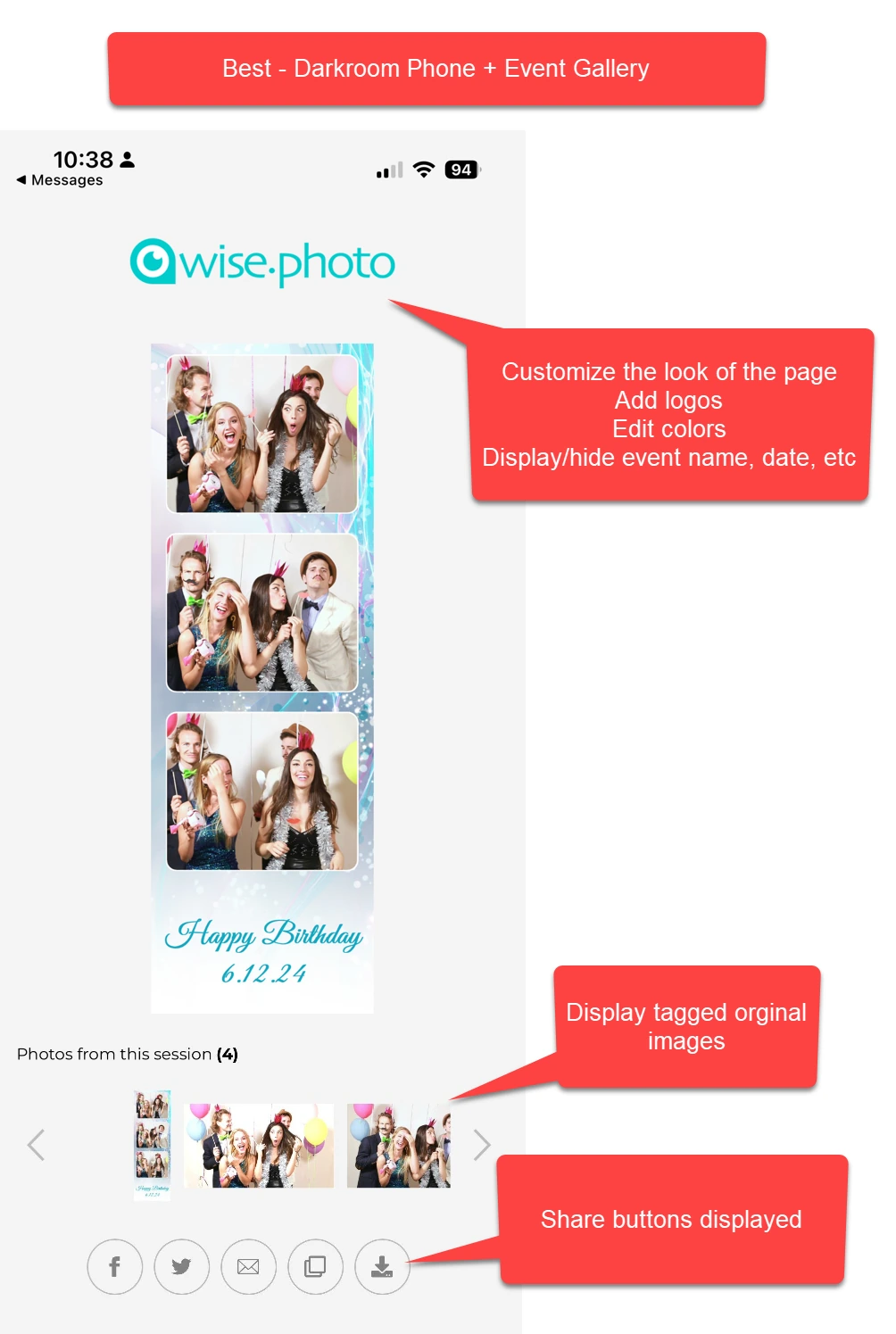
Darkroom Booth shares photos, videos, and GIFs via text or email and generates Snapchat, Twitter, and Instagram-ready files formatted for each platform. The built-in Darkroom Phone service handles SMS delivery without needing a Twilio account. For cloud gallery access, operators use the companion Event Gallery product (a separate subscription).
Source: Darkroom Booth
One limitation: Facebook changed its API restrictions to block direct uploads from third-party software, so Facebook delivery requires the Event Gallery workaround.
Touchpix solves the connectivity problem better than either competitor. Its Scanpix 2 system delivers photos and videos to guests via QR code with no internet connection, working on both iOS and Android.
When connectivity is available, sharing extends to email, SMS, WhatsApp, Facebook, Twitter, and direct download. An offline queue holds cloud uploads until connectivity returns. For outdoor festivals, basement venues, and rural events, this offline-first design is a real operational advantage.
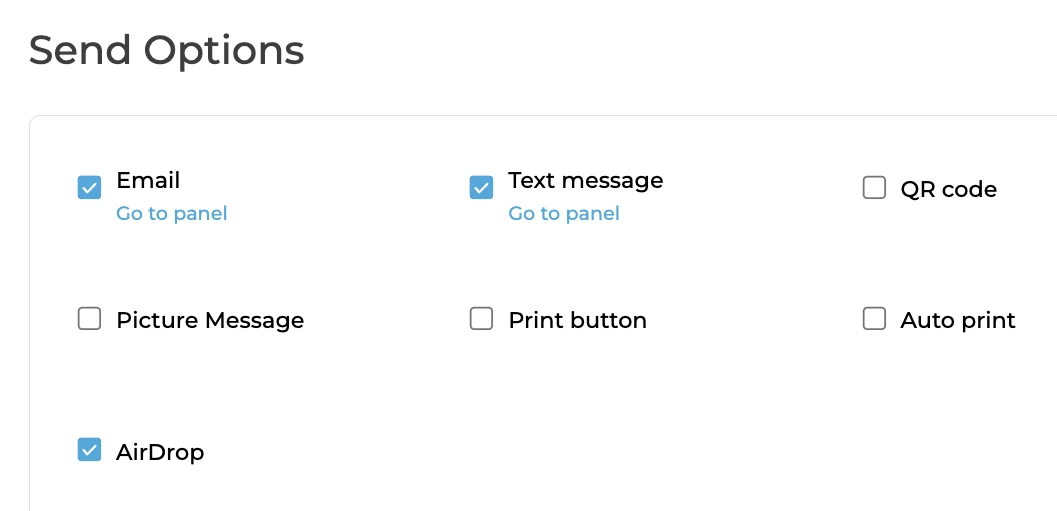
Simple Booth offers QR code, email, SMS, AirDrop, and WhatsApp delivery on all plans. The app queues sessions in offline mode and delivers them when connectivity returns. WhatsApp delivery, added in HALO 5.0, opens international deployments where SMS coverage is unreliable.
Source: Simple Booth
Photos and GIFs with filters, effects, and overlays render up to 12x faster than previous versions, so guests see results right away. Simple Booth also converts layouts into Instagram-compatible files automatically, cutting friction between the booth and the social platform guests actually want to post on.
Lead capture separates marketing tools from photo toys
For operators serving corporate clients and brand activations, the photo is the hook. The real deliverable is contact data.
Darkroom Booth includes a built-in survey, quiz, and contest engine with nine question types (multiple choice, email capture, scale rating, text, True/False, and more). Survey data exports as PDF and stores in a local SQLite database.
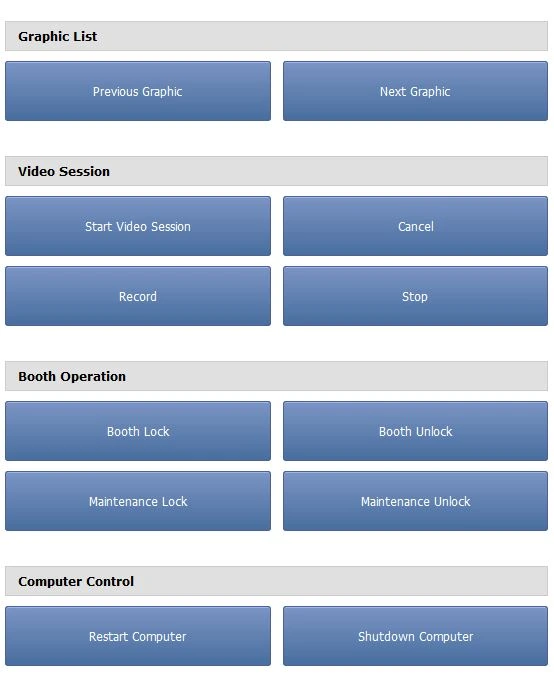
Contest winners can be selected randomly or via the Booth Control™ app, and wins can trigger special templates, coupons, lights, and sounds through the Phidget hardware system. The data stays local, which appeals to operators who prefer controlling their own data but limits CRM integration.
Source: Darkroom Booth
Touchpix gates its Advanced Surveys behind the MultiPass Pro tier ($1,408/year). Lower tiers lack structured data collection. For operators on entry or mid-level plans, this means no lead capture without upgrading.
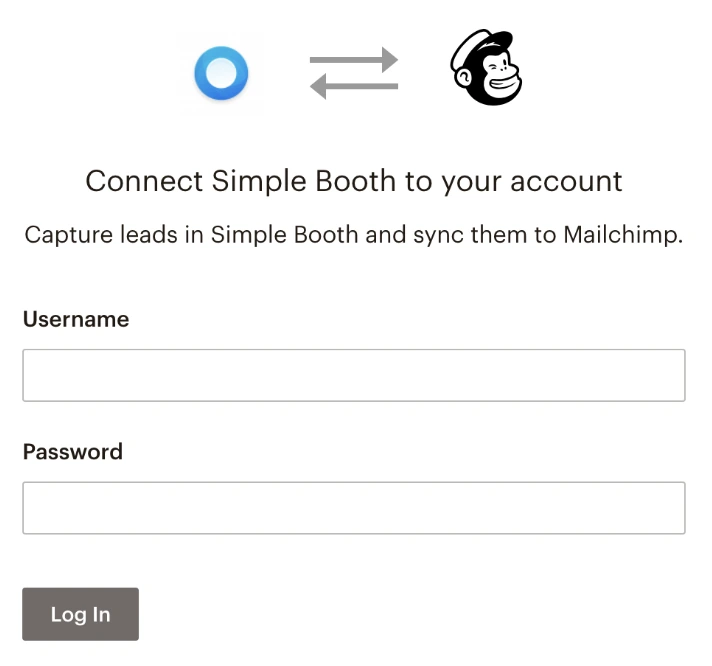
Simple Booth treats lead capture as a core feature. The platform reports opt-in rates as high as 87% because data collection happens as a natural part of receiving the photo, not as a separate ask. Pro-tier accounts support up to 6 standard fields, while Select accounts allow up to 10 custom fields including checkboxes and required legal terms.
Data syncs to MailChimp natively or routes to custom CRM systems via the Open API. Face-detection demographic analytics on the Select tier estimate audience age and gender composition, giving brands performance data beyond headcounts.
Source: Simple Booth
“Arizona Opera grew its email list by 1,000 addresses in a few events.” (Simple Booth)
Hardware flexibility vs. integrated quality
Each platform makes a different bet on the relationship between software and hardware.
Darkroom Booth is the most hardware-agnostic platform on Windows. It works with most Canon and Nikon DSLRs, GoPro Hero 9/10, and any Windows-compatible webcam. Built-in print drivers cover 20+ dye-sublimation models from DNP, Fujifilm, Mitsubishi, Sony, Shinko, HiTi, and Ciaat, and any Windows printer works as a fallback.
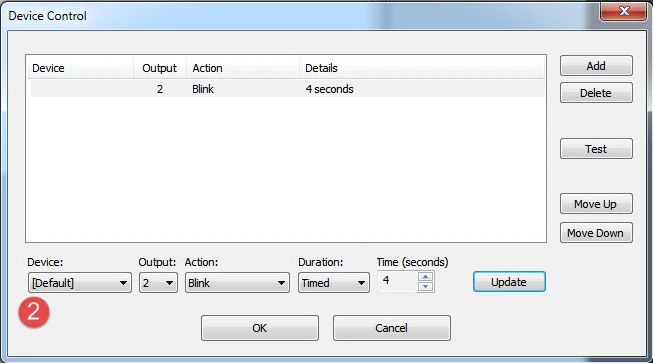
Phidget hardware interfaces extend control to bill acceptors, coin mechanisms, arcade buttons, and custom triggers. This open model lets operators build the exact rig they want from components they already own.
Source: Darkroom Booth
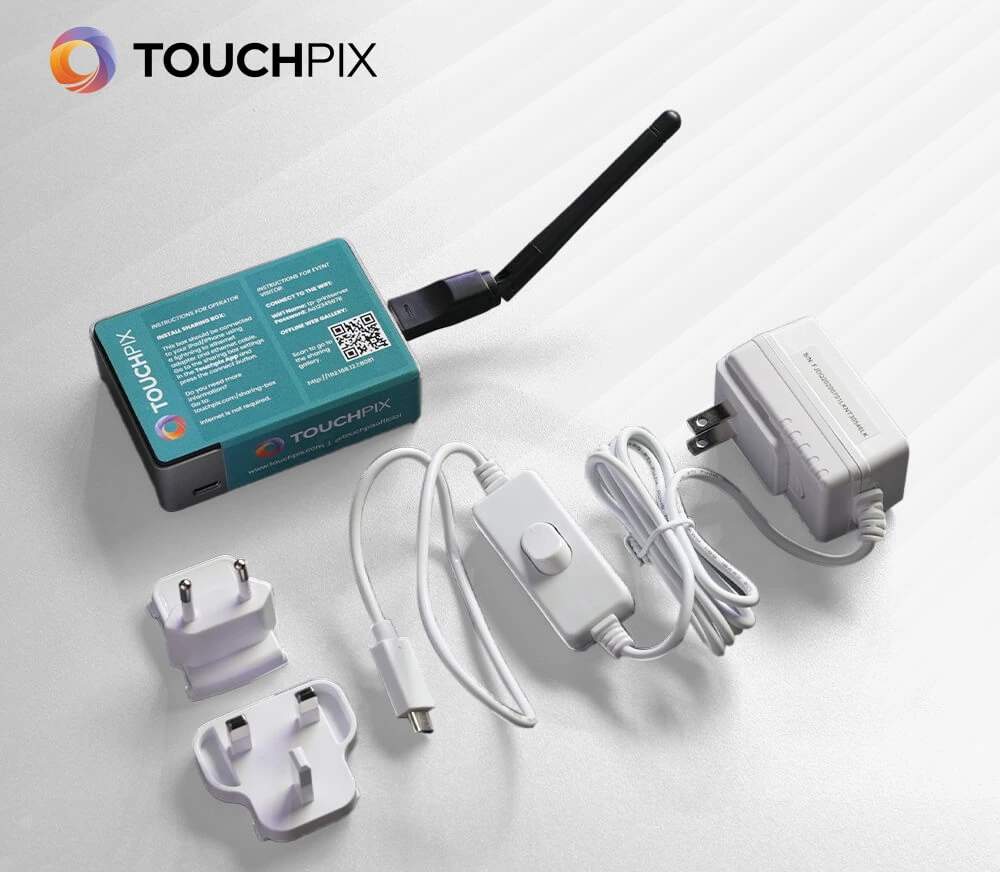
Touchpix matches Darkroom’s camera range with GoPro 7 to 13 and Canon, Nikon, and Sony DSLR/mirrorless support, and extends it with cross-platform device support. Its printing ecosystem offers three paths: the $340 Printpix hardware box (no computer needed), and Windows and Mac print server applications. Touchpix claims compatibility with over 3,000 dye-sublimation printer models.
Source: Touchpix
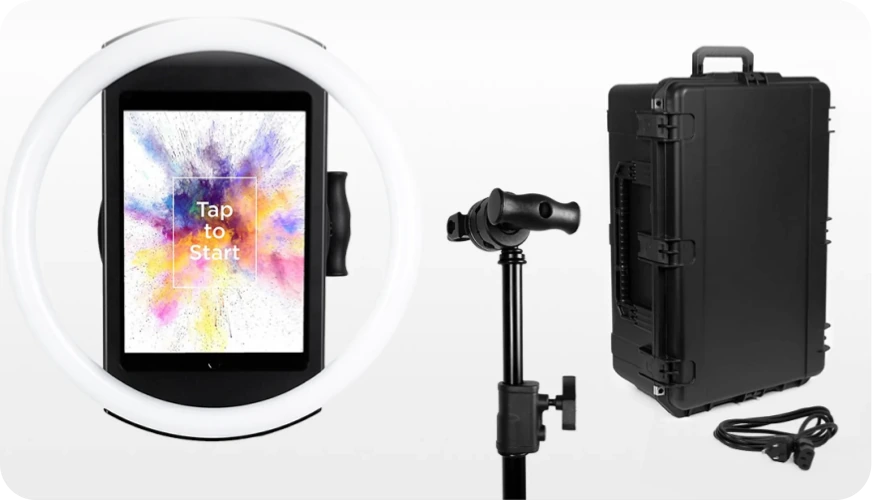
Simple Booth takes the opposite approach: rather than supporting everything, it designs hardware for its software. The HALO chassis is machined from a single billet of aluminum with a patented ring-light system producing 2,100 lumens from 112 LEDs rated for 50,000 hours.
Source: Simple Booth
This integration means the ring light, iPad mount, charging cable, and app are all calibrated together. Simple Booth claims to be the first iPad photo booth to offer DSLR-quality background blur and bokeh. With HALO 5.0, operators can also connect external Canon DSLR/mirrorless cameras via USB or wirelessly over Wi-Fi for studio-grade image quality through the full HALO workflow.
Wireless camera support is a differentiator most competitors don’t offer, allowing more creative camera placements without cable constraints.
The trade-off is clear: Darkroom and Touchpix let you use whatever gear you want. Simple Booth asks you to buy into its ecosystem but gives you a system where everything works together without troubleshooting. Filters, background blur, and Glam effects all work with video, DSLR integration, and offline mode, so operators don’t have to navigate compatibility rules when building their booth flow.
Remote management for operators who can’t babysit
How you monitor and control the booth from across the room (or across town) matters for multi-event operators.
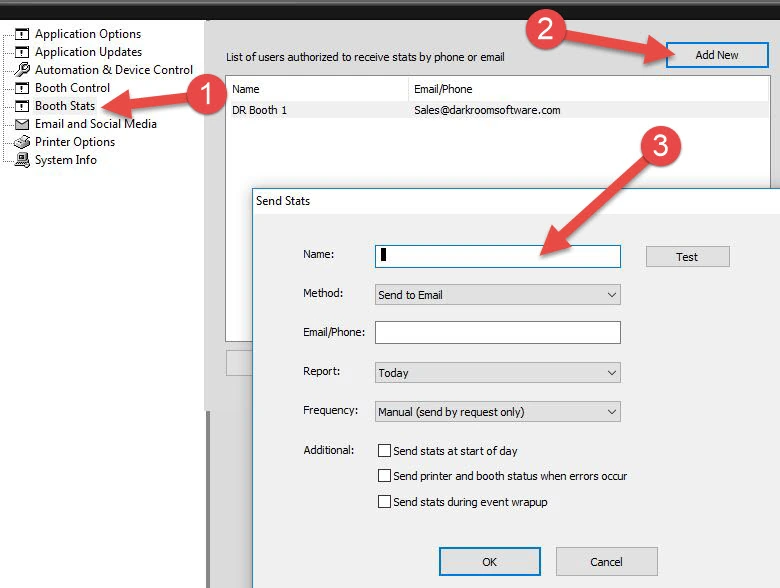
Darkroom Booth offers Booth Control™, a companion feature that lets operators monitor and control the booth from any phone, computer, or tablet on the same Wi-Fi network. Operators can receive booth stats and reports via email or text. This local-network model is reliable within a venue but doesn’t reach a booth at a different location.
Source: Darkroom Booth
Touchpix provides an online dashboard for remote event configuration, overlay changes, and branding updates without touching the booth device. Event settings sync from the cloud, making multi-venue management possible.
The booth device needs internet for cloud sync to work, and a recent cloud service outage raised questions about infrastructure reliability. The dashboard is also primarily a configuration tool, not a live monitoring interface.
Simple Booth builds remote management into the core experience. Operators configure and update presets via the online dashboard, and changes sync to the iPad automatically without exiting booth mode.

The Mission Control overlay, accessed via a two-finger pinch gesture, lets operators monitor device health (network, storage, upload queue), adjust camera settings, and sync changes during live events. For permanent installations, a dedicated guide documents long-term unattended deployment.
Source: Simple Booth
“10+ years, we’re big Simple Booth believers.” (G7 Entertainment Marketing, 136,000+ fan interactions)
AI features are converging, but the implementations differ
All three platforms now offer AI-powered photo transformations. The differences are in how they work at the event.
Darkroom Booth launched AI features in May 2025, including generative portraits, face swap, scene generation, and facial enhancement. These effects are configurable per template, so operators can assign AI models and presets to specific event designs.
Darkroom is the newest to AI among the three and has been pushing creative applications like AI custom shirts and AI lenticular prints that combine AI-generated imagery with physical printed products.

Source: Darkroom Booth
Touchpix offers 80+ ready-to-use AI styles plus custom prompt support, processed through Google’s Gemini AI. What sets Touchpix apart is its offline AI face replacement and background removal, which run on-device without internet. The cloud-based style transformations consume credits (starting at $12 for 100 credits), while the on-device face replacement works without any credit cost or connectivity.

Source: Touchpix
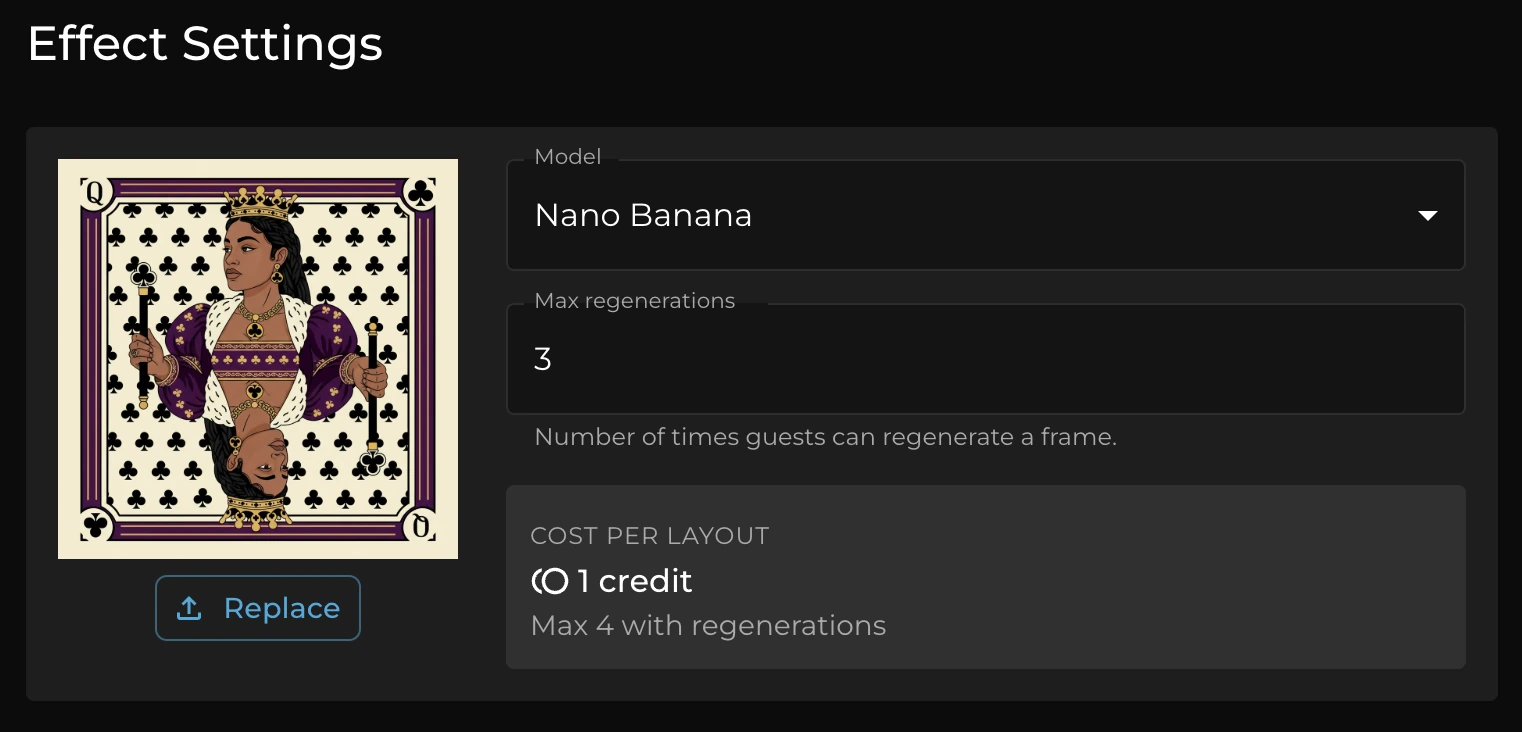
Simple Booth integrates AI through its Nano Banana models, which transform captured photos using text prompts while automatically preserving guest identity and likeness. This automatic identity preservation removes a common failure mode: with other platforms, operators often need to craft their prompts carefully to keep guests recognizable.
Source: Simple Booth
Simple Booth handles this in the background. The system also supports assigning unique prompts to each frame in a multi-frame layout, enabling sequential narrative strips. AI credits cost $0.10 each, and operators can test prompts outside booth mode at zero credit cost.
360 booths are Touchpix’s home turf
If your business centers on 360-degree spinning video booths, the choice narrows fast.
Touchpix calls itself the industry standard for 360 photo booth software, and the operator community broadly agrees. Its native Bluetooth integration automates the trigger sequence between the spinning arm rig and the camera, so the booth runs without manual intervention.

Source: Touchpix
Wired GoPro support across models 7 through 14 gives operators the high-frame-rate capture needed for smooth slow-motion 360 videos, and the 60+ built-in filters include video-specific style transfers. For operators who built their business around the 360 format, Touchpix is the default choice.
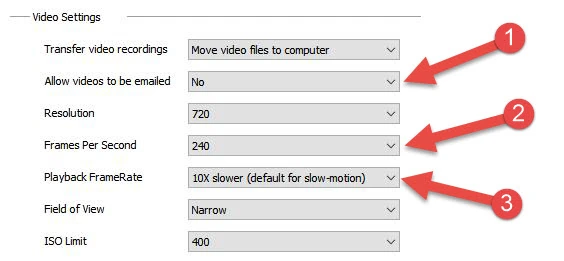
Darkroom Booth can capture slow-motion video at up to 240 fps via GoPro and produces Boomerang GIFs, but it does not offer native 360 spinner integration. Operators using Darkroom for 360 rigs need external triggering solutions.
Source: Darkroom Booth
Simple Booth does not include native 360 spinner integration either. Its strength is the open-air selfie booth format. For operators who run 360 booths alongside traditional setups, Touchpix covers the 360 side while Simple Booth or Darkroom handles the rest.
Three pricing philosophies for three different operators
How each platform charges reveals who it’s built for.
Darkroom Booth sells a $295 perpetual license with an optional $95/year maintenance plan for updates and support. The software continues to run after maintenance expires, so operators who don’t need new features can stop paying entirely.
For a veteran operator who has already dialed in their workflow, this is the lowest total cost in the category. But letting maintenance lapse means losing access to updates, support, and cloud sharing features, and re-subscribing after a year-plus lapse costs $195 instead of $95.
Touchpix uses an event-slot subscription model. The entry-level PhotoPass costs $439.90/year and covers 2 simultaneous active events with photos, GIFs, and AI. The popular MultiPass at $879.99/year adds video, slow-motion, and Boomerang with 4 active events. Pricing scales by how many events you run concurrently, not by device count, and the entry point starts at $39.99/week.
For operators running two to four events per weekend, the math works. For someone doing one event a month, the annual commitment is steep with no monthly billing at the lower tiers, and the weekly rate is more than double what Simple Booth charges at its entry level.
Simple Booth offers weekly, monthly, and annual billing starting at $14.99/week on Lite. The weekly option is unusual in this category and valuable for operators with unpredictable booking calendars. A Core plan at $24.99/week unlocks DSLR camera support, video, background replacement, and AI effects.
For businesses running permanent installations or regular events, annual plans save roughly 45%. Each plan covers one device; additional devices require add-on licenses at the same rate, so costs scale linearly with fleet size.
The real cost comparison depends on your usage pattern. A single-booth operator doing 40 events per year pays roughly $295 (one-time) with Darkroom, $880/year with Touchpix MultiPass, or $490–$990/year with Simple Booth Core or Plus. Over three years, Darkroom’s one-time model saves real money. But it also means no cloud infrastructure, no remote dashboard, and no automatic updates.
Support availability matters most when things break at 9 PM on a Saturday
Photo booths operate on evenings and weekends. Support during those hours is an operational risk, not a perk.
Darkroom Booth offers phone and email support Monday through Friday, 9am to 5pm Central. Capterra reviewers consistently flag the absence of after-hours or weekend coverage. When the booth freezes at a Saturday wedding, the operator is alone until Monday morning.
Touchpix provides 24/7 live chat support in English, Spanish, and Portuguese, plus schedulable 1-on-1 Zoom sessions Monday through Thursday.
The round-the-clock chat is notable for operators working evenings and weekends, though user reviews suggest response quality doesn’t always match availability. A weekly Masterclass webinar series reduces support load by teaching operators to handle common scenarios themselves.
Simple Booth tiers its support: 7-day email/chat on Lite, email and chat on Core and Plus, and phone support on Pro with a dedicated account manager on Select. The model scales with how much the operator pays, which means Lite users have limited help during a live event.
That said, the platform’s reliability means operators need less support in the first place. Simple Booth’s 148+ article Help Center and 5.0 Transition Guide with an AI assistant handle most questions without human intervention.
Darkroom Booth vs Touchpix vs Simple Booth: Which should you choose?
The right choice depends on your hardware, your event types, and how you want to run your business.
Choose Darkroom Booth if:
- You run your booth on a Windows PC and want to own your software outright
- Hardware flexibility and customization matter more than simplicity
- You’re an experienced operator who has already built a reliable booth rig
- A one-time $295 investment fits your business better than recurring subscriptions
- You primarily run attended events where you can troubleshoot on-site
Choose Touchpix if:
- 360-degree spinning video booths are central to your business
- You need software that runs on whatever device you already own
- Offline media sharing at venues with no Wi-Fi is a regular requirement
- You operate across multiple platforms (iPad for some gigs, Android or Windows for others)
- You want 24/7 support coverage for evening and weekend events
Choose Simple Booth if:
- You want a system that sets up in a minute and runs unattended
- Lead capture and marketing analytics are as important as the photo experience
- You value integrated hardware and software over configuration options
- You serve brand activations and corporate clients who need data, not just photos
- You want cloud management, remote preset sync, and a virtual booth option in one platform
See Simple Booth in action with a free 7-day trial.
Each platform reflects a distinct philosophy. Darkroom Booth gives experienced Windows operators control at the lowest long-term cost. Touchpix gives cross-platform operators the widest hardware reach and 360 booth leadership. Simple Booth gives operators and marketers a system that’s simple to run, with hardware, software, and cloud management designed as a single product.
The operators who thrive aren’t the ones with the most features. They’re the ones whose tool matches their workflow so well that they can focus on their clients instead of their software.
Darkroom Booth vs Touchpix vs Simple Booth FAQ
What is the main difference between Darkroom Booth, Touchpix, and Simple Booth?
Darkroom Booth is a Windows-only desktop application sold as a one-time $295 perpetual license, built for operators who want hardware flexibility and customization. Touchpix is a cross-platform subscription app running on iOS, Android, macOS, Windows, Linux, and Raspberry Pi, with particular strength in 360-degree spinning video booth workflows and offline media sharing.
Simple Booth is an iPad-based subscription platform paired with proprietary HALO ring-light hardware, designed as a turnkey system with cloud management, built-in lead capture, and a virtual booth product.
Which platform is cheapest over time?
Darkroom Booth has the lowest long-term cost at $295 one-time plus an optional $95/year for updates and support. Touchpix starts at $39.99/week and ranges from $440 to $2,200 per year depending on how many simultaneous events you need.
Simple Booth starts at $14.99/week on the Lite plan and scales to $2,490/year on the Select enterprise tier. For a single-booth operator over three years, Darkroom’s perpetual license is cheaper, though it lacks the cloud infrastructure and remote management the subscription platforms include.
Which platform is best for 360-degree spinning video booths?
Touchpix is the clear leader for 360 booths, with native Bluetooth trigger integration for spinning arm rigs, wired GoPro support across models 7 through 14, and video-specific filters and effects. Neither Darkroom Booth nor Simple Booth offers native 360 spinner integration.
Can any of these platforms share photos without Wi-Fi?
Touchpix has the strongest offline capability through its Scanpix 2 system, which delivers photos and videos to guests via QR code with no internet connection, on both iOS and Android.
Simple Booth queues sessions offline and delivers them when connectivity returns, and supports AirDrop for immediate local sharing. Darkroom Booth requires an internet connection for its digital sharing features (SMS, email, cloud gallery uploads).
Which platform is best for corporate brand activations and lead capture?
Simple Booth is the strongest choice for brand activations. It reports opt-in rates as high as 87 to 89% on its lead capture forms, integrates natively with MailChimp, offers an Open API for custom CRM delivery, and includes face-detection demographic analytics on its Select tier.
Darkroom Booth offers surveys and quizzes with local data export. Touchpix gates its advanced surveys behind the MultiPass Pro tier at $1,408 per year.
Which platform runs on the most devices?
Touchpix has the widest device support, running on iOS, Android, macOS, Windows, Linux, and Raspberry Pi with unlimited devices per subscription. Darkroom Booth runs on Windows only. Simple Booth runs on iPad only, though its Virtual Booth product works in any web browser on any device.
How does AI photo transformation compare across the three platforms?
All three offer AI-powered photo transformations with different approaches. Darkroom Booth provides AI portraits, face swap, and scene generation configured per template. Touchpix offers 80+ AI styles with custom prompts and runs AI face replacement and background removal offline on-device without internet.
Simple Booth’s AI effects automatically preserve guest identity and likeness and support per-frame multi-prompt layouts for narrative photo strips.
Which platform has the best customer support for evening and weekend events?
Touchpix offers 24/7 live chat support in English, Spanish, and Portuguese, though user reviews suggest support quality can be inconsistent. Darkroom Booth support is available only Monday through Friday, 9am to 5pm Central.
Simple Booth tiers its support by plan, with 7-day coverage on Lite, email and chat on Core and Plus, and phone support on Pro and Select, though the platform’s reliability means operators typically need less support overall.
Keep reading
 Showdowns
Simple Booth vs Darkroom Booth: Which Photo Booth Software Fits Your Business in 2026?
iPad turnkey vs Windows DSLR veteran. Simple Booth or Darkroom Booth?
 Showdowns
Snappic vs Touchpix (vs Simple Booth): Which Photo Booth Software Should You Choose in 2026?
Multi-format all-rounder vs 360 video specialist. Snappic or Touchpix?
 Showdowns
LumaBooth vs Touchpix (vs Simple Booth): Which Photo Booth Software Wins in 2026?
Cross-platform all-rounder vs 360 video specialist. LumaBooth or Touchpix?