Darkroom Booth vs Sparkbooth (vs Simple Booth): Which Photo Booth Software Wins in 2026?
If you’re comparing Darkroom Booth vs Sparkbooth, you’ve already made one decision: you want desktop photo booth software that runs on a computer you own. Both work well for that. But before you commit, ask whether a desktop app is really the right foundation for your photo booth business.
The questions that determine the right fit:
- Do you need hardware flexibility and customization, or a system that works out of the box?
- Is a one-time license fee important to you, or would you rather pay a subscription for ongoing updates, cloud management, and support?
- Are you a Windows user with existing DSLR gear, or would you prefer an iPad-based system with integrated lighting?
- Do you need your photo booth to capture leads and marketing data, or is the booth purely entertainment?
- Will you manage one booth at a time, or do you need to run and monitor multiple booths remotely?
In short, here’s what we recommend:
Darkroom Booth is the choice for professional Windows operators who want full control over their booth setup. With 75+ included templates, native tethering for Canon and Nikon DSLRs, support for bill acceptors and Phidget hardware, and remote monitoring via Booth Control, it offers the most features of any desktop photo booth software.
A $295 perpetual license with an optional $95/year maintenance plan keeps long-term costs low. The trade-off: Windows only, business-hours-only support, and an interface that veterans love but newcomers sometimes find overwhelming.
Sparkbooth is the entry point for DIY hosts and small operators who want to start fast and cheap. At $149 for a lifetime webcam license or $189 for DSLR, it’s the most affordable path to a working photo booth. It covers the basics well (green screen, GIFs, mirror booth mode, photo kiosk, SMS delivery) and runs on both Windows and Mac.
But Sparkbooth is a solo-developer product with limited integrations, no cloud management, and no phone support. It’s built for operators comfortable configuring things themselves.
Both platforms share a limitation: they’re desktop applications that require you to be physically present (or on the same network) to manage your booth. They capture photos, but they don’t capture data. In a market where brand activations demand lead capture, social sharing analytics, and remote multi-device management, a different kind of platform fills that gap.

Simple Booth takes a different approach. Instead of software you install on a Windows PC, it’s a cloud-connected iPad app paired with the HALO ring light, a machined aluminum chassis with 112 LEDs that sets up in under a minute.
The platform captures photos, GIFs, videos, and AI-transformed portraits, then feeds everything into an online dashboard with galleries, analytics, and lead capture that achieves 87%+ opt-in rates. Operators manage presets, monitor booth health, and sync changes remotely without touching the iPad.
A built-in layout designer on both the app and web dashboard gives operators control over templates, backgrounds, and dynamic QR codes without separate design software, while background blur produces polished portraits from the iPad camera.
For photo booth businesses and brand marketers who need their booth to generate data as well as prints, Simple Booth turns event photography into a measurable marketing channel.
If a self-running photo booth with built-in lead capture and remote management sounds like what your business needs, start a free trial of Simple Booth.
Darkroom Booth vs Sparkbooth vs Simple Booth at a glance
| Darkroom Booth | Sparkbooth | Simple Booth | |
|---|---|---|---|
| Platform | Windows only | Windows and Mac | iPad (iOS) |
| Pricing model | $295 one-time + $95/yr optional maintenance | $149–$189 one-time lifetime | $14.99–$249/week or month (subscription) |
| Camera support | Canon/Nikon DSLR, GoPro, webcams | Canon/Nikon DSLR, webcams | iPad camera + Canon DSLR/mirrorless, wired or wireless (Core+) |
| Hardware approach | Bring your own (any Windows-compatible) | Bring your own (any webcam or DSLR) | Integrated HALO ring light + iPad |
| Setup time | Varies by hardware complexity | Download and launch | Under 1 minute (tool-less faceplate) |
| Remote management | Booth Control (same network) | None | Cloud dashboard (manage from anywhere) |
| Lead capture | Surveys and quizzes (local export) | MailChimp integration | Built-in forms with 87%+ opt-in, API, MailChimp |
| AI features | AI portraits, face swap, scene generation | AI background removal (add-on) | AI Effects with identity preservation, AI layouts |
| Offline mode | Full offline operation | Full offline with queued sharing | Offline queue with auto-upload on reconnect |
| Support | Phone/email, Mon–Fri 9am–5pm CT | Email and Facebook group only | Chat, email, phone (Pro+), dedicated manager (Select) |
Desktop software vs cloud platform: the core divide
The biggest difference here isn’t a feature comparison. It’s architectural.
Darkroom Booth and Sparkbooth are desktop applications. Your photos, templates, and settings live on the booth computer. Sharing depends on configuring third-party services (Twilio for SMS, Gmail for email, Dropbox for cloud backup). Updates happen when you download them. Management happens when you’re physically at the machine or, in Darkroom’s case, on the same Wi-Fi network via Booth Control.
Simple Booth is a cloud platform that happens to run on an iPad. Presets, galleries, analytics, and lead data all live in the cloud. Changes sync from the online dashboard to the iPad automatically without exiting booth mode.
A redesigned preset editor displays the entire booth flow visually, and all effects (filters, background blur, DSLR integration, and offline mode) work together without compatibility restrictions, so operators don’t have to navigate rules about which features can coexist.
An operator running three booths at different venues on the same Saturday can update branding, check session counts, and troubleshoot from a laptop at home.
For a solo operator running one booth at a time, the desktop model works fine. For businesses scaling to multiple booths or brands that need post-event data, the cloud model solves problems the desktop model doesn’t address.
Darkroom Booth gives you the most control
If your photo booth business runs on Windows and you want to customize every detail of the guest experience, Darkroom Booth is hard to beat.
The software tethers directly to Canon EOS, Nikon Z/D-series, GoPro HERO 9/10, and any Windows webcam. It drives 20+ dye-sublimation printer models from DNP, Fujifilm, and Mitsubishi with built-in drivers, and works with any Windows-compatible printer as a fallback.
Phidget USB interfaces let you wire in bill acceptors, coin mechanisms, arcade buttons, and custom lighting rigs without writing integration code. That extensibility makes Darkroom the go-to for coin-operated installations, amusement venues, and operators building custom enclosures.
For a one-time $295 purchase, you get: still photos, video, slow-motion, animated GIFs, Boomerangs, green screen with chroma key or Remove.bg AI background removal, VR 180/360 panoramic images for Facebook, surveys, quizzes, contests, and (as of 2025) AI-powered generative portraits, face swap, and scene generation.
The best pose selection feature (guests take three shots and choose their favorite) is a thoughtful touch for formal events like school dances and black-tie affairs.
The 2026 additions pushed the product further: lenticular printing creates physical prints that animate when tilted, manual shutter release gives operators full control over timing for Santa and prom photography, and the Kiosk Gallery handles reprint requests without disrupting the active booth.

Source: Darkroom Booth
Where Darkroom falls short: no Mac support, support limited to business hours (Monday through Friday, 9am to 5pm Central), and an operator interface that some reviewers call dated compared to newer cloud-first competitors. For operators who work evenings and weekends (which is most of them), the support gap is a real risk.
Sparkbooth keeps it simple and affordable
Sparkbooth sits at the opposite end of the spectrum. Where Darkroom gives you a hundred knobs to turn, Sparkbooth gives you the ones that matter most and skips the rest.
The $149 Premium license turns any computer with a webcam into a functional photo booth. The $189 DSLR license adds Canon and Nikon camera tethering. Both are lifetime licenses covering 3 activations with no recurring fees.
Both include green screen, animated GIFs with boomerang and rewind formats, mirror booth mode, a photo kiosk for a separate browsing/printing station, SMS delivery via Twilio, Vonage, Vivial Connect, or Telnyx, email sharing through seven provider integrations, and a drag-and-drop layout editor.

Source: SparkBooth
The cross-platform advantage is real. Sparkbooth runs on Windows 10+ and Mac OS 13.7+, making it the only option in this comparison that works natively on macOS (though Canon DSLR support on Mac is not available; Mac DSLR users are limited to Nikon).
The 11-language interface covers English, Spanish, Portuguese, French, German, Italian, Japanese, Korean, Russian, Simplified Chinese, and Traditional Chinese, which is broader than either competitor.
The 30-day free trial unlocks all features with only a watermark on outputs, and a 60-day refund window on non-activated licenses gives buyers room to evaluate.
But Sparkbooth’s affordability comes with clear limits. It’s a solo-developer product, so support means email and a Facebook user group. No phone, no live chat, no published response-time guarantees. The only marketing integration is MailChimp.
There’s no remote booth management, no analytics dashboard, and no cloud-based gallery system (though the qrcode.photos service offers basic event galleries as a separate subscription). AI background removal requires a separate UnlimitedBG subscription, adding recurring cost to what’s marketed as a one-time purchase.
For someone planning a wedding, hosting a birthday party, or testing the waters of photo booth rental, Sparkbooth delivers good value. For a growing rental business or a brand activation, it will start to feel limiting.
Simple Booth turns the booth into a marketing tool
Simple Booth’s pitch isn’t better photos. It’s better data.
When a guest steps up to a HALO ring light (112 LEDs, up to 2,100 lumens, machined aluminum chassis), takes a photo, and receives it via QR code, SMS, email, AirDrop, or WhatsApp, the platform captures their contact information as a natural part of the experience. Simple Booth reports opt-in rates of 87% because data capture happens at the moment of peak engagement: when the guest wants their photo.
Source: Simple Booth
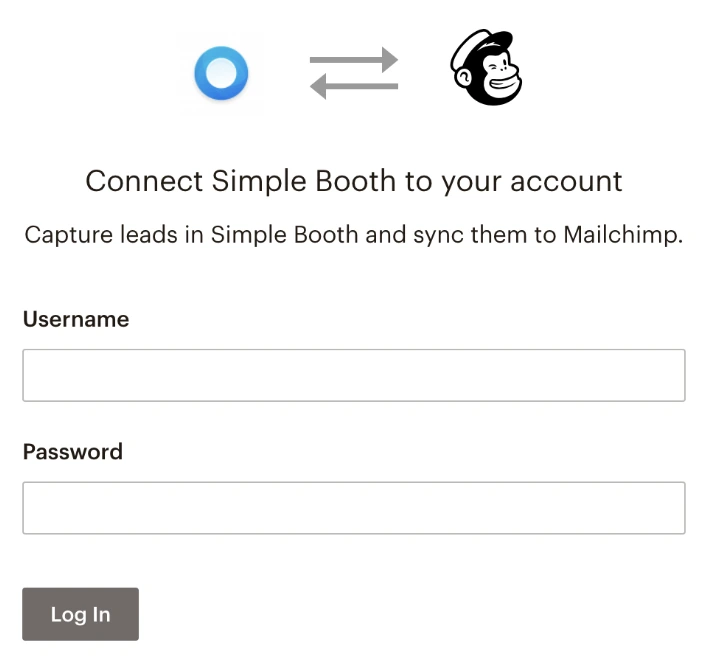
That data feeds into the online dashboard, where operators see analytics on participants, gallery views, social shares, and (on Select plans) demographic insights via face detection. Data exports as CSV, syncs natively to MailChimp, or flows to custom CRMs through the Open API on Pro and Select tiers.
Source: Simple Booth
Darkroom Booth has built-in surveys and quizzes that store data in a local SQLite database, useful for operators who know how to extract and process it. Sparkbooth connects to MailChimp for email list building. Neither offers anything close to Simple Booth’s analytics, gallery management, or reporting.
For brand marketers, this difference is the entire buying decision. A photo booth that captures 500 photos at a corporate event is entertainment. A photo booth that captures 500 photos and 435 verified email addresses is a marketing channel.
Arizona Opera grew its email list by 1,000 addresses in just a few events using HALO’s lead capture during performances and fundraisers. (Simple Booth)
AI features are heading in different directions
All three platforms now offer AI capabilities, but the implementations reflect their different philosophies.
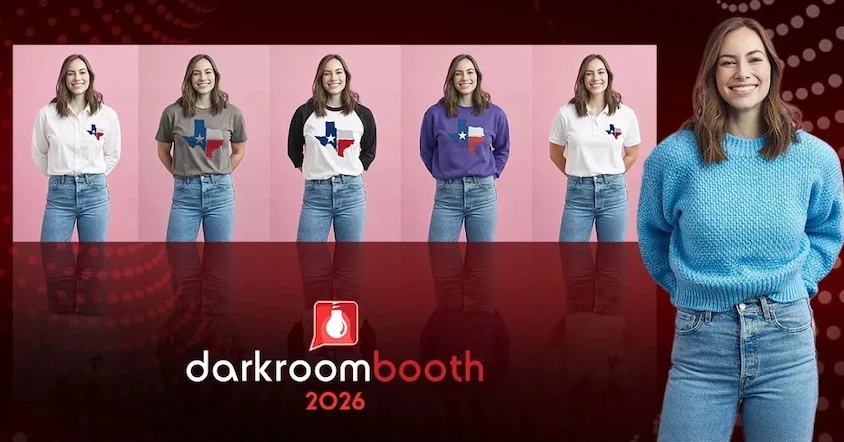
Darkroom Booth launched AI features in May 2025 with generative portraits, face swap, scene generation, and facial enhancement. The 2026 additions extended into AI custom shirts and AI lenticular prints. These are add-on effects within the existing desktop workflow, creative and aimed at giving operators upsell opportunities.
Source: Darkroom Booth
Sparkbooth takes a narrower approach. Its AI offering is the UnlimitedBG offline background removal service, sold as a separate subscription. It replaces the need for a physical green screen, which is practical for pop-up deployments. But Sparkbooth doesn’t offer generative AI transformations, style effects, or AI design tools.

Source: Sparkbooth
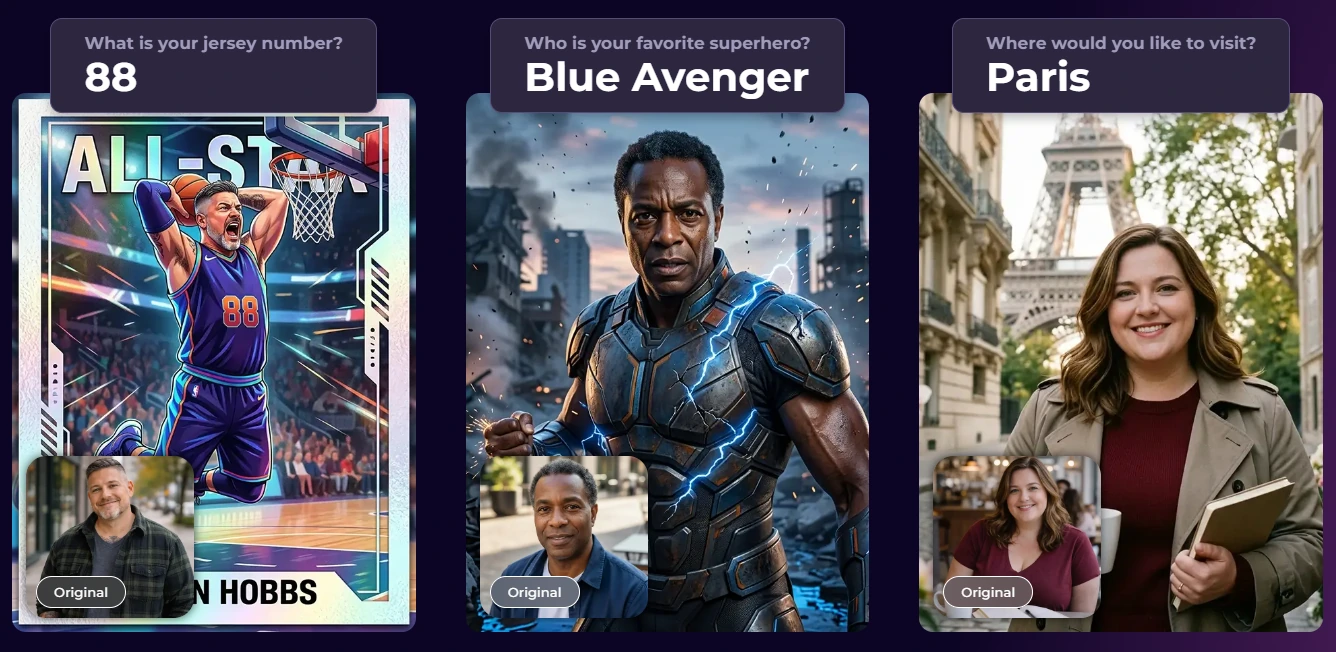
Simple Booth integrates AI throughout the platform. AI Effects (powered by Nano Banana models) transform captured photos using text prompts, with automatic identity preservation so guests stay recognizable no matter how extreme the artistic transformation.
Source: Simple Booth
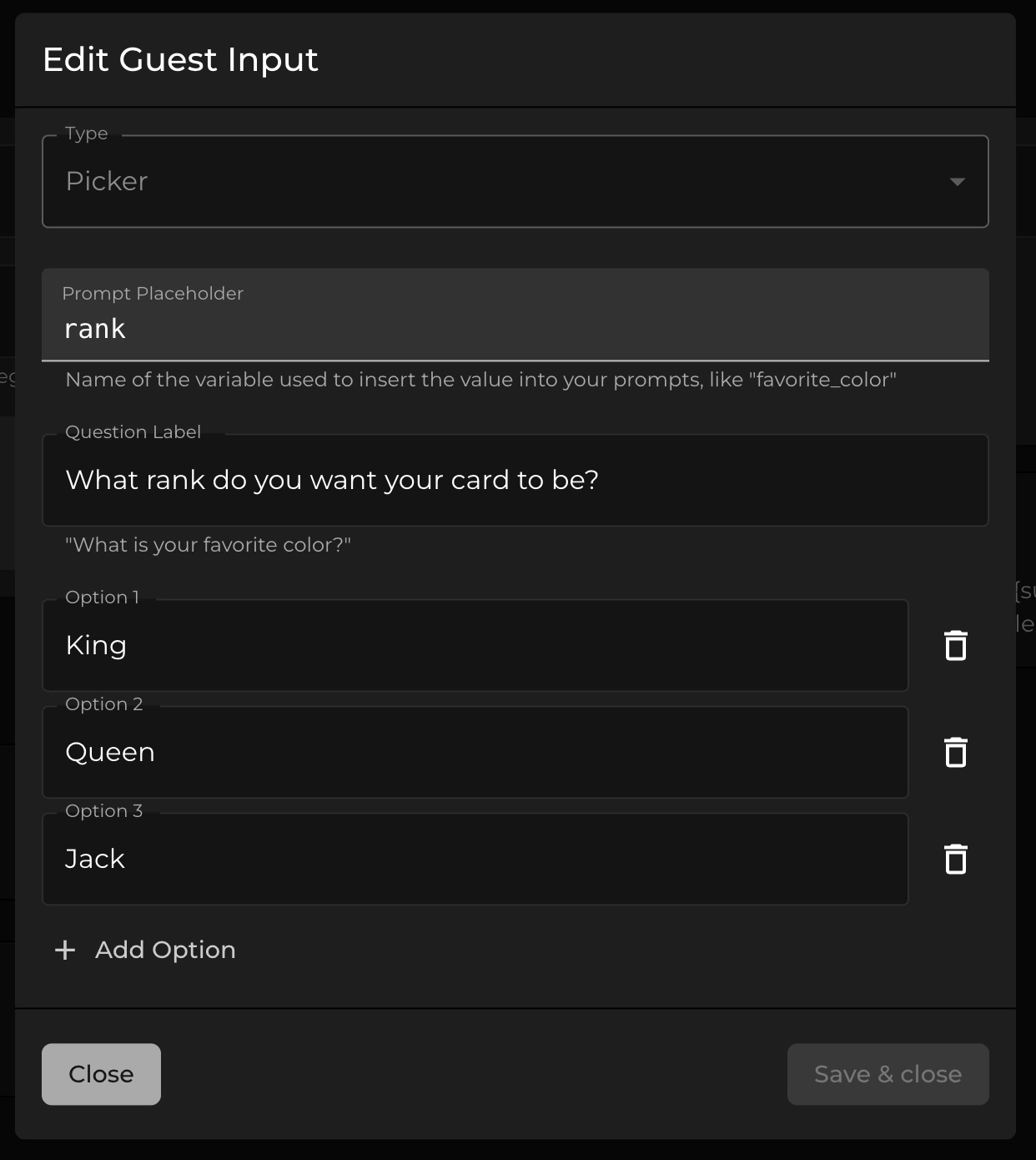
Operators test prompts at zero credit cost outside of booth mode, then deploy confidently at events. The Guest Input system on Pro and Select tiers lets guests answer questions that feed into the AI prompt as template variables, producing personalized results per guest.
Source: Simple Booth
Unique to Simple Booth: operators can assign a different AI prompt to each frame in a multi-frame layout, creating sequential narrative strips (comic book panels, cinematic scenes) from a single session. And AI-Generated Layout Images let operators create graphic design elements (borders, themed frames) using AI inside the Layout Designer, at no credit cost.
Setup and operation tell different stories
How quickly you can go from “arriving at the venue” to “booth is running” matters when you’re doing three events a week.
Sparkbooth has the lowest barrier to entry. Download the software, connect a webcam, launch. The Setup Checklist is literally “place computer on table, plug in webcam, press F7 for fullscreen.” For a casual event, you could be running in five minutes with hardware you already own.
Darkroom Booth requires more setup. You’re choosing and configuring a camera, installing printer drivers, setting up templates, and potentially wiring Phidget hardware for external controls. The minimum hardware is an Intel i3 with 4GB RAM on Windows 10/11, but resource-heavy modes (video, Boomerangs, green screen) call for an i5 or higher.
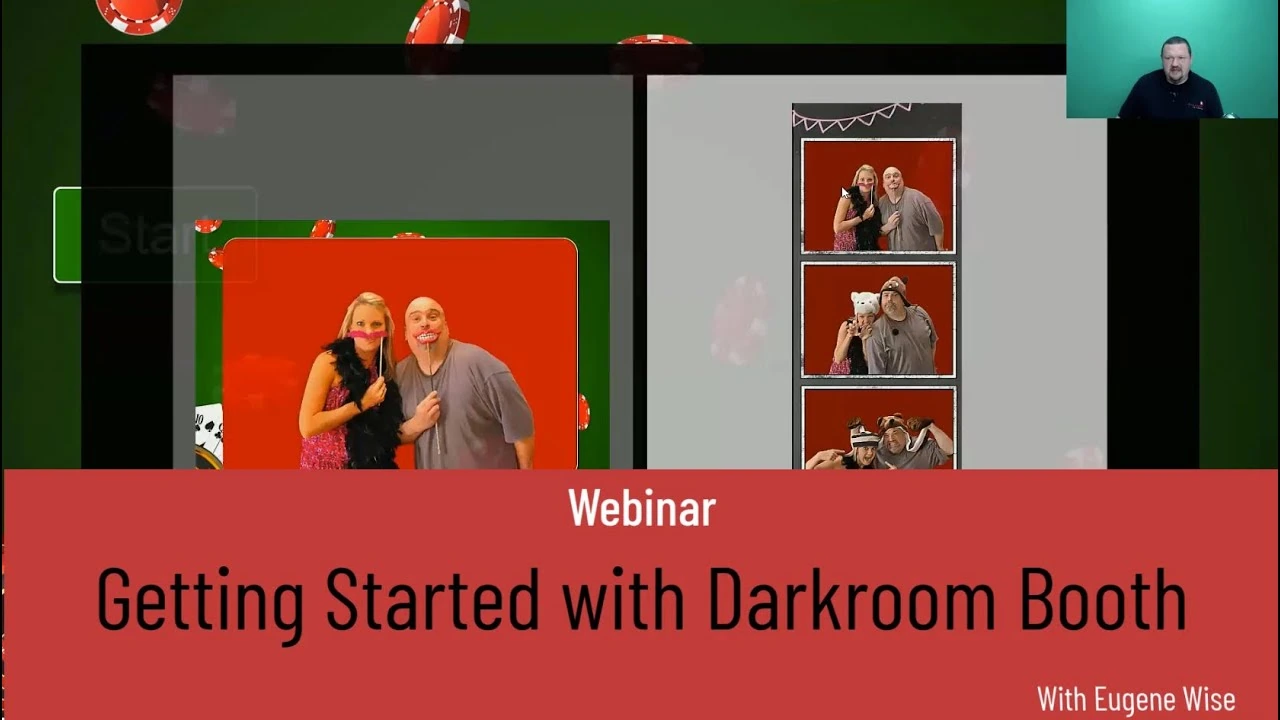
First-time setup is a project. Once configured, subsequent events go faster, and Darkroom offers both a Getting Started webinar and an Advanced webinar to help operators through the learning curve.
Source: Darkroom Booth

Simple Booth collapses setup into a physical action. The iPad snaps into the HALO body via a tool-less faceplate. The selfie stand deploys without tools. A concealed USB-C cable charges the iPad with no visible wires. Total setup: under one minute. Because presets are configured in the cloud dashboard beforehand and sync to the iPad automatically, the on-site task is purely physical.
A Preflight Check screen runs before each event launch to catch configuration issues before guests arrive. Image previews render up to 12x faster than previous versions, so guests see results instantly, backed by a platform foundation stretching back to 2012 that handles edge cases like automatic DSLR fallback and offline queuing.
Source: Simple Booth
“I knew nothing about photo booths when we started,” said a representative from Amore Entertainment, which launched its business and scaled to multiple booths using Simple Booth. (Simple Booth)
Pricing: one-time vs subscription
Pricing philosophy is one of the clearest dividing lines in this comparison.
Darkroom Booth charges $295 once. That covers the full software, all capture modes, all templates, and one year of updates and support. The optional $95/year maintenance plan continues updates and support, but the key detail is that the software keeps running if maintenance lapses.
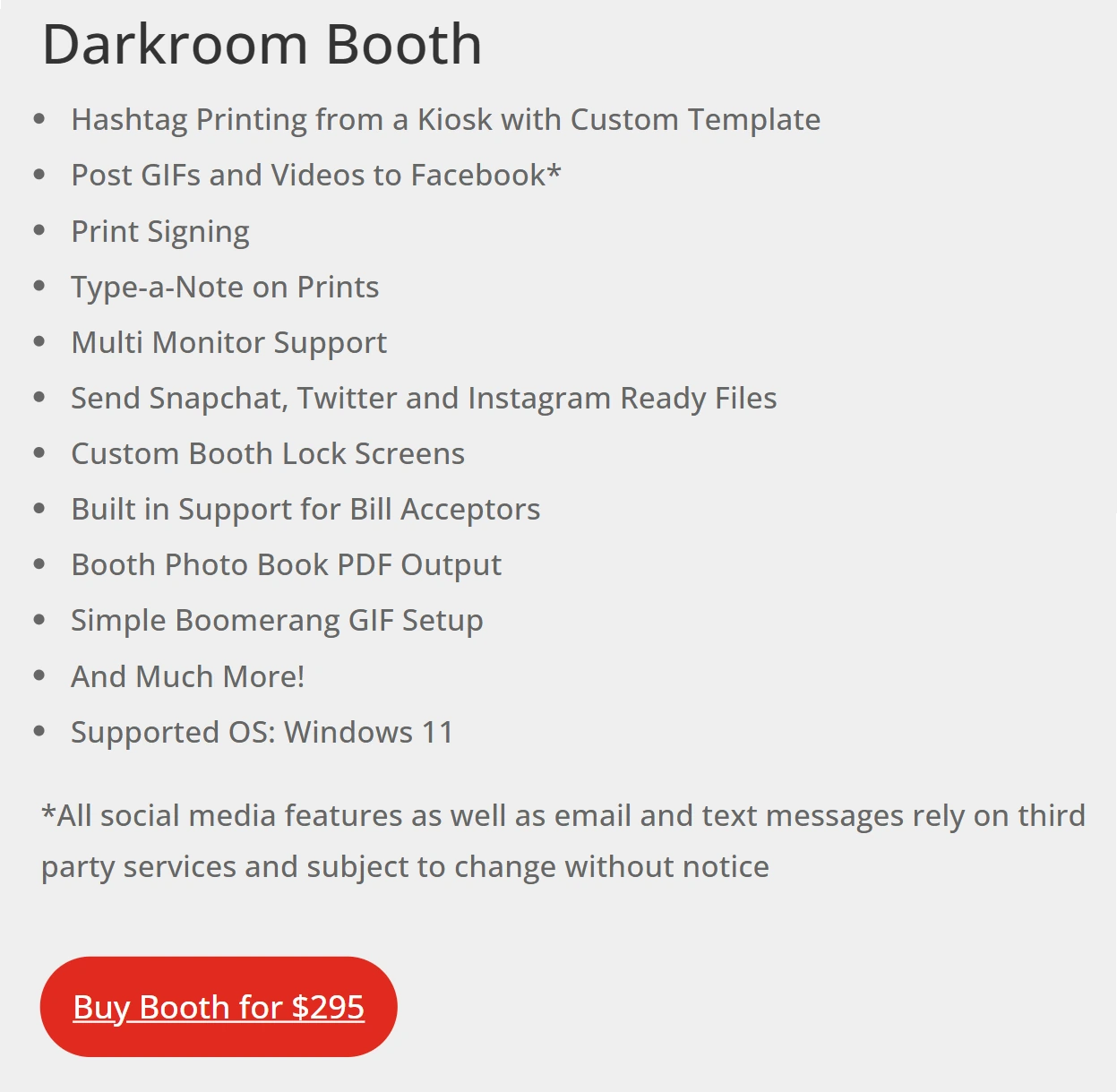
Cloud-dependent features like Darkroom’s email server and Twilio-based image hosting require active maintenance, but core booth operation does not. A $45 temporary 10-day license covers double-booking situations.
Sparkbooth is simpler: $149 or $189, once, forever. Updates within the same major version are free. Major version upgrades (e.g., 6.x to 7.x) may require an upgrade fee. Add-on services like UnlimitedBG and qrcode.photos are separate subscriptions, but the core software has no recurring cost.

Simple Booth uses a subscription model ranging from $14.99/week (Lite, includes ads) to $249/month (Select, with compliance tools and demographic analytics). The Core plan at $24.99/week removes ads and adds DSLR camera support, video capture, background blur, background replacement, and AI effects.
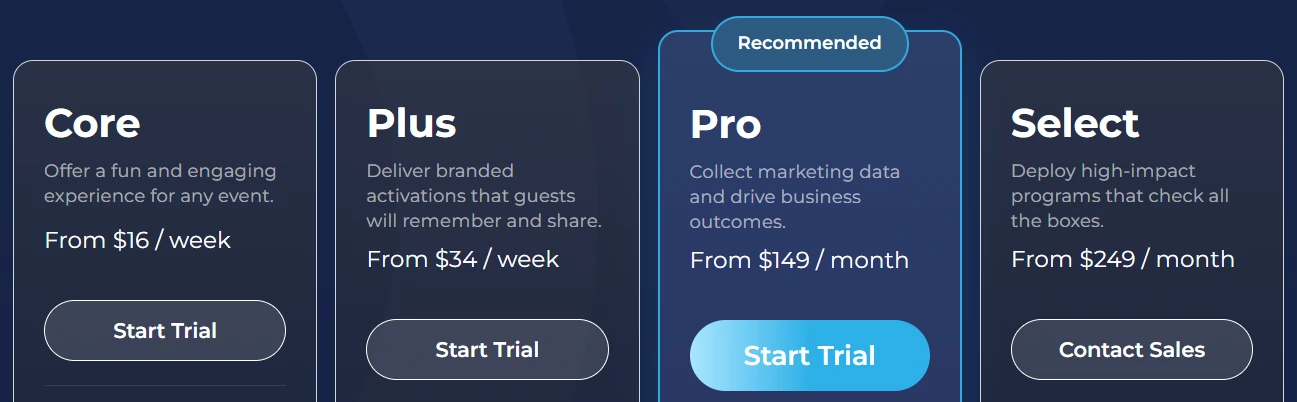
Plus at $49.99/week adds custom branding and analytics. Pro at $149/month adds lead capture, phone support, and moderation. Each additional device requires an add-on license at the same rate. The weekly pricing lets operators starting out treat Simple Booth as a per-event cost rather than a capital investment, scaling from a single side-hustle booth to a multi-device operation without changing platforms.
The math depends on how you use the booth. An operator running one booth at weekend events will find Darkroom or Sparkbooth far cheaper over two years.
But that same operator, running three booths with corporate clients who expect branded galleries, lead data exports, and post-event analytics, may find that Simple Booth’s subscription covers capabilities they’d otherwise need to assemble from multiple tools and services.
Sharing and delivery: built-in stack vs bring-your-own services
How guests receive their photos after a session varies widely.
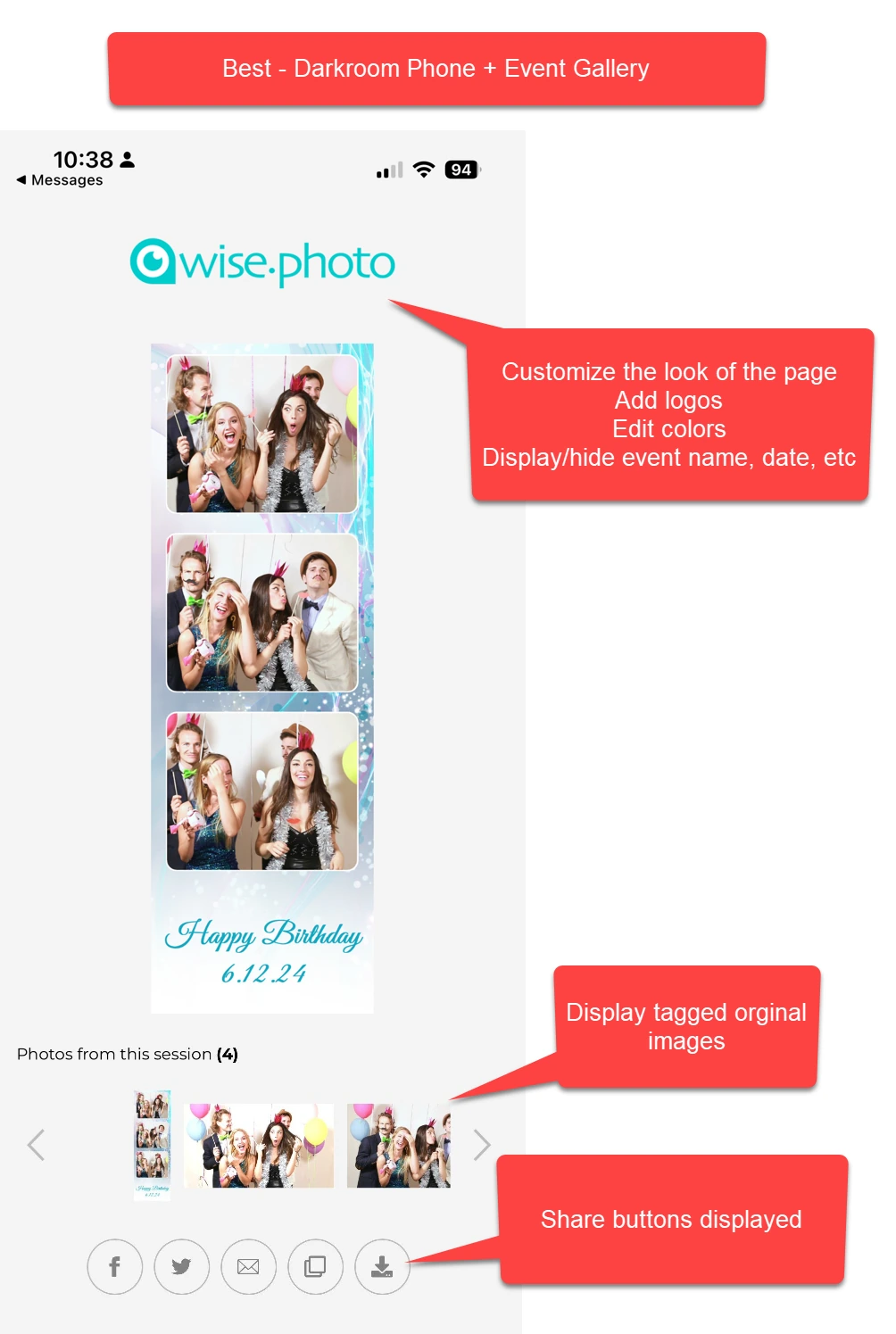
Darkroom Booth shares photos via SMS, MMS, email, Dropbox, and EventGallery.com. Its proprietary Darkroom Phone service sends photos to guests’ phones without requiring a separate Twilio account. Files are formatted for Snapchat, Twitter, and Instagram so they post cleanly without cropping.
Source: Darkroom Booth
The EventGallery auto-upload populates a branded online gallery in real time, though EventGallery is a separate subscription. One limitation: Facebook no longer allows direct uploads from third-party software, so Facebook sharing requires routing through EventGallery.
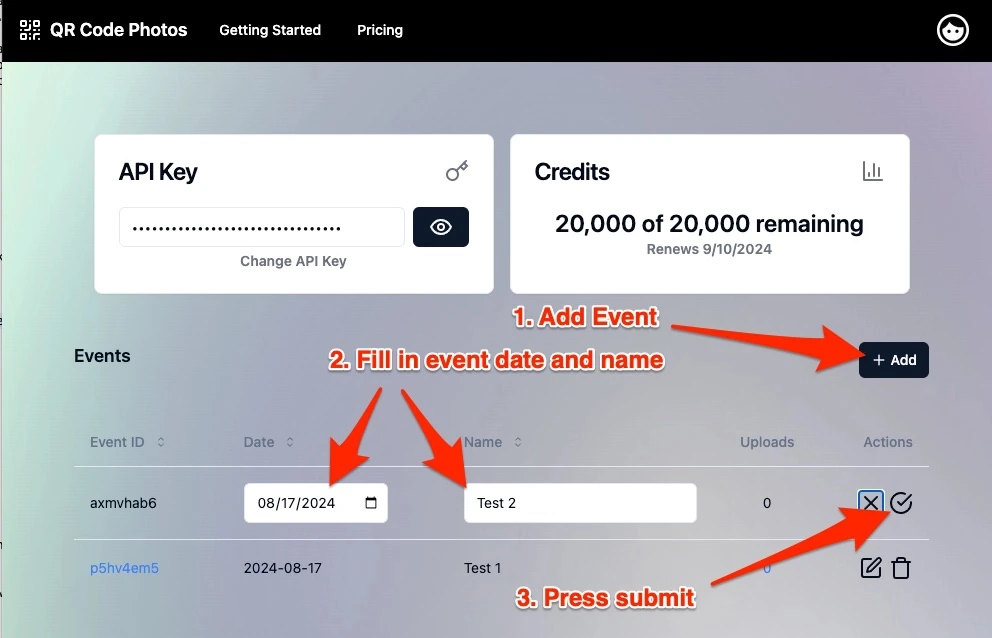
Sparkbooth offers email, SMS/MMS, QR code, and Facebook Page uploads. The QR code system works well: QR codes can be embedded directly in the printed layout, so every physical print doubles as a retrieval token for the digital copy.
Source: Sparkbooth
The qrcode.photos service adds event galleries with view/download counts and social sharing buttons. But everything depends on operators configuring their own third-party accounts (Twilio for SMS, Gmail or SendGrid for email, Google Drive or Dropbox for hosting).
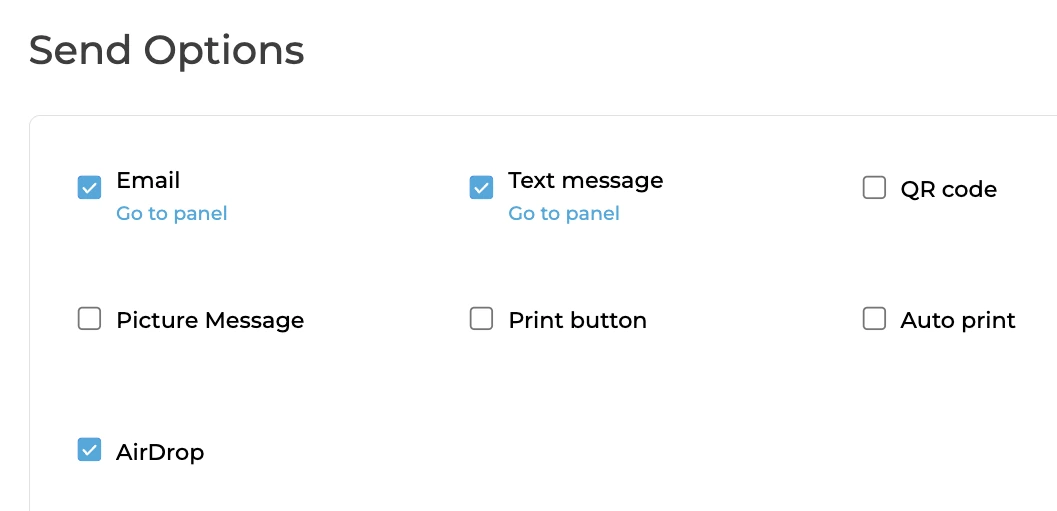
Simple Booth handles delivery and marketing in one pipeline. Guests share via QR code, SMS, email, AirDrop, or WhatsApp. WhatsApp is particularly useful for international events, where it eliminates carrier fee concerns and works regardless of where guests are from. Every session feeds into an online gallery that can display as a Live Feed on any TV or projector.
Source: Simple Booth
Social sharing to Facebook and X auto-populates event hashtags. Instagram sharing handles format conversion automatically, delivering Instagram-ready files via MMS since Instagram blocks third-party uploads. No separate accounts to configure, no third-party services to stitch together.
Support when things go wrong at 9pm on a Saturday
Photo booths break during events, not during business hours. Support responsiveness under pressure is a real buying criterion.
Darkroom Booth offers phone and email support Monday through Friday, 9am to 5pm Central. Outside those hours, operators are on their own.
Customer testimonials praise the support team when available, and the Woodchek family team’s relationship-driven culture is a differentiator during business hours. But Capterra reviewers flag the absence of weekend and after-hours coverage as a real risk.
Sparkbooth provides email support and a Facebook user group. No phone, no live chat, no published response times. The in-app support tool automatically attaches system diagnostics, which speeds up troubleshooting.
The knowledge base covers 119 articles across 9 categories with step-by-step instructions and screenshots. For a solo-developer product, the documentation is solid. But it’s self-service by design.
Simple Booth tiers support by plan. Lite gets 7-day support. Core and Plus get email and chat. Pro adds phone support. Select adds a dedicated account manager during events. The Help Center has 148+ articles, and the 5.0 Transition Guide on GitBook includes an AI assistant for natural-language documentation queries.
Simple Booth also responds to negative App Store reviews with troubleshooting guidance, giving prospective buyers a visible record of how the company handles problems.
Offline reliability at venues with bad Wi-Fi
Venue internet is the most common point of failure for any photo booth. All three platforms handle it, but differently.
Darkroom Booth is a desktop application with no cloud dependency for core operation. Photos capture, print, and save locally regardless of internet status. Cloud-dependent features (SMS, email, EventGallery uploads) need connectivity, but the booth itself never stops working.
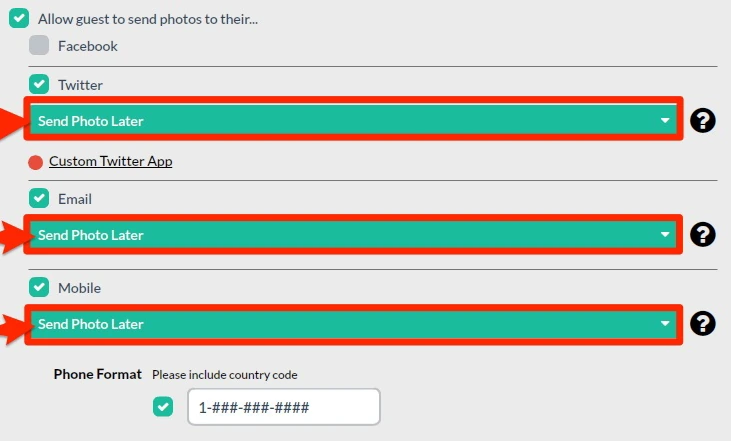
Sparkbooth takes the same approach, plus an explicit offline queue that stores guest contact details alongside photos for batch delivery after the event. The UnlimitedBG AI background removal also runs entirely offline, making green-screen-free operation viable without internet.
Source: Sparkbooth
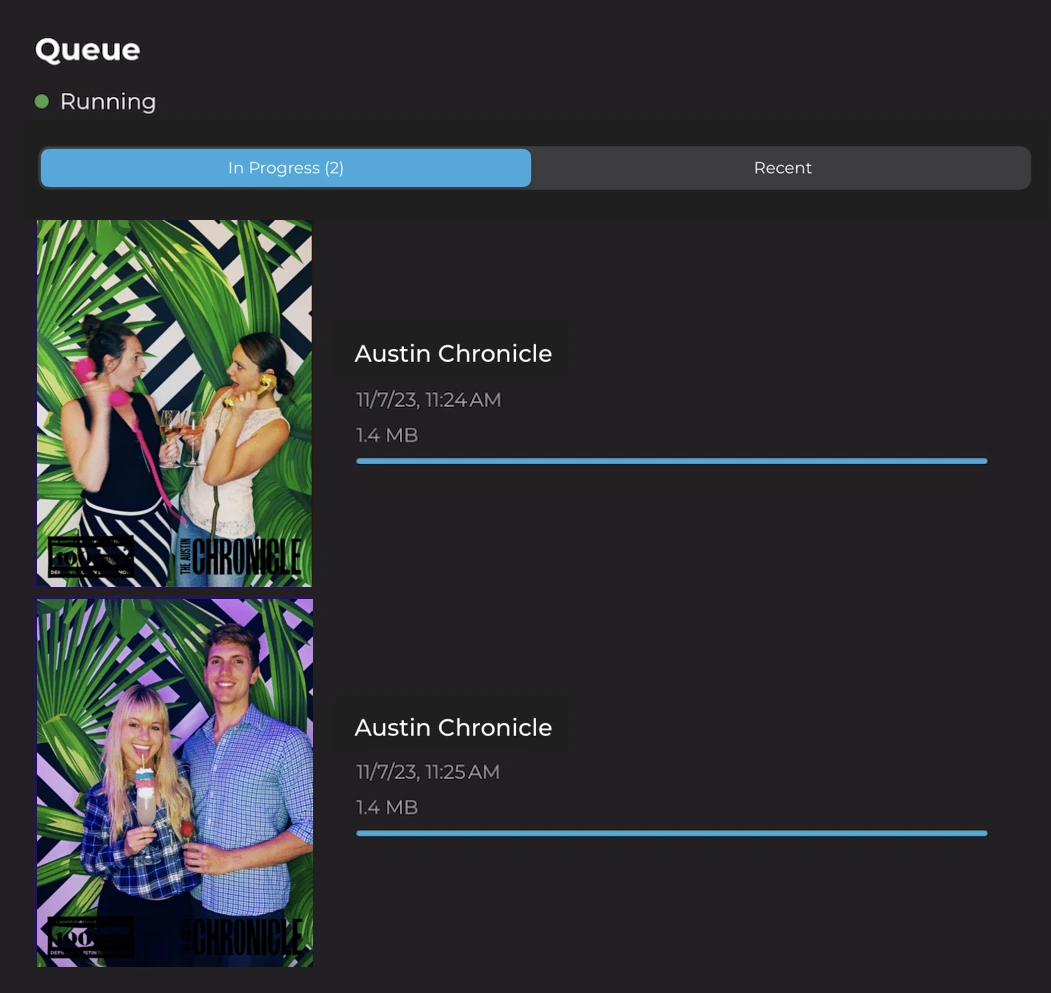
Simple Booth is a cloud-connected platform, but the HALO app includes an offline upload queue that stores sessions and delivers them automatically when connectivity returns.
Source: Simple Booth
The booth keeps capturing in offline mode, and photo delivery happens when the connection comes back. AI Effects require a live internet connection since processing happens server-side, so operators running AI at venues with poor connectivity should have a hotspot backup.
Darkroom Booth vs Sparkbooth vs Simple Booth: Which should you choose?
The best photo booth software depends on where you are in your business and what you’re trying to accomplish.
Choose Darkroom Booth if:
- You run a Windows-based photo booth business and want hardware flexibility
- You need support for bill acceptors, Phidget controls, or custom enclosures
- A one-time $295 license fits your budget better than a recurring subscription
- You want the broadest feature set for creative output (lenticular prints, VR 360, AI portraits)
- You’re comfortable with a learning curve in exchange for granular control
Choose Sparkbooth if:
- You’re planning a personal event or testing the photo booth rental market
- You need Mac compatibility or want the lowest-cost entry point
- A simple, no-subscription model appeals to you
- You already own a Canon or Nikon DSLR and want to use it as a booth camera
- You’re comfortable with email-only support and self-service documentation
Choose Simple Booth if:
- You want an integrated system with hardware that sets up in under a minute and a built-in layout designer for template control
- Your business or clients need lead capture, branded galleries, and event analytics
- You manage (or plan to manage) multiple booths and need remote cloud management
- AI photo effects with identity preservation matter to your offering
- You run drop-off events or unattended installations and need a platform intuitive enough for guests without an attendant and easy for new staff to learn
- You value ongoing support, regular app updates, and a proven platform with 30,000+ customers
Start your free Simple Booth trial and see why 4.7 stars from 2,400+ ratings isn’t an accident.
Desktop photo booth software carved out the professional event photography market. Darkroom Booth and Sparkbooth both continue to serve that market well, each at their own price point and complexity level.
But as photo booths evolve from entertainment props into data-driven marketing tools, the value of a cloud-connected, design-integrated platform becomes harder to ignore. Simple Booth isn’t just different software; it represents a different model for what a photo booth business can be.
“10+ years, we’re big Simple Booth believers,” said G7 Entertainment Marketing, which has captured over 136,000 fan interactions through the platform. (Simple Booth)
Darkroom Booth vs Sparkbooth vs Simple Booth FAQ
What is the main difference between Darkroom Booth, Sparkbooth, and Simple Booth?
Darkroom Booth is Windows-only desktop software built for professional operators who want hardware customization, supporting Canon/Nikon DSLRs, Phidget controls, bill acceptors, and dye-sublimation printers. Sparkbooth is cross-platform desktop software (Windows and Mac) aimed at DIY hosts and small operators who want an affordable, straightforward photo booth.
Simple Booth is a cloud-connected iPad app paired with the HALO ring light hardware, designed for photo booth businesses and brand marketers who need remote management, lead capture, analytics, and AI photo effects in an integrated system.
Which platform is cheapest over time?
Sparkbooth has the lowest total cost at $149 or $189 one-time with no recurring fees (unless you add optional services like UnlimitedBG or qrcode.photos). Darkroom Booth costs $295 upfront plus an optional $95/year for maintenance and updates. Simple Booth is subscription-based, starting at $14.99/week for Lite and scaling up to $249/month for Select.
For operators running a single booth casually, the one-time license platforms cost significantly less. For businesses needing multi-booth management, analytics, and lead capture, Simple Booth’s subscription covers capabilities that would require multiple additional tools on the other platforms.
Which platform works on Mac?
Sparkbooth runs natively on macOS 13.7 and later, though DSLR support on Mac is limited to Nikon cameras only (Canon requires Windows). Simple Booth runs on iPad, which is Apple hardware but not macOS. Darkroom Booth is Windows-only with no native Mac version. It can run under Boot Camp on Intel Macs, but this is not officially supported on Apple Silicon.
Can I capture leads and marketing data with any of these platforms?
Simple Booth is the strongest option for lead capture, with built-in data collection forms achieving 87-89% opt-in rates, native MailChimp sync, CSV export, and API integration for custom CRMs.
Darkroom Booth includes surveys and quizzes that store data in a local SQLite database for manual export. Sparkbooth integrates with MailChimp for email list building. Neither desktop platform offers analytics dashboards, gallery view tracking, or social sharing metrics.
Do any of these platforms offer AI photo effects?
All three offer AI capabilities. Darkroom Booth has generative AI portraits, face swap, scene generation, AI custom shirts, and AI lenticular prints built into the desktop software.
Simple Booth offers AI Effects that transform photos using text prompts with automatic identity preservation, guest-personalized AI via template variables, and AI-generated layout graphics at no credit cost. Sparkbooth offers AI background removal through the UnlimitedBG add-on service, which runs offline but is a separate subscription.
Which platform is best for running multiple booths at different locations?
Simple Booth is designed for multi-booth operations. Operators configure and update presets remotely via the online dashboard, with changes syncing to each iPad automatically. Multiple devices run under one account using add-on licenses. Darkroom Booth’s Booth Control feature allows remote monitoring over the same local network but not across different venues. Sparkbooth has no remote management capability.
How does support compare across the three platforms?
Darkroom Booth offers phone and email support Monday through Friday, 9am to 5pm Central, with no after-hours or weekend coverage. Sparkbooth provides email support and a Facebook user group with no phone or live chat option.
Simple Booth tiers support by plan: 7-day support on Lite, chat and email on Core/Plus, phone support on Pro, and a dedicated account manager on Select. For operators who run booths primarily on evenings and weekends, Simple Booth’s broader support availability is a practical advantage.
Can I use these platforms offline at venues with no internet?
All three work offline for core photo capture and printing. Darkroom Booth and Sparkbooth are desktop applications with no cloud dependency for basic operation. Sparkbooth adds an explicit offline queue that stores guest contact details for batch delivery post-event, and its UnlimitedBG AI background removal runs fully offline.
Simple Booth’s HALO app queues sessions offline and auto-delivers when connectivity returns, but AI Effects require a live internet connection since processing happens server-side.
Keep reading
 Showdowns
Simple Booth vs Darkroom Booth: Which Photo Booth Software Fits Your Business in 2026?
iPad turnkey vs Windows DSLR veteran. Simple Booth or Darkroom Booth?
 Showdowns
Mini Photobooth vs Sparkbooth (vs Simple Booth): Which Photo Booth Software Fits Your Events in 2026?
iOS app vs buy-it-once desktop. Mini Photobooth or Sparkbooth?
 Showdowns
Darkroom Booth vs Snappic (vs Simple Booth): Which Photo Booth Software Should You Choose in 2026?
Own-it-forever desktop vs slick iPad subscription. Darkroom Booth or Snappic?