Darkroom Booth vs Snappic (vs Simple Booth): Which Photo Booth Software Should You Choose in 2026?
Choosing between Darkroom Booth and Snappic for your photo booth business usually comes down to five questions:
- Do you want to own your software outright with a one-time purchase, or pay a monthly subscription that includes ongoing updates?
- Is Windows-based DSLR control your priority, or do you prefer running everything from an iPad?
- Do you need support for multiple booth formats (360, Glambot, mirror), or are you focused on standard photo booth setups?
- How important is after-hours support when your booth goes down during a Saturday night wedding?
- Are you looking for customization depth, or a system that handles setup, branding, and guest delivery with less friction?
In short, here’s what we recommend:
Darkroom Booth is the pick for Windows-based photo booth operators who want hardware control and a low total cost. Its $295 perpetual license covers photos, GIFs, Boomerangs, green screen, slow-motion video, and AI-powered transformations, all without a recurring subscription.
With native tethering for Canon and Nikon DSLRs, support for bill acceptors and arcade buttons via Phidgets, and remote monitoring through Booth Control, it gives operators control over every part of the booth experience. The trade-off: it runs only on Windows, support stops at 5pm on weekdays, and the interface hasn’t kept pace with newer competitors.
Snappic serves photo booth operators who want to run multiple booth formats from a single platform. It supports iPad, 360-degree video, Robot Arm/Glambot, Mirror, and Roaming configurations and backs everything with 24/7/365 live support. Its AI-FX suite (including PersonaFX avatars and BananaFX powered by Google Gemini) gives operators premium experiences to upsell at corporate events.
However, Snappic runs only on iOS, costs more starting at $69/month, charges separately for features like green screen and branded galleries, and layers credit-based charges for AI effects and background removal on top of the subscription.
Both platforms solve real problems for their audiences. But they force trade-offs: Darkroom Booth ties you to Windows with no after-hours support, while Snappic locks you into iOS with variable costs that add up. For operators who want a system that handles the full workflow with less friction, there’s a third option worth considering.
Simple Booth has been building iPad photo booth software since 2012 and now serves over 30,000 customers. The platform pairs an aluminum HALO ring-light chassis with a cloud-connected iPad app that sets up in under a minute, captures leads at 87%+ opt-in rates, and manages everything from a single online dashboard.
With the Layout Designer for in-app template creation, wired and wireless DSLR/mirrorless camera integration, AI background replacement, WhatsApp delivery, and plans starting at $14.99/week, Simple Booth serves both event rental operators and brand marketing teams.
For operators who need a polished photo experience without wrestling with hardware configurations or software complexity, it delivers a complete system from one vendor.
If a photo booth system that runs itself sounds like what your business needs, see how Simple Booth works with a free trial.
Darkroom Booth vs Snappic vs Simple Booth at a glance
| Darkroom Booth | Snappic | Simple Booth | |
|---|---|---|---|
| Platform | Windows only | iPad/iOS only | iPad (with DSLR support) |
| Booth types supported | Standard photo/video booth | iPad, 360, Glambot, Mirror, Roaming | iPad booth + Virtual Booth (browser-based) |
| AI features | AI portraits, face swap, scene generation | AI-FX, PersonaFX, BananaFX (Gemini), AI Touchups | AI Effects (Nano Banana), AI backgrounds, AI layout images |
| Camera support | Canon, Nikon DSLR/mirrorless, GoPro, webcams | iPad camera, Canon DSLR, GoPro | iPad camera, Canon DSLR/mirrorless |
| Hardware included | Software only | Software only | Integrated HALO hardware kits available |
| Free trial | Yes (no time limit, watermarked output) | 14-day free trial | 7-day free trial |
| Pricing model | $295 one-time + $95/year optional maintenance | $69–$399/month subscription | $14.99–$249/week or month subscription |
| Support hours | Mon–Fri, 9am–5pm CT | 24/7/365 | 7-day (Lite) to phone + dedicated manager (Select) |
| Best for | Windows operators wanting one-time cost and hardware control | Multi-format operators scaling to 360/Glambot | Operators wanting a complete system with built-in marketing tools |
The pricing models reveal what each platform prioritizes
Darkroom Booth’s pricing tells you what it values: operator independence. The $295 perpetual license is a one-time purchase. The software keeps running whether you renew the $95/year maintenance plan or not. Renewing gets you updates and support; skipping it means you run the version you have.
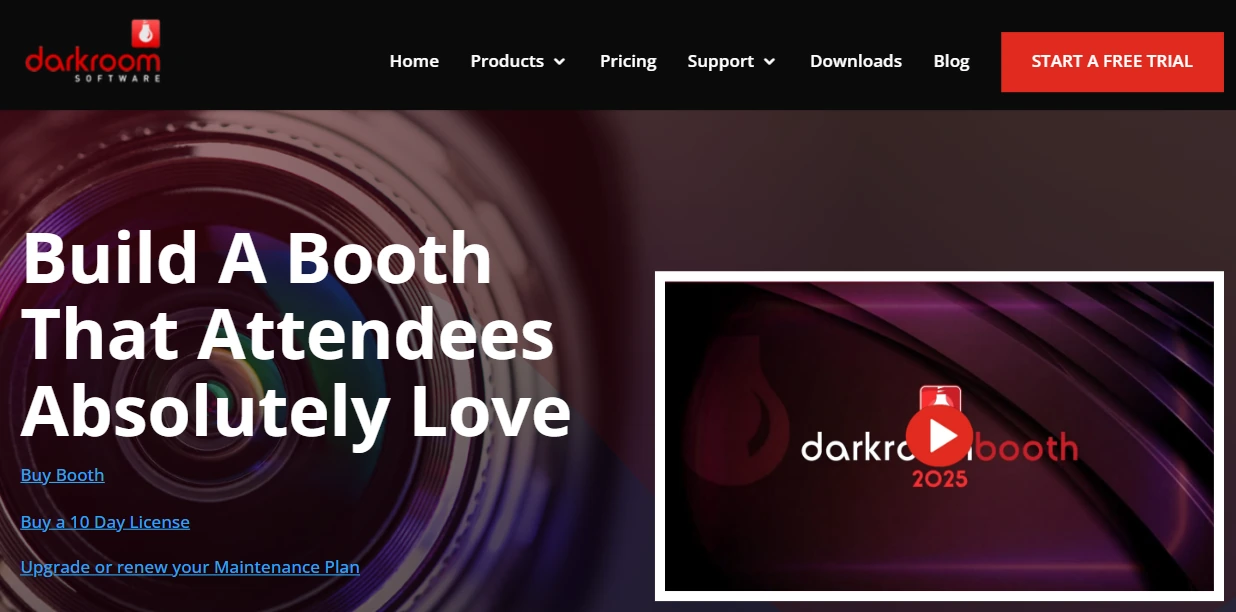
For an operator doing 50 events a year, the software cost works out to under $6 per event in year one, and free after that.
Snappic charges $69/month for the Starter plan, which covers standard photo booth features. But the platform opens up at the $189/month Business tier, where you get 360 video, AI-FX, branded microsites, and client analytics. AI effects, background removal, and international SMS each consume credits purchased separately.
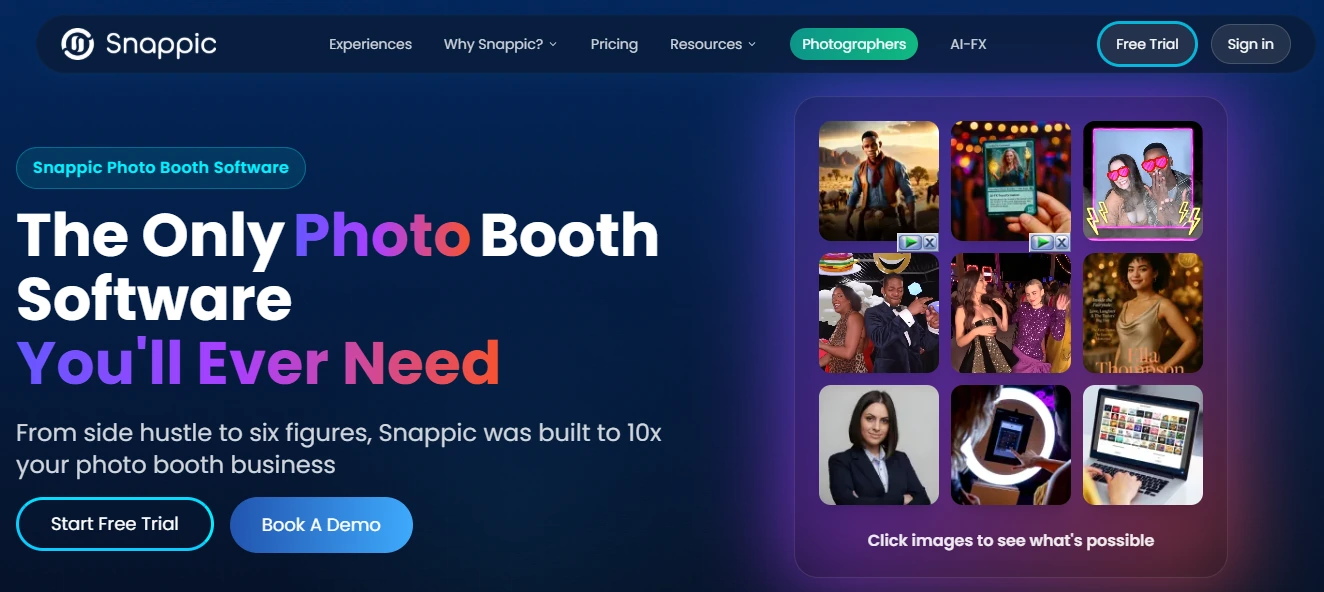
The Starter plan also limits photo delivery to email and text only, with broader sharing options reserved for higher tiers. An operator running AI-heavy corporate events could spend $250–$400/month between the subscription and credits before accounting for additional booth licenses at $39–$109/month each.
Simple Booth uses weekly, monthly, or annual billing, with the Lite plan starting at $14.99/week for operators getting started. The Core plan at $24.99/week ($490/year) adds DSLR camera support, background replacement, video, and Dropbox integration.
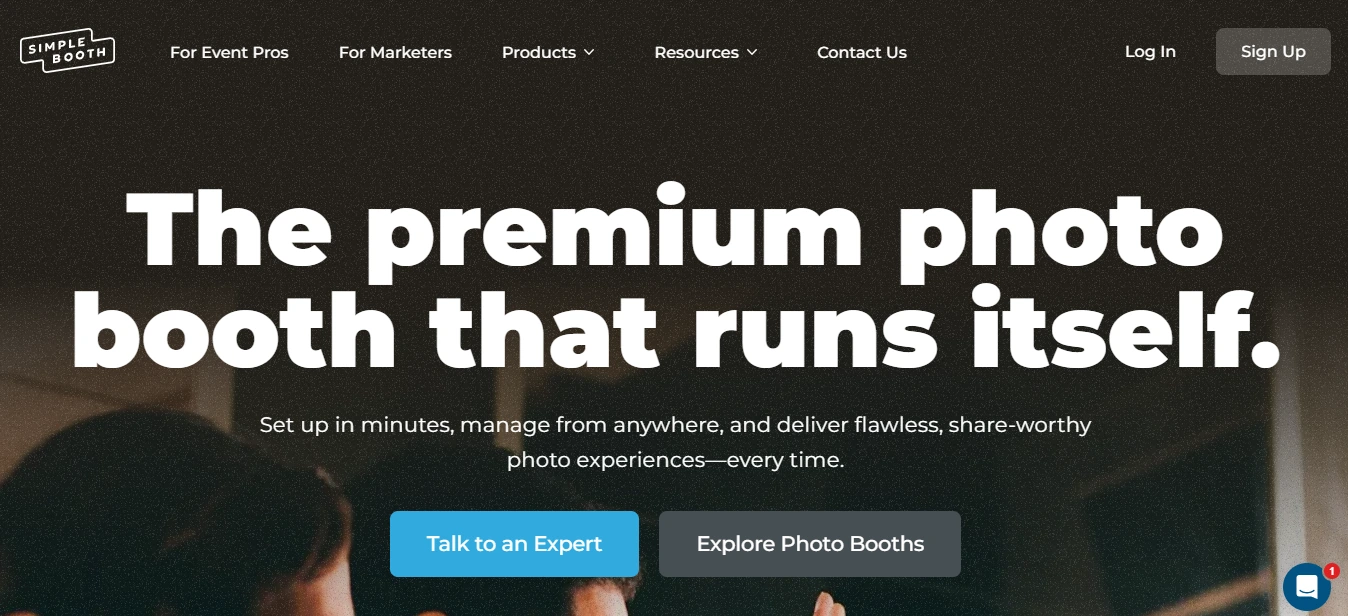
AI effects run on a credit system at $0.10 per credit, with bonus credits on each new subscription. The HALO hardware kit is a separate purchase, but it includes the ring light, mount, charging, and travel case as one package.
The real comparison: Darkroom Booth costs less over time if you’re a single-booth Windows operator who doesn’t need constant updates. Snappic costs more but gives you every booth format and 24/7 support. Simple Booth starts at $14.99/week, falling in between on software cost while adding a hardware ecosystem and marketing tools that the other two don’t offer.
Platform lock-in shapes every other decision
Before you compare features, answer one question: what hardware do you own?
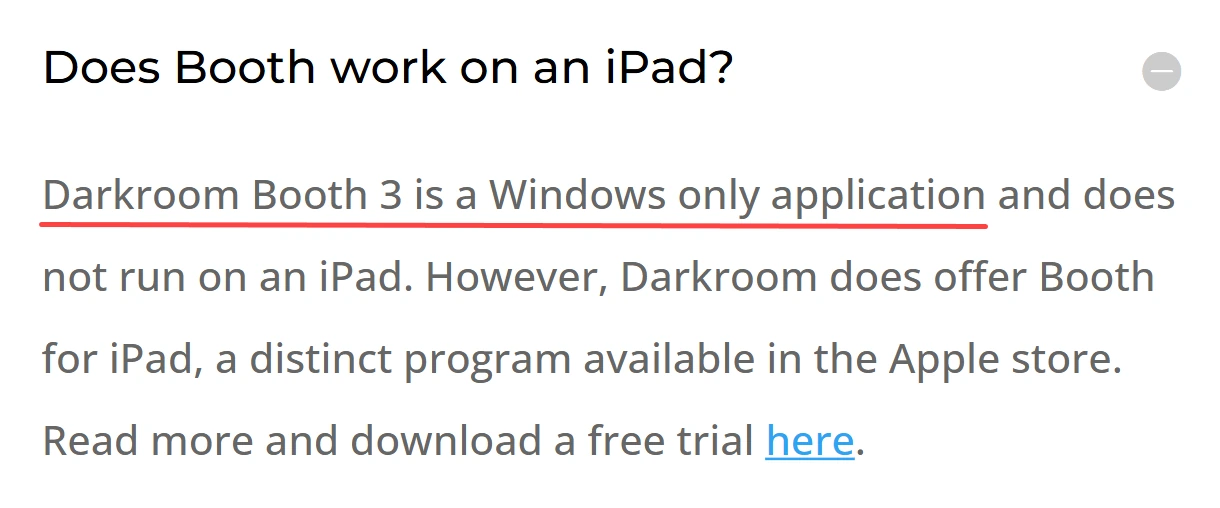
Darkroom Booth runs only on Windows. No Mac version exists. It can run under Boot Camp on Intel Macs, but that’s a workaround, not a supported configuration. If you’re a Windows shop with Canon or Nikon DSLRs, this fits naturally. If you own a Mac or prefer tablet-based setups, Darkroom Booth is off the table.
Source: Darkroom Booth
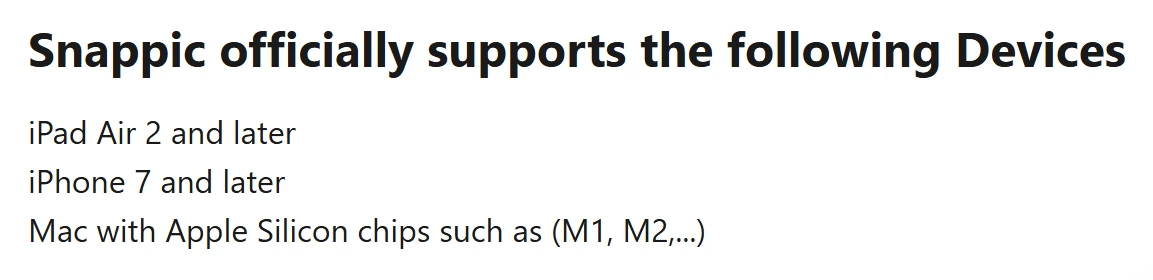
Snappic runs on iPad, iPhone, and Mac only. No Windows app, no Android. For iPad-based operators, this works. For operators with existing Windows rigs or Android tablets, it’s a non-starter.
Source: Snappic
Simple Booth runs on iPad, with Canon DSLR/mirrorless camera support added in version 5.0 via both wired USB and wireless Wi-Fi connections. The wireless option is a differentiator most competitors don’t offer, enabling more creative booth setups without cable constraints.
Source: Simple Booth
The iPad-only constraint is real, but Simple Booth compensates with the Virtual Booth product, a browser-based experience that runs on any device with no app install required. This gives operators a second product line for virtual events, always-on campaigns, and hybrid activations without additional hardware.
The practical impact: operators who already own Windows PCs and DSLRs lean toward Darkroom Booth. iPad-first operators choose between Snappic and Simple Booth. And operators who need to serve both in-person and virtual events have a reason to look at Simple Booth’s dual-product approach.
Booth format coverage differs significantly
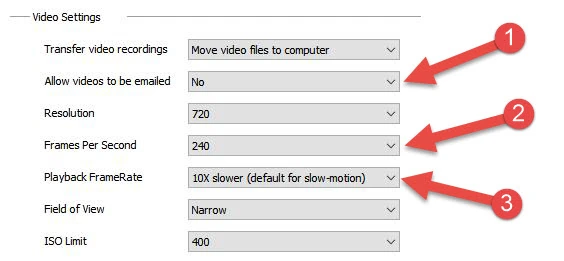
Darkroom Booth handles standard photo booth setups thoroughly: still photos, GIFs, Boomerangs, slow-motion video, green screen, and VR 180/360 panoramic images. It supports GoPro HERO 9/10 for 240fps slow-motion, Phidget hardware for coin-op and arcade button controls, and a wide range of dye-sub printers with built-in drivers.
Source: Darkroom Booth
What it doesn’t cover: 360-degree spinning platforms, robot arm/Glambot rigs, or mirror booths. If you run a standard attended photo booth, Darkroom Booth has everything. If you want to add a 360 booth to your fleet, you’ll need different software for that rig.
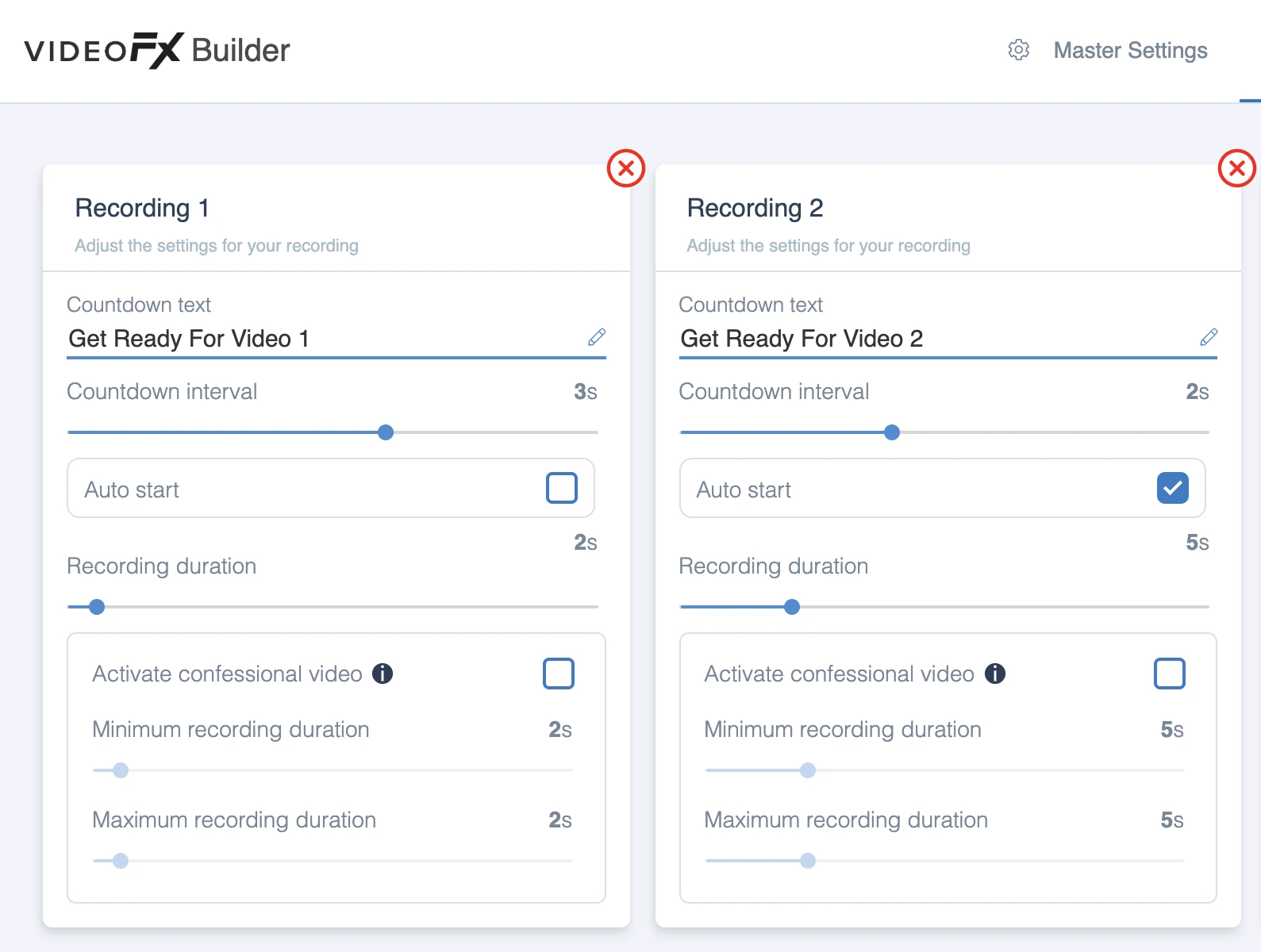
Snappic covers the broadest range of hardware configurations. Its VideoFX system puts 360 booths, Glambot/robot arms, Mirror booths, and Roaming mode under one template builder and one effect library. An operator who owns an iPad booth and a 360 platform learns one system, manages one subscription, and carries one skill set across every rig.
The VideoFX Template Builder handles speed multipliers, multi-clip timelines, animated overlays, and slow-motion at up to 240fps through compatible cameras. For operators building a multi-format business, this breadth is Snappic’s strongest argument.
Source: Snappic
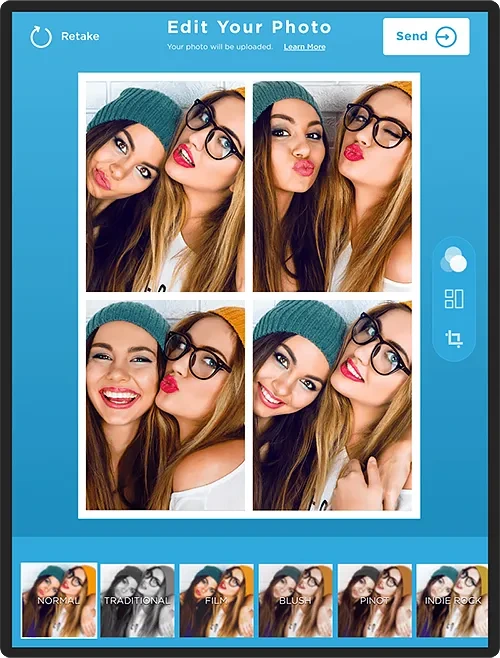
Simple Booth focuses on two product lines: the HALO iPad booth for in-person events and Virtual Booth for browser-based experiences. It doesn’t support 360 or Glambot setups.
Source: Simple Booth

Instead, it goes deep on the iPad photo booth format: multiple capture modes (stills, photo strips, GIFs, Rebound clips, video), AI background replacement without a green screen, DSLR-quality background blur, and a Layout Designer for building templates inside the app.
Source: Simple Booth
All effects, filters, and capture modes work together (with DSLR integration, video, and even offline mode) so operators don’t have to navigate complex compatibility rules. For operators who run iPad booths and want a virtual product for additional revenue, Simple Booth covers both without a second platform.
AI capabilities are the new competitive battleground
All three platforms have invested in AI, but their approaches differ in scope and execution.
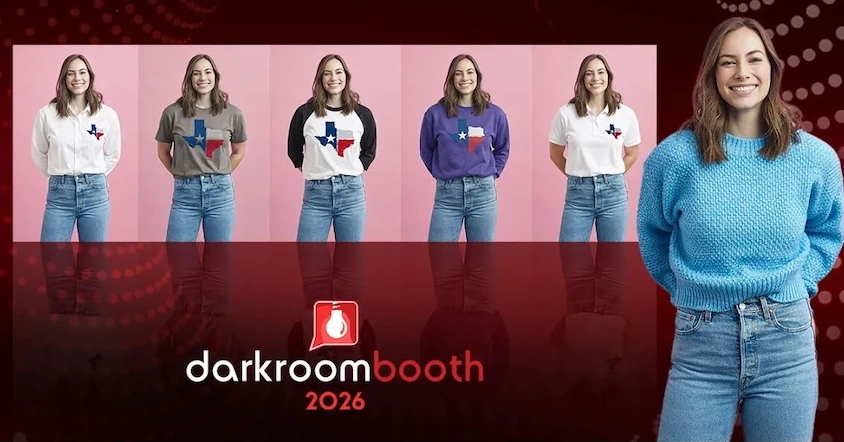
Darkroom Booth launched AI features in May 2025: generative portraits, face swap, scene generation, and facial enhancement. The 2026 updates added AI custom shirts and AI lenticular prints, creating physical keepsakes that animate when tilted.
Source: Darkroom Booth
These features position the booth as a premium experience rather than a commodity print station. The AI runs through Darkroom’s existing template system, so it fits into the workflow operators already know.
Snappic runs the most extensive AI stack in the category. Its AI-FX suite spans multiple engines: the core AI-FX pipeline for style transfers and branded avatars, PersonaFX for photorealistic and styled avatar generation with survey-driven personalization, and BananaFX powered by Google Gemini 2.5 for full image regeneration from custom prompts.
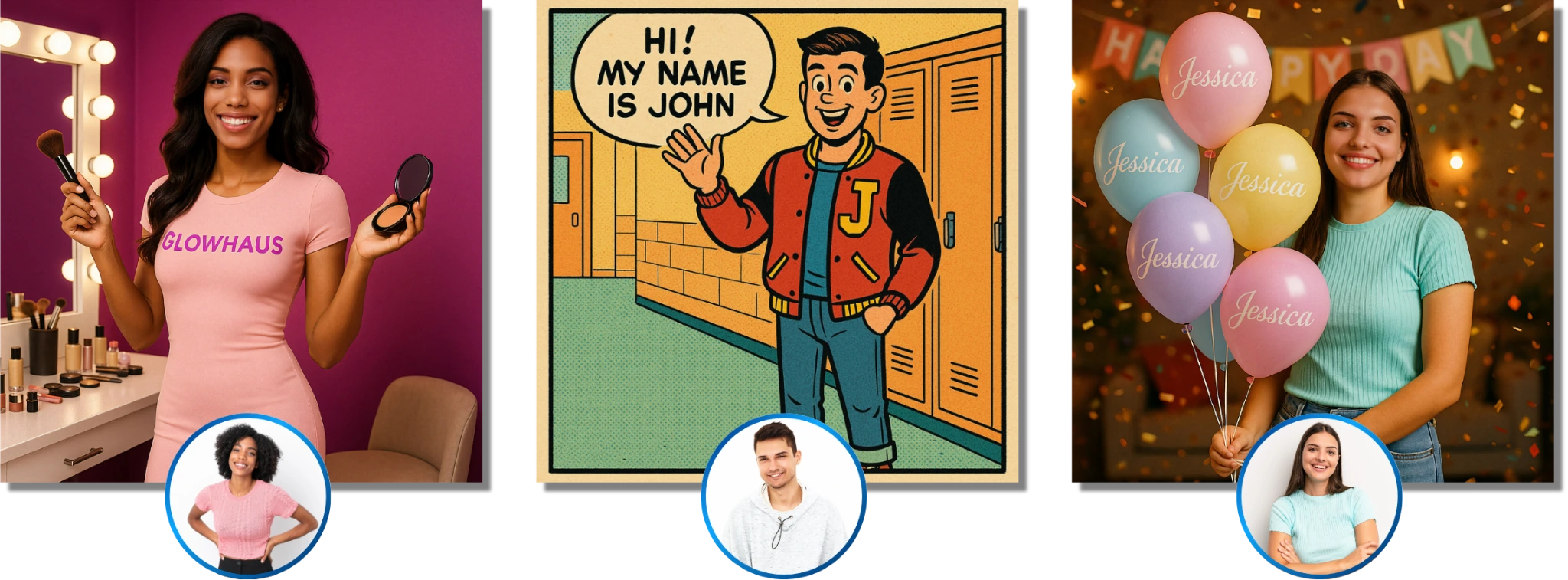
Source: Snappic
Photo Glam runs entirely offline with no credits or internet required. AI Touchups offers 40+ enhancement parameters with quick presets for different event types. The range is wide, though each AI generation consumes credits that cost $20 per 200, adding variable expense to every AI-heavy event.
Simple Booth’s AI Effects use Nano Banana models that transform captured photos using text prompts, with identity preservation handled automatically. Operators can assign unique prompts to each frame in a multi-frame layout, creating narrative photo strips.
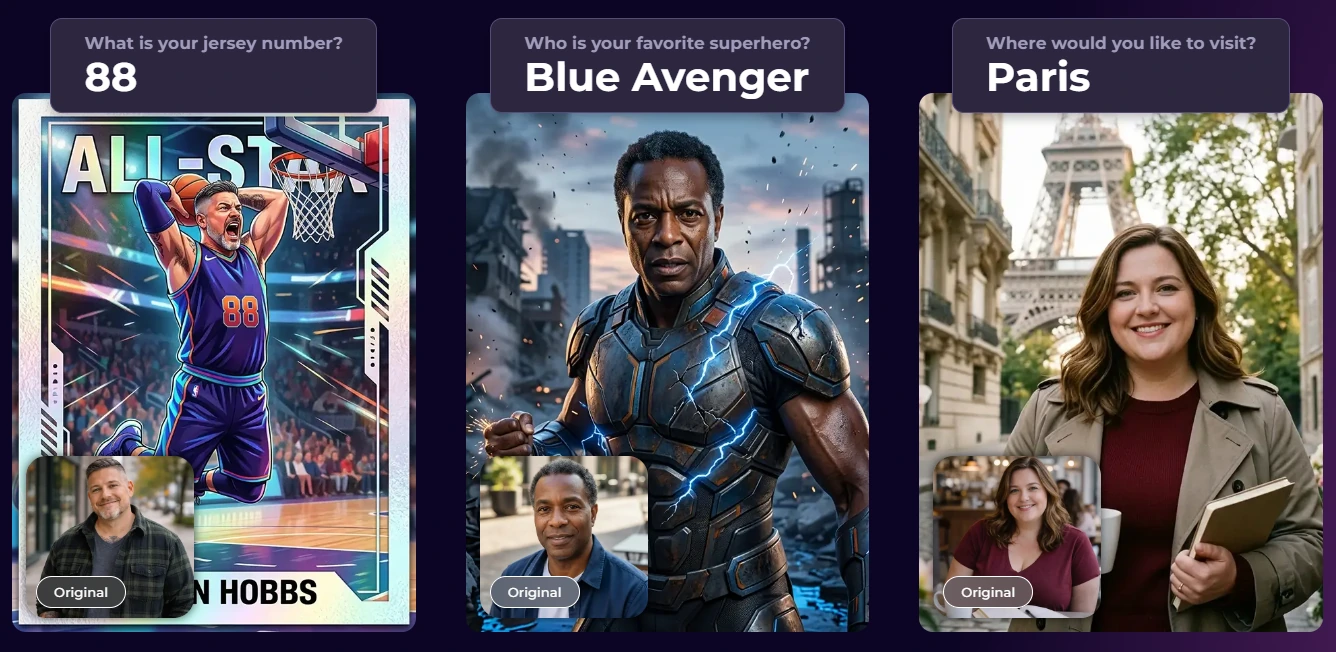
Source: Simple Booth
Guest Input lets participants answer questions that feed directly into the AI prompt as template variables, producing personalized results without operator involvement. AI-generated layout images are free (no credit cost), and prompt testing outside booth mode is also free, letting operators iterate without financial risk.
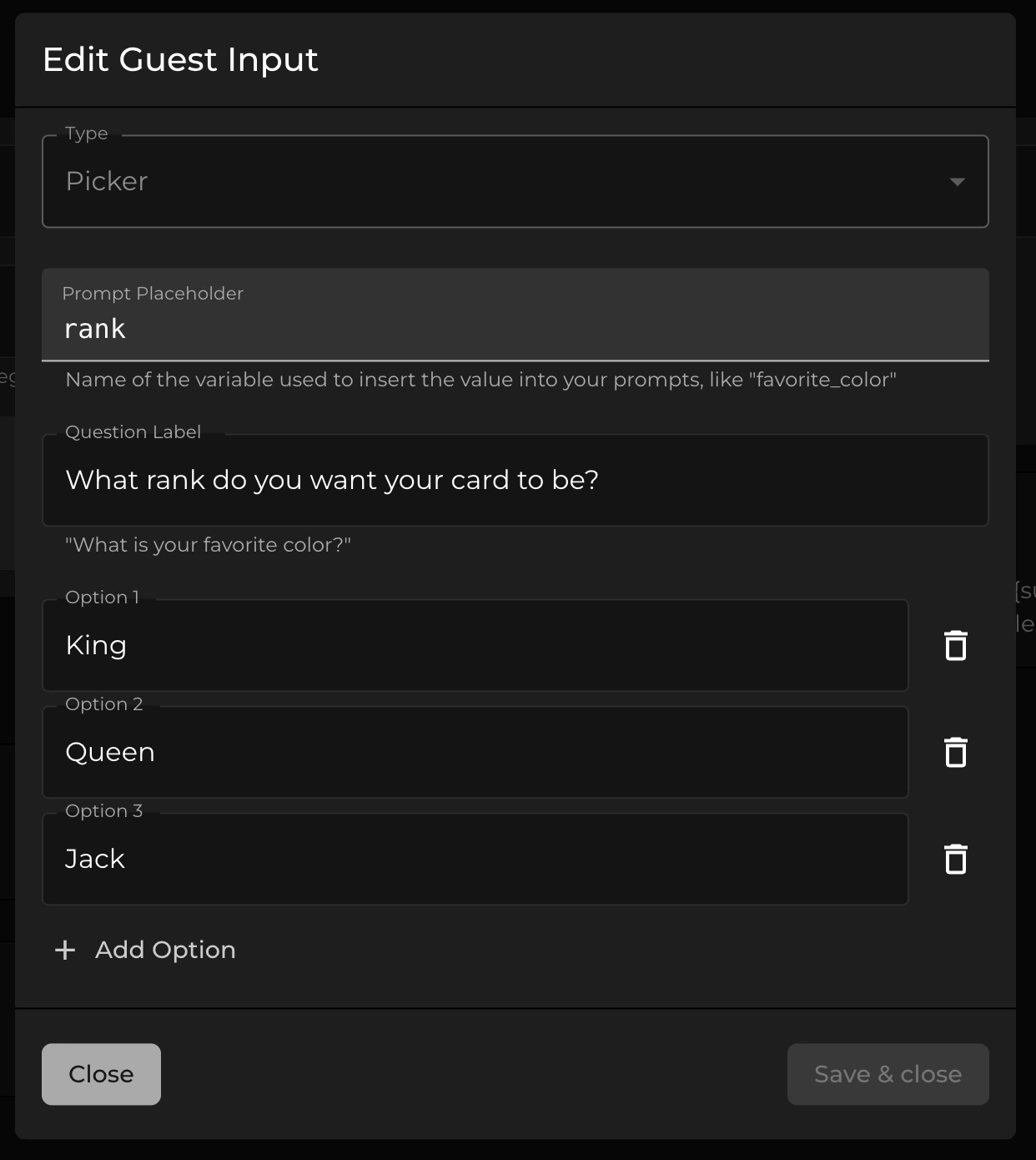
Source: Simple Booth
G7 Entertainment Marketing has been a Simple Booth customer for over 10 years, generating 136,000+ fan interactions across brand activations. (Simple Booth)
Support availability matters more than you think
Photo booths work evenings and weekends. Support that’s only available during business hours leaves a gap.
Darkroom Booth offers phone and email support Monday through Friday, 9am–5pm Central. No weekend coverage, no after-hours line. Capterra reviewers flag this as an operational risk.
The company provides free webinars hosted by a Customer Education Manager, and the Help Center covers 25 documentation categories. But when your booth locks up at 10pm on a Saturday, you’re on your own until Monday morning.
Snappic offers 24/7 support 365 days a year, with live chat accessible from the dashboard. App Store reviews consistently praise response times, with operators reporting answers “in a matter of seconds.” Priority Support is included on Business and above, and the Scale plan adds a dedicated success manager. For operators running high-stakes corporate events, round-the-clock availability matters.
Simple Booth tiers its support by plan: 7-day support on Lite, email and chat on Core/Plus, phone support on Pro, and a dedicated account manager on Select. The Help Center at help.simplebooth.com includes 148+ articles, a structured Start Guide, and a 5.0 Transition Guide with an AI assistant for natural language queries.
With over a decade of development since 2012 and a 4.7-star App Store rating from 2,300+ reviews, the platform runs reliably enough that operators rarely need emergency support. The app’s Preflight Check screen catches configuration issues before each event, reducing the chance of problems on-site.

Source: Simple Booth
Template design and customization take different paths
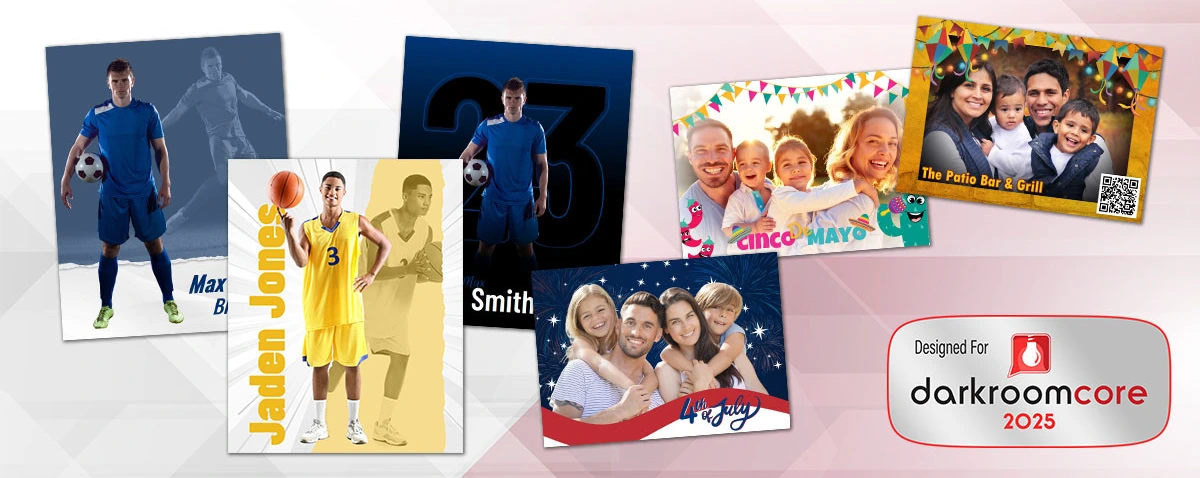
Darkroom Booth ships with over 75 free, customizable templates for both print and screen layouts, plus access to a third-party marketplace at DarkroomTemplates.com where independent designers sell additional designs. The built-in drag-and-drop template editor handles both output (print) and screen templates without requiring Photoshop.
Source: Darkroom Booth
Operators can import assets from external design tools as JPG or PNG files. Surveys, quizzes, and data collection are built into the session flow, with results exporting to PDF and storing in a local SQLite database. The customization goes deep, though the interface hasn’t modernized as quickly as newer platforms.
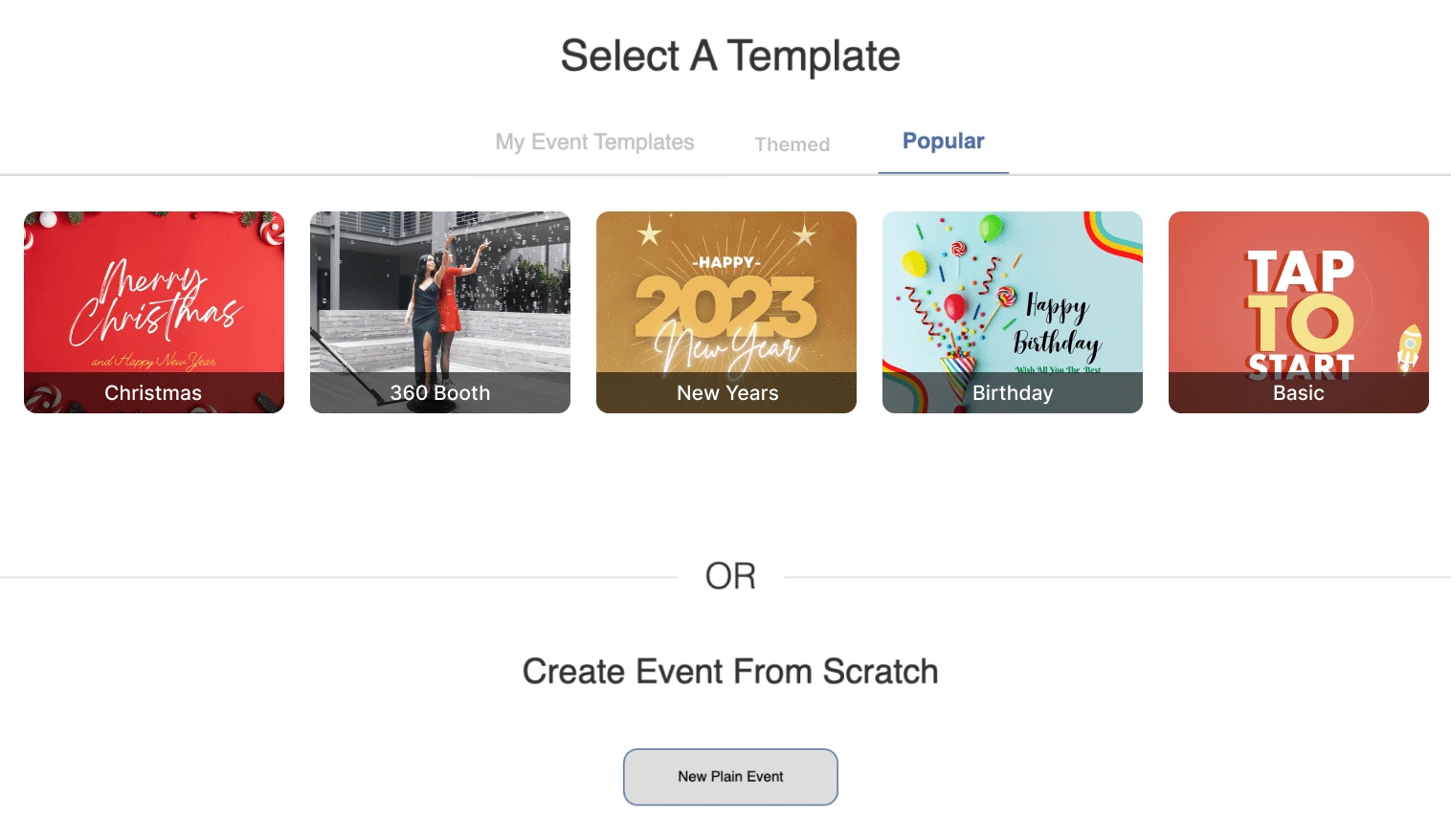
Snappic’s Template Designer is a canvas-based browser editor with layers, blend modes, text formatting, and sticker libraries. The 60+ Event Templates ship ready to deploy. More importantly, any configured event can be saved as a reusable Event Template capturing all settings, not just the visual design.
Source: Snappic
The trade-off: operators frequently report a steep learning curve navigating Snappic’s layered settings panels, and finding specific options can take time. Magazine Cover templates and Trading Card templates with survey-driven text fields are built on the standard template system.
The microsite gallery accepts custom CSS, giving technically capable operators or their agency clients pixel-level control over the guest-facing gallery.
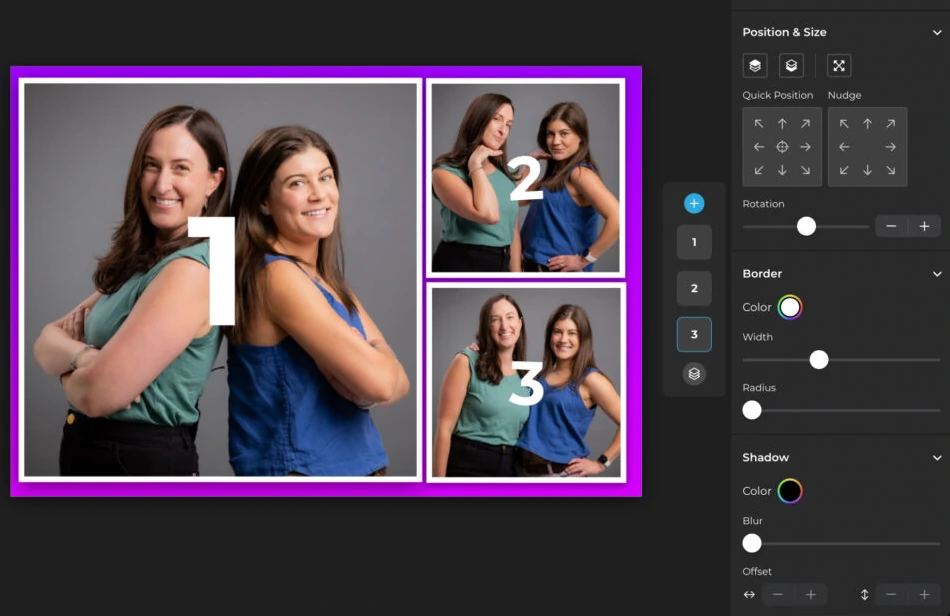
Simple Booth’s Layout Designer, introduced in HALO 5.0 and available on all plans, brings full template creation inside the app and web dashboard: photo placement, text layers with font and shadow options, background gradients, logo positioning, and dynamic QR code embedding.
Source: Simple Booth
Guest-editable text layers let participants type names or captions directly onto their photo before sharing. Access to 60+ themes and 100+ digital props gives operators a launch-ready inventory from day one, while the Layout Designer eliminates the need for external design software for custom work.
Photo sharing and guest delivery reflect each platform’s era
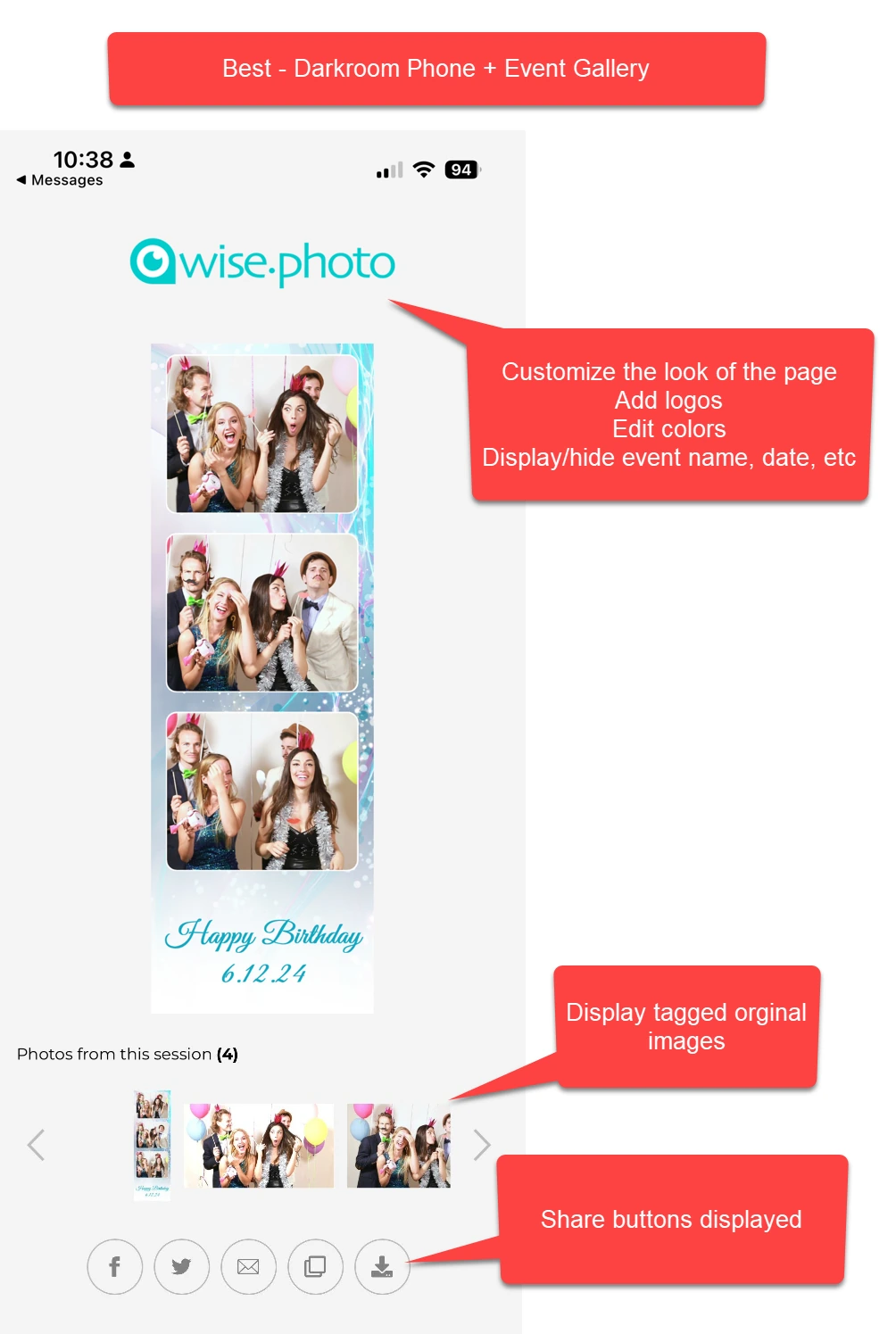
Darkroom Booth handles sharing through SMS/MMS via Darkroom Phone (built-in texting without a Twilio account), email, QR codes, and Dropbox integration. It generates Snapchat, Twitter, and Instagram-ready files sized correctly for each platform. The EventGallery.com auto-upload creates branded online galleries, though EventGallery is a separate subscription.
Source: Darkroom Booth
Direct Facebook uploads are permanently blocked by Facebook’s API restrictions, requiring the EventGallery workaround. The sharing system works, but it’s built on a desktop-era architecture with add-on dependencies.
Snappic’s sharing centers on SmartShare, which uses AI facial recognition or personal QR codes to identify guests and automatically send every subsequent capture without re-entering contact details. The Sharing Station runs on a second iPad, so guests complete the sharing step away from the booth, keeping the capture line moving.
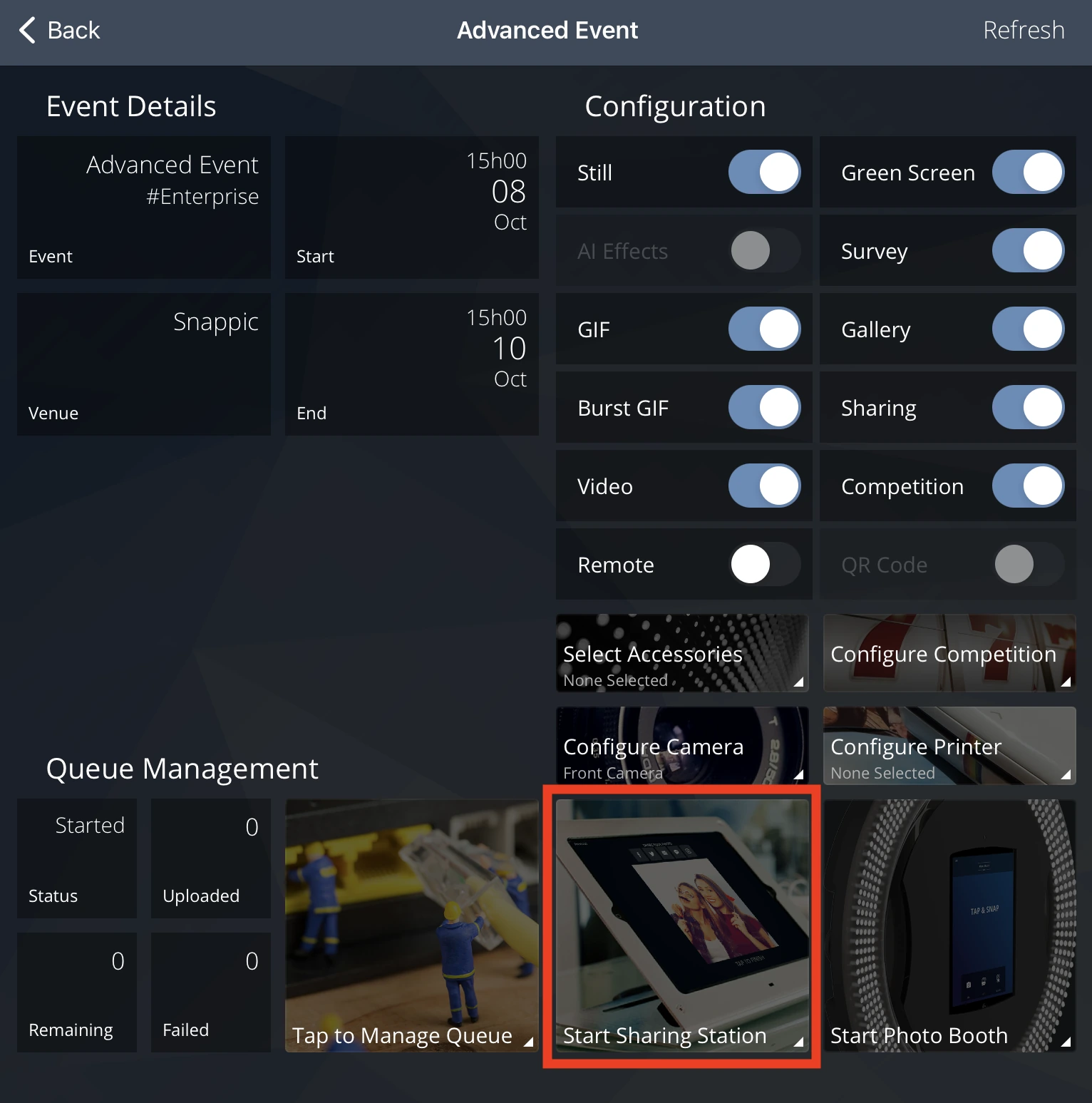
Source: Snappic
Branded microsites serve as post-event galleries with password protection and custom domains. Unlimited SMS for USA and Canada is included on all plans under a fair-use policy, though the Starter plan limits delivery to email and text only.
Simple Booth delivers photos via QR code, email, SMS, AirDrop, and WhatsApp. The WhatsApp option, added in HALO 5.0, opens international markets that SMS-only platforms can’t reach. Each event generates an online gallery that doubles as a Live Feed display for TVs and projectors with a single tap.
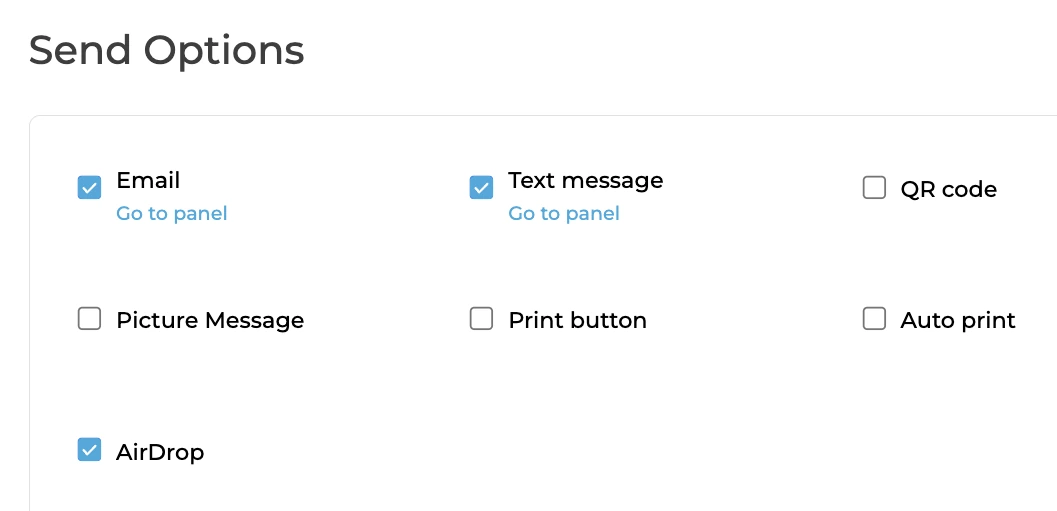
Source: Simple Booth
Image previews now render up to 12x faster, so guests see their photos and GIFs almost instantly. The offline upload queue stores sessions and delivers automatically when connectivity returns, a critical feature for venues with unreliable Wi-Fi.
Arizona Opera grew its email list by 1,000 addresses in a few events using Simple Booth’s lead capture. (Simple Booth)
Data capture and analytics serve different audiences
For operators who just want to print photos, data capture is irrelevant. For operators serving corporate clients who need post-event reports and lead lists, it’s everything.
Darkroom Booth collects guest data through built-in surveys and quizzes with nine question types (multiple choice, email, scale rating, text, True/False, yes/no, date, checkbox, message). Data exports to PDF and stores in a local SQLite database.
Booth Control delivers stats and reports via email or text. The data stays local by default, which suits operators who want to own their data but limits those who need cloud dashboards or CRM integrations.
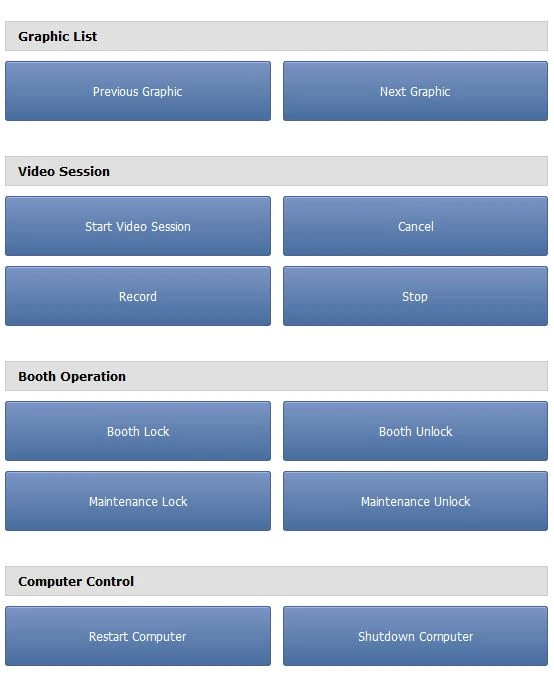
Source: Darkroom Booth
Snappic’s analytics go furthest. Built-in Event Analytics track total shares by channel, session types, photo views, and estimated reach. AVA (Advanced Vision Analytics) provides anonymized demographic insights including gender distribution, age ranges, and average faces per photo.
FaceMatch lets guests find their own photos on the event microsite by submitting a selfie. The Send to Client feature packages everything into a client-facing analytics page deliverable in a few clicks. Webhooks push event data to external CRMs or Google Sheets in real time. For operators who sell to corporate clients on ROI metrics, this reporting layer drives revenue directly.
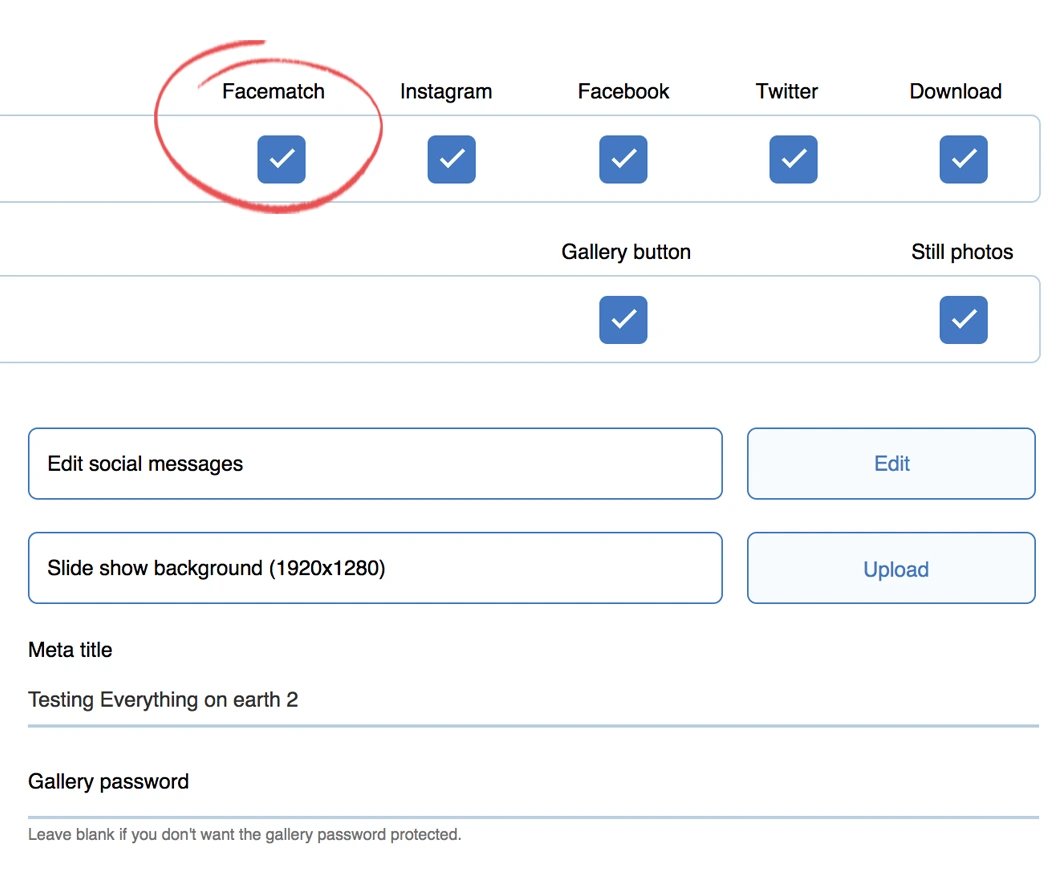
Source: Snappic
Simple Booth captures lead data through a customizable form built into the booth app, achieving 87% opt-in rates because data collection happens as a natural part of receiving a photo. The Pro plan supports 6 standard fields; Select adds up to 10 custom fields with checkboxes and legal terms.
Analytics track participants, uploads, gallery views, and social sharing metrics. Demographic insights via face detection (estimated age, gender, average group size) are available on the Select tier. Data exports as CSV, syncs natively with MailChimp, and connects to custom CRMs via the Open API.
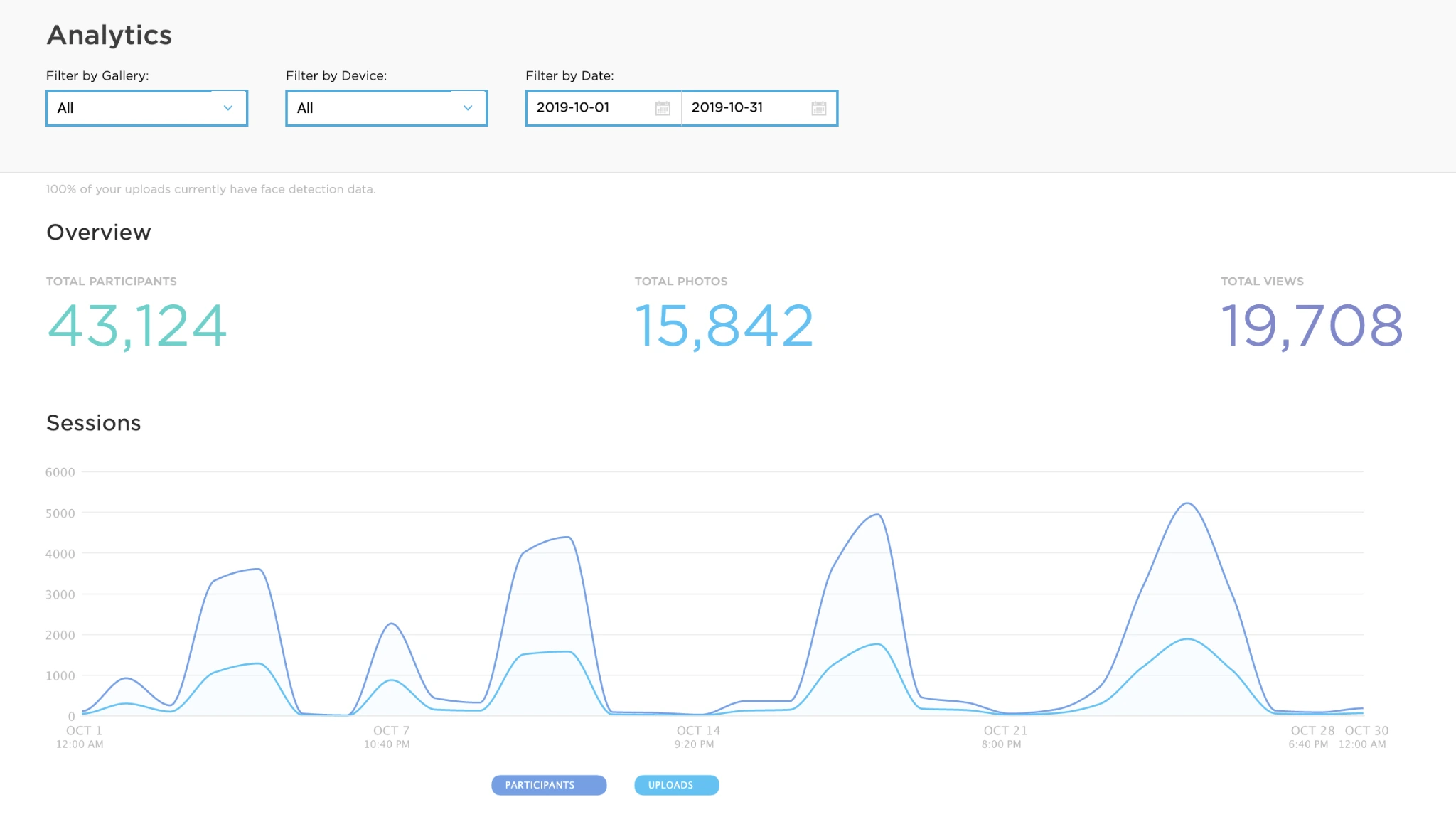
Source: Simple Booth
Treetop Golf built 150,000 unique email addresses across locations using Simple Booth’s data capture. (Simple Booth)
Hardware and setup reflect two philosophies
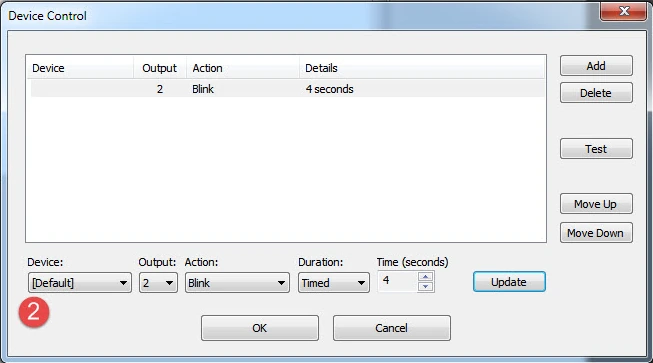
Darkroom Booth is software-only. You bring your own Windows PC, camera, printer, and enclosure. The upside: you build exactly the booth you want with exactly the gear you own. Any Windows-compatible printer works, with built-in drivers for 20+ dye-sub models from DNP, Fujifilm, Mitsubishi, Sony, and others.
Phidget support lets you wire in bill acceptors, coin mechanisms, and custom controls for permanent installations. The minimum requirement is an Intel i3 with 4GB RAM on Windows 10 or 11. The downside: setup complexity varies with your rig, and there’s no standard hardware form factor to fall back on.
Source: Darkroom Booth
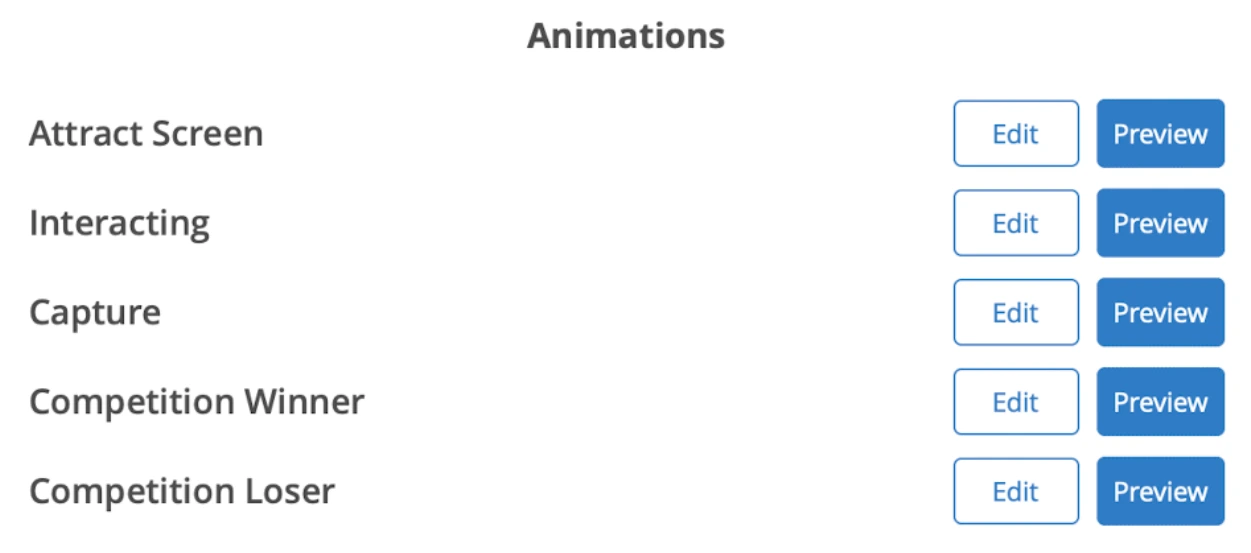
Snappic is also software-only, but it partners with hardware manufacturers: Mobibooth Light, OrcaVue 360 Booth, Dzen Tech, and others are listed as compatible setups. LED lighting control is managed natively within the app with compatible controllers.
Source: Snappic
Printing works via wired, wireless Print Server (Mac and Windows), and AirPrint, all included on every plan. Running across iPad, 360, Glambot, and Mirror hardware from one app is valuable, but operators still assemble their own rigs from separate vendors.

Simple Booth takes the vertically integrated approach. The HALO hardware kit includes an aluminum ring light with 112 LEDs producing up to 2,100 lumens, a tool-less iPad faceplate, a concealed USB-C charging cable, and either a selfie stand with travel case (Event Kit) or a wall mount (Install Kit). Setup takes under one minute. The HALO body weighs 6.5 lbs; the full Event Kit in its rolling case weighs 49 lbs.
Source: Simple Booth
The LEDs are rated for 50,000 hours, and the ring light illuminates groups at distances up to 8 feet. For operators who want a known-good hardware configuration without sourcing components separately (especially those running drop-off events where the booth operates unattended) the integrated approach removes guesswork and cuts setup time.
Kurt Nielson Photography noted that Simple Booth “paid for itself pretty quickly. Now it’s just extra money coming in.” (Simple Booth)
Darkroom Booth vs Snappic vs Simple Booth: Which should you choose?
The right choice depends on your hardware, your event mix, and how you want to spend your time.
Choose Darkroom Booth if:
- You run a Windows-based photo booth with Canon or Nikon DSLRs
- A one-time $295 license fits your budget better than monthly subscriptions
- You want hardware control, including bill acceptors, coin-op, and Phidget peripherals
- You primarily run standard photo booth setups (photos, GIFs, green screen, prints)
- You can manage without after-hours support
Choose Snappic if:
- You operate multiple booth formats (360, Glambot, Mirror) and need one platform for all of them
- 24/7/365 live support is a hard requirement for your business
- Corporate brand activations with AI-powered experiences are your growth strategy
- You need client-facing analytics, white-label microsites, and webhook integrations
- You’re building toward a multi-operator agency with sub-accounts and a dedicated success manager
Choose Simple Booth if:
- You want an integrated hardware-software system from one vendor that sets up in under a minute
- Lead capture and first-party data collection are central to your value proposition
- You serve both in-person events and virtual or hybrid audiences
- You run drop-off or unattended events and need a booth that guests can use without an attendant
- You want accessible pricing starting at $14.99/week with room to scale as your business grows
Start your free 7-day trial of Simple Booth and see the HALO system in action.
Each platform has earned its customers for real reasons. Darkroom Booth delivers strong value for Windows operators who want ownership and control. Snappic gives multi-format operators the broadest hardware coverage and round-the-clock support.
And Simple Booth offers something neither competitor matches: a complete, integrated system where hardware, software, and marketing tools work together from day one, designed so the booth runs itself while you focus on growing your business.
Darkroom Booth vs Snappic vs Simple Booth FAQ
What is the main difference between Darkroom Booth, Snappic, and Simple Booth?
Darkroom Booth is Windows-only desktop software with a one-time $295 license, built for operators who want DSLR camera control and hardware flexibility. Snappic is an iOS-based subscription platform supporting the widest range of booth formats (iPad, 360, Glambot, Mirror, Roaming) with 24/7 support.
Simple Booth is an iPad-based system with integrated HALO ring-light hardware, a cloud dashboard, and a separate Virtual Booth product for browser-based experiences.
Which platform is cheapest over time?
Darkroom Booth has the lowest long-term cost at $295 one-time plus an optional $95/year for updates and support. Simple Booth’s Core plan runs $490/year. Snappic starts at $69/month ($828/year) for the Starter plan, though the Business plan at $189/month is needed for 360 video, AI effects, and client analytics. All three platforms have additional costs for AI credits, add-on features, or hardware.
Can I use a DSLR camera with any of these platforms?
Yes, all three support DSLR cameras. Darkroom Booth natively tethers to Canon and Nikon DSLRs via USB or wireless on Windows. Snappic supports Canon DSLRs and GoPro on iPad. Simple Booth added Canon DSLR and mirrorless camera support in HALO 5.0 on the Core plan and above, with both wired and wireless connection options.
Which platform supports 360 video booths?
Only Snappic natively supports 360-degree video booths, along with Glambot/robot arm, Mirror, and Roaming configurations. Darkroom Booth and Simple Booth focus on standard photo booth setups. If running a 360 booth is part of your business plan, Snappic is the only single-platform option.
Which platform has the best after-hours support?
Snappic offers 24/7/365 live support on all plans, with Priority Support on Business and above. Simple Booth provides 7-day support on its Lite plan and phone support on Pro and Select tiers. Darkroom Booth support is limited to Monday through Friday, 9am–5pm Central, with no weekend or evening coverage.
Do I need specific hardware to run each platform?
Darkroom Booth requires a Windows 10/11 PC with at least an Intel i3 and 4GB RAM, plus your own camera, printer, and booth enclosure. Snappic requires an iPad (or Mac for Mirror Booth) and runs with compatible third-party booth hardware from partners like Mobibooth and OrcaVue.
Simple Booth requires an iPad and offers optional HALO hardware kits that integrate the ring light, mount, and charging into a single aluminum chassis.
Which platform is best for collecting guest data and generating leads?
Simple Booth reports opt-in rates of 87% because data capture is embedded in the photo delivery flow. It supports up to 10 custom fields with MailChimp sync and API access.
Snappic offers custom surveys with multiple field types, webhooks for CRM delivery, and AVA demographic analytics. Darkroom Booth collects data through built-in surveys and quizzes but stores it locally in a SQLite database with no native CRM integrations.
Can I run a virtual or browser-based photo booth with any of these platforms?
Only Simple Booth offers a dedicated Virtual Booth product that runs entirely in a browser with no app install. It supports AI effects, background replacement, overlays, and data capture for remote participants. Snappic has virtual booth capabilities available as a per-event add-on. Darkroom Booth does not offer a virtual or browser-based option.
Keep reading
 Showdowns
Simple Booth vs Darkroom Booth: Which Photo Booth Software Fits Your Business in 2026?
iPad turnkey vs Windows DSLR veteran. Simple Booth or Darkroom Booth?
 Showdowns
Simple Booth vs Snappic: Which Photo Booth Software Fits Your Business in 2026?
Integrated iPad system vs multi-format fleet. Simple Booth or Snappic?
 Showdowns
Snappic vs Touchpix (vs Simple Booth): Which Photo Booth Software Should You Choose in 2026?
Multi-format all-rounder vs 360 video specialist. Snappic or Touchpix?