7 Flassh Alternatives: Photo Booth Software for Every Operator and Event Type (2026)

Flassh has a loyal following among photo booth operators and DIY event hosts who value simplicity. Turn on the app, tap the screen, and guests share photos within minutes. For personal events and small activations, it does what it promises: fast photo capture with no hardware overhead.
But as your business grows, or your events get more demanding, you start hitting the limits of that simplicity. Flassh requires a live internet connection, supports only Canon and Nikon DSLRs (no Sony), and lacks AI photo transformations, animated GIF strips, video boomerangs, or green screen compositing. For operators running events at venues with unreliable WiFi, or for marketers who need lead capture and branded content output, these gaps become operational risks.
That’s where this guide comes in. Whether you’re looking to:
- Deliver self-running photo booth experiences with integrated professional hardware and AI effects
- Operate multiple booth formats (360, GlamBot, mirror) from a single platform
- Access AI creative transformations with offline reliability on Windows
- Own your software outright with a perpetual license and no internet dependency
- Specialize in 360 video spinning booth experiences with native GoPro integration
- Execute enterprise-scale brand activations with no hardware constraints
- Start or scale a photo booth business on a tight budget with no recurring software costs
We’ll explore Flassh alternatives that excel in each of these areas.
Some operators might pair one of these tools alongside Flassh for specific event types, while others might switch entirely. This isn’t about finding a “better” platform. It’s about finding the right fit for your needs as your business evolves.
| The Best Flassh Alternatives | ||
|---|---|---|
 | Simple Booth Best Alternative for Self-Running Photo Booth Experiences We chose Simple Booth because its HALO ring-light hardware, AI photo effects, and Layout Designer create a turnkey photo booth system that sets up in under a minute and runs unattended, with 87%+ lead capture opt-in rates for marketing teams. | |
 | Snappic Best Alternative for Multi-Format Booth Portfolios We chose Snappic because it powers iPad selfie booths, 360 spinners, GlamBot rigs, and mirror booths from a single subscription, with an AI-FX suite and VideoFX engine for video content output. | |
 | BoothLedger Best Alternative for AI Effects and Offline Reliability on Windows We chose BoothLedger because it combines 50+ AI art style transformations with an offline-first architecture and Canon DSLR tethering, starting at €12/month with two device licenses included. | |
 | Darkroom Booth Best Alternative for Offline-First Reliability with a Perpetual License We chose Darkroom Booth because its one-time perpetual license and offline architecture eliminate both recurring costs and internet dependency for Windows-based operators. | |
 | TouchPix Best Alternative for 360 Video and Multi-Format Booth Operations We chose TouchPix because it was built for 360 spinning booths with native GoPro Bluetooth sync, slow-motion video, and cross-platform support across iOS, Android, Windows, Mac, and Linux. | |
 | Snapbar Best Alternative for Enterprise-Scale Brand Activations We chose Snapbar because its web-native AI marketing platform scales from 50 to 50,000+ participants per event, with custom AI styling and a 95% email open rate on activation deliveries. | |
 | SparkBooth Best Alternative for Budget-Conscious Operators with No Recurring Fees We chose SparkBooth because its one-time $149 lifetime license includes animated GIFs, boomerangs, green screen, and offline capability, making it the most cost-effective option for Windows-based operators. | |
What is Flassh?
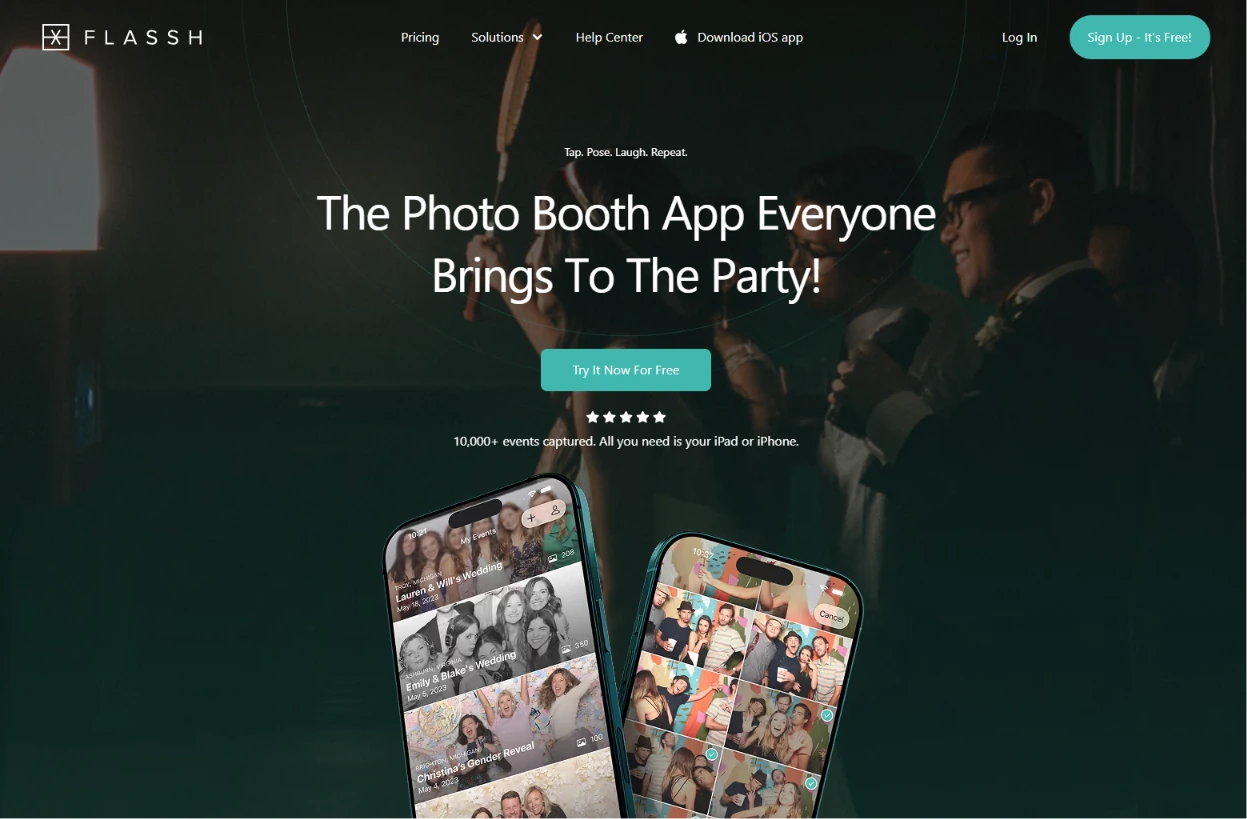
Flassh is an iOS-native photo booth platform that turns any iPad or iPhone into a working photo booth without additional hardware. Its tagline, “Tap. Pose. Laugh. Repeat.”, captures its philosophy: setup takes under 10 minutes with no tech skills required.
Its key features include:
- Photo capture via iPhone/iPad front-facing camera or Canon and Nikon DSLRs via USB
- Instant online photo galleries accessible on any device via a custom subdomain
- Configurable session parameters: photos per session (1-10), countdown, and preview duration
- iOS Kiosk Mode for self-service sharing stations
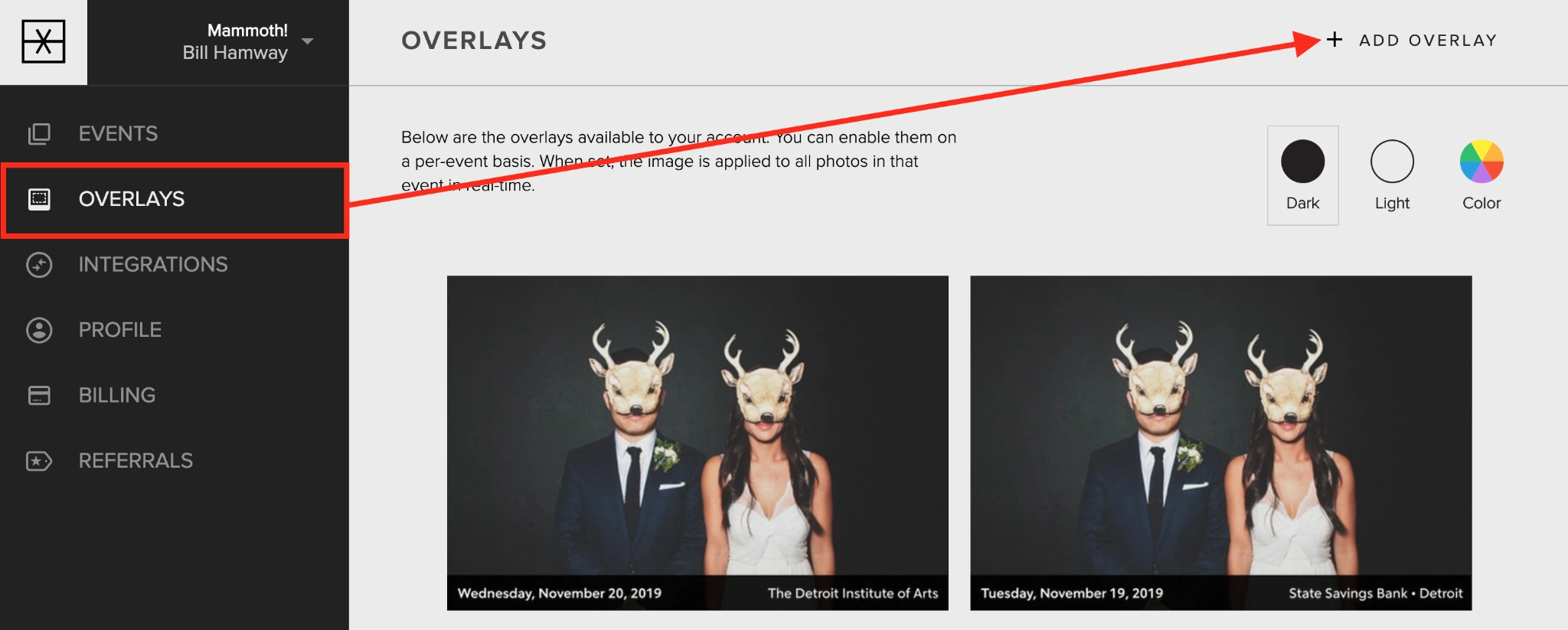
- Graphic overlays with adjustable size, alignment, and opacity
Source: Flassh
- Dropbox real-time sync for cloud backup of event photos
- AirPrint support for on-site physical prints
- Password-protected and hidden galleries for private events
The platform has been used across 10,000+ events, with enterprise clients including Deloitte, Hulu, Mammoth, YMCA, and Shinola.
When a guest uses a Flassh booth, photos are captured, given an optional editing preset and branded overlay, and published to a live online gallery immediately so guests can share on the spot.
The simplicity is real, and for many operators it’s the right tool. But as your needs expand toward AI-powered effects, offline reliability, integrated hardware, multi-format booth support, or lead capture, you may need a more specialized platform. That’s what this guide covers.
Looking for a self-running photo booth with integrated hardware and AI effects? Simple Booth combines a patented HALO ring light, iPad software, and a marketing toolkit. Learn more about how Simple Booth can improve your events.
How We Curated Our List of Flassh Alternatives
After testing Flassh and researching the photo booth software market, we focused on tools that serve specific operator needs well. While Flassh works for fast, simple setups, some operators and marketing teams need more:
- Integrated professional lighting hardware for better photo quality
- AI-powered photo transformations and creative effects
- Reliability at venues with poor or no internet connectivity
- Multiple booth formats (360, GlamBot, mirror) under one platform
- Lead capture with high opt-in rates and CRM integration
- Enterprise-scale brand activations with no hardware logistics
- Outright software ownership without recurring subscription costs
Each tool on this list leads in one or more of these areas. You might use them alongside Flassh or switch entirely; it depends on what your business needs.
| ❗DISCLAIMER: We aren’t covering every photo booth platform on the market! Our focus is on alternatives that address Flassh’s limitations for specific use cases. |
|---|
1. Simple Booth: Best Alternative for Premium, Self-Running Photo Booth Experiences
Simple Booth is a photo booth platform that pairs a subscription-based iPad app (HALO) with proprietary ring-light hardware and a browser-based Virtual Booth product, creating a complete system for event professionals and marketing teams. Its key features include:
- Integrated HALO hardware: A patented ring-light chassis machined from a single billet of aluminum with 112 LEDs producing up to 2,100 lumens, rated for 50,000 hours
- Sub-one-minute setup: The iPad snaps in via a tool-less faceplate with a concealed USB-C charging cable; no assembly required
- AI Photo Booth: AI Effects powered by Nano Banana models that transform guest photos using text prompts, with built-in identity preservation
- Layout Designer: A full in-app design tool with layers, fonts, gradients, QR code embedding, and multi-layout support
- Lead capture: 87%+ opt-in rates when guests receive photos, with custom fields, CRM export, and MailChimp integration
- Virtual Booth: A browser-based photo experience requiring no hardware, supporting remote and hybrid events
With 30,000+ customers globally and a 4.7-star App Store rating from 2,400+ ratings, Simple Booth serves operators and marketers who want a reliable system that runs itself, from a single birthday party booth to multi-location brand activations.
Why Choose Simple Booth Over Flassh for Premium Photo Booth Experiences
Flassh gets a basic photo booth running fast. Simple Booth adds professional hardware, AI effects, and marketing tools on top of that same ease of use.
Setup is fast, the interface is intuitive for operators and guests, and the platform scales from a single event to multi-location activations without adding complexity. Here’s where Simple Booth steps up.
Integrated Hardware That Elevates Photo Quality
Flassh’s core premise is that all you need is your iPad or iPhone. That’s appealing for simplicity, but photo quality depends entirely on ambient venue lighting and the device’s built-in camera. In dim event venues, bars, or evening galas, photos suffer.
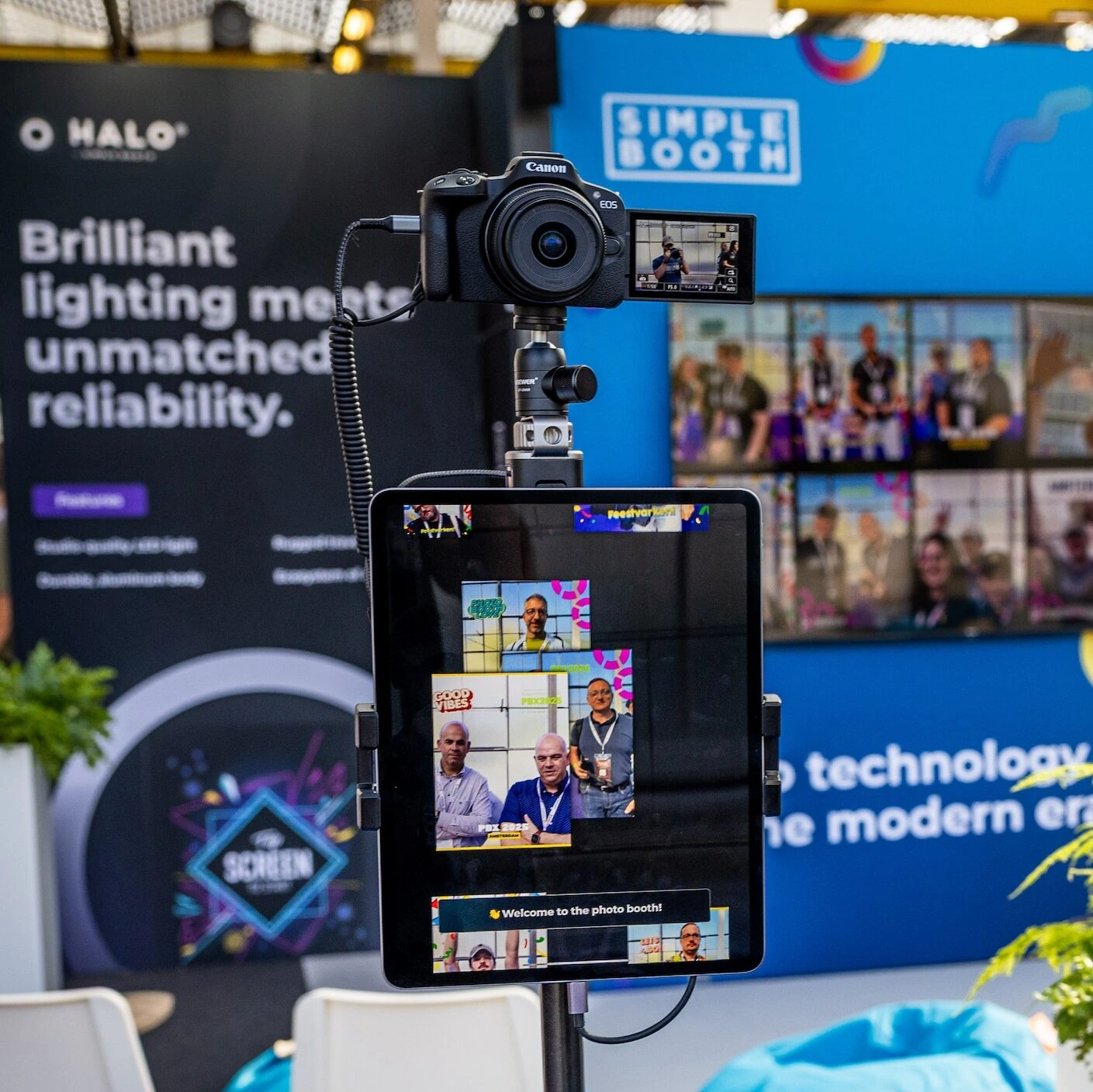
Simple Booth’s HALO hardware addresses this directly. The ring light produces up to 2,100 lumens from 112 LEDs with a diffuser for even illumination that works for groups standing 6-8 feet back.
The chassis is machined from anodized aluminum with LEDs rated for 50,000 hours, so operators running multiple events per week get consistent output for years.
The HALO Event Kit includes an adjustable selfie stand and waterproof travel case; the Install Kit provides a wall mount for permanent venues.
For operators who need higher image quality, HALO 5.0 introduced DSLR and mirrorless camera integration for Canon cameras (Core plan and above), supporting both wired USB and wireless WiFi connections.
Source: Simple Booth
The integration delivers studio-grade image quality through the full HALO workflow (including AI effects, Layout Designer, and all sharing options) with automatic fallback to the iPad camera if the external camera disconnects.
⚡ Simple Booth in Action: You arrive at a corporate gala 30 minutes before guests. You wheel in the HALO Event Kit, snap the iPad into the faceplate, extend the selfie stand, and power on. The ring light delivers consistent illumination regardless of the venue’s dim lighting. Within one minute, the booth is running and ready for the first guest.
AI Photo Booth: Creative Transformations That Flassh Doesn’t Offer
Flassh does not include AI-powered photo transformations, background replacement, or generative creative effects. The platform focuses on capture, editing presets (Enhanced, Black & White, Film), and graphic overlays.
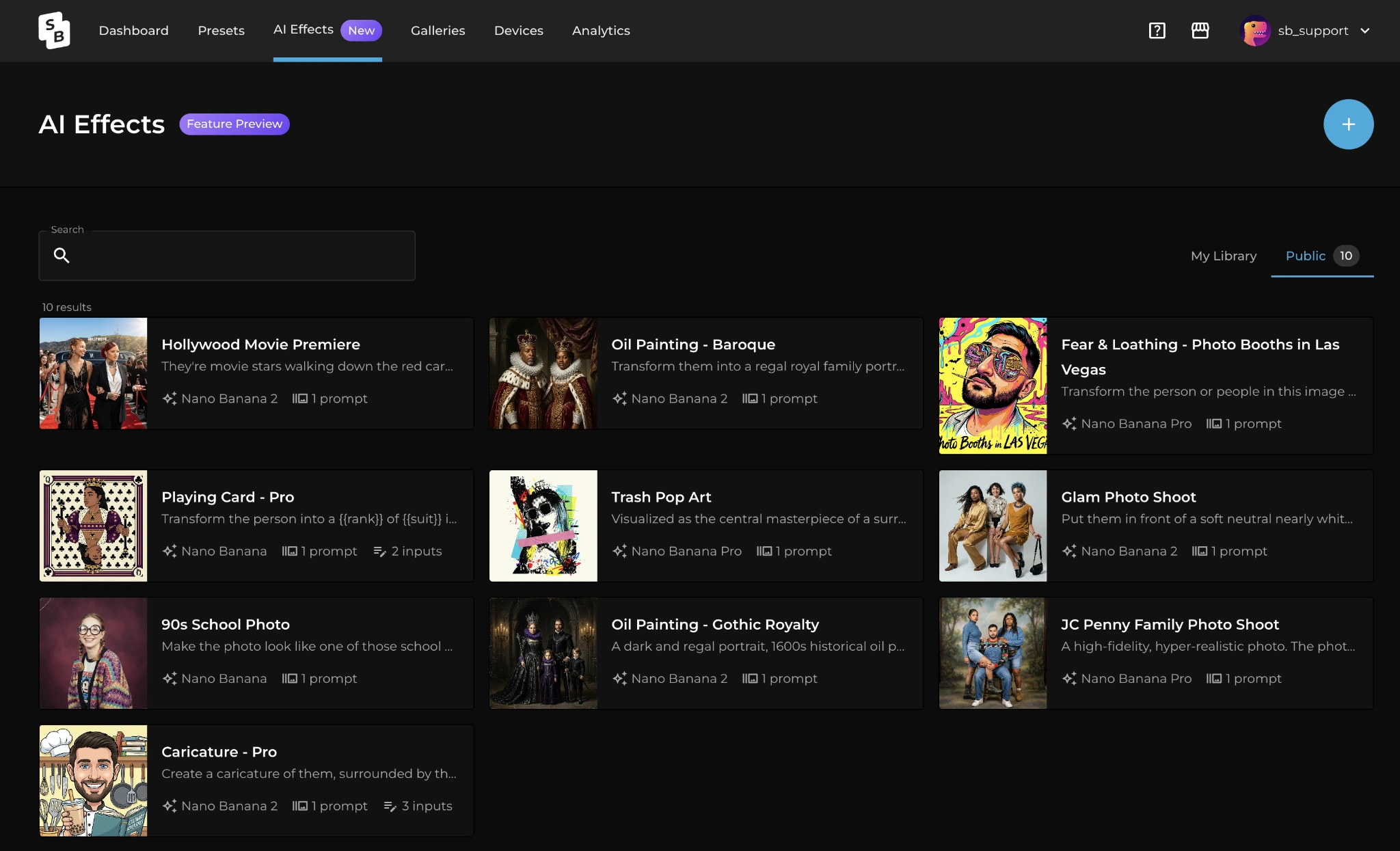
Simple Booth’s AI Photo Booth transforms guest photos post-capture using text prompts through three Nano Banana AI models: Nano Banana 1 (fastest, individuals), Nano Banana 2 (balanced, groups up to 5), and Nano Banana Pro (best quality, groups up to 5).
The platform preserves identity and likeness automatically so guests stay recognizable regardless of the transformation style. Operators can assign unique AI prompts to each frame in a multi-frame layout, enabling comic strip or narrative strips.
The Guest Input system (Pro/Select plans) goes further: guests answer questions via dropdown pickers or free-text fields, and their responses feed directly into the AI prompt as template variables, producing personalized outputs for every guest.
Source: Simple Booth
Operators can test prompts outside of booth mode at no credit cost, iterating freely before the event. And purchased AI credits never expire, reducing risk for operators with variable event schedules.
⚡ Simple Booth in Action: A brand activation for a sports team wants guests transformed into comic book heroes. You configure Nano Banana Pro with a custom prompt, assign different hero styles to each frame of a 4-frame strip, and enable Guest Input so each guest picks their superhero power. Every output is unique, branded with the team’s logo via the Layout Designer, and shared instantly. No prompt engineering knowledge required.
Layout Designer and Advanced Customization
Flassh offers graphic overlays (PNG files with adjustable position, scale, and opacity) and five editing presets. Template creation requires external design software like Photoshop.
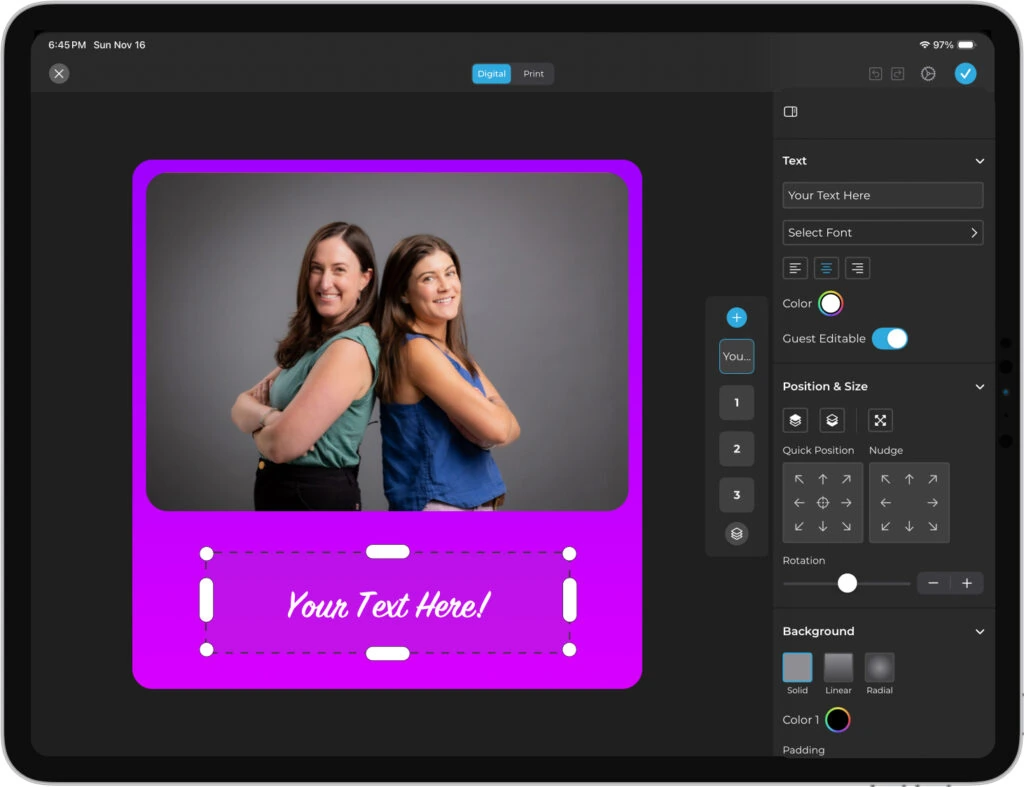
Simple Booth’s Layout Designer, introduced in HALO 5.0, is a full in-app design tool that eliminates that dependency.
Operators build templates directly in the app or web dashboard with photo placement, text layers (custom fonts, colors, alignment, shadows), background gradients, logo positioning, QR code embedding, and multi-layout support. Each layout can have its own motion type (still, GIF, Rebound, video).
Guest-Editable Text Layers (Plus plan and up) let participants type names, captions, or hashtags directly onto their photo before sharing, with dynamic text sizing that keeps the design clean regardless of message length. This scales personalization to high-volume events without adding steps for the operator.
Source: Simple Booth
⚡ Simple Booth in Action: A wedding planner needs three layout options for the reception: a classic photo strip, a single-frame portrait with the couple’s monogram, and an animated GIF with confetti overlay. Instead of hiring a graphic designer and exporting files, the planner builds all three layouts inside Simple Booth’s Layout Designer in 20 minutes, assigns them to the event preset, and guests choose their preferred format at the booth.
Offline Resilience and Reliable Operation
Flassh requires an active internet connection to operate, with documentation suggesting a mobile hotspot as a backup. At venues with poor WiFi (warehouses, rural estates, basements), this creates a single point of failure.
Simple Booth’s HALO app queues sessions in offline mode and delivers them automatically when connectivity returns. The booth continues to capture, process, and save photos through any connectivity interruption.
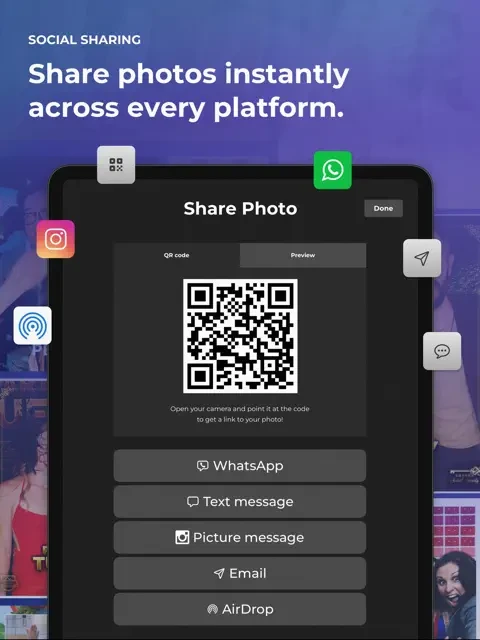
Combined with WhatsApp delivery (added in HALO 5.0) and AirDrop support, guests have multiple delivery options that work even when carrier coverage is poor.
Source: Simple Booth
The Mission Control overlay, triggered by a two-finger pinch, lets operators monitor device health (network, storage, queue), adjust camera settings, and sync dashboard changes during live events without breaking the guest-facing interface.
A Preflight Check screen runs before each event launch to catch configuration issues before guests arrive.
The web dashboard adds remote device management: operators can monitor all iPad booths in real time, check which preset is running on each device, track battery and disk space, and switch presets remotely without being on-site.
For operators juggling multiple events or locations, this means catching problems before they compound. Image previews in the app now appear up to 12x faster thanks to rendering optimizations.
Lead Capture and Marketing Tools
Flassh’s Pro plan ($99/month) includes guest email capture, but emails export only as a CSV download with no native CRM or email marketing integration. There are no custom data fields, no opt-in checkboxes, and no analytics beyond basic sharing statistics.
Simple Booth captures opt-in rates of 87-89% when guests receive their photos, because the data collection is embedded in the photo delivery flow rather than presented as a separate form.
Pro plans support up to 6 standard fields (email, name, phone, postal code, date of birth); Select plans support up to 10 custom fields including checkboxes and required legal terms.
Data syncs natively with MailChimp without developer involvement, and an Open API (Pro+) enables custom CRM delivery.
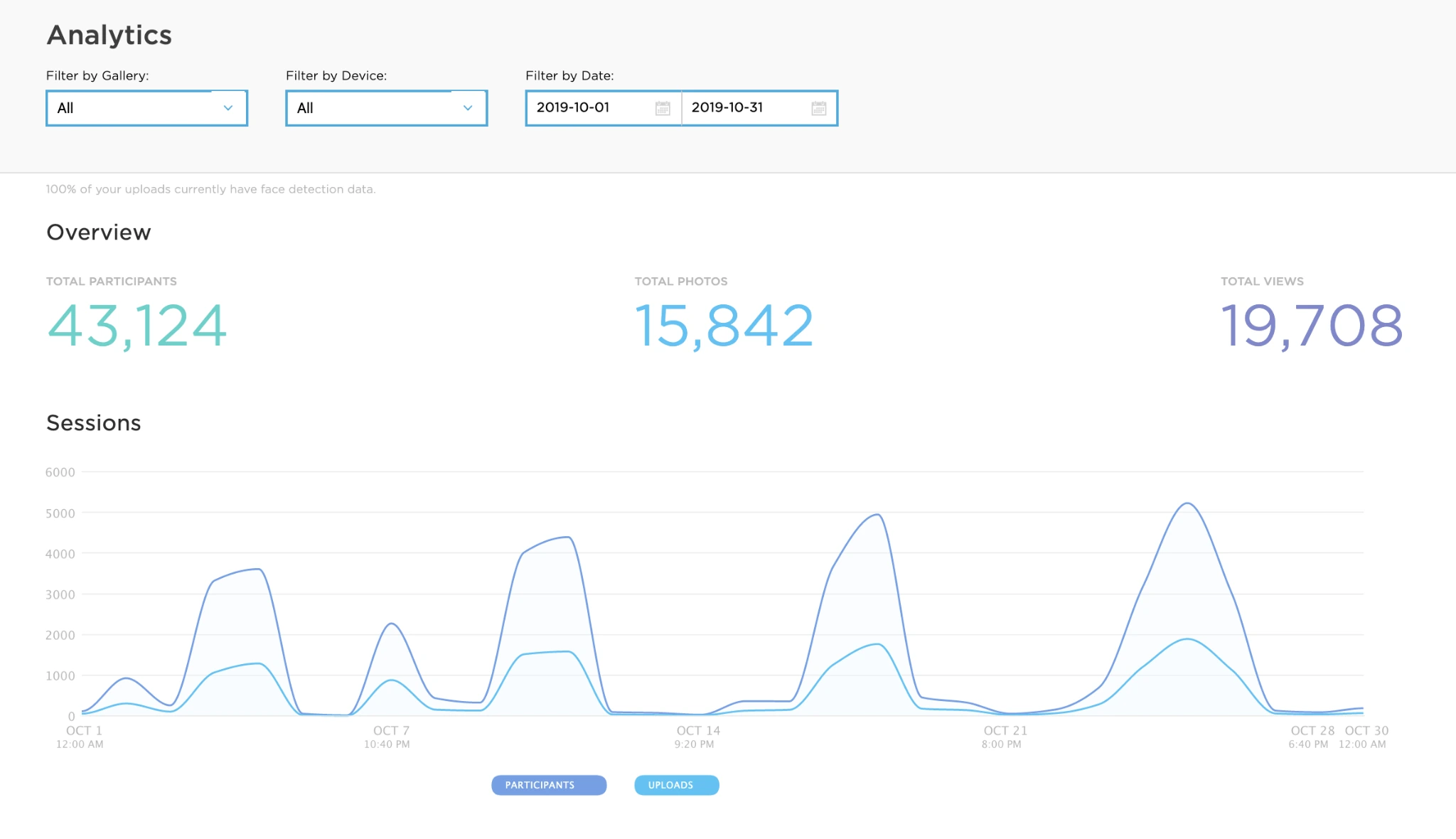
The analytics dashboard tracks participants, uploads, gallery views, social share clicks, and referred views across Facebook, X, LinkedIn, and Instagram.
Demographic insights via face detection (Select tier) provide audience composition data that marketers use to report on activation ROI.
Source: Simple Booth
Treetop Golf collected 150,000 unique email addresses across locations using Simple Booth’s lead capture, showing the platform’s value as a persistent data collection tool for permanent venue installations.
Simple Booth Pricing
Simple Booth uses a per-license subscription model with weekly, monthly, and yearly billing options. Each plan includes one device license; additional devices require add-on licenses.
Everyday Plans:
- Lite: $14.99/week, $290/year. Custom layouts, motion and still capture, photo delivery, online galleries, themes, and props. Includes ads; excludes custom branding, DSLR, video, AI, analytics, and lead capture.
- Core: $24.99/week, $49/month, $490/year. Adds ads removal, multiple layouts, DSLR/mirrorless camera connection, full-length video, background replacement and blur, Dropbox integration, AI effects, Virtual Booth, and AI-generated layout images. Includes 50 bonus AI credits.
- Plus: $49.99/week, $99/month, $990/year. Adds custom branding, analytics and reporting, custom delivery messages, guest-editable text layers, and custom AI effects. Includes 100 bonus AI credits.
Business Plans:
- Pro: $149/month, $1,490/year. Adds lead capture, API integration, phone support, AI guest inputs, moderation, age gate, and data compliance tools. Includes 150 bonus AI credits.
- Select: $249/month, $2,490/year. Adds in-app custom legal terms, security questionnaires, and demographic analytics via face detection. Includes 200 bonus AI credits.
AI effect credits cost $0.10 each, with models consuming 1x, 2x, or 3x credits per generation. Purchased credits do not expire. A 7-day free trial is available with 25 free AI credits included.
HALO hardware kits are sold separately at buy.simplebooth.com, with 0% financing and a $299 Simple Care protection plan available at purchase.
Who Should Use Simple Booth?
Choose Simple Booth if:
- You run a photo booth rental business and want a self-operating system with integrated lighting that sets up in under a minute, commands higher rental pricing, and runs reliably without an on-site attendant. The intuitive interface makes training new staff straightforward, so growing rental companies can scale without bottlenecks.
- You’re a marketing team or experiential agency that needs high-converting lead capture (87%+ opt-in rates), branded social sharing, and AI-powered effects for brand activations, conferences, and multi-location campaigns.
- You operate a permanent installation in a bar, restaurant, hotel, or entertainment venue and want an always-on guest engagement tool that captures first-party data, generates organic social content, and requires no staff supervision.
- You’re starting a photo booth business or running one as a side hustle and need an entry point at $14.99/week that scales as your client base grows, without the learning curve of more complex platforms.
G7 Entertainment Marketing has used Simple Booth for over 10 years, capturing 136,000+ fan interactions, showing the platform’s value for long-term brand engagement programs.
Ready to improve your photo booth business with professional hardware, AI effects, and lead capture? Start your free Simple Booth trial and experience the HALO difference.
2. Snappic: Best Alternative for Multi-Format Booth Portfolios at Enterprise Scale
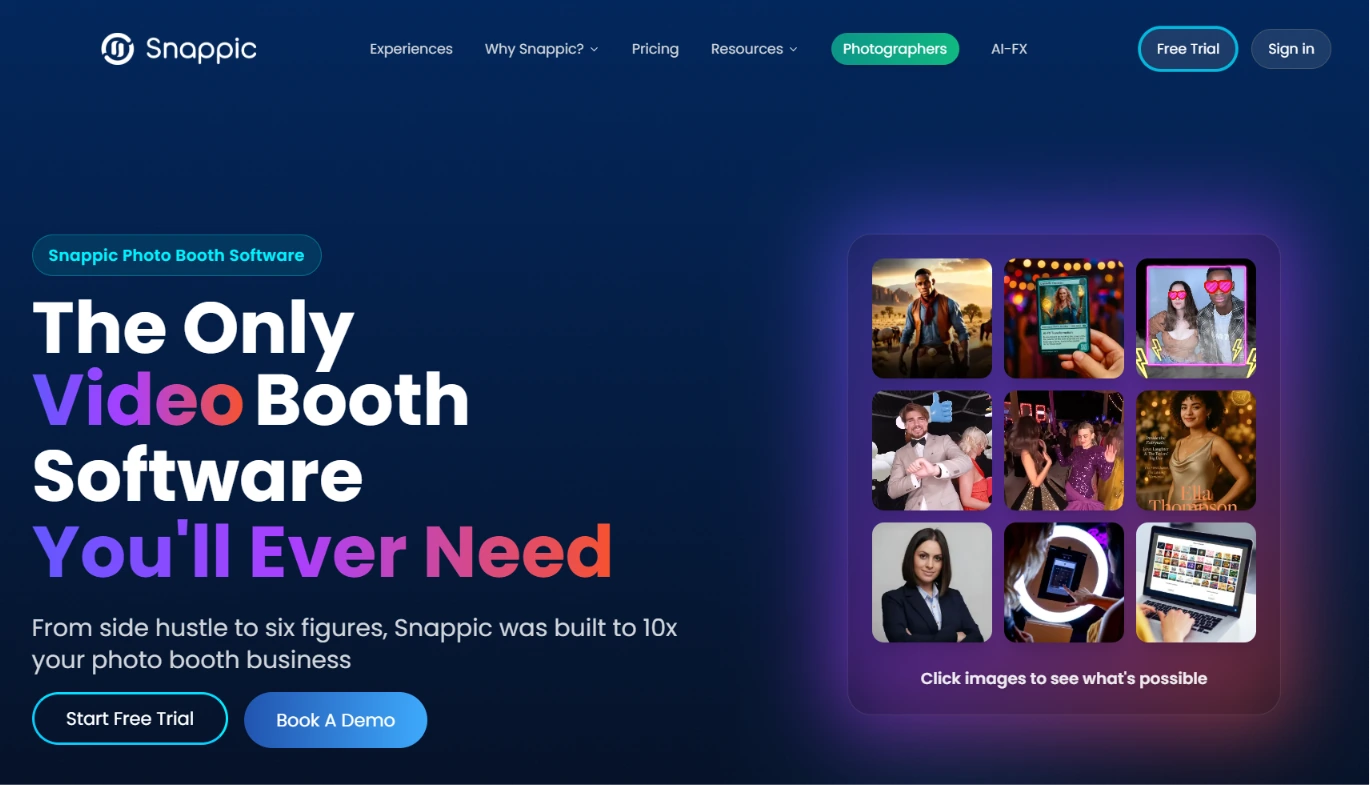
Snappic is an iOS-based photo booth software platform built for operators who need one subscription to power every booth type in their fleet. Its key capabilities include:
- Multi-hardware support: iPad selfie booths, motorized 360 spinners, GlamBot/robot arm rigs, mirror booths, and roaming photography, all from one account
- VideoFX engine for 360 and GlamBot content with configurable slow-motion, animated overlays, branded intro/outro clips, and custom soundtracks
- Sony, Nikon, and Canon DSLR and mirrorless camera support
- AI-FX suite with multiple AI transformation engines including PersonaFX and BananaFX powered by Google Gemini 2.5
- Native animated GIF strips and video boomerangs built into capture modes
- Centralized fleet analytics and client reporting across all devices and events
Why Choose Snappic Over Flassh for Multi-Format Booth Portfolios?
Snappic stands out in the following areas:
- One Platform Across Every Booth Format. Flassh supports a single capture mode: still photos to an online gallery. The moment an operator wants to run a 360 spinner, robot arm, or mirror booth, Flassh provides no path forward.
Snappic was built around multi-format support, covering iPad selfie booths, 360 video booths, GlamBot, mirror booths, and roaming photography under one subscription.
Operators who learn one workflow already know them all.
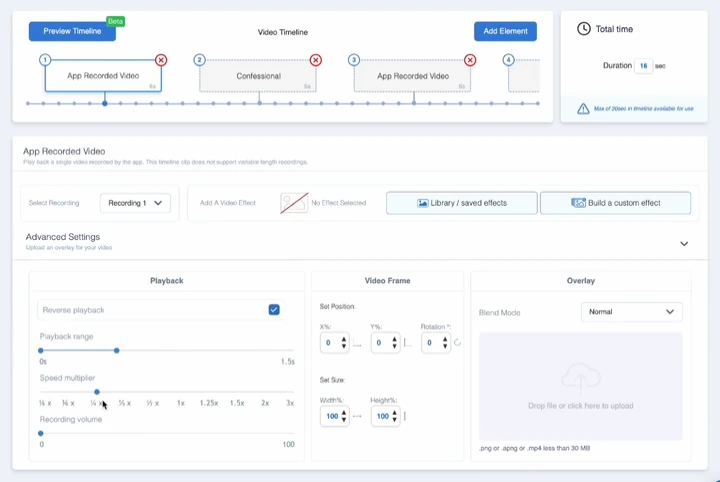
- Native VideoFX and 360 Content Pipeline. Flassh does not produce video output at the booth level. Snappic’s VideoFX system processes 8x slow motion from 2-3 seconds of capture, producing branded videos guests receive instantly.
Source: Snappic
Operators can film and process 100 branded videos in under an hour for corporate activations.
- AI-FX Suite. While Flassh offers no AI transformation features, Snappic’s AI-FX platform includes core style transfers, PersonaFX for photorealistic custom portraits with survey-driven personalization, and BananaFX powered by Google Gemini 2.5.
Core capture features are available across plans, though higher tiers unlock VideoFX, AI-FX, brandable galleries, and analytics.
The Starter plan includes SMS and email sharing only, so operators who need branded galleries or video output will need Business or above.
- Broader Camera Support. Flassh explicitly excludes Sony cameras. Snappic connects to Sony, Nikon, and Canon DSLRs and mirrorless systems, giving operators hardware flexibility across brands.
🏅 NOTE: We also evaluated dslrBooth and Touchpix for this slot. While dslrBooth excels at Windows DSLR compatibility and Touchpix offers strong 360 spinner features, Snappic provides the broadest multi-format coverage under a single subscription for operators running iPad, 360, mirror, and GlamBot equipment from one platform.
Snappic Pricing
Snappic uses a per-booth license subscription model. A 14-day free trial is available with no credit card required.
- Starter: $69/month ($499/year). 1 Photo Booth License; core photo, GIF, burst capture; SMS/email sharing; 60+ templates; DSLR and GoPro integration.
- Business: $189/month ($1,799/year). Adds VideoFX for 360 and GlamBot; AI-FX; brandable galleries; client analytics; surveys; content moderation.
- Premium: $279/month. All Business features plus white-label, webhooks, event codes, and SmartShare AI (400 credits/month).
- Scale: $399/month ($3,999/year). All Premium features plus unlimited sub-accounts, grey label app, dedicated Customer Success Manager, and marketing support.
Per-event licenses are also available: $29 (Starter-level) or $79 (Business-level) for 48-hour access. AI-FX credits and Background Removal credits are consumed per-use and billed separately.
Who Should Use Snappic?
Choose Snappic if:
- You operate or plan to add multiple booth types (360, GlamBot, mirror, roaming) and need a single platform that handles all formats without separate software licenses.
- You target corporate clients and brand activations where AI-transformed outputs and slow-motion video justify higher event pricing.
- You need centralized post-event analytics with client-facing dashboards for share counts, reach, and engagement metrics.
Keep in mind that Snappic’s breadth of features comes with a steeper learning curve. The settings can feel overwhelming at first compared to simpler platforms, so factor in ramp-up time when onboarding new staff.
3. BoothLedger: Best Alternative for AI Effects and Offline Reliability on Windows
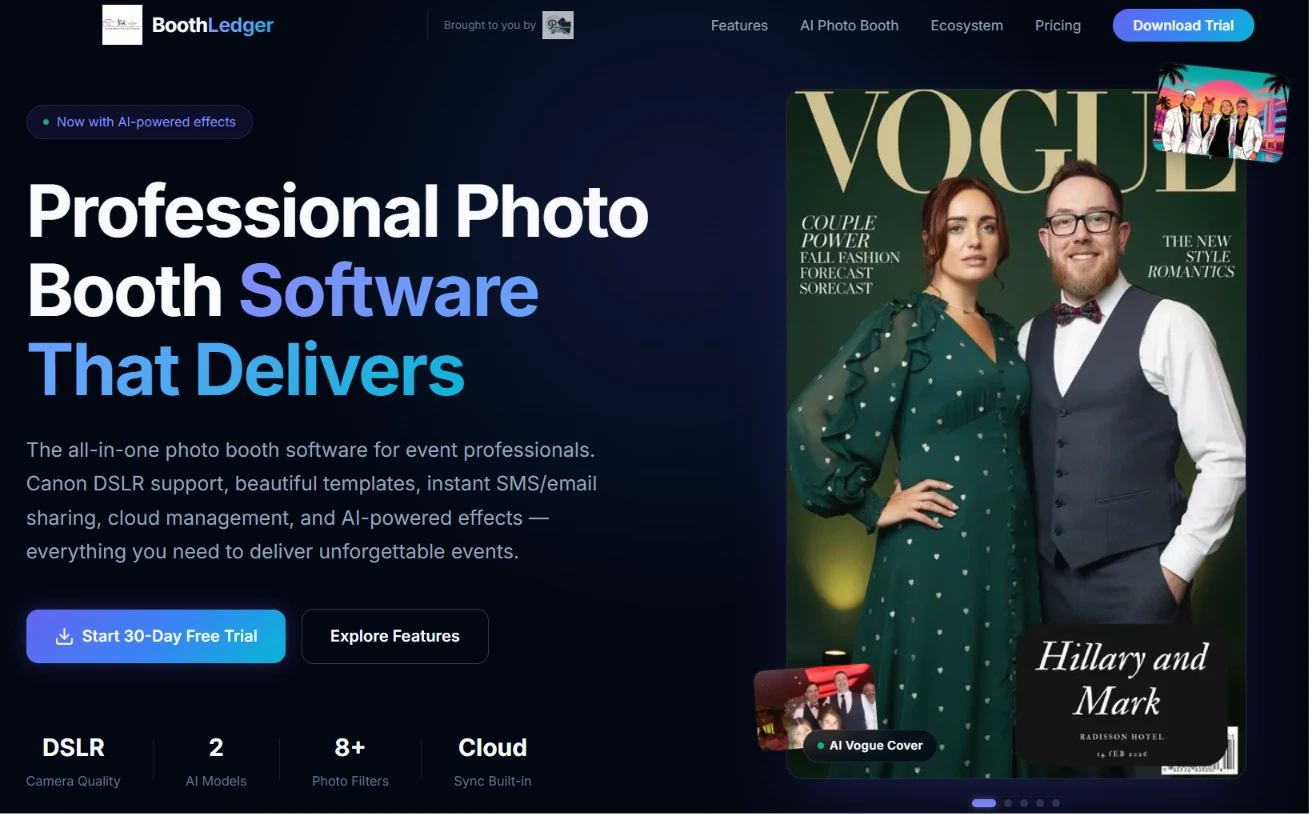
BoothLedger is a Windows-native photo booth platform built and tested by PhotoBooth Guys, an active Irish hire company that has used the software across 500+ events for clients including Google, Microsoft, Meta, and Diageo. Its key capabilities include:
- Canon DSLR tethering via EDSDK with live view and simultaneous RAW+JPEG capture
- 50+ AI art style transformations with dual AI engines (Core and Nano Banana Pro)
- Offline-first architecture: captures, prints, and queues shares locally, then syncs to BoothLedger Cloud when connectivity returns
- Remote cloud management with template push, device monitoring, and AI prompt configuration
- 2 device licenses bundled into every plan
Why Choose BoothLedger Over Flassh for AI Effects and Offline Reliability?
BoothLedger stands out in the following areas:
- Offline-First Architecture. Flassh requires an active internet connection to operate, with no documented offline fallback.
BoothLedger captures, processes prints, and queues shares locally when internet goes down, with AirDrop delivery working peer-to-peer. When connection returns, queued shares sync automatically.
- Built-In AI Transformations. Flassh does not include AI-powered photo effects. BoothLedger’s AI Photobooth plan includes over 50 art styles (magazine covers, movie posters, pop art, anime), face swap with expression preservation, and AI background removal without a physical green screen.
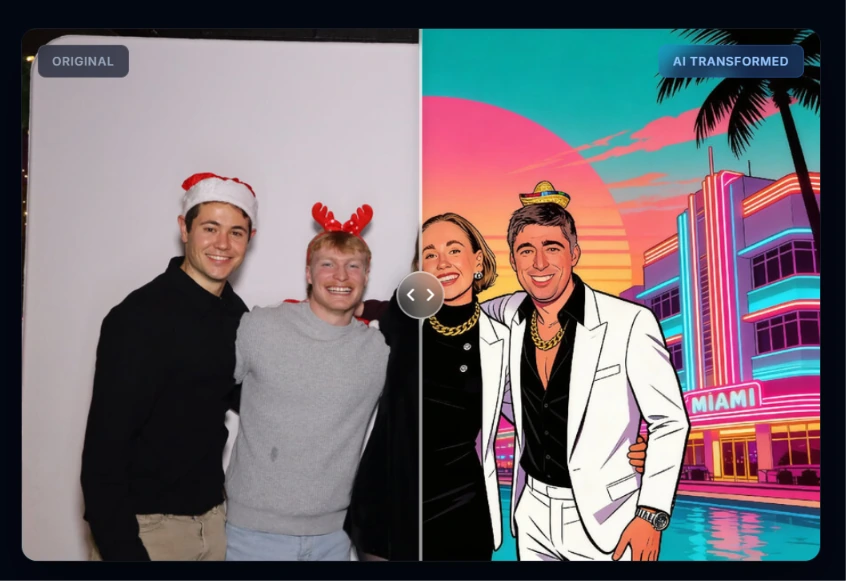
Source: BoothLedger
The dual-engine model (Core for volume, Nano Banana Pro for fidelity) lets operators match processing to each event’s requirements.
- Professional DSLR Quality at Lower Cost. Flassh’s professional path requires two separate Windows applications and a $99/month subscription for unlimited events.
BoothLedger’s DSLR integration uses Canon’s EDSDK directly in a single application, with real-time filters on the live view stream and automatic USB reconnect. All of this comes in the €12/month Basic plan (~$22 USD), which also includes 2 device licenses.
🏅 NOTE: We also evaluated Pixilated and Pons.ai for this slot. While Pixilated excels at enterprise activations with a managed service model and Pons.ai focuses on AI-first virtual experiences, BoothLedger offers the best combination of offline reliability, AI effects, and professional DSLR capture at this price point.
BoothLedger Pricing
All plans include 2 device licenses. Annual billing saves approximately 15%.
- Basic: €12/month. Canon DSLR tethering, photo sharing via QR/email/SMS, template editor, cloud sync and gallery, lead capture with GDPR opt-in, offline-first operation, kiosk mode.
- AI Photobooth: €35/month. Everything in Basic plus 50+ AI art styles, AI face swap, AI background removal, AI face enhancement, and dual AI engine selection.
A 30-day free trial with no credit card required is available.
Who Should Use BoothLedger?
Choose BoothLedger if:
- You own Canon DSLR hardware and run Windows machines, and need live view, autofocus, and RAW+JPEG archiving in a single application.
- Your events are at venues with unreliable WiFi, and you need a booth that captures and shares offline without degradation.
- You need AI creative effects (face swap, magazine covers, background replacement) as a core offering for corporate clients and brand activations.
4. Darkroom Booth: Best Alternative for Offline-First Reliability with a Perpetual License
Darkroom Booth is a Windows desktop photo booth application from Darkroom Software, LLC, a family-owned company with roots in professional photography dating to 1992. Its key capabilities include:
- Fully offline operation with no internet dependency for core booth functions
- One-time $295 perpetual license with no recurring subscription
- Canon, Nikon, GoPro, and any Windows-compatible webcam support
- AI effects including generative portraits, face swap, AI custom shirts, and AI lenticular prints
- Animated GIFs, Burst Mode Boomerangs, slow-motion video (up to 240fps via GoPro), green screen compositing, and VR 360° panoramic output
- Unlimited free trial with all features unlocked and no time limit
Why Choose Darkroom Booth Over Flassh for Offline Independence and Perpetual Ownership?
Darkroom Booth stands out in the following areas:
- Fully Offline Architecture. Flassh requires an active internet connection to operate. Darkroom Booth runs entirely on Windows with no internet required.
Operator testimonials describe running a booth unattended for 4.5 hours producing 230 prints without a stumble, none of which required internet access.
- Perpetual License Eliminates Recurring Costs. Flassh requires $29 per event or $99/month; if the subscription lapses, the booth can’t go live. Darkroom Booth’s $295 one-time perpetual license runs indefinitely.
The optional $95/year maintenance renewal restores updates and cloud sharing features, but core operation continues without it. The license covers up to 2 computers simultaneously.
- Broader Camera and Hardware Ecosystem. Flassh explicitly excludes Sony cameras. Darkroom Booth supports Canon EOS, Nikon Z and D series, GoPro HERO 9/10, and any Windows-compatible webcam.
Native Phidget support enables USB-connected bill acceptors, coin mechanisms, and arcade-style triggers for permanent kiosk installations.
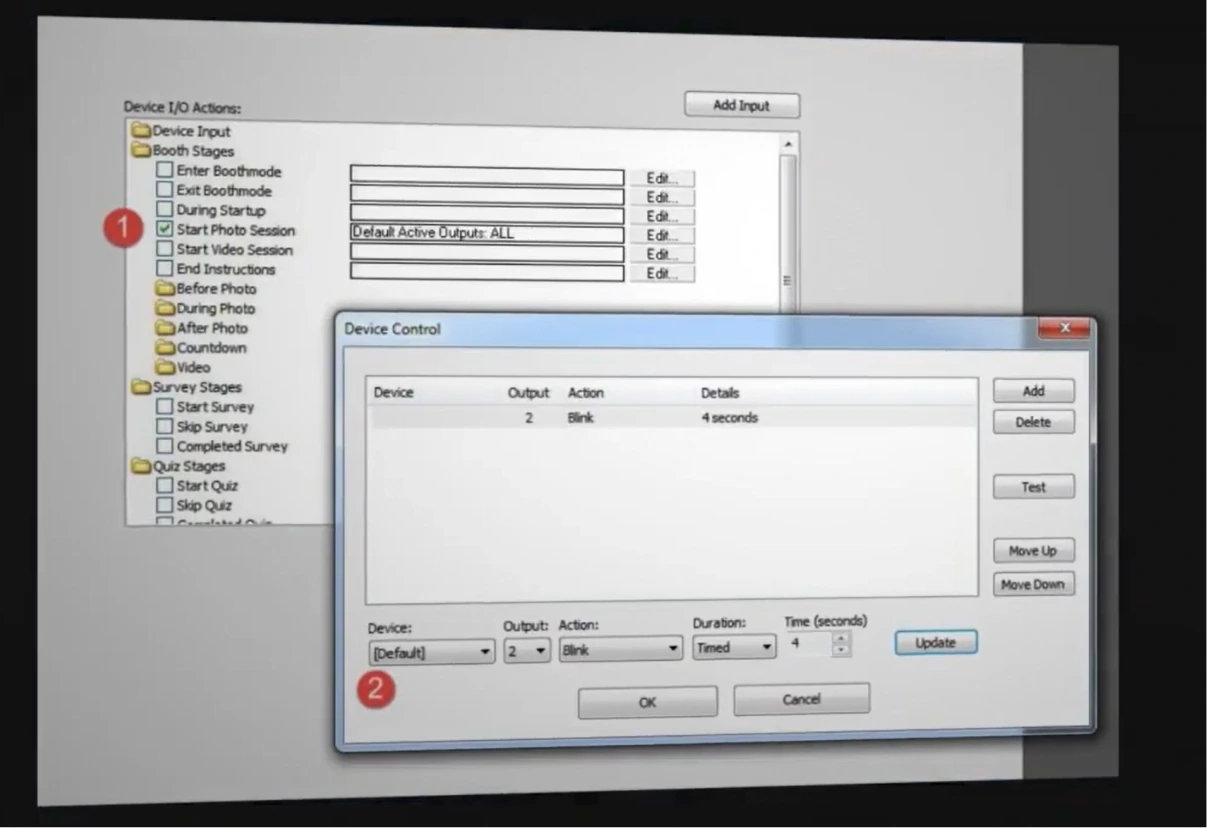
Source: Darkroom Booth
🏅 NOTE: We also evaluated SparkBooth and dslrBooth for this archetype. While SparkBooth offers a cheaper entry point and dslrBooth covers similar Windows-native ground, Darkroom Booth offers the broadest media output (GIFs, Boomerangs, slow-motion, green screen, VR 360°), Phidget hardware extensibility, and the strongest reliability track record among high-volume operators.
Darkroom Booth Pricing
- Full License: $295 (one-time). Permanent access; one year of updates and support included; covers up to 2 computers.
- Annual Maintenance: $95/year (optional). Restores updates, support, and cloud sharing features.
- Free Trial: Unlimited duration, all features unlocked, watermark-only restriction on output.
- Temporary License: $45 for 10 days, for existing customers needing a second booth for a single weekend.
Who Should Use Darkroom Booth?
Choose Darkroom Booth if:
- Your events regularly take place at venues with unreliable or absent internet, and you need a booth that operates with no cloud dependency.
- You want to own your software outright with a single purchase and never risk a lapsed payment preventing you from running a booth.
- You need media output diversity: animated GIFs, Boomerangs, slow-motion video, green screen, and VR panoramic, all from one Windows installation.
5. TouchPix: Best Alternative for 360 Video and Multi-Format Booth Operations
TouchPix is a cross-platform photo and video booth software platform built for event professionals who operate 360-degree spinning booths, mirror setups, and multi-format installations. Its key capabilities include:
- Motorized 360 spinner support with GoPro 7-14 wireless Bluetooth sync
- Offline AI face replacement running entirely on-device
- Six capture modes: Still Photos, AI Photos, Boomerang, Video, Animated GIFs, and Slomo Video
- Cross-platform support across iOS, Android, macOS, Windows, Linux, and Raspberry Pi
- Scanpix 2 offline QR-code sharing for guest delivery with no WiFi required
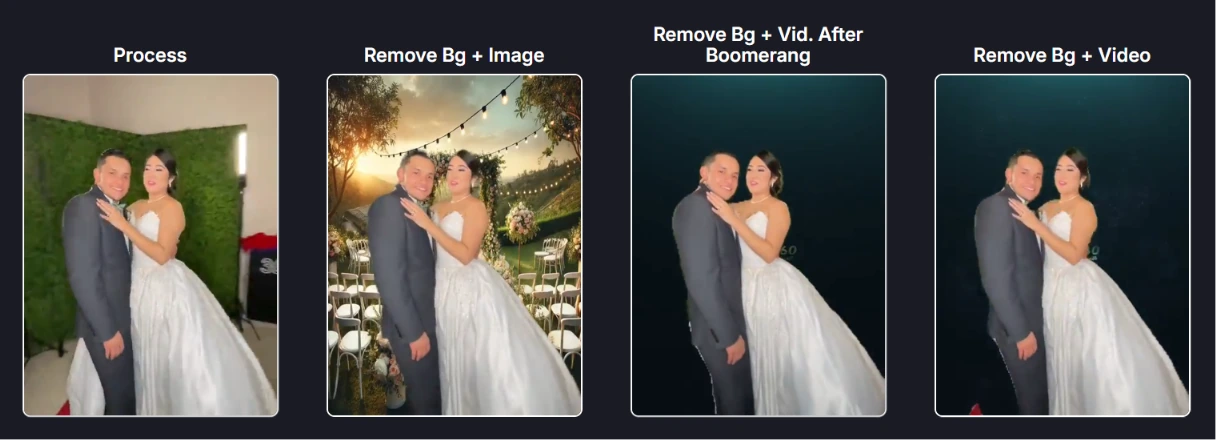
- Native background removal for photos and videos without a physical green screen
Why Choose TouchPix Over Flassh for 360 Video Booth Operations?
TouchPix stands out in the following areas:
- Native 360 Spinner and GoPro Integration. Flassh does not support 360-degree spinning arm booths, which have become a staple at weddings, corporate galas, and brand activations.
TouchPix connects to GoPro models 7 through 14 over USB and Bluetooth, with Bluetooth automation triggering the spinning platform so the capture sequence starts automatically without an attendant pressing a button.
- Offline-First Architecture. Flassh requires an active internet connection. TouchPix’s AI face replacement and background removal run on-device, and guest delivery works through Scanpix 2, an offline QR-code sharing system that works on both iOS and Android without WiFi.
Source: Touchpix
- Cross-Platform Hardware Flexibility. Flassh’s guest-facing interface runs on iOS only, with a separate Windows path for DSLR. TouchPix runs natively on iOS, Android, macOS, Windows, Linux, and Raspberry Pi, with unlimited devices included in every subscription.
TouchPix launched in 2020 and grew quickly on the strength of its 360 booth focus, but the platform is still maturing compared to longer-established alternatives. Some operators have reported reliability issues and slower rendering times, and the user interface can be less intuitive for unattended operation.
These are worth weighing if you plan to run drop-off events without an on-site attendant.
🏅 NOTE: We also evaluated Snappic for 360 video capability. While Snappic offers established 360 support with a strong operator community, TouchPix provides deeper hardware integration for motorized GoPro-connected spinners and more complete offline capability, making it the stronger fit for operators whose core format is the 360 video booth.
TouchPix Pricing
Yearly billing offers approximately 40% savings. All plans available on the pricing page.
- PhotoPass: $439.90/year (2 active events). Photos, Photo AI (80+ styles), Animated GIFs; unlimited devices; 6-month cloud storage.
- MultiPass: $879.99/year (4 active events). Adds Video, Slomo, and Boomerang.
- MultiPass Pro: $1,407.99/year (8 active events). Adds Virtual Booth and Advanced Surveys.
- MultiPass Enterprise: $2,199.99/year (12 active events). Everything included plus Mosaic and RAW cloud backups.
AI Pro credits are sold separately: 500 credits at $49.00, 5,000 credits at $375.00. A 14-day free trial is available with no credit card required.
Who Should Use TouchPix?
Choose TouchPix if:
- Your primary booth format is a 360-degree spinning arm booth and you need native GoPro integration with Bluetooth-triggered rig control.
- You operate at venues without reliable WiFi and need a booth that captures, processes AI effects, and delivers media offline.
- You run a mixed-hardware operation and want one subscription covering iOS, Android, Windows, Mac, and Linux devices without per-device fees.
6. Snapbar: Best Alternative for Enterprise-Scale Brand Activations
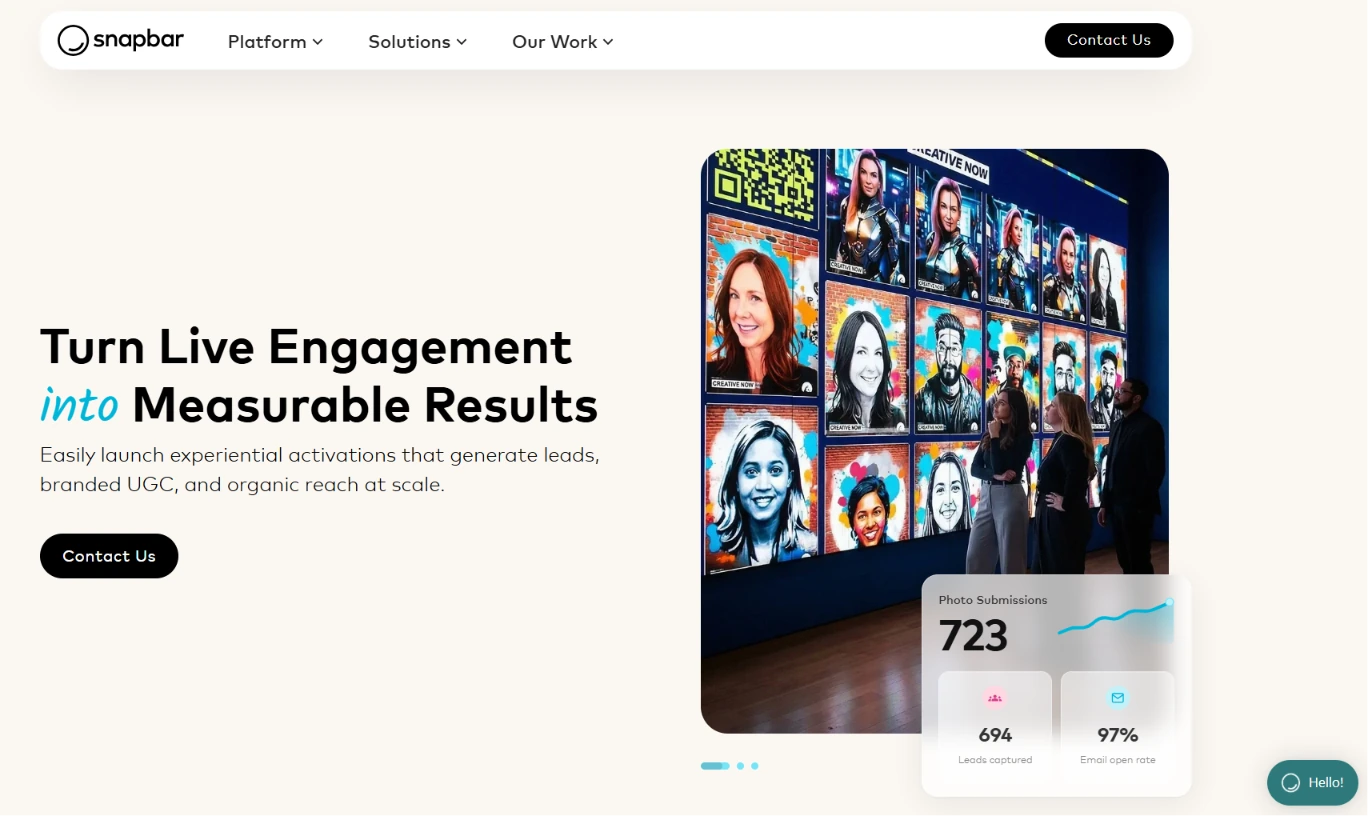
Snapbar is an AI-powered marketing platform that turns live event engagement into measurable business outcomes.
Where Flassh is built for photo booth operators who need a fast device-native setup, Snapbar operates from a different premise: every experience runs in a web browser, requiring no app download, no dedicated hardware, and no on-site technician. Its key capabilities include:
- Web-based delivery via QR code or URL on any device, with no app installation
- AI photo and video transformation with custom brand styling developed with Snapbar’s creative team
- Lead capture with a 95% email open rate on activation delivery emails
- Infrastructure that scales from 50 to over 50,000 participants per event
- Eight experience types: AI Photo Booth, AI Stories, AI Video, Persona Quiz, Digital Photo Booth, Trading Cards, Event Headshots, and Selfie Stations
Why Choose Snapbar Over Flassh for Enterprise Brand Activations?
Snapbar stands out in the following areas:
- Web-Native Architecture Eliminates Hardware Constraints. Flassh requires an iOS device or Windows tablet with a supported DSLR. Snapbar removes all hardware overhead: guests participate by visiting a link on any camera-equipped phone or laptop.
A brand can deploy activations across 20 simultaneous conference booths by distributing QR codes, and the same activation serves virtual audiences unchanged.
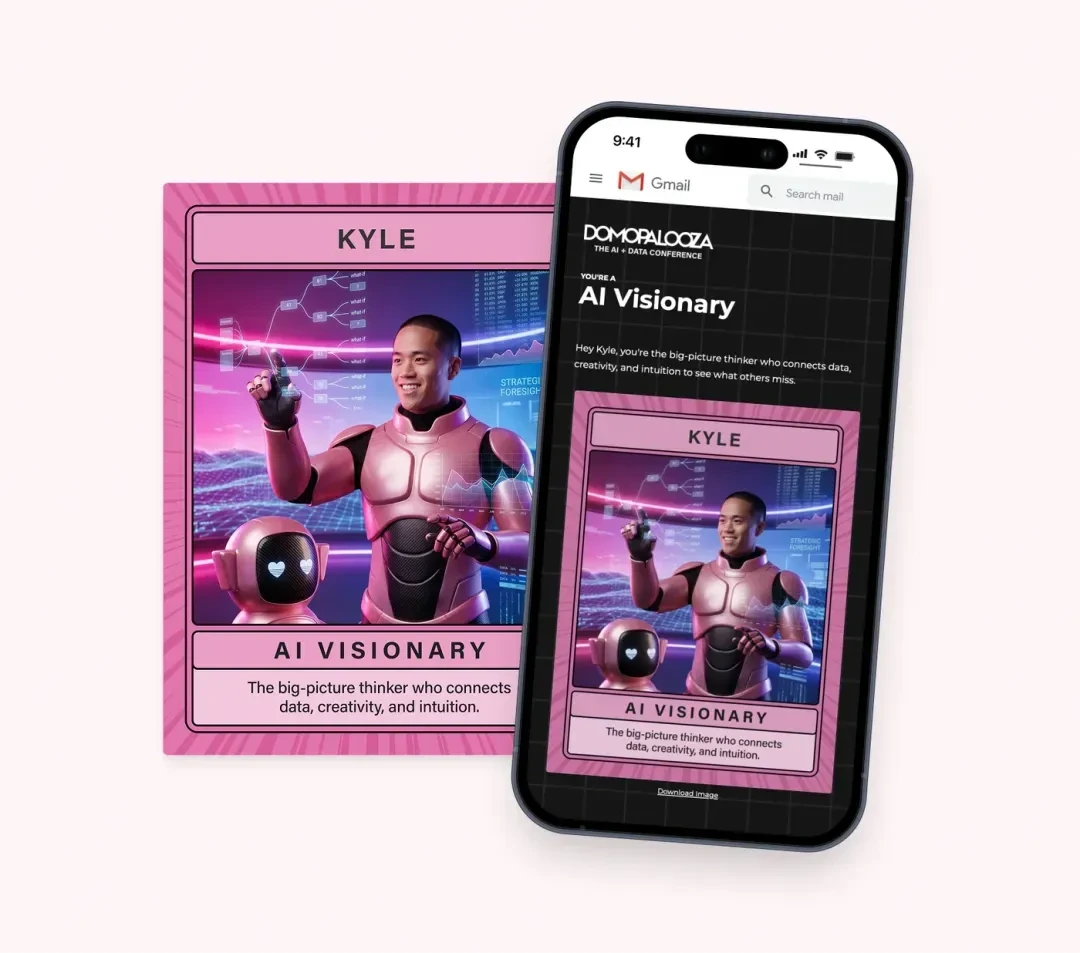
- AI Experiences Built for Brand Identity. Flassh applies branded overlays to photos. Snapbar’s AI Photo Booth transforms guests into imagery that reflects the brand’s creative direction, with AI styles built with the client for each activation.
AI Stories converts narrative responses into personalized AI portraits with appended lead data, and Persona Quiz matches guests to brand-defined personas for targeted post-event follow-up.
Source: Snapbar
- Lead Capture Embedded in the Creative Experience. Flassh’s Pro plan captures guest emails via a gate before sharing.
Snapbar embeds lead fields into the content-generation experience itself, so guests provide richer data (name, company, job title, quiz answers) as part of creating their output.
Delivery emails average 95% open rates because guests are actively waiting for personalized content they helped create.
🏅 NOTE: We also evaluated Pons.ai and Pixilated for this archetype. While Pons.ai offers AI-enhanced photo experiences and Pixilated is established in mid-market virtual photo booths, Snapbar offers the broadest enterprise marketing platform with a proven client roster at the scale of Dell, Visa, Adobe, and Paramount.
Snapbar Pricing
Snapbar does not publish fixed pricing. All activations are priced via custom quote based on experience types, event scale, and customization depth.
Snapbar’s own blog acknowledges that the platform “is not the most budget-friendly option for smaller events or organizations.” Setup, design team collaboration, and branded configuration are included. There is no free trial or self-serve onboarding.
Who Should Use Snapbar?
Choose Snapbar if:
- Your team runs large-scale brand activations at trade shows and conferences where generating qualified leads, not just photos, is the primary success metric.
- You need AI brand experiences that produce visual content tied to your specific campaign identity.
- Your event program spans virtual and in-person audiences simultaneously, and you need unified analytics across both.
7. SparkBooth: Best Alternative for Budget-Conscious Operators with No Recurring Fees
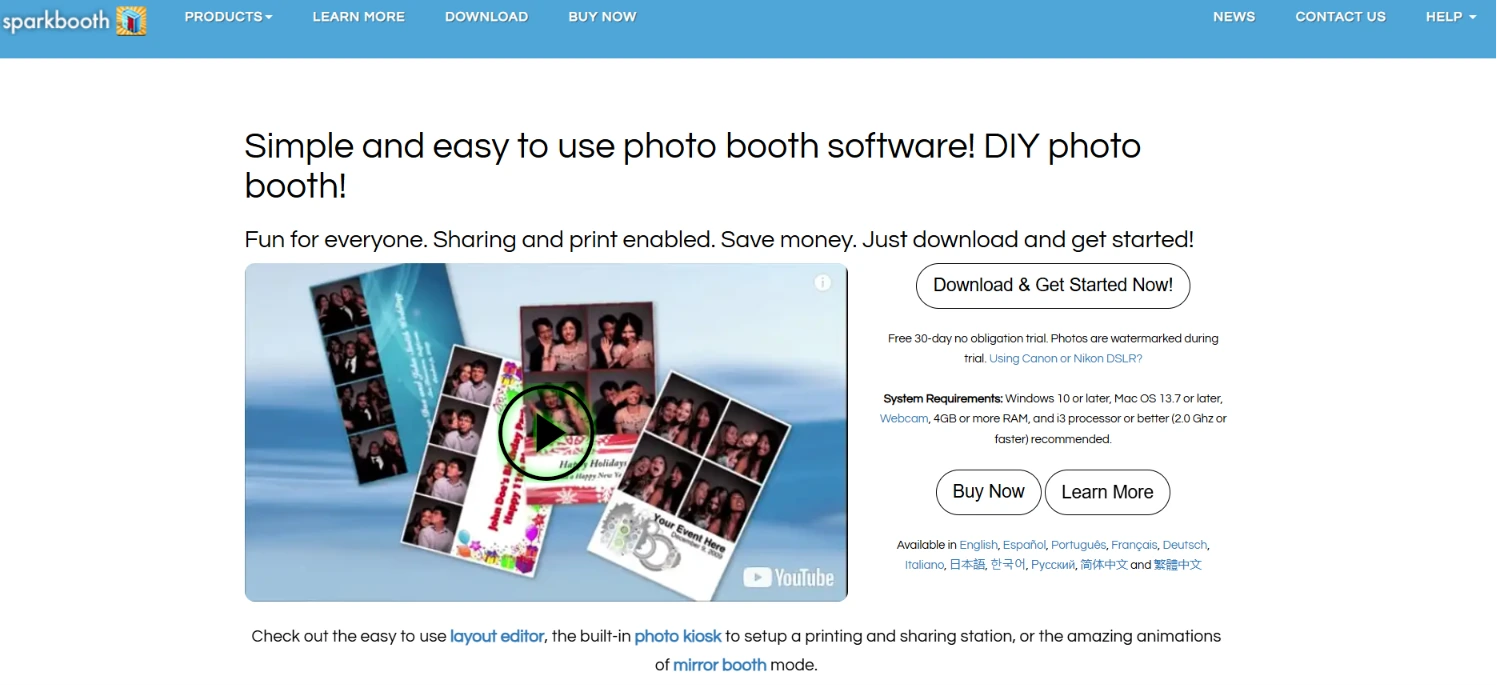
SparkBooth is DIY photo booth software for Windows and Mac that turns any webcam-equipped computer, or a compatible Canon or Nikon DSLR, into a working event photo booth.
Sold on a one-time lifetime license rather than a subscription, SparkBooth is the most budget-friendly professional option on this list. Its key capabilities include:
- One-time lifetime license at $149 (Premium/webcam) or $189 (DSLR)
- Offline operation with queued photo delivery
- Built-in animated GIF, boomerang, and rewind GIF creation
- Native green screen compositing with physical chroma key or AI background removal via UnlimitedBG offline mode
- MailChimp integration for automatic email list sync
- Additional modes: Mirror Booth, Photo Kiosk, and drag-and-drop Layout Editor
Why Choose SparkBooth Over Flassh for Subscription-Free Offline Operation?
SparkBooth stands out in the following areas:
- One-Time Lifetime Pricing. Flassh charges $29 per event or $99/month, with no path to permanent ownership. An operator on Flassh’s monthly plan spends $1,188/year indefinitely.
SparkBooth’s $149 Premium license is a single purchase that never expires. The cost is recouped within two months of Flassh Pro subscription spend, with no software cost afterward.
- Offline Operation. Flassh requires an active internet connection. SparkBooth works online or offline, with queued photo delivery that stores guest emails and photos locally during the event and delivers them when connectivity is restored. Even AI background removal works offline via UnlimitedBG.
- Built-In Animated GIFs and Boomerangs. Flassh lacks animated GIF strips and video boomerangs, a notable gap for social-media-driven events.
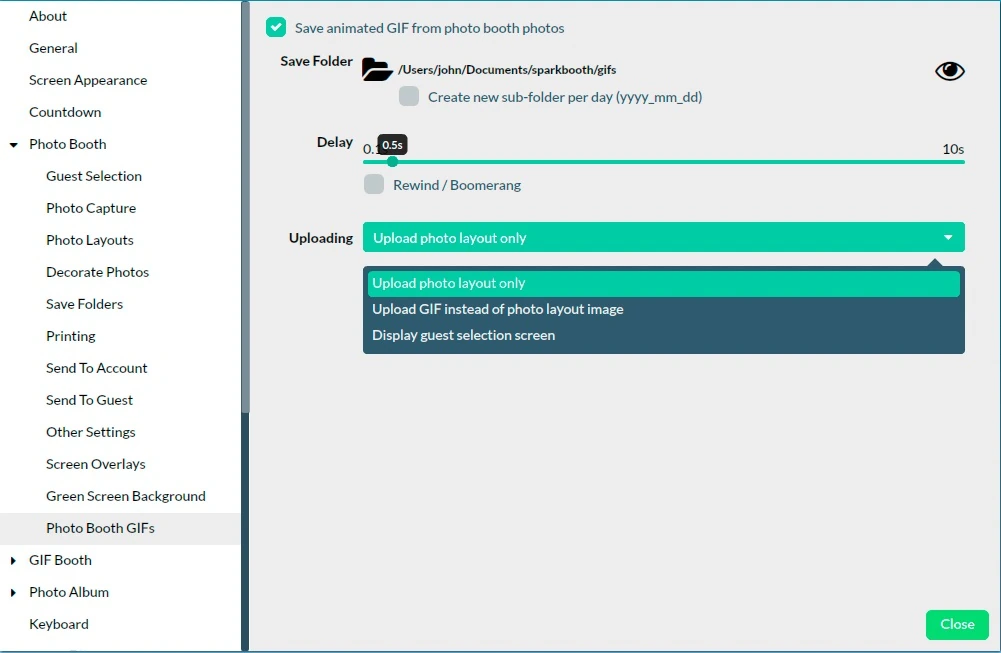
SparkBooth includes animated GIF output in three formats: forward, boomerang, and rewind as standard, with support for animated overlays and a dual-mode setup where guests choose between still photos and GIFs at the start screen.
Source: Sparkbooth
🏅 NOTE: We also evaluated dslrBooth for this cost-conscious archetype. While dslrBooth offers strong Windows-native DSLR control, SparkBooth provides a more cohesive offline-first architecture, native GIF and boomerang creation, and a one-time pricing model that better addresses total cost of ownership for operators who want to eliminate recurring fees.
SparkBooth Pricing
Both tiers use a one-time perpetual license with all features included. The only difference is camera compatibility.
- Premium: $149 USD, one-time lifetime license. 3 activations; webcam support only; Windows 10+ or Mac OS 13.7+. All features included: green screen, GIFs, mirror booth, layout editor, kiosk mode, SMS/email delivery, MailChimp, offline queue, printing, and more.
- DSLR: $189 USD, one-time lifetime license. 3 activations; adds Canon DSLR/mirrorless and Nikon support with live view. Windows required for Canon; Mac for Nikon-only.
A 30-day free trial with all features unlocked is available (photos watermarked during trial). Note: SMS delivery requires a separate Twilio or Vonage account, and the UnlimitedBG AI background removal service is a separate subscription.
Who Should Use SparkBooth?
Choose SparkBooth if:
- You want to eliminate recurring monthly or per-event software costs and own your booth software outright at a one-time price that pays for itself within two months of comparable subscription spending.
- You run events at venues where reliable internet cannot be guaranteed and need a booth that works identically online or offline.
- Your clients expect animated GIF deliverables, boomerangs, or rewind clips as standard, and you want those formats built in without add-on fees.
The Final Verdict
Flassh excels as a simple, fast-setup photo booth platform, but operators and marketers with growing needs often require more specialized tools. Based on our research, here are the best alternatives:
- Simple Booth for self-running photo booth experiences with integrated HALO hardware, AI effects, and lead capture
- Snappic for multi-format booth portfolios spanning 360, GlamBot, mirror, and iPad booths under one subscription
- BoothLedger for AI creative transformations and offline reliability on Windows at a competitive price
- Darkroom Booth for offline independence with a one-time perpetual license and the broadest media output options
- TouchPix for 360 video spinning booth operations with native GoPro integration and cross-platform flexibility
- Snapbar for enterprise-scale brand activations with AI experiences and embedded lead capture
- SparkBooth for budget-conscious operators who want professional features (GIFs, green screen, DSLR) with no recurring fees
You don’t have to choose between Flassh and these alternatives exclusively. Many operators use different tools for different event types. Consider your specific needs, venue conditions, and growth plans when deciding which solution fits.
Ready for a photo booth experience that runs itself? Simple Booth combines patented HALO ring-light hardware, AI-powered photo effects, and a marketing toolkit with 87%+ lead capture opt-in rates. Start your free trial and see why 30,000+ customers trust Simple Booth for their most important events.
Flassh Alternatives FAQ
Why do photo booth operators look for Flassh alternatives?
Flassh works well for fast, simple setups, but operators often outgrow its capabilities as their business scales.
The most common reasons include Flassh’s requirement for an active internet connection at all events, the lack of AI photo transformations, limited camera support (Canon and Nikon only, no Sony), and the absence of animated GIF strips and video boomerangs.
Operators serving corporate clients may also need more advanced lead capture, branding tools, and analytics than Flassh provides.
What is the best overall Flassh alternative?
There is no single best alternative because different operators have different needs. Simple Booth is the top choice for operators who want a turnkey system with integrated hardware and AI effects. Snappic leads for multi-format booth operations (360, GlamBot, mirror).
For Windows-based operators who prioritize offline reliability, Darkroom Booth and BoothLedger are the strongest options. The right choice depends on your hardware setup, event types, and business goals.
Is there a free alternative to Flassh?
Flassh itself offers a permanent free tier (Setup Mode) with 25 photos per test event. Among the alternatives, Darkroom Booth offers an unlimited free trial with all features unlocked and no time limit (output is watermarked). SparkBooth provides a 30-day free trial with all features. Simple Booth, Snappic, and TouchPix offer time-limited free trials (7 to 14 days), and BoothLedger offers a 30-day trial with no credit card required.
Which Flassh alternative works offline?
Simple Booth’s HALO app queues sessions in offline mode and delivers them when connectivity returns. BoothLedger captures, prints, and shares offline with automatic cloud sync on reconnect. Darkroom Booth runs offline with no internet dependency. TouchPix processes AI effects and delivers media via its Scanpix 2 offline QR system. SparkBooth queues photo delivery locally for batch sending when internet is restored. Flassh, by contrast, requires an active internet connection with no documented offline fallback.
Which Flassh alternative is best for brand activations and marketing?
Simple Booth is the strongest choice for marketing-focused activations, offering 87-89% lead capture opt-in rates, custom data fields, MailChimp integration, social sharing analytics, and demographic insights via face detection. For enterprise-scale activations at major conferences and trade shows, Snapbar provides AI brand experiences with custom styling, persona quizzes, and CRM-ready lead data exports.
Can I use a Sony camera with any of these alternatives?
Flassh explicitly excludes Sony cameras. Among the alternatives, Snappic supports Sony mirrorless systems alongside Canon and Nikon. TouchPix supports a wide range of cameras across its cross-platform apps. Darkroom Booth supports Sony cameras through the Windows-compatible webcam tether path. Simple Booth currently supports Canon DSLRs and mirrorless cameras through its HALO app (Core plan and above), with the iPad’s built-in camera available on all plans.
Which alternative is cheapest for someone starting a photo booth business?
SparkBooth offers the lowest total cost of ownership with its $149 one-time lifetime license (or $189 for DSLR support), eliminating all recurring software costs. BoothLedger’s Basic plan at approximately $22/month with two device licenses included is the most affordable subscription option. Darkroom Booth’s $295 perpetual license is a middle ground: higher upfront cost but no recurring fees. Flassh’s $29 per-event model works for very occasional use, but becomes more expensive than these alternatives at 4+ events per month.
How difficult is it to switch from Flassh to one of these alternatives?
Migration complexity depends on your current setup. Switching to another iOS-based platform like Simple Booth or Snappic is straightforward since you can use existing iPad hardware. Moving to a Windows-based platform like BoothLedger, Darkroom Booth, or SparkBooth requires a Windows computer but may unlock features (offline operation, perpetual licensing, broader camera support) that justify the transition. Most alternatives offer free trials, so you can test the workflow at a real event before committing.
Keep reading
 Showdowns
Simple Booth vs Flassh: Which Photo Booth Platform Fits Your Events in 2026?
Integrated system vs speedy setup. Simple Booth or Flassh?
 Pricing
Flassh Pricing: Worth It or Consider Simple Booth? June 2026
Per-event or monthly? Flassh pricing, fully unpacked.
 Reviews
Flassh Review 2026: Is This Photo Booth App Right for Your Events?
Turn any iPhone into a booth on the cheap. Flassh, reviewed without the hype.