Simple Booth vs Flassh: Which Photo Booth Platform Fits Your Events in 2026?
If you’re comparing Simple Booth and Flassh, you’re looking at two platforms that turn iPads into photo booths but approach the job from opposite ends.
Flassh stays stripped down. It runs on any iPhone or iPad with no extra hardware, syncs photos to a cloud gallery the moment they’re captured, and gets you from download to live event in under ten minutes. For a one-time party or a photographer testing a photo booth side hustle, that simplicity is the point.
Simple Booth builds outward from the same iPad foundation. Its HALO hardware adds ring lighting in a machined aluminum chassis. The software layers on a design tool, AI photo effects, multi-channel delivery (QR code, SMS, email, WhatsApp, AirDrop), lead capture with documented opt-in rates as high as 87%, and a Virtual Booth product that runs in the browser with no hardware at all.
That depth serves operators running multiple booths per week and brand marketers who need measurable data from every activation.
Both platforms solve the same core problem. The question is how much you need beyond the basics.
Simple Booth vs Flassh at a glance
| Flassh | Simple Booth | |
|---|---|---|
| Core Philosophy | Simplicity, cloud-native | Integrated system |
| Hardware Required | iPhone or iPad (no extras) | iPad + optional HALO ring light kit |
| DSLR Support | Canon and Nikon via USB (Windows) | Canon and Sony DSLR/mirrorless via iPad (Core+) |
| Capture Formats | Still photos, GIFs, MP4 video from gallery | Stills, GIFs, boomerangs, video (5 to 120 sec), custom layouts |
| AI Effects | Not available | AI photo transformations, AI backgrounds, AI layout graphics |
| Offline Mode | No (internet required) | Yes (queues sessions, delivers when reconnected) |
| Lead Capture | Email CSV export (Pro only) | Up to 10 custom fields, MailChimp sync, API delivery |
| Analytics | Sharing statistics (Pro only) | Dashboard with social tracking, demographic insights (Select) |
| White-Label | Pro plan ($99/month) | Plus plan and above |
| Virtual/Remote Booth | Not available | Browser-based Virtual Booth included |
| Pricing Model | Free tier / $29 per event / $99/month | 7-day trial / from $14.99/week to $249/month |
| Best For | DIY hosts and small operators who want fast, simple setup | Professional operators and brand marketers who want a complete system |
The core difference: Minimal app vs full platform
Flassh is a photo booth app. Simple Booth is a photo booth platform.
Flassh was founded in 2016 on a single premise: photo booth hardware and legacy desktop software are unnecessary barriers. The app turns any iPhone or iPad into a working booth, syncs photos to a cloud gallery in real time, and lets guests share from any device with a browser.
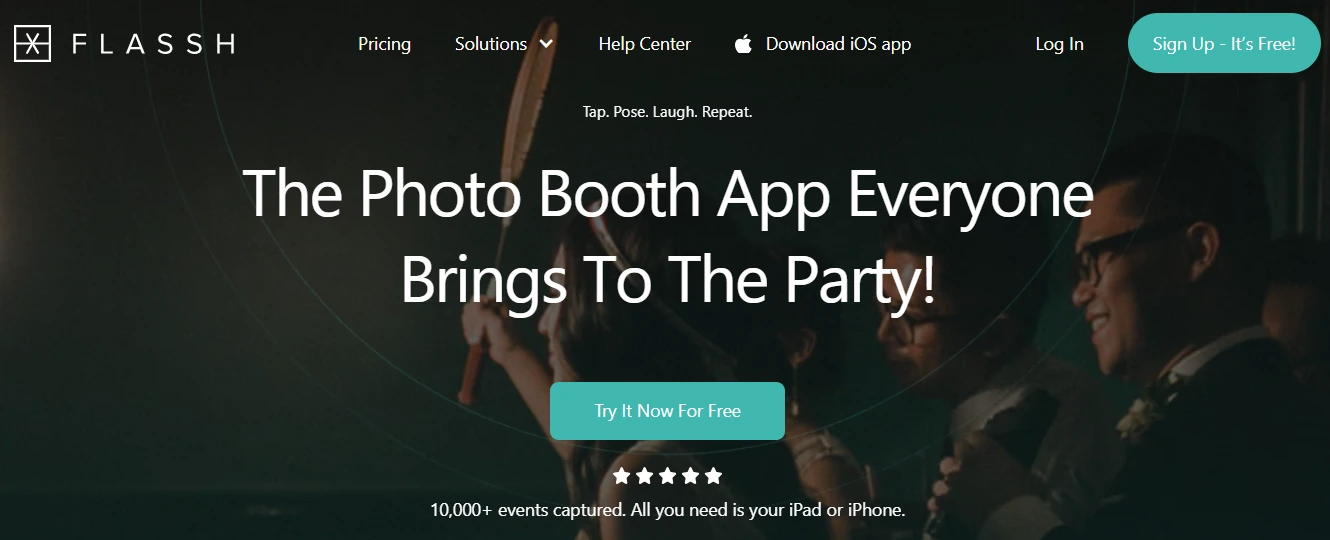
A 2 to 10 person team maintains the product, and the feature set reflects that focus. You get photo capture, an online gallery, graphic overlays, Dropbox sync, and AirPrint support. That’s close to the full list, and that’s intentional.
The company positions itself against “clunky old software” that requires Windows machines and proprietary hardware. Its solutions pages address four segments: DIY party hosts, photographers adding a revenue stream, event organizers, and photo booth companies looking to modernize. Across all four, the pitch is the same: fast setup, no complexity.
Simple Booth started in 2013 as one of the first photo booth apps designed for live events and has since grown into a hardware, software, and cloud ecosystem. The company sells HALO ring-light hardware alongside the iPad app, a browser-based Virtual Booth product, and an analytics and lead-capture platform that connects photo sessions to marketing outcomes.
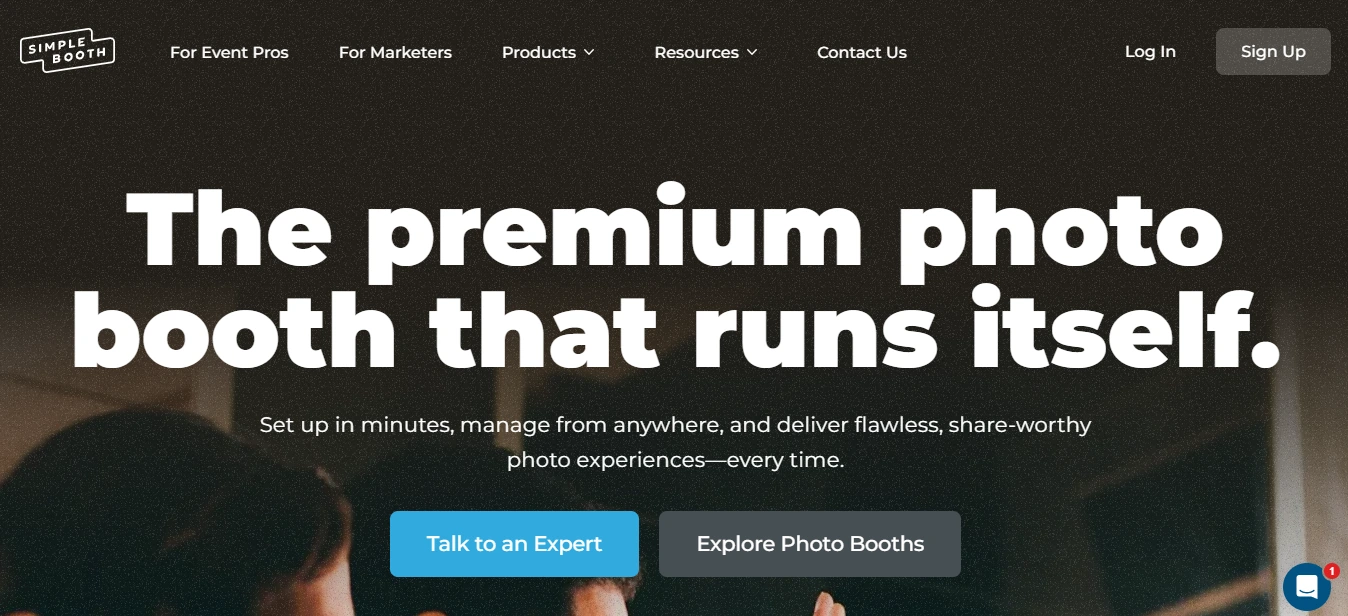
Where Flassh aims to be the easiest way to run a photo booth, Simple Booth aims to be the most complete. That difference shapes every feature decision in both products.
Setup and ease of use
Speed of setup is Flassh’s defining selling point.
Flassh promises a 10-minute setup with no tech skills required. The iOS path is minimal: download the free app, create an event, tap the screen, and photos start flowing to the cloud gallery. A permanent free tier with 25 photos per event lets operators rehearse the full workflow before spending anything.
The Windows DSLR path adds complexity. It requires two separate applications (Flassh Connect and Flassh Booth), camera-side configuration (including disabling WiFi on certain Canon models), and a correctly labelled OTG adapter for tablet USB connections. First-time Windows users should budget more than ten minutes.
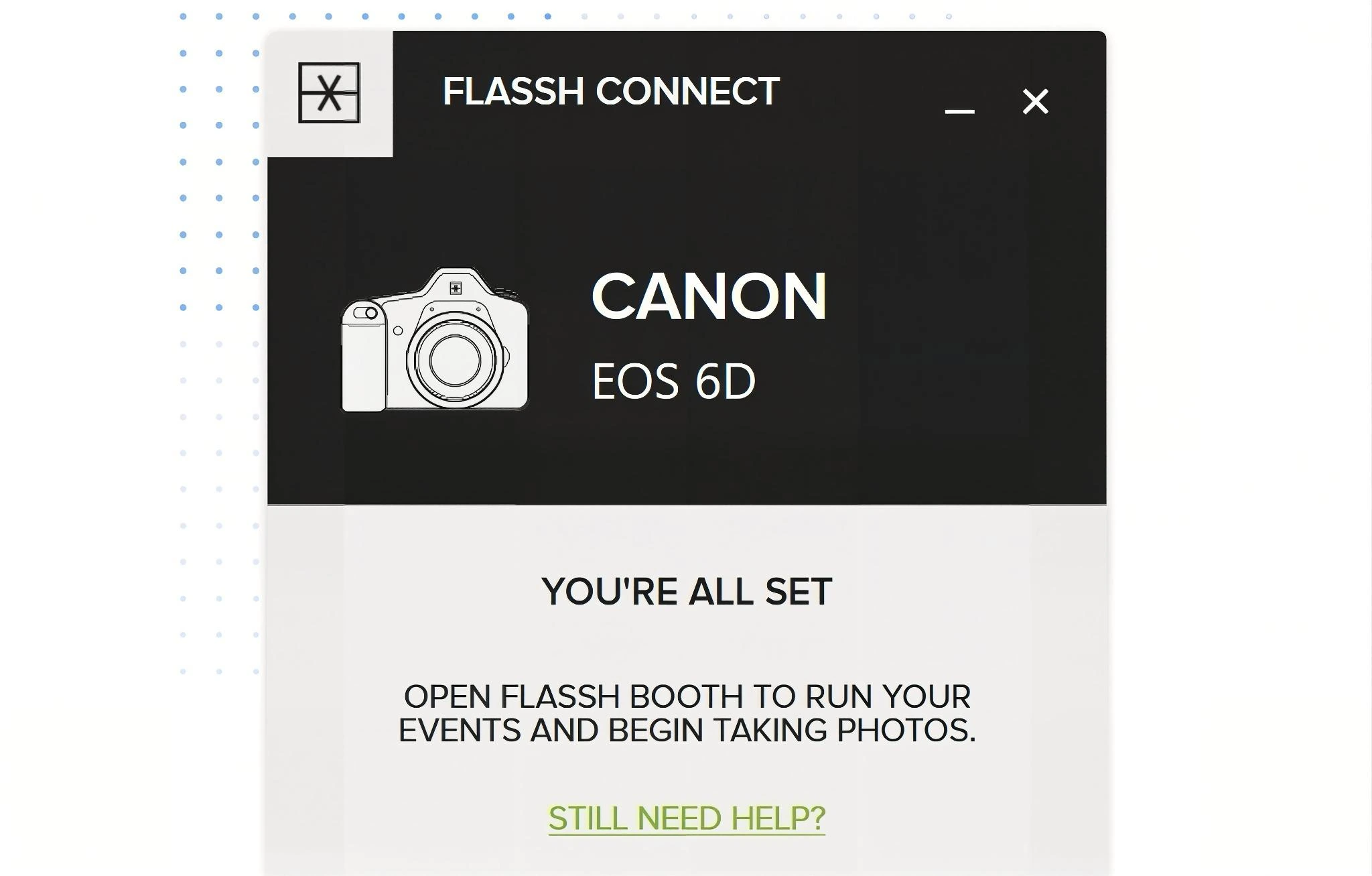
Source: Flassh
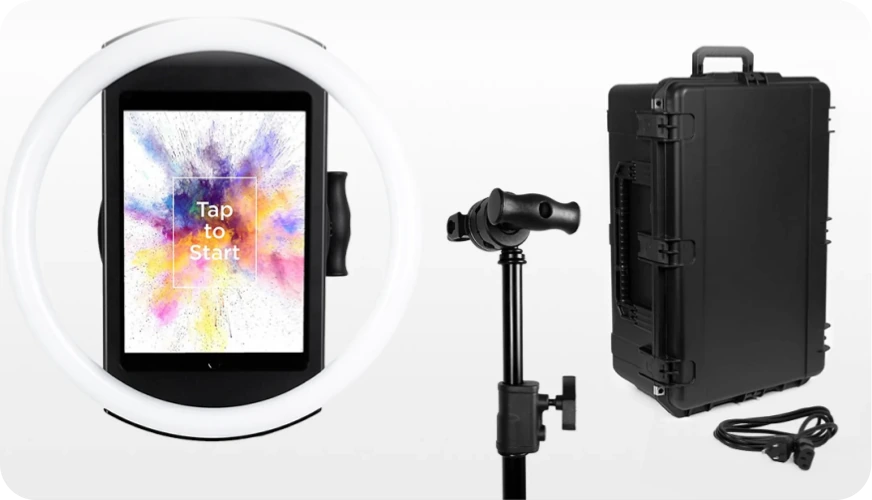
Simple Booth claims setup in under one minute for the physical HALO hardware, thanks to a tool-less iPad faceplate and deployable selfie stand. The software side takes longer. Operators configure “presets” that define the booth experience (capture settings, layouts, branding, delivery options, data capture fields), either in the app or from a web dashboard.
Source: Simple Booth
A redesigned preset editor in version 5.0 presents the flow visually, and a Preflight Check screen catches configuration issues before launch.
The trade-off is clear: Flassh gets you capturing photos faster. Simple Booth takes more upfront configuration but gives you more control over the experience once it’s running.
Photo capture and output formats
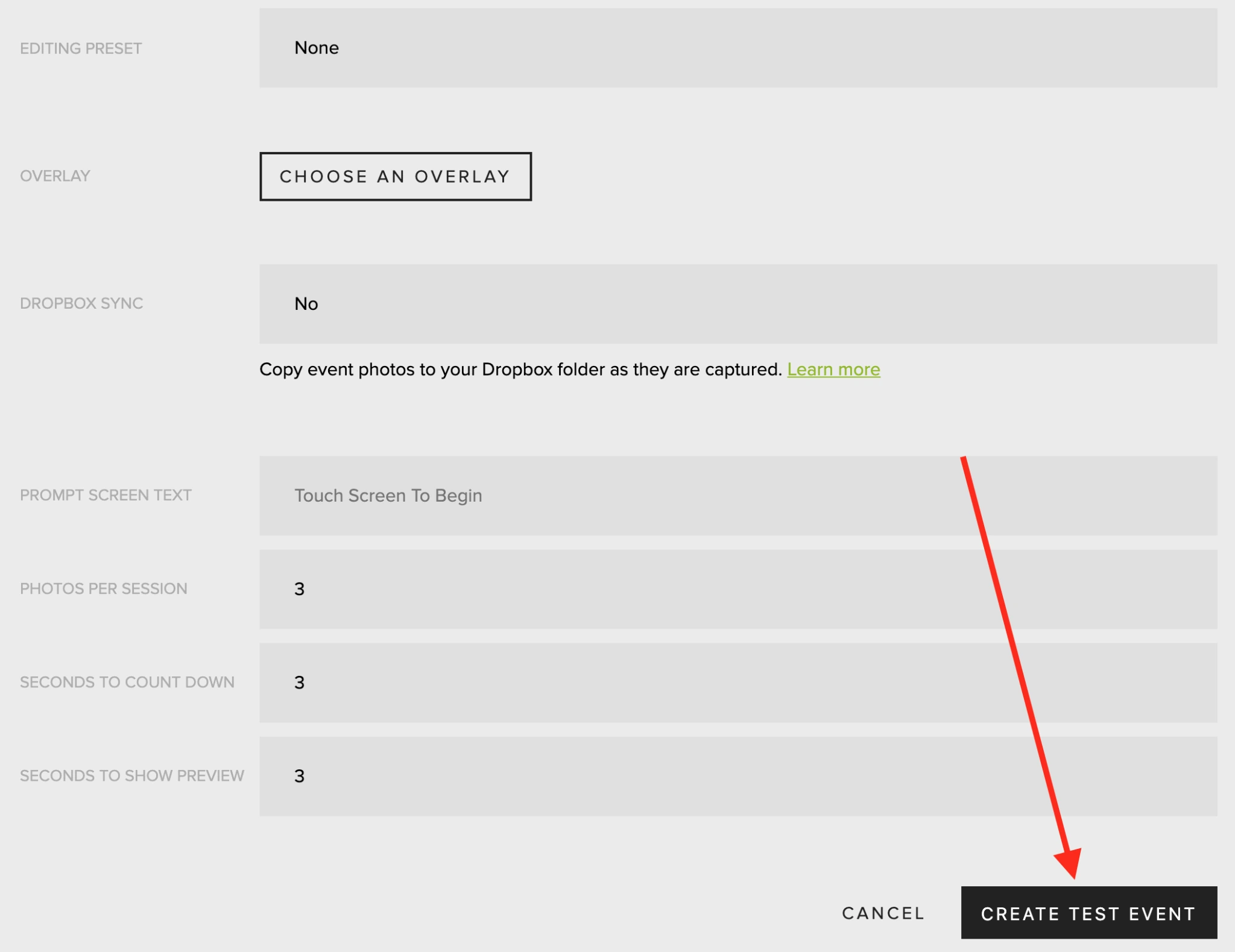
Flassh keeps capture straightforward. The default session fires 3 photos with a 3-second countdown and 3-second preview, all configurable between 1 and 10. Photos are resized to 2560px wide on upload and sent to the cloud gallery immediately.
Source: Flassh
Five non-destructive editing presets (Enhanced, Enhanced B&W, Film, Film B&W, or None) can be applied per event and changed after the fact without losing the original file.
For DSLR users, Flassh supports a wide catalog of Canon and Nikon cameras spanning roughly two decades. Sony and other brands are not supported, though the App Store description notes “additional camera brands will be supported soon.”
Guests can create animated GIFs and short MP4 videos from their photos using the iOS app, but these are assembled from still captures in the gallery rather than recorded as native video or boomerang clips at the booth.
Simple Booth offers a wider range of capture formats: still photos, photo strips, custom multi-frame layouts, animated GIFs, looping Rebound (boomerang) clips, and video from 5 to 120 seconds.
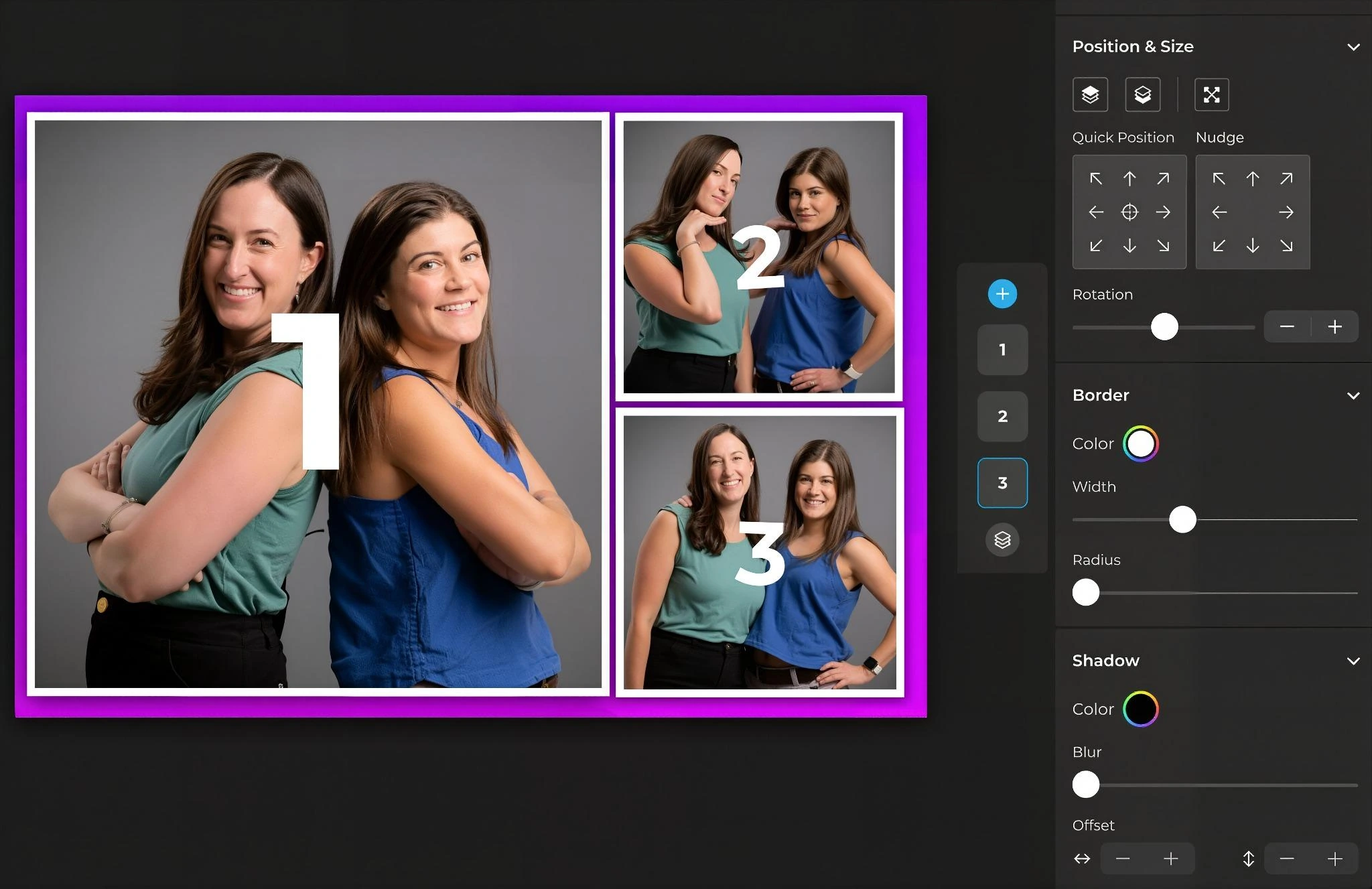
The Layout Designer is an in-app design tool where operators build templates with photo placement, text layers, gradients, logos, and QR codes, all without external software. Guests on Plus plans and above can type names, captions, or hashtags directly onto their photo before sharing.
Source: Simple Booth
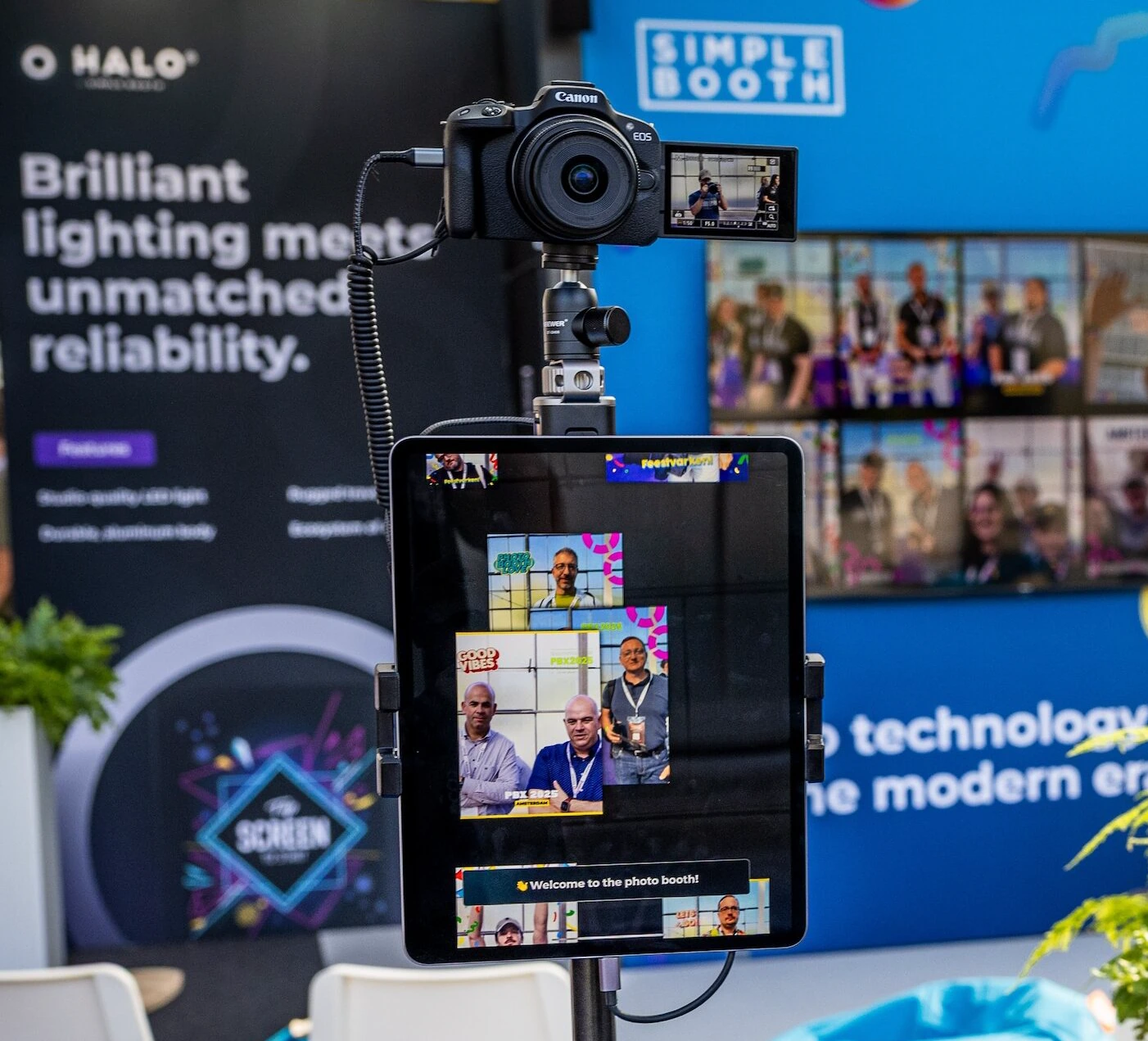
DSLR support covers Canon and Sony DSLR and mirrorless cameras connected through the iPad (Core plan and above) via USB or wirelessly over WiFi, keeping the workflow on one device rather than requiring a separate Windows machine. The wireless option is a differentiator that most competitors don’t offer.
Source: Simple Booth
The gap in output variety matters for operators whose clients expect more than still photos. Boomerang clips, multi-frame strips, and long-form video are staples for brand activations, and Flassh doesn’t offer them natively.
Kurt Nielson Photography reported that their Simple Booth setup “paid for itself pretty quickly. Now it’s just extra money coming in.” (Simple Booth)
Sharing, galleries, and guest experience
Both platforms make photos available through cloud galleries, but the depth of the sharing experience differs.
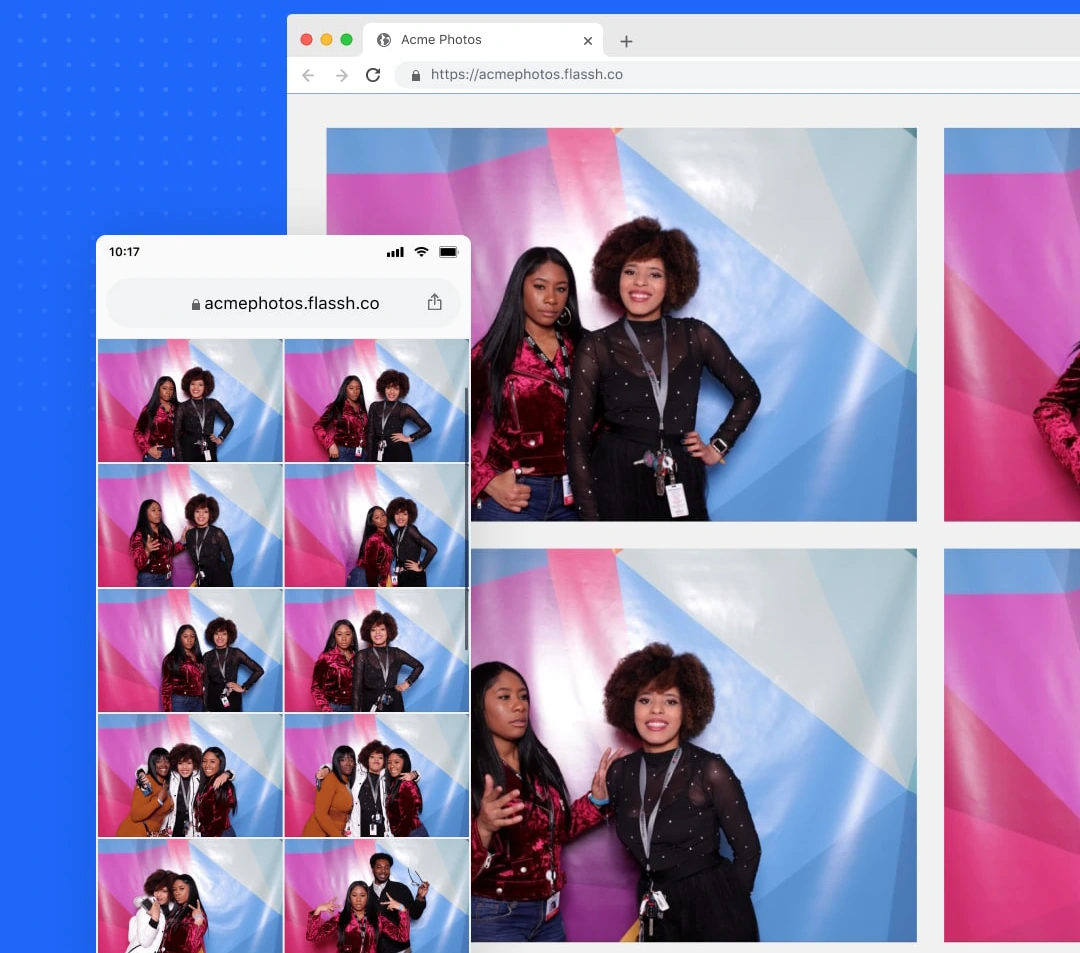
Flassh publishes photos to an online gallery the moment they are captured, accessible from any phone or computer via a custom subdomain (e.g., yourname.flassh.co). Guests view and download photos in a browser without installing an app or creating an account.
Source: Flassh
From the iOS app or a Kiosk Mode station, guests can email photos (processed from Flassh’s servers, not the device’s mail client), save to camera roll, or compile selected photos into GIFs and MP4 videos.
Galleries can be password-protected or hidden from public discovery. Watermarks are adjustable in size, position, and opacity, and are non-destructive. Pro accounts can serve galleries from a custom domain. Photo retention ranges from 6 months on the free tier to unlimited on the $99/month plan.
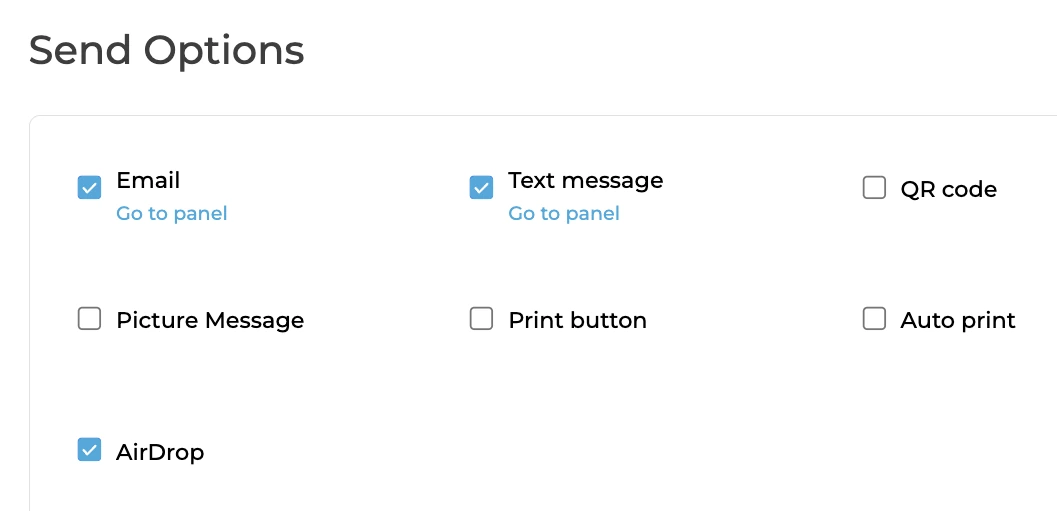
Simple Booth delivers photos through QR code, email, SMS, AirDrop, and WhatsApp, giving guests multiple delivery paths at the booth itself. WhatsApp delivery, added in HALO 5.0, opens international markets where SMS is less common. Each session generates an online gallery with customizable titles, hashtags, color themes, header images, and interstitial ads.
Source: Simple Booth
The platform handles Instagram’s format restrictions automatically, converting incompatible layouts into Instagram-ready files and delivering them via MMS. Any public gallery can become a Live Feed slideshow for a TV or projector with one tap.
The practical difference: Flassh gives guests a clean gallery they can browse and share on their own. Simple Booth gives operators control over how, when, and where photos get delivered, with social sharing built into the flow.
Offline reliability and connectivity
This is where the platforms diverge most sharply.
Flassh requires an active internet connection to operate. The documentation calls it a “live, online, instant-sharing platform” and suggests a mobile hotspot as a backup. There is no documented offline fallback. At venues with poor WiFi (warehouses, rural estates, basements), this is a single point of failure.

Source: Flassh
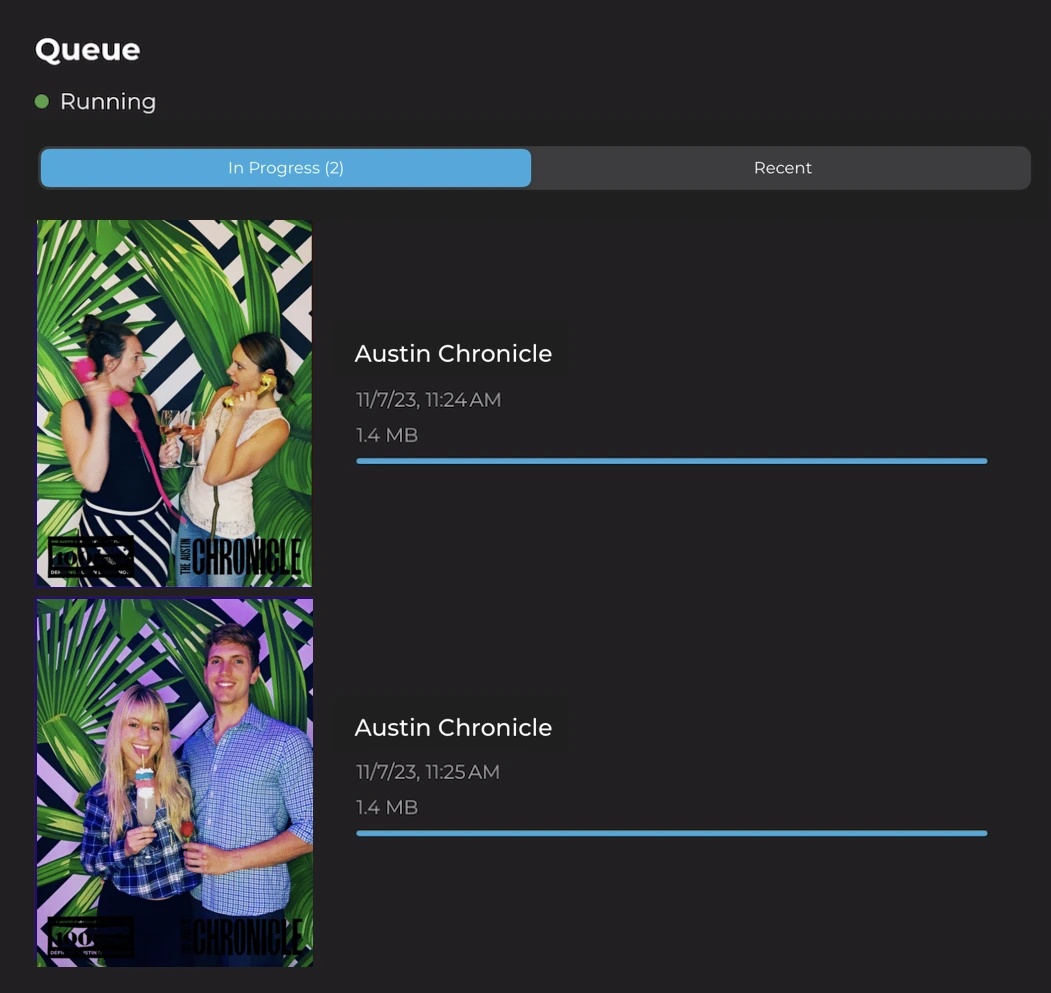
Simple Booth includes an offline upload queue that stores sessions when connectivity drops and delivers them automatically when it returns. For event professionals, this matters. Weddings and corporate events regularly take place in venues where cellular and WiFi coverage is unreliable, and a booth that stops working mid-reception is not an acceptable outcome.
Source: Simple Booth
For DIY hosts at home with stable WiFi, the connectivity requirement is a non-issue. For professional operators who can’t guarantee their venue’s network, it’s a real constraint.
Lead capture and marketing tools
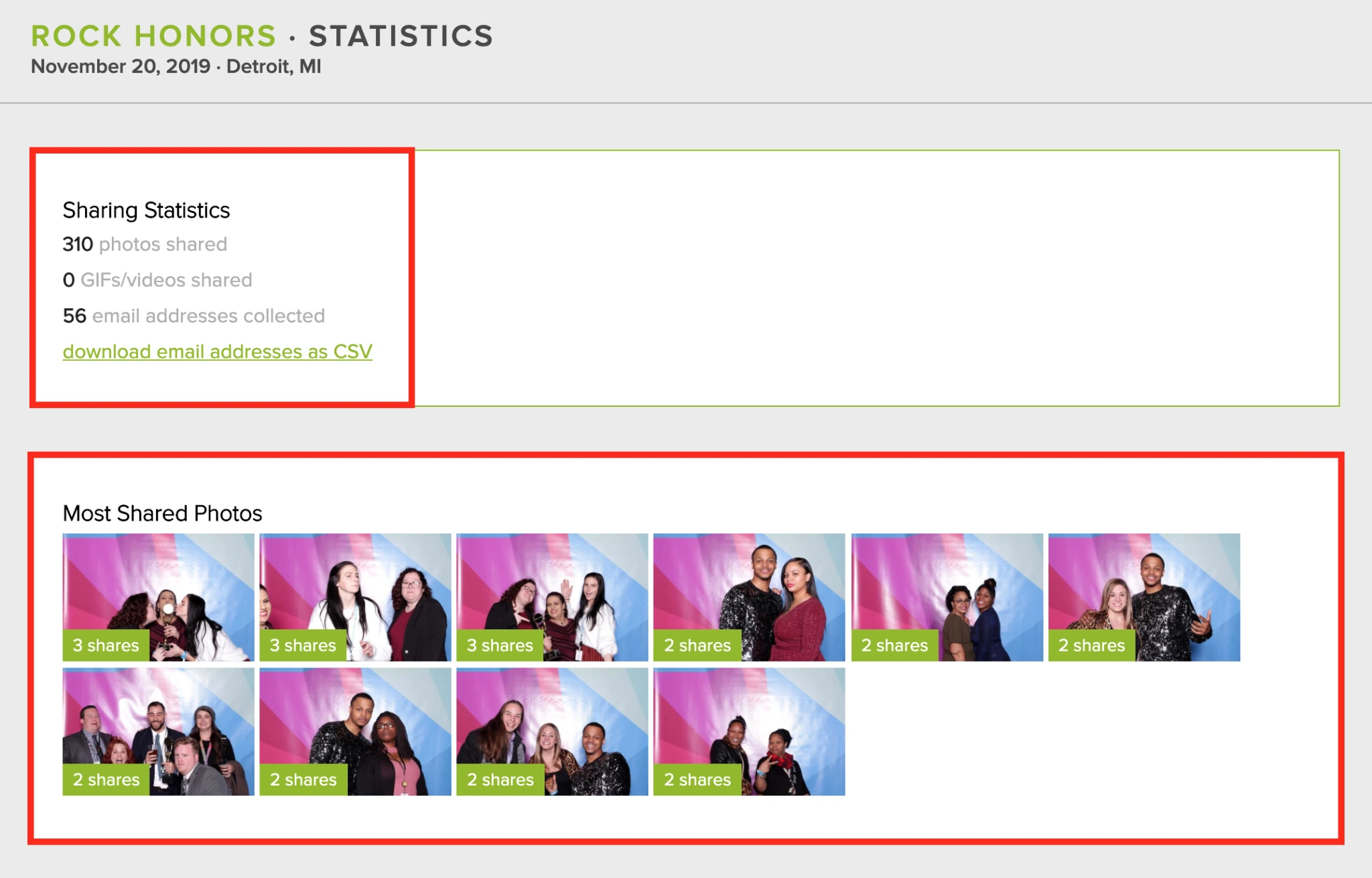
Flassh offers guest email capture on the $99/month Pro plan, exported as a CSV download. Sharing statistics (most-viewed photos, per-event metrics) are also Pro-only. No CRM integrations, no automated email sync, and no data capture fields beyond email are documented.
Source: Flassh
Simple Booth treats lead capture as a core feature rather than an add-on. The data capture form supports up to 6 standard fields on Pro (email, name, phone, postal code, date of birth) and up to 10 custom fields on Select (including checkboxes and required legal terms). Data syncs natively with MailChimp or flows to external systems through the Open API on Pro and Select plans.
The analytics dashboard tracks total participants, uploads, gallery views, social share clicks, and referred views across Facebook, X, LinkedIn, and Instagram. Select-tier accounts get demographic insights via face detection (estimated age, gender breakdown, average group size).
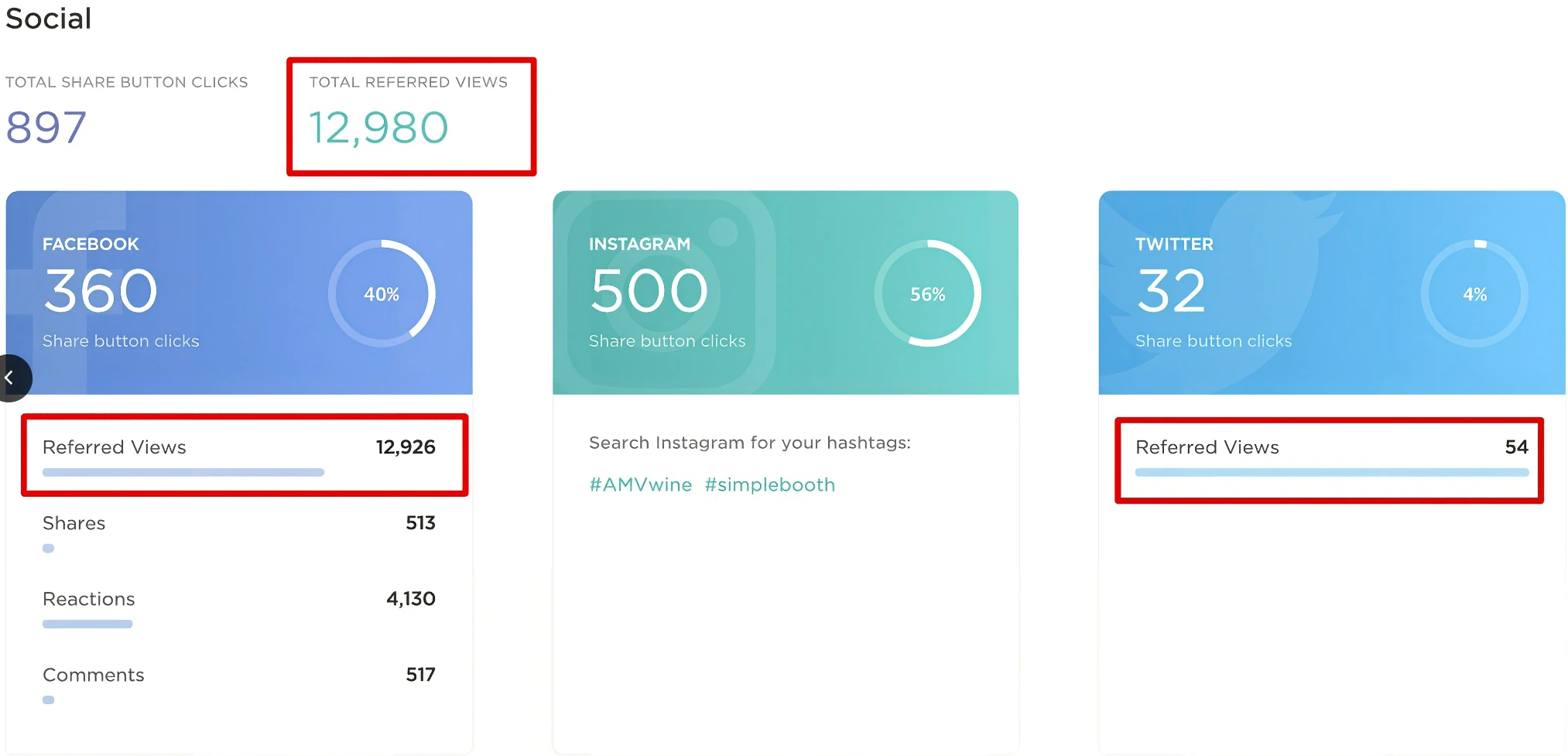
Source: Simple Booth
For operators who rent booths at parties, Flassh’s email CSV is adequate. For brand marketers and venue operators who need to connect photo booth engagement to CRM pipelines and measure campaign ROI, Simple Booth’s tooling is in a different category.
Arizona Opera grew its email list by 1,000 addresses in a few events using Simple Booth’s lead capture at their activations.
AI and advanced effects
Flassh does not offer AI features. Its editing options are limited to five non-destructive presets (color enhancement, black & white, film looks) and PNG graphic overlays with adjustable size, position, and opacity.
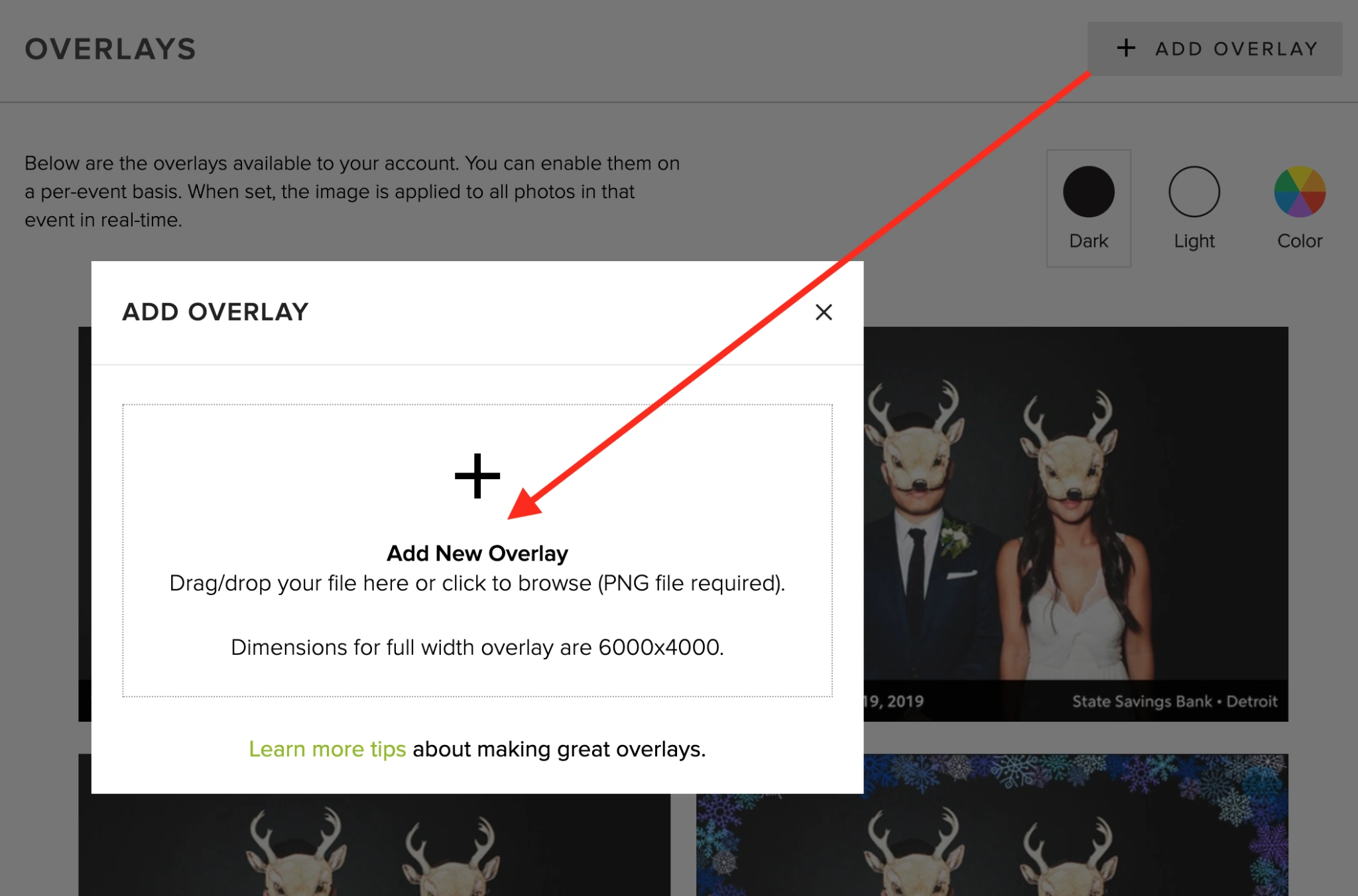
Source: Flassh
Simple Booth has invested in AI capabilities. Booth Mode AI Effects use Nano Banana models to transform guest photos in real time using text prompts, with identity preservation handled automatically.
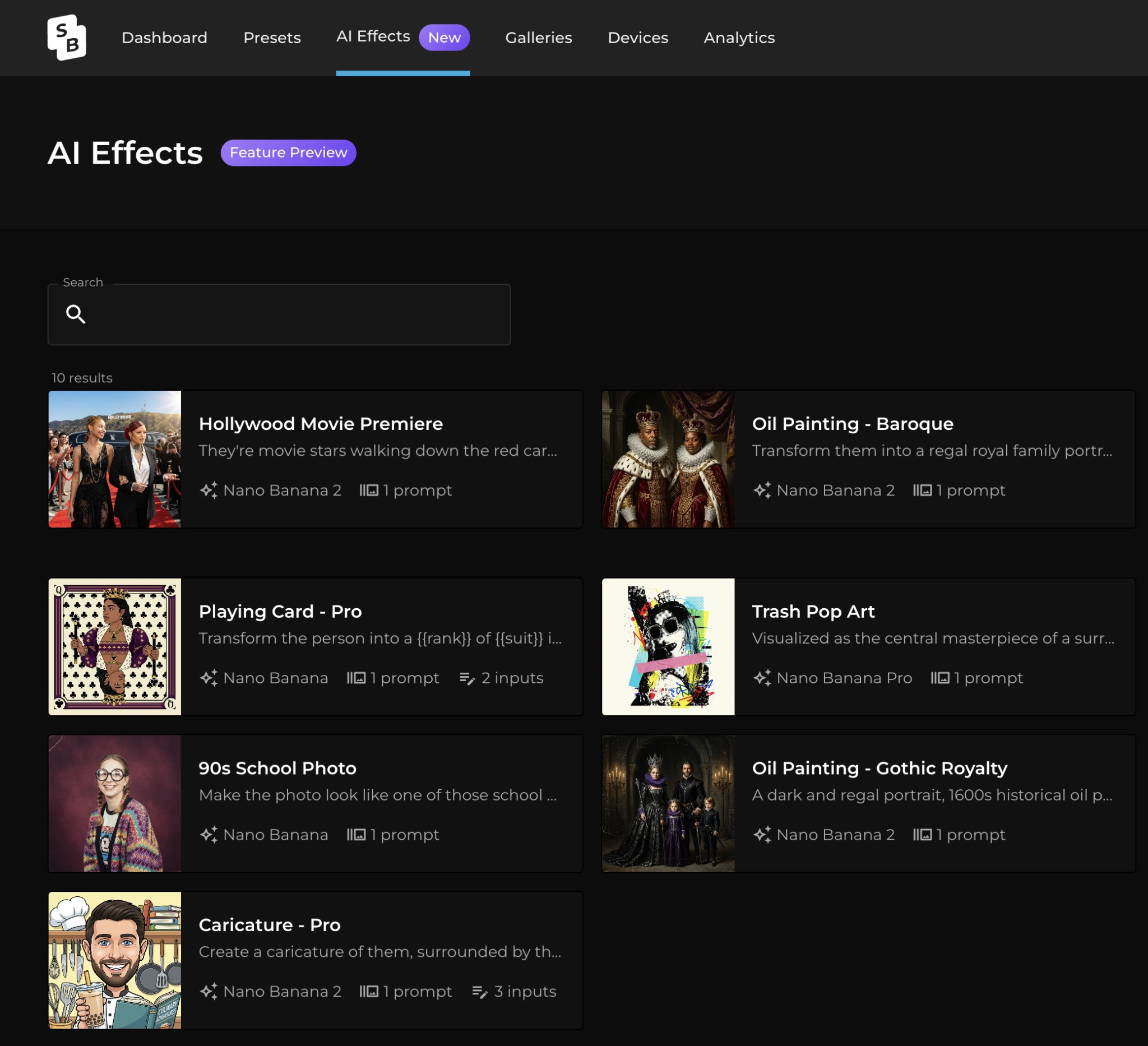
Source: Simple Booth
Operators can assign a unique AI prompt to every frame in a multi-frame layout for storyboard-style outputs. Guests on Pro and Select plans can answer questions post-capture (Guest Input) that feed into the AI prompt, producing personalized outputs.
Additional AI features include background replacement without a green screen, DSLR-style background blur, Glam skin smoothing, and AI-generated layout graphics (at no credit cost). Credits cost $0.10 each and don’t expire once purchased. Testing prompts outside of booth mode consumes no credits.

Source: Simple Booth
If AI effects aren’t relevant to your events, this gap doesn’t matter. But for operators competing on the novelty and shareability of their output, Simple Booth’s AI toolkit is a differentiator that Flassh cannot match.
Hardware and portability
Flassh requires no dedicated hardware. The booth runs on an iPhone or iPad most operators already own. For DSLR setups, the camera connects to a Windows touch-screen tablet via USB, adding a second device but still avoiding proprietary enclosures. The hardware cost for iOS-only deployments is zero.

Simple Booth offers an optional hardware layer. The HALO chassis is machined from aluminum with 112 LEDs producing up to 2,100 lumens, rated for 50,000 hours of operation. The Event Kit includes an adjustable selfie stand and a waterproof rolling travel case (49 lbs total). The Install Kit provides a steel wall mount for permanent venues. A concealed USB-C cable keeps the iPad charged throughout events.
Source: Simple Booth
The ring light makes a visible difference in photo quality. Indoor events with dim or uneven lighting produce better results with controlled, diffused illumination than with an iPad’s front-facing camera alone.
Operators who run booths in bars, ballrooms, or conference halls regularly encounter lighting conditions where the HALO justifies its cost. Operators who run booths outdoors in daylight or at well-lit venues get less benefit.
HALO hardware starts at approximately $2,090 for an Event Kit with iPad and the Simple Care protection plan. That’s a real upfront investment, and it’s worth noting that Simple Booth’s software works on a standalone iPad without the HALO hardware, though you lose the lighting advantage.
Pricing comparison
Flassh uses a hybrid model:
| Tier | Price | Includes |
|---|---|---|
| Free (Setup Mode) | $0 | Unlimited test events, 25 photos per event, 6-month retention |
| Per-Party Pass | $29/event | 24-hour live event, unlimited photos, online gallery, Dropbox sync, 2-year retention |
| Unlimited Celebrations | $99/month | Unlimited events and devices, email capture, sharing analytics, white-label, custom domain, unlimited retention |
Credits never expire and roll over indefinitely. The subscription is month-to-month with no minimum term. Multi-day events on the per-event plan require a $29 renewal per additional day. No setup fees or per-photo charges.
Simple Booth uses a per-license subscription model with weekly, monthly, and annual billing:
| Tier | Weekly | Monthly | Annual | Key additions |
|---|---|---|---|---|
| Lite | $14.99 | $29.99 | $289.99 | Basic capture, themes, galleries, 7-day support (App Store only; includes ads) |
| Core | $24 | $49 | $490 | Ads removed, DSLR, video, backgrounds, Dropbox, Virtual Booth |
| Plus | $49 | $99 | $990 | Custom branding, analytics, guest-editable text, custom AI effects |
| Pro | - | $149 | $1,490 | Lead capture, API, phone support, moderation, age gate |
| Select | - | $249 | $2,490 | Custom legal terms, security questionnaires, demographic analytics |
Each plan covers one device. Additional devices require add-on licenses at a discount to the first. AI credits cost $0.10 each on top of the subscription. A 7-day free trial with 25 AI credits is available, but there is no permanent free tier.
For a solo operator running 2 to 3 events per month, Flassh’s $99/month Pro plan covers unlimited events with white-label branding.
Comparable functionality on Simple Booth (custom branding, analytics) requires the Plus plan at $99/month or $990/year, though that also includes video capture, DSLR support, Virtual Booth, and the Layout Designer. For operators running a single annual event, Flassh’s $29 per-event pricing is hard to beat.
For multi-booth businesses, the math shifts. Flassh’s $99/month covers unlimited devices. A Simple Booth operator running 3 iPads on the Plus annual plan pays $990 + (2 × $740) = $2,470/year, a difference that reflects the broader feature set.
Kiosk mode and unattended operation
Both platforms offer kiosk functionality, but with different approaches.
Flassh activates Kiosk Mode with a single long-press on the navigation bar. It locks the iPad to the event gallery, removes sharing options except email, hides edit and delete controls, and keeps the screen bright. For full device lockdown, operators can layer iOS Guided Access on top to prevent guests from exiting the app. Exit requires a long-press plus account password entry.
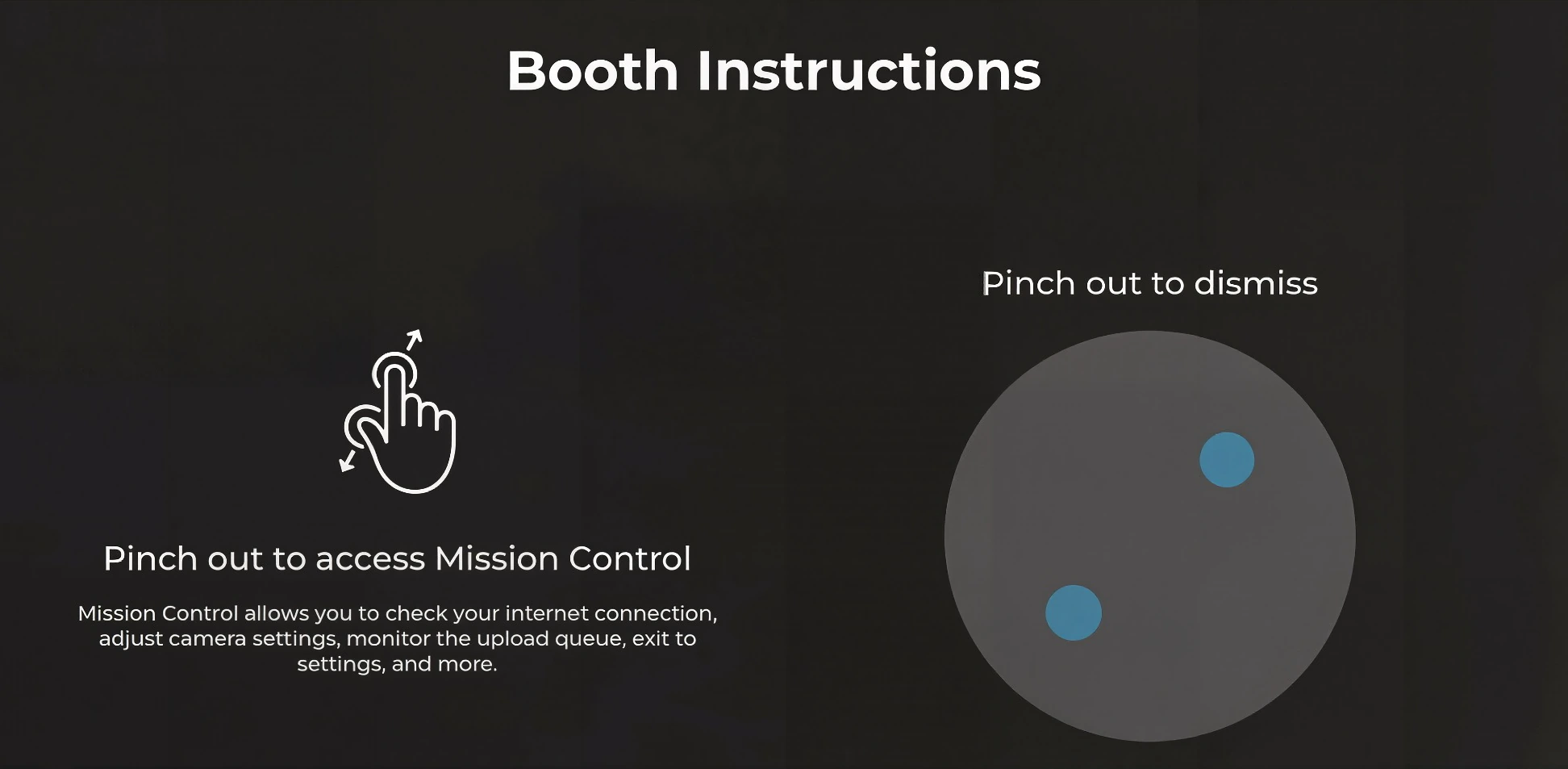
Simple Booth uses iPad Guided Access as its primary lockdown mechanism, documented as part of the standard iPad preparation guide for public use. The Mission Control overlay (two-finger pinch) gives operators access to device health, camera settings, and dashboard sync without breaking the guest interface. A dedicated Permanent Install Guide covers long-term unattended deployments at venues.
Source: Simple Booth
Both approaches work for event-day use. Simple Booth’s permanent install documentation and remote dashboard management give it an advantage for venues running booths continuously (bars, hotels, entertainment centers), where the booth needs to operate for weeks or months without on-site attention.
Simple Booth vs Flassh: Which should you choose?
The choice comes down to how much you need from your photo booth platform and how much you’re willing to invest.
Choose Flassh if:
- You’re hosting a personal event (wedding, birthday, party) and want the simplest setup
- You’re a photographer testing whether photo booths can generate extra revenue
- You run a small photo booth business and want to cut setup time and post-event work
- You need a photo booth at a venue with reliable internet
- You prefer pay-per-event pricing for occasional use
- You shoot with Canon or Nikon and want DSLR quality without platform complexity
- Your clients don’t require lead capture, analytics, or custom integrations
- Budget is your primary constraint
Choose Simple Booth if:
- You run a photo booth rental business and need reliability at events where WiFi is uncertain
- You want multiple capture formats (video, boomerangs, multi-frame strips) to differentiate your offerings
- Lead capture and marketing data are part of your value proposition to clients
- You need AI effects to keep your booth experience current
- You operate multiple booths and need remote management from a single dashboard
- You serve brand clients who require white-label output, moderation, and compliance tools
- You want a virtual booth option for hybrid or remote events
- Photo quality in low-light venues matters, and you’re willing to invest in dedicated lighting hardware
Creole Cuisine has captured over 200,000 photos across their venues, noting “I don’t see too many of our competitors with this.” (Simple Booth)
Flassh is the right choice when simplicity and price are the priorities. It does less, and that’s its strength. Setup is fast, the learning curve is minimal, and the free tier lets you validate the concept before spending a dollar. For DIY hosts, freelance photographers, and small operators who don’t need lead capture, AI effects, or offline resilience, Flassh delivers a clean photo booth experience without overhead.
Simple Booth is the right choice when the photo booth is a business tool, not a party feature. The hardware, software, and marketing infrastructure serve operators who charge premium rates, run multiple events per week, or use photo booths as a lead generation channel for brands.
The investment is higher, but the platform grows with you from a single booth at a birthday party to a fleet of HALO units at a nationwide brand activation.
Simple Booth vs Flassh FAQ
What is the main difference between Simple Booth and Flassh?
Simple Booth is a photo booth platform combining ring-light hardware, an iPad app with AI effects and custom layouts, multi-channel photo delivery, lead capture, analytics, and a browser-based Virtual Booth. Flassh is a streamlined photo booth app focused on simplicity, turning any iPhone or iPad into a working booth with cloud-synced galleries and minimal configuration.
Can I use Flassh without any extra hardware?
Yes. Flassh runs on an iPhone or iPad using the device’s front-facing camera. No ring light, stand, or enclosure is needed. For higher image quality, Flassh supports Canon and Nikon DSLRs connected via USB to a Windows tablet, but the iOS-only path requires no additional hardware.
Does Simple Booth work without the HALO hardware?
Yes. The HALO iPad app runs on any compatible iPad without the HALO ring-light chassis. You lose the integrated lighting, but the full software feature set (capture modes, layouts, AI effects, sharing, lead capture) works independently. The HALO hardware is sold separately.
Which platform works without an internet connection?
Simple Booth includes an offline upload queue that stores photo sessions locally and delivers them automatically when connectivity returns. Flassh requires an active internet connection and has no documented offline fallback, making it risky for venues with unreliable WiFi.
How does pricing compare for occasional use?
Flassh offers a $29 per-event pass and a permanent free tier (25 photos per event), making it more affordable for occasional or one-time use. Simple Booth has no permanent free plan; its lowest tier starts at $14.99/week or $289.99/year, with a 7-day free trial available.
Which platform has better lead capture for brand activations?
Simple Booth offers deeper lead capture, with up to 10 custom form fields, native MailChimp sync, API delivery to external CRMs, custom legal terms, and documented opt-in rates as high as 87%. Flassh captures guest email addresses on its $99/month plan only, exported as a CSV file with no CRM integration.
Does either platform support AI photo effects?
Simple Booth includes AI photo transformations using Nano Banana models, AI background replacement without a green screen, and AI-generated layout graphics. Credits cost $0.10 each and don’t expire. Flassh does not offer AI features; its editing options are limited to five color presets and static graphic overlays.
Can I run a virtual or remote photo booth with either platform?
Simple Booth offers Virtual Booth, a browser-based product that delivers branded photo experiences on any device without hardware, supporting AI effects, background replacement, and data capture. Flassh does not offer a virtual or remote booth product.
Keep reading
 Showdowns
Simple Booth vs Darkroom Booth: Which Photo Booth Software Fits Your Business in 2026?
iPad turnkey vs Windows DSLR veteran. Simple Booth or Darkroom Booth?
 Showdowns
Simple Booth vs LumaBooth: Which Photo Booth Software Fits Your Business in 2026?
Turnkey hardware vs budget cross-platform app. Simple Booth or LumaBooth?
 Showdowns
Simple Booth vs POV Camera: Professional Photo Booth or Crowdsourced Guest Photos in 2026?
Branded booth vs crowdsourced phone snaps. Simple Booth or POV Camera?