7 Mini Photobooth Alternatives: Professional Photo Booth Solutions for Every Operator (2026)

Mini Photobooth has earned a loyal following as one of the most intuitive photo booth apps on iOS. It offers a template editor, DSLR camera support, and an experience that gets a booth running in under an hour. With a 4.7-star rating from nearly 9,000 App Store reviews, it works well for personal events and small-scale rental operations.
But as your photo booth business grows, or as your event requirements become more specialized, Mini Photobooth’s iOS-only platform, lack of built-in lead capture and analytics, and absence of enterprise features may start to limit what you can deliver.
That’s where this guide comes in. We’ll explore Mini Photobooth alternatives that excel where you need them most, whether you’re looking to:
- Add premium hardware, built-in lead capture, and brand marketing tools to your photo booth business
- Scale to multiple booth formats (360 video, mirror booths, Glambot) under a single platform
- Minimize costs while adding Nikon DSLR support and multi-mode booth flexibility
- Run booths across non-Apple hardware including Android, Windows, and Linux
- Deliver AI-powered photo transformations as a premium, revenue-generating experience
- Operate a focused, reliable DSLR photo booth with broad camera compatibility
- Test a platform across real events before committing to any subscription
This isn’t about finding a “better” app. It’s about finding the right fit as your business evolves and your clients expect more. Some operators might use these tools alongside Mini Photobooth, while others might switch entirely.
Let’s look at the alternatives.
The Best Mini Photobooth Alternatives
| The Best Mini Photobooth Alternatives | ||
|---|---|---|
 | Starts at: $49/mo (Core) App Store: 4.7 (2,400+ ratings) | Simple Booth Best Alternative for Premium Photo Booth Experiences with Built-In Lead Capture & Marketing We chose Simple Booth because it pairs proprietary ring-light hardware with cloud-based lead capture, analytics, and AI effects, turning every activation into a measurable marketing channel. |
 | Starts at: $69/mo | Snappic Best Alternative for Multi-Format Booth Operations at Scale We chose Snappic because it runs iPad, 360 video, Glambot, Mirror, and Roaming booth formats from a single account with sub-account management and client analytics reporting. |
 | Starts at: $18/mo (annual, 2 devices) | LumaBooth Best Alternative for Budget-Conscious Operators with Nikon DSLR Support We chose LumaBooth because it includes two device licenses at roughly half the cost of Mini Photobooth, supports Canon, Nikon, and Sony DSLRs, and bundles Mirror Booth, 360, and AI Portraits in one subscription. |
 | Starts at: $439.90/yr | TouchPix Best Alternative for Cross-Platform Hardware Flexibility We chose TouchPix because it runs natively on six operating systems with unlimited devices and includes native 360 video booth support with GoPro integration and offline sharing. |
 | Starts at: $49/mo | Pictor.pro Best Alternative for AI-Powered Photo Booth Experiences We chose Pictor.pro because its GroupSense face preservation, AI Video generation, and custom prompt editor make it the strongest option for operators whose primary selling point is the AI transformation output. |
 | Starts at: One-time purchase available | Wifibooth Best Alternative for Focused DSLR Photo Booth Delivery We chose Wifibooth because it supports over 160 camera models across six manufacturers, offers offline delivery queuing, and provides a one-time purchase option for operators with a modest event calendar. |
 | Starts at: Free (10 sessions/day) | Breeze Booth Best Alternative for Running Real Events Before Subscribing We chose Breeze Booth because its permanent free tier (10 watermark-free sessions daily, no account required) lets operators test across real events with Canon DSLR support before making any payment commitment. |
What is Mini Photobooth?
Mini Photobooth is an iOS photo booth app by Minivan Labs, designed as “the easiest and fastest way to make your own custom photobooth for DIYers and Professionals.”
It pairs a template editor with DSLR camera support, event mode kiosk operation, and professional printing, all running on an iPhone or iPad with no additional hardware required.
Its key features include:
- 100+ customizable templates with 1,000+ built-in graphics and 120+ fonts
- Layer-based template editor for custom graphic and text overlays
- Canon and Sony DSLR tethering via USB (Nikon listed as coming soon)
- Event Mode with iOS Guided Access for unattended kiosk operation
- Photo, animated GIF, boomerang, and video capture with configurable slow motion
- AirPrint wireless printing and DNP dye-sub printer support
- AI-powered green screen background removal
- Web gallery with QR code sharing and email/iMessage delivery
The app holds a 4.7-star rating from 8.9K reviews on the US App Store. Its template editor and Event Mode make setup straightforward for first-time users, while DSLR tethering and professional printing give experienced operators the output quality their clients expect.
Mini Photobooth excels at the core workflow: design a template, launch an event, capture photos, and share them with guests. But as your operation grows, you may need capabilities it doesn’t offer (lead capture forms, analytics dashboards, remote device management, AI transformation effects beyond green screen, or support for non-Apple hardware). That’s what the alternatives in this guide address.
Looking for a photo booth solution with built-in lead capture and marketing analytics? Start your free Simple Booth trial and see what dedicated hardware and data-driven event tools can do for your business.
How We Curated Our List of Mini Photobooth Alternatives
After testing Mini Photobooth and researching the photo booth software market, we found that operators often need more than a template editor and camera app can provide.
While Mini Photobooth handles core photo capture and sharing well, growing businesses need stronger tools for:
- Capturing first-party data and generating leads at every event
- Running multiple booth formats (360 video, mirror booths, Glambot) from a single platform
- Deploying booths on non-Apple hardware (Android, Windows, Linux)
- Delivering AI-powered photo transformations as a premium guest experience
- Managing booth operations remotely across multiple devices and events
- Proving event ROI with analytics and reporting for brand clients
- Minimizing startup costs while maintaining professional output quality
Each tool on this list leads in one or more of these areas. You might use them to expand your current Mini Photobooth setup or switch entirely; it depends on what your business needs most.
| ❗DISCLAIMER: We aren’t covering every single photo booth app on the market! Our focus is on highlighting the best alternatives that address specific limitations for various operator needs and business models. |
|---|
1. Simple Booth — Best Alternative for Premium Photo Booth Experiences with Built-In Lead Capture & Marketing
Simple Booth is a photo booth platform pairing subscription-based iPad software with proprietary HALO ring-light hardware, plus a browser-based Virtual Booth product that requires no hardware at all.
Built for event rental professionals, venue operators, and brand marketers, it combines studio-quality photo capture with lead generation and analytics tools that turn a photo booth from entertainment into a measurable marketing channel.
Its key features include:
- Proprietary HALO hardware: Machined aluminum ring light with 112 LEDs producing up to 2,100 lumens, tool-less iPad mounting, and sub-one-minute setup
- Lead capture forms: Customizable data capture achieving 87-89% opt-in rates during the photo-sharing flow
- Layout Designer: Full in-app design tool with layers, fonts, gradients, QR code embedding, and multi-layout support
- AI Effects: Nano Banana AI models for photo transformations with built-in identity preservation
- Virtual Booth: Browser-based photo experiences requiring no hardware, supporting remote and hybrid events
- Analytics dashboard: Social sharing metrics, gallery views, lead data, and demographic insights via face detection (Select tier)
- Remote management: Configure and update presets via the online dashboard with changes syncing to iPads automatically
Where Mini Photobooth focuses on photo capture and template design, Simple Booth extends the experience into lead generation, brand marketing, and enterprise compliance. For operators whose clients measure success by leads captured and social shares generated (not just prints delivered), Simple Booth provides the full stack.
Why Choose Simple Booth Over Mini Photobooth for Professional Photo Booth Operations
Mini Photobooth delivers an intuitive template editor and solid photo capture.
Simple Booth adds the hardware quality, data capture, and marketing infrastructure that professional operators need to justify premium pricing and prove event ROI.
Premium Hardware: Studio-Quality Lighting from a Dedicated Ring-Light System
Mini Photobooth runs on any iPhone or iPad with whatever ambient lighting the venue provides, or whatever external ring light the operator sources separately. Photo quality depends on the operator’s own hardware choices and setup expertise.
Simple Booth’s HALO hardware eliminates that variable.
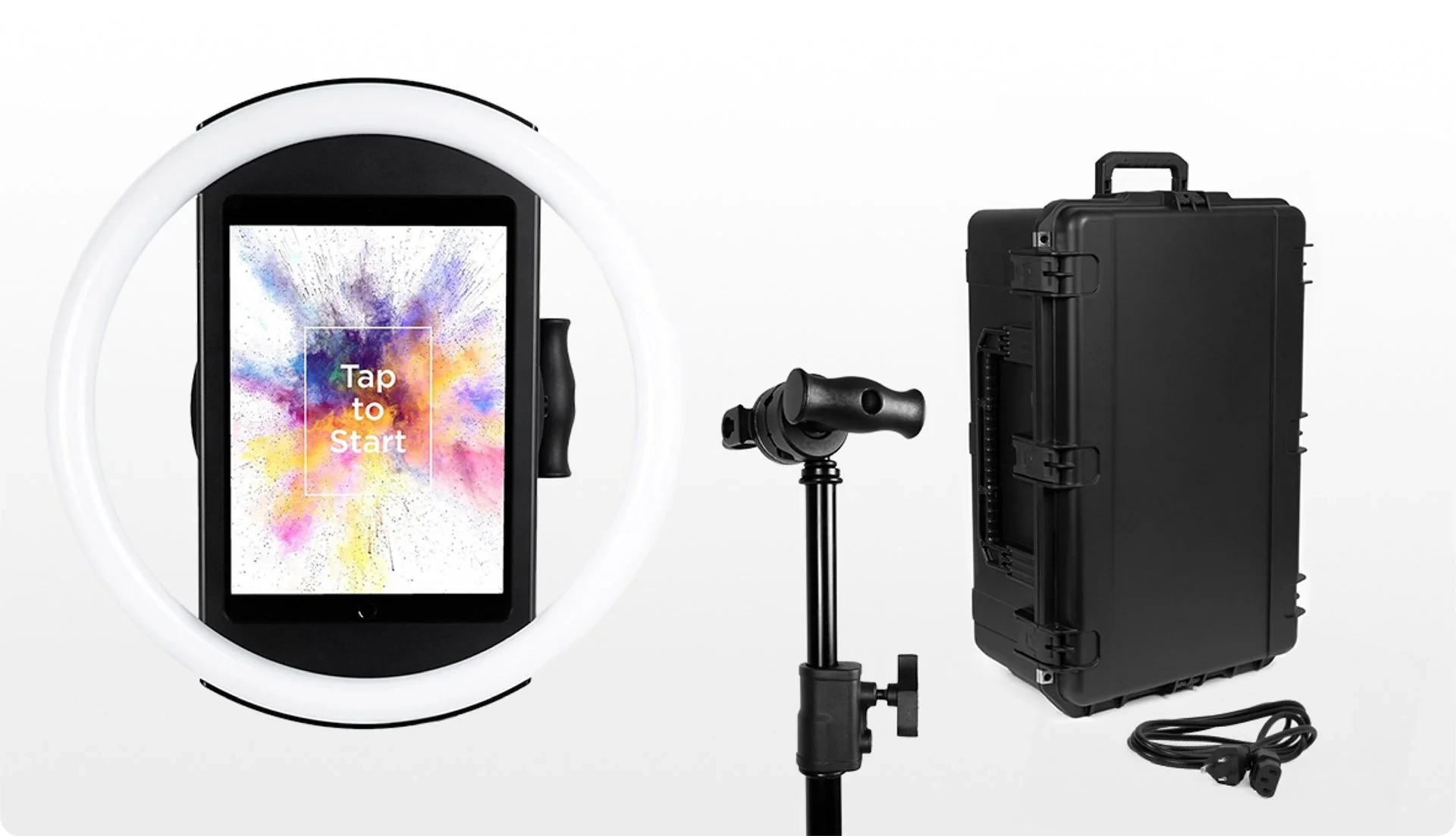
The ring light chassis is machined from a single billet of anodized aluminum with a patented ring-light system producing up to 2,100 lumens through a diffuser, rated for 50,000 hours of operation. Groups can stand 6-8 feet from the camera and still receive flattering, even illumination.
The Event Kit includes an adjustable selfie stand and waterproof travel case; the Install Kit offers a steel wall mount for permanent venues.
The iPad snaps in via a tool-less faceplate with a concealed USB-C cable that keeps the device charged throughout the event. HALO 5.0 also added Canon and Sony DSLR and mirrorless camera support with both wired USB and wireless Wi-Fi connections for operators who need full-frame image quality.
⚡Simple Booth in Action: When you arrive at a venue, the HALO deploys from its rolling travel case and is operational in under one minute. The ring light’s built-in brightness dial lets you adjust to the room on the fly. A Preflight Check screen verifies your configuration before the event begins, catching issues before the first guest arrives.
Lead Capture & First-Party Data: Turn Every Photo Into a Contact
Mini Photobooth’s sharing workflow ends at the iOS share sheet: guests send their photo via email, iMessage, or social media, and the host receives no structured data about who used the booth. There are no lead capture forms, no CRM exports, and no opt-in checkboxes.
Simple Booth embeds data capture directly into the photo-sharing flow, collecting email, phone, name, and custom fields as a natural part of the experience.
The result: opt-in rates as high as 87-89% per session. Pro plans support up to 6 standard fields; Select plans support up to 10 custom fields, including required legal terms and consent checkboxes.
Captured data exports as CSV, syncs natively with MailChimp, or routes to custom CRM systems via the Open API (Pro and above).
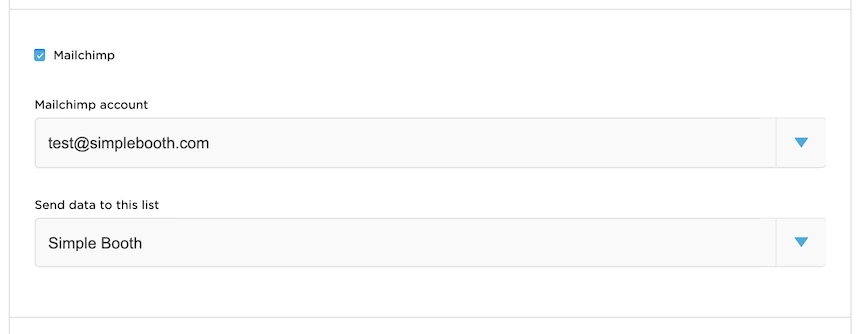
Source: SimpleBooth
⚡Simple Booth in Action: At a restaurant grand opening, every guest who takes a photo enters their email before receiving their image. By the end of the night, the venue has a clean, permission-based email list ready for its first promotional campaign, all without a clipboard or a signup form that guests ignore.
Treetop Golf built 150,000 unique email addresses across its locations using Simple Booth’s data capture, turning a guest entertainment feature into a scalable email acquisition channel. (Simple Booth)
Analytics & Social Sharing: Measure What Your Photo Booth Actually Delivers
Mini Photobooth offers a web gallery where guests browse event photos. Beyond that, it provides no analytics, no social sharing tracking, and no way to report engagement metrics to clients.
Simple Booth’s analytics dashboard tracks total participants, uploads, gallery views over time, and social engagement across Facebook, X (Twitter), LinkedIn, and Instagram.
Reports are downloadable as PDF and CSV. On the Select tier, demographic insights via face detection add estimated age, gender breakdown, and average group size to event reporting.
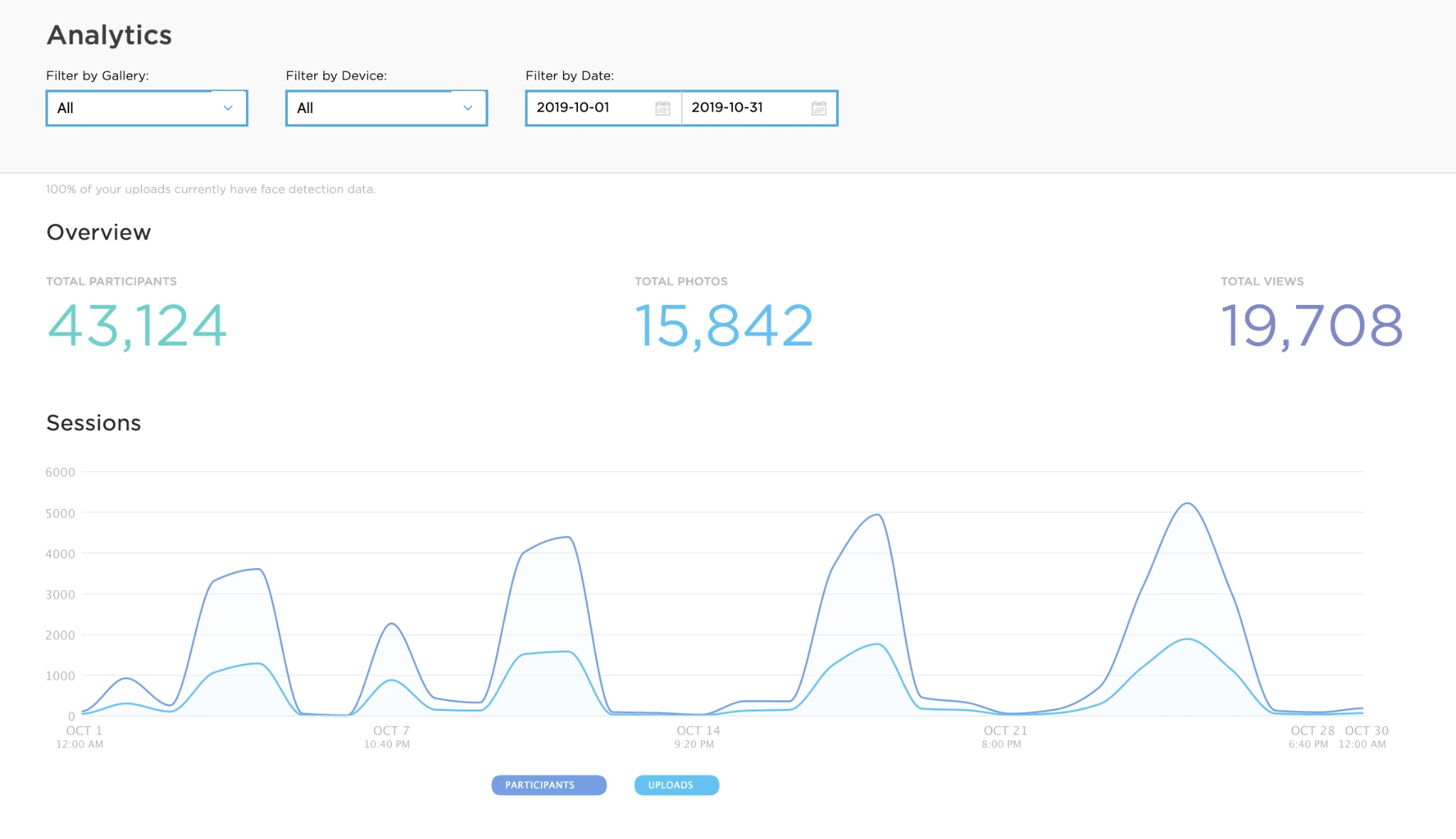
Source: Simple Booth
The platform pre-populates event hashtags on social shares, creating branded user-generated content streams that clients can monitor and repost. Photo delivery supports QR code, email, SMS, AirDrop, and WhatsApp, covering both domestic and international events.
⚡Simple Booth in Action: After a brand activation, you log into the dashboard and pull a report showing 2,400 gallery views, 800 social shares, and 650 new email signups. You send this to the client as proof of engagement, and they book you for three more events next quarter.
Deep Eddy Vodka generated 14,000 social posts from branded activations powered by Simple Booth, turning in-person event engagement into measurable online reach. (Simple Booth)
Virtual Booth: Branded Photo Experiences Without Any Hardware
Mini Photobooth is a device-resident app. If you want guests to participate, they need to walk up to your iPad. There is no remote option, no browser-based alternative, and no way to extend the experience beyond the physical venue.
Simple Booth’s Virtual Booth runs entirely in a web browser on any device, with no app installation required.
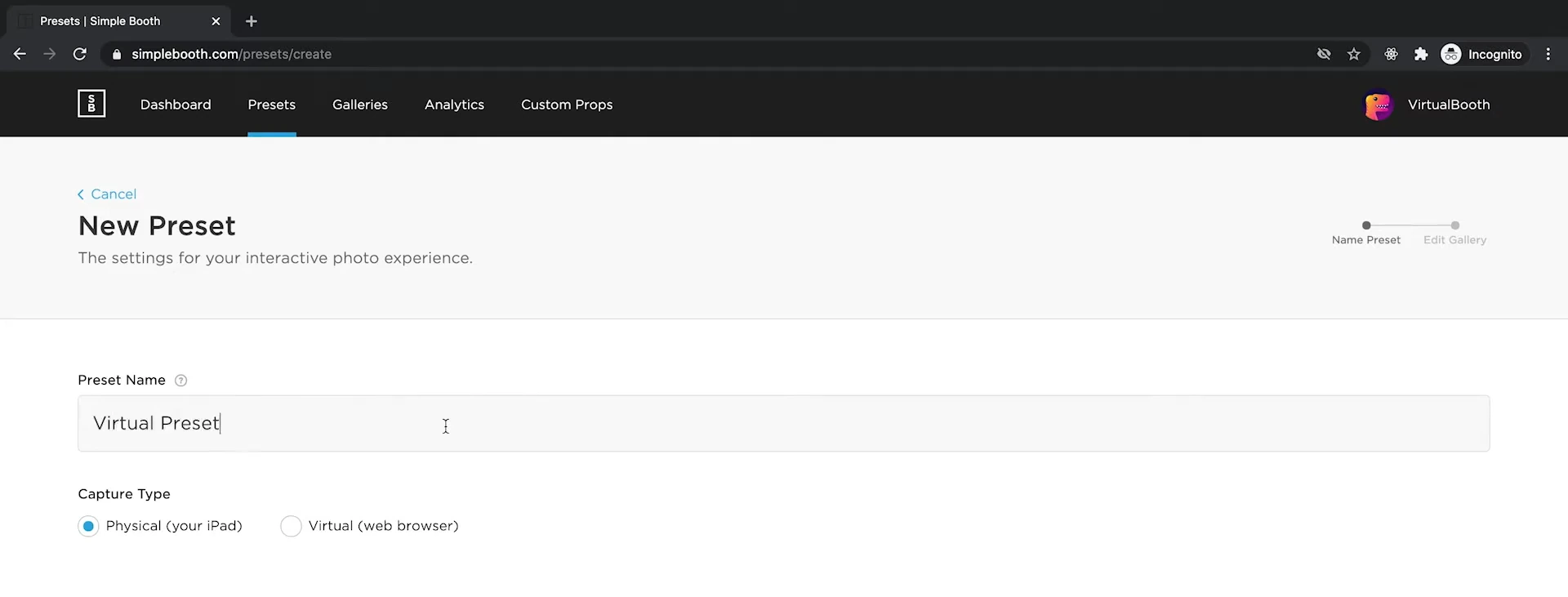
Source: Simple Booth
Guests access the experience via a link or QR code, take a photo with their own camera, apply branded overlays and AI effects, and submit to a shared gallery. It supports background replacement without a green screen, drag-and-drop digital props, and the same data capture and analytics infrastructure as the HALO hardware.
Virtual Booth connects to the same dashboard, Live Feed, and gallery system as HALO sessions, enabling hybrid deployments where physical kiosks and remote participants feed a single combined gallery and analytics view. It also automatically localizes into English, Hebrew, Spanish, Polish, Italian, German, French, Dutch, and Danish based on the participant’s browser language.
⚡Simple Booth in Action: A consumer goods brand prints a QR code on its product packaging that links to a branded Virtual Booth. Customers across the country scan, take a themed photo, and share to social media. The brand collects email addresses and tracks social reach from an always-on activation that requires zero on-site hardware or staffing.
AI Effects: Photo Transformations with Built-In Identity Preservation
Mini Photobooth includes AI-powered green screen background removal, a useful compositing tool. Simple Booth’s AI Photo Booth is a different category entirely.
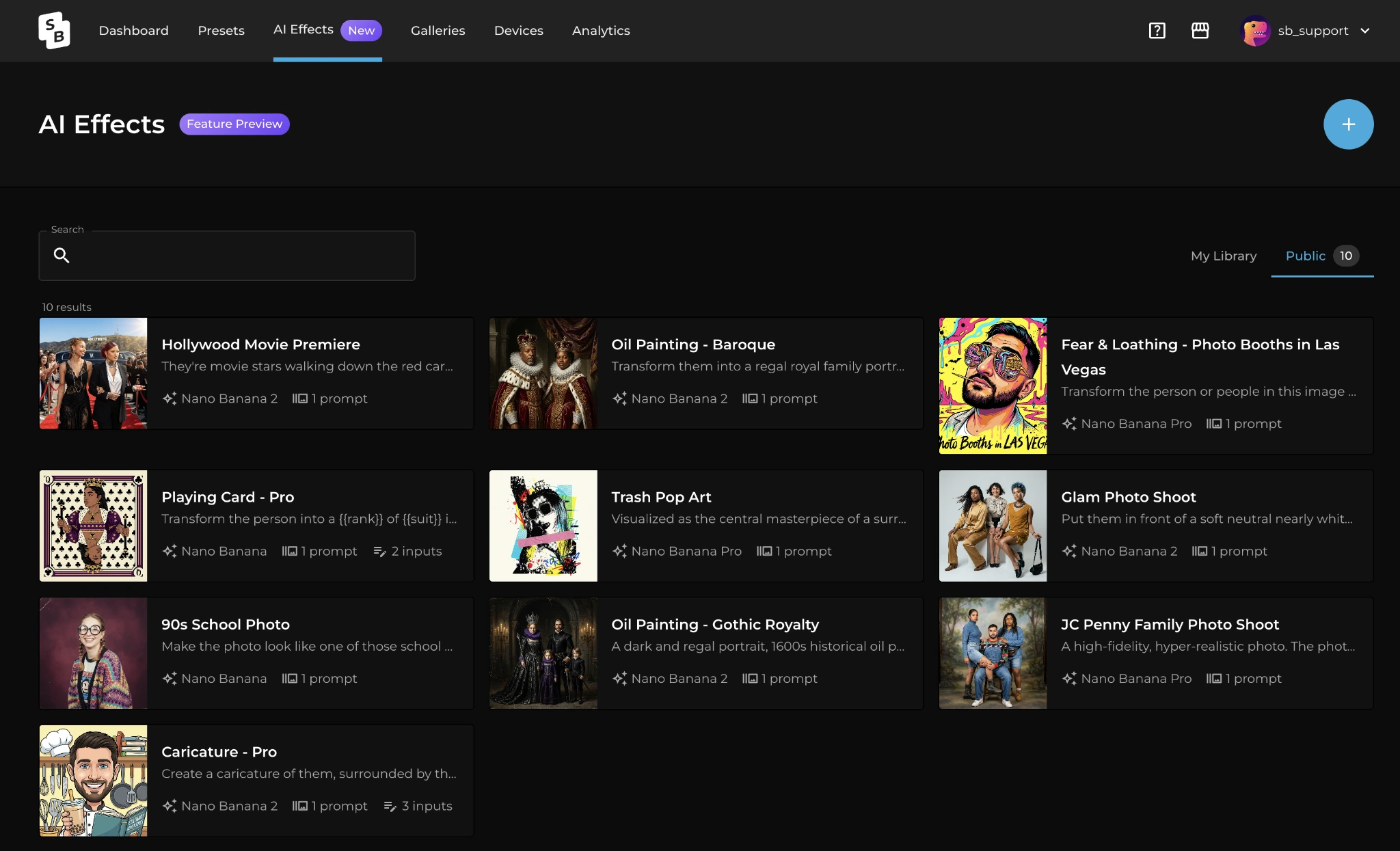
Nano Banana AI models transform captured photos using text prompts, with three models balancing speed, quality, and group size (1x, 2x, and 3x credits per generation).
Source: SimpleBooth
The system preserves identity and likeness at the platform level, so guests remain recognizable regardless of how extreme the transformation. Operators can assign unique AI prompts to each frame in a multi-frame layout, creating narrative comic strips or cinematic scene sequences.
Guest Input on Pro/Select plans lets participants answer questions that inject directly into the AI prompt as template variables, producing personalized outputs per guest.
AI-generated results are composited directly with the Layout Designer’s brand overlays, keeping the entire workflow in one platform. Credits cost $0.10 each, with purchased credits that never expire. Operators can test prompts outside booth mode at zero credit cost.
🏅 NOTE: We looked into other photo booth platforms and found that operators consistently rate Simple Booth’s combination of proprietary hardware, marketing tools, and AI capabilities as the strongest overall package for commercial photo booth work. It holds a 4.7-star App Store rating from 2,400+ reviews and has powered activations for brands like Live Nation, Sports Illustrated Tickets, and Gibson Brands.
Simple Booth Pricing
Simple Booth uses a per-license subscription model with weekly, monthly, and annual billing. Each plan includes one device license; additional devices require add-on licenses.
Everyday Plans:
- Lite: $14.99/week, $29.99/month, $289.99/year (App Store only). Custom layouts, motion and still capture, photo delivery, online galleries. Excludes custom branding, analytics, DSLR, AI effects, and lead capture.
- Core: $24/week, $49/month, $490/year. Adds DSLR/mirrorless camera support, video, background replacement, Dropbox integration, Virtual Booth, and AI effects. 50 bonus AI credits.
- Plus: $49/week, $99/month, $990/year. Adds custom branding, analytics and reporting, guest-editable text layers, and custom AI effects. 100 bonus AI credits.
Business Plans:
- Pro: $149/month, $1,490/year. Adds lead capture, API integration, phone support, moderation, age gate, and data compliance tools. 150 bonus AI credits.
- Select: $249/month, $2,490/year. Adds in-app custom legal terms, security questionnaires, and demographic analytics via face detection. 200 bonus AI credits.
- Enterprise: Custom pricing. Built for large-scale deployments with dedicated support.
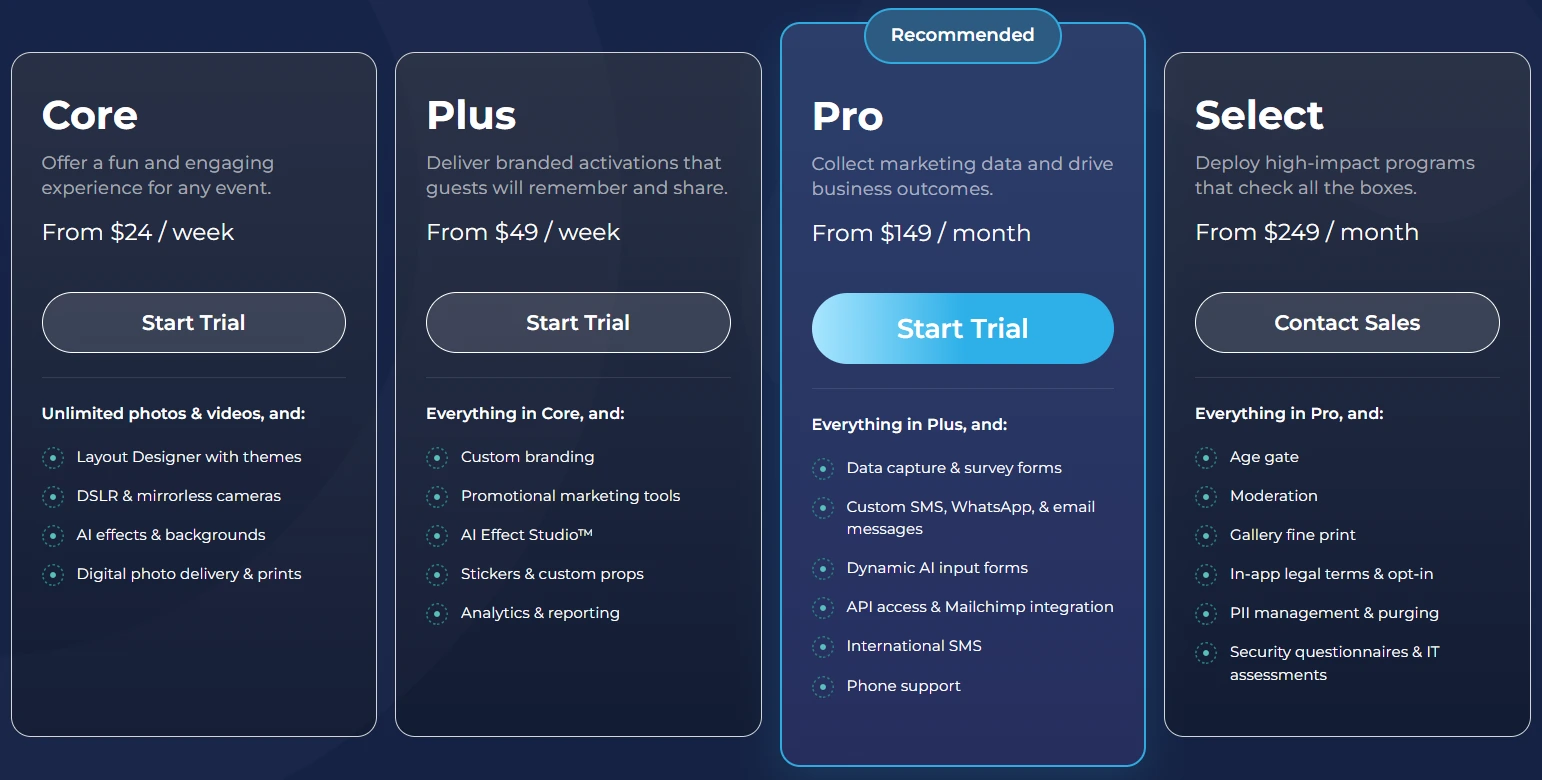
A 7-day free trial is available with 25 free AI credits. HALO hardware kits are sold separately starting at approximately $2,090 (Event Kit with iPad and Simple Care protection plan). 0% financing is available on hardware purchases.
Who Should Use Simple Booth?
Choose Simple Booth if:
- You run a photo booth rental business and want dedicated hardware that sets up in under a minute, delivers studio-quality lighting, and commands higher rental rates than a bare iPad on a tripod.
- You work with brand clients or venues that expect measurable event ROI, and need built-in lead capture, social sharing analytics, and downloadable reports to prove the value of every activation.
- You want to offer remote or hybrid photo experiences without any hardware through Virtual Booth, extending your reach to virtual events, product packaging, and always-on digital campaigns.
Malik McGhie built a six-figure photo booth events business using Simple Booth, scaling from a single HALO to a multi-booth operation. (Simple Booth)
Want to see what Simple Booth can do for your business? Start your free trial and test the hardware, lead capture, and analytics firsthand.
2. Snappic — Best Alternative for Multi-Format Booth Operations at Scale
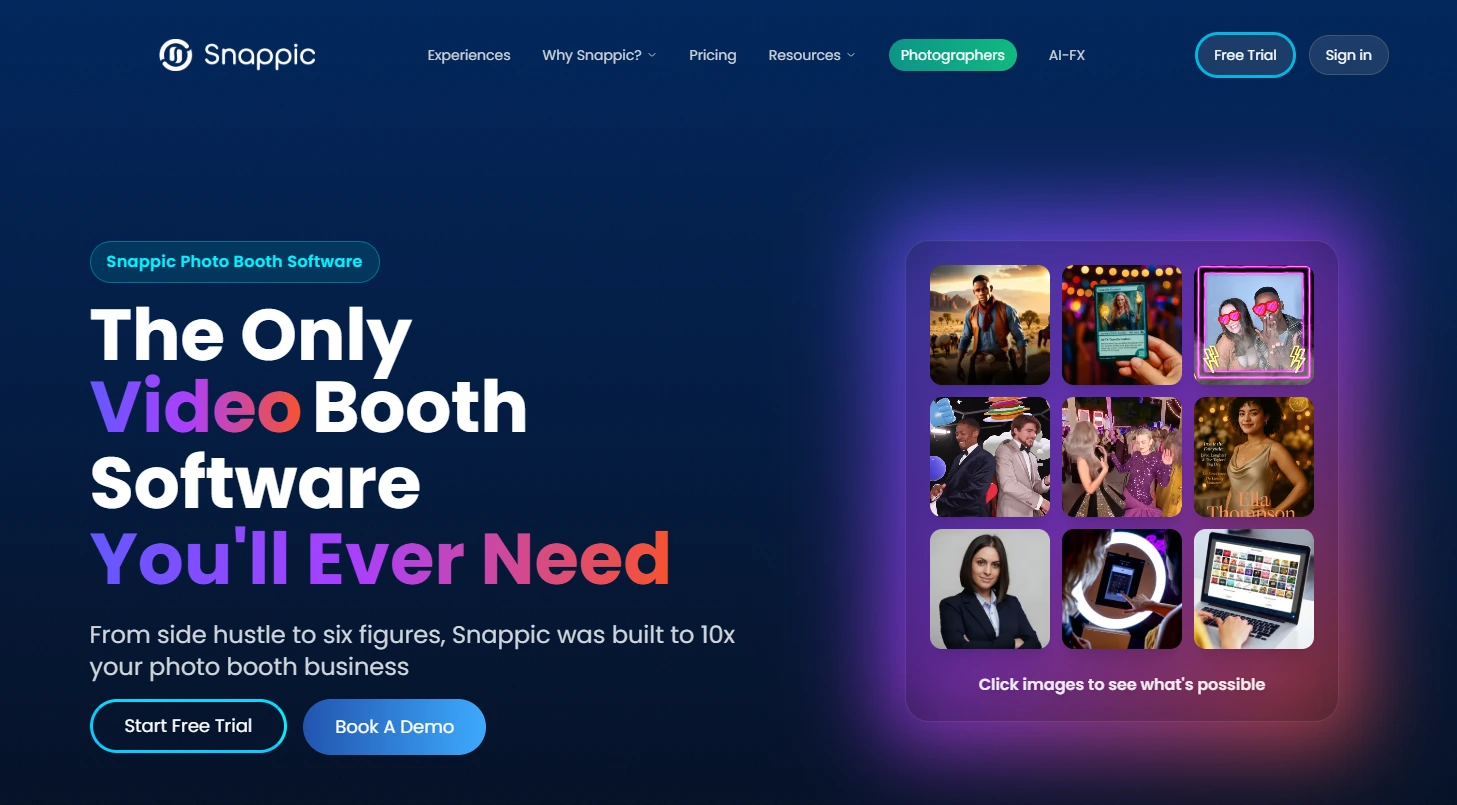
Snappic is a professional photo booth platform built for operators who need to run multiple booth formats under a single subscription. It supports every major booth type from traditional iPad setups to 360 video and robot arm productions.
Its key features include:
- iPad, 360-degree video, Robot Arm/Glambot, Mirror, and Roaming booth support from a single account
- AI-FX, PersonaFX, and BananaFX AI transformation engines available across all plans
- Sub-account management for multi-client agency operations
- Built-in event analytics with Send to Client reporting
- SmartShare with AI Face Linking for automatic guest photo delivery
- 24/7/365 live support
Mini Photobooth is built for traditional iPad photo booths. Operators who want to offer 360 video, Glambot, or mirror booth experiences would need entirely separate software.
Why Choose Snappic Over Mini Photobooth for Multi-Format Operations
Snappic stands out in the following areas:
- Every Booth Type in One Subscription.
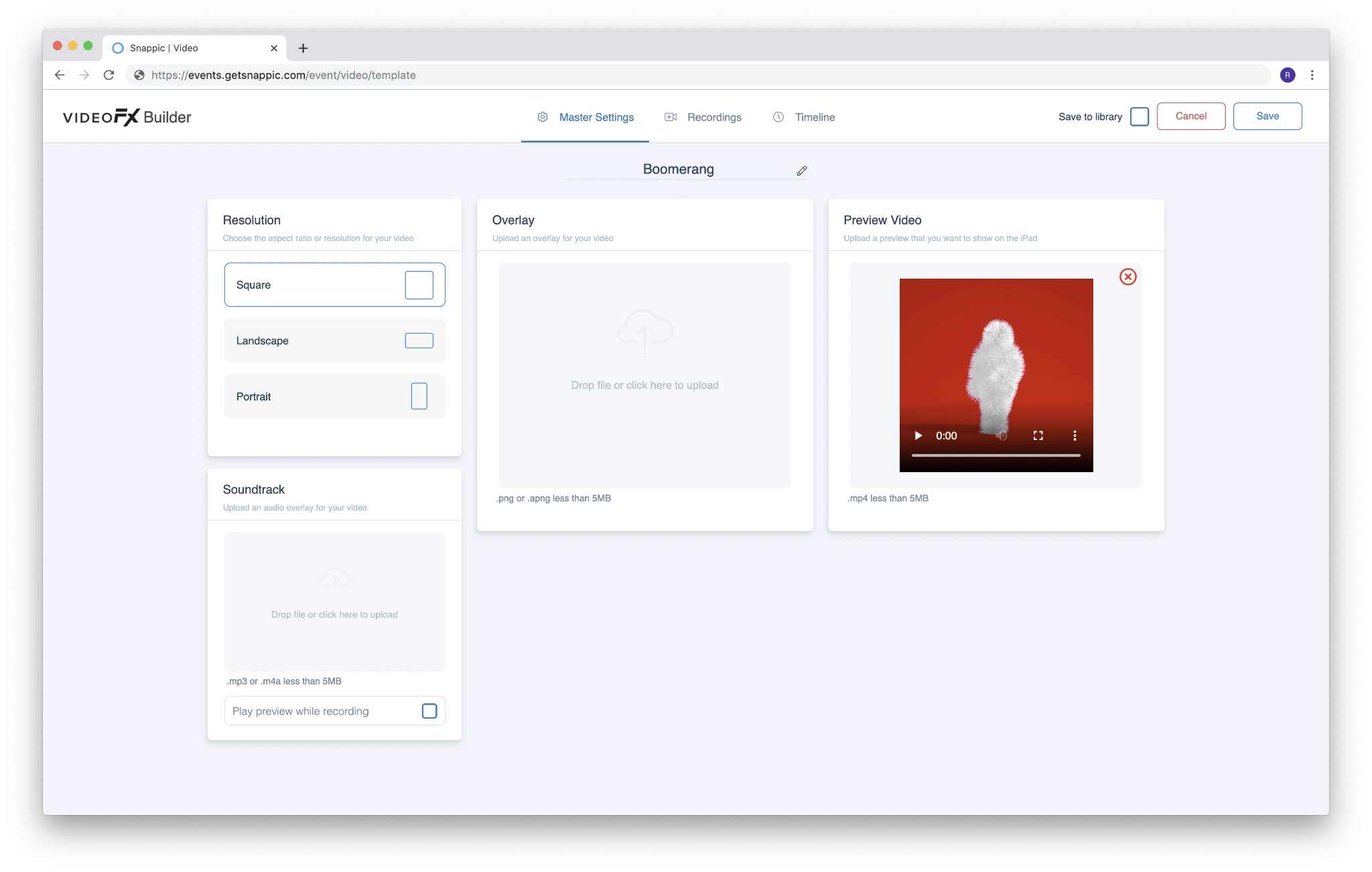
Snappic runs iPad, 360, Robot Arm/Glambot, Mirror, and Roaming formats from the same account and template builder. The VideoFX Template Builder handles resolution, multi-clip timelines, animated overlays, and per-clip speed controls across all booth types. Operators adding new hardware don’t need to learn a second platform or migrate their templates.
Source: Snappic
- Three AI Transformation Engines.
Mini Photobooth offers AI green screen; Snappic provides AI-FX for style transfers, PersonaFX for photorealistic avatar generation, and BananaFX (powered by Google Gemini 2.5) for full image regeneration from custom prompts.
These enable premium-priced experiences such as magazine covers, branded avatars, and AI headshot activations. Every AI feature is available on every plan; tiers differ only by device license count.
- Client Management for Agencies.
The Scale plan ($399/month) introduces unlimited sub-accounts with separate branding, event access, and settings, managed from a single master account. Send to Client converts event analytics into live webpages delivered to brand clients with gallery access, downloadable guest data, and share metrics as a post-event ROI report.
- Automated Vision Analytics.
AVA provides anonymized demographic breakdowns (gender distribution, age ranges, average faces per photo) for every event, adding audience composition data to post-event reporting that Mini Photobooth cannot generate.
🏅 NOTE: We also evaluated Booth.Events for this slot, given its strong data capture and GDPR compliance. However, Booth.Events is iPad-only with no 360 booth support and limited AI tooling. Snappic offers the most complete combination of multi-format booth support, AI depth, and sub-account management for operators scaling beyond a single booth type.
Snappic Pricing
Snappic bills as a per-booth-license subscription with annual plans saving 20%. Per-event licenses are available at $29 (Starter-level) or $79 (Business-level) for operators without a plan.
- Starter: $69/month ($499/year). One Photo Booth License. Core photo, GIF, burst capture; SMS/email sharing; 60+ templates; DSLR and GoPro integration; 24/7 support.
- Business: $189/month ($1,799/year). Adds VideoFX (360, Glambot, video), AI-FX, brandable galleries, client analytics, surveys, Roaming Mode, and Priority Support.
- Premium: $279/month ($2,799/year). Adds white-label URLs, webhooks, event codes, LiveConnect, and SmartShare AI (400 credits included).
- Scale: $399/month ($3,999/year). Adds multi-client management, unlimited sub-accounts, Grey Label App, and Dedicated Customer Success Manager.
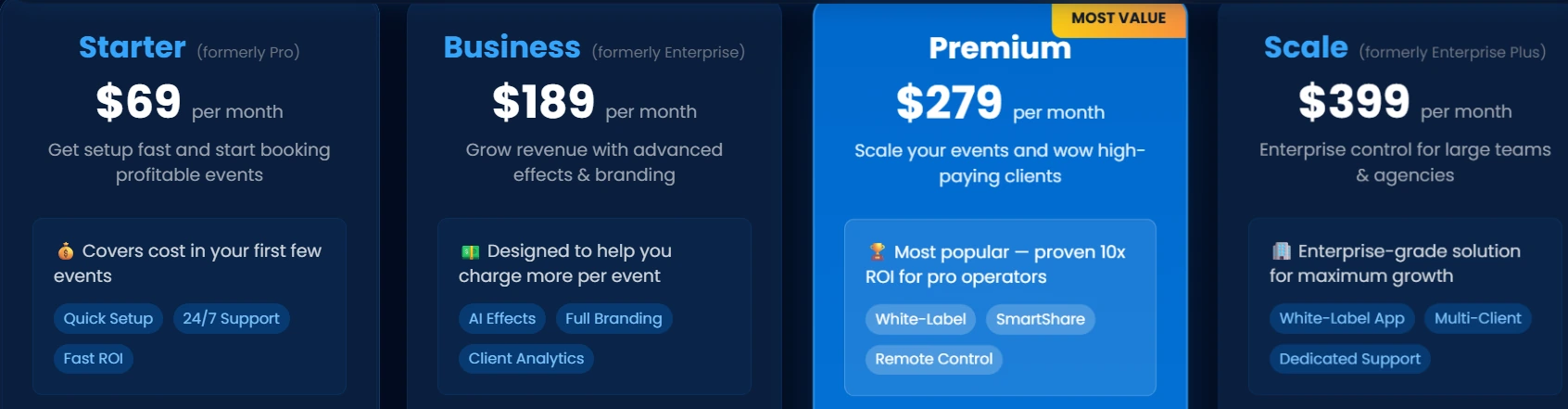
AI-FX image generation consumes per-image credits ($20 per 200 credits) billed separately on all plans.
Who Should Use Snappic?
Choose Snappic if:
- You operate more than one booth type (360, Glambot, mirror, roaming) and need a single platform to run all of them without migrating templates or learning a second software product.
- You are scaling toward a multi-client agency model and need sub-account isolation, white-label delivery, and post-event analytics reports for brand clients.
- You want to close corporate activation contracts by offering AI-generated experiences that justify higher per-event pricing.
3. LumaBooth — Best Alternative for Budget-Conscious Operators with Nikon DSLR Support
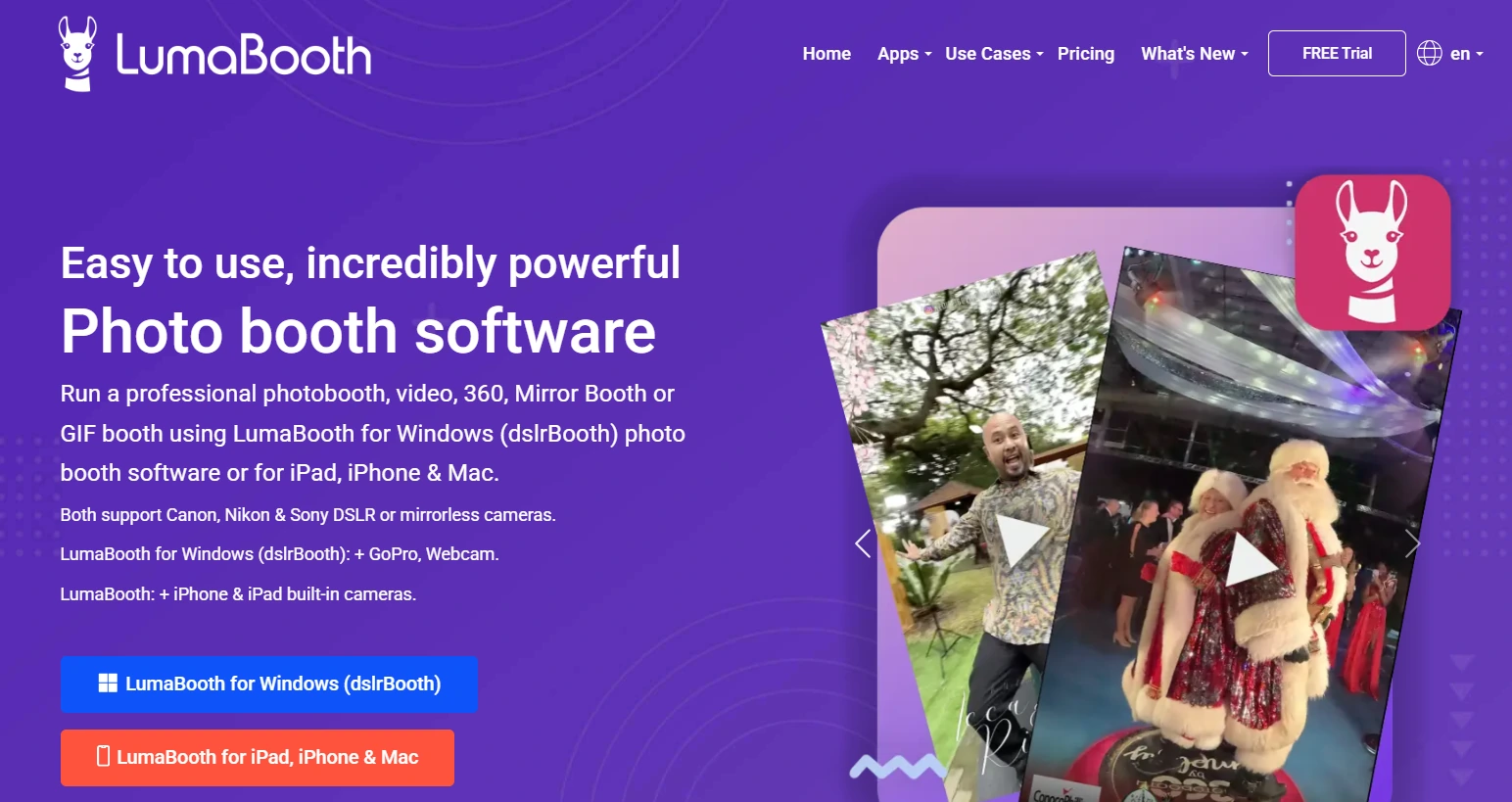
LumaBooth (by Lumasoft, formerly dslrBooth) is cross-platform photo booth software running on Windows, iPad, iPhone, and Mac under a single cloud dashboard.
At roughly $18 per month on an annual plan with two devices included, it covers two iPads for less than what Mini Photobooth charges for one.
Its key features include:
- Photo, GIF, boomerang, slow-motion, and video capture across all platforms
- 360 Booth mode, Mirror Booth mode with Virtual Attendant, and Glam Booth with real-time beauty filters
- Canon, Nikon, and Sony DSLR and mirrorless tethering on both Windows and Apple
- AI Portraits with 170+ preset styles and custom prompt capability
- Cross-platform event configuration via the LumaBooth Dashboard
Why Choose LumaBooth Over Mini Photobooth for Budget-Conscious Operations
LumaBooth stands out in the following areas:
- Two Devices at Less Than Half the Cost.
Mini Photobooth’s App Store subscription is $44.99 per month for a single device tier. LumaBooth for Apple is priced at $18 per month on the annual plan with the first two devices included. For an operator running two booths, LumaBooth’s annual two-device coverage costs roughly $216/year versus the approximately $540/year a two-device Mini Photobooth configuration would require.
- Nikon, Canon, and Sony DSLR Support Available Now.
Mini Photobooth supports Canon and Sony but lists Nikon as “coming soon”. LumaBooth supports all three: Canon EOS, Nikon D-series and Z-series mirrorless (26+ models confirmed), and Sony mirrorless (18+ models including the α7 IV, α7C, and α6700). For Nikon-equipped photographers, this removes what would otherwise be a full blocker.
- More Booth Modes in a Single Subscription.
Mini Photobooth covers photo, GIF, boomerang, and video. LumaBooth’s base subscription bundles 360 Booth, Mirror Booth, Glam Booth, Green Screen/AI Background Removal, Video Guestbook, and AI Portraits alongside standard capture modes.
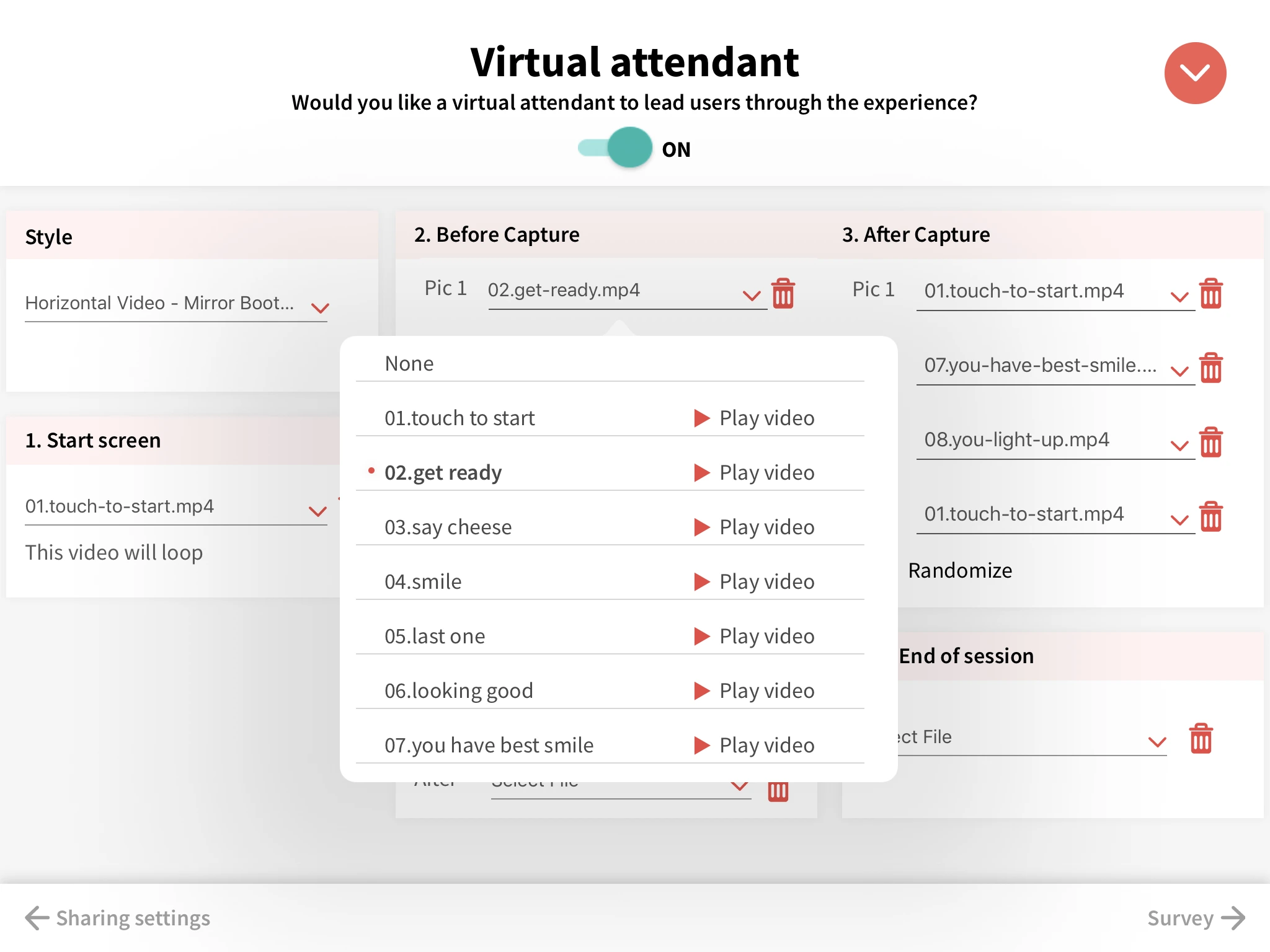
The Mirror Booth’s Virtual Attendant delivers animated video and audio prompts at every session stage, and guests can add handwritten signatures and stickers directly on screen.
Source: LumaBooth
- Free Trial with No Time Limit.
LumaBooth offers a free trial with no time limit; the only restriction is a permanent watermark until a subscription activates. Mini Photobooth’s free trial duration is not publicly specified.
🏅 NOTE: We also evaluated Wifibooth for this slot given its accessible pricing. While Wifibooth offers a straightforward iPad experience, it lacks AI effects and does not include multiple device licenses at its base price. LumaBooth’s two-device annual pricing, Nikon support, 170+ AI Portrait presets, and built-in mirror booth mode give operators a more complete package.
LumaBooth Pricing
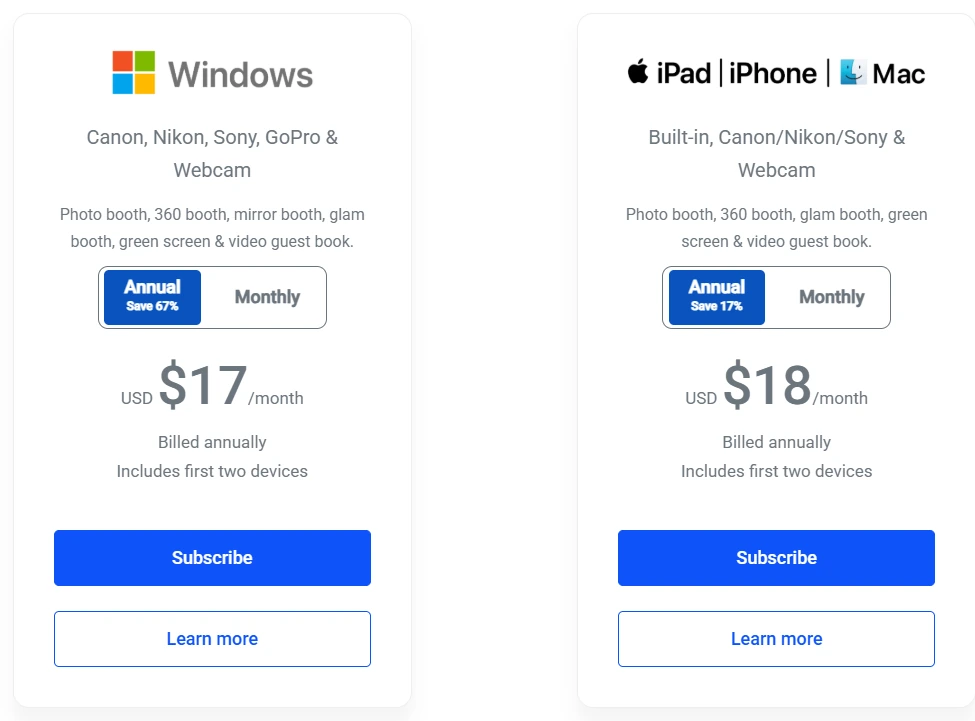
- LumaBooth for Apple: $18/month billed annually (~$216/year); $19.99/month on a monthly basis. Two devices included. New subscribers receive 20 free AI Portrait credits.
- LumaBooth for Windows: $17/month billed annually (~$204/year); $49.99/month monthly. Adds Booth CoPilot remote management and cashless pay-per-print via Stripe.
- Optional add-ons: SMS Plan ($10/month), LumaShare companion app ($7.99/month), AI Credits from $14.99/month (150 credits) to $199.99/month (2,000 credits).
Who Should Use LumaBooth?
Choose LumaBooth if:
- You own Nikon DSLR or mirrorless hardware and want to use it for photo booth work without waiting on a software update from a different vendor.
- You’re starting out or running a one-to-two-booth operation and need the lowest realistic monthly cost for professional software, especially with two iPads licensed simultaneously.
- You want mirror booth, 360 spinner, and AI portrait capabilities included in the same subscription rather than requiring separate software purchases.
4. TouchPix — Best Alternative for Cross-Platform Hardware Flexibility
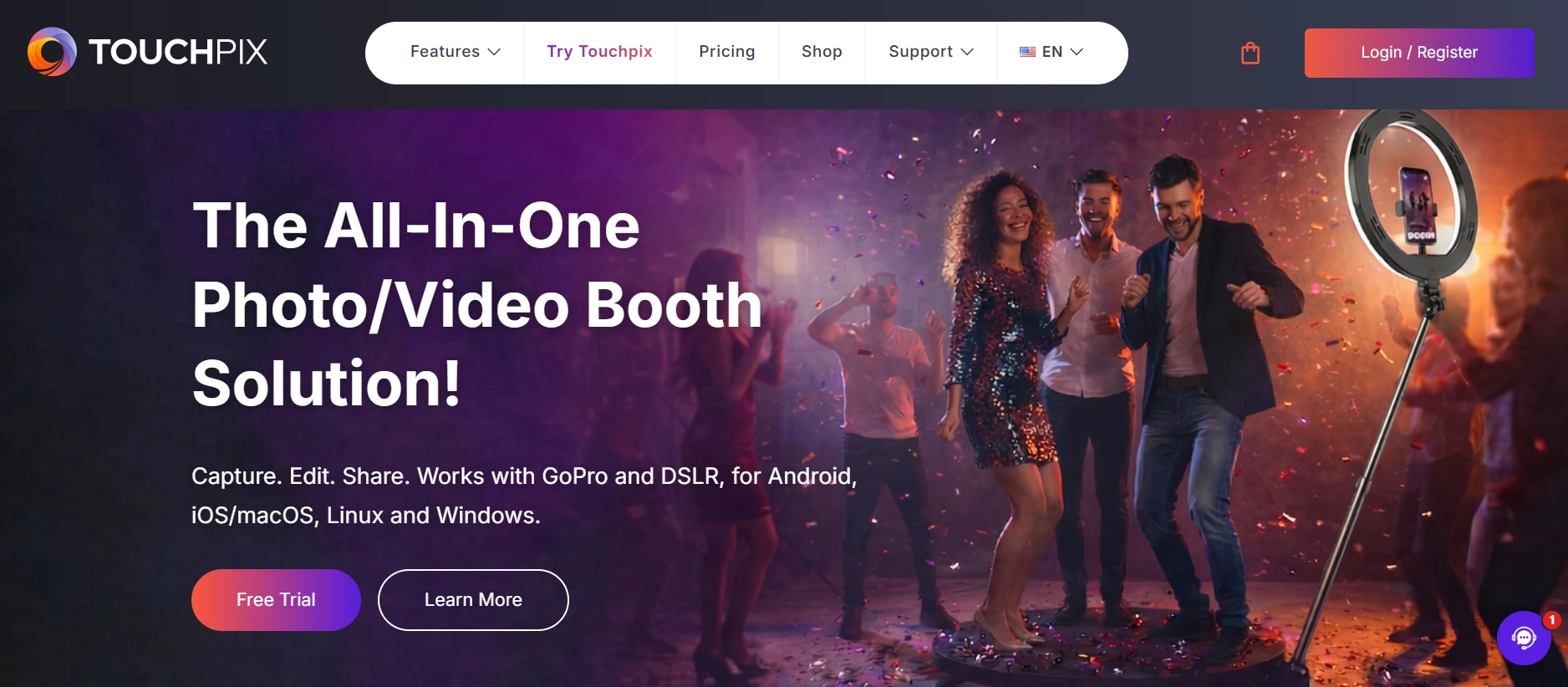
TouchPix is a subscription-based photo and video booth platform built for operators who need one app across every device they own. It covers every major booth format under a single subscription with unlimited devices.
Its key features include:
- Cross-platform deployment across iOS, Android, macOS, Windows, Linux, and Raspberry Pi with unlimited devices
- Native 360 video booth with GoPro models 7 through 14 and Canon, Nikon, Sony DSLR support
- Six capture modes: still photos, AI-transformed photos, boomerangs, video, animated GIFs, and slow-motion video
- Scanpix 2 offline sharing via QR code with no Wi-Fi required
- AI Photo Booth with 80+ transformation styles and custom text-prompt support
Why Choose TouchPix Over Mini Photobooth for Hardware-Flexible Operations
TouchPix stands out in the following areas:
- Six Operating Systems, One Subscription.
Mini Photobooth is iOS-only. Operators with Android tablets, Windows enclosures, or any non-Apple hardware cannot use it.
TouchPix runs natively on iOS, Android, macOS, Windows, Linux, and Raspberry Pi with unlimited devices. An old Android tablet becomes a second booth, a Windows laptop becomes a print controller, and a Raspberry Pi becomes a dedicated sharing terminal, all from the same account.
- Native 360 Video Booth with GoPro Integration.
Mini Photobooth has no 360 mode and no GoPro support. TouchPix supports GoPro models 7 through 14 with Bluetooth spinning-arm triggers for fully unattended 360 capture. The 360 format consistently commands higher per-event rental fees, making native support a direct revenue opportunity.
- Offline AI and Sharing Without Wi-Fi.
Mini Photobooth’s sharing features require an active internet connection; App Store reviewers confirmed failures in basements without connectivity.
TouchPix processes AI background removal and face replacement entirely on-device without internet, and Scanpix 2 delivers media to guests via QR code with no Wi-Fi, so core features work at outdoor venues or below-grade event spaces.
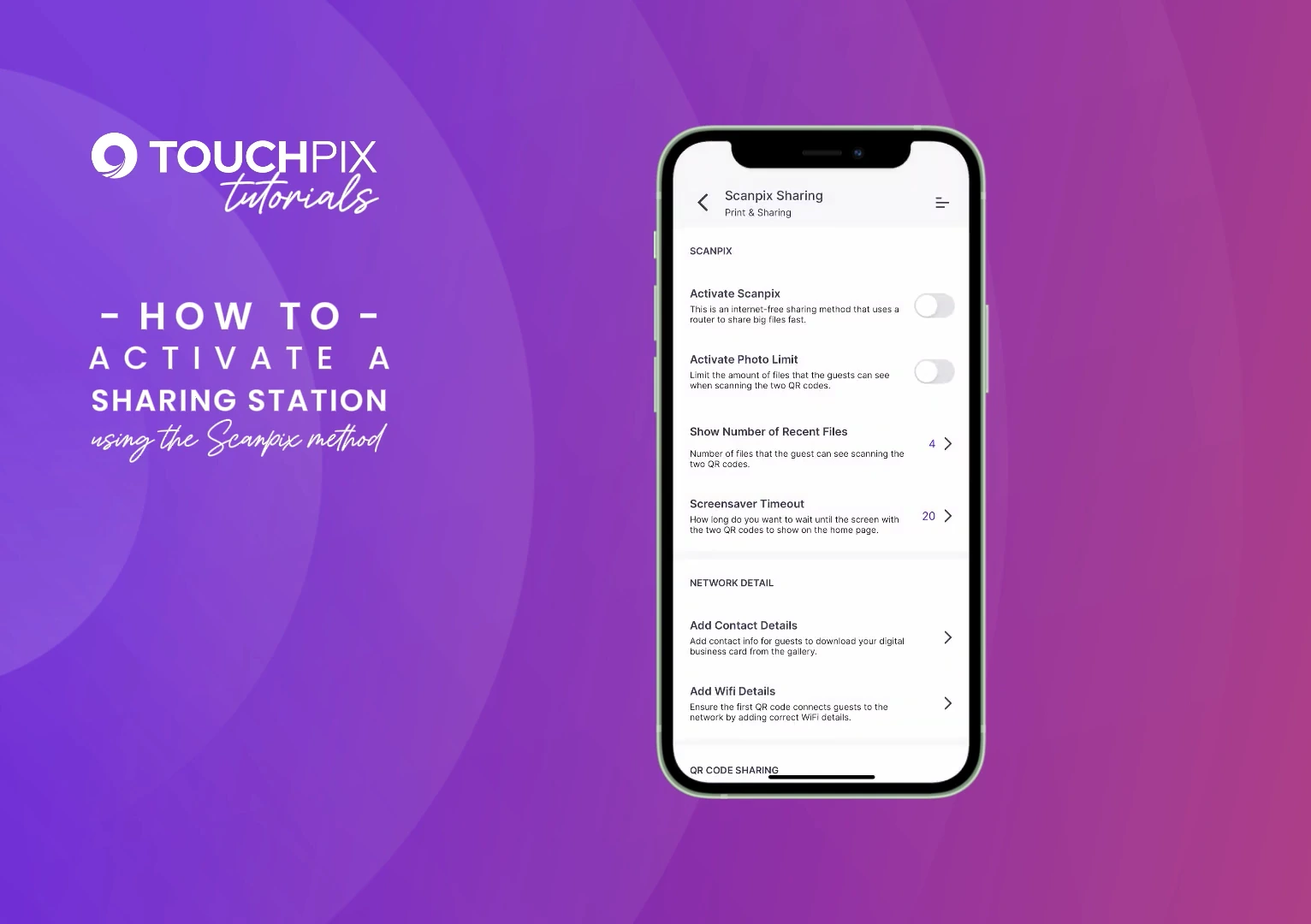
Source: Touchpix
🏅 NOTE: We also evaluated Darkroom Booth and Snappic for this slot. Darkroom Booth offers strong Windows support but lacks a dedicated mobile app and built-in 360 workflow. Snappic has solid sharing infrastructure but is primarily iPad-focused. TouchPix offers the most complete cross-platform coverage with the most extensive native 360 integration.
TouchPix Pricing
TouchPix prices by active event slots, with unlimited devices on every tier. Annual billing saves approximately 40%.
- PhotoPass: $439.90/year. 2 active events. Photos, Photo AI, and Animated GIFs only.
- MultiPass: $879.99/year. 4 active events. Adds Video, Slomo, and Boomerang. Most popular tier.
- MultiPass Pro: $1,407.99/year. 8 active events. Adds Virtual Booth and Advanced Surveys.
- MultiPass Enterprise: $2,199.99/year. 12 active events. Adds Mosaic display and RAW cloud backup.
Weekly options are also available through the TouchPix shop for seasonal operators. AI Pro credits are sold separately from $12.00 (100 credits) to $375.00 (5,000 credits).
Who Should Use TouchPix?
Choose TouchPix if:
- You need to run booths across non-Apple hardware, including Windows enclosures, Android tablets, or Raspberry Pi units alongside iPads.
- You want to offer 360-degree spinning video booths with native GoPro integration and Bluetooth 360 triggers for fully unattended capture.
- You run events at outdoor venues or locations with unreliable Wi-Fi and need offline AI processing and sharing that doesn’t depend on venue connectivity.
5. Pictor.pro — Best Alternative for AI-Powered Photo Booth Experiences
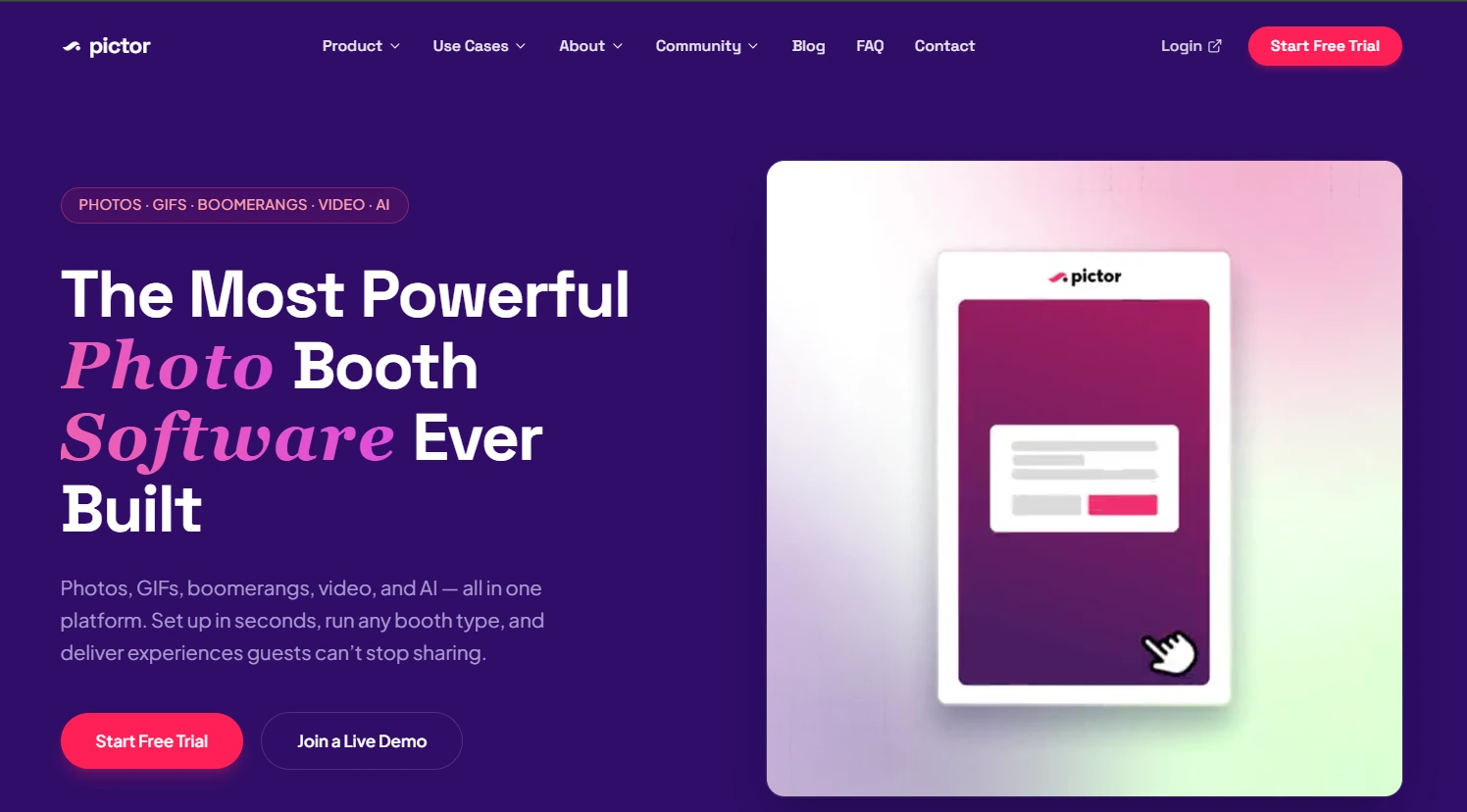
Pictor.pro is an AI-first photo booth platform running natively on iOS, Android, and a browser-based Virtual Booth.
It launched AI photo booth transformations in 2023, roughly one year before competitors, and has since developed GroupSense face preservation and AI Video capabilities that make it the strongest option for operators whose primary selling point is the AI output itself.
Its key features include:
- GroupSense™ face preservation for AI transformations on group shots up to 12 people
- AI Video generation converting photos or video clips into cinematic AI sequences
- 100+ curated AI style presets plus Custom Prompt Editor (Pro and above)
- Node-based visual workflow builder with survey steps, paywalls, and webhook integrations
- Sharing Station on companion devices for high-throughput events
- Transparent token-based AI pricing from $0.07 to $0.20 per effect
Why Choose Pictor.pro Over Mini Photobooth for AI-Powered Experiences
Pictor.pro stands out in the following areas:
- GroupSense™ Multi-Person AI Face Preservation.
Most AI generators blur or distort faces in group shots. GroupSense™ individually maps each face before applying the style transformation, keeping every person recognizable in groups up to 12. This is included on every plan at no extra token cost; group shots cost the same as solo portraits.
- AI Video as a Premium Service.
Pictor shipped AI Video in 2025 while competing platforms were still in development. Operators on the Premium plan ($149/month) can deliver short AI-generated cinematic clips in three aspect ratios (1:1, 16:9, 9:16). Multiple scenes render in parallel, keeping total wait time close to the longest single clip rather than the cumulative sum.
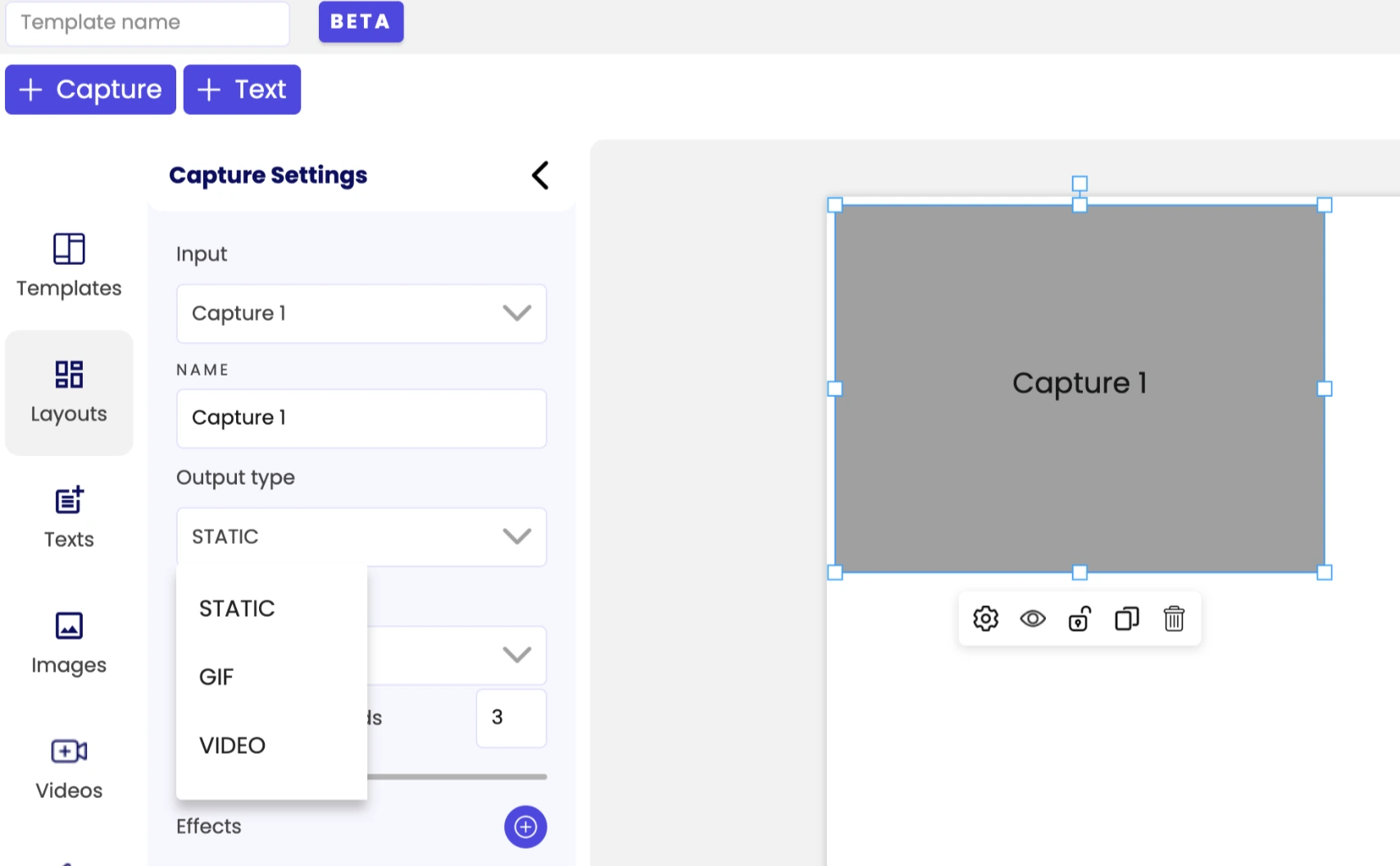
Source: Pictor.pro
- Built-In Business Operations.
Mini Photobooth has no data capture, no CRM integration, and no payment collection.
Pictor includes a Paywall workflow stage for Stripe QR code payments at the booth, survey steps for lead capture, and webhook stages to Zapier, Make.com, HubSpot, or custom API endpoints. When an endpoint returns a failure code, Pictor emails the operator immediately rather than silently dropping the data.
🏅 NOTE: We also evaluated BoothLedger and LumaBooth for this slot. BoothLedger is an emerging AI contender but is primarily Windows-focused. LumaBooth has solid DSLR tethering but trails Pictor’s documented AI timeline. Pictor.pro offers the most AI-focused photo booth experience, including the earliest production AI Video deployment.
Pictor.pro Pricing
Pictor uses a subscription plus separately purchased AI token pool. Tokens never expire. Annual billing saves approximately 17%.
- Basic: $49/month. iOS, Android, and browser apps; photos, GIFs, video; DSLR tethering (Canon, Nikon, Sony); 100+ AI preset styles; emergency phone support during live events.
- Pro: $99/month. Adds Custom Prompt Editor, surveys, webhooks, Sharing Station, Paywall (10% transaction fee), and analytics with CSV export.
- Premium: $149/month. Adds AI Video Effects, browser-based Virtual Booth, Paywall fee drops to 5%.
- Enterprise: From $1,500/year (add-on). White-label branding, custom SendGrid, Paywall fee drops to 2%.
AI tokens: $0.20/token at 100 tokens down to $0.07/token at 20,000 tokens. A 200-guest event with high-compute AI images consumes roughly 600 tokens (approximately $60 at the 2,000-token rate).
Who Should Use Pictor.pro?
Choose Pictor.pro if:
- You want to offer guests AI photo transformations with group-safe face preservation for corporate events and weddings.
- You’re ready to add AI Video as a premium service and want a platform that has been running it in production since 2025.
- You need survey-driven lead capture flowing automatically to your CRM via webhooks, with built-in Stripe paywalls for on-site monetization.
6. Wifibooth — Best Alternative for Focused DSLR Photo Booth Delivery
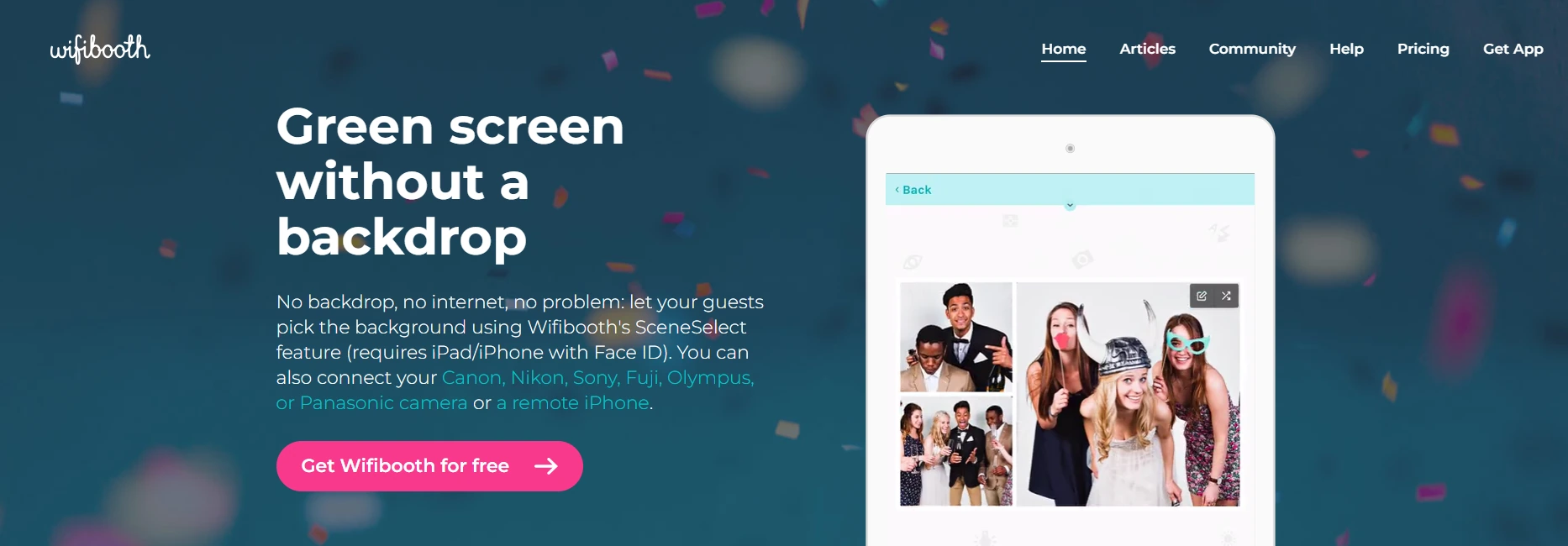
Wifibooth is an iOS photo booth app by Solodigitalis Inc. built around one priority: connecting the cameras photographers already own to the iPad and delivering photo strips reliably, even in venues with no internet.
Its key features include:
- Canon, Nikon, and Sony DSLR support via wired USB and Wi-Fi for over 160 camera models across six manufacturers
- Remote iPhone camera via the free SoloLink companion app
- SceneSelect backdrop-free green screen using Apple’s TrueDepth depth sensor
- Offline queuing across all delivery channels with automatic send when connectivity returns
- One-time purchase options alongside a Pro subscription
Why Choose Wifibooth Over Mini Photobooth for Focused DSLR Delivery
Wifibooth stands out in the following areas:
- Nikon, Canon, and Sony DSLR Support Today.
Mini Photobooth lists Nikon as “coming soon”. Wifibooth added USB wired support for Nikon and Sony in v4.14.0 (January 2024), completing a three-manufacturer USB lineup alongside Canon. Beyond USB, its Wi-Fi connection list spans over 160 camera models across Canon, Fujifilm, Nikon, Olympus, Panasonic, and Sony, including current-generation mirrorless bodies.
- Remote iPhone Camera via SoloLink.
The free SoloLink companion app streams an iPhone’s rear camera live to the iPad running Wifibooth. The iPad acts as the guest-facing screen while the iPhone camera sits on a separate stand at a different height or angle, giving operators spatial flexibility that disappears when the booth’s camera and display share a single device.
SoloLink exposes exposure controls from inside the Wifibooth interface, so the operator doesn’t need to touch the iPhone once the session begins.
- Offline Resilience Across All Delivery Channels.
Mini Photobooth’s sharing requires live connectivity; App Store reviewers confirmed that text and email fail in basements without Wi-Fi.
Wifibooth’s offline queue holds emails, Dropbox uploads, Google Drive uploads, Google Photos uploads, and Facebook posts on-device, sending automatically when connectivity returns. Operators can set email to “Only Save” mode to collect guest addresses locally for post-event delivery.
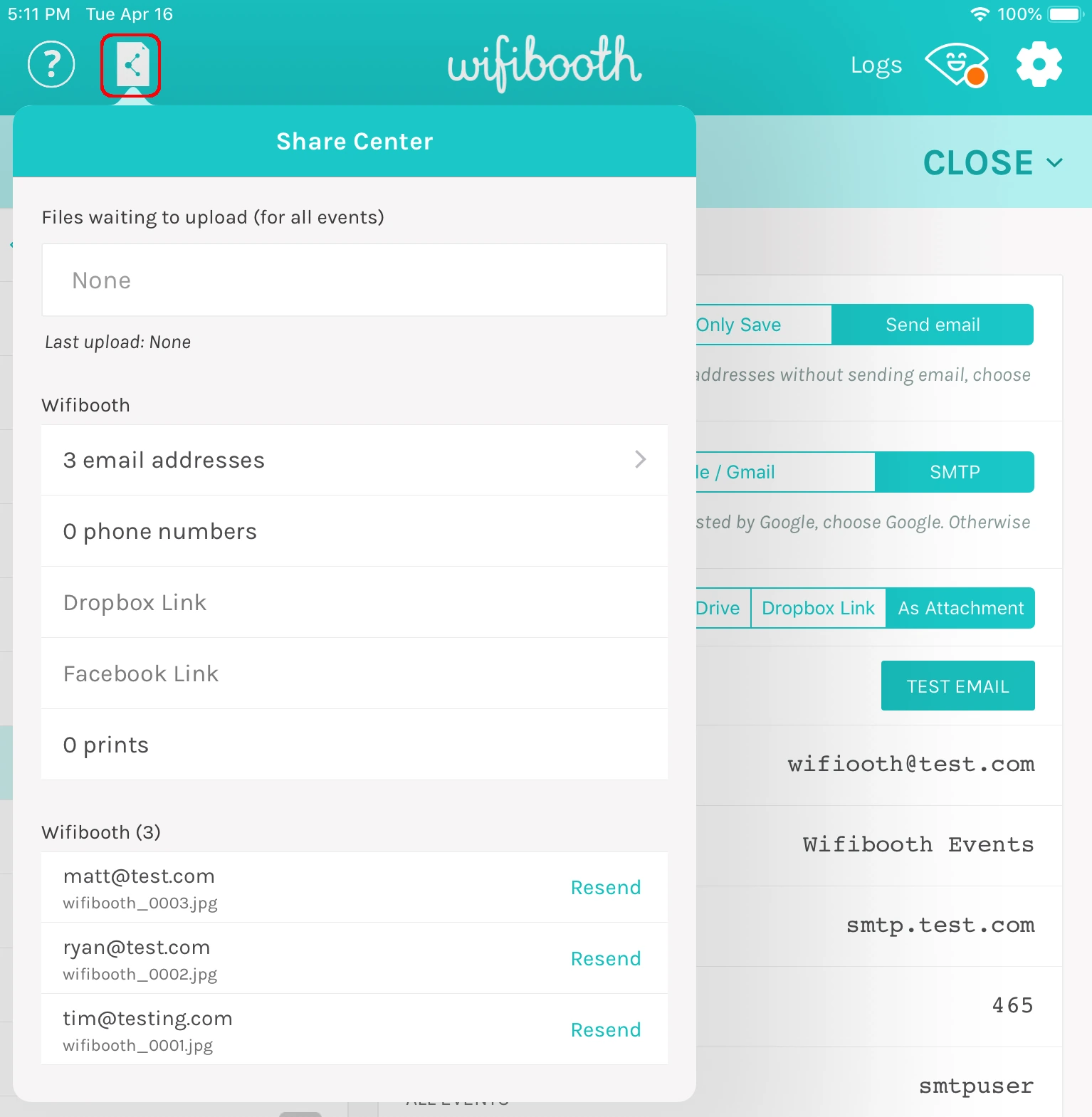
Source: Wifibooth
- One-Time Purchase Path.
Wifibooth offers one-time purchase tiers (Selfie and Selfie+) alongside a Pro subscription. Photographers running a modest number of events per year can buy once and own the software permanently, avoiding recurring costs during the off-season.
🏅 NOTE: We also evaluated Breeze Booth and Sparkbooth for this slot. Breeze Booth targets advanced customization and kiosk deployments; Sparkbooth focuses on desktop rather than iOS. Wifibooth is the iOS-native pick in this category, with the broadest camera compatibility and strongest offline resilience.
Wifibooth Pricing
Wifibooth uses tiered in-app purchases through the App Store:
- Selfie (One-Time Purchase): Built-in camera, SceneSelect green screen, SoloLink remote camera, Wi-Fi DSLR, GIFs, and slideshow output. No printing, branding, or cloud sharing.
- Selfie+ (One-Time Purchase): Adds event management, AirPrint and DNP printing, Dropbox/Google Drive/Google Photos uploads, SMS/MMS via Twilio, branding tools, email collection, and offline queuing.
- Pro (Subscription): Full Selfie+ feature set under monthly or yearly billing.
Pricing is managed through the App Store; check the listing for current regional rates. The SoloLink companion app is free. SMS/MMS runs through the operator’s own Twilio account at less than a penny per message.
Who Should Use Wifibooth?
Choose Wifibooth if:
- You own Nikon DSLR or mirrorless hardware and need tethering today, not when a future update arrives.
- You regularly work in venues with unreliable Wi-Fi and need offline queuing that delivers photos automatically when connectivity returns.
- You want a one-time purchase rather than an ongoing subscription, making it the lower total-cost path for operators with a modest event calendar.
7. Breeze Booth — Best Alternative for Running Real Events Before Subscribing
Breeze Booth is iPad and iPhone photo booth software by We Fly Kites Inc. (Breeze Software) that lets operators run 10 fully branded, watermark-free sessions per day entirely for free, with no account creation, no credit card, and no trial countdown.
Its key features include:
- 10 watermark-free sessions daily in the free tier, permanently
- Canon DSLR and mirrorless tethering available in the free tier
- Built-in hosted email delivery (up to 1,000 emails per month at no cost)
- Touch Screen Designer, Photo Layout Editor, and animated screen compositing for full creative control
- 100% offline operation with optional encryption for collected contact details
- Hardware integrations for 360 spinners, robot arms, Arduino, DMX lighting, and Nayax contactless payment terminals
Why Choose Breeze Booth Over Mini Photobooth for Testing Before Committing
Breeze Booth stands out in the following areas:
- A Free Tier That Works at Real Events.
Mini Photobooth offers a free trial, but the duration and session limits are not publicly specified. Breeze Booth’s 10-sessions-per-day free access is permanent: no expiry, no account required, and all features are available during those sessions. Operators can run the platform at popup markets, fundraisers, or small event series across multiple months without paying anything.
- Canon DSLR Tethering Before You Pay.
Mini Photobooth requires a paid subscription to use external cameras. Breeze Booth includes Canon DSLR and mirrorless support in the free tier, so operators can test full-resolution DSLR captures with branded overlays and the complete sharing workflow before committing.
- Built-In Free Email Delivery.
Mini Photobooth’s digital sharing requires live internet at the venue. Breeze Booth includes a hosted email service covering up to 1,000 emails per month from a default sender address at no cost, with no requirement to configure SMTP credentials or third-party services. Operators who need SMS can connect a Twilio account separately.
- Full Customization and Payment Kiosk Support.
Breeze Booth’s Touch Screen Designer and profile-based multi-experience switching give operators pixel-level creative control over every guest-facing screen. Nayax contactless card reader integration, Stripe QR code payments, and Prize Mode make it one of the few iPad-native booth apps capable of unattended, revenue-generating kiosk deployments.
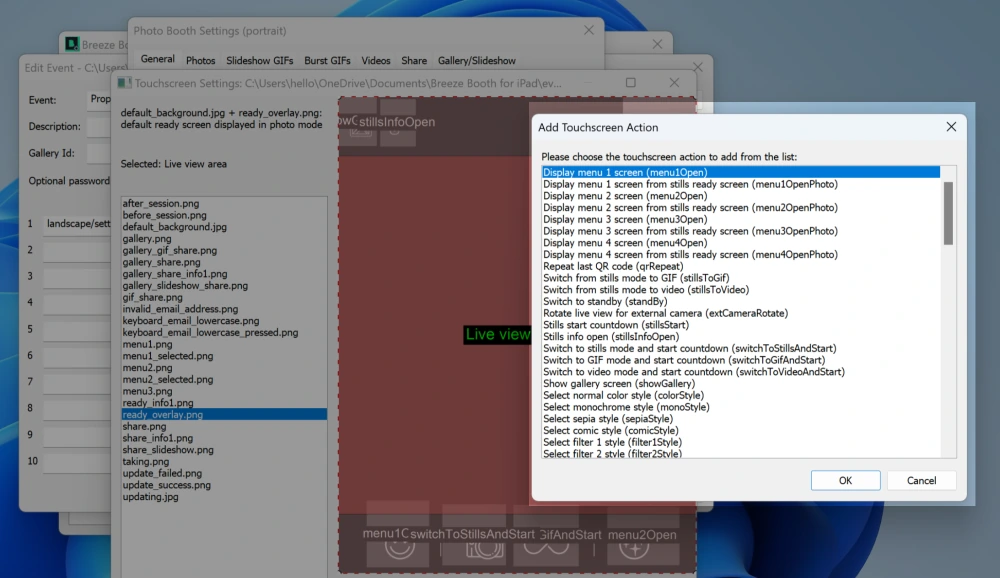
Source: Breeze Booth
🏅 NOTE: We also evaluated CyraTok for this slot given its free positioning. However, CyraTok’s full feature set only unlocks when paired with hardware from the CyraTok factory, limiting its usefulness for operators who already own iPads. Breeze Booth offers the most hardware-agnostic free evaluation path.
Breeze Booth Pricing
- Free Tier: 10 watermark-free sessions per day, permanently. No account needed. Canon DSLR support included. Output is watermarked after the 10th session each day.
- Monthly: $49 per month, per device. Full feature access. Breeze Cloud Basic included (50 GB storage, real-time galleries).
- Annual: $499 per year, per device (~$41.58/month, approximately 15% less than monthly).
Optional add-ons: Breeze FX cloud AI transformation from $0.032/image; Breeze Cloud Pro at $39.99/month for custom domains, webhooks, and API access.
Who Should Use Breeze Booth?
Choose Breeze Booth if:
- You want to run the platform at real events before paying, with 10 watermark-free sessions per day and no trial expiration.
- You own Canon DSLR equipment and want to verify its performance inside the software without subscribing first.
- You need 100% offline operation with documented GDPR compliance for European clients or enterprise deployments with data sovereignty requirements.
- You operate or plan to operate unattended pay-per-use kiosks or permanent installations where contactless payment integration is essential.
The Final Verdict
Mini Photobooth delivers an intuitive photo booth experience, but growing operators and specialized use cases often need tools that go deeper.
Based on our research, here are the best alternatives:
- Simple Booth for hardware-integrated photo booths with built-in lead capture, marketing analytics, and enterprise features
- Snappic for multi-format booth operations (360, Glambot, mirror, roaming) at agency scale
- LumaBooth for budget-conscious operators who need Nikon DSLR support and multi-mode booth flexibility at half the cost
- TouchPix for cross-platform hardware flexibility across six operating systems with native 360 video and offline sharing
- Pictor.pro for AI-first photo booth experiences with group face preservation, AI Video, and built-in monetization tools
- Wifibooth for focused DSLR photo booth delivery with the broadest camera compatibility and offline resilience
- Breeze Booth for running real events before subscribing, with a permanent free tier and full customization
You don’t have to choose between Mini Photobooth and these alternatives exclusively. Some operators run Mini Photobooth for personal events while using a more feature-rich platform for commercial work. Consider your specific needs, client expectations, and growth plans when deciding which solution fits best.
Want to see what Simple Booth can do for your business? Start your free trial and test the hardware, lead capture, and analytics firsthand.
Mini Photobooth Alternatives FAQ
Why do operators look for Mini Photobooth alternatives?
Mini Photobooth is a strong template-driven photo booth app, but operators often outgrow it as their business scales.
Its main limitations include iOS-only availability (no Android, Windows, or web), no built-in lead capture or data collection forms, no analytics dashboard for reporting engagement metrics to clients, and Nikon DSLR support still listed as coming soon. Operators working with brand clients or running multiple booth formats often need specialized platforms.
What is the best overall Mini Photobooth alternative?
There is no single best alternative because operators have different priorities. Simple Booth is the top choice for dedicated hardware and lead capture. LumaBooth leads for budget-conscious operators who need Nikon support. TouchPix is the strongest option for running booths across multiple hardware platforms.
The right fit depends on whether your primary need is marketing tools, cost savings, AI effects, or hardware flexibility.
Is there a free alternative to Mini Photobooth?
Breeze Booth offers the most functional free tier: 10 watermark-free sessions per day with no account required, no trial expiration, and Canon DSLR support included. LumaBooth offers a free trial with no time limit (watermarked output until subscribing). Pictor.pro and TouchPix both include free AI credits for new accounts, letting operators test AI features before purchasing token bundles.
Which alternative is best for operators who need Nikon DSLR support?
LumaBooth and Wifibooth both support Canon, Nikon, and Sony DSLR tethering today. LumaBooth is the more cost-effective option with two devices included at $18/month annually, while Wifibooth offers a one-time purchase path and offline queuing that photographers working in low-connectivity venues will appreciate. Both are better options than waiting for Mini Photobooth’s Nikon support to launch.
How does Simple Booth compare to Mini Photobooth for commercial use?
Simple Booth adds the professional layer that Mini Photobooth lacks: proprietary ring-light hardware that sets up in under a minute, lead capture forms with 87-89% opt-in rates, social sharing analytics, remote device management, a browser-based Virtual Booth for hybrid events, AI transformation effects with identity preservation, and enterprise compliance tools.
It serves operators whose brand clients and venues require measurable ROI.
Which alternative is best for 360 video booths?
TouchPix and Snappic both support 360 video. TouchPix is better for operators who need cross-platform flexibility (six operating systems, unlimited devices) and native GoPro integration. Snappic is better for agency operators who need sub-account management, white-label delivery, and client analytics reporting alongside their 360 capabilities.
Can I use these alternatives on Android or Windows?
TouchPix runs on iOS, Android, macOS, Windows, Linux, and Raspberry Pi with unlimited devices. LumaBooth runs on Windows, iPad, iPhone, and Mac. Pictor.pro runs on iOS and Android plus a browser-based Virtual Booth. Simple Booth offers a browser-based Virtual Booth that works on any device. The remaining alternatives (Snappic, Wifibooth, Breeze Booth) are iOS-only for their booth app.
Which Mini Photobooth alternative offers the best value for money?
LumaBooth offers the strongest price-to-feature ratio, with two device licenses at $18/month annually, including 360 booth, mirror booth, glam booth, and AI portraits in the base subscription.
For operators who only need occasional event coverage, Wifibooth’s one-time purchase option eliminates recurring costs entirely. Breeze Booth’s permanent free tier is unmatched for operators testing the market before committing financially.
Keep reading
 Showdowns
Mini Photobooth vs Sparkbooth (vs Simple Booth): Which Photo Booth Software Fits Your Events in 2026?
iOS app vs buy-it-once desktop. Mini Photobooth or Sparkbooth?
 Alternatives
7 Snapbar Alternatives: Photo Booth & Event Engagement Solutions for Every Budget (2026)
Priced out of Snapbar's custom quotes? These alternatives fit every budget.
 Alternatives
7 Snappic Alternatives: Photo Booth Software for Every Operator (2026)
Beyond Snappic: booths that ditch the credit fees and add hardware.