7 Snappic Alternatives: Photo Booth Software for Every Operator (2026)

Snappic is one of the most versatile photo booth platforms available. It gives professional event operators a single application covering every major booth format: standard iPad booths, 360-degree video, robot arm (GlamBot), mirror booths, and roaming photography, serving over 100,000 events by 8,000+ operators worldwide.
But as your photo booth business evolves, you may find that a platform built to cover every booth type doesn’t go deep enough where it matters most to you. Snappic’s iOS-only hardware requirement, cloud-dependent AI credit costs, and subscription-only pricing may not fit every operator’s workflow, budget, or growth plan.
That’s where this guide comes in. Whether you’re looking to:
- Deploy a hardware-integrated photo booth with studio-grade lighting and built-in marketing tools
- Run multi-format booths (360, mirror, photo) at the lowest monthly cost
- Operate on Android, Windows, or Linux hardware instead of Apple-only devices
- Access white-label branding and cinematic video on a per-event billing model
- Own your software outright with a one-time purchase and zero recurring fees
- Evaluate professional photo booth features under real event conditions before paying
- Lead with AI-transformed video deliverables and group-shot AI preservation
We’ll explore Snappic alternatives that excel in each of these areas.
Some operators use one of these tools alongside Snappic to fill a gap. Others switch entirely to a platform that fits their business model better. This is not about finding a “better” solution; it’s about finding the right fit as your operation grows and your requirements sharpen.
Let’s look at the alternatives and see which ones belong in your photo booth toolkit.
| The Best Snappic Alternatives | ||
|---|---|---|
 | Simple Booth Best Alternative for Hardware-Integrated Photo Booth Experiences We chose Simple Booth because it pairs proprietary ring-light hardware with cloud-connected software and built-in marketing tools, delivering studio-grade photo quality, sub-one-minute setup, and 87%+ lead capture opt-in rates in a single integrated system. | |
 | LumaBooth Best Alternative for the Most Affordable Multi-Format Subscription We chose LumaBooth because it includes 360 booth, mirror booth, glam booth, and green screen at its base subscription tier, with cross-platform Windows and Apple support and two device licenses included. | |
 | Touchpix Best Alternative for Cross-Platform Hardware Flexibility We chose Touchpix because it runs natively on iOS, Android, Windows, Linux, and Raspberry Pi under a single subscription, with AI background removal processed on-device at no per-use credit cost. | |
 | Curator Live Best Alternative for Per-Event Billing and Cinematic Video We chose Curator Live because it offers enterprise features (white-label, 360 CustomFX, cinematic video compositing) on a per-event billing model, so agencies only pay when they deploy. | |
 | Darkroom Booth Best Alternative for Zero-Subscription Windows Operators We chose Darkroom Booth because its perpetual one-time license eliminates recurring software costs, with native Windows support, 75+ print templates, and built-in coin-operated venue capabilities. | |
 | Booth.Events Best Alternative for No-Commitment Evaluation and Flat-Rate AI Pricing We chose Booth.Events because it lets operators run 3 full Pro-tier events with no credit card required, and its AI background removal is included on all paid plans with no per-image credit cost. | |
 | Pictor Best Alternative for AI-Powered Photo and Video on Android We chose Pictor because it offers a native Android app at full feature parity, proprietary GroupSense™ AI face preservation for group shots, and AI Video transformation capabilities no other platform in this comparison matches. | |
What is Snappic?
Source: Snappic
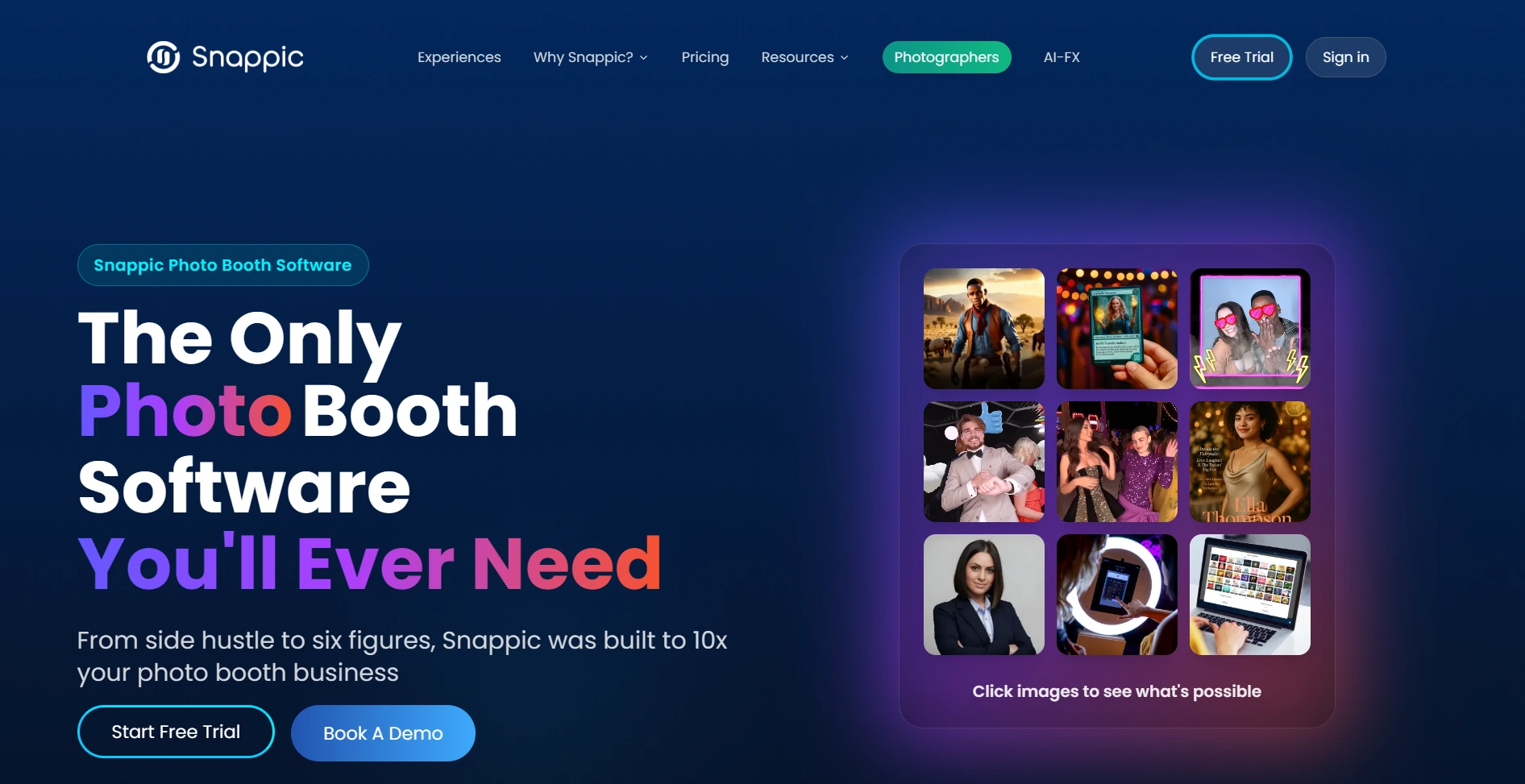
Snappic is photo booth software for professional event operators, positioning itself as “the only photo booth software you’ll ever need.” The platform runs on iPad, iPhone, and Mac and supports every major booth format: standard iPad photo booths, 360-degree video booths, Robot Arm/Glambot booths, Mirror booths, and Roaming photography.
Its key features include:
- AI-FX suite with AI photo transformations, PersonaFX avatar generation, and BananaFX (powered by Google Gemini 2.5)
- VideoFX for cinematic 360 and GlamBot video with slow-motion up to 240 fps
- SmartShare with AI Face Linking for automatic photo delivery after a single registration
- Branded event microsites and online galleries
- Custom surveys, data capture, and real-time client analytics (AVA vision analytics)
- 24/7/365 live expert support on all plans
- SMS and email sharing with unlimited US/Canada texts on all plans
When an operator sets up a Snappic event, the platform handles everything from capture through branded delivery and client reporting. Guests interact with the booth, receive their photos or videos via SMS, email, or QR code, and the operator’s client gets a live analytics page showing engagement, shares, and demographic data.
Having all booth types and sharing tools under one platform saves operators from managing multiple software subscriptions. But as your business grows and you focus on specific capabilities (hardware quality, cross-platform flexibility, lower costs, or specialized AI), you may need a tool that goes deeper in one area rather than broader across many. That’s why this article focuses on platforms that specialize where Snappic’s breadth leaves room to improve.
Looking for a photo booth with integrated hardware, studio-grade lighting, and built-in marketing tools? Simple Booth pairs its patented HALO ring light with cloud-connected software to deliver photo experiences that capture leads automatically.
How We Curated Our List of Snappic Alternatives
After testing Snappic and researching the photo booth software market, we focused on tools that serve specific operator needs well. While Snappic covers many booth formats in one platform, some operators need stronger tools for:
- Delivering high photo quality with integrated, professional-grade hardware and lighting
- Running 360, mirror, and standard photo booths at the lowest monthly cost
- Operating on Android, Windows, or Linux hardware without being locked into Apple devices
- Accessing white-label branding and cinematic video on a flexible, per-event billing model
- Owning software outright through a one-time purchase with no ongoing subscription
- Evaluating professional features under real event conditions before spending any money
- Leading with AI-transformed video deliverables and reliable multi-person AI processing
Each tool on this list leads in one of these areas. You might use them alongside Snappic or switch entirely; it depends on what your growing photo booth business needs most.
| ❗DISCLAIMER: We aren’t covering every photo booth tool on the market! Our focus is on the best alternatives that address Snappic’s limitations for specific use cases. The goal is to provide insights into tools that serve specific operator needs. |
|---|
1. Simple Booth, Best Alternative for Hardware-Integrated Photo Booth Experiences
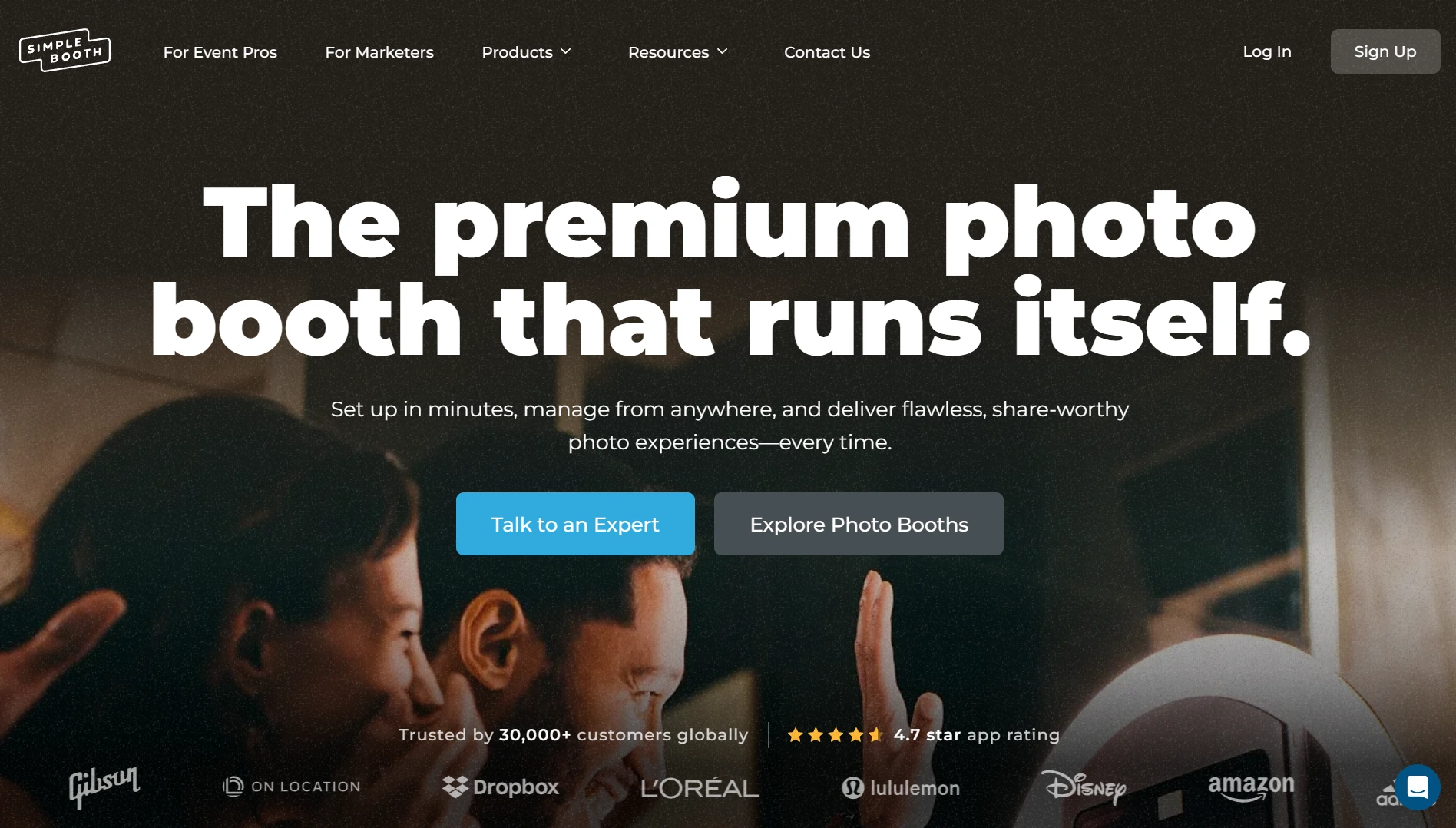
Simple Booth is the photo booth that runs itself, pairing a subscription-based iPad app (the HALO app) with proprietary ring-light hardware (the HALO kits) and a browser-based Virtual Booth product. With 30,000+ customers, a 4.7-star App Store rating from 2,400+ ratings, and 40 million+ moments captured since 2013, it serves both event rental professionals and marketing teams. Its key features include:
- Patented HALO ring light: Precision-machined aluminum chassis with 112 LEDs producing up to 2,100 lumens, rated for 50,000 hours of operation
- Sub-one-minute setup: Tool-less iPad faceplate and deployable selfie stand require no technical assembly
- Lead capture: Customizable data capture forms achieving 87%+ opt-in rates with email, phone, and custom fields
- Layout Designer: In-app and web dashboard design tool for creating branded templates with layers, fonts, gradients, and QR codes
- Virtual Booth: Browser-based photo experiences requiring no hardware or app installation
- AI Effects: Nano Banana AI models for photo transformations with built-in identity preservation
- Multi-channel delivery: QR code, email, SMS, WhatsApp, and AirDrop sharing across plans
For event rental operators and brand marketers who want high-quality photo experiences with built-in marketing, Simple Booth offers a vertically integrated solution that controls the entire guest journey: from the ring light illuminating the scene, through branded photo delivery, to lead data landing in your CRM.
Why Choose Simple Booth Over Snappic for Photo Booth Experiences
Snappic covers more booth types from a single platform. Simple Booth excels as a hardware-integrated photo booth system built to deliver studio-grade quality and measurable marketing results. Here’s where Simple Booth steps up.
Hardware Integration: Studio-Grade Lighting in a One-Minute Setup
Most photo booth software, including Snappic, is software only. Operators source their own lighting, stands, and enclosures separately, so quality depends on the operator’s equipment choices. Simple Booth takes a different approach by designing the HALO chassis, ring light, iPad mount, and charging system as a single integrated product.
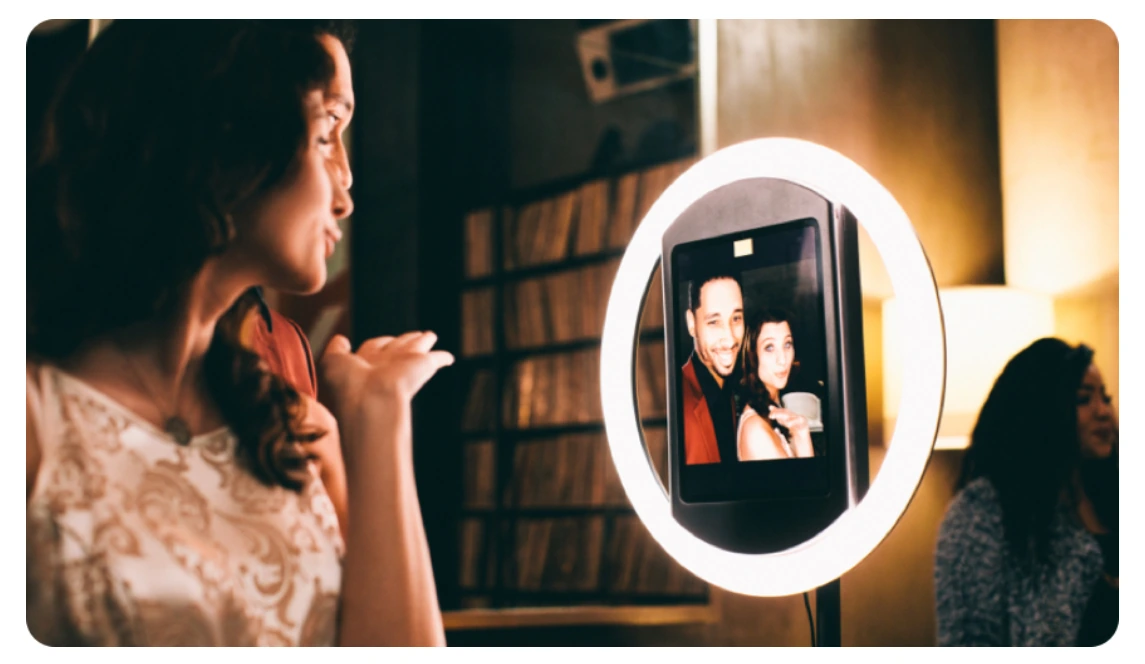
The HALO body is machined from a single billet of anodized aluminum with a patented ring-light system. Its 112 LEDs produce flattering, even illumination for groups standing 6 to 8 feet from the camera, and brightness adjusts via a physical dial. A concealed built-in USB-C cable keeps the iPad charged without dangling wires.
Setup takes under one minute: the iPad snaps in via a tool-less faceplate, the selfie stand deploys without tools, and a Preflight Check screen catches configuration issues before the event starts. For operators running multiple events per week, this reliability translates directly to higher margins and fewer on-site problems.
Simple Booth also supports external Canon and Sony DSLR and mirrorless cameras (Core plan and above) via USB or Wi-Fi, a capability most competitors don’t offer. Operators who want professional image quality can shoot through the full HALO workflow with their existing camera gear.
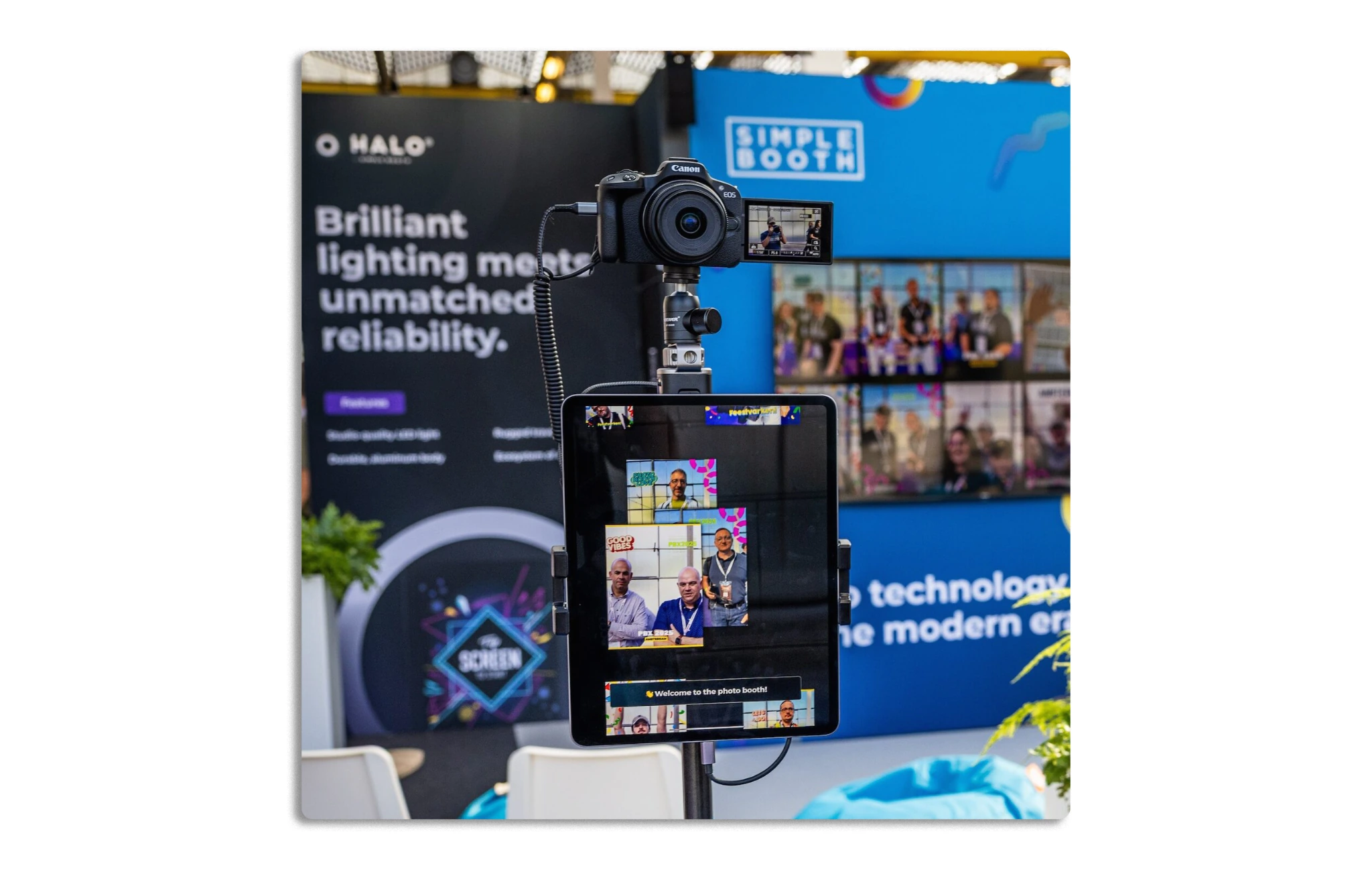
⚡Simple Booth in Action: Your team sets up three booths across a Friday evening, a Saturday wedding, and a Sunday corporate activation. Each HALO deploys in under a minute. The ring light delivers consistent, flattering illumination regardless of venue lighting. Your iPad stays charged throughout every event. Because you configured each event’s preset remotely from the dashboard before arriving, staff select the preset on arrival and go live.
G7 Entertainment Marketing has been a Simple Booth customer for 10+ years, capturing 136,000+ fan interactions across brand activations. (Simple Booth)
Lead Capture and Marketing: Turn Every Photo Into a Data Opportunity
Snappic’s Custom Surveys and Data Capture features are gated to the Business plan at $189/month. On the $69/month Starter plan, operators can’t present custom data collection forms to guests. Simple Booth approaches this differently: lead capture is available on the Pro plan ($149/month), which includes up to 6 standard fields (email, first name, last name, phone, postal code, date of birth), native MailChimp integration, and API access for custom CRM delivery.
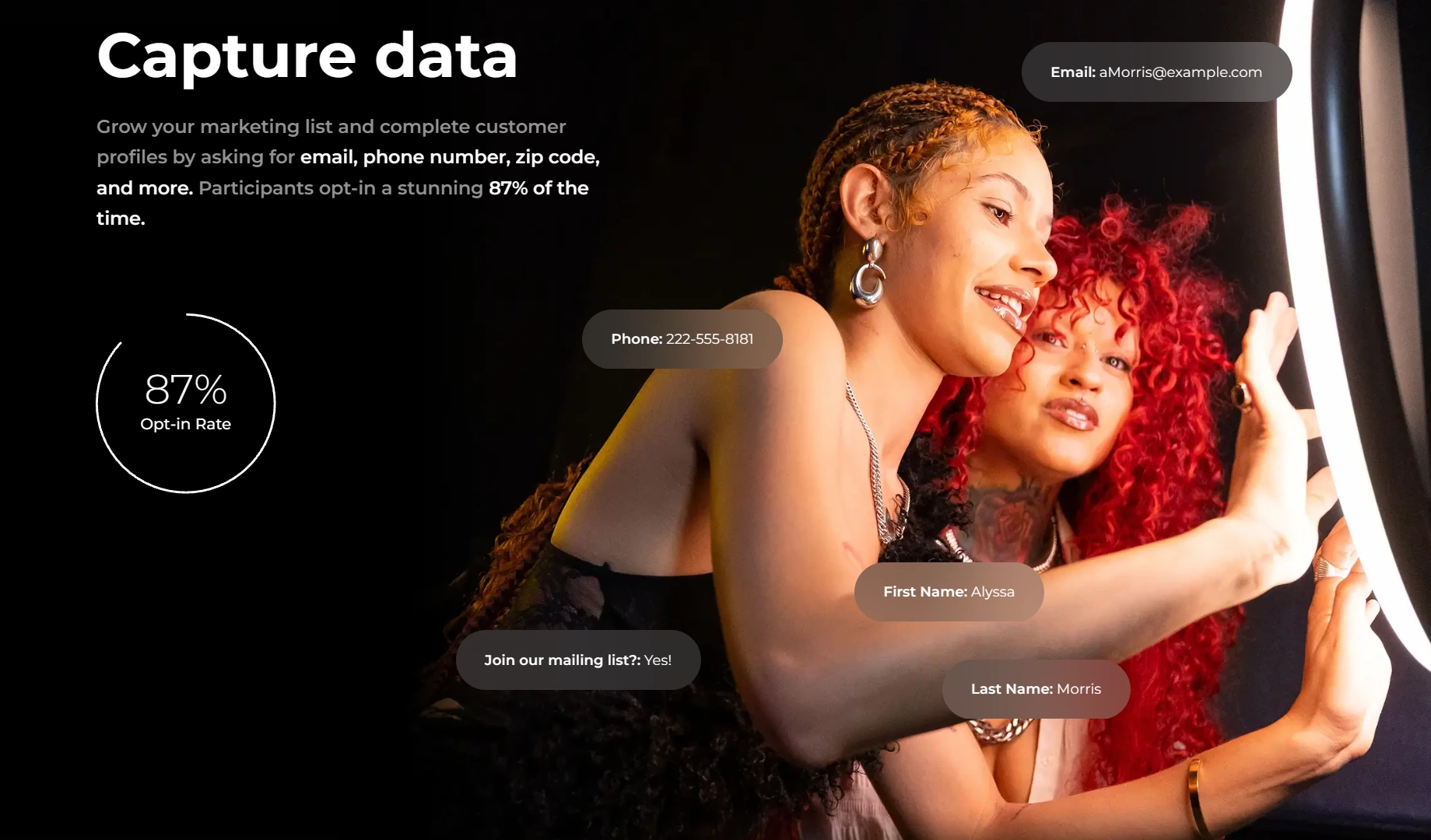
The key difference is how the data is collected. Guests receive their photo in exchange for sharing their contact information, so Simple Booth achieves opt-in rates as high as 87 to 89%. This isn’t a separate marketing form placed alongside the booth; it’s part of the photo delivery experience where sharing contact details feels natural.
The analytics dashboard tracks total participants, uploads, gallery views, and social sharing across Facebook, X (Twitter), LinkedIn, and Instagram. On the Select plan ($249/month), demographic insights via face detection (estimated age, gender breakdown, average group size) provide audience composition data directly from activations.
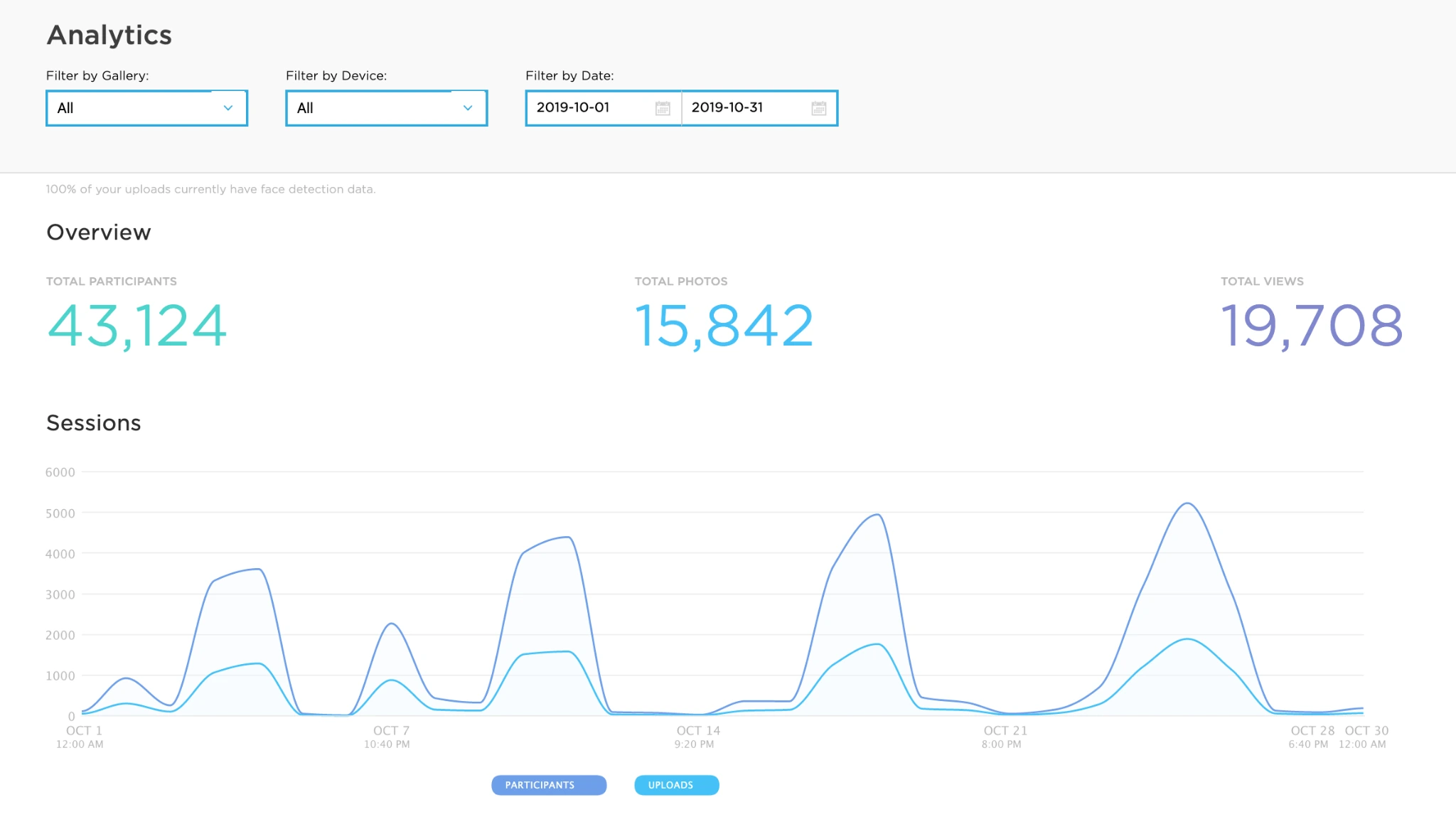
⚡Simple Booth in Action: Your brand activation client needs to capture leads at a product launch. Guests step up to the HALO, take their photo, and enter their email on the data capture screen to receive it. By the end of the evening, you’ve collected 300+ verified email addresses with an 87% opt-in rate, all flowing automatically into the client’s MailChimp audience. The next morning, you send the client a PDF analytics report showing gallery views, social shares, and lead counts.
Arizona Opera grew its email list by 1,000 addresses in just a few events using Simple Booth’s lead capture during performances. (Simple Booth)
Virtual Booth: Branded Photo Experiences Without Hardware
Snappic is built around physical booth hardware at live events. Simple Booth extends beyond that with Virtual Booth, a browser-based product that delivers branded, interactive photo experiences on any device with no app installation, no physical kiosk, and no iPad required.
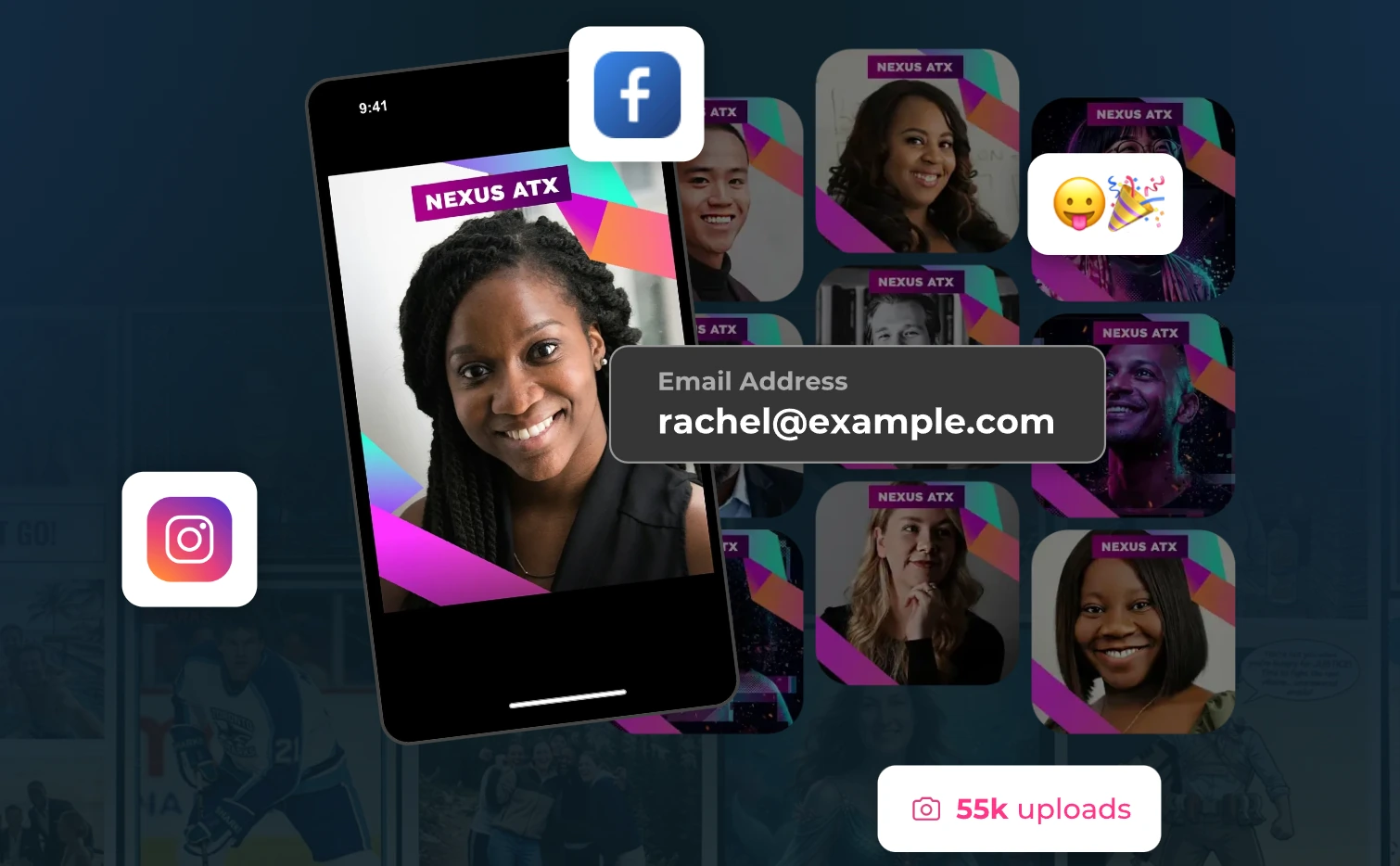
Participants join via a QR code or link, grant camera permissions (or upload an existing photo), apply branded effects including Magic Background Replacement and AI effects, and post to an online gallery. Hosts configure branding, overlays, stickers, data capture fields, and gallery privacy from the same online dashboard used for HALO events.
Virtual Booth connects to the same analytics, Live Feed, and Gallery infrastructure as HALO hardware. Brands running hybrid events can operate physical kiosks for in-person attendees and Virtual Booth for remote participants, with all submissions feeding a single combined gallery. Beyond events, Virtual Booth can be embedded in email campaigns, printed on product packaging, or placed on a brand website as a persistent activation.
Multi-language support covers English, Spanish, French, German, Dutch, Polish, Italian, Danish, and Hebrew, and unlimited simultaneous events can run under one account.
⚡Simple Booth in Action: A consumer goods brand prints a QR code on its product packaging linking to a themed Virtual Booth experience. Customers at home scan the code, take a branded photo with the product, and share it to Instagram. The brand captures email addresses through the data capture form, generates user-created content at scale, and tracks engagement through the analytics dashboard, all without deploying a single piece of hardware.
Deep Eddy Vodka generated 14,000 social posts through Simple Booth activations across its marketing campaigns. (Simple Booth)
Layout Designer: Custom Templates Without External Design Software
Simple Booth’s Layout Designer is a full in-app design tool that puts template creation, photo placement, text layers with font and color controls, background gradients, logo positioning, and QR code embedding inside the app and web dashboard.
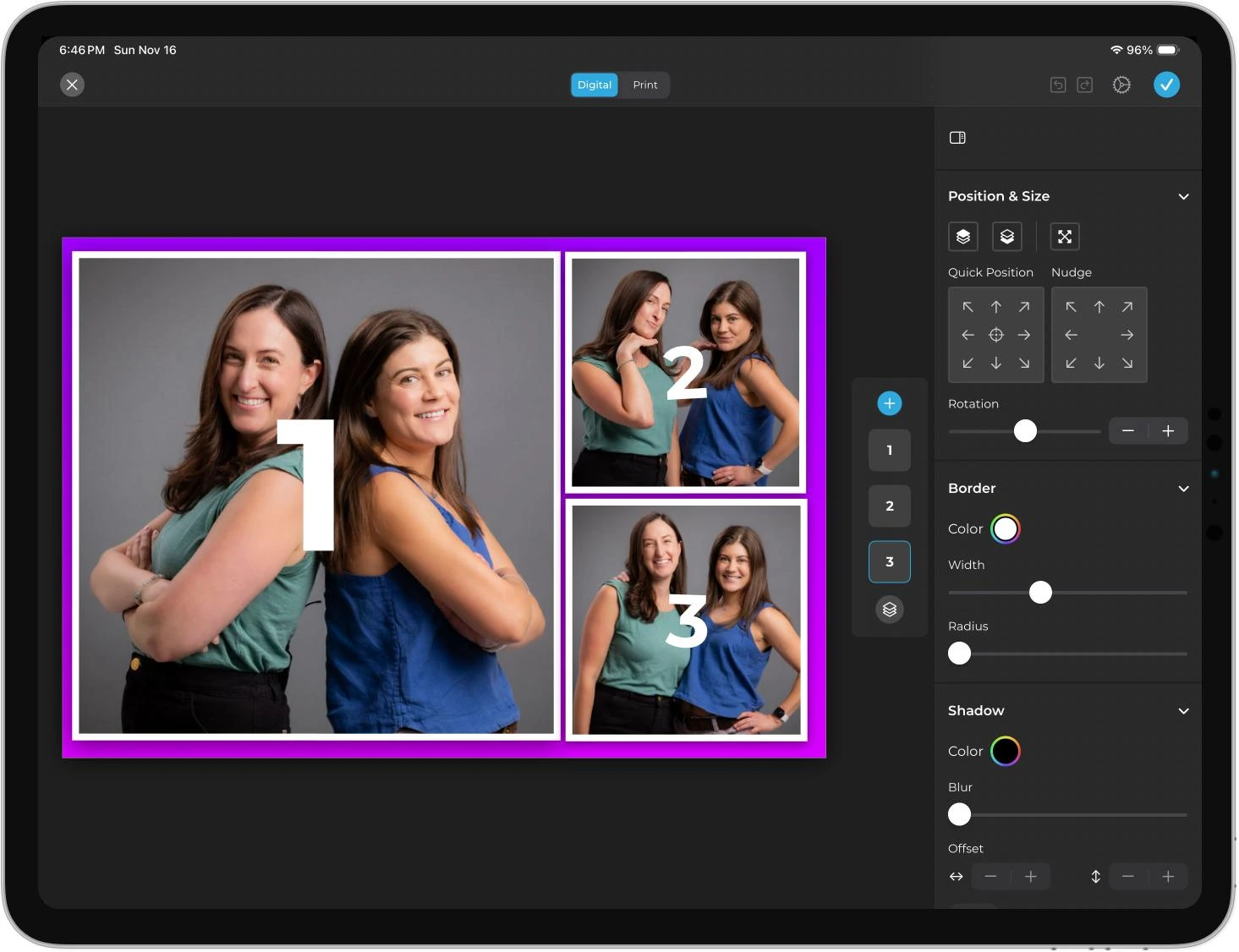
The designer supports multiple layout options per event (each with its own motion type), 60+ themes and 100+ digital props, and guest-editable text layers (Plus plan and above) where participants type names, captions, or hashtags directly onto their photo before sharing. Dynamic text sizing keeps designs polished regardless of message length.
For AI-enhanced events, AI-Generated Layout Images let operators generate graphic design elements (logos, borders, themed frames) using AI in watercolor, photorealistic, cartoon, or pop art styles, at zero credit cost. The AI effects are composited directly with the Layout Designer’s brand overlays in a single workflow, so operators deliver a fully branded AI experience without stitching together outputs from multiple tools.
Simple Booth Pricing
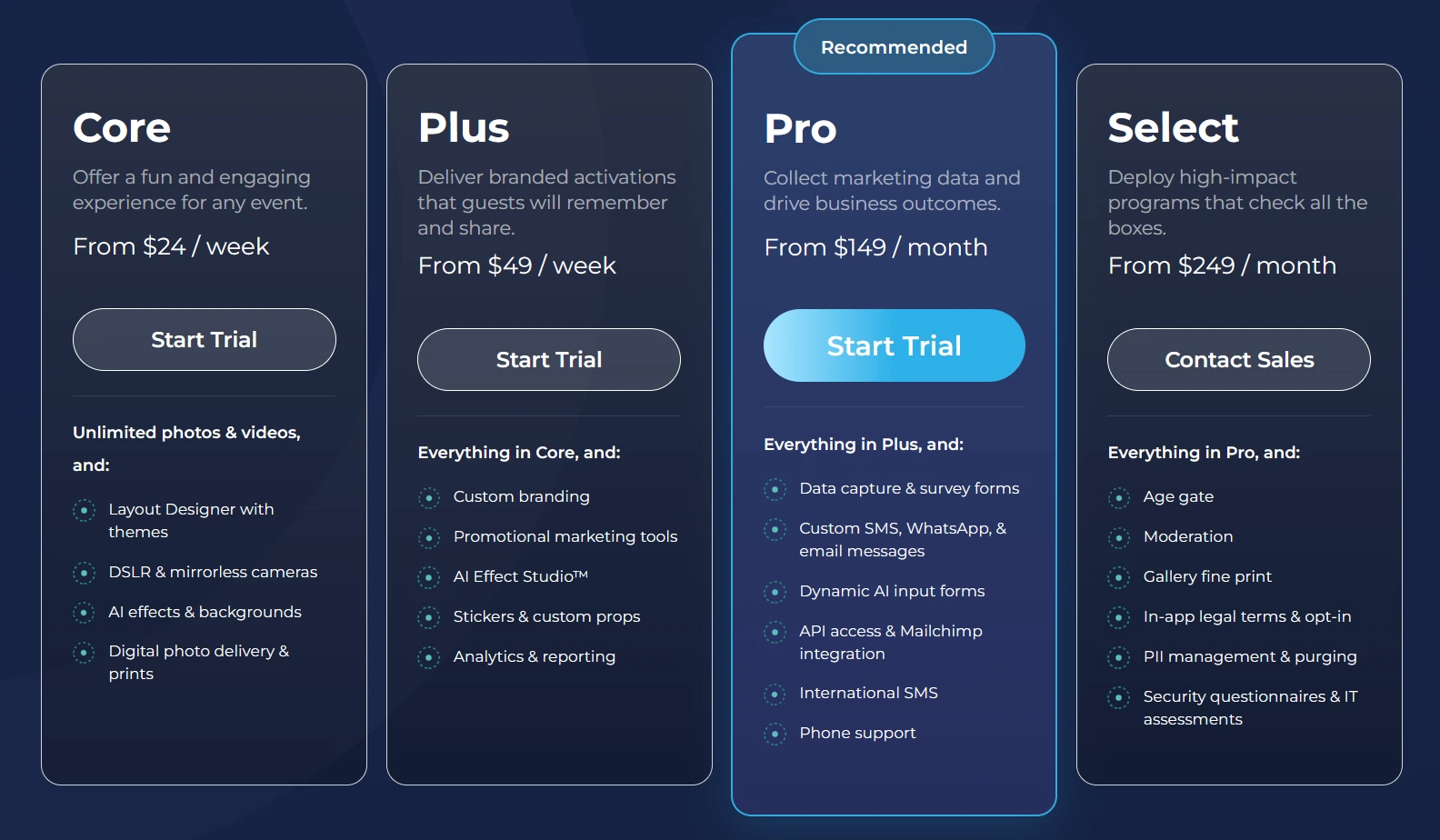
Simple Booth uses a per-license subscription model with weekly, monthly, and annual billing. Each plan includes one device license; additional devices require add-on licenses. There are no caps on photo counts or event counts.
Everyday Plans:
- Lite: $14.99/week, $29.99/month, $289.99/year (App Store only). Custom layouts, motion and still capture, photo delivery, online galleries, themes and props. Includes ads in the app; excludes custom branding, analytics, DSLR, and lead capture.
- Core: $24/week, $49/month, $490/year. Everything in Lite plus: ads removed, DSLR/mirrorless camera connection, full-length video, background replacement and blur, Dropbox integration, AI effects, Virtual Booth, and AI-generated layout images. 50 bonus AI credits on new subscription.
- Plus: $49/week, $99/month, $990/year. Everything in Core plus: custom branding, custom photo delivery messages, analytics and reporting, guest-editable text layers, and custom AI effects. 100 bonus AI credits.
Business Plans:
- Pro: $149/month, $1,490/year. Everything in Plus, plus lead capture (up to 6 fields), API integration, phone support, moderation (approve before delivery/gallery), age gate, and data compliance tools. 150 bonus AI credits.
- Select: $249/month, $2,490/year. Everything in Pro plus in-app custom legal terms, security questionnaires, and demographic analytics (face detection). 200 bonus AI credits.
AI effect credits cost $0.10 each, purchased separately. Testing prompts outside of booth mode consumes zero credits. Purchased credits do not expire. HALO hardware kits are sold separately at buy.simplebooth.com with 0% financing available.
A 7-day free trial is available with 25 free AI credits.
Who Should Use Simple Booth?
Choose Simple Booth if:
- You run a photo booth rental business and want an integrated hardware and software system with studio-grade ring lighting, sub-one-minute setup, and remote management, so you can scale from one booth to multiple units with consistent quality across every event.
- You manage brand activations or field marketing and need a photo booth that captures first-party data at 87%+ opt-in rates, generates branded social content, and feeds leads directly into your CRM through MailChimp integration or API.
- You want to extend branded photo experiences beyond physical events with Virtual Booth, delivering browser-based activations through QR codes on product packaging, email campaigns, or a brand website with no hardware or app install required.
Set up in minutes, manage from anywhere, and deliver photo experiences that capture leads automatically. Start your free Simple Booth trial and see why 30,000+ customers trust it for their most important moments.
2. LumaBooth, Best Alternative for the Most Affordable Multi-Format Subscription
Source: LumaBooth
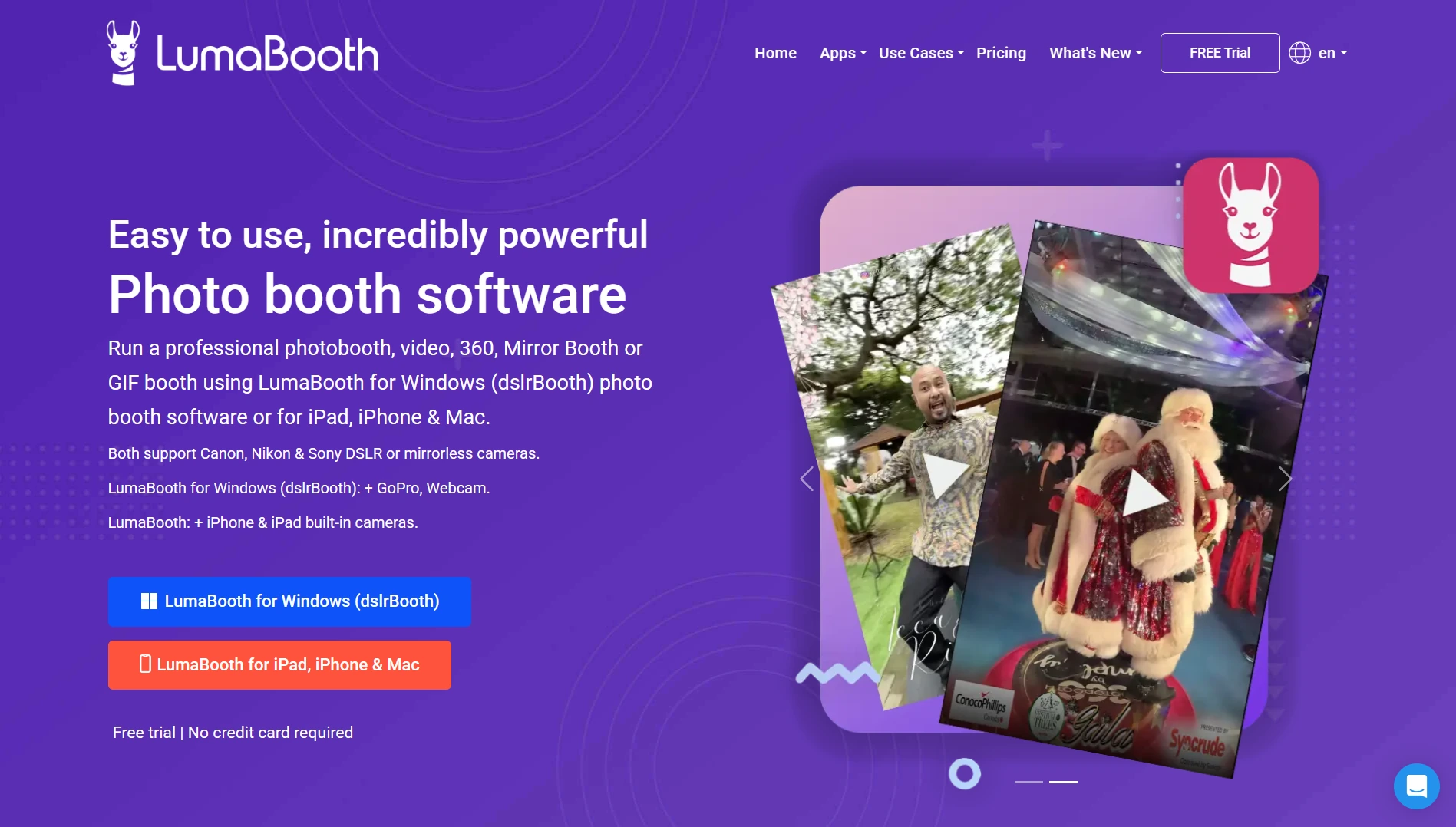
LumaBooth is professional photo booth software by Lumasoft LLC that covers every major booth format (standard photo, 360, mirror, glam, green screen, GIF, boomerang, and video guestbook) across Windows PC, iPad, iPhone, and Mac under a single annual subscription starting at $17/month billed annually. Its key capabilities include:
- 360 booth, mirror booth, glam booth, and green screen all included at the base subscription tier
- Two device licenses included in the base plan at no extra per-device fee
- Full Windows PC and Apple (iPad/iPhone/Mac) support under one subscription
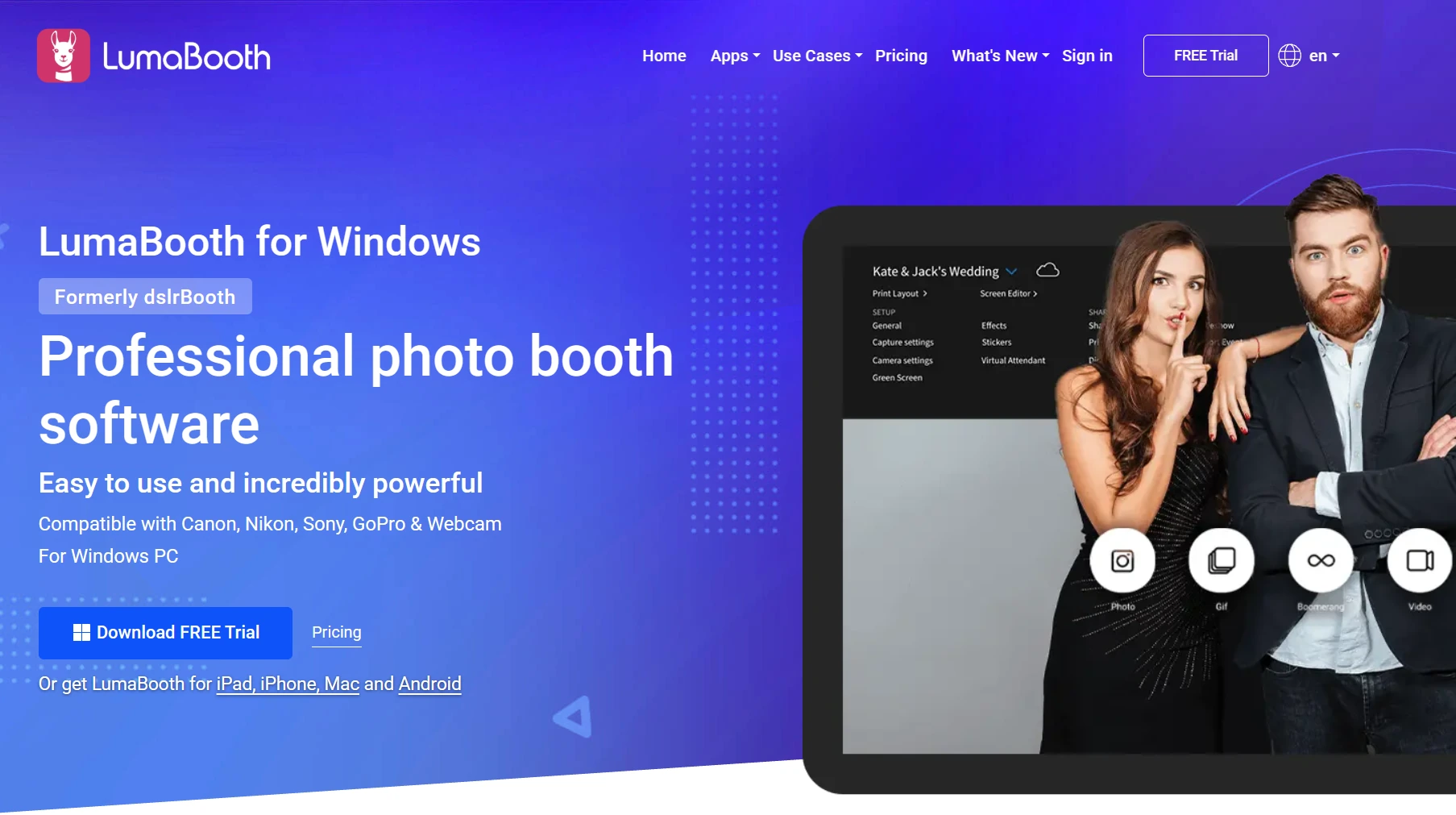
- Canon, Nikon, Sony, GoPro (models 5 through 13), and webcam support on Windows at no integration fee
- AI Portraits with 170+ presets and a custom prompt builder
Why Choose LumaBooth Over Snappic for Affordable Multi-Format Coverage
LumaBooth stands out in three areas:
- Lowest Monthly Cost for Multi-Format Operations. LumaBooth for Apple costs $18/month billed annually; LumaBooth for Windows costs $17/month annually. Both include two device licenses. Snappic’s Starter plan at $69/month covers standard photo booth only. To run a 360 booth or any VideoFX experience, operators must upgrade to the Business plan at $189/month. LumaBooth delivers 360, mirror, glam, and green screen at $18/month, a difference of $171/month (over $2,000 per year) for equivalent booth-type coverage.
- Cross-Platform Windows and Apple Support. Snappic runs on iPad, iPhone, and Mac only. LumaBooth spans Windows PC, iPad, iPhone, and Mac under one brand and a unified LumaBooth Dashboard. The company calls this a category first: “No other photo booth platform connects Windows and iOS under one roof.” For operators running mixed fleets or already owning Windows hardware, this eliminates a forced Apple purchase.
- Broad Camera Compatibility at No Added Cost. LumaBooth for Windows supports Canon EOS, Nikon D-series and Z-series (26+ models), Sony mirrorless (18+ models), GoPro models 5 through 13, and any webcam, all included in the base subscription. Operators with existing camera gear can deploy immediately without purchasing new equipment.
Source: LumaBooth
🏅 NOTE: We also evaluated Sparkbooth (a Mac and Windows desktop app available as a one-time purchase for casual use) and Darkroom Booth (a Windows-only perpetual license built around print-heavy workflows). Both serve their niches, but LumaBooth delivers the best combination of lowest recurring price, multi-format coverage at the base tier, cross-platform support, and camera compatibility for operators who want a single subscription to grow with.
LumaBooth Pricing
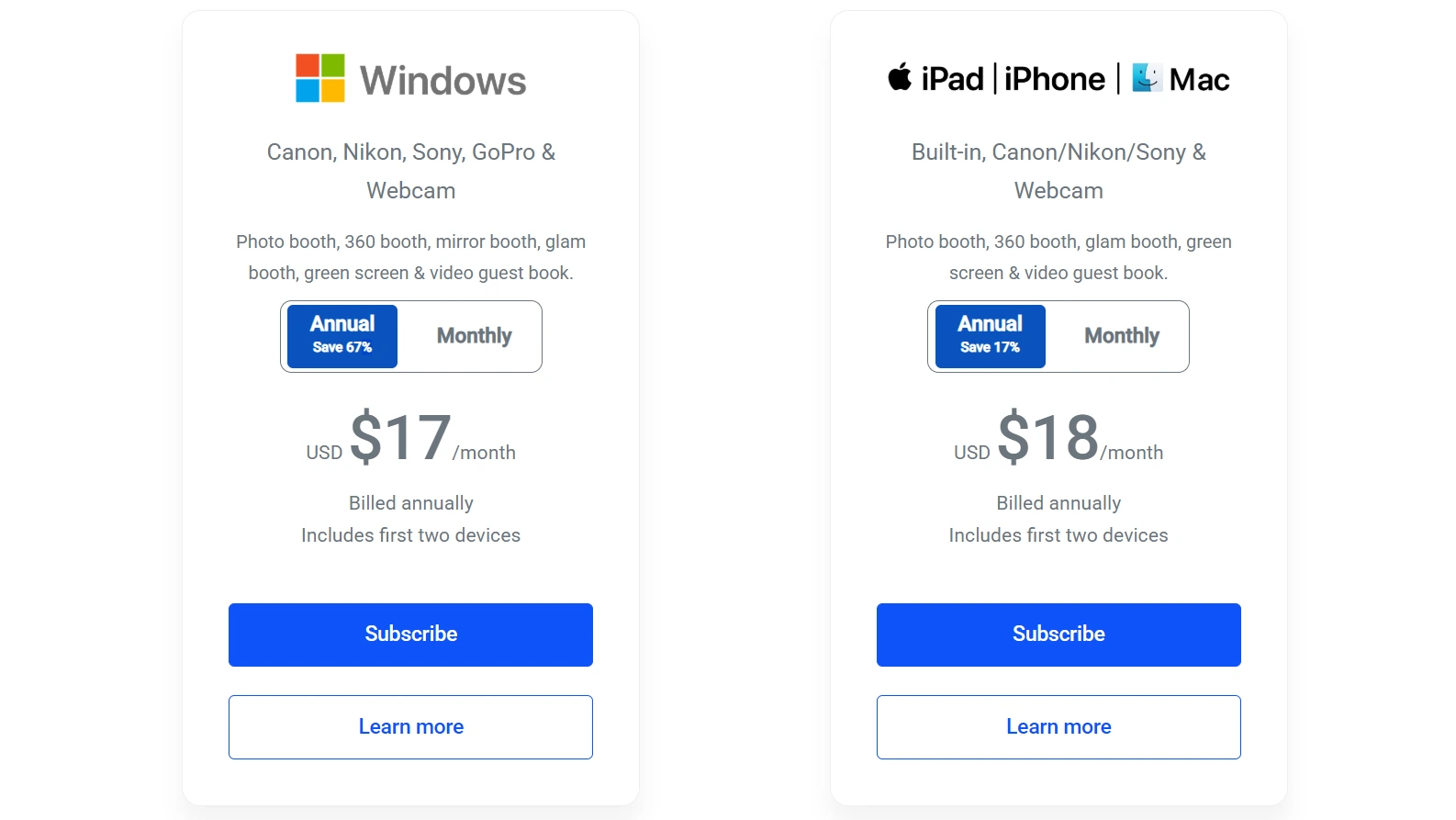
- LumaBooth for Apple: $18/month billed annually (~$216/year) or $19.99/month. Covers photo booth, 360, glam, green screen, and video guestbook. Includes fotoShare Cloud Basic and LumaShare companion app.
- LumaBooth for Windows: $17/month billed annually (~$204/year) or $49.99/month. Adds mirror booth and built-in cashless payment via Stripe.
Source: LumaBooth
Optional add-ons include SMS plans ($10/month), AI Credits starting at $14.99/month for 150 credits, and fotoShare Cloud upgrades. An unlimited-duration free trial with no credit card required is available (outputs are watermarked until purchase).
Who Should Use LumaBooth?
Choose LumaBooth if:
- Your photo booth business is in its early stages and you need 360, mirror, glam, and green screen capability without committing to a $189/month subscription.
- You already own or plan to purchase Windows-based photo booth hardware and need a native Windows application.
- You own Canon, Nikon, Sony, or GoPro camera hardware and want to use it immediately without per-camera integration fees.
3. Touchpix, Best Alternative for Cross-Platform Hardware Flexibility
Source: Touchpix
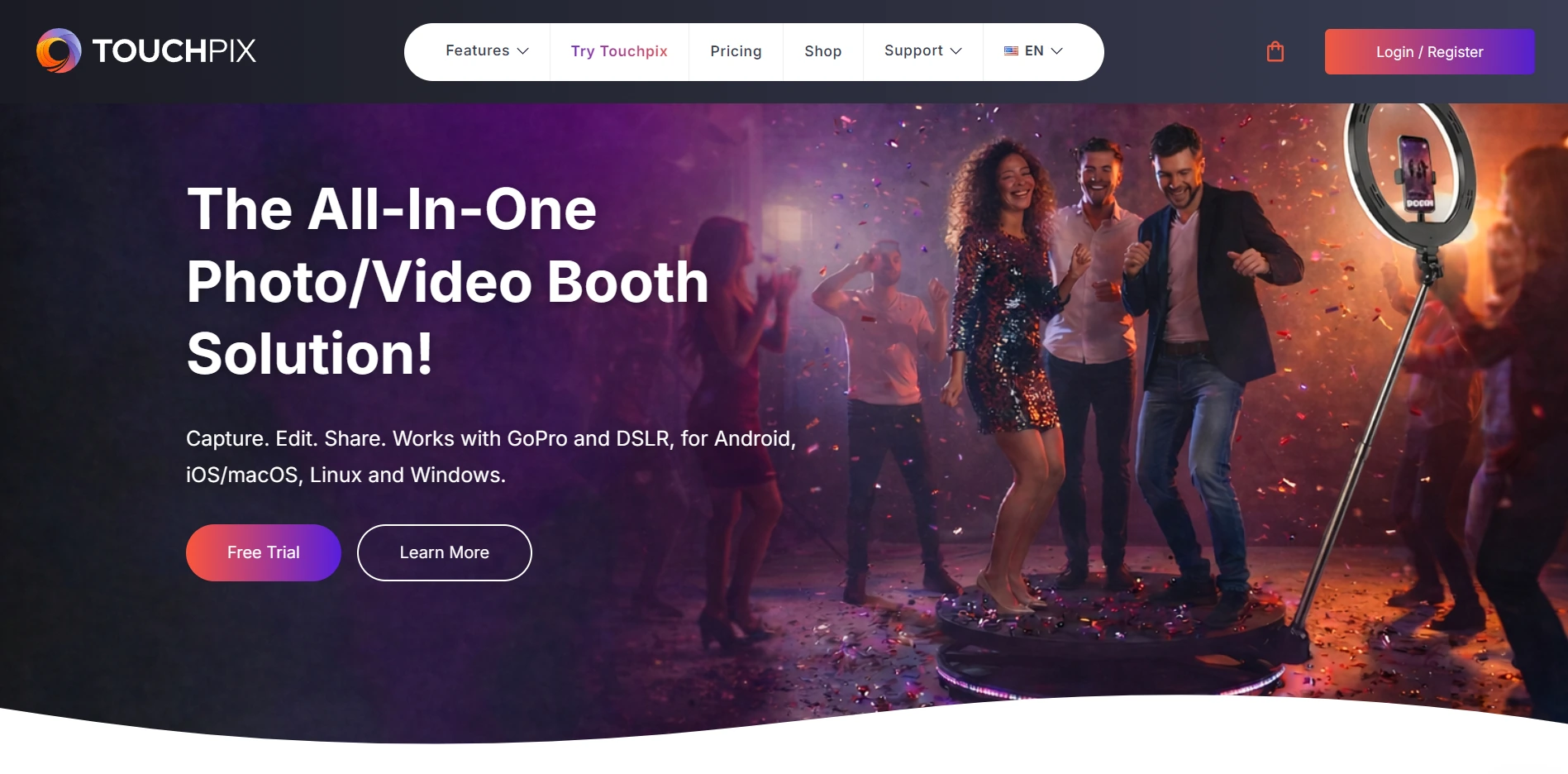
Touchpix is a subscription-based photo and video booth platform that runs natively on virtually any device an operator already owns: iOS, iPadOS, Android, macOS, Windows, Linux, and Raspberry Pi. Where Snappic requires Apple hardware, Touchpix deploys on the operating system an operator already has. Its key capabilities include:
- Native support for iOS, Android, macOS, Windows, Linux, and Raspberry Pi under a single subscription
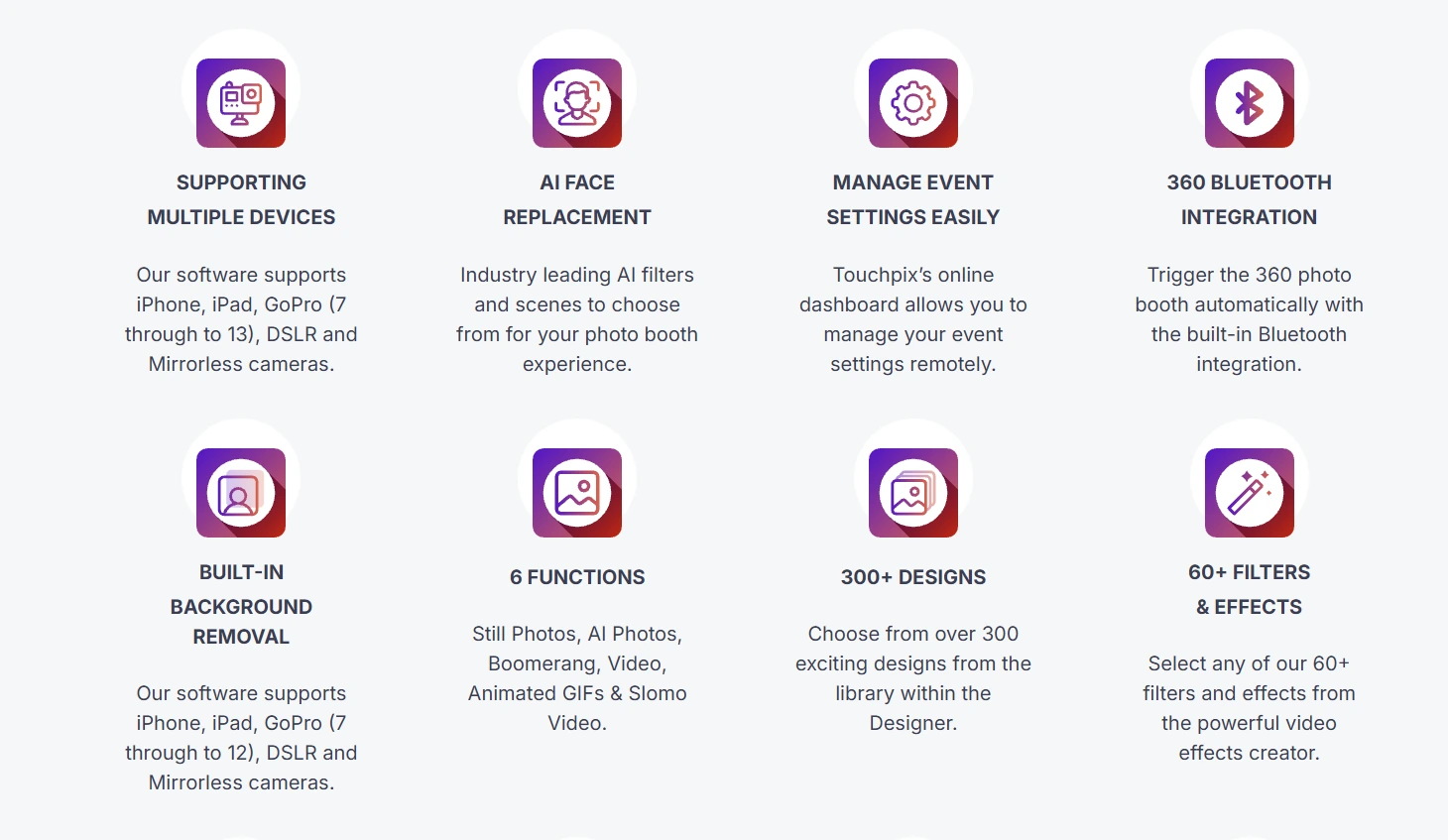
- AI face replacement and background removal processed on-device with no internet and no per-use credits
- A library of 300+ built-in animated overlay templates covering weddings, corporate events, and seasonal themes
- GoPro integration covering models 7 through 14 with documented per-model compatibility
- Scanpix 2 offline sharing for media delivery via QR code with no Wi-Fi at the venue
Why Choose Touchpix Over Snappic for Cross-Platform Hardware Flexibility
Touchpix stands out in three areas:
- Operating System Flexibility. Snappic is built for iPad, iPhone, and Mac only. Touchpix’s single subscription covers iOS, Android, macOS, Windows, Linux, and Raspberry Pi with unlimited devices. An operator running a mixed fleet (an iPad for roaming, a Windows laptop for DSLR tethering, an Android tablet for a secondary station) manages all of them under one account. This matters most for operators entering the market with existing non-Apple hardware.
- Offline AI Without Per-Use Credit Costs. Snappic’s AI background removal requires credits ($15 per 100 images) and a live cloud connection. Touchpix’s AI face replacement and AI background removal both run on-device, requiring no internet and consuming zero credits. At a four-hour corporate activation with 300 guests, that eliminates a real variable cost. The Scanpix 2 offline sharing system extends this by delivering media via QR code even when the venue has no Wi-Fi.
- All Booth Types Under One Plan. Snappic’s VideoFX engine (covering 360 booths, GlamBot, and video capture) requires the Business plan at $189/month. Touchpix’s MultiPass plan at $879.99/year (~$73/month) includes 360 video, still photos, boomerangs, GIFs, and slow-motion video, plus mirror booth mode, DSLR tethering, and GoPro integration in a single subscription.
Source: Touchpix
🏅 NOTE: We also evaluated Darkroom Booth (Windows-native with broad camera compatibility) and LumaBooth (cross-platform Windows and Apple). Both offer strong alternatives, but Touchpix provides the widest hardware footprint of any platform in this comparison, covering more operating systems than either, and its offline AI processing eliminates the per-use credit costs that accumulate on cloud-dependent platforms.
Touchpix Pricing
- PhotoPass: $439.90/year. 2 active events; photos, AI photos, and GIFs. No video or slow motion.
- MultiPass: $879.99/year (Most Popular). 4 active events; adds video, slow-motion, boomerang, 360, mirror, DSLR, and GoPro.
- MultiPass Pro: $1,407.99/year. 8 active events; adds Virtual Booth and Advanced Surveys.
- MultiPass Enterprise: $2,199.99/year. 12 active events; adds Mosaic and RAW cloud backups.
A 14-day free trial with no watermarks and no credit card is available. Cloud AI styles consume credits purchased separately (100 credits for $12, up to 5,000 for $375).
Who Should Use Touchpix?
Choose Touchpix if:
- Your existing hardware includes Android tablets, Windows machines, or Raspberry Pi, and you want to deploy on devices you already own rather than purchasing Apple hardware.
- You operate at outdoor events or venues with unreliable Wi-Fi and need AI features and guest media delivery to work fully offline.
- Per-use AI credit costs are a concern at high-volume events, and you want core AI features that run on-device at no variable cost.
4. Curator Live, Best Alternative for Per-Event Billing and Cinematic Video
Source: Curator Live
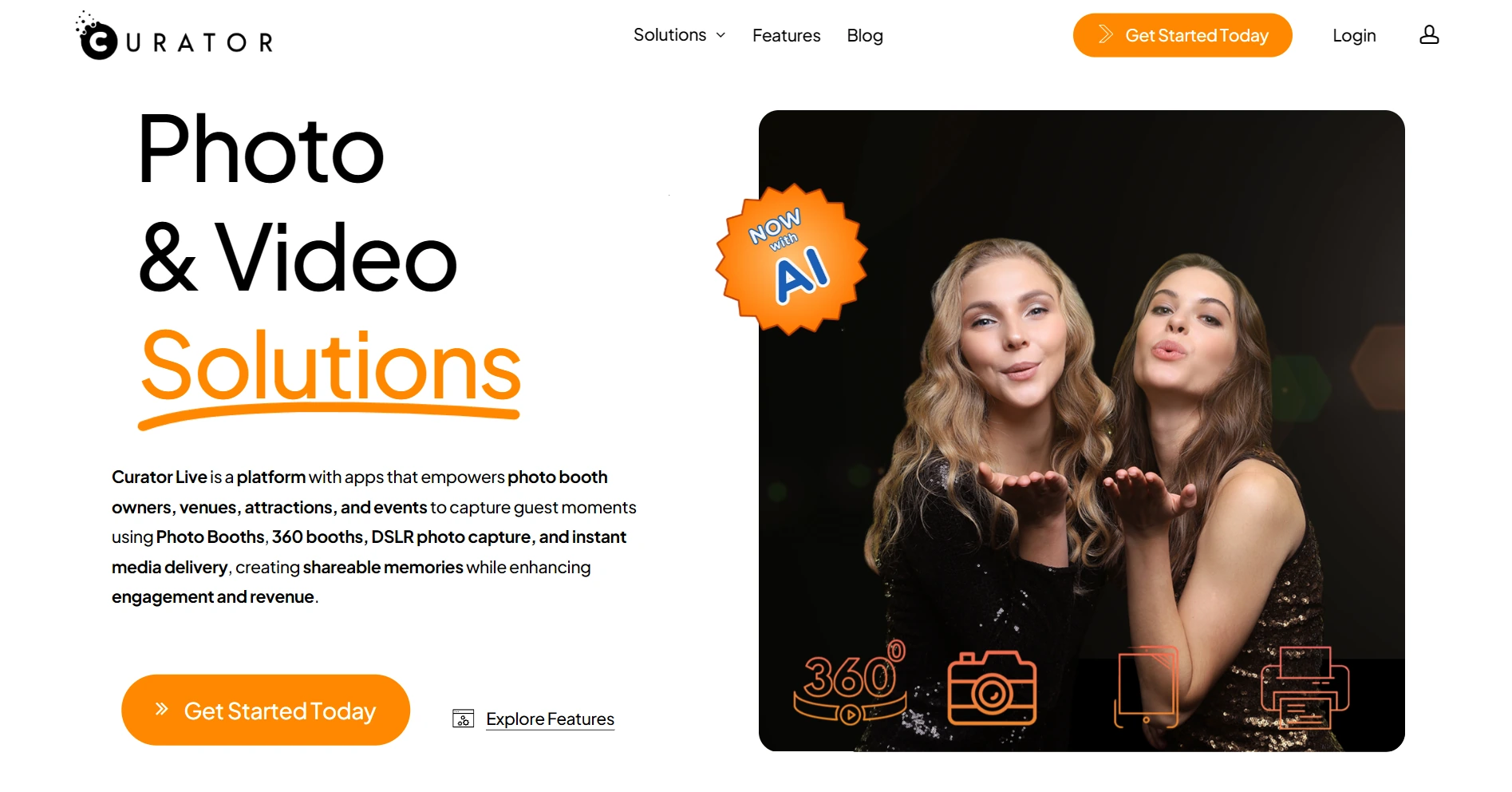
Curator Live is an iOS-native photo and video booth platform built for professional operators and event agencies that need enterprise capabilities (cinematic 360 video, a deep effects library, full white-label branding) without committing to a fixed monthly subscription during slow seasons. Its key capabilities include:
- Agency Pro plan at $249/month or $99 per event activation, with white-label URL included on annual billing
- Over 10,000 camera filter combinations through independently adjustable color, light, skin, and style parameters
- 360 CustomFX video booth support covering OrcaVue spinners, GlamBot robot arms, and drone booth workflows
- 100+ DSLR and mirrorless camera bodies supported across Canon, Nikon, Olympus, and Sony
Why Choose Curator Live Over Snappic for Per-Event Billing and Cinematic Video
Curator Live stands out in three areas:
- Enterprise Features Without Monthly Lock-In. Snappic’s enterprise capabilities (white-label, sub-accounts, grey-label app) live in the Scale plan at $399/month. Curator Live’s per-event pricing extends to the Agency Pro tier: at $99 per event activation, operators unlock white-label URL, facial recognition (beta), Photography Mode (beta), and full 360 CustomFX video. For an agency running 2 to 4 activations per month during peak season and near zero during off-season, the per-event path saves real money.
- White-Label Branding Included, Not an Add-On. On Snappic’s Business plan ($189/month), white-label URL and email branding is a $79/month add-on. Curator Live includes the white-label URL on Agency Pro yearly ($2,499/year, approximately $208/month). Curator Live’s white-label infrastructure also covers custom-branded microsites and email delivery, so the client’s brand is what guests see at every touch point.

- Cinematic Video Compositing with Transparent Layers. The CustomFX Timeline Builder supports transparent HEVC .mp4 video files composited both in front of and behind the recorded subject in the same render pass. A branded particle animation can appear to pass in front of a guest while a background scene replaces the venue behind them, all processed on an iPad during the event. OrcaVue 360 hardware pairs and is controlled within the app via Bluetooth.
Source: Curator Live
🏅 NOTE: We also evaluated Snappic Scale ($399/month, with sub-account management and a grey-label app for resellers). While Snappic Scale excels at multi-client management for high-volume resellers, Curator Live fits event agencies with unpredictable calendars best, where per-event billing flexibility, included white-label access, and a layered video effects architecture carry the most practical value.
Curator Live Pricing

- Per-Event (3-day activation): Standard $29, Event Pro $59, Agency Pro $99.
- Monthly: Standard $69, Event Pro $149, Agency Pro $249.
- Yearly: Standard $499, Event Pro $1,499, Agency Pro $2,499 (includes white-label URL).
Source: Curator Live
AI photo rendering credits are purchased separately at approximately $0.45/image (standard) and $1.00/image (Pro for groups of 8+). Face Swap consumes zero credits. SMS requires a separate Twilio account. A free account with a DEMO watermark is available for dashboard testing.
Who Should Use Curator Live?
Choose Curator Live if:
- Your event agency runs brand activations on a seasonal calendar and needs enterprise features on a per-event billing model, without paying monthly during quiet months.
- Your clients expect full white-label branding on every guest-facing surface and you want that included at the Agency Pro tier rather than sold as a separate add-on.
- You want to deliver cinematic 360 video through a layer-based CustomFX timeline with transparent HEVC compositing, branded audio, and pre/post-roll video clips.
5. Darkroom Booth, Best Alternative for Zero-Subscription Windows Operators
Source: Darkroom Booth
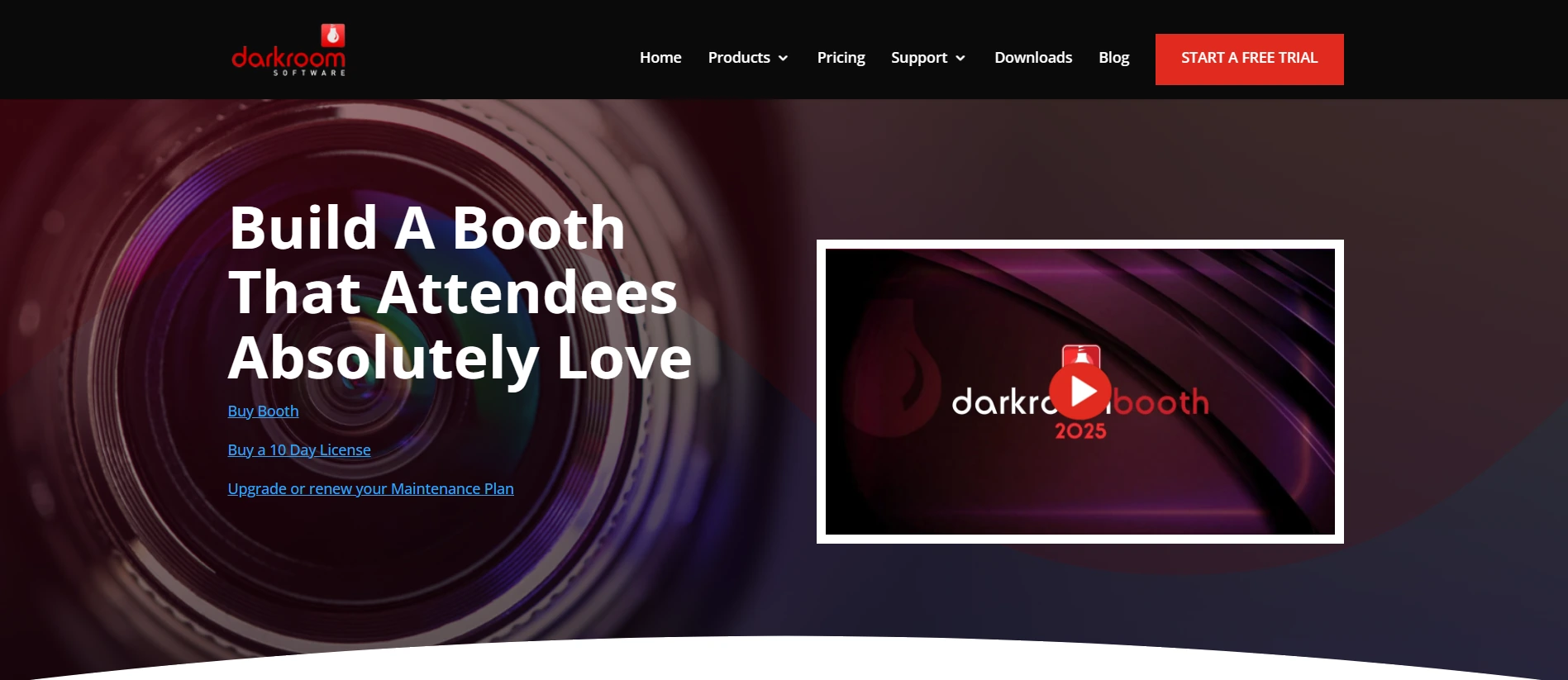
Darkroom Booth is a Windows-native photo booth desktop application built by a family-owned Dallas-based software company with roots going back to 1992. It offers a permanent, one-time-purchase license as a direct structural alternative to Snappic’s subscription model. Its key capabilities include:
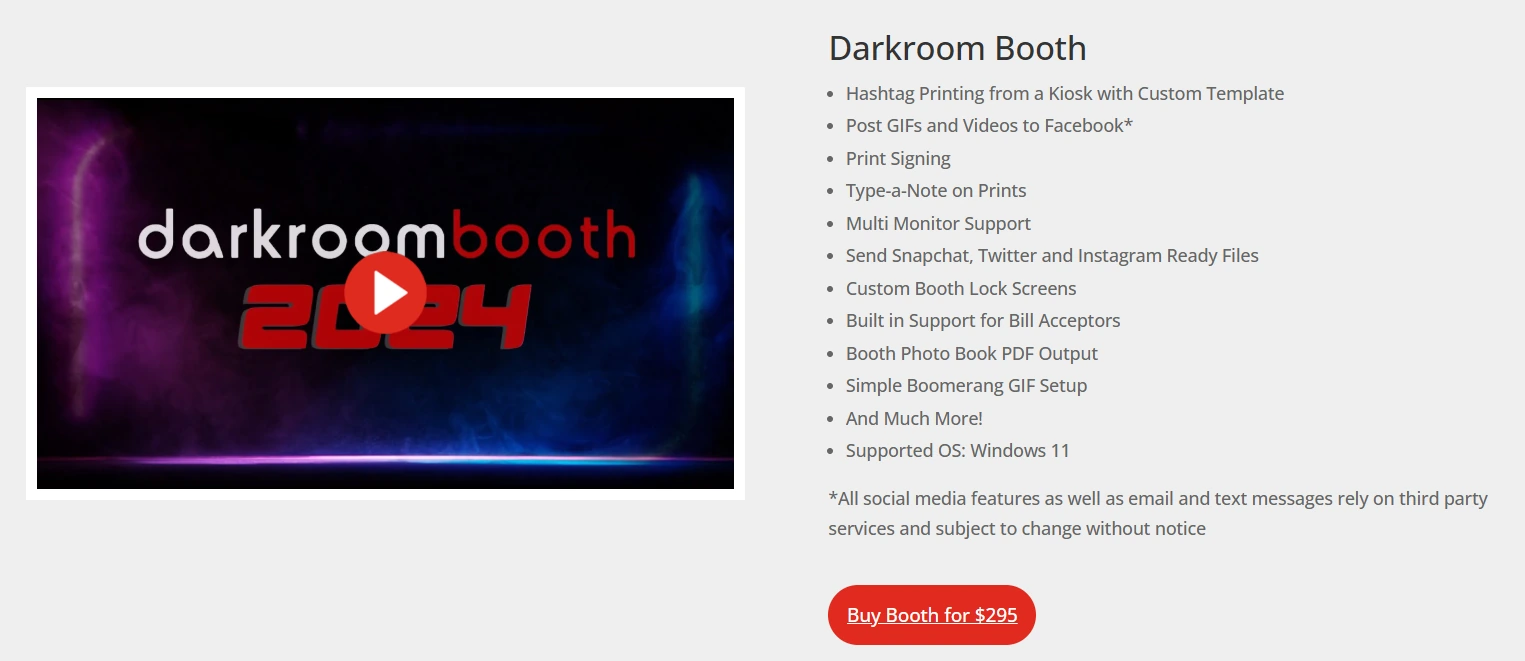
- One-time perpetual license at $295 with no recurring subscription and no deactivation if billing lapses
- Over 75 customizable print and screen templates included at no additional cost
- Unlimited, time-unrestricted free trial with all features unlocked (watermarked until purchase)
- Built-in support for bill acceptors, coin mechanisms, and Phidget-controlled arcade buttons for pay-per-use permanent installations
- GIFs, boomerangs, slow-motion video up to 240 fps (via GoPro), green screen, and AI effects
Why Choose Darkroom Booth Over Snappic for Windows-Based and One-Time-Purchase Operations
Darkroom Booth stands out in three areas:
- Perpetual Ownership vs. Monthly Subscription. Snappic’s Starter plan runs $69/month or $499/year, and the subscription never stops: let it lapse and the software stops working. The $295 one-time Darkroom Booth license is permanent. The software continues to run its core functions indefinitely regardless of whether the optional $95/year maintenance plan is renewed. Across three years, a Snappic Starter operator pays $1,497 to $2,070. Darkroom Booth costs $295 plus an optional $285 in maintenance renewals.
- Windows-Native Architecture. Snappic has no Windows version. Darkroom Booth runs on any Windows 10 or 11 PC, supports Canon, Nikon, GoPro, and any Windows-compatible webcam via USB or Wi-Fi tether, and provides native Phidget USB interface board support for coin-operated permanent installations, a deployment category the Snappic iOS platform does not address.
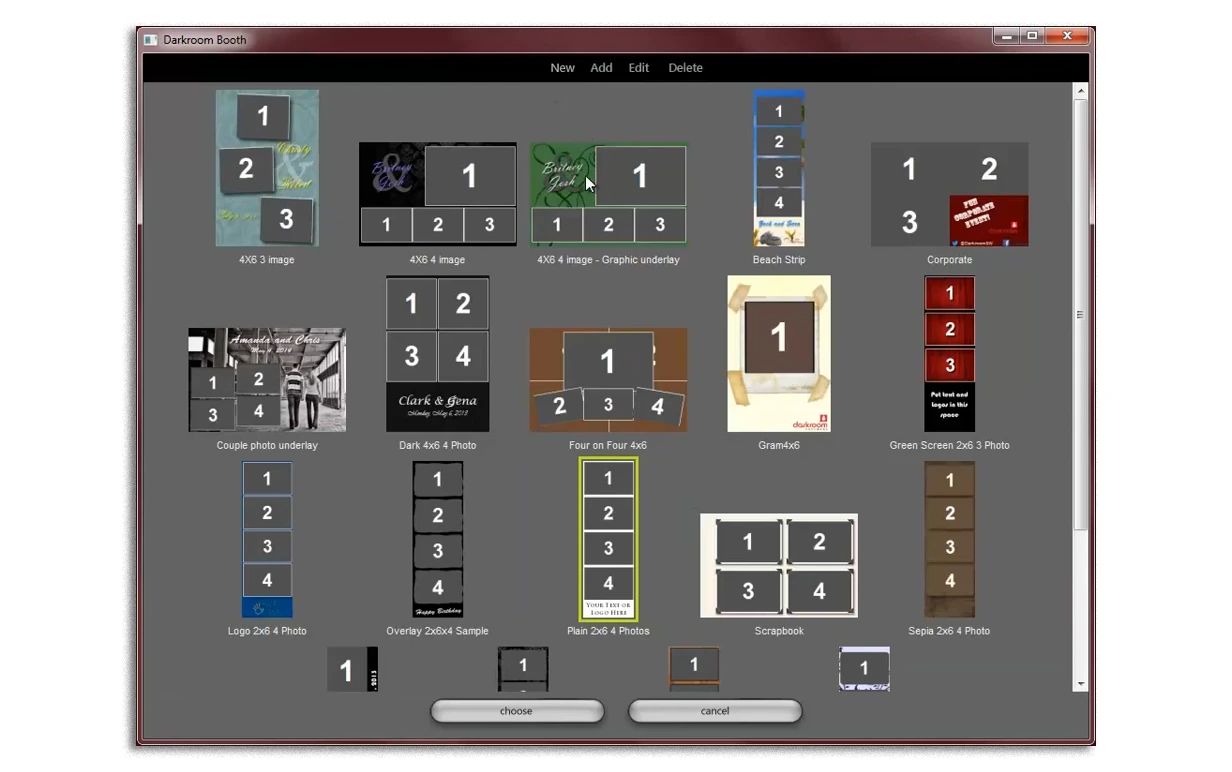
- The Largest Print-Specific Template Library. Snappic’s template system is optimized for digital delivery. Darkroom Booth ships with over 75 customizable templates designed for physical print output, with built-in drivers for 20+ dye-sublimation printers from DNP, Fujifilm, Mitsubishi, Sony, Shinko/Sinfonia, HiTi, and Ciaat.
Source: Darkroom Booth
🏅 NOTE: We also evaluated Sparkbooth ($149 one-time, Mac and Windows, focused on simplicity for personal events). While Sparkbooth offers a lower entry price for casual operators, Darkroom Booth provides the most complete no-subscription toolkit for Windows-based professionals who need print-grade tools, coin-op hardware support, and zero recurring fees.
Darkroom Booth Pricing
- Full License: $295 (one-time). Covers installation on up to 2 computers simultaneously. Includes one year of updates and maintenance.
- Annual Maintenance: $95/year (optional). Renews access to updates and tech support. Software continues to run core functions if maintenance lapses.
- 10-Day Temporary License: $45. For existing customers needing a second booth for overlapping events.
Source: Darkroom Booth
A free trial with no expiration date is available with every feature unlocked (watermarked until purchase).
Who Should Use Darkroom Booth?
Choose Darkroom Booth if:
- You operate on Windows hardware and do not want to purchase Apple devices to run your photo booth software.
- You want to eliminate recurring software costs with a perpetual license that never deactivates.
- You run coin-operated, pay-per-use, or permanent venue installations where bill acceptor and arcade button support is a requirement.
6. Booth.Events, Best Alternative for No-Commitment Evaluation and Flat-Rate AI Pricing
Source: Booth.Events
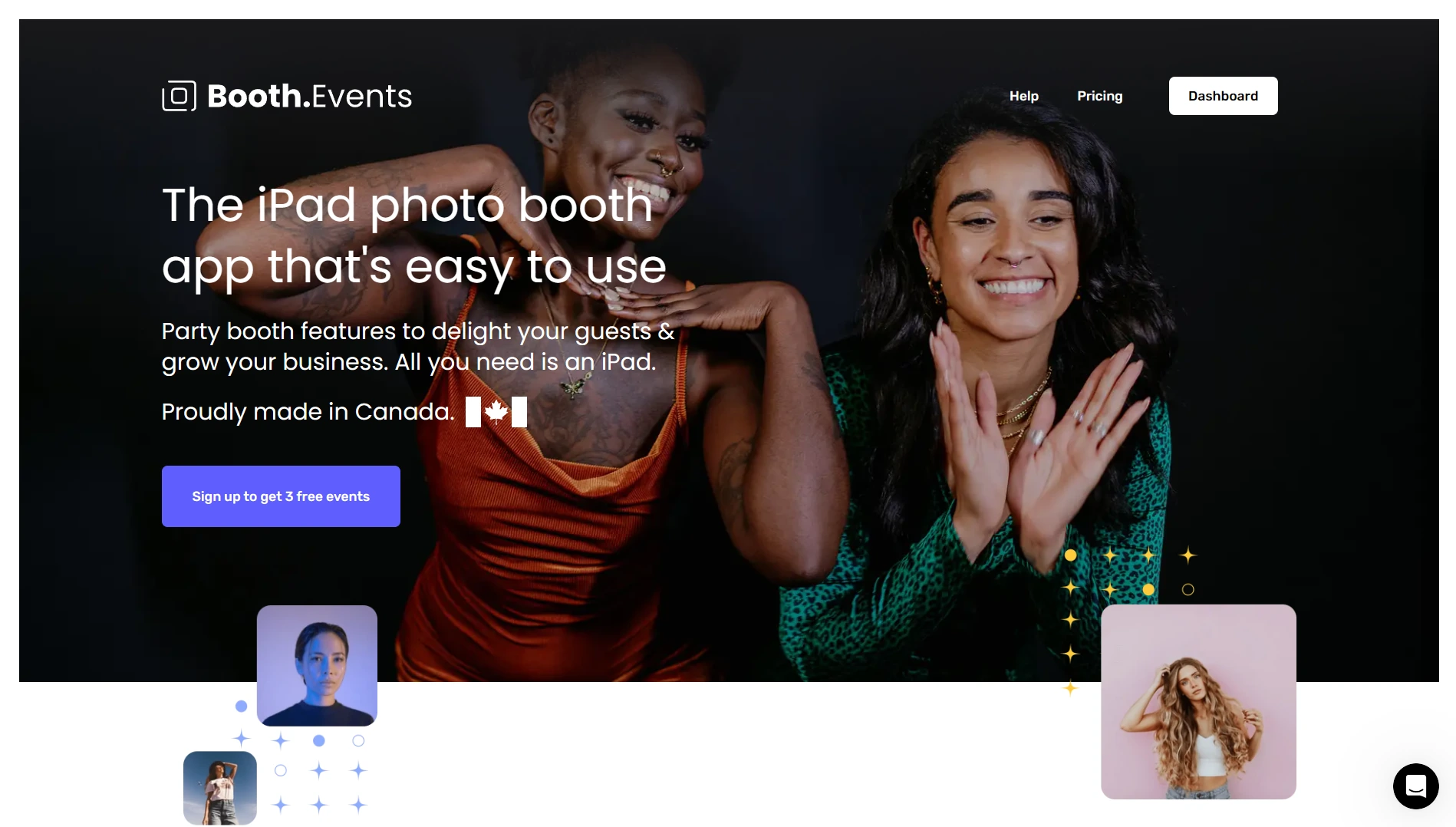
Booth.Events is an iPad photo booth app built by Solodigitalis Inc. that positions itself as the lowest-commitment path into professional photo booth software. With a 4.8-star App Store rating from 897 reviews, it gives new accounts up to 3 complete Pro-tier events before requiring any payment information. Its key capabilities include:
- 3 full Pro-tier events free at signup with no credit card required
- Never-expiring 4x Pro event credit packs for infrequent operators
- AI background removal (SceneSelect) included on all paid plan tiers with no per-image credit cost
- Canon, Nikon, and Sony DSLR and mirrorless camera support via USB from the first paid tier
- Custom GDPR consent and legal disclosure screens configurable per event on all plan tiers
Why Choose Booth.Events Over Snappic for No-Commitment Evaluation and Predictable AI Costs
Booth.Events stands out in three areas:

- A Trial That Lets You Run Real Paying Events. Snappic’s 14-day free trial is time-bounded. Booth.Events takes a different approach: all new accounts receive up to 3 free events with Pro-tier feature access (AI background removal, DSLR tethering, white-label branding), each capped at 100 photos and a 7-day gallery. An operator can book a paid client event, deploy Booth.Events for free, deliver a professional experience, and evaluate the platform under real conditions before deciding to subscribe.
- AI Background Removal With No Per-Image Credit Cost. Snappic’s Online AI Background Removal costs $15 per 100 images on top of the subscription. Booth.Events’ SceneSelect AI background removal is included on all paid plan tiers with no per-image charge. The AI runs on-device, requires no internet, and supports operator-uploaded custom scenes that guests select post-capture. For operators quoting clients on background replacement, eliminating the variable cost makes package pricing straightforward.
- GDPR Consent Tools on Every Plan. Snappic’s Custom Surveys and Data Capture features, including the GDPR consent disclaimer, are gated to the Business plan at $189/month. Booth.Events makes consent screens available on all plan tiers through its Survey builder, with pre-session and post-capture survey stages configurable independently. Operators in the EU or working with multinational clients can offer compliant data collection without an enterprise-tier subscription.
Source: Booth.Events
🏅 NOTE: We also evaluated Sparkbooth (30-day trial before a $149 one-time purchase) and Darkroom Booth (unlimited trial before a $295 perpetual license). Both serve cost-conscious operators, but Booth.Events is the only platform in this comparison that lets you run actual client-facing events at zero cost before spending any money.
Booth.Events Pricing
- Starter (Permanent Free): 3 free events with Pro-tier features, no credit card. Capped at 100 photos and 7-day gallery per event.
- Basic: 1 iPad or 1 iPhone; 3-month gallery storage; SMS for USA and select countries.
- Pro: 1 iPad + unlimited iPhones; 1-year gallery storage; most countries for SMS; adds custom HTML microsites.
- Pro+: 4 iPads + unlimited iPhones; 2-year gallery storage; adds custom domain, white-label app, webhooks, LED connectivity, and AI Portraits.
- 4x Pro Event Credits: Never-expiring event-level credits granting full Pro features per event, for operators who run events infrequently.
AI Credits for AI Prompts and AI Portraits cost $8 USD per 100 credits. AI background removal (SceneSelect) and the Glam Filter do not consume credits on any plan.
Who Should Use Booth.Events?
Choose Booth.Events if:
- You want to run real paid client events before committing to any subscription, with the 3 free Pro-tier events providing a genuine working evaluation.
- You run events infrequently and the never-expiring per-event credit pack is more economical than a recurring monthly subscription.
- Your events require GDPR-compliant consent screens and you need that compliance layer accessible on every plan, not just an enterprise tier.
7. Pictor, Best Alternative for AI-Powered Photo and Video Experiences on Android
Source: Pictor
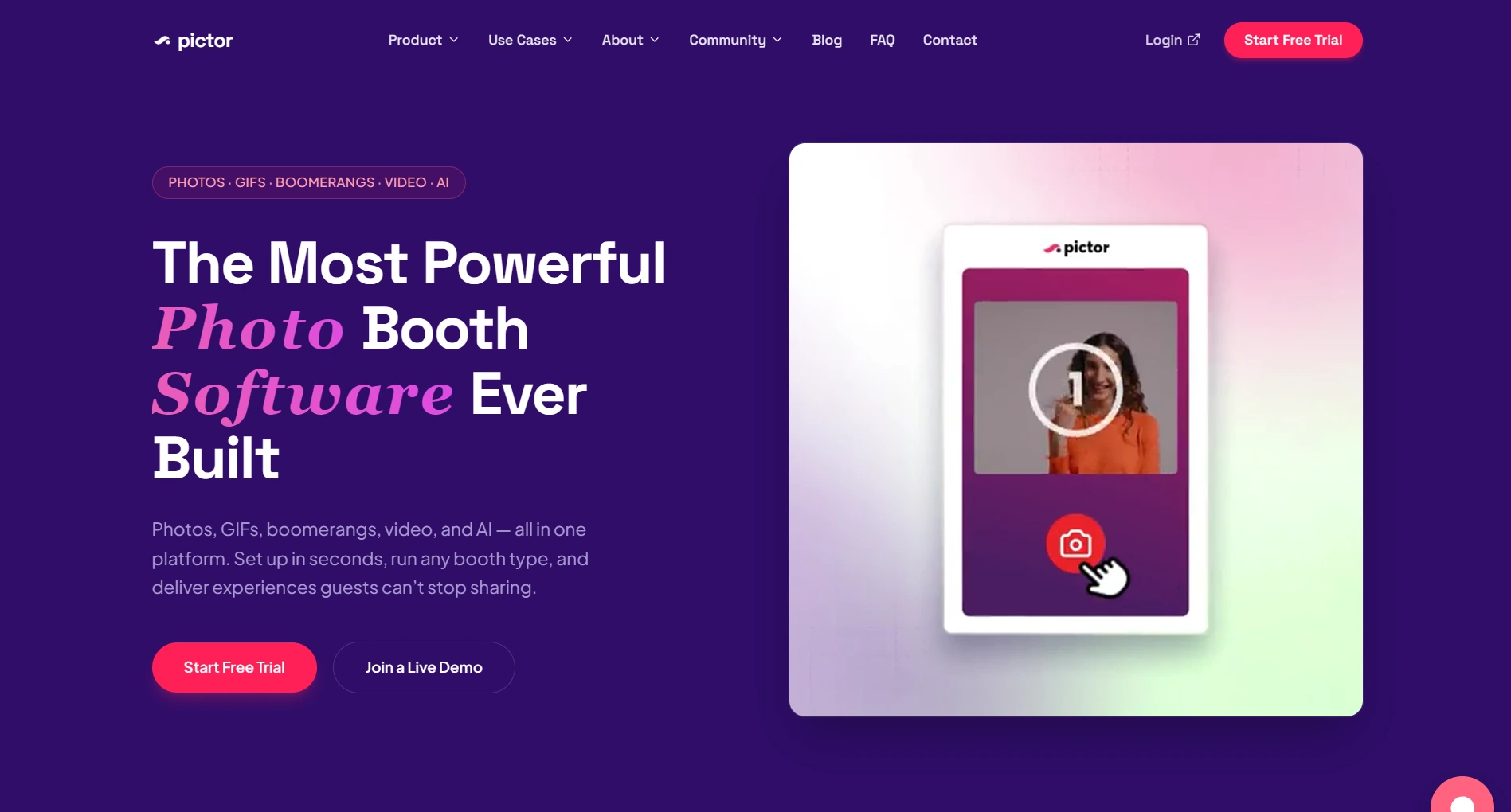
Pictor is an AI-focused photo booth software platform built by a 15-year photo booth veteran. It differentiates itself by running natively on both Android and iOS, applying AI transformation to video (not just photos), and using its proprietary GroupSense technology to solve the multi-person AI output degradation problem. Its key capabilities include:
- Native Android app at full feature parity with the iOS version, plus Windows PC and Mac support
- GroupSense AI face preservation for group shots of one to twelve guests
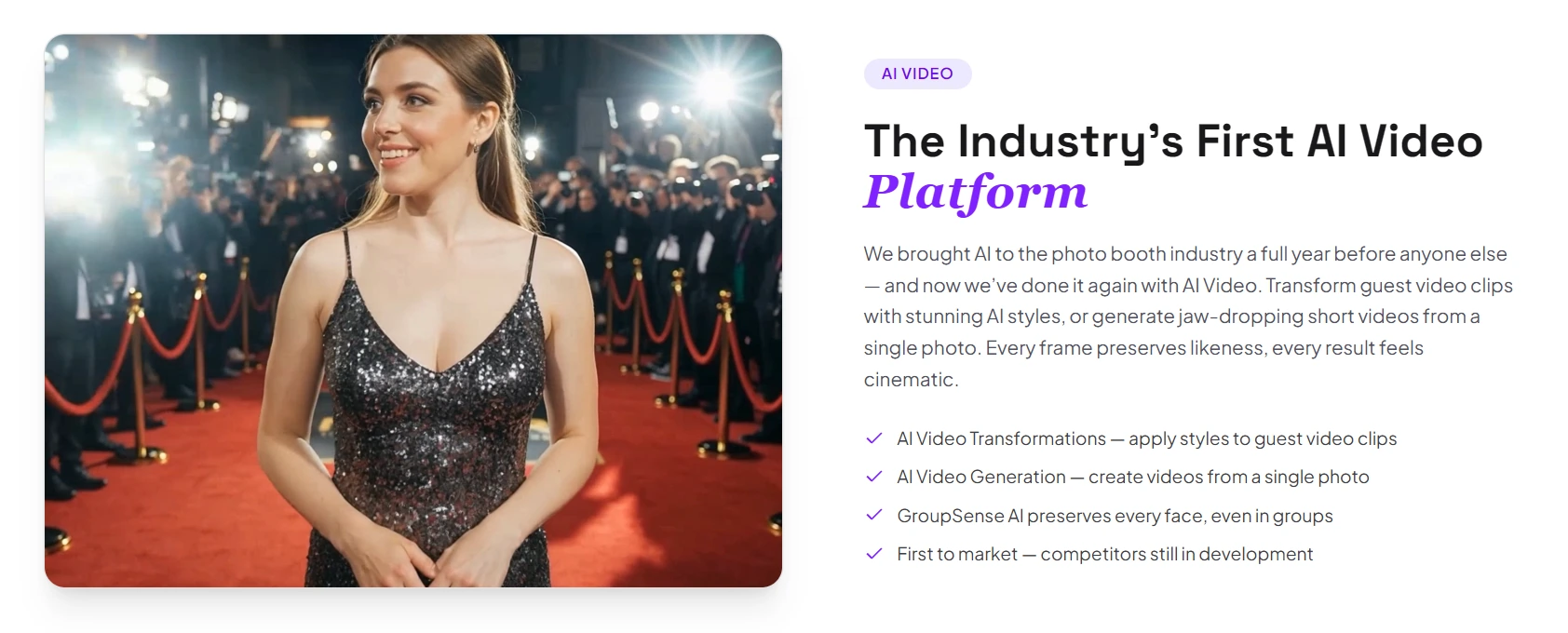
- AI Video Transformations (video-in, stylized-video-out) and AI Video Generation (photo-in, cinematic-video-out)
- 10-second average event setup via automated event builder and reusable presets
- All six capture modes (photos, GIFs, boomerangs, video, AI photo, AI video) available across paid plans
Why Choose Pictor Over Snappic for AI-First Operators on Android or Mixed Hardware
Pictor stands out in three areas:
- Native Android Support. Snappic runs on iPad, iPhone, and Mac only. Pictor ships a native Android app that operates at full feature parity with its iOS version, allowing operators to run booths on Android tablets without reduced functionality. For operators building or expanding a fleet, mid-range Android tablets cost less than comparable iPads, directly improving margins.
- GroupSense Solves Multi-Person AI Degradation. Most AI photo tools degrade when multiple people are in the frame: faces merge, blur, or drop out. Pictor’s GroupSense system detects and individually preserves every face in the frame (one guest or twelve) before AI transformation runs. For operators serving weddings where a table of eight wants an AI-transformed group photo, GroupSense determines whether the output is shareable or unusable.
- AI Video Opens a New Deliverable Category. Pictor’s AI Video operates through two modes: AI Video Transformations (applying AI stylization frame-by-frame to guest video) and AI Video Generation (creating a cinematic AI video from a single still photo). Multi-scene templates render in parallel, with approximately 1 to 2 minutes per clip in three aspect ratios (1:1, 16:9, 9:16). This produces social-ready content for Instagram Reels and TikTok that goes beyond what static AI photo outputs offer.
Source: Pictor
🏅 NOTE: We also evaluated BoothLedger (a European platform with Windows-native Canon DSLR support starting around $20/month) and Activation King (a newer multi-platform tool with 30+ AI modes). Both show promise, but Pictor offers the most distinct positioning: native Android, AI-transformed video output, GroupSense multi-person AI preservation, and a track record of shipping AI features to the photo booth industry a full year ahead of competitors in 2023.
Pictor Pricing
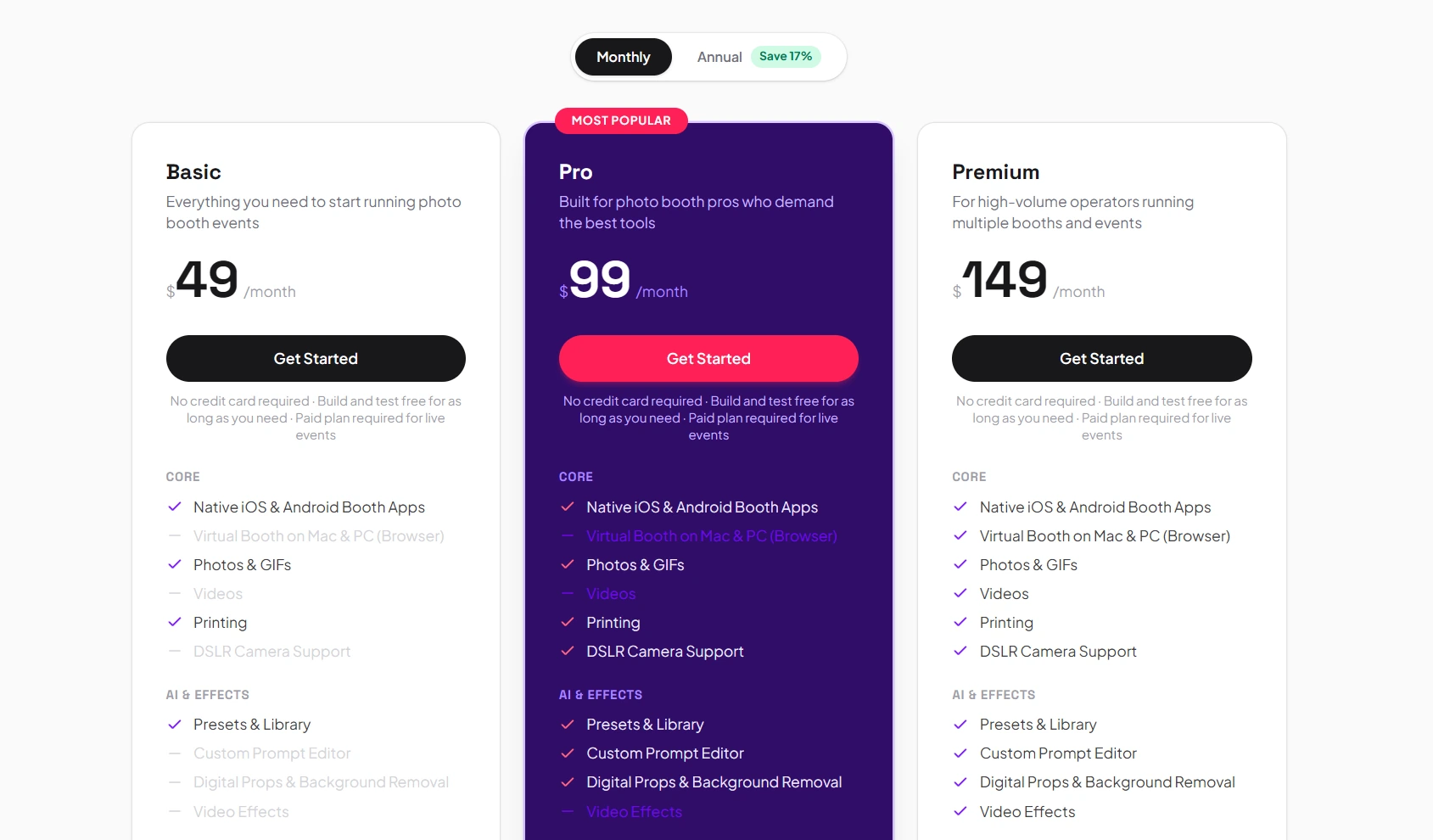
- Basic: $49/month (annual billing). All platforms (iOS, Android, Mac, PC); photos, GIFs, boomerangs, video, AI presets, custom prompt editor; analytics with CSV export; DSLR integration.
- Pro: $99/month (annual billing). Everything in Basic plus cloud background removal, live chat and emergency phone support, and Paywall via Stripe (10% fee).
- Premium: $149/month (annual billing). Everything in Pro plus AI Video at live events (testable in Simulator on any plan); Paywall fee reduced to 5%.
- Enterprise: Contact sales. Full white-label branding, grey-label app, remote access, dedicated phone support; Paywall fee at 2%.
Source: Pictor
AI features draw from a separate token balance purchased on top of the subscription. Standard AI image generation costs 1 to 2 tokens; AI Video costs 10 tokens per clip. A free exploration mode with no credit card is available, and a 30-day Trial License can be activated for internal evaluation.
Who Should Use Pictor?
Choose Pictor if:
- You run Android hardware (or want that option) and need a fully featured photo booth app without being locked into Apple devices.
- Multi-person AI outputs at events are non-negotiable, and you need reliable face preservation in group shots of up to twelve guests.
- You want to offer AI video as an event deliverable, producing short cinematic clips guests can share directly to Instagram Reels or TikTok.
The Final Verdict
Snappic excels as an all-in-one platform covering every booth format, but growing photo booth businesses often need specialized tools that go deeper in specific areas. Based on our research, here are the best alternatives:
- Simple Booth for hardware-integrated photo booth experiences with studio-grade lighting, built-in marketing tools, and 87%+ lead capture opt-in rates
- LumaBooth for the most affordable multi-format subscription, covering 360, mirror, glam, and green screen from $17/month with cross-platform Windows and Apple support
- Touchpix for cross-platform hardware flexibility across iOS, Android, Windows, Linux, and Raspberry Pi with offline AI at no per-use credit cost
- Curator Live for event agencies needing enterprise features on a per-event billing model with cinematic 360 video compositing
- Darkroom Booth for Windows operators who want a perpetual one-time-purchase license with print-optimized templates and coin-operated venue support
- Booth.Events for operators who want to evaluate professional features under real event conditions before committing, with flat-rate AI pricing on all plans
- Pictor for AI-first operators on Android who need group-shot AI preservation and AI-transformed video deliverables
You don’t have to choose between Snappic and these alternatives. Many operators run Snappic alongside specialized tools. Consider your specific needs, hardware inventory, and growth plans when deciding which solution works best.
Set up in minutes, manage from anywhere, and deliver photo experiences that capture leads automatically. Start your free Simple Booth trial and see why 30,000+ customers trust the photo booth that runs itself.
Snappic Alternatives FAQ
Why do photo booth operators look for Snappic alternatives?
Snappic works well as an all-in-one photo booth platform, but operators often look elsewhere for specific reasons: its iOS-only hardware requirement limits operators with existing Android or Windows equipment, its cloud-dependent AI features incur per-image credit costs that add up at high-volume events, and its subscription-only pricing means the software stops working if the subscription lapses. Operators with specialized needs (hardware integration, print-focused workflows, per-event billing) may find dedicated platforms more cost-effective.
What is the best overall Snappic alternative?
There is no single best alternative because Snappic covers many different functions. Simple Booth is the top choice for operators who want hardware-integrated photo experiences with built-in marketing and lead capture. LumaBooth leads for affordable multi-format coverage across Windows and Apple devices. Touchpix is the strongest option for operators who need cross-platform hardware flexibility across Android, Windows, and other operating systems.
Is there a free alternative to Snappic?
Booth.Events offers 3 full Pro-tier events free with no credit card required, making it the most generous free offering in this comparison. LumaBooth provides an unlimited-duration free trial (watermarked output). Darkroom Booth offers an unlimited free trial with all features accessible (watermarked until purchase). Pictor allows free exploration with no credit card, and Snappic itself offers a 14-day free trial.
Which Snappic alternative works on Android or Windows?
Touchpix offers the widest hardware support, running on iOS, Android, macOS, Windows, Linux, and Raspberry Pi. Pictor provides a native Android app alongside iOS, Mac, and Windows PC support. LumaBooth covers both Windows and Apple platforms (iPad, iPhone, Mac) under one subscription. Darkroom Booth is Windows-only with native support for Windows 10 and 11.
Which Snappic alternative is cheapest for multi-format booths?
LumaBooth is the most affordable multi-format option at $17 to $18 per month billed annually, including 360 booth, mirror booth, glam booth, and green screen at the base tier. Touchpix’s MultiPass plan at approximately $73/month billed annually also includes all booth types. By comparison, Snappic requires its Business plan at $189/month to access 360 booths and VideoFX features.
Can I use Snappic alternatives with my existing DSLR camera?
Yes. LumaBooth for Windows supports Canon, Nikon, Sony, and GoPro cameras at the base subscription price. Darkroom Booth supports Canon, Nikon, and GoPro via USB or Wi-Fi tether. Simple Booth supports Canon and Sony DSLR and mirrorless cameras on its Core plan and above, with both wired USB and wireless Wi-Fi connection options. Curator Live supports over 100 Canon, Nikon, Olympus, and Sony bodies via USB tethering. The specific models supported vary by platform, so check each platform’s compatibility list against your gear before committing.
Which alternative is best for brand activations and lead capture?
Simple Booth is built for brand activations and marketing, offering customizable data capture forms with 87 to 89% opt-in rates, native MailChimp integration, API access for custom CRM delivery, and a Virtual Booth product that runs browser-based branded experiences with no hardware required. Its analytics dashboard tracks participants, gallery views, and social sharing, with demographic insights available on the Select plan.
How difficult is it to switch from Snappic to one of these alternatives?
Migration complexity depends on your setup. Switching a single iPad from Snappic to Simple Booth or Booth.Events is straightforward since both are iPad-based. Moving to a Windows platform like Darkroom Booth or LumaBooth requires different hardware. Most operators take advantage of free trials to test their new platform at a real event before fully transitioning, and many run both platforms in parallel during the transition period.
Keep reading
 Showdowns
Simple Booth vs Snappic: Which Photo Booth Software Fits Your Business in 2026?
Integrated iPad system vs multi-format fleet. Simple Booth or Snappic?
 Pricing
Snappic Pricing: Worth It or Consider Simple Booth? (September 2026)
Monthly tiers plus layered credit fees. Snappic pricing, fully unpacked.
 Reviews
Snappic Review 2026: Is This Photo Booth Software Right for Your Business?
360, Glambot and mirror booths, but no hardware of its own. Snappic, reviewed straight.