PicPic Social Review 2026: Is This Photo Booth Sharing Platform Right for You?

PicPic Social sits between the booth and the guest. It handles sharing and delivery so operators can get photos, GIFs, and 360 videos into guests’ hands quickly. For operators running Windows-based capture software who need a reliable way to deliver media and collect leads, it fills a real gap.
To write this PicPic Social review, we analyzed it thoroughly. We believe it’s the right choice if:
- You already run Windows-based booth software and need a sharing layer on top of it
- Offline file delivery for 360 video booths is a hard requirement
- You want a dedicated sharing kiosk separate from your capture device to reduce lines
- You operate primarily in the US or Canada and want free SMS delivery included
- You need white-label branding on a lower-cost subscription
However, PicPic Social might not be the best choice if:
- You want an integrated capture-to-delivery system managed from a single platform
- You need professional hardware with built-in studio lighting
- AI photo effects and in-app template design matter to your clients
- You require DSLR or mirrorless camera support for higher image quality
- You need detailed analytics, demographic insights, or native CRM integrations
In this case, you should consider Simple Booth: a complete photo booth platform that combines proprietary ring-light hardware, a cloud-connected iPad app, and a browser-based virtual booth into one integrated system.
Where PicPic Social adds a sharing layer to your existing setup, Simple Booth replaces the entire stack with hardware designed for photo booths, AI photo effects, a full layout designer, and marketing tools that capture first-party data at an 87 to 90% opt-in rate.
We’ve included a detailed look at Simple Booth later in this review as the natural upgrade for operators ready to move beyond a sharing-only workflow. If you’d like to try the full platform, you can start a free trial of Simple Booth here.
What is PicPic Social?
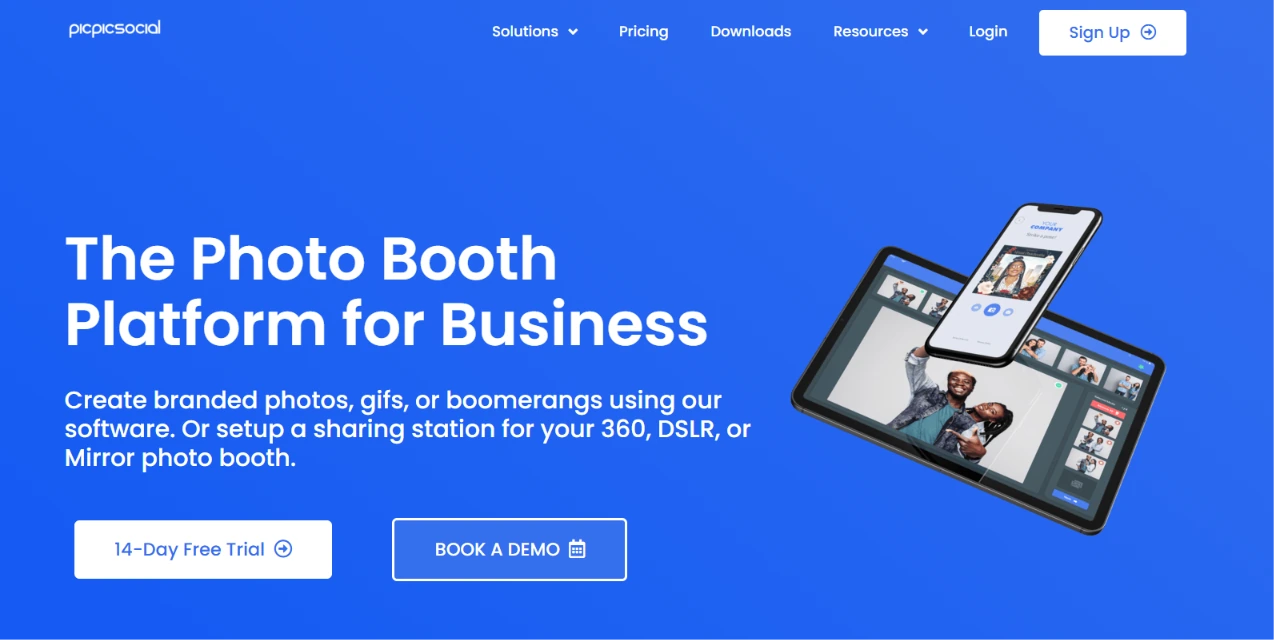
PicPic Social is a photo booth sharing and delivery platform built by PICPIX INC., a privately held company headquartered in Providence, Rhode Island. Seye Omisore founded it after running a photo booth rental company in New England starting in 2010.
Source: PicPic Social
The software grew from operator pain points: slow guest sharing, unreliable venue Wi-Fi, and missed lead capture.
The platform calls itself “The Photo Booth Platform for Business” and organizes around four products. The Sharing Station is the core offering, giving guests a dedicated kiosk to retrieve and share photos via social media, email, or text.
The Virtual Photo Booth runs in-browser for virtual and hybrid events. QR Sharing (PicPic Slide) handles offline file delivery through a local network, and the Web Gallery provides cloud-hosted event galleries with one-click client delivery.
PicPic Social serves professional photo booth operators, particularly those running 360, DSLR, or mirror booths on Windows-based capture software. The company is small (approximately 4 employees per LinkedIn) and bootstrapped, with no disclosed funding.
Omisore also runs the Booth·ish Podcast and the Booth Accelerator training program, positioning himself as an industry voice beyond the software.
PicPic Social Pros & Cons
| Pros | Cons |
|---|---|
| Works with all major Windows-based booth software | No integrated capture hardware |
| 100% offline QR sharing for venues without Wi-Fi | iOS app last updated in 2019 |
| Free unlimited SMS for US and Canada on all plans | Thin public review footprint (4 App Store ratings) |
| White-label and grey-label branding on all paid tiers | No public API or CRM integrations |
| Virtual Sharing Station runs in any browser, no app install | International SMS requires paid Virtual Credits |
| Per-event pricing option for occasional operators | Free trial photos carry draft watermarks |
| Built-in lead capture with GDPR compliance | Event-based plan caps (5, 15, or unlimited per month) |
PicPic Social Review: How it Works & Key Features
Sharing Station: PicPic Social’s core product separates sharing from capture to reduce booth lines and collect leads.
The Sharing Station solves a specific bottleneck: when guests have to stay at the booth to share their content, lines grow and social exposure stalls.
By giving guests a separate kiosk (either a physical iPad or a browser-based Virtual Sharing Station), the booth stays free for the next group while guests share at their own pace.
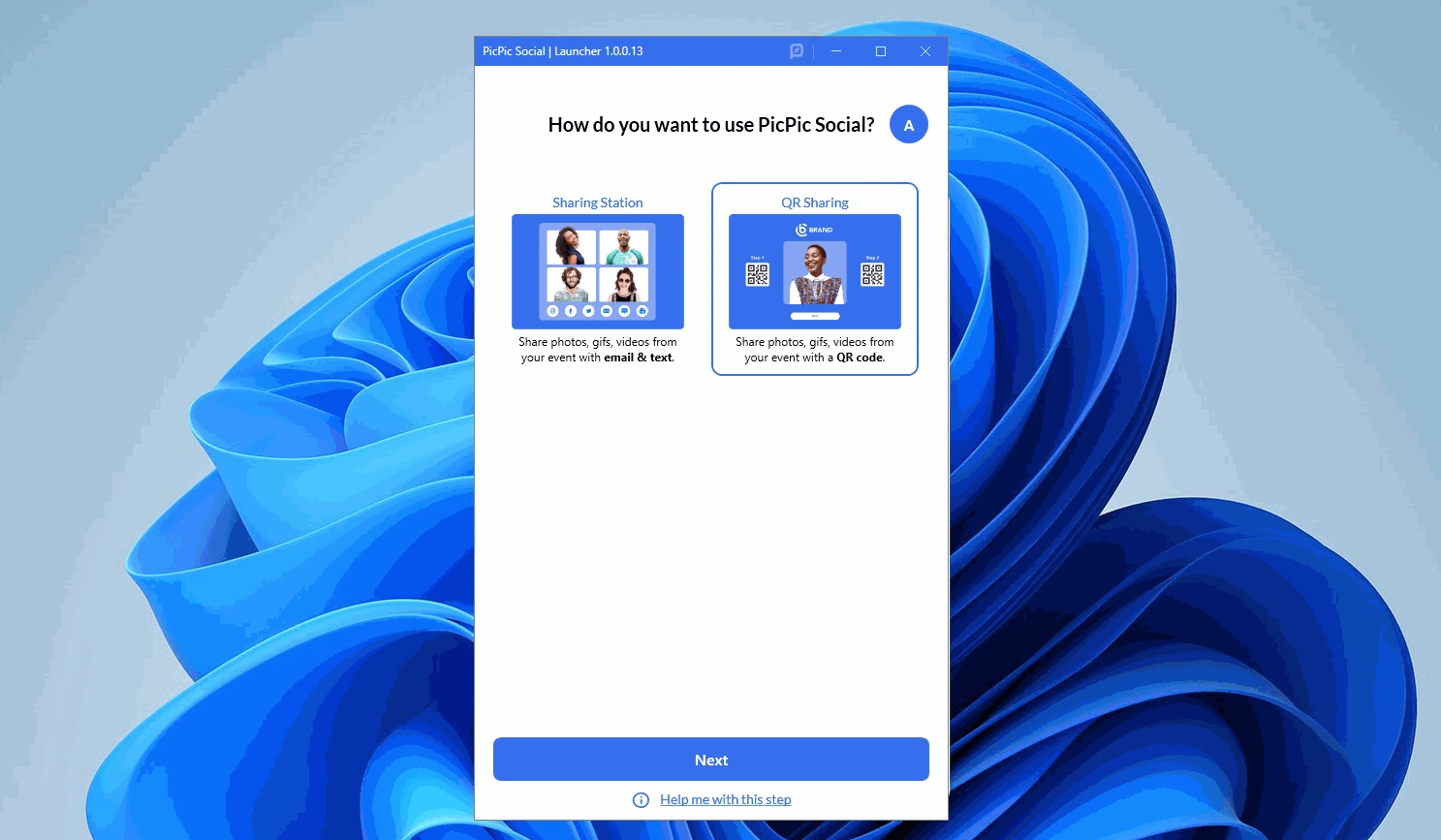
The system uses a Watch Folder approach. The operator installs the PicPic Launcher on the Windows PC running their booth software and points it at the output directory where finished images and videos land.
Source: PicPic Social
Any new file saved to that folder is detected and made available for guest retrieval. This means the Sharing Station works with any Windows-based photo booth software (DZENTECH, Spinner 360, Darkroom Booth, Social Booth, FOTO MASTER, Breeze, and DSLR Booth) without requiring operators to change their capture workflow.
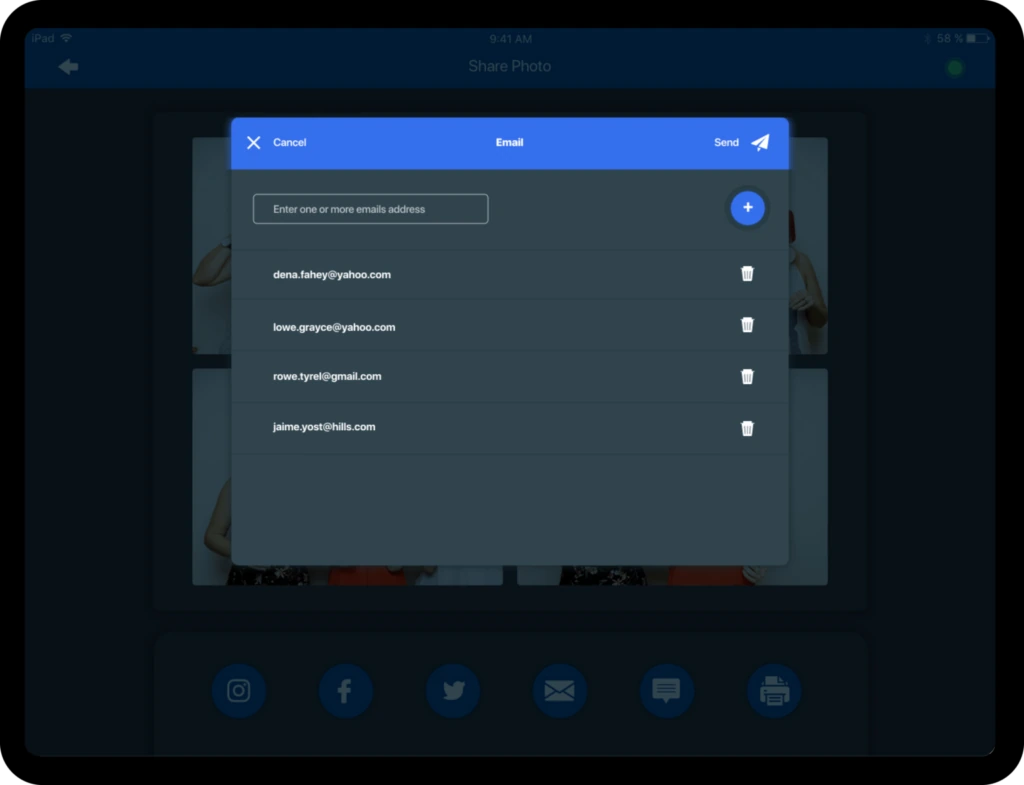
Guests select their file from the on-screen gallery, enter their email or mobile number, and receive the content directly. Email delivery supports direct attachments for images under 18 MB, with larger files and videos routed as branded Microsite links.
SMS delivery to the US and Canada is free on all plans, with no Twilio account or A2P 10DLC registration required.
The Sharing Station also works as a lead capture tool. Every guest who shares a file submits their name, email address, and mobile number with explicit opt-in consent, turning every event into a list-building opportunity.
 *Source: [PicPic Social](https://picpicsocial.com/sharing-station/)*
 Both deployment modes (the Virtual/Web Sharing Station and the iPad/PC version) are included on all paid plans. Each Sharing Station event runs for 30 hours starting at midnight on the configured date.
QR Sharing & Slideshow (PicPic Slide): Offline file delivery for 360 booths at venues with no internet.
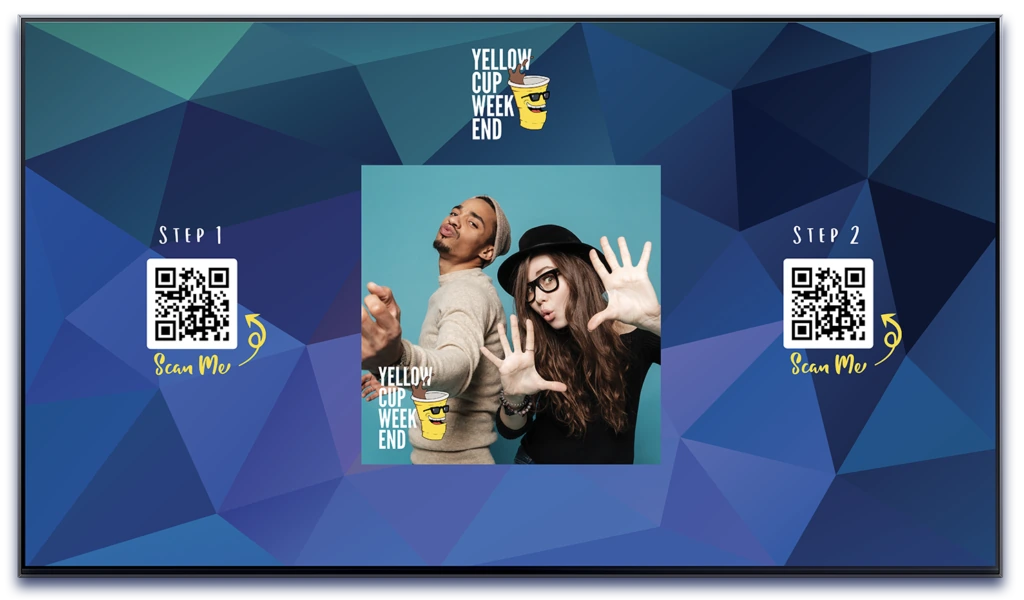
PicPic Slide addresses a common pain point for 360 photo booth operators: getting large video files to guests when the venue has no reliable internet. The product combines a looping slideshow display with per-file QR code downloads in a single Windows application.
The offline mode connects a local router to the booth PC. PicPic Slide broadcasts a local Wi-Fi network and displays two QR codes on the slideshow screen. Guests scan the first code to join the local network, then scan the second to download their file directly from the booth computer. No internet is involved.
Source: PicPic Social
For events with internet, an online mode links each QR code to a branded Microsite where guests can download or share via Facebook, Twitter, email, and text.
The slideshow doubles as event entertainment. It supports four display modes (Basic Full Screen, Basic Standard, QR Sharing Direct, and QR Sharing Microsites), configurable transition effects, and a dedicated ad slot for sponsor logos or event flyers.
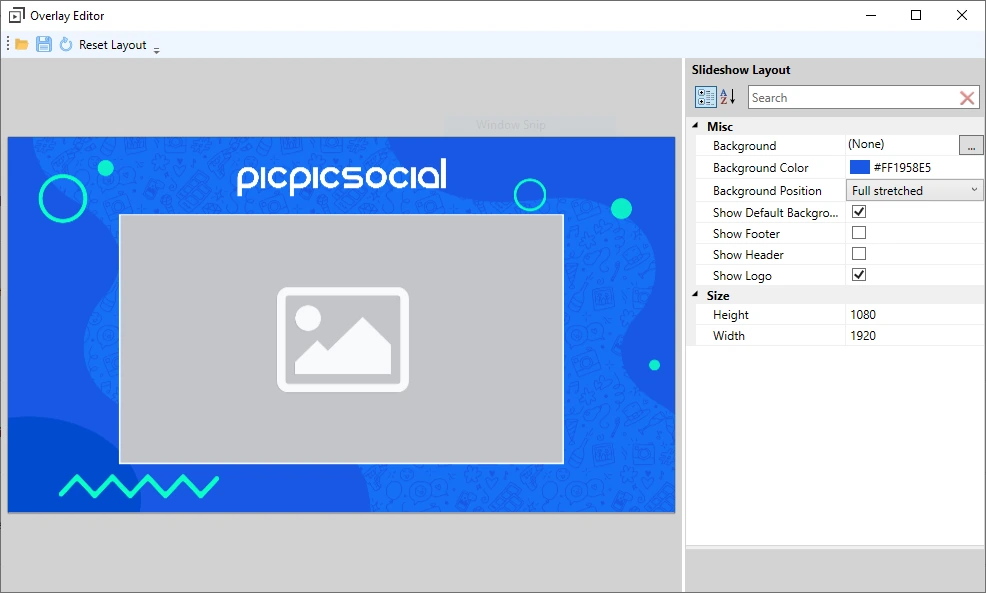
Source: PicPic Social
Output can be displayed on a connected monitor or cast to a Chromecast-connected TV.
Virtual Photo Booth: Browser-based capture for virtual, hybrid, and remote event revenue.
PicPic Social’s Virtual Booth runs in a web browser with no app download required. It is positioned as a way to “create additional revenue with virtual photo booths for live and virtual events” rather than a replacement for physical booths.
Guests open a link on any device with a camera, choose a capture mode (still photo, GIF, or burst/boomerang), and receive a branded output they can share via email or social media.
The Experience Editor gives operators control over photo placeholder coordinates, frame size, countdown timers (0 to 5 seconds between shots), and background handling.
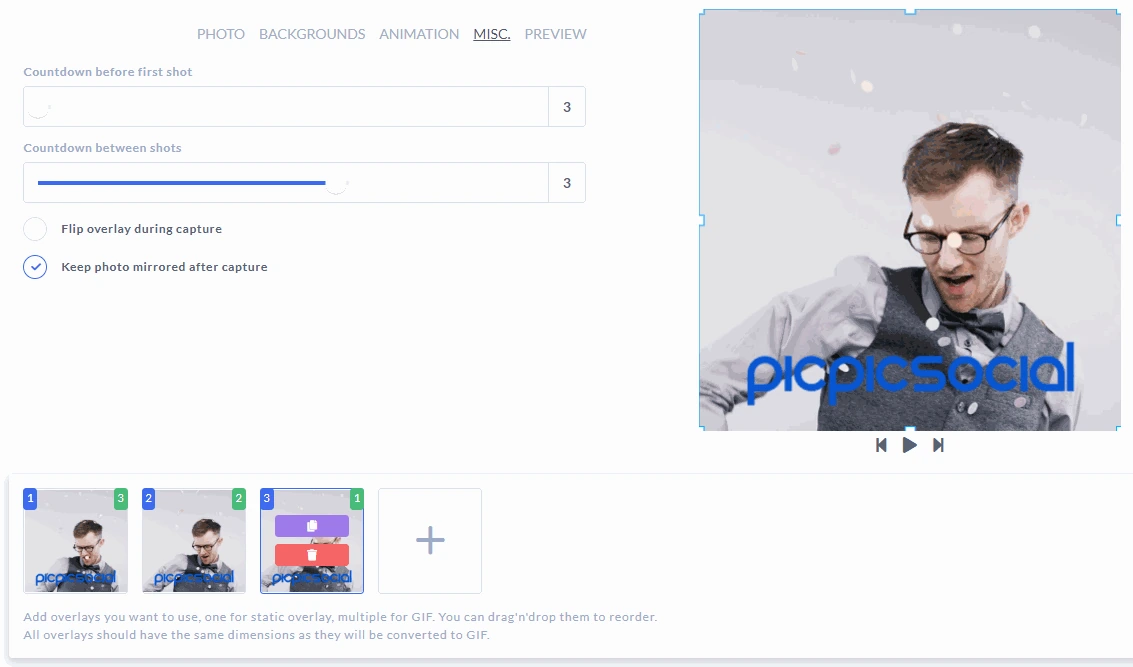
Source: PicPic Social
AI background removal is available as a pay-per-use add-on at $0.20 per photo, and Snapchat-style AR props with face-tracking add entertainment.
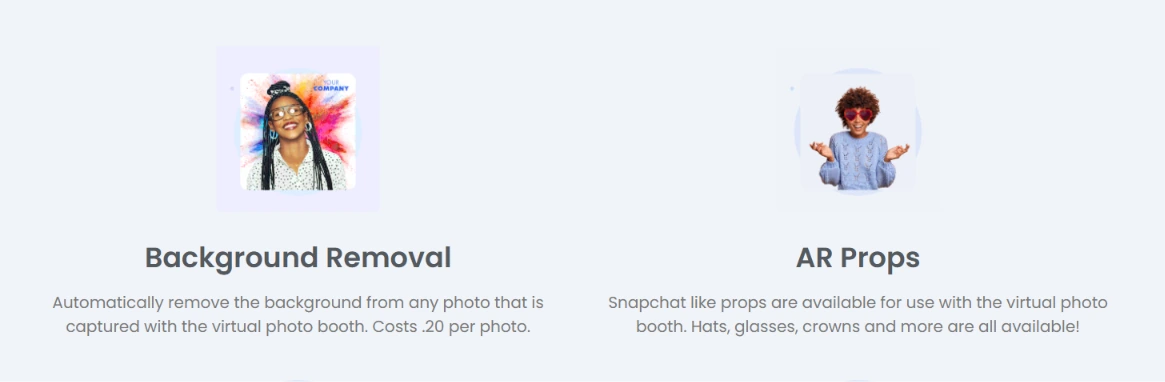
Source: PicPic Social
Template design uses Paddee, PicPic Social’s companion template marketplace offering 5,000+ designs editable in-browser without Photoshop.
The Virtual Booth captures names, emails, and mobile numbers automatically, with operator-controlled content moderation before photos appear in the public gallery. Photobooth events run 1 to 7 days on Starter and Leader plans, extending to 30 days on Agency monthly and up to 1 year on Agency annual.
Web Gallery & Branding: Cloud-hosted galleries with data capture and white-label control.
The Web Gallery collects all photos, GIFs, and videos from an event in a branded online gallery. Files upload in real time as they are captured, so the gallery can be shared before the event ends.
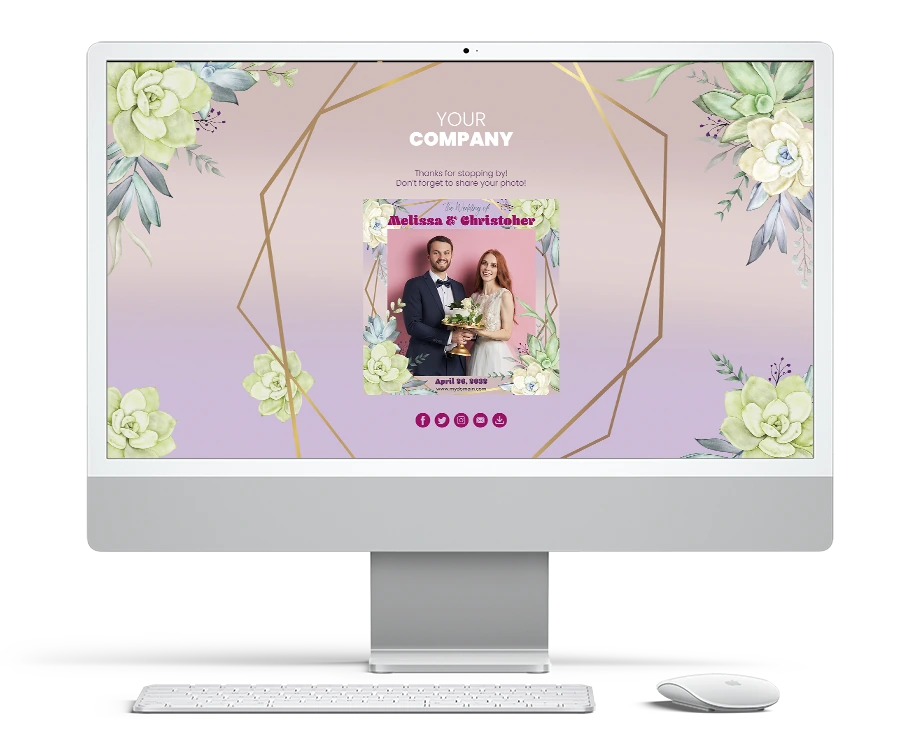
Source: PicPic Social
For events without internet during the shoot, operators can drag-and-drop files into the dashboard afterward.
PicPic Social notes that only about 40% of photo booth businesses were using online event galleries at the time of publishing, framing the gallery as a competitive differentiator for operators who adopt it.
Branding control is a strength across the platform. Grey Label replaces PicPic Social’s URLs with a generic domain so guests cannot identify the underlying software.
White Label lets operators use their own custom domain, presenting the entire experience as their own product. Both options are available on all paid tiers, not gated to a top-tier plan.
The gallery includes content moderation for screening photos before they go live, unlimited file hosting, and a list builder that can gate gallery access behind an email or social login form, converting visitors into leads.
Pricing: Event-based tiers with a pay-per-event option for occasional operators.
PicPic Social’s pricing is structured around monthly event quotas:
- Starter: $74/month. Five events per month. Full feature set including Sharing Station (Virtual/Web and iPad/PC), Virtual Booth, QR Sharing (online and offline), Web Gallery with unlimited hosting, white-label links, free US/Canada texting, and analytics.
- Leader: $149/month. Fifteen events per month. Same feature set as Starter.
- Agency: $299/month. Unlimited events. Adds social sharing in Web Gallery and extended event duration (30 days on monthly, up to 1 year on annual).
- Per-Event: $99.99. A single event with all Starter features, no subscription required.
A 14-day free trial is available with no credit card required, though all photos carry a DRAFT watermark until a paid plan is activated.
Additional costs include Virtual Credits for AI effects and international SMS. Credit bundles range from 200 credits at $10 ($0.05/credit) to 100,000 credits at $3,500 ($0.035/credit). International text costs vary from 4 credits per message (most of Europe, Australia, Asia) up to 33 credits for certain countries.
Where PicPic Social Falls Short
PicPic Social works well as a sharing and delivery layer, but several limitations surface for operators who need more. These constraints reflect a product built around one function rather than the complete event workflow.
- Sharing Layer, Not a Complete System. PicPic Social does not capture photos. The Sharing Station monitors a Watch Folder where separate booth software deposits files. Operators must maintain two systems: one for capture and one for delivery.
Configuration, troubleshooting, and updates happen across two platforms, and branding consistency between capture and sharing requires manual coordination.
- No Professional Hardware Integration. PicPic Social is software only. Operators must source their own ring lights, stands, enclosures, and iPads or PCs separately.
There is no proprietary hardware, no DSLR or mirrorless camera integration, and no matched lighting. Photo quality depends entirely on whatever capture setup the operator has assembled independently.
- Stale iOS App and Platform Fragility. The App Store changelog shows the last iPad app update was in 2019, with changes described only as “minor bug fixes.” The changelog also documents that version 3.2.15 “BREAKS FACEBOOK SHARING FOR CLASSIC”, pointing to fragility in a core sharing channel.
While PicPic Social has shifted toward web-based tools (the Virtual Sharing Station launched in September 2023), operators still using the iPad app face an unmaintained experience.
- No Public API or CRM Integrations. PicPic Social captures lead data, but getting it into a CRM or marketing automation tool is manual. No public API, webhook functionality, or native integrations with HubSpot, Mailchimp, or Salesforce are documented. No Zapier or Make connectors exist.
For operators whose clients expect automated lead delivery, this creates a bottleneck after every event.
- Limited AI and Creative Tools. PicPic Social offers AI background removal as a paid add-on ($0.20 per photo) and basic AR props, but there is no AI photo transformation, no in-app template design tool, and no way for guests to interact with AI effects.
Operators who want to offer AI photo experiences must look outside the platform.
- Thin Review Footprint. The App Store listing carries only 4 ratings at a 4.0 average. No G2, Capterra, or TrustRadius review pages were found during research. For operators evaluating the platform, there is limited independent validation available.
These limitations follow naturally from PicPic Social’s design as a specialized sharing tool rather than a complete booth platform. For operators ready to consolidate their workflow into a single system with professional hardware, AI capabilities, and built-in marketing tools, the gap is wide enough to warrant exploring alternatives.
Top PicPic Social Alternative: Simple Booth
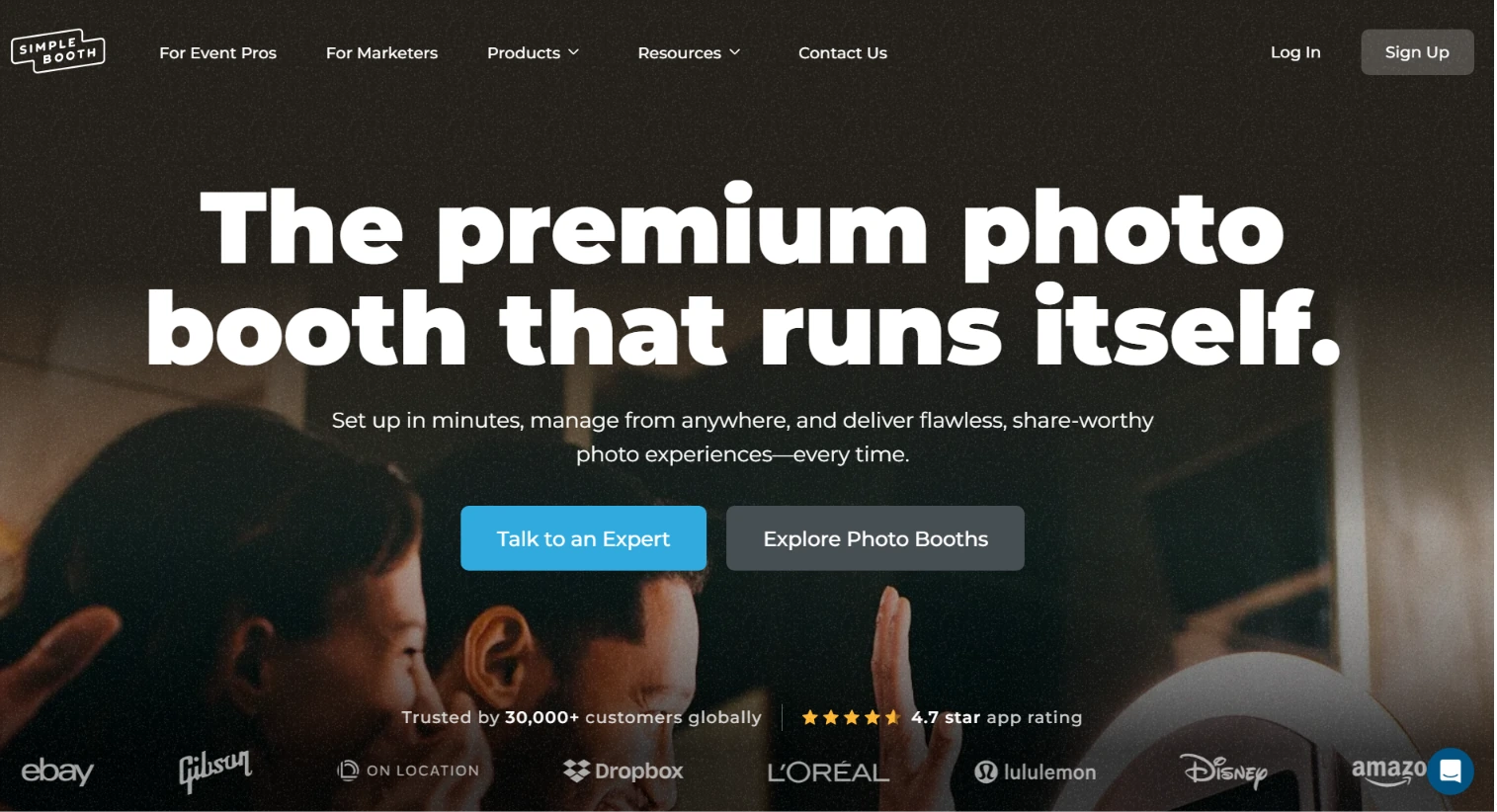
Simple Booth addresses PicPic Social’s limitations with an integrated photo booth system where hardware, software, and cloud services are designed together.
Source: Simple Booth
Founded in 2013 by Mark Hennings and Jeremy Cox, the company serves 30,000+ customers globally with 40 million+ moments captured and a 4.7-star App Store rating from 2,400+ reviews.
Integrated Hardware and Software: HALO combines studio-grade lighting, iPad capture, and cloud management in a single system.
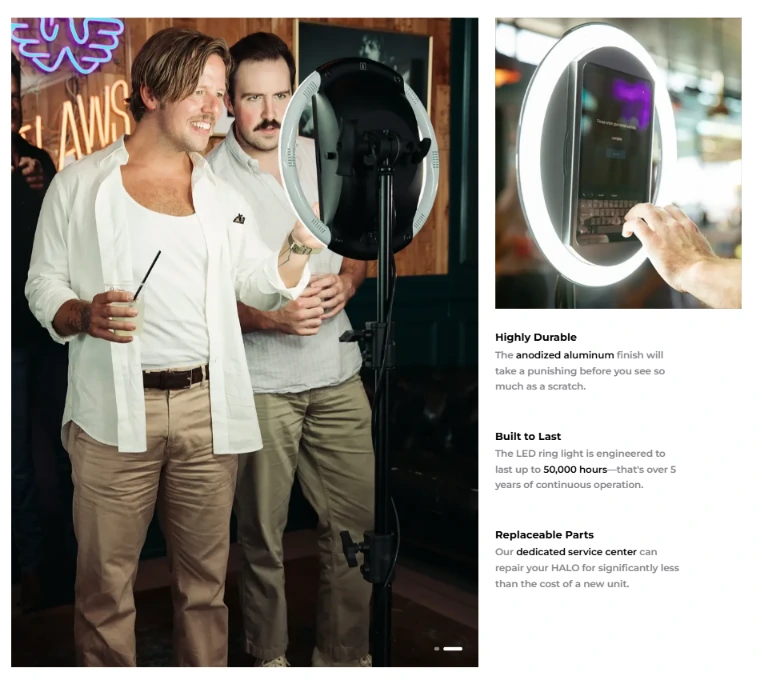
The HALO photo booth kit is a precision-machined aluminum chassis with a patented ring light producing up to 2,100 lumens from 112 LEDs, rated for 50,000 hours of operation. The iPad snaps in via a tool-less faceplate, and a concealed USB-C cable keeps it charged throughout the event.
Source: Simple Booth
Where PicPic Social requires operators to assemble their own hardware and manage separate capture and sharing systems, Simple Booth’s setup takes under one minute with no tools.
The Event Kit includes an adjustable selfie stand and waterproof travel case (49 lbs total); the Install Kit provides a wall mount for permanent venues.
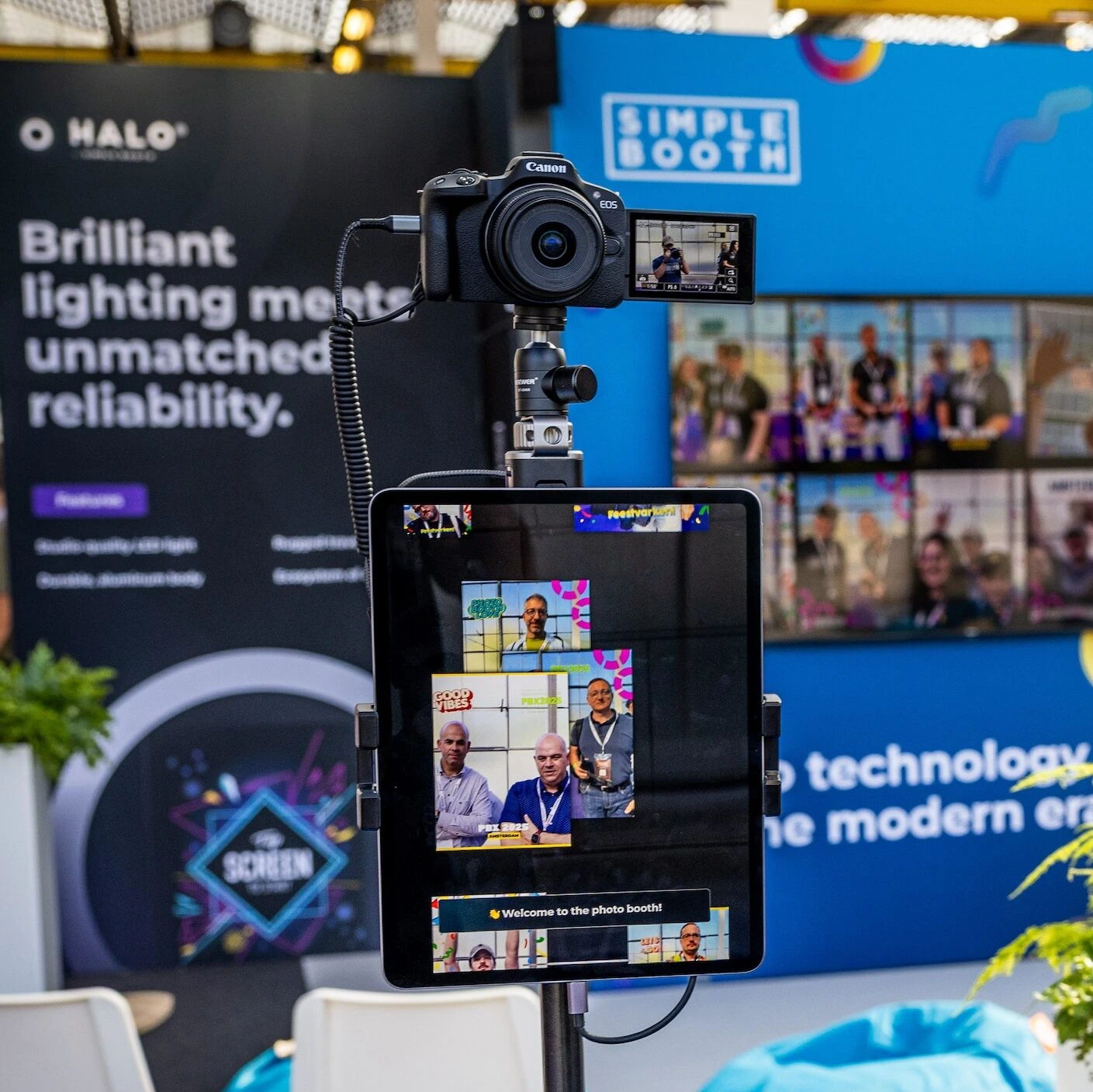
For operators who want higher image quality than the iPad camera, HALO 5.0 added Canon and Sony DSLR and mirrorless camera integration on Core plans and above, with both wired USB and wireless Wi-Fi options. Professional cameras work through the full HALO feature pipeline.
Source: Simple Booth
Arizona Opera grew its email list by 1,000 addresses in a few events using Simple Booth’s built-in data capture at its event installations. (Simple Booth)
AI Photo Effects and Layout Designer: Creative tools built into the booth workflow.
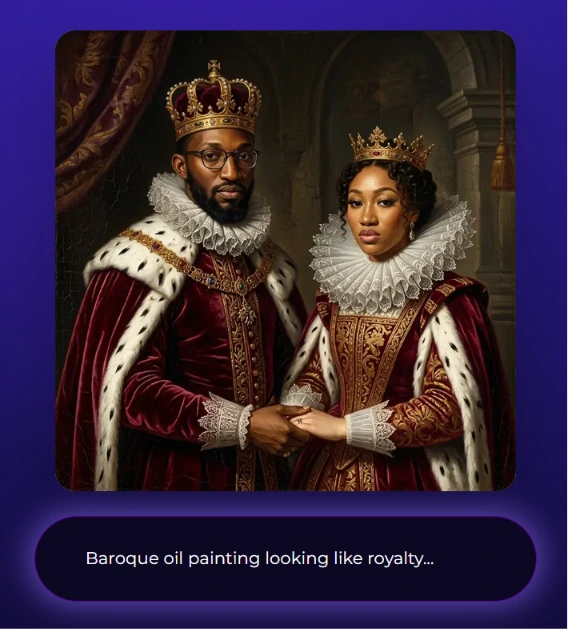
Simple Booth’s AI Photo Booth transforms guest photos in real time using text prompts, with three Nano Banana AI models that balance speed and quality.
Source: Simple Booth
The platform preserves guest identity automatically so people remain recognizable regardless of how dramatic the transformation, removing a common failure mode for live deployments.
Operators can assign unique prompts to every frame in a multi-frame layout, creating comic-strip or narrative-sequence outputs. On Pro and Select plans, Guest Input lets participants answer questions that feed into the AI prompt as template variables, producing personalized results for every guest.
Testing prompts outside of booth mode costs zero credits, so operators can iterate freely before events.
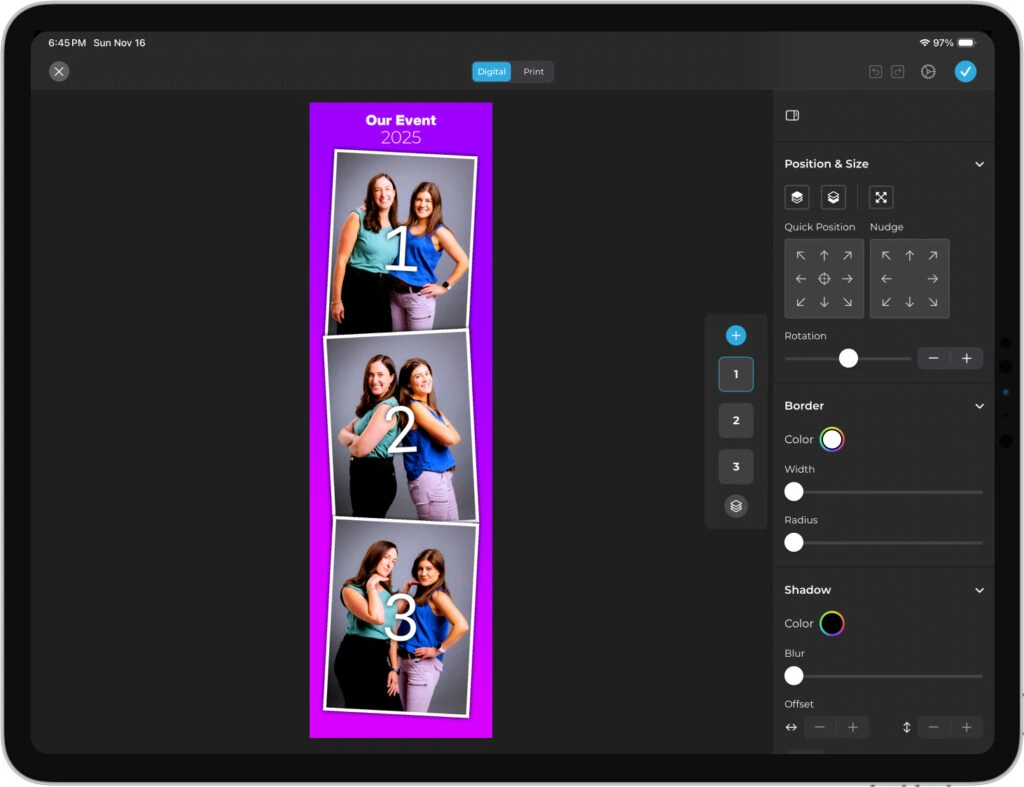
The Layout Designer introduced in HALO 5.0 is an in-app design tool with layers, fonts, gradients, QR code embedding, and multi-layout support. It eliminates the need for external design software like Photoshop, letting operators build and modify branded templates directly in the app or web dashboard.
Source: Simple Booth
PicPic Social relies on the separate Paddee template marketplace for design, which offers pre-made templates but no equivalent in-app layout creation or AI photo transformation.
Marketing Tools and Lead Capture: Every photo becomes a first-party data opportunity with near-90% opt-in rates.
Simple Booth’s marketing tools are built into the photo-taking flow rather than added as a separate step. The platform reports 87 to 90% opt-in rates because data capture happens as a natural part of receiving a photo, not as a separate form or popup.
Lead capture fields scale with the plan: Pro supports 6 standard fields (email, name, phone, postal code, date of birth), and Select adds up to 10 custom fields with checkboxes and required legal terms.
Data exports as CSV, syncs natively with MailChimp, or pushes to custom CRM systems via the Open API on Pro and Select plans.
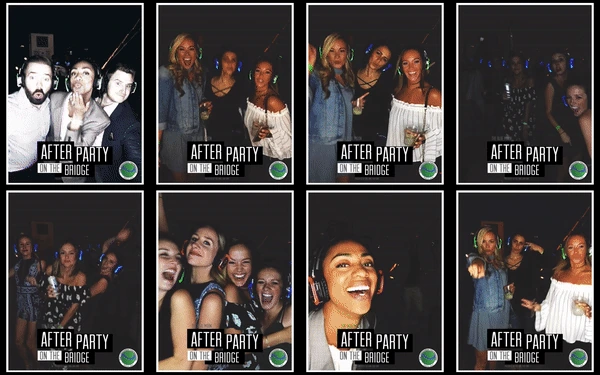
Photo delivery spans QR code, email, SMS, AirDrop, and WhatsApp. WhatsApp delivery, added in November 2025, opens international deployments that SMS-only systems cannot serve.
Each event generates an online gallery that doubles as a Live Feed for real-time display on any browser, Smart TV, or projector.
Source: Simple Booth
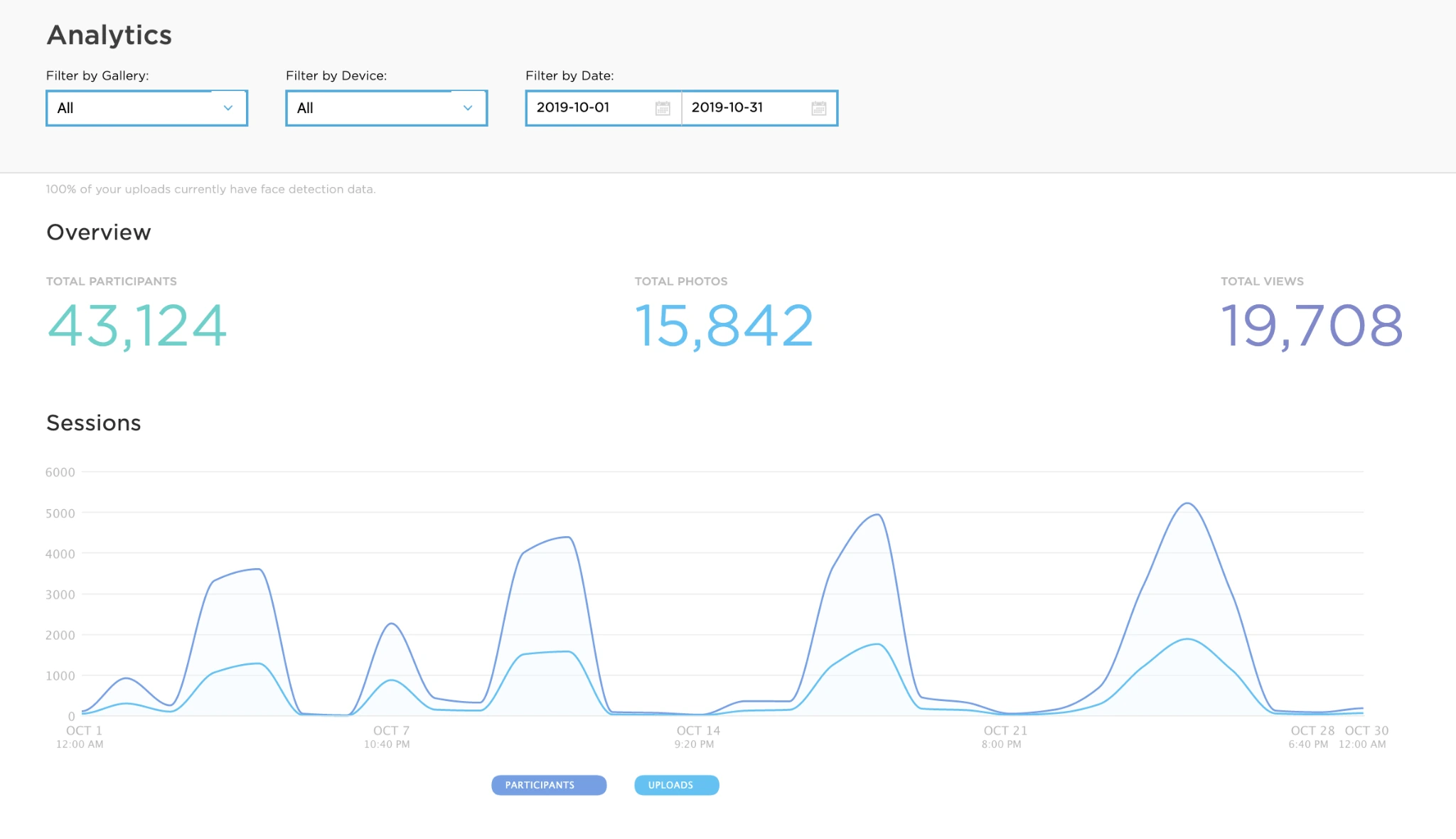
Analytics go beyond basic engagement metrics. The Select plan includes demographic insights via face detection (estimated age, gender breakdown, average group size), giving marketers audience composition data from every activation.
Source: Simple Booth
Treetop Golf built 150,000 unique email addresses across its locations using Simple Booth’s lead capture, turning a guest entertainment feature into a measurable marketing asset. (Simple Booth)
Virtual Booth: Browser-based experiences with AI effects and no hardware required.
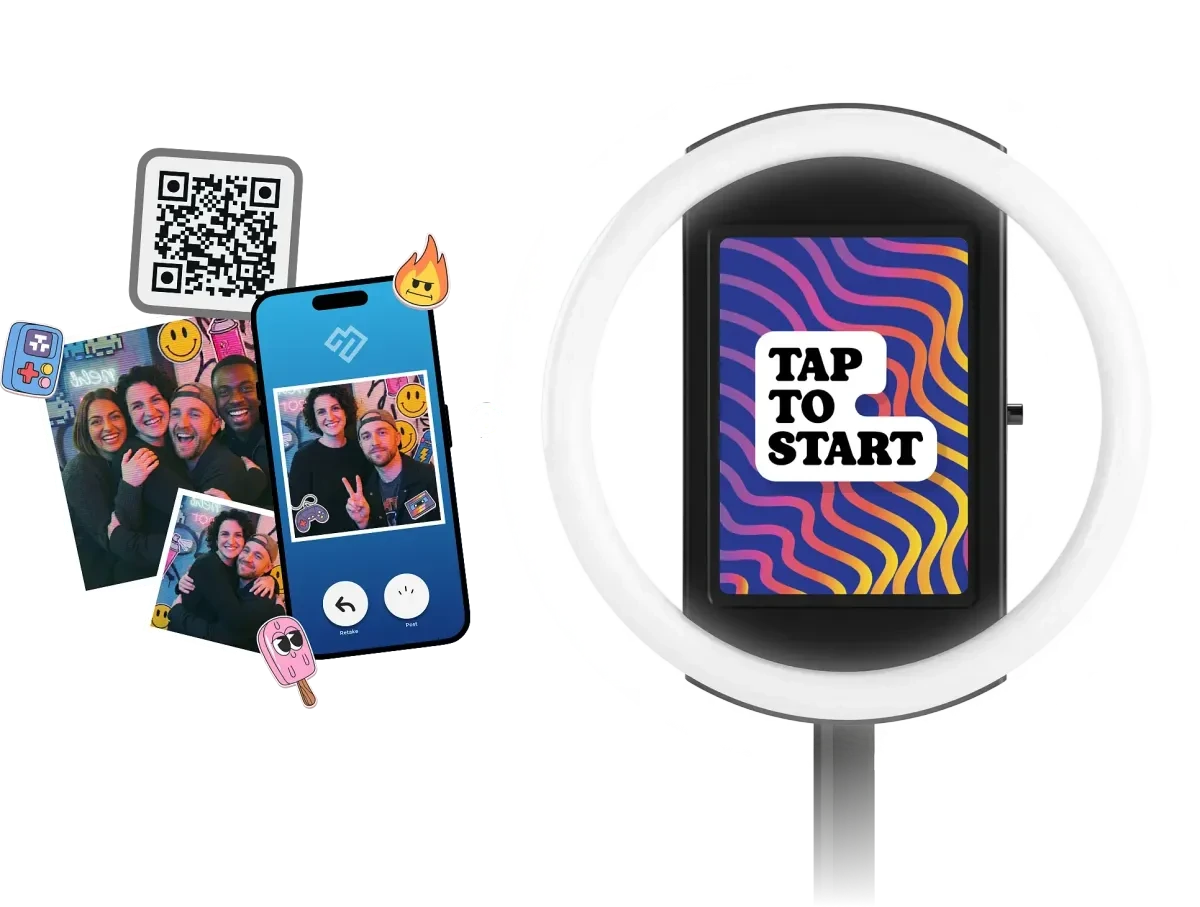
Simple Booth’s Virtual Booth runs in any browser with no app install, similar to PicPic Social’s virtual offering. Participants join via a link or QR code, grant camera access, and receive a branded photo they can download and share.
Source: Simple Booth
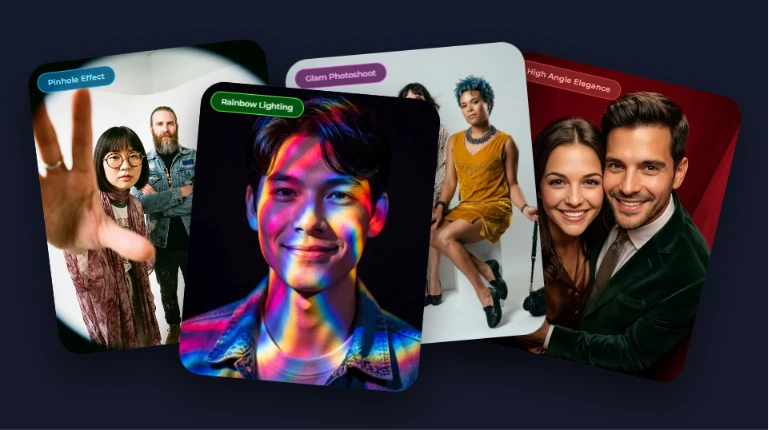
Where it diverges is in creative depth. Virtual Booth supports background replacement without a green screen, overlay frames, drag-and-drop digital props, and the same AI effects available in the HALO app. Guest Input variable injection works the same way, producing personalized AI-generated outputs for every participant.
Source: Simple Booth
Virtual Booth connects to the same analytics, galleries, and Live Feed infrastructure as HALO hardware.
Brands running hybrid events can operate physical kiosks for in-room attendees and Virtual Booth for remote participants, with all submissions feeding a single combined gallery and analytics view.
Multi-language support automatically localizes into English, Spanish, French, German, Dutch, Italian, Polish, Hebrew, and Danish.
The Virtual Booth also works as an always-on campaign embedded in email, printed on packaging, or placed on a brand website, extending beyond event-only use.
Pricing: Per-device licensing with no event caps.
Simple Booth uses a per-license subscription model with no limits on photos or events. Each plan includes one device license, with additional devices available at a discount on monthly and annual terms.
- Lite — $14.99/week, $29.99/month, $289.99/year. (App Store only; designed for personal and casual use) Custom layouts, motion and still capture, photo delivery, online galleries, themes and props. Includes ads; excludes custom branding, DSLR, video, AI effects, analytics, and lead capture.
- Core — $24/week, $49/month, $490/year. Adds ads removed, DSLR/mirrorless camera connection, full-length video, background replacement and blur, Dropbox integration, AI effects, Virtual Booth, and AI-generated layout images.
- Plus — $49/week, $99/month, $990/year. Adds custom branding, analytics and reporting, guest-editable text layers, custom AI effects, and custom digital props.
- Pro — $149/month, $1,490/year. Adds lead capture, API integration, phone support, AI guest inputs, moderation, age gate, and data compliance tools.
- Select — $249/month, $2,490/year. Adds in-app custom legal terms, security questionnaires, and demographic analytics via face detection.
- Enterprise — Custom pricing. For organizations with specific deployment, compliance, or multi-location needs.
A 7-day free trial is available with 25 free AI credits. AI effect credits cost $0.10 each beyond plan bonuses and do not expire.
PicPic Social or Simple Booth: Comparison Summary
| PicPic Social | Simple Booth | |
|---|---|---|
| Primary function | Sharing and delivery layer for existing booths | Complete hardware + software + cloud booth system |
| Hardware | None (software only) | HALO ring-light kits in machined aluminum |
| Capture capability | Virtual Booth and PicPic Booth iPad app only | iPad camera, DSLR/mirrorless, and Virtual Booth |
| Windows booth compatibility | Works with all major Windows booth software | iPad-only (no Windows booth overlay) |
| Offline delivery | 100% offline QR sharing via local network | Offline upload queue; delivers when connectivity returns |
| AI effects | AI background removal ($0.20/photo), AR props | AI photo transformation, background replacement, layout AI |
| Template design | Paddee marketplace (5,000+ pre-made) | Built-in Layout Designer with layers, fonts, and gradients |
| Lead capture opt-in rate | Not publicly documented | 87 to 90% reported |
| CRM integrations | None documented | MailChimp native; Open API for custom CRM (Pro+) |
| Analytics | Basic analytics on all plans | Detailed analytics; face-detection demographics on Select |
| White-label | All paid tiers | Plus+ plans |
| Photo delivery channels | Email, SMS, social media, AirDrop (iPad) | QR code, email, SMS, AirDrop, WhatsApp |
| Free SMS | US and Canada on all plans | Included on paid plans; WhatsApp for international delivery |
| App Store rating | 4.0 stars (4 ratings) | 4.7 stars (2,400+ ratings) |
| Pricing model | Per-event quota ($74–$299/month) | Per-device license ($14.99/week–$249/month) |
| Free trial | 14 days (draft watermarks) | 7 days |
| Best for | Operators adding sharing to existing Windows booths | Operators wanting a complete, integrated booth system |
Final Verdict
The choice between PicPic Social and Simple Booth depends on where you are in your photo booth business and what you need the software to do.
Choose PicPic Social if you already own Windows-based capture software and need a reliable way to get media into guests’ hands. Its Watch Folder approach works with virtually any existing setup, and offline QR sharing solves a real problem for 360 booth operators at venues without internet.
The per-event pricing at $99.99 makes it accessible for occasional operators, and white-label branding on all tiers lets you present a polished client-facing experience without a premium subscription. PicPic Social does one thing (sharing and delivery) and does it across a wide range of hardware setups.
Get started with PicPic Social here.
Choose Simple Booth if you want a single platform that handles everything from capture to delivery to marketing analytics.
The HALO hardware provides studio-grade lighting that most DIY setups cannot match, the AI photo effects give guests a creative experience worth remembering, and the Layout Designer eliminates the need for external design software.
For operators building a photo booth business (not just running one), the combination of an 87 to 90% lead capture opt-in rate, native CRM integrations, and detailed analytics transforms the booth from entertainment into a measurable marketing tool.
The integrated system costs more upfront, but it replaces three or four separate tools with one.
Get started with Simple Booth here.
The difference is scope. PicPic Social adds value to an existing setup; Simple Booth is the setup. If your current workflow works and you just need better sharing, PicPic Social fits. If you are ready to consolidate hardware, software, branding, and data capture into one system you manage from a single dashboard, Simple Booth is built for that.
PicPic Social FAQ
Does PicPic Social work with my existing photo booth software?
Yes. PicPic Social’s Sharing Station works with all popular Windows-based photo booth software, including DZENTECH, Spinner 360, Darkroom Booth, Social Booth, FOTO MASTER, Breeze, and DSLR Booth.
It monitors a Watch Folder where your booth software saves finished files, so it functions independently of the capture application. No direct integration or plugin installation is needed.
Can PicPic Social deliver 360 videos without internet?
Yes. The QR Sharing (PicPic Slide) module operates 100% offline by setting up a local Wi-Fi network between the booth PC and a router. Guests scan one QR code to join the network and a second to download their file.
No internet connection is needed at any point, making it a practical solution for venues with restricted or absent Wi-Fi.
How much does PicPic Social cost?
Subscription plans are Starter at $74/month (5 events), Leader at $149/month (15 events), and Agency at $299/month (unlimited events). A per-event option is available at $99.99 for operators who prefer not to subscribe.
All plans include free US and Canada SMS, white-label branding, and access to all four product modules. AI features and international SMS are billed separately through Virtual Credits.
Does PicPic Social offer a free plan?
No. PicPic Social offers a 14-day free trial with no credit card required, but all photos and videos carry a DRAFT watermark during the trial period. There is no permanent free tier. Simple Booth offers a 7-day free trial with 25 free AI credits included.
Does PicPic Social have an API or CRM integrations?
No. PicPic Social does not publish a public API, and no native CRM integrations (HubSpot, Mailchimp, Salesforce) or iPaaS connectors (Zapier, Make) are documented. Lead data collected during events must be exported and imported into other systems manually.
Simple Booth offers an Open API on Pro and Select plans and a native MailChimp integration for automated lead sync.
What is the difference between PicPic Social and Simple Booth?
PicPic Social is a sharing and delivery platform that adds a layer on top of existing Windows-based photo booth setups. It handles how guests receive and share their photos but does not capture them.
Simple Booth is a complete, integrated system with proprietary hardware, an iPad capture app, AI photo effects, a built-in layout designer, and marketing tools including lead capture and analytics. PicPic Social is priced by event volume; Simple Booth is priced per device with no event limits.
Can PicPic Social white-label the guest experience?
Yes. All paid tiers include both Grey Label (removes PicPic Social branding, substitutes a generic domain) and White Label (uses the operator’s own custom domain).
Operators can present the entire sharing, gallery, and Microsite experience under their own brand or their client’s brand without PicPic Social’s name appearing to guests.
Does PicPic Social support international events?
PicPic Social supports international events, but free SMS is limited to the US and Canada. Text delivery to international numbers requires Virtual Credits, with costs ranging from 4 credits per text (most of Europe, Asia, and Australia) up to 33 credits for certain countries.
The Virtual Booth and Web Gallery work globally without geographic restrictions. Simple Booth added WhatsApp delivery in November 2025, providing an alternative international channel that does not depend on SMS infrastructure.
Keep reading
 Alternatives
7 PicPic Social Alternatives: Photo Booth Software for Every Business Model (2026)
Beyond PicPic Social: booths that add hardware, AI and muscle.
 Showdowns
Simple Booth vs PicPic Social: Which Photo Booth Platform Fits Your Business in 2026?
Simple Booth versus PicPic Social. AI sparkle meets fast sharing.
 Reviews
Snapbar Review 2026: Is This Experiential Marketing Platform Right for You?
Enterprise AI experiences, no self-serve or public pricing. Snapbar, reviewed.