7 Best Digital Photo Booths for Sale: Complete Buyer's Guide [July 2026]

Photo booths have moved far beyond the cramped curtain-enclosed boxes at the mall. Today’s digital photo booths are marketing tools and revenue sources for event professionals, venue operators, and brand marketers.
The global photo booth market is projected to reach $1.13 billion by 2032. Whether you’re launching a photo booth rental business, outfitting a permanent venue, or running brand activations for Fortune 500 clients, the right system pays for itself in a handful of bookings.
But the market has exploded with options: iPad-based systems, DSLR kiosks, 360-degree spinners, AI-powered transformations, luxury handcrafted designs. Choosing the wrong one means wasted capital, frustrated clients, and missed revenue.
We tested, compared, and researched the leading digital photo booths for sale to help you find the right match. Here are our top picks for 2026 and beyond.
What Is a Digital Photo Booth?
A digital photo booth is a self-service photo and video capture system designed for events, venues, and marketing activations. Unlike traditional enclosed booths, modern digital photo booths combine hardware (ring lights, camera mounts, kiosk enclosures) with cloud-connected software for branded overlays, AI effects, data capture, and social sharing.
We researched and evaluated dozens of platforms and narrowed the field to seven, each serving a distinct buyer need:
- A self-operating iPad photo booth system,
- A full ecosystem for scaling a multi-booth business,
- DSLR-quality hardware for growing rental companies,
- A multi-format hardware catalog with AI features,
- The standard for 360-degree spinning video booths,
- Budget-friendly software that works with cameras you already own,
- And a luxury, handcrafted booth for high-end events.
Let’s look at a quick summary of these platforms.
Best Digital Photo Booths for Sale
 | Simple Booth Best iPad photo booth for self-operating events, brand activations, and venue installations. |
|---|---|
 | Photobooth Supply Co. Best for operators scaling a photo booth business with multiple hardware formats and business tools. |
 | Mobibooth Aura M Best DSLR-quality photo booth hardware for growing rental businesses that need camera-grade image quality. |
 | Foto Master Best for operators who want multiple booth types (mirror, DSLR, iPad, AI, robotic drawing) from a single vendor. |
 | TouchPix Best for 360-degree spinning video booths with GoPro integration and AI video transformation. |
 | LumaBooth Best budget photo booth software for operators who already own Canon, Nikon, or Sony camera equipment. |
 | Everybooth Best luxury photo booth for weddings, corporate events, and high-end venue installations. |
How To Choose the Best Digital Photo Booth
Here’s a short checklist to help you find the right digital photo booth for your business:
- Hardware or Software First: Decide whether you need an integrated hardware-software system (turnkey setup) or standalone software that works with equipment you already own. This one decision narrows your options fast.
- Image Quality Requirements: iPad cameras work well for social sharing and casual events. If your clients expect print-quality photos or you’re pitching corporate activations, consider a system with DSLR or mirrorless camera support.
- Setup Speed and Portability: If you’re running multiple events per week, look for booths that set up in under five minutes and fit in a standard vehicle. Weight, case design, and assembly complexity matter more than spec sheets.
- Software and Cloud Management: Remote dashboard management, preset syncing, and offline mode separate professional platforms from consumer apps. These features determine whether you can scale to multiple simultaneous events.
- Data Capture and Marketing Tools: For brand activations and venue installations, the photo booth is a lead generation tool. Look for customizable data capture forms, CRM integrations, social sharing tracking, and analytics dashboards.
- Pricing Model Fit: Some platforms charge per device, others per event, others per active slot. Match the pricing model to your booking volume: per-event pricing punishes high-volume operators, while flat subscriptions reward them.
How We Picked the Platforms
We started with the most widely used and highest-rated photo booth systems across user reviews, industry forums, and trade show presence. We evaluated each platform on four criteria:
- Ease of Setup and Use: How quickly can an operator go from unboxing to running a live event? Can the system run unattended?
- Photo and Video Quality: What is the output quality across different lighting conditions and venue types?
- Business and Marketing Tools: Does the platform support data capture, analytics, social sharing, and remote management at scale?
- Total Cost of Ownership: What does the complete stack cost, including hardware, software subscriptions, and ongoing fees?
By focusing on these factors, we narrowed the field to seven digital photo booths that serve distinct buyer profiles. Let’s dive in.
1. Simple Booth: Best iPad Photo Booth for Self-Operating Events
Running a photo booth business shouldn’t require a full-time tech crew at every event. Yet many operators find themselves babysitting equipment, troubleshooting software glitches, and managing setups that were supposed to be “plug and play.”
That’s where Simple Booth stands apart.
Simple Booth pairs proprietary ring-light hardware (the HALO kits) with a subscription-based iPad app and cloud dashboard. The company’s tagline: “the photo booth that runs itself.” Founded in 2013, Simple Booth has grown to 30,000+ customers, a 4.7-star App Store rating from 2,400+ reviews, and 40 million+ photos and videos captured.
Its core features include:
- HALO ring-light hardware in precision-machined aluminum with sub-one-minute setup
- Cloud-connected iPad app with remote preset management, AI effects, background blur, and wired or wireless Canon DSLR camera support
- Virtual Booth for hardware-free, browser-based photo experiences
- Built-in lead capture with 87%+ opt-in rates, analytics dashboard, and social sharing tools
- Multiple capture modes: still photos, photo strips, GIFs, Rebound clips, and full-length video
| Simple Booth Pros | Simple Booth Cons |
|---|---|
| - Sub-one-minute setup with no tools required | - iPad-only hardware dependency (no Android) |
| - 4.7-star App Store rating from 2,400+ reviews | - AI effects require purchased credits ($0.10 each) |
| - Integrated ring light with 2,100 lumens and 50,000-hour LED rating | - Lite plan includes ads and excludes custom branding |
| - Remote dashboard management across multiple devices | |
| - Offline mode queues sessions for delivery when connectivity returns |
Why Choose Simple Booth as Your Digital Photo Booth?
Live Nation, Sports Illustrated Tickets, and Gibson Brands have all used Simple Booth for high-volume activations. The company ranked #414 on the Inc. 5000 in 2018 with 1,210% three-year revenue growth, and its app was featured on iPad demo loops in nearly every US Apple Store during 2014-2015.
Start a free 7-day trial and test every feature before committing.
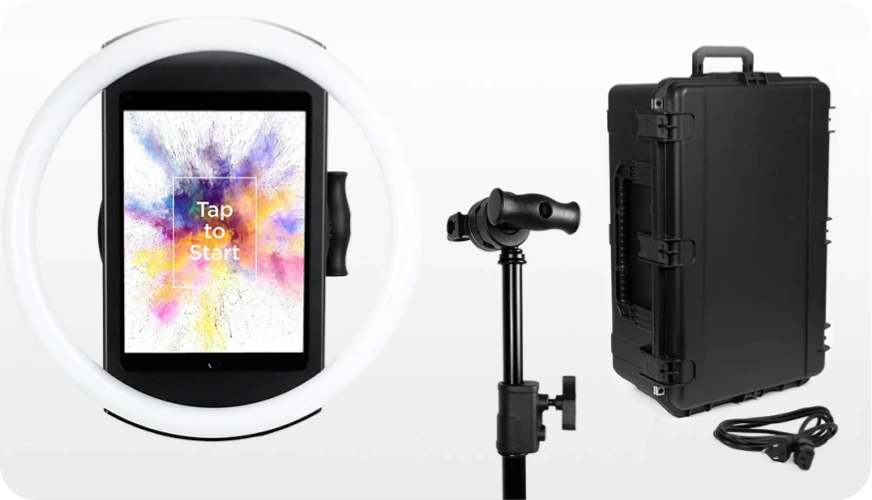
HALO Hardware: 2,100-Lumen Ring Light in a Portable Package
The HALO chassis is precision-machined from a single aluminum billet with a patented ring-light system housing 112 LEDs producing up to 2,100 lumens, rated for 50,000 hours of operation. Groups can stand 6-8 feet back from the camera and still be well-lit in most indoor environments.
The iPad snaps into a tool-less faceplate with a concealed USB-C cable that keeps it charged through the event. The full Event Kit weighs 49 lbs in its travel case, with wheels and an extendable handle, and for international use, HALO supports dual voltage (110V-240V).
Source: Simple Booth
Simple Booth sells two configurations: the Event Kit with an adjustable selfie stand and waterproof travel case for mobile rentals, and the Install Kit with a steel wall mount for permanent venue installations.
HALO App and Cloud Dashboard: Manage Everything Remotely
The HALO app is Simple Booth’s flagship software.
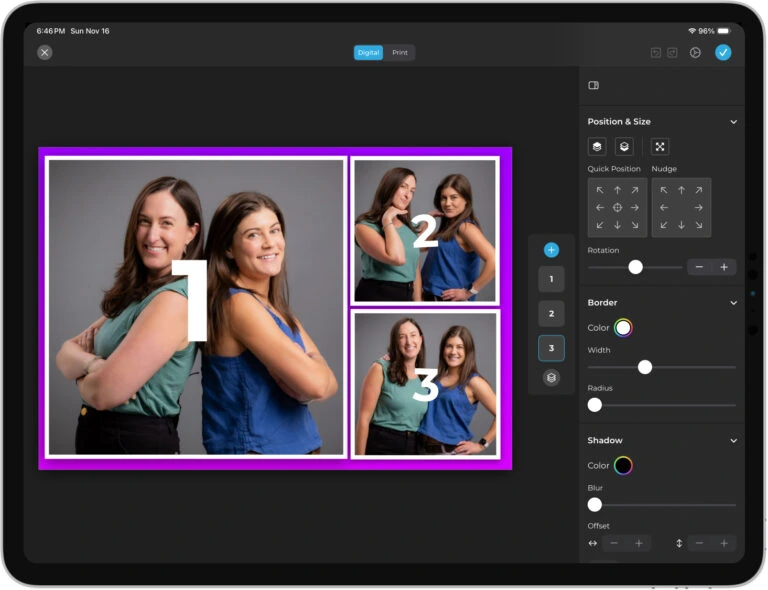
Version 5.0, released November 2025, introduced the Layout Designer, which Simple Booth calls “the most powerful design tool in the photo booth industry.” It puts template design (frames, text layers, gradients, brand assets, motion types) inside the app or web dashboard, eliminating the need for external design software.
Source: Simple Booth
Operators configure “presets” (event profiles) via the online dashboard, and change sync automatically to the iPad without exiting booth mode. The hidden Mission Control overlay, triggered by a two-finger pinch, lets operators monitor device health and adjust camera settings during live events without breaking the guest-facing interface.
HALO 5.0 also added Canon DSLR and mirrorless camera support (Core plan and above) with both wired USB and wireless Wi-Fi connections. Wireless DSLR tethering is a capability most competing platforms lack.
The update also brought WhatsApp delivery and AirDrop sharing for guest delivery worldwide, plus guest-editable text layers where participants type directly on their photos before sharing. Background blur (Core plan and above) produces a bokeh effect from the iPad camera alone, giving photos DSLR-like depth without extra equipment, and optimized rendering delivers image previews up to 12x faster.
AI Effects and Virtual Booth: Modern Experiences Without Extra Hardware
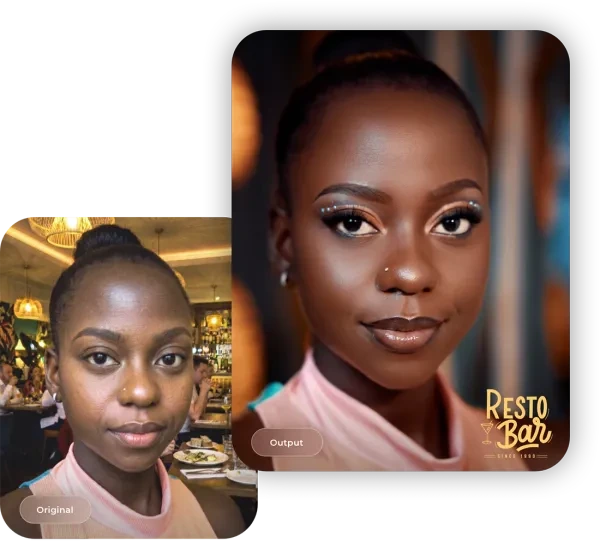
Simple Booth’s AI Photo Booth uses Nano Banana models to transform guest photos from text prompts, with identity preservation so guests stay recognizable no matter how dramatic the transformation. Operators can test prompts outside of booth mode without consuming credits, and per-frame multi-prompt layouts create comic strip or multi-scene narrative strips.
Virtual Booth works beyond physical events. It runs in any browser with no app install, supports background replacement, overlays, stickers, and AI effects, and connects to the same analytics and gallery system as the physical HALO.
Source: Simple Booth
Data Capture and Marketing Tools: Turn Photos Into Leads
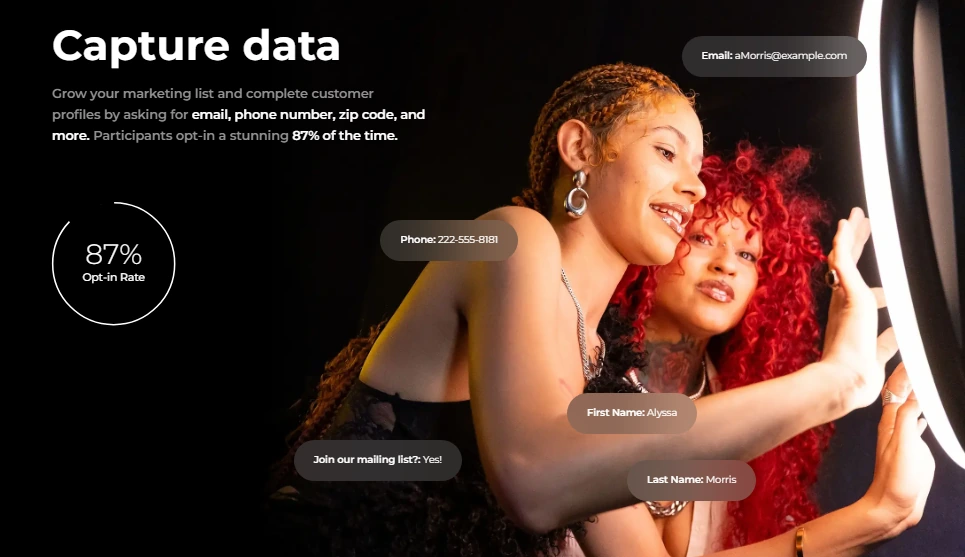
Simple Booth reports opt-in rates of 87-89% when guests receive photos. Configurable lead capture forms support up to 6 standard fields on Pro and up to 10 custom fields on Select, with data exports via CSV, native MailChimp integration, and custom CRM delivery via Open API.
The analytics dashboard tracks total participants, gallery views, social shares, and (on the Select plan) demographic insights via face detection including estimated age, gender breakdown, and average group size.
Source: Simple Booth
Treetop Golf collected 150,000 unique email addresses across locations using Simple Booth’s lead capture, a case study in first-party data collection for multi-location businesses.
Simple Booth Pricing
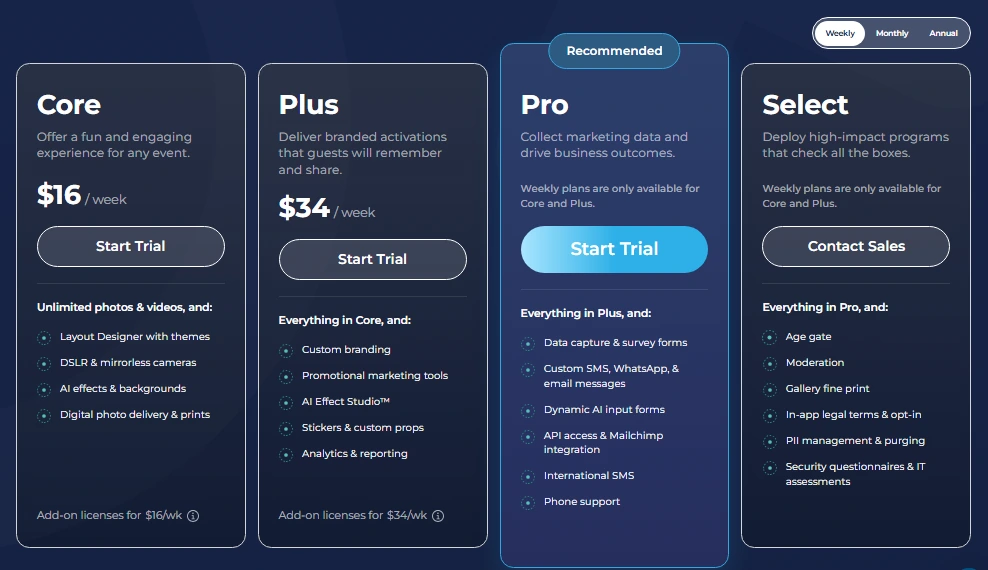
Simple Booth uses a per-license subscription model with weekly, monthly, and yearly billing:
Everyday Plans:
- Lite starts at $14.99/week ($290/year): custom layouts, motion and still capture, photo delivery, online galleries; includes ads
- Core starts at $24.99/week ($490/year): ads removed, DSLR camera connection, video, background replacement, AI effects, Virtual Booth
- Plus starts at $49.99/week ($990/year): custom branding, analytics, guest-editable text layers, custom AI effects
Business Plans:
- Pro starts at $149/month ($1,490/year): lead capture, API integration, phone support, moderation, age gate
- Select starts at $249/month ($2,490/year): in-app custom legal terms, security questionnaires, demographic analytics
HALO hardware kits are sold separately at buy.simplebooth.com with 0% financing available. A 7-day free trial is available for the software with 25 free AI credits.
Source: Simple Booth
Use Simple Booth if:
- You want a self-operating photo booth that sets up in under a minute with no tools
- You need remote dashboard management to run multiple booths across simultaneous events
- You’re a brand marketer or agency that needs lead capture (87%+ opt-in) with analytics and social sharing
- You want AI photo effects, virtual booth, and DSLR camera support in one platform
- You need a system that works offline and delivers photos when connectivity returns
- You’re scaling a rental company and need a platform that’s easy to train new staff on
G7 Entertainment Marketing has been a Simple Booth customer for 10+ years, logging 136,000+ fan interactions across brand activations, calling themselves “big Simple Booth believers.”
2. Photobooth Supply Co.: Best for Operators Scaling a Photo Booth Business
Photobooth Supply Co. (PBSCO), based in Lake Forest, California, has built one of the most recognized photo booth ecosystems in the market since 2010.
PBSCO’s pitch is that it “doesn’t just sell photo booths, it builds entrepreneurs”, delivering hardware, software, business education, and an operator community from a single vendor.
| PBSCO Pros | PBSCO Cons |
|---|---|
| - Multi-model hardware catalog (Salsa 2, Guac & Chips, Tortilla) | - Software (Fiesta) only controls LEDs on PBSCO hardware |
| - Fiesta software includes Design Studio, business tools, and 7-day support | - Annual software plans billed upfront in full |
| - Structured bundles from Starter ($2,999) to Growth ($9,399) | - Per-device licensing for multi-booth setups requires contacting sales |
| - Millionaires Club showcases named operators with disclosed revenue |
PBSCO: Top 3 Unique Features
- Three hardware modes in one unit: The Salsa 2 works as a floor-standing booth, a detachable handheld unit, or a wall-mounted VESA installation, all from a single purchase
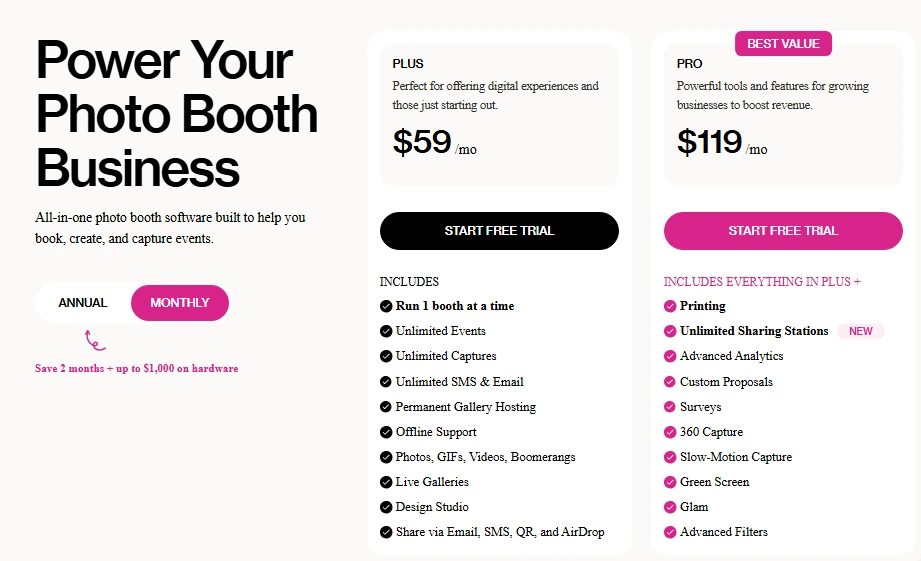
- Fiesta software: Fiesta covers photo, GIF, boomerang, green screen, video, slow-motion, 360 capture, testimonial recording, and virtual booth in one subscription, with built-in Design Studio, SMS/email infrastructure, and Photobooth Academy (100+ business classes)
- Growth bundles: The three-model hardware catalog (Salsa 2 for iPad, Guac & Chips for DSLR, Tortilla for 360-video) lets operators offer differentiated tiers under one brand
PBSCO has supported 550,000+ events, logged 94 million+ captures, and counts 9,000+ Fiesta software owners. The company’s Millionaires Club showcases operator success stories with names and revenue figures, including Catalina Bloch of MDRN Activations at $6.6M+ in cumulative revenue.
PBSCO Pricing
- Salsa 2 Starter: $2,999; Essentials: $4,999; Growth (two setups): $9,399
- Fiesta Plus: $59/month ($590/year); Fiesta Pro: $119/month ($1,190/year)
- Free trial available with no credit card required
Source: Photobooth Supply Co.
Use PBSCO if:
- You want to source hardware, software, business tools, and operator education from a single vendor
- You’re scaling to multiple booth models (iPad, DSLR, 360-video) under one brand
- You run 4+ events per month and want flat-fee software pricing rather than per-event billing
3. Mobibooth Aura M: Best DSLR-Quality Photo Booth Hardware for Growing Rental Businesses
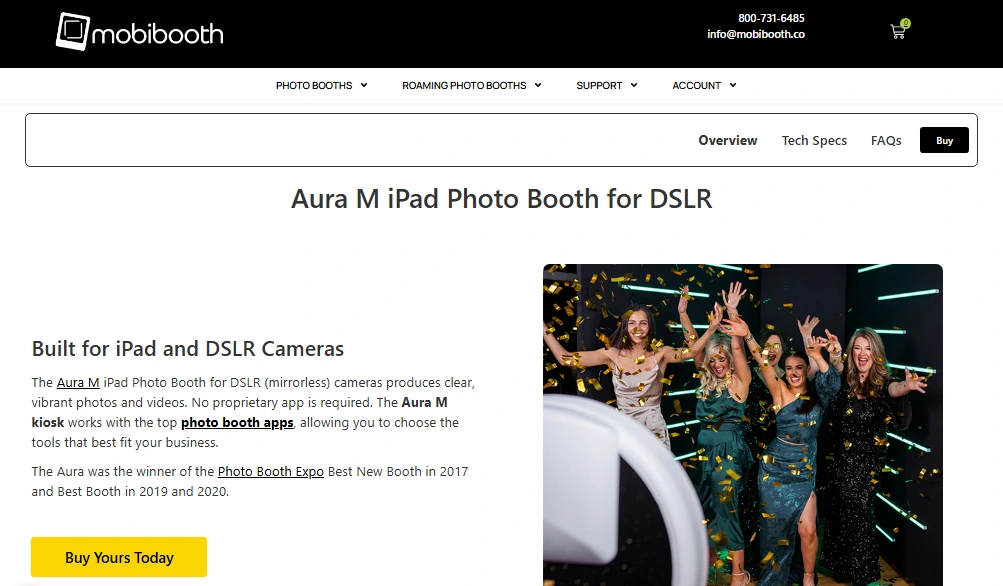
The Mobibooth Aura M is an open-air photo booth kiosk built to house a Canon mirrorless camera alongside an iPad Pro in a single chassis. It delivers image quality that iPad-only booths cannot match, making it the upgrade path for operators who need camera-grade output to charge higher per-event rates.
| Aura M Pros | Aura M Cons |
|---|---|
| - 24.1 megapixel Canon mirrorless camera built into the kiosk | - iPad and camera body sold separately (adds to total cost) |
| - 4,800-lumen RGBW LED ring with Bluetooth app control | - Canon-only camera compatibility (no Sony or Nikon) |
| - Software-agnostic: works with Snappic, Breeze Booth, and 4 other platforms | - Warranty limited to the lower 48 US states |
| - 4x Photo Booth Expo award winner |
Aura M: Top 3 Unique Features
- Mirrorless camera inside a kiosk chassis: The Canon EOS R100 or M50 mounts inside the kiosk head with a wired dummy battery for continuous power, eliminating mid-event battery swaps during eight-hour events
- 4,800-lumen RGBW LED ring: 240 RGBW LEDs deliver clean white light with full-spectrum color mixing. The dedicated white channel produces output that RGB-only arrays cannot match, and the FX Command Builder at fx.mobibooth.co lets operators program per-state LED behavior (idle, countdown, shutter fire) with exact brand color matching
- Software-agnostic design: Compatible with six leading photo booth platforms, so operators bring existing templates, gallery branding, and client history into new hardware without switching software or paying for a redundant license
The Aura M also accepts a Godox Speedlite for venues where continuous LED falls short, and its under-5-minute toolless assembly with a magnetic auto-aligning faceplate keeps setup fast.
Aura M Pricing
- Base unit: starts at $2,895 (sale price) with kiosk enclosure, magnetic faceplate, and hard-shell rolling travel case
- iPad Pro and Canon camera body are purchased separately
- Free shipping within the lower 48 US states; ClickLease financing available
Note: The $2,895 base price excludes the iPad and camera body. The working cost of an Aura M runs higher once those are added.
Use Mobibooth Aura M if:
- You need DSLR-quality image output to justify higher event rates at weddings and corporate activations
- You want to bring your existing photo booth app (Snappic, Breeze Booth, etc.) into new hardware without switching platforms
- You’re building a multi-unit fleet and want a vendor ecosystem with multiple hardware formats (Aura, Cruise, EDGE, Gallery)
4. Foto Master: Best for Operators Who Want Multiple Booth Types from One Vendor
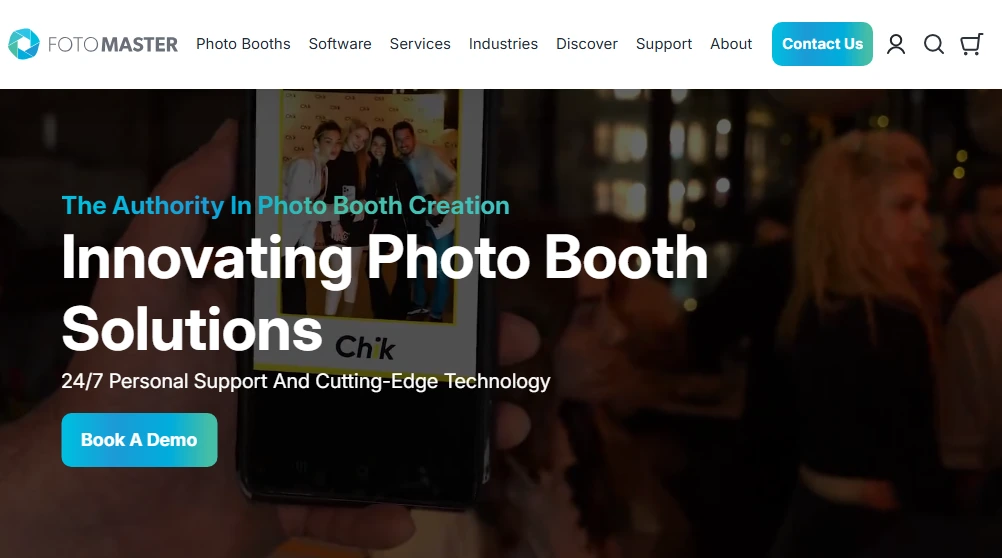
Foto Master designs, manufactures, and supports its own hardware in Georgia, USA, writes its own software (FMX), and bundles everything under one roof. For operators who want to offer multiple booth types without sourcing from five vendors, Foto Master has the deepest hardware and AI catalog in the market.
| Foto Master Pros | Foto Master Cons |
|---|---|
| - Full catalog: mirror booths, iPad, DSLR, AI stations, Draw Me Bot, Photo Mosaic Wall | - Multi-layer pricing structure (hardware + per-device software + cloud subscription) |
| - AI suite with 7+ leading models, Elite Face Fusion, and AI Image to Video | - AI credit costs only visible after logging into Cloud account |
| - 24/7 multi-channel support included in first year | - Per-device software fees add up for larger fleets |
| - Built-in Lead Distribution Platform routes rental inquiries by geography |
Foto Master: Top 3 Unique Features
- Single vendor for different booth formats: An operator can purchase a mirror booth, iPad booth, Draw Me Bot, and Fortuna AI station and run all of them from a single Foto Master Cloud account with one software platform, one support relationship, and one warranty policy
- AI features across leading models: The AI engine integrates Grok Imagine, GPT-Image 2, Nano Banana, Kling, Sora 2, Veo 3.1, and Seedance for video generation, with Elite Face Fusion that preserves guest faces in AI-transformed group photos (handling up to 10 faces per generation)
- Draw Me Bot: A robotic AI drawing arm that draws guest portraits on paper in real time. It creates a spectacle that stands in a category of its own in the rental market

Source: Foto Master
The company holds design and utility patents on original inventions and includes 24/7 support (phone, live chat, email, Skype, Facebook) for the first year with every hardware purchase.
Foto Master Pricing
- Hardware: Draw Me Bot from $2,950; Pylon iPad Booth from $4,450; mirror booths vary by model; Shop Pay financing available
- Cloud subscription: Basic $39/month; Pro $79/month (per company, all devices included)
- Per-device software: FMX for Windows $33/month; FMX for iPadOS $32/month; DMBot $59/month
Use Foto Master if:
- You’re building a multi-format rental fleet and want one vendor for hardware, software, cloud management, and support
- You want to offer AI activations (AI portraits, video clips, robotic drawing) that justify higher event pricing
- You need 24/7 technical support and hardware warranty for events without on-site staff
5. TouchPix: Best for 360-Degree Video Booth Experiences
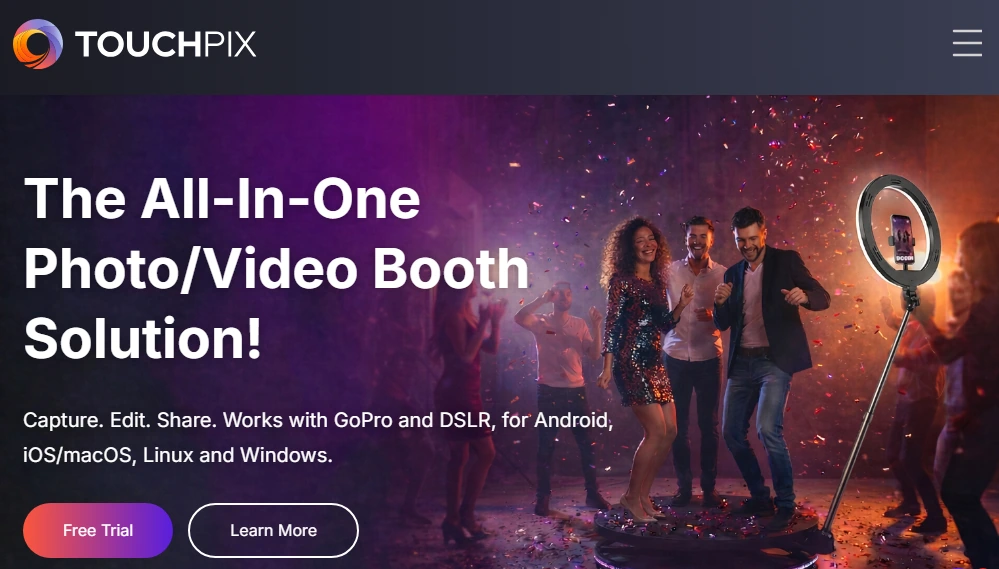
TouchPix is subscription-based photo and video booth software designed for operators who specialize in 360-degree spinning video booths. Launched in 2020, it grew alongside the 360 booth trend and now holds a 4.8-star rating from 6,600+ App Store reviews, the de-facto standard for spinning-arm 360 rigs.
| TouchPix Pros | TouchPix Cons |
|---|---|
| - Bluetooth-automated 360 capture triggering for spinning-arm hardware | - Video capture excluded on the entry-level PhotoPass tier |
| - AI face replacement in photos and video, running fully offline | - Cloud AI transformation styles consume purchased credits |
| - Runs on iOS, Android, macOS, Windows, Linux, and Raspberry Pi | - Primarily a software platform (no proprietary hardware) |
| - Unlimited devices per account on all tiers | - Image and video rendering can be slower than competing platforms |
TouchPix: Top 3 Unique Features
- 360-degree integration: Bluetooth integration triggers the spinning arm automatically with GoPro models 7-14 supported via both wired and wireless connections, and wired mode explicitly recommended for production reliability
- Offline AI video transformation: AI face replacement works in video (not just stills) and processes on-device without an internet connection, plus offline background removal works without a physical green screen
- Cross-platform flexibility: Runs on iOS, Android, macOS, Windows, Linux, and Raspberry Pi, with unlimited device access within the active-event tier, so operators can build setups around whatever hardware they already own
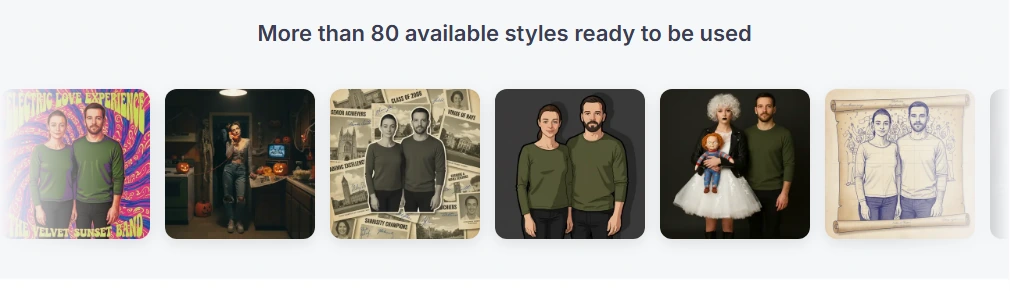
TouchPix offers 80+ AI transformation styles plus custom prompts, 300+ animated overlays, and 60+ filters. The Scanpix 2 offline sharing system delivers guest media via QR code without venue Wi-Fi.
Source: TouchPix
TouchPix Pricing
- PhotoPass: $439.90/year (2 simultaneous events; photos and GIFs only, no video)
- MultiPass: $879.99/year (4 events; adds video, slow-mo, boomerang)
- MultiPass Pro: $1,407.99/year (8 events; adds Virtual Booth and advanced surveys)
- MultiPass Enterprise: $2,199.99/year (12 events; adds Mosaic and RAW cloud backups)
- 14-day free trial with no watermarks and no credit card required
Use TouchPix if:
- 360-degree spinning video is your primary product, not a secondary offering
- Your events frequently happen at venues with unreliable or absent Wi-Fi
- You’re scaling a fleet and want a single license that doesn’t add cost per device
6. LumaBooth: Best Budget Photo Booth Software for Operators with Existing Camera Equipment
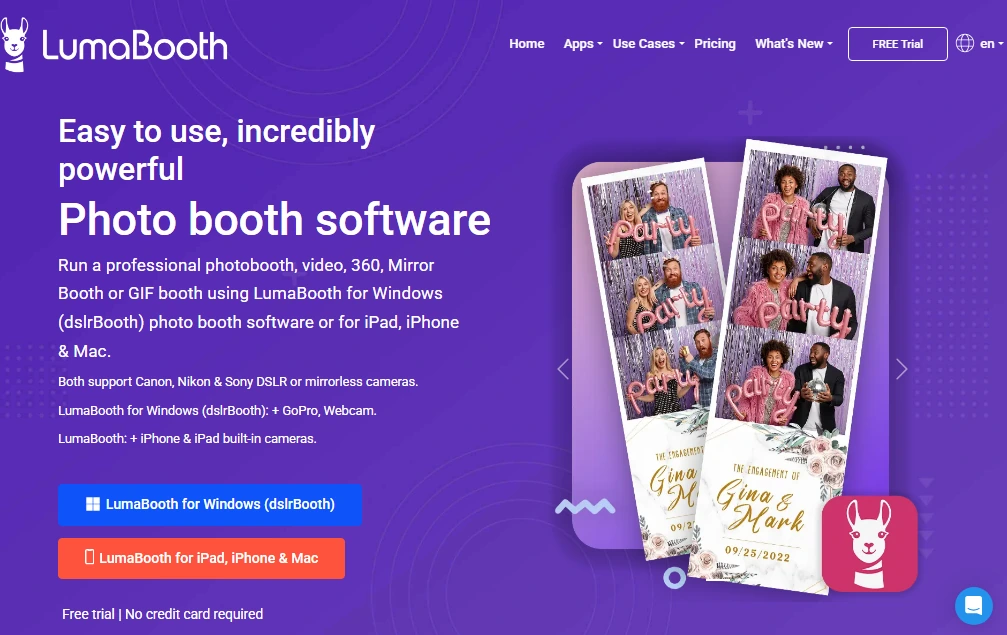
LumaBooth by Lumasoft is photo booth software that runs on Windows PC, iPad, iPhone, and Mac. It is the most cost-effective entry point for operators who already own Canon, Nikon, or Sony camera equipment. If you have a DSLR or mirrorless camera gathering dust, LumaBooth turns it into a working booth.
| LumaBooth Pros | LumaBooth Cons |
|---|---|
| - Broadest camera compatibility: Canon, Nikon, Sony, GoPro 5-13 | - Windows version is more feature-complete than Apple version |
| - All major booth modes in one subscription (360, mirror, glam, green screen, video guestbook) | - Cloud gallery add-ons and SMS add monthly costs beyond the base price |
| - Unlimited free trial with no credit card (watermarked output only) | - No proprietary hardware; BYO equipment |
| - Starts at $17/month billed annually | - No web dashboard for remote device management; setup is app-only |
| - Design tools more limited than competing layout designers |
LumaBooth: Top 3 Unique Features
- Broad camera compatibility: Canon EOS, Nikon D/Z-series, Sony mirrorless, and GoPro 5-13 all connect directly via USB on Windows, with automatic resolution and framerate configuration for GoPro video workflows
- Every booth mode in one subscription: Photo, 360, mirror, glam, green screen, video guestbook, GIF, boomerang, slow-motion, and AI Portraits are all included without per-mode add-on purchases
- Risk-free unlimited trial: No time limit on the trial period and no credit card required; the only limitation is a permanent watermark, so operators can fully test camera compatibility before committing
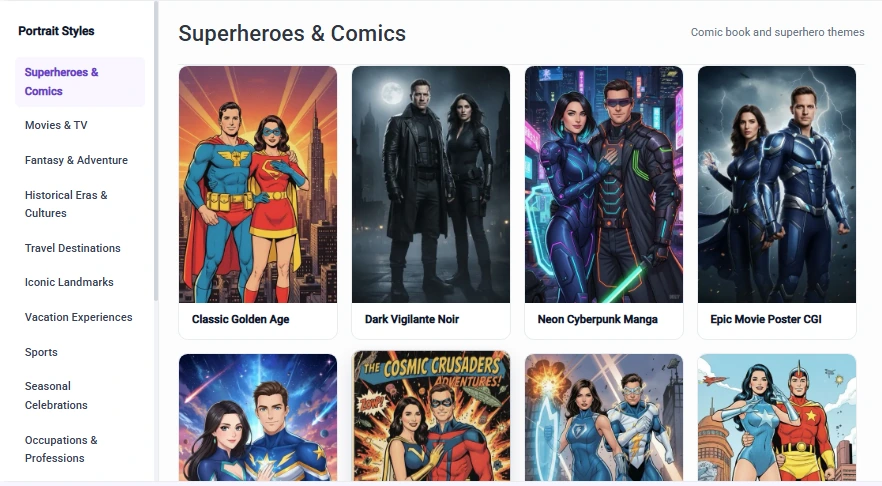
LumaBooth also includes fotoShare Cloud basic plan at no extra cost for event gallery hosting, multi-device sync, and guest sharing via email, SMS, QR code, and WhatsApp. AI Portraits offer 170+ presets with custom prompt capability.
Source: LumaBooth
LumaBooth Pricing
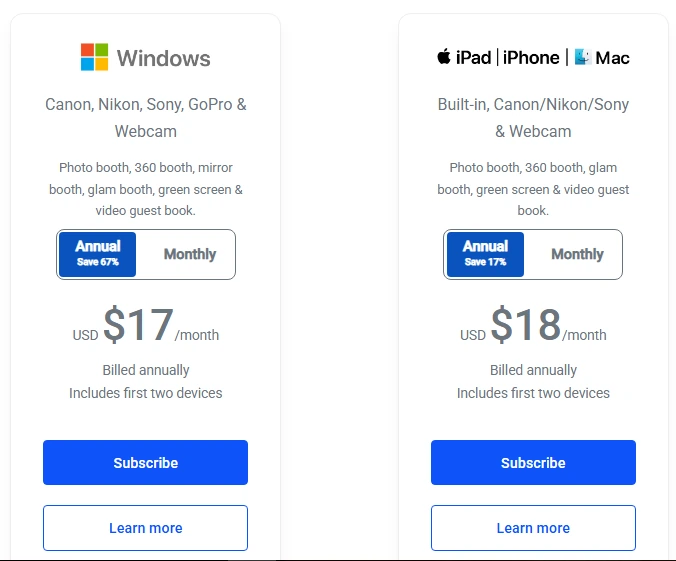
- Windows: $17/month billed annually (covers first two devices); $49.99/month on monthly billing
- Apple (iPad/iPhone/Mac): $18/month billed annually; $19.99/month on monthly billing
- Add-ons: SMS messaging +$10/month; fotoShare Cloud Plus +$19.99/month; AI Credits from +$14.99/month (150 credits)
Source: LumaBooth
Note: The $17/month base is among the lowest in the market, but operators running multi-station setups with SMS and AI Portraits will see the monthly cost rise with add-ons.
Use LumaBooth if:
- You already own Canon, Nikon, or Sony camera equipment and want to avoid purchasing new hardware
- You want every major booth format (360, mirror, glam, green screen, video guestbook) in one subscription at the market’s lowest entry price
- You prefer Windows PC as your booth computer rather than iPad
7. Everybooth: Best Luxury Photo Booth for High-End Events and Venues
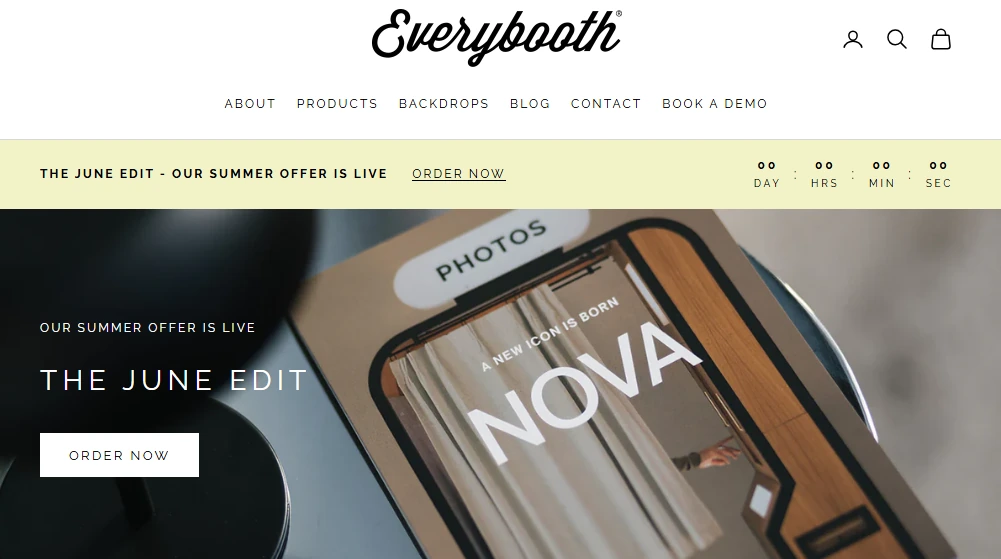
Everybooth produces some of the most distinctive booth hardware on the market: a flagship open booth built from FSC-certified oak, handcrafted by artisans in North Yorkshire, England. The ICON 2 comes with a Canon EOS R100 mirrorless camera, Elinchrom flash lighting, and a 19-inch rear touchscreen that works as a branding panel, live slideshow, and guest sharing kiosk.
| Everybooth Pros | Everybooth Cons |
|---|---|
| - Handcrafted FSC-certified oak construction with Midcentury Modern aesthetic | - Starting price of £5,999 + VAT (iPad and software sold separately) |
| - 19-inch rear touchscreen for brand video, slideshows, and sharing | - Manufactured and shipped from the UK; US buyers face import duties |
| - Canon EOS R100 24.1 MP camera with rotating portrait/landscape mount | - Requires separate photo booth software subscription (Snappic or Breeze recommended) |
| - 32 lbs / 14.5 kg with 60-second setup |
Everybooth: Top Features
- Artisan construction as a marketing asset: The FSC-certified oak construction and Midcentury Modern design mean the booth photographs like custom event furniture rather than AV equipment. Tipsy Twins Photobooth reported using the ICON 2 as the visual centerpiece of their social media and paid advertising, generating inbound inquiries from clients they hadn’t previously reached
- Rear touchscreen as a revenue source: The 19-inch rear vertical touchscreen runs animated brand videos, live slideshows, or works as a social sharing kiosk, operating independently from the front iPad interface. Corporate clients have highlighted the rear panel as something they hadn’t seen in competing booths
Everybooth Pricing
- ICON 2: £5,999 + VAT (fully assembled with Canon EOS R100, Elinchrom flash, rear touchscreen, transportation cases, Marshall speaker, and 2-year warranty). iPad Pro and photo booth software subscription are not included
- ICON 2 Pro upgrade: additional £250 adds a Godox 2-in-1 LED Flash Kit
- PRINTA Print Station: £999 + VAT
- CABINA™ Permanent Installation: Essential Plan £20,999 + VAT; Turnkey Plan £24,499 + VAT
Use Everybooth if:
- You’re an established operator who wants a flagship product that justifies higher pricing
- You serve luxury weddings, corporate activations, or upscale venues where booth design is a selling point
- Sustainability credentials matter to your corporate clients (FSC-certified oak, Sustainably Made brand pillar)
Final Verdict
Each platform on this list serves a specific buyer profile. The best photo booth for your business depends on where you are, what events you serve, and what outcomes matter.
Here are our top three picks for the most common buyer scenarios:
- Simple Booth: If you want a complete, self-operating photo booth that combines hardware, cloud-connected software, AI effects, virtual booth, and lead capture in one package. Suits rental operators, venue installations, and brand activations at any scale.
Start your free 7-day trial with Simple Booth.
- Photobooth Supply Co.: If you’re scaling a multi-booth business and want one vendor for hardware, software, education, and community, with bundles from your first booth to your fourth.
- LumaBooth: If you already own DSLR or mirrorless camera equipment and want the most affordable entry into professional photo booth operation, with every major booth mode included in one low-cost subscription.
Best Digital Photo Booths for Sale FAQ
What is the best digital photo booth for beginners?
Simple Booth is the most beginner-friendly option, with sub-one-minute hardware setup, no tools required, and a cloud dashboard that handles remote management. Its HALO system is designed so operators with no technical background can run professional events from day one. Photobooth Supply Co. is also strong for beginners who want bundled business education alongside their hardware purchase.
How much does a digital photo booth cost?
Costs vary by system. Software-only solutions like LumaBooth start at $17/month, while turnkey hardware-software systems range from approximately $2,090 (Simple Booth HALO Event Kit) to $2,999 (PBSCO Salsa 2 Starter) to £5,999 (Everybooth ICON 2).
Most systems also carry monthly software subscription fees. The true total cost includes hardware, software, camera (if separate), and any per-event add-ons like AI credits or SMS delivery.
Can I use my existing DSLR camera with a digital photo booth?
Yes, several platforms support external cameras. LumaBooth offers the broadest compatibility with Canon, Nikon, and Sony bodies on Windows. Simple Booth added Canon DSLR and mirrorless camera support in HALO 5.0 (Core plan and above). The Mobibooth Aura M is built to house a Canon R100 or M50 inside its kiosk chassis. TouchPix supports Canon, Nikon, Sony, and GoPro 5-14.
What is the best photo booth for 360-degree spinning video?
TouchPix is the standard for 360-degree spinning video, with Bluetooth-automated arm triggering, GoPro integration, and AI video transformation that works offline. Its MultiPass tier ($879.99/year) is the minimum required for video capture. Photobooth Supply Co.’s Tortilla hardware also serves the 360 market when paired with Fiesta software.
Do digital photo booths work without internet?
Most professional platforms include offline capabilities.
Simple Booth’s HALO app queues sessions in offline mode and delivers them when connectivity returns. TouchPix offers offline AI face replacement, background removal, and QR-based sharing via Scanpix 2. LumaBooth also supports offline operation. For events at venues with unreliable Wi-Fi, confirm your chosen platform’s specific offline capabilities before committing.
What is the difference between an iPad photo booth and a DSLR photo booth?
iPad photo booths use the iPad’s built-in camera, making them lighter, faster to set up, and more affordable. DSLR photo booths use a dedicated mirrorless or DSLR camera sensor, producing higher-resolution images with better low-light performance and shallower depth of field.
Some systems bridge both: Simple Booth’s HALO 5.0 supports Canon DSLR cameras through the iPad app, and the Mobibooth Aura M houses a Canon mirrorless camera alongside an iPad display.
Which digital photo booth is best for brand activations and marketing?
Simple Booth is built for marketing, with 87-89% opt-in lead capture rates, social sharing tracking, branded galleries, and analytics dashboards. Virtual Booth extends activations beyond physical events through browser-based experiences embedded in emails, packaging, or websites. Foto Master’s AI suite and Draw Me Bot also create memorable brand activation moments, though with a higher hardware investment.
Can I run a digital photo booth without an attendant?
Yes. Simple Booth is designed for unattended operation, with its Preflight Check screen, offline mode, and remote dashboard. Foto Master’s Fortuna AI station and Simple Booth’s Install Kit (wall-mounted HALO) are both built for permanent, staff-free venue installations. Most other platforms on this list can run unattended but may require more initial configuration to do so reliably.
Keep reading
 Best Of
7 Best Photo Booth Software with Video Message and Slo-Mo Capture [2026]
Booths that capture heartfelt video notes and buttery slo-mo. The moving stuff.
 Best Of
6 Best Photo Booth Software With QR Code Sharing [August 2026]
Booths that beam every snap to a phone with a quick scan. QR sharing done right.
 Best Of
7 Best Photo Booth Software With Real-Time Analytics and Dashboards [August 2026]
Booths that show the numbers as the party happens. Live dashboards, real insight.