7 Best Photo Booth Software with Video Message and Slo-Mo Capture [2026]

Static photo booths have had their moment. Today’s event guests expect more: slow-motion clips they can share on Instagram, video guestbook messages that capture real emotion, and AI transformations that turn a quick pose into something worth posting.
For operators and brands, this shift creates both opportunity and complexity. Video files are larger, delivery pipelines are more demanding, and the gap between a consumer selfie app and a professional event system has never been wider. Choose the wrong platform and you get choppy slo-mo, unreliable delivery, or a guest experience that feels cheap at a high price point.
We tested the leading photo booth platforms to find the best software for operators and marketers who need professional video messaging, slow-motion capture, or both. Here are our top picks:
- Delivering branded video experiences with AI effects and lead capture,
- Producing slow-motion video across multi-booth operations,
- Running slo-mo and 360 video as a signature event product,
- Testing video guestbook and slo-mo on hardware you already own,
- Covering every capture format under a one-time Windows license,
- Offering professional video messaging without monthly fees,
- And building an AI-powered video booth on Android or iOS.
Here is a quick summary of these platforms in 2026 and beyond.
What Is Photo Booth Software with Video Message and Slo-Mo Capture?
Photo booth software with video message and slo-mo capture refers to professional platforms that go beyond still photography to offer video recording, slow-motion playback, and instant digital delivery at live events.
These tools let event operators, rental companies, and brand marketers capture video guestbook messages, slow-motion clips, boomerang-style loops, and AI-transformed video content, then deliver the finished product to guests via SMS, email, QR code, or social sharing within seconds.
The “video message” component includes guided video guestbook recording (where guests leave personal messages at weddings or parties) and branded video capture for corporate events. The “slo-mo” component ranges from basic speed adjustments to professional 120-240fps capture on DSLR and GoPro hardware, producing genuine temporal slow-motion that holds up at full resolution.
Best Photo Booth Software with Video Message and Slo-Mo Capture
 | Simple Booth Best for operators and marketers who want a complete video and photo booth system with AI effects, branded layouts, and built-in lead capture. |
|---|---|
 | Snappic Best for high-volume operators who need slow-motion video production across multiple booth types under a single platform. |
 | TouchPix Best for operators whose signature product is slow-motion and 360-degree video, with internet-free guest delivery. |
 | LumaBooth Best for new operators testing video guestbook and slo-mo capture on any device they already own, with no credit card required. |
 | Darkroom Booth Best for Windows operators who want every capture mode, including slo-mo and video, under a one-time perpetual license. |
 | Social Booth Best for Windows operators who want professional 60fps slow-motion and video messaging without a monthly subscription fee. |
 | Pictor Best for operators building an AI-powered video booth business with full native Android and iOS support. |
How to Choose the Best Photo Booth Software with Video Message and Slo-Mo Capture
Here’s a short checklist to help you find the right platform:
- Video Capture Quality: Does the platform support the frame rates you need? 60fps produces decent slow-motion; 120-240fps produces the best results. Check which cameras are compatible if you plan to use DSLR or GoPro hardware.
- Delivery Speed and Reliability: Video files are larger than photos. Make sure your platform delivers via SMS, email, QR code, or AirDrop without delays, and has an offline queue for venues with unreliable Wi-Fi.
- Branding and Customization: Corporate and wedding clients expect branded intros, overlays, and custom layouts on their video output. Look for built-in template builders that don’t require external design software.
- Hardware Compatibility: Some platforms are iPad-only, some are Windows-only, and some run on both. Choose software that fits the hardware you already own or plan to buy.
- Lead Capture and Analytics: If you’re using your booth for marketing, prioritize platforms that collect guest data (email, phone) during the sharing flow and provide post-event analytics.
- Pricing Model Fit: Subscription plans suit operators with variable event calendars; perpetual licenses suit those who prefer owning their software outright. Factor in add-on costs for AI credits, SMS delivery, and extra device licenses.
How We Curated Our List of Platforms
We started by identifying the most-used photo booth platforms among event professionals, filtering for those with dedicated video messaging and slow-motion capture. We then evaluated each platform on four criteria:
- Video and Slo-Mo Depth: Is video a core feature or an afterthought? Does the platform offer genuine high-frame-rate slow-motion, or just a post-processing speed filter?
- Ease of Use: Can an operator configure and run a video booth event without technical expertise?
- Delivery and Sharing: How quickly and reliably does the finished video reach the guest’s phone?
- Value for Money: What do you get at each price tier, and are there hidden costs that change the per-event economics?
These four factors narrowed the field to seven platforms, each serving a distinct operator profile. Let’s dive in.
1. Simple Booth: Best for Branded Video and Photo Booth Experiences with AI Effects and Lead Capture
Event guests remember two things: how the experience looked and how easy it was to share. If the lighting is unflattering, the branding is absent, or the sharing link takes 30 seconds to arrive, the booth becomes background furniture.
Simple Booth pairs proprietary ring-light hardware with cloud-connected software that handles capture, branding, AI transformation, video delivery, and lead collection in a single workflow. It is a photo booth that runs itself, designed so operators can set up in under a minute, manage from anywhere, and deliver polished experiences without a booth attendant on-site.
| Simple Booth Pros | Simple Booth Cons |
|---|---|
| - Integrated hardware and software from one vendor | - iPad-only (no Android or Windows support) |
| - AI effects with automatic identity preservation | - DSLR support limited to Canon and Sony (no Nikon yet) |
| - 87%+ opt-in lead capture rate | - AI effects require purchased credits ($0.10 each) |
| - Sub-one-minute setup, no tools required | - No permanent free plan (7-day trial only) |
| - Layout Designer eliminates external design software |
Why Choose Simple Booth for Video and Photo Booth Experiences?
Over 30,000 customers globally trust Simple Booth, with a 4.7-star App Store rating from 2,400+ ratings and 40 million+ moments captured since 2013. Brands including Live Nation, Sports Illustrated Tickets, and Gibson have deployed it for major activations.
To see why, try Simple Booth with a free 7-day trial.
Video and Motion Capture: Multiple Formats from a Single App
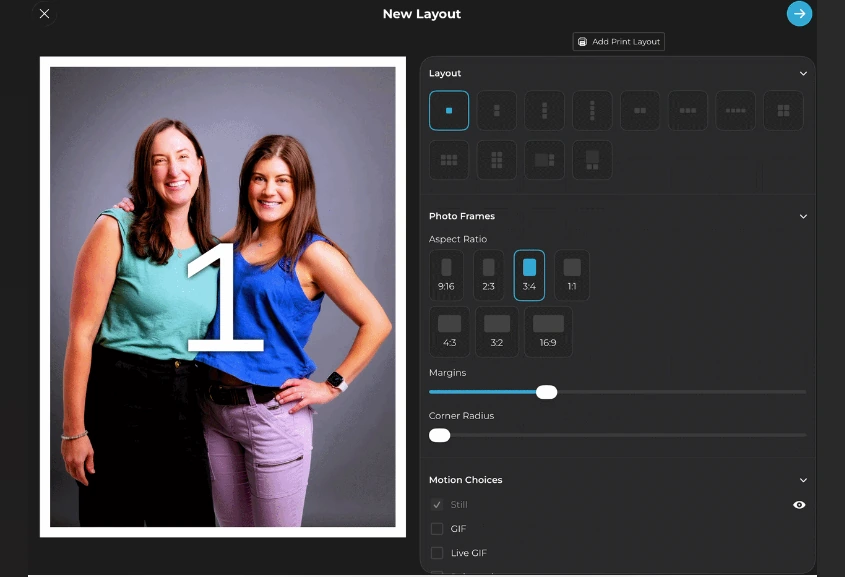
Simple Booth’s HALO app captures still photos, animated GIFs, Live GIFs, Rebound boomerang clips, and full-length video (5 to 120 seconds), all selectable per event from a single preset. The Rebound format produces looping clips with the kind of motion guests instinctively share on social media, while full-length video handles everything from branded corporate messages to wedding guestbook recordings.
For operators who need higher image quality, Canon and Sony DSLR and mirrorless camera integration (Core plan and above) connects professional camera bodies via USB or wirelessly over WiFi through the full HALO workflow.
Source: Simple Booth
AI Effects: Transform Captured Media with One-Tap Generation
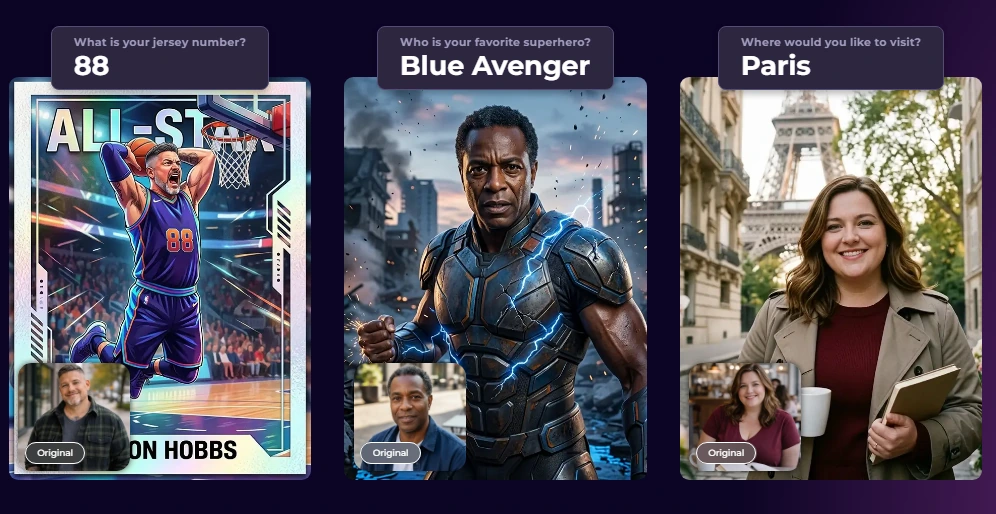
Simple Booth’s AI Photo Booth uses Nano Banana AI models to transform guest photos post-capture using text prompts. The platform automatically preserves identity and likeness at the system level, so guests remain recognizable regardless of how dramatic the transformation is. Operators can assign a unique AI prompt to every frame in a multi-frame layout, enabling comic-strip or narrative strips from a single session.
Testing costs nothing: prompts can be iterated outside of booth mode without consuming credits, and purchased credits never expire.
Source: Simple Booth
Layout Designer and Branding: Design Templates Without External Software
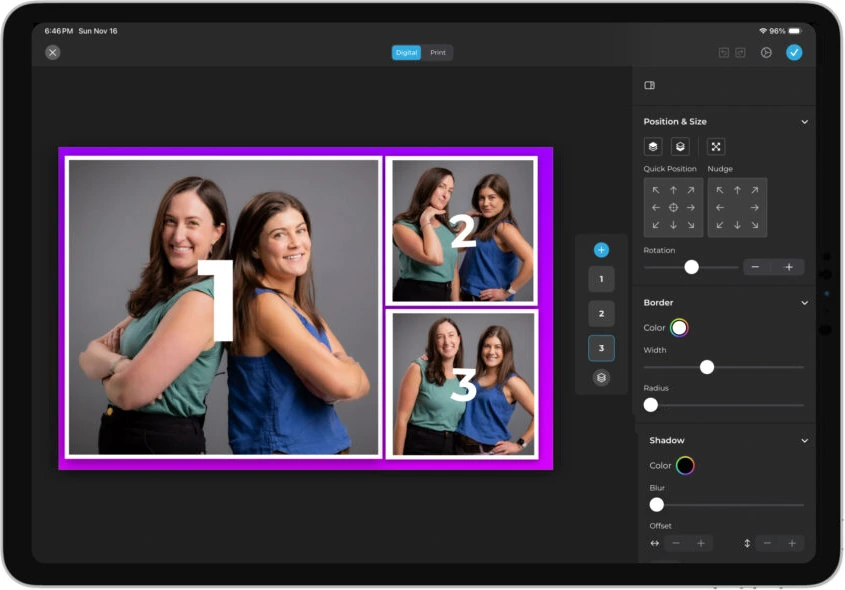
The HALO Layout Designer is a full in-app design tool with layers, fonts, gradients, QR code embedding, and multi-layout support. Operators build custom-branded templates directly in the app or web dashboard, eliminating dependence on Photoshop or Canva for event-specific designs.
Guest-editable text layers (Plus plan and above) let participants type names, captions, or hashtags directly onto their photo before sharing, adding personalization at scale without operator involvement.
Source: Simple Booth
Lead Capture and Marketing: Turn Every Session into a Data Asset
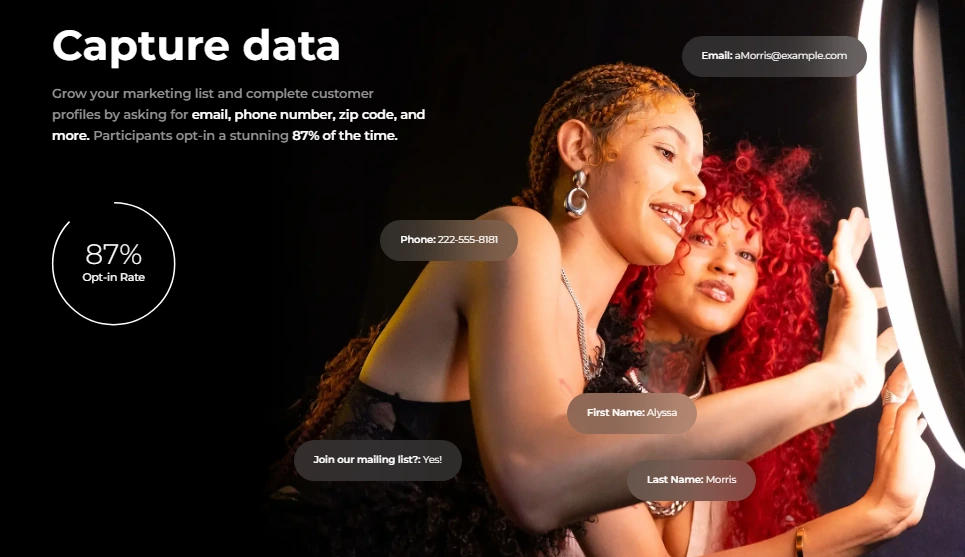
Where most photo booth platforms stop at photo delivery, Simple Booth converts booth engagement into measurable marketing results. The platform captures opt-in rates as high as 87 to 89% when guests receive their photos, well above typical marketing form conversion rates.
Data exports as CSV, syncs natively with MailChimp, or routes to any CRM via the Open API (Pro plan and above). Analytics dashboards track gallery views, social shares, and engagement metrics, giving marketers the post-event reporting they need to justify repeat activations.
Source: Simple Booth
Treetop Golf built 150,000 unique email addresses across locations using Simple Booth’s lead capture, showing the platform’s capacity for sustained, multi-venue data collection.
Virtual Booth: No Hardware, No App Install
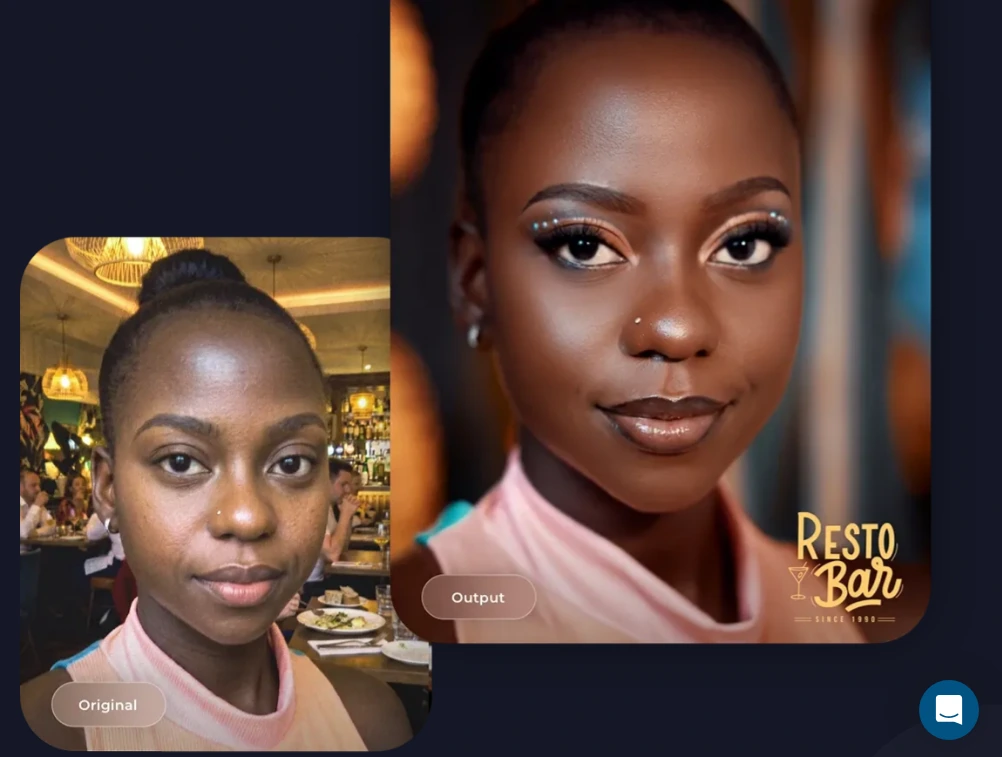
Virtual Booth extends the branded experience to any device via a browser link or QR code, with no app download required. It includes background replacement, AI effects, and data capture, feeding into the same analytics and gallery infrastructure as the physical HALO booth.
For hybrid events or always-on marketing campaigns embedded in email or product packaging, Virtual Booth delivers reach that hardware-dependent systems cannot.
Source: Simple Booth
Simple Booth Pricing
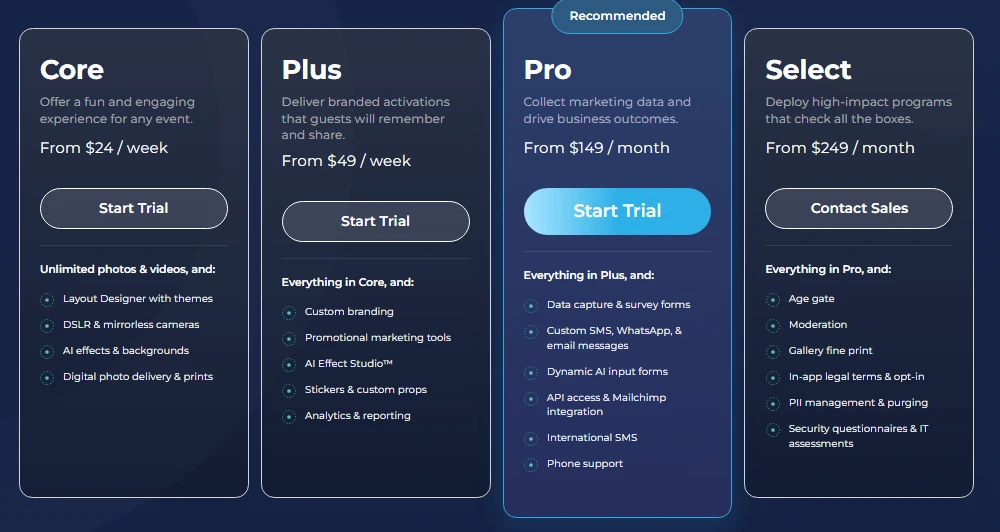
Simple Booth uses a per-license subscription model. Each plan includes one device license, with add-on licenses available for multi-booth operations:
- Lite starts at $14.99/week (App Store only; includes ads)
- Core starts at $24/week, $49/month, $490/year (ads removed, DSLR, video, background replacement)
- Plus starts at $49/week, $99/month, $990/year (custom branding, analytics, guest-editable text)
- Pro starts at $149/month, $1,490/year (lead capture, API, phone support, moderation)
- Select starts at $249/month, $2,490/year (custom legal terms, demographic analytics, security questionnaires)
AI effect credits cost $0.10 each and are purchased separately. A 7-day free trial is available with 25 free AI credits.
Source: Simple Booth
Use Simple Booth if:
- You want an integrated hardware-and-software system that sets up in under a minute with no technical assembly
- You need AI photo transformations with automatic identity preservation for branded activations
- Lead capture and post-event marketing analytics matter as much to you as the guest experience itself
- You want one platform that handles both physical booth events (HALO) and remote or virtual activations (Virtual Booth)
Why Simple Booth Topped Our List
Of all the platforms we tested, Simple Booth topped our list for a specific use case: delivering a fully branded video and photo booth experience with built-in marketing tools that turn event engagement into measurable business results.
Platforms like Snappic and TouchPix, which appear later on this list, offer deeper slow-motion video production capabilities. But for operators and marketers who need the complete package (quality capture, AI effects, custom branding, lead collection, and analytics) in a single system that runs itself, Simple Booth stands apart.
Read on to learn more about the alternatives.
2. Snappic: Best for High-Volume Operators Who Need Slow-Motion Video at Scale
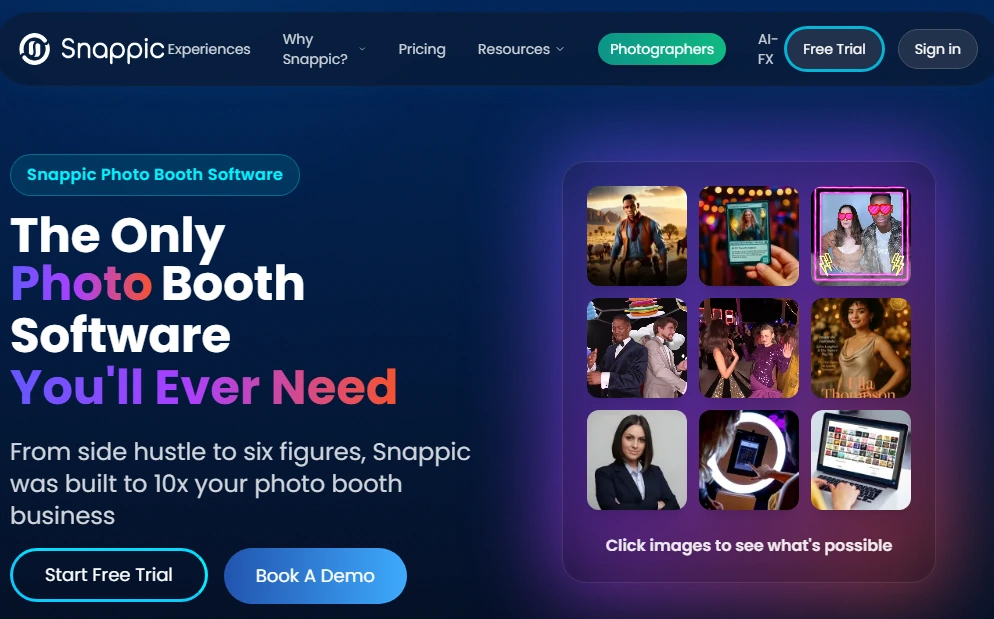
Most photo booth platforms treat video as a secondary mode.
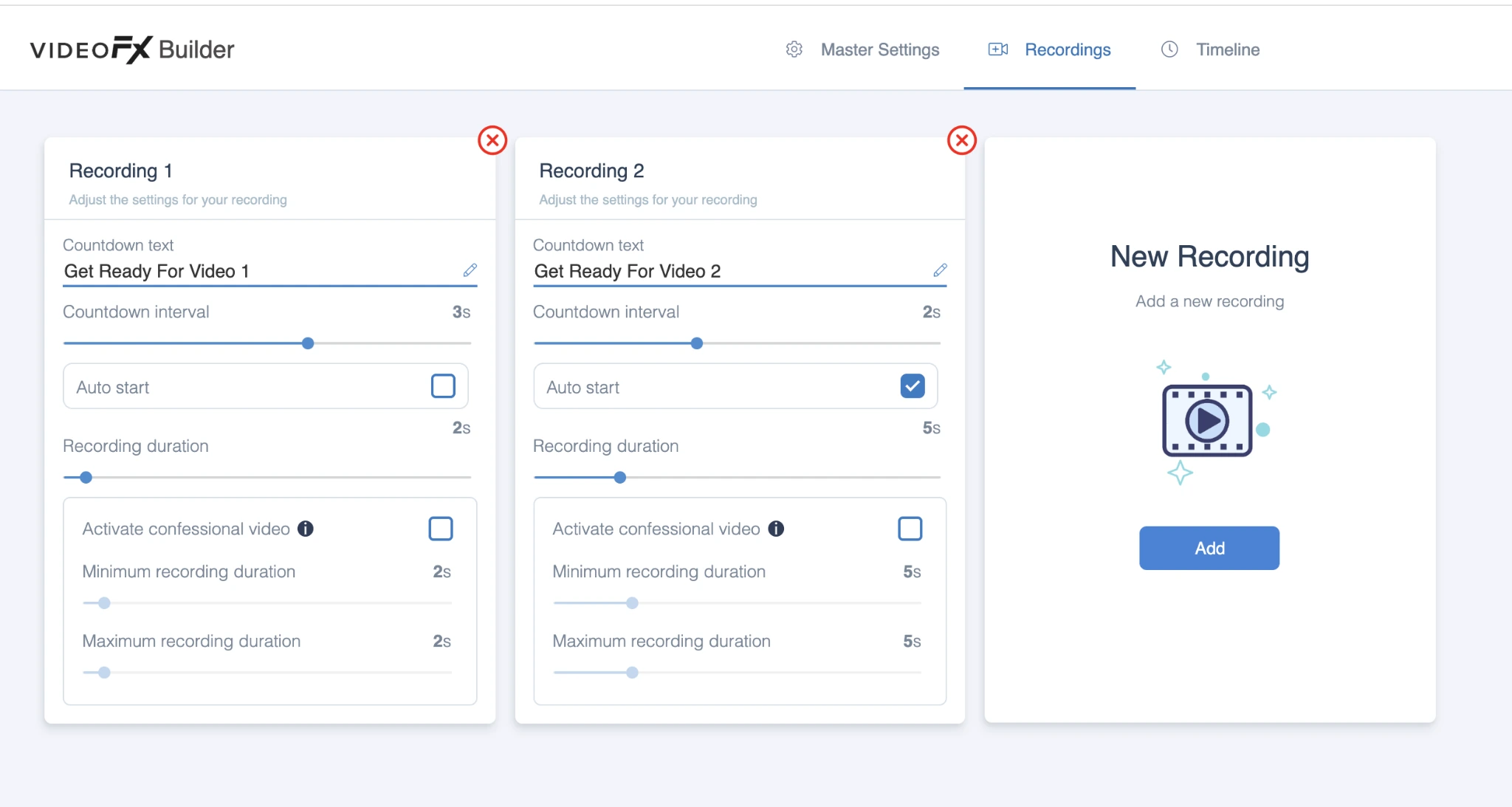
Snappic treats it as the primary deliverable. Its VideoFX Template Builder lets operators set slow-motion parameters, branded intros and outros, and licensed music directly into event templates before the first guest arrives, so every capture exits the pipeline fully assembled and ready to share within seconds.
| Snappic Pros | Snappic Cons |
|---|---|
| - Slo-mo up to 240fps with speed-ramp controls | - No perpetual license option |
| - 60+ stackable video effects including AI Segmentation | - AI and SmartShare credits billed separately |
| - Single platform across 360, GlamBot, Mirror, and Roaming modes | - Starter plan excludes VideoFX entirely |
Snappic: Top 3 Unique Features
- Pre-configured slow-motion production: The VideoFX Timeline lets operators set per-clip speed multipliers (as slow as 1/8x), reverse playback, and playback range trims. A 240fps recording with a 1/8x multiplier produces an 8x slow-motion video, with branded intro, outro, and soundtrack, delivered automatically after capture.
- Stackable video effects with AI Segmentation: 60+ effects layer additively rather than replacing each other. AI Segmentation removes backgrounds in motion video at the template level without a physical green screen. Operators can stack AI Segmentation with slo-mo, animated overlays, and music into a single template.
- One platform across every booth format: The same template builder, effect library, and sharing stack runs across 360 booths, GlamBot, Mirror booth, and Roaming mode. Operators managing mixed-rig fleets learn one system instead of three.
Source: Snappic
Delivery via SMS, email, QR code, and AirDrop works identically across booth types. The SmartShare Face Linking system automatically sends every subsequent capture to a guest who has registered once, eliminating repeat data entry.
Snappic Pricing
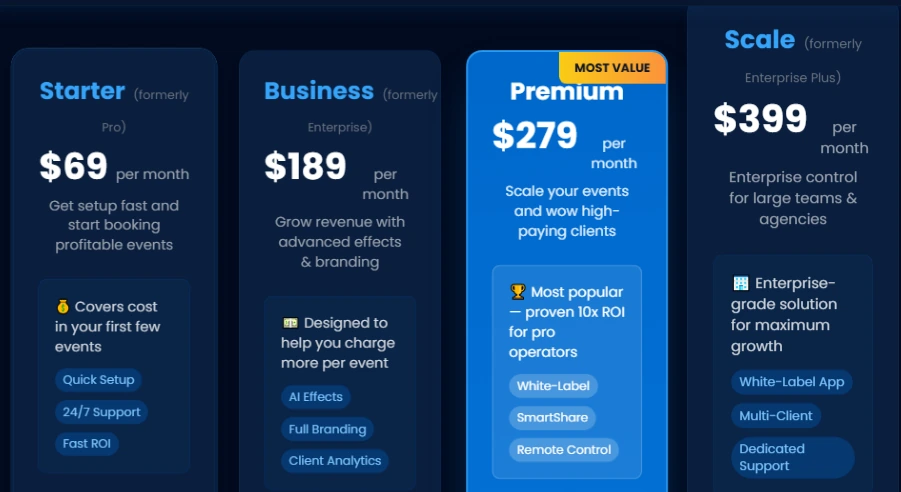
All VideoFX and AI features require the Business plan or above:
- Starter at $69/month or $499/year (photo, GIF, and burst capture only; no VideoFX)
- Business at $189/month or $1,799/year (VideoFX, AI-FX, green screen, analytics, branded microsites)
- Premium at $279/month (adds white-label, webhooks, LiveConnect, SmartShare credits)
- Scale at $399/month or $3,999/year (multi-client management, unbranded Grey Label App, dedicated success manager)
Source: Snappic
Per-event licenses are available at $29 (Starter) or $79 (Business) for 48-hour windows. AI Background Removal ($15/100 images) and AI-FX credits ($20/200 images) are billed separately.
Use Snappic if:
- You operate multiple booth types simultaneously (360, GlamBot, Mirror) and need one template system across all rigs
- Slow-motion video is your primary client deliverable, not a secondary add-on
- You’re building toward a multi-client agency model with sub-accounts and branded analytics reporting
3. TouchPix: Best for Operators Whose Signature Product Is Slo-Mo and 360 Video
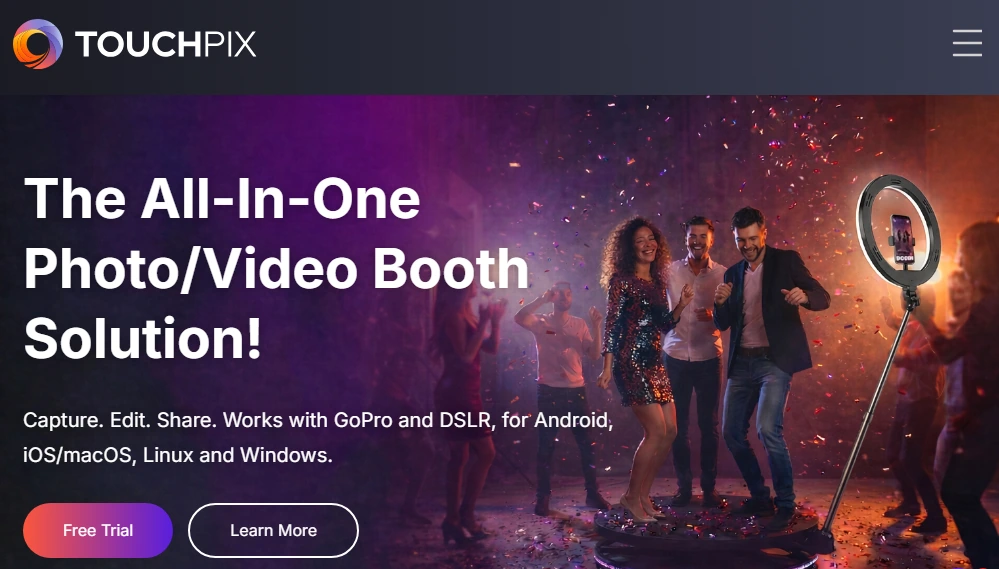
TouchPix is designed for operators who sell slow-motion and 360-degree video as their headline event product.
Where other platforms offer slo-mo as a checkbox feature, TouchPix provides video speed controls that govern both when the speed change activates and how aggressively the ramp transitions, letting operators design the exact moment footage drops into slow motion.
| TouchPix Pros | TouchPix Cons |
|---|---|
| - Slo-mo controls with speed ramp timing | - Slo-mo requires MultiPass plan or higher |
| - GoPro 7-14 and Canon/Nikon/Sony DSLR support | - AI credits purchased separately |
| - Internet-free Scanpix 2 sharing system | - Post-update stability concerns in practitioner feedback |
| - Unlimited devices on all plans |
TouchPix: Top 3 Unique Features
- Designed slo-mo transitions: The Slomo Video capture mode lets operators configure footage so normal-speed playback transitions into slow motion at the peak of a spin or pose, then returns to full speed. This is a first-class capture mode, not a post-processing filter.
- Broad camera hardware support: TouchPix natively supports GoPro models 7 through 14 (wired and wireless) along with Canon, Nikon, and Sony DSLR and mirrorless cameras. High-frame-rate capture at 120-240fps produces genuine temporal slow-motion that holds up at full resolution.
- Internet-free guest delivery: The Scanpix 2 system creates a local network on the capture device. Guests scan a QR code and download their slo-mo clip directly, with no Wi-Fi or cellular connection involved. This solves the file-size delivery problem that hits video-heavy activations hardest at outdoor or destination events.
TouchPix runs across iOS, Android, macOS, Windows, Linux, and Raspberry Pi under a single subscription with unlimited devices on all plans, making it one of the most hardware-flexible options in the category.
TouchPix Pricing
Slo-mo video capture requires the MultiPass plan or above:
- PhotoPass at $439.90/year (photos, AI photos, GIFs only; no video or slo-mo)
- MultiPass at $879.99/year (full capture suite including slo-mo; also available at $43.99/week)
- MultiPass Pro at $1,407.99/year (8 simultaneous events, Virtual Booth, Advanced Surveys)
- MultiPass Enterprise at $2,199.99/year (12 simultaneous events, RAW cloud backup, Mosaic)
AI cloud credits are purchased separately ($12/100 credits). A 14-day free trial with full feature access and no watermarks is available.
Use TouchPix if:
- Your headline product is a 360 spinning arm booth or slo-mo video station, and you need camera hardware support that matches the quality your pricing implies
- You regularly run events at venues with poor Wi-Fi and need internet-free video delivery via Scanpix 2
- You want a single subscription covering a mix of hardware (iPad, Android, Windows, GoPro) without per-device fees
4. LumaBooth: Best for New Operators Testing Video Guestbook and Slo-Mo on Any Device They Already Own
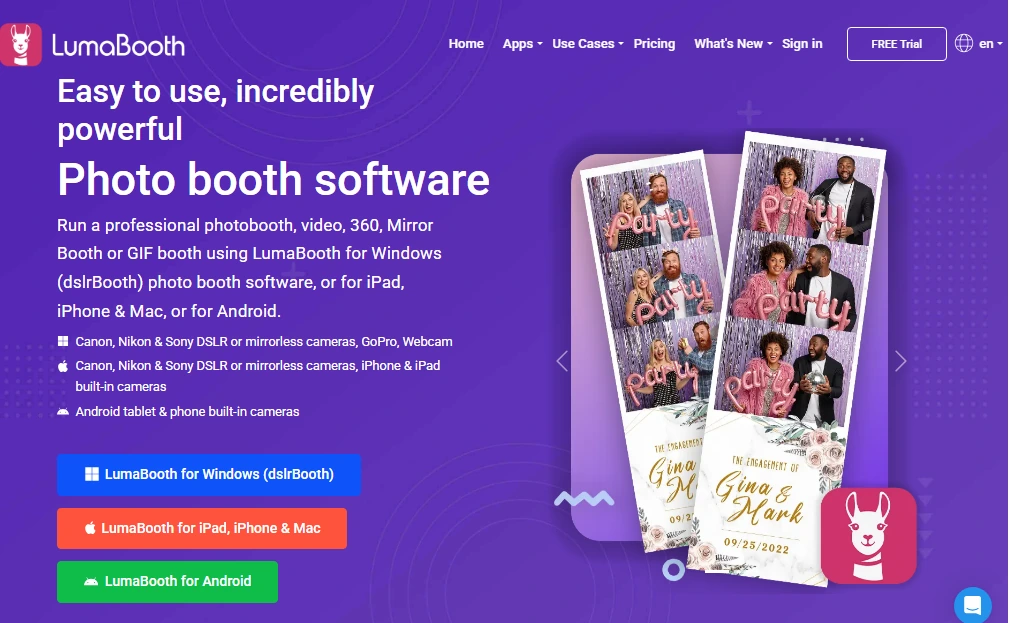
Starting a photo booth business shouldn’t require buying new hardware before you’ve booked your first event. LumaBooth (by Lumasoft, formerly dslrBooth) runs natively across Windows PC, iPad, iPhone, and Mac, making it the only platform in this category where operators can deploy on whatever device they already own.
| LumaBooth Pros | LumaBooth Cons |
|---|---|
| - No-credit-card free trial with no time limit | - Add-on costs accumulate (SMS, AI, LumaShare) |
| - Virtual Attendant prompts for guided video guestbook | - No Android support |
| - 240fps slo-mo on compatible iPads; 120fps on Windows | |
| - Cross-platform dashboard manages all devices from one browser |
LumaBooth: Top 3 Unique Features
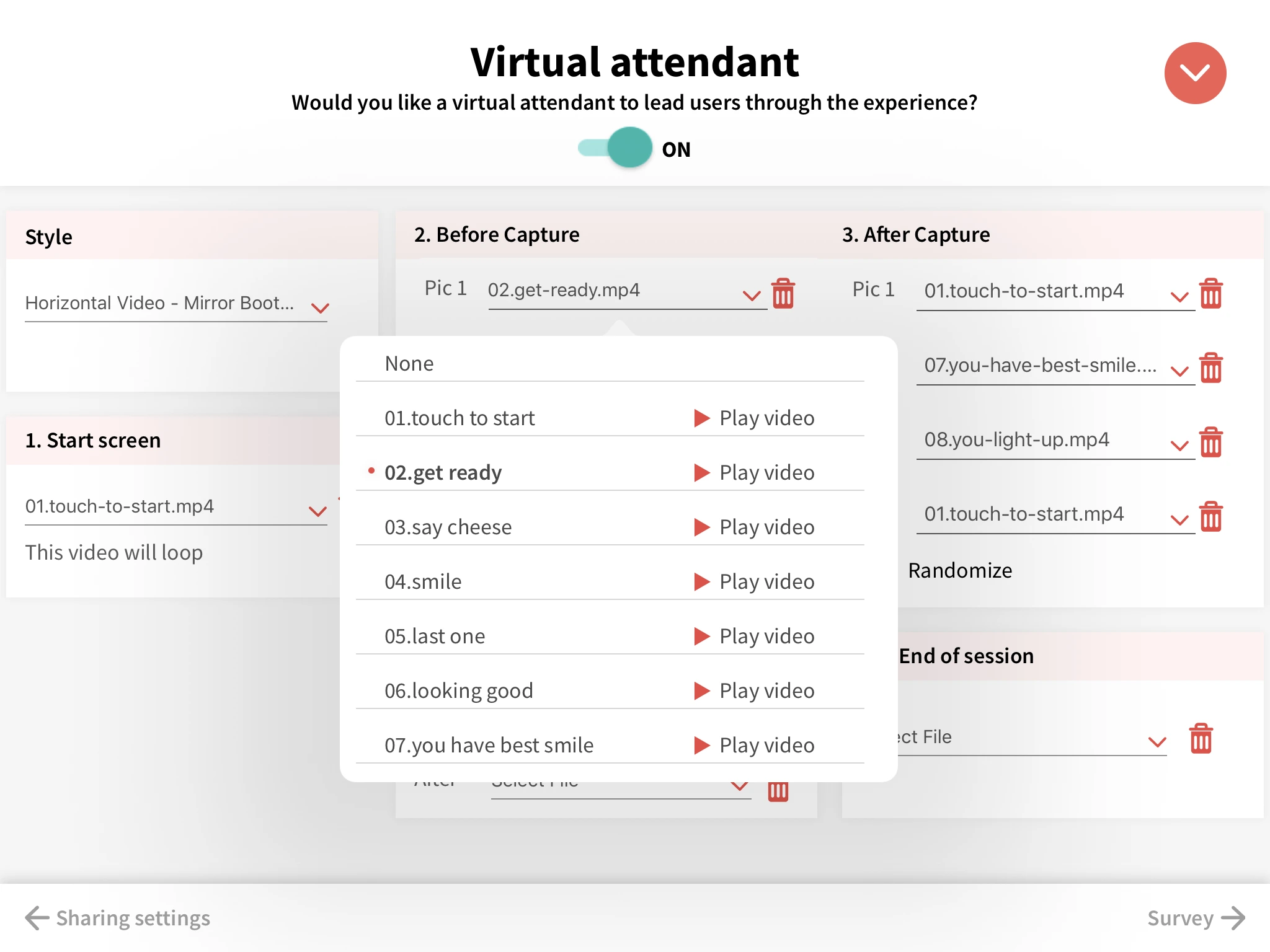
- Virtual Attendant for guided video guestbook: The Virtual Attendant system plays a custom video or audio prompt before each guest records, configurable across five session stages. Guests receive consistent cues without a live attendant, producing a guestbook archive that feels curated rather than improvised.
- Frame-rate flexibility across platforms: On Windows, LumaBooth supports cameras up to 120fps via Canon, Nikon, Sony, and GoPro hardware. On Apple devices, compatible iPads capture at up to 240fps. Speed-ramp timelines process on-device with no post-production editing required.
- Unlimited free trial with all features: The trial has no time limit and no feature lockout. Video guestbook, slo-mo, 360, and GIF modes are all active. The only restriction is a watermark on output files, removed once a subscription begins.
Source: LumaBooth
The companion LumaShare app operates as a separate sharing station, and its offline QR code delivery mode delivers videos without any internet connection.
LumaBooth Pricing
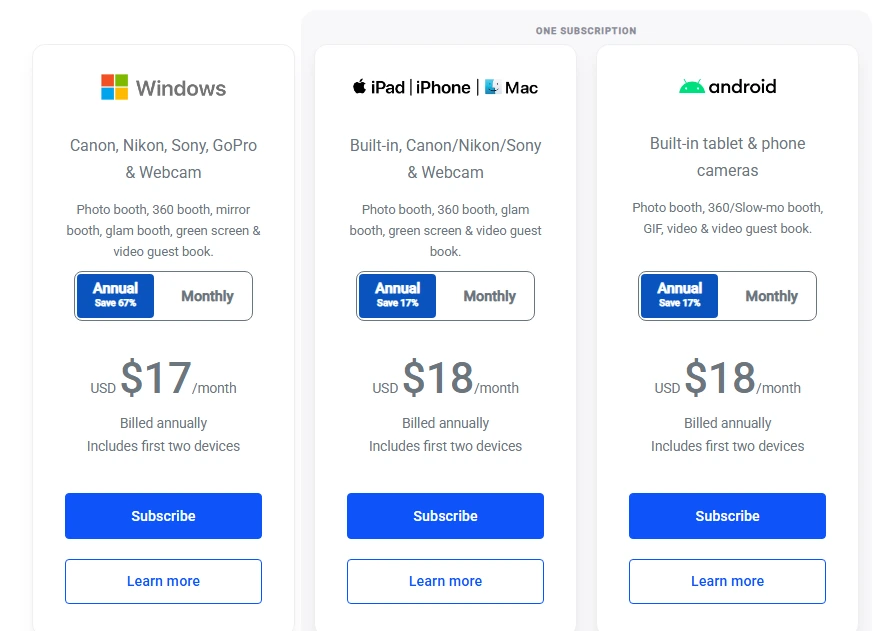
- LumaBooth for Windows at $17/month billed annually (~$204/year) or $49.99/month rolling; covers 2 Windows devices
- LumaBooth for Apple at $18/month billed annually (~$216/year) or $19.99/month rolling; covers 2 Apple devices
Notable add-ons: LumaShare (+$7.99/month), SMS plan (+$10/month), and AI Credits from $14.99/month. New subscribers receive 20 free AI Portrait credits.
Source: LumaBooth
Use LumaBooth if:
- You already own a Windows PC or Canon/Nikon/Sony DSLR and want to run slo-mo and video guestbook without purchasing new hardware
- You’re new to photo booth software and want to evaluate every feature (including slo-mo and video guestbook) before spending money
- You want one dashboard managing both Windows and Apple devices under a single account
5. Darkroom Booth: Best for Windows Operators Who Want Every Capture Mode Under a Perpetual License
Not every operator wants a monthly subscription.
Darkroom Booth delivers seven distinct capture formats, including slow-motion video, from a single $295 one-time purchase. Built by Darkroom Software, LLC (a family-owned company rooted in professional photography supply since 1992), the software keeps working even if the optional annual maintenance plan lapses.
| Darkroom Booth Pros | Darkroom Booth Cons |
|---|---|
| - $295 perpetual license covering 2 PCs | - Windows only (no Mac, iPad, or mobile) |
| - 7 capture modes including slo-mo and green screen video | - Tech support is Mon-Fri 9am-5pm Central only |
| - 75+ included templates with built-in editor | - Cloud features require active $95/year maintenance |
| - Booth Control remote monitoring |
Darkroom Booth: Top 3 Unique Features
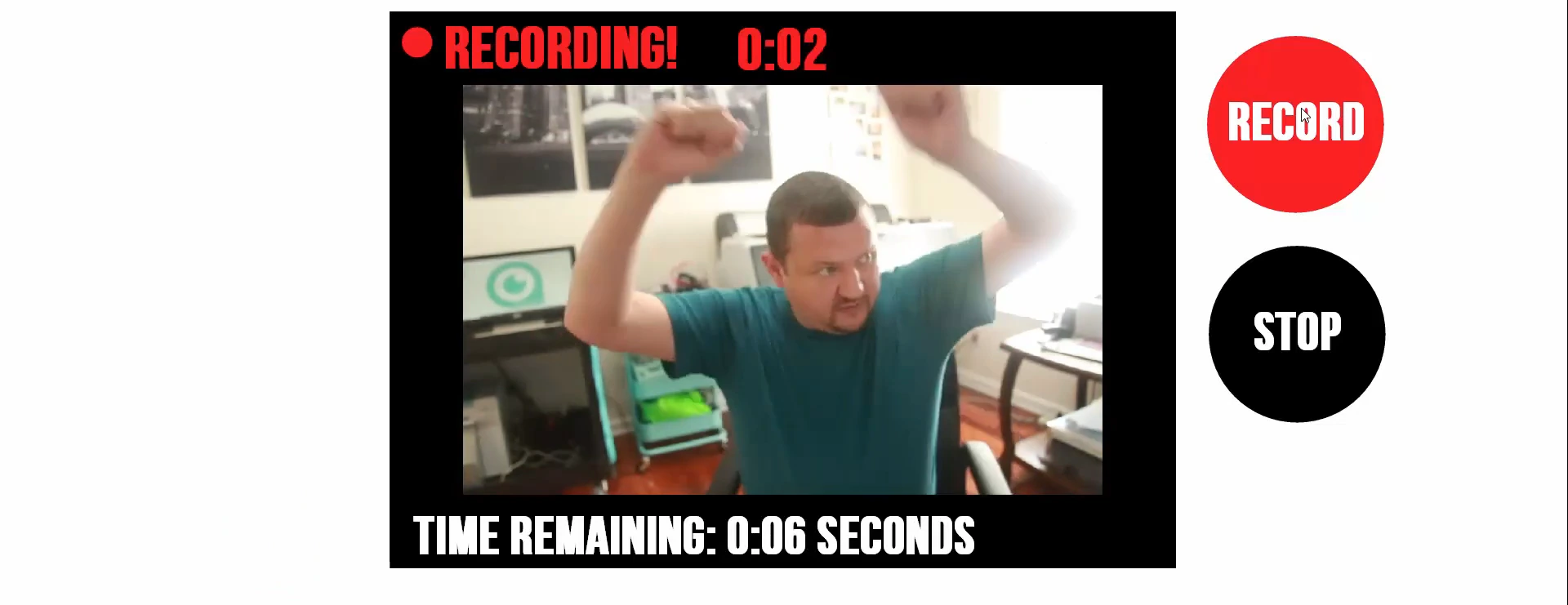
- Seven capture formats from one license: Still photos, standard video, slow-motion video, animated GIFs, Burst Mode/Boomerang GIFs, green screen composites, and Facebook VR-ready 180/360 panoramic images are all included. Slow-motion supports up to 60fps from Canon and Nikon DSLRs, and up to 120fps at 1080p or 240fps at 720p via GoPro HERO 9 and HERO 10.
- Perpetual ownership with optional renewal: The $295 base license is a one-time purchase. The $95/year maintenance plan restores updates and cloud features but is optional; core booth operation works indefinitely without it. Five-year total cost: $675.
- Booth Control remote monitoring: Booth Control lets operators monitor booth health, trigger sessions, and receive stats via any device on the same Wi-Fi network, without interrupting the guest experience.
Source: Darkroom Software
The built-in chroma key engine supports green, blue, or auto-detection knockout and works natively with video and Boomerang output (not just stills), enabling branded video backgrounds without a physical green screen at every venue.
Darkroom Booth Pricing
- Full License at $295 one-time (includes 1 year updates/support; installs on 2 PCs)
- Annual Maintenance at $95/year (optional; restores updates and cloud features)
- 10-Day Temporary License at $45 (for existing customers needing a second booth temporarily)
A free trial is available with no time expiration; outputs are watermarked and video recording is disabled during trial.
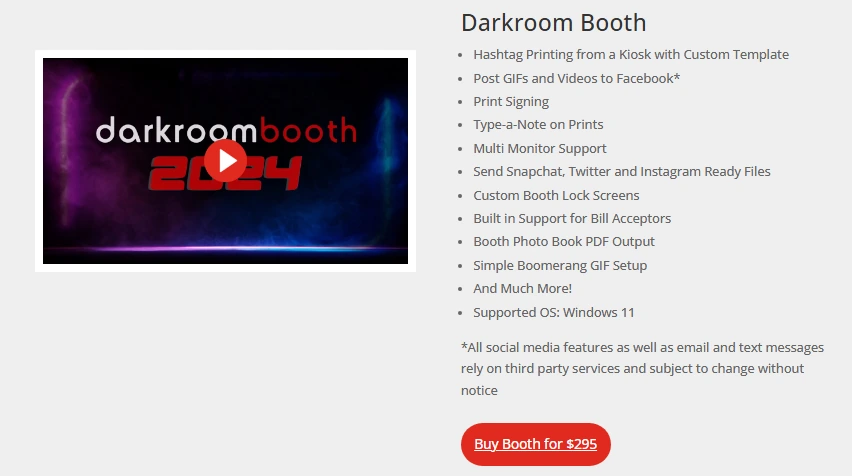
Source: Darkroom Software
Use Darkroom Booth if:
- You run Windows booth hardware and want a single software purchase covering slo-mo, video, GIFs, green screen, light painting, and quizzes with no format-specific add-ons
- You prefer owning your software outright, with predictable multi-year costs and no deactivation risk from a missed payment
- You manage multi-booth venue setups where remote monitoring via Booth Control is a practical necessity
6. Social Booth: Best for Windows Operators Who Want Professional Video Messaging Without a Monthly Fee
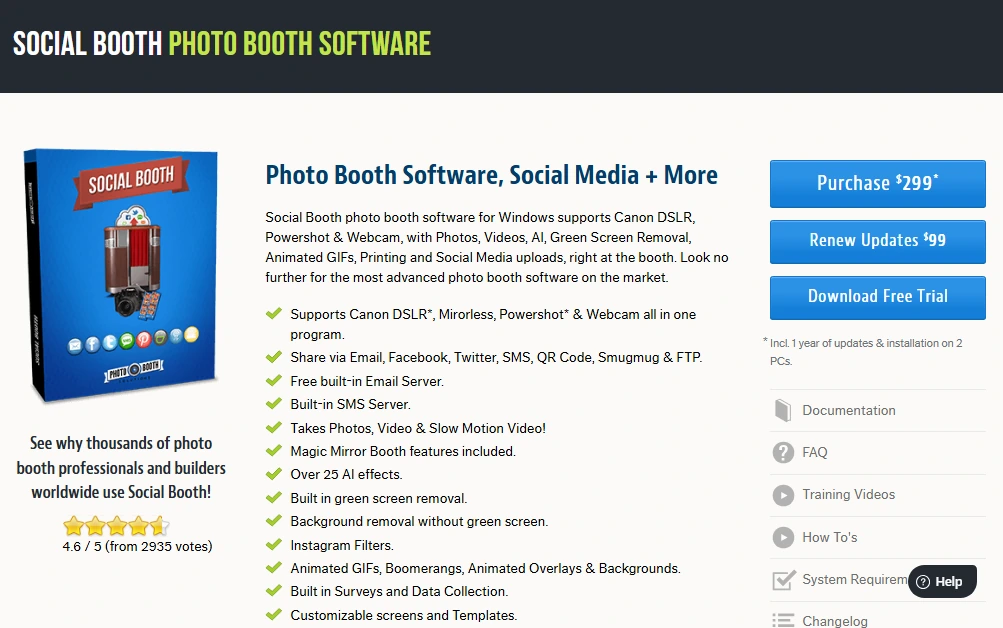
Social Booth combines native 60fps slow-motion video, a self-contained SMS delivery server, and creative video guestbook modes (including Marryoke lip-sync recording) into a single $299 perpetual license for Windows.
For operators who want video messaging as a bookable service without subscription overhead, it is one of the most cost-complete options on Windows.
| Social Booth Pros | Social Booth Cons |
|---|---|
| - Genuine 60fps slo-mo on supported Canon bodies | - Windows only (no Mac, iPad, or mobile) |
| - Built-in SMS server at $0.02/message (no Twilio required) | - Canon DSLR/Mirrorless and webcam only (no Sony, Nikon, Fuji) |
| - Marryoke and lip-sync video guestbook modes | - Support is ticket/email only (no live phone or chat) |
| - $299 perpetual license, explicitly not auto-billed |
Social Booth: Top 3 Unique Features
- Genuine 60fps slow-motion capture: Social Booth records at 60 frames per second on supported Canon bodies (Canon T3i, T4i, T5i, SL1) and plays back at 1/2, 1/3, or 1/4 normal speed. This is real temporal slow-motion from native high-frame-rate footage, not a post-processing frame-stretch effect.
- Self-contained SMS delivery: The built-in SMS server delivers video clips at $0.02/message with no Twilio account, no A2P 10DLC registration, and no third-party service to configure or debug mid-event. Built-in free email delivery eliminates the Sendgrid dependency as well.
- Marryoke and lip-sync video guestbook: Guests record themselves performing along to a song with lyrics displayed synchronized to the track. Operators author lyric timing files for any song the client selects. The result is a performance piece that’s more shareable and rewatchable than a standard talking-head guestbook message.
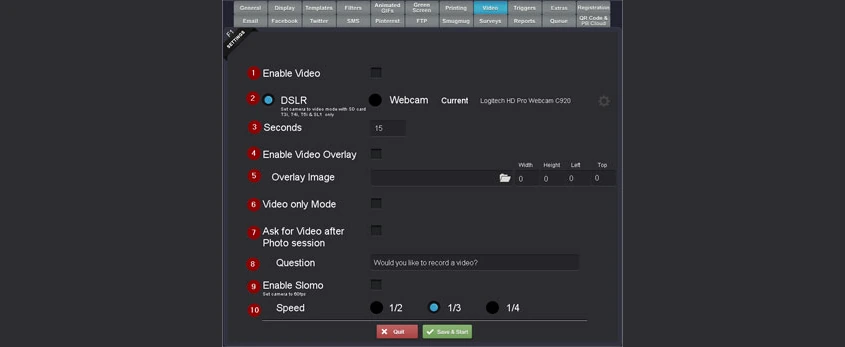
Source: Social Booth
AI background removal works without physical green screen hardware, and 30+ AI transformation effects are included in the base license.
Social Booth Pricing
- Perpetual License at $299 one-time (installs on 2 Windows PCs; 1 year of updates included; no auto-billing)
- Optional Update Renewal at $99/year (opt-in only)
- Add-ons: Internal SMS at $0.02/message; AI effects and background removal credits purchased per use; Photo Booth Cloud at $9.99/month
Bundles with companion products are available: Social Booth + Photo Booth Connected at $398, or all three products at $497.
Use Social Booth if:
- You operate on Windows with Canon DSLR hardware and want genuine 60fps slow-motion as a bookable service
- You need reliable SMS video delivery without managing a third-party Twilio account
- Your event clients want creative video guestbook formats (Marryoke, lip-sync) beyond standard recorded messages
7. Pictor: Best for AI-Powered Video Capture Across Android and iOS
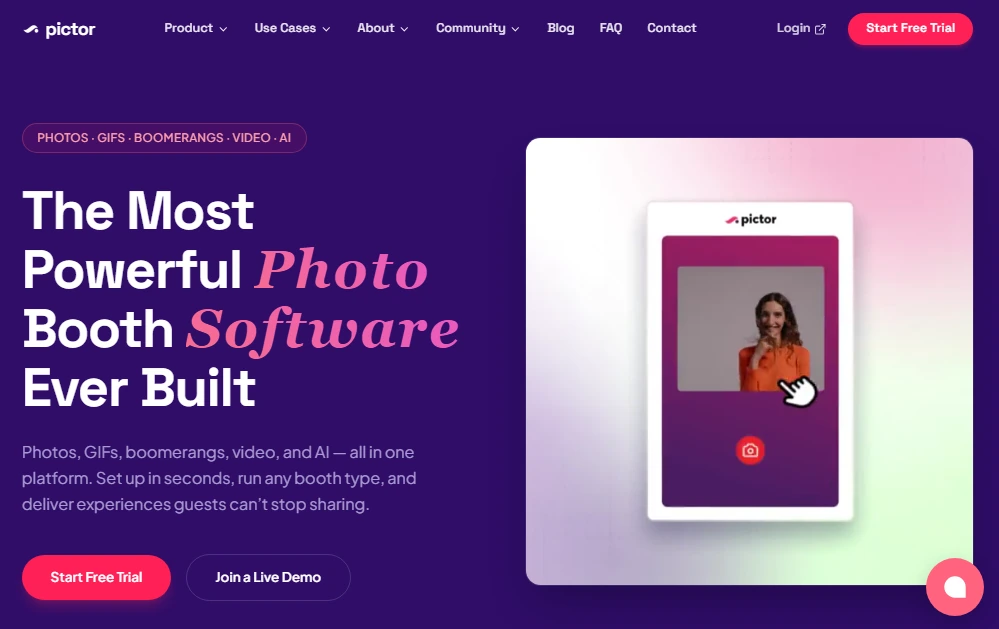
Pictor is the newest platform on this list and the most video-forward.
Founded by a photo booth operator with 15 years of experience, Pictor brought AI to the photo booth industry a full year before any competitor in 2023 and followed that with AI Video in 2025 while others were still in development. It is also the only major platform with fully featured native apps on both iOS and Android.
| Pictor Pros | Pictor Cons |
|---|---|
| - AI Video (transform clips and generate video from a single photo) | - Newer platform with thinner third-party validation |
| - Full native Android and iOS parity | - Token billing can create cost unpredictability |
| - Non-expiring AI tokens at $20/100 | - AI Video requires Premium plan ($149/month) |
| - 14-day free trial, no credit card required |
Pictor: Top 3 Unique Features
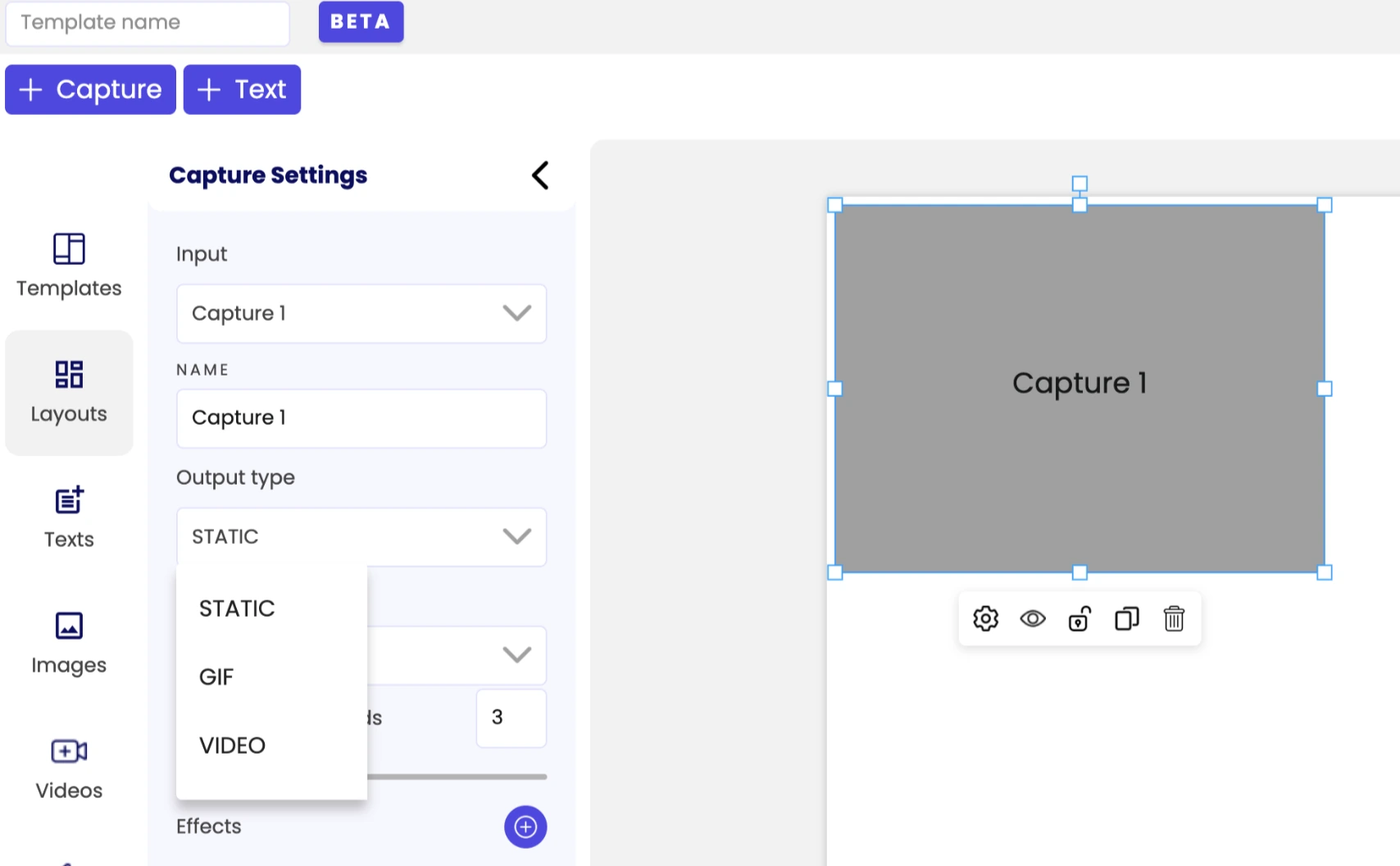
- Dual-mode AI Video: AI Video Transformations take an existing guest video clip and run it through a style pipeline, returning a polished version with likeness preserved. AI Video Generation takes a single static photo and creates a motion sequence from it, no video recording required. Both support three aspect ratios and multi-scene template stitching.
- Full Android parity: Pictor ships fully featured native apps on both iOS and Android, running the same Template Editor, AI Video pipeline, and GroupSense AI face-preservation technology on both platforms. For operators running Android tablets, there are no feature gaps.
- Non-expiring token credits: Tokens carry forward indefinitely with no monthly reset. AI images consume 1-2 tokens; AI Video consumes 5-15 tokens per five-second render. This suits operators with variable event calendars who don’t want to lose unused credits.
Source: Pictor
Pictor Pricing
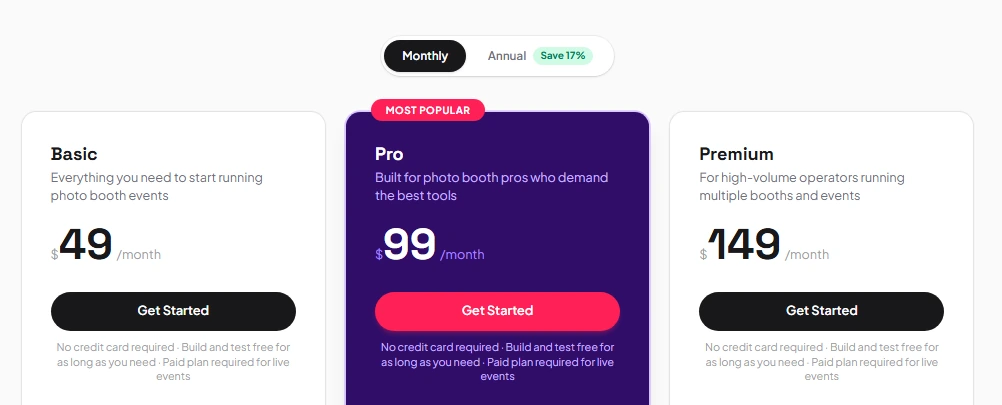
- Basic at $49/month (photos, GIFs, video, AI presets, analytics, webhooks, Zapier)
- Pro at $99/month (adds background removal, live chat, emergency phone support)
- Premium at $149/month (adds AI Video for live events)
- Enterprise available by contacting sales (remote access, white-label, grey-label app)
AI tokens are purchased at $20 per 100 tokens and never expire. All plans include a 14-day free trial with no credit card required.
Source: Pictor.pro
Use Pictor if:
- You operate on Android tablets or a mixed iOS/Android fleet and need full feature parity across both platforms
- You want to offer AI-generated video as a deliverable backed by a production-ready pipeline
- You prefer buying AI credits on demand without losing unused allotments each billing cycle
Final Verdict
Every platform on this list handles video and slow-motion capture, but each serves a different operator profile. The right choice depends on your hardware, your event types, and whether video is your primary deliverable or one piece of a broader experience.
Here are our top three picks for the most common use cases:
- Simple Booth: If you want a complete system where video capture, AI effects, custom branding, and lead collection work together out of the box, with marketing analytics to prove ROI to corporate clients. Get started with a free 7-day trial.
- Snappic: If slow-motion video is your core product and you need a production pipeline that handles 240fps capture, branded intros and outros, and instant delivery across multiple booth types from a single platform.
- LumaBooth: If you’re testing whether video guestbook and slo-mo can become a profitable service, and you want to try everything on hardware you already own before committing to a purchase.
Best Photo Booth Software with Video Message and Slo-Mo Capture FAQ
Which photo booth software is best for slow-motion video capture?
For dedicated slow-motion production, Snappic and TouchPix offer the deepest controls: Snappic supports up to 240fps capture with per-clip speed multipliers and branded output assembly, while TouchPix provides speed-ramp timing controls with GoPro 7-14 and DSLR integration.
For operators who want slo-mo as part of a broader experience (rather than the sole deliverable), Simple Booth offers Rebound clips and full-length video alongside AI effects and lead capture.
Is there free photo booth software with video capture?
Several platforms offer generous free trials.
LumaBooth provides an unlimited-duration free trial with all features active (including video guestbook and slo-mo), with the only restriction being a watermark on outputs. TouchPix offers a 14-day free trial with full feature access and no watermarks. Simple Booth provides a 7-day free trial with 25 AI credits included.
What is the best photo booth software for video guestbooks?
LumaBooth stands out for video guestbook quality with its Virtual Attendant system, which plays custom video or audio prompts before each recording to guide guests consistently.
Social Booth offers a creative alternative with Marryoke and lip-sync modes where guests perform along to a chosen song. Simple Booth’s full-length video capture (5 to 120 seconds) handles straightforward guestbook recording with branded layouts and instant delivery.
Which photo booth platform works on both Android and iOS?
Pictor is the only major platform with fully featured native apps on both Android and iOS with no feature gaps between platforms. TouchPix also supports both operating systems (plus Windows, Mac, Linux, and Raspberry Pi) under a single subscription. Simple Booth is iPad-only, and Darkroom Booth and Social Booth are Windows-only.
How much does photo booth software with video and slo-mo cost?
Pricing varies widely by model. Subscription platforms range from LumaBooth at $17/month (annual) to Snappic’s Scale plan at $399/month. Perpetual license options include Darkroom Booth at $295 and Social Booth at $299, both one-time purchases. Simple Booth’s plans range from $14.99/week (Lite) to $249/month (Select). Most platforms also charge separately for AI credits, SMS delivery, or additional device licenses.
Do I need special camera hardware for slow-motion capture?
It depends on the frame rate you want.
iPad cameras on supported models can capture up to 240fps for slo-mo through platforms like LumaBooth and TouchPix. For DSLR-based slo-mo, most platforms support Canon bodies at 60fps, with GoPro integration reaching 120-240fps on Darkroom Booth, TouchPix, and Snappic. Simple Booth supports Canon and Sony DSLR and mirrorless cameras for higher image quality, with video capture and Rebound motion clips available through its built-in processing pipeline.
What should I look for when choosing photo booth software for video events?
Prioritize the capture quality your clients expect (genuine high-frame-rate slo-mo vs. standard video), delivery reliability at venues with poor connectivity, branding depth for corporate clients, and whether the pricing model matches your event volume.
Operators with variable calendars benefit from weekly billing or perpetual licenses; high-volume agencies may prefer monthly subscriptions with multi-booth management tools.
Keep reading
 Best Of
6 Best Photo Booth Software With QR Code Sharing [August 2026]
Booths that beam every snap to a phone with a quick scan. QR sharing done right.
 Best Of
7 Best Photo Booth Software With Real-Time Analytics and Dashboards [August 2026]
Booths that show the numbers as the party happens. Live dashboards, real insight.
 Best Of
7 Best Photo Booths for Comic Cons and Fan Conventions [August 2026]
Booths built for cosplay crowds and superfan energy. Con-ready and quick.