7 Best Photo Booths for Comic Cons and Fan Conventions [August 2026]

Comic cons and fan conventions have grown past the dealer’s room and panel stage. Attendees now expect shareable experiences at every turn, and photo booths have become reliable crowd magnets on the convention floor. Whether a cosplay group steps into an AI-generated comic book scene or a casual fan snaps a branded keepsake at a sponsor’s booth, the right setup turns foot traffic into social media buzz, email subscribers, and repeat business.
But not every photo booth platform handles the demands of fan conventions. Convention operators deal with unpredictable Wi-Fi, high-volume crowds cycling through multiple zones, cosplay groups that need to look sharp in every shot, and exhibitors who expect measurable ROI from their activations. A booth that works well at a corporate gala may struggle under these conditions.
We tested and researched the leading platforms and narrowed the list to seven that solve distinct convention challenges:
- Self-operating photo experiences across a busy convention floor
- Multiple booth formats (360 video, mirror, iPad selfie) under one subscription
- Professional DSLR-quality outputs for staffed celebrity photo ops
- Budget entry with the cameras you already own
- Dedicated 360 video experiences for the signature fan moment
- AI-powered group cosplay transformations
- Capable software with zero ongoing costs for fan clubs and nonprofits
Let’s look at the best photo booth platforms for comic cons and fan conventions in 2026.
What Makes a Great Photo Booth for Comic Cons and Fan Conventions?
A great convention photo booth is more than a camera and a screen. It needs to deliver themed, shareable content that matches the energy of the event, operate reliably in tough venue conditions (poor Wi-Fi, mixed lighting, high foot traffic), and serve everyone from solo fans to groups of twelve in matching cosplay. The best platforms combine creative output (AI effects, green screen compositing, themed overlays) with operational reliability (offline mode, fast setup, remote management) and business value (lead capture, analytics, social sharing).
We shortlisted these seven platforms for the most common convention photo booth use cases:
| Best Photo Booths for Comic Cons and Fan Conventions | ||
|---|---|---|
 | Simple Booth Best for convention operators and exhibitors who want a self-operating photo booth with AI-powered fan experiences and built-in lead capture. | |
 | Snappic Best for established operators running multiple booth formats (iPad, 360, mirror, robot arm) under one subscription with sponsor-facing analytics. | |
 | Darkroom Booth Best for staffed Windows DSLR setups running celebrity photo ops and green screen activations at scale. | |
 | LumaBooth Best for newcomers who want DSLR-quality results with 360 video and AI portraits at the lowest monthly cost. | |
 | TouchPix Best for operators running dedicated 360-degree spinning-arm video booths as their primary convention offering. | |
 | Pictor Best for AI-powered group cosplay transformations and fan video moments with GroupSense face preservation. | |
 | Sparkbooth Best for fan clubs, nonprofits, and DIY convention organizers who want capable software with zero ongoing costs. | |
How To Choose the Best Photo Booth for Comic Cons and Fan Conventions
Here’s a checklist to help you find the right platform for your convention deployment:
- Convention-Ready Creative Output: Look for platforms that produce content fans actually want to share: AI character transformations, themed green screen composites, and branded overlays that match the event’s visual identity.
- Reliable Under Convention Conditions: Convention center Wi-Fi is notoriously unreliable. Choose a platform with offline capabilities, local photo processing, and connectivity fallbacks so no guest walks away empty-handed.
- Fast Setup and Self-Operation: Convention operators often run multiple booths across different zones. Prioritize platforms that set up quickly, operate without an attendant, and can be managed remotely from anywhere on the floor.
- Photo Quality in Any Lighting: Convention halls range from brightly lit exhibitor floors to dim theater-style rooms. Built-in lighting, DSLR support, or software-based enhancement (skin smoothing, background blur) keeps quality consistent regardless of venue conditions.
- Multi-Channel Sharing: Attendees come from everywhere. QR codes, SMS, email, WhatsApp, and AirDrop give every guest a frictionless path to their photos and videos.
- Lead Capture and Analytics: For exhibitors and sponsors, the booth should double as a data collection point with opt-in forms, CRM export, and post-event analytics that quantify the activation’s ROI.
How We Picked the Platforms
We started with the most popular and highly reviewed photo booth platforms used at events across North America and internationally. We then narrowed the list by testing each platform against four criteria specific to the comic con and fan convention environment:
- Creative Output: Does the platform produce the themed, shareable content convention attendees expect (AI effects, character composites, 360 video)?
- Operational Reliability: Can the booth operate offline, set up quickly, and run without constant attendant supervision?
- Hardware Flexibility: Does it support the cameras, devices, and booth formats convention operators already use?
- Business Value: Does it capture leads, generate analytics, and integrate with marketing workflows?
These four criteria narrowed our list to seven platforms that each solve a distinct convention challenge. Let’s dive in.
1. Simple Booth: Best for Self-Operating Photo Booths With AI-Powered Fan Experiences
Convention floors are chaotic by design. Attendees move fast between panels, exhibitor booths, and photo ops. The best activations share one trait: they run smoothly without someone babysitting them. The worst thing that can happen at a con is a photo booth that crashes mid-event, needs troubleshooting, or produces photos so dimly lit that nobody shares them.
That’s where Simple Booth earns its position at the top of this list.
Source: Simple Booth
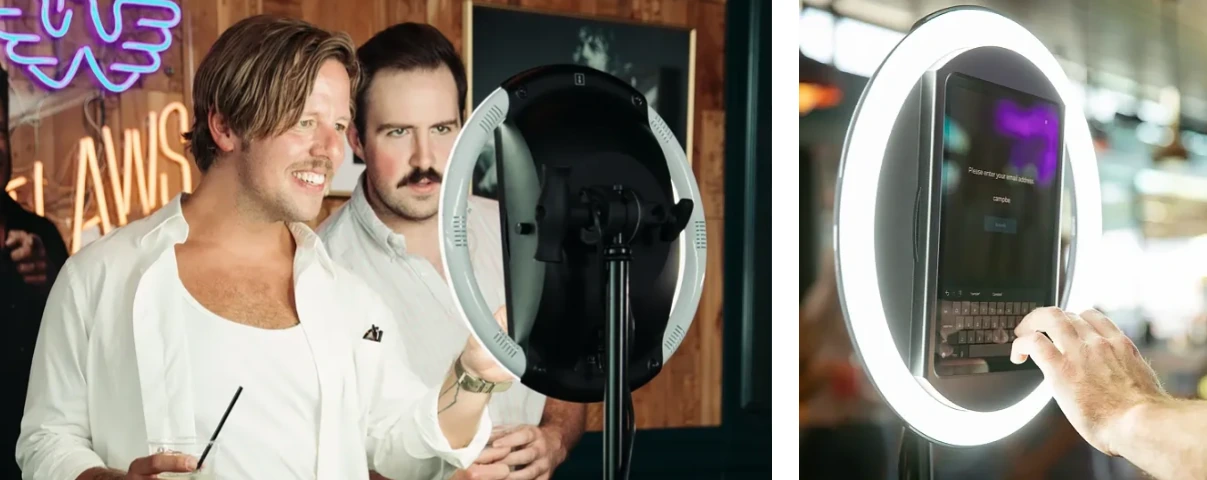
Simple Booth is an integrated photo booth system that pairs a subscription-based iPad app (the HALO app) with proprietary ring-light hardware (the HALO kits). The company calls it “the premium photo booth that runs itself.” Its combination of integrated lighting, AI effects, remote management, and offline resilience makes it the most complete option for convention operators and exhibitors who need booths that deliver professional results without a dedicated attendant. Core features include:
- Patented ring-light hardware machined from a single billet of aluminum with 112 LEDs producing up to 2,100 lumens, producing even lighting regardless of convention hall conditions
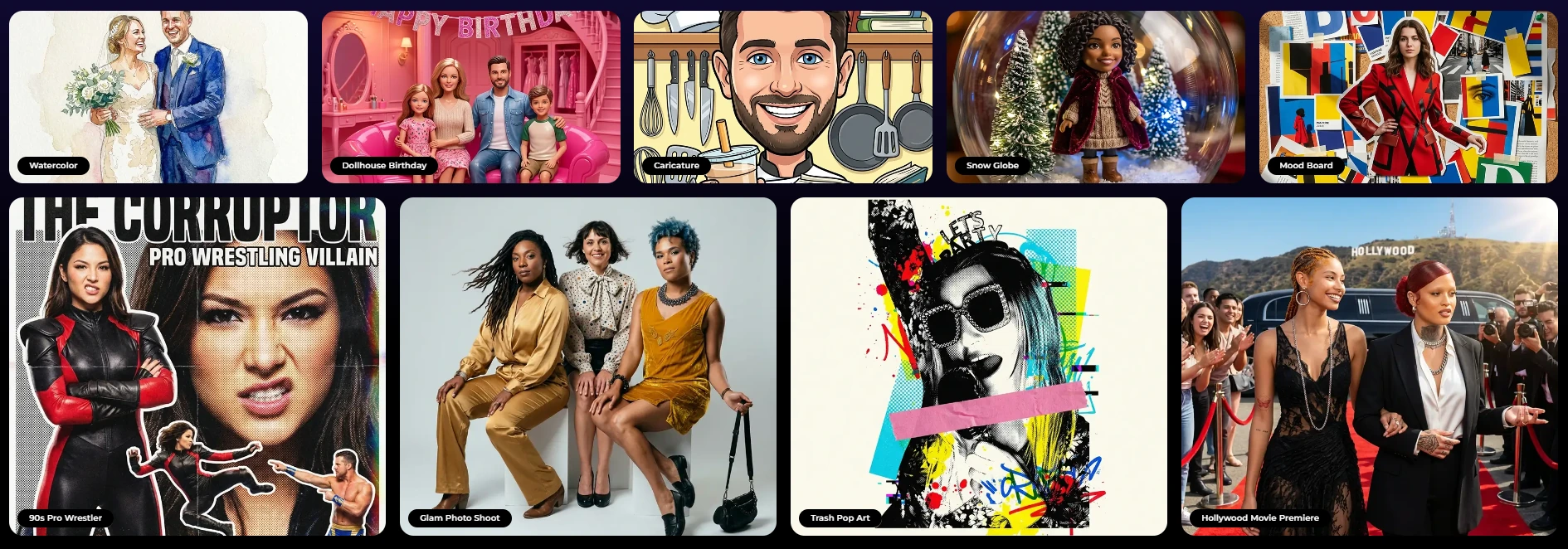
- AI Effects (Nano Banana models) that transform guest photos using text prompts, with comic book, anime, fantasy, and character-style outputs suited to fan convention audiences
- Sub-one-minute setup with a tool-less iPad mount, letting operators deploy multiple booths across convention zones without technical assembly
- Offline mode that queues sessions and delivers them when connectivity returns, solving the convention hall Wi-Fi problem
- Layout Designer for building custom branded overlays, frames, and multi-frame layouts in the app or web dashboard without external design software
- Lead capture with opt-in rates of 87 to 89 percent for exhibitors and sponsors who need measurable ROI
Source: Simple Booth
| Simple Booth Pros | Simple Booth Cons |
|---|---|
| - Integrated hardware and software from one vendor | - iPad-only (no Android support) |
| - Self-operating with 1-minute setup | - AI effects require active internet connection |
| - AI effects with identity preservation for themed fan experiences | - Entry-tier Lite plan shows ads in the app |
| - Offline mode for unreliable convention Wi-Fi | - Add-on device licenses increase cost for multi-booth setups |
| - 4.7-star App Store rating from 2,400+ ratings |
Why Choose Simple Booth for Convention Photo Booths?
30,000+ customers globally use Simple Booth across events, venues, and brand activations, with documented deployments at Live Nation VIP events, Sports Illustrated Tickets, and Gibson Brands.
To see why tens of thousands of event professionals choose Simple Booth, try it free for 7 days.
AI Effects and Creative Tools: Turn Fans Into Their Favorite Characters
Convention attendees don’t want a standard photo strip. They want to see themselves as a comic book hero, an anime character, or a fantasy warrior. Simple Booth’s AI Effects deliver this. Operators choose from a growing library of ready-made prompts or write custom prompts to match a convention’s theme. Three Nano Banana AI models balance speed and quality: Nano Banana 1 for fast individual transformations (1 credit), Nano Banana 2 for groups up to 5 (2 credits), and Nano Banana Pro for the highest quality group shots (3 credits).
What sets Simple Booth apart from generic AI photo tools is automatic identity preservation: guests stay recognizable no matter how dramatic the transformation, without the operator needing to engineer specific prompts. The system also supports per-frame multi-prompt storyboarding, so each frame in a multi-frame layout can carry its own AI prompt. This enables comic strip and cinematic narrative strips that convention audiences love.
For exhibitors running branded activations, AI effects composite directly with the Layout Designer’s brand overlays, so a sponsor’s logo, custom frame, and AI character transformation all appear in a single output without stitching tools together. Guest Input on Pro and Select plans lets attendees answer questions (a character name, a chosen faction, a superpower) that feed directly into the AI prompt, producing personalized outputs per guest.
Operators can test prompts for free outside of booth mode before the convention without spending credits. Credits cost $0.10 each and never expire.
Source: Simple Booth
G7 Entertainment Marketing, a 10-year Simple Booth customer, has generated 136,000+ fan interactions across live events and brand activations.
Hardware and Setup: Professional Quality in Under a Minute
The HALO hardware kit separates Simple Booth from software-only competitors at conventions. The machined aluminum chassis and patented ring light produce even illumination that compensates for the mixed lighting common in convention halls. Groups can stand 6 to 8 feet from the camera and still be properly lit, accommodating cosplay groups without crowding.
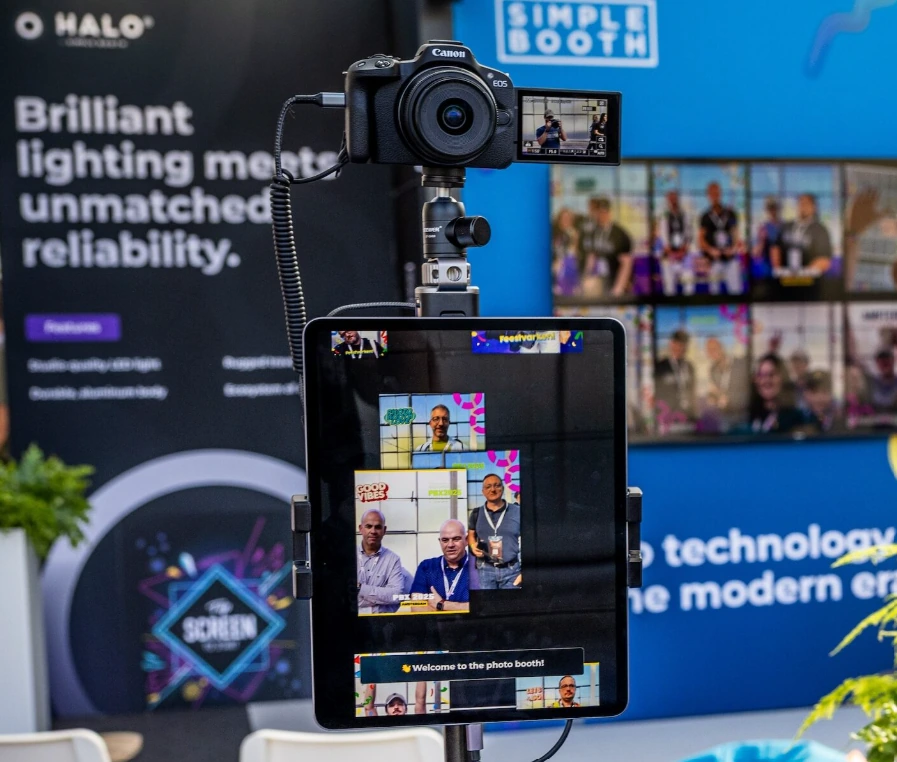
Setup takes under one minute: the iPad snaps into a tool-less faceplate, a concealed USB-C cable keeps it charged throughout the event, and the selfie stand deploys without assembly. The Event Kit travels in a rugged rolling hard case at 49 lbs with an extendable handle. For venues without wall power, compatible portable batteries provide 6+ hours of runtime. For international conventions, HALO supports dual voltage (110V to 240V) and needs only a plug adapter.
For operators who need higher image quality, Canon and Sony DSLR and mirrorless camera integration (Core plan and above) feeds professional camera output through the full HALO feature set, including AI effects and branded layouts. The integration supports both wired USB for long-event reliability and wireless over Wi-Fi for creative setups (a feature most competitors lack). Nikon support is coming soon.
Source: Simple Booth
Remote Management and Reliability: Run Multiple Booths From Anywhere
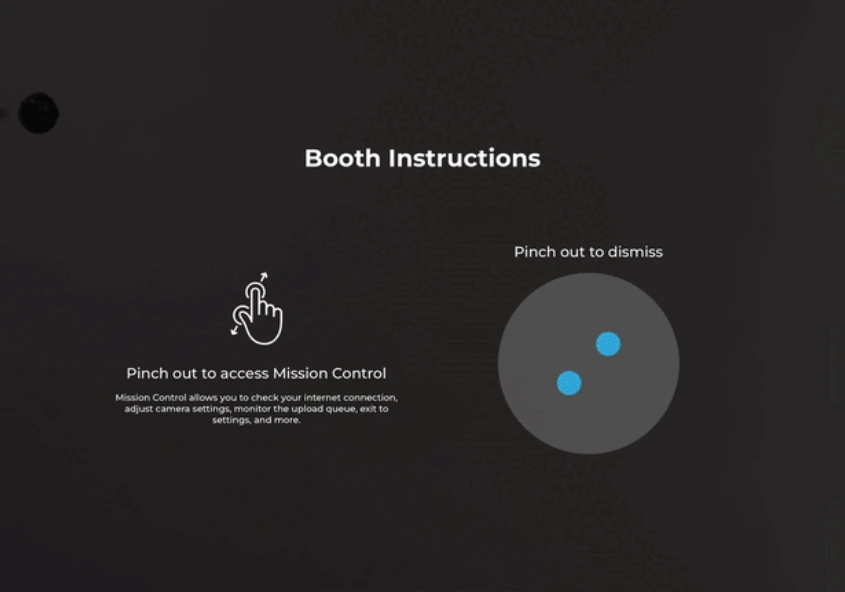
Convention operators managing booths across different halls need to configure and troubleshoot without walking the entire floor. Simple Booth’s online dashboard syncs preset changes to the iPad remotely without exiting booth mode. Mission Control, a hidden overlay triggered by a two-finger pinch, lets operators monitor device health, adjust camera settings, and sync dashboard changes during live events without breaking the guest-facing interface.
When the convention hall Wi-Fi drops, offline mode queues sessions and delivers them when connectivity returns. Delivery options cover every attendee: QR code, email, SMS, AirDrop, and WhatsApp.
For exhibitors and sponsors, the data capture system collects contact information with opt-in rates of 87 to 89 percent. Data exports as CSV, syncs with MailChimp, or routes to custom CRMs via the Open API (Pro and Select plans). The analytics dashboard tracks gallery views, social shares, and engagement metrics, giving sponsors a measurable ROI report.
Virtual Booth extends the photo experience beyond the physical convention floor. It runs in any browser with no app install, letting remote fans participate in branded photo activations via a QR code or link. All submissions feed the same analytics and gallery as the on-site HALO booths.
Source: Simple Booth
Sports Illustrated Tickets uses Simple Booth to turn fans into heroes at live events, creating branded, shareable fan experiences at scale.
Simple Booth Pricing
Simple Booth uses a per-license subscription model with weekly, monthly, and yearly billing. Each plan includes one device license; additional devices require add-on licenses. AI effect credits cost $0.10 each and never expire.
- Lite starts at $14.99/week or $289.99/year (App Store only; includes ads)
- Core starts at $24/week or $49/month or $490/year (adds DSLR support, video, background replacement, AI effects, Virtual Booth)
- Plus starts at $49/week or $99/month or $990/year (adds custom branding, analytics, guest-editable text layers)
- Pro starts at $149/month or $1,490/year (adds lead capture, API integration, phone support, moderation, age gate)
- Select starts at $249/month or $2,490/year (adds compliance tools, demographic analytics, custom legal terms)
A 7-day free trial is available with 25 free AI credits.
Use Simple Booth if:
- You want a self-operating photo booth that delivers professional results without a dedicated attendant at every station
- You need AI-powered fan experiences (character transformations, themed scenes) with built-in identity preservation
- You’re an exhibitor or sponsor who needs measurable lead capture and activation analytics from your convention booth
- You manage multiple booths across a convention and need remote configuration and monitoring from a single dashboard
Why Simple Booth Topped Our List
Simple Booth earned the top spot because it solves the core convention operator problem better than any other platform: delivering a reliable photo experience that runs itself. The HALO hardware eliminates the lighting variable that makes or breaks photo quality in convention halls. The AI effects produce themed, shareable content that convention attendees actually post. And the offline mode, remote management, and sub-one-minute setup address the operational realities of managing booths on a chaotic convention floor.
Other platforms on this list excel in specific areas (multi-format versatility, 360 video, professional DSLR studio work, or budget entry), but none match Simple Booth’s combination of integrated hardware, AI creative tools, self-operating reliability, and data capture in a single system.
2. Snappic: Best for Established Operators Running Multiple Booth Formats Under One Subscription
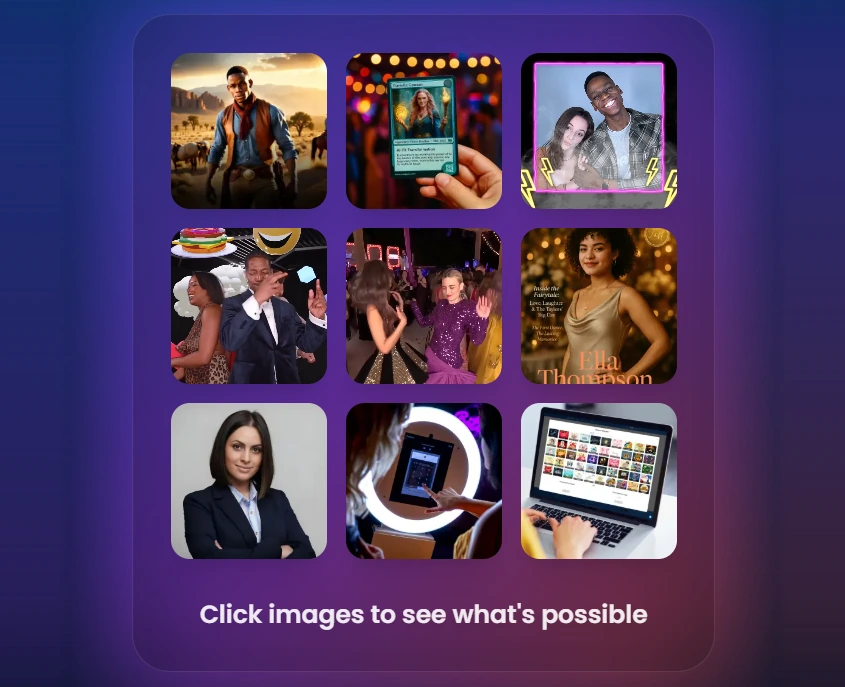
Fan conventions are not one-size-fits-all events. Different zones demand different experiences: a 360-degree video booth near the main stage, a mirror booth in the cosplay competition area, a roaming photographer covering the artist alley. Most photo booth software is built for a single hardware format, which means running multiple formats requires multiple subscriptions, dashboards, and learning curves.
Source: Snappic
Snappic eliminates that complexity. It supports iPad selfie stations, 360-degree video booths, Robot Arm/Glambot setups, Mirror booths, and Roaming photography from a single account and subscription, making it the most versatile platform for experienced convention operators managing diverse booth deployments. Snappic is used at 100,000+ events worldwide by 8,000+ operators.
| Snappic Pros | Snappic Cons |
|---|---|
| - Multi-format booth support from one subscription | - Add-on costs for AI credits, background removal credits, and features |
| - AI effects library with comic book, anime, and fantasy presets | - Base Business plan requires paid add-ons for white-label and webhooks |
| - Cloud-first remote fleet management via LiveConnect | |
| - Post-event analytics dashboards for sponsor ROI reporting |
Snappic: Top 3 Unique Features
- Multi-format booth coverage (iPad, 360, robot arm, mirror, roaming) under one subscription
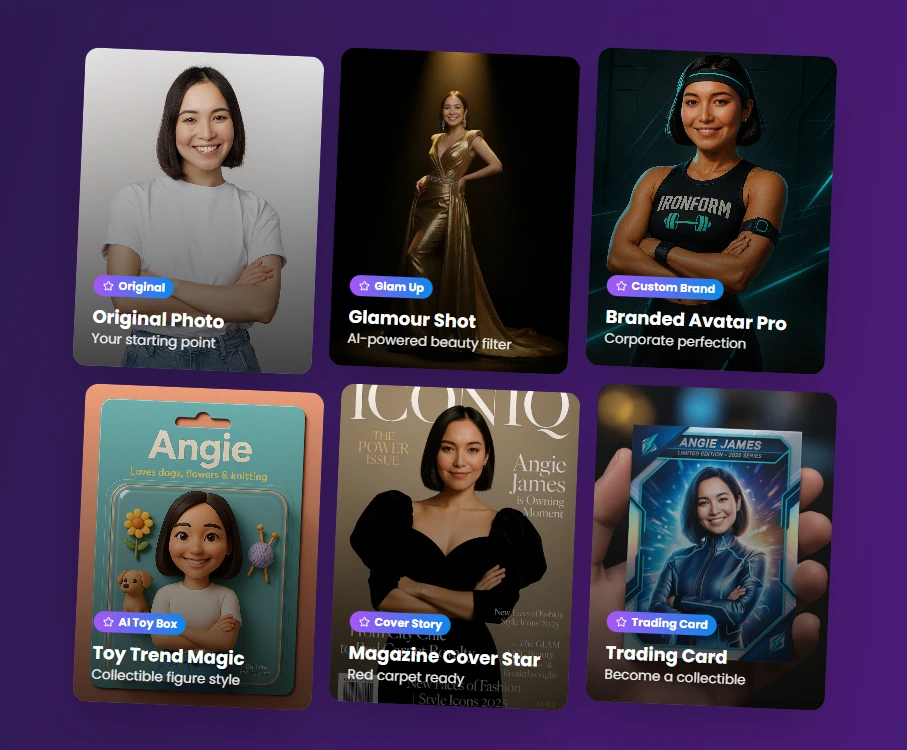
- AI FX suite with convention-ready presets (comic book, anime, fantasy, trading cards) and custom prompt capability
- Send Analytics to Client feature that generates live post-event analytics pages for sponsors
Source: Snappic
Snappic’s advantage for convention operators is breadth. An operator placing a 360-degree video booth near the main stage, a selfie station in a high-traffic corridor, and a roaming photographer in the artist alley manages everything from one dashboard. The VideoFX Template Builder governs video formats (360, Glambot, Mirror) with the same interface, so operators train once and apply that knowledge across every rig.
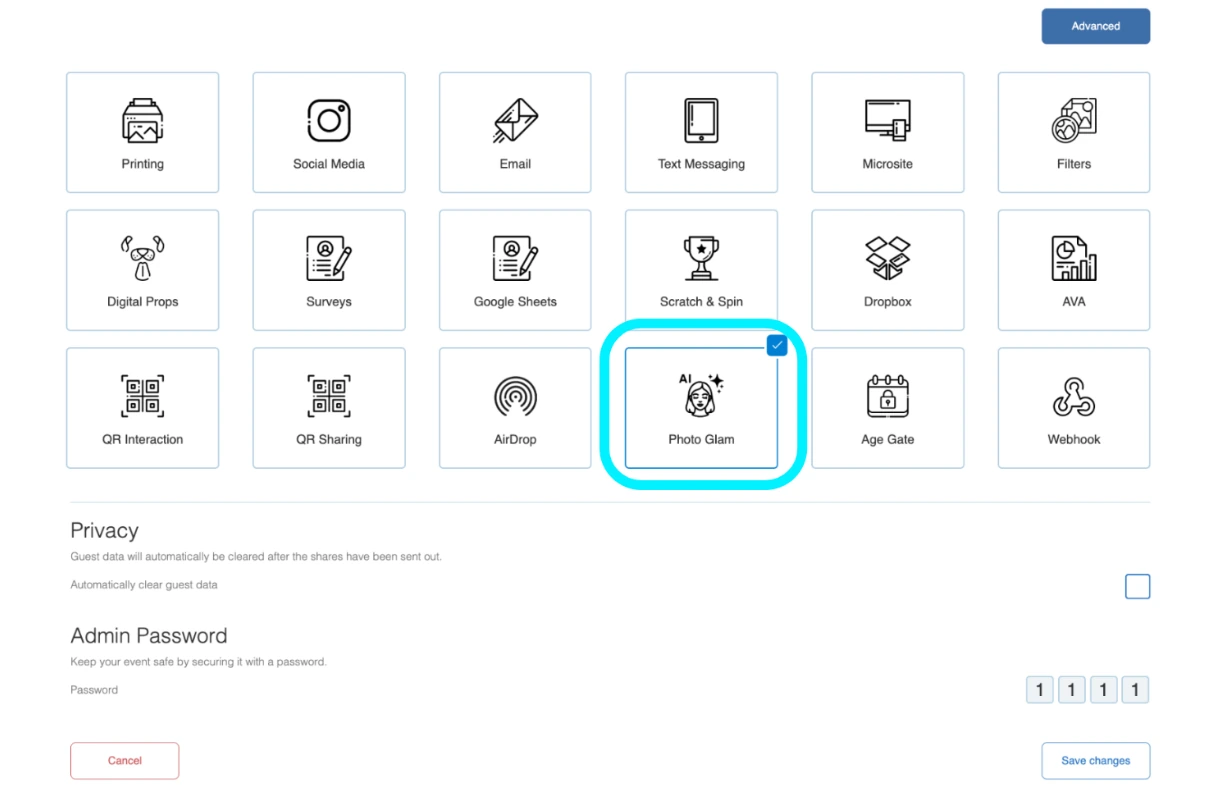
The AI FX suite includes a preset filter library with comic book, anime, fantasy, and sci-fi transformations that map onto convention attendee interests. PersonaFX generates branded avatars with survey-driven personalization for exhibitor activations. The Sharing Station (a second iPad) handles share delivery independently so the main booth never pauses while AI effects process. Photo Glam skin smoothing and offline AI background removal both process on-device with no internet, useful at venues where Wi-Fi is inconsistent.
For exhibitors and sponsors, Send Analytics to Client generates a live analytics page with total shares by channel, estimated reach and impressions, peak engagement timeline, and downloadable contact data. Automated Vision Analytics (AVA) adds anonymized demographic data. Real-time webhooks (Premium and Scale plans) push contact data to CRMs during multi-day events.
Source: Snappic
Snappic Pricing
Snappic uses a per-booth license subscription model billed monthly or annually (annual saves 20%). AI-FX credits ($20 per 200 images), background removal credits ($15 per 100 images), and AI Sharing credits ($20 per 1,000) are billed separately. A 14-day free trial requires no credit card.
- Business starts at $189/month ($1,799/year); one booth license + one sharing station; additional booth licenses at $109/month
- Premium starts at $279/month; adds white-label URLs, webhooks, LiveConnect, Event Codes, 400 SmartShare credits
- Scale starts at $399/month ($3,999/year); adds multi-client management, grey-label app, dedicated success manager
Use Snappic if:
- You operate more than one booth type and want to avoid managing multiple software subscriptions
- You run sponsored or exhibitor activations where post-event ROI reporting matters
- You’re scaling toward a multi-booth operation managing multiple simultaneous convention events
3. Darkroom Booth: Best for Staffed Windows DSLR Setups Running Large-Scale Convention Photo Ops
At the high end of convention photo activations (celebrity photo ops, sponsored hall booths, immersive brand experiences), image quality is not optional. A soft or underexposed photo in a celebrity op line undermines the entire pricing structure.
Source: Darkroom
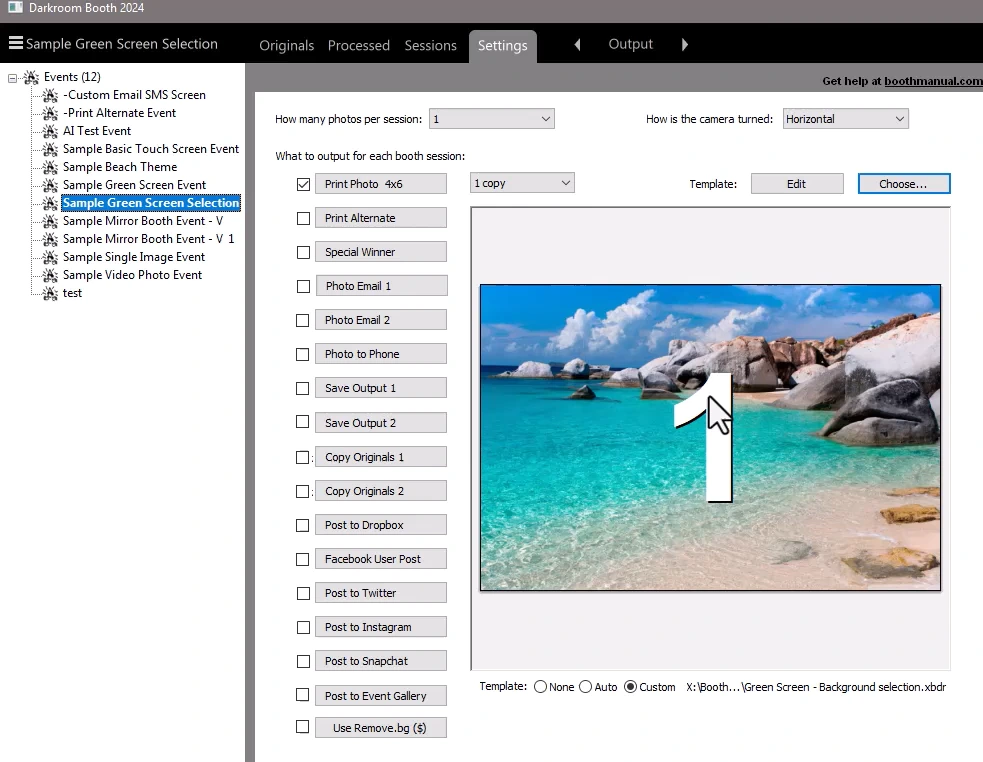
Darkroom Booth is Windows-native photo booth software built by a family-owned company with 30+ years in professional photography. It delivers full camera control, advanced compositing, and a perpetual license that eliminates subscription overhead.
| Darkroom Booth Pros | Darkroom Booth Cons |
|---|---|
| - Direct DSLR tethering across Canon, Nikon, and GoPro | - Windows-only (no Mac, no iPad) |
| - One-time $295 perpetual license | - Best suited for staffed, attended setups |
| - Advanced green screen with AI fallback via Remove.bg | - No native 360 or mirror booth format support |
| - 75+ built-in templates, 400+ via DarkroomTemplates.com |
Darkroom Booth: Top 3 Unique Features
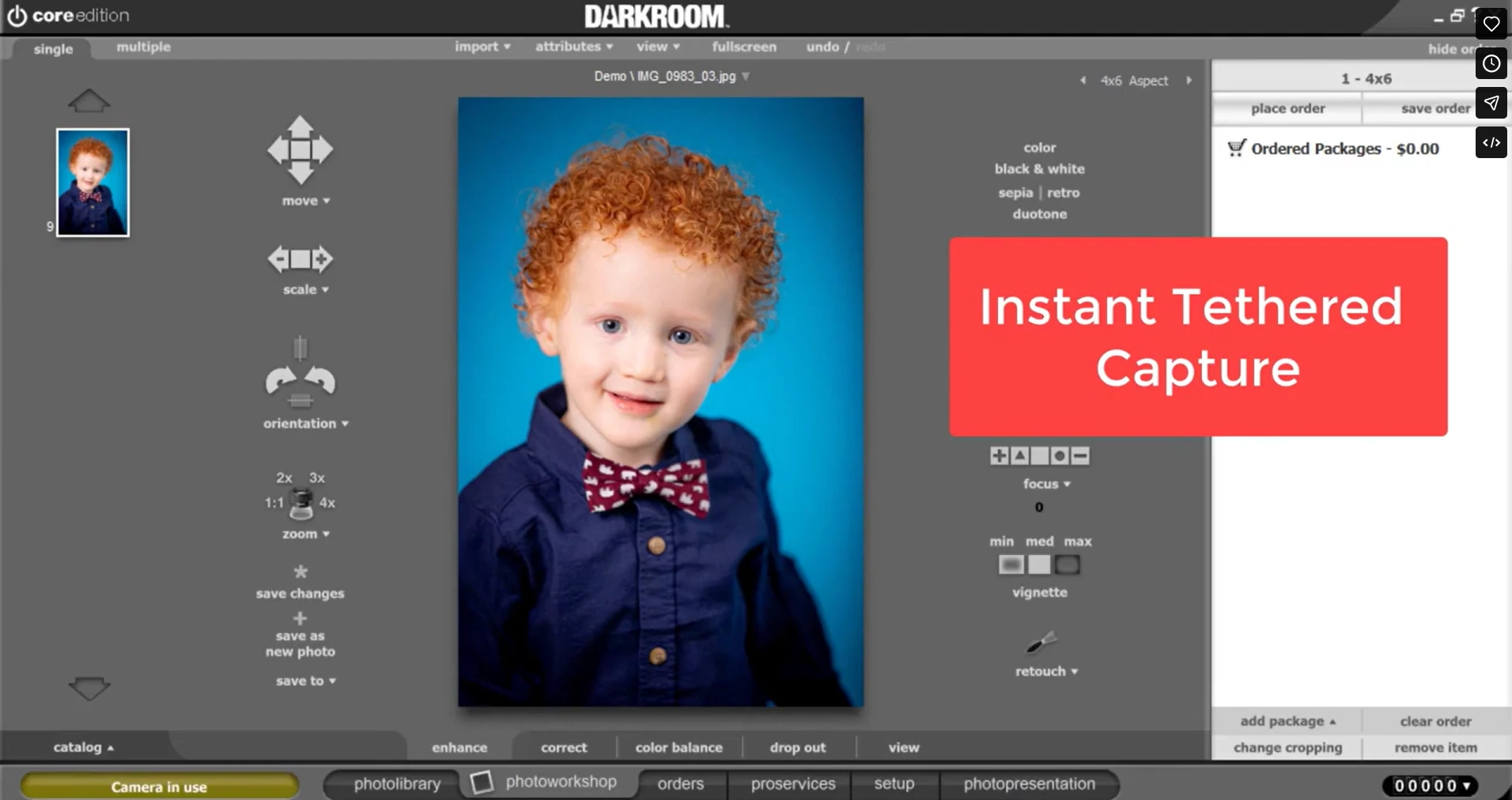
- Professional DSLR tethering with live view and manual shutter release for staffed celebrity photo ops
- Advanced chroma key compositing with green, blue, and auto-detection modes plus AI background removal via Remove.bg as a fallback
- One-time $295 perpetual license with optional $95/year maintenance
Source: Darkroom
Darkroom Booth connects directly to professional camera bodies through native tethering: Canon EOS and Rebel Series, Nikon Z and D Series, and GoPro HERO 9 and 10 all connect via USB or Wi-Fi, with live view displayed before capture. The manual shutter release added in 2026 matters for staffed celebrity photo ops where the operator needs to capture one coordinated moment. The workflow mirrors a portrait studio rather than an automated kiosk.
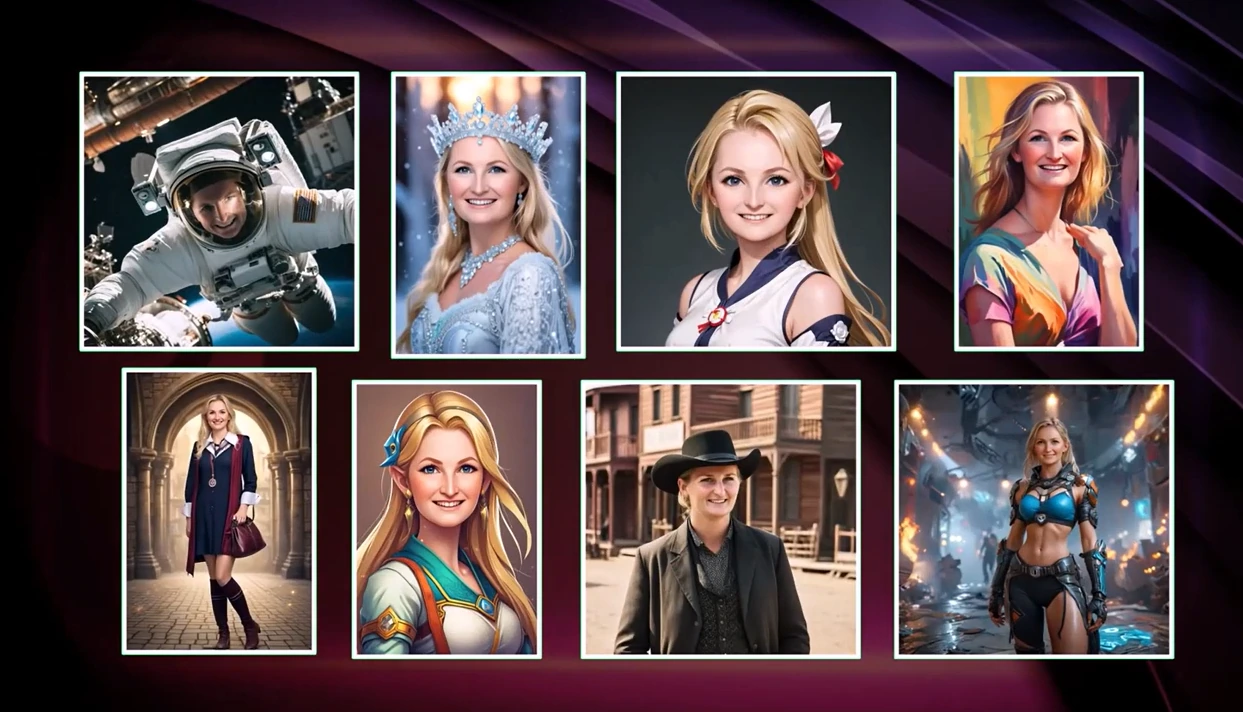
The green screen engine replaces backgrounds with static images, layered composites, or moving video, placing fans inside franchise scenes in motion. The 2025 AI suite adds generative scene generation, AI face swap, and AI-rendered portraits, and AI lenticular prints added in 2026 create collectible physical takeaways that animate when tilted.
The economics favor operators with bounded event calendars. The $295 perpetual license eliminates recurring fees and covers 2 simultaneous activations. The optional $95/year maintenance plan covers updates and cloud sharing, though core booth operations continue without it.
Source: Darkroom
Darkroom Booth Pricing
- Full License: $295 (one-time perpetual); first year of maintenance included at no additional charge
- Annual Maintenance: $95/year (optional renewal for updates and cloud sharing features)
- Upgrade from Booth 2.x: $195 (in-app purchase for existing license holders)
- 10-Day Temporary License: $45 for short-term overflow events
Use Darkroom Booth if:
- Your convention runs staffed, attended photo experiences (celebrity ops, character activations) where an operator controls the session and fires the shutter manually
- You need professional DSLR output with live view tethering and manual shutter control
- You organize one or two large events per year and want fixed software costs with no subscription overhead
- Your activation depends on advanced green screen compositing, AI character transformation, or collectible print formats like lenticular prints
4. LumaBooth: Best for Budget-Friendly Convention Newcomers Who Want DSLR-Quality Results
Source: Lumasoft
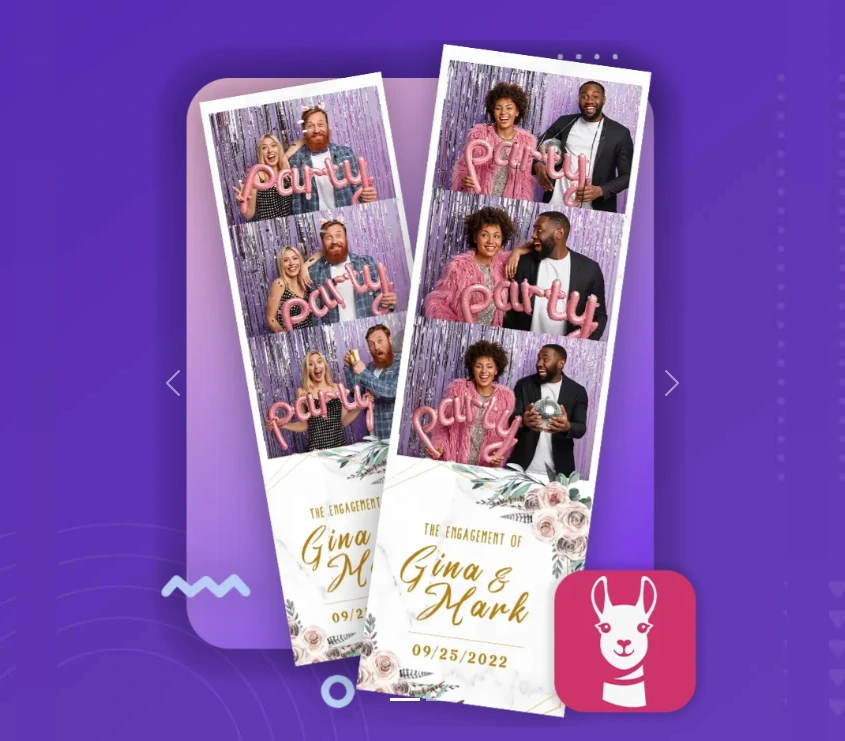
Getting into the convention photo booth business shouldn’t require a large upfront software commitment. LumaBooth delivers the three experiences convention attendees want most (360 video, green screen character composites, and AI portraits) at the lowest monthly cost in this comparison, making it the most practical starting point for new operators testing the fan convention circuit.
| LumaBooth Pros | LumaBooth Cons |
|---|---|
| - Lowest annual pricing at $17-$18/month | - Windows monthly rate ($49.99) is substantially higher than annual |
| - Supports Canon, Nikon, and Sony DSLR/mirrorless cameras | - Sony cameras do not support boomerang or video capture |
| - 360 video, green screen, and AI portraits included at base price | - AI portrait credits purchased separately |
| - Runs on iPad, iPhone, Mac, and Windows |
LumaBooth: Top 3 Unique Features
- Convention-ready creative toolkit (360 booth, green screen, AI portraits) included at the base subscription price
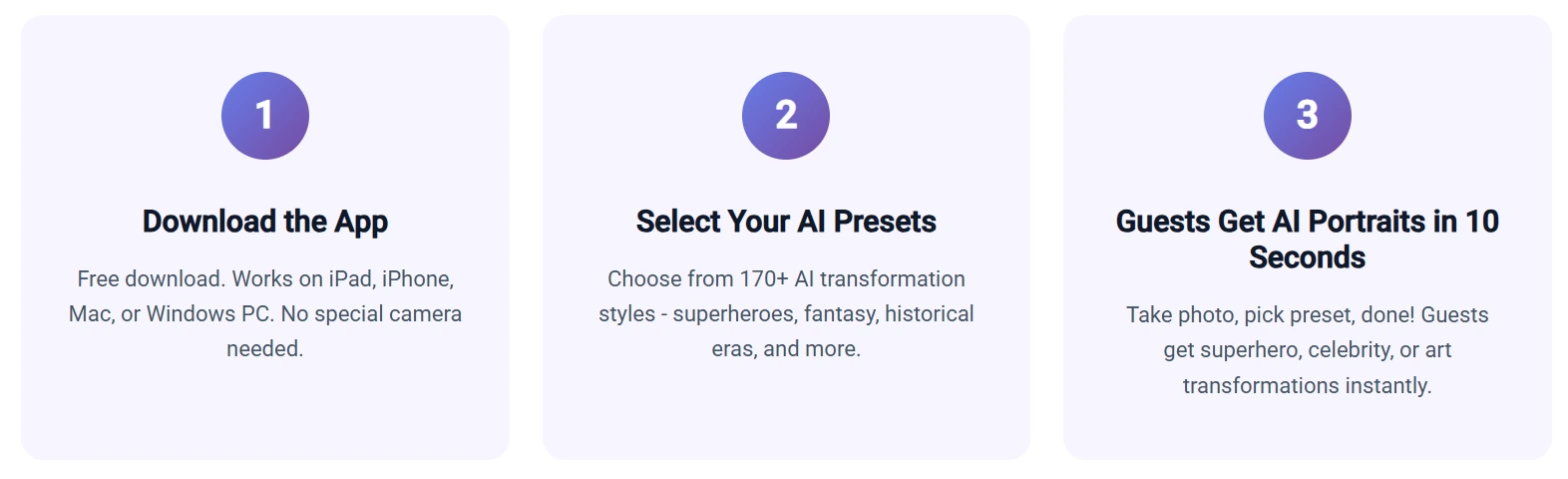
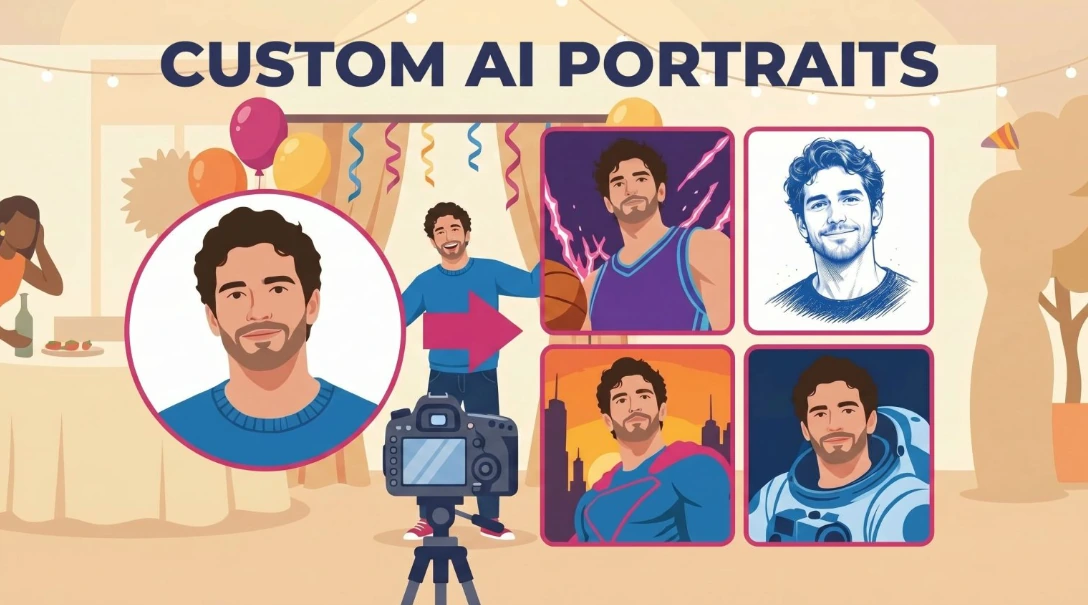
- 170+ AI Portrait presets organized into Superheroes and Comics, Fantasy and Adventure, Movies and TV, and Historical Eras
- Broadest camera compatibility across Canon, Nikon, and Sony DSLR/mirrorless cameras on Windows
Source: Lumasoft
LumaBooth covers all three dominant convention booth formats within its base subscription. The 360 Booth captures guests at up to 120 fps on Windows or 240 fps on recent iPad Pro models with speed ramps, branded overlays, and auto-processed output ready for sharing in seconds. On Windows, LumaBooth offers real-time overlay color and opacity adjustment during events without reopening an external editor. The green screen feature handles both traditional chroma keying and AI background removal that runs on-device with no internet and no per-use fee. Operators can load multiple convention-themed backgrounds and let each guest choose their setting.
The AI Portraits feature maps onto convention interests. The 170+ preset library includes Superheroes and Comics, Movies and TV, Fantasy and Adventure, and Historical Eras. The Custom AI Portraits extension lets operators write free-text prompts and attach guest-facing questions so each attendee’s answers (a character name, a chosen faction, a superpower) render directly into the artwork.
Hardware compatibility reduces friction for first-time operators. On Windows, LumaBooth supports Canon EOS, Nikon D and Z Series, Sony mirrorless (18+ models), GoPro 5 through 13, and standard webcams. A photographer who already owns a Canon R50 can plug it in and run LumaBooth the same week. Photo delivery via email, SMS, QR code, AirDrop, and WhatsApp covers every guest.
Source: Lumasoft
LumaBooth Pricing
LumaBooth uses a per-device subscription with two product lines. A free unlimited trial (watermarked output) requires no credit card.
- LumaBooth for Apple: $18/month billed annually (~$216/year); includes first two devices
- LumaBooth for Windows: $17/month billed annually (~$204/year); includes first two devices; $49.99/month on monthly billing; adds Canon/Nikon/Sony DSLR support
- AI Portrait credits: start at $14.99/month for 150 credits; pay-as-you-go packs also available that never expire
Use LumaBooth if:
- You are entering the convention booth market for the first time and need to keep monthly overhead low while you validate the niche
- You already own a Canon, Nikon, or Sony DSLR and want to use it through your photo booth software
- Your convention audiences are fandom-driven and you want AI portrait presets that match those interests (Superheroes and Comics, Fantasy and Adventure) out of the box
- You run both Windows PCs and iPads across different events and want one software brand covering both
5. TouchPix: Best for Operators Running Dedicated 360 Video Booths
Source: Touchpix
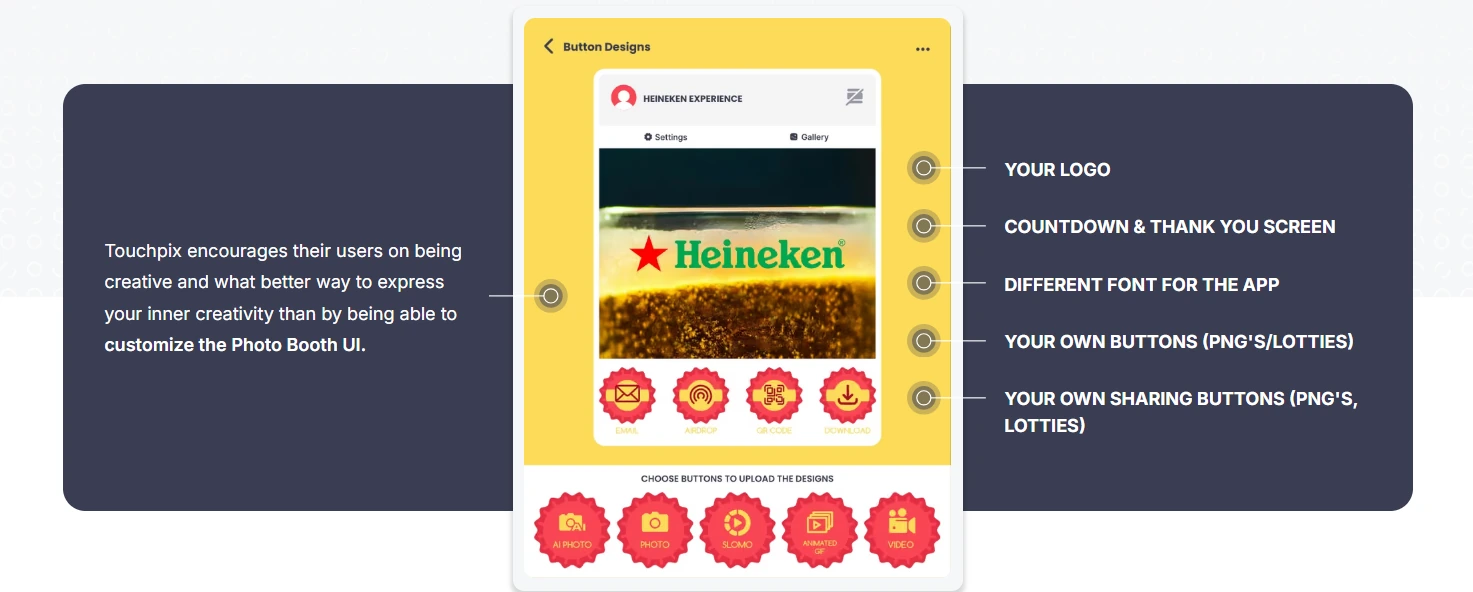
The 360-degree spinning booth is one of the most popular experiences on the convention floor, and one of the most technically demanding. The software needs to trigger the spinning arm, control slow-motion parameters, process the clip with overlays or AI effects, and deliver it to the guest in a single pipeline. TouchPix has organized its entire feature set around this workflow.
| TouchPix Pros | TouchPix Cons |
|---|---|
| - 360 Bluetooth trigger automation for unattended spinner operation | - PhotoPass tier excludes video (360 operators need MultiPass) |
| - Native GoPro 7-14 wired and wireless sync | - AI cloud transformations consume separately purchased credits |
| - Runs on iOS, Android, macOS, Windows, Linux, and Raspberry Pi | - No built-in CRM or lead capture comparable to marketing-focused platforms |
| - Offline QR sharing via Scanpix 2 |
TouchPix: Top 3 Unique Features
- 360 Bluetooth trigger integration that fires the spinner automatically without attendant input
- Six platforms supported (iOS, Android, macOS, Windows, Linux, Raspberry Pi), the broadest hardware compatibility in its category
- Scanpix 2 offline QR sharing for internet-free guest media delivery at large convention halls
Source: Touchpix
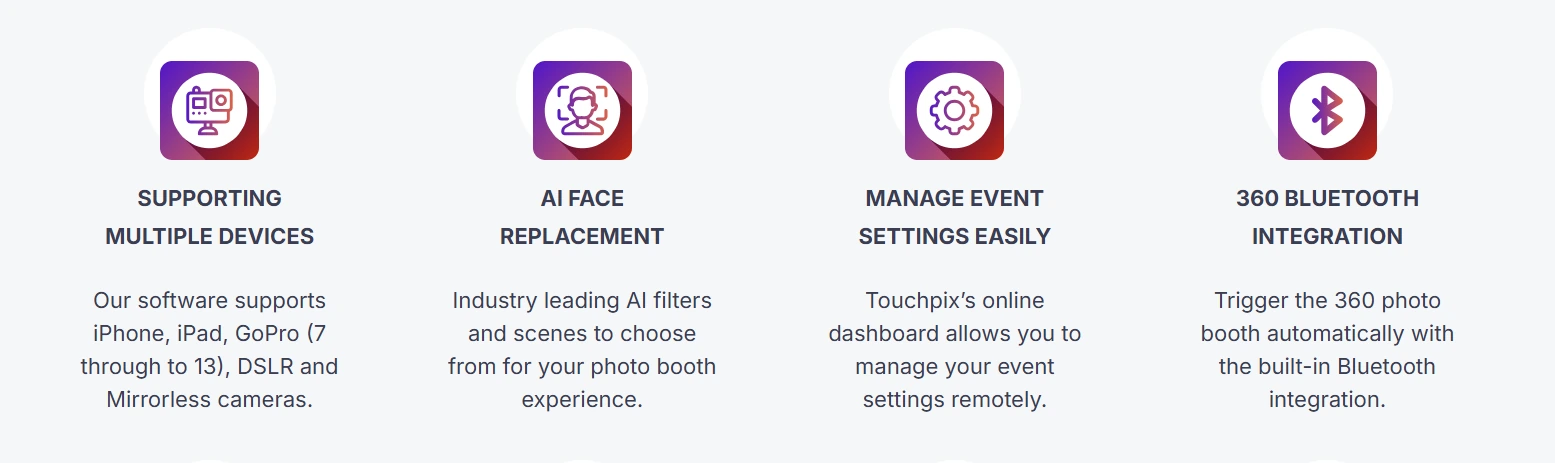
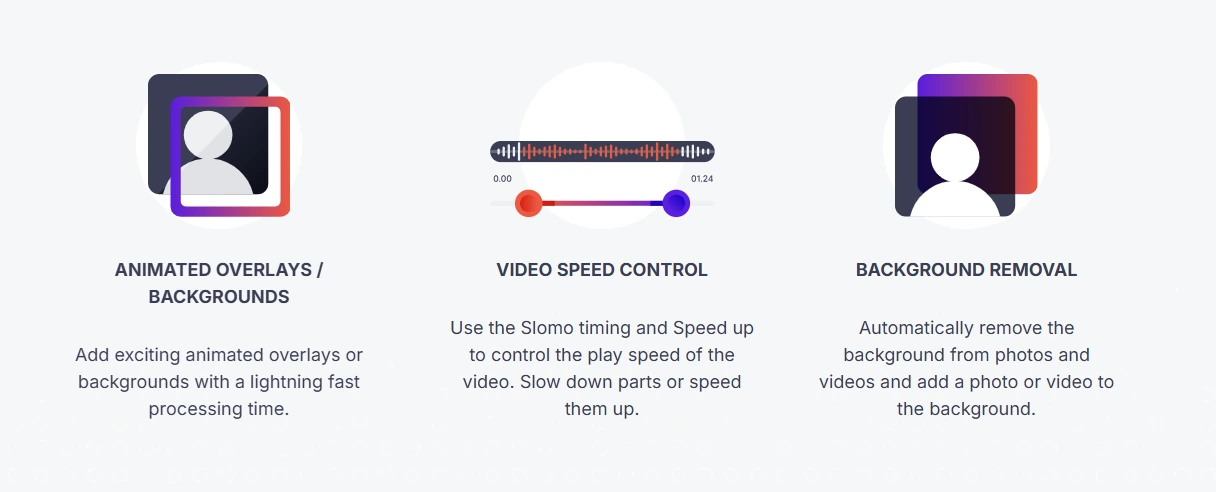
TouchPix’s 360 Bluetooth integration fires the spinner automatically; Video Speed Control lets operators set slow-motion timing per clip; 300+ animated overlays apply at capture time; and Scanpix 2 delivers the finished clip via QR code before the guest walks away. At a comic con, the speed of this pipeline (from spin to shared clip) determines whether guests post the video before they move to the next hall.
Convention operators who build custom rigs appreciate TouchPix’s hardware flexibility. Support for iOS, Android, macOS, Windows, Linux, and Raspberry Pi alongside GoPro models 7 through 14 and Canon, Nikon, and Sony DSLRs means operators aren’t forced to replace functional hardware. Competitors that lock to specific operating systems block custom-rig builders; TouchPix adapts to the hardware rather than dictating it.
The AI Photo Booth provides 80+ transformation styles with custom text prompt support, so an operator can write a prompt matching a specific convention’s fandom theme without waiting for new template releases. The AI Face Replacement feature runs entirely offline, applying scene composites inside both still photos and 360 video clips without venue Wi-Fi. Every new account receives 15 free AI credits to trial the system.
Source: Touchpix
TouchPix Pricing
TouchPix uses a subscription model priced by active event slots. Yearly billing saves approximately 40%. A 14-day free trial is available with no credit card required.
- PhotoPass: $439.90/year (2 active events; photos and GIFs only, no video)
- MultiPass: $879.99/year (4 active events; full feature set including video and slomo); also available at $43.99/week for seasonal operators
- MultiPass Pro: $1,407.99/year (8 active events; adds Virtual Booth and Advanced Surveys)
- MultiPass Enterprise: $2,199.99/year (12 active events; adds Mosaic and RAW backups)
AI credits purchased separately: 100 credits for $12, 500 for $49, or 5,000 for $375.
Use TouchPix if:
- Your primary booth format is a 360-degree spinning-arm video booth and you need software built for that workflow
- You’ve built a custom rig on non-standard hardware (Raspberry Pi, Linux, specific GoPro model) and need software that runs natively on it
- Your convention clients want AI character transformations inside 360 video clips with offline processing for unreliable venue Wi-Fi
6. Pictor: Best for AI-Powered Group Cosplay Transformations and Fan Video Moments
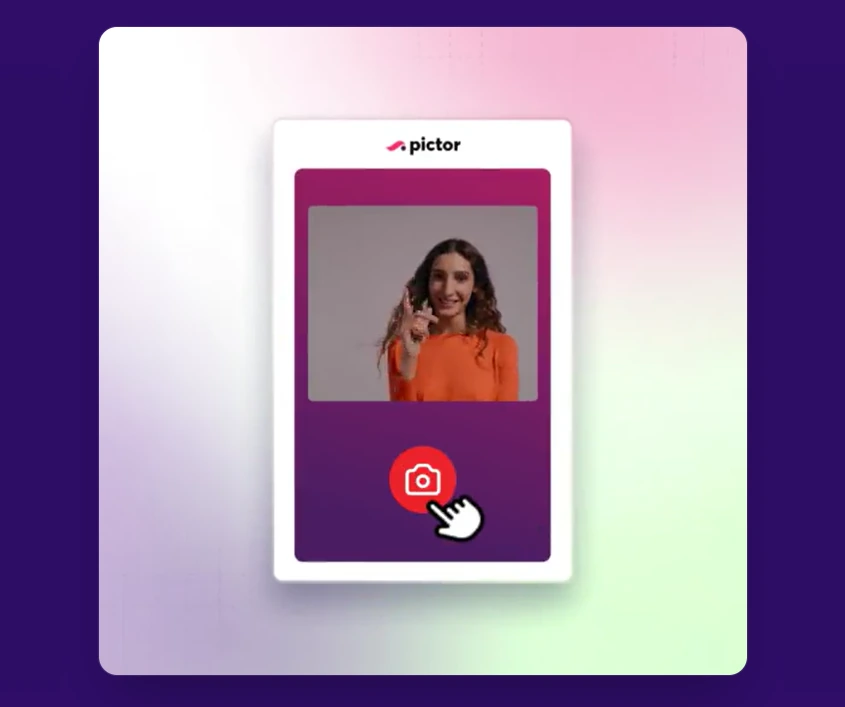
The dominant use case at a comic con (six friends in matching cosplay wanting a group transformation) is exactly the scenario where most AI photo tools produce distorted, unusable outputs.
Source: Pictor
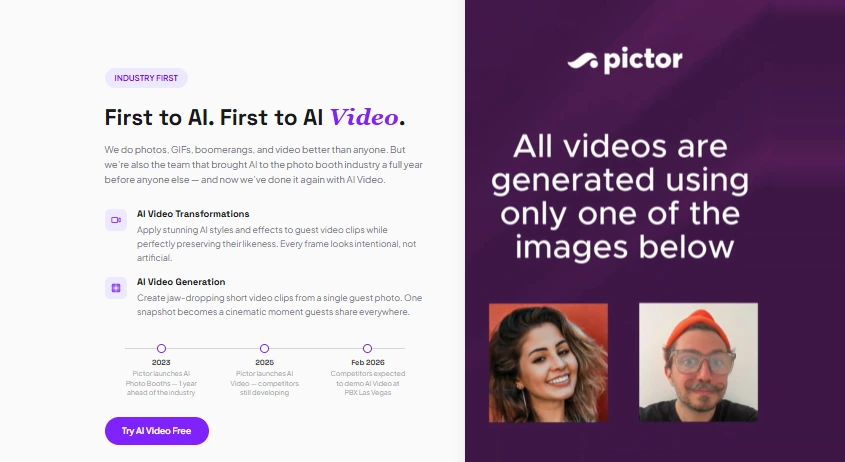
Pictor was built to solve this problem. It shipped AI photo booths a full year before any competitor in 2023, then launched AI Video in 2025 while competitors were still in development.
| Pictor Pros | Pictor Cons |
|---|---|
| - GroupSense AI preserves individual faces in groups up to 12 | - AI Video requires the $149/month Premium plan |
| - AI Video generation from a single static photo | - Token depletion pauses AI features mid-event with no automated top-up |
| - Free to build, test, and configure before paying | - No proprietary hardware integration |
| - Non-expiring AI tokens for seasonal operators |
Pictor: Top 3 Unique Features
- GroupSense face detection and preservation that prevents face-merging artifacts across groups of up to twelve
- AI Video in two modes: video transformation (video in, AI-stylized video out) and video generation (single photo in, AI motion sequence out)
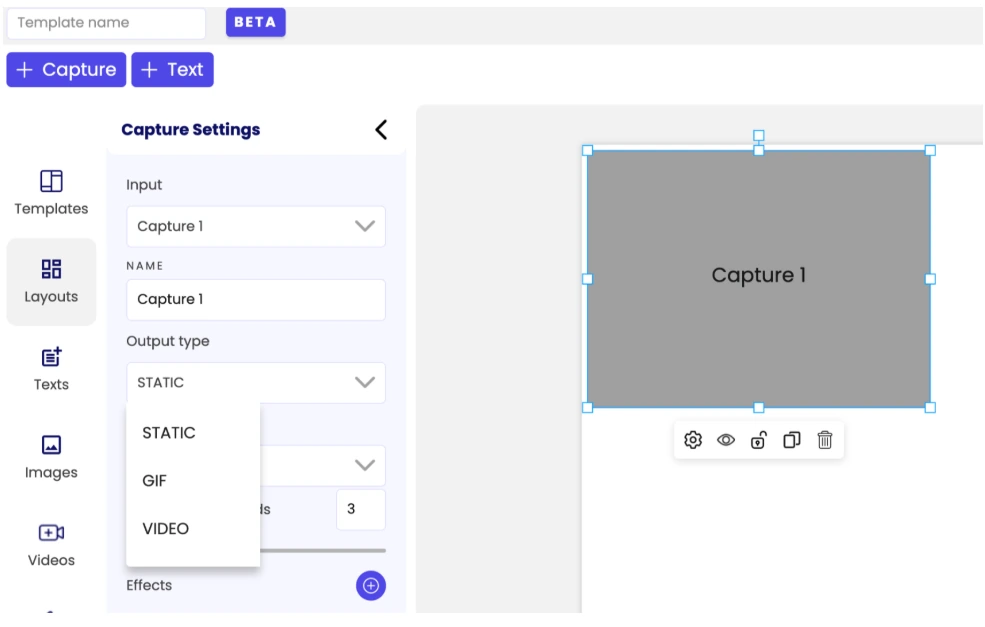
- Custom Prompt Builder with survey-driven prompt injection and visual reference tokens
Source: Pictor
Pictor’s GroupSense processes each subject individually before stylization, detecting and preserving every face whether there’s one guest or twelve. For convention operators whose AI booth depends on group shots, this is the difference between an upsell that works and one that produces disappointed fans. The 100+ AI style presets cover superhero cards, cinematic scenes, and themed art, while the Custom Prompt Builder lets operators weave guest survey input directly into AI prompts so each person’s transformation is personalized.
AI Video is a feature no other platform in this comparison ships as standard. A fan takes a photo, and Pictor produces an AI clip of their cosplay character in motion, without requiring the guest to record anything. Render times run 1 to 2 minutes per clip, and multi-scene templates render in parallel to minimize wait times.
Pictor was founded by Nick Rhodes, a photo booth operator with 15 years of field experience who also runs OutSnapped, so the platform is tested under real event conditions rather than ideal-scenario demos. The Creative Board of Advisors gets early feature access and participates in monthly product calls, keeping development grounded in operator feedback.
AI tokens cost $0.07 to $0.20 each and never expire, so convention operators running quarterly or seasonal events don’t lose credits between shows.
Source: Pictor
Pictor Pricing
Free to build, configure, and test in Simulator mode with no credit card required. Paid plans activate only for live events.
- Basic: $49/month (photos, GIFs, boomerangs, video, AI presets, Custom Prompt Editor, analytics with CSV export)
- Pro: $99/month (adds cloud background removal, live chat and emergency phone support)
- Premium: $149/month (adds AI Video for live events)
- Enterprise: contact sales (adds white-label, grey-label app, dedicated phone support)
AI tokens: 1 token per standard image, 2 per high-quality image, 10 per AI Video clip.
Use Pictor if:
- Your convention booth’s primary draw is AI transformation and you need group-safe AI that won’t distort cosplay groups of four, six, or twelve
- You want to offer AI Video as an upsell experience (the only shipping option in this comparison)
- You run seasonal conventions and don’t want credits expiring between events
7. Sparkbooth: Best for Fan Clubs, Nonprofits, and DIY Convention Organizers With Zero Ongoing Costs
Not every convention photo booth is run by a professional operator. Fan clubs, volunteer committees, and nonprofit event groups run one or two photo activations per year, and a monthly subscription that charges whether you use the software or not makes little financial sense.
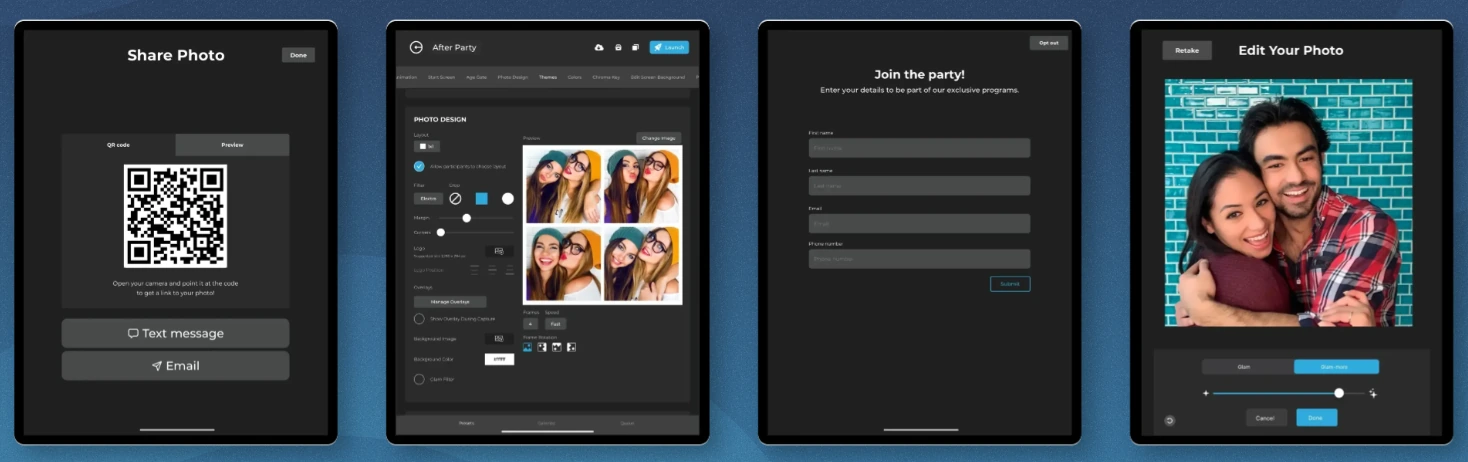
Source: Sparkbooth
Sparkbooth is the deliberate exception: a one-time lifetime license with no subscription, no renewal, and no per-event charges.
| Sparkbooth Pros | Sparkbooth Cons |
|---|---|
| - One-time $149-$189 lifetime license with no recurring fees | - No 360 video or AI portrait generation |
| - Canon and Nikon DSLR/mirrorless support | - No dedicated mobile app (Windows and Mac only) |
| - True offline operation with local processing | - Add-on services (AI background removal, QR delivery) carry separate subscriptions |
| - 3 activations per license for multi-volunteer setups |
Sparkbooth: Top 3 Unique Features
- Lifetime licensing at $149 to $189 with no subscription of any kind, covering commercial and business use
- True offline operation with local photo processing, offline QR code delivery, and UnlimitedBG offline AI background removal
- Multi-mode output (photo booth, GIF with boomerang and rewind formats, mirror booth, photo kiosk) in a single purchase

Source: Sparkbooth
The $149 Premium license (webcam-based) and $189 DSLR license (Canon and Nikon support) are one-time purchases; the EULA grants the license “for the life of the Product”. For a fan club running a booth at two conventions per year, the cost drops to a negligible per-event figure after the first season. The license permits commercial and business use, so organizers who later grow their operation aren’t restricted by personal-use terms.
Compatible DSLR bodies include current-generation mirrorless cameras: Canon EOS R5 Mark II, R6 Mark II, R7, R10, and Nikon Z5, Z6 II, Z7 II, Z8, Z9 among dozens of others. The July 2025 version 7.2 update unified Canon and Nikon support into a single 64-bit application.
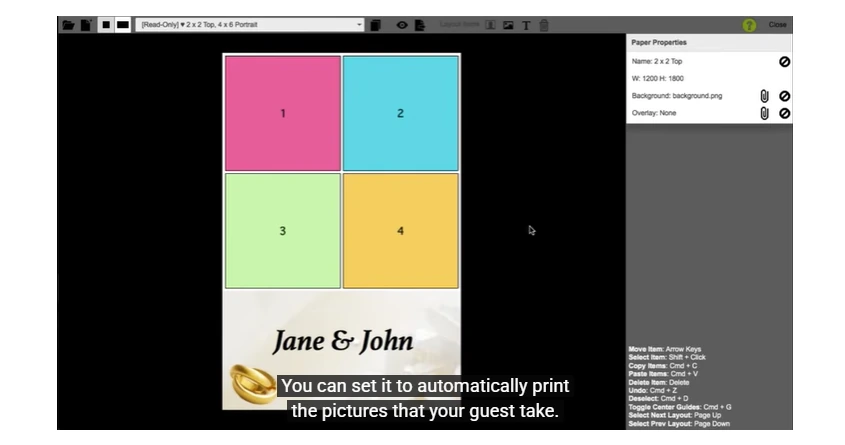
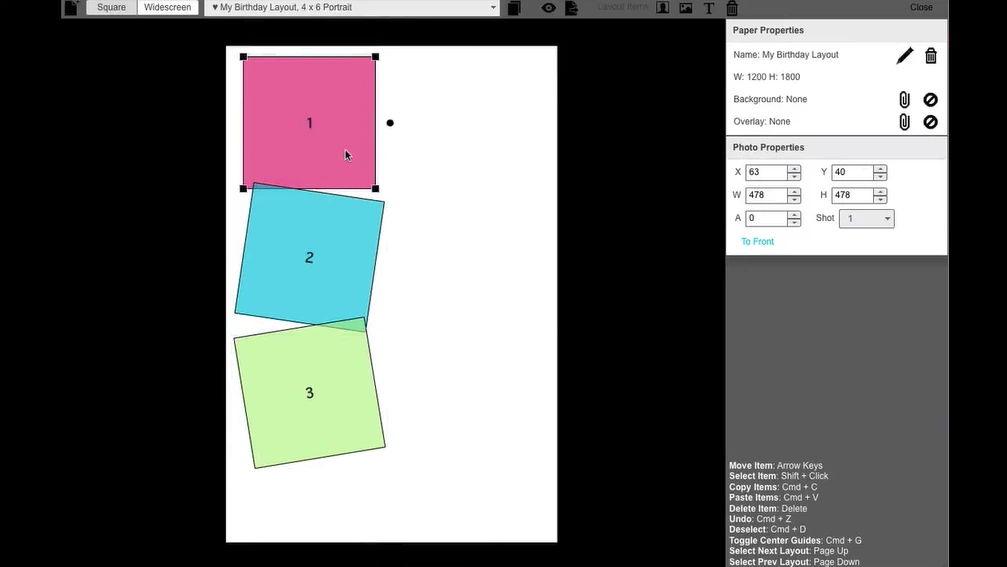
Sparkbooth’s offline capability is architectural, not a fallback mode: photos process and save locally, guest contact details queue for batch delivery when connectivity returns, and UnlimitedBG AI background removal processes entirely offline without calling an external API. The drag-and-drop layout editor creates event-specific branded templates, and green screen supports both chroma key and AI background removal. Three activations per license accommodate the multi-volunteer, multi-day setups typical of convention committees. An 11-language interface supports international fan events.
Source: Sparkbooth
Sparkbooth Pricing
- Premium License: $149 (one-time, lifetime); webcam-based; 3 activations across Windows and Mac; all modes included
- DSLR License: $189 (one-time, lifetime); adds Canon and Nikon DSLR/mirrorless support (Canon DSLR on Windows only)
- Free trial: 30-day with all features unlocked (watermarked output); 60-day refund window
Optional add-ons with separate subscriptions: UnlimitedBG (offline AI background removal), qrcode.photos (offline QR delivery and galleries), SMS via third-party provider (Twilio, Vonage, Vivial Connect, or Telnyx).
Use Sparkbooth if:
- You’re organizing photo booth experiences for a fan club, nonprofit, or volunteer convention and need capable software with no recurring costs
- You already own a Canon or Nikon DSLR and want to repurpose it without adding a monthly software bill
- Your events run at venues with unreliable or no Wi-Fi and you need a booth that works entirely offline
- You run activations infrequently (one to three times per year) and a subscription model is unjustifiable
And That’s Our List of…
…the best photo booth platforms for comic cons and fan conventions, covering operators and organizers of every size, budget, and technical ambition. Some platforms deliver integrated systems while others focus on format flexibility or zero ongoing costs. The right choice depends on your convention role and what matters most to your operation.
Here are our top picks for the three most common convention photo booth scenarios:
- Simple Booth: If you want a self-operating photo booth with integrated ring-light hardware, AI-powered fan experiences, and built-in lead capture that runs without an attendant.
Get started with Simple Booth’s free 7-day trial.
- Snappic: If you run multiple booth formats (360, mirror, robot arm, iPad) across a large convention floor and need everything managed under one subscription with sponsor-facing analytics.
- LumaBooth: If you’re entering the convention booth market on a budget and want 360 video, green screen, and AI portraits included at the lowest annual cost with support for the cameras you already own.
Best Photo Booths for Comic Cons and Fan Conventions FAQ
What photo booth format works best at comic cons and fan conventions?
It depends on the zone and audience. 360-degree video booths produce the most shareable social media content. Green screen booths place fans inside themed scenes. AI photo booths transform guests into characters. iPad selfie stations with branded overlays handle high-traffic areas with minimal staffing. Many operators deploy multiple formats across different convention zones for variety.
How much does photo booth software for conventions cost?
Pricing ranges widely. Sparkbooth offers a one-time $149-$189 lifetime license with no recurring fees. LumaBooth starts at $17-$18/month billed annually. Darkroom Booth offers a $295 one-time perpetual license. Simple Booth starts at $24/week or $49/month on its Core plan, the entry point for convention and rental operators. Snappic starts at $189/month for its Business plan. Most platforms offer free trials so you can test before committing.
Do convention photo booths work without Wi-Fi?
Several platforms offer offline capabilities for venues with unreliable connectivity. Simple Booth queues sessions in offline mode and delivers them when connectivity returns. Sparkbooth processes photos entirely locally with offline QR code delivery. TouchPix offers Scanpix 2 for internet-free QR sharing. LumaBooth’s AI background removal runs on-device without an internet connection. For AI transformation features specifically, most platforms require an active internet connection during processing.
Can photo booth software handle group cosplay photos with AI?
Standard AI tools often distort faces when multiple subjects are present. Pictor’s GroupSense technology detects and preserves individual faces in groups of up to twelve, making it the strongest option for cosplay group AI transformations. Simple Booth’s Nano Banana 2 and Pro models handle groups up to five. LumaBooth’s AI Portraits support up to four guests per photo with one to two recommended for best quality.
What should I look for in a convention photo booth for exhibitor activations?
Lead capture and post-event analytics are essential for exhibitor ROI. Look for platforms with built-in data capture forms, CRM export, and sponsor-facing analytics dashboards. Simple Booth offers opt-in rates of 87 to 89 percent with MailChimp integration and API access on Pro and Select plans. Snappic provides a Send Analytics to Client feature that generates a live analytics page for sponsors with share counts, reach estimates, and downloadable contact data.
Is a one-time license or subscription model better for convention operators?
It depends on your event frequency. Operators running one to three events per year benefit from one-time licenses like Darkroom Booth ($295) or Sparkbooth ($149-$189), where the software cost is fixed regardless of usage. High-frequency operators running dozens of events monthly benefit from subscription platforms like Simple Booth or Snappic, which include continuous updates, cloud services, AI effects, and support as part of the recurring fee.
What hardware do I need to run a photo booth at a convention?
At minimum, you need a device (iPad, laptop, or smartphone depending on the platform), a camera (built-in or external DSLR/mirrorless), and a lighting source. Simple Booth’s HALO kit bundles all three (ring light, iPad mount, and stand) into an integrated system that sets up in under one minute. For DIY setups, LumaBooth, TouchPix, and Sparkbooth support external Canon, Nikon, and Sony cameras alongside built-in device cameras. A portable battery backup is recommended for conventions where wall power is limited.
Keep reading
 Best Of
7 Best Photo Booth Software with Video Message and Slo-Mo Capture [2026]
Booths that capture heartfelt video notes and buttery slo-mo. The moving stuff.
 Best Of
6 Best Photo Booth Software With QR Code Sharing [August 2026]
Booths that beam every snap to a phone with a quick scan. QR sharing done right.
 Best Of
7 Best Photo Booth Software With Real-Time Analytics and Dashboards [August 2026]
Booths that show the numbers as the party happens. Live dashboards, real insight.