7 Best iPad Photo Booths Worth Buying This Year [2026]

iPad photo booths have changed the events industry. What used to be a bulky, enclosed cabinet now fits in a rolling travel case and deploys in minutes.
But with dozens of iPad photo booth apps on the App Store, picking the right one for your business is harder than it should be. Some excel at creative effects but fall short on reliability. Others nail the pricing but skimp on photo quality. A few promise everything and deliver a confusing mess of features you’ll never use.
We’ve been in the photo booth space since 2013, running booths at everything from intimate weddings to Live Nation VIP events. We tested the top contenders ourselves.
Here are the 7 best iPad photo booths worth buying this year, each chosen for a specific use case so you can find the right fit for your business.
What Is an iPad Photo Booth?
An iPad photo booth uses an iPad as its camera and touchscreen interface, typically paired with lighting, software, and mounting hardware. Guests interact with the iPad to capture photos, GIFs, videos, or AI-transformed portraits, then share them via text, email, QR code, or social media.
Unlike traditional enclosed photo booths, iPad photo booths are portable, quick to set up, and versatile enough for weddings, corporate events, brand activations, and permanent venue installations.
We researched and tested the leading platforms and narrowed the list to seven iPad photo booths for key use cases:
- Premium, self-operating experiences with integrated hardware
- Enterprise multi-booth operations across multiple booth types
- Creative range with advanced video and AR effects
- Affordable entry for new operators
- 360-degree spinning video booth specialists
- Free-to-start professional features
- Multi-device fleet value
Let’s look at a quick summary of these platforms.
| Best iPad Photo Booths | ||
|---|---|---|
 | Simple Booth Best self-operating iPad photo booth with integrated ring-light hardware and cloud management. | |
 | Snappic Best for enterprise photo booth companies running multiple booth types (iPad, 360, GlamBot, Mirror) under one platform. | |
 | Curator Live Best for operators competing on creative range with advanced video timelines, AR effects, and multi-format experiences. | |
 | LumaBooth Best affordable entry point for new operators with AI portraits and 820+ ready-made templates. | |
 | TouchPix Best for operators building a business around 360-degree spinning arm video booths. | |
 | Booth.Events Best free-to-start iPad photo booth app with professional features from day one. | |
 | Darkroom Booth Best value for multi-device operators needing up to 10 iPads on a single subscription. | |
How to Choose the Best iPad Photo Booth
Here’s a checklist to help you find the right iPad photo booth for your business:
- Photo and Lighting Quality: The best iPad photo booth delivers consistent, flattering results in any venue. Look for platforms with integrated lighting or DSLR camera support that go beyond the iPad’s built-in lens.
- Setup Speed and Portability: If you’re running multiple events per week, every minute of setup and teardown counts. Prioritize systems that deploy fast without tools or assembly.
- Reliability Under Pressure: Events don’t offer second chances. Look for offline mode, stable performance across software updates, and responsive support when something goes wrong during a live event.
- Branding and Customization: Your clients expect the booth experience to reflect their brand. Evaluate how much control you have over overlays, layouts, start screens, and sharing messages.
- Data Capture and Marketing Value: Photo booths now double as lead generation tools. Prioritize platforms that capture emails, phone numbers, and opt-ins at the point of photo delivery.
- Pricing Model Fit: Weekly plans work for operators with variable booking calendars. Monthly and annual plans suit permanent installations. Per-event pricing fits occasional operators. Choose the structure that matches how you actually book events.
How We Picked the Platforms
We started by identifying the most widely used and highest-rated iPad photo booth apps based on App Store ratings, user reviews, and feedback from photo booth operator communities. We narrowed an initial list of 15+ platforms to these seven through hands-on testing.
We evaluated each platform on four criteria:
- Ease of Use: How quickly can a new operator set up and run a professional event?
- Feature Depth: Does the platform deliver the tools needed for the specific use case it targets?
- Reliability: How does the app perform under live event conditions, including poor connectivity and high guest volume?
- Value: What do you get for the price, and are there hidden costs that change the calculation?
Each platform on this list earned its spot by excelling at a specific use case. Let’s dive in.
1. Simple Booth: Best Premium, Self-Operating iPad Photo Booth
Source: Simple Booth
Setting up a photo booth shouldn’t require an engineering degree. And running one at a live event shouldn’t require a dedicated attendant standing by all night to troubleshoot.
That’s the premise behind Simple Booth: simple to set up and run, yet capable enough for any professional event.
Simple Booth is an integrated photo booth system that pairs a subscription-based iPad app (the HALO app) with proprietary ring-light hardware (the HALO kits), plus a browser-based Virtual Booth that requires no hardware at all. Simple Booth calls itself “the premium photo booth that runs itself,” designed to set up in minutes, manage from anywhere, and deliver consistent photo experiences every time.
With 30,000+ customers globally, a 4.7-star App Store rating from 2,400+ ratings, and 40 million+ moments captured since 2013, Simple Booth has earned its place as the top option in the iPad photo booth category.
| Simple Booth Pros | Simple Booth Cons |
|---|---|
| - Integrated ring-light hardware with patented design | - iPad-only (no Android support) |
| - Under-one-minute setup with no tools required | - Ads on the entry-level Lite plan |
| - 4.7-star App Store rating from 2,400+ reviews | - AI credits are an additional cost |
| - 87%+ opt-in rate for lead capture | |
| - DSLR/mirrorless support with wireless tethering (Core+) | |
| - Offline mode with automatic delivery queue |
Why Choose Simple Booth as Your iPad Photo Booth
- Hardware That Delivers Consistent Lighting
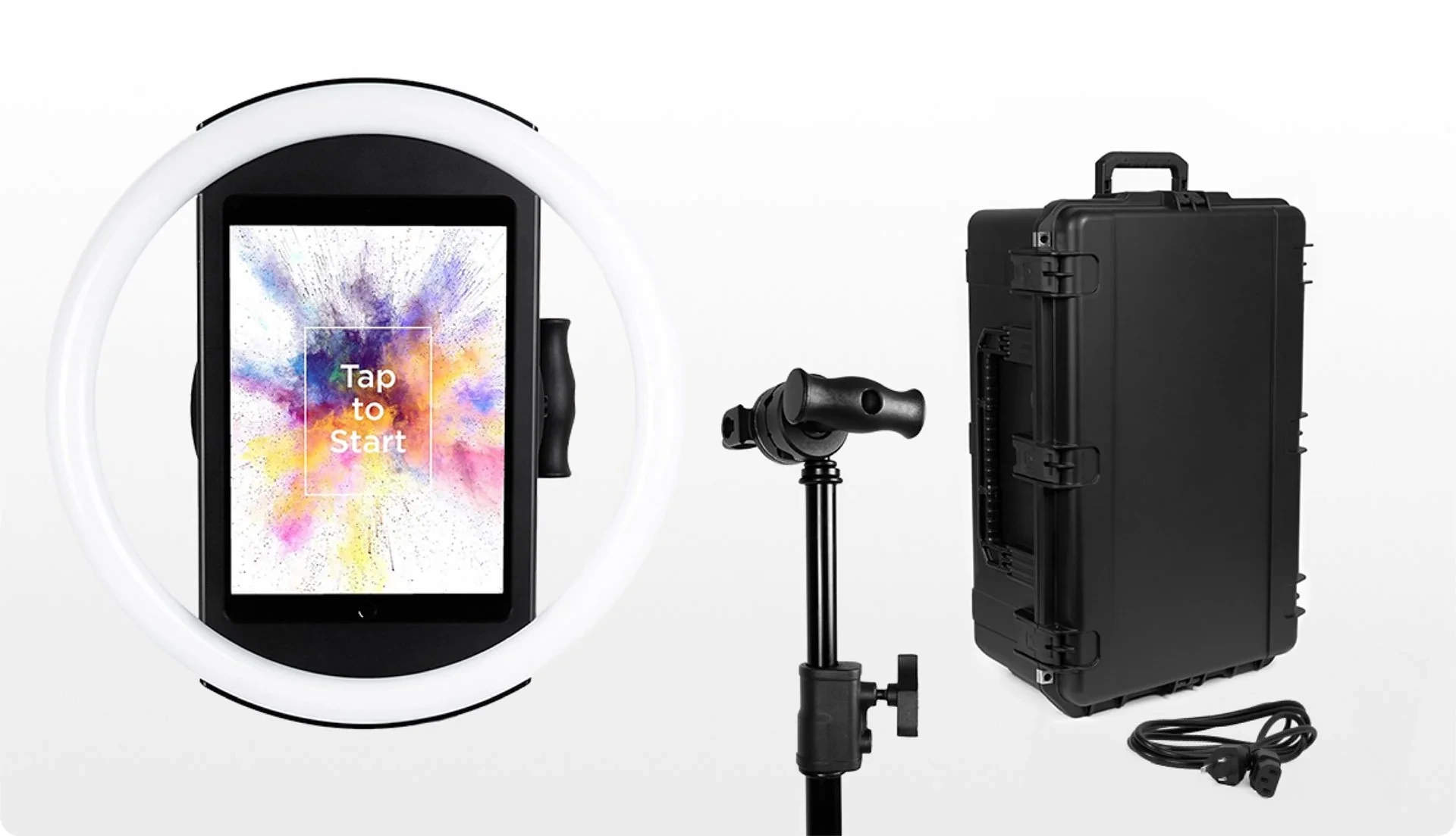
The HALO ring-light chassis is machined from a single billet of anodized aluminum with a patented ring-light system that produces 2,100 lumens from 112 LEDs, rated for 50,000 hours of operation. Groups can stand 6 to 8 feet back from the camera and still be evenly lit.
Source: Simple Booth
The iPad snaps in via a tool-less faceplate, and a concealed USB-C cable keeps it charged throughout the event. The full Event Kit weighs 49 lbs with wheels and an extendable handle for transport.
The result: setup in under one minute with no tools required, and photo quality that stands apart from booths relying on ambient venue lighting or consumer ring lights.
“It paid for itself pretty quickly. Now it’s just extra money coming in.” (Kurt Nielson Photography)
- A Full Design Studio Built Into the App
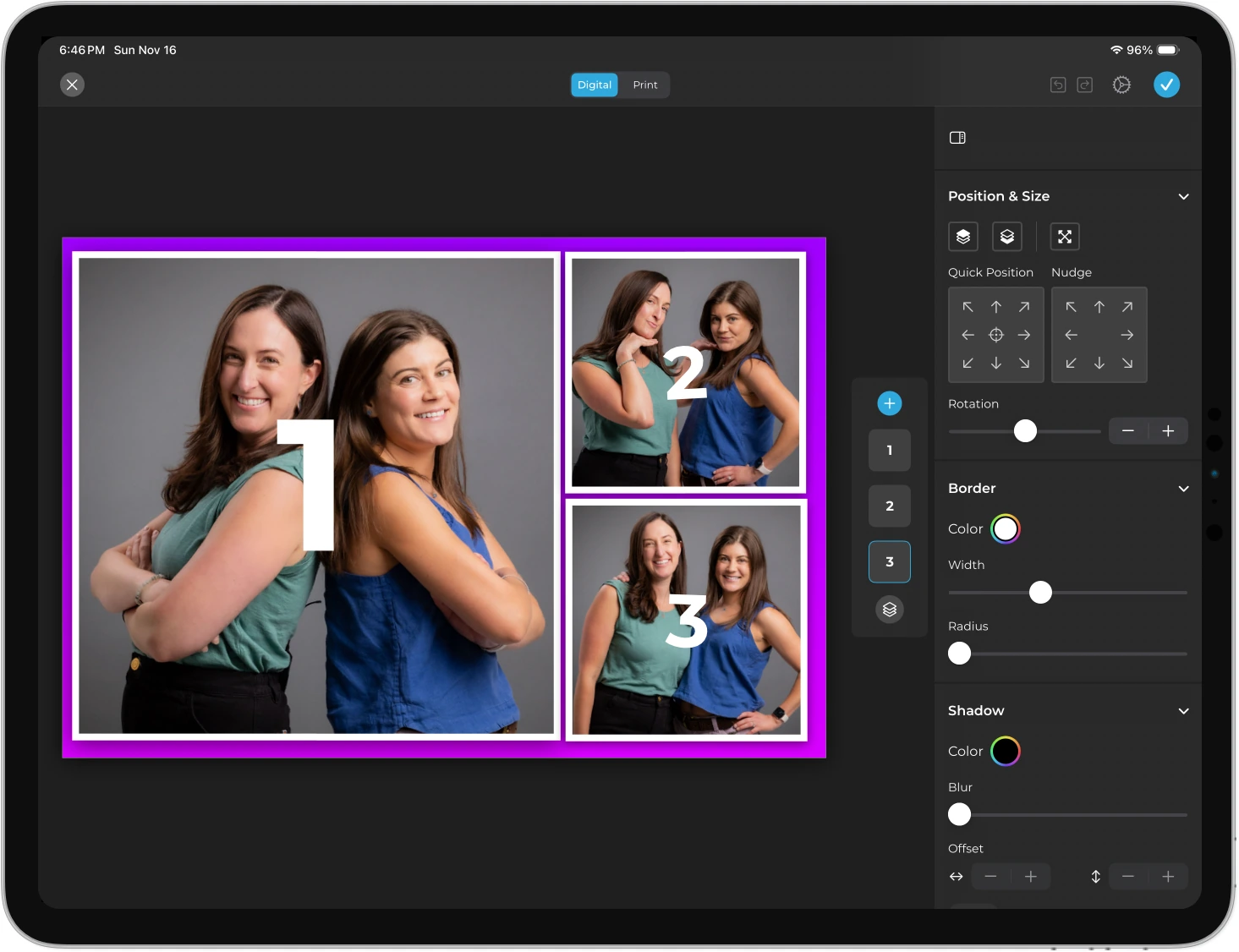
HALO 5.0 introduced the Layout Designer, which puts the entire template workflow (frames, text layers, gradients, brand assets, motion types, QR code embedding) inside the app or web dashboard, eliminating dependence on external graphic design software. Operators can also enable guest-editable text layers so participants personalize their own photos before sharing.
Source: Simple Booth
Combined with DSLR and mirrorless camera support (Canon cameras via USB or WiFi, Core plan and above), operators get professional image quality through the full HALO feature set. Wireless camera tethering sets Simple Booth apart from most competitors that only support wired connections, giving operators more creative setups without cable constraints.
A built-in Background Blur filter on Core plans and above adds a bokeh effect to portraits, creating DSLR-like depth of field even when shooting from the iPad camera alone. Image previews render up to 12x faster than previous versions, so guests see results instantly.
- AI Effects with Built-In Identity Preservation
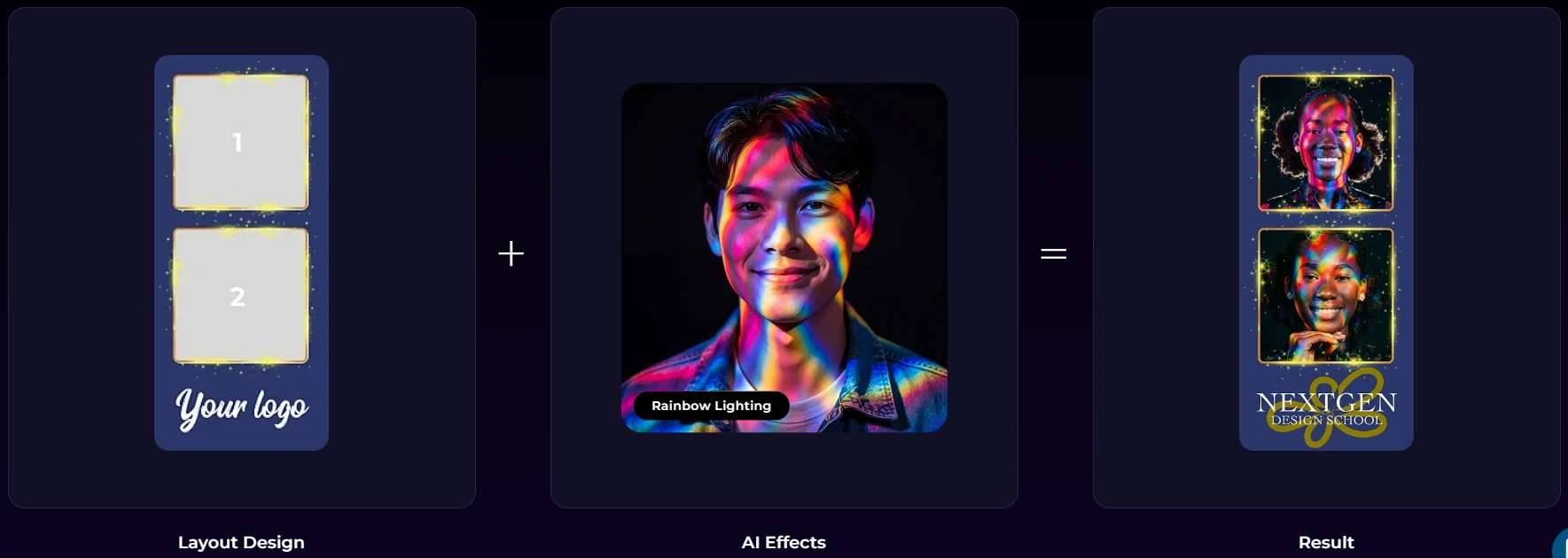
Simple Booth’s AI Photo Booth transforms guest photos using text prompts via Nano Banana AI models, with identity preservation so guests remain recognizable in any artistic style. Operators can test prompts at zero credit cost outside of booth mode, and assign unique AI prompts to every frame in a multi-frame layout for narrative-style strips. AI credits cost $0.10 each with no expiration on purchased credits.
Source: Simple Booth
- Lead Capture That Converts at 87%+
The platform captures opt-in rates of 87 to 89% when guests receive photos, well above typical marketing form conversion rates. Data exports as CSV, integrates natively with MailChimp, and connects to custom CRMs via the Open API on Pro plans and above.
- Delivery Options for Any Audience
Photo sharing includes QR code, email, SMS, AirDrop, and WhatsApp on all plans. WhatsApp delivery (added in HALO 5.0) opens international markets that SMS-only platforms cannot serve. An offline upload queue stores sessions and delivers them automatically when connectivity returns, so events in venues with unreliable Wi-Fi never lose photos.
- Virtual Booth for Hardware-Free Reach
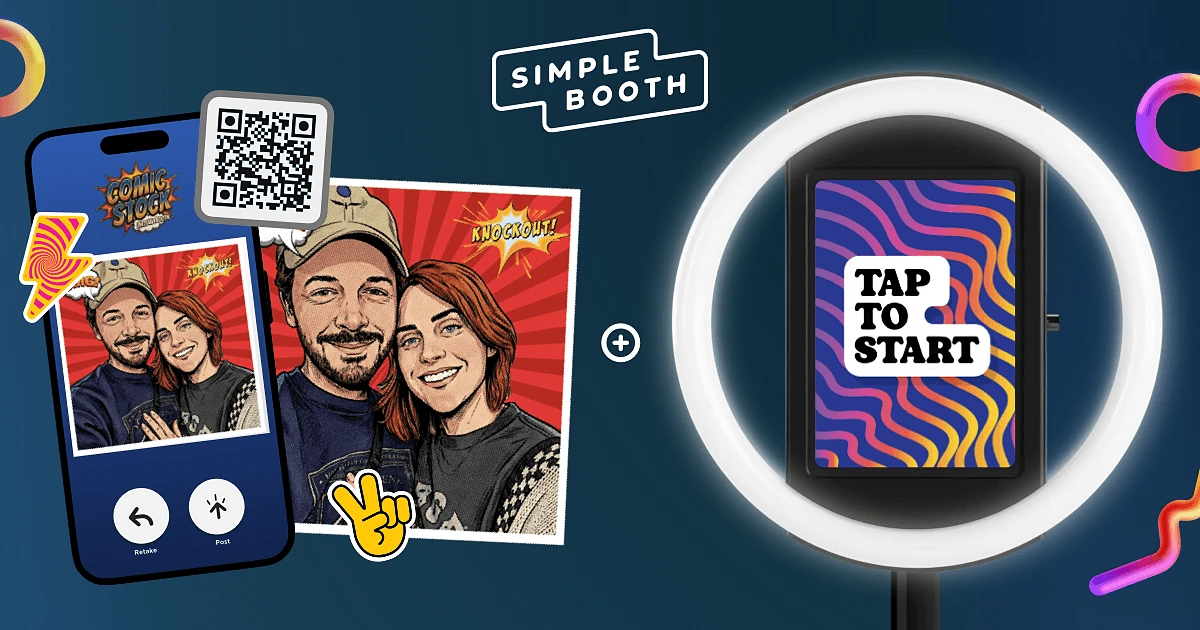
Virtual Booth runs entirely in a browser with no app installation required. Guests join via QR code or link from any device, apply branded overlays and AI effects, and submit to the same gallery and analytics platform as HALO sessions.
Source: Simple Booth
It connects to the same analytics, Live Feed, and Gallery infrastructure as HALO hardware, making it a fit for hybrid events, always-on campaigns tied to product packaging, or remote activations where physical hardware isn’t practical.
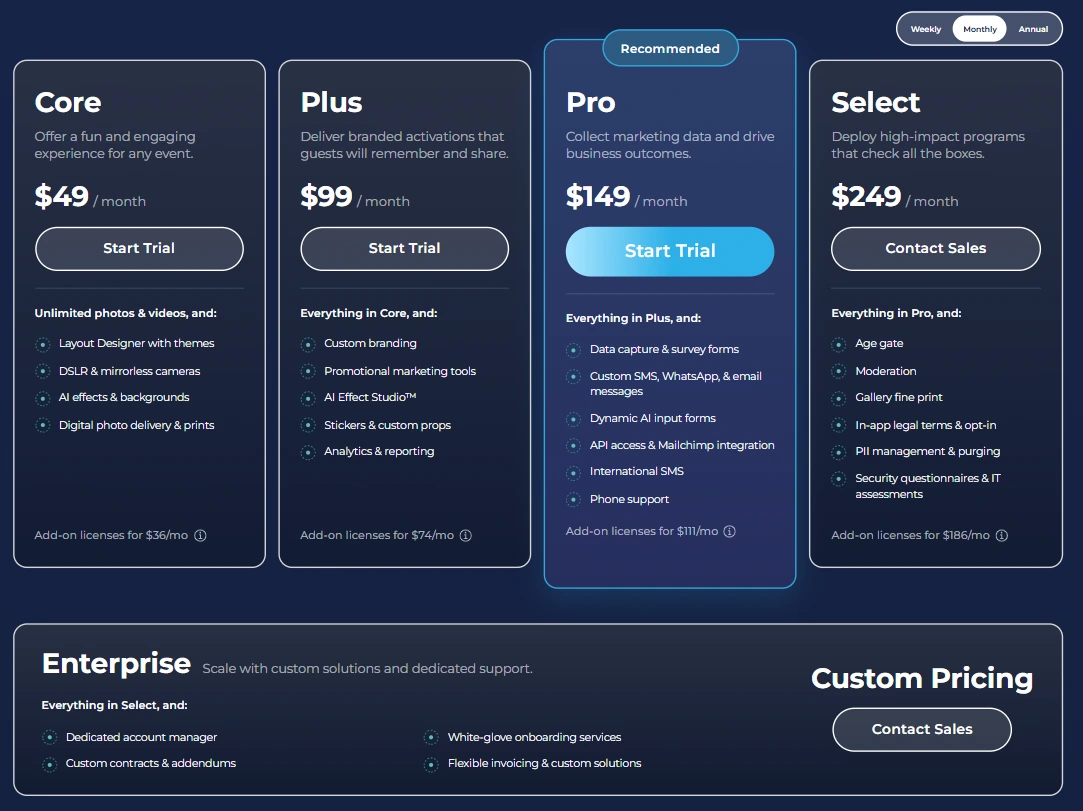
Simple Booth Pricing
Simple Booth uses a per-license subscription model. Each plan includes one device license with no caps on photo or event counts. Weekly plans suit operators with variable booking calendars; annual plans save up to 63%.
- Lite: $14.99/week, $290/year (includes ads; custom branding excluded)
- Core: $24.99/week, $49/month, $490/year (ads removed, DSLR support, video, background replacement, Virtual Booth, 50 bonus AI credits)
- Plus: $49.99/week, $99/month, $990/year (custom branding, analytics, guest-editable text, 100 bonus AI credits)
- Pro: $149/month, $1,490/year (lead capture, API integration, phone support, moderation, 150 bonus AI credits)
- Select: $249/month, $2,490/year (custom legal terms, security questionnaires, demographic analytics, 200 bonus AI credits)
A 7-day free trial is available with 25 free AI credits. Additional device licenses are available as add-ons at per-plan rates.
Source: Simple Booth
Use Simple Booth If:
- You want a self-operating photo booth that sets up in under a minute with integrated lighting
- You need lead capture with 87%+ opt-in rates and CRM integration for brand activations
- You want AI photo effects with identity preservation and zero-cost prompt testing
- You manage multiple events remotely and need a cloud dashboard with settings that sync to devices without exiting booth mode
Why Simple Booth Topped Our List
Simple Booth earned the top spot not because it does everything, but because it executes the core photo booth experience better than anything else on this list. The combination of patented ring-light hardware, a mature cloud platform, and a 4.7-star rating from 2,400+ App Store reviews reflects sustained quality over 13 years.
Every feature works with every other feature (filters, background blur, and video all function with DSLR integration and in offline mode), so operators never navigate compatibility rules to build an event.
Other platforms may offer wider hardware format coverage or lower entry pricing, but for the most complete self-operating iPad photo booth system with hardware and software designed together, Simple Booth is the benchmark.
2. Snappic: Best for Enterprise Photo Booth Companies Running Multiple Booth Types
Source: Snappic
Most photo booth operators start with a single iPad setup. But the moment you add a 360 spinner or a robot arm to your service menu, you face a practical problem: managing separate software for each piece of hardware.
Snappic solves this by supporting iPad, 360-degree video, Robot Arm/GlamBot, Mirror, and Roaming booth configurations under a single subscription. It’s built for operators who have outgrown one booth type and need consolidated management, white-label branding, and enterprise analytics from one dashboard.
| Snappic Pros | Snappic Cons |
|---|---|
| - Supports all five major booth formats in one subscription | - Higher starting price than most competitors |
| - Full white-label and grey-label branding on Scale tier | - AI effects carry per-image credit costs |
| - Automated Vision Analytics with demographic data | - White-label features locked to higher tiers |
| - Steep learning curve from dense settings interface |
Snappic: Top 3 Unique Features
- Multi-format booth support (iPad, 360, GlamBot, Mirror, Roaming)
- White-label client portal and grey-label unbranded app
- AI-FX suite with PersonaFX and BananaFX engines
The most common structural problem for growing photo booth companies is hardware proliferation. Running separate software for each booth type means two learning curves, two support relationships, two billing cycles, and double the failure surface on-site. Snappic is the only platform on this list that handles all five major booth formats from one subscription.
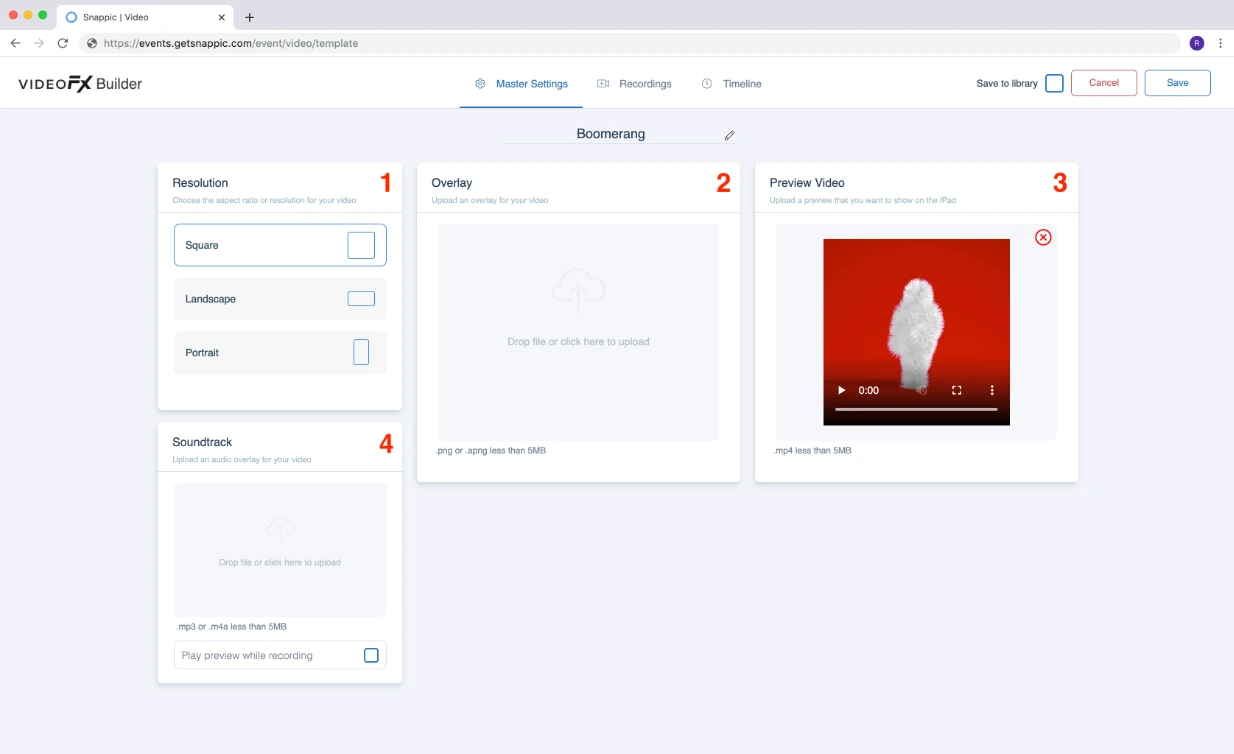
Its VideoFX engine covers all video-based booth formats through the same template builder, so configuring a slow-motion template for a GlamBot translates directly to a 360 rig setup. That format breadth comes with a denser settings interface than single-format platforms, and operators should expect a longer ramp-up period when first configuring events.
Source: Snappic
The Starter tier also limits photo delivery to email and text only, so operators who need AirDrop or WhatsApp sharing will need at least the Business plan.
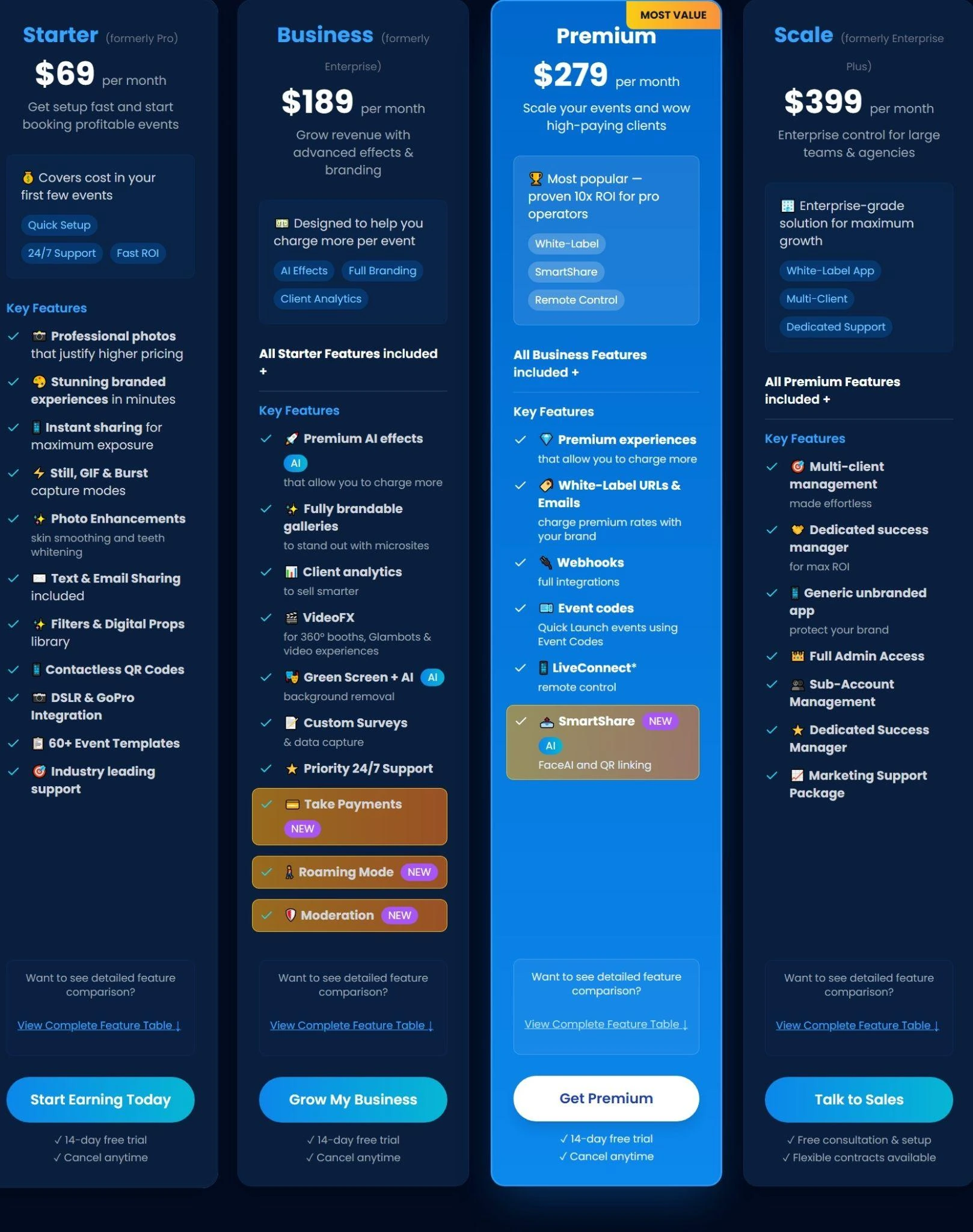
The Scale plan ($399/month) provides full white-label infrastructure: unlimited sub-accounts, a Grey Label App that removes all Snappic branding from the guest-facing interface, and white-label URLs and emails so every client touchpoint carries the operator’s own domain. Send Analytics to Client delivers post-event reporting as a live webpage on the operator’s domain with downloadable guest data.
On the AI side, Snappic runs three engines: AI-FX for style transfers, PersonaFX for survey-driven personalized avatars with custom text baked into the output, and BananaFX powered by Google’s Gemini 2.5 for prompt-based image generation.
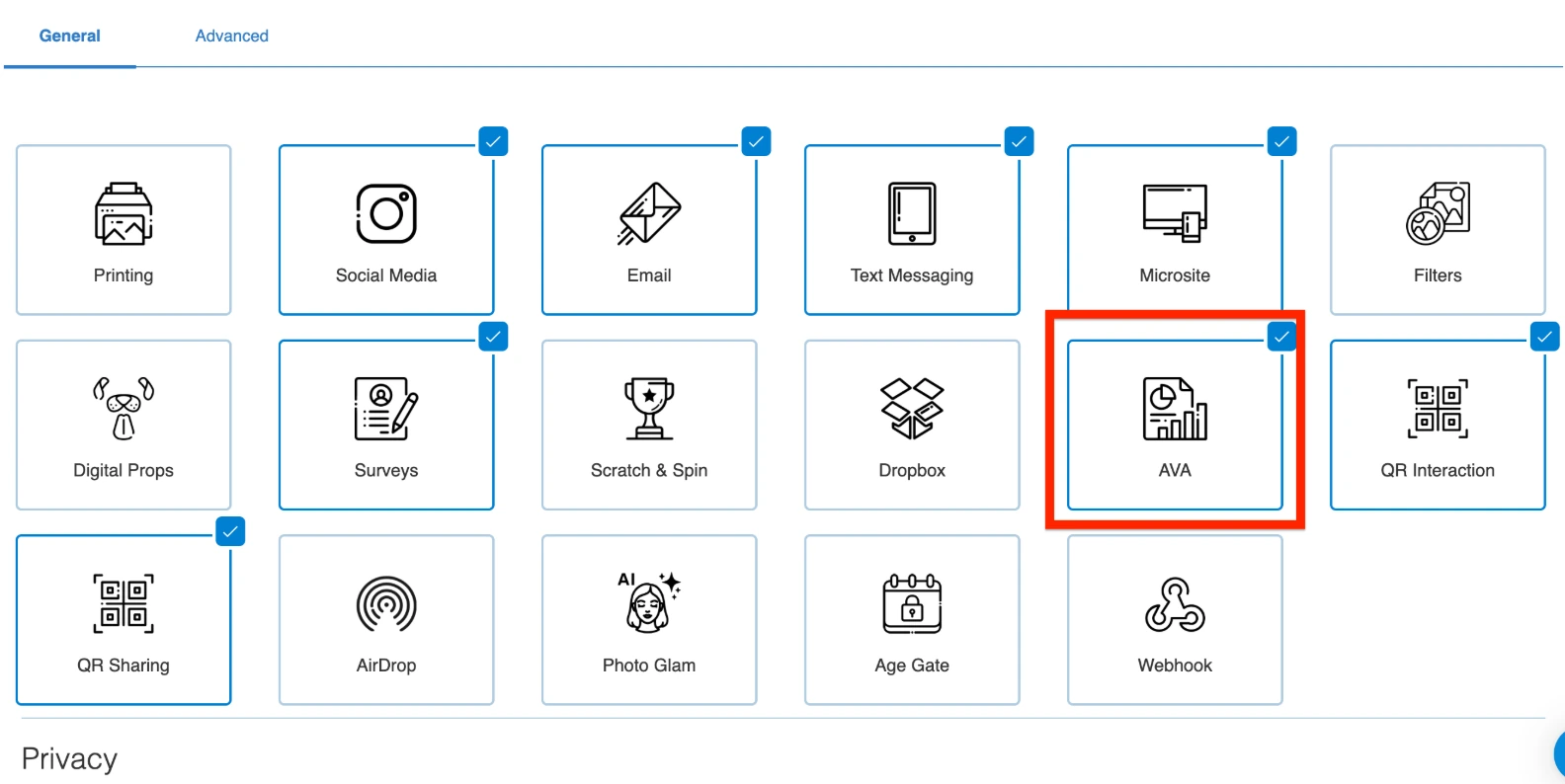
Automated Vision Analytics (AVA) delivers anonymized demographic data (age distribution, gender breakdown, face counts) alongside sharing metrics across every event.
Source: Snappic
Snappic Pricing
Snappic charges per simultaneous booth license with annual billing saving 20%. A per-event license at $29 to $79 is also available.
- Starter: $69/month ($499/year), one license, core photo booth features, 24/7 support
- Business: $189/month ($1,799/year), adds VideoFX, Premium AI-FX, branded microsites, client analytics
- Premium: $279/month, adds white-label URLs, webhooks, LiveConnect remote control, SmartShare AI
- Scale: $399/month ($3,999/year), adds grey-label app, unlimited sub-accounts, dedicated CSM
AI credits are purchased separately: $20 per 200 AI-FX credits, with 1 to 6 credits consumed per image depending on complexity. A 14-day free trial is available, no credit card required.
Source: Snappic
Use Snappic If:
- You operate multiple booth formats (360, GlamBot, Mirror) alongside iPad setups and need one platform for all of them
- You serve corporate clients who expect white-labeled reporting and branded documentation under your company name
- You need post-event demographic analytics and performance data for brand activation clients
3. Curator Live: Best for Operators Competing on Creative Range
Source: Curator Live
When your clients expect more than a standard photo strip, you need software that can deliver multi-format creative experiences from a single app.
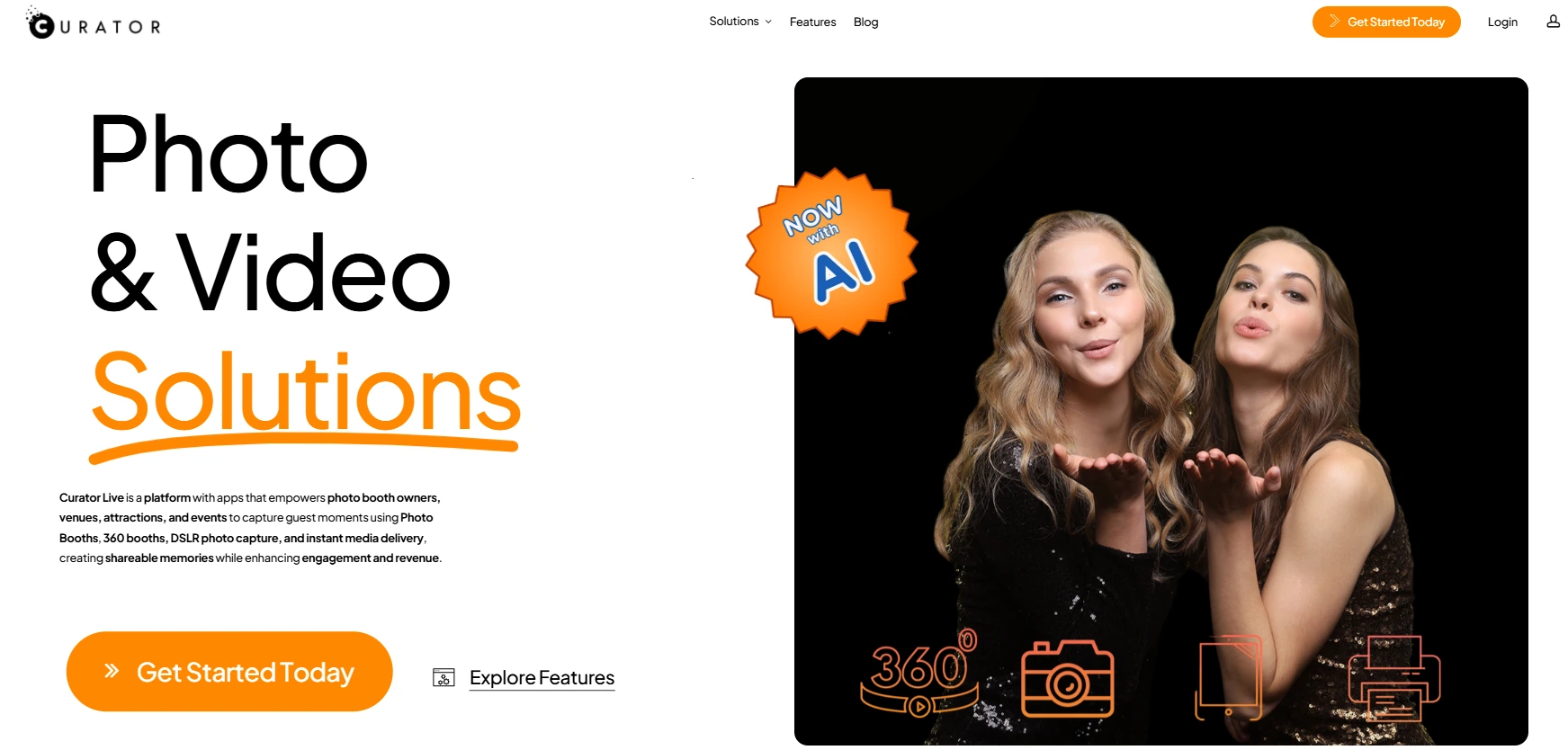
Curator Live is an iOS-native photo and video booth platform that gives rental operators and event production companies a wide creative toolkit: still photos, GIFs, boomerangs, 360 spinner video, DSLR roaming photography, and a full AI and augmented reality effects stack.
| Curator Live Pros | Curator Live Cons |
|---|---|
| - 10,000+ filter and design combinations | - AI credits are a separate, higher per-image cost |
| - Dedicated video timeline builder | - iOS-only (no Android or Windows) |
| - Native AR effects with transparent video layers | - Steeper learning curve for new operators |
Curator Live: Top 3 Unique Features
- CustomFX Timeline Builder for multi-track video production
- Native augmented reality effects using HEVC transparent video layers
- Nano Banana Pro model rated for groups of 8+
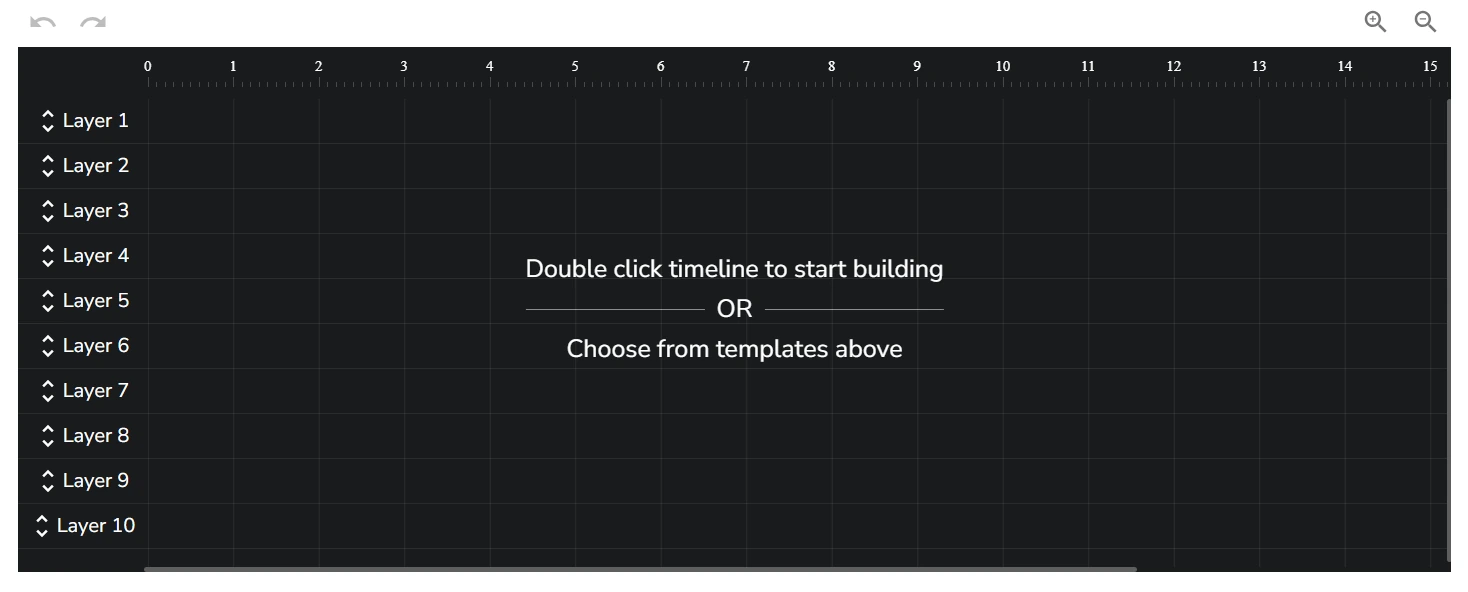
Curator Live’s filter and design library exceeds 10,000 combinations, giving operators wide visual variety for any event theme or brand identity. The CustomFX Timeline Builder lets operators construct a timeline with discrete tracks for transparent HEVC video overlays, pre-roll and post-roll clips, AI-driven background replacements, and audio layers.
Source: Curator Live
No other iPad photo booth app offers this level of in-app video production. Up to 6 distinct video experiences can run in a single event, each with its own guest-selectable button.
The AI Photo Rendering (Nano Banana) transforms photos in approximately 7 seconds, with the Pro model maintaining fidelity across groups of 8 or more. Magic AI Background Removal processes entirely on-device with no internet required and carries no additional credit cost. DSLR tethering supports more than 100 camera bodies across Canon, Nikon, Olympus, and Sony.
Curator Live Pricing
Per-device licensing across three billing cycles. All tiers include the full capture library, AI background removal, green screen, digital props, DSLR support, and 24-hour chat support with a dedicated account representative.
- Standard: $69/month, $499/year
- Event Pro: $149/month, $1,499/year (adds Facial Recognition, Sharing Station, Slideshow App)
- Agency Pro: $249/month, $2,499/year (adds Photography Mode, White-Label URL)
Per-event pricing available: $29 to $99/event. AI Photo Rendering credits are purchased separately (approximately $0.45/image standard, $1.00/image Pro for groups). SMS delivery runs through the operator’s own Twilio account at Twilio’s rates. A 14-day free trial is available with no payment required.
Use Curator Live If:
- You compete for bookings where clients expect AI photo transformation, AR video effects, and 360 spinner output from a single platform
- You need a dedicated video timeline builder for producing branded video deliverables beyond filtered clips
- Live event support during evenings and weekends is essential for your operation
4. LumaBooth: Best Affordable Entry Point for New Operators
Source: LumaBooth
Starting a photo booth business doesn’t have to require thousands in upfront software costs. But most platforms either charge per device or lock essential features behind expensive tiers, making it hard for newcomers to get started.
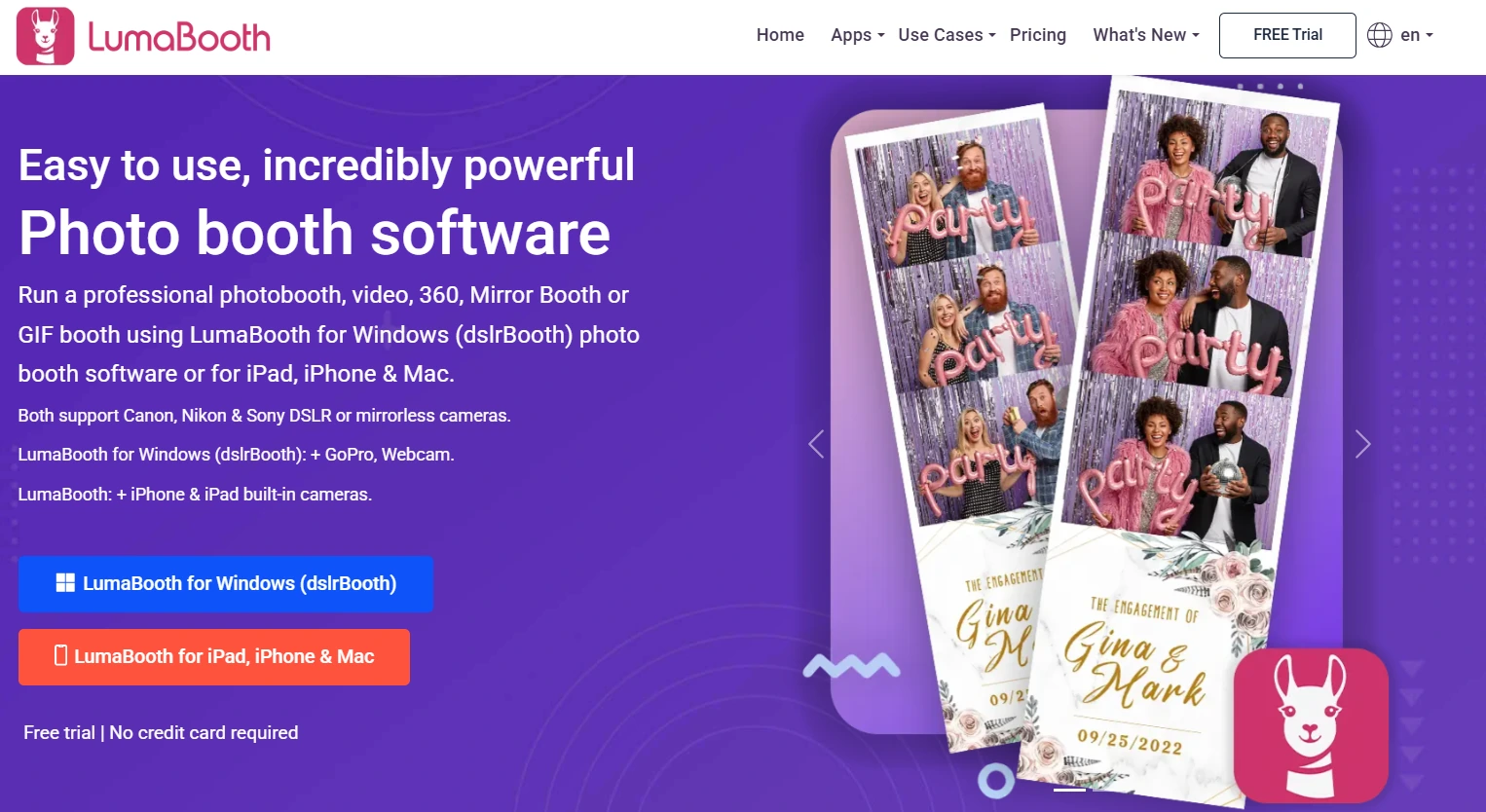
LumaBooth (by Lumasoft, makers of the longtime Windows favorite dslrBooth) gives first-time operators a full-featured starting point at one of the lowest entry prices in the category.
| LumaBooth Pros | LumaBooth Cons |
|---|---|
| - Two device licenses at $19.99/month | - AI credits are an additional cost |
| - 820+ ready-made templates included | - No integrated hardware offering |
| - Cross-platform (iPad, iPhone, Mac, Windows) | - SMS sharing requires a paid add-on |
| - No web dashboard for remote device management |
LumaBooth: Top 3 Unique Features
- 170+ AI Portrait styles processed in approximately 10 seconds per guest
- 820+ ready-made templates included at no extra cost
- Cross-platform account spanning iPad, iPhone, Mac, and Windows
LumaBooth’s AI Portraits transform guest photos into stylized artwork across categories like Superheroes, Fantasy, Historical Eras, Sports, and Art Styles, with no green screen or special lighting required.
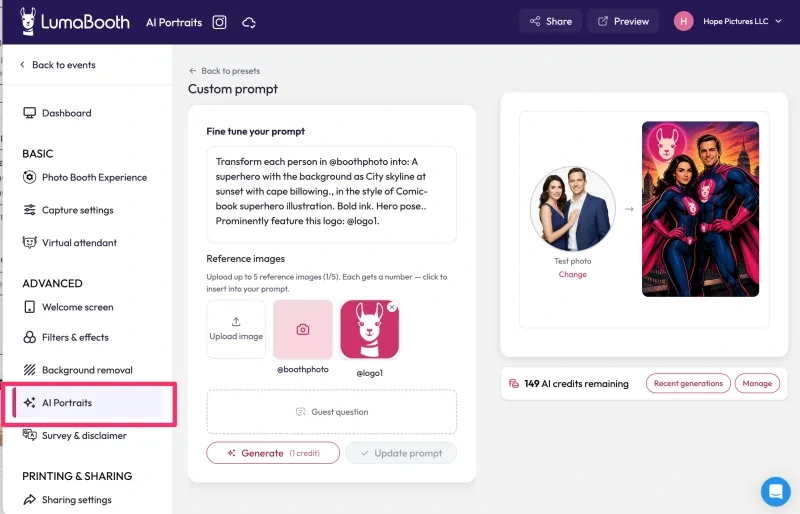
Source: LumaBooth
New subscribers receive 20 free AI credits to test the feature at their first event, and operators can scale with monthly AI credit plans starting at $14.99/month for 150 credits (or pay-as-you-go packs that never expire).
The 820+ template library covers wedding, birthday, corporate, and holiday themes, eliminating the design overhead that slows many new operators down. For operators who want custom designs, Canva Direct Import with PDF import and automatic layer recognition makes it easy to bring existing work into the platform.
One limitation for operators managing remote fleets: LumaBooth handles nearly all configuration within the app itself rather than through a web dashboard, so settings changes and device monitoring require physical access to each device.
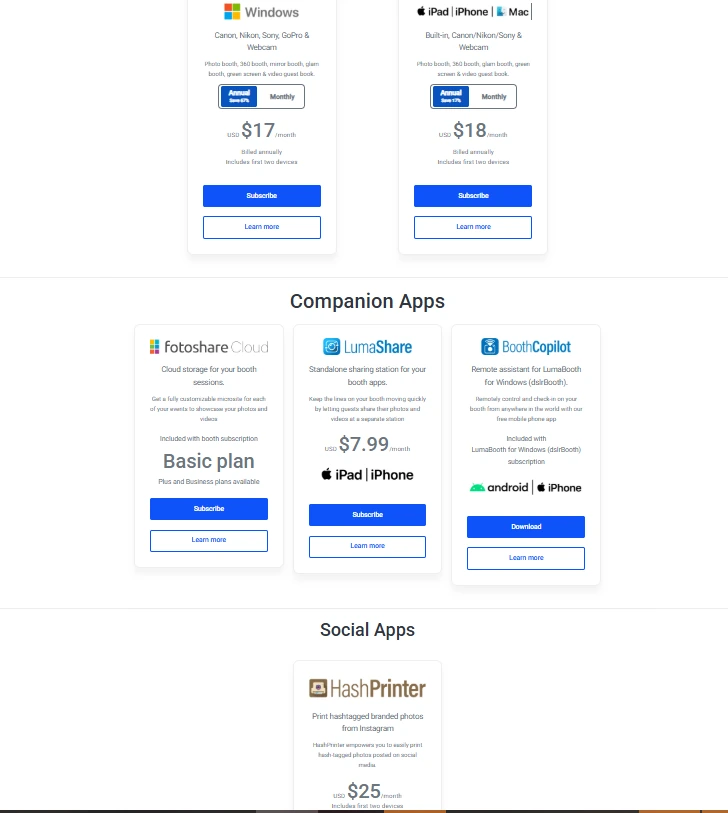
The single account spans iPad, iPhone, Mac, and Windows, so operators who start with an iPad and later add a Windows mini-PC don’t start over. The company completed a full brand unification in March 2026, bringing the Windows and Apple products under one Dashboard for the first time. DSLR camera integration supports Canon, Nikon, and Sony cameras via USB.
LumaBooth Pricing
- LumaBooth for Apple: $19.99/month (two device licenses), $18/month billed annually
- LumaBooth for Windows: $17/month billed annually, $49.99/month billed monthly (two device licenses)
- AI Credits: $14.99/month for 150 credits; $49.99/month for 500; $199.99/month for 2,000 (pay-as-you-go packs also available, credits never expire)
- SMS Add-on: $10/month for unlimited US/Canada SMS, or bring-your-own Twilio account
An unlimited free trial (with watermark) is available with no time limit and no credit card required.
Source: LumaBooth
Use LumaBooth If:
- You’re launching your first photo booth business and need to minimize upfront software costs while still offering professional-quality experiences
- You want 820+ ready-made templates so you can book your first event without designing from scratch
- You expect to grow from iPad into a mixed or Windows-based setup and want one subscription that follows you across platforms
- You need DSLR image quality on iPad without the complexity of a full Windows booth rig
5. TouchPix: Best for 360-Degree Spinning Arm Video Booths
Source: TouchPix
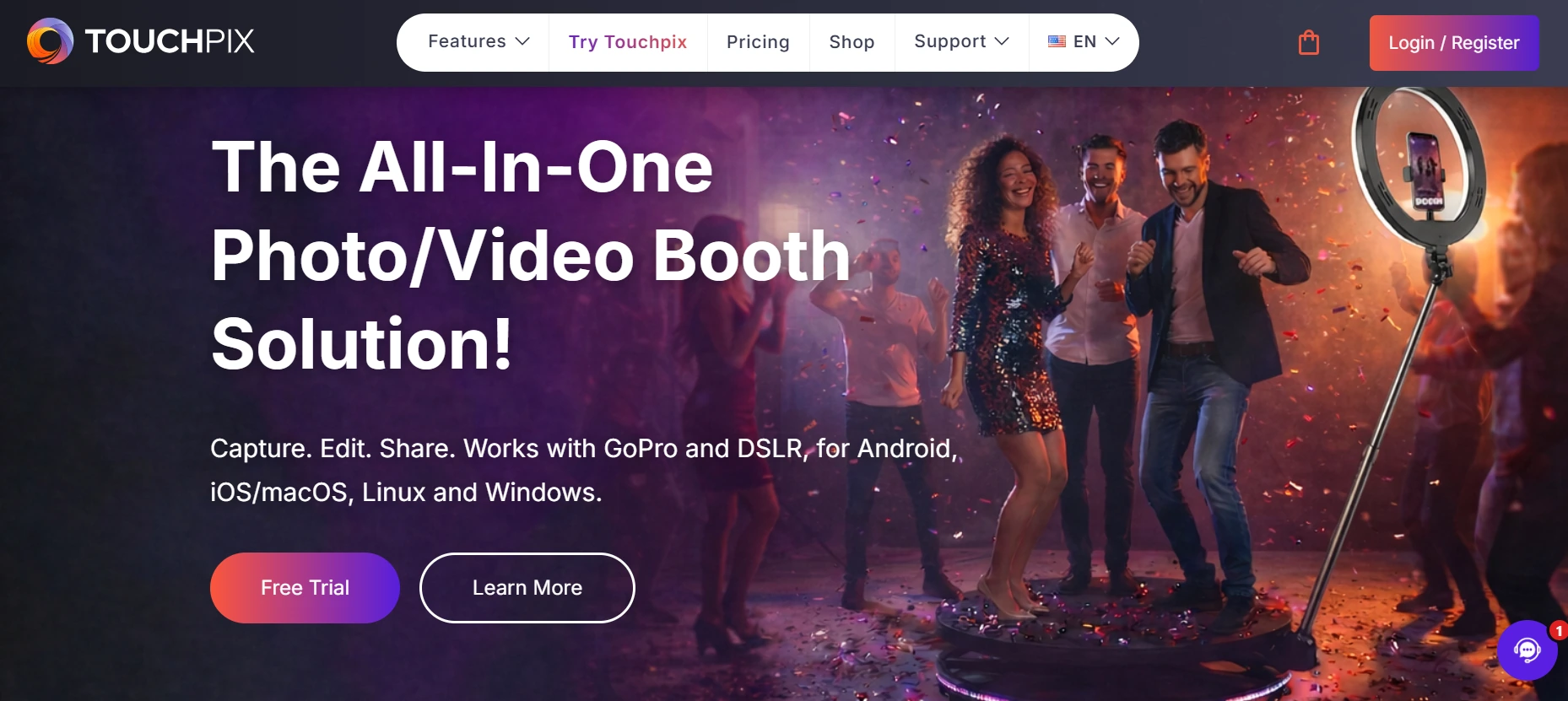
360-degree spinning video has become a headline feature at weddings and corporate events. But most photo booth software was designed for flat, camera-facing setups and added 360 support as an afterthought.
TouchPix was built for spinning arm workflows, with dedicated Bluetooth automation, slow-motion rendering, and broader hardware compatibility than any other platform in this category.
| TouchPix Pros | TouchPix Cons |
|---|---|
| - Dedicated 360 spinner engine with Bluetooth triggers | - Per-event slot pricing can be restrictive |
| - Runs on iOS, Android, macOS, Windows, Linux, and Raspberry Pi | - Photo-only entry tier excludes video |
| - Offline AI background removal (no internet needed) | - Learning curve for advanced video effects |
| - Unlimited devices per subscription | - Some users report slow rendering and occasional bugs |
TouchPix: Top 3 Unique Features
- 360 Bluetooth integration with automated spinning arm triggers
- Cross-platform support across iOS, Android, macOS, Windows, Linux, and Raspberry Pi with unlimited devices
- On-device AI background removal with no internet connection required
TouchPix’s 360 Bluetooth integration communicates directly with spinning hardware to trigger capture automatically, no manual button press required. The video rendering engine includes 60+ built-in filters and 300+ animated overlays optimized for spinner output.
Native integration with GoPro models 7 through 14 (wired USB recommended for reliability) and Canon, Nikon, and Sony DSLRs covers the full range of professional 360 booth camera hardware.
A single subscription runs natively on iOS, Android, macOS, Windows, Linux, and Raspberry Pi with unlimited devices at no additional per-device fee. For operators running a mixed fleet (Android tablets for 360 booths, iPads for flat booths, Raspberry Pi embedded in custom rigs), one TouchPix account covers everything.
TouchPix launched in 2020 and scaled quickly on the strength of its 360 focus, though the platform is still maturing compared to longer-established alternatives. Some operators report slower image and video rendering times and mixed experiences with customer support, so testing reliability with your specific hardware configuration is worth doing before committing.
The key differentiator for 360 operators is the offline AI background removal that processes entirely on-device. Combined with the Scanpix 2 offline sharing system that delivers guest media via QR code without Wi-Fi, the full feature set works at the outdoor festivals and convention halls where 360 booths are most commonly deployed.
 *Source: [Touchpix](https://www.instagram.com/p/DMGuz67xF1s/?img_index=1)*
 TouchPix Pricing
Priced by simultaneous active events (not per device or seat), with yearly billing saving approximately 40%.
- PhotoPass: $439.90/year (2 active events, photos and AI photos only)
- MultiPass: $879.99/year (4 active events, adds video, slomo, and boomerang)
- MultiPass Pro: $1,407.99/year (8 active events, adds Virtual Booth, advanced surveys)
- MultiPass Enterprise: $2,199.99/year (12 active events, adds Mosaic, RAW cloud backups)
AI Pro credits purchased separately: $12 for 100 credits to $375 for 5,000 credits (15 free credits for new accounts). A 14-day free trial with full feature access and no watermarks is available on request.
Use TouchPix If:
- Your primary product is a 360-degree spinning arm video booth and you need software designed for this format from the ground up
- You operate a mixed hardware fleet (Android, Windows, Raspberry Pi, iPad) and need a single subscription covering unlimited devices
- You regularly deploy at outdoor venues or festivals where reliable internet is not guaranteed
6. Booth.Events: Best Free-to-Start iPad Photo Booth with Professional Features
Source: Booth.Events
Most “free” photo booth apps impose watermarks, strip features, or cap the experience in ways that make a paying-client deployment impossible.
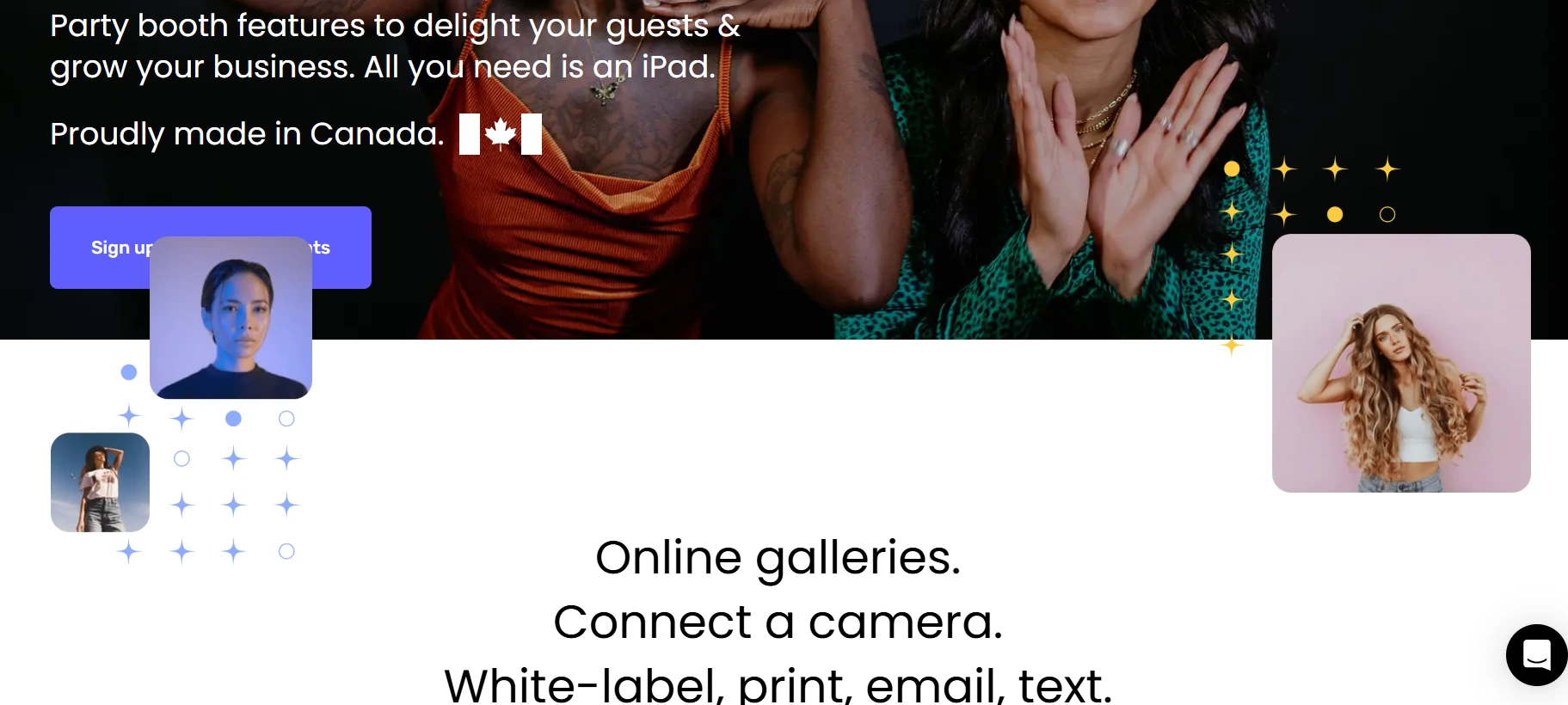
Booth.Events is different. It lets new operators run three complete, watermark-free events with no credit card required, including full access to DSLR camera support and AI background removal.
| Booth.Events Pros | Booth.Events Cons |
|---|---|
| - 3 free events with no credit card or watermarks | - Exact subscription pricing renders dynamically online |
| - DSLR support on all plans, including the free tier | - 100-photo cap per event on the free tier |
| - AI retouching with no per-image credit cost on paid plans | - iOS-only (iPad and iPhone) |
| - Remote fleet management with live Remote-In control |
Booth.Events: Top 3 Unique Features
- Three free events with no watermarks and no credit card
- DSLR tethering for Canon, Nikon, and Sony on all plans, including the free Starter tier
- AI Glam Filter and SceneSelect AI background removal with zero per-image credit cost on paid plans
All new accounts begin at the Starter tier, granting three free events with all capture features available. The only restrictions are a 100-photo-per-event cap and a 7-day gallery window. After the three free events, a 14-day paid trial begins before the first charge. No other platform on this list structures onboarding around that kind of risk-free validation.
The AI Glam Filter performs skin smoothing, acne reduction, and teeth whitening while preserving fine detail in eyes, lips, and hair. SceneSelect AI background removal detects subjects from any background and replaces it with operator-uploaded scenes, processing on-device with no internet required.

Source: Booth.Events
Both features run at zero per-image credit cost on paid plans (the credit system applies only to generative AI Prompts and AI Portraits, which are separate add-ons).
On Pro+ plans, Remote-In streams the live iPad display to a browser tab and transmits touch input back to the device for full remote control. Scheduled Events define per-device start and end times from the web dashboard, and Live Sync pushes dashboard changes to running iPads automatically without requiring a restart.
Booth.Events Pricing
Booth.Events uses flat-rate subscription pricing. Exact monthly amounts render client-side at booth.events/pricing.
- Starter (Permanent Free): 3 free events, 100 photos/event, 7-day gallery, DSLR and SceneSelect included
- Basic: 1 iPad or 1 iPhone, 3-month gallery, US/Canada SMS
- Pro: 1 iPad + unlimited iPhones, 1-year gallery, worldwide SMS, custom microsites, Live Sync
- Pro+: 4 iPads included, 2-year gallery, white-label app, Remote-In, webhooks, emergency phone support
Non-subscription options include 1 Week Passes and non-expiring 4x Pro Event Credits for operators with variable booking volumes.
Use Booth.Events If:
- You want to run a real event before spending a dollar, with three complete watermark-free events on the permanent free tier
- You own Canon, Nikon, or Sony cameras and want DSLR support available immediately, including on the free plan
- You run occasional events and prefer per-event credits or week passes over a monthly subscription
- You manage multiple iPads and need remote fleet visibility with scheduled open/close automation
7. Darkroom Booth: Best Value for Multi-Device Operators
Source: Darkroom Booth
Running a large corporate activation with four photo stations or a festival deployment with six branded kiosks gets expensive fast when software charges per device.
Darkroom Booth licenses up to 10 simultaneous iPads under a single $29.99/month subscription, making it the most affordable option for operators scaling through fleet size.
| Darkroom Booth Pros | Darkroom Booth Cons |
|---|---|
| - Up to 10 iPads per subscription at $29.99/month | - No integrated hardware offering |
| - Offline-first storage with Dropbox/OneDrive sync | - Smaller creative effects library |
| - Zapier integration for CRM and marketing automation | - No dedicated mobile management app |
| - Full interface translation and localization |
Darkroom Booth: Top 3 Unique Features
- 10-iPad licensing at $29.99/month (approximately $3/device at full utilization)
- Operator-owned photo storage via automatic Dropbox or OneDrive sync
- Zapier integration connecting booth data to thousands of marketing platforms
At full utilization, Darkroom Booth’s cost falls to approximately $3 per device per month, a per-unit rate that per-seat competitors can’t match without negotiated enterprise pricing. Spread across a music festival deployment with six branded kiosks or a corporate activation with four simultaneous stations, the economics reward operators whose growth strategy centers on adding more devices.
Every photo from every event automatically syncs to the operator’s own Dropbox or OneDrive account, not a proprietary Darkroom Booth cloud. If an operator cancels their subscription, the complete archive remains in their cloud storage, permanently.
For operators who regularly book outdoor festivals, basement ballrooms, or remote destination venues, photos are captured and stored locally during connectivity outages and sync automatically when the connection is restored.
The Zapier integration opens the booth workflow to downstream marketing automation. Guest emails can flow into Mailchimp or Klaviyo lists, trigger CRM entries in Salesforce or HubSpot, or post session counts to a Slack channel for real-time event monitoring.
For operators who position their service as a marketing activation rather than equipment rental, this integration layer is a measurable deliverable that justifies higher event pricing.
Advanced in-app camera controls (including ISO and white balance adjustment) are accessible during live events, and full translation and localization lets operators replace every text string in the guest-facing interface for multilingual audiences or brand-specific terminology.
Darkroom Booth Pricing
- Monthly: $29.99/month, licenses up to 10 iPads simultaneously
- Includes offline-first Dropbox/OneDrive sync, Zapier integration, advanced camera controls, and full localization
Use Darkroom Booth If:
- You run multiple simultaneous booth stations and want one subscription covering your entire fleet at approximately $3 per device per month
- You regularly work in venues with unreliable connectivity and need offline-first storage with automatic cloud sync
- Your clients expect captured data to integrate directly with their CRM or email marketing platforms via Zapier
- You serve multilingual audiences or international events where the guest-facing interface needs to match a specific language or brand voice
Final Verdict
Every platform on this list earned its spot for a specific reason. Some are more capable than others in certain areas, but the best iPad photo booth for your business depends on how you actually operate and what your clients expect.
Here are our top recommendations for the three most common buyer profiles:
- Simple Booth: If you want a self-operating photo booth system with integrated hardware, 87%+ lead capture opt-in rates, and remote cloud management that handles everything from setup to analytics.
Get started with a free Simple Booth trial.
- Snappic: If you’ve scaled beyond a single iPad booth and need one platform to manage 360 spinners, GlamBots, mirror booths, and iPad setups with white-label branding and enterprise analytics.
- LumaBooth: If you’re launching your first photo booth business and need a full-featured setup with 820+ templates and AI portraits at the lowest entry price in the category.
Best iPad Photo Booths FAQ
What is the best iPad photo booth for starting a photo booth business?
LumaBooth offers the lowest entry point at $19.99/month for two device licenses, with 820+ ready-made templates and AI Portraits included so you can book your first event without designing from scratch. Booth.Events is also worth considering, as it lets you run three complete events for free with no credit card required, giving you a risk-free way to test the business before committing financially.
Simple Booth’s 7-day free trial and integrated HALO hardware are the right choice if you want to invest in a self-operating setup from the start.
Do I need special hardware for an iPad photo booth?
Not necessarily. Most iPad photo booth apps work with just an iPad, and many support DSLR and mirrorless camera tethering via USB for better image quality. However, dedicated hardware like Simple Booth’s HALO ring-light kit delivers consistent lighting (2,100 lumens from 112 LEDs in a patented aluminum chassis) that improves photo quality compared to ambient venue lighting.
The choice depends on whether you prioritize portability and low cost, or higher output quality and a self-operating experience.
Which iPad photo booth app works offline?
Several platforms offer offline capability. Simple Booth’s HALO app queues sessions in offline mode and delivers them when connectivity returns.
TouchPix’s AI background removal and the Scanpix 2 sharing system work entirely offline with no internet connection required. Booth.Events’ SceneSelect AI processes on-device without internet. Darkroom Booth stores photos locally and syncs to Dropbox or OneDrive automatically when the connection is restored.
Can I use a DSLR camera with an iPad photo booth?
Yes. Most platforms on this list support DSLR and mirrorless camera tethering via USB. Simple Booth supports Canon cameras via USB or WiFi on Core plans and above. LumaBooth connects Canon, Nikon, and Sony cameras on all plans. Booth.Events offers DSLR support on every plan, including the free Starter tier. Curator Live supports over 100 camera bodies across Canon, Nikon, Olympus, and Sony.
How much does iPad photo booth software cost?
Pricing varies widely by platform and licensing model. LumaBooth starts at $19.99/month for two devices. Simple Booth’s Lite plan starts at $14.99/week. TouchPix’s entry tier is $439.90/year. Darkroom Booth covers up to 10 iPads at $29.99/month. Per-event pricing is available from Snappic ($29 to $79/event), Curator Live ($29 to $99/event), and Booth.Events (through non-expiring Event Credits).
Most platforms also charge separately for generative AI credits on top of the base subscription.
Which iPad photo booth is best for corporate brand activations?
For single-format activations where lead capture is the primary goal, Simple Booth’s Pro and Select tiers offer 87%+ opt-in rates, brand moderation, compliance tools, and demographic analytics via face detection.
For multi-format activations requiring 360 spinners, GlamBots, or mirror booths alongside iPad setups, Snappic’s platform with full white-label branding and Automated Vision Analytics is the stronger option.
What is the best iPad photo booth app for 360 video booths?
TouchPix is designed for 360-degree spinning arm booths, with dedicated Bluetooth automation, slow-motion video rendering, and support for GoPro 7 through 14 via wired USB. It runs on more platforms than any competitor (iOS, Android, Windows, macOS, Linux, Raspberry Pi) with unlimited devices per subscription.
Snappic and Curator Live also support 360 video, but treat it as one format among many rather than the primary focus.
Can I run an iPad photo booth without an attendant on-site?
Yes. Simple Booth is designed for unattended operation, with features like a Preflight Check screen, Mission Control overlay for remote monitoring, and iPad Guided Access support to prevent guests from exiting the app.
Booth.Events’ Scheduled Events feature automatically opens and closes the booth at preset times from the web dashboard, making it well-suited for drop-off rentals where the operator cannot be present.
Keep reading
 Best Of
7 Best Photo Booth Software with Video Message and Slo-Mo Capture [2026]
Booths that capture heartfelt video notes and buttery slo-mo. The moving stuff.
 Best Of
6 Best Photo Booth Software With QR Code Sharing [August 2026]
Booths that beam every snap to a phone with a quick scan. QR sharing done right.
 Best Of
7 Best Photo Booth Software With Real-Time Analytics and Dashboards [August 2026]
Booths that show the numbers as the party happens. Live dashboards, real insight.