7 Best Photo Booth Apps With GIF and Boomerang Support [July 2026]

GIFs and boomerangs have become the default deliverable guests expect from a photo booth. Static photo strips still have their place, but short, looping animations that play automatically in a text thread or Instagram story are what get shared, reposted, and remembered.
The problem: not every photo booth app handles animated formats well, or at all.
Some lock GIF and boomerang capture behind premium tiers. Others support the formats technically but produce low-quality output that looks nothing like what guests see from professional booths on social media. A few apps that started as simple photo capture tools have bolted on animated modes as afterthoughts, with clunky workflows and inconsistent results.
We tested dozens of photo booth apps and narrowed the field to the seven best options for operators who need reliable, high-quality GIF and boomerang output across different business models:
- Running a high-volume, multi-location photo booth business,
- Starting out with a single booth and limited budget,
- Offering every capture format from one subscription,
- Specializing in 360 spinning-arm booths,
- Testing before committing any money,
- Operating on Windows hardware with existing camera gear,
- And delivering branded animated experiences with minimal setup.
Let’s break down each platform and where it fits.
What Are Photo Booth Apps With GIF and Boomerang Support?
Photo booth apps with GIF and boomerang support are software platforms that turn iPads, Windows PCs, or other devices into self-service photo booths that produce animated output. GIFs capture a sequence of still frames and loop them continuously. Boomerangs record a short video clip that plays forward then backward in a loop.
These apps go beyond basic camera functionality by adding branded overlays, digital props, AI effects, social sharing, lead capture, and gallery hosting. Professional operators use them at weddings, corporate events, brand activations, and permanent venue installations to deliver shareable, branded experiences that guests distribute across their own social channels.
The best platforms combine reliable animated capture with the business tools operators need: template design, remote management, data collection, and analytics.
| Best Photo Booth Apps With GIF and Boomerang Support | ||
|---|---|---|
 | Simple Booth Best for operators and marketers who want a self-running photo booth with studio-quality GIF and boomerang output from an integrated hardware-software system. | |
 | Snappic Best for high-volume photo booth businesses managing operations across multiple simultaneous events. | |
 | LumaBooth Best affordable option for individuals and beginners who want every animated format at one flat monthly price. | |
 | Fiesta Best for operators who want every capture format plus built-in business development tools in one ecosystem. | |
 | TouchPix Best for 360 video booth specialists who also need GIF and boomerang support. | |
 | Booth.Events Best free starting point for new operators who want to test animated capture before committing financially. | |
 | dslrBooth (LumaBooth for Windows) Best for Windows operators who need broad camera and hardware compatibility. | |
How To Choose the Best Photo Booth App With GIF and Boomerang Support
Here’s what to evaluate before committing to a platform:
- Animated Output Quality: Not all GIF and boomerang modes are equal. Look for apps that produce smooth, high-resolution animated files that play reliably across iOS, Android, and social platforms. Poor animated output reflects directly on your business.
- Ease of Setup and Operation: The app should let you configure events, deploy booths, and hand them off to guests or staff without extensive training. For GIF and boomerang sessions, check whether animated modes require separate setup steps or fold into the standard workflow.
- Branding and Customization: Custom overlays, branded frames, and template design tools that apply to animated output (not just still photos) are essential for professional events. Some apps strip branding from GIFs or limit overlay options on animated formats.
- Sharing and Delivery Options: Guests expect to receive their GIF or boomerang instantly. Evaluate how each app handles delivery: QR code, SMS, email, AirDrop, and WhatsApp are the most common channels. International event operators should check whether SMS works outside the US and Canada.
- Camera Compatibility: If you own a DSLR or mirrorless camera, confirm the app supports your specific brand and model for animated capture, not just still photos. Some apps restrict camera tethering to higher-priced plans.
- Pricing Transparency: Photo booth app pricing can be deceptive. Check whether GIF and boomerang modes are included in the base plan or gated behind upgrades, and factor in add-on costs for AI effects, SMS delivery, additional device licenses, and cloud storage.
How We Picked These Platforms
We started with a broad survey of photo booth apps rated highly by professional operators in industry forums, review platforms, and the App Store. We focused on apps that treat GIF and boomerang capture as core features rather than afterthoughts.
We then evaluated each platform on four criteria:
- Animated Format Quality: How polished and reliable are the GIF, boomerang, and other animated outputs under real event conditions?
- Operational Simplicity: Can a solo operator or non-technical staff member configure and run animated sessions without troubleshooting?
- Business Value: Does the platform provide the branding, analytics, data capture, and sharing tools that justify its price for professional use?
- Pricing Fairness: Are animated formats included at the plan level being purchased, or do they require hidden upgrades?
This process produced the seven platforms below, each addressing a distinct operator profile.
1. Simple Booth — Best Premium Photo Booth for Studio-Quality GIF and Boomerang Experiences
When event guests share a GIF or boomerang from a photo booth, the quality of that content reflects directly on the operator and the brand behind the event. Dimly lit, grainy animated clips from a bare tablet don’t generate the social sharing that makes photo booths a marketing asset.
That’s where Simple Booth separates itself.
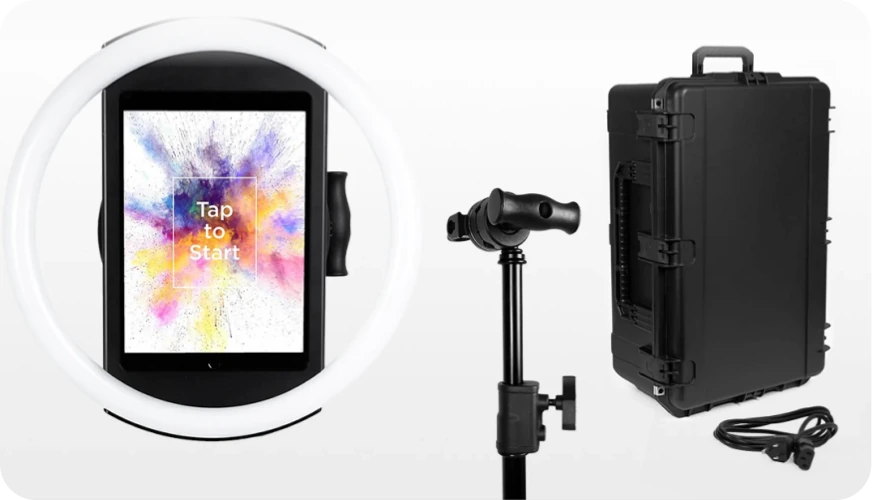

Simple Booth is an integrated hardware-software system that pairs a subscription-based iPad app (HALO) with a proprietary ring-light chassis, plus a browser-based Virtual Booth product that requires no hardware at all. It’s built around a straightforward promise: “Set up in minutes, manage from anywhere, and deliver flawless, share-worthy photo experiences, every time.”
For GIF and boomerang-focused operators, Simple Booth’s combination of patented ring-light hardware, AI image processing, and a full in-app design tool means animated output looks consistently professional regardless of venue lighting.
| Simple Booth Pros | Simple Booth Cons |
|---|---|
| - Studio-quality lighting from integrated ring light (2,100 lumens) | - iPad-only hardware dependency |
| - Sub-one-minute setup with no tools required | - AI effects require purchased credits on top of subscription |
| - Layout Designer eliminates external design software | - Lite plan includes ads and excludes custom branding |
| - 4.7-star App Store rating from 2,400+ reviews | |
| - Offline mode with automatic upload queue |
Why Choose Simple Booth for GIF and Boomerang Capture?
30,000+ customers globally and 40 million+ moments captured since 2013 make Simple Booth one of the most established platforms in the space. Enterprise clients including Live Nation, Sports Illustrated Tickets, and Gibson Brands rely on it for high-profile activations.
Integrated Hardware That Makes GIF and Boomerang Output Look Professional
The HALO photo booth kit is precision-machined from a single billet of aluminum with a patented ring-light system producing 112 LEDs at up to 2,100 lumens. Groups can stand 6-8 feet back and still be evenly lit, which matters for GIF and boomerang formats where inconsistent lighting produces flickering frames.
Source: Simple Booth
The iPad snaps in via a tool-less faceplate with a concealed USB-C cable for continuous charging, and the full Event Kit deploys in under one minute with no tools. For operators running multiple weekend events, that setup speed compounds into real time savings.
On Core plans and above, HALO connects to external Canon DSLR and mirrorless cameras via USB for long-event reliability or wirelessly over Wi-Fi for flexible setups, a wireless integration most competitors don’t offer.
Every Animated Format Plus AI Enhancements
The HALO app captures still photos, classic photo strips, custom layouts, GIFs, looping Rebound (boomerang) clips, and video. The Layout Designer, introduced in HALO 5.0, lets operators build branded overlays, text layers, gradients, and logo placements directly inside the app or web dashboard, with multiple layout options per event and unique motion types per layout.
All effects (filters, Glam, background blur, and DSLR integration) work across stills, GIFs, video, and offline mode without compatibility restrictions.

For animated formats, the app adds DSLR-style bokeh and background blur (a first for iPad photo booths), AI background replacement without a physical green screen, and Glam skin smoothing.
Source: Simple Booth
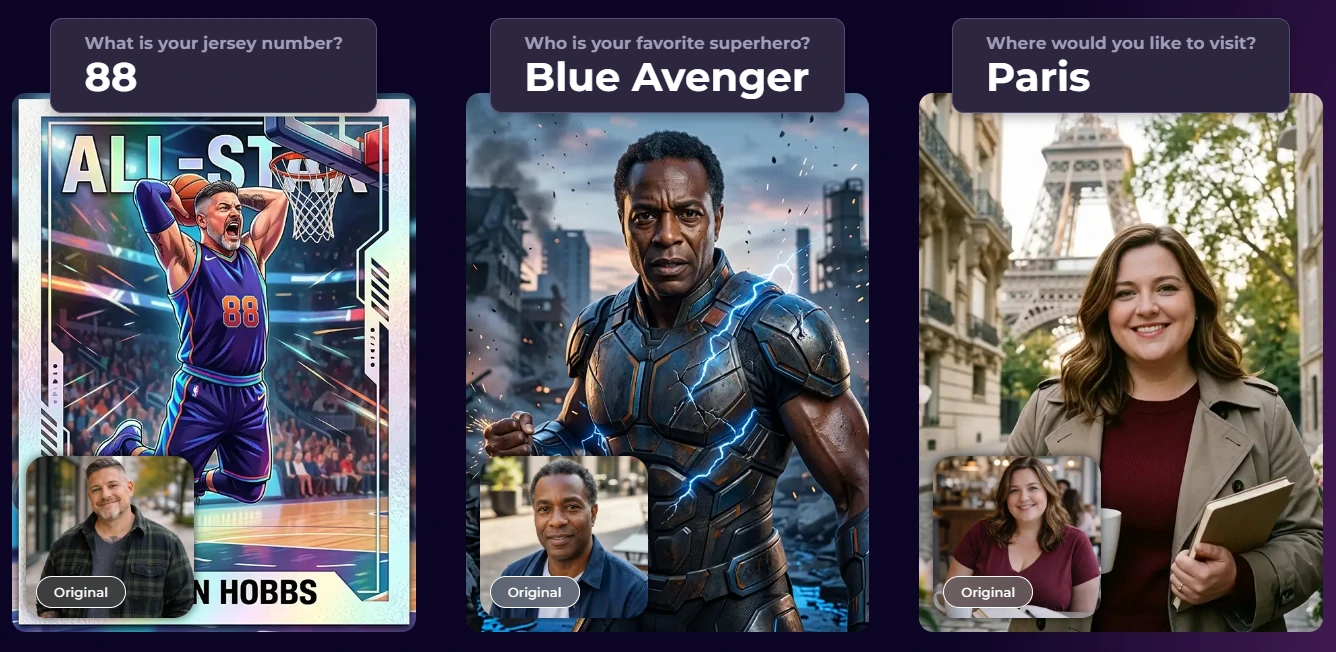
AI Effects powered by Nano Banana models can transform GIF and boomerang captures using text prompts, with per-frame multi-prompt capability that lets operators assign a unique AI transformation to each frame in a multi-frame layout.
Source: Simple Booth
Operators can test AI prompts outside of booth mode at zero credit cost and iterate freely before events. Image previews in the app render up to 12x faster than previous versions, so guests see their GIFs and boomerangs without waiting.
Remote Management, Offline Resilience, and Lead Capture

Operators configure and update presets remotely via the online dashboard, syncing changes to iPads without exiting booth mode. The Mission Control overlay (triggered by a two-finger pinch) monitors device health and adjusts camera settings during live events.
Source: Simple Booth
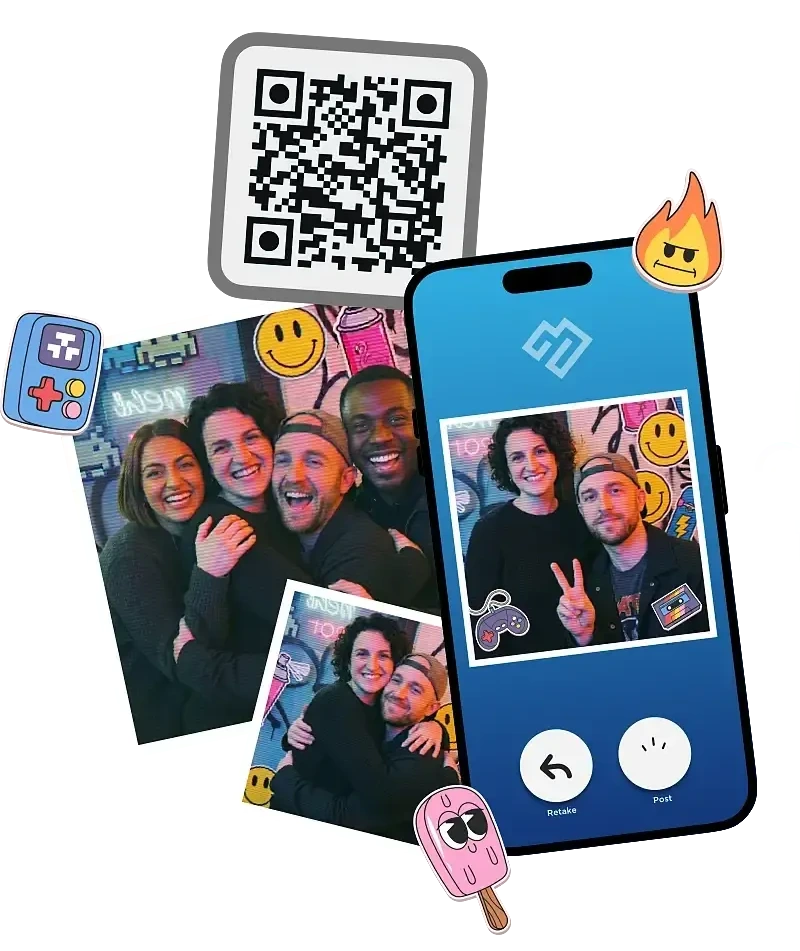
The app queues sessions in offline mode and delivers them when connectivity returns. Booth mode is intuitive enough for guests to use without an attendant, making it a reliable choice for unattended selfie stands and drop-off events. Photo delivery works via QR code, email, SMS, AirDrop, and WhatsApp. The platform captures opt-in rates as high as 87% through its built-in lead capture forms.
Virtual Booth extends the same branded experience to participants on any device via browser, no hardware required, with AI effects, background replacement, and data capture feeding the same analytics dashboard as HALO sessions.
Source: Simple Booth
Treetop Golf built 150,000 unique email addresses across locations using Simple Booth’s integrated lead capture. (Simple Booth)
Simple Booth Pricing
Simple Booth uses a per-license subscription model with weekly, monthly, and yearly billing:
- Lite - $14.99/week, $290/year (1 license; includes ads, excludes custom branding and AI effects)
- Core - $24.99/week, $49/month, $490/year (ads removed, DSLR support, video, background replacement, AI effects, Virtual Booth)
- Plus - $49.99/week, $99/month, $990/year (custom branding, analytics, guest-editable text layers, custom AI effects)
- Pro - $149/month, $1,490/year (lead capture, API integration, phone support, moderation, age gate)
- Select - $249/month, $2,490/year (in-app legal terms, security questionnaires, demographic analytics)
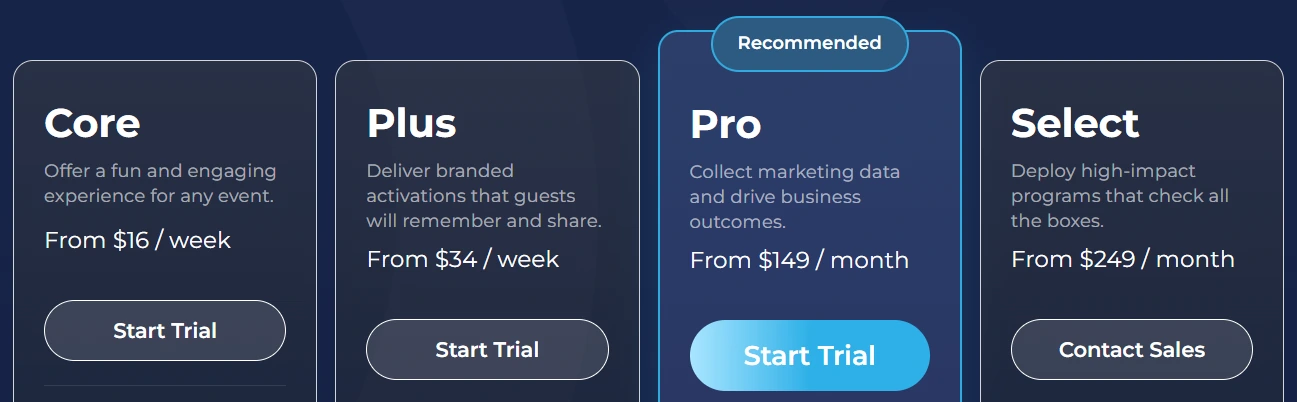
AI effect credits cost $0.10 each and do not expire. A 7-day free trial is available with 25 free AI credits.
Use Simple Booth If:
- You want consistently professional GIF and boomerang output regardless of venue lighting, powered by integrated ring-light hardware
- You need remote multi-device management and offline resilience for events with unreliable Wi-Fi
- You want a full in-app layout designer to brand animated output without external design software
- You run drop-off events or unattended selfie stands and need a booth that guests can operate without an attendant
- You serve marketing teams or brands that need lead capture, social sharing analytics, and first-party data collection alongside the photo experience
2. Snappic — Best for High-Volume Photo Booth Businesses Managing Large-Scale Operations
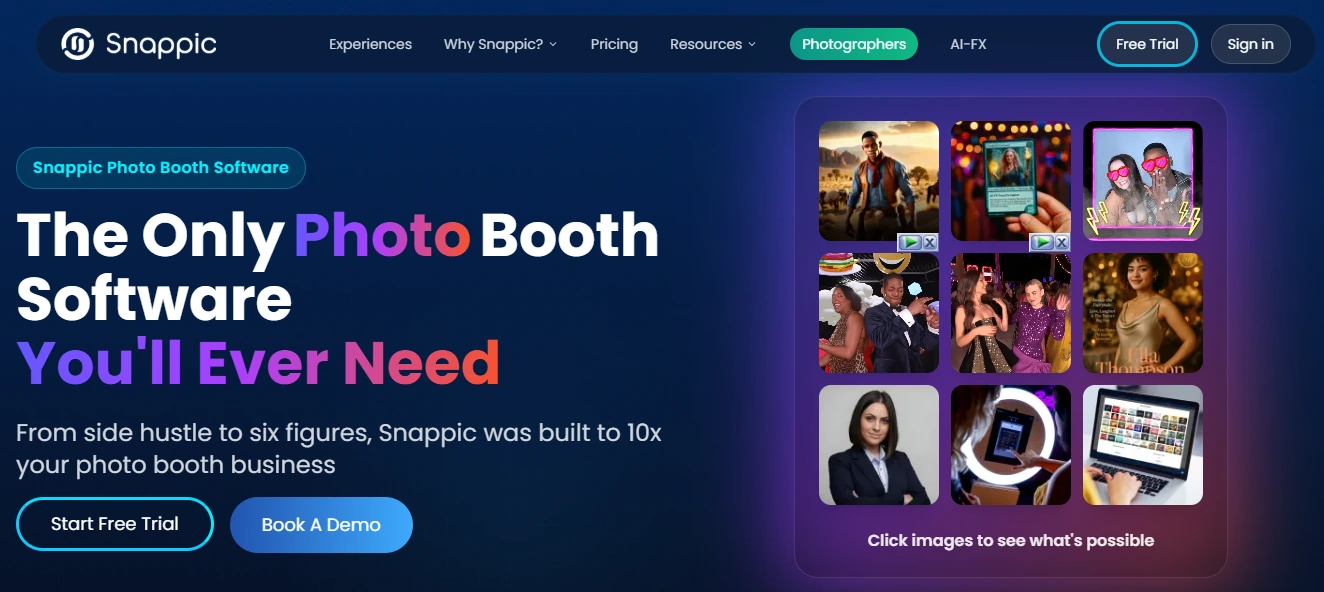
Running one photo booth at one event is manageable with almost any app. Running five booths at three venues on the same Saturday night, each delivering branded GIFs and boomerangs to different corporate clients, is a different operational challenge.
Snappic is photo booth software built for that second scenario. It serves professional operators scaling from single-booth startups to full agency deployments managing dozens of simultaneous events, with fleet monitoring, cloud template sync, and post-event analytics that most photo booth apps don’t attempt.
That operational depth comes with a steeper learning curve. Snappic’s configuration panels are extensive, and new operators may find the volume of settings overwhelming compared to simpler alternatives.
| Snappic Pros | Snappic Cons |
|---|---|
| - LiveConnect for real-time remote monitoring of every active booth | - AI credits and international SMS add variable costs on top of subscription |
| - Three separate AI engines (AI-FX, BananaFX, PersonaFX) | - Starter plan excludes AI-FX, VideoFX, and white-label features; sharing limited to email and text |
| - AVA demographic analytics and FaceMatch guest photo retrieval | - Higher price floor than single-booth alternatives |
| - Grey Label unbranded app on Scale plan |
Three AI Engines for Animated Output
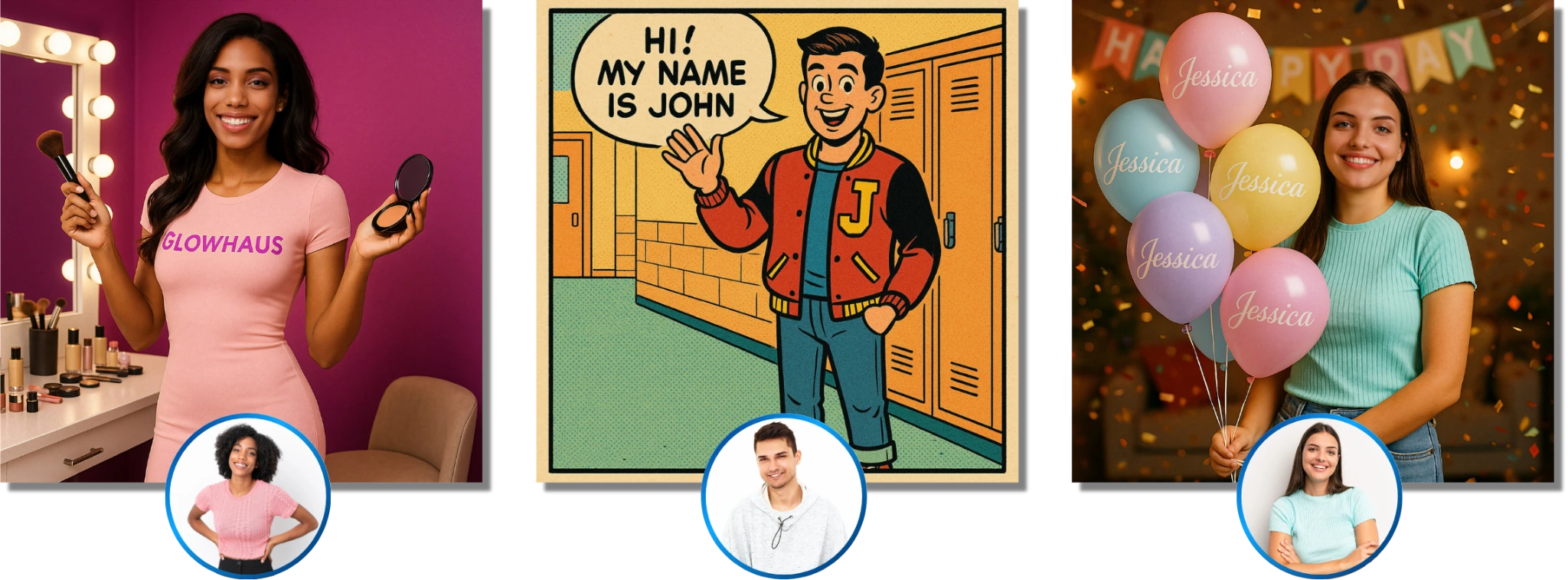
Most photo booth apps apply a single filter engine to GIFs and call it AI. Snappic runs three separate engines, each built for a different transformation type. AI-FX handles style transfers, magazine covers, and branded avatars.
BananaFX, powered by Google’s Gemini 2.5, regenerates images from scratch based on custom prompts in four variants (photorealistic, illustrated, animated, and a higher-fidelity Pro 2.0). PersonaFX generates personalized avatar outputs where guest-entered text (names, jersey numbers) feeds directly into the AI prompt.
Source: Snappic
For animated formats, animated overlays layer sequential transparent PNG frame sequences over GIF and burst outputs (up to 30 frames for GIFs), and all three AI engines work with Snappic’s animated capture modes. Photo Glam handles real-time skin smoothing offline at configurable intensity, keeping GIF sessions functional in venues with poor connectivity.
Fleet Management for Multi-Venue Operations
LiveConnect provides browser-based remote control of every active booth from any device (included on Premium and Scale plans). Operators view live booth state, switch presets remotely, and intervene without dispatching staff. Event Codes let staff launch pre-configured event templates on-site by typing a short alphanumeric code, eliminating configuration errors.
The Scale plan adds unlimited sub-accounts scoped to individual clients, a completely unbranded Grey Label App, and a dedicated Customer Success Manager.
Post-Event Analytics That Justify Repeat Bookings
AVA (Advanced Vision Analytics) runs facial analysis across every uploaded image and returns anonymized demographic breakdowns: gender distribution, estimated age ranges, total faces detected, and average group size.
FaceMatch lets guests submit a selfie post-event to retrieve every GIF, boomerang, and photo featuring them from the full gallery. The Send to Client feature packages this data into a live webpage delivered to brand clients as a performance report.
Snappic Pricing
Snappic uses per-booth license pricing. Annual plans save 20%. A 14-day free trial is available with no credit card required.
- Starter - $69/month ($499/year). 1 booth license; photos, GIFs, burst capture; SMS/email sharing; excludes AI-FX, VideoFX, and white-label
- Business - $189/month ($1,799/year). Adds VideoFX, AI-FX, green screen, client analytics, custom surveys, in-app payments
- Premium - $279/month. Adds white-label URLs, webhooks, Event Codes, LiveConnect, SmartShare AI (400 credits included)
- Scale - $399/month ($3,999/year). Adds unlimited sub-accounts, Grey Label unbranded app, dedicated CSM
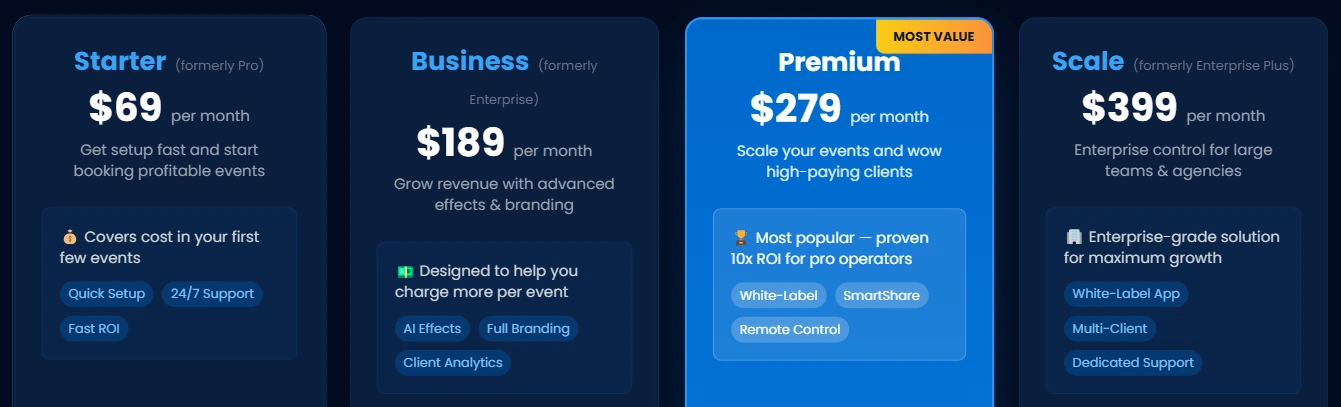
Additional Photo Booth License costs range from $39-$119/month depending on plan. AI credits for background removal ($15/100 credits) and AI-FX generation ($20/200 credits) are separate consumable costs.
Use Snappic If:
- You operate multiple booth types across multiple simultaneous venues and need fleet-level oversight
- Your brand activation clients expect post-event demographic analytics and white-labeled deliverables
- You’re building toward an agency model with sub-account management and a fully unbranded client-facing app
- You need 24/7/365 live support during Saturday-night events, not just business-hours email
3. LumaBooth — Best Affordable Option for Individuals and Beginners
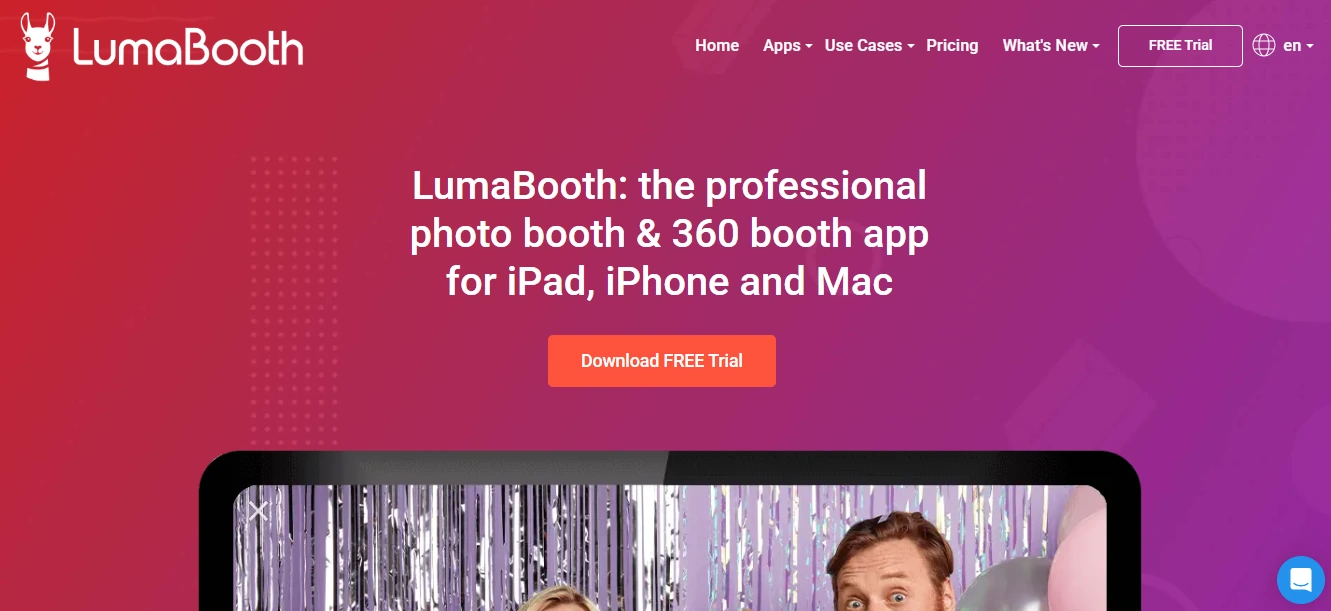
A first-time photo booth operator shopping for software encounters a common frustration: the app that fits their budget locks GIF and boomerang capture behind a higher tier. The app that includes animated formats costs three times more than expected. And the free trials are too short to test under real event conditions.
LumaBooth (by Lumasoft, formerly dslrBooth for Apple) eliminates that friction. A single subscription at $18/month billed annually unlocks Photo, GIF, Boomerang, Slow-Mo/360, and Video simultaneously. No upsell, no per-mode add-ons.
| LumaBooth Pros | LumaBooth Cons |
|---|---|
| - Every animated format included at one entry-level price | - SMS, AI portraits, and sharing station are paid add-ons |
| - 820+ ready-made templates for no-design-skill setup | - No remote device management; most configuration done in-app |
| - DSLR support (Canon, Nikon, Sony) on all plans | - Mirror Booth and cashless payments are Windows-only |
| - Two-device coverage included in base price | |
| - No-time-limit free trial (watermark only) |
Every Animated Format at One Price
LumaBooth’s GIF mode captures a configurable series of photos and assembles them with adjustable frame delay and a reverse playback option. Boomerang records a short clip that loops forward then backward. The 360 mode supports up to 120 fps on Windows and 240 fps on recent iPads with automatic speed ramps and animated overlay compositing. All three formats come at the same flat monthly rate.
820+ Templates for Immediate Event Readiness
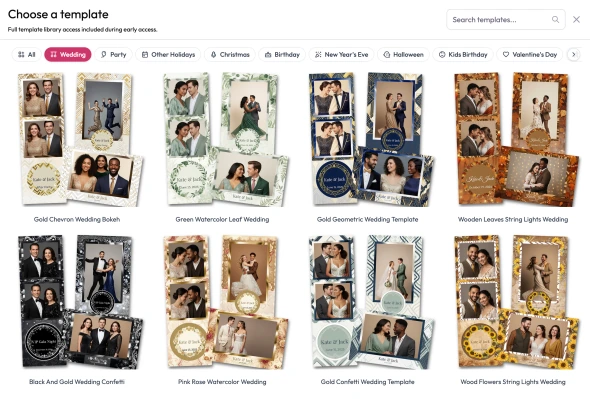
Over 820 professionally designed templates are accessible through the browser-based LumaBooth Dashboard, spanning weddings, birthdays, corporate events, and seasonal themes. For operators who want to customize further, a built-in print layout editor adjusts backgrounds, logos, text, and photo sizing. Canva Direct Import supports PDF-to-Dashboard import with layer preservation.
Source: LumaBooth
DSLR Access Without Tier Restrictions
LumaBooth for Apple connects to Canon EOS and Nikon D/Z-series via USB adapter, and to Sony mirrorless models via PC Remote mode on every subscription tier.
GIFs and boomerangs built from DSLR frames look noticeably better than iPad-camera output, and on LumaBooth, that quality upgrade comes at no extra cost. One caveat: Sony cameras cannot capture boomerang or video at this time, only still photos.
LumaBooth Pricing
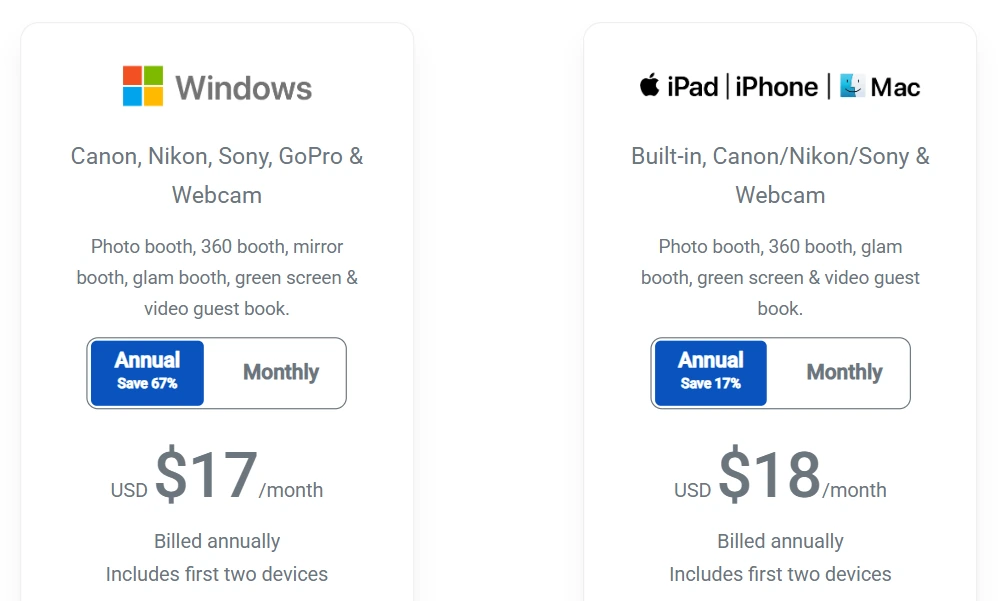
- LumaBooth for Apple - $18/month billed annually (~$216/year) or $19.99/month on the monthly plan. Covers two devices. All booth modes included.
- LumaBooth for Windows - $17/month billed annually (~$204/year) or $49.99/month monthly. Covers two devices.
- Free trial - No time limit, no credit card required. Output carries a watermark until subscription activates. 20 free AI portrait credits on activation.
Notable add-ons: SMS at $10/month, LumaShare at $7.99/month, AI credits from $14.99/month for 150 credits, fotoShare Cloud Plus at $19.99/month.
Use LumaBooth If:
- You’re a first-time operator who wants GIF, boomerang, slow-mo, and 360 available from day one at a flat rate
- You already own a Canon, Nikon, or Sony camera and want to use that hardware without a tier upgrade
- You run personal or casual events and need polished templates you can deploy quickly
- You want to test extensively with a no-time-limit free trial before committing
4. Fiesta — Best All-in-One Ecosystem With Every Capture Format and Built-in Business Tools
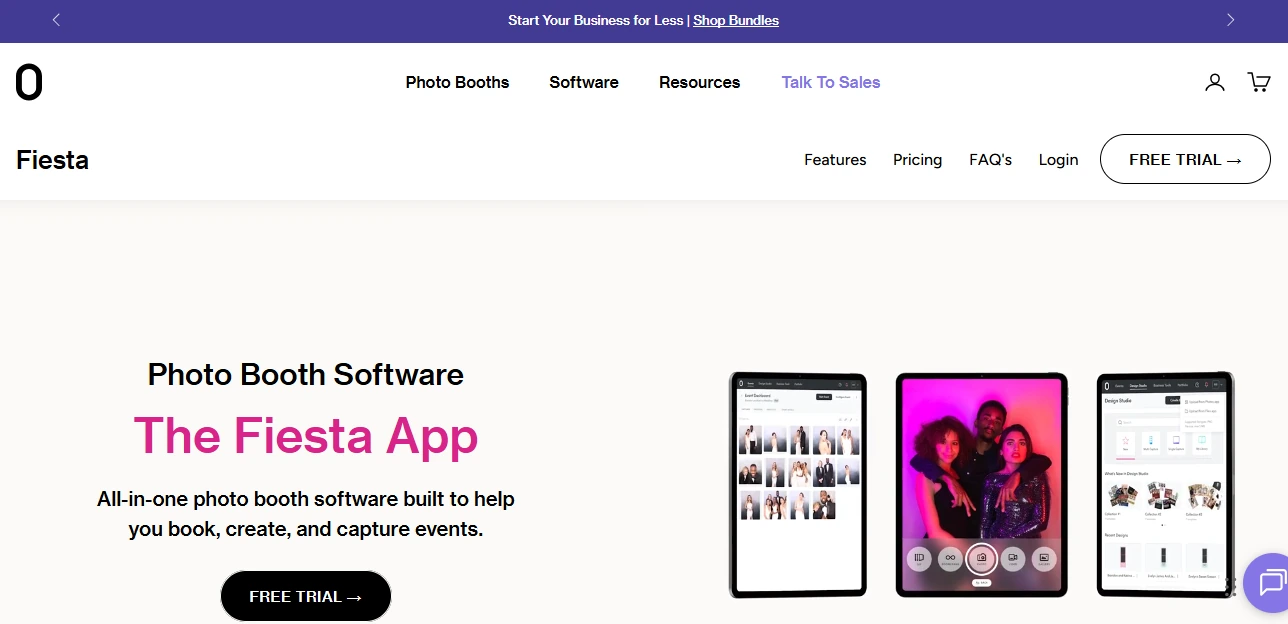
Some operators want a photo booth app. Others want a complete system that handles everything from the first client proposal to the post-event analytics export. Fiesta is built for the second group.
Fiesta is an iOS platform from Photobooth Supply Co. (PBSCO) that combines a capture engine with a built-in design studio, proposal builder, portfolio website, and an education library. One subscription to attract clients, book events, run every capture format, and grow a photo booth business.
| Fiesta Pros | Fiesta Cons |
|---|---|
| - Broadest capture mode library in a single iPad app | - iOS only; no Windows or Android support |
| - Unlimited Sharing Stations bundled in Pro plan | - Slow-motion exclusive to PBSCO’s Guac & Chips DSLR config |
| - Built-in proposal builder, portfolio site, and 100+ business courses | - Business tools are most valuable when paired with PBSCO hardware |
| - Hardware discounts for annual subscribers |
Broadest Capture Format Library in One iPad App
Photos, GIFs, boomerangs, video (up to 120 seconds on Pro), slow-motion, 360 video, multi-capture, AR face masks, green screen, glam filters, and AI background removal are all available within a single app.
Fiesta exports GIF-mode captures as MP4 files rather than .gif format, eliminating the playback failures guests encounter when .gif files hit iOS or social platform restrictions. Boomerangs record at 1-4 seconds with adjustable length.
Source: Fiesta
The May 2026 v1.10.0 update added real-time AI background removal without a physical green screen, reducing venue constraints for GIF and still-photo activations.
Business Development Tools in the Same Subscription
The Proposal Builder lets operators create visual, client-facing quotes with LED lighting previews and photo template samples. A Portfolio website hosts past event galleries and activates the moment a new account is created. Photobooth Academy bundles 100+ pre-recorded courses covering pricing strategy, marketing, operations, and hiring, with live webinars from established operators.
Hardware-Software Integration With PBSCO Booths
Fiesta is designed for PBSCO’s hardware: Salsa 2 ($2,999), Guac & Chips ($7,999), and Tortilla 360 ($3,499). Slow-motion capture runs at 120fps and is exclusive to the Guac & Chips DSLR configuration.
360 video capture controls the Tortilla arm’s rotation count and spin speed directly via Bluetooth. Annual subscribers receive standing hardware discounts (up to $1,000 off a Tortilla, $750 off a Salsa 2) for the life of the subscription.
Fiesta Pricing
Fiesta uses a flat monthly subscription with no per-event charges:
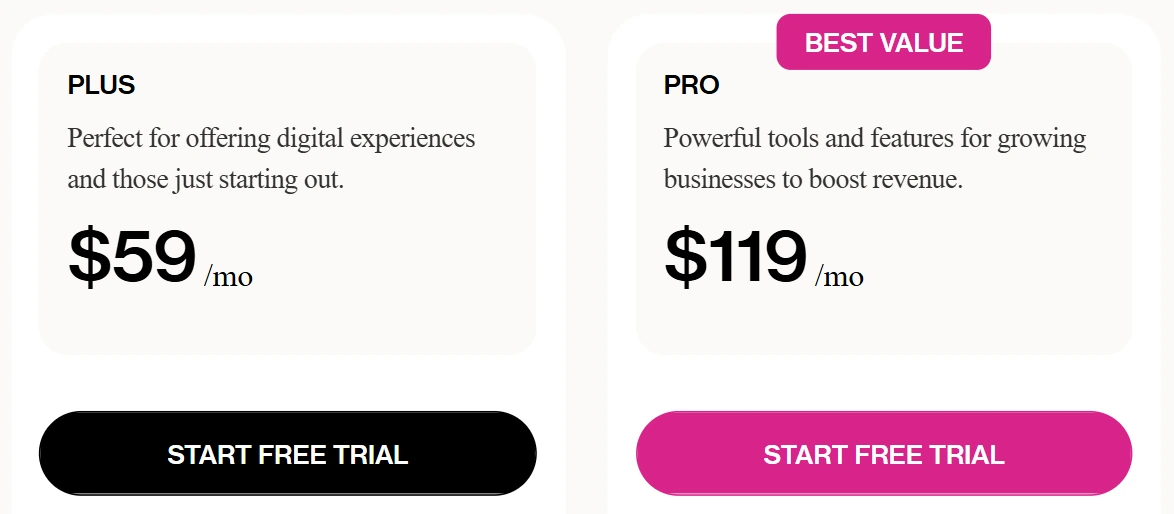
- Plus - $59/month ($49/month billed annually). Unlimited events, photos, GIFs, boomerangs, video up to 15 seconds, AI background removal, virtual booth, Design Studio, Photobooth Academy.
- Pro - $119/month ($99/month billed annually). Everything in Plus, plus 360 capture, slow-motion, green screen, glam filter, unlimited Sharing Stations, advanced analytics, phone support.
A 30-day free trial of full Pro features is available with no credit card required.
Use Fiesta If:
- You run or plan to purchase PBSCO hardware and want paired software
- You need every capture format (GIF, boomerang, 360, slow-mo, virtual) from a single subscription
- You’re building a photo booth business from scratch and want proposals, portfolio, and education bundled in
- You run large events where unlimited Sharing Stations improve guest throughput
5. TouchPix — Best for 360 Video Booth Specialists Who Also Need GIF and Boomerang
Many photo booth operators built their business around 360 spinning-arm booths, only to discover that clients increasingly ask for GIF stations and boomerang options alongside the 360 experience. Managing two separate software platforms for different booth types is inefficient and expensive.
TouchPix merges both under one subscription. It’s a platform built around 360 spinning-arm workflows, with native GoPro integration and Bluetooth trigger automation, that also includes GIF, boomerang, super slow-motion, and AI transformation modes.
TouchPix launched in 2020 and scaled quickly around its 360 specialization, though some operators report reliability concerns (including a recent cloud service outage) and slower media rendering compared to more established platforms.
| TouchPix Pros | TouchPix Cons |
|---|---|
| - 360 Bluetooth trigger automation with GoPro 7-14 support | - Entry-tier PhotoPass excludes boomerang and video |
| - Cross-platform: iOS, Android, macOS, Windows, Linux, Raspberry Pi | - Cloud AI credits are a separate cost; on-device AI is free |
| - Offline AI face replacement and Scanpix 2 sharing | - 6-month media retention; extension costs $69.99/year |
| - Unlimited devices per subscription | - Some users report interface complexity for unattended setups |
360-First Architecture With GIF and Boomerang Built In
The 360 Bluetooth trigger integration automates the spinning-arm activation sequence. Wireless GoPro integration covers models 7 through 13, both wired and wireless, with documented firmware requirements per model. The same license covers Canon, Nikon, and Sony cameras for flat-booth formats.

Source: Touchpix
All six capture modes (still photos, AI photos, animated GIFs, boomerang, video, and super slow-motion) are available within a single application. The Online Designer includes 300+ pre-built design templates for overlays and backgrounds, configurable independently per capture mode and per event.
Cross-Platform Flexibility
TouchPix supports iOS, Android, macOS, Windows, Linux, and Raspberry Pi with unlimited devices per subscription. Many 360 booth enclosures use embedded Windows PCs, and Android tablets cost less than iPads. TouchPix lets operators deploy on whichever hardware fits their setup.
Offline AI and Connectivity-Independent Sharing
AI Face Replacement runs entirely on-device without sending image data to the cloud. Background removal also processes locally. For sharing, Scanpix 2 delivers media via QR code scan with no Wi-Fi required. An offline queue handles cloud uploads and executes them once connectivity returns.
TouchPix Pricing
TouchPix prices by active event slots (simultaneous booth activations), not per device:
- PhotoPass - $439.90/year (~$36.60/month), 2 active events. Includes photos, AI photos, animated GIFs. Excludes boomerang, video, and slow-mo.
- MultiPass - $879.99/year (~$73.30/month), 4 active events. Adds video, slow-mo, and boomerang. Also available at $43.99/week.
- MultiPass Pro - $1,407.99/year, 8 active events. Adds Virtual Booth and Advanced Surveys.
- MultiPass Enterprise - $2,199.99/year, 12 active events. Adds Mosaic and RAW cloud backups.
AI Pro credits for cloud transformations: 100 for $12, 500 for $49, 5,000 for $375. On-device AI is free. A 14-day free trial with no watermarks and no credit card required is available.
Use TouchPix If:
- You operate 360 spinning-arm booths as your primary product and want GIF, boomerang, and AI formats in the same subscription
- You deploy on mixed hardware (Windows PCs, Android tablets, Raspberry Pi) and need one software license across all of them
- You frequently work outdoor events or venues with unreliable internet where offline AI and sharing are requirements
- You run up to 12 simultaneous active events and want predictable annual costs without per-event fees
6. Booth.Events — Best Free Starting Point for Testing Animated Capture Before Committing
Buying photo booth software before you know whether photo booths will work for your business is a gamble. Most “free trials” either lock animated formats behind paid tiers or expire in a few days, neither of which gives a genuine evaluation.
Booth.Events takes a different approach. New accounts get three fully functional events at no cost with no credit card required, and all animated capture formats (GIF, boomerang, and slow-motion) are available at the free tier.
| Booth.Events Pros | Booth.Events Cons |
|---|---|
| - Three free events with full GIF, boomerang, and slow-mo capture | - Free events carry a persistent watermark |
| - Canon, Nikon, Sony DSLR tethering on all paid plans | - Gallery expires after 7 days on free tier (100-photo cap) |
| - Built-in GDPR consent screens configurable per event | - SMS limited to North America on free tier |
| - 4.8-star App Store rating from 897 reviews |
Genuinely Free Animated Capture
Booth.Events’ permanent free tier provides three events with full GIF, boomerang, and slow-motion capture. The 7-day gallery window per free event is enough to run an actual client event, collect guest photos, and share the gallery. Free events carry a persistent Booth.Events watermark, but the capture formats themselves are unconstrained.
DSLR Access Across the Entire Paid Plan Range
DSLR and mirrorless USB tethering for Canon, Nikon, and Sony cameras is included on all paid plans, from Basic upward. No camera-access tier, no add-on fee. GoPro Hero Black Series 9+ is also supported. GIFs and boomerangs built from DSLR frames deliver noticeably better quality than iPad-camera output, and accessing that quality doesn’t require the top-tier plan.
Custom Overlays and Built-in GDPR Compliance
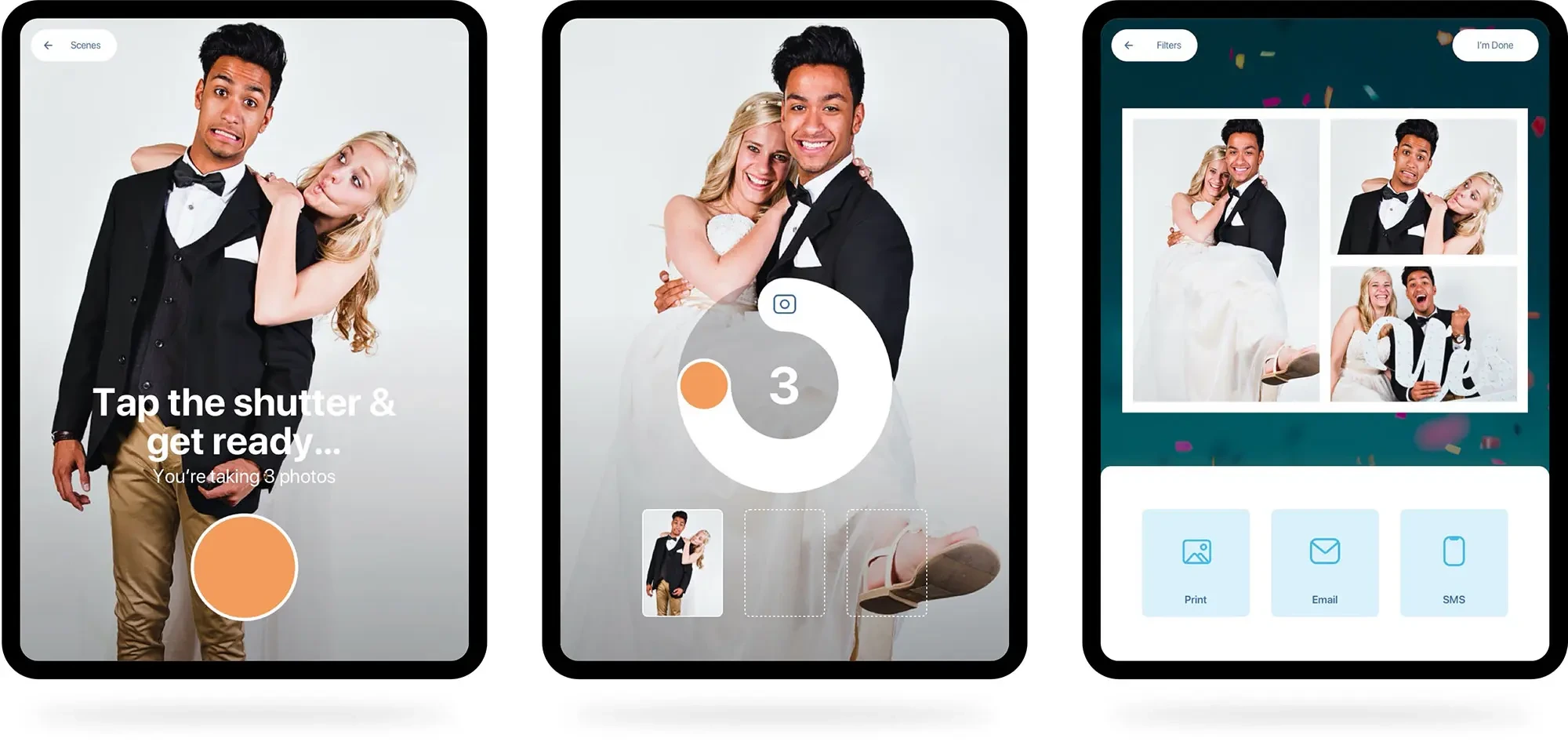
The template system embeds custom branded overlays and digital props directly into GIF and boomerang output at capture. Overlays work offline since AI subject detection and scene compositing run on-device.
Customizable consent screens activate before each capture session, with per-event configuration, external privacy policy links, and required-field blocking. For European events or brand activations with data privacy requirements, this compliance tool is built in, not bolted on.
Source: Booth.Events
Booth.Events Pricing
- Starter (Free) - 3 events, no credit card. Full GIF, boomerang, slow-mo. Watermark on output; 7-day gallery; 100-photo cap per event.
- Basic - 1 iPad or 1 iPhone. 3-month gallery. Canon/Nikon/Sony DSLR tethering included. SMS: USA + 4 countries.
- Pro - 1 iPad + unlimited iPhones. 1-year gallery. Custom HTML microsites, worldwide SMS.
- Pro+ - 4 iPads + unlimited iPhones. 2-year gallery. Custom domain, white-label app, webhooks, emergency phone support. AI Portraits access (beta).
- Non-subscription options - 1 Week Pass (Basic-level) and 4x Pro Event Credits (non-expiring, full Pro features per event).
All paid plans include a 14-day free trial. AI credits at $8 USD per 100 credits.
Use Booth.Events If:
- You want to evaluate real animated capture events at zero cost before committing to any subscription
- You own a Canon, Nikon, or Sony DSLR and don’t want to pay for a premium tier just to connect it
- Your events require GDPR-compliant consent screens configurable per event
- You’re testing both 360 spinner and traditional animated capture and want one platform covering both
7. dslrBooth (LumaBooth for Windows) — Best for Windows Operators With Existing Camera Gear
Every other app on this list runs primarily on iPad or iPhone. For operators who already own a Windows laptop and a DSLR camera from their photography business, purchasing an iPad and its accessories just to run photo booth software is an unnecessary cost.
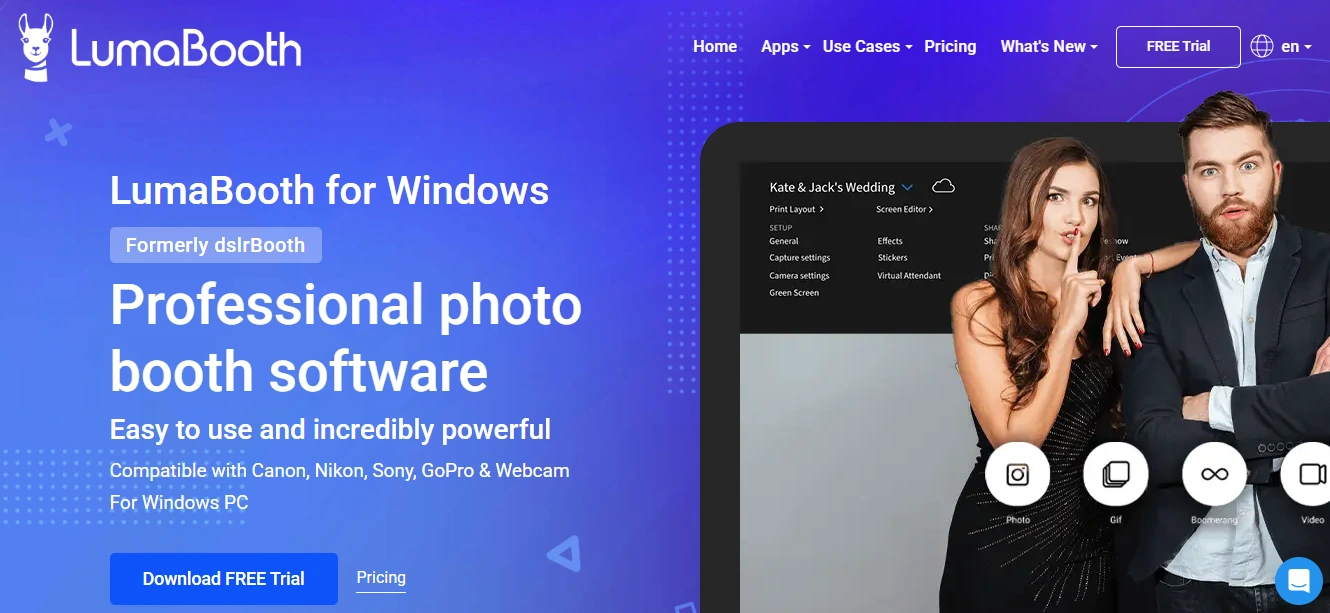
dslrBooth, now officially rebranded as LumaBooth for Windows since March 2026, is built natively for Windows PCs. It gives operators GIF, boomerang, slow-mo, 360, and video capture while supporting the widest range of camera hardware of any app on this list.
| dslrBooth Pros | dslrBooth Cons |
|---|---|
| - Only Windows-native app on this list with full animated format support | - Windows only (Apple version is the separate LumaBooth product) |
| - Widest camera compatibility: Canon, Nikon, Sony, GoPro 5-11, webcams | - SMS and AI portraits are paid add-ons |
| - Custom LUT import for consistent color grading across sessions | - Monthly plan ($49.99) is significantly more expensive than annual ($17/month) |
| - Cashless pay-per-print via QR code (Google Pay, Apple Pay, PayPal) |
Windows-Native With Full Animated Format Support
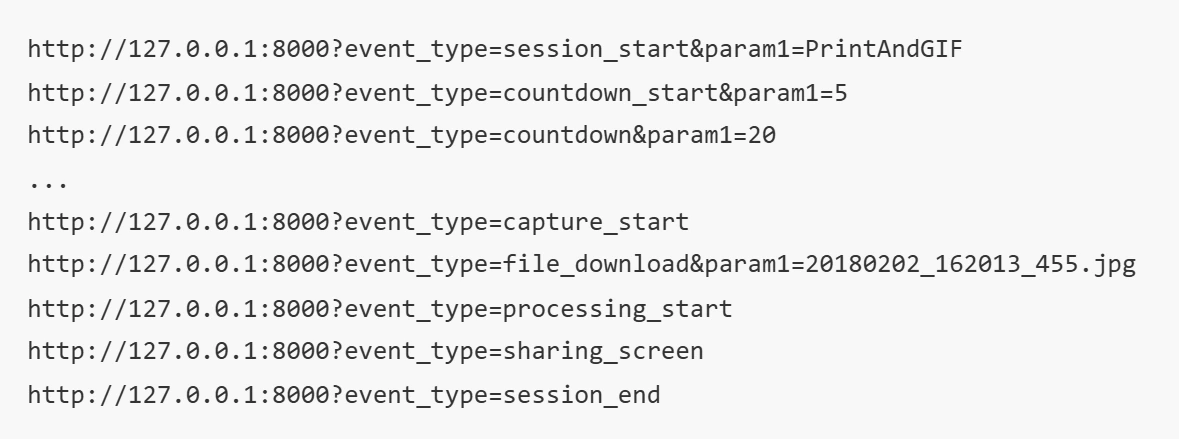
Windows PCs support USB tethering for Canon and Nikon cameras at a deeper level than iOS, giving operators full live view control and manual camera settings. The webhook and API layer enables synchronous peripheral triggering with booth countdowns, firing external strobes or LED rings at precisely the right moment.
Source: dslrBooth
Widest Camera Compatibility
The supported camera list covers Canon Rebel-series through EOS R5/R6/R7, Nikon D-series through Z9, Sony mirrorless bodies, GoPro Hero 5-11, and standard webcams. For photographers who already own Nikon or Sony bodies, most iPad-based apps either don’t support these brands or offer limited compatibility. For 360 booth operators, GoPro support is native and documented.
Custom LUT Import for Professional Color Consistency
Custom LUT support lets operators import color grading profiles from their photography workflow and apply them to every photo, GIF, and boomerang. For studios with a signature editing style, this means animated output matches the rest of their deliverables rather than arriving with default in-app filters. The custom LUT filter support works alongside the included 820+ template library.
dslrBooth Pricing
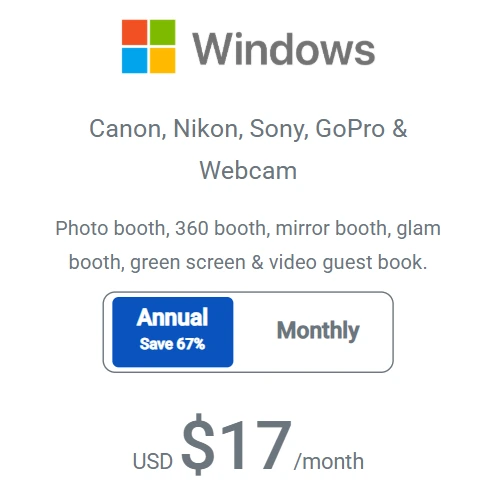
- Annual plan - $17/month billed yearly (~$204/year). Covers two devices. All booth modes included.
- Monthly plan - $49.99/month. Same features, no annual commitment.
- Free trial - No time limit, no credit card required. Watermark on all output until subscription activates.
Add-ons: SMS at $10/month, LumaShare at $7.99/month, AI credits from $14.99/month for 150 credits, fotoShare Cloud Plus at $19.99/month. Additional devices via vouchers at $199.99.
Use dslrBooth If:
- You already run a Windows laptop at events and don’t want to purchase iPad hardware
- You own a Nikon, Sony, or GoPro camera and need native USB tethering, which most iPad apps don’t offer
- You want to monetize booth sessions directly with built-in cashless payments via Google Pay, Apple Pay, Amazon Pay, and PayPal
- You have an established color grading style and need consistent animated output across sessions
Final Verdict
Each platform on this list handles GIF and boomerang capture well, but for different operator profiles and business models. Here are our top recommendations:
- Simple Booth: If you want consistently professional animated output backed by integrated ring-light hardware, a layout designer, and built-in lead capture and analytics for marketing-driven deployments. Start your free trial with Simple Booth.
- Snappic: If you’re running a multi-booth, multi-venue operation and need fleet monitoring, three AI engines, demographic analytics, and white-label infrastructure to serve brand activation clients.
- LumaBooth: If you’re a beginner or part-time operator who wants every animated format at the lowest flat monthly rate, with DSLR support and a no-time-limit free trial to test thoroughly before committing.
- Fiesta: If you want a single subscription covering every capture format plus business development tools (proposals, portfolio, education) and integration with PBSCO’s hardware ecosystem.
- TouchPix: If your primary business is 360 spinning-arm booths and you need GIF, boomerang, and AI formats in the same subscription with cross-platform deployment and offline capability.
- Booth.Events: If you want to test real animated capture events at zero cost before committing, with DSLR access on every paid plan and built-in GDPR compliance.
- dslrBooth: If you operate on Windows hardware with existing Canon, Nikon, Sony, or GoPro gear and want the broadest camera compatibility with professional color grading control.
Best Photo Booth Apps With GIF and Boomerang Support FAQ
Which photo booth app produces the best quality GIF and boomerang output?
Simple Booth delivers the most consistently professional animated output thanks to its integrated HALO ring-light hardware, which produces 2,100 lumens from 112 LEDs for even, flattering illumination. Combined with AI background replacement, DSLR-style bokeh, and the Layout Designer for branded overlays, the animated output is studio-grade regardless of venue lighting.
Snappic’s three-engine AI suite also produces strong results, particularly for operators who want AI-transformed animated files.
Is there a free photo booth app with GIF and boomerang support?
Booth.Events offers three fully functional events at no cost with no credit card required, including GIF, boomerang, and slow-motion capture. Output carries a watermark on free events, but the animated formats themselves are unconstrained. LumaBooth and dslrBooth also offer unlimited free trials with full feature access (watermark-only restriction).
Can I use my existing DSLR camera with these photo booth apps?
Yes, but compatibility varies. LumaBooth and dslrBooth support Canon, Nikon, and Sony cameras on all subscription tiers. Booth.Events includes DSLR tethering on every paid plan.
Simple Booth supports Canon DSLR and mirrorless cameras on Core and above. TouchPix supports Canon, Nikon, Sony, and GoPro. Check each platform’s supported camera list for your specific model, and note that Sony cameras cannot capture boomerang or video on some platforms.
Which photo booth app is best for running multiple booths at multiple venues?
Snappic is built for this scenario. Its LiveConnect feature provides browser-based remote monitoring and control of every active booth, Event Codes let staff launch pre-configured events by typing a short code, and the Scale plan adds unlimited sub-accounts and a fully unbranded Grey Label App.
Simple Booth also supports multi-device management with remote preset sync, though its fleet tools are designed more for remote configuration than real-time monitoring.
How much do photo booth apps with GIF and boomerang support cost?
Entry-level pricing ranges widely. LumaBooth starts at $17-18/month (annual billing) with all animated formats included. Simple Booth starts at $14.99/week for Lite (with ads) or $24.99/week for Core.
Fiesta starts at $49/month (annual). TouchPix’s MultiPass tier (the lowest with boomerang support) runs $879.99/year. Snappic starts at $69/month. Most platforms charge additional fees for AI effects, SMS delivery, and extra device licenses.
Do these apps work without internet at an event?
Simple Booth’s HALO app queues sessions in offline mode and delivers them when connectivity returns. TouchPix runs AI face replacement and background removal entirely on-device and uses Scanpix 2 for QR-code sharing with no Wi-Fi required.
Booth.Events runs overlays and scene compositing offline on the iPad. Snappic’s Photo Glam filter works offline for real-time skin smoothing. Cloud-dependent features like AI transformations and SMS delivery require connectivity on all platforms.
What is the difference between a GIF and a boomerang in photo booth apps?
A GIF captures a sequence of still photos and loops them continuously in one direction. A boomerang records a short video clip (typically 1-4 seconds) and plays it forward then backward in a loop, creating the back-and-forth motion effect popularized by Instagram.
Most modern photo booth apps deliver both formats as MP4 or similar video files rather than traditional .gif format, ensuring smooth playback across all devices and social platforms.
Which photo booth app is best for brand activations and marketing events?
Simple Booth is positioned for marketing teams, offering lead capture with 87-89% opt-in rates, social sharing analytics, branded galleries with Live Feed display, and a Virtual Booth product for hybrid or remote activations.
Snappic adds demographic analytics via AVA, FaceMatch guest photo retrieval, and white-labeled deliverables for post-event client reporting. Both platforms treat the photo booth as a data capture and marketing tool, not just entertainment.
Keep reading
 Best Of
7 Best Photo Booth Software with Video Message and Slo-Mo Capture [2026]
Booths that capture heartfelt video notes and buttery slo-mo. The moving stuff.
 Best Of
6 Best Photo Booth Software With QR Code Sharing [August 2026]
Booths that beam every snap to a phone with a quick scan. QR sharing done right.
 Best Of
7 Best Photo Booth Software With Real-Time Analytics and Dashboards [August 2026]
Booths that show the numbers as the party happens. Live dashboards, real insight.