7 Best Photo Booth Platforms for White-Labeling and Brand Customization [July 2026]

7 Best Photo Booth Platforms for White-Labeling and Brand Customization [2026]
When every photo a guest shares carries another company’s logo, you are building someone else’s brand at your event.
For photo booth operators, event agencies, and marketing teams, white-labeling and brand customization separate a branded experience from a generic novelty.
The right platform lets you control every touchpoint: the attract screen guests see when they approach, the overlays on their photos, the gallery they browse after the event, and the email that delivers their images. The wrong one leaves your software provider’s name where your client’s brand should be.
We researched the leading photo booth platforms to help you find the best fit for your white-labeling and brand customization needs.
We tested each platform’s customization depth, evaluated their pricing, and shortlisted the best options for specific use cases:
- Running a fully branded photo booth with integrated hardware and software
- Managing enterprise activations with vendor-built custom experiences
- Operating Windows DSLR rigs with broad hardware flexibility
- Customizing every guest-facing screen at the lowest monthly cost
- Testing a white-label setup before committing financially
- Leading with cinematic video and AR branded experiences
- Deploying AI-driven photo activations across any device
Here is a summary of these platforms in 2026.
| Best Photo Booth Platforms for White-Labeling | ||
|---|---|---|
![7 Best Photo Booth Platforms for White-Labeling and Brand Customization [July 2026]](/content/best-photo-booth-platforms-for-white-labeling-and-brand-customization/image1.webp) | Simple Booth Best for operators and brands who want an integrated photo booth system with in-app design tools and AI-powered brand experiences. | |
![7 Best Photo Booth Platforms for White-Labeling and Brand Customization [July 2026]](/content/best-photo-booth-platforms-for-white-labeling-and-brand-customization/image2.webp) | Snapbar Best for enterprise brands and agencies needing a fully managed, vendor-built white-label marketing platform. | |
![7 Best Photo Booth Platforms for White-Labeling and Brand Customization [July 2026]](/content/best-photo-booth-platforms-for-white-labeling-and-brand-customization/image3.webp) | Darkroom Booth Best for Windows-based operators running attended events with professional DSLR hardware and complex physical setups. | |
![7 Best Photo Booth Platforms for White-Labeling and Brand Customization [July 2026]](/content/best-photo-booth-platforms-for-white-labeling-and-brand-customization/image4.webp) | LumaBooth for Windows Best for Windows DSLR operators who need complete brand customization across every guest-facing screen at the lowest monthly cost. | |
![7 Best Photo Booth Platforms for White-Labeling and Brand Customization [July 2026]](/content/best-photo-booth-platforms-for-white-labeling-and-brand-customization/image5.webp) | Booth.Events Best for operators who want to test a full white-label photo booth setup with zero financial risk before committing. | |
![7 Best Photo Booth Platforms for White-Labeling and Brand Customization [July 2026]](/content/best-photo-booth-platforms-for-white-labeling-and-brand-customization/image6.webp) | Curator Live Best for rental operators who lead with cinematic video, 360 activations, and AR branded experiences. | |
![7 Best Photo Booth Platforms for White-Labeling and Brand Customization [July 2026]](/content/best-photo-booth-platforms-for-white-labeling-and-brand-customization/image7.webp) | Pictor Best for operators who want AI-driven photo and video experiences with cross-platform hardware support including Android. | |
What Is White-Labeling in Photo Booth Software?
White-labeling in the photo booth industry means removing the software provider’s branding from every surface a guest or client sees and replacing it with your own brand identity.
At its most basic, this means swapping out logos on print templates. At its most advanced, it means controlling the start screen, countdown interface, photo layouts, sharing pages, gallery URLs, and email delivery design under a single brand.
Brand customization goes further. It means designing the full visual identity of the booth experience: custom overlays, color schemes, fonts, photo layouts, digital props, and gallery pages that look like the brand’s own design team built them.
For rental operators, white-labeling signals professionalism and justifies higher pricing. For brand marketers, it ensures every piece of user-generated content carries the brand. For agencies, it enables a reseller model where each client’s activation looks entirely custom.
How to Choose the Best Photo Booth Platform for White-Labeling
Here is a short checklist to help you find the right platform:
- Customization Depth: Does the platform let you brand just the photo overlay, or every screen the guest interacts with? The best platforms cover start screens, countdowns, sharing interfaces, galleries, and delivery emails.
- Design Workflow: Can you create branded templates inside the platform, or do you need external design software like Photoshop? In-app design tools save time and reduce errors at the event.
- Gallery and Delivery Branding: When guests receive their photos, does the gallery URL and email reflect your brand or the software provider’s? Custom domains and branded emails matter for agencies and corporate activations.
- Hardware Flexibility: Does the platform support your existing equipment (iPad, DSLR, Windows PC, Android), or does it require specific proprietary hardware?
- Scalability: Can you manage multiple branded presets and booth setups remotely, or do you need to configure each device on-site?
- Pricing vs. Customization Tier: Most platforms gate white-label features behind higher pricing tiers. Understand which plan unlocks the branding depth your business needs.
How We Picked the Platforms
We started by identifying the most-used photo booth platforms among professional operators, then tested each one’s white-labeling and brand customization capabilities through demos, free trials, documentation reviews, and hands-on setup.
We evaluated platforms on four criteria:
- Branding Depth: How many guest-facing touchpoints can you customize with client branding?
- Ease of Customization: How quickly can an operator build a fully branded event preset?
- Hardware Compatibility: Does the platform work with the devices and cameras operators already own?
- Value for Money: What level of customization do you get relative to the subscription cost?
By focusing on these factors, we narrowed the field to seven platforms that cover the most common use cases for white-labeled photo booth experiences.
1. Simple Booth: Best for Branded Photo Booth Experiences with Integrated Hardware and In-App Design Tools
Simple Booth is a photo booth platform that pairs a subscription-based iPad app with proprietary HALO ring-light hardware and a browser-based Virtual Booth product. Founded in 2012, it serves 30,000+ customers with a 4.7-star App Store rating from 2,400+ ratings. Its core capabilities include:
- A Layout Designer for creating branded photo templates with layers, fonts, gradients, and logo placement inside the app or web dashboard
- Custom branding across every guest-facing screen: start screen, countdown, capture, sharing page, and online gallery
- AI Effects that composite AI transformations with brand overlays
- Virtual Booth for branded photo experiences accessible from any browser
- Lead capture with opt-in rates as high as 87%, gallery customization, and analytics reporting
- Remote multi-device management via the online dashboard, with preset changes syncing without exiting booth mode
| Simple Booth Pros | Simple Booth Cons |
|---|---|
| - In-app Layout Designer eliminates need for external design software | - iPad-only hardware dependency (no Android or Windows support) |
| - HALO ring-light hardware with sub-one-minute setup | - Custom branding requires Plus plan ($49.99/week) or higher |
| - AI effects with brand overlay integration | - AI credits cost $0.10 each beyond plan bonuses |
| - 4.7-star App Store rating from 2,400+ ratings | |
| - Offline mode queues sessions for delivery when connectivity returns |
Why Choose Simple Booth for White-Labeling and Brand Customization?
Brands including Live Nation, Sports Illustrated Tickets, and Gibson Brands have used Simple Booth for high-profile activations. Here is why it tops our list for brand customization.
Layout Designer: Design Branded Templates Without Leaving the Platform
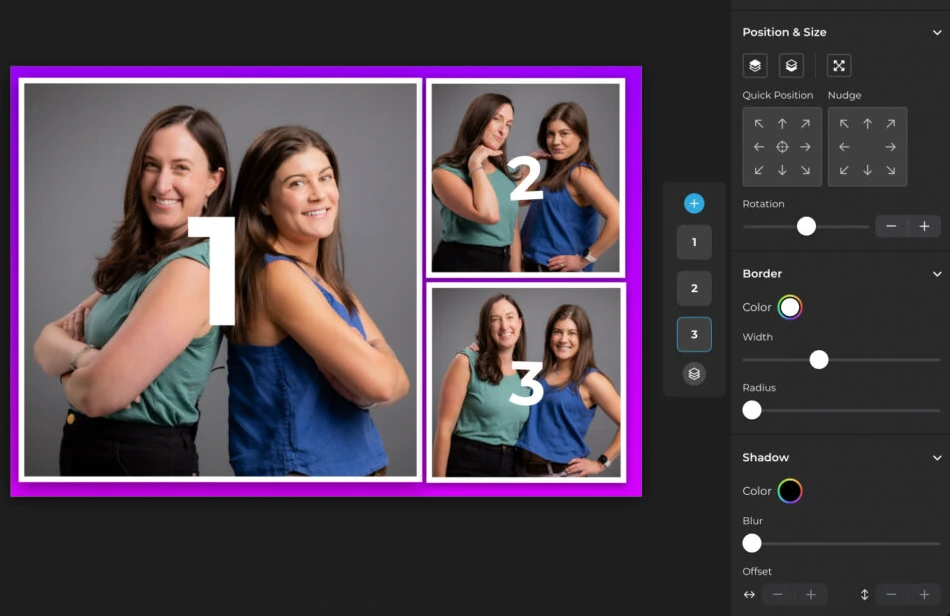
The Layout Designer, introduced in HALO 5.0, is an in-app design tool with photo placement layers, text with custom font, color, alignment, and shadow options, background gradients, logo and overlay positioning, and QR code embedding. Operators can build multiple layout options per event, each with its own motion type (still, GIF, boomerang), and access 60+ themes and 100+ digital props.
Source: Simple Booth
What this means for white-labeling: operators no longer need Photoshop or Canva to produce branded templates. The design workflow stays inside the same platform that runs the booth, which reduces mismatched files or last-minute design errors at the event. Simple Booth calls it “the most powerful design tool in the photo booth industry.”
Brand Customization Across Every Guest Touchpoint

On Plus plans and above, operators control custom start screens, branded overlays, custom digital props and stickers, guest-editable text layers (where participants type names or captions directly onto their photo), and custom photo delivery messages. Galleries are configurable with custom hashtags, color themes, header images, interstitial ads, and header links to external URLs.
For social sharing, the platform pre-populates event hashtags on Twitter and Facebook and reformats incompatible layouts into Instagram-compatible files, reducing friction between booth capture and branded social posts.
Source: Simple Booth
All branding features work across capture formats: overlays, filters, and custom layouts apply consistently whether guests capture stills, GIFs, video, or boomerangs, and function reliably in offline mode.
Deep Eddy Vodka generated 14,000 social posts through Simple Booth activations, turning event guests into brand ambassadors across social channels. (Deep Eddy Vodka Case Study)
AI Effects with Native Brand Integration
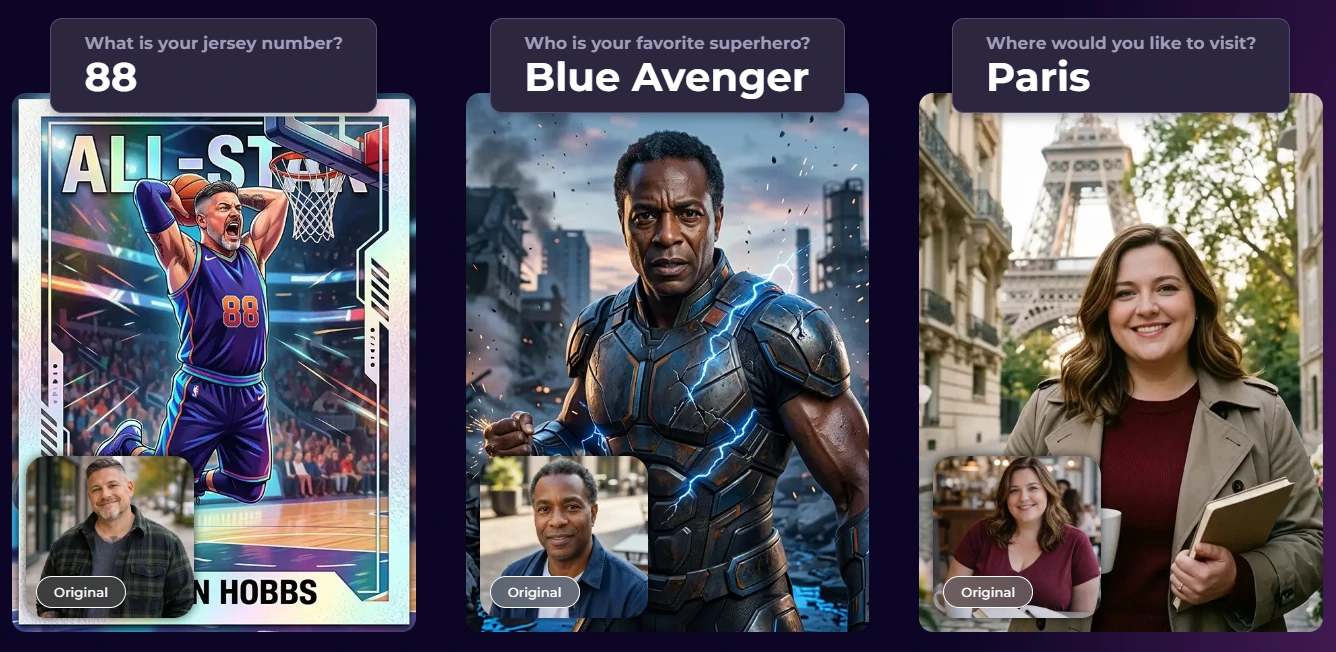
Simple Booth’s AI Photo Booth transforms guest photos using text prompts while preserving identity and likeness automatically. The advantage for branding: AI outputs are composited with the Layout Designer’s brand overlays, so logos, frames, and graphic layers apply on top of AI-generated photos in one step.
Source: Simple Booth
Operators can assign unique AI prompts to individual frames in multi-frame layouts, enabling branded narrative strips. Guest Input AI Effects let participants answer questions that feed into the AI prompt, producing personalized outputs while the operator controls the prompt structure. Testing prompts outside booth mode costs zero credits, so operators can iterate freely before the event.
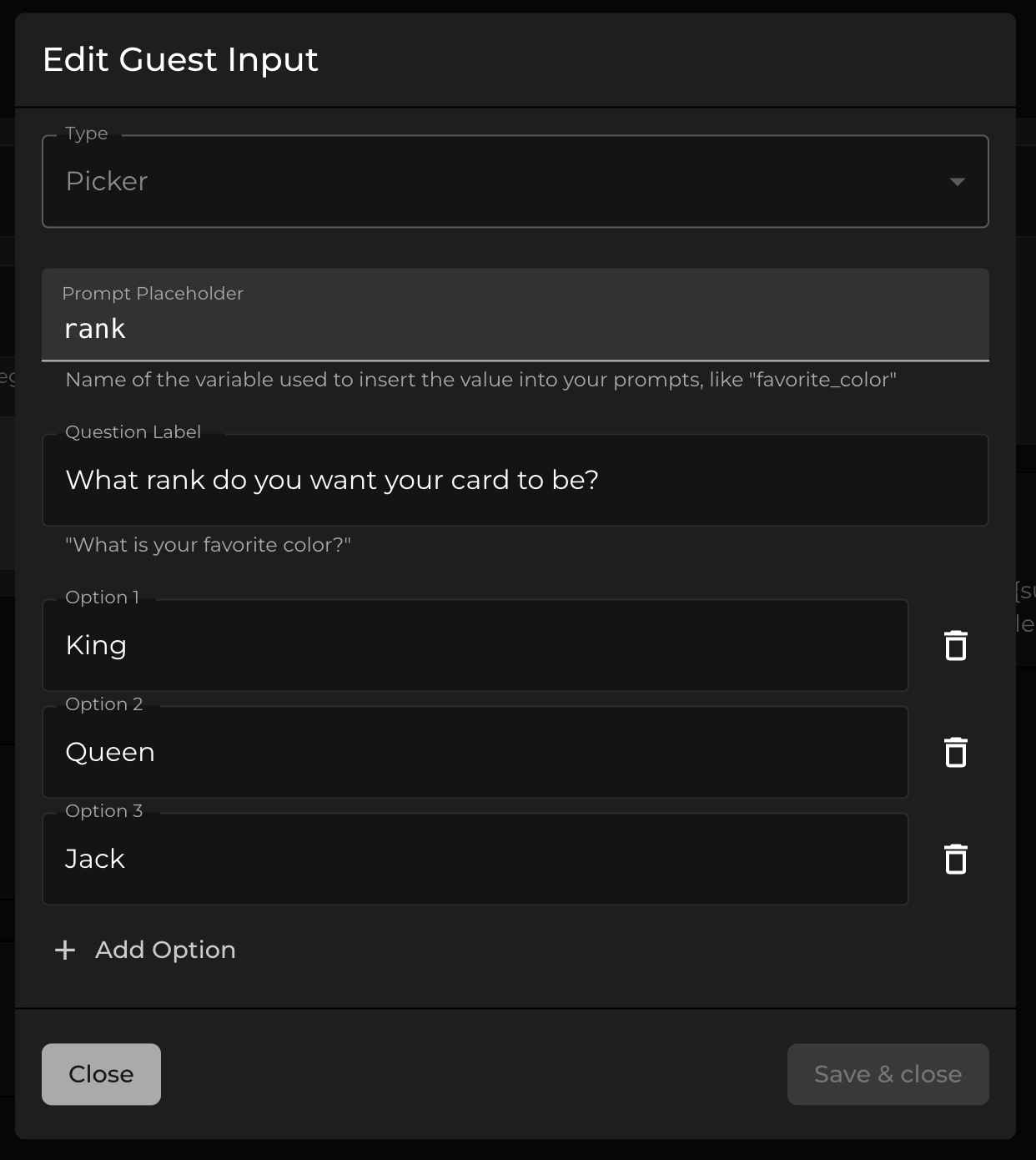
Source: Simple Booth
Lead Capture and Marketing Tools
The platform captures first-party data with opt-in rates as high as 87-89% during the natural photo-sharing flow. Data exports as CSV, integrates natively with MailChimp, and supports custom CRM delivery via the Open API on Pro plans and above.
Source: Simple Booth
On the Select tier, face detection analytics report age estimates, gender breakdowns, and average group size for marketers who need audience composition data from activations.
Treetop Golf captured 150,000 unique email addresses across its locations using Simple Booth’s built-in lead capture. (Treetop Golf Case Study)
Simple Booth Pricing
Simple Booth uses a per-license subscription model with weekly, monthly, and yearly billing. Custom branding starts at the Plus tier:
- Lite at $14.99/week: custom layouts, photo delivery, galleries. Excludes custom branding (ads shown in app).
- Core at $24.99/week: removes ads, adds DSLR camera support, video, background replacement, Virtual Booth, and AI effects.
- Plus at $49.99/week: adds custom branding, custom delivery messages, analytics, guest-editable text, and custom AI effects.
- Pro at $149/month ($1,490/year): adds lead capture, API integration, phone support, moderation, and age gate.
- Select at $249/month ($2,490/year): adds custom legal terms, demographic analytics, and security questionnaire support.
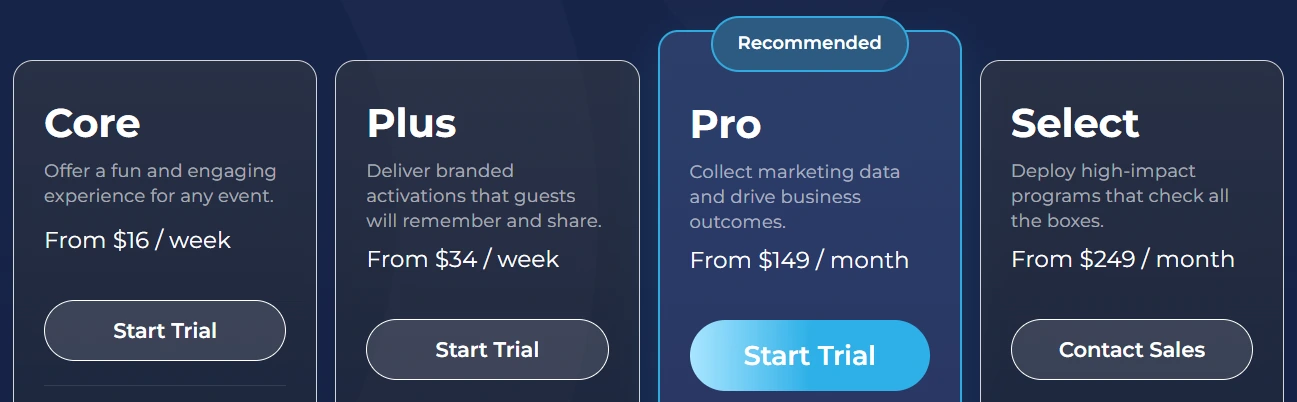
AI credits cost $0.10 each beyond plan bonus credits. HALO hardware kits are sold separately, with 0% financing available. A 7-day free trial is available with 25 free AI credits.
Use Simple Booth If:
- You want an integrated system where hardware, software, and design tools come from one vendor
- You need an in-app design tool to create branded templates without external design software
- You serve brand marketers who need lead capture alongside branded photo experiences
- You want AI photo effects that composite with your brand overlays
- You run unattended or drop-off events where the booth interface needs to be intuitive enough for guests to use without an attendant
- You need remote management for multi-booth operations with presets that sync across devices
G7 Entertainment Marketing has used Simple Booth for over 10 years, capturing 136,000+ fan interactions and calling themselves “big Simple Booth believers.” (G7 Entertainment Marketing Case Study)
2. Snapbar: Best for Enterprise Brands Needing a Fully Managed White-Label Marketing Platform
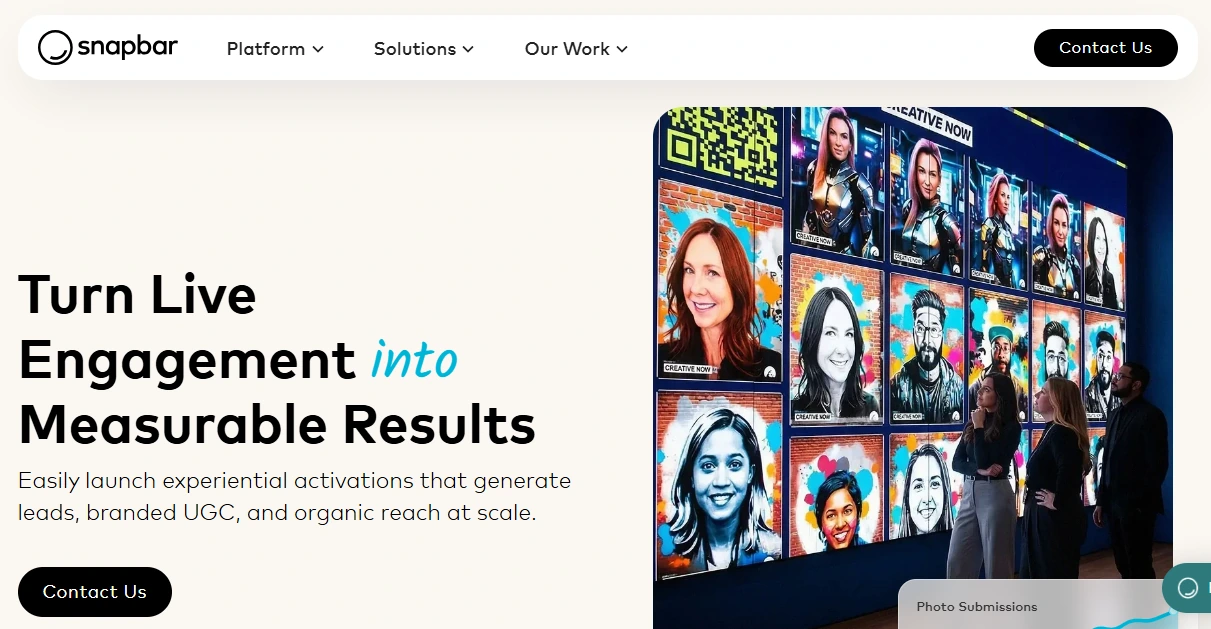
Snapbar is an experiential marketing platform that builds branded photo and video activations for enterprise clients and agencies.
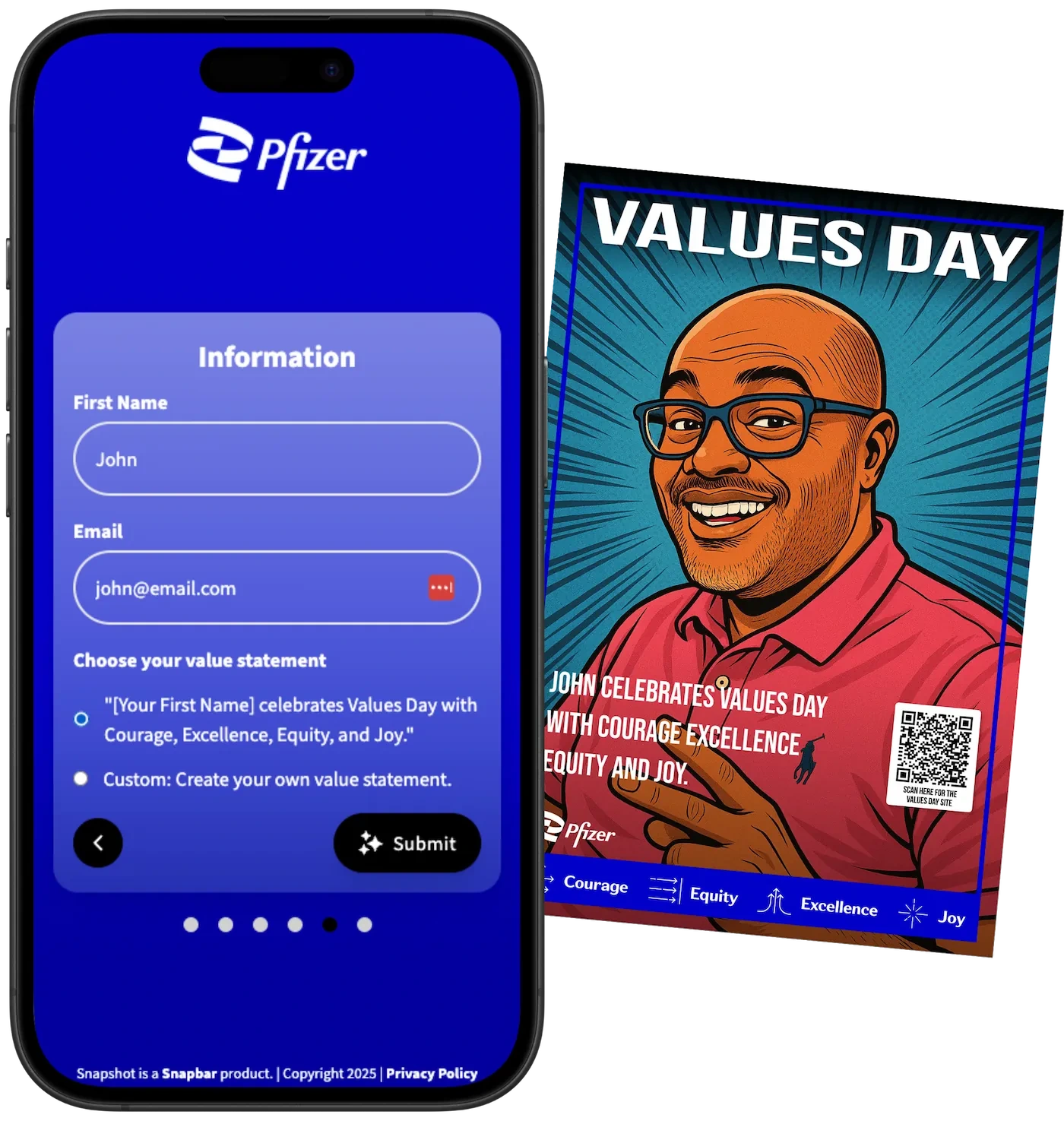
Founded in 2012 and now serving 10,000+ brands, Snapbar operates as a managed service rather than self-service software: their design team builds every touchpoint per activation, including branded microsites, AI transformation styles, and email delivery templates, all matching the client’s visual identity. Its key capabilities include:
- Custom white-label experience design with no Snapbar branding visible to attendees
- Browser-based deployment on any device (no app download or proprietary hardware required), scalable from 50 to 50,000+ attendees
- AI experience types: AI Photo Booth, AI Video, AI Stories, Persona Quiz, Trading Cards, and Event Headshots
- 95% email open rates on content delivery with CRM-ready CSV export to Salesforce, HubSpot, and Marketo
- Real-time content moderation and stakeholder reporting with shareable PDF and URL outputs
| Snapbar Pros | Snapbar Cons |
|---|---|
| - Every activation is custom-built to the client’s brand | - Not a self-service platform; requires vendor involvement |
| - Browser-based with no app installs or proprietary hardware | - No published pricing; all quotes are custom |
| - Validated at 25,000+ attendee scale | - No free trial or freemium tier |
| - Lead capture embedded in the creative flow | - Higher starting cost than self-serve competitors |
Why Choose Snapbar for White-Label Brand Experiences?
Fully Managed White-Label Service. Snapbar’s team designs and delivers the entire experience. Clients including Visa, Adobe, Netflix, Dell, and Paramount have run activations through the platform. Experiential agencies such as Jack Morton, Sparks, and Opus use Snapbar for client work.
For enterprise brand teams that need a vendor to control activation quality, the managed model eliminates configuration overhead. For operators who want independent control, this model is a mismatch.
Browser-Based Architecture at Scale. The entire guest experience runs in any web browser on any device.
Firewall whitelisting guides and recommended network speeds are included in the documentation, showing the platform accounts for enterprise IT constraints.
AI Content Tied to Lead Capture. Each experience type routes attendees through a lead form built into the creative flow, not bolted on as a separate step. Content delivery emails achieve a 95% open rate because guests are actively waiting for their personalized result. Lead data exports in CRM-ready CSV format directly importable into Salesforce, HubSpot, or Marketo.
Source: Snapbar
Snapbar Pricing
Snapbar does not publish fixed pricing. The company uses a per-activation quote model based on experience type, attendee volume, and complexity. All commercial terms are individually negotiated. Snapbar acknowledges that their starting cost is higher than self-serve competitors. No free trial or self-service access is offered; a demo is available on request.
Use Snapbar If:
- You run mid-to-large corporate events (500 to 50,000+ attendees) and need a vendor to design and deliver a fully custom branded activation
- You are an experiential agency managing multi-activation programs where brand execution quality and post-event reporting are non-negotiable
- Your corporate IT environment requires browser-based access with no app installs and firewall-compatible infrastructure
- You need AI experience types built to your brand’s visual identity, not a shared filter library
3. Darkroom Booth: Best for Windows Operators Running Attended Events with Complex Hardware Setups
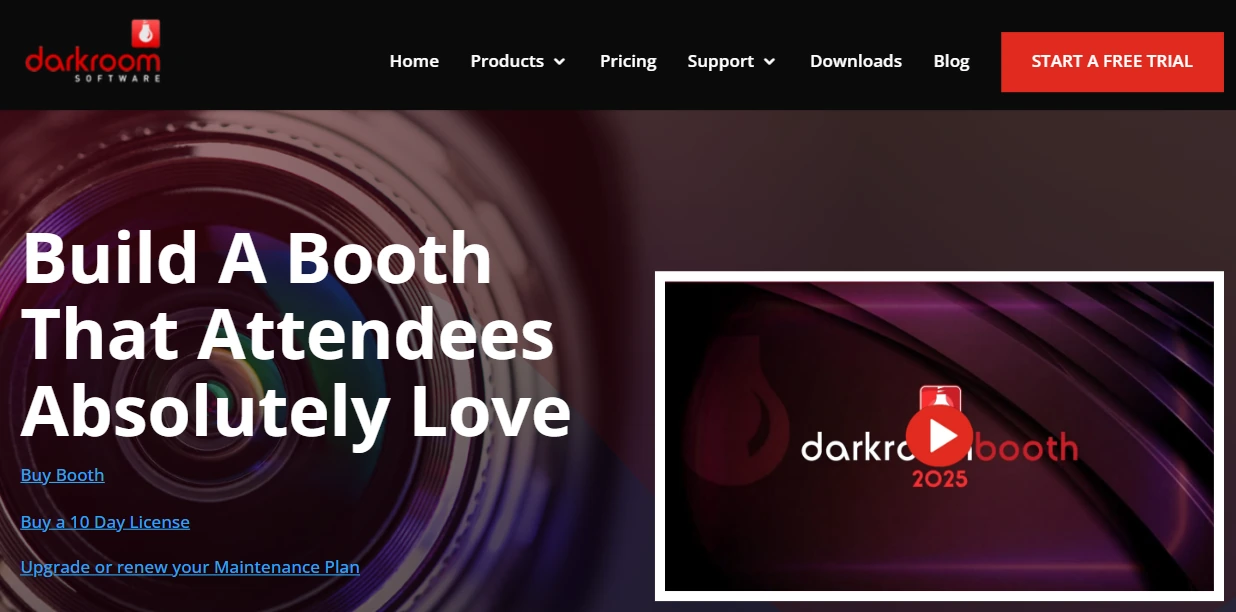
Darkroom Booth is Windows-native photo booth software built by Darkroom Software, LLC, a family-owned company with professional photography roots going back to 1992. It gives operators running attended events, traditional DSLR rigs, and mirror booth configurations the broadest hardware compatibility in a single perpetual-license application. Its key capabilities include:
- Full tethered camera support across Canon EOS, Nikon DSLR/mirrorless, GoPro, and Windows-compatible webcams
- Native support for bill acceptors, coin-op mechanisms, arcade buttons, and Phidget-based peripheral controls
- 75+ built-in templates with a drag-and-drop editor, plus a third-party template marketplace at DarkroomTemplates.com

- AI-powered photo experiences including generative backgrounds, face swap, AI custom shirts, and AI lenticular prints
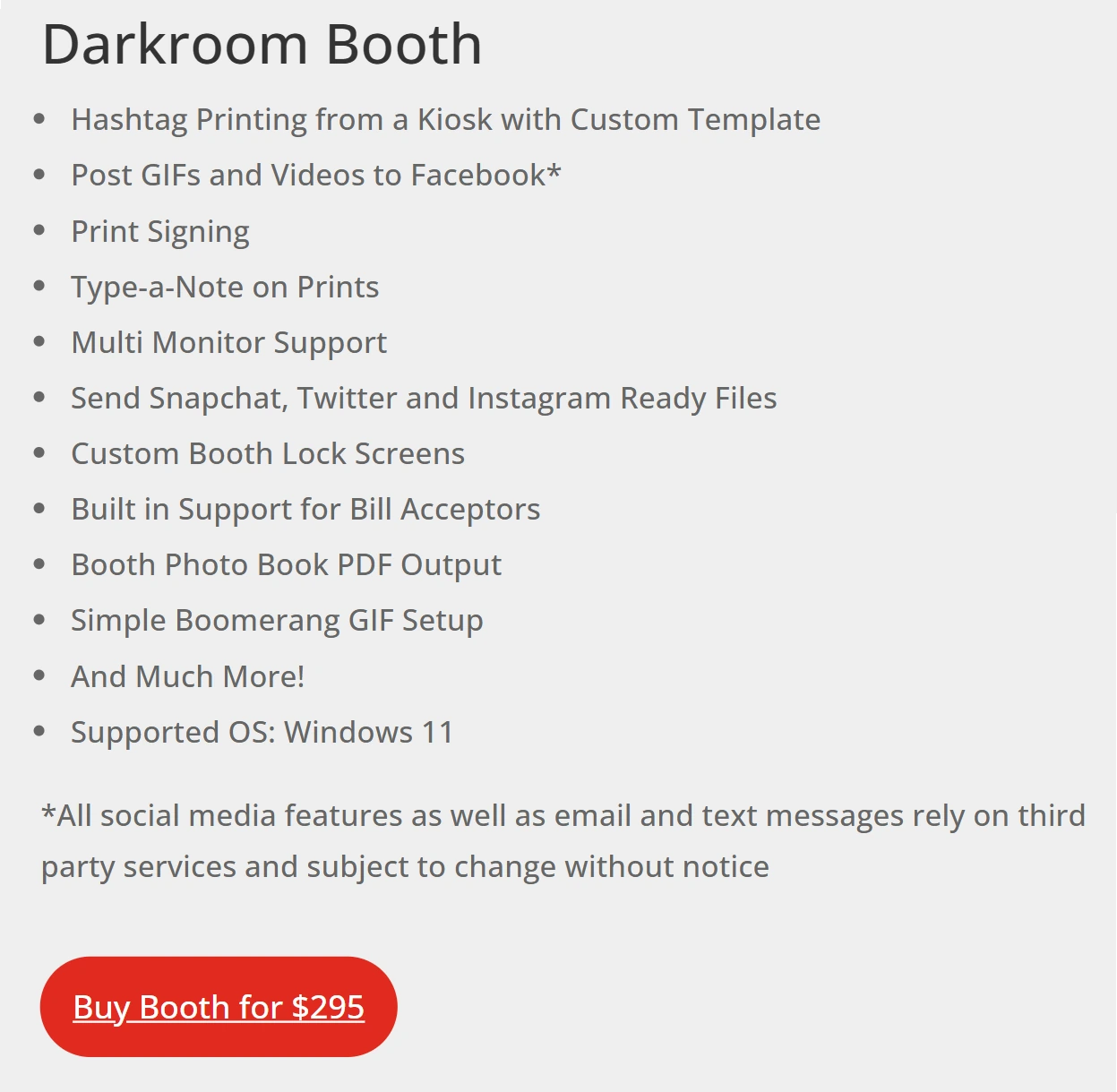
- A perpetual license starting at $295 with no mandatory recurring subscription
| Darkroom Booth Pros | Darkroom Booth Cons |
|---|---|
| - Broadest hardware compatibility in the category | - Windows-only (no Mac, iPad, or mobile support) |
| - Perpetual license; no deactivation if maintenance lapses | - Requires on-site Windows PC for operation |
| - Phidget integration for kiosks and specialty rigs | - Online galleries (Event Gallery) are a separate subscription |
| - AI features layer onto existing hardware without upgrades | - Steeper learning curve than tablet-based platforms |
Why Choose Darkroom Booth for Brand Customization?
Broad Hardware Flexibility. Darkroom Booth natively tethers to Canon EOS, Nikon Z and D series, GoPro HERO 9 and 10, and any Windows-compatible webcam. On output, any Windows-compatible printer works with accelerated drivers for 20+ dye-sublimation models.
Phidget-based hardware interfaces enable coin-operated photo experiences, mirror booth configurations, and permanent kiosk deployments that tablet-based platforms cannot address. Carnival Cruise Line and Canon are among Darkroom’s named enterprise clients.
AI Features on Existing Rigs. Since May 2025, Darkroom Booth has shipped generative portraits, AI face swap, AI scene generation (replacing physical green screens), AI custom shirts, and AI lenticular prints. Operators can offer branded AI photo experiences without changing hardware.
Source: Darkroom Booth
Perpetual License Model. The full license costs $295 one-time, covering installation on two computers. The optional $95/year maintenance plan is opt-in; the core software does not deactivate if it lapses. For operators running a full calendar year of regular events, this structure compares favorably to weekly or monthly subscriptions.
Darkroom Booth Pricing
- Full License: $295 one-time (2 computers, 1 year updates and support)
- Annual Maintenance: $95/year (optional; required for email server and update access)
- Upgrade from Booth 2.x: $195 in-app
- 10-Day Temporary License: $45 (for overbooking situations)
A free trial is available with no time limit (outputs are watermarked). Event Gallery for branded online galleries with password protection and custom domains is a separate monthly subscription. Third-party templates from DarkroomTemplates.com are purchased separately.
Use Darkroom Booth If:
- You run attended events on Windows hardware with professional Canon or Nikon cameras
- You operate mirror booths, kiosks, or specialty rigs with coin-op mechanisms or arcade-button triggers
- You want to own your software outright with declining per-event costs over multiple years
- You want AI photo experiences on your existing Windows DSLR setup without migrating platforms
4. LumaBooth for Windows: Best for Complete Brand Customization Across Every Guest-Facing Screen at the Lowest Monthly Cost
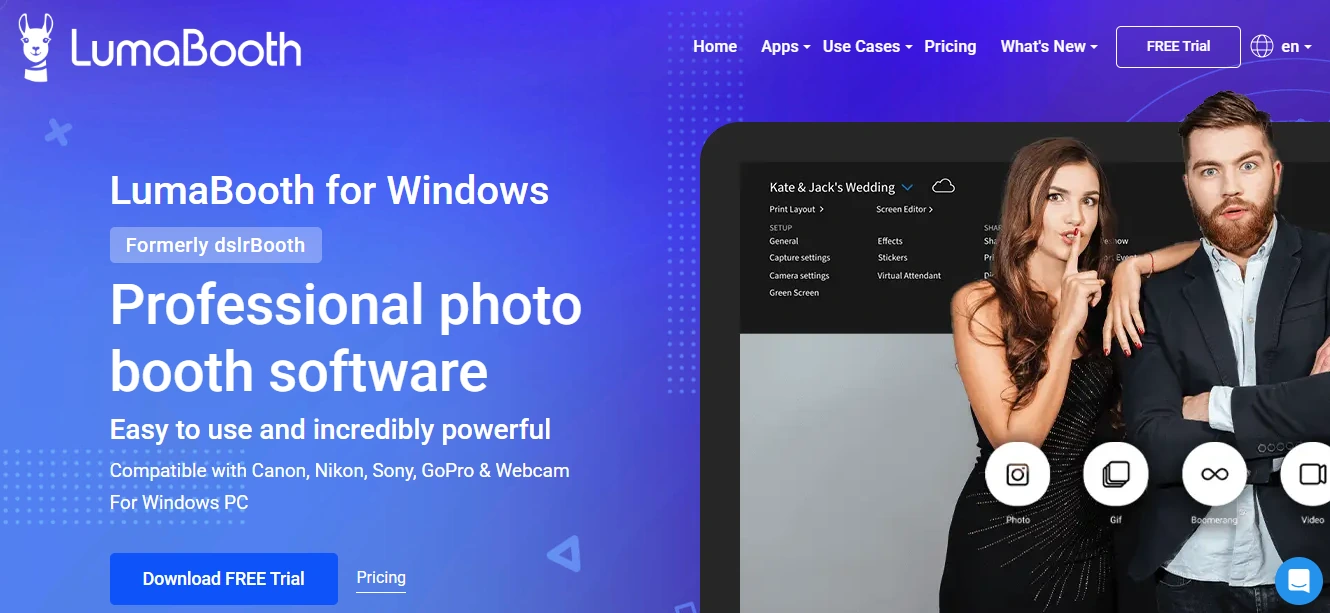
LumaBooth for Windows (formerly dslrBooth) is professional photo booth software that gives solo operators and small businesses control over every branded touchpoint at a subscription starting at $17/month on an annual plan. Its key capabilities include:
- Brand customization on every guest-facing screen (start screen, countdown, sharing screen) with custom logo, colors, background imagery, and font selection per event
- Custom photo overlays and branded watermarks across all capture formats automatically
- Native support for Canon, Nikon, and Sony DSLR/mirrorless cameras, GoPro 5-13, and standard webcams
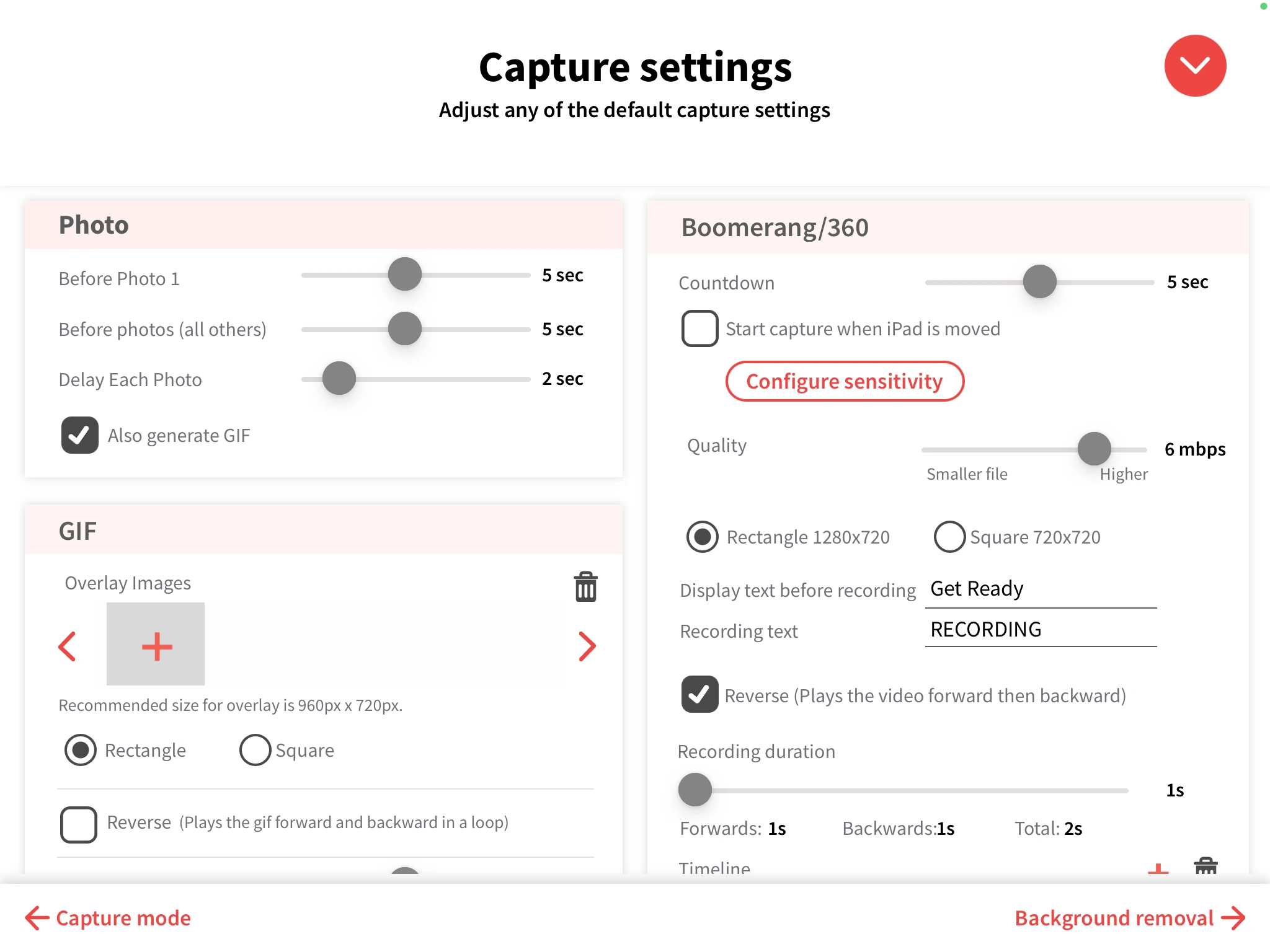
- Six capture formats: still photos, GIFs, boomerangs, 360/slow-motion video, standard video, and roaming photography
- 820+ designed templates bundled at no extra cost
| LumaBooth Pros | LumaBooth Cons |
|---|---|
| - Brand customization on every screen at $17/month | - Windows-only (separate Apple product with different features) |
| - LUT-based color grading for brand-matched photography | - Most configuration happens in-app; web-based remote management is limited |
| - 820+ bundled templates with drag-and-drop editor | - No integrated hardware; bring your own camera and stand |
| - Supports Canon, Nikon, and Sony cameras | - Settings interface can feel dense compared to more visually streamlined platforms |
Why Choose LumaBooth for Brand Customization?
Brand Control From First Screen to Every Shared Image. Every screen the guest interacts with, including the start/attract screen, countdown, review screen, and sharing screen, accepts a custom background image or looping attract video, brand color theme, logo, and font selection, configured independently per event.
Every piece of captured media carries a transparent PNG overlay and branded watermark automatically across all formats in the same session. The trade-off: LumaBooth’s design workflow is more template-driven than layer-based, so operators who need pixel-level creative control may find themselves supplementing with external design tools.
LUT-Based Color Grading. LumaBooth includes a LUT import pipeline that accepts .cube files from Photoshop or DaVinci Resolve. Operators can reproduce a client’s specific color grade directly in the booth software. LUT filters apply consistently across photos, GIFs, boomerangs, and videos. The print layout editor supports Canva imports, keeping brand assets in tools designers already use.
Source: LumaBooth for Windows
Camera Compatibility Without Forced Upgrades. LumaBooth connects natively to Canon DSLRs and mirrorless bodies spanning approximately 14 years, Nikon D and Z series, Sony Alpha/Cinema/ZV/RX series, GoPro 5-13, and most USB webcams under a single subscription with no per-camera fees.
LumaBooth for Windows Pricing
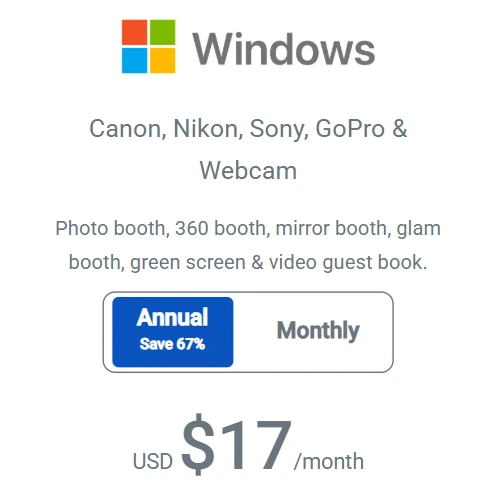
- $17/month billed annually (saves ~66% vs. monthly)
- $49.99/month billed monthly
- Covers up to two devices per subscription; all booth modes included
- fotoShare Cloud gallery hosting: Basic included free; Plus at $19.99/month; Business at $39.99/month with custom subdomain and operator branding
- AI Portrait Credits: 20 free on signup; additional plans from $14.99/month for 150 credits
- Free trial with no time limit (watermarked output until subscription is activated)
Use LumaBooth for Windows If:
- You already own Canon, Nikon, or Sony equipment and want to use that investment for professional booth photos
- Your clients expect complete brand control across every touchpoint at a monthly cost that does not cut into event margins
- You serve events requiring multiple capture formats (360, photo strip, video guestbook) from one software license
- You want to build a white-labeled gallery pipeline with the fotoShare Cloud Business plan’s custom subdomain
5. Booth.Events: Best for Testing a White-Label Photo Booth Setup With Zero Financial Risk
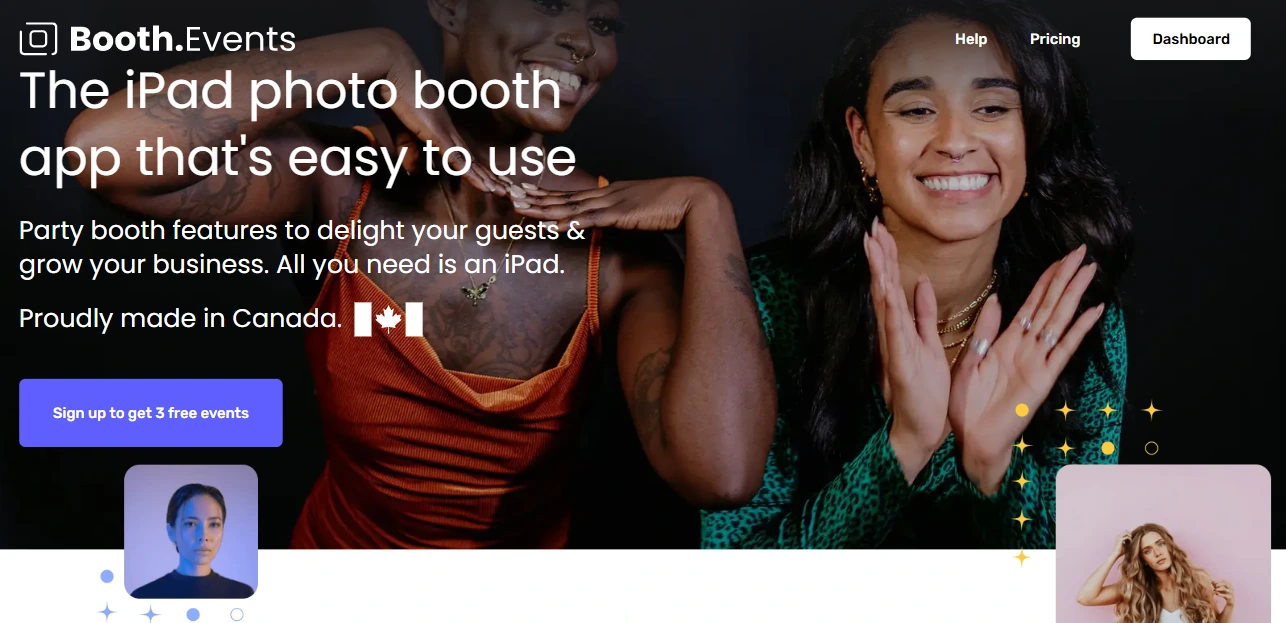
Booth.Events is an iPad photo booth app that has made one unusual product decision: it lets new operators run three complete, fully featured events at no cost and with no credit card required. Its key capabilities include:
- Three free Pro-level events with no credit card, up to 100 photos per event, SMS sharing included for North American guests
- Full white-label branding removal from the app interface and guest-facing screens on Pro+ plans
- Branded gallery microsites with custom images, colors, links, and call-to-action buttons
- AI-powered background replacement (SceneSelect) that runs offline with no per-use cost on all paid plans
- AI Glam Filter for skin smoothing and enhancement on all Pro plans
| Booth.Events Pros | Booth.Events Cons |
|---|---|
| - 3 complete free events, no credit card required | - Feature set not as deep as higher-priced competitors |
| - Tiered white-labeling that scales with subscription | - Custom domain limited to Pro+ plan |
| - Gallery microsites with CTA buttons for conversions | - SMS coverage outside North America requires higher plans |
| - SceneSelect background removal included on all paid plans |
Why Choose Booth.Events for Risk-Free White-Label Testing?
Three Complete Events at Zero Cost. New accounts receive three full events with up to 100 photos per event, a 7-day online gallery, and SMS sharing for US and Canadian guests. These are not demo events with watermarks; they are production-ready events that can run with real client branding and real guests. No automatic conversion to a paid plan means the evaluation ends naturally without requiring cancellation.
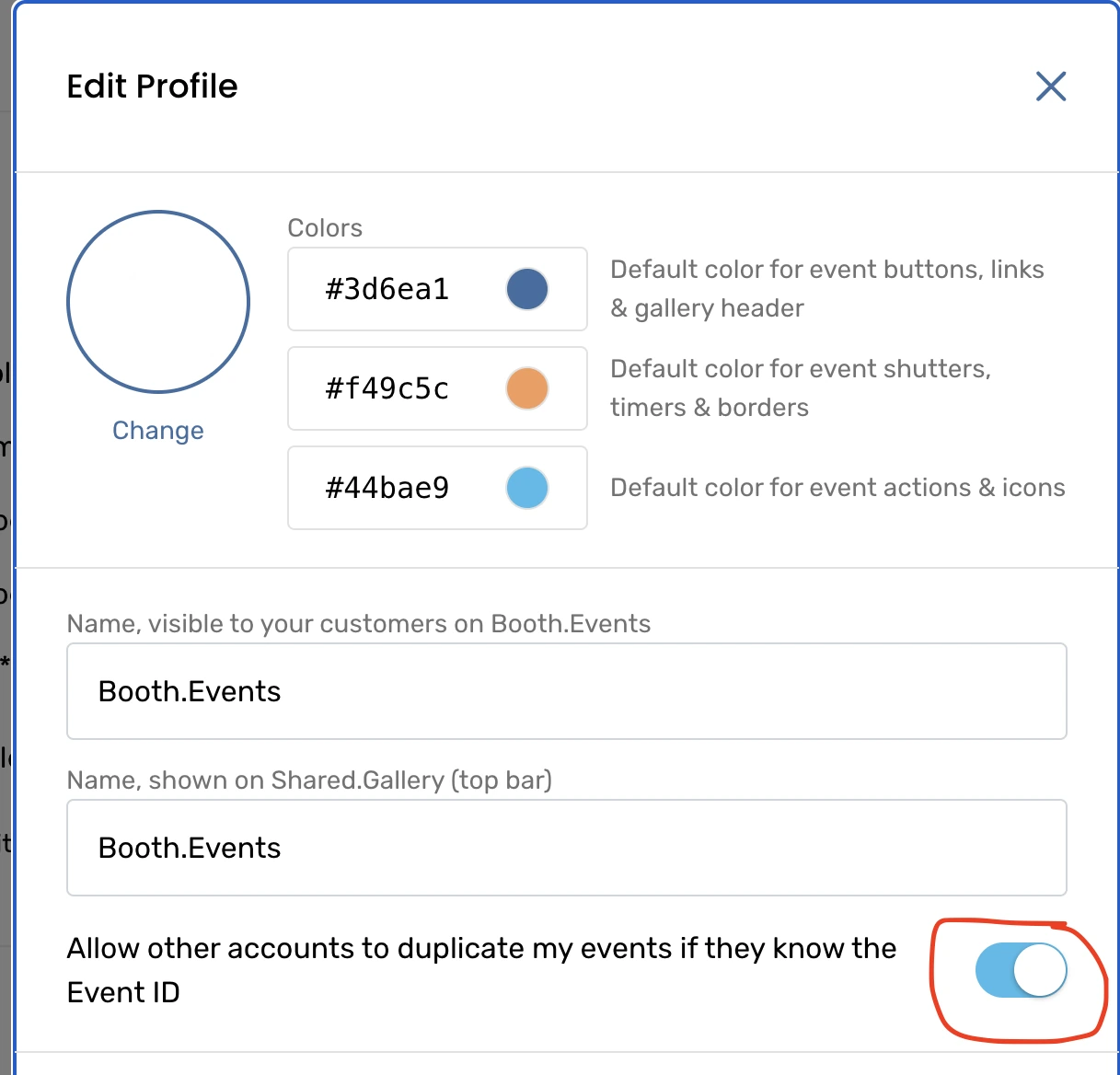
Tiered White-Labeling. At the entry level, Basic plans suppress the Booth.Events logo from all guest-facing experiences. Pro adds custom HTML injection into gallery microsites. Pro+ adds a fully white-labelled iPad app interface and custom domain for galleries. The cross-account event duplication feature enables agency reseller setups where each operator runs events under their own branding.
Source: Booth.Events
Branded Gallery Microsites. Operators configure each gallery microsite with a custom image, branded color scheme, event message, and a call-to-action button linking to any URL. Pro plans add custom HTML injection, making galleries functionally indistinguishable from a page on the client’s own website. Combined with the custom domain feature on Pro+, the gallery URL itself becomes a branded asset.
Booth.Events Pricing
- Starter (Free): 3 events, 100 photos each, 7-day gallery, US/Canada SMS
- Basic: From $19/week; 1 iPad, 3-month gallery storage
- Pro: Up to $79/month; 1 iPad + unlimited iPhones, 1-year gallery storage, customized gallery microsites
- Pro+: 4 iPads included, 2-year gallery storage, custom domain, fully white-labelled app, emergency phone support
- AI Credits: $8 per 100; SceneSelect and Glam Filter are included at no credit cost on all paid plans
Use Booth.Events If:
- You want to validate a white-label photo booth setup before spending any money
- You serve marketing clients who need branded galleries with embedded calls to action
- You need AI background replacement at any subscription level without per-use fees
- Your operation runs on iPads and you want to scale into paid plans at your own pace
6. Curator Live: Best for Rental Operators Who Lead With Cinematic Video and AR Brand Experiences
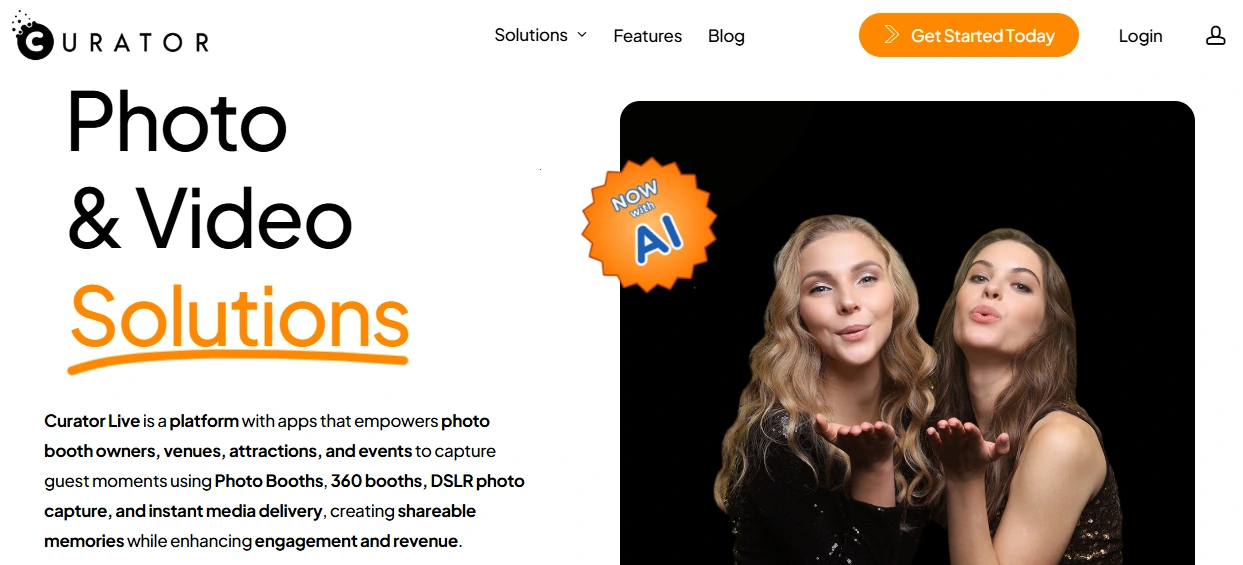
Curator Live is an iOS-native photo and video booth platform built for rental operators who need more than static photo capture. It centers on video-first event experiences, augmented reality, and white-label branding at every guest touchpoint. Its key capabilities include:
- Video Guest Book functionality with cinematic pre-roll intros, post-roll outros, branded overlays, and background music
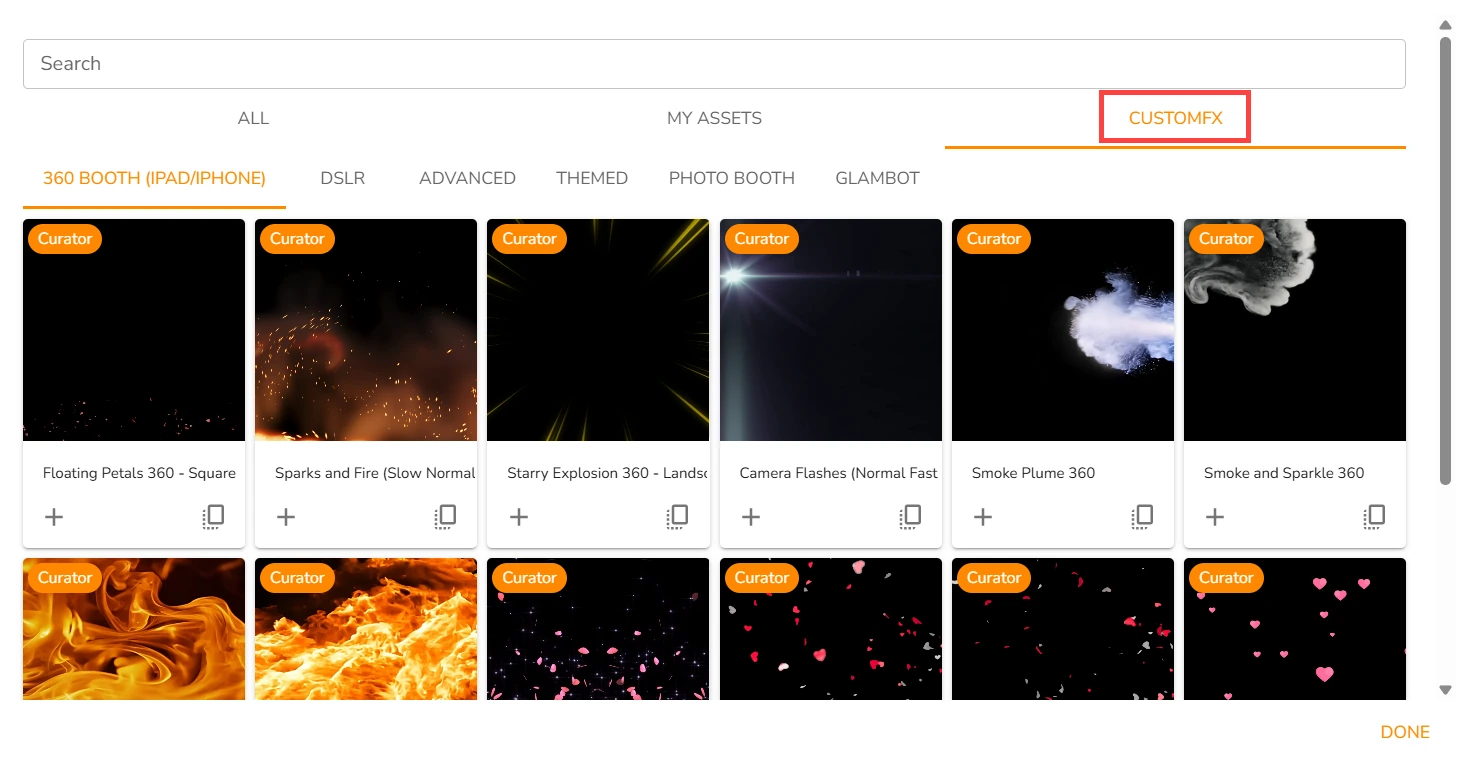
- 360 CustomFX Timeline Builder with transparent HEVC video compositing for multi-layer AR effects
- White-label microsite URLs, custom-branded email delivery, and fully branded sharing pages
- Over 10,000 layerable camera filter combinations for matching brand aesthetics
- Event-tied device licensing (licenses follow the event, not a specific iPad)
| Curator Live Pros | Curator Live Cons |
|---|---|
| - Video guest books with composited branding and audio | - iOS-only (no Windows or Android) |
| - Transparent HEVC compositing for AR effects | - SMS delivery requires operator’s own Twilio account |
| - Event-tied licensing for multi-device flexibility | - AI credits are an additional variable cost |
| - 24-hour chat and emergency phone support |
Why Choose Curator Live for Video-First Brand Experiences?
Cinematic Video Guest Books. Curator Live’s Video Guest Book is built on the CustomFX Timeline Builder, meaning recordings carry pre-roll intros, post-roll outros, branded overlay layers, background music, and transparent HEVC effects composited in real time on an iPad.
Guests receive a produced video clip rather than raw footage. For rental operators competing for wedding or corporate contracts, a cinematic branded video is a concrete competitive edge.
360 CustomFX Engine. The 360 CustomFX experience supports transparent HEVC video files composited both in front of and behind the recorded subject. AR Background Mode processes background removal entirely on-device with no internet required.
Source: Curator Live
The combination of transparent overlays, real-time background removal, and audio layers lets operators deliver branded short-form video within a minute of each guest’s session.
White-Label Delivery at Every Touchpoint. Custom-branded email templates, white-label microsite URLs, and fully branded sharing pages ensure guests see no trace of the software provider. The White-Label URL add-on ($59/month or $449/year; included with Agency Pro yearly) enables custom gallery domains.
Curator Live Pricing
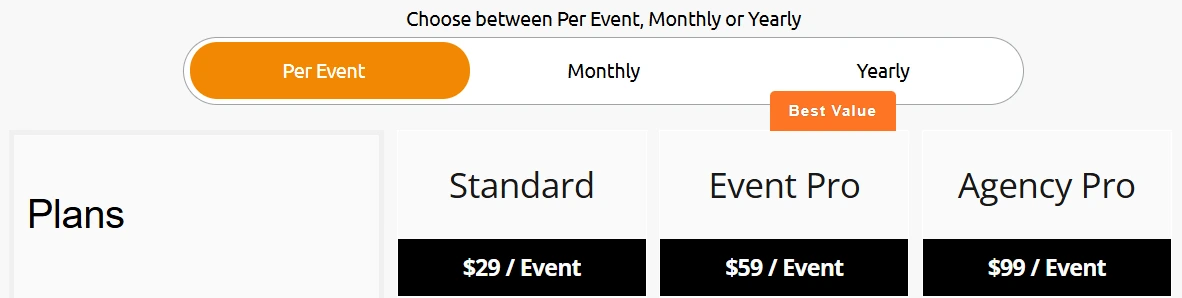
- Per-Event: Standard $29; Event Pro $59; Agency Pro $99 (3-day activation)
- Monthly: Standard $69; Event Pro $149; Agency Pro $249
- Yearly: Standard $499; Event Pro $1,499; Agency Pro $2,499 (includes White-Label URL)
- White-Label URL add-on: $449/year for Standard and Event Pro yearly plans
AI photo rendering operates on a per-image credit model (approximately $0.45 per standard image, approximately $1.00 per group image). SMS delivery is powered by the operator’s own Twilio account.
Use Curator Live If:
- Your business differentiator is video experiences: video guest books, 360 activations, or cinematic short-form content
- You run activations for clients requiring fully white-labeled delivery, including custom gallery domains
- You manage multiple iPads across concurrent events and need event-tied licensing flexibility
- You want AR effects that work offline and can be templated across client activations
7. Pictor: Best for AI-Driven Photo and Video Experiences with Cross-Platform Hardware Support
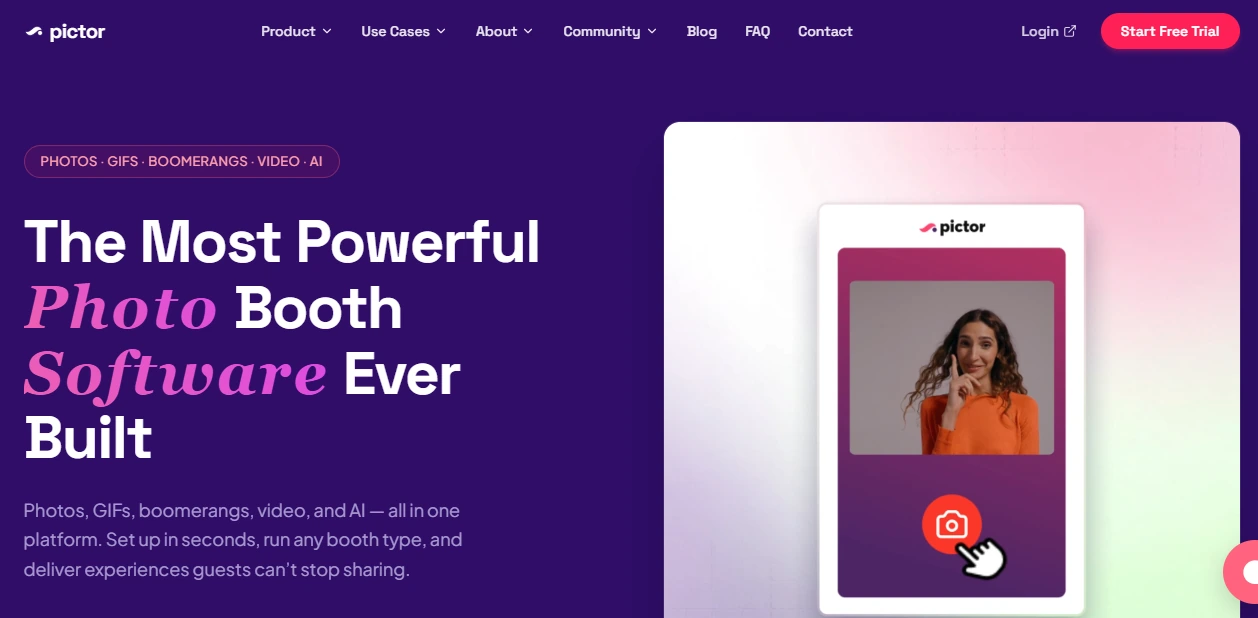
Pictor is an AI-powered photo booth platform built for operators who prioritize AI capabilities. The company brought AI photo booths to market a full year before competitors in 2023, then launched AI Video in 2025 while rivals were still in development. Its key capabilities include:
- GroupSense AI Video, the industry’s first AI video system designed to handle groups, generating AI-transformed video content without face distortion
- Cross-platform support across iPad, DSLR, Windows PC, Mac, and Android, making it the only platform on this list with native Android support
- One-click event builder with an average setup time of 10 seconds
- GroupSense technology that detects and preserves every individual face in group shots from one to twelve guests
- White-label enterprise configuration with custom subdomain, branded emails, and removed Pictor identity
| Pictor Pros | Pictor Cons |
|---|---|
| - First-mover in AI photo and AI video | - Full white-labeling requires Enterprise add-on |
| - Only platform on this list with native Android support | - AI tokens are a separate cost beyond subscription |
| - GroupSense preserves faces in group shots | - Paywall feature carries 2-10% transaction fees |
| - Runs on iPad, DSLR, Windows, Mac, and Android |
Why Choose Pictor for AI-Driven Brand Activations?
Group AI That Actually Works. GroupSense AI Video detects and preserves every individual face in group captures, preventing the face-merging artifacts that make most AI tools fail in real event settings.

Source: Pictor
Group photos and videos are the dominant output at weddings and corporate events, making this a practical advantage. The platform includes 100+ curated AI style presets and a Prompt Builder that injects dynamic guest survey inputs into the AI model at capture time.
Cross-Platform Hardware Flexibility. Pictor runs on iPad, Android, Windows PC, Mac, and tethered Canon, Nikon, and Sony DSLR systems under a single subscription.
An operator can deploy iPads at secondary stations, a DSLR rig for high-end portraits, and Android tablets at capture points, all running the same template and workflow. Team members access any event using just an event ID regardless of the hardware they are operating.
AI Monetization Built In. The Paywall Stage embeds Stripe Checkout directly into the event workflow: a QR code appears mid-session, the guest pays, and the booth advances automatically.
Operators have documented shifts from $600 to $900 average wedding bookings by adding AI transformation packages. Virtual booth mode lets operators deliver branded AI projects with zero on-site presence, opening a remote revenue channel.
Pictor Pricing
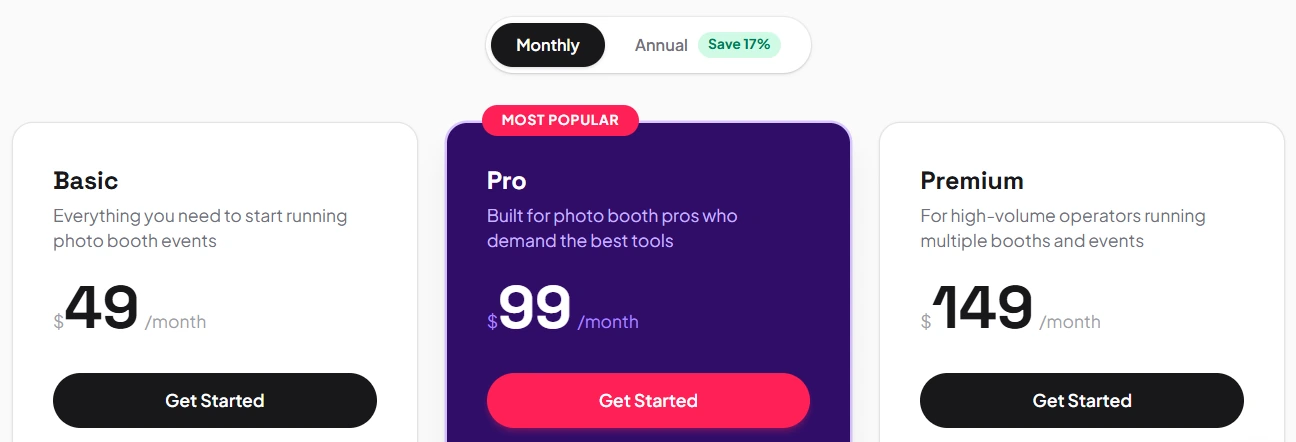
- Basic: $49/month annual (all platforms, AI presets, analytics, webhooks and Zapier)
- Pro: $99/month annual (adds cloud background removal, Paywall at 10%, live chat support)
- Premium: $149/month annual (required for AI Video, Paywall at 5%)
- Enterprise: Contact sales (white-label via custom subdomain, branded emails, Paywall at 2%)
AI features consume tokens beyond the subscription fee. If tokens reach zero mid-event, AI features pause. Full white-labeling is gated to the Enterprise add-on. A free trial with no credit card required is available with no contract lock-in.
Use Pictor If:
- You want to offer AI photo and video experiences that competitors are still developing
- You serve corporate activations that need AI video deliverables for sponsors and social content
- You run a mixed hardware fleet and need one platform across iPad, Android, Windows, Mac, and DSLR
- You want to monetize AI effects with built-in payment collection at the booth
Final Verdict
The best photo booth platform for white-labeling and brand customization depends on your operation and client base. Some platforms prioritize design depth, others scale, and others hardware flexibility. Here are our top picks for the three most common scenarios:
- Simple Booth: If you want an integrated system with an in-app Layout Designer, AI effects composited with brand overlays, and hardware that sets up in under a minute.
Get started with Simple Booth’s free trial.
- Snapbar: If you are an enterprise brand or agency that needs a vendor to design and deliver a fully custom, white-label activation at scale with no self-service configuration required.
- LumaBooth for Windows: If you already own Canon, Nikon, or Sony DSLR equipment and want full brand customization across every guest-facing screen at the lowest monthly cost in the category.
Best Photo Booth Platforms for White-Labeling FAQ
What is white-labeling in photo booth software?
White-labeling means removing the software provider’s branding from every surface guests see and replacing it with your own (or your client’s) brand identity. This includes the booth start screen, photo overlays, online galleries, sharing pages, and delivery emails. The goal is to make the experience look like the brand built it, not the software company behind it.
Which photo booth platform offers the best in-app design tools for branding?
Simple Booth’s Layout Designer, introduced in HALO 5.0, is an in-app design tool with layers, fonts, gradients, logo placement, and QR code embedding. It eliminates the need for external design software like Photoshop or Canva.
LumaBooth for Windows also offers strong design capabilities with a drag-and-drop editor and Canva import support, plus LUT-based color grading for brand-matched photography.
Is there a free photo booth platform with white-label features?
Booth.Events offers three complete, production-ready events at no cost and with no credit card required. Basic plan subscribers also get the platform’s branding suppressed from all guest-facing screens.
Darkroom Booth offers an unlimited free trial with watermarked outputs. Pictor provides a no-credit-card free trial, and LumaBooth for Windows has an unlimited free trial with watermarks until a subscription is activated.
Which platform is best for enterprise brand activations at scale?
Snapbar is built for enterprise-scale activations serving 50 to 50,000+ attendees. Their managed service model means Snapbar’s team designs every branded touchpoint. For enterprises that prefer a self-service approach, Simple Booth’s Pro and Select tiers offer moderation, compliance tools, and security questionnaire support for large-scale brand activations.
Can I use a photo booth platform with my existing DSLR camera?
Yes. Darkroom Booth supports Canon EOS and Nikon DSLR/mirrorless bodies natively on Windows. LumaBooth for Windows adds Sony to that list and supports cameras spanning approximately 14 years of models. Pictor offers DSLR tethering across Canon, Nikon, and Sony on Windows, Mac, and iPad.
Simple Booth connects to Canon DSLR and mirrorless cameras via both wired USB and wireless WiFi on its Core plan and above, with wireless being a capability most competitors do not offer.
How much do photo booth platforms for white-labeling typically cost?
Pricing varies widely. Simple Booth’s custom branding starts at $49.99/week (Plus plan). LumaBooth for Windows offers the lowest entry at $17/month on an annual plan. Darkroom Booth’s perpetual license costs $295 one-time.
Booth.Events starts at $19/week after its free events. Curator Live’s per-event pricing starts at $29. Pictor starts at $49/month on an annual plan. Snapbar uses custom per-activation pricing.
What is the difference between a managed service and self-service photo booth software?
Managed service platforms like Snapbar design and deliver the entire branded experience on your behalf; you provide brand guidelines and they build the activation.
Self-service platforms like Simple Booth, Darkroom Booth, LumaBooth, Booth.Events, Curator Live, and Pictor give you the tools to design and operate the experience yourself. Managed services suit enterprise teams focused on outcomes rather than operations. Self-service suits operators who want direct creative control and lower per-event costs.
Do all photo booth platforms on this list support AI photo effects?
Most platforms now include AI capabilities, though depth varies. Simple Booth offers AI Effects with brand overlay compositing and automatic identity preservation. Pictor leads with GroupSense AI Video that handles groups without face distortion.
Darkroom Booth added AI portraits, face swap, and AI lenticular prints. Curator Live and LumaBooth for Windows offer AI portrait and background removal features. Booth.Events includes SceneSelect background removal at no per-use cost on all paid plans. Snapbar builds AI styles per activation through its managed service model.
Keep reading
 Best Of
7 Best Photo Booth Software with Video Message and Slo-Mo Capture [2026]
Booths that capture heartfelt video notes and buttery slo-mo. The moving stuff.
 Best Of
6 Best Photo Booth Software With QR Code Sharing [August 2026]
Booths that beam every snap to a phone with a quick scan. QR sharing done right.
 Best Of
7 Best Photo Booth Software With Real-Time Analytics and Dashboards [August 2026]
Booths that show the numbers as the party happens. Live dashboards, real insight.