7 Best Photo Booth Platforms with Online Gallery and Cloud Delivery [July 2026]

A photo booth that delights guests at the event is only half the job. The other half is what happens after the flash: can guests find their photos online? Can clients access a branded gallery? Can leads flow into your CRM before the venue lights come back on?
That second half, the online gallery and cloud delivery layer, is where most photo booth platforms diverge. Some include it out of the box. Others charge extra. A few treat it as an afterthought, bolting on a basic download page and calling it a gallery.
For operators and marketers evaluating photo booth software in 2026, the gallery and delivery experience is no longer optional. Guests expect instant access to their photos on any device. Clients expect a shareable, branded gallery link they can forward to stakeholders. And operators need cloud infrastructure that works even when venue Wi-Fi does not.
We tested and researched the leading platforms to find the best photo booth solutions with built-in online galleries and cloud delivery for every use case:
- Running a self-operating photo booth rental business,
- Managing large multi-device fleets across simultaneous events,
- Keeping costs low while covering every booth format,
- Powering enterprise brand activations with lead capture and analytics,
- Specializing in 360-degree video booth deployments,
- Getting started with zero upfront cost,
- And running Windows-based DSLR setups with built-in AI.
Here’s how these platforms compare.
What Are Photo Booth Platforms with Online Gallery and Cloud Delivery?
Photo booth platforms with online gallery and cloud delivery are software solutions that combine on-site photo and video capture with automatic cloud hosting, branded online galleries, and multi-channel photo sharing. Rather than handing guests a printed strip and hoping they remember the event, these platforms upload every session to the cloud, generate a shareable gallery link or QR code, and deliver photos directly to guests via email, SMS, AirDrop, or WhatsApp.
For event professionals, the cloud layer transforms a photo booth from a novelty into a marketing tool: captured data (emails, phone numbers, opt-in preferences) flows into CRM systems, branded galleries extend the event experience online, and analytics dashboards measure engagement for post-event reporting.
| Best Photo Booth Platforms with Online Gallery and Cloud Delivery | ||
|---|---|---|
 | Simple Booth Best for event rental operators, venues, and brand marketers who want a self-operating photo booth with automatic cloud galleries, multi-channel delivery, and high-converting lead capture. | |
 | Snappic Best for enterprise operators managing large multi-device fleets across simultaneous events with centralized cloud dashboards and cinematic video output. | |
 | LumaBooth Best budget-friendly option for solo operators who want full-feature access, two device licenses, and fotoShare Cloud galleries at the lowest monthly cost. | |
 | Snapbar Best for brands and experiential agencies running large-scale physical and virtual activations with enterprise lead capture and AI personalization. | |
 | TouchPix Best for 360 video booth specialists and multi-platform operators who need offline-capable AI effects and cross-OS hardware support. | |
 | Booth.Events Best for new operators who want cloud gallery and delivery before spending anything, with a permanent free tier. | |
 | BoothLedger Best up-and-coming platform for Windows-based operators who want automatic cloud galleries, Canon DSLR tethering, and built-in AI at a low monthly cost. | |
How to Choose the Best Photo Booth Platform with Online Gallery and Cloud Delivery
Here’s what to look for:
- Gallery Quality and Branding: Does the platform generate a branded online gallery automatically for every event? Can you customize colors, logos, and layouts to match your client’s brand?
- Photo Delivery Channels: How do guests receive their photos? Look for platforms that support QR code, email, SMS, AirDrop, and WhatsApp delivery without requiring third-party accounts or per-message fees.
- Offline Resilience: Venue Wi-Fi fails more often than it works. The best platforms queue uploads and shares offline, then sync everything to the cloud when connectivity returns.
- Lead Capture and Data Export: If you serve brand marketers or corporate clients, built-in data capture forms with CRM export (CSV, API, or native integrations) turn every photo session into a lead generation opportunity.
- Ease of Setup and Operation: Can your staff (or your client) operate the booth without technical support? Look for self-operating booth modes, remote management dashboards, and quick hardware setup.
- Pricing Transparency: Photo booth software pricing varies widely. Compare what’s included in the base subscription versus what requires add-ons, per-credit charges, or per-device fees.
How We Picked the Platforms
We started with the most widely used and highly rated photo booth platforms, then narrowed the field based on one non-negotiable criterion: every platform on this list must include a cloud-hosted online gallery and multi-channel photo delivery as part of its core offering, not as a paid add-on or afterthought.
From there, we evaluated each platform across four areas:
- Gallery and Delivery Experience: How polished is the online gallery? How many delivery channels are included? Does it work reliably under real event conditions?
- Ease of Use: How quickly can an operator set up, configure, and run the booth without technical support?
- Feature Depth vs. Price: What do you actually get for the subscription cost? Are critical features gated behind expensive tiers or per-use credits?
- Operational Reliability: Does the platform handle connectivity issues, multi-device management, and high-volume events without breaking?
Each platform earned its spot by excelling in a specific use case. No single tool is best for everyone, so we matched each recommendation to the operator profile it serves best.
1. Simple Booth: Best for Event Rental Operators, Venues, and Brand Marketers Who Want a Premium, Self-Operating Photo Booth
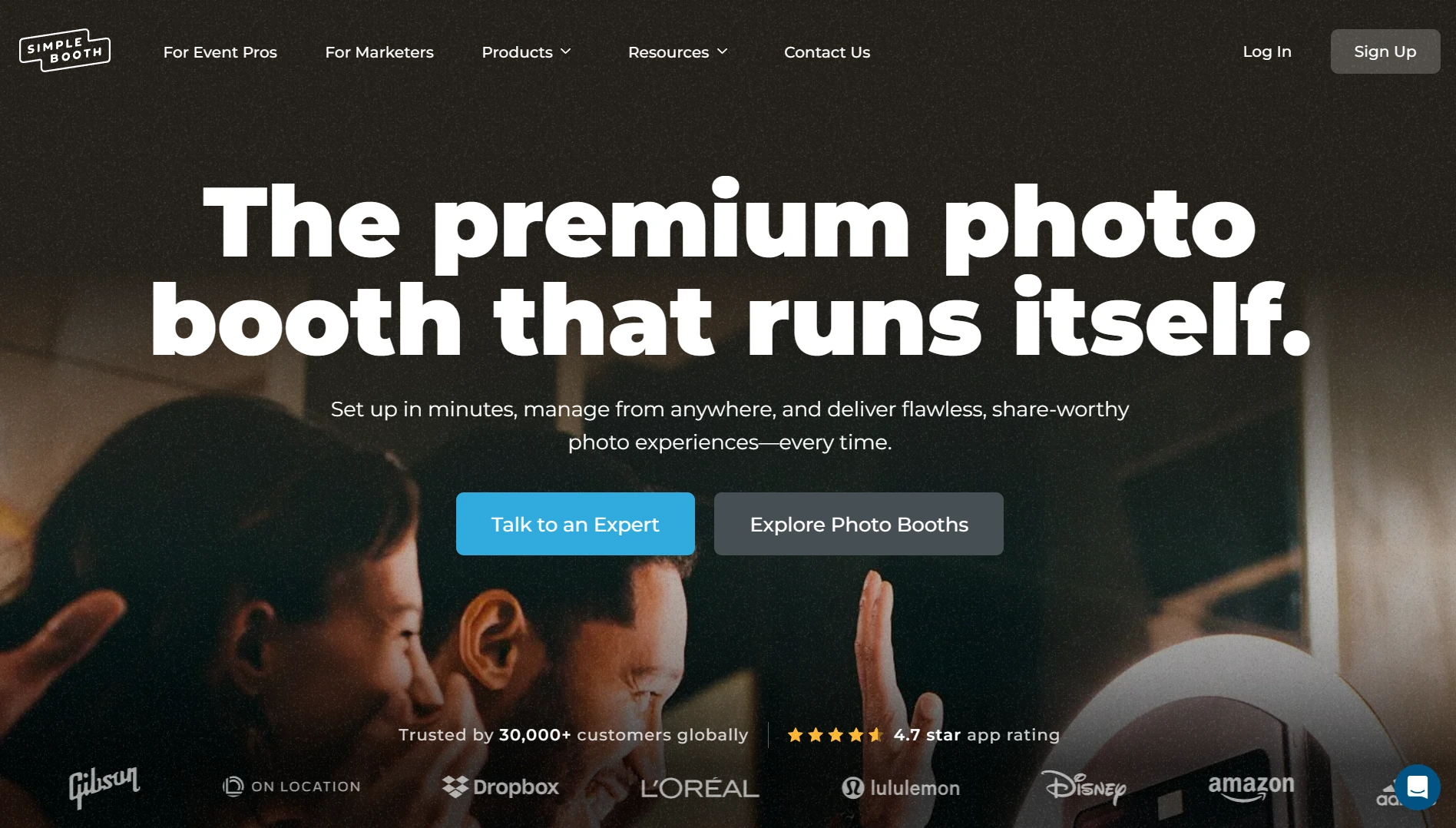
If you run a photo booth rental business, operate a permanent venue installation, or manage brand activations, Simple Booth is the platform built around simplicity. It bridges a photography studio and a self-service kiosk in one cloud-connected system that runs itself.
Simple Booth pairs a subscription-based iPad app (HALO) with proprietary ring-light hardware, a browser-based Virtual Booth product, and a centralized cloud dashboard that handles online galleries, multi-channel photo delivery, lead capture, and analytics. With 30,000+ customers globally, a 4.7-star App Store rating from 2,400+ ratings, and 40 million+ moments captured since 2012, it has the longest track record and largest user base of any platform on this list.
| Simple Booth Pros | Simple Booth Cons |
|---|---|
| - Integrated hardware with patented ring-light technology | - iPad-only hardware dependency (no Android support) |
| - Automatic cloud galleries with multi-channel delivery (QR, email, SMS, AirDrop, WhatsApp) | - Entry-level Lite plan includes ads and limited features |
| - 87-89% opt-in rate on lead capture forms | - Occasional post-update bugs reported in App Store reviews |
| - Sub-one-minute setup, no tools required | |
| - AI effects, DSLR camera support, and Layout Designer built in | |
| - Offline mode queues sessions and delivers when connectivity returns |
Why Choose Simple Booth for Online Gallery and Cloud Delivery?
1. Automatic Cloud Galleries That Work as a Marketing Channel
Every event run on Simple Booth generates an online gallery that guests access immediately via QR code, email, SMS, AirDrop, or WhatsApp. Operators can customize galleries with titles, custom hashtags, color themes, header images, interstitial ads, and header links to external URLs. Privacy controls let operators set galleries to Public, Unlisted, or Private depending on the client’s needs.
Any public gallery doubles as a Live Feed display for TV or projector, turning the gallery into a real-time slideshow at the event itself, with no separate slideshow software required. The W Hotel Austin, for example, recorded 12,765 photos, 31,730 participants, and 92,579 gallery views from a single ongoing HALO installation.

When venue Wi-Fi fails, the HALO app queues sessions in offline mode and delivers everything once connectivity returns. Guests still take photos, the booth still operates, and the cloud gallery populates as soon as the connection is restored.
2. Lead Capture That Converts at Near-90% Opt-In Rates
For brand marketers and corporate event teams, the gallery and delivery layer is only valuable if it captures data along the way. Simple Booth’s lead capture forms achieve opt-in rates as high as 87-89% because data collection happens as a natural part of receiving a photo, not as a separate marketing ask.
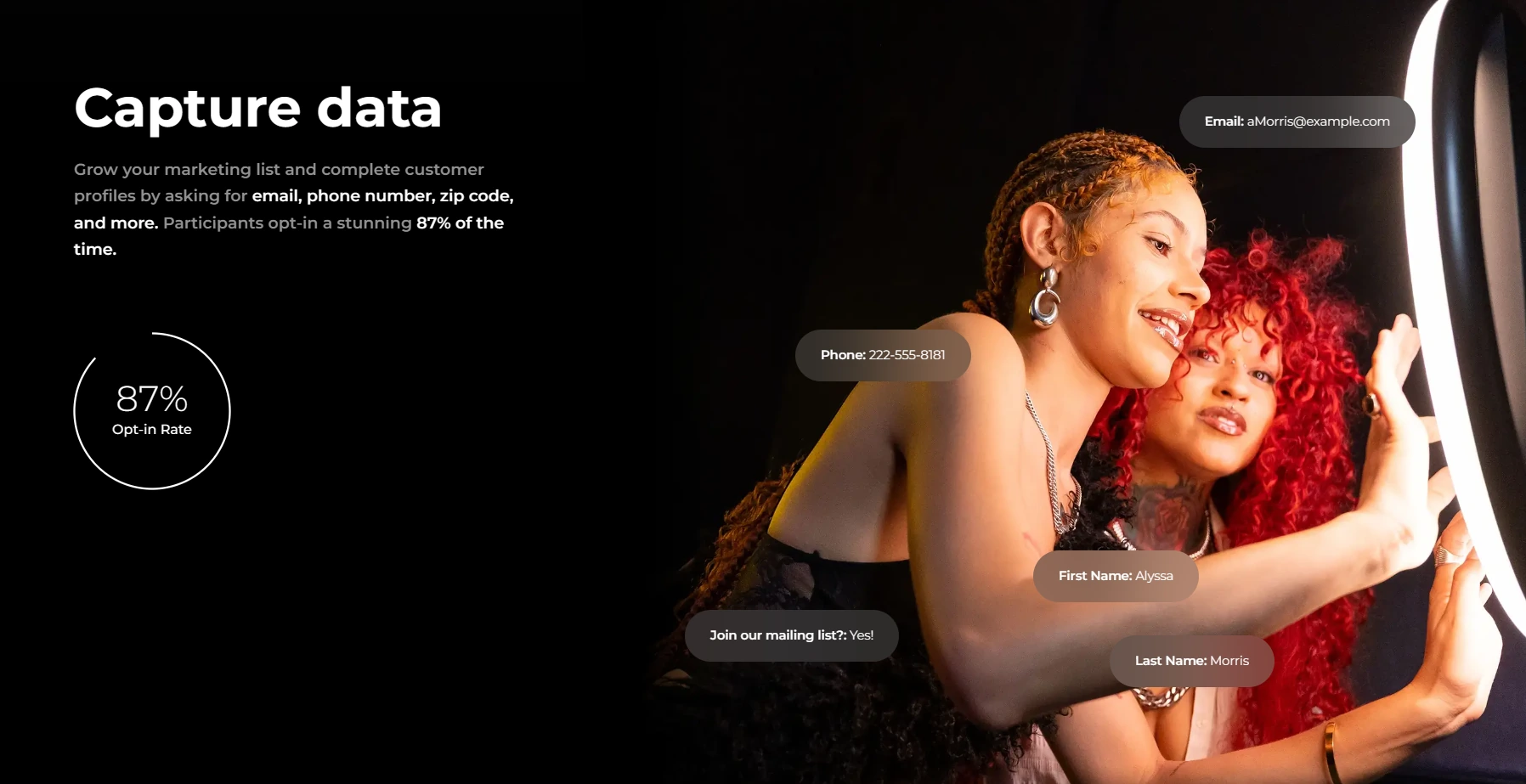
Configurable fields include email, first name, last name, phone, postal code, and date of birth on Pro, with up to 10 custom fields including checkboxes and required legal terms on Select. Data exports as CSV, integrates natively with MailChimp, and connects to custom CRMs via the Open API.
Arizona Opera grew its email list by 1,000 addresses in a few events. Treetop Golf built 150,000 unique email addresses across locations. The analytics dashboard tracks total participants, uploads, gallery views, social share clicks, and referred views, with demographic insights via face detection available on the Select tier.
Treetop Golf built 150,000 unique email addresses across locations using Simple Booth’s lead capture, turning a guest entertainment feature into a marketing database. (Simple Booth)
3. Hardware and Software Designed to Run Without an Attendant
The HALO hardware kit is machined from a single billet of aluminum with 112 LEDs producing up to 2,100 lumens, rated for 50,000 hours of operation. The iPad snaps in via a tool-less faceplate with a concealed built-in USB-C cable for continuous charging. Setup takes under one minute, and operators report that training new staff is equally fast.
The HALO 5.0 update (November 2025) introduced the Layout Designer, a full in-app design tool for creating branded photo templates without external software. Canon DSLR/mirrorless camera support connects via USB for long-event reliability or wirelessly over Wi-Fi for flexible setups, a capability most competitors do not offer. AI Effects (Nano Banana models) transform guest photos using text prompts, with zero-cost prompt testing outside booth mode and built-in identity preservation.
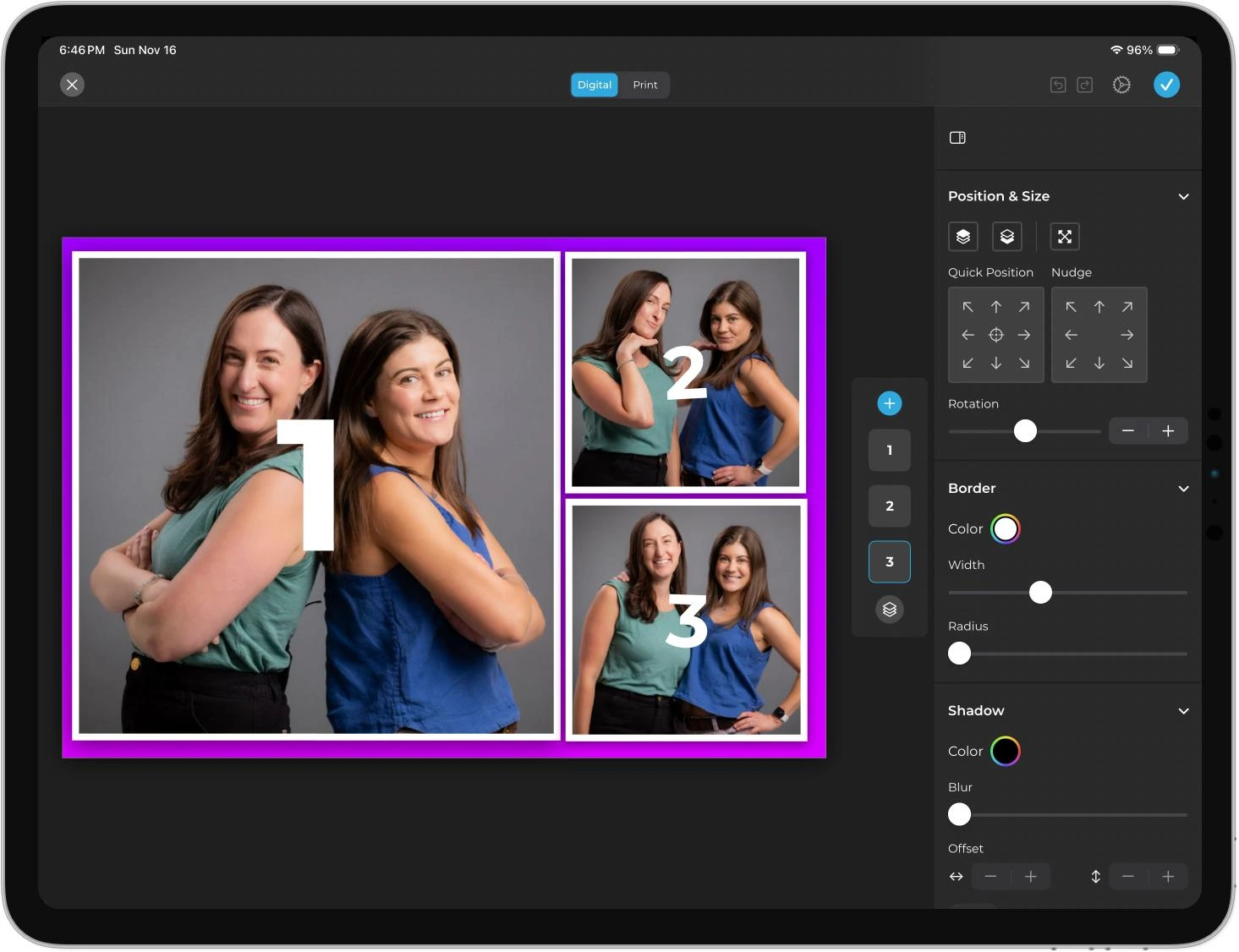
For operators managing multiple booths, remote preset syncing via the online dashboard pushes changes to all devices without exiting booth mode. The Mission Control overlay lets operators monitor device health and adjust camera settings during live events through a hidden two-finger pinch gesture. Image previews now render up to 12x faster than previous versions, and every effect (background blur, filters, DSLR integration) works together across photo, video, and offline modes, so operators don’t need to check which settings are compatible.
Simple Booth also offers Virtual Booth, a browser-based photo experience requiring no hardware at all. Participants join via a QR code or link from any device, and all submissions feed the same analytics, Live Feed, and gallery infrastructure as HALO sessions, making it a fit for hybrid events or always-on digital campaigns.
“10+ years, we’re big Simple Booth believers,” with 136,000+ fan interactions captured. (G7 Entertainment Marketing)
Simple Booth Pricing
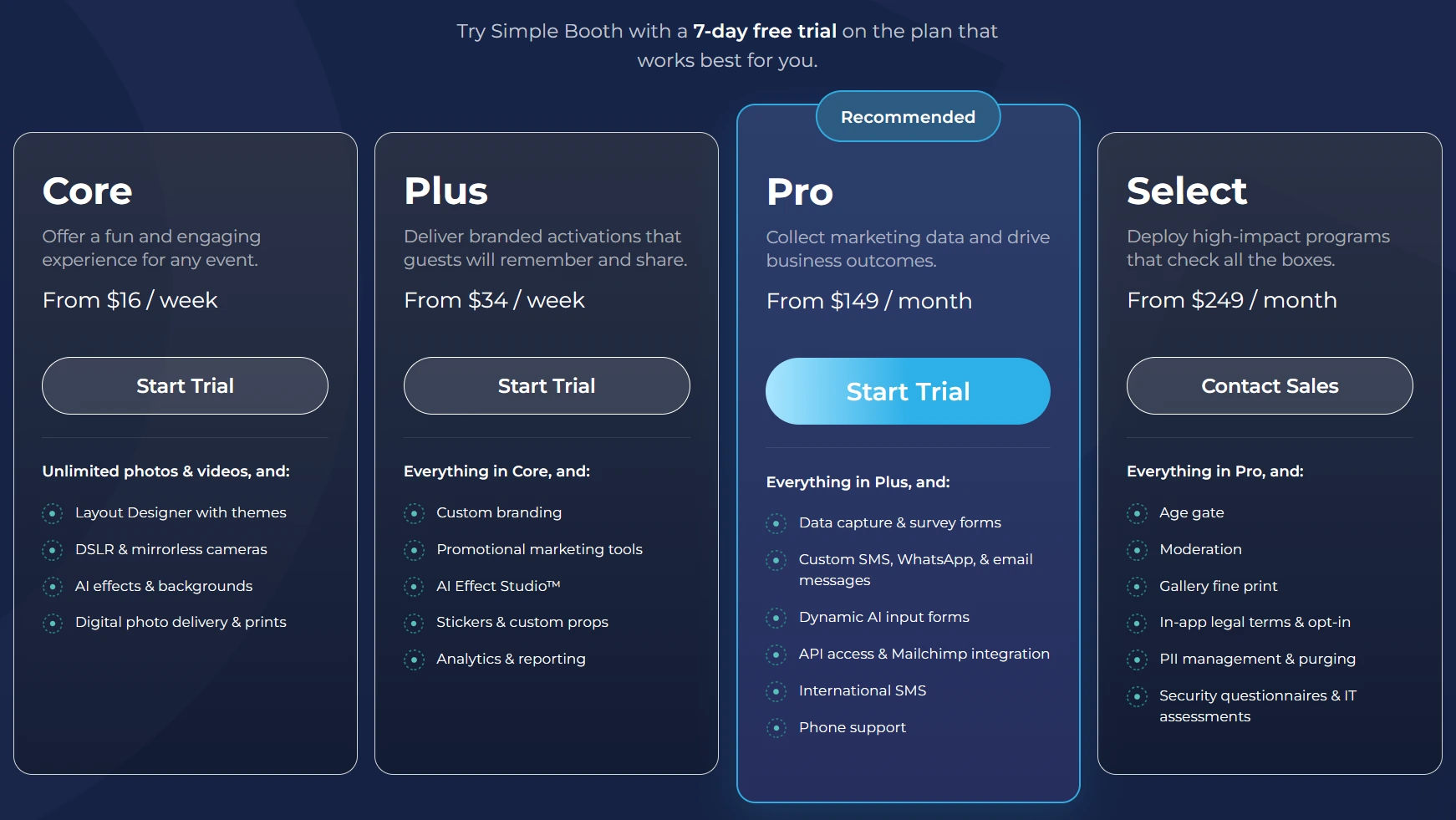
Simple Booth uses a per-license subscription model with weekly, monthly, and yearly billing. Each plan includes one device license; additional devices require add-on licenses. A 7-day free trial is available with 25 free AI credits.
- Lite starts at $14.99/week ($290/year): Custom layouts, photo delivery, online galleries, themes, and props. Includes ads; excludes custom branding, analytics, DSLR, and lead capture.
- Core starts at $24.99/week ($490/year): Adds ads removed, DSLR/mirrorless camera support, video, background replacement, Dropbox integration, AI effects, and Virtual Booth. 50 bonus AI credits.
- Plus starts at $49.99/week ($990/year): Adds custom branding, analytics, custom props, guest-editable text layers, and custom AI effects. 100 bonus AI credits.
- Pro at $149/month ($1,490/year): Adds lead capture, API integration, phone support, moderation, age gate, and data compliance tools. 150 bonus AI credits.
- Select at $249/month ($2,490/year): Adds in-app custom legal terms, security questionnaires, and demographic analytics. 200 bonus AI credits.
AI effect credits cost $0.10 each and do not expire. HALO hardware kits are sold separately starting at approximately $2,090.
Use Simple Booth If:
- You want a self-operating photo booth that sets up in under a minute with integrated hardware, automatic cloud galleries, and multi-channel delivery
- You need lead capture with 87%+ opt-in rates and CRM export for brand activations and marketing events
- You run multiple booths and need remote preset management from a single dashboard with offline resilience
- You want AI effects, DSLR camera support, and a built-in layout designer without external software dependencies
- You serve both in-person and virtual/hybrid audiences using a unified gallery and analytics platform
2. Snappic: Best for Enterprise Operators Managing Large Fleets and High-Volume Events
Source: Snappic
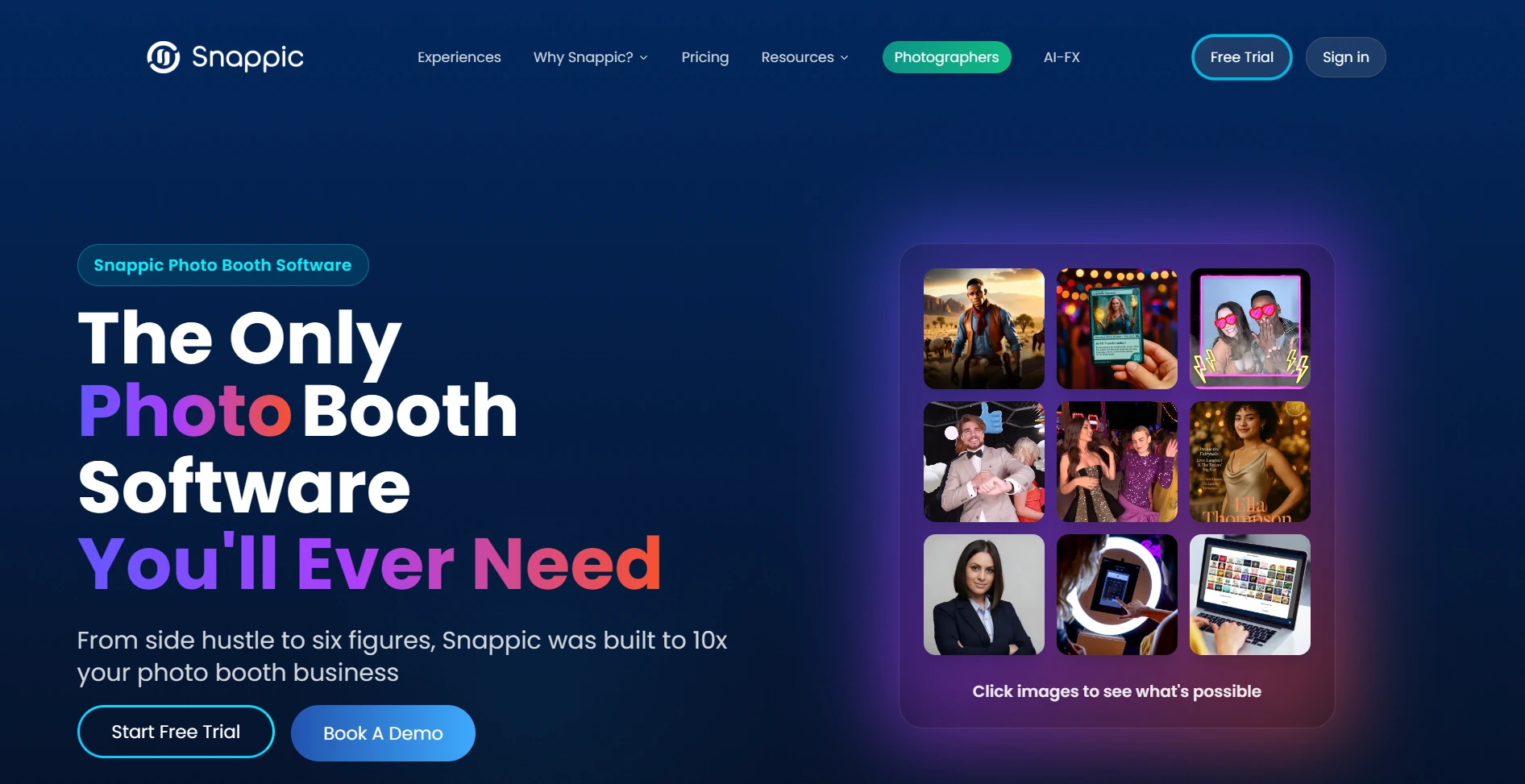
When the operational question shifts from “how do I set up a booth?” to “how do I run twelve of them at once across six venues and still deliver a branded experience to every client?”, Snappic is the platform built for that scale.
Snappic is a photo booth software platform designed for operators who manage multi-device fleets across simultaneous activations. It supports iPad, 360-degree video, Robot Arm/Glambot, Mirror booth, and Roaming photography formats from a single cloud-backed dashboard, with automatic gallery delivery, real-time analytics, and 24/7 live support with remote access. Following its 2024 private equity acquisition, Snappic has shifted toward enterprise clients with more structured onboarding and corporate-oriented support tiers.
| Snappic Pros | Snappic Cons |
|---|---|
| - Centralized fleet management with remote control via LiveConnect | - Higher price point than platforms serving solo operators |
| - VideoFX timeline editor for cinematic 360 and Glambot output | - Per-credit costs for AI effects and international SMS add up |
| - Automatic cloud gallery delivery via email and SMS | - Dense interface with a steeper learning curve for new operators |
| - Real-time analytics with demographic insights across all events | - Starter plan limits photo delivery to email and SMS only |
| - 24/7/365 live support with Dedicated Success Manager at Scale tier | - Green screen and branded galleries require paid upgrades beyond the base plan |
Why Choose Snappic for Enterprise Fleet Operations?
Fleet Control at Scale. The LiveConnect feature gives operators browser-based remote control of any booth from any device, anywhere. At the agency scale, the Scale plan’s Sub-Account Management assigns separate logins and event access to individual clients while the master account handles billing across all of them. The Grey Label App removes all Snappic branding from the iPad app for white-labeled agency operations.
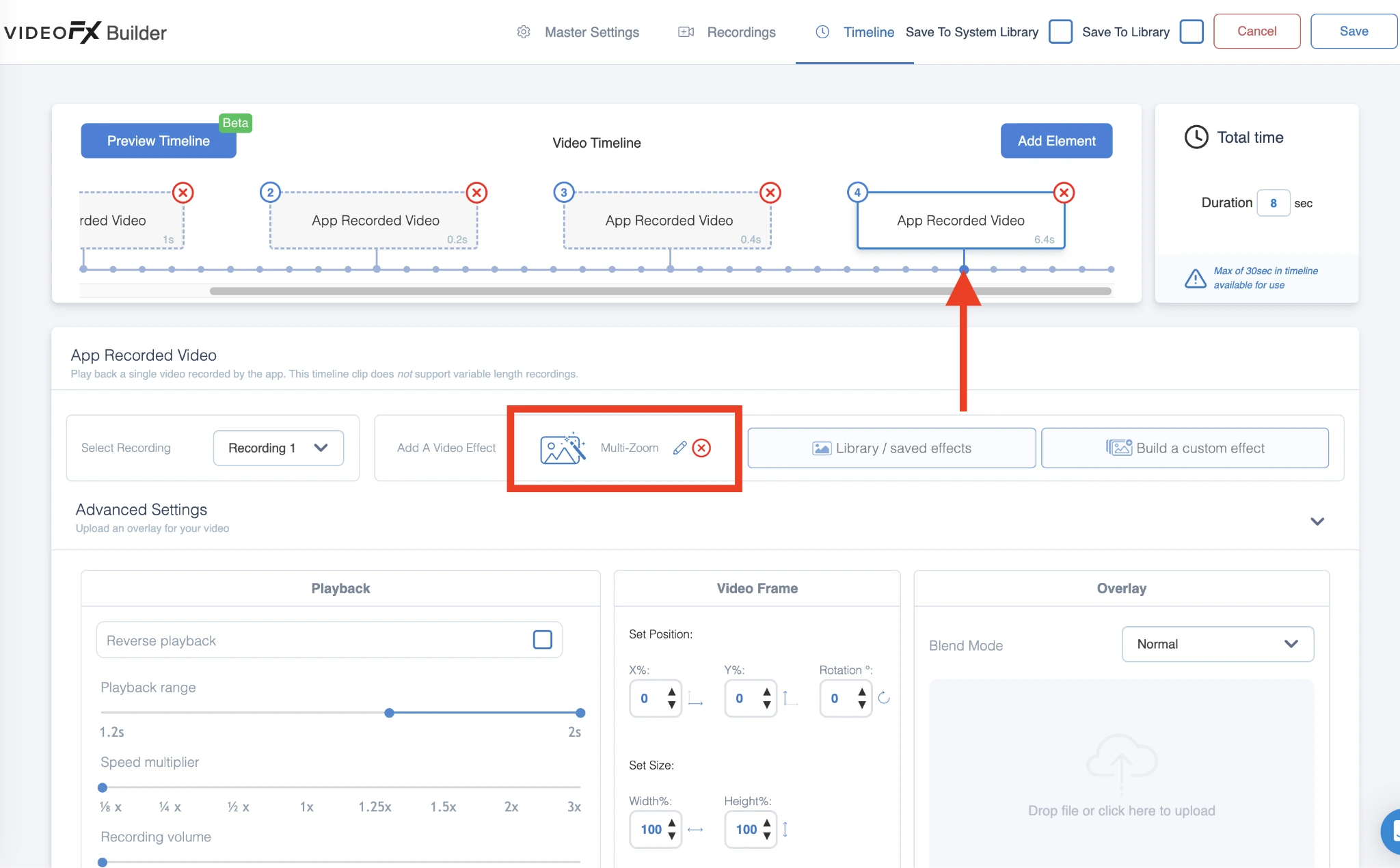
Built-In Video Production. Snappic’s VideoFX Template Builder pre-configures the entire post-production pipeline for 360 and Glambot activations: slow-motion settings, per-clip speed multipliers, animated overlays, music, and branded intros and outros. A Canon R5 Mark II recording at 240 fps with a 1/8x multiplier produces 8x slow motion automatically, without post-event editing. Three pre-built Glambot templates (MultiZoom, FastZoom, and DoubleSlowMo) convert 2-3 seconds of capture into 8-11 second branded outputs.
Analytics That Win Repeat Clients. The Send to Client feature converts internal event analytics into a client-branded deliverable: a live webpage with downloadable guest data, gallery access, share metrics, estimated reach, and demographic breakdowns from Automated Vision Analytics (AVA). Webhooks on Premium and Scale plans push real-time event data to CRMs and marketing automation tools.
Source: Snappic
Snappic Pricing
Snappic uses a per-booth license subscription model. A 14-day free trial requires no credit card.
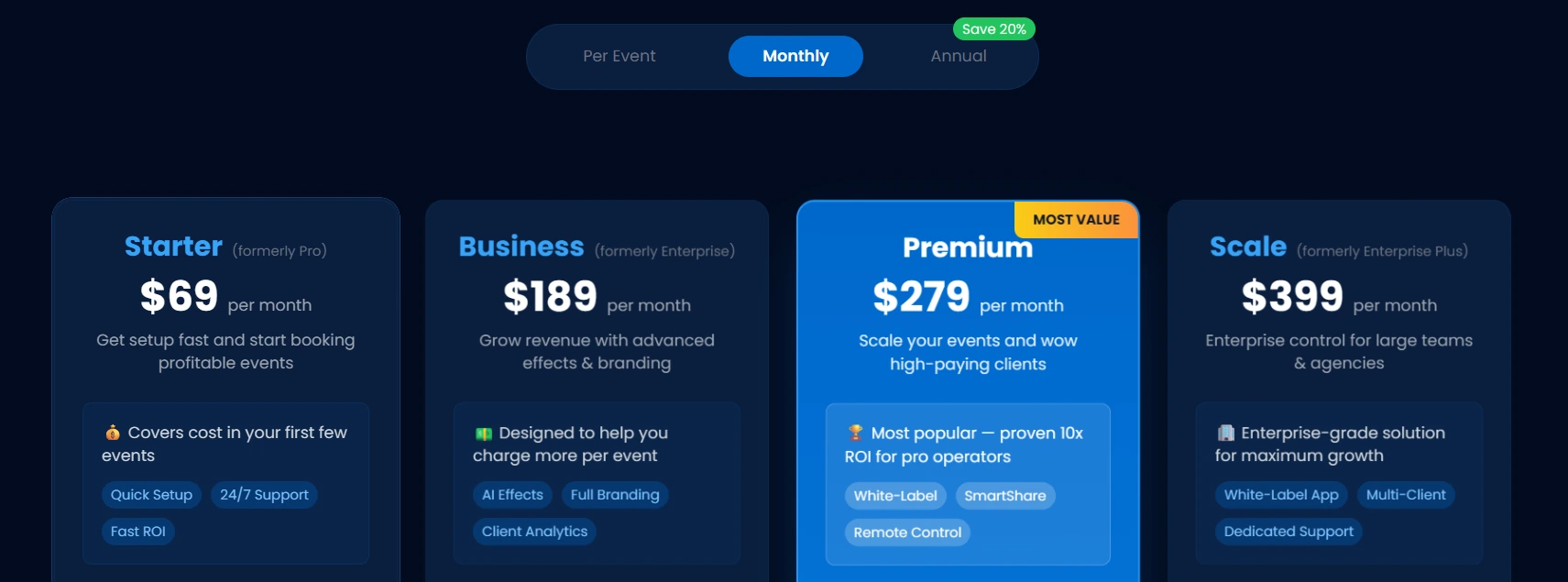
- Starter at $69/month ($499/year): One booth license; core photo, GIF, burst capture; SMS and email sharing (US/Canada); 60+ templates and filters.
- Business at $189/month ($1,799/year): Adds VideoFX (360, Glambot), AI-FX, brandable microsite galleries, client analytics, surveys, green screen, and Roaming Mode.
- Premium at $279/month: Adds white-label URLs, webhooks, LiveConnect remote control, and SmartShare AI (400 credits included).
- Scale at $399/month ($3,999/year): Adds multi-client management, unlimited sub-accounts, Grey Label unbranded app, and Dedicated Customer Success Manager.
AI background removal ($15/100 credits), AI-FX image generation ($20/200 credits), and international SMS ($39/1,000 texts) cost extra on all tiers.
Use Snappic If:
- You operate multiple booth types simultaneously (360, Glambot, mirror, iPad) and need one platform to manage all formats
- You run multi-booth deployments at scale and need centralized fleet visibility with remote control
- Your revenue depends on corporate and brand activation events with cinematic video deliverables
- You need white-labeled client-facing galleries, analytics reports, and branded share URLs
- 24/7 live support with remote access during live events is a hard operational requirement
3. LumaBooth: Best Budget-Friendly Option for Solo Operators Wanting Full Features at a Low Monthly Cost
Source: LumaBooth
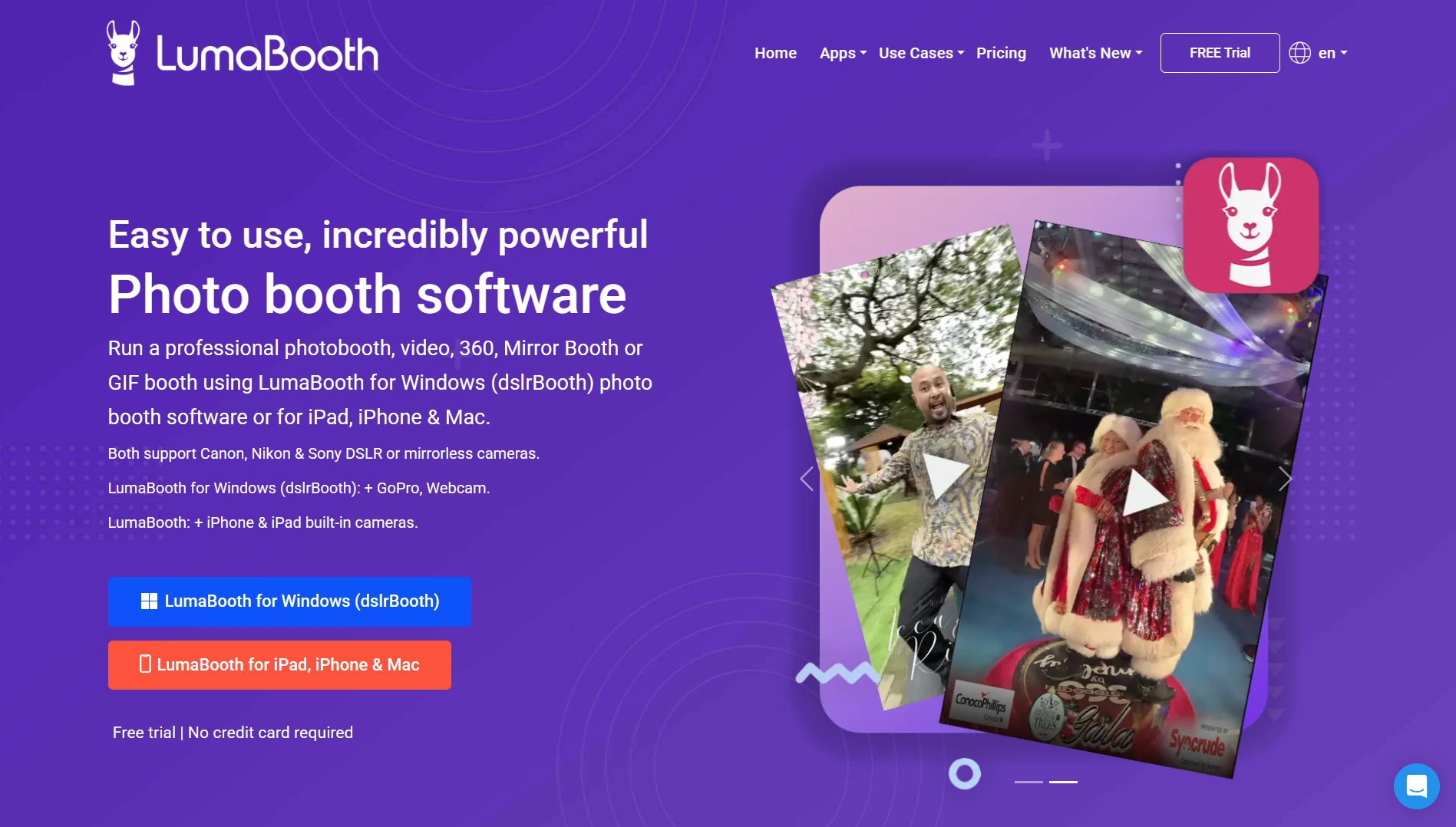
For solo operators and small photo booth businesses who want a full toolkit without the price tag to match, LumaBooth delivers more features per dollar than any other platform in this roundup.
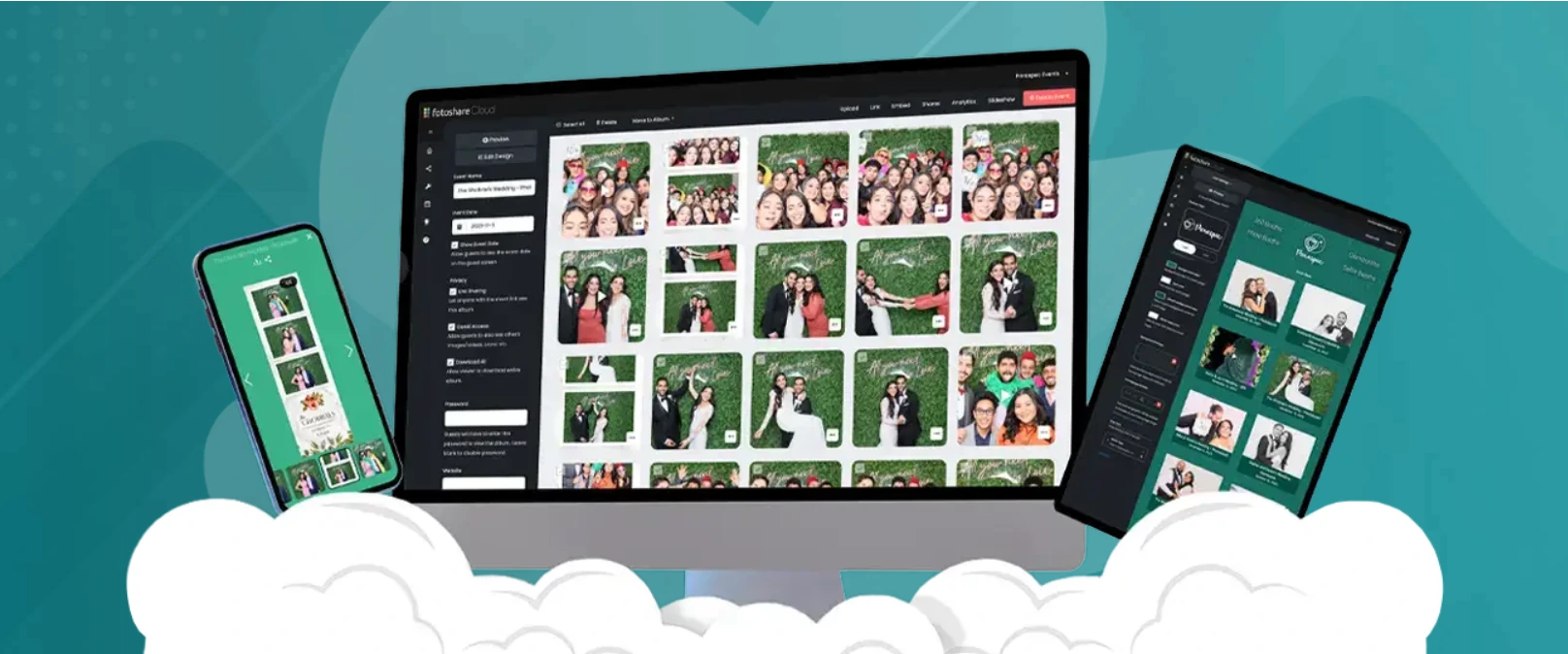
LumaBooth by Lumasoft spans Windows PC, iPad, iPhone, and Mac, making it the only platform here that runs on both Apple and Windows operating systems under a single brand. Its standard subscription includes two device licenses, five capture modes, six sharing channels, and an automatically hosted cloud gallery, all at approximately $18/month on annual billing.
| LumaBooth Pros | LumaBooth Cons |
|---|---|
| - Lowest cost per feature of any paid platform on this list | - AI Portraits, SMS, and upgraded gallery tiers cost extra |
| - Two device licenses included per subscription | - No integrated proprietary hardware ecosystem |
| - fotoShare Cloud gallery included free on every plan | - No web dashboard for remote device management; nearly all configuration happens in-app |
| - Six sharing channels (email, SMS, QR, AirDrop, WhatsApp, Instagram) at base price | - Dated interface compared to mobile-first platforms |
| - Five capture modes (photo, GIF, boomerang, video, 360) in one subscription | - Design tools are more limited than platforms with dedicated layout builders |
Why Choose LumaBooth for Full-Feature Access at a Low Monthly Cost?
fotoShare Cloud Gallery Included Free. Most platforms treat cloud hosting as a paid upgrade. LumaBooth includes a functional, branded fotoShare Cloud gallery with every subscription, even the free trial. Each event gets its own microsite with a customizable banner, background color, logo, and a private delivery link for the client. Paid tiers (fotoShare Cloud Plus at $19.99/month and Business at $39.99/month) add password-protected events, custom subdomains, Google Analytics integration, and extended video archive duration.
Five Booth Formats and Six Sharing Channels, No Upsells. LumaBooth’s single subscription covers photo, GIF, boomerang, video, and 360/slow-motion capture modes, plus green screen chroma keying, AI background removal, mirror booth, glam booth, and video guestbook. Email, SMS, QR code, AirDrop, WhatsApp, and Instagram sharing come without extra fees. The one notable exception: AI Portraits consume credits purchased separately.
Two Device Licenses on One Plan. LumaBooth’s standard subscription covers two simultaneous devices, whether two iPads, two Windows PCs, or one of each. For a solo operator with a backup device or running two small events on the same night, the second deployment costs nothing extra.
Source: LumaBooth
LumaBooth Pricing
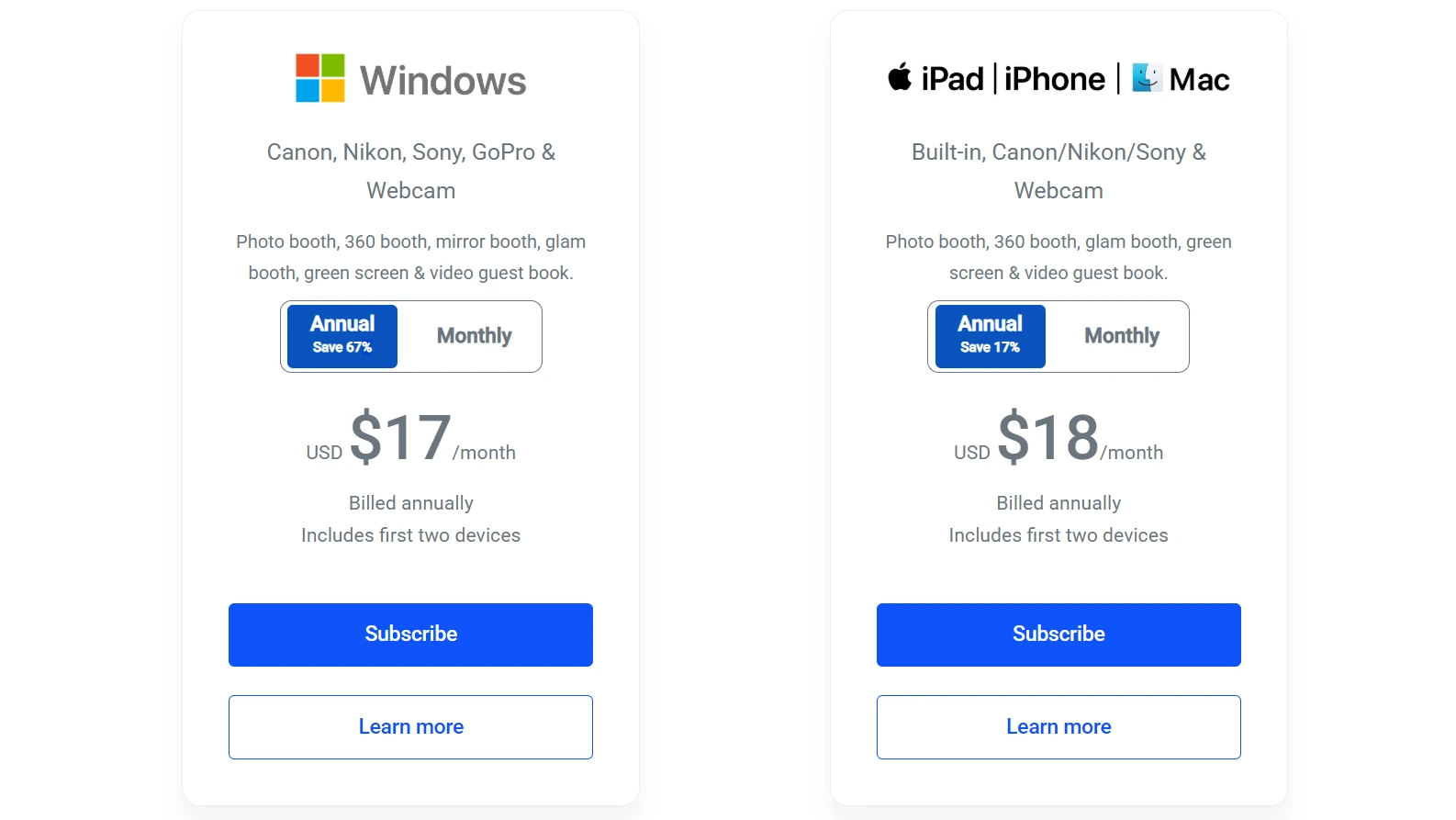
- LumaBooth for Apple: $18/month billed annually (~$216/year) or $19.99/month on monthly billing. Two devices, all capture modes, fotoShare Cloud Basic included. Free trial with watermark; 20 free AI Portrait credits.
- LumaBooth for Windows: $17/month billed annually (~$204/year). Two devices, adds cashless pay-per-print and Booth CoPilot management app.
Notable add-on costs: fotoShare Cloud Plus (+$19.99/month), SMS Plan (+$10/month for unlimited US/Canada), AI Credits (+$14.99/month for 150), LumaShare companion app (+$7.99/month).
Source: LumaBooth
Use LumaBooth If:
- You want the widest feature set at the lowest base monthly cost in the category
- You own Windows PC or professional DSLR hardware and want direct camera integration
- You need two device licenses included without paying per-device fees
- You want a hosted cloud gallery delivered automatically to every event client without a separate hosting subscription
- You run events at venues with unreliable internet and need offline QR code sharing capabilities
4. Snapbar: Best for Brands and Agencies Running Large-Scale Physical and Virtual Activations
Source: Snapbar
When the activation budget is measured in five or six figures and the stakeholder report matters as much as the guest experience, Snapbar is the platform built for that conversation.
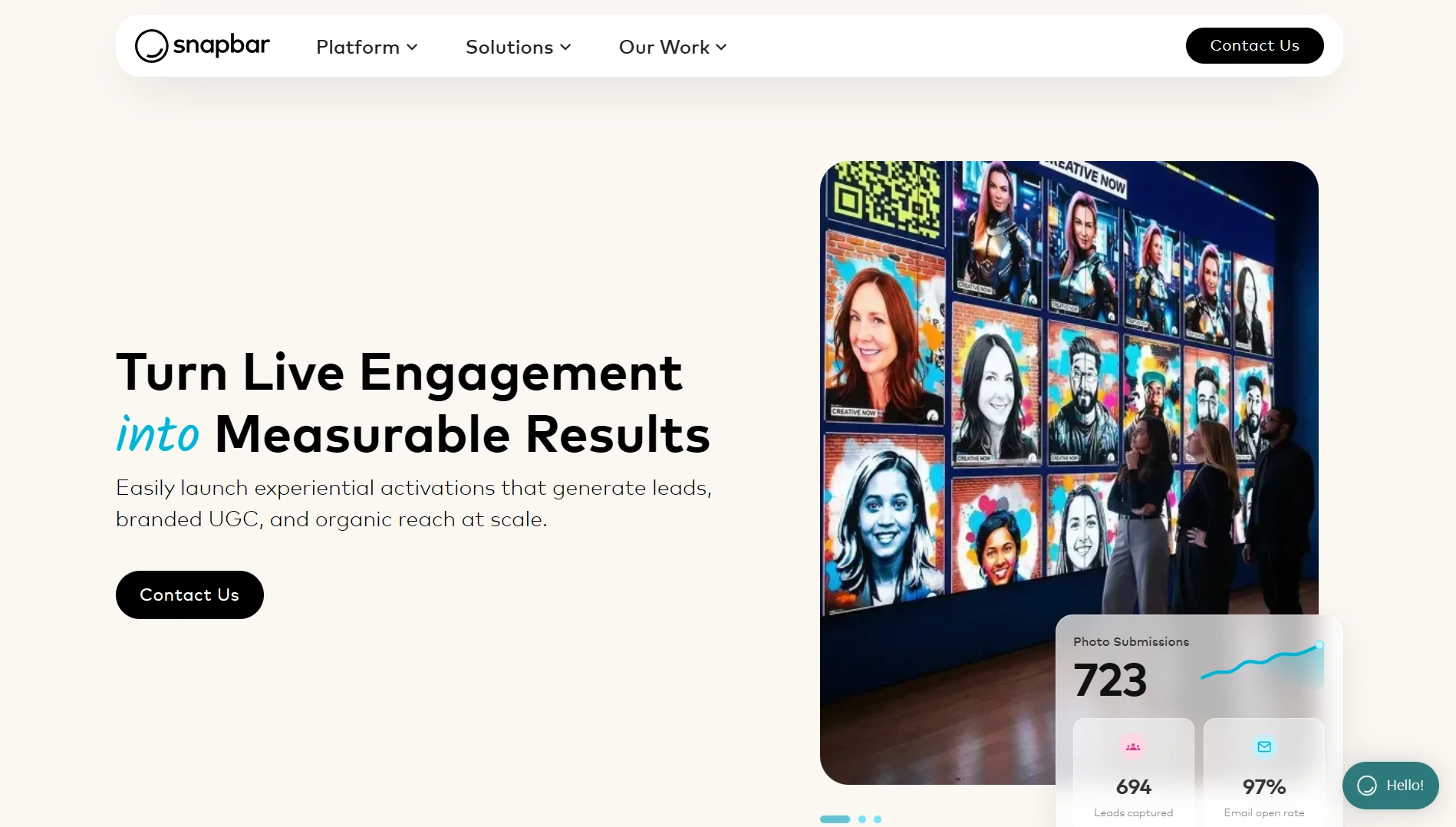
Snapbar is an experiential marketing platform that combines physical kiosk photo booths, browser-based virtual experiences, AI-generated content, and enterprise lead capture under one dashboard. It serves corporate event marketers, experiential agencies, and trade show exhibitors running activations at scale.
| Snapbar Pros | Snapbar Cons |
|---|---|
| - Eight distinct experience types managed from a single dashboard | - No published pricing; custom-quote only |
| - AI personalization that ties output to individual guest data | - Not designed for self-serve operator use (self-rated 3/10 for DIY) |
| - Display infrastructure (Live Slideshow, Social Wall, Mosaics) | - Not suited for photo booth rental companies or wedding operators |
| - CRM-ready lead export to Salesforce, HubSpot, and Marketo | |
| - Documented scale from 50 to 50,000+ attendees |
Why Choose Snapbar for Large-Scale Activations?

One Platform for Every Activation Format. Snapbar’s dashboard governs eight experience types: AI Photo Booth, AI Video Booth, AI Stories, Persona Quiz, Digital Photo Booth, Trading Cards, Event Headshots, and Selfie Stations, plus four display formats (Live Slideshow, Social Wall, Mosaics, Photo Booth Gallery). A trade show exhibitor can run a physical kiosk AI Photo Booth on the show floor while simultaneously serving remote employees through a virtual activation link, both feeding into the same gallery and lead export.
AI That Personalizes Output Per Guest. Snapbar’s AI Stories and Persona Quiz activations incorporate quiz answers, fill-in-the-blank story prompts, and custom lead form fields directly into the AI generation pipeline, producing output that changes based on what each attendee says. Every submitted photo generates a different output image. Delivery emails average a 95% open rate because attendees are actively waiting for the content they just created.
Display and Content Moderation. The Social Wall aggregates both Snapbar content and social hashtag posts via a Walls.io partnership included at no additional cost. Real-time moderation controls sync across all display formats simultaneously.
Source: Snapbar
Snapbar Pricing
Snapbar uses a build-your-own quote model based on product selection, experience level, and expected participation volume. There is no free trial, freemium tier, or publicly documented pricing. Every activation includes collaborative setup with Snapbar’s design team. Snapbar acknowledges that its starting cost is higher than competitors, positioning it for mid-to-enterprise budgets.
Use Snapbar If:
- Your organization runs 3+ branded activations per year across physical, virtual, and AI experience formats
- You are an experiential agency managing programs for multiple enterprise clients needing white-label branding and collaborative setup support
- Your events routinely exceed 500 attendees and require documented performance at 10,000-50,000+ participant scale
- Lead data quality and post-event CRM follow-up matter more than low per-event cost
- You need remote attendees to participate in the same branded experience as on-site guests
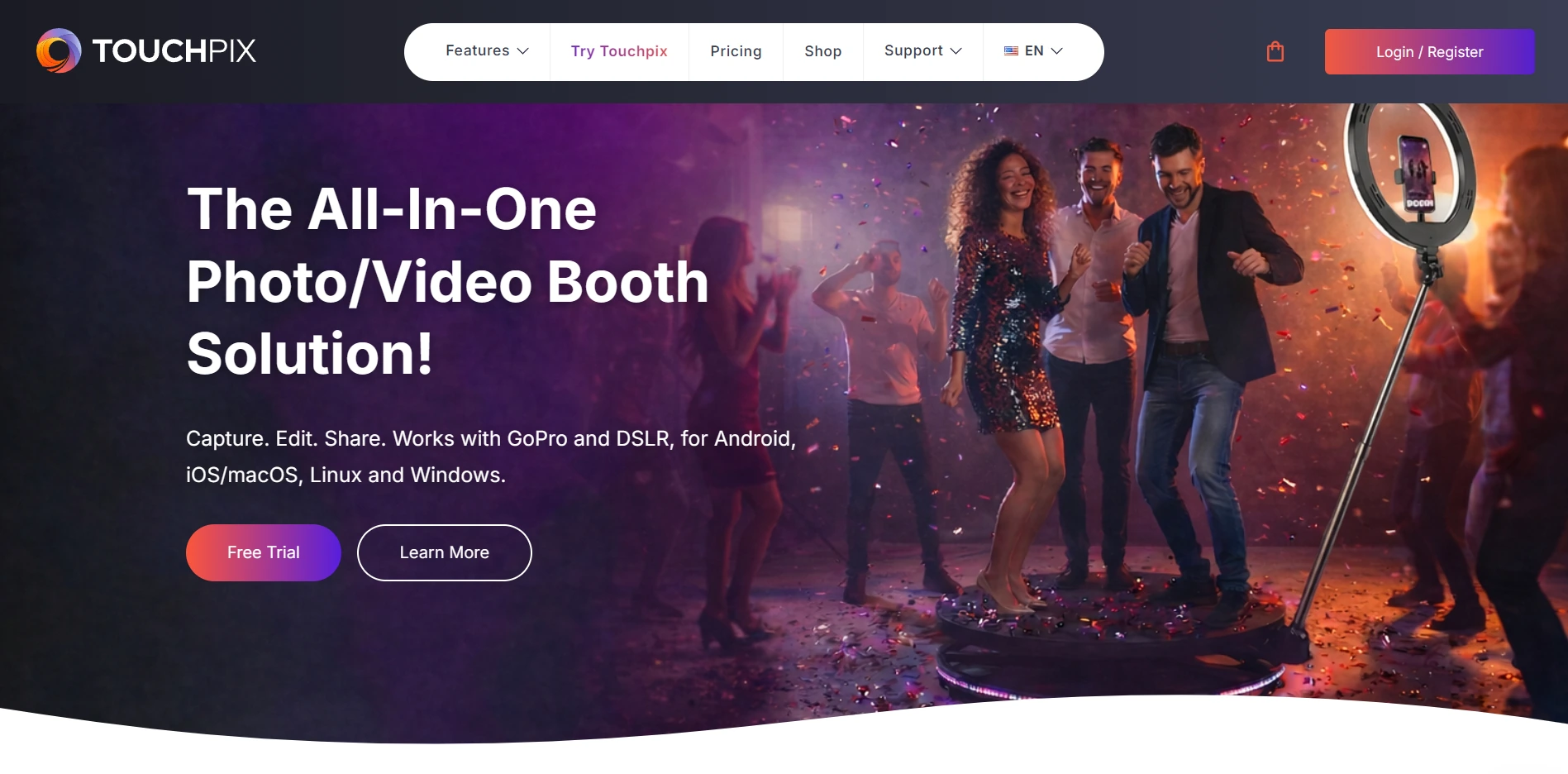
5. TouchPix: Best for 360 Video Booth Specialists and Multi-Platform Operators
Source: TouchPix
If your signature offering is the spinning-arm 360 video experience and you run booths across a mix of iPads, Android tablets, Windows PCs, and GoPros, TouchPix is the platform built for that operational reality.
TouchPix is a subscription-based photo and video booth platform with dedicated 360-degree capture automation, native GoPro integration (models 7-14), and the widest device support in the category. It runs natively on iOS, iPadOS, macOS, Android, Windows, Linux, and Raspberry Pi with unlimited devices per subscription tier.
| TouchPix Pros | TouchPix Cons |
|---|---|
| - Most specialized 360 video booth engine in the category | - Entry tier limited to 2 simultaneous active events |
| - Unlimited devices across every major operating system | - AI Pro cloud transformations require per-credit purchases |
| - Offline AI effects and guest sharing without internet | - Users report occasional reliability concerns, including a notable cloud service disruption |
| - Native GoPro 7-14 integration with Bluetooth rig automation | - Captured media can be slower to render than competing platforms |
| - 80+ AI transformation styles with custom text-prompt support | - Interface complexity can make unattended booth operation less predictable |
Why Choose TouchPix for 360 Video and Multi-Platform Deployments?
360 Video Engine. TouchPix communicates with spinning rigs via Bluetooth integration to trigger 360 capture sequences automatically. Camera support extends from GoPro Hero 7 through GoPro 14 in both wired USB and wireless Wi-Fi modes, with wired mode recommended for speed and reliability during high-volume events.
Cross-Platform Support. An operator running a 360 GoPro rig on a Windows mini-PC, a flat booth on an iPad, and a mirror booth on a Mac can manage all three under one license. The BoothBuilder Touch partnership shows hardware manufacturers choosing TouchPix as an embedded software layer.

Offline-First Design. AI Face Replacement and automatic background removal both run on the local device with no internet required. The Scanpix 2 offline sharing system delivers guest media via QR code using device-to-device transfer, and an offline queue system holds cloud uploads until connectivity returns.
Source: TouchPix
TouchPix Pricing
TouchPix prices by active event slots (simultaneous booth activations) with unlimited devices per account. Yearly billing saves approximately 40%.
- PhotoPass at $439.90/year (2 active events): Photos, Photo AI, animated GIFs. Excludes video and slow motion.
- MultiPass at $879.99/year (4 active events): Adds video, slow-motion, and boomerang.
- MultiPass Pro at $1,407.99/year (8 active events): Adds Virtual Booth and Advanced Surveys.
- MultiPass Enterprise at $2,199.99/year (12 active events): Adds Mosaic feature and RAW cloud backup.
Add-ons include AI Pro credits (100 for $12, 500 for $49, 5,000 for $375), Mosaic pass ($49.99 for 2 weeks), and storage extension ($69.99/year).
Use TouchPix If:
- Your primary offering is 360-degree spinning-arm video booths and you need GoPro integration with Bluetooth rig automation
- You operate a mixed fleet across different operating systems and need a single subscription covering unlimited devices
- You regularly run events at outdoor venues or locations with unreliable internet and need fully offline AI effects and guest sharing
- You want 80+ AI transformation styles with custom branded prompts under one subscription
- You manage up to 12 simultaneous events and need format flexibility (360, flat booth, mirror, roaming, virtual) in one app
6. Booth.Events: Best for New Operators Who Want Cloud Gallery and Delivery Before Spending Anything
Source: Booth.Events
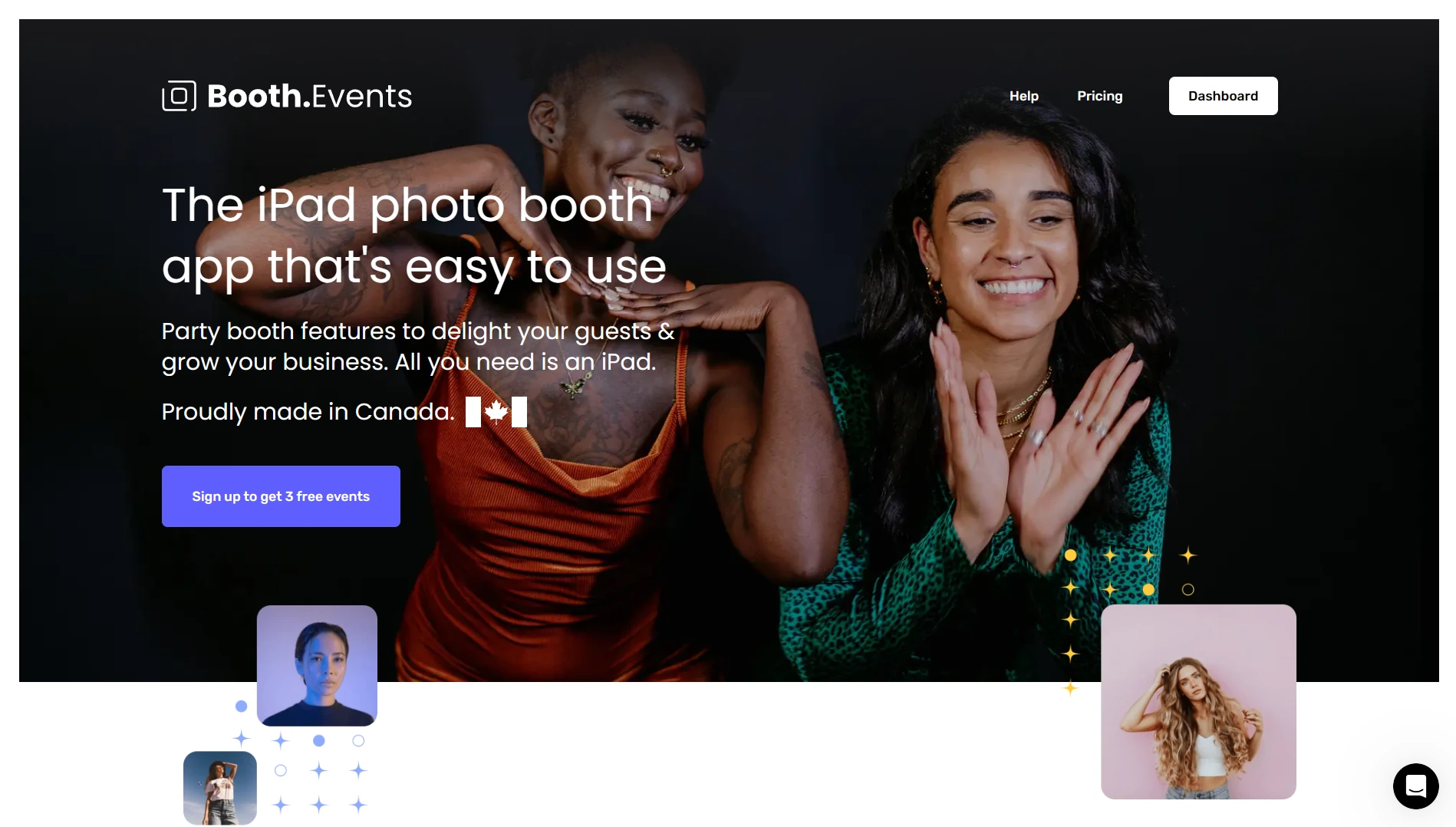
Every other platform on this list requires either a paid subscription or a time-limited trial before you can run a real event. Booth.Events is the exception.
Booth.Events is an iPad and iPhone photo booth platform with a permanent free tier: operators can run up to three real events with no credit card required, receive a branded online gallery for each, and deliver photos to guests via email, SMS, AirDrop, or QR code without paying a dollar.
| Booth.Events Pros | Booth.Events Cons |
|---|---|
| - Three permanent free events with full gallery delivery | - Free tier limited to 100 photo uploads per event and 7-day gallery |
| - Built-in SMS delivery with no Twilio setup required | - Apple-only platform (iPad and iPhone) |
| - Live Sync pushes changes to all iPads during live events | - Feature gating between tiers can be complex |
| - Up to 2-year gallery storage on Pro+ | |
| - Flat-rate billing with no per-use fees on core features |
Why Choose Booth.Events for Zero-Cost Entry?
A Free Tier That Works. All new accounts start at the Starter tier with three permanent free events. Each event includes a branded online gallery with the operator’s logo, guest photo delivery via email and SMS (US and Canada), AirDrop, and QR code access. This is not a watermarked demo: guests receive photos through the same delivery flow a paying subscriber would configure.
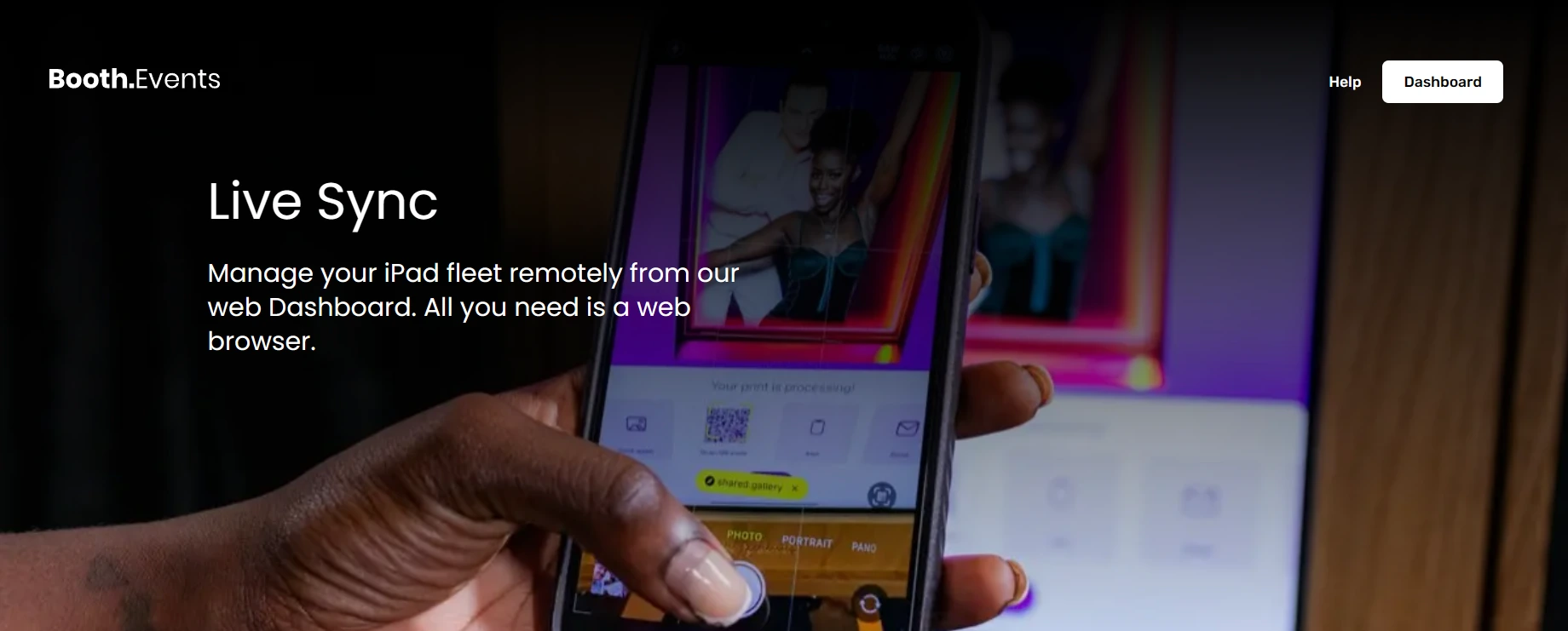
Live Sync for Multi-iPad Operations. Live Sync pushes every settings and template change from the web dashboard to all connected iPads automatically, with no restart required and no interruption to a running event. The iPad licensing model auto-assigns licenses rather than requiring manual per-device management, and iPhones used as Share Stations require no additional license.
Bundled SMS Without Third-Party Setup. Booth.Events handles all SMS infrastructure internally at no additional charge, with no Twilio account setup and no A2P campaign registration required. US and Canada SMS coverage is included on the free tier; paid tiers expand to international coverage including WhatsApp delivery.
Source: Booth.Events
Booth.Events Pricing
Booth.Events uses flat-rate monthly subscriptions with no per-use fees on core features. AI content draws from a separate credit balance at $8 per 100 credits.
- Starter (Permanent Free): Up to 3 events, 100 photos per event, 7-day gallery, email and SMS (US/Canada) delivery included.
- Basic: 1 iPad or iPhone, 3-month gallery storage, unlimited uploads, SMS expanded to additional countries.
- Pro: 1 iPad + unlimited iPhones, 1-year gallery storage, SMS to most countries, custom HTML microsites.
- Pro+: 4 iPads included + unlimited iPhones, 2-year gallery storage, custom domain, white-label app, webhooks, Remote-In live control, emergency phone support.
Non-subscription options include a 1 Week Pass and 4x Pro Event Credits (non-expiring, per-event access).
Use Booth.Events If:
- You are a new operator who wants to test software at real events before spending anything
- You want SMS photo delivery without the administrative overhead of Twilio setup
- You run multi-iPad events and need zero-downtime remote synchronization via Live Sync
- You operate long-duration activations or permanent kiosk installations (up to 2-year gallery storage on Pro+)
- You want predictable flat-rate billing with no per-use fees on core capture and sharing features
7. BoothLedger: Best Up-and-Coming Platform for Windows-Based Operators with Built-In AI and Cloud Galleries
Source: BoothLedger
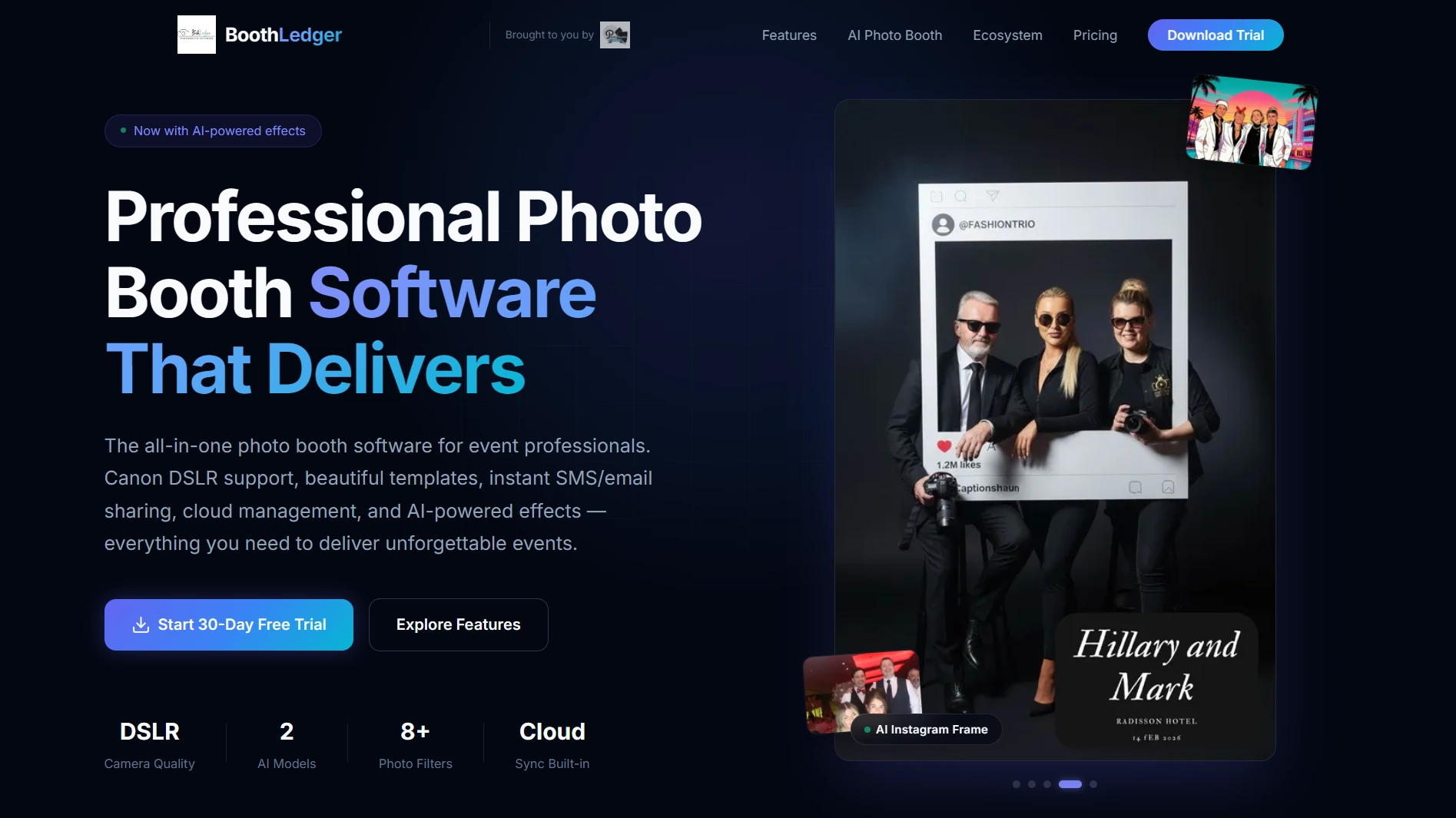
For operators who run Canon DSLRs on Windows PCs and want built-in AI effects plus automatic cloud delivery without stitching together separate tools, BoothLedger is a new platform worth watching.
BoothLedger is a Windows-first photo booth software platform that combines Canon DSLR tethering via native SDK, offline-first event reliability, automatic cloud gallery generation, and two AI engines in a single flat-rate subscription. Built and tested by PhotoBooth Guys, an active Irish hire company with 500+ events for enterprise clients including Google, Microsoft, LinkedIn, and Meta, the software launched its public Windows beta in April 2026.
| BoothLedger Pros | BoothLedger Cons |
|---|---|
| - Automatic cloud gallery per event at zero additional cost | - Very new to the public market (April 2026 beta); no independent reviews yet |
| - Canon DSLR native SDK tethering with live view and autofocus | - Windows-only; no iPad or Mac version |
| - Two AI engines (Core and Nano Banana Pro) with 50+ styles included | - No published enterprise tier or multi-seat add-on pricing |
| - Two device licenses included in base price | |
| - Offline-first: captures, prints, and queues shares without internet |
Why Choose BoothLedger for Windows-Based Cloud Gallery and AI Delivery?
Offline-First with Zero-Setup Cloud Gallery. Every event automatically generates a BoothLedger Cloud gallery with a unique QR code and shareable link, with no manual configuration required. The booth captures, processes, prints, and queues SMS and email shares locally without any internet connection, syncing everything to the cloud the moment connectivity returns.
Canon DSLR Tethering via Native SDK. BoothLedger communicates with Canon bodies through Canon’s EDSDK, providing live view streaming, per-shot autofocus with face detection, and full-resolution capture in under two seconds. Operators can capture RAW and JPEG simultaneously. Support spans the Canon EOS lineup including Rebel/xxxD series, full-frame pro bodies (5D Mark III/IV, 6D Mark II), and the full EOS R mirrorless range.
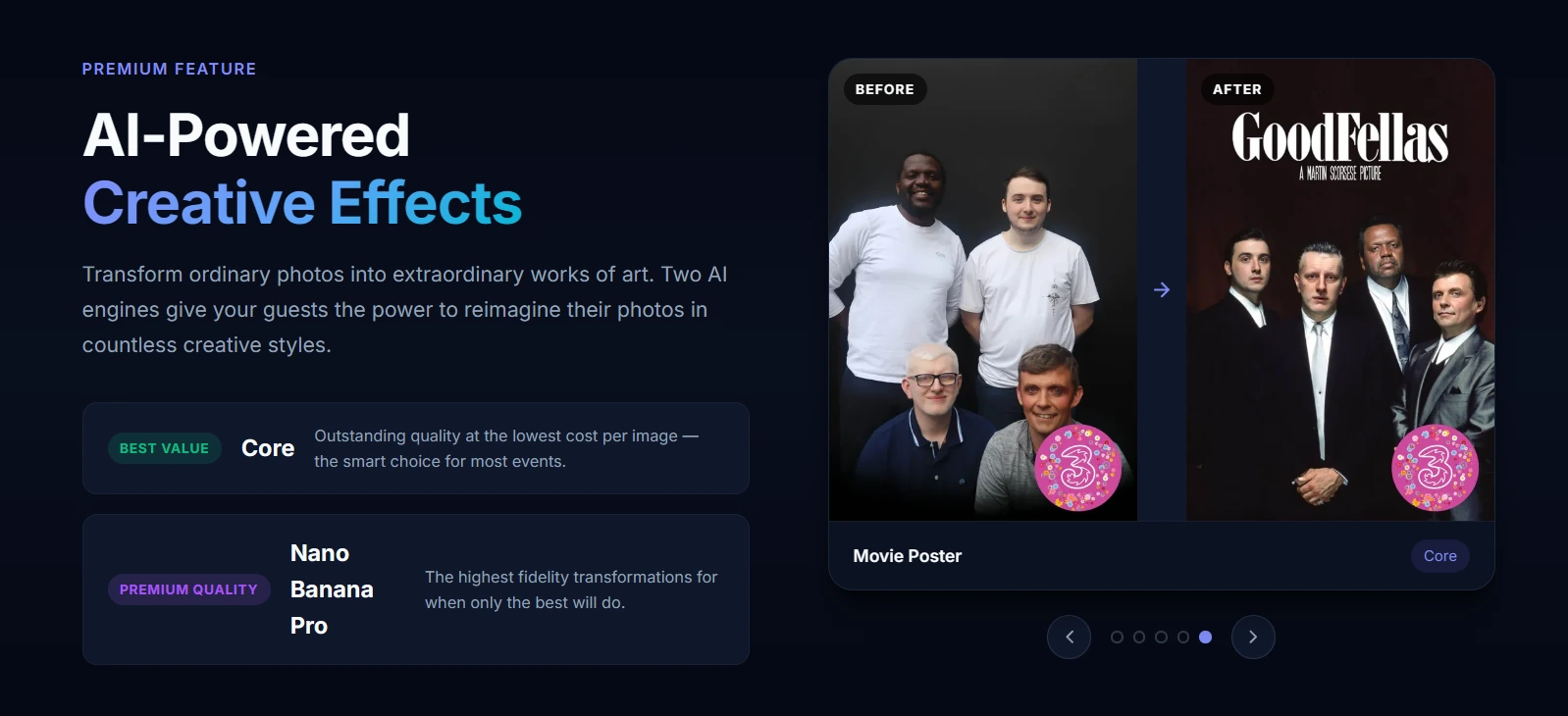
Two AI Engines at a Flat Rate. At €35/month on the AI Photobooth plan, BoothLedger bundles two AI processing engines: Core for speed and Nano Banana Pro for fidelity, covering over 50 art styles including magazine covers, movie poster face-swaps, pencil sketches, and oil paintings. AI background removal runs without a physical green screen. All effects are included at the flat subscription rate with no per-image surcharge.
Source: BoothLedger
BoothLedger Pricing
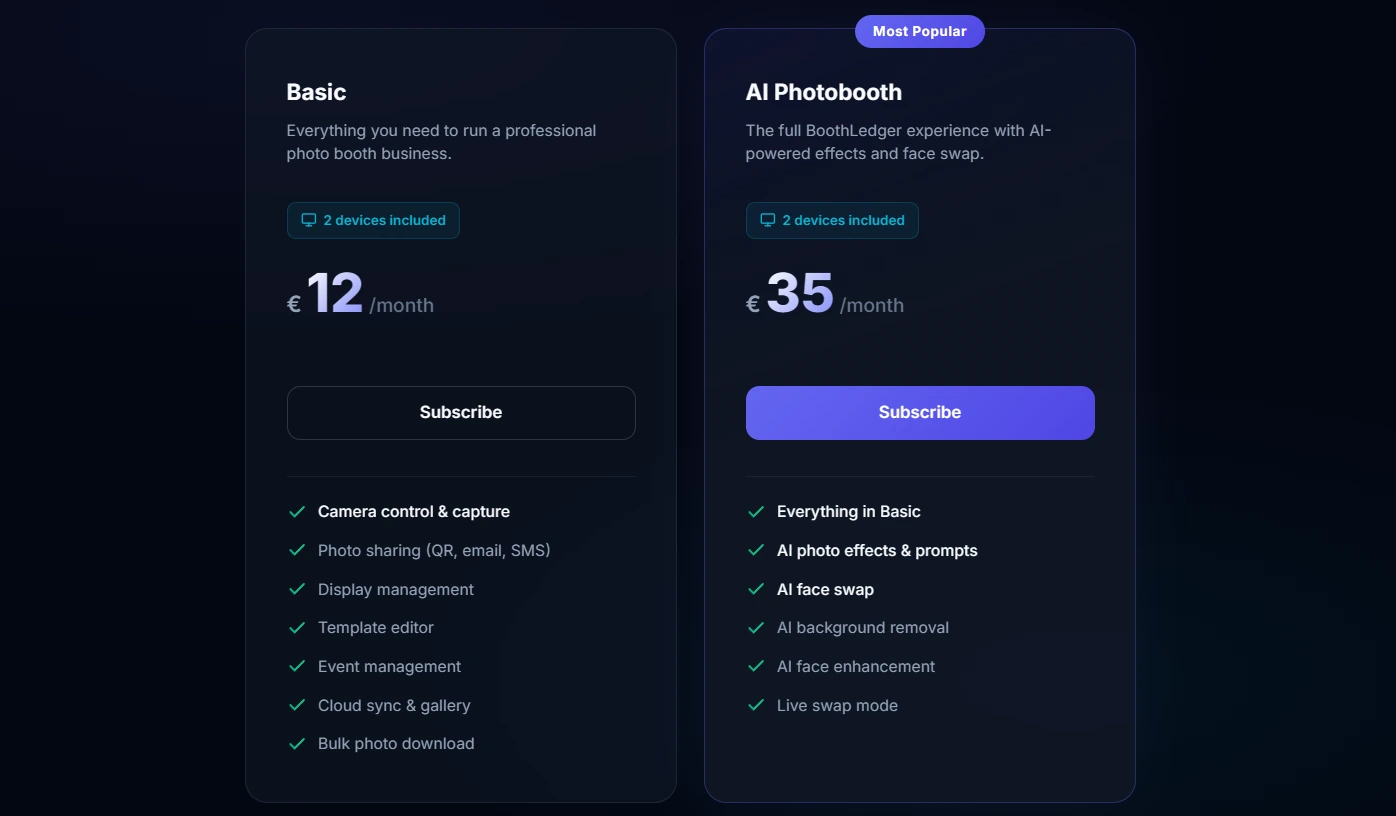
All plans include 2 device licenses. Annual billing saves approximately 15%. Prices are in EUR.
- Basic at €12/month: Canon DSLR tethering, template editor, QR/email/SMS sharing, BoothLedger Cloud gallery.
- AI Photobooth at €35/month: Everything in Basic, plus AI effects, custom prompts, face swap, background removal, and face enhancement across both Core and Nano Banana Pro engines.
A 30-day free trial is available. Prospective buyers should verify trial scope directly with BoothLedger, as there are discrepancies between the homepage and pricing page regarding which features are included during the trial period.
Source: BoothLedger
Use BoothLedger If:
- You run a Windows-based photo booth operation on Canon DSLR hardware and need native SDK tethering with live view and full-resolution capture
- Your events frequently take place in venues with unreliable Wi-Fi and you need offline capture, printing, and queued delivery
- You want built-in AI effects (50+ styles, background removal) bundled into a flat monthly subscription
- You need two device licenses included at the base price for dual-booth setups
- You are comfortable adopting a recently launched platform from a vendor with a credible 500+ event track record
Final Verdict
The best photo booth platform depends on what your operation looks like today and where you want it to go.
Some do more. Some cost less. But the right choice comes down to matching the platform’s strengths to your specific use case, not chasing the longest feature list.
Here are our top recommendations for the three most common scenarios:
- Simple Booth: If you want a self-operating photo booth with automatic cloud galleries, near-90% lead capture opt-in rates, AI effects, and a unified platform for physical booths and virtual experiences from a single dashboard. The integrated HALO hardware, sub-one-minute setup, and offline resilience make it the most complete solution for rental operators, venue owners, and brand marketers.
Get started with Simple Booth’s free trial.
- Snappic: If you manage a large fleet of booths across simultaneous events and need centralized remote control, cinematic 360/Glambot video output, and client-facing analytics reports that justify your pricing.
- Booth.Events: If you are a new operator who wants to run real events with cloud gallery delivery, branded output, and guest data capture before spending anything, with a permanent free tier that no other platform on this list matches.
Best Photo Booth Platforms with Online Gallery and Cloud Delivery FAQ
Which photo booth platform is best for event rental operators?
Simple Booth is the top choice for rental operators, with 30,000+ customers, a 4.7-star App Store rating from 2,400+ reviews, and integrated HALO hardware that sets up in under a minute with no tools required. Its automatic cloud galleries, multi-channel photo delivery (QR, email, SMS, AirDrop, WhatsApp), and offline mode make it the most complete solution for operators running multiple events per week.
Is there a free photo booth platform with online gallery and cloud delivery?
Yes. Booth.Events offers a permanent free tier with up to three events, no credit card required. Each free event includes a branded online gallery, guest photo delivery via email, SMS, AirDrop, and QR code, and guest contact capture. LumaBooth also includes a free fotoShare Cloud Basic gallery with every subscription, including during its free trial.
Which platform is best for managing multiple photo booths at scale?
Snappic is built for enterprise fleet operations. Its LiveConnect feature provides browser-based remote control of any booth from anywhere. The Scale plan includes sub-account management for agency-style multi-client operations, a dedicated Customer Success Manager, and a Grey Label app that removes all Snappic branding. Pricing starts at $69/month for a single booth and scales to $399/month for the full enterprise tier.
What is the best photo booth platform for 360 video booths?
TouchPix is the specialist choice for 360-degree spinning-arm video booths. It offers native GoPro 7-14 integration, Bluetooth-triggered capture automation, and a dedicated 360 video engine. It also runs on every major operating system (iOS, Android, Windows, macOS, Linux, Raspberry Pi) with unlimited devices per subscription, making it a fit for operators with mixed hardware fleets.
How much do photo booth platforms with cloud delivery typically cost?
Pricing varies widely by platform and use case. Simple Booth starts at $14.99/week (Lite) to $249/month (Select). LumaBooth starts at approximately $17-18/month with two device licenses included. TouchPix ranges from $439.90/year to $2,199.99/year based on simultaneous event capacity. Snappic ranges from $69/month to $399/month. BoothLedger starts at €12/month. Booth.Events offers a permanent free tier. Snapbar uses custom-quote pricing for enterprise activations.
Do photo booth platforms work without internet at the event venue?
Yes, most leading platforms include offline capabilities. Simple Booth’s HALO app queues sessions offline and delivers them when connectivity returns. BoothLedger captures, prints, and queues shares locally without internet. TouchPix runs AI effects and guest sharing offline. Booth.Events queues shares for delivery once connectivity resumes. This matters for events at outdoor venues, basements, or hotels with unreliable Wi-Fi.
Which photo booth platform has the best lead capture and marketing features?
Simple Booth leads this area with documented 87-89% opt-in rates on lead capture forms, native MailChimp integration, API access for custom CRM delivery, and analytics that track gallery views, social shares, and demographic insights. Snapbar offers the most developed enterprise lead capture with AI-personalized activations and CRM-ready export to Salesforce, HubSpot, and Marketo, though at a higher price point.
What should I look for when choosing a photo booth platform with online gallery?
Prioritize the gallery and delivery experience over feature count. Key factors: whether cloud galleries generate automatically for every event or require manual setup, how many delivery channels come at the base price (QR, email, SMS, AirDrop, WhatsApp), whether the platform works offline when venue Wi-Fi fails, what lead capture and data export options are available, and whether the pricing model scales predictably as your business grows.
Keep reading
 Best Of
7 Best Photo Booth Software with Video Message and Slo-Mo Capture [2026]
Booths that capture heartfelt video notes and buttery slo-mo. The moving stuff.
 Best Of
6 Best Photo Booth Software With QR Code Sharing [August 2026]
Booths that beam every snap to a phone with a quick scan. QR sharing done right.
 Best Of
7 Best Photo Booth Software With Real-Time Analytics and Dashboards [August 2026]
Booths that show the numbers as the party happens. Live dashboards, real insight.