7 Best Photo Booth Software With CRM and Lead Capture Integration [August 2026]

Photo booths used to be a party novelty. Drop in a coin, squeeze into a curtained box, leave with a strip of goofy snapshots.
That era is over.
Today’s photo booths are data collection engines. When a guest steps up to take a branded photo, they hand over their name, email, and phone number to receive it. That single interaction can produce a qualified lead, a social media post tagged with your brand’s hashtag, and a new email subscriber, all in under 30 seconds.
The difference between a photo booth that captures memories and one that captures revenue comes down to one thing: what happens to the guest data after the photo is taken. Does it sit in a local folder, or does it flow into a CRM where your sales team can act on it?
We tested and researched the leading photo booth platforms to find the ones that do the most with guest data. Here are our top picks:
- Capturing leads that convert at live events,
- Deploying branded activations at scale without shipping hardware,
- Running multiple booth formats from a single subscription,
- Collecting structured survey data from 360 video booth guests,
- Getting started with contact collection on a tight budget,
- Eliminating recurring software fees on Windows,
- And managing cloud-based lead capture with GDPR compliance built in.
Let’s look at the best photo booth software with CRM and lead capture integration in 2026.
What Is Photo Booth Software With CRM and Lead Capture Integration?
Photo booth software with CRM and lead capture integration refers to platforms that combine interactive photo or video capture with built-in tools to collect guest contact information and route it to customer relationship management systems. These platforms embed data capture forms, consent management, and export or sync capabilities into the guest experience itself.
The “CRM integration” component ranges from native connectors (such as MailChimp or webhook-based CRM routing) to structured CSV exports ready for manual upload into Salesforce, HubSpot, or Marketo. The key distinction from a standard photo booth app: guest data collection is part of the core workflow, not a separate step.
Best Photo Booth Software With CRM and Lead Capture Integration
 | Simple Booth Best for lead capture with an 87% opt-in rate, native MailChimp sync, and API-based CRM connectivity. |
|---|---|
 | Snapbar Best for enterprise brand activations needing hardware-free digital lead generation with CRM-ready CSV exports. |
 | Snappic Best for multi-format booth operators who need webhook-based CRM routing and custom survey data from every rig type. |
 | TouchPix Best for 360 video booth specialists needing structured survey-based lead capture with cross-platform flexibility. |
 | Luma Booth Best for budget-conscious operators getting started with guest contact data collection at the lowest subscription cost. |
 | Darkroom Booth Best for Windows operators who want built-in lead capture without recurring monthly software fees. |
 | BoothLedger Best for Windows DSLR operators seeking cloud-based, GDPR-ready lead capture at a low entry price. |
How To Choose the Best Photo Booth Software With CRM and Lead Capture Integration
Here’s a short checklist to help you find the right platform:
- Data Capture Depth: Does the platform collect just an email, or can you configure custom fields (company name, job title, consent checkboxes) tailored to your event type?
- CRM Connectivity: How does captured data reach your CRM? Native integrations, webhooks, API access, and clean CSV exports are the four main pathways. Know which one your team can actually use.
- Opt-In Rate and Guest Experience: A lead capture form that interrupts the experience will get skipped. Look for platforms where data collection fits naturally into the photo delivery flow.
- Compliance and Consent: If you serve corporate clients or operate in the EU, you need configurable consent text, opt-in checkboxes, and audit-ready records. This should not be an afterthought.
- Hardware and Platform Fit: Some platforms are iPad-only, others Windows-only, others fully browser-based. Match the software to the hardware you already own.
- Scalability: Can you manage multiple booths, multiple events, or multi-city activations from a single dashboard without multiplying your software costs?
How We Curated Our List of Platforms
We started by identifying photo booth platforms that include guest data collection and CRM connectivity. We then evaluated each platform on four criteria:
- Lead Capture Capability: What guest data can you collect, how is it stored, and how does it reach an external system?
- CRM Integration Depth: Does the platform offer native CRM connectors, webhooks, API access, or structured exports?
- Ease of Use: How quickly can an operator set up data capture for a new event without technical help?
- Value for Money: What do you get for the price, and are lead capture features included or gated behind higher tiers?
These factors narrowed our list to the seven platforms that cover the full range of photo booth lead capture needs.
1. Simple Booth: Best for Lead Capture With an 87% Opt-In Rate
Collecting leads at events is easy. Collecting leads that people actually want to give you is the hard part.
Most event lead capture methods (badge scans, clipboard sign-ups, post-event follow-up emails) fight against attendee indifference. The guest has no reason to hand over their contact information because they get nothing in return.
Simple Booth flips that dynamic.
Simple Booth is a photo booth platform that pairs a subscription-based iPad app (the HALO app) with proprietary ring-light hardware (the HALO kits), plus a browser-based Virtual Booth that requires no hardware at all. Its lead capture system sits inside the photo delivery flow: guests provide their contact information to receive their photo, producing opt-in rates as high as 87-89%.
That is not a benchmark average. It is a direct result of embedding data capture into the value exchange itself.
| Simple Booth Pros | Simple Booth Cons |
|---|---|
| - 87%+ opt-in rates for lead capture | - iPad-only hardware dependency (no Android support) |
| - Native MailChimp integration and Open API for CRM connectivity | - CRM integrations beyond MailChimp require developer involvement |
| - Ring-light hardware with sub-one-minute setup | - Entry-level Lite plan excludes lead capture and analytics |
| - AI effects, DSLR support, and Virtual Booth in one platform | - AI effects require per-credit purchases beyond plan bonuses |
| - 4.7-star App Store rating from 2,400+ ratings |
Lead Capture and CRM Connectivity: Turn every photo into a qualified contact
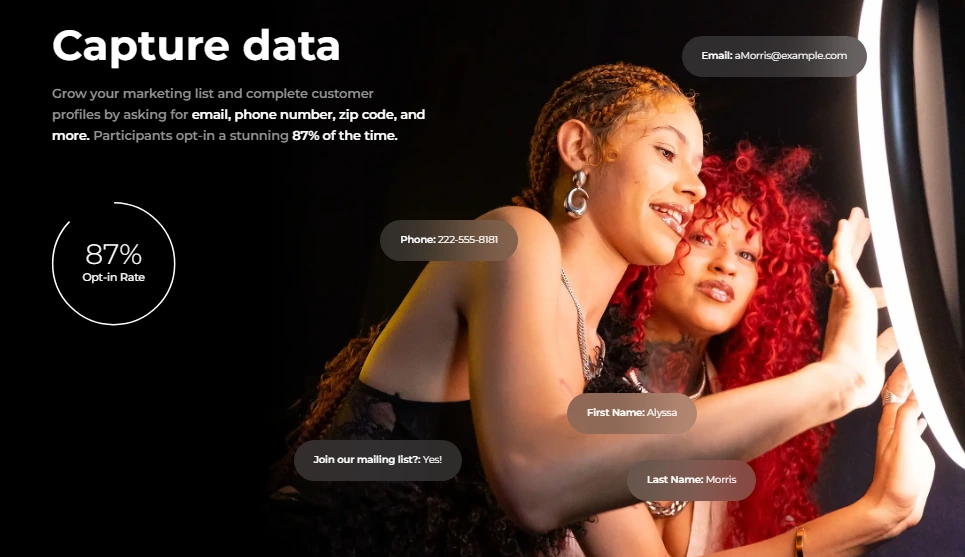
Simple Booth’s data capture system collects up to 6 standard fields (email, first name, last name, phone, postal code, date of birth) on the Pro plan, and up to 10 custom fields (including checkboxes and required legal terms) on Select. The form appears as a natural part of the photo experience, not as a separate marketing ask, which is why the opt-in rates run so much higher than typical event lead capture methods.
Source: Simple Booth
For CRM connectivity, Simple Booth offers three pathways:
- MailChimp native sync (Pro+): a no-code connection that automatically syncs new contacts collected during events to your MailChimp audience.
- Open API (Pro+): REST API for custom CRM delivery to any external system. The API supports listing data captures with full contact and photo data, plus GDPR-compliant data purging. A developer is required for setup.
- CSV export: downloadable from the dashboard for manual upload into any CRM.
Arizona Opera grew its email list by 1,000 addresses in a few events using Simple Booth’s lead capture, turning intermission entertainment into a subscriber acquisition channel.
Analytics and Marketing Tools: Measure what your booth generates
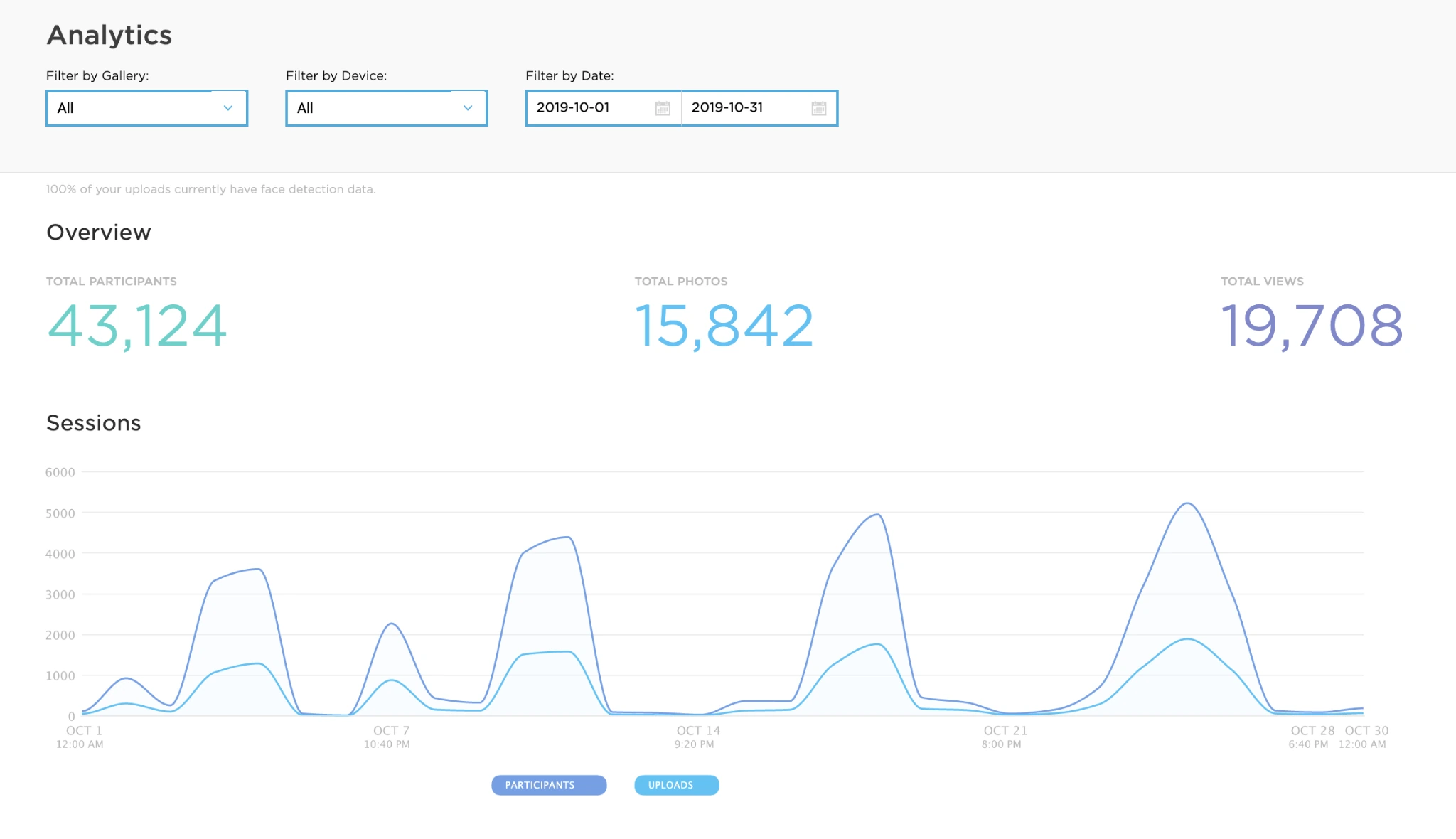
The analytics dashboard tracks total participants, uploads, gallery views, and social sharing metrics across Facebook, X, LinkedIn, and Instagram. On the Select tier, demographic insights via face detection (estimated age, gender breakdown, average group size) give marketers audience composition data from activations, something uncommon in the photo booth category.
Each event generates an online gallery with customizable branding, hashtags that auto-populate on social shares, and a Live Feed slideshow for display on any TV or projector.
Source: Simple Booth
Treetop Golf collected 150,000 unique email addresses across their locations using Simple Booth’s lead capture, turning a guest entertainment feature into a first-party data asset.
Hardware and AI: Professional quality drives higher engagement
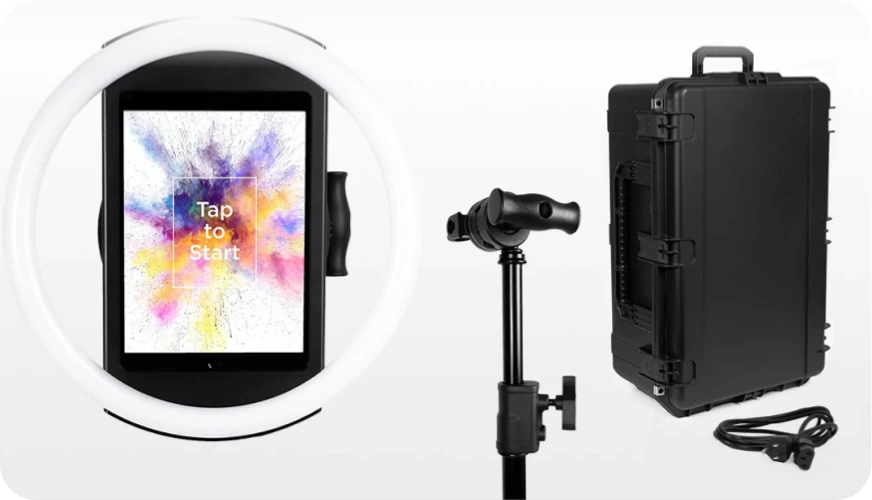
The HALO hardware kit features 112 LEDs producing up to 2,100 lumens in a patented, machined aluminum chassis that sets up in under one minute with no tools. DSLR/mirrorless camera support (Canon and Sony, Core plan and above), AI background replacement without a green screen, and guest-editable text layers round out the capture experience.
Source: Simple Booth
The Virtual Booth extends reach beyond physical events: participants join from their own phone via QR code or link, with the same data capture, AI effects, and gallery infrastructure. No hardware or app install required.
Simple Booth Pricing
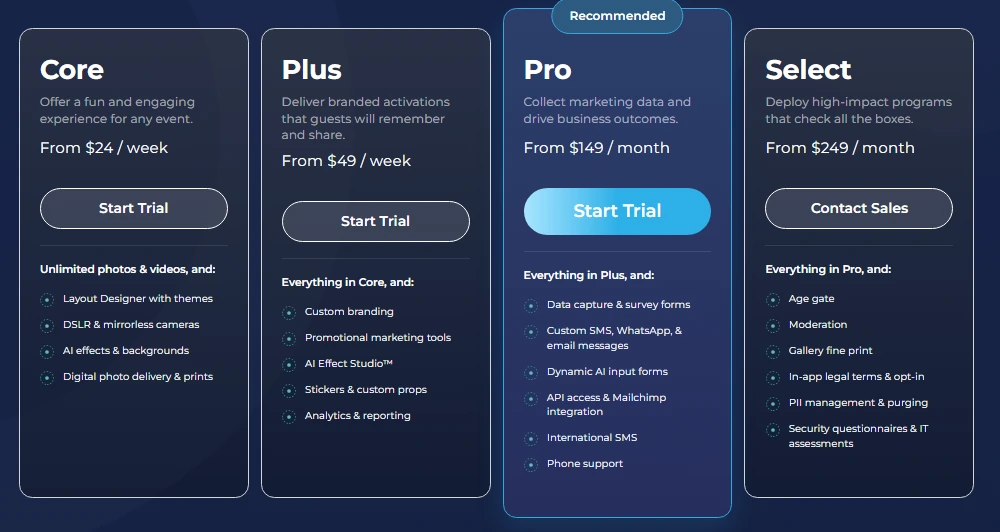
Simple Booth uses a per-license subscription model. Lead capture features are available on Pro and above:
- Lite: $14.99/week, $29.99/month, $289.99/year (App Store only; excludes lead capture, analytics, and custom branding)
- Core: $24/week, $49/month, $490/year (adds DSLR support, background replacement, Virtual Booth)
- Plus: $49/week, $99/month, $990/year (adds custom branding, analytics, guest-editable text)
- Pro: $149/month, $1,490/year (adds lead capture, MailChimp, API, phone support, moderation)
- Select: $249/month, $2,490/year (adds custom legal terms, demographic analytics, security questionnaires)
Source: Simple Booth
A 7-day free trial is available with 25 free AI credits.
Use Simple Booth if:
- You want the highest documented lead capture opt-in rates in the photo booth category
- You need native CRM connectivity (MailChimp) or API access for custom integrations
- You want one platform covering physical booths, AI effects, and virtual/digital activations
- You serve enterprise or regulated clients needing compliance tools (age gate, PII deletion, custom legal terms)
Why Simple Booth Topped Our List
We know how this looks: Simple Booth picks itself as the best photo booth software for lead capture.
But of all the platforms we evaluated, Simple Booth had the most complete lead-capture-to-CRM pipeline: a structurally high opt-in rate from embedding data collection into the photo delivery experience, native MailChimp sync plus an Open API for custom CRM delivery, analytics that track social sharing and demographic data, and compliance tools built for enterprise clients. No other platform on this list matches that combination at a single subscription tier.
G7 Entertainment Marketing has used Simple Booth for 10+ years and over 136,000 fan interactions, demonstrating long-term reliability for high-volume brand activations.
Read on to see how the other platforms compare.
2. Snapbar: Best for Enterprise Brand Activations With Hardware-Free Digital Lead Generation
Trade show exhibitors and experiential agencies often face the same problem: they ship hardware to an event, hire an on-site technician, and still end up with a spreadsheet of badge scans that tells marketing almost nothing about who actually engaged.
Snapbar takes a different approach.
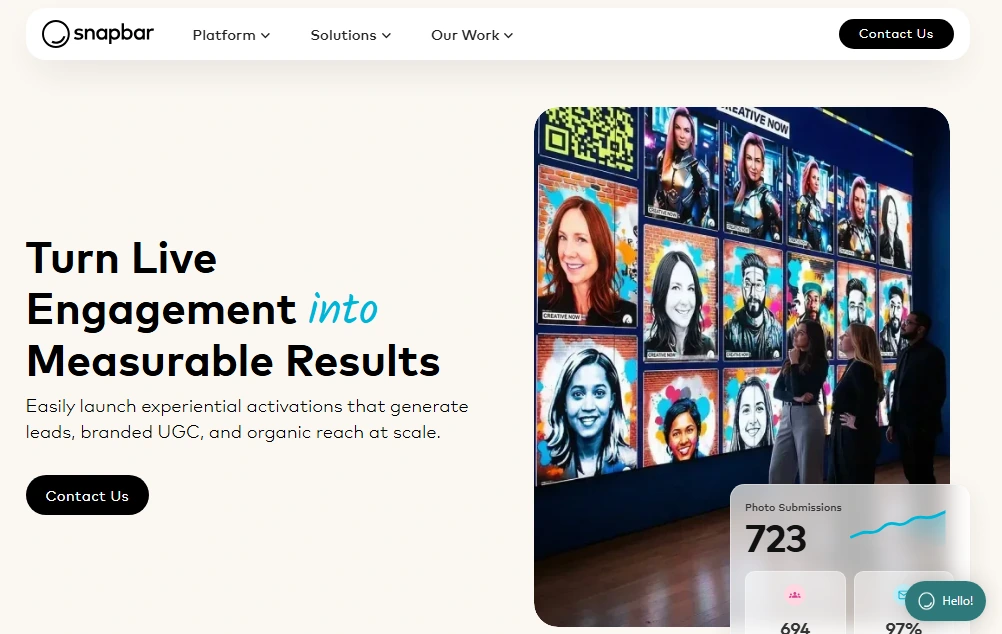
Snapbar is an experiential marketing platform where every activation runs in a mobile browser. Attendees scan a QR code, capture a branded AI photo or video, fill out a configurable lead capture form, and receive their content. No app downloads. No physical kiosk required. No on-site technician needed for multi-city deployments.
Lead Capture Built Into the Value Exchange
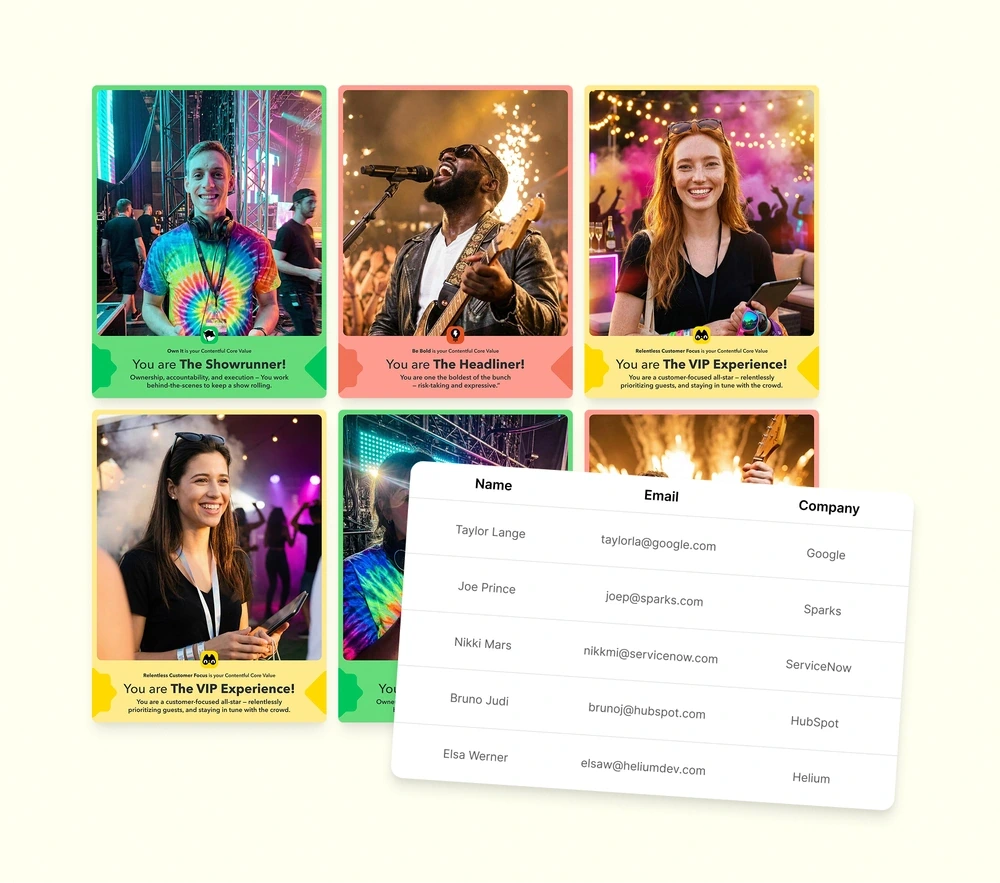
What separates Snapbar’s lead capture from a standard gated form is the mechanic: the attendee wants their AI-generated portrait, trading card, or persona quiz result, and the contact form is the path to receive it. Name, email, company, job title, and unlimited custom fields are all configurable.
For Persona Quiz and AI Stories activations, form responses feed into the AI prompt, so sales teams receive contact records with qualitative data attached, not just a name and email.
Source: Snapbar
The platform reports a 95% email open rate on its content delivery emails, because guests are actively waiting for their AI-generated result.
Enterprise Scale and CRM-Ready Data Export
Snapbar handles 50 to 50,000+ participants per activation. Lead data exports as a formatted CSV ready for direct import into Salesforce, HubSpot, or Marketo without data cleaning. Documented deployments include activations with 4,000 participants in a single day and 25,000+ across two events.
Worth noting: Snapbar’s current CRM integration is export-based (CSV). No native real-time push connector to Salesforce, HubSpot, or Marketo is documented as part of the core platform, though this is reportedly on the roadmap.
Snapbar Pricing
Snapbar does not publish fixed pricing tiers. The pricing page uses a custom quote model based on product selection, activation type, and expected participation volume.
Snapbar directly acknowledges the platform “is not the most budget-friendly option for smaller events or organizations.” No free trial or self-serve plan is publicly offered.
Use Snapbar if:
- You run three or more corporate events per year and need a repeatable, measurable activation
- You need to deploy across multiple simultaneous event locations without shipping hardware
- Your post-event workflow centers on uploading qualified leads into a CRM within hours of an event ending
- You work at enterprise scale (500+ attendees) where per-event cost justification is straightforward
3. Snappic: Best for Multi-Format Booth Operators Who Need CRM-Ready Data From Every Rig
Most photo booth companies start with one iPad booth. Then a client asks for a 360 video. Then a brand activation needs a GlamBot. Before long, you are running three different software platforms, three different dashboards, and three different export workflows.
Snappic consolidates all of that.
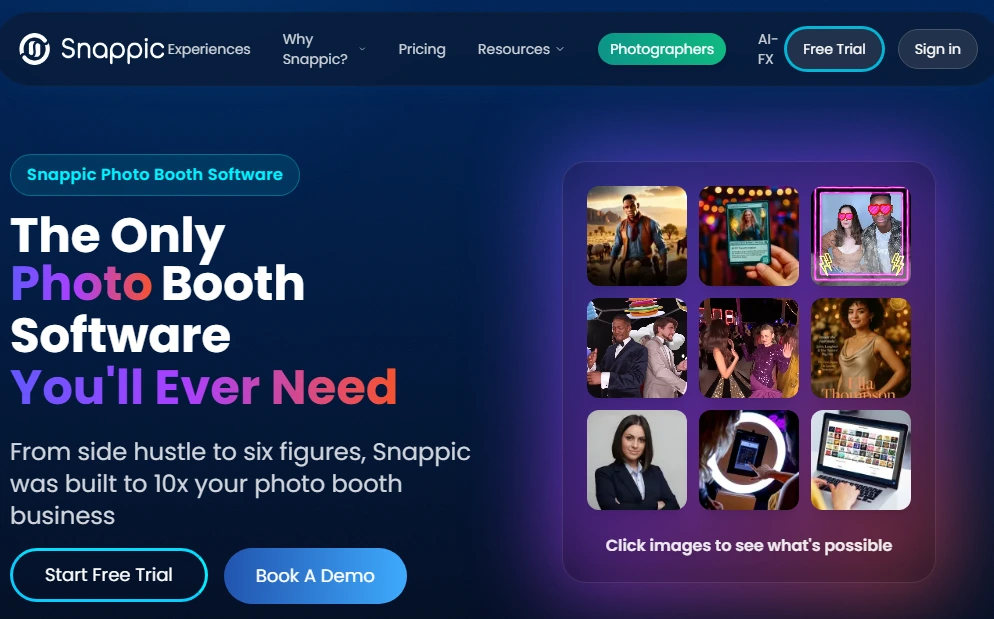
It supports five booth configurations: standard iPad photo booths, 360 spinning video booths, Robot Arm/GlamBot rigs, Mirror booths, and Roaming photography mode, all from a single subscription. That breadth comes with a trade-off: Snappic’s settings interface carries a steeper learning curve than leaner platforms, and new operators should expect extra ramp-up time.
Guest Data Capture and CRM Connectivity
Snappic’s Custom Surveys support text, number, email, rating, checkbox, and dropdown fields, with a GDPR-compliant consent checkbox built into the form builder. Every response ties to the individual photo session and downloads as a structured CSV.
The connectivity layer extends beyond CSV through webhooks, which push event data to external systems in real time across four trigger types: Session, Share, Survey, and Competition Win.
Each payload carries guest contact information, all form responses, a CDN URL to captured media, and a microsite link. Webhook payloads use HMAC-SHA256 signatures and retry automatically up to three times on failure. For operators without developer resources, a no-code Google Sheets path is available. Webhooks are included on Premium ($279/month) and Scale ($399/month), and available as a paid add-on on Business.
AI Effects That Drive Premium Pricing
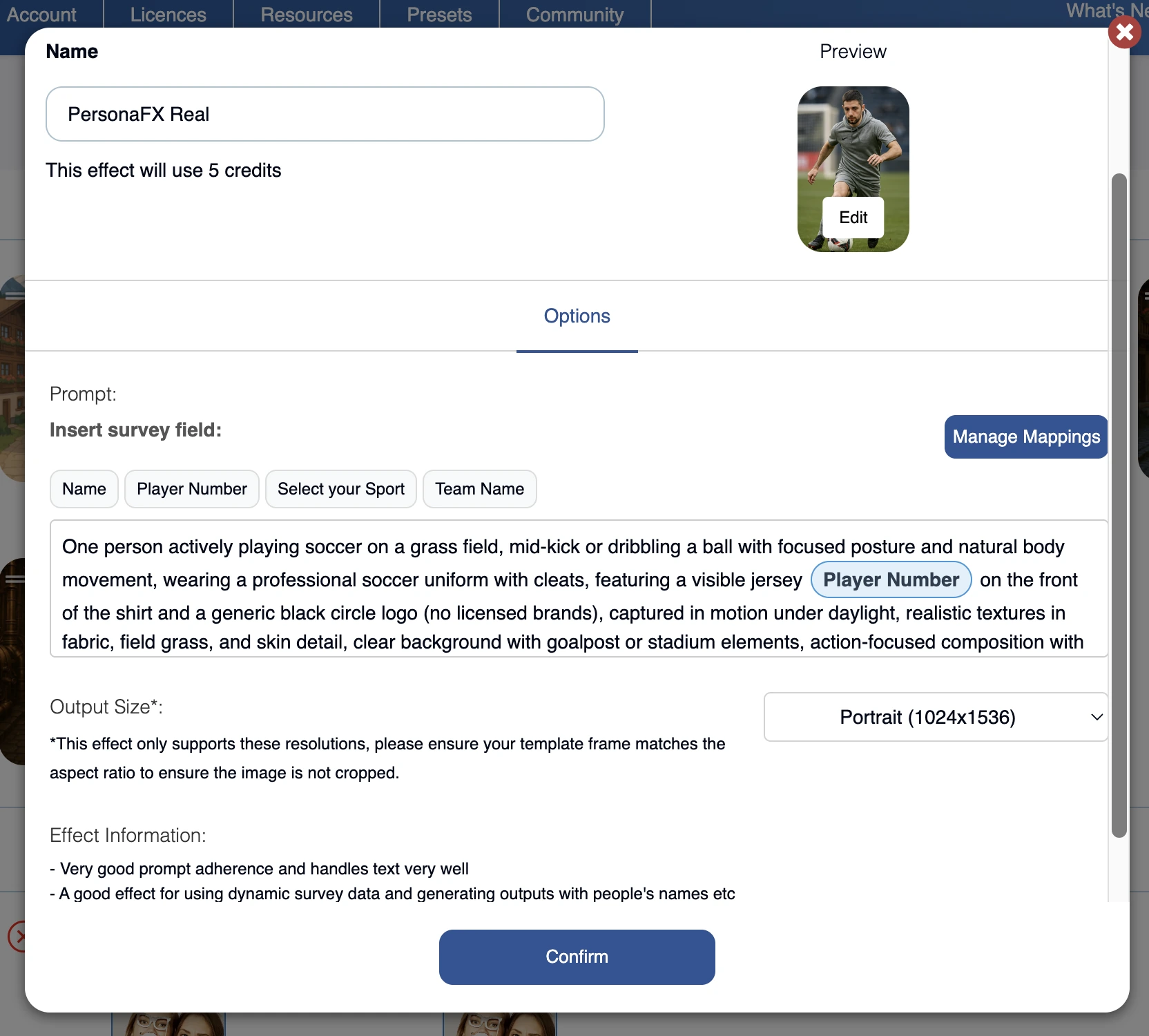
Snappic runs three AI subsystems: AI-FX for style transfer, PersonaFX for avatar generation with survey-driven personalization, and BananaFX for full image regeneration. For operators bidding on corporate activations, these AI tools create concrete upsell arguments: Snappic documents $50-$100/headshot or $1,500-$3,000/event for conference headshot setups.
Source: Snappic
Snappic Pricing
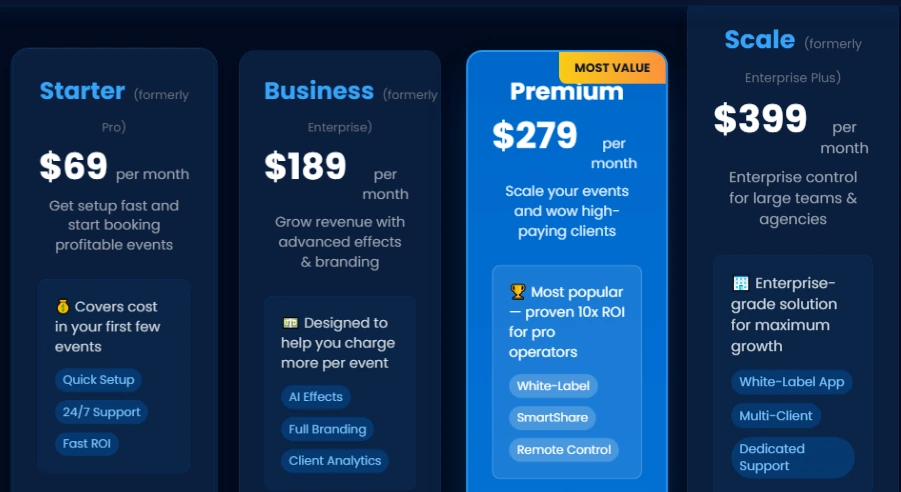
Snappic uses a per-booth-license model with a 14-day free trial (no credit card required):
- Starter: $69/month ($499/year): core capture, no AI-FX or surveys
- Business: $189/month ($1,799/year): adds AI-FX, surveys, branded microsites, analytics
- Premium: $279/month ($2,799/year): adds webhooks, white-label, SmartShare AI
- Scale: $399/month ($3,999/year): adds multi-client management, dedicated CSM
Source: Snappic
Additional Photo Booth Licenses start at $109/month on Business. AI-FX and background removal credits are billed separately on top of subscription costs.
Use Snappic if:
- Your fleet includes a mix of iPad booths, 360 rigs, GlamBots, or Mirror booths and you want one platform for all of them
- Your corporate clients measure event ROI and expect a data deliverable with real lead records
- You need webhook-based CRM connectivity that pushes data in real time without manual export
4. TouchPix: Best for 360 Video Booth Specialists Needing Structured Survey-Based Lead Capture
360 spinning-arm video booths are one of the highest-revenue products in the event rental industry. But most photo booth software treats 360 capture as a secondary mode bolted onto a flat-booth platform.
TouchPix takes the opposite approach.
The platform centers on the 360 format, positioning itself as the “industry standard 360 Photo Booth App”. Its Bluetooth spinner trigger automates capture sequences, and native GoPro integration covers models 7 through 14 in both wired and wireless modes.
The platform launched in 2020 and has grown quickly around its 360 focus, though its relative newness shows in places: some operators report that the interface can confuse during unattended setups and that image and video rendering runs slower than on more established competitors.
Structured Lead Capture via Advanced Surveys
TouchPix handles corporate lead capture through its Advanced Surveys Extension, bundled into the MultiPass Pro tier ($1,407.99/year) or available as a 14-day standalone add-on for $25.00. The extension is a customizable form builder that activates within the booth flow: operators collect name, email, company, role, opt-in consent, or any custom fields the corporate client requires, all before media is shared.
The output is a structured guest contact list for post-event delivery. Direct CRM integrations (Salesforce, HubSpot, Mailchimp) are not documented; operators route captured data through their own systems manually.
Cross-Platform Flexibility and Offline Resilience
TouchPix ships native applications for iOS, Android, macOS, Windows, Linux, and Raspberry Pi, the widest hardware footprint in this comparison. There is no per-seat or per-device fee; pricing scales by the number of simultaneous active events.
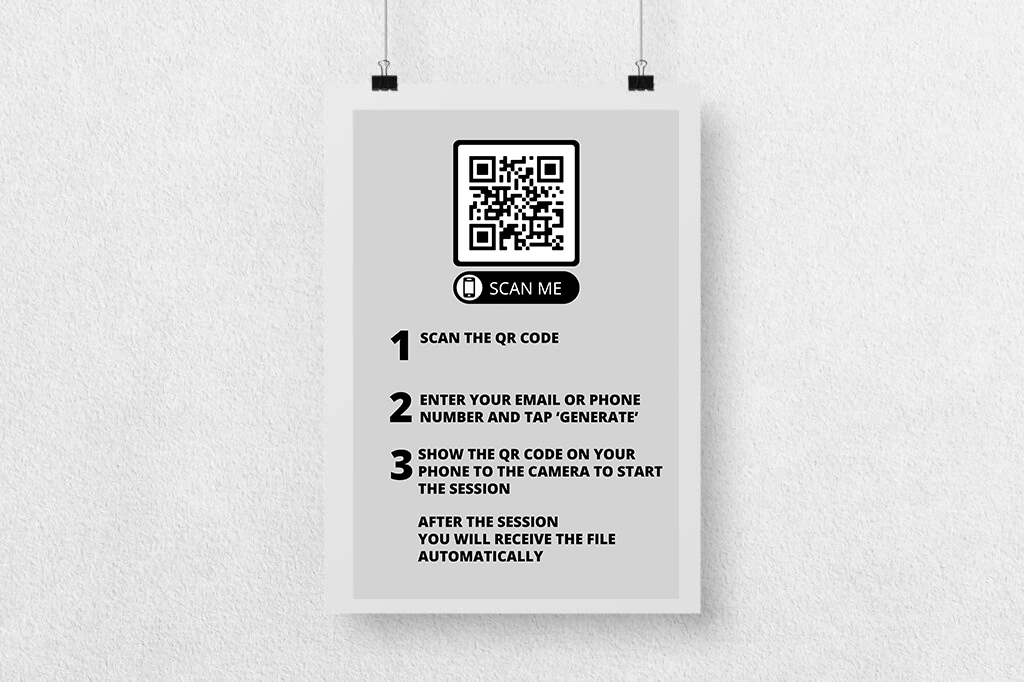
Its Scanpix 2 offline sharing delivers media to guests via QR code from a local network hosted by the booth itself, with no internet required. AI Face Replacement and background removal execute on-device, and an offline queue holds cloud sharing requests until connectivity returns.
Source: TouchPix
TouchPix Pricing
TouchPix uses an active-event-slot model. A 14-day free trial with no watermarks is available.
- PhotoPass: $439.90/year (2 active events; photos, AI, GIFs only)
- MultiPass: $879.99/year (4 active events; adds video, slow-motion, boomerang)
- MultiPass Pro: $1,407.99/year (8 active events; adds Advanced Surveys, Virtual Booth)
- MultiPass Enterprise: $2,199.99/year (12 active events; adds Mosaic, RAW cloud backups)
AI Pro credits for cloud AI transformations are purchased separately (100 credits/$12.00).
Use TouchPix if:
- Your primary product is 360 spinning-arm video booths and you need software that treats 360 as a first-class workflow
- Your equipment spans multiple operating systems and you want a single license across all of them
- You serve corporate clients who need structured survey data alongside the entertainment experience
- You operate at venues with unreliable or no internet connectivity
5. Luma Booth: Best for Budget-Conscious Operators Getting Started With Contact Data Collection
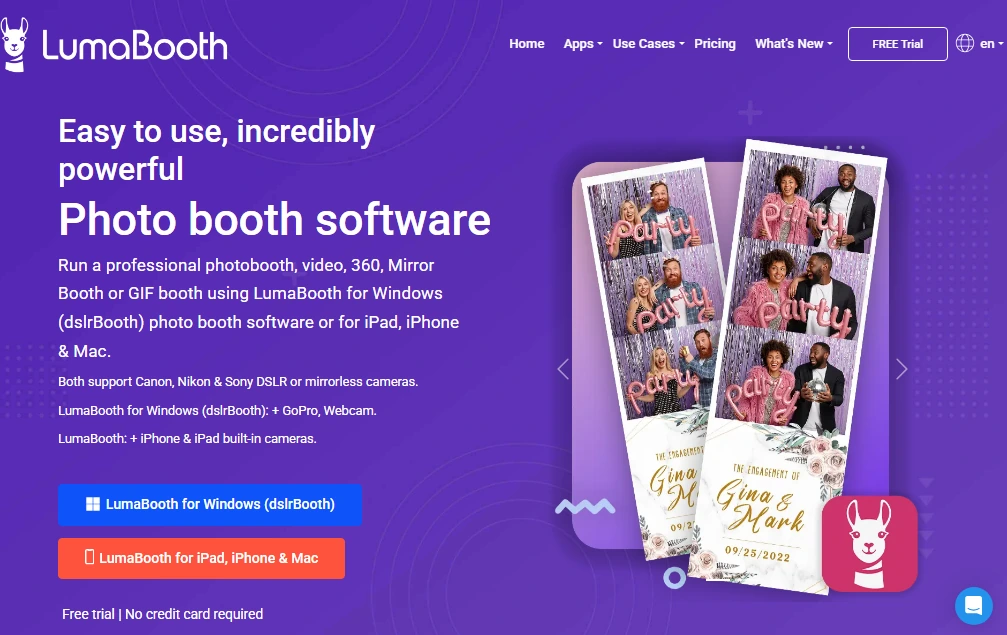
Not every photo booth operator needs a full CRM pipeline on day one. Some are just getting started, running a handful of events per month, and their immediate need is simple: collect guest emails and phone numbers so they can follow up after the event.
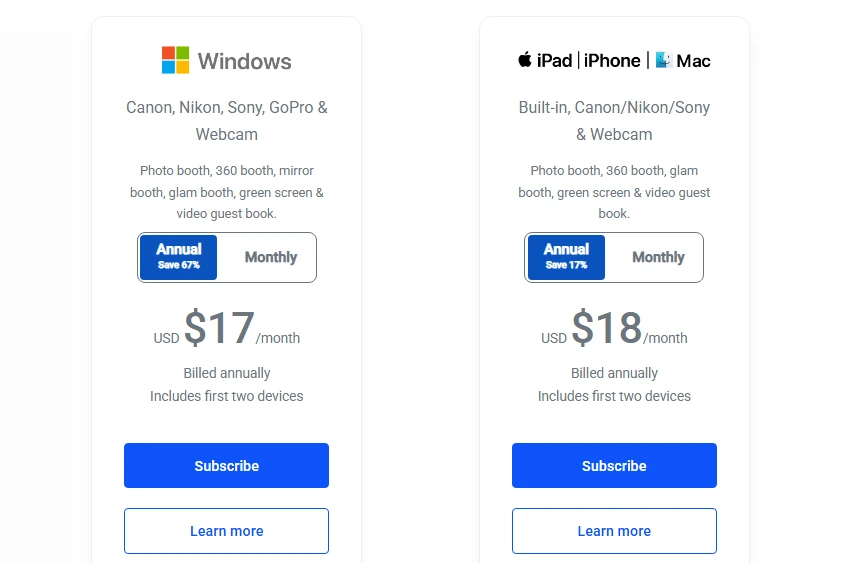
Luma Booth (made by Lumasoft, formerly known as dslrBooth) handles that at the lowest subscription cost in this comparison. At $18/month billed annually (or $19.99/month on a monthly basis), the platform covers unlimited events, unlimited photos, and six capture modes (photo, GIF, boomerang, 360/slow-motion, video, AI Portrait) with no event caps or per-photo fees.
Contact Data Collection Through the Sharing Flow
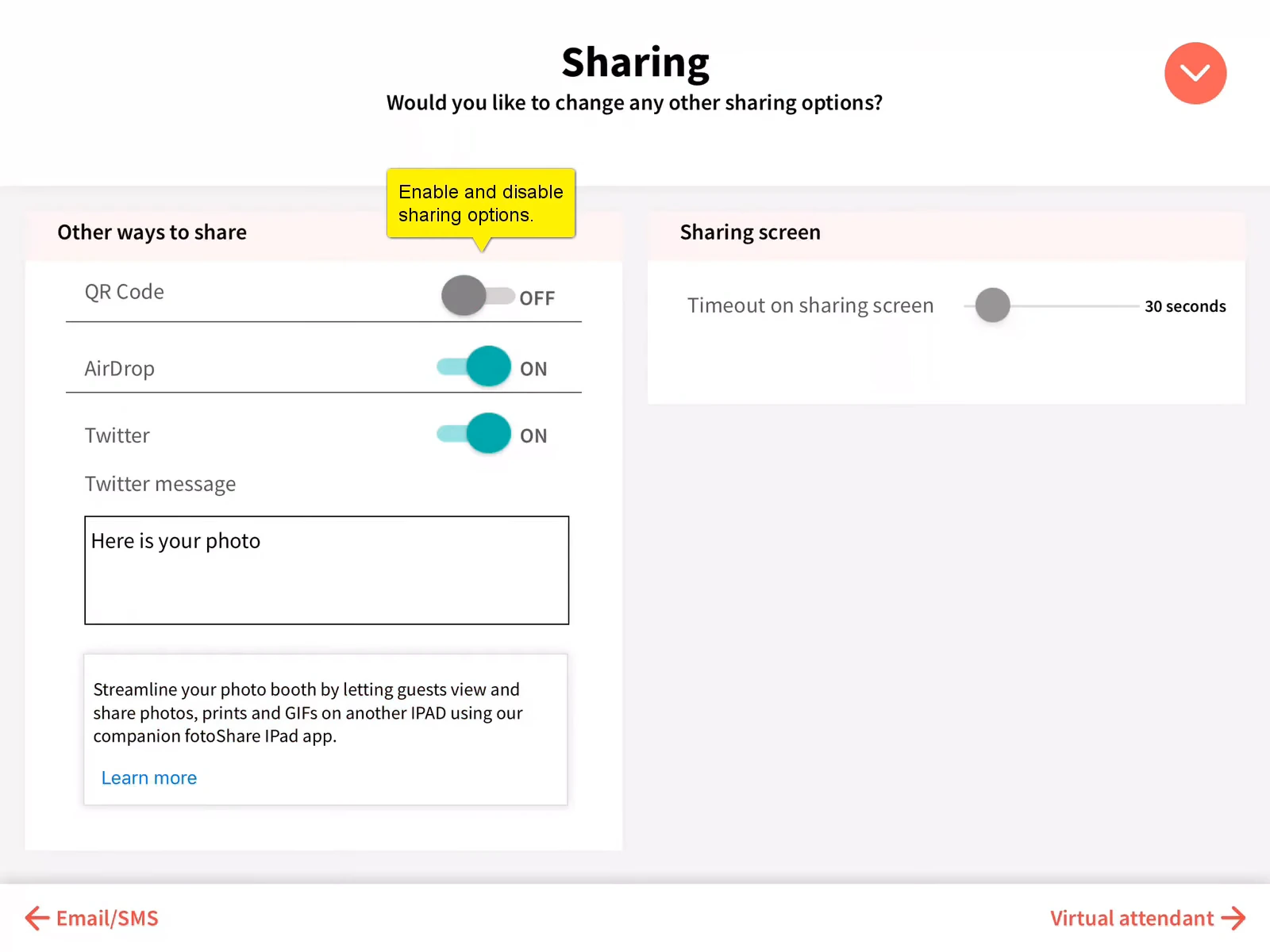
Lead capture in Luma Booth works through the sharing layer. After each session, guests receive their photos via email, SMS, QR code, AirDrop, or WhatsApp. The email and phone number provided during delivery are captured, and the full list of guest emails, phone numbers, and WhatsApp numbers from an event is exportable from the app or viewable in the fotoShare Cloud Shares dashboard.
Source: Luma Booth
The LumaShare companion app ($7.99/month) adds a structured survey capability with custom questions presented before sharing, plus a mandatory disclaimer screen for marketing consent.
Luma Booth does not provide native CRM integration, lead scoring, or automated follow-up tooling. The public feedback board explicitly lists CRM as an unmet need. For operators whose lead capture needs are still developing, the export-then-import workflow is a functional starting point.
Multi-Format Capture and DSLR Support at the Base Price
Despite the low cost, Luma Booth includes support for Canon, Nikon, and Sony DSLR and mirrorless cameras at the base subscription price, alongside six capture modes. Higher image quality increases guest motivation to share, and sharing is the mechanism through which Luma Booth collects contact data.
Luma Booth holds a 4.8/5 star rating across 1,668 operator reviews and a 14+ year commercial track record.
Luma Booth Pricing
- LumaBooth for Apple: $18/month billed annually (or $19.99 monthly); covers first two devices
- SMS sharing add-on: $10/month extra for US/Canada delivery
- fotoShare Cloud upgrade: $19.99-$39.99/month for extended retention, analytics, and custom branding
Source: LumaBooth
The realistic “functional lead capture” cost is closer to $28-30/month when you include SMS delivery.
Use Luma Booth if:
- You are just starting out and want multi-format capture at the lowest subscription cost available
- Your lead capture needs are basic: guest contact data exported per event for manual follow-up
- You already own Canon, Nikon, or Sony camera gear and want DSLR integration at the base price
- You work primarily in the Apple ecosystem on iPad or iPhone
6. Darkroom Booth: Best for Windows Operators Who Want Lead Capture Without Recurring Software Fees
Subscription fatigue is real for photo booth operators juggling software costs across their business. If you run a stable operation on Windows and you know you will be doing this for years, paying $50-$150/month indefinitely for photo booth software starts to feel like a tax.
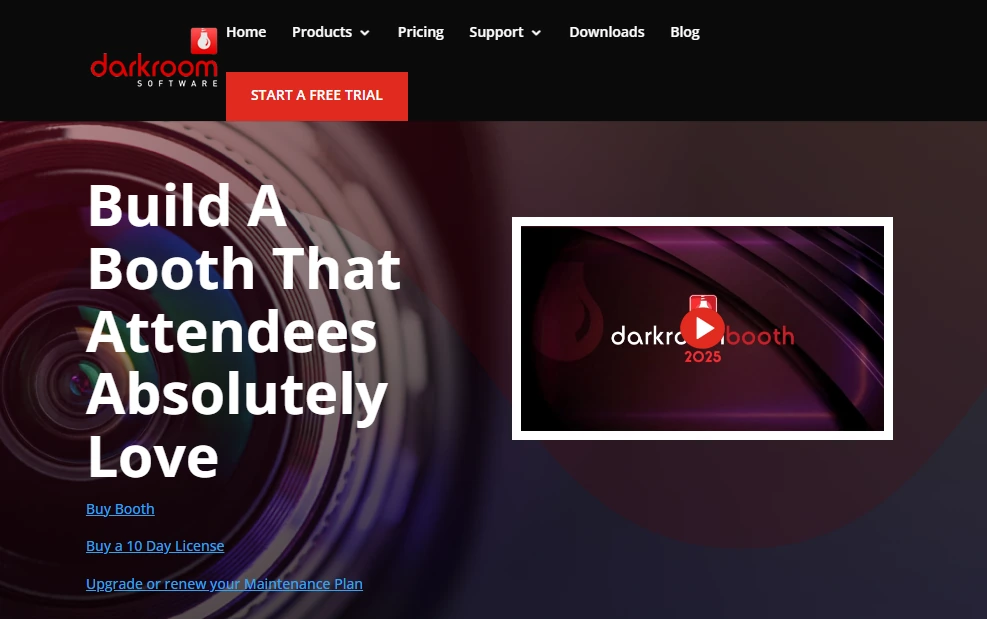
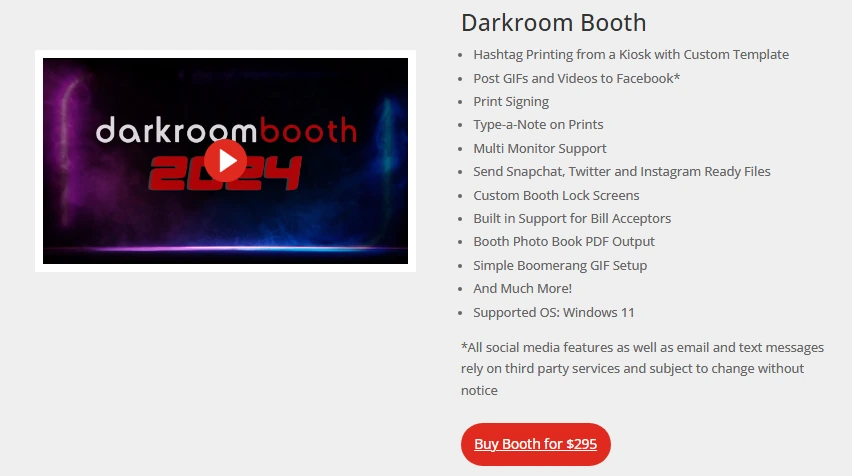
Darkroom Booth offers an alternative: a $295 one-time perpetual license that includes built-in guest data capture, with no mandatory recurring fees. The software continues to run its core functions after the optional maintenance plan expires.
Built-In Lead Capture With Exportable Event Reports
Darkroom Booth wires lead capture directly into the session flow. The built-in survey, quiz, and data collection engine captures guest email addresses and phone numbers alongside optional survey responses in nine question types: multiple choice, email, scale ratings, free-text, True/False, yes/no, date, checkbox, and message fields. The software stores guest data locally, and operators download structured event reports from the Wrap Up tab for post-event CRM upload.
Combined with Booth Control (which can mail or text statistics and reports to the operator during the event), this creates a functional lead capture workflow without a cloud dashboard subscription.
Hardware Flexibility Without Vendor Lock-In
Darkroom Booth supports Canon and Nikon DSLRs, GoPro HERO 9 and 10, and standard Windows webcams for capture, plus built-in drivers for 20+ dye-sublimation printer models from DNP, Fujifilm, Mitsubishi, and others. 75+ customizable templates and a built-in drag-and-drop editor handle design without external software. The license covers installation on up to 2 computers simultaneously.
Darkroom Booth Pricing
- Full License: $295 one-time (includes one year of updates and support)
- Annual Maintenance: $95/year optional renewal (restores updates, support, and cloud-dependent features)
- 10-Day Temporary License: $45 (for overbooking situations)
- Event Gallery add-on: $30-$75/month separately for branded online galleries
Source: Darkroom Software
Over three years, Darkroom Booth’s total cost ($295 license + $190 maintenance renewals = $485) can save more than $2,000 compared to a mid-tier subscription competitor.
Use Darkroom Booth if:
- You operate on Windows and plan to run your photo booth business long-term
- You already own Canon, Nikon, or GoPro hardware
- Your CRM workflow can accommodate a manual upload step from exported event reports
- You want to eliminate recurring software fees entirely
7. BoothLedger: Best for Windows DSLR Operators Seeking Cloud-Based Lead Capture at a Low Entry Price
Windows photo booth software has historically lagged behind iPad platforms in cloud management, modern sharing, and compliance-ready lead capture. BoothLedger is built to close that gap.
BoothLedger is a cloud-based Windows platform built by PhotoBooth Guys, an active Irish rental company with corporate event experience. Entry pricing starts at €12/month, the lowest starting price among the platforms in this comparison.
GDPR-Ready Lead Capture Bundled at the Base Price
BoothLedger’s lead capture collects guest name and email as part of the sharing flow, before the photo is delivered. The system supports configurable consent text and opt-in copy per event, timestamp and IP address logging for GDPR audit records, and CSV export for post-event CRM upload. These controls are available at the €12/month Basic tier with no upgrade required.
The limitation: lead export is CSV-only. No native push integrations with HubSpot, Salesforce, or Marketo are documented.
Real-Time Cloud Sync Included in Every Plan
BoothLedger Cloud is included in both subscription tiers and syncs configuration changes to live booths within 45 seconds.
Operators can swap templates, update AI prompts, or change sharing messages mid-event from anywhere, with no on-site staff action. Contact records collected while the booth is offline queue locally and sync when connectivity returns, so no lead data is lost at venues with unreliable Wi-Fi.
Canon DSLR Quality With Dual AI Engines
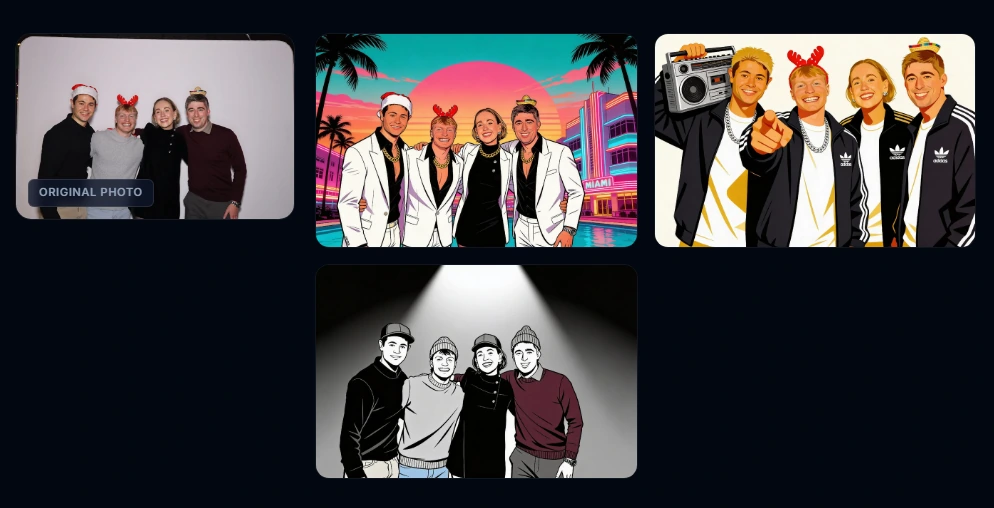
BoothLedger communicates with Canon cameras via the EDSDK (Canon’s own EOS Digital SDK), providing full live view, per-shot autofocus with face detection, and simultaneous RAW + JPEG capture. On the AI Photobooth plan (€35/month), dual AI engines (Core and Nano Banana Pro) power 50+ creative styles including magazine covers, movie posters, and AI background removal.
Source: BoothLedger
BoothLedger Pricing
BoothLedger uses a flat-rate subscription with no per-event fees. A 30-day free trial with no credit card required is available. All pricing is in EUR.
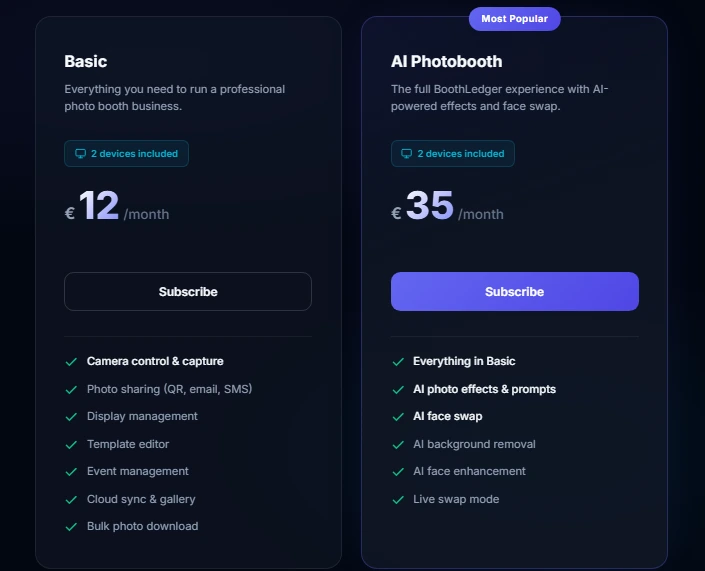
- Basic: €12/month (2 device licenses; Canon DSLR tethering, QR/email/SMS sharing, lead capture with GDPR opt-in, cloud sync)
- AI Photobooth: €35/month (everything in Basic plus dual AI engines, 50+ styles, AI face swap, AI background removal)
Annual billing saves approximately 15%.
Source: BoothLedger
Use BoothLedger if:
- You run Windows-based booths with Canon DSLR hardware and want lead capture bundled at the base price
- You manage multi-booth events or permanent venue installs and need real-time cloud sync for mid-event updates
- Your corporate clients require GDPR-compliant consent logging and structured CSV export
- You want to evaluate a platform risk-free with a 30-day no-credit-card trial
Final Verdict
Every platform on this list captures some form of guest data. The differences lie in how that data gets from the booth to your CRM, how much context it carries, and what compliance controls are in place.
Our top picks for the three most common use cases:
- Simple Booth: If you want the highest opt-in rates in the category, native CRM connectivity via MailChimp and API, and one platform spanning physical booths, AI effects, and virtual activations. Get started with Simple Booth for free.
- Snapbar: If you run enterprise-scale brand activations across multiple locations and need CRM-ready lead data from every event without shipping hardware.
- Snappic: If you operate multiple booth formats (iPad, 360, GlamBot, Mirror) and need webhook-based CRM connectivity that pushes data in real time alongside a full AI effects suite.
Best Photo Booth Software With CRM and Lead Capture Integration FAQ
What is photo booth lead capture software?
Photo booth lead capture software combines interactive photo or video capture with built-in data collection forms that gather guest contact information (name, email, phone number, company) as part of the photo-taking or sharing experience. Unlike badge scanning or post-event follow-up forms, the data collection happens in the moment when the guest is engaged, which produces higher opt-in rates.
Which photo booth software has the highest lead capture opt-in rate?
Simple Booth reports opt-in rates as high as 87-89% on its data capture forms. This follows directly from embedding data collection into the photo delivery flow: guests provide their contact information to receive their photo, rather than filling out a separate marketing form.
Can photo booth software integrate directly with my CRM?
It depends on the platform. Simple Booth offers native MailChimp sync and an Open API for custom CRM delivery. Snappic provides webhook-based real-time data push with HMAC-SHA256 security. Snapbar exports CRM-ready CSV files formatted for direct import into Salesforce, HubSpot, or Marketo.
Most other platforms on this list rely on CSV export for manual CRM upload. No platform in this comparison offers a one-click native Salesforce or HubSpot connector without some configuration or developer involvement.
Is there free photo booth software with lead capture?
Several platforms offer free trials. Simple Booth has a 7-day free trial with 25 AI credits. Snappic offers a 14-day trial with no credit card required. TouchPix provides a 14-day watermark-free trial. BoothLedger has a 30-day trial with no credit card. Darkroom Booth has a free trial with watermarked output. However, no platform offers a permanent free plan with full lead capture capabilities.
Do I need special hardware for photo booth lead capture?
Not necessarily. Snapbar runs entirely in a mobile browser with no hardware required. Simple Booth’s Virtual Booth works the same way. For physical booth setups, most platforms run on iPads or Windows PCs you may already own. Simple Booth and TouchPix support DSLR cameras for higher image quality, while BoothLedger connects to Canon cameras via Canon’s own SDK.
The hardware choice affects photo quality, which indirectly influences how willing guests are to share their contact information to receive the output.
How much does photo booth software with lead capture cost?
Pricing varies by platform and approach.
BoothLedger starts at €12 with lead capture included. Luma Booth starts at $18/month but lead capture is basic (contact export only, no CRM integration). Darkroom Booth offers a $295 one-time perpetual license. Simple Booth’s Pro plan (the first tier with full lead capture) costs $149/month. Snappic’s Business plan starts at $189/month with surveys and analytics. Snapbar uses custom enterprise pricing. TouchPix bundles Advanced Surveys into its MultiPass Pro tier at approximately $117/month (billed annually).
What guest data can photo booth software typically collect?
At minimum, most platforms collect email addresses and phone numbers through the photo sharing process.
More advanced platforms like Simple Booth (Pro and Select) support up to 10 custom fields including text inputs, checkboxes, and required legal consent disclosures. Snappic supports text, number, email, rating, checkbox, and dropdown fields. TouchPix’s Advanced Surveys extension allows fully customizable form fields. The depth of data collection often correlates with the subscription tier.
Keep reading
 Best Of
7 Best Photo Booth Software with Video Message and Slo-Mo Capture [2026]
Booths that capture heartfelt video notes and buttery slo-mo. The moving stuff.
 Best Of
6 Best Photo Booth Software With QR Code Sharing [August 2026]
Booths that beam every snap to a phone with a quick scan. QR sharing done right.
 Best Of
7 Best Photo Booth Software With Real-Time Analytics and Dashboards [August 2026]
Booths that show the numbers as the party happens. Live dashboards, real insight.