7 Best Photo Booths for Corporate Events and Brand Activations [August 2026]

Corporate events have a visibility problem.
Brands spend thousands on venue bookings, speaker fees, and catering, only to watch attendees scroll through their phones between sessions. The event ends, and the marketing team has a handful of stock-looking recap photos, a thin social media trail, and no way to prove ROI to leadership.
Photo booths have moved well beyond the enclosed boxes at shopping malls. Today’s photo booths for corporate events and brand activations capture branded content that attendees want to share, collect first-party lead data in the process, and produce measurable marketing outcomes that justify the event spend.
But choosing the right one is harder than it looks. Some platforms are software-only. Others bundle proprietary hardware. Some serve operators running 20 events a month; others suit an in-house marketing team running two activations a year. The format matters too: iPad selfie stations, 360-degree spinning rigs, browser-based virtual experiences, and AI portrait engines all serve different event contexts.
We researched and tested the leading platforms and narrowed the field to the seven best photo booths for corporate events, each selected for a specific activation scenario:
- Delivering a self-running branded experience with lead capture built in
- Running large-scale enterprise activations without any hardware
- Covering every physical booth format under one subscription
- Powering 360-degree video activations with slow-motion output
- Owning software outright with no subscription for occasional corporate events
- Producing personalized AI-generated branded portraits at enterprise scale
- Operating a low-cost, attended booth with interactive engagement mechanics
Here is a quick summary of the platforms.
| Best Photo Booths for Corporate Events and Brand Activations | ||
|---|---|---|
![7 Best Photo Booths for Corporate Events and Brand Activations [August 2026]](/content/best-photo-booths-for-corporate-events/image1.webp) | Simple Booth Best for event professionals and brand marketers who want a self-running iPad photo booth with integrated hardware, AI effects, and high-converting lead capture. | |
![7 Best Photo Booths for Corporate Events and Brand Activations [August 2026]](/content/best-photo-booths-for-corporate-events/image2.webp) | Snapbar Best for enterprise brands and agencies that need large-scale, hardware-free activations with multiple AI experience formats and CRM-ready lead data. | |
![7 Best Photo Booths for Corporate Events and Brand Activations [August 2026]](/content/best-photo-booths-for-corporate-events/image3.webp) | Snappic Best for multi-format operators who need one subscription to cover iPad, 360-video, GlamBot, mirror, DSLR, and roaming booth configurations with white-label analytics. | |
![7 Best Photo Booths for Corporate Events and Brand Activations [August 2026]](/content/best-photo-booths-for-corporate-events/image4.webp) | TouchPix Best for operators whose primary corporate activation format is the 360-degree spinning-arm video booth with slow-motion output. | |
![7 Best Photo Booths for Corporate Events and Brand Activations [August 2026]](/content/best-photo-booths-for-corporate-events/image5.webp) | Sparkbooth Best for in-house corporate teams and occasional-event operators who want a one-time lifetime license with no recurring fees. | |
![7 Best Photo Booths for Corporate Events and Brand Activations [August 2026]](/content/best-photo-booths-for-corporate-events/image6.webp) | PONS.ai Best for enterprise marketing teams running brand activations that require AI-generated, personalized portraits with full brand-safety compliance. | |
![7 Best Photo Booths for Corporate Events and Brand Activations [August 2026]](/content/best-photo-booths-for-corporate-events/image7.webp) | Darkroom Booth Best for attending Windows-based booth operators who want a perpetual license with built-in contest mechanics and DSLR tethering. | |
How to Choose the Best Photo Booth for Corporate Events
Not every photo booth platform serves the same event type, audience, or operational model. Here is a checklist to help you find the right fit:
- Hardware vs. Software-Only: Do you want a complete hardware-and-software system ready to deploy out of the box, or a software platform that runs on devices you already own? Some platforms bundle proprietary ring lights and enclosures; others run on iPads, Windows PCs, or entirely in a browser.
- Attended vs. Unattended Operation: Will a staff member run the booth, or does it need to run on its own? Self-running platforms with remote management, offline resilience, and guided guest interfaces are essential for unattended setups.
- Lead Capture and Data Collection: If your activation goal is building a contact list or feeding CRM pipeline, look for built-in data capture forms, opt-in checkboxes, and CRM integrations, not just photo sharing.
- AI and Creative Capabilities: AI-generated portraits, background replacement, and custom branded effects can improve the guest experience. Check whether AI features are native or require third-party tools, and whether they work offline.
- Booth Format Coverage: If your event calendar includes 360-video rigs, mirror booths, GlamBots, and standard selfie stations, check whether the platform covers all formats under one subscription or only one.
- Pricing Model Fit: Subscription platforms (weekly, monthly, annual) suit high-volume operators. Perpetual licenses suit occasional-event teams. Quote-based enterprise pricing suits large-scale activations with custom requirements.
- Photo Delivery and Sharing: Guests should receive and share their photos instantly. Look for QR code, SMS, email, AirDrop, and WhatsApp delivery options, and check whether social sharing to Instagram, LinkedIn, and TikTok is supported.
How We Picked the Platforms
We started with a broad survey of photo booth software used at corporate events and brand activations, evaluating each platform through hands-on testing, product documentation, and published user reviews.
We assessed every platform against four criteria:
- Event-Day Reliability: How does the platform perform under live event conditions? Does it handle offline scenarios, high guest volume, and venue constraints without breaking down?
- Corporate Activation Features: Does it offer branded templates, lead capture, analytics, and the creative tools (AI effects, green screen, video) that corporate clients expect?
- Ease of Setup and Operation: Can a non-technical operator configure, deploy, and manage the booth without a dedicated technician?
- Value for the Use Case: Does the pricing model match the buyer’s event volume and operational model? A $295 perpetual license and a $249/month enterprise subscription can both be good value for different buyers.
By focusing on these criteria, we narrowed the field to seven platforms, each the strongest option for a distinct corporate event scenario. Let’s dive in.
1. Simple Booth — Best for a Self-Running Photo Booth With Built-In Lead Capture
Running a photo booth at a corporate event shouldn’t require a technician on standby.
But that’s what happens with most setups: a loose iPad on a wobbly tripod, a consumer ring light that washes out half the photos, and a staff member hovering nearby to restart the app every time it glitches. The result feels improvised rather than professional, and guests don’t bother sharing the photos.
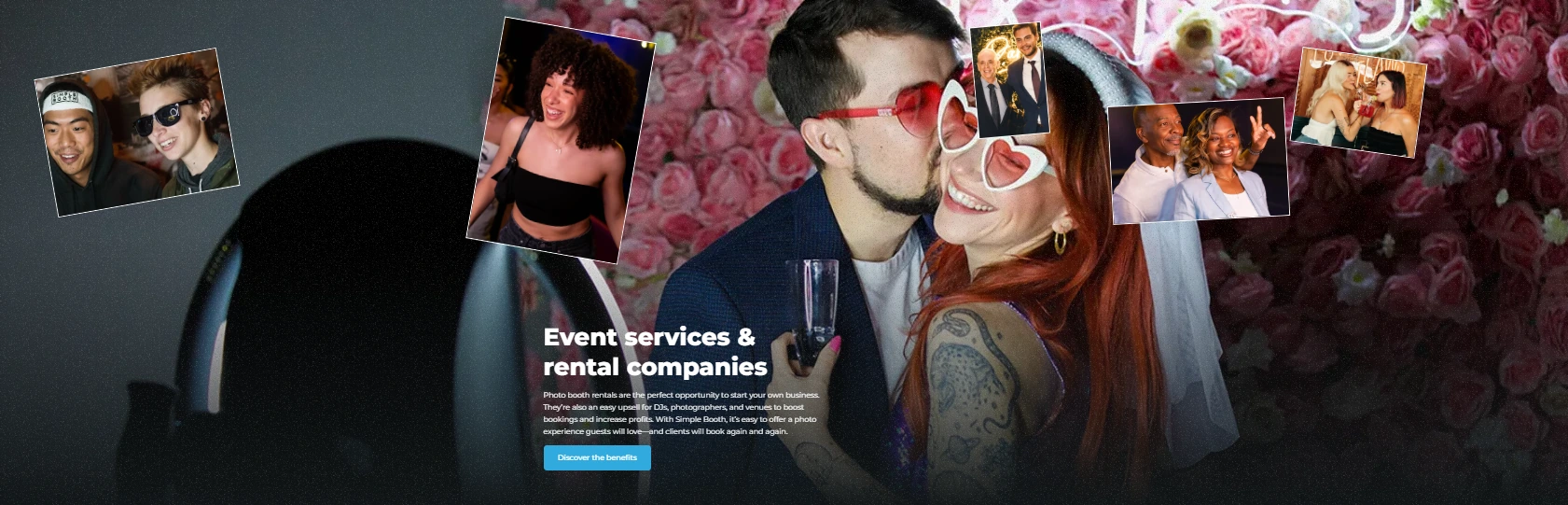
Source: Simple Booth
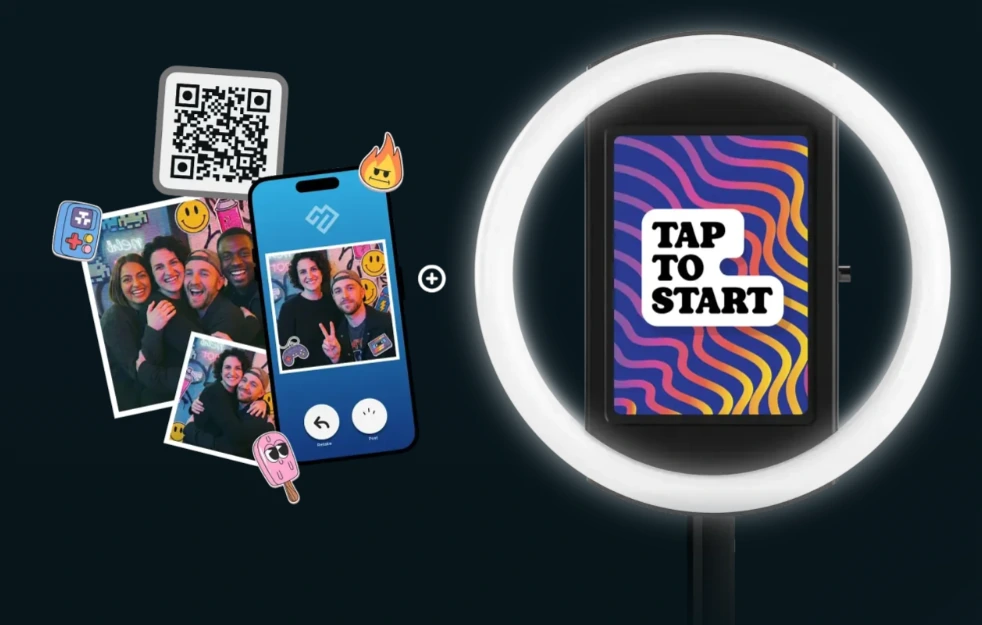
Simple Booth solves this by pairing a subscription-based iPad app with dedicated ring-light hardware into one integrated system that sets up in under a minute and runs itself. Its core capabilities include:
- A patented ring-light chassis machined from a single billet of aluminum with 112 LEDs producing up to 2,100 lumens, rated for 50,000 hours of operation
- A cloud-connected iPad app with AI effects, DSLR/mirrorless camera support, a full in-app Layout Designer, and 60+ themes with 100+ digital props
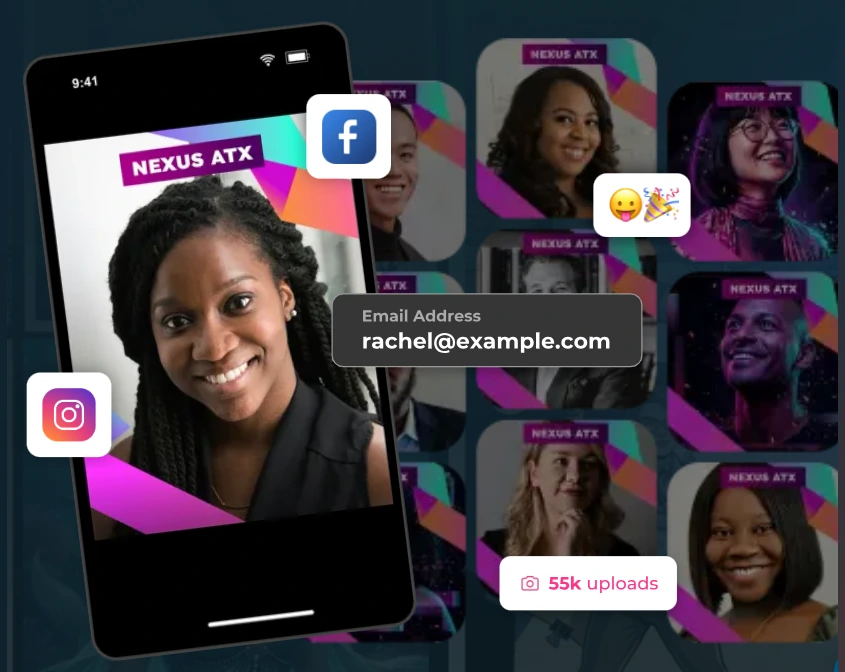
- Lead capture forms achieving 87%+ opt-in rates, with data export to CSV, MailChimp, and custom CRM delivery via the Open API
- Virtual Booth: a browser-based photo experience requiring no hardware, supporting remote and hybrid events
- 30,000+ customers, a 4.7-star App Store rating from 2,400+ ratings, and 40 million+ moments captured
Source: Simple Booth
| Simple Booth Pros | Simple Booth Cons |
|---|---|
| - Sub-one-minute setup with no tools required | - iPad-only hardware dependency (no Android support) |
| - Integrated ring light produces consistent, flattering photos | - DSLR camera support requires Core plan or above |
| - AI effects with built-in identity preservation | - AI effects require purchased credits ($0.10 each) on top of subscription |
| - Remote dashboard management across multiple devices | - Lite plan includes ads and excludes custom branding |
| - Offline mode queues sessions when Wi-Fi drops |
Why Choose Simple Booth for Corporate Events and Brand Activations?
Major brands, including Live Nation, Sports Illustrated Tickets, and Gibson Brands, use Simple Booth to run their activations. G7 Entertainment Marketing has logged 136,000+ fan interactions over 10+ years on the platform.
To see why 30,000+ customers trust Simple Booth, start a free 7-day trial.
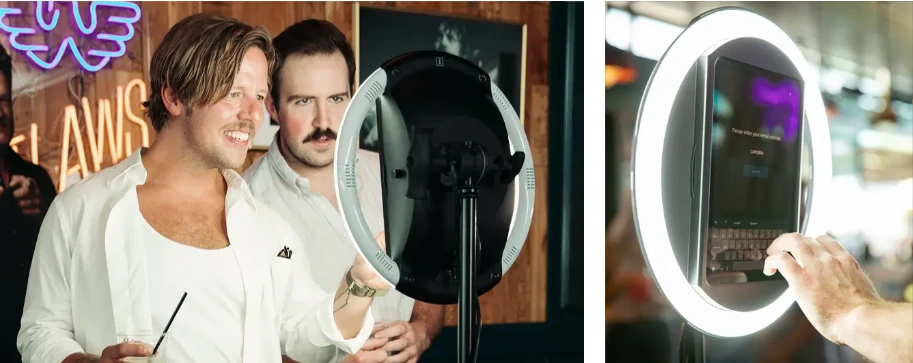
Hardware That Sets the Standard: Studio-Grade Lighting in Under a Minute
The HALO photo booth kit is not a consumer ring light clamped to a tripod. The chassis is machined from a single billet of anodized aluminum with a patented ring-light system that produces even, flattering illumination for groups standing 6 to 8 feet from the camera. The iPad snaps in via a tool-less faceplate, and a concealed built-in USB-C cable keeps it charged throughout multi-hour events.
For rental operators, the Event Kit comes with an adjustable selfie stand and a rugged travel case with wheels and an extendable handle, weighing 49 lbs for easy transport. For venues running permanent installations (bars, restaurants, hotel lobbies), the Install Kit includes a heavy-duty steel wall mount. Both configurations support portrait and landscape orientation.
Source: Simple Booth
AI and Creative Tools: Content That Guests Want to Share
Simple Booth’s AI Photo Booth uses proprietary Nano Banana models to transform guest photos from text prompts, with the platform handling identity preservation and likeness so guests stay recognizable no matter how dramatic the transformation. Three model tiers balance speed, quality, and group size (1x, 2x, and 3x credits per generation).
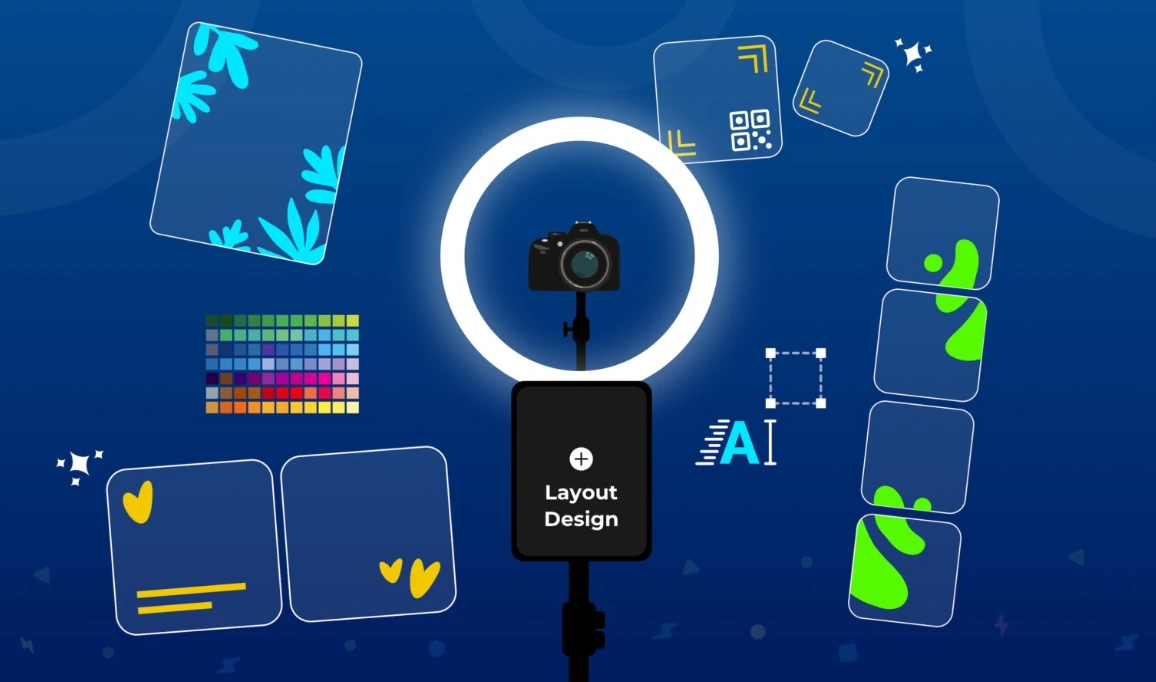
The Layout Designer, introduced in HALO 5.0, lets operators build branded templates with photo placement, text layers, gradients, logos, and embeddable QR codes, all without external design software. For multi-frame layouts, operators can assign a unique AI prompt to every individual frame, enabling comic-strip or narrative strips. On Pro and Select plans, Guest Input lets attendees answer questions that feed directly into the AI prompt, producing a personalized output for every guest.
Operators can test prompts outside of booth mode at zero credit cost, iterating freely before the event.
Source: Simple Booth
Lead Capture and Marketing: An 87% Opt-In Rate at the Point of Experience
For brand marketers, the photo booth is not the product; the data is. Simple Booth’s customizable lead capture forms collect email, phone, name, and custom fields as a natural part of the photo-receiving flow, achieving opt-in rates as high as 87 to 89%. That data flows to the dashboard for CSV export, native MailChimp sync, or custom CRM delivery via the API.
Arizona Opera grew its email list by 1,000 addresses in a few events using Simple Booth’s lead capture. (Simple Booth)
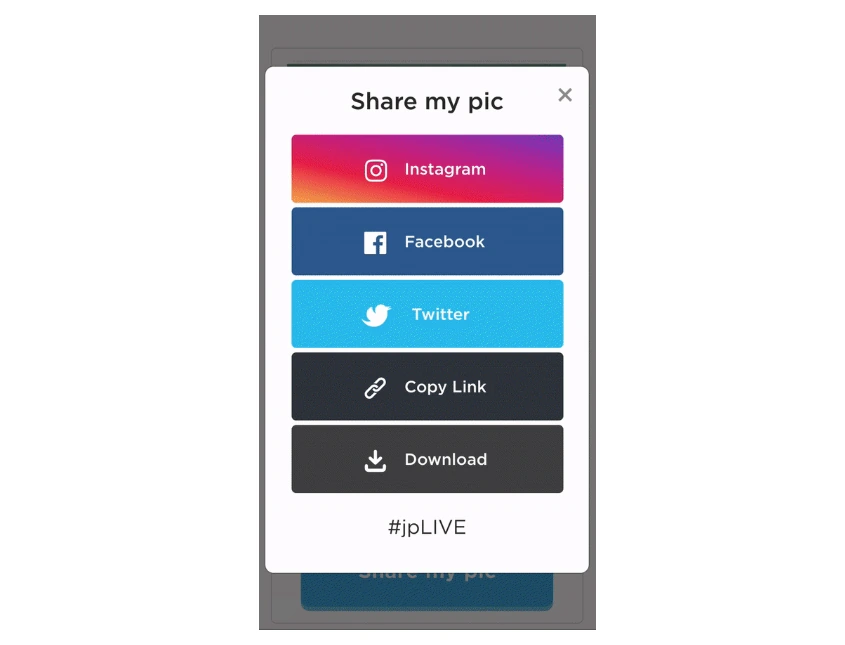
Galleries auto-generate for each event, with privacy controls (Public, Unlisted, Private) and a Live Feed mode that turns any gallery into a real-time slideshow on a TV or projector. Guests share to Facebook, X, LinkedIn, and Instagram, with the platform converting layouts into Instagram-compatible files and pre-populating event hashtags.
Source: Simple Booth
Virtual Booth: Extend Activations Beyond the Event Floor
Virtual Booth runs entirely in a browser, requiring no app install from participants. Attendees visit a branded link or scan a QR code, take a photo (or upload one), apply overlays or AI effects, and share to social, all from their own device. It supports Magic Background replacement without a green screen, multi-language localization across nine languages, and unlimited simultaneous events.
Because Virtual Booth connects to the same analytics and gallery infrastructure as HALO, brands running hybrid events can run physical kiosks for in-room attendees and Virtual Booth for remote participants, with all submissions feeding one combined gallery.
Source: Simple Booth
Simple Booth Pricing
Simple Booth uses a per-license subscription model. Each plan includes one license (one iPad). Additional devices require add-on licenses. No caps on photo or event counts.
Everyday Plans
- Lite — $14.99/week, $29.99/month, $289.99/year (App Store only). Custom layouts, motion and still capture, photo delivery, online galleries. Ads included; excludes custom branding, DSLR, analytics, and lead capture.
- Core — $24/week, $49/month, $490/year. Adds ads removed, DSLR/mirrorless camera, full-length video, background replacement, Dropbox integration, AI effects, Virtual Booth. 50 bonus AI credits.
- Plus — $49/week, $99/month, $990/year. Adds custom branding, analytics, guest-editable text, custom AI effects. 100 bonus AI credits.
Business Plans
- Pro — $149/month, $1,490/year. Adds lead capture, API integration, phone support, moderation, age gate, data compliance tools. 150 bonus AI credits.
- Select — $249/month, $2,490/year. Adds in-app custom legal terms, security questionnaires, demographic analytics via face detection. 200 bonus AI credits.
AI credits cost $0.10 each and do not expire. A 7-day free trial is available with 25 free credits.
Use Simple Booth If:
- You want an integrated hardware-and-software system that sets up in under a minute and runs without a booth attendant
- Lead capture with high opt-in rates is a primary activation goal, and you need data flowing to your CRM
- You need AI photo effects with built-in identity preservation and zero-cost prompt testing before events
- You run hybrid events and want physical kiosks and a browser-based virtual booth feeding the same analytics dashboard
- You value a proven platform with a 4.7-star rating and 40 million+ moments captured since 2013
Treetop Golf built 150,000 unique email addresses across locations using Simple Booth’s lead capture at its permanent installations. (Simple Booth)
2. Snapbar — Best for Large-Scale Brand Activations Without Hardware
Traditional photo booth activations for corporate events require shipping kiosks, setting up and staffing physical devices, coordinating hardware returns, and managing on-site technician schedules. For enterprise brands running activations across multiple cities or large conferences with thousands of attendees, that logistics burden can eclipse the marketing value of the activation itself.
Source: SnapBar
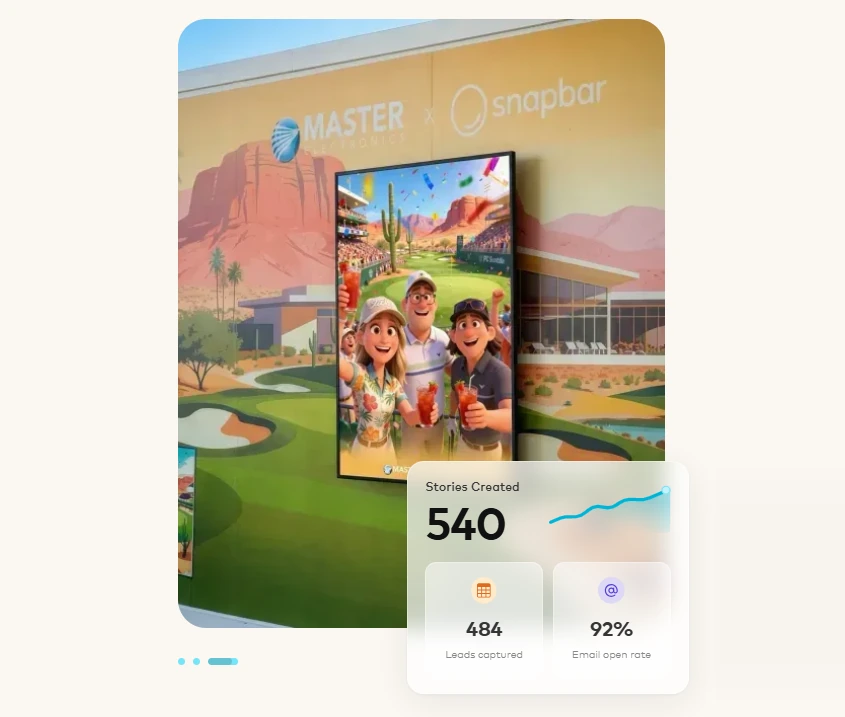
Snapbar eliminates the hardware layer entirely. The platform runs in-browser: participants scan a QR code on event signage, click a URL in a conference app, or open a pre-event email link. Their own phone becomes the activation point. No kiosk, no iPad, no app download, no IT coordination.
| Snapbar Pros | Snapbar Cons |
|---|---|
| - Zero hardware footprint; any device, any venue | - No published pricing; all quotes require a sales conversation |
| - Seven distinct AI experience formats from one platform | - Not suited for DIY self-serve setup (self-rated 3/10) |
| - 95% email open rate on branded content delivery | - Higher starting cost relative to budget alternatives |
| - Scales from 100 to 100,000+ participants |
Snapbar: Top 3 Unique Features
- Multiple AI experience formats beyond standard photo booths
- Built-in lead capture with CRM-ready exports
- Content delivery emails with high open rates for post-event engagement
Source: SnapBar
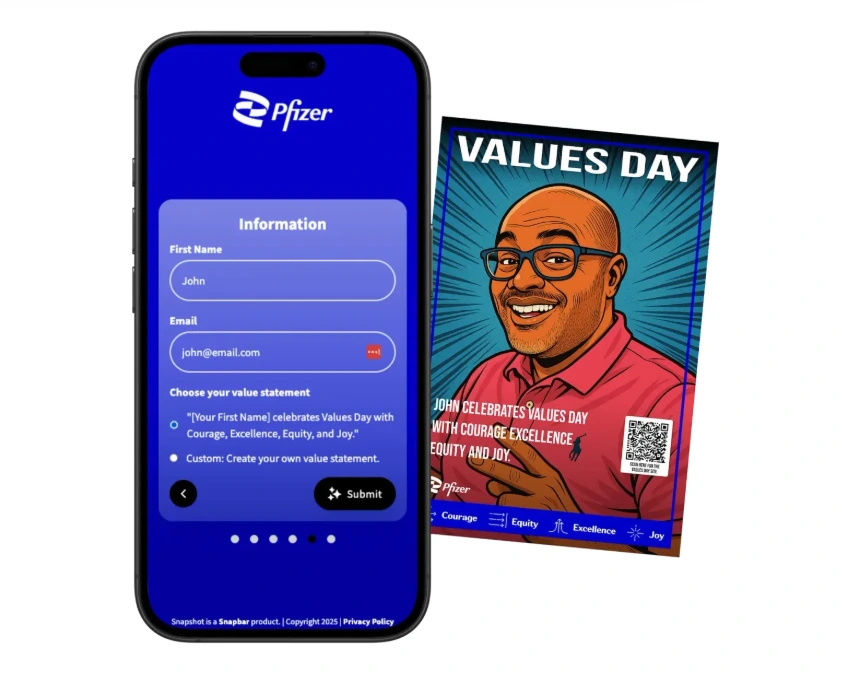
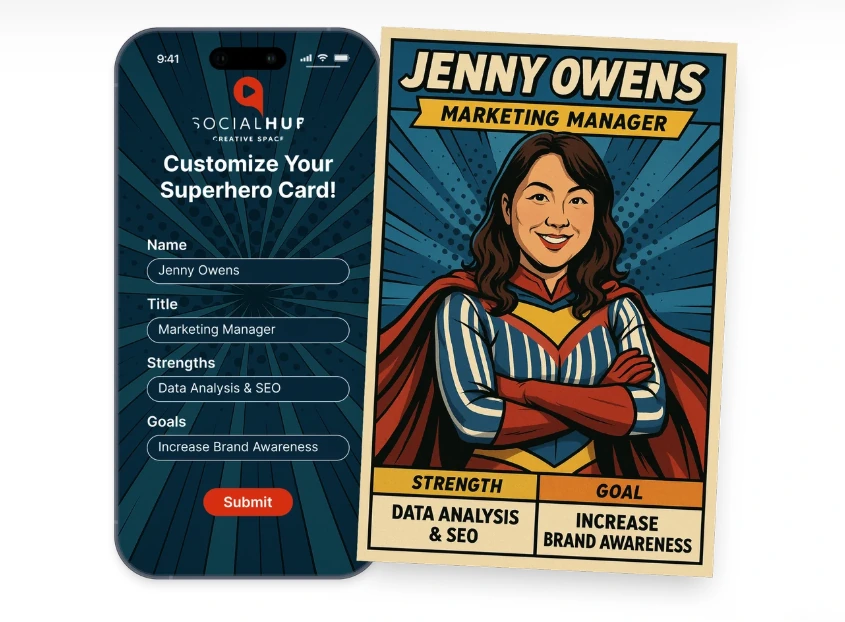
Snapbar works more like a platform than a single product, offering multiple distinct experience types that brand teams can rotate across an annual event calendar. AI Photo Booth transforms guest selfies into custom AI-generated portraits with proprietary styles built with Snapbar’s design team
AI Stories captures narrative inputs from guests and generates personalized illustrated portraits, with every story blank doubling as a structured lead data field. Persona Quiz matches attendees to brand-defined personas, producing persona-tagged lead records for segmented follow-up. Trading Cards, Event Headshots, AI Video Booth, and a classic Digital Photo Booth round out the offering.
The lead capture sits inside the participation flow: the data form appears between the engagement step and content delivery, so attendees complete it because they want their personalized result, not because a gated form interrupted their experience. CRM-ready CSV exports connect to Salesforce, HubSpot, and Marketo. Content delivery emails average a 95% open rate because guests open them to retrieve the content they created.
Source: SnapBar
Snapbar Pricing
Snapbar does not publish standard pricing tiers. According to the Snapbar pricing page, all activations are scoped and quoted individually based on experience type, customization depth, and expected participation volume. Snapbar acknowledges a higher starting cost relative to budget alternatives, positioning this as a trade-off for deeper customization and managed delivery.
Use Snapbar If:
- Your events run at enterprise scale (500 to 50,000+ attendees) and you cannot manage hardware logistics
- You need lead data your sales team can act on, with CRM-ready exports to Salesforce, HubSpot, or Marketo
- You run multiple distinct events per year and need activation variety without sourcing separate software for each format
- Your activation needs to extend beyond the event floor via persistent campaign links that run before, during, and after the physical event
3. Snappic — Best for Multi-Format Operators Running Varied Corporate Activation Rosters
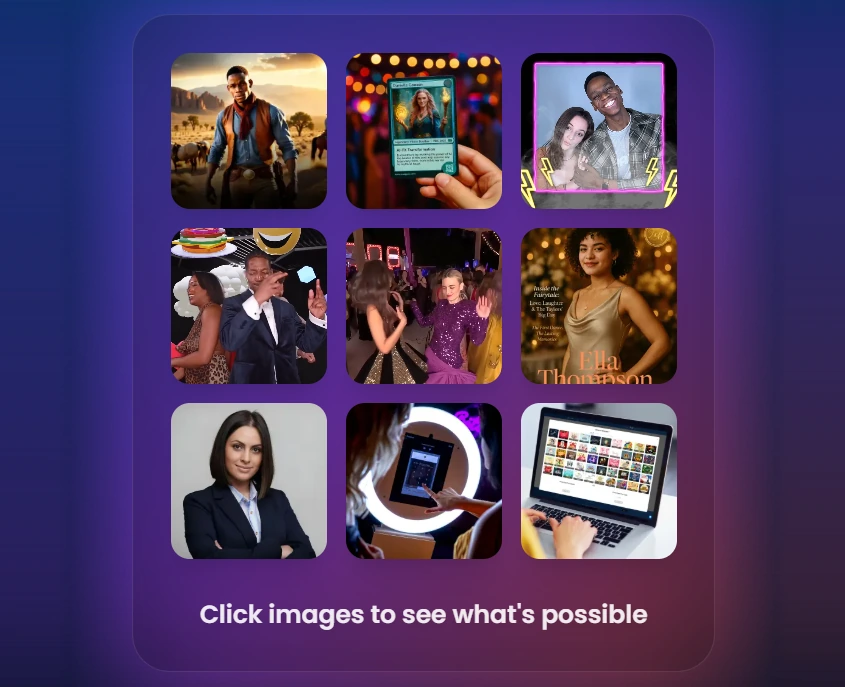
Most photo booth software is built around a specific hardware configuration: iPad-only platforms serve selfie stations, specialist platforms serve 360-video exclusively, desktop applications serve DSLR setups. Operators who grow their rig inventory to cover multiple activation types typically end up running separate software subscriptions for each format, each with its own learning curve and billing cycle.
Source: Snappic
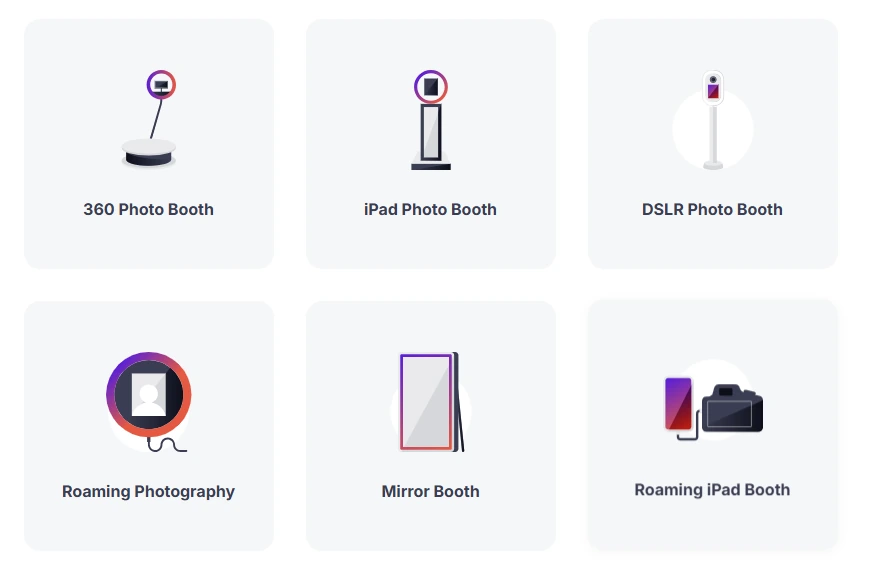
Snappic eliminates this. A single account manages iPad booths, 360-degree video rigs, robot arm and GlamBot setups, mirror booths, DSLR configurations, and roaming photography mode.
| Snappic Pros | Snappic Cons |
|---|---|
| - Every physical booth format under one subscription | - Core differentiators (AI-FX, VideoFX, analytics, white-label) require Business plan ($189/month) or above |
| - AI-FX suite with multiple AI engines for premium pricing | - AI-FX generation takes 2 to 5 minutes per image and consumes separately purchased credits |
| - Built-in client-facing analytics dashboard | - SmartShare credits on Premium/Scale plans do not roll over |
| - White-label branding and sub-account management |
Snappic: Top 3 Unique Features
- All booth formats covered under one subscription
- AI-FX suite with multiple distinct AI engines
- Client-facing analytics with one-click branded delivery
Source: Snappic
The template builder, effect library, sharing tools, and analytics dashboards work the same across every hardware type. Operators who learn one booth format carry that knowledge directly to the next. For operators who regularly field activation briefs specifying different formats for different event spaces, this is a real operational simplification.
Snappic’s AI-FX suite spans multiple AI engines. The core pipeline handles style transfers from a library covering art styles, seasonal themes, and professional scenarios. PersonaFX generates photorealistic portraits and branded avatars with survey-driven personalization. BananaFX, powered by Google’s Gemini 2.5 model, generates new images from custom prompts. PersonaFX’s professional headshot mode turns the booth into a LinkedIn-ready headshot station, justifying higher per-event rates.
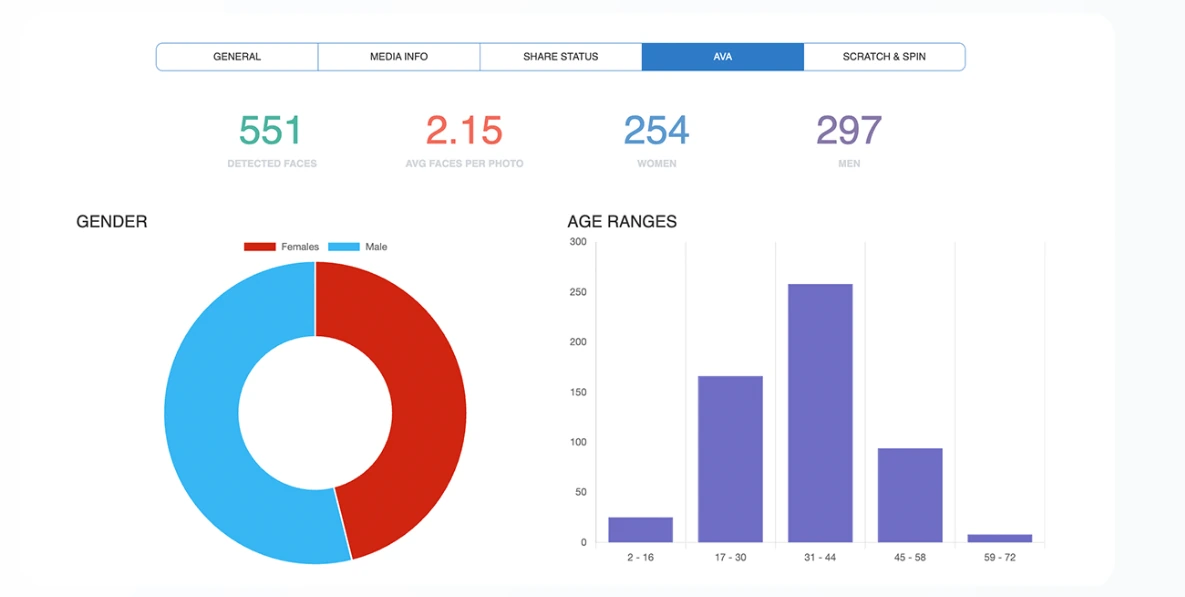
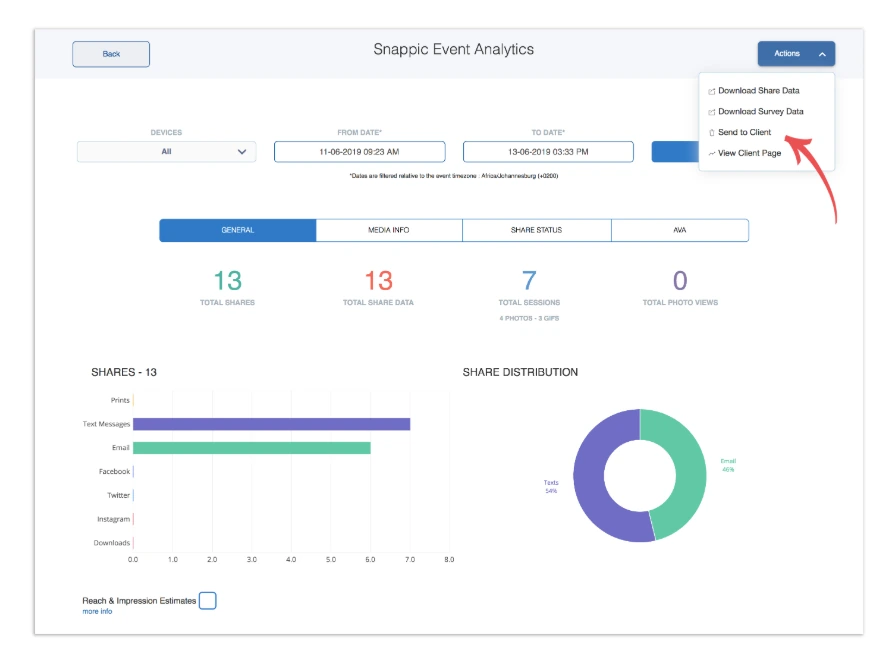
For post-event reporting, every event tracks total shares, media views, peak engagement timing, and estimated reach. AVA (Automated Vision Analytics) extracts aggregate demographic data (age ranges, gender distribution, average faces per photo), all anonymized. Operators use Send to Client to deliver a live analytics webpage under their own white-label domain.
Source: Snappic
Snappic Pricing
Snappic uses a per-booth license subscription model. A 14-day free trial is available, no credit card required.
- Starter — $69/month ($499/year). One license. Core photo, GIF, SMS/email sharing, 60+ templates, DSLR and GoPro integration. AI-FX, VideoFX, and white-label not included.
- Business — $189/month ($1,799/year). One license + one Sharing Station. Adds VideoFX, Premium AI-FX, branded galleries, green screen, client analytics, surveys, roaming mode, and moderation.
- Premium — $279/month. All Business features plus white-label URLs and emails, webhooks, and SmartShare AI (400 credits included).
- Scale — $399/month ($3,999/year). All Premium features plus unlimited sub-accounts, the unbranded Grey Label App, and a dedicated customer success manager.
AI-FX generation, AI background removal, and international SMS are credit-based and billed separately.
Use Snappic If:
- Your operation runs more than one physical booth type (360, GlamBot, mirror, roaming) and you want one platform covering all of them
- Your corporate clients expect post-event analytics and ROI reporting, delivered as a branded analytics link
- You need a fully white-labeled guest experience with no visible third-party software branding
- You run a multi-client agency and need each client’s events, data, and settings kept separate within one login
4. TouchPix — Best for 360-Video Booth Activations at Corporate Events
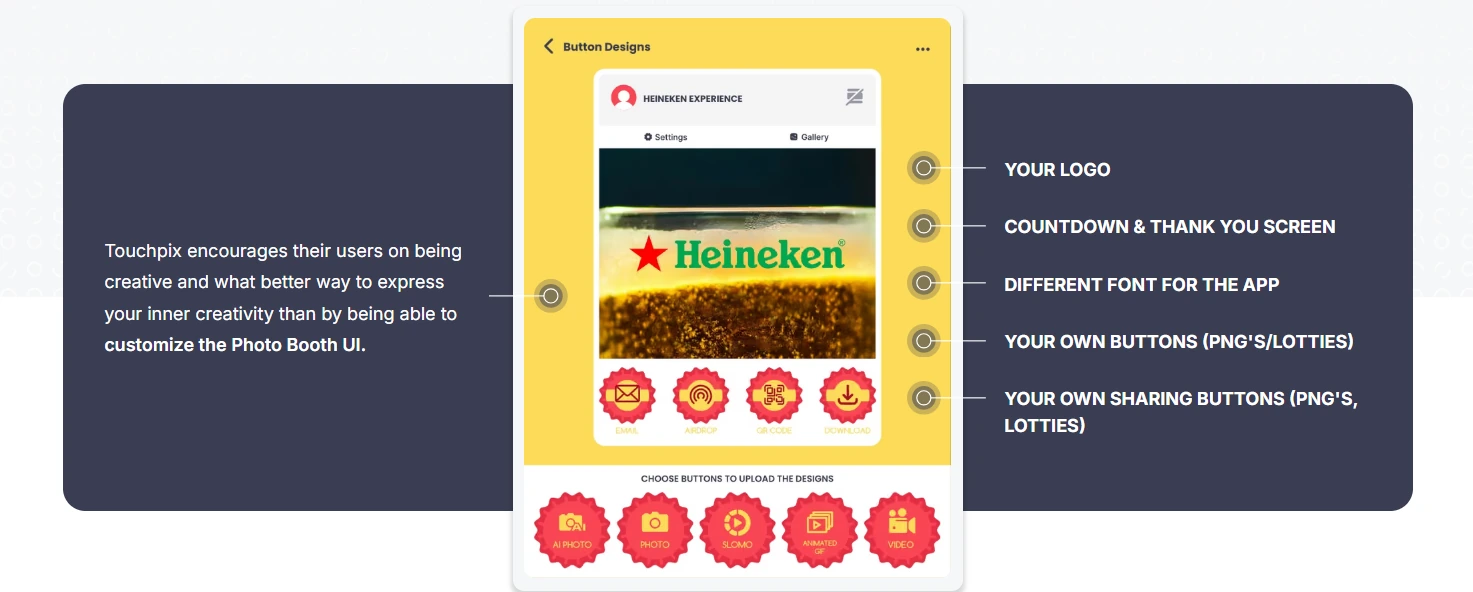
The 360-degree spinning-arm video booth has become one of the most-requested corporate event activations because the output (a slow-motion, all-angle video clip) is inherently social and shareable in a way that a static photo cannot match.
Source: Touchpix
TouchPix has built its reputation as the standard for this format. Rather than treating 360-degree capture as one feature among several, TouchPix was built around it: the Bluetooth integration communicates directly with the spinning-arm hardware, triggering the rotation sequence automatically so no attendant needs to press a button between sessions.
| TouchPix Pros | TouchPix Cons |
|---|---|
| - Dedicated 360-video engine with Bluetooth trigger and slow-motion controls | - The 360-video use case requires MultiPass ($879.99/year) at minimum; PhotoPass excludes video |
| - Widest hardware compatibility: GoPro 7 through 14, Canon, Nikon, Sony, iOS, Android, macOS, Windows, Linux, Raspberry Pi | - AI Pro cloud transformations consume separately purchased credits |
| - Offline sharing via Scanpix 2 works without internet | - Not optimized for unattended selfie-station deployments |
| - Mirror Booth mode included under the same license |
TouchPix: Top 3 Unique Features
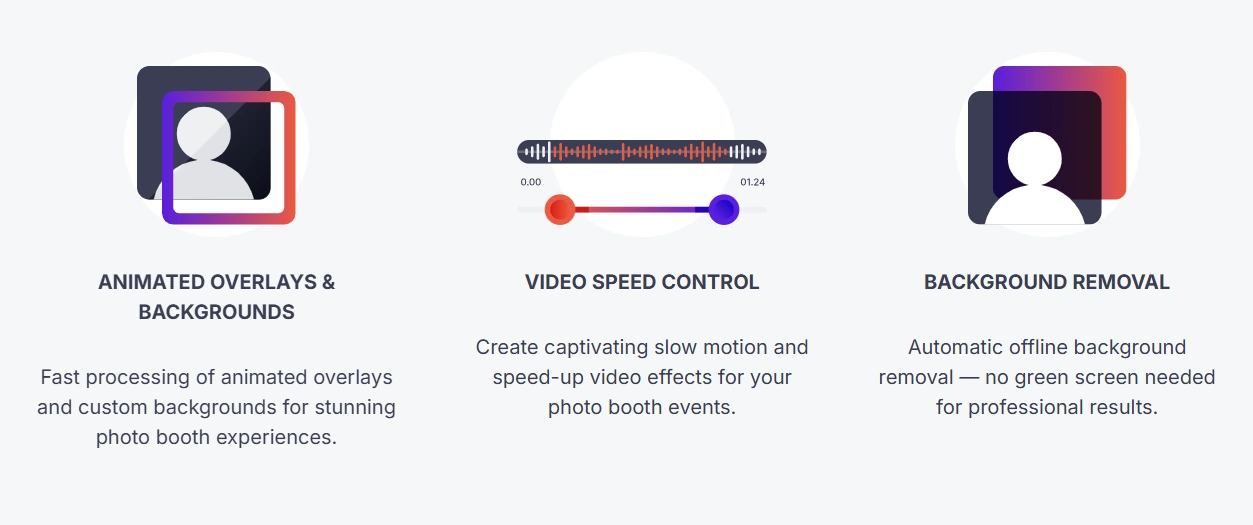
- Dedicated 360-video capture with slow-motion controls
- Hardware-agnostic compatibility across the widest range of cameras and operating systems
- Offline sharing and on-device AI processing for venues with unreliable connectivity
Source: Touchpix
The software’s video speed control, including slow-motion capture, produces the quality that makes 360-booth clips instantly shareable. Brand marketers request this format because the output looks production-grade, driving earned social media distribution from guest-generated content.
TouchPix’s compatibility list is the widest in the category: GoPro models 7 through 14 (wired and wireless), Canon, Nikon, and Sony DSLR and mirrorless cameras, and native apps for iOS, Android, macOS, Windows, Linux, and Raspberry Pi. All plan tiers include unlimited devices, so a multi-booth operation running four simultaneous activations at a corporate conference pays no per-device fees.
For venues with unreliable Wi-Fi, the Scanpix 2 offline sharing system lets guests receive their 360-video clips via QR code over a local network generated by the device itself. AI Face Replacement and background removal also run on-device without an internet connection.
Beyond 360-video, the license includes Mirror Booth mode with 7 themes, giving operators a second activation format for cocktail-hour or secondary event spaces without a second software purchase.
Source: Touchpix
TouchPix Pricing
TouchPix uses a subscription model priced by the number of simultaneous active event slots, with unlimited devices on all tiers. A 14-day free trial with no watermarks is available.
- PhotoPass — $439.90/year (2 active events). Photos, AI effects (80+ styles + custom prompts), and animated GIFs. Does not include video or 360-video capture.
- MultiPass — $879.99/year (4 active events). All PhotoPass features plus full video, slow-motion, boomerang, and 360-degree capture. Also available weekly ($43.99/week).
- MultiPass Pro — $1,407.99/year (8 active events). Adds Virtual Booth and Advanced Surveys for lead capture.
- MultiPass Enterprise — $2,199.99/year (12 active events). Adds Mosaic (collaborative photo wall) and RAW cloud backups.
Use TouchPix If:
- Your primary corporate activation format is the 360-degree spinning-arm video booth and you want dedicated Bluetooth trigger integration and native slow-motion controls
- You are adding a 360 format to an existing rental fleet and want to deploy on cameras and devices you already own rather than buying proprietary hardware
- You run corporate activations at venues with unreliable Wi-Fi and need offline sharing and on-device AI processing
- You need a second activation format (Mirror Booth) under the same license for secondary event spaces
5. Sparkbooth — Best for In-House Teams and One-Off Corporate Events That Need a Lifetime License
Subscription-based photo booth software charges monthly or annually, which makes financial sense for operators running booths every week. But in-house corporate marketing teams, HR departments running an annual all-hands, or brands staging a single product launch face a different calculation: a monthly subscription accrues cost regardless of how often the booth is used.
Source: Sparkbooth
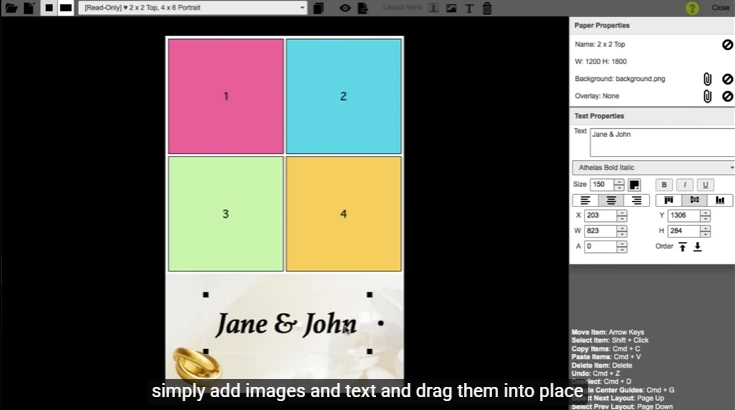
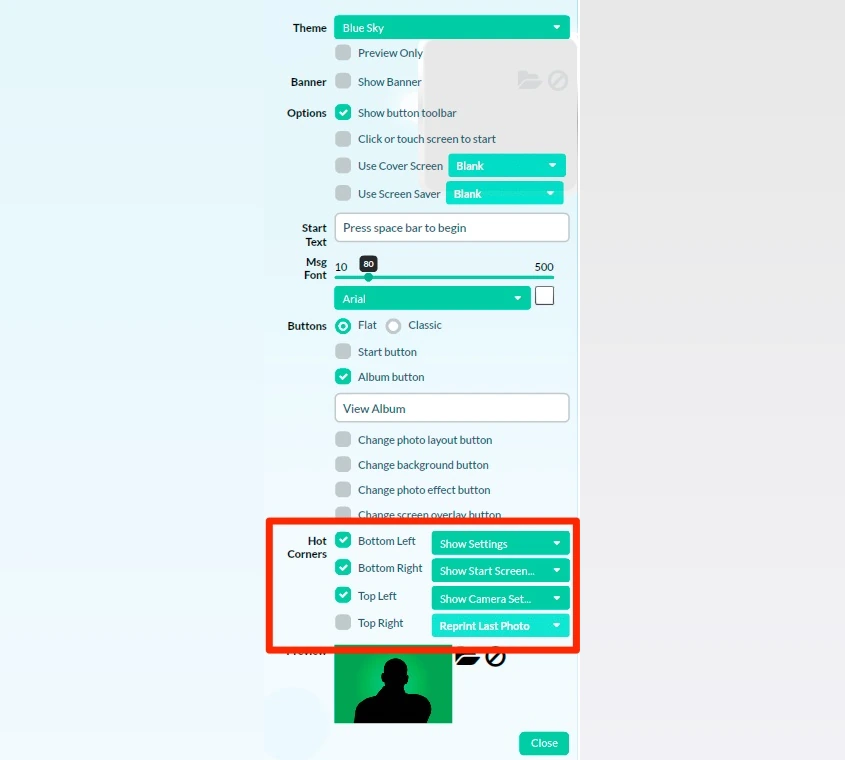
Sparkbooth addresses this mismatch directly. It is DIY photo booth software for Windows and Mac sold as a one-time, lifetime license with no subscription fees.
| Sparkbooth Pros | Sparkbooth Cons |
|---|---|
| - $149 (webcam) or $189 (DSLR) one-time purchase; no recurring fees | - Each license covers 3 activations |
| - Works fully offline on Mac and Windows | - Canon DSLR support requires Windows (macOS supports Nikon only) |
| - 30-day free trial with full feature access | - Offline AI background removal and QR code delivery require separate add-on subscriptions |
| - DSLR support for Canon and Nikon, including current-gen mirrorless | - No built-in analytics dashboard for post-event reporting |
Sparkbooth: Top 3 Unique Features
- One-time lifetime license with commercial use included
- True offline operation with queued photo delivery
- DSLR support for existing Canon and Nikon hardware
The $149 Premium license or $189 DSLR license is a perpetual purchase that never expires. Commercial use is explicitly permitted under the standard license, so brands using the booth at public-facing activations don’t need a separate commercial tier. A 30-day full-featured trial lets teams test the setup against their actual hardware before committing, with non-activated licenses refundable within 60 days.
Sparkbooth operates fully offline. Photos are captured, processed, and stored locally. When guests submit email addresses or mobile numbers, those requests queue locally via the Send Photo Later queue and dispatch after the event when connectivity is restored. The UnlimitedBG integration provides AI-powered background removal that runs without an internet connection, so branded background swaps at venues with no Wi-Fi remain viable.
The $189 DSLR license supports a broad list of Canon and Nikon bodies, including current-generation mirrorless cameras through the Canon EOS R-series and Nikon Z-series. If your photography team already owns compatible hardware, the DSLR license converts existing equipment into a photo booth rig with no additional hardware cost. Sparkbooth 7.2, released July 2025, merged Canon and Nikon into a single application and migrated to 64-bit architecture for smoother high-volume sessions.
Additional features include green screen compositing, animated GIF output (including boomerang and rewind formats), MailChimp integration for mailing list capture, text-to-mobile photo delivery via Twilio or Vonage, and touchscreen controls for self-guided guest sessions.
Source: Sparkbooth
Sparkbooth Pricing
- Premium — $149 USD (one-time, lifetime). Webcam-based capture on Windows and Mac. All features included: green screen, animated GIFs, mirror booth mode, SMS/email delivery, MailChimp integration, layout editor, touchscreen support, offline mode. 3 activations; commercial use allowed.
- DSLR — $189 USD (one-time, lifetime). Adds Canon and Nikon DSLR/mirrorless camera support. Canon on Windows only; Nikon on both Mac and Windows. 3 activations; commercial use allowed.
Add-on costs: UnlimitedBG offline AI background removal and QR code photo pickup via qrcode.photos each require separate subscriptions. SMS delivery requires a third-party messaging account at the provider’s rates.
Use Sparkbooth If:
- Your team runs one to three branded events per year and wants to own the software outright with no recurring subscription
- Your venue has unreliable Wi-Fi and you need a booth that captures, processes, and queues delivery entirely offline
- Your team already owns compatible Canon or Nikon hardware and wants to convert it into a photo booth rig
- You are running a Windows-based setup and want a simple, proven tool for branded photo strips, animated GIFs, and MailChimp lead capture
6. PONS.ai — Best for Enterprise Brand Activations Requiring AI-Generated, Personalized Experiences
Most AI photo booth products apply style transfer or filter overlays: they recolor or stylize a photo without fundamentally altering the scene. For enterprise brands running activations at industry conferences or client events, that filtered-selfie look carries a brand association risk.
Source: Pons
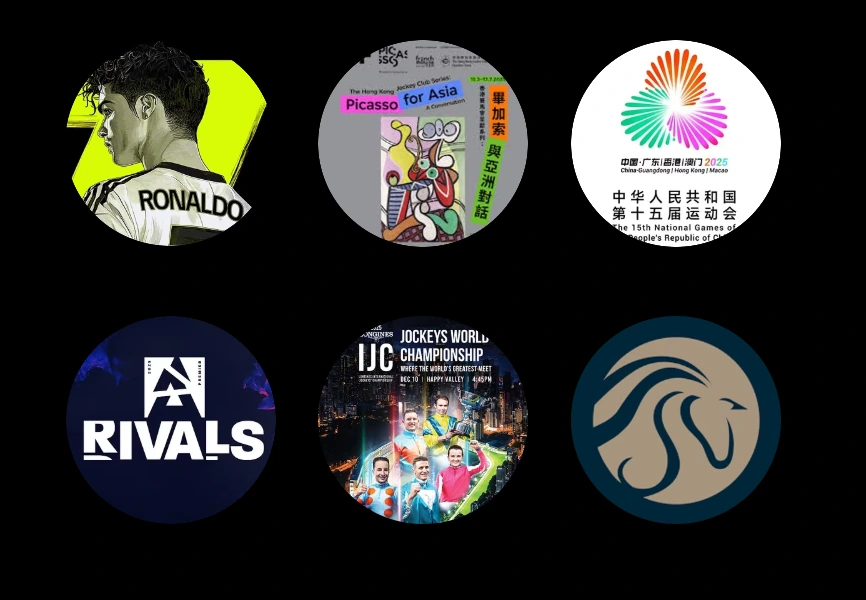
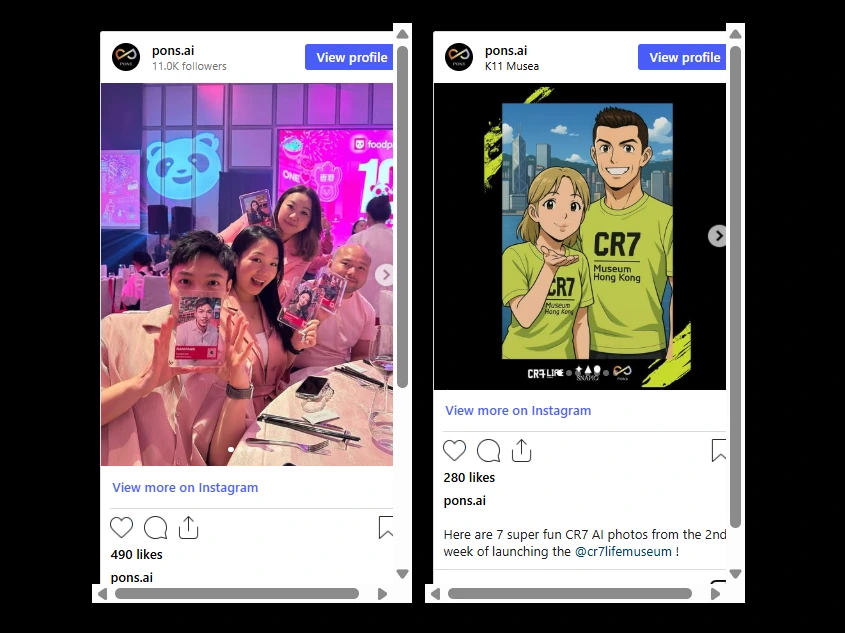
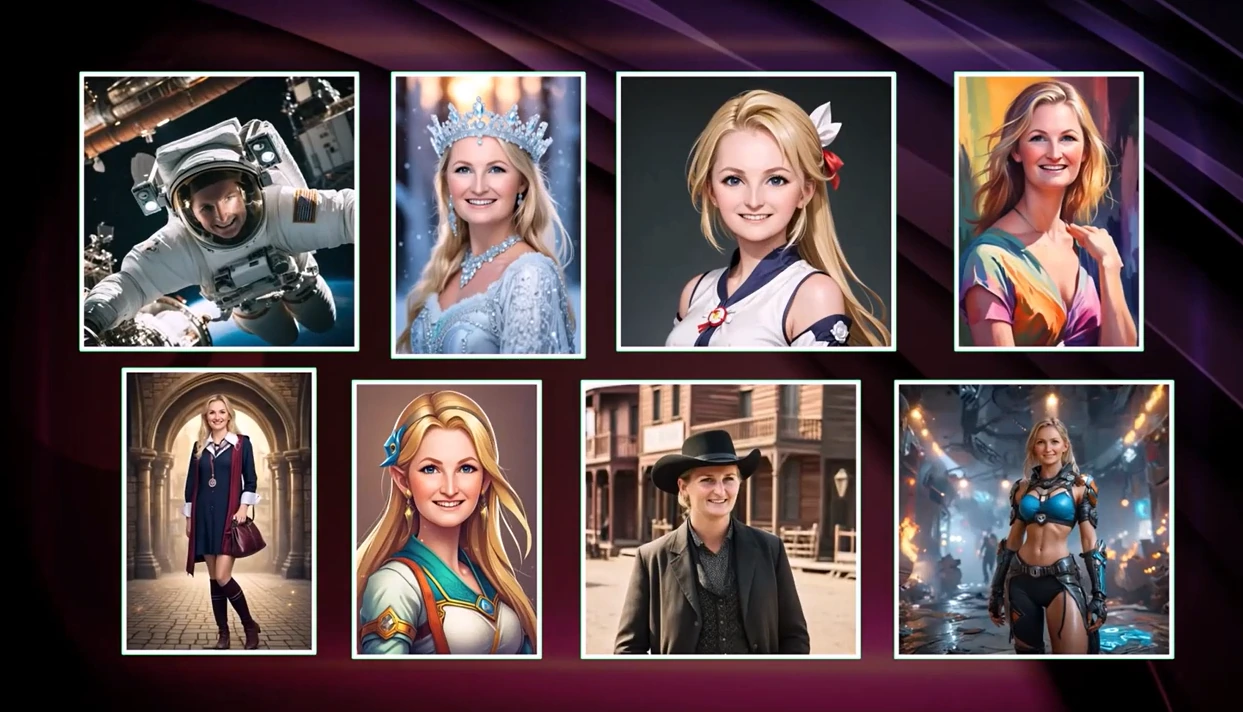
PONS.ai uses generative diffusion models (the same model class behind leading commercial image generation tools) to reconstruct the entire scene around the subject. The guest is placed inside a fully rendered branded environment with costumes, backgrounds, props, and branded text all generated together as a cohesive image in approximately 10 seconds per output.
| PONS.ai Pros | PONS.ai Cons |
|---|---|
| - Generative diffusion models produce fully reconstructed branded scenes, not filters | - No published pricing; all quotes require direct inquiry |
| - Custom AI styles built to each client’s brand identity with approximately one-week lead time | - Managed deployment model; not suited for self-serve DIY operators |
| - SOC 2 Type II, ISO 27001, GDPR, and CCPA compliance | - AI Short Video product is relatively early-stage |
| - Documented enterprise client roster including Fortune 500 companies |
PONS.ai: Top 3 Unique Features
- Generative diffusion models that reconstruct the entire scene with brand-safe consistency
- Multi-format AI output suite (portraits, short videos, framed art, gift cards, gamer postcards)
- Enterprise security infrastructure validated by Fortune 500 procurement
Brand guidelines for style, costume, background, and props are baked into the AI model before the event, so every output across hundreds or thousands of attendees stays within approved visual identity parameters with no manual review required. The platform also handles correct text generation within images, rendering brand names and campaign taglines accurately (a capability standard diffusion models handle poorly).
Beyond the AI Photo Booth, the platform produces AI Short Videos, AI Framed Art, AI Gift Cards, and AI Gamer Postcards. One vendor, one creative brief, and one set of brand assets can produce digital portraits for social sharing, physical framed prints as keepsakes, and personalized gift cards for internal programs.
PONS.ai’s security architecture includes GDPR-ready data handling, CCPA compliance, SOC 2 Type II attestation, and ISO 27001 certification, with TLS 1.3 encryption in transit and AES-256 at rest. Attendee images are never used to train AI models. The platform is an NVIDIA Inception member.
Sharing is optimized for Instagram, TikTok, LinkedIn, WeChat, RedNote, and X, with platform-specific sharing flows. The white-label web app model means no proprietary hardware is required (only a smartphone, the web app, and optionally a printer), making it a strong fit for multi-city international activations.
Source: Pons
PONS.ai Pricing
PONS.ai does not publish standard pricing tiers. All quotes are scoped individually based on event size, activation complexity, custom AI style requirements, and geographic deployment. Lead time from initial contact to event-ready deployment is approximately one week. Enterprise and permanent deployment pricing is available for multi-location or ongoing retail and museum installations.
Use PONS.ai If:
- Your brand activation requires AI-generated output that holds up to enterprise brand-safety scrutiny, with security certifications validated by Fortune 500 procurement teams
- You need multiple branded output formats (stills, video, prints, gift cards) from one vendor and one creative brief
- Your events span multiple international markets, including APAC, where LinkedIn and WeChat sharing optimization matters
- Post-event ROI measurement (engagement rate, social shares, email capture rate, earned media value) is a procurement requirement
7. Darkroom Booth — Best for Attended Windows Setups With Interactive Engagement Mechanics
For professional photo booth operators running attended Windows-based setups at corporate galas, trade shows, and brand events, the recurring cost of subscription software can become a significant line item, especially when the software costs more annually than the camera gear it connects to.
Source: Darkroom
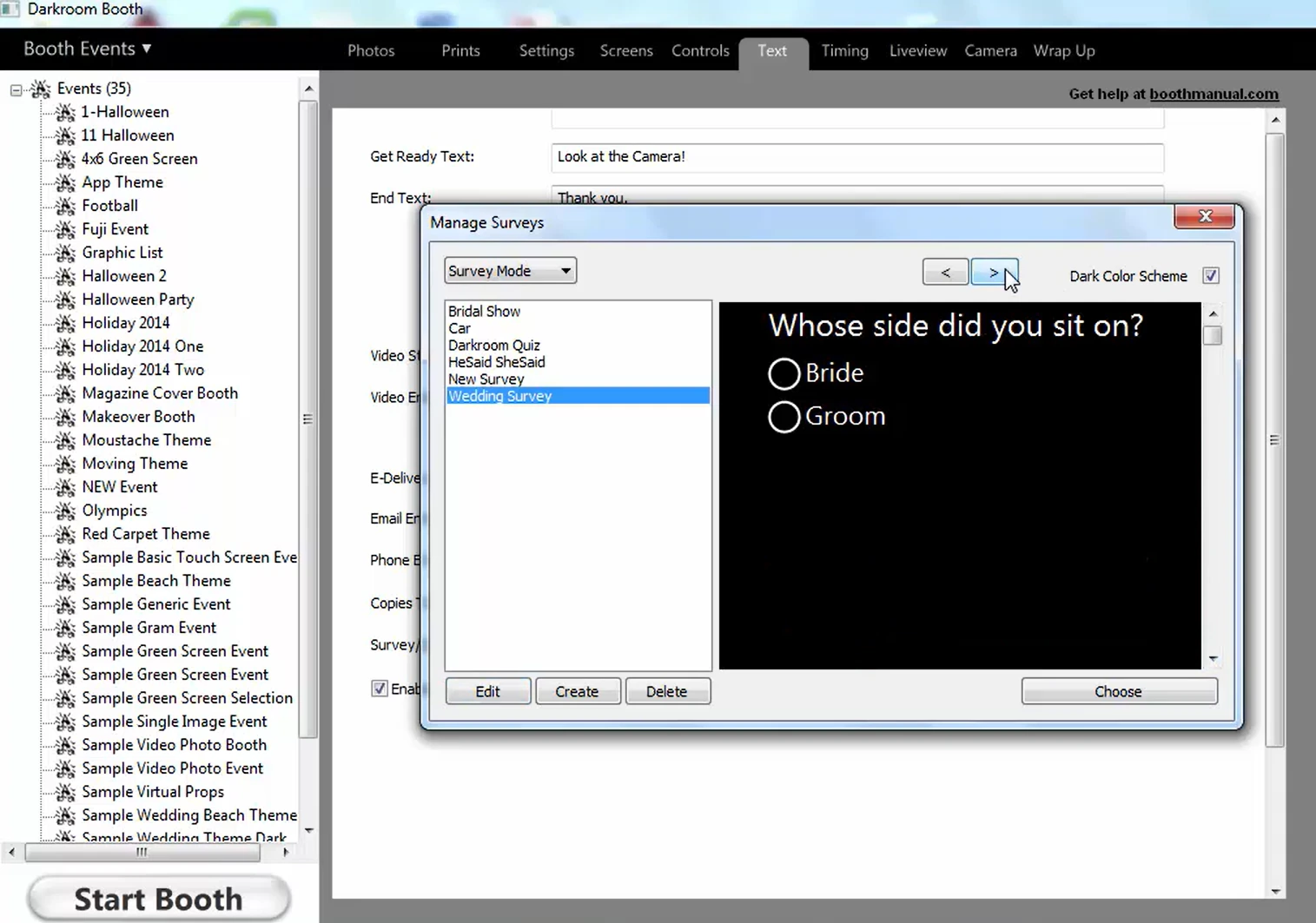
Darkroom Booth offers a $295 perpetual license that runs indefinitely without a subscription, combined with interactive engagement tools (Contest Mode and built-in surveys) that most photo booth platforms don’t offer at all.
| Darkroom Booth Pros | Darkroom Booth Cons |
|---|---|
| - $295 one-time perpetual license; software functions even if maintenance lapses | - Windows only (no Mac or iPad support) |
| - Built-in Contest Mode with brand trivia, quizzes, and prize redemption | - Business-hours-only support (Monday to Friday, 9am to 5pm Central) |
| - Professional DSLR tethering for Canon and Nikon | - Online gallery hosting requires a separate Event Gallery subscription ($30 to $75/month) |
| - Built-in surveys with 9 question types for lead capture | - No cloud-based remote management |
Darkroom Booth: Top 3 Unique Features
- Contest Mode with brand trivia, quizzes, and prize mechanics
- Perpetual license with a price unchanged since 2013
- Built-in survey and data collection with nine question types
Source: Darkroom
What sets Darkroom Booth apart for corporate activations is the built-in contest and quiz engine. Attendees answer brand trivia questions or complete interactive challenges. Winners can be selected at random or triggered manually via the Booth Control app from any phone or tablet on the same Wi-Fi network. When a contest win triggers, the software delivers a special branded print template and a coupon printed on the physical takeaway. This turns a photo moment into a planned engagement peak during the corporate event.
The built-in survey and data collection system collects attendee information as part of the session flow with nine question format types: checkboxes, multiple choice, date fields, email capture, scale ratings, text, True/False, yes/no, and message fields. Survey results export as PDFs and store to a local SQLite database for further analysis.
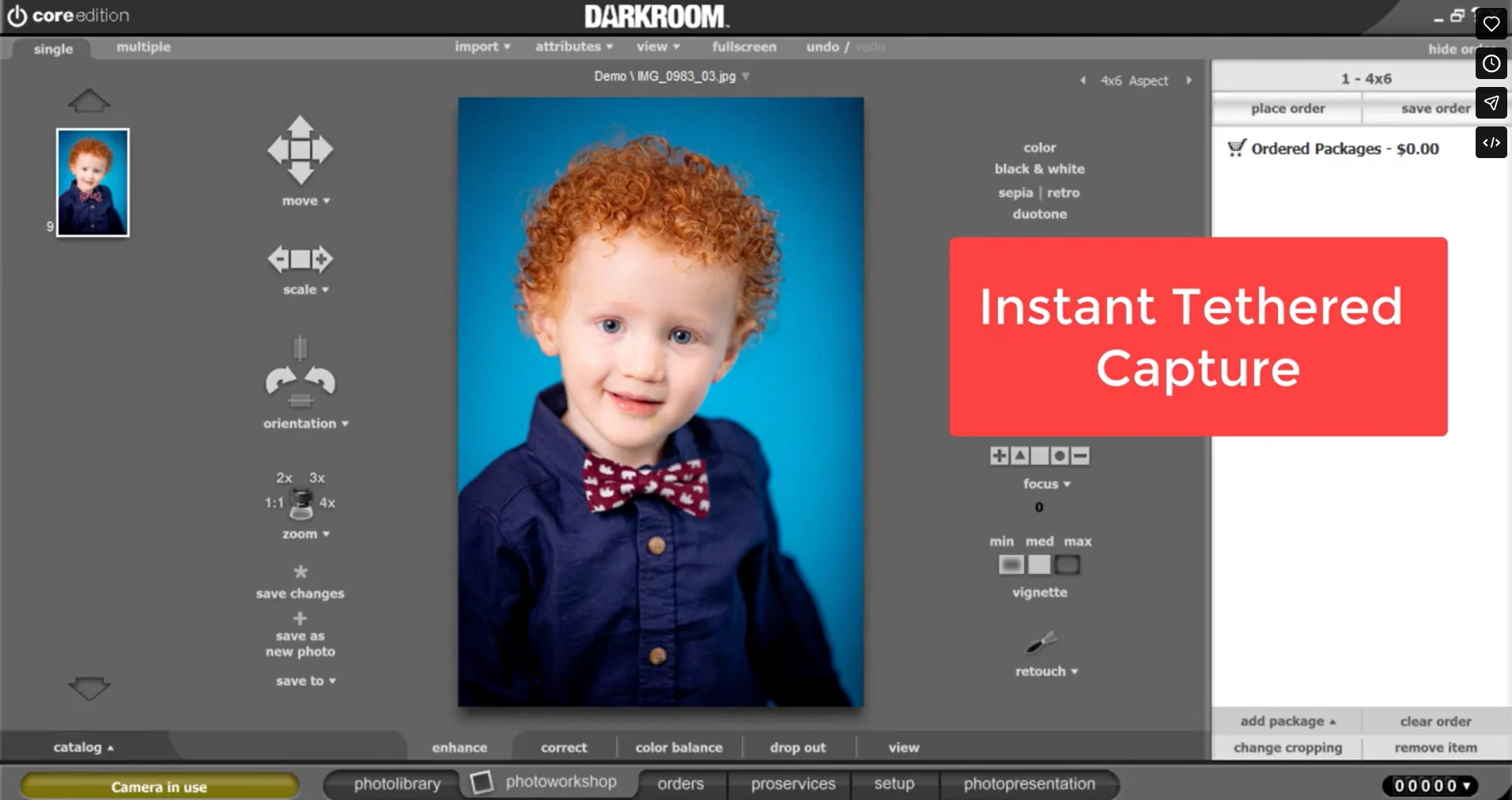
Darkroom Booth’s tethering pipeline connects to Canon EOS and Nikon Z/D series cameras, GoPro HERO 9/10, and Windows webcams via USB or wireless Wi-Fi tether. The application handles standard video, slow-motion video at up to 240 fps, animated GIFs, and Burst Mode Boomerang GIFs from one Windows machine. The best-pose selection feature lets guests take three shots and choose their favorite before finalizing.
Over a three-year operating window, the economics are clear: $295 plus up to $190 in optional maintenance versus $1,788 or more for a subscription alternative at $49/month. The launch price of $295 in June 2013 is identical to its current price.
Source: Darkroom
Darkroom Booth Pricing
- Full License — $295 (one-time purchase). Perpetual license for Windows 10 and 11. Activatable on up to 2 computers simultaneously. One year of updates and tech support included. Complete feature set: DSLR tethering, Contest Mode, surveys, green screen, GIFs, slow-motion video, 75+ templates, Booth Control remote management.
- Annual Maintenance — $95/year (optional after Year 1). Renews updates and support. Core software continues to operate if maintenance lapses.
- 10-Day Temporary License — $45. For existing customers needing a second machine temporarily.
- Event Gallery Add-On — $30 to $75/month. Required for automated online gallery hosting. Pro plan ($30/month) includes 50 GB storage and API access.
Use Darkroom Booth If:
- You run attended corporate activations on Windows hardware with Canon or Nikon DSLR gear and want predictable, capped software costs
- Your corporate clients expect interactive engagement mechanics like brand trivia, quizzes, and prize redemption that go beyond a standard photo strip
- You want a perpetual license where the software keeps working even if you stop paying for annual maintenance
- You need green screen compositing and multi-format output (stills, video, GIFs, Boomerangs) from a single machine
Final Verdict
Every platform on this list delivers real value for corporate events and brand activations. The right choice depends on your event format, operational model, and what you need the activation to produce beyond photos.
Here are our top picks for the most common corporate event scenarios:
- Simple Booth: If you want a self-running photo booth system with integrated hardware, AI effects, and lead capture that delivers an 87%+ opt-in rate. The combination of HALO hardware, the Layout Designer, and Virtual Booth makes it the most complete option for teams that need both physical and digital activations feeding a single analytics dashboard. Start a free 7-day trial with Simple Booth.
- Snapbar: If you are running large-scale enterprise activations and need a hardware-free platform with multiple AI experience formats, CRM-ready lead capture, and the ability to scale from 100 to 100,000+ participants without managing physical devices.
- Snappic: If you operate multiple booth formats (360, GlamBot, mirror, roaming, iPad) and need one subscription, one dashboard, and one set of white-label analytics to cover your entire corporate client roster.
Best Photo Booths for Corporate Events FAQ
What is the best photo booth for corporate events?
The best photo booth depends on your event format and goals. Simple Booth is the strongest all-around option for teams that want integrated hardware and software with built-in lead capture, AI effects, and remote management. Snapbar is better suited for enterprise-scale activations that need to run entirely without hardware. Snappic is ideal for operators who run multiple physical booth formats and need them all under one platform.
How much does photo booth software cost for corporate events?
Pricing varies widely. Simple Booth starts at $14.99/week for the Lite plan and goes up to $249/month for the Select enterprise tier. Snappic starts at $69/month. TouchPix’s MultiPass (required for 360-video) costs $879.99/year. Sparkbooth and Darkroom Booth offer one-time perpetual licenses at $149 to $295. Snapbar and PONS.ai use custom quote-based pricing for enterprise deployments.
Can photo booths capture leads at corporate events?
Yes. Most platforms on this list include lead capture forms that collect email, phone, name, and custom fields during the photo-taking flow. Simple Booth reports opt-in rates as high as 87 to 89% because the data form is embedded in the photo delivery experience. Snappic, Snapbar, and TouchPix (MultiPass Pro and above) also offer lead capture with CRM export capabilities.
Do I need physical hardware for a corporate event photo booth?
Not necessarily. Snapbar and PONS.ai run entirely in-browser or via a web app, requiring no physical kiosk. Simple Booth’s Virtual Booth also works without hardware. However, for in-person activations where lighting quality, photo consistency, and a physical presence matter, a dedicated hardware setup like Simple Booth’s HALO kit or a DSLR-based rig produces noticeably better results.
What is a 360 photo booth and which software supports it?
A 360 photo booth uses a spinning arm with a mounted camera (typically a GoPro) to capture a slow-motion video of guests from every angle. TouchPix is the most specialized platform for this format, with dedicated Bluetooth trigger integration and wired GoPro support. Snappic also supports 360-video as one of several booth formats under a single subscription.
Which photo booth platform is best for AI-generated experiences?
For native AI effects integrated into a self-service booth workflow, Simple Booth offers AI transformations with built-in identity preservation and zero-cost prompt testing. For fully managed AI experiences with generative diffusion models and custom brand styles, PONS.ai produces the highest-quality output. Snapbar offers the widest variety of AI experience formats (photo, video, stories, quiz, trading cards, headshots) in a hardware-free model.
Is there a one-time purchase photo booth software option?
Yes. Sparkbooth offers a lifetime license at $149 (webcam) or $189 (DSLR) with no recurring fees. Darkroom Booth sells a perpetual license at $295 for Windows, which continues to function even if the optional $95/year maintenance plan lapses. Both are strong options for teams that run fewer than three to four events per year and want to own their software outright.
What should I look for when choosing a photo booth for brand activations?
Start with the activation goal. If the goal is lead capture, prioritize platforms with built-in data collection forms and CRM integration. If the goal is social media reach, focus on sharing capabilities and AI-generated content that guests want to post. If the goal is a memorable guest experience, evaluate lighting quality, AI effects, and creative customization. Then match the pricing model to your event volume: subscriptions for frequent use, perpetual licenses for occasional events, and custom quotes for enterprise-scale activations.
Keep reading
 Best Of
7 Best Photo Booth Software with Video Message and Slo-Mo Capture [2026]
Booths that capture heartfelt video notes and buttery slo-mo. The moving stuff.
 Best Of
6 Best Photo Booth Software With QR Code Sharing [August 2026]
Booths that beam every snap to a phone with a quick scan. QR sharing done right.
 Best Of
7 Best Photo Booth Software With Real-Time Analytics and Dashboards [August 2026]
Booths that show the numbers as the party happens. Live dashboards, real insight.