7 Best Photo Booths for Event Professionals: Software & Hardware Solutions [August 2026]

Photo booths have come a long way from the coin-operated curtained boxes at shopping malls. Today, event professionals use software and hardware platforms to deliver branded photo experiences at weddings, corporate events, brand activations, and permanent venue installations.
But choosing the right platform is harder than it looks.
The market spans iPad-based systems, Windows-powered DSLR setups, 360-degree spinning rigs, and browser-based virtual experiences. Pricing models vary just as widely: weekly subscriptions, monthly plans, perpetual licenses, and pay-per-event credits. Some platforms bundle AI effects into the base plan; others charge per generation.
We researched and tested the leading photo booth platforms and narrowed the field to seven that stand out for distinct professional use cases:
- Running self-operating photo booths with integrated hardware
- Managing operations across multiple booth types
- Running 360-degree spinning booth activations
- Starting a photo booth business on a tight budget
- Eliminating recurring subscription costs with a perpetual license
- Testing software on real events before committing financially
- Getting AI effects at the lowest price
Here’s our breakdown for 2026.
What Are Photo Booths for Event Professionals?
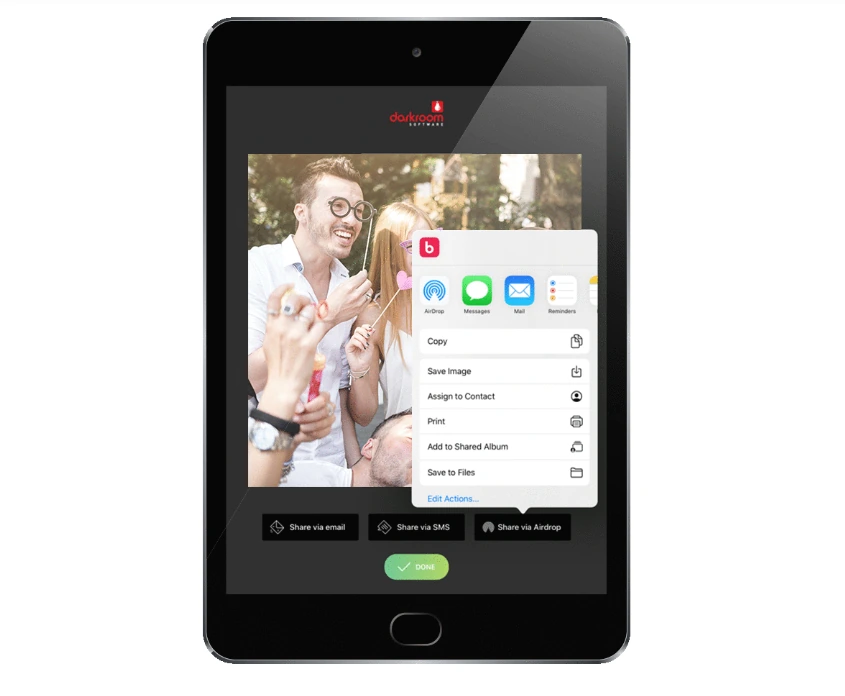
Photo booths for event professionals are software platforms (often paired with proprietary or compatible hardware) designed to capture, process, brand, and deliver photos, GIFs, videos, and AI-generated content at live events. Unlike consumer selfie apps, these platforms handle the full event workflow: guest-facing touchscreen interfaces, branded overlays and templates, multi-channel sharing (SMS, email, QR code, WhatsApp, AirDrop), lead capture forms, online galleries, and post-event analytics.
Event professionals deploy them across a range of formats: iPad-based selfie booths, DSLR-tethered setups for studio-grade quality, 360-degree spinning video booths, mirror booths, roaming photography stations, and browser-based virtual experiences that need no physical hardware at all.
We evaluated the top platforms across these formats and selected the best option for each professional use case:
| Best Photo Booths for Event Professionals | ||
|---|---|---|
 | Simple Booth Best turnkey iPad photo booth for operators who want a self-operating system with integrated hardware, AI effects, and lead capture. | |
 | Snappic Best for operators running multi-booth operations across iPad, 360-degree, GlamBot, Mirror, and Roaming formats. | |
 | TouchPix Best for event professionals who specialize in 360-degree spinning booth experiences and need GoPro integration with cross-platform flexibility. | |
 | LumaBooth Best entry-level option for solo operators and beginners who want a complete feature set at the lowest stable monthly price. | |
 | Darkroom Booth Best for Windows operators who want broad camera support and no recurring subscription costs. | |
 | Booth.Events Best for operators who want to run complete, watermark-free events for free before committing to a paid subscription. | |
 | BoothLedger Best new option for cost-conscious operators who want AI photo effects at the lowest monthly price. | |
How to Choose the Best Photo Booth for Event Professionals
Here’s a short checklist to help you find the right photo booth platform for your business:
- 📷 Hardware Compatibility: Does the platform work with the devices and cameras you already own, or does it require proprietary hardware?
- ⚡ Ease of Setup: Can you (or your staff) set up and tear down quickly between events? Look for sub-five-minute deployment that requires no technical expertise.
- 🎬 Capture Modes: Does the platform support the formats your clients request? Standard photos, GIFs, boomerangs, video, slow-motion, and 360-degree capture are all common deliverables.
- 🤖 AI & Creative Tools: AI background replacement, photo transformations, and in-app design tools are increasingly expected at events. Check whether these features are bundled or billed per use.
- 📤 Sharing & Delivery: Guests expect instant delivery. Look for multiple options (QR code, SMS, email, WhatsApp, AirDrop) and reliable offline queuing for venues with spotty connectivity.
- 📊 Lead Capture & Analytics: If photo booths are part of a marketing strategy, opt-in data capture, CRM integration, and post-event analytics are non-negotiable.
- 💰 Pricing Model: Match the pricing structure to your event volume. Weekly plans suit variable-volume operators, monthly and annual plans reward consistency, and perpetual licenses eliminate recurring costs entirely.
How We Curated Our List
We started with a broad survey of photo booth platforms based on user reviews, industry forums, and hands-on testing. We then evaluated each platform against four criteria:
- Ease of Use: How quickly can an operator configure and deploy the booth for a real event?
- Feature Depth: Does the platform cover the capture modes, AI tools, and sharing options professionals need?
- Reliability: Can the platform handle live event conditions, including offline venues and high-traffic sessions?
- Value: Does the pricing structure make sense for the platform’s target audience?
These factors narrowed the field to seven platforms that each serve a distinct professional use case.
1. Simple Booth: Best Turnkey Photo Booth for Professional Events
For event professionals, the worst-case scenario is a booth that fails mid-event: software crashes, lighting is inconsistent, or the setup takes so long that guests lose interest before the first photo. When your reputation is on the line, you need a system that works every time.
Source: Simple Booth
That’s why Simple Booth tops our list.
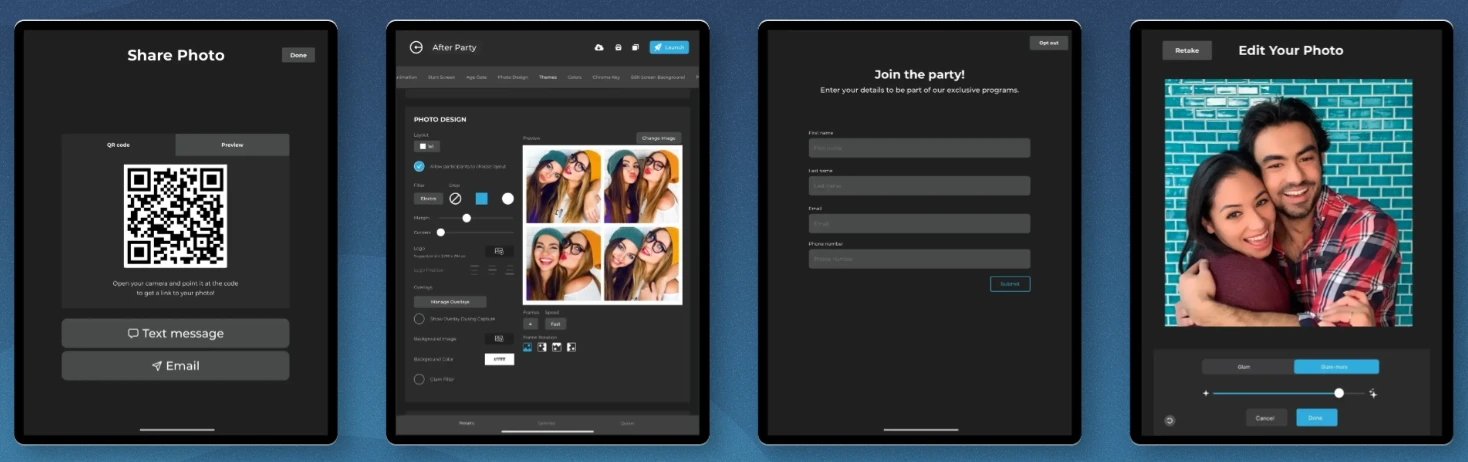
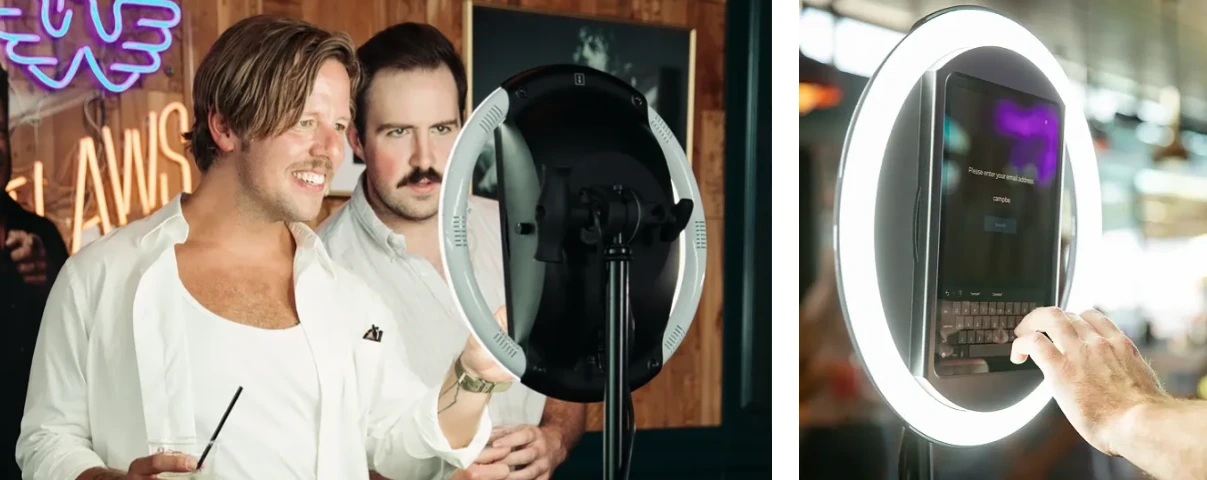
Simple Booth is a photo booth that runs itself, pairing a subscription-based iPad app with proprietary ring-light hardware (the HALO kits) and a browser-based Virtual Booth product. Its core features include:
- HALO hardware with a precision-machined aluminum chassis, patented ring light, and tool-less iPad mounting that sets up in under one minute
- HALO iPad app with cloud dashboard management, AI effects, custom branding, and analytics
- Virtual Booth for browser-based photo experiences with no hardware required
- AI photo booth capabilities with identity preservation and free prompt testing
- Multi-channel photo delivery via QR code, SMS, email, AirDrop, and WhatsApp
- Lead capture with 87%+ opt-in rates and native MailChimp integration
Source: Simple Booth
| Simple Booth Pros | Simple Booth Cons |
|---|---|
| - Integrated hardware and software from a single vendor | - iPad-only (no Android support) |
| - Sub-one-minute setup with no tools required | - Occasional post-update bugs reported in App Store reviews |
| - 4.7-star App Store rating from 2,400+ ratings | - No permanent free plan (7-day trial only) |
| - AI effects with identity preservation | - Ads displayed on the entry-level Lite plan |
| - Offline mode with automatic delivery queue | |
| - Remote preset management via online dashboard |
Why Choose Simple Booth as Your Photo Booth Platform?
30,000+ customers globally, a 4.7-star App Store rating from 2,400+ ratings, and over 40 million moments captured since 2013 make Simple Booth one of the most widely used photo booth platforms. Deployments with Live Nation, Sports Illustrated Tickets, and Gibson Brands prove it works at high-volume activations.
Ready to see why 30,000+ customers trust Simple Booth? Start with a free trial.
Hardware & Software Integration: Set Up in Minutes, Manage From Anywhere
The HALO hardware kit is what sets Simple Booth apart from software-only competitors. The chassis is precision-machined from a single billet of aluminum with a patented ring-light system housing 112 LEDs producing up to 2,100 lumens, rated for 50,000 hours of operation. Groups can stand 6-8 feet back from the camera and still get even illumination.
Setup is fast. The iPad snaps in via a tool-less faceplate, a concealed USB-C cable keeps it charged, and the selfie stand deploys without technical assembly. For operators running multiple events per week, this sub-one-minute deployment saves real time.
Operators configure and update presets via the online dashboard, and changes sync to the iPad without exiting booth mode. The Mission Control overlay (triggered by a two-finger pinch) lets operators monitor device health and adjust camera settings during live events. An offline upload queue stores sessions and delivers automatically when connectivity returns, so unreliable Wi-Fi never costs you photos.
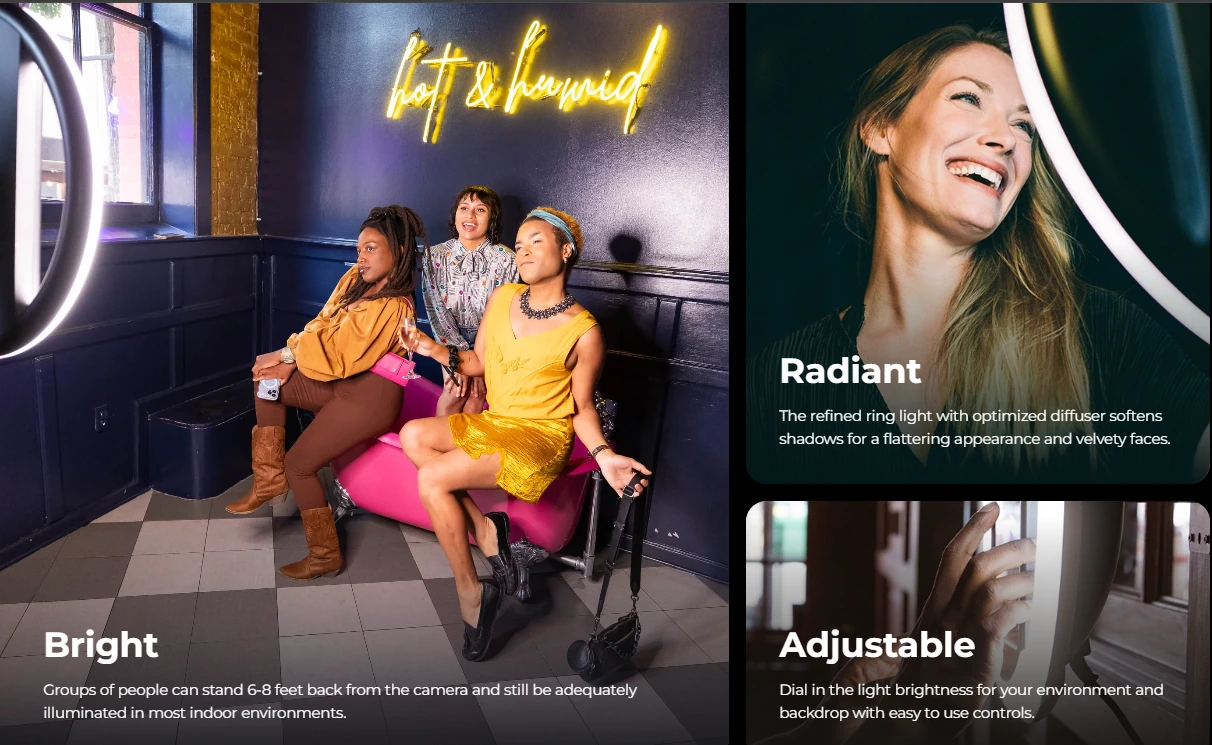
Source: Simple Booth
“It paid for itself pretty quickly. Now it’s just extra money coming in.” (Kurt Nielson Photography)
AI & Design Tools: Professional Branding Without External Software
HALO 5.0 introduced the Layout Designer, an in-app design tool with layers, fonts, gradients, QR code embedding, and multi-layout support. It replaces external design software.
The AI Effects suite uses Nano Banana models to transform guest photos post-capture with text prompts. The system preserves identity and likeness automatically, so guests stay recognizable regardless of the transformation style. Operators can assign unique prompts to each frame in a multi-frame layout for narrative photo strips, and guests can personalize their own AI output through the Guest Input system.
Testing prompts outside of booth mode consumes zero credits, so operators can iterate freely before events. Credits cost $0.10 each, and purchased credits never expire.
The Virtual Booth extends these capabilities to a browser-based experience requiring no hardware, supporting remote events, hybrid activations, and always-on campaigns via QR code or link.
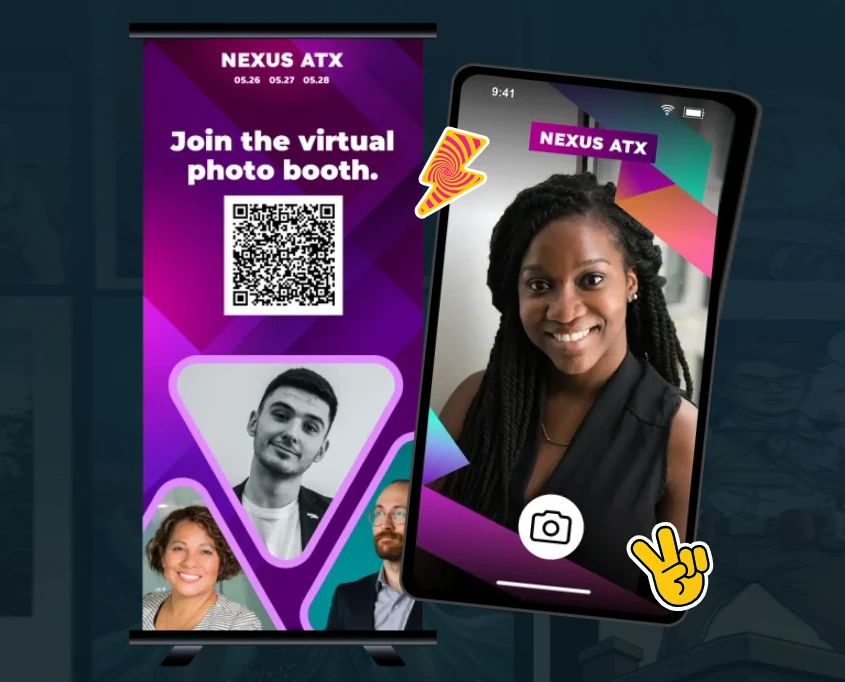
Source: Simple Booth
Lead Capture & Marketing: Turn Every Photo Into a Data Point
For brand marketers and venue operators, Simple Booth also captures first-party data. The platform reports opt-in rates as high as 87-89% because data collection is built into the photo-receiving flow rather than presented as a separate ask.
Captured data exports as CSV and syncs natively with MailChimp. The Open API (Pro and Select tiers) enables custom CRM delivery for operators who need deeper integration. Post-event analytics track total participants, gallery views, social share clicks, and (on the Select tier) demographic insights via face detection.
The Live Feed turns any public gallery into a real-time slideshow for TVs and projectors, adding a live display that runs alongside the booth.
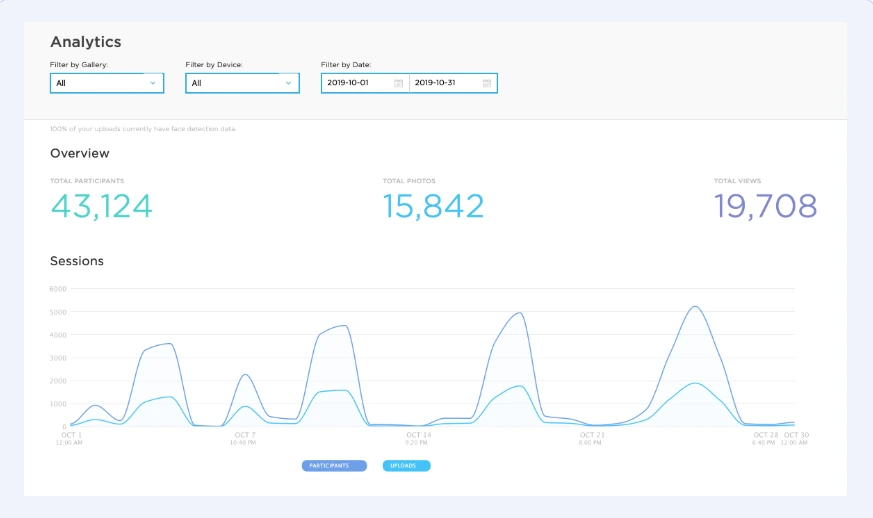
Source: Simple Booth
Treetop Golf collected 150,000 unique email addresses across its locations using Simple Booth’s lead capture tools. (Treetop Golf Case Study)
Simple Booth Pricing
Simple Booth uses a per-license subscription model. Each plan includes one license (one iPad), with additional devices available as add-ons. There are no caps on photo or event counts.
- Lite at $14.99/week, $29.99/month, $289.99/year (App Store only). Includes capture, delivery, galleries, and themes. Excludes custom branding, AI effects, analytics, and lead capture.
- Core at $24/week, $49/month, $490/year. Adds DSLR camera support, video, background replacement, AI effects, Virtual Booth, and Dropbox integration.
- Plus at $49/week, $99/month, $990/year. Adds custom branding, analytics, guest-editable text layers, and custom AI effects.
- Pro at $149/month, $1,490/year. Adds lead capture, API integration, phone support, moderation, and age gating.
- Select at $249/month, $2,490/year. Adds in-app custom legal terms, security questionnaires, and demographic analytics.
A 7-day free trial is available with 25 free AI credits. AI effect credits cost $0.10 each and do not expire once purchased.
Use Simple Booth if:
- You want integrated hardware and software from a single vendor
- You need sub-one-minute setup with no tools for multi-event weeks
- You want AI effects, custom branding, and in-app design tools without external software
- Lead capture and first-party data collection are part of your business model
- You need offline resilience for venues with unreliable Wi-Fi
- You want both physical (HALO) and virtual (browser-based) photo booth capabilities from one platform
Why Simple Booth Topped Our List
We know how this looks: we picked Simple Booth as the best photo booth for event professionals, so of course we’d say it deserves the top spot.
But after testing the platforms on this list, Simple Booth earned its ranking for a specific reason: it is the only platform that integrates dedicated hardware with cloud-managed software, AI tools, and a data capture system in a single self-operating package. Other platforms excel in their categories (and we’ll cover exactly how below), but none combine the full stack as well.
Read on to see how the other platforms compare, and where each one may be a better fit for your operation.
“10+ years, we’re big Simple Booth believers,” with 136,000+ fan interactions logged on the platform. (G7 Entertainment Marketing)
2. Snappic: Best for Multi-Booth Operations at Scale
Scaling beyond a single iPad booth creates a software fragmentation problem: adding a 360-degree rig, a GlamBot, or a mirror booth typically means adding separate software for each format. Snappic eliminates that.
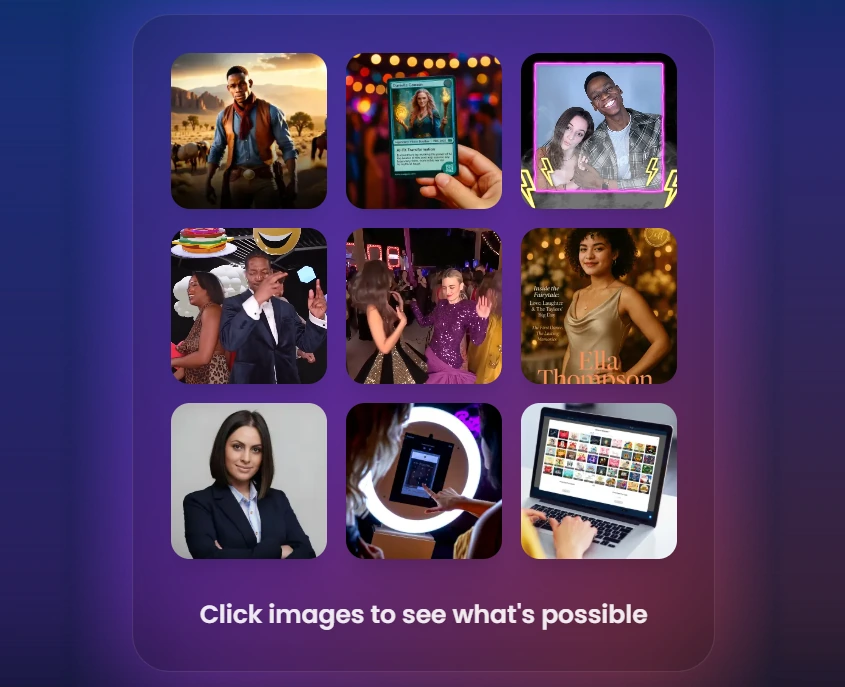
Source: Snappic
Snappic is photo booth software for professional operators who have outgrown single-booth setups. Acquired by Banyan Software in July 2024, the platform runs iPad photo booths, 360-degree video booths, Robot Arm/Glambot configurations, Mirror booths, and Roaming photography mode from a single subscription, all managed through one dashboard with a shared template builder.
| Snappic Pros | Snappic Cons |
|---|---|
| - Supports every major booth format from one subscription | - AI credit costs add up at high-volume events |
| - Multiple AI engines (PersonaFX, BananaFX, core AI-FX) | - Complex pricing with variable add-on costs |
| - White-label and agency management on Scale plan | - Feature depth can overwhelm smaller operators |
| - LiveConnect remote booth control from any device |
Snappic: Top 3 Unique Features
- All booth types from one subscription for operators managing diverse hardware fleets
- Multi-engine AI suite with PersonaFX for photorealistic branded avatars, BananaFX (powered by Google Gemini) for full image regeneration, and the core AI-FX pipeline for style transfers and face swaps
- Enterprise analytics and Send to Client workflow that turns post-event data into a client retention conversation
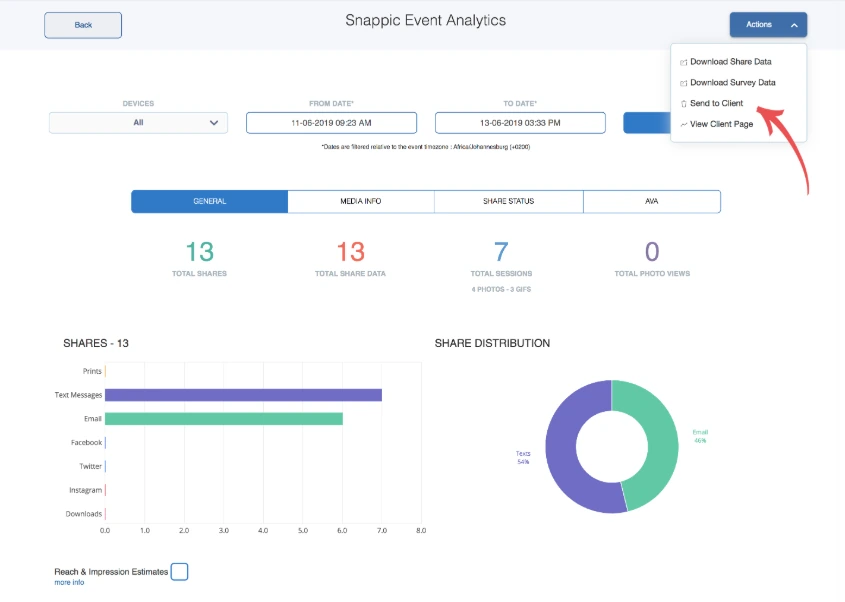
Source: Snappic
The VideoFX Template Builder handles video output across all hardware types through one interface, so skills built on one rig transfer to every other. LiveConnect enables browser-based remote control of any booth from any device, and the Scale plan adds unlimited sub-accounts with an unbranded Grey Label App for agencies managing multiple clients. All AI features are available on every plan tier; tiers differ only by the number of simultaneous device licenses.
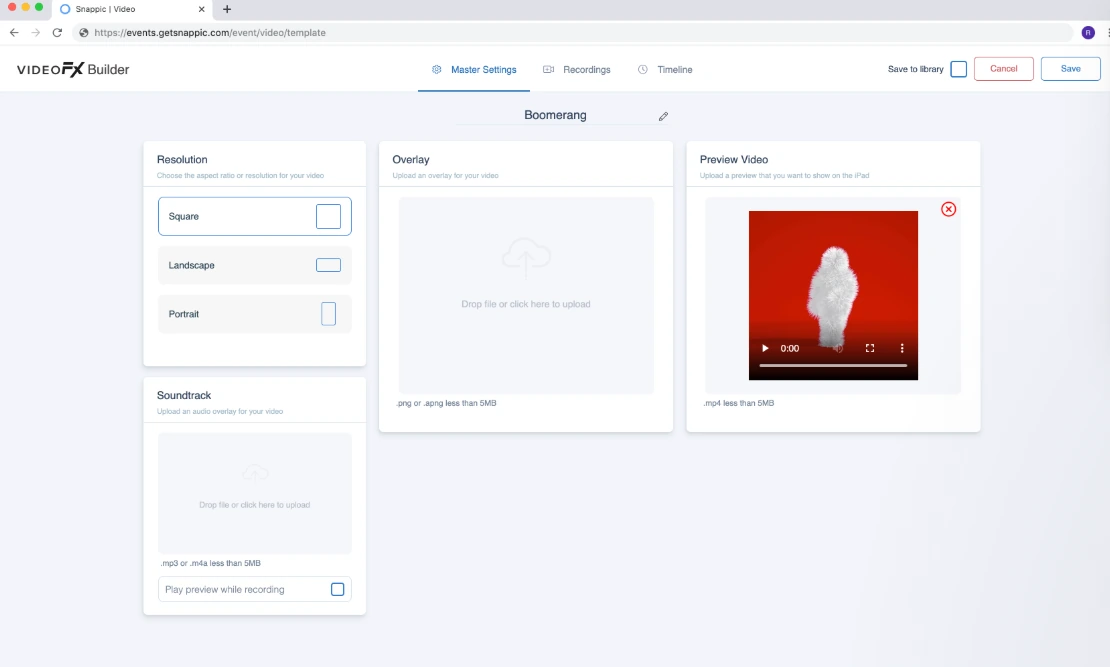
Source: Snappic
Snappic Pricing
Annual billing saves 20% across all plans. A 14-day free trial is available with no credit card required.
- Starter at $69/month ($499/year). One photo booth license with core capture, sharing, and templates.
- Business at $189/month ($1,799/year). Adds VideoFX, Premium AI-FX, client analytics, custom surveys, content moderation, and Priority Support.
- Premium at $279/month. Adds white-label URLs, webhooks, LiveConnect remote control, and SmartShare AI.
- Scale at $399/month ($3,999/year). Adds multi-client management, unlimited sub-accounts, Grey Label App, and a dedicated Customer Success Manager.
AI generation credits, international SMS, and background removal credits are billed separately on top of any subscription tier.
Use Snappic if:
- Your fleet includes more than one booth type (360, GlamBot, mirror, or roaming alongside iPad) and you need one platform for all of them
- You target corporate and brand activation clients who expect AI-transformed deliverables and post-event analytics
- You’re building toward a multi-client agency model with sub-account management and white-labeled guest experiences
- You run a high-frequency event calendar where the subscription costs less per event than per-event licensing
3. TouchPix: Best for 360-Degree Spinning Booth Specialists
360-degree spinning arm booths are the fastest-growing segment in professional event entertainment, but most photo booth software adapts a selfie booth base for 360 workflows.
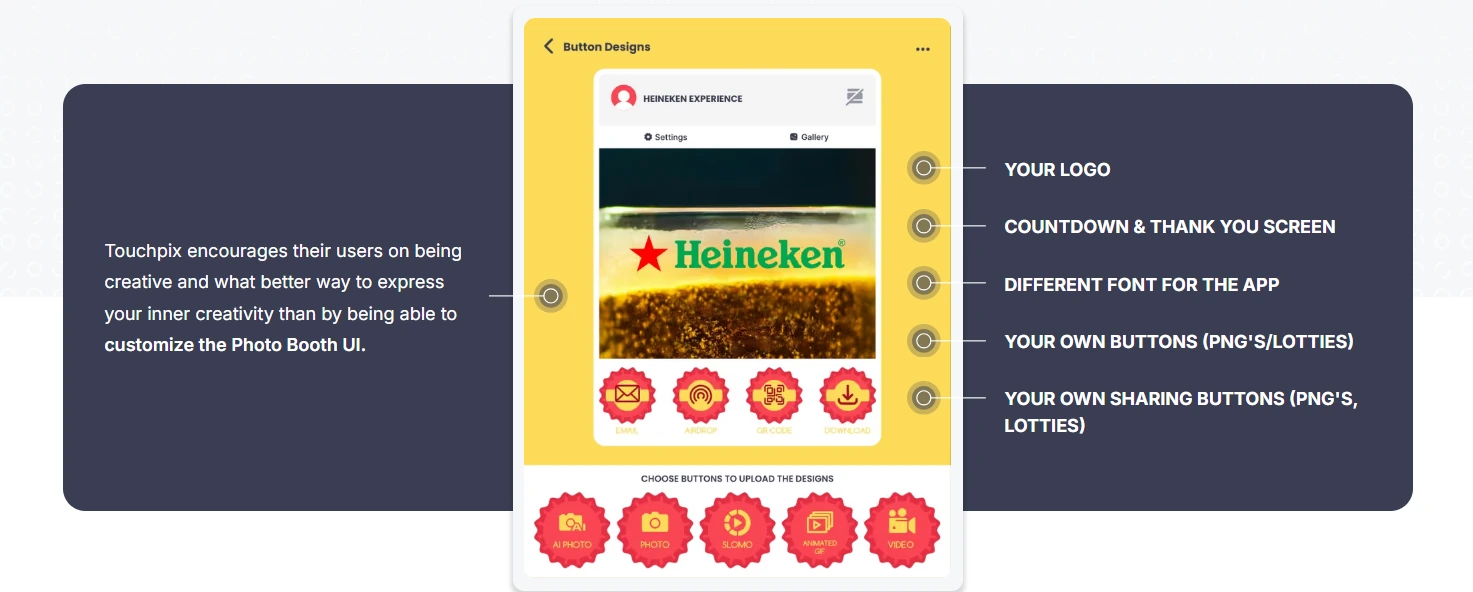
Source: Touchpix
TouchPix was designed around the mechanics of spinning arm booths. The platform launched in 2020 and has grown alongside the 360 boom, though as a younger platform it is still maturing in areas like rendering speed and interface polish.
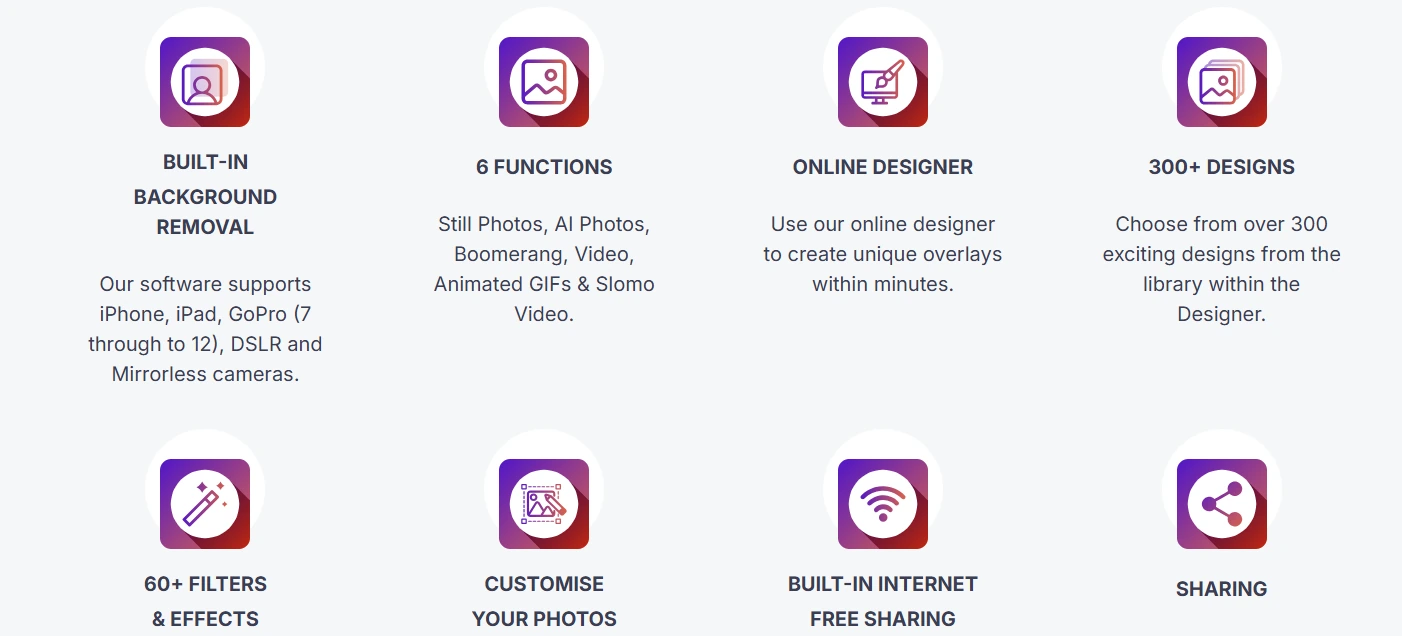
TouchPix’s native Bluetooth trigger automation activates the spinning arm directly from the app, removing the need for a separate control device. Its GoPro integration spans models 7 through 14 (wired and wireless), covering the primary camera hardware in the 360 market. Six capture modes (AI photos, standard photos, boomerangs, full video, animated GIFs, and slow-motion) are all included within a single subscription.
| TouchPix Pros | TouchPix Cons |
|---|---|
| - 360 spinning booth control with Bluetooth triggers designed for this hardware | - AI transformations require separate credit purchases |
| - Native GoPro support (models 7-14, wired and wireless) | - Learning curve for advanced 360 configuration |
| - Runs on iOS, Android, macOS, Windows, Linux, and Raspberry Pi | - Less polished for flat-booth-only operators |
| - Offline sharing via Scanpix 2 (no internet required) | - Some users report reliability issues and slower media rendering than mature competitors |
TouchPix: Top 3 Unique Features
- 360-degree Bluetooth trigger integration with wired GoPro support and firmware-specific configuration per camera model
- Cross-platform deployment across iOS, Android, macOS, Windows, Linux, and Raspberry Pi with unlimited devices on all plans
- Scanpix 2 offline sharing that delivers guest media over a local network with no internet, plus on-device AI face replacement and background removal that runs without a cloud call
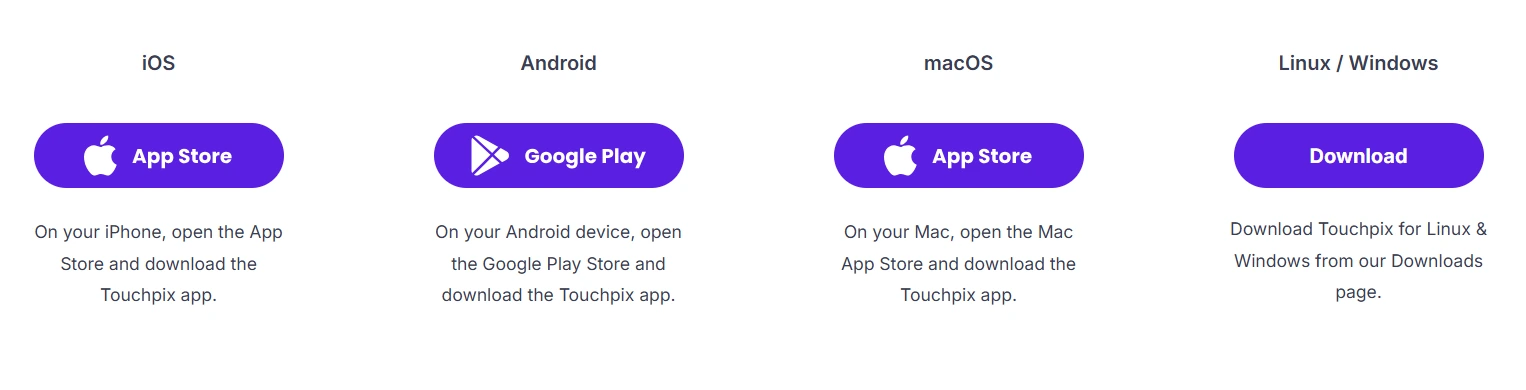
Source: TouchPix
TouchPix also includes 300+ animated overlays and 60+ filters in a built-in library, along with an AI Photo Booth engine offering 80+ transformation styles and custom prompt support. For operators who have built their business around spinning-arm 360 rigs, TouchPix’s 360 tooling has no equivalent in general-purpose photo booth platforms.
Source: TouchPix
TouchPix Pricing
Pricing scales by the number of simultaneous active event slots, with unlimited devices per account. Annual billing saves approximately 40%.
- PhotoPass at $439.90/year. 2 active events; photos and GIFs only.
- MultiPass at $879.99/year. 4 active events; all six capture modes included.
- MultiPass Pro at $1,407.99/year. 8 active events plus Virtual Booth and Advanced Surveys.
- MultiPass Enterprise at $2,199.99/year. 12 active events plus Mosaic and RAW cloud backups.
A 14-day free trial with full feature access is available with no credit card required. AI cloud transformations consume credits separately; new accounts receive 15 free credits.
Use TouchPix if:
- Your primary booth format is a 360-degree spinning arm rig and you need software designed for that hardware
- You operate a mixed hardware fleet across multiple operating systems and want one subscription to cover all of it
- Your events regularly take place at venues with limited or no internet connectivity
- You want all six capture modes in a single subscription without format-specific add-ons
4. LumaBooth: Best Budget-Friendly Option for Solo Operators Getting Started
Launching a photo booth rental business means absorbing upfront costs before booking your first event. LumaBooth addresses that by bundling every meaningful booth mode into a subscription starting at $18/month billed annually.
Source: Lumasoft
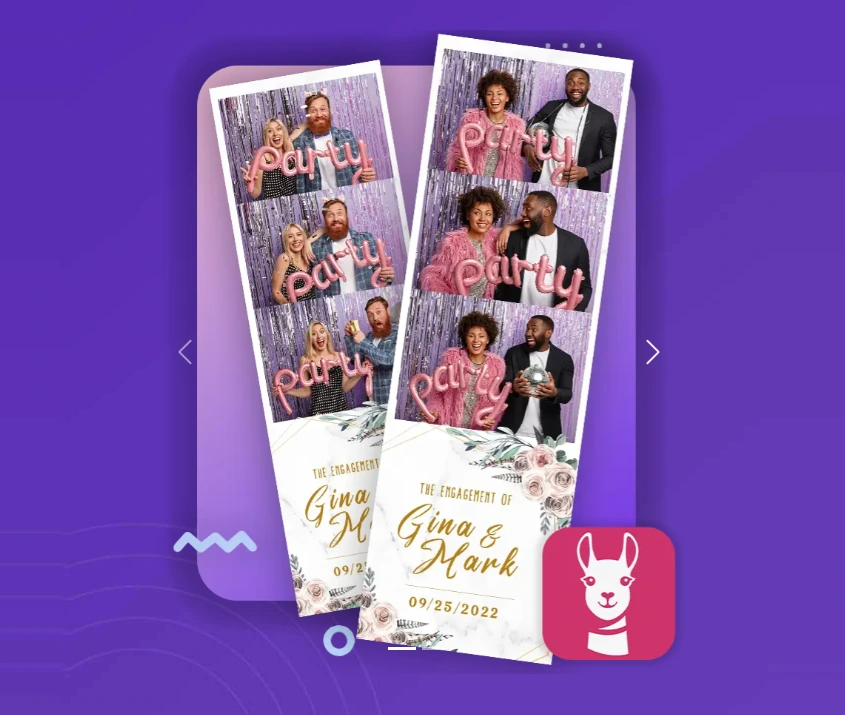
LumaBooth is the lowest-price entry point in the market for iPad-based photo booth software that still supports professional DSLR and mirrorless cameras from Canon, Sony, and Nikon. That price includes standard photos, animated GIFs, boomerangs, full video, 360/slow-motion, Mirror Booth, Glam Booth, Green Screen, AI Background Removal, and Video Guestbook, with no upsells.
| LumaBooth Pros | LumaBooth Cons |
|---|---|
| - Most affordable DSLR-compatible iPad subscription | - AI credits billed separately from the base plan |
| - All capture modes included with no upsells | - Companion sharing app (LumaShare) costs extra on Apple |
| - 14-year development track record (since 2012) | - SMS sharing requires a separate plan add-on |
| - Cross-platform (Apple and Windows) under one brand | - Interface navigation can feel less intuitive than cloud-first competitors |
LumaBooth: Top 3 Unique Features
- Every booth mode at the lowest stable price: $18/month (Apple) or $17/month (Windows) on annual billing, covering two devices per subscription
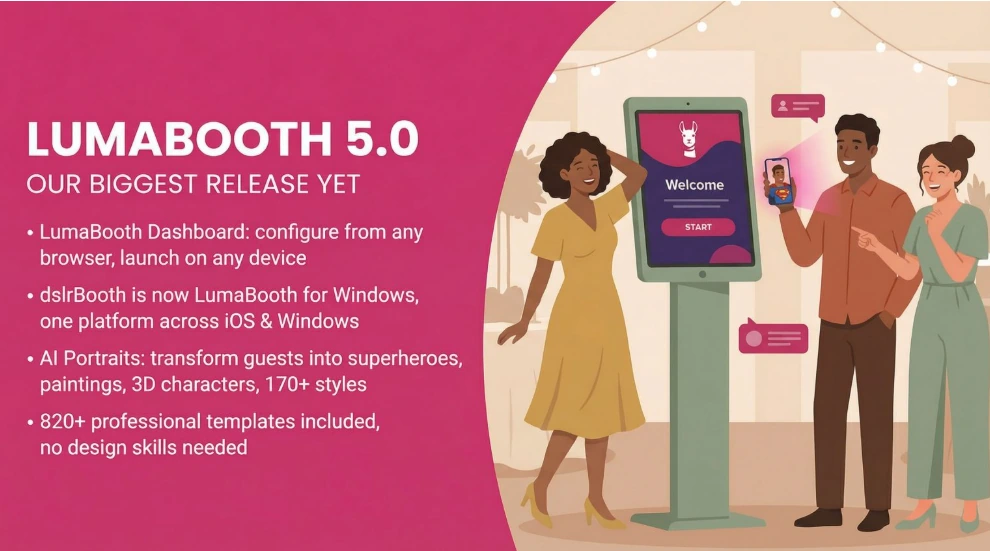
- AI Portraits with 170+ preset styles and a custom prompt builder, each generating in approximately 10 seconds, with 20 free credits on signup
- Cross-platform flexibility spanning iPad, iPhone, Mac, and Windows under a single LumaBooth Dashboard, so a business launched on iPad can scale to Windows without switching platforms
Source: Lumasoft
LumaBooth has been in continuous development since 2012 under the dslrBooth brand, serving tens of thousands of operators across more than 150 countries. The Apple app holds 4.6 stars from over 1,400 App Store ratings, and the Windows app carries 4.8 stars from 1,668 reviews. For a solo operator whose livelihood depends on a single booth working at every event, a 14-year-old product with weekly release cycles carries a different risk profile than a newer platform at the same price.
LumaBooth Pricing
- LumaBooth for Apple at $18/month billed annually (~$216/year), or $19.99/month rolling. Covers two devices. Free trial with no time limit (watermark removed upon subscribing).
- LumaBooth for Windows at $17/month billed annually (~$204/year), or $49.99/month rolling. Covers two devices. Adds built-in cashless payment system via Stripe, Booth CoPilot remote management, and on-device AI Background Removal.
Additional costs include fotoShare Cloud Plus ($19.99/month), LumaShare companion app ($7.99/month), SMS plan ($10/month), and AI credits starting at $14.99/month for 150 credits.
Use LumaBooth if:
- You’re launching your first photo booth business and need a proven platform at the lowest entry price
- You already own Canon, Nikon, or Sony camera gear and want to use it without buying proprietary hardware
- You want every standard booth type included in the base plan without gating behind higher tiers
- You’re starting on iPad but expect to scale to Windows as the business grows
5. Darkroom Booth: Best for Windows Operators Who Want No Recurring Costs
Monthly subscriptions compound. For a photo booth operator running dozens of events per year over multiple years, that recurring expense adds up.

Source: Darkroom
Darkroom Booth offers an alternative: a $295 one-time perpetual license that keeps working whether you renew or not.
Darkroom Booth is Windows-native photo booth software built by Darkroom Software, LLC, a family-owned company with roots in professional photography supply going back to 1992. Unlike subscription platforms that deactivate when payment lapses, Darkroom Booth keeps running its core features after the optional $95/year maintenance plan expires.
| Darkroom Booth Pros | Darkroom Booth Cons |
|---|---|
| - One-time perpetual license at $295 | - Windows only (no iPad or Mac support) |
| - Multi-brand camera support (Canon, Nikon, GoPro, webcams) | - Event Gallery requires a separate subscription |
| - Native green screen compositing with video backgrounds | - Interface less modern than cloud-first competitors |
| - Remote monitoring via Booth Control on local Wi-Fi |
Darkroom Booth: Top 3 Unique Features
- Perpetual license model where the $295 one-time purchase covers up to 2 computers, with an optional $95/year maintenance plan for updates and cloud features
- Multi-brand camera support including Canon EOS, Nikon Z/D, GoPro HERO 9/10, and most Windows webcams, plus accelerated print drivers for DNP, Fujifilm, Mitsubishi, Sony, and more
- Native green screen compositing with chroma key support for green, blue, or auto-detection modes, accepting static images, graphical overlays, or moving video backgrounds
Source: Darkroom
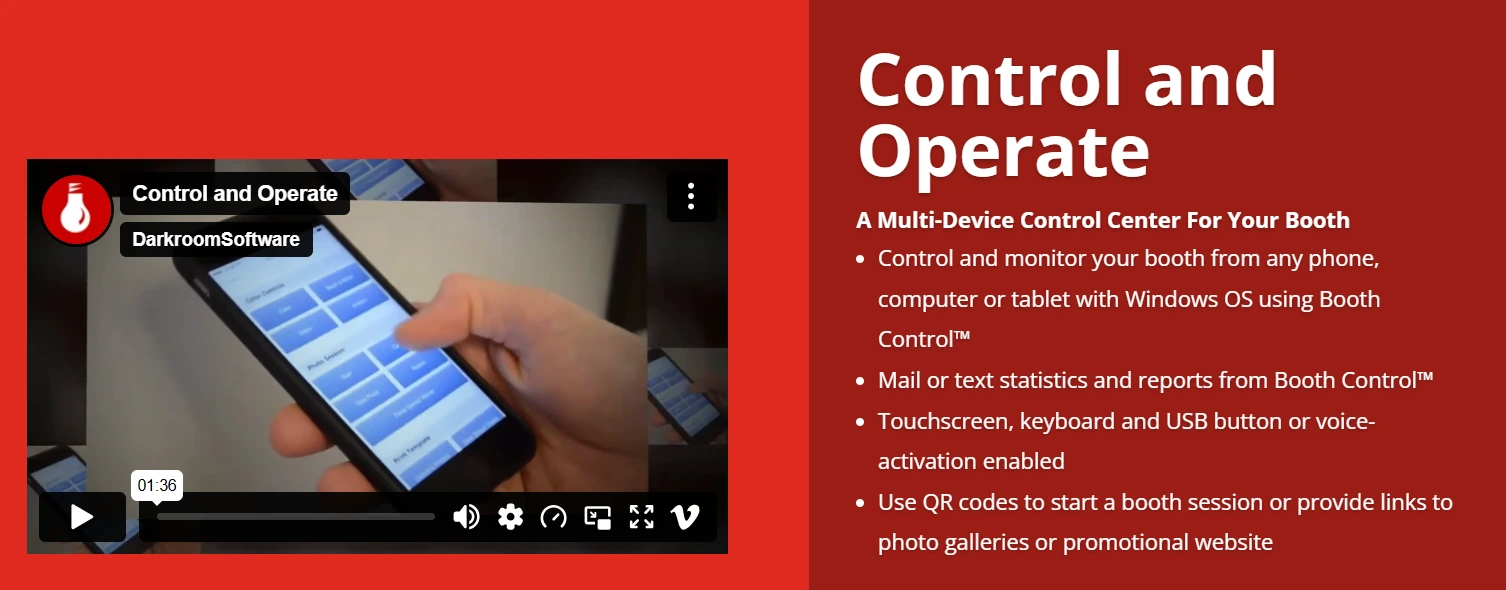
Darkroom Booth also supports native Phidget hardware interfaces for bill acceptors, coin-op mechanisms, and custom arcade buttons, making it one of the few platforms that can run a monetized kiosk at a permanent venue. The Booth Control remote monitoring feature lets operators manage the booth from any device on the same Wi-Fi network. The free trial has no time limit; it watermarks output and disables video, but never expires.
Source: Darkroom
Darkroom Booth Pricing
- Full License at $295 one-time. Covers 2 computers. Includes one year of updates and tech support.
- Annual Maintenance at $95/year (optional). Restores access to updates and cloud-based sharing features. Software keeps working if lapsed.
- 10-Day Temporary License at $45 for existing license holders who need a second activation temporarily.
The Event Gallery add-on (for online galleries and social sharing) requires a separate subscription starting at $30/month.
Use Darkroom Booth if:
- You run a Windows-based setup and want to use Canon, Nikon, or GoPro cameras you already own
- Your event volume makes eliminating recurring software costs worthwhile over a multi-year horizon
- You serve corporate clients who need precise green screen compositing with video backgrounds
- You need coin-op or pay-per-print kiosk capabilities for permanent venue installations
6. Booth.Events: Best for Running Real Events Before Committing
Most photo booth software trials let you explore settings, not validate the guest-facing experience. Booth.Events flips that model: new operators can run three complete, watermark-free, guest-facing events with no credit card required.
Source: Booth.Events
Booth.Events is an iPad and iPhone photo booth app built by Solodigitalis Inc. that earns its spot on entry economics and flexible pricing. The Starter tier includes USB DSLR support for Canon, Nikon, and Sony, plus SceneSelect AI background removal from the first free event.
| Booth.Events Pros | Booth.Events Cons |
|---|---|
| - Three complete free events with no credit card required | - Subscription pricing renders dynamically (less transparent) |
| - Pay-per-event credit option for irregular schedules | - iOS only (no Windows or Android app) |
| - SceneSelect AI background removal on all paid plans at no extra cost | - Limited free-tier gallery storage (7 days) |
| - Supports all three major DSLR brands via USB |
Booth.Events: Top 3 Unique Features
- Three free events that run the same infrastructure as paid events, including watermark-free deliverables, DSLR camera support, and AI background removal
- Pay-per-event credit system with non-expiring Pro-level credits for operators whose schedules don’t justify monthly subscriptions
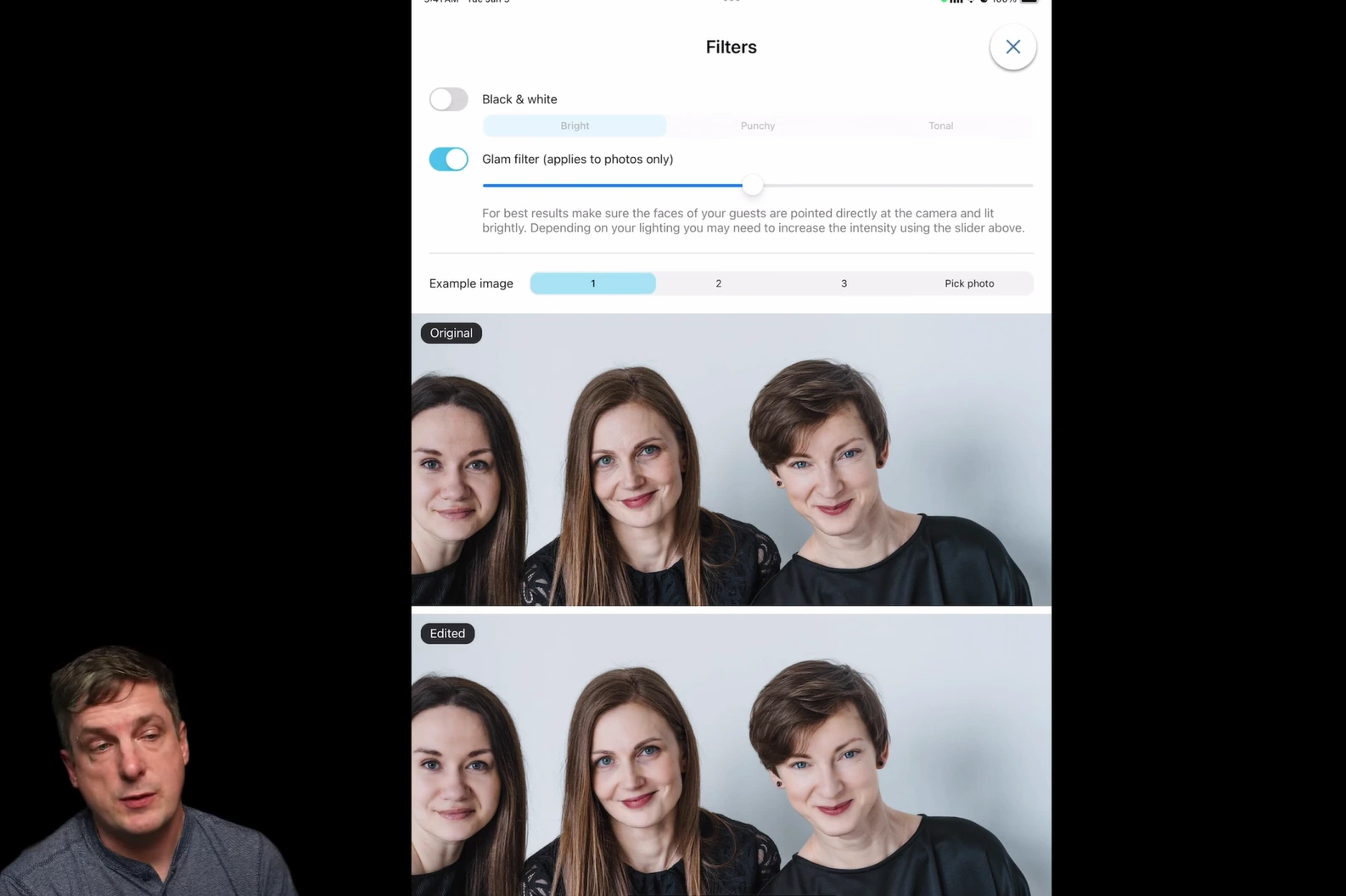
- SceneSelect AI background removal and Glam Filter included on all paid plans at zero credit cost, with on-device processing that works fully offline
Source: Booth.Events
For operators with seasonal or irregular booking calendars, the credit system is the key differentiator. A 4x Pro Event Credit pack grants full Pro-level feature access per event, purchasable without a subscription. Multiple packs can be combined. Generative AI features (AI Prompts and AI Portraits with 160+ styles) use consumable credits at $8 per 100, and new Pro/Pro+ subscribers receive 200 free credits.
Booth.Events Pricing
- Starter (Free): 3 events, up to 100 media per event, 7-day gallery. No credit card required. Includes DSLR support and SceneSelect.
- Basic: 1 iPad or iPhone; 3-month gallery storage; North American SMS; online support.
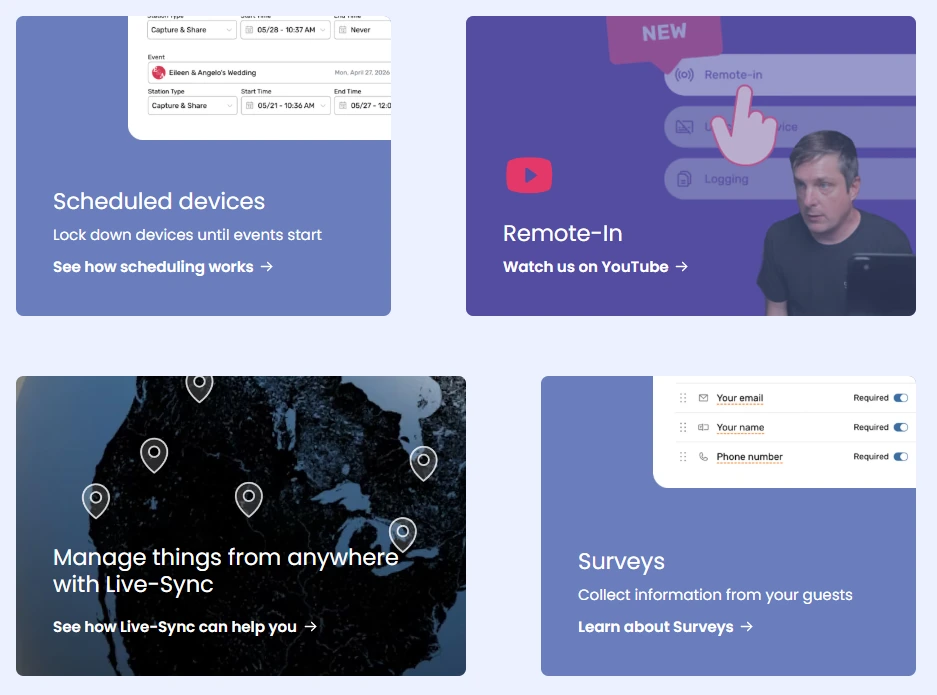
- Pro: 1 iPad + unlimited iPhones; 1-year gallery storage; worldwide SMS; Live Sync fleet management; custom microsites.
- Pro+: 4 iPads + unlimited iPhones; 2-year gallery storage; custom domain, white-label app, webhooks, Remote-In device control, and emergency phone support.
Non-subscription options include the 1 Week Pass (Basic-level access for 7 days) and the 4x Pro Event Credits pack. Visit booth.events/pricing for current subscription rates.
Use Booth.Events if:
- You want to run real client-facing events before paying for software
- Your event schedule is seasonal or irregular and a monthly subscription would sit idle for months
- You need all three major DSLR brands supported via USB tethering
- You want AI background replacement that works offline at no per-image cost
7. BoothLedger: Best New AI-Powered Option at Entry-Level Pricing

Source: BoothLedger
BoothLedger launched publicly in early 2026 as the first photo booth platform to bundle Canon DSLR tethering, two AI processing engines, and cloud fleet management into a flat subscription starting at €12 per month. Built by PhotoBooth Guys, an active Irish event rental company, the platform reflects the priorities of operators who build and price photo booth setups daily.
| BoothLedger Pros | BoothLedger Cons |
|---|---|
| - Lowest monthly price for AI photo booth features | - Canon cameras only (no Nikon or Sony support yet) |
| - Two AI engines with 50+ creative styles, no per-effect charges | - Windows only (no iPad or Mac app) |
| - Two device licenses included on every plan | - New platform with no third-party reviews yet |
| - 45-second cloud sync with full offline resilience |
BoothLedger: Top 3 Unique Features
- Two-engine AI suite with Core (volume-optimized) and Nano Banana Pro (highest fidelity), both included in the €35/month AI Photobooth plan alongside 50+ creative styles and no per-generation charges
- Canon DSLR integration with full live view preview, autofocus, RAW+JPEG simultaneous capture, and automatic USB reconnect logic across the Canon EOS R mirrorless range and most EOS DSLR bodies
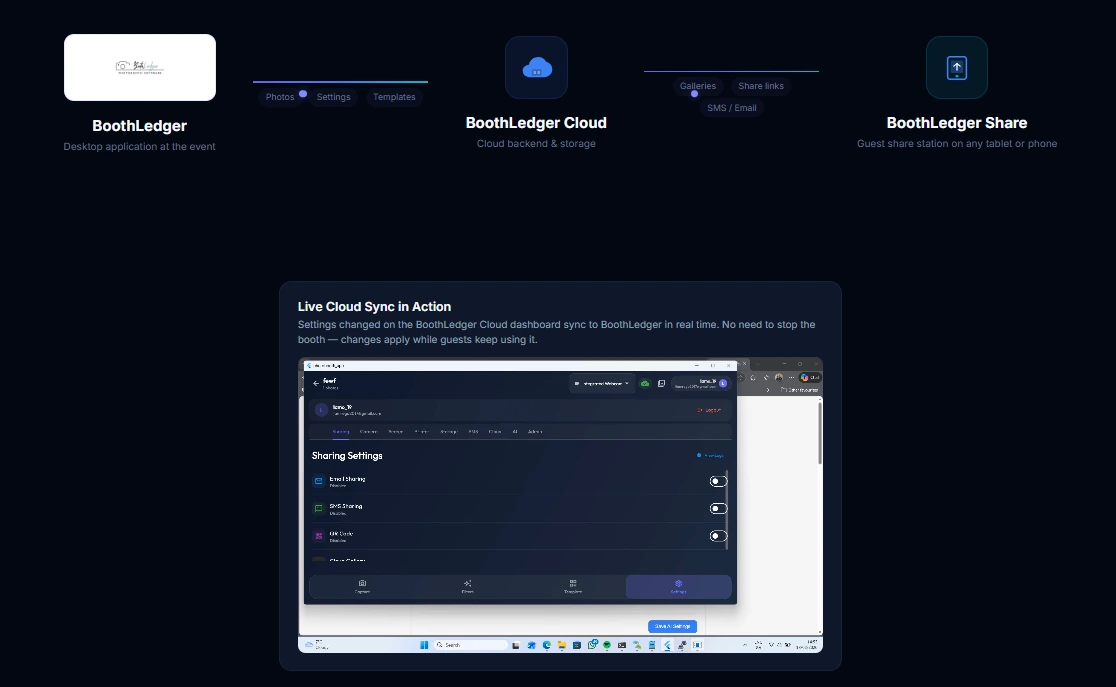
- Offline-first architecture where the booth captures, processes, prints, and queues share requests without an internet connection, with 45-second cloud sync when connected
Source: BoothLedger
BoothLedger suits independent operators and small rental companies running one to two booths on Windows PCs with Canon hardware. The 30-day free trial requires no credit card, and data and event archives are preserved if a subscription lapses.
BoothLedger Pricing
All plans include two device licenses. Annual billing saves approximately 15%.
- Basic at €12/month. Canon DSLR tethering, template editor with cloud sync, photo sharing via SMS, email, and QR codes, BoothLedger Cloud galleries and event management.
- AI Photobooth at €35/month. Everything in Basic plus the full AI suite: Core and Nano Banana Pro engines, 50+ creative styles, AI face swap, AI background removal, and face enhancement.
Use BoothLedger if:
- You run a Windows-based operation with Canon camera hardware and want AI effects without per-credit charges
- You want the lowest monthly entry point for a platform combining DSLR tethering with AI photo transformations
- You run one to two booths and want dual device licensing included in every plan
- You regularly work in venues with unreliable Wi-Fi and need full offline resilience
Final Verdict
Each platform on this list earns its spot for a specific professional use case. The best choice depends on your hardware, your event volume, and the types of clients you serve.
Here are our top three recommendations for the most common scenarios:
- Simple Booth: If you want a self-operating photo booth system that integrates hardware, software, AI, and lead capture in one package. Start with a free trial.
- Snappic: If you’ve outgrown a single booth format and need one platform to manage iPad, 360, GlamBot, Mirror, and Roaming booths at scale.
- LumaBooth: If you’re launching a photo booth business and need every booth mode at the most affordable monthly price, with the flexibility to grow from iPad to Windows.
Best Photo Booths for Event Professionals FAQ
What is the best photo booth platform for starting a rental business?
LumaBooth offers the most complete feature set at the lowest stable monthly price ($18/month on annual billing for Apple, $17/month for Windows), including DSLR camera support, all major capture modes, and AI Portraits. For operators who want to test before committing, Booth.Events offers three free, watermark-free events with no credit card required.
Is there a photo booth platform with no monthly subscription?
Yes. Darkroom Booth offers a $295 one-time perpetual license for Windows that keeps working even if the optional $95/year maintenance plan lapses. It supports Canon, Nikon, GoPro, and webcam hardware, making it the cheapest option for operators with high event volume over multi-year timeframes.
Which photo booth software is best for 360-degree spinning booths?
TouchPix is the leading specialist, with Bluetooth spinning arm control designed for this hardware, native GoPro integration for models 7 through 14, and offline sharing via Scanpix 2. Snappic also supports 360-degree booths alongside other formats (iPad, GlamBot, Mirror, Roaming) from a single subscription, which makes it better suited for operators managing mixed hardware fleets.
What is the best photo booth for brand activations and lead capture?
Simple Booth is designed for this use case, with opt-in rates as high as 87-89%, native MailChimp integration, an Open API for custom CRM delivery, and face-detection demographic analytics on the Select plan. Snappic also offers activation tools with its AVA demographic analytics and Send to Client workflow for post-event reporting.
How much do photo booth AI effects typically cost?
Pricing varies by platform. BoothLedger includes its full AI suite in the €35/month subscription with no per-effect charges. Simple Booth charges $0.10 per AI credit (purchased credits never expire). TouchPix offers credit packs from $12 for 100 credits. Booth.Events charges $8 per 100 credits. LumaBooth’s AI credit plans start at $14.99/month for 150 credits. Snappic charges $20 for 200 AI-FX generation credits.
Which platforms work on iPad versus Windows?
Simple Booth and Booth.Events are iPad-focused (iOS only). Darkroom Booth and BoothLedger are Windows-only. LumaBooth spans both Apple (iPad, iPhone, Mac) and Windows under a single brand and dashboard. TouchPix has the broadest reach, running on iOS, Android, macOS, Windows, Linux, and Raspberry Pi. Snappic runs on iPad with additional hardware format support through its multi-format architecture.
Can I run a photo booth without internet?
Yes. Most platforms on this list work offline. Simple Booth’s HALO app queues sessions offline and delivers when connectivity returns. TouchPix’s Scanpix 2 shares media over a local network with no internet at all. Booth.Events’ SceneSelect AI runs entirely on-device. BoothLedger captures, prints, and queues shares offline with 45-second auto-sync. Darkroom Booth runs locally on Windows by default.
What should I look for when choosing a photo booth platform?
Focus on the criteria that match your operation rather than chasing the longest feature list. Key factors include hardware compatibility (does it work with your existing cameras and devices?), capture modes (does it support the formats your clients request?), pricing structure (subscription vs. perpetual vs. pay-per-event), sharing options (SMS, email, QR, WhatsApp, AirDrop), offline reliability for difficult venues, and whether lead capture and analytics matter for your business model.
Keep reading
 Best Of
7 Best Photo Booth Software with Video Message and Slo-Mo Capture [2026]
Booths that capture heartfelt video notes and buttery slo-mo. The moving stuff.
 Best Of
6 Best Photo Booth Software With QR Code Sharing [August 2026]
Booths that beam every snap to a phone with a quick scan. QR sharing done right.
 Best Of
7 Best Photo Booth Software With Real-Time Analytics and Dashboards [August 2026]
Booths that show the numbers as the party happens. Live dashboards, real insight.