7 Best Photo Booths for Hospitality and Permanent Venues [2026]

A photo booth in a hotel lobby or a bar isn’t just entertainment. It collects guest contact information and promotes your brand around the clock without adding to your payroll.
But permanent venue installations operate under different rules than one-night event rentals. The booth has to run unattended for weeks or months. It has to survive thousands of sessions without hardware failure. It has to look like it belongs in the space, not like someone wheeled in a temporary rig and forgot to take it home. And every guest interaction should feed your marketing database automatically.
Most photo booth software was designed for event rental operators, not for hospitality businesses running permanent installations. Finding the right platform means evaluating durability, remote management, lead capture, pricing models that work at high volume, and a guest experience that keeps regulars coming back.
We researched and tested the leading platforms in the category and shortlisted the best photo booths for hospitality and permanent venues based on these use cases:
- Running a self-operating guest experience with integrated hardware
- Managing booth networks across multiple venues remotely
- Running a single-vendor hardware and software installation
- Running 360-degree video experiences in entertainment venues
- Testing a permanent installation with real guests before committing financially
- Operating a simple selfie booth on the tightest possible budget
- Deploying on Android hardware with transparent AI pricing
Here’s a summary of these platforms in 2026.
What Is a Photo Booth for Hospitality and Permanent Venues?
A photo booth for hospitality and permanent venues is a self-service photo system designed for long-term installation at locations like hotels, bars, restaurants, entertainment centers, and event spaces. Unlike event rental booths set up for one occasion and packed away, permanent venue booths are built for continuous, unattended operation over weeks, months, or years.
These systems combine hardware (ring lights, tablet mounts, or camera rigs), software (capture modes, branding, sharing), and cloud management tools (remote configuration, analytics, lead capture) into a single platform. The best ones collect email addresses, phone numbers, and social shares from every guest session automatically.
| Best Photo Booths for Hospitality and Permanent Venues | ||
|---|---|---|
 | Simple Booth Best for hospitality venues and permanent installations that need a self-operating photo booth with integrated hardware, lead capture, and remote management. | |
 | Snappic Best for operators managing photo booth networks across multiple hospitality venues with pay-per-session revenue. | |
 | Photobooth Supply Co. (Fiesta) Best for growing rental businesses wanting a single-vendor hardware and software system for permanent venue revenue. | |
 | TouchPix Best for entertainment venues and nightclubs wanting 360-degree video booth experiences. | |
 | Booth.Events Best free starting point for venues testing a permanent photo booth installation with real guests before committing. | |
 | LumaBooth Most affordable monthly subscription for small venues wanting a simple, functional selfie booth. | |
 | Pictor.pro Best up-and-coming platform for venue operators wanting Android support, free testing, and transparent AI pricing. | |
How to Choose the Best Photo Booth for Your Venue
Here’s a checklist for choosing the right photo booth for your hospitality venue or permanent installation:
- Hardware Durability: A permanent installation needs hardware rated for thousands of sessions. Look for commercial-grade materials (machined aluminum, not plastic), LED longevity ratings, and built-in charging so the system runs all day without staff intervention.
- Unattended Operation: Your booth should run itself. Guests should be able to walk up, take a photo, and receive it without staff involvement. Features like offline mode, auto-recovery, and remote monitoring are essential.
- Lead Capture Built In: Every guest session should build your marketing database. Look for platforms that collect emails and phone numbers as part of the photo-sharing flow, not as a separate, ignorable step.
- Remote Management: If you’re running booths across multiple venues or can’t check on the installation daily, you need a cloud dashboard that lets you update branding, monitor device health, and review analytics from anywhere.
- Pricing Model Fit: Permanent installations have different economics than event rentals. Flat-rate unlimited plans, annual subscriptions, or pay-per-event credits may all make sense depending on your volume. Avoid per-capture pricing that creates billing surprises during peak periods.
- Photo Quality and Guest Experience: The booth’s output reflects on your brand. Prioritize platforms with professional lighting, AI enhancement, background replacement, and multiple sharing channels (QR code, SMS, email, WhatsApp, AirDrop) so guests actually share their photos.
How We Curated Our List of Platforms
We started by identifying the highest-rated and most widely used photo booth platforms in hospitality, entertainment, and permanent venue contexts. We then evaluated each platform’s suitability for long-term, unattended installation by testing free trials, reviewing product demos, and analyzing documentation and user reviews.
We assessed each platform against four criteria specific to permanent venue deployments:
- Setup and Reliability: How quickly can the booth be installed, and how reliably does it operate without staff supervision over extended periods?
- Guest Experience and Photo Quality: What is the experience like from the guest’s perspective, and does the output quality meet the standards of a hospitality environment?
- Lead Capture and Marketing Value: Does the platform automatically collect guest data and generate shareable content, or does it just take pictures?
- Pricing for Permanent Use: Does the pricing model reward continuous, high-volume operation, or does it penalize venues for heavy usage?
These factors narrowed our list to seven platforms. Let’s dive in.
1. Simple Booth - Best for Self-Operating Permanent Venue Installations
Hotels, bars, and entertainment venues don’t need another piece of equipment that requires babysitting. They need a guest experience that runs itself, looks polished, and builds a marketing database quietly.
That’s what Simple Booth was built for.
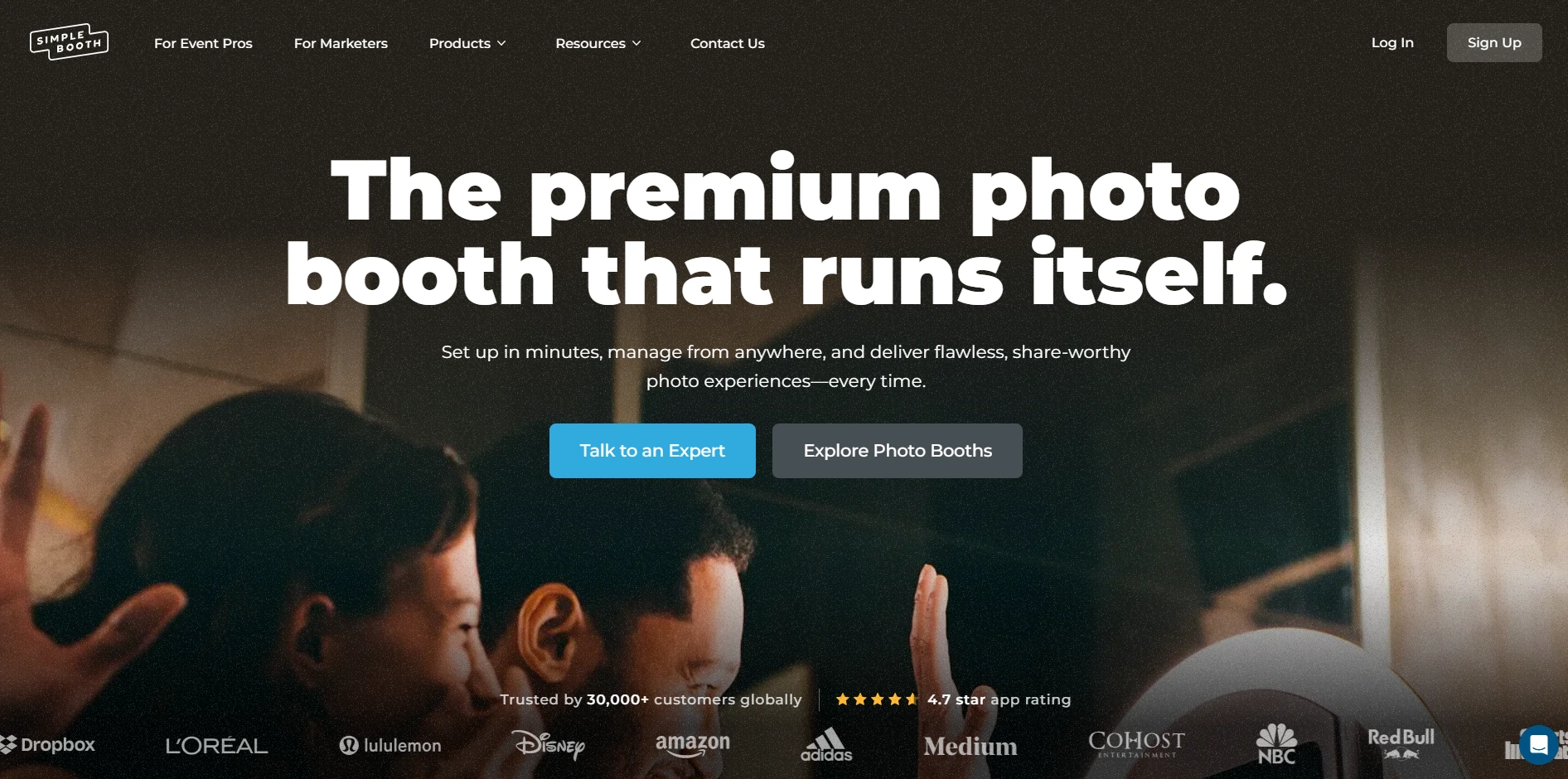
Simple Booth is an integrated photo booth system pairing a subscription-based iPad app (the HALO app) with proprietary ring-light hardware (the HALO kits), plus a browser-based Virtual Booth product that requires no hardware at all. Its tagline: “the premium photo booth that runs itself.” The platform serves 30,000+ customers globally, holds a 4.7-star App Store rating from 2,400+ ratings, and has captured 40 million+ photos since 2013.
| Simple Booth Pros | Simple Booth Cons |
|---|---|
| - Machined aluminum hardware with patented ring light | - iPad-only (no Android support) |
| - Sub-one-minute setup with no tools required | - AI effects require purchased credits ($0.10 each) |
| - 87%+ opt-in rate on lead capture forms | - DSLR support limited to Canon and Sony (no Nikon yet) |
| - Remote dashboard management across multiple devices | |
| - Offline mode queues sessions for delivery when connectivity returns |
Why Choose Simple Booth for Hospitality and Permanent Venues?
Simple Booth built its reputation on hardware durability, software reliability, and marketing features that permanent installations demand. Venues like Ole Red Bar & Restaurant, Creole Cuisine (200,000+ photos captured), and Treetop Golf are case studies showing how hospitality operators use the platform for guest engagement, lead capture, and brand building.
Hardware Built for Permanent Installation
The HALO chassis is machined from a single billet of aluminum with a patented ring-light system producing up to 2,100 lumens from 112 LEDs rated for 50,000 hours of operation. Groups can stand 6-8 feet back from the camera and still be well lit in most indoor environments.
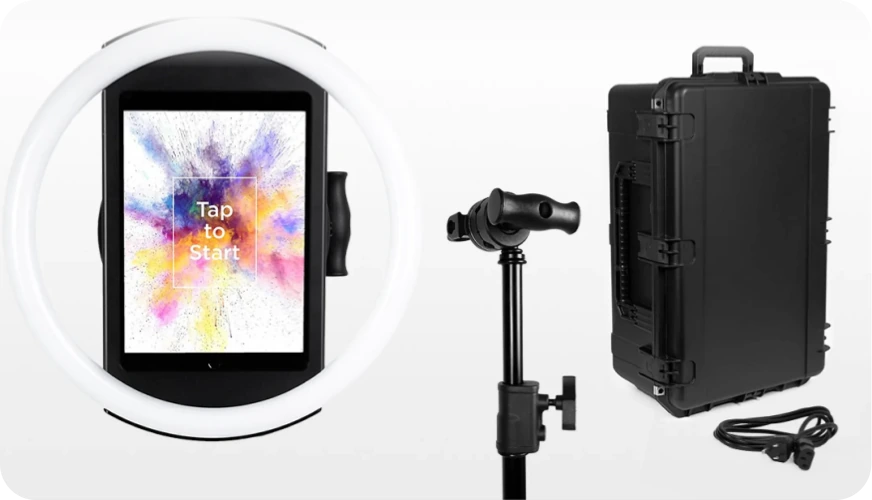
For permanent venues, the Install Kit provides a heavy-duty steel wall mount, while the Event Kit includes an adjustable selfie stand and waterproof rolling travel case. A concealed USB-C cable keeps the iPad charged during continuous operation, and a steel baby pin on the back is compatible with cinematic grip accessories for custom mounting. The iPad snaps in via a tool-less faceplate, enabling setup in under one minute.
Lead Capture That Works at Scale
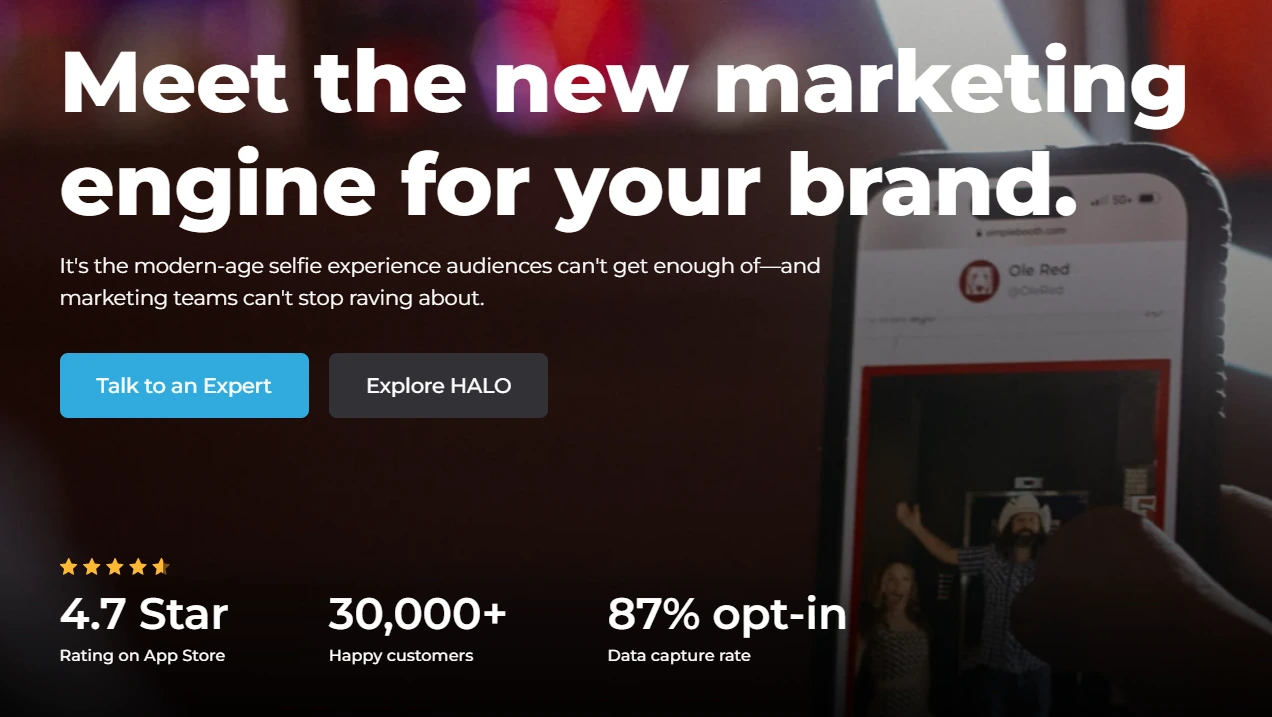
For hospitality venues, every guest session is a marketing opportunity. Simple Booth captures opt-in rates as high as 87-89% because data collection happens naturally: guests enter their email or phone number to receive their photo, not as a separate survey they can skip.
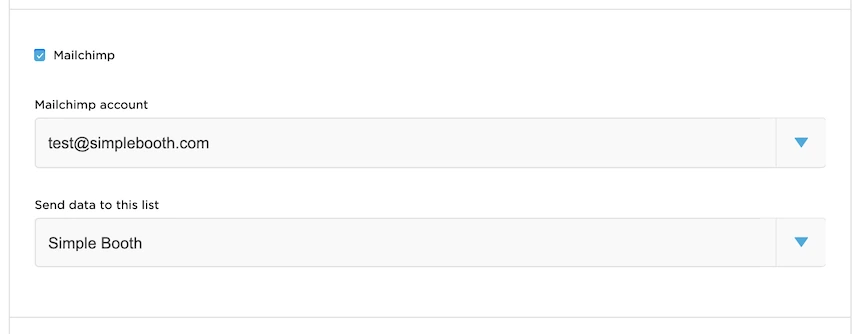
The platform supports up to 6 standard fields on Pro and up to 10 custom fields on Select, including checkboxes for legal consent. Data exports as CSV, syncs with MailChimp, or pushes to custom CRMs via the Open API on Pro and Select plans. Operators can monitor analytics, gallery views, and social sharing activity from the online dashboard, with demographic insights via face detection available on Select.
Treetop Golf built 150,000 unique email addresses across its locations using Simple Booth’s lead capture, while Arizona Opera grew its email list by 1,000 addresses in just a few events. (Simple Booth)
Remote Management and Unattended Operation
Operators configure and update presets remotely via the online dashboard, with changes syncing to the iPad without exiting booth mode.

The Mission Control overlay (triggered by a two-finger pinch) lets staff monitor device health, adjust camera settings, and sync dashboard changes during live operation without interrupting guests.
The HALO app queues sessions in offline mode and delivers them when connectivity returns, a useful feature for venues with unreliable Wi-Fi. For permanent deployments, Simple Booth publishes a dedicated Permanent Install Guide covering long-term unattended operation.
AI Effects, Virtual Booth, and Creative Tools
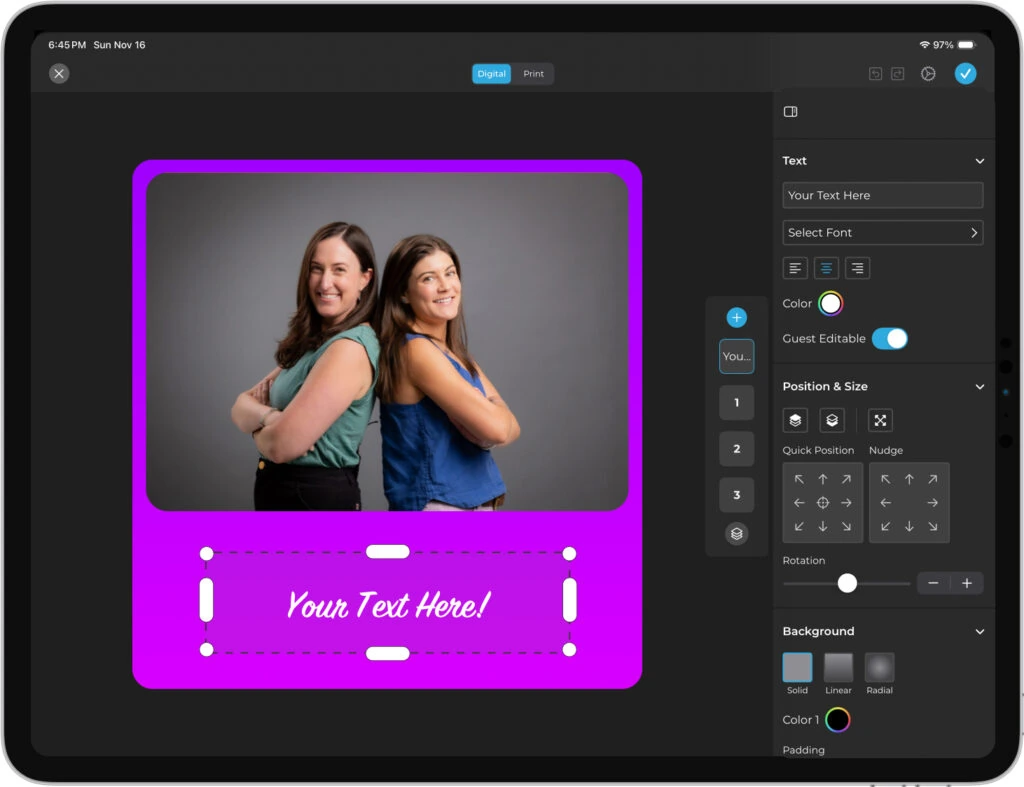
HALO 5.0 introduced the Layout Designer, an in-app design tool with layers, fonts, gradients, QR code embedding, and multi-layout support.
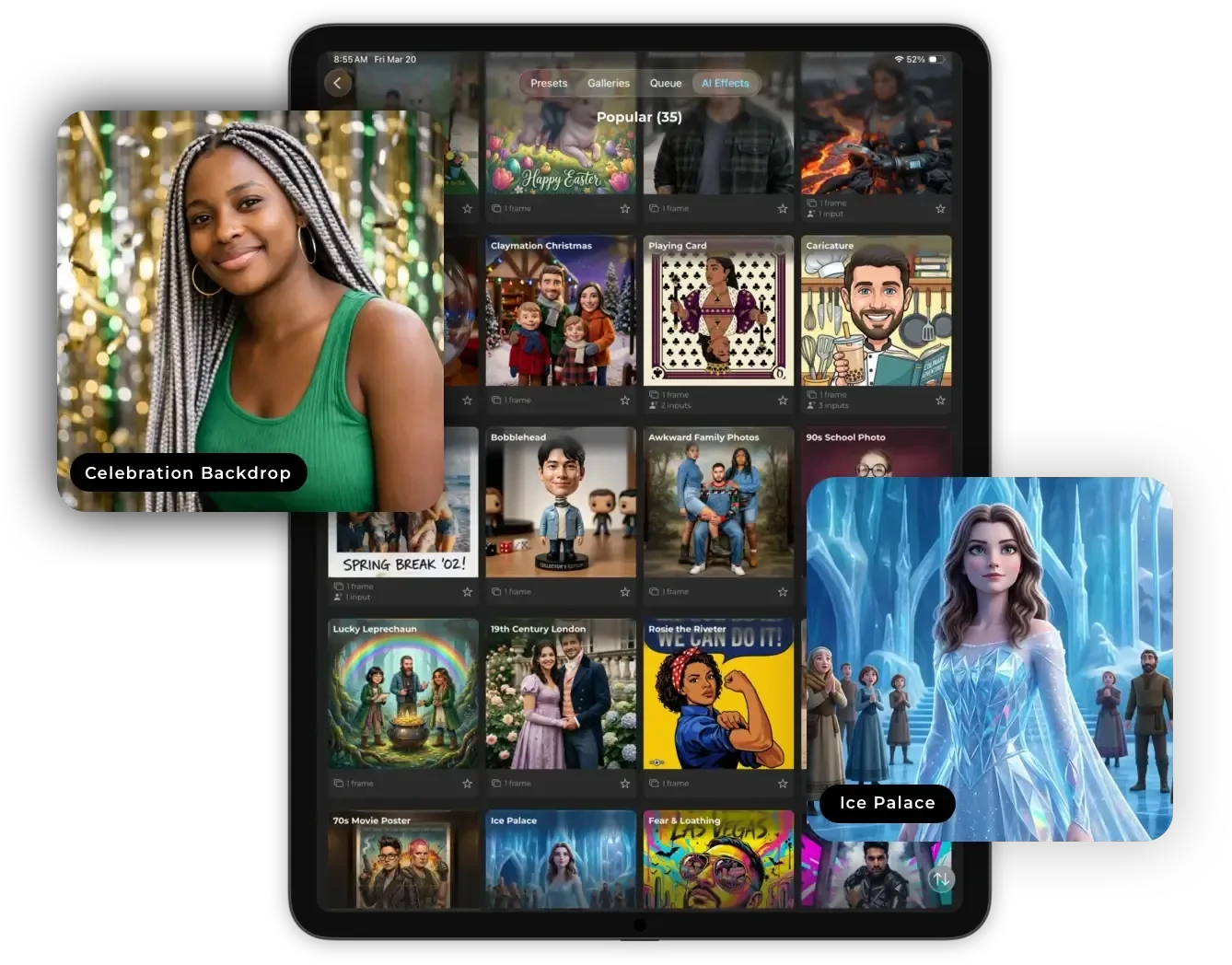
AI Effects (Nano Banana models) transform guest photos post-capture using text prompts, and the platform preserves identity automatically. The system supports unique AI prompts per frame in a multi-frame layout, enabling narrative photo strips.
Virtual Booth extends the experience beyond the physical kiosk: guests join from their own device via QR code or link, with background replacement, overlays, stickers, and AI effects, all connected to the same analytics and gallery system. Photo delivery options include QR code, email, SMS, AirDrop, and WhatsApp.
Simple Booth Pricing
Simple Booth uses a per-license subscription model with weekly, monthly, and annual billing. Each plan includes one device license; additional devices require add-on licenses.
- Lite starts at $14.99/week (App Store only). Custom layouts, motion and still capture, photo delivery, online galleries. Includes ads; excludes DSLR, video, custom branding, analytics, and lead capture.
- Core starts at $24/week, $49/month, $490/year. Adds DSLR/mirrorless camera connection, full-length video, background replacement, Dropbox integration, AI effects, and Virtual Booth.
- Plus starts at $49/week, $99/month, $990/year. Adds custom branding, analytics, guest-editable text layers, and custom AI effects.
- Pro at $149/month, $1,490/year. Adds lead capture, API integration, phone support, moderation, and age gate.
- Select at $249/month, $2,490/year. Adds in-app custom legal terms, security questionnaires, and demographic analytics.
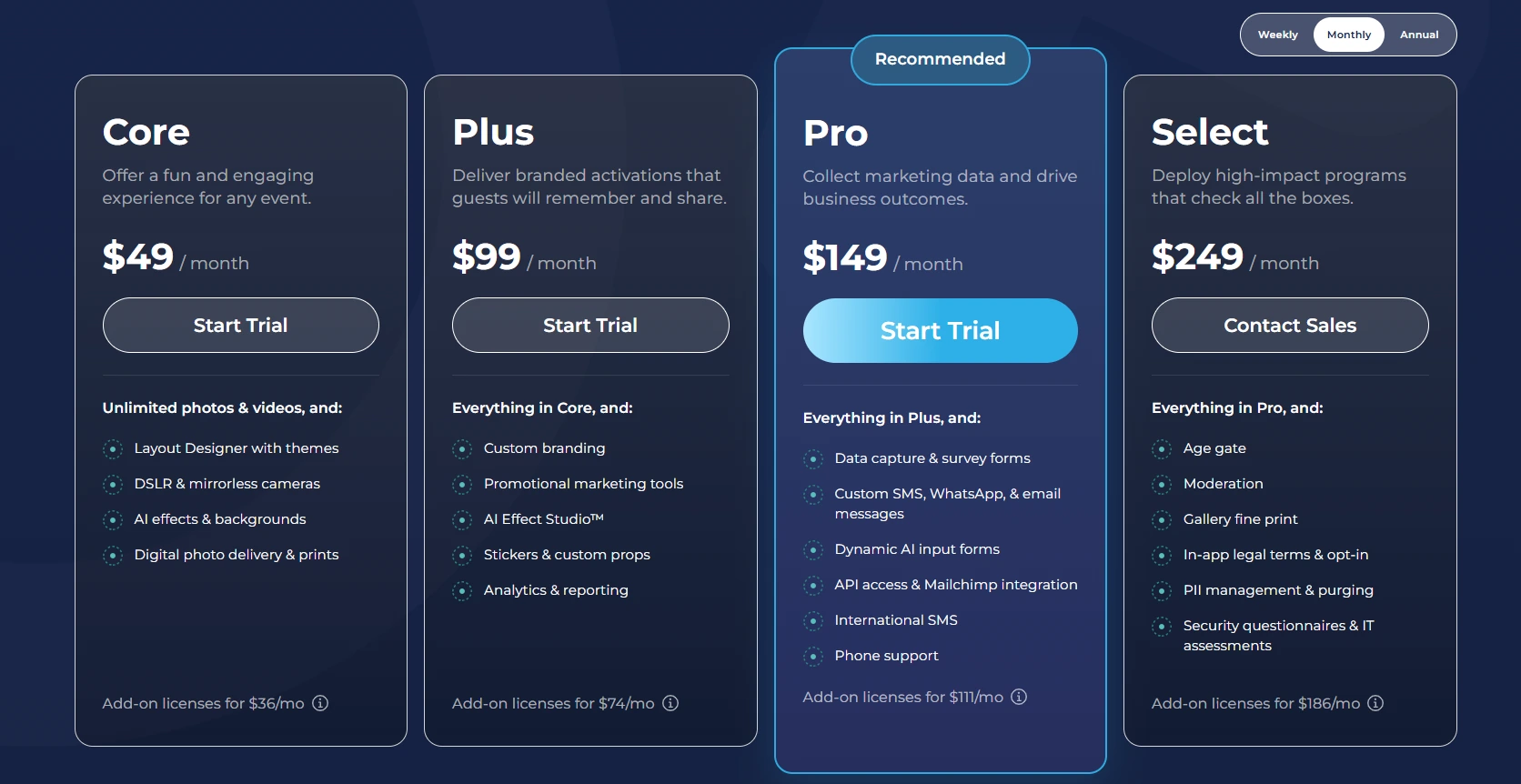
A 7-day free trial is available with no permanent free plan. AI credits cost $0.10 each and do not expire once purchased.
Use Simple Booth if:
- You need an integrated hardware-software system that looks professional in a hospitality setting and runs unattended for extended periods
- Lead capture and guest data collection are primary goals, not just entertainment
- You want to manage multiple booth installations remotely from a single dashboard
- You need AI photo effects, a virtual booth extension, and multi-channel photo delivery (including WhatsApp for international venues)
Why Simple Booth Topped Our List
Simple Booth earned the top spot because no other platform in this category combines commercial hardware designed for continuous use, a lead capture system with 87%+ opt-in rates, and full remote management in one product. The patented ring-light hardware is built for continuous operation in public venues, and the software converts each guest session into collected contact data and shareable content. Snappic and Photobooth Supply Co. are strong competitors for specific use cases, but Simple Booth’s combination of hardware durability, marketing features, and operational reliability makes it the strongest overall choice for hospitality venues running permanent installations.
2. Snappic - Best for Enterprise Operators Managing Photo Booth Networks Across Multiple Venues
Source: Snappic
Running one permanent booth is manageable. Running five or ten across different hotels, bars, and entertainment venues in a metro area is a different operational challenge.
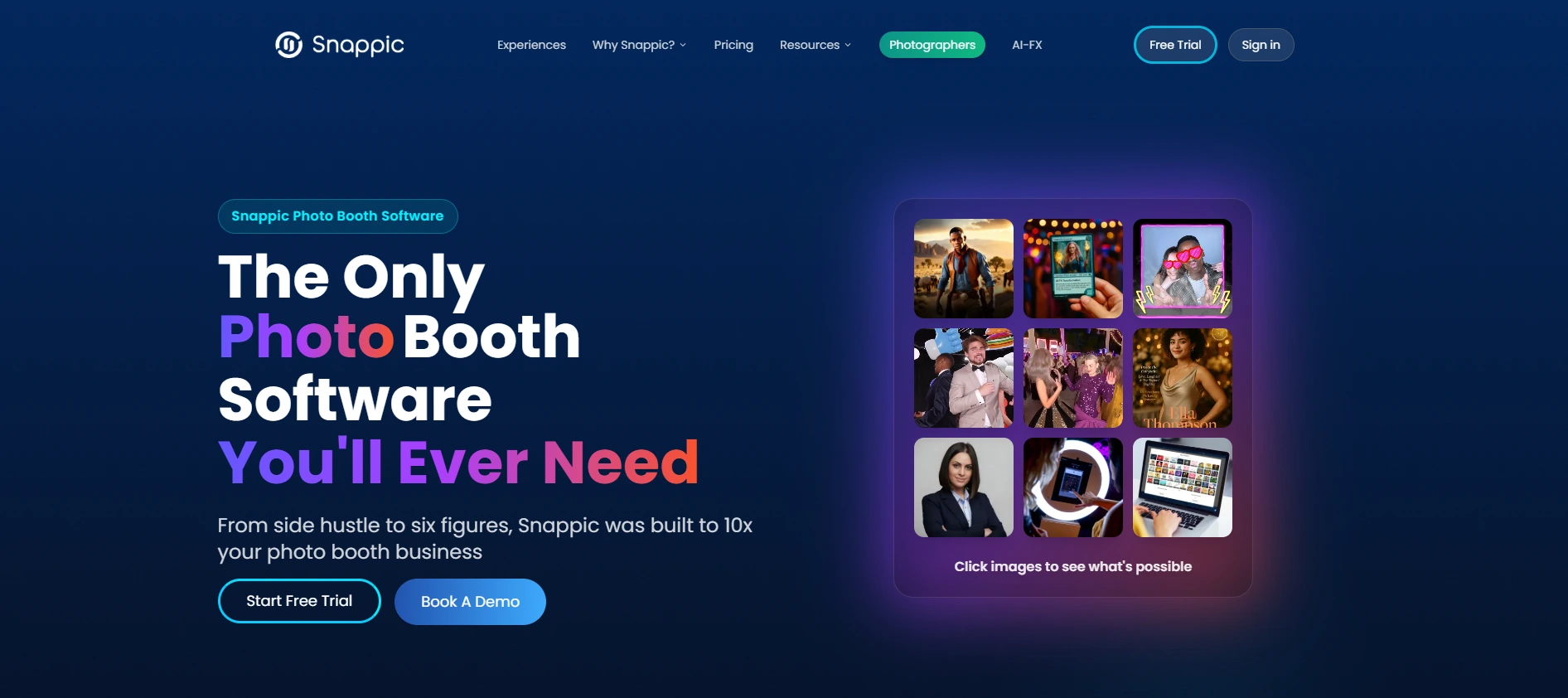
Snappic is a cloud-backed iPad photo booth platform that helps professional operators run more booths, serve more venues, and generate more revenue per placement without proportional overhead.
| Snappic Pros | Snappic Cons |
|---|---|
| - Native Stripe-powered pay-per-session guest payments | - Does not manufacture its own hardware |
| - Remote multi-device management via LiveConnect | - AI background removal credits billed separately |
| - Six booth formats under one subscription | - White-label features require higher-tier plans |
Snappic: Top 3 Unique Features
- Pay-per-session revenue model for permanent venue economics
- LiveConnect browser-based remote booth control from any device
- Six distinct booth formats (iPad, 360, Glambot, Mirror, DSLR, Roaming) under one subscription
Snappic’s main advantage for permanent venues is its native Stripe-powered in-app payments, where guests pay at the booth interface to unlock their photo session. This turns every permanent venue placement into a recurring revenue source based on guest volume, without requiring an operator on-site. No other platform on this list has payment processing built into the booth interface.
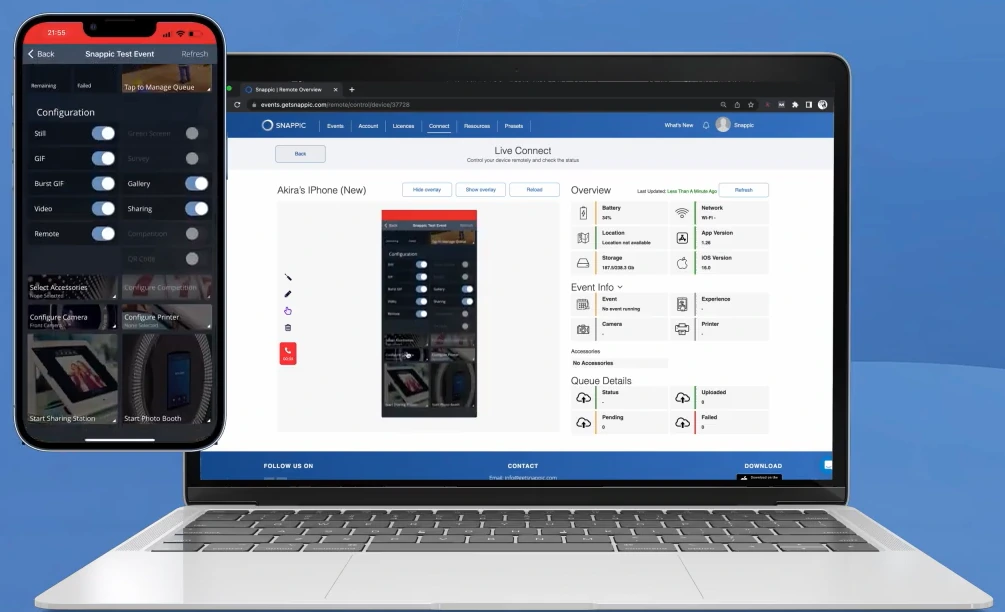
Remote management goes beyond monitoring. Operators can log into individual booth sessions, adjust settings, switch event presets, and troubleshoot configurations across every device from a laptop via LiveConnect.
Source: Snappic
The Scale plan adds sub-account management, dedicated client logins scoped to individual venues, and an unbranded Grey Label App.
Snappic also supports AI background removal that works against any backdrop color, with four methods including an offline AI option that requires no internet. Per-device and per-venue analytics track session volume, sharing activity, and revenue earned, helping operators renegotiate venue contracts or pitch new partners with real performance data.
Snappic Pricing
Snappic uses a per-booth-license subscription model. Annual billing saves 20%. A 14-day free trial requires no credit card.
- Business at $189/month ($1,799/year). One booth license, VideoFX engine, AI-FX effects, branded galleries, Stripe in-app payments. White-label and LiveConnect available as paid add-ons.
- Premium at $279/month. Adds white-label URLs/emails, webhooks, LiveConnect, SmartShare AI face-linking (400 credits/month).
- Scale at $399/month ($3,999/year). Unlimited sub-accounts, Grey Label App, dedicated Customer Success Manager.
AI background removal credits, AI-FX generation credits, and international SMS credits are billed separately on top of any subscription tier.
Use Snappic if:
- You manage booths across multiple hospitality venues and need remote oversight from a single account
- You want to monetize permanent placements through pay-per-session guest payments rather than flat venue fees
- Your client mix requires different booth formats (360 video, Glambot, Mirror, open-air iPad) and you want to serve all of them from one platform
3. Photobooth Supply Co. (Fiesta) - Best Single-Vendor Hardware and Software System for Permanent Venue Revenue
Source: Photobooth Supply Co.
Buying hardware and software separately introduces compatibility risk and splits support responsibility. When something goes wrong at a permanent venue installation at 10 PM on a Saturday, you don’t want to figure out whether the problem is hardware or software before you know who to call.
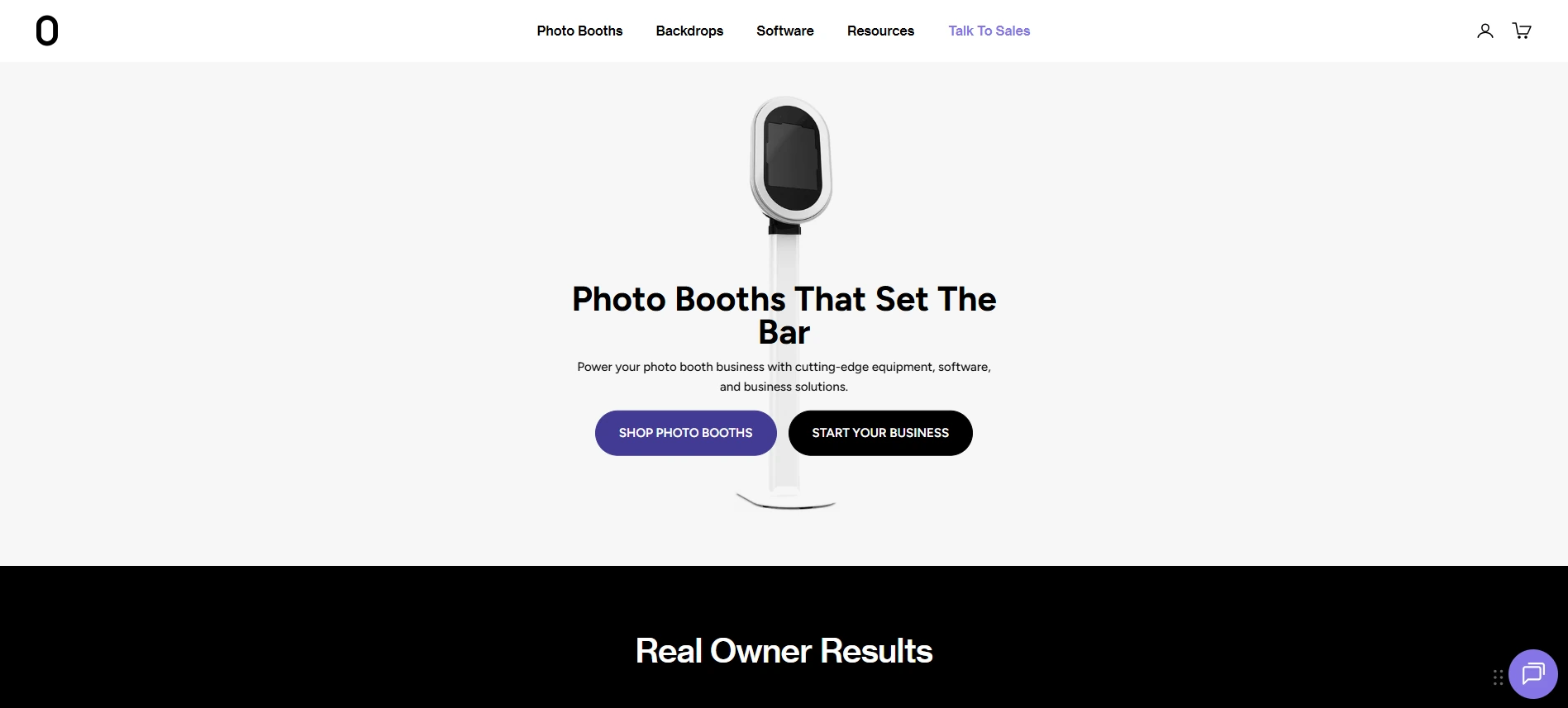
Photobooth Supply Co. sells its own hardware alongside Fiesta, its booth software, giving operators a single vendor for the entire setup.
| Photobooth Supply Co. (Fiesta) Pros | Photobooth Supply Co. (Fiesta) Cons |
|---|---|
| - Wall-mount hardware (Salsa 2) with VESA compatibility designed for permanent installation | - LED integration only works with PBSCO’s own hardware |
| - Flat-rate unlimited captures with no overage charges | - Advanced features locked to Pro plan |
| - Annual plan hardware discounts up to $1,000 | - Hardware sold separately from subscription |
Photobooth Supply Co. (Fiesta): Top 3 Unique Features
- VESA-compatible wall-mount hardware designed for permanent installations
- Flat-rate subscription with unlimited events, captures, and sharing
- Software-controlled LED lighting on PBSCO hardware (exclusive to Fiesta)
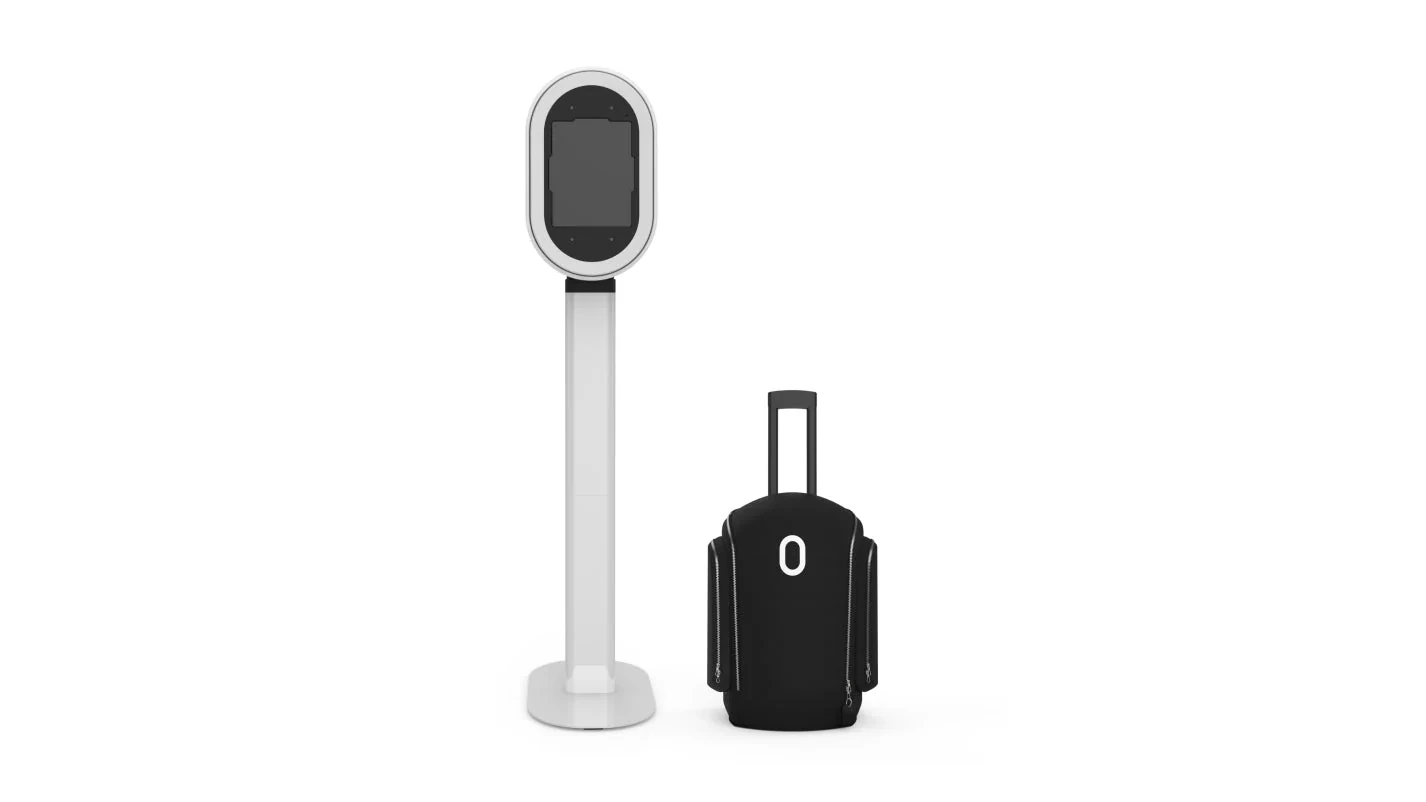
The Salsa 2 ships with standard VESA wall-mount compatibility, attaching to any venue wall without floor drilling or custom fabrication. The unit assembles in under five minutes and sits flush against the wall for a clean look appropriate for hotel lobbies, restaurant corridors, and entertainment center hallways.
Source: Photobooth Supply Co.
Fiesta is the only software that controls PBSCO booth LED lighting, so the software coordinates the booth’s lighting rather than requiring manual configuration.
Fiesta’s pricing is flat-rate: both Plus and Pro include unlimited events, unlimited captures, and unlimited SMS and email sharing with no per-session or per-capture overages. A bar that runs its photo booth every Friday and Saturday night through summer pays the same monthly cost whether the booth runs 50 sessions or 5,000. Fiesta supports photos, GIFs, boomerangs, video, 360 video, slow motion, and green screen, with Pro adding 360 Capture, Slow Motion, Green Screen, Glam, and AI Masks.
The data capture tools build the venue’s marketing database passively. Fiesta’s sharing flow requires guests to enter an email or phone number to receive their capture, and Pro subscribers can attach custom survey questions and consent checkboxes. Annual subscribers receive hardware discounts: Plus annual subscribers save $500 on a Salsa 2; Pro annual subscribers save $750 on a Salsa 2 and $1,000 on a Tortilla.
Photobooth Supply Co. (Fiesta) Pricing
- Fiesta Plus at $59/month or $590/year ($49/month effective). Unlimited events and captures, photos, GIFs, video, boomerangs, virtual booth, Design Studio, 7-day support.
- Fiesta Pro at $119/month or $1,190/year ($99/month effective). Adds 360 Capture, Slow Motion, Green Screen, Glam, AI Masks, advanced analytics, surveys, Dropbox/FTP integrations.
Hardware: Salsa 2 at $2,999; Tortilla 360 booth at $3,499; Guac & Chips DSLR booth at $7,999. Free trial available with no credit card required.
Use Photobooth Supply Co. (Fiesta) if:
- You want a single vendor for wall-mount hardware and photo booth software, eliminating split-support issues
- Monthly session volume is unpredictable and you need flat-rate pricing with no overage risk
- You want to offer venues a rotating guest experience (360 video, green screen, boomerangs, glam filters) on one installation without extra software licenses
4. TouchPix - Best 360 Video Booth Specialist for Entertainment Venues
Source: TouchPix
A rooftop bar wants cinematic slow-motion clips ready for Instagram Reels. A luxury hotel lobby wants a mirror booth experience. A nightclub wants the red-carpet Glambot treatment. But if your venue has invested in a 360-degree spinning-arm rig, or is planning to, you need software built around that format.
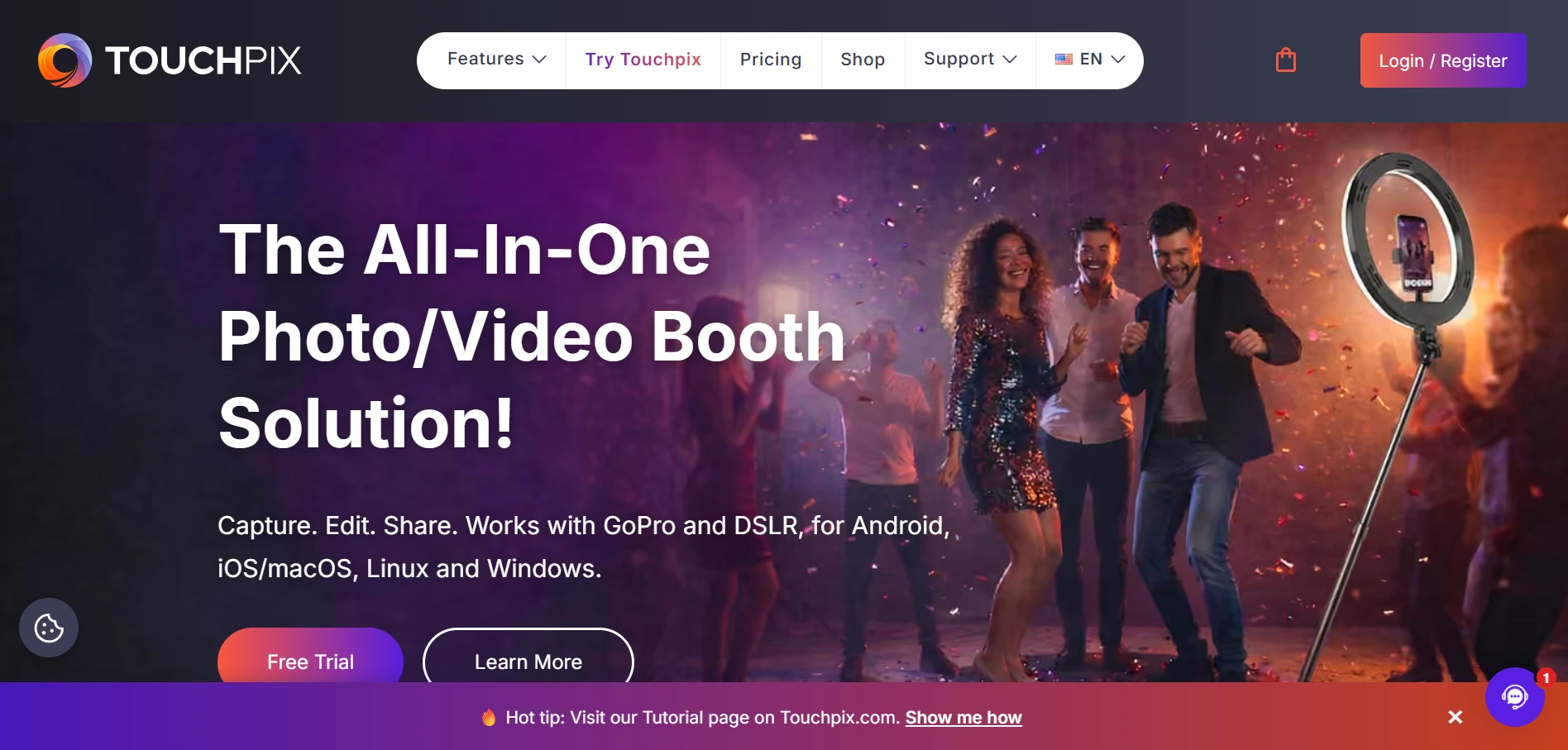
TouchPix is a subscription-based photo and video booth platform that has established itself as the leading 360 photo booth app, making it a strong fit for entertainment venues running 360-degree guest experiences.
| TouchPix Pros | TouchPix Cons |
|---|---|
| - 360 video booth workflows with Bluetooth trigger automation | - Subscriptions are non-refundable |
| - Cross-platform support (iOS, Android, macOS, Windows, Linux, Raspberry Pi) | - Cloud storage limited to 6 months |
| - Unlimited devices per active event slot | - AI credits purchased separately |
TouchPix: Top 3 Unique Features
- Native Bluetooth integration that automatically triggers spinning platform rotation
- Cross-platform support across iOS, Android, macOS, Windows, Linux, and Raspberry Pi
- 80+ AI transformation styles with custom text-prompt support
TouchPix earns its specialist position through its 360 features. The platform’s Bluetooth integration automatically triggers the spinning platform, so the rig activates, rotates, and completes the capture sequence without a staff member pressing a button. Its wired GoPro integration covers GoPro models 7 through 14, plus Canon, Nikon, and Sony DSLRs and mirrorless cameras.
Cross-platform support matters for permanent installations too. Venues with existing iPads or Android tablets can run TouchPix without buying new devices. Venues building custom 360 kiosk hardware can use a Raspberry Pi. The unlimited devices per subscription means a venue running multiple screens, a sharing station, and a print terminal on a single active event slot pays no additional per-device fees. The offline queue system keeps the booth processing captures even when internet drops temporarily.
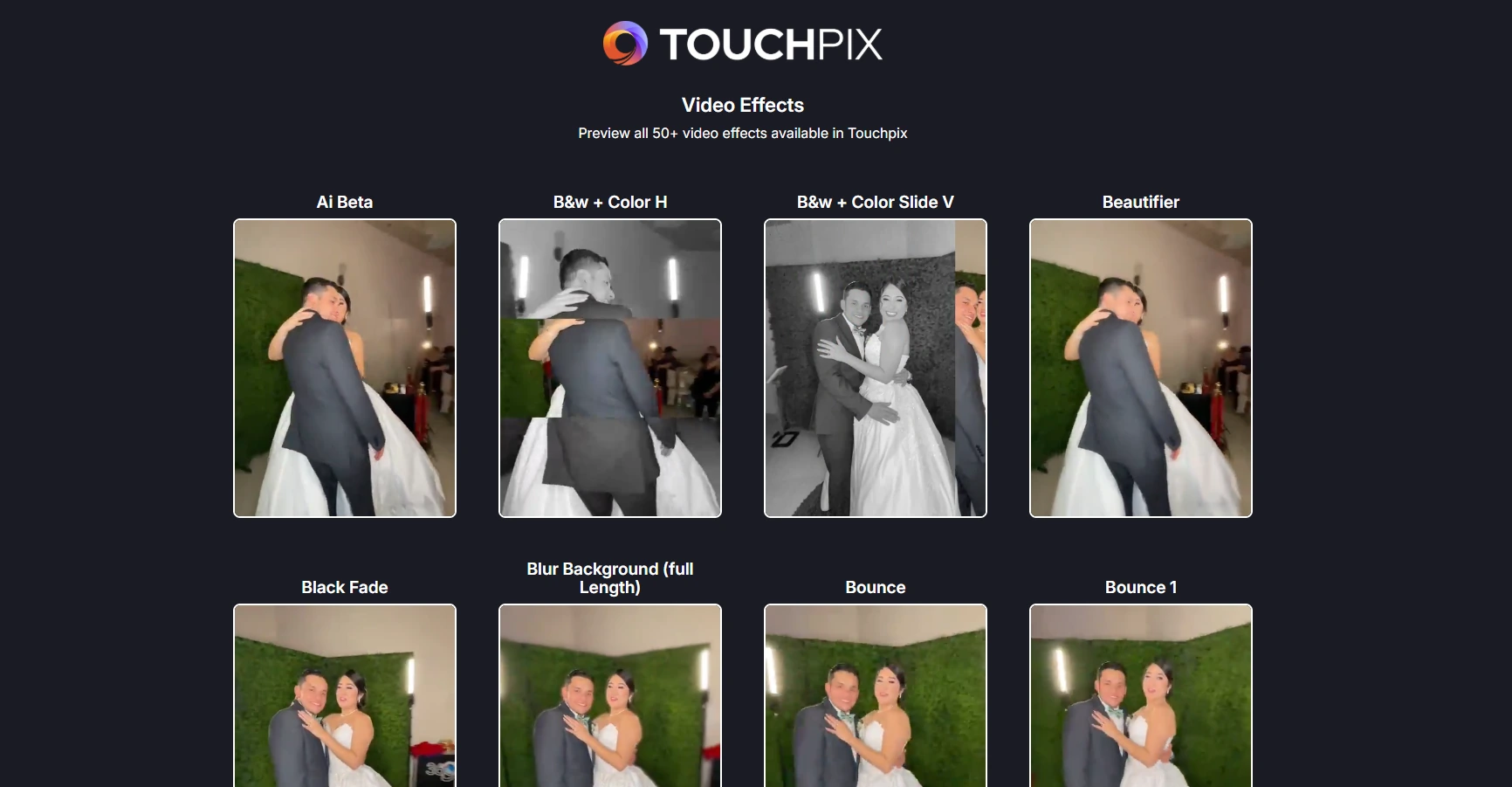
TouchPix’s AI Photo Booth offers 80+ ready-to-use AI styles with custom text prompts, and a separate offline AI Face Replacement feature runs entirely on-device. The platform holds 6,600+ App Store reviews at a 4.8 rating.
Source: TouchPix
TouchPix Pricing
TouchPix uses a subscription model priced per active event slot with unlimited devices per slot. Yearly billing saves approximately 40%.
- PhotoPass at $439.90/year. 2 simultaneous events; photos, AI photos, animated GIFs. Excludes video, slow-motion, and boomerang.
- MultiPass at $879.99/year (Most Popular). 4 simultaneous events; adds video, slow-motion, and boomerang.
- MultiPass Pro at $1,407.99/year. 8 simultaneous events; adds Virtual Booth and Advanced Surveys.
- MultiPass Enterprise at $2,199.99/year. 12 events; adds Mosaic and RAW cloud backups.
AI credits are purchased separately, starting at $12 for 100 credits. A 14-day free trial is available with no credit card required.
Use TouchPix if:
- Your venue has invested in a 360-degree spinning-arm video booth and you need software built for that format
- Your installation runs on hardware you already own, including Android tablets, Windows PCs, or Raspberry Pi for custom kiosk builds
- You’re running a permanent single-rig installation and want multiple display screens and sharing stations connected on one event slot without per-device fees
5. Booth.Events - Best Free Starting Point for Venues Testing a Permanent Installation
Source: Booth.Events
Installing a permanent photo booth in a hotel lobby or a bar is a commitment. You’re buying hardware, subscribing to software, allocating floor space, and training staff. What if you could run the booth with real guests first, collect real data, and see engagement numbers before spending a dollar?
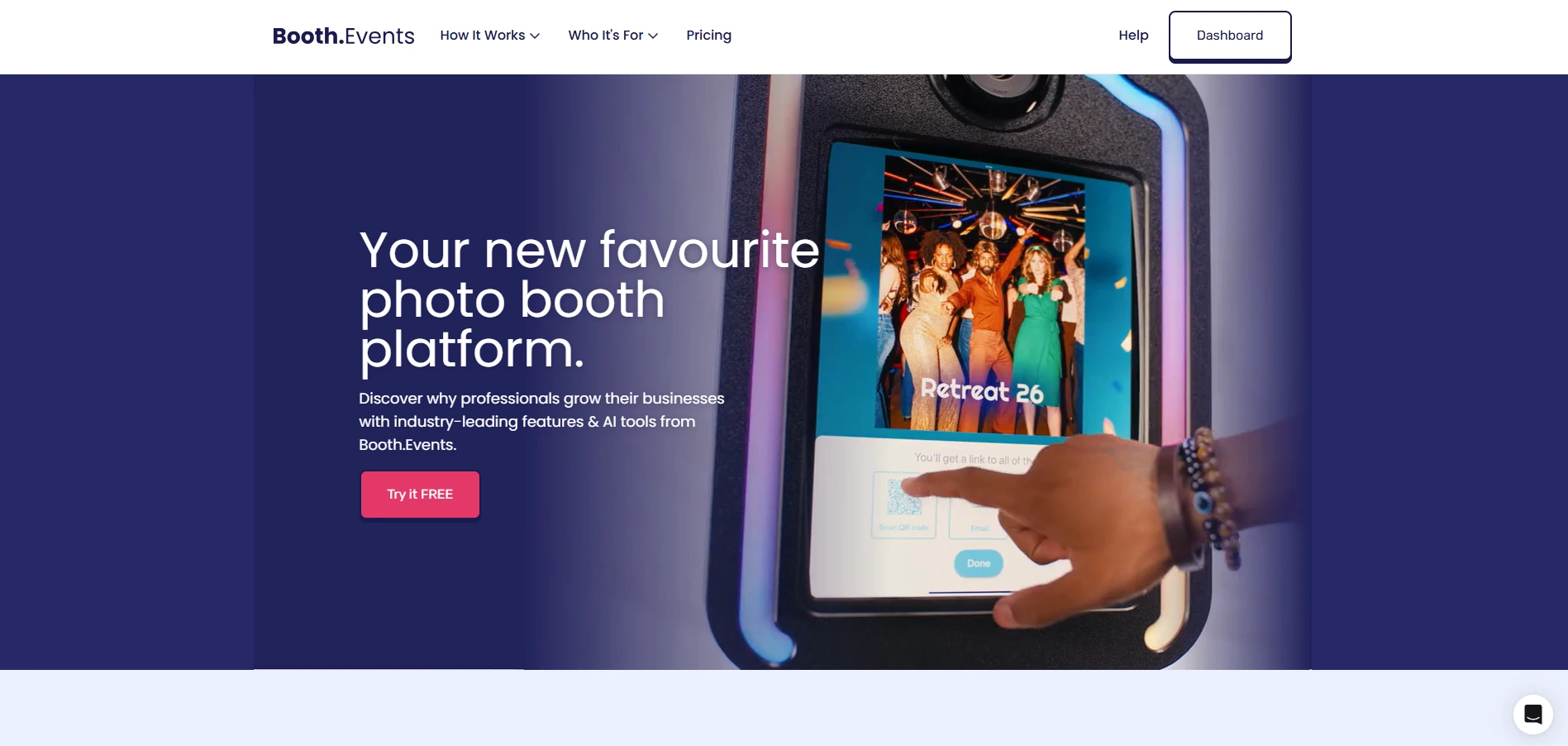
Booth.Events is an iPad and iPhone photo booth app that lets venues do that: all new accounts start on a permanent Starter tier with three Pro-level events (SMS sharing, branding, AI background removal, data capture) and no credit card required.
| Booth.Events Pros | Booth.Events Cons |
|---|---|
| - Three complete free Pro-tier events with real guest sharing | - Free events capped at 100 photos each |
| - Pay-per-event credits for seasonal venues (no subscription required) | - Per-event credits limited to single iPad |
| - Wired DSLR integration for Canon, Nikon, and Sony | - Specific pricing rendered dynamically (not published statically) |
Booth.Events: Top 3 Unique Features
- Three free Pro-tier events with live guest sharing and data capture
- Non-subscription event credits that never expire for seasonal pay-as-you-go use
- SceneSelect AI background removal that processes entirely on-device without internet
The three free events are not sandbox previews. They are live events with real guest-facing sharing. A hotel lobby can run the booth during an actual Friday night service, observe engagement, collect emails and phone numbers, and review contacts in the dashboard on Saturday morning, all before spending anything.
For seasonal venues, Booth.Events is the only platform on this list offering non-subscription event credits: packs of four Pro-tier event credits that never expire and can be purchased without an active subscription. A rooftop bar open May through October can purchase credits for peak months and pay nothing during the off-season, with no cancellation deadlines to track.
Booth.Events connects directly to Canon, Nikon, and Sony DSLR and mirrorless cameras via USB cable, the same cable that ships with the camera body. For venues that already own a Canon EOS or Sony mirrorless, this means no extra hardware purchase.
SceneSelect AI background removal eliminates the need for a physical backdrop, processing entirely on the iPad with no internet required.
Source: Booth.Events
The AI Glam Filter applies AI skin retouching at capture with adjustable intensity, keeping detail in eyes, lips, and hair. The web dashboard shows guest contact data in real time as events progress, with CSV export on all paid plans and webhook-based CRM integration on Pro+.
Booth.Events Pricing
Booth.Events uses a flat-fee subscription model with no usage overages. Exact subscription prices are rendered dynamically on booth.events/pricing.
- Starter (Free) includes three Pro-tier events, up to 100 photos per event, 7-day gallery expiration, SMS sharing (US/Canada), branding, and data capture. No credit card required.
- 4x Pro Event Credits are purchasable in packs with no expiration. Full Pro feature set; single iPad only.
- Basic (monthly subscription): 1 device, 3-month gallery storage, SceneSelect AI background removal included.

- Pro (monthly subscription): 1 iPad + unlimited iPhones, 1-year gallery storage, custom HTML microsites.
- Pro+ (monthly/annual): 4 iPads + unlimited iPhones, 2-year gallery storage, webhooks, custom domain, white-label app, emergency phone support.
AI credits for AI Prompts and AI Portraits are sold separately at $8 USD per 100 credits. SceneSelect and Glam Filter are free on all paid plans.
Use Booth.Events if:
- You want to validate a permanent photo booth installation with real guests before any financial commitment
- Your venue operates seasonally and a year-round subscription would mean paying for months the booth sits idle
- You own professional camera equipment (Canon, Nikon, Sony) and want to use it as the capture device without purchasing proprietary hardware
6. LumaBooth - Most Affordable Monthly Subscription for Small Venues
Source: LumaBooth
Not every hospitality venue needs a complex setup. A neighborhood bar, a boutique hotel lobby, or a small restaurant may just want a functional selfie booth that guests enjoy, without a big software bill.
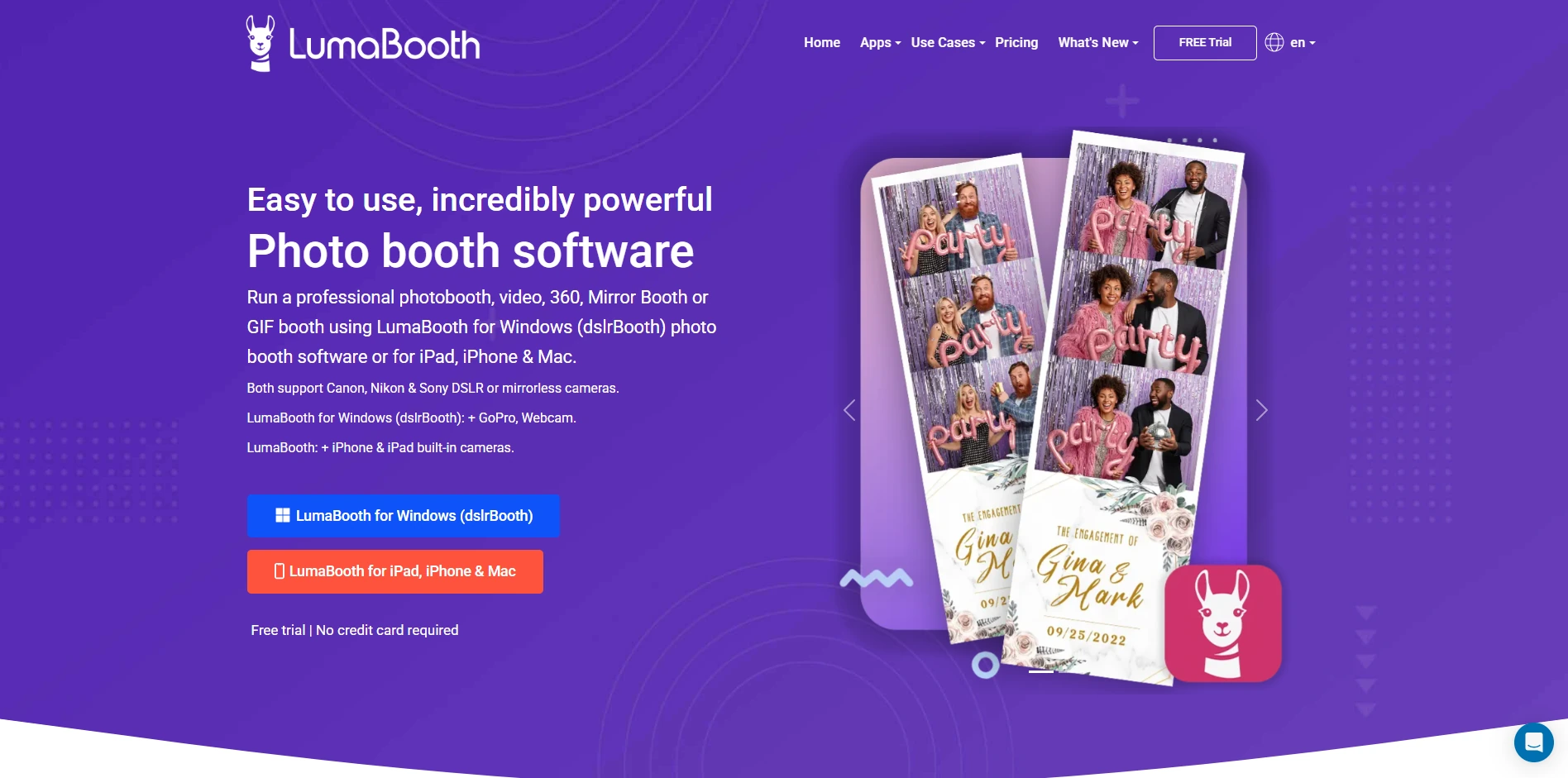
LumaBooth is a photo booth platform that delivers a selfie booth experience at the lowest monthly cost in this category: $18/month on an annual plan or $19.99/month on a monthly basis. Lumasoft LLC has sold the software since 2012, and tens of thousands of operators in over 150 countries use it.
| LumaBooth Pros | LumaBooth Cons |
|---|---|
| - Lowest recurring subscription cost in the category | - AI Portraits require separately purchased credits |
| - 170+ AI Portrait transformation styles included | - No native CRM integrations beyond fotoShare Cloud |
| - Multi-channel sharing (email, SMS, QR, WhatsApp, AirDrop, Instagram) | - SMS plan costs an additional $10/month |
LumaBooth: Top 3 Unique Features
- 170+ AI Portrait transformation styles that keep the experience fresh for returning guests
- Multi-channel sharing via email, SMS, QR code, WhatsApp, AirDrop, and Instagram with no guest app download required
- fotoShare Cloud gallery hosting included free with every subscription
At $18/month annually, LumaBooth’s subscription includes all in-app features with no locked tiers. There are no per-event charges, no surcharges for green screen, and AI background removal carries no additional cost. The free trial is unlimited in duration; venues can test the software as long as needed, with the only restriction being a permanent watermark on output.
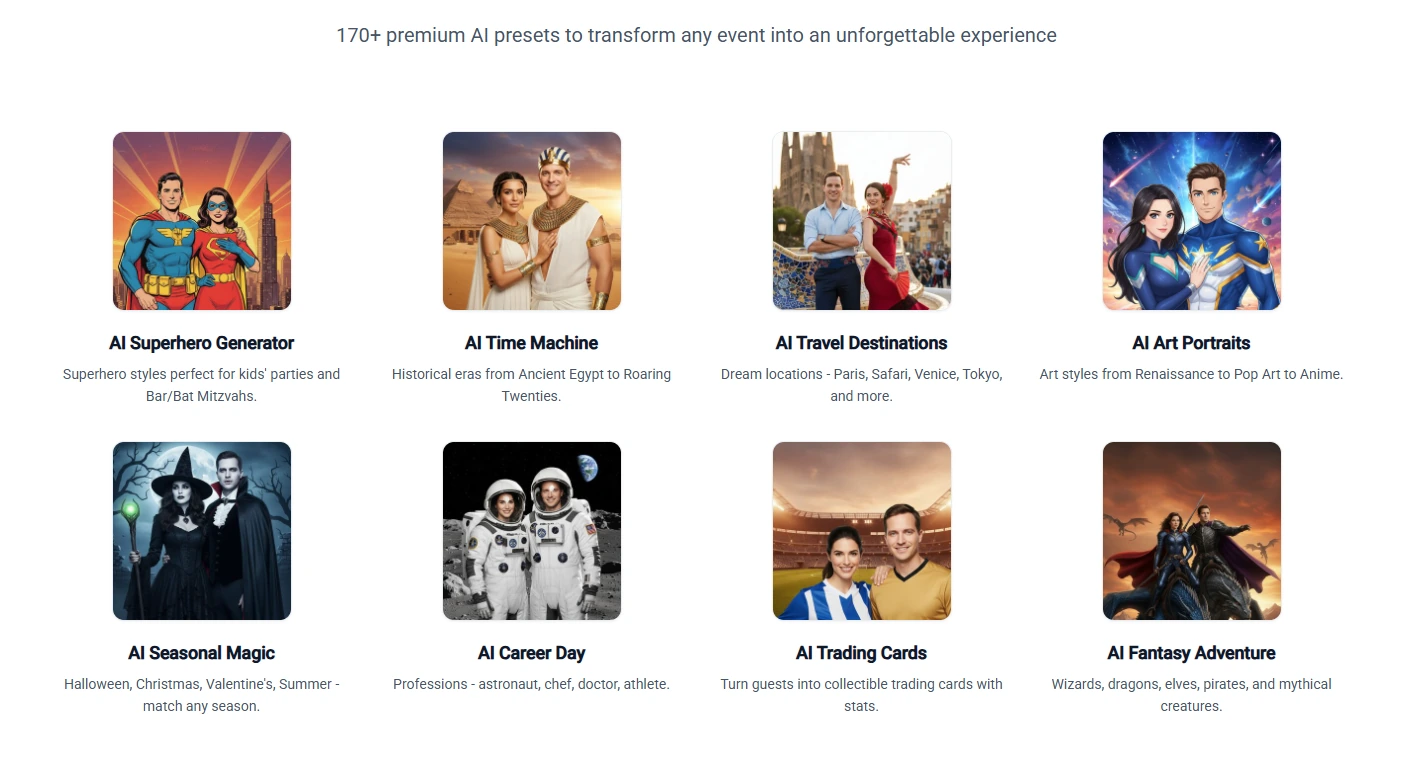
The AI Portraits feature addresses the biggest risk of a permanent venue booth: guest fatigue. The library of over 170 styles covers superheroes, fantasy, historical eras, travel destinations, sports, art styles, and seasonal themes. Venue operators can rotate which styles are visible without commissioning new designs. AI generation runs in approximately 10 seconds per portrait.
Source: LumaBooth
LumaBooth’s sharing channels cover email, SMS, AirDrop, QR code, WhatsApp, and Instagram with no guest app download required. The sharing queue handles outages: undelivered emails and texts are held locally and sent automatically once internet returns.
LumaBooth Pricing
- LumaBooth for Apple at $18/month billed annually (covers first two devices) or $19.99/month monthly.
- AI Credits from $14.99/month for 150 credits (required for AI Portraits); pay-as-you-go packs never expire.
- fotoShare Cloud Plus at $19.99/month (password-protected galleries, 6-month video archive).
- SMS Plan at $10/month for unlimited in-app SMS (US/Canada only).
New subscribers receive 20 free AI Portrait credits on signup.
Use LumaBooth if:
- You operate a small independent venue and want a selfie booth experience without committing more than $20/month
- Your venue has returning guests who will benefit from a rotating AI Portrait library that keeps the experience fresh
- Your booth space has unreliable WiFi and you need a platform that queues sessions locally and delivers them when connectivity returns
7. Pictor.pro - Best Up-and-Coming Platform for Android Support, Free Testing, and Transparent AI Pricing
Source: Pictor.pro
The photo booth software market is almost entirely built around iPad. If your hospitality operation runs on Android tablets for guest check-in kiosks, property management terminals, or entertainment stations, you’ve been locked out of the professional photo booth category.
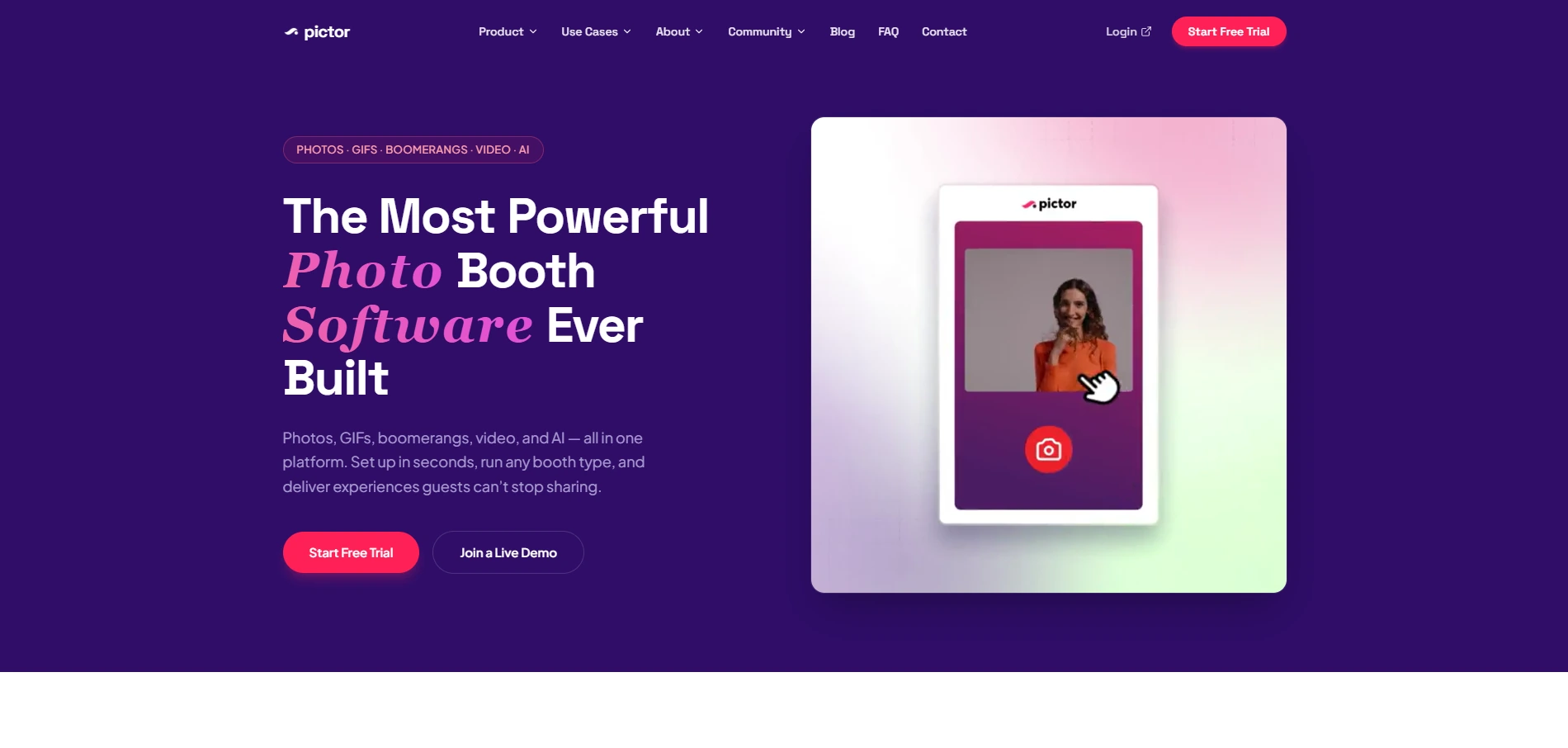
Pictor.pro is a photo booth platform that changes this. It is the only major booth software with Android support matching iOS features, plus a free evaluation model and clear token-based AI pricing.
| Pictor.pro Pros | Pictor.pro Cons |
|---|---|
| - Native Android app at full feature parity with iOS | - Early-stage platform (launched Phase 1 in May 2026) |
| - Free-to-build with no payment until booth goes live | - Limited third-party review presence (G2, Capterra) |
| - AI tokens display exact cost before each generation and never expire | - Virtual Booth limited to Premium tier |
Pictor.pro: Top 3 Unique Features
- Native Android support alongside iPad, the only major platform offering it
- Free-to-build evaluation with unlimited time and no credit card required
- Transparent per-generation AI token pricing displayed before each AI effect runs
Pictor.pro’s free-to-build model lets operators build booth presets, design templates, and preview the entire booth experience at no cost for as long as they need. Payment only begins when the booth goes live with guests. For a venue operations team evaluating a photo booth across multiple stakeholders and test scenarios, this eliminates trial deadlines.
The Android app supports devices running Android 7.0 and above (8GB RAM recommended for AI features). DSLR tethering for Canon, Nikon, and Sony cameras works on Android as well as iPad, so Android venues don’t have to choose between their platform and image quality.
AI tokens come in bundles that never expire, ranging from $0.20/token (100 pack) to $0.07/token (20,000 pack). Low-compute AI image generation costs 1 token; high-compute costs 2 tokens; AI video ranges from 5 to 15 tokens per clip. Standard non-AI outputs consume no tokens.
Source: Pictor.pro
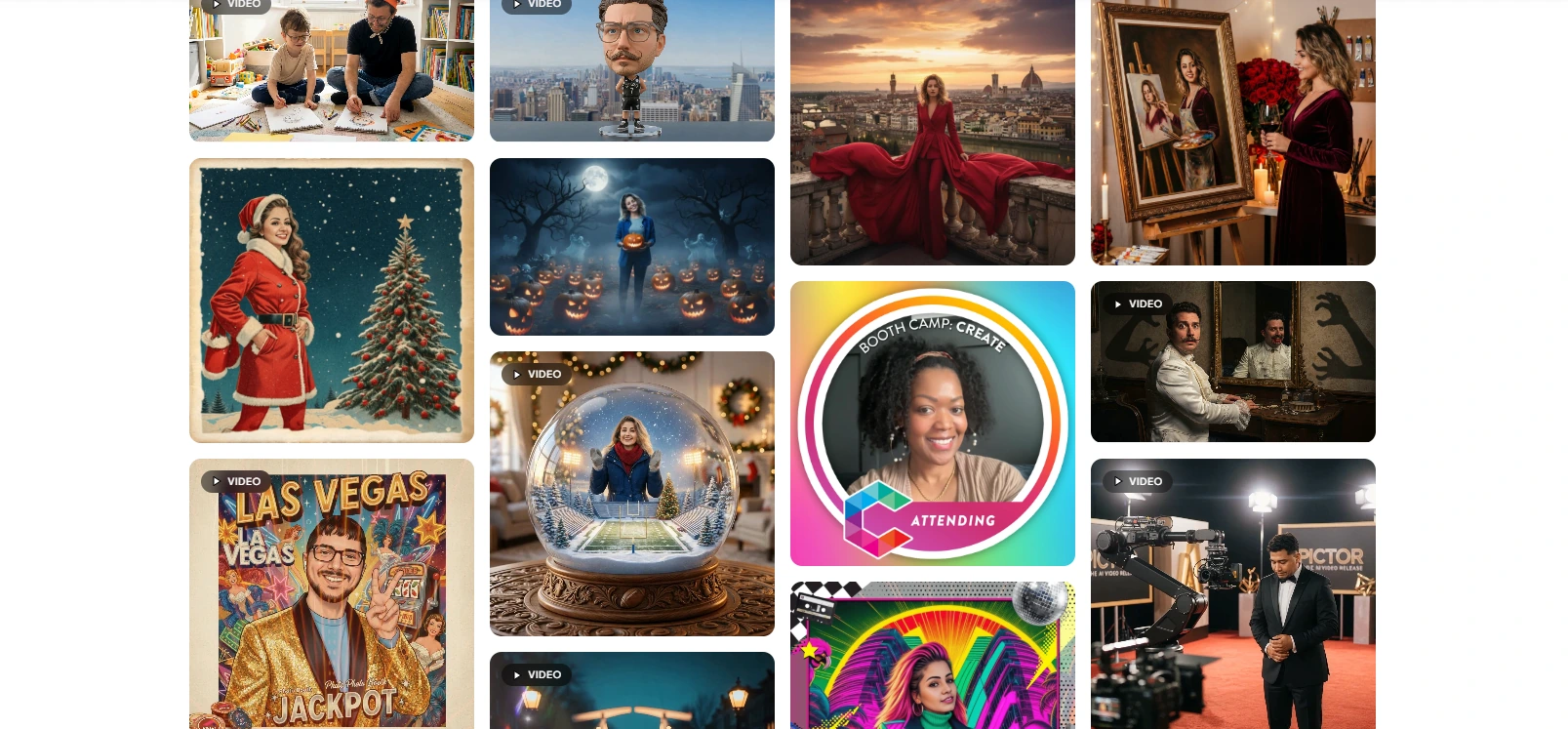
Pictor.pro’s GroupSense technology charges the same token rate for a twelve-person group shot as for a solo portrait, which saves money for venues running group photos. The Premium-tier Virtual Booth extends the experience to guests’ own devices via QR code or shared link.
Pictor.pro Pricing
- Basic at $49/month (annual billing). iOS and Android apps, photos, GIFs, video, printing, DSLR tethering, AI presets included.
- Pro at $99/month (annual, “Most Popular”). Adds Custom AI Prompt Editor, Premium Background Removal, SMS sharing, webhooks, Zapier, paywall (10% fee).
- Premium at $149/month (annual). Adds AI Video Effects, Virtual Booth, Mac/PC desktop access, paywall at 5%.
- Enterprise from $1,500/year (add-on). White-label branding, custom subdomain, paywall at 2%, dedicated phone support.
AI Token Bundles: 100 for $20, 500 for $75, 2,000 for $200, 10,000 for $800. Volume licensing discounts: 10% off at 5-9 licenses, 15% off at 10+.
Use Pictor.pro if:
- Your venue runs on Android hardware and you don’t want to purchase iPads specifically for a photo booth
- You want to fully configure and test a booth before spending anything, with no trial countdown
- You need predictable AI costs for a high-volume permanent installation, with pre-generation pricing visible before every session
Final Verdict
Every platform on this list serves a different type of hospitality operator, venue size, and budget. The best choice depends on what problem you’re solving.
Here are our top picks for the three most common permanent venue scenarios:
- Simple Booth: If you need an integrated hardware-software system that runs itself, captures guest data at high opt-in rates, and gives you remote management across multiple venues. Get started with a free Simple Booth trial.
- Snappic: If you manage a portfolio of permanent booth placements across multiple hospitality properties and need pay-per-session guest payments, remote multi-venue oversight, and multiple booth formats from one subscription.
- Booth.Events: If you want to validate whether a permanent photo booth delivers guest engagement at your venue before committing to hardware purchases or software subscriptions, starting with three free events.
Best Photo Booths for Hospitality and Permanent Venues FAQ
What makes a photo booth suitable for a permanent venue installation versus a one-time event rental?
Permanent venue booths need commercial-grade hardware rated for continuous operation (look for aluminum construction and LEDs rated for 50,000+ hours), unattended operation features like offline mode and remote management, and marketing tools such as lead capture and analytics. Event rental booths prioritize portability and quick setup. The biggest difference is pricing: permanent installs need flat-rate or annual plans that don’t penalize high-volume usage.
Which photo booth platform is best for hotels and restaurants?
Simple Booth is the strongest option for hotels and restaurants because it combines dedicated hardware (the HALO Install Kit with wall mount), a lead capture system with 87-89% opt-in rates, remote dashboard management, and offline mode for venues with unreliable Wi-Fi. Documented hospitality deployments include Ole Red Bar & Restaurant, Creole Cuisine (200,000+ photos), and Treetop Golf (150,000 email addresses captured).
Can I try a photo booth platform before committing to a subscription?
Yes, most platforms offer free trials. Booth.Events stands out with three Pro-tier events free (including real guest sharing and data capture) with no credit card required. Pictor.pro offers unlimited free-to-build time where you only pay when the booth goes live. Simple Booth, Snappic, and TouchPix all offer 7-14 day free trials, and LumaBooth provides an unlimited-duration free trial with watermarked output.
Is there an affordable photo booth option for small venues on a tight budget?
LumaBooth offers the lowest subscription cost in this category at $18/month on an annual plan or $19.99/month monthly. That includes all in-app features, AI background removal at no extra cost, and fotoShare Cloud gallery hosting. For venues with zero budget to start, Booth.Events’ three free Pro-tier events and pay-per-event credit model (no subscription required) provide the most flexible entry point.
Which photo booth software works on Android devices?
Pictor.pro is the only major photo booth platform with a native Android app at feature parity with iOS. It supports Android devices running 7.0 and above with DSLR tethering (Canon, Nikon, Sony) available on Android as well as iPad. TouchPix also supports Android alongside iOS, macOS, Windows, Linux, and Raspberry Pi, though its primary strength is 360 video booth workflows.
How do photo booth platforms handle venues with poor Wi-Fi connectivity?
Most leading platforms include offline features. Simple Booth’s HALO app queues sessions in offline mode and delivers them when connectivity returns. LumaBooth holds undelivered shares locally and sends them automatically once internet resumes. Booth.Events’ SceneSelect AI background removal processes entirely on-device without internet. TouchPix’s offline queue continues processing captures during connectivity drops. For venues with consistently unreliable Wi-Fi, prioritize platforms with on-device processing over cloud-dependent features.
What is the best way to monetize a permanent photo booth installation at a venue?
Snappic is the only platform with native Stripe-powered in-app payments, allowing guests to pay at the booth interface to unlock sessions. This creates a revenue stream tied to guest throughput. Pictor.pro offers a paywall feature on Pro plans and above (with a 10% platform fee that drops to 2% on Enterprise). For indirect monetization, Simple Booth’s lead capture system (87%+ opt-in rate) builds venue marketing databases that drive repeat visits and revenue over time.
Do I need to buy special hardware, or can I use equipment I already own?
It depends on the platform. Simple Booth requires an iPad and sells its own HALO ring-light hardware kits. Photobooth Supply Co. sells the Salsa 2 and Tortilla alongside its Fiesta software. TouchPix and Pictor.pro are hardware-agnostic and run on devices you likely already own (iPads, Android tablets, Windows PCs, or Raspberry Pi for custom builds). Booth.Events and LumaBooth run on any iPad. Most platforms support DSLR/mirrorless cameras (Canon, Nikon, Sony) for venues that want professional image quality from existing camera equipment.
Keep reading
 Best Of
7 Best Photo Booth Software with Video Message and Slo-Mo Capture [2026]
Booths that capture heartfelt video notes and buttery slo-mo. The moving stuff.
 Best Of
6 Best Photo Booth Software With QR Code Sharing [August 2026]
Booths that beam every snap to a phone with a quick scan. QR sharing done right.
 Best Of
7 Best Photo Booth Software With Real-Time Analytics and Dashboards [August 2026]
Booths that show the numbers as the party happens. Live dashboards, real insight.