7 Best Photo Booths for Music Festivals and Outdoor Events [September 2026]

7 Best Photo Booths for Music Festivals and Outdoor Events [2026]
Music festivals and outdoor events run on shared experiences. The live performance, the crowd energy, and the moments between sets add up to something guests want to capture and share. Photo booths have become one of the most reliable ways to turn that energy into branded, shareable content, whether you’re an operator renting booths for festival season or a brand sponsor running a VIP tent.
But not every photo booth platform is built for what outdoor events actually demand.
Festival sites strain Wi-Fi with thousands of concurrent devices. Setup windows shrink to minutes between acts. Equipment travels in rolling cases across parking lots, fields, and loading docks. And when something breaks at 10pm on a Saturday, most support tickets won’t get answered until Monday.
We researched, tested, and compared photo booth platforms for the specific challenges of music festivals and outdoor events. Here are our picks for seven platforms that deliver professional results in festival conditions:
- A self-running iPad photo booth with integrated lighting,
- A multi-booth-type platform for diverse hardware fleets,
- A specialist 360-degree video booth software,
- A budget-friendly option for operators entering the market,
- A Windows-native solution with perpetual licensing,
- An enterprise tool for sponsored brand activations,
- And an emerging challenger with bundled AI at a flat rate.
Let’s start with a quick summary and then break down each platform.
What Are Photo Booths for Music Festivals and Outdoor Events?
Photo booths for music festivals and outdoor events are hardware and software systems built to capture, brand, and deliver photos, GIFs, videos, and AI-generated content in environments where standard consumer setups fall short. Unlike indoor event booths with stable lighting and reliable Wi-Fi, festival photo booths need to handle variable ambient light, intermittent connectivity, rapid setup and teardown, weather exposure, and high guest throughput across multi-day runs.
The best festival photo booth platforms combine portable hardware (ring lights, selfie stands, 360 spinning arms, or DSLR camera rigs) with cloud-connected software that manages branding, photo delivery, lead capture, and analytics from a single dashboard. For brand sponsors, these booths double as data collection and social amplification tools, capturing first-party data and generating user-created content at scale.
| Best Photo Booths for Music Festivals and Outdoor Events | ||
|---|---|---|
 | Simple Booth Best iPad photo booth for festival operators who want professional ring lighting, self-running operation, and built-in marketing data capture. | |
 | Snappic Best for operators running multiple booth types (iPad, 360, GlamBot, mirror, roaming) from a single software platform. | |
 | TouchPix Best for operators whose core product is the 360-degree spinning video booth format. | |
 | LumaBooth Best budget-friendly option for solo operators and small companies entering the festival market. | |
 | Darkroom Booth Best for Windows-based operators who want to own their software outright with a one-time perpetual license. | |
 | Curator Live Best for marketing agencies running brand activations at major festival sponsorships. | |
 | BoothLedger Best for operators who want bundled AI effects and dual-device licensing at a flat rate. | |
How to Choose the Best Photo Booth for Music Festivals and Outdoor Events
Here’s a short checklist to help you find the right platform:
- Connectivity Resilience: Does the platform work offline? Festival Wi-Fi fails regularly. Look for platforms with offline queuing and local photo delivery (QR code, AirDrop) that keep running when the internet drops.
- Setup Speed and Portability: Can your team set up and tear down quickly between activations? Weight, case design, and tool-free assembly matter when you’re loading into a festival venue at 6am.
- Photo Quality in Variable Lighting: Outdoor light shifts throughout the day. Platforms with integrated lighting hardware or DSLR camera support deliver consistent results regardless of conditions.
- Sharing and Delivery Options: Guests at festivals want their photos immediately. QR code, SMS, email, WhatsApp, and AirDrop each serve different audience segments and venue conditions.
- Lead Capture and Analytics: If you’re running sponsored activations, your clients need data. Look for platforms with built-in data capture forms, opt-in management, and post-event reporting.
- Hardware Compatibility: Does the platform work with the equipment you already own? iPad-only, Windows-only, or cross-platform support can be a deciding factor.
How We Curated Our List of Platforms
We started by identifying photo booth platforms with active customer bases in the event and festival space. We then evaluated each platform against four criteria specific to outdoor events:
- Outdoor Reliability: How well does the platform handle connectivity loss, variable lighting, and high-throughput guest lines?
- Capture Quality and Formats: What photo, video, GIF, and AI output options does each platform offer, and how do they perform at events?
- Operational Simplicity: How quickly can a solo operator or small team deploy, manage, and troubleshoot the booth in festival conditions?
- Value and Pricing Structure: Does the pricing model work for seasonal operators, high-volume rental companies, and brand activation agencies?
By evaluating against these criteria, we narrowed our list to seven platforms that cover the full range of festival photo booth needs. Let’s dive in.
1. Simple Booth — Best iPad Photo Booth for Festival-Grade Photo Quality and Self-Running Operation
A great photo booth at a music festival needs to do three things at once: deliver professional-quality photos in unpredictable lighting, run without an attendant while guests cycle through all day, and capture data that justifies the sponsor’s investment. Most platforms handle one or two of these well.
Simple Booth handles all three.
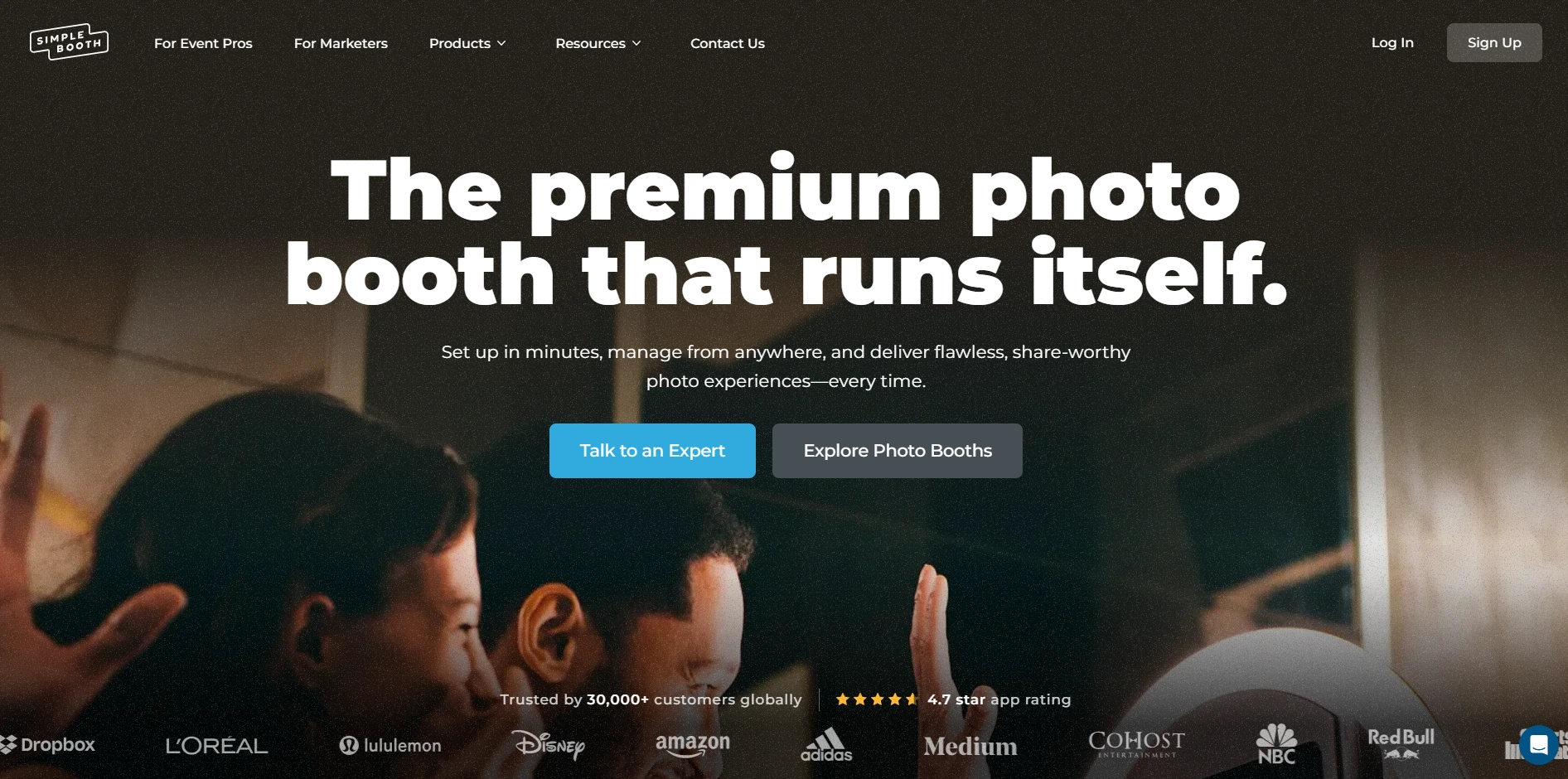
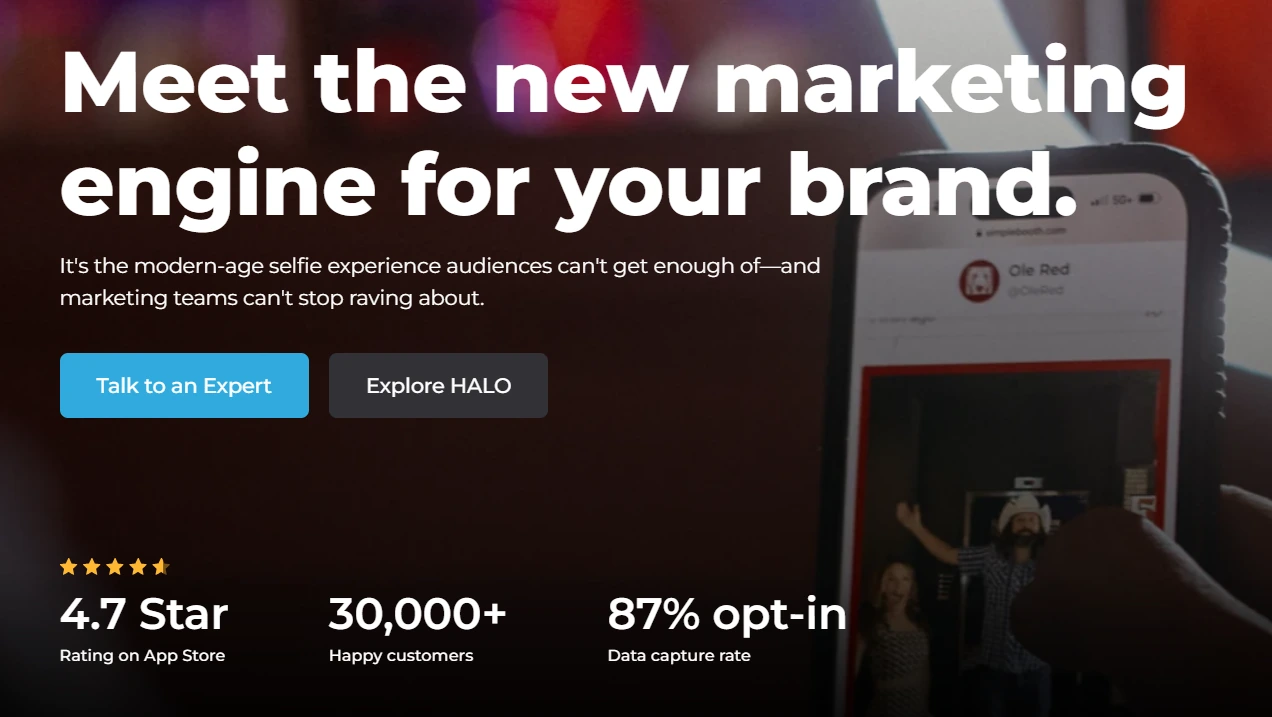
Simple Booth is the photo booth that runs itself, pairing a subscription-based iPad app (HALO) with proprietary ring-light hardware kits and a browser-based Virtual Booth product. With 30,000+ customers globally, a 4.7-star App Store rating from 2,400+ ratings, and 40 million+ moments captured since 2013, the platform is built for operators and marketers who want a photo experience that sets up fast, runs unattended, and captures marketing data at every session.
| Simple Booth Pros | Simple Booth Cons |
|---|---|
| - Professional ring-light hardware with 2,100 lumens | - iPad-only (no Android support) |
| - Sub-one-minute setup with no tools | - Post-update bugs documented in App Store reviews |
| - Offline mode queues sessions when Wi-Fi drops | - DSLR support requires Core plan or above |
| - 87%+ opt-in rate for lead capture | - AI effects consume credits at $0.10 each |
| - Remote dashboard management for multi-booth operations | |
| - WhatsApp, AirDrop, SMS, email, and QR code delivery |
Why Choose Simple Booth for Music Festivals and Outdoor Events?
Major entertainment and brand activation companies use the platform. Live Nation VIP events, Sports Illustrated Tickets, and Gibson Brands are documented enterprise customers, showing the platform’s capacity for high-volume festival activations.
G7 Entertainment Marketing has been a Simple Booth customer for over 10 years, capturing more than 136,000 fan interactions across their entertainment activations. (G7 Entertainment Marketing Case Study)
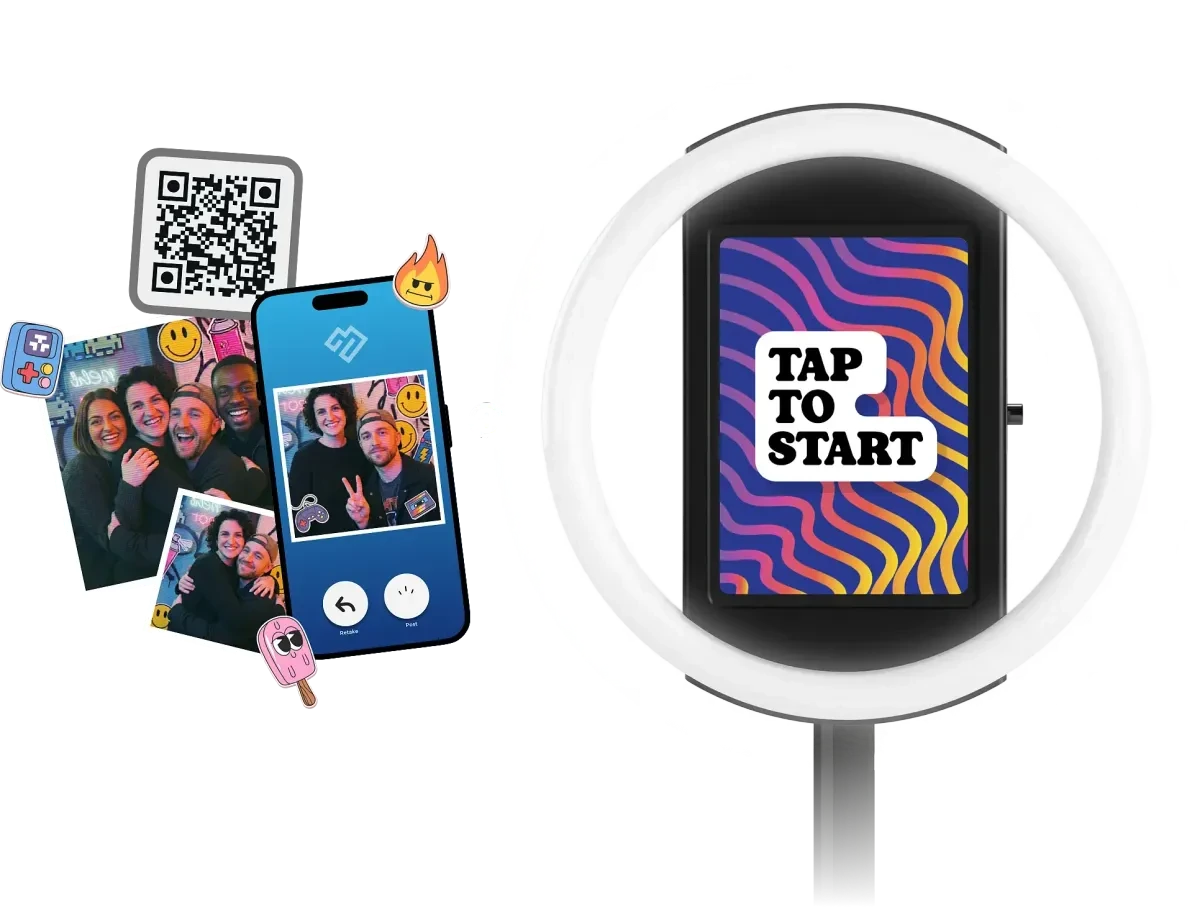
HALO Hardware: Professional Lighting That Travels to Any Festival Site
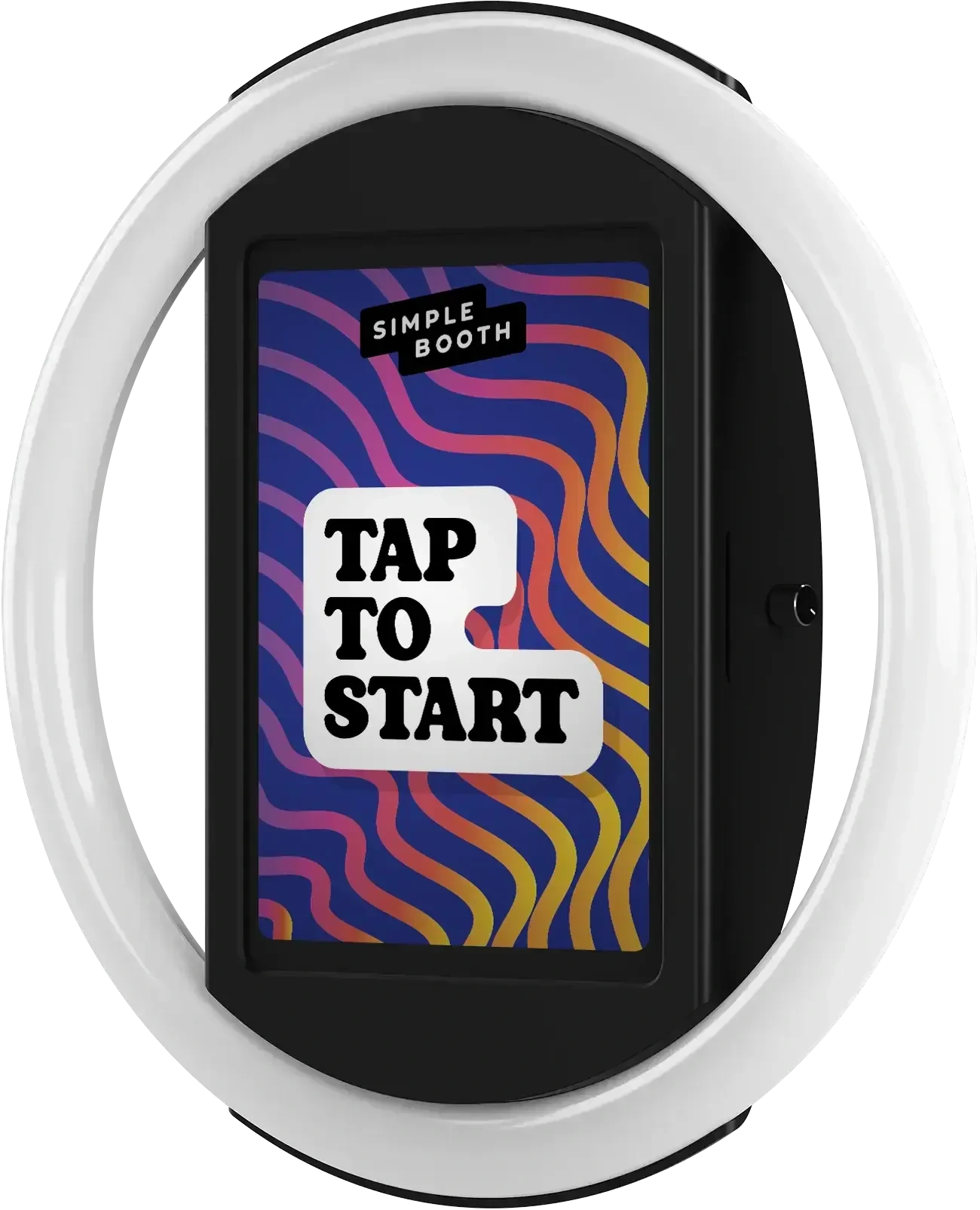
The HALO photo booth kit is machined from a single billet of aluminum with a patented ring-light system producing up to 2,100 lumens from 112 LEDs. The LEDs are rated for 50,000 hours of operation, which means they last across hundreds of festival deployments.
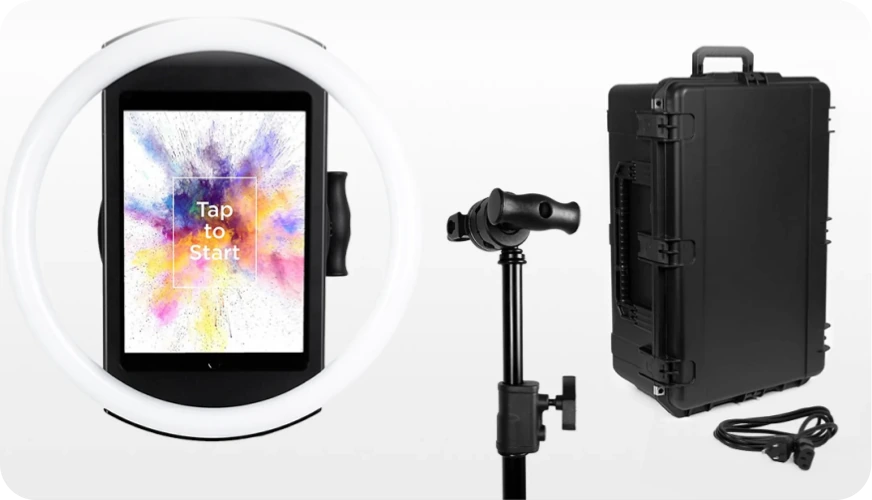
For outdoor events where ambient light shifts from midday sun to evening darkness, this integrated lighting delivers consistent photo quality without external equipment. Groups can stand 6 to 8 feet from the camera and still be properly lit.
The iPad snaps into a tool-less faceplate with a concealed USB-C cable for continuous charging, and the selfie stand deploys in under one minute with no tools required. For events without wall power, compatible portable batteries provide 6+ hours of runtime. The full Event Kit, including a waterproof rolling travel case, weighs 49 lbs. For international festivals, HALO supports dual voltage (110V-240V) and requires only a plug adapter.
For operators who need higher image quality, HALO 5.0 added DSLR and mirrorless camera support (Canon and Sony cameras on Core plan and above), delivering studio-grade capture through the full HALO feature set. The integration supports both wired USB connections for long-event reliability and wireless connections over Wi-Fi for more creative setups, a capability most competitors don’t offer.
AI Effects and the Layout Designer: Festival Activations
Simple Booth’s AI Photo Booth transforms guest photos in real time using text prompts through Nano Banana AI models. The system handles identity preservation and likeness at the platform level, so guests remain recognizable regardless of the transformation style.
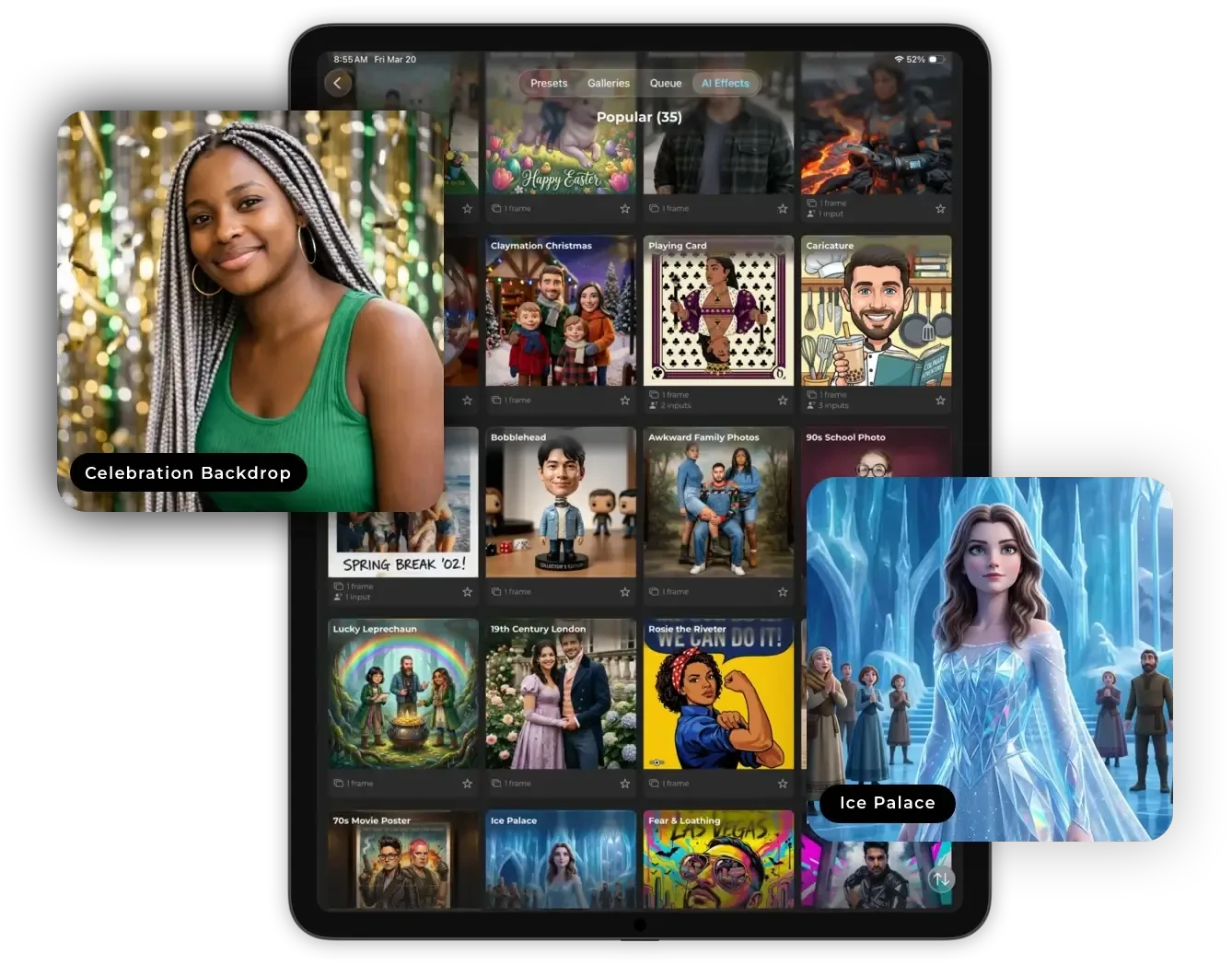
Operators can assign unique AI prompts to individual frames in a multi-frame layout for narrative photo strips, and guests on Pro/Select plans can personalize their own outputs through Guest Input variable injection.
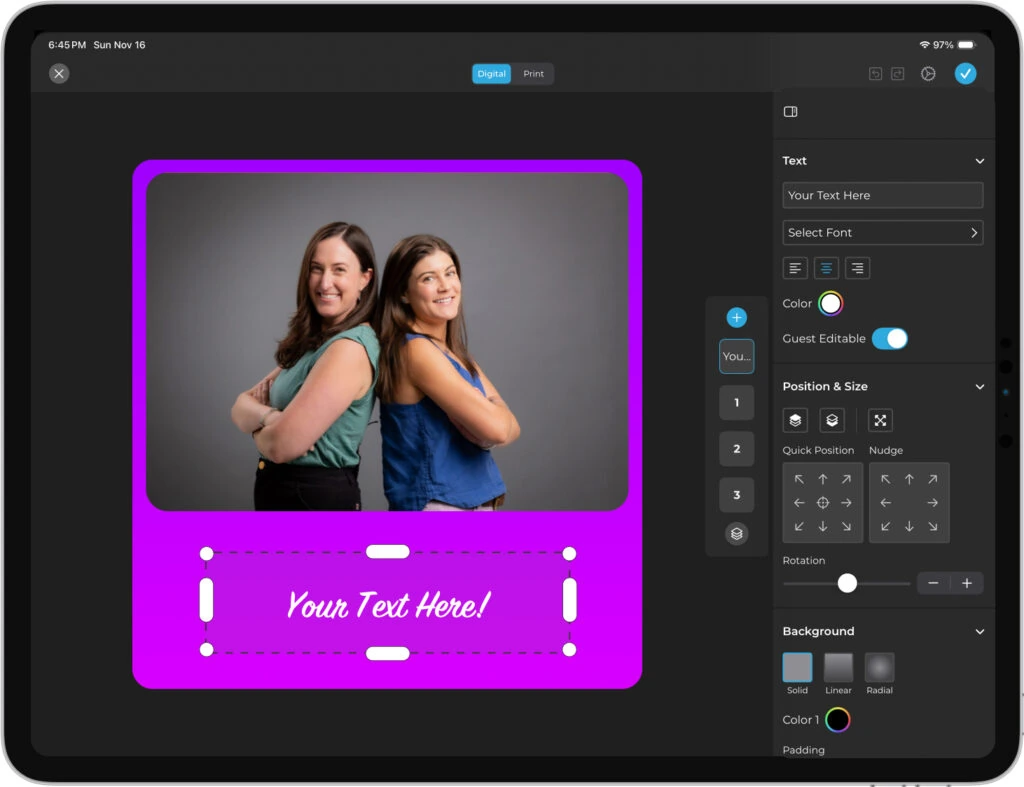
The Layout Designer (introduced in HALO 5.0) is an in-app design tool with layers, fonts, gradients, logo placement, and QR code embedding. It eliminates the need for external graphic design software when preparing branded festival overlays. Operators can test AI prompts unlimited times outside of booth mode at zero credit cost, iterating freely before the festival.
Marketing and Data Capture: Turn Festival Guests into Leads
For brand sponsors, Simple Booth’s marketing layer is where the booth pays for itself. The platform captures opt-in rates as high as 87 to 89% during the photo-sharing flow, well above typical marketing form conversion rates.
Data capture fields (email, phone, name, custom fields) feed directly into the dashboard for CSV export or native MailChimp sync, and an Open API on Pro+ plans enables custom CRM delivery.
Treetop Golf built a database of 150,000 unique email addresses across their locations using Simple Booth’s lead capture during the photo experience. (Simple Booth Ring Light Photo Booth)
The HALO app queues sessions in offline mode and delivers them when connectivity returns, a critical feature for festival venues where Wi-Fi regularly fails under crowd load. WhatsApp delivery (added in HALO 5.0) opens international festival deployments that SMS-only systems cannot reach, and AirDrop handles venues where neither cellular nor Wi-Fi coverage is reliable.
For hybrid events or always-on brand campaigns, Virtual Booth delivers a branded photo experience in any browser with no hardware or app install required, complete with AI effects, background replacement, and data capture.
Deep Eddy Vodka generated over 14,000 social posts through Simple Booth-powered brand activations, turning festival guests into organic brand ambassadors. (Deep Eddy Vodka Case Study)
Simple Booth Pricing
Simple Booth uses a per-license subscription model with weekly, monthly, and annual billing. Each plan includes one device license; additional devices require add-on licenses. There are no caps on photos or events.
- Lite starts at $14.99/week ($289.99/year; App Store only). Designed for personal events and casual use; excludes custom branding, analytics, DSLR support, and lead capture. Professional operators typically start at Core.
- Core starts at $24/week ($49/month, $490/year). Adds DSLR camera connection, video, background replacement, Dropbox integration, Virtual Booth, and AI effects.
- Plus starts at $49/week ($99/month, $990/year). Adds custom branding, analytics, guest-editable text layers, and custom AI effects.
- Pro starts at $149/month ($1,490/year). Adds lead capture, API integration, phone support, moderation, and age gate.
- Select starts at $249/month ($2,490/year). Adds in-app custom legal terms, security questionnaires, and demographic analytics.
- Enterprise pricing is custom. For organizations with advanced requirements, security reviews, or multi-location deployments.
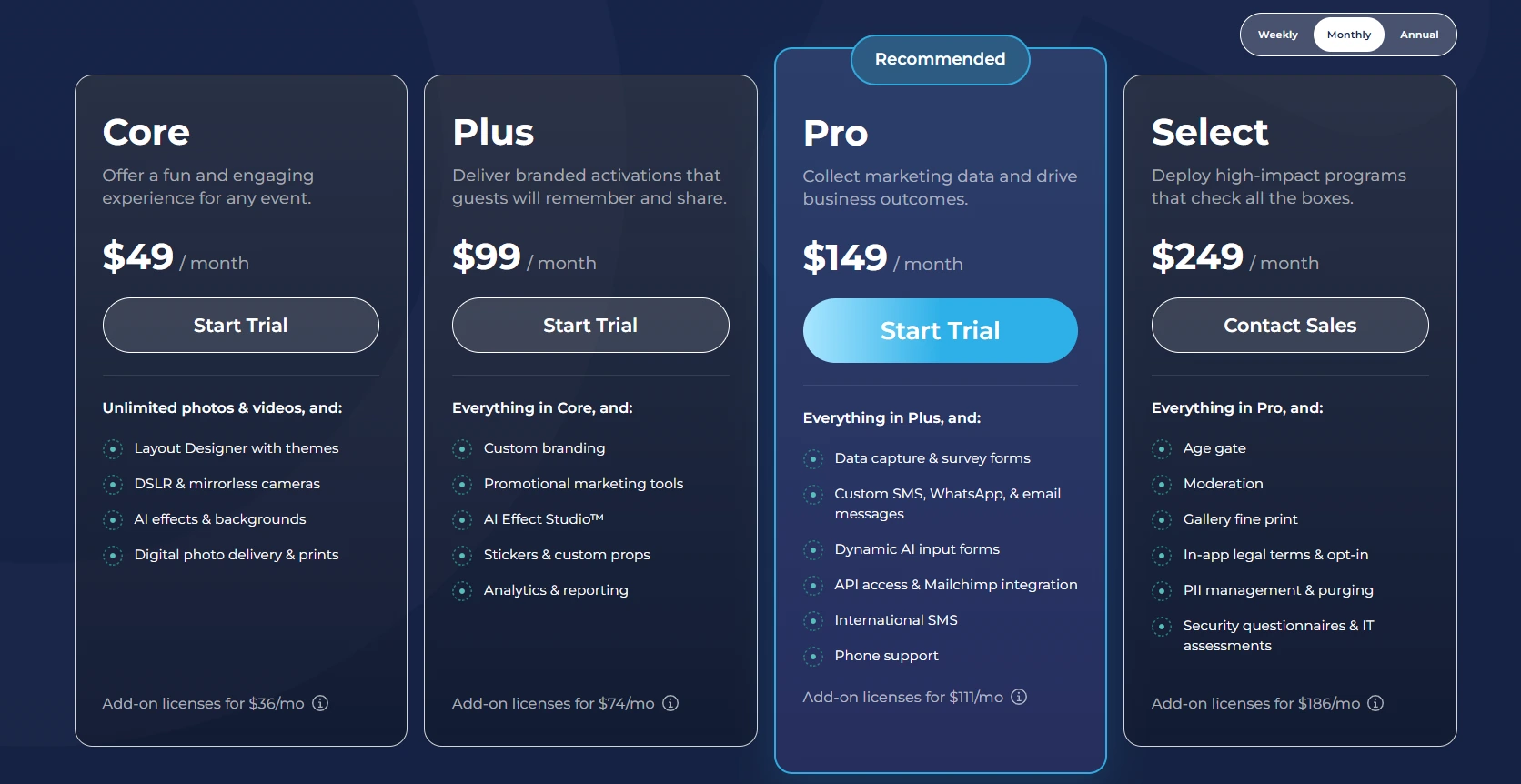
AI effect credits cost $0.10 each and do not expire. A 7-day free trial is available with 25 free AI credits.
Use Simple Booth if:
- You want a self-running photo booth with professional lighting that delivers consistent results in any outdoor lighting condition
- You need offline reliability for festival venues where Wi-Fi regularly fails
- You’re running sponsored brand activations and need high-converting lead capture with post-event analytics
- You want to manage multiple booths remotely from a single dashboard without being on-site
- You value an integrated hardware and software system from a single vendor with a 4.7-star App Store rating
Why Simple Booth Topped Our List
Here’s why Simple Booth stands behind it for music festivals and outdoor events specifically. The HALO hardware solves the lighting problem that plagues every iPad-based competitor relying on ambient venue light or consumer ring lights. The offline mode keeps the booth running when festival Wi-Fi inevitably drops. And the marketing data capture turns what could be a fun activation into a measurable lead generation tool for sponsors.
We tested other strong options on this list (and many that didn’t make the cut). Snappic offers broader booth-type coverage, Touchpix is built specifically for 360 video, and LumaBooth costs less per month. Each earned its place for a specific use case. Simple Booth topped our list because no other platform combines professional lighting hardware, operational simplicity, and marketing ROI as completely for the festival environment.
Read on to learn more about when each alternative is the better fit.
2. Snappic — Best for Operators Running Multiple Booth Types from a Single Platform
Source: Snappic
Festival operators rarely stick with one booth format. A single season might include an iPad selfie station in the main vendor area, a 360-degree spinner at the VIP tent, and a GlamBot setup for a sponsor activation. Most platforms require separate software for each format. Snappic doesn’t.
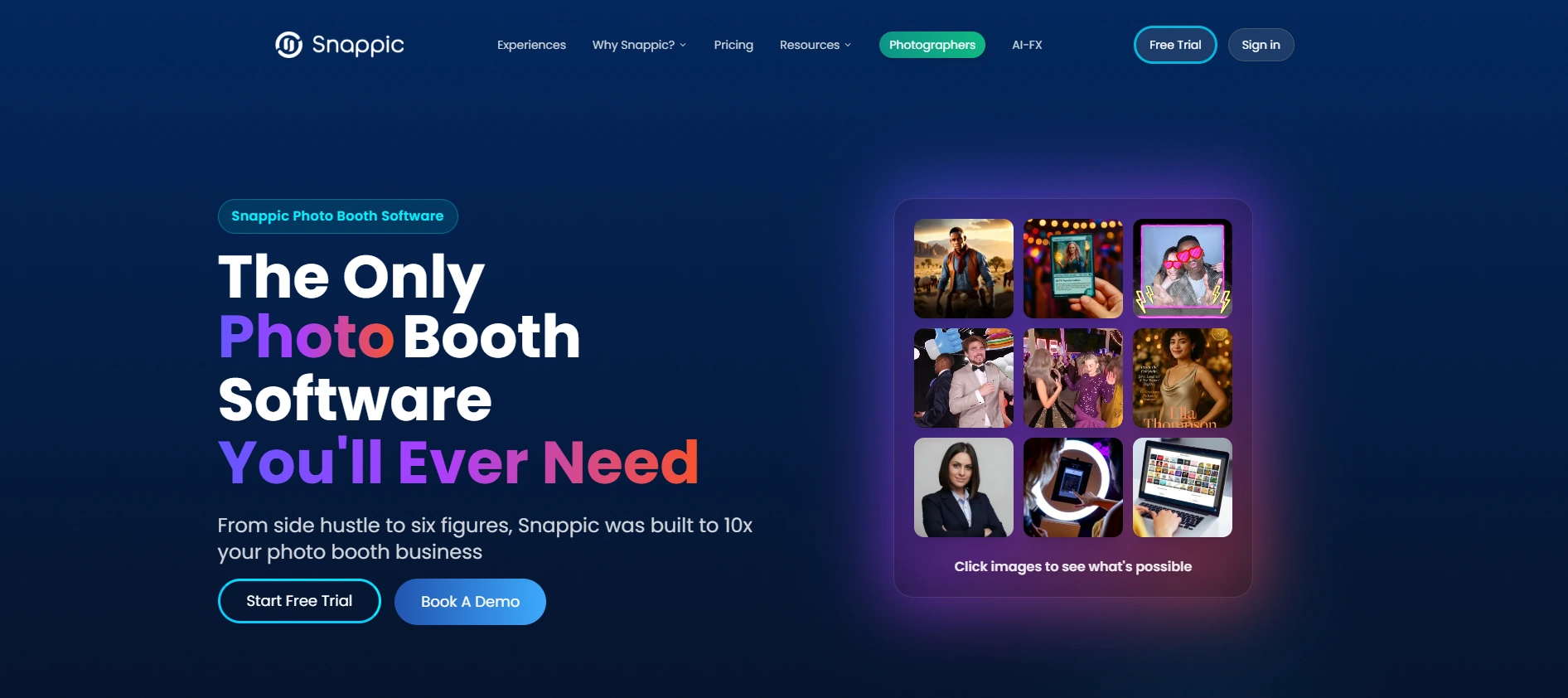
Snappic is photo booth software for professional event operators built around one core promise: one subscription covering every modern booth format, including standard iPad booths, 360-degree video, mirror booths, robot arm/GlamBot setups, and roaming photography. Founded in 2016 and acquired by Banyan Software in July 2024, the platform now serves 8,000+ operators across 100,000+ events worldwide.
| Snappic Pros | Snappic Cons |
|---|---|
| - Every major booth type under one subscription | - AI effects consume per-credit charges on top of subscription |
| - AI-FX suite for branded outputs | - VideoFX and client analytics locked to Business tier and above |
| - Per-event licensing for seasonal operators | - Entry-level Starter plan excludes most festival-relevant features |
| - Real-time client analytics with one-click reporting |
Snappic: Top 3 Unique Features
- Multi-booth-type support across iPad, 360, mirror, GlamBot, and roaming from one subscription
- AI-FX suite producing trading cards, magazine covers, branded avatars, and animated portraits
- Built-in event analytics with a Send Analytics to Client function for sponsor reporting
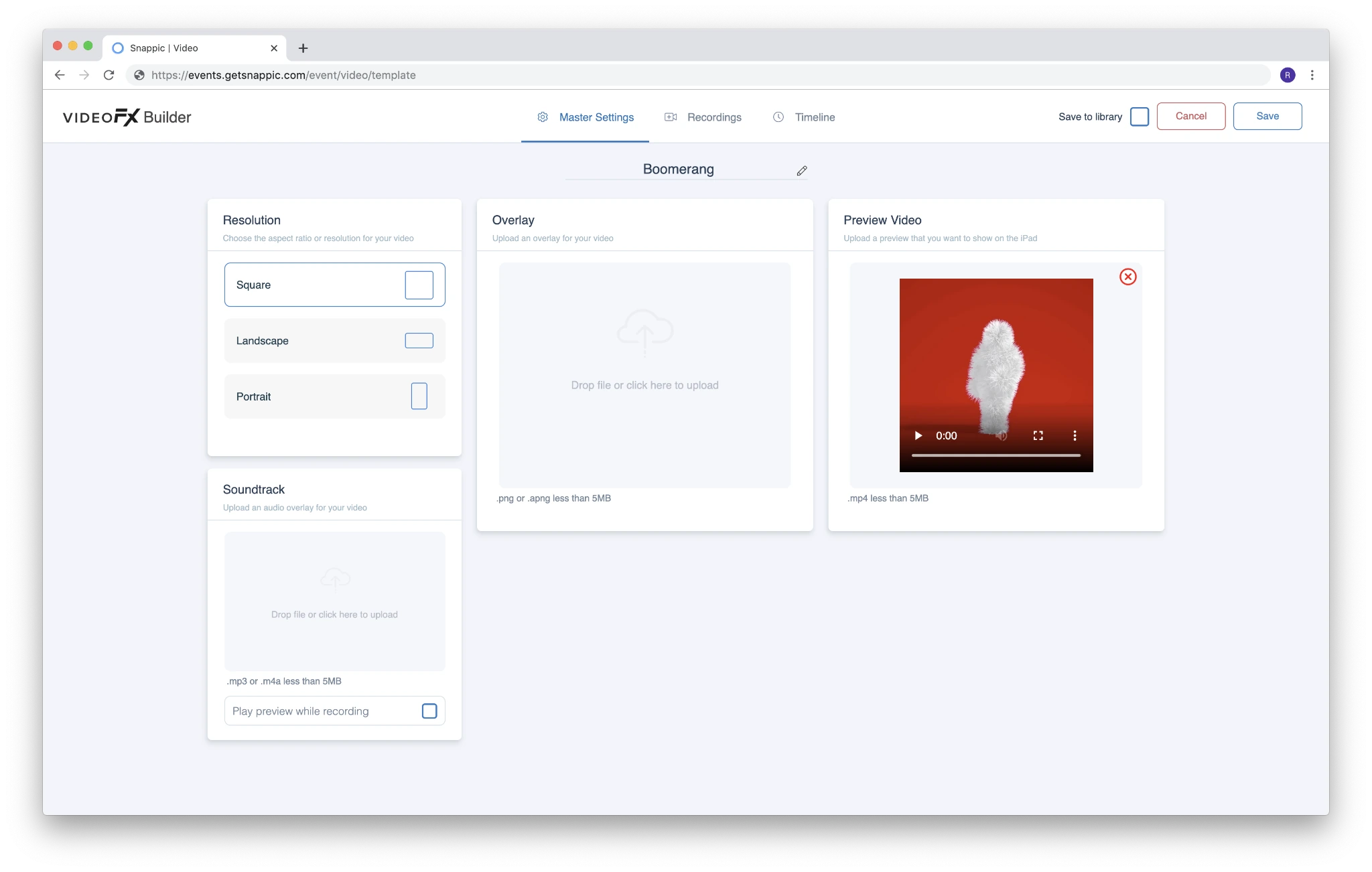
The VideoFX Template Builder powers the 360 and GlamBot experiences through a browser-based editor covering output resolution, multi-clip timelines, speed multipliers, soundtracks, and animated overlays.
Source: Snappic
Pre-built GlamBot templates deliver slow-motion outputs (up to 8x slow motion) without requiring operators to engineer frame rate calculations from scratch. The system supports 240 fps capture on compatible hardware including iPhone 11+ and Canon DSLRs. AI Segmentation for background removal is available directly inside the VideoFX template at the clip level, enabling virtual background replacement in video without a physical green screen.
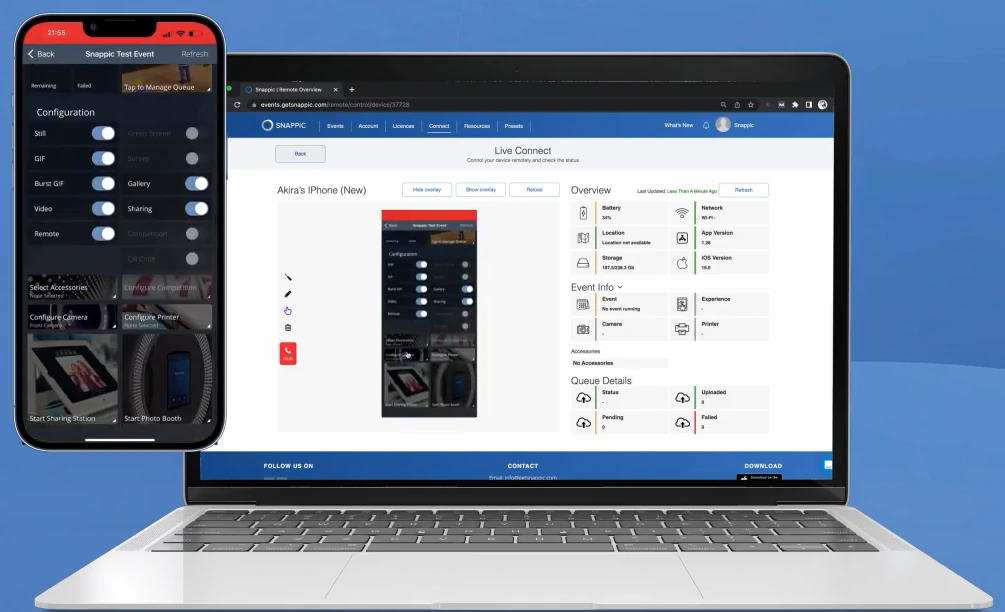
Snappic also runs three AI engines under one platform: core AI-FX for style transfers and themed outputs, PersonaFX for photorealistic headshots and branded avatars (supporting up to three people in Styled mode), and BananaFX (powered by Google’s Gemini 2.5) for generating new images from custom prompts. For operators managing multiple activations at once, LiveConnect enables browser-based remote booth control, and webhooks push real-time session data to external CRMs.
Source: Snappic
Snappic Pricing
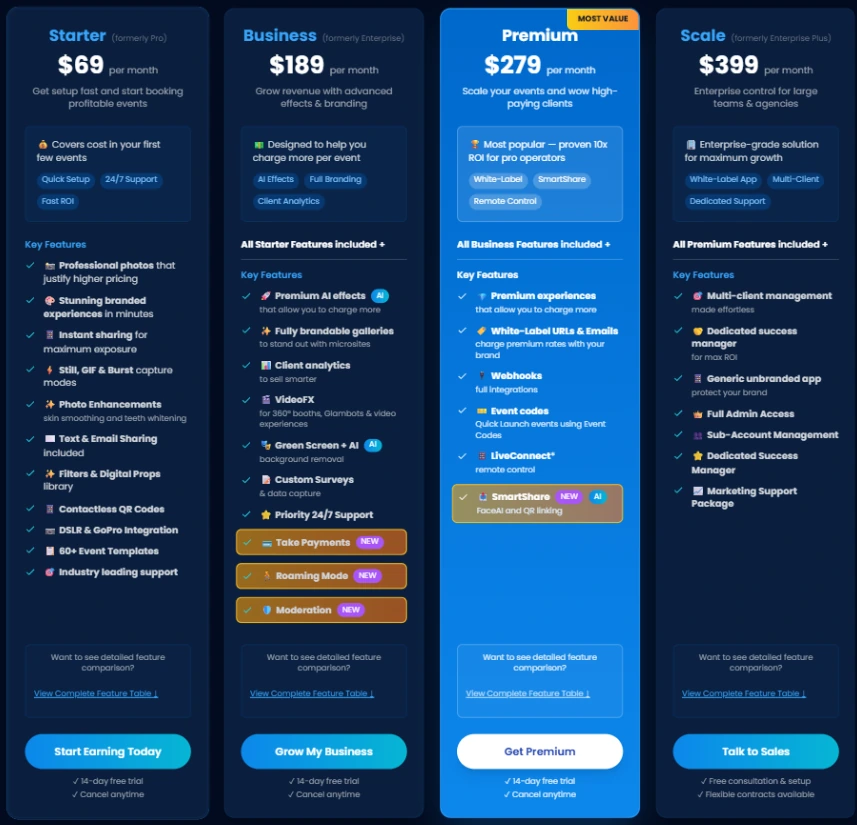
Snappic uses a per-booth license model. A $29 per-event license (Starter-level) or $79 per-event (Business-level) is available for seasonal operators who want to avoid monthly commitments.
- Starter costs $69/month ($499/year). One license; core photo, GIF, and burst capture. Does not include VideoFX, AI-FX, or client analytics.
- Business costs $189/month ($1,799/year). Adds VideoFX (360, GlamBot), AI-FX, client analytics, surveys, moderation, and roaming mode.
- Premium costs $279/month. Adds white-label URLs, webhooks, LiveConnect, and 400 SmartShare AI credits.
- Scale costs $399/month ($3,999/year). Adds multi-client management, unlimited sub-accounts, and a dedicated Customer Success Manager.
Source: Snappic
AI-FX credits are billed separately at $20 per 200 credits. Background removal and AI sharing credits are also purchased on top of the subscription.
Use Snappic if:
- You operate multiple booth types and want one platform covering iPad, 360, GlamBot, mirror, and roaming without separate licenses
- Your clients are brand sponsors who need post-event analytics and proof-of-ROI reporting
- You want AI-transformed outputs (trading cards, magazine covers, branded avatars) to justify per-event pricing
- You run a seasonal festival business and want per-event licensing to avoid off-season subscription costs
3. Touchpix — Best for Operators Whose Core Product Is the 360-Degree Video Booth
Source: TouchPix
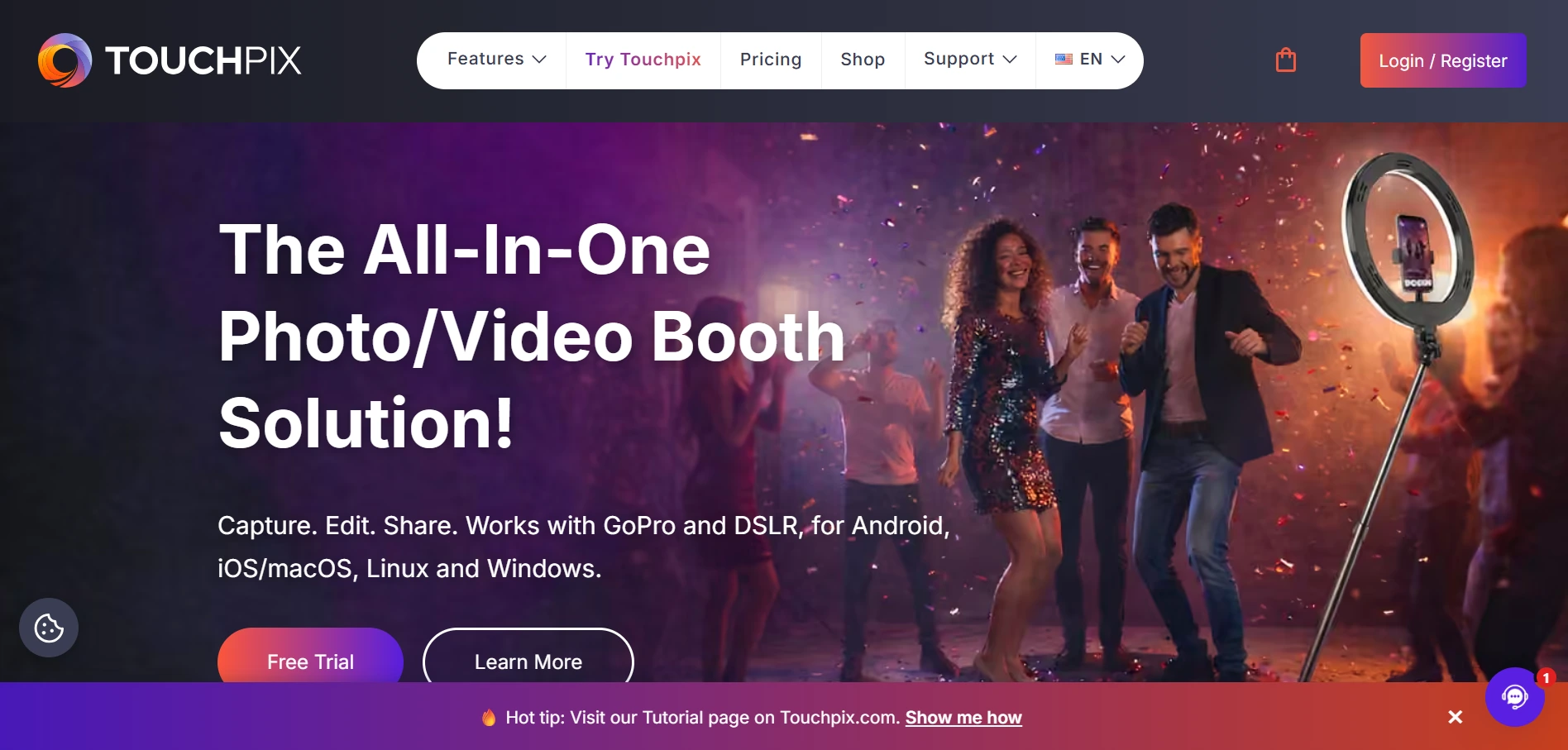
The 360-degree spinning video booth is consistently the highest-attention format at music festivals. Guests step onto a platform, a GoPro-armed spinning arm orbits them, and the resulting slow-motion clip becomes the social media moment of the event. If this format is your core product, Touchpix is the most specialized software for it.
Touchpix is a subscription-based photo and video booth platform with its deepest engineering investment in the 360-degree spinner format. It runs natively on iOS, Android, macOS, Windows, Linux, and Raspberry Pi and supports GoPro models 7 through 14 plus Canon, Nikon, and Sony DSLRs and mirrorless cameras, giving operators the widest hardware footprint in the category.
| Touchpix Pros | Touchpix Cons |
|---|---|
| - 360 video booth engine built for cinematic effects | - App Store reviews document mid-event crashes and GoPro disconnections |
| - Offline AI background removal and face replacement (no internet needed) | - No G2 or Capterra review presence |
| - Widest device and camera compatibility in the category | - PhotoPass tier excludes video and slow-motion |
| - 300+ animated overlay library |
Touchpix: Top 3 Unique Features
- Bluetooth-triggered spinner activation with Video Speed Control for slow-motion output
- Offline-first architecture: Scanpix 2 delivers photos and videos to guests without internet, and AI Background Removal runs entirely on-device
- Cross-platform support across six operating systems with unlimited devices on all tiers
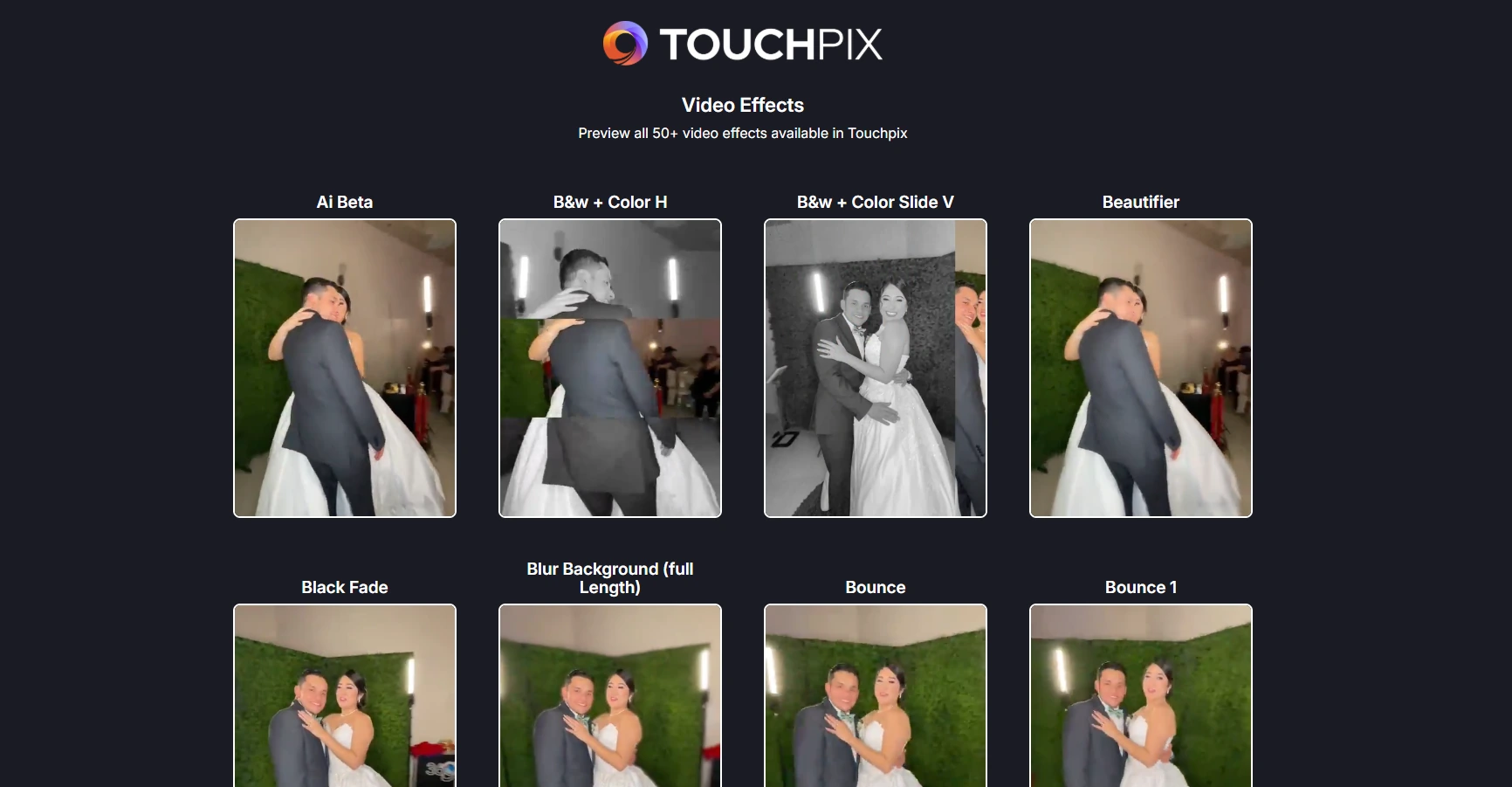
The 300+ animated overlay and template library and 60+ video filters mean operators arrive at festivals with visually distinctive activations without designing assets from scratch.
AI Face Replacement also processes on-device, keeping the platform’s most striking effects functional without cloud connectivity. An offline queue captures cloud uploads and releases them when connectivity resumes, so no session data is lost even at the most remote festival sites.
Source: TouchPix
For operators who run a mixed hardware fleet, the cross-platform OS support is a practical advantage. A festival operator might run GoPros on the 360 arm and switch to a Sony mirrorless for still portrait stations at the same activation, all under a single Touchpix subscription with no per-device fees.
Touchpix Pricing
All tiers include unlimited devices. A 14-day free trial with no credit card required is available.
- PhotoPass costs $439.90/year. 2 simultaneous events; photos, AI Photos, and GIFs only (no video or slow-motion).
- MultiPass costs $879.99/year (most popular). 4 simultaneous events; full capture suite including video, slow-motion, boomerang.
- MultiPass Pro costs $1,407.99/year. 8 simultaneous events; adds Virtual Booth and Advanced Surveys.
- MultiPass Enterprise costs $2,199.99/year. 12 simultaneous events; adds Mosaic photo wall and RAW backup.
AI photo style transformations beyond the base library consume per-credit processing, with packs running $12 for 100 credits up to $375 for 5,000 credits.
Use Touchpix if:
- Your primary product is a 360-degree spinning video booth and you need the most mature, feature-complete software for that format
- You operate at remote festival sites where Wi-Fi is unreliable and need offline AI effects and internet-free photo delivery
- You own a mixed hardware fleet (GoPro, Canon, Nikon, Sony) across multiple operating systems and want everything under one subscription
- You want a large, ready-to-deploy overlay library for rapid event-day setup
4. LumaBooth — Best Budget-Friendly Option for Solo Operators Entering the Festival Market
Source: LumaBooth
Starting a photo booth business for festival season means managing software costs before your booking calendar fills up. Most professional platforms charge $50 to $250 per month, which adds up quickly when you’re doing two or three events per month at $300 to $600 per booking. LumaBooth changes that math.
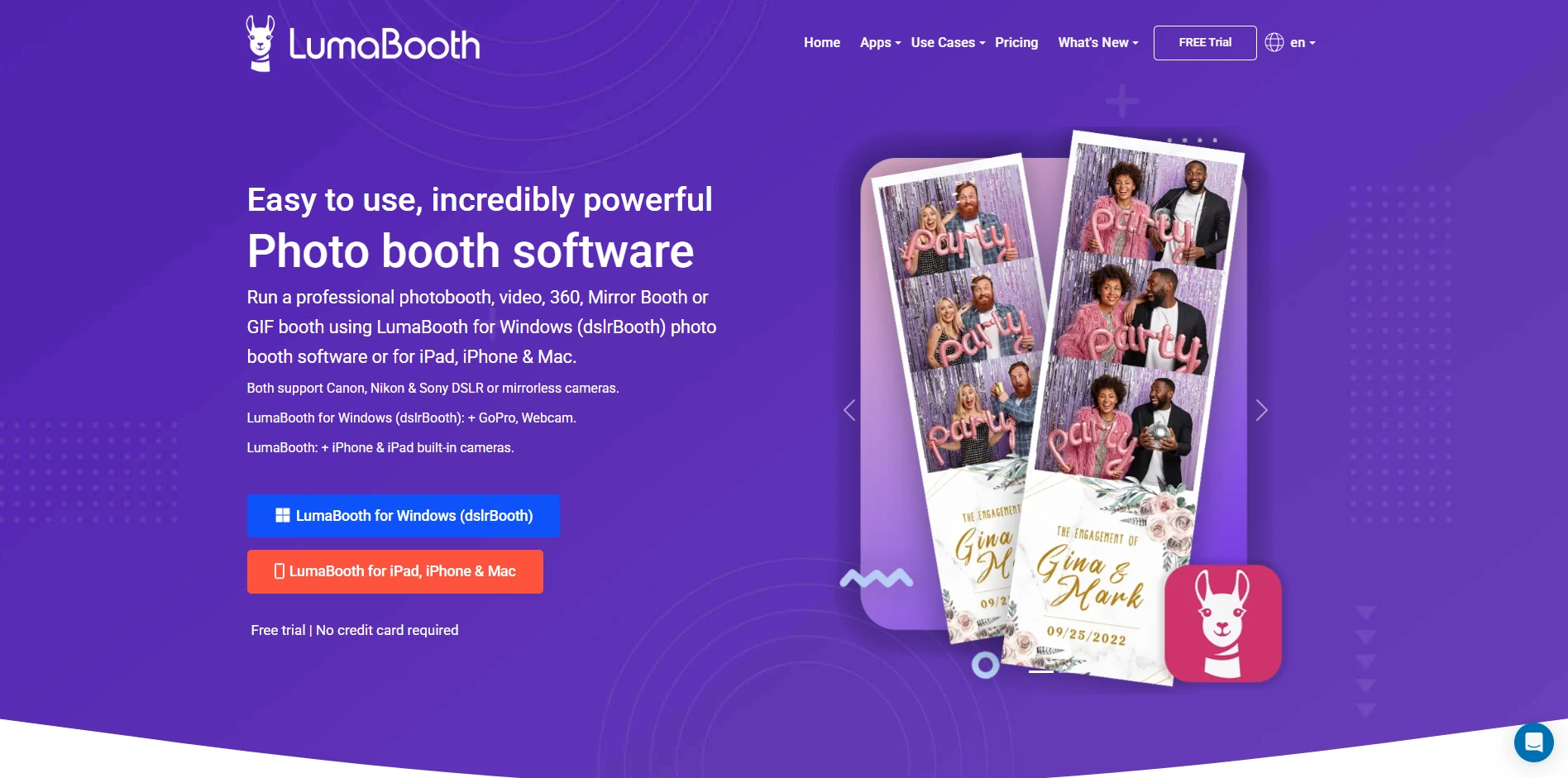
LumaBooth (by Lumasoft, previously known as dslrBooth) is professional photo booth software serving tens of thousands of operators in over 150 countries since 2012. At $19.99/month for the Apple plan (iPad, iPhone, Mac), it offers the lowest monthly subscription price of any professionally capable platform on this list, with two device licenses included.
| LumaBooth Pros | LumaBooth Cons |
|---|---|
| - Lowest monthly entry price for a full-featured platform | - SMS delivery costs extra ($10/month add-on) |
| - Cross-platform (Windows, iPad, iPhone, Mac) with Android display support | - AI Portrait credits are a separate purchase |
| - Unlimited free trial with no time limit | - Windows monthly pricing ($49.99/month) is significantly higher than annual |
| - Green screen and AI background removal included at no per-use cost |
LumaBooth: Top 3 Unique Features
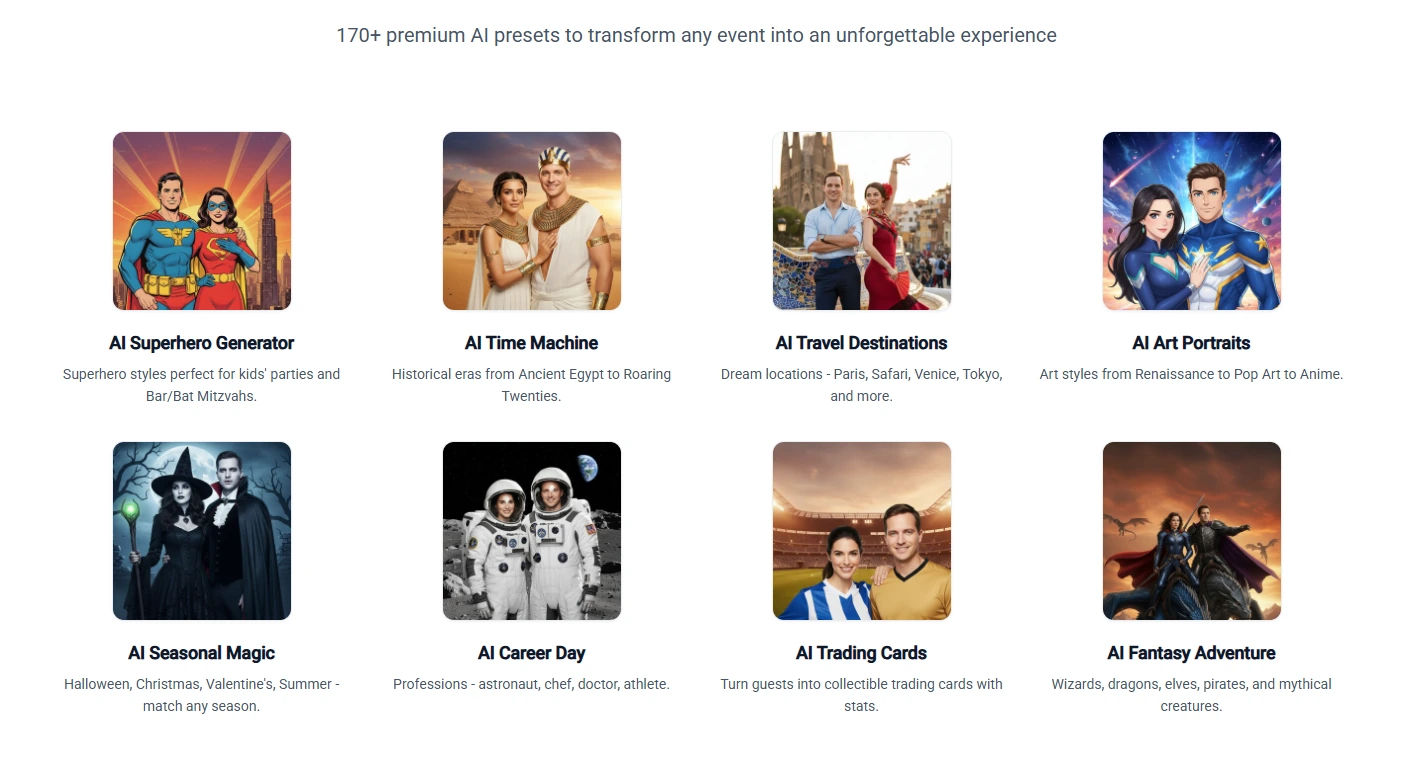
- Full feature set at $19.99/month: photo, GIF, boomerang, 360, glam booth, green screen, AI background removal, video guestbook, and 170+ AI Portrait presets
- Unlimited free trial with no time limit, no credit card, and no feature restrictions (watermarked outputs only)
- LumaShare for Android turns Samsung, LG, and ViewSonic screens (up to 85 inches) into dedicated sharing kiosks alongside the main booth
LumaBooth’s cross-platform flexibility means operators aren’t locked into Apple hardware at every layer. A festival operator who owns a Windows laptop can run LumaBooth for Windows; one who prefers iPad portability uses LumaBooth for Apple. Both share the same browser-based dashboard for pre-event configuration and automatic syncing to on-site devices.
Source: LumaBooth
The AI background removal runs locally on the device with no internet connection required and no per-removal fee, eliminating the need for physical green screen equipment at outdoor festivals.
For operators using the traditional green screen workflow, separate calibration profiles for flash versus live view on Windows account for shifting outdoor light conditions throughout the day. Guests can choose from auto-cycling or selectable backgrounds, keeping the experience fresh during high-traffic festival lines without operator intervention.
LumaBooth Pricing
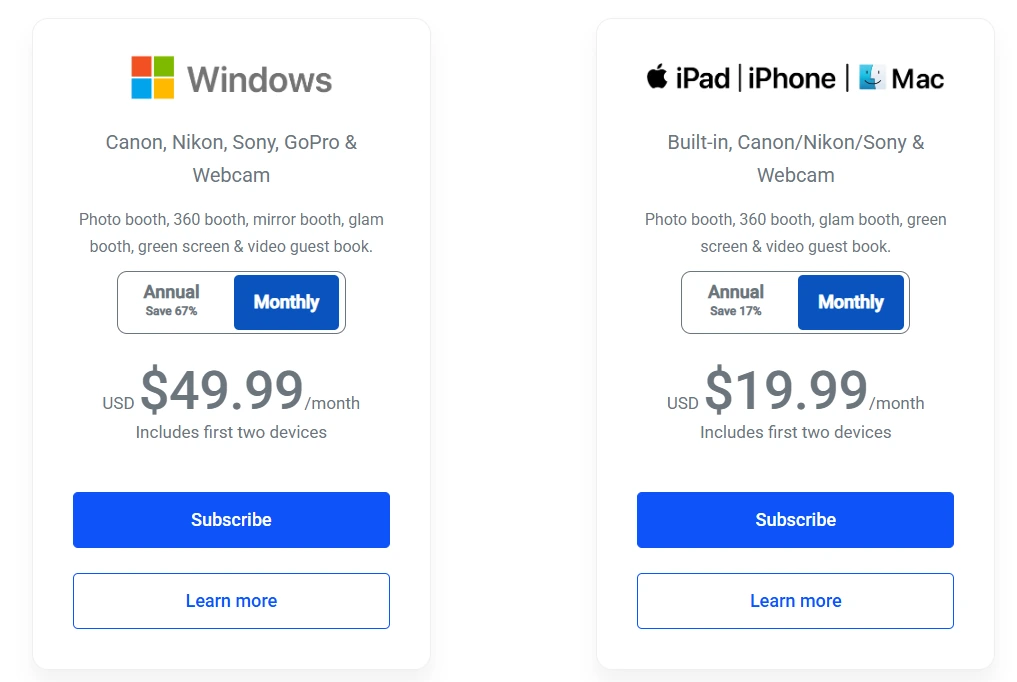
Two product lines with monthly and annual billing. Both include two device licenses.
- Apple (iPad/iPhone/Mac): $19.99/month ($18/month billed annually). Full feature access including 360, glam, green screen, and AI background removal.
- Windows (PC): $49.99/month ($17/month billed annually). Everything in the Apple plan plus cashless pay-per-print, Booth CoPilot remote management, and webhook/API access.
Source: LumaBooth
Notable add-ons: fotoShare Cloud Plus at $19.99/month, AI Portraits credits at $14.99/month for 150 credits, and SMS delivery at $10/month for unlimited US/Canada messages.
Use LumaBooth if:
- You’re a solo operator or small company pricing your first festival season and need the lowest software cost without sacrificing feature depth
- You want to fully test the platform through real outdoor events before spending anything, using the unlimited free trial
- You already own Windows PC hardware, Android tablets, or a mix of device types and want software that works across all of them
- You need green screen or AI background replacement without adding physical equipment to your festival load-out
5. Darkroom Booth — Best for Windows-Based Operators Who Want to Own Their Software Outright
Source: Darkroom Booth
For established festival operators running Windows-based setups with Canon or Nikon camera gear, monthly subscription fees are an ongoing overhead that never stops. Darkroom Booth offers an alternative: pay once, own the software, and keep running it whether or not you renew the annual maintenance plan.
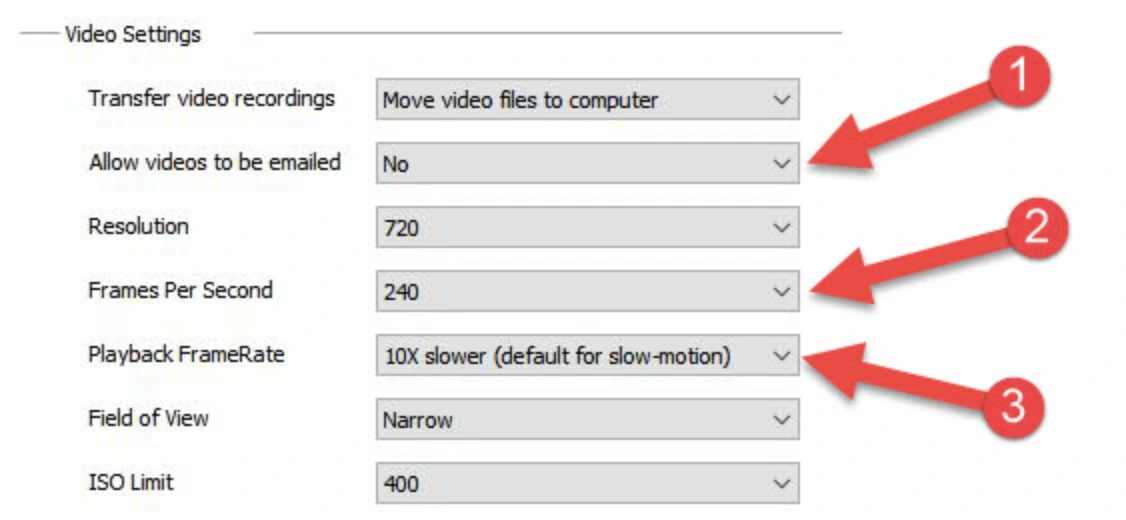
Darkroom Booth is a Windows-native photo booth application developed by Darkroom Software, LLC, a family-owned company with roots in professional photography software since 1992. Its $295 perpetual license covers still photos, video, slow-motion (up to 240 fps via GoPro), GIFs, boomerangs, and green screen composites from a single Windows installation.
| Darkroom Booth Pros | Darkroom Booth Cons |
|---|---|
| - One-time $295 license; software runs even if maintenance lapses | - Windows only (no iPad, Mac, or Android) |
| - Broad camera support: Canon, Nikon, GoPro, and webcams | - Support limited to Mon-Fri, 9am-5pm Central |
| - Booth Control remote management from any device on the same Wi-Fi | - Online features (email server, hosting) require active maintenance plan |
| - 75+ included templates plus third-party marketplace |
Darkroom Booth: Top 3 Unique Features
- Perpetual license with optional $95/year maintenance; the software continues to run its core functions after maintenance expires
- Booth Control remote management: monitor booth status, trigger sessions, and receive print counts by text or email from any phone across the festival venue
- Broad hardware extensibility: bill acceptors, coin-op mechanisms, arcade buttons, and Phidget USB interfaces for custom permanent installations
The hardware compatibility model is designed around what operators already own. Canon EOS, Nikon Z/D series, GoPro HERO 9/10, and Windows webcams connect natively, and any Windows-compatible printer works with built-in accelerated drivers for DNP, Fujifilm, and Mitsubishi dye-sub printers.
Source: Darkroom Booth
One license covers two computers simultaneously, supporting the primary-and-backup model that festival operators rely on. The 2026 Kiosk Gallery feature lets operators reprint or re-send from past sessions directly in Booth Mode without interrupting the live booth workflow.
Darkroom Booth Pricing
- Full License: $295 (one-time). Includes one year of updates and support. Covers 2 computers.
- Annual Maintenance: $95/year (optional). Restores updates and support after the first year.
- 10-Day Temporary License: $45 for overbooking situations.
- Free Trial: Available via download request; watermarked prints, no time limit, video recording disabled.
Event Gallery (branded online galleries and Facebook upload) is a separate subscription starting at $30/month.
Use Darkroom Booth if:
- You already run a Windows-based setup with Canon or Nikon cameras and want your existing equipment to convert into a booth without new hardware purchases
- You prefer owning your software outright with no ongoing subscription required to keep operating
- You run large outdoor venues where you need remote booth monitoring and control from across the festival grounds
- You want a wide range of capture formats (photos, video, slow-motion, GIFs, boomerangs) from a single Windows install
6. Curator Live — Best for Enterprise Brand Activations at Major Festival Sponsorships
Source: Curator Live
Festival sponsorships carry a structural requirement that casual rentals don’t: the end experience must feel like an interaction with the sponsor, not with the software powering the booth. Curator Live is built for that standard.
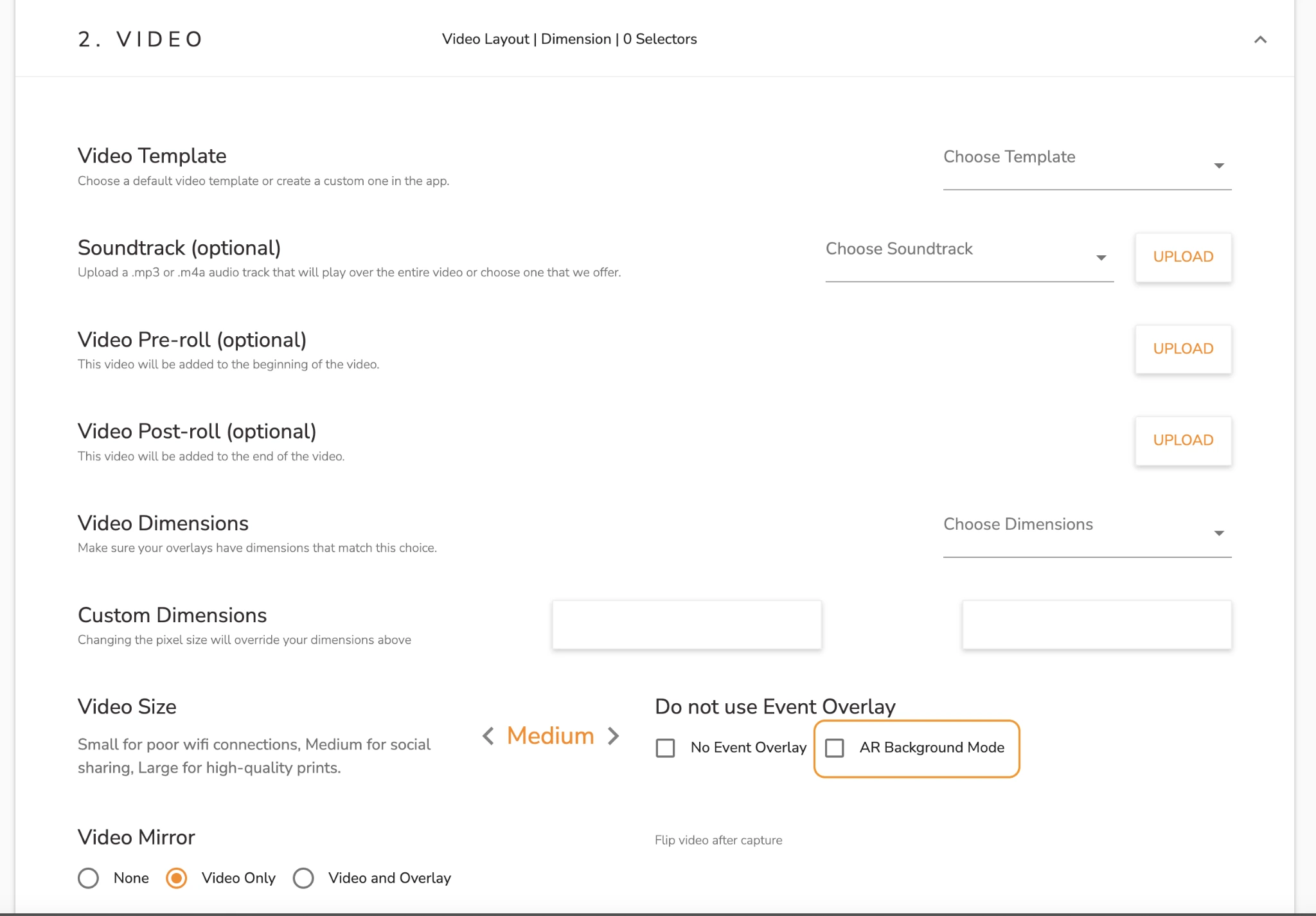
Curator Live is an iOS-native photo and video capture platform for professional operators, marketing agencies, and brands deploying fully custom-branded, AR-enhanced experiences at scale. Its defining capability is the CustomFX Timeline Builder: a layer-based video compositing engine that supports transparent HEVC overlays in front of and behind the subject, producing AR-enhanced festival content that replicates post-production visual effects in real time.
| Curator Live Pros | Curator Live Cons |
|---|---|
| - AR video compositing via CustomFX for sponsor activations | - White-label URL requires Agency Pro yearly or a $449/year add-on |
| - White-label delivery under client’s domain | - AI photo rendering credits ($0.45-$1.00/image) are a separate cost |
| - 24-hour live support including emergency phone during event hours | - Higher price floor than operator-focused platforms |
| - Offline AR background removal (no internet required) |
Curator Live: Top 3 Unique Features
- CustomFX Timeline Builder with transparent HEVC overlays, pre/post-roll layers, synchronized audio, and offline AR background processing
- White-label microsites and email delivery under the sponsor’s domain, with White-Label URL included on Agency Pro yearly
- AI-FX powered by Nano Banana with up to 40 prompts per experience; Nano Banana Pro handles group photos of 8+ subjects with maintained fidelity
The platform connects natively with OrcaVue 360 spinning platforms and Bluetooth-controlled GlamBot arms for in-event hardware control. Lead capture surveys feed into Google Analytics and Facebook Pixel tracking on all microsites, giving agencies the audience data and engagement metrics that festival sponsors expect in post-event ROI reporting.
Source: Curator Live
The offline AR background removal processes entirely on-device, keeping the activation running through network outages that would strand a cloud-dependent competitor. Face Swap carries zero per-generation credit cost, providing a lower-cost entry into AI experiences.
Curator Live Pricing
Per-device licensing across per-event, monthly, and yearly billing. All tiers include 24-hour support with emergency phone access.
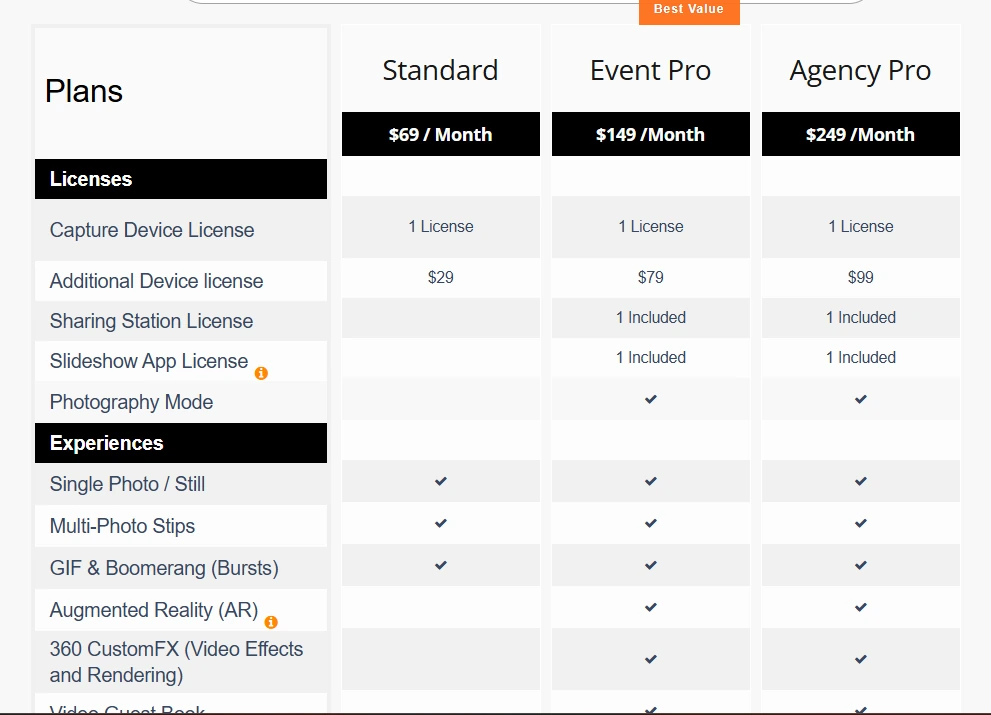
- Per-Event: Standard at $29/event, Event Pro at $59/event, Agency Pro at $99/event (3-day activation window)
- Monthly: Standard at $69/month, Event Pro at $149/month, Agency Pro at $249/month
- Yearly: Standard at $499/year, Event Pro at $1,499/year, Agency Pro at $2,499/year (includes one White-Label URL)
Source: Curator Live
AI photo rendering credits: approximately $0.45 per standard image, $1.00 per Pro image. A free account with DEMO watermark is available for testing.
Use Curator Live if:
- You’re a marketing agency running sponsored festival activations that require fully white-labeled, AR-enhanced brand experiences
- Your activations use 360-degree video with CustomFX compositing and you need offline AR processing where Wi-Fi is unreliable
- 24-hour emergency phone support during event hours is a non-negotiable operational requirement
- Your clients demand structured lead capture and post-activation analytics for sponsor ROI reporting
7. BoothLedger — Best for Operators Who Want Bundled AI Effects at a Flat Rate
Source: BoothLedger
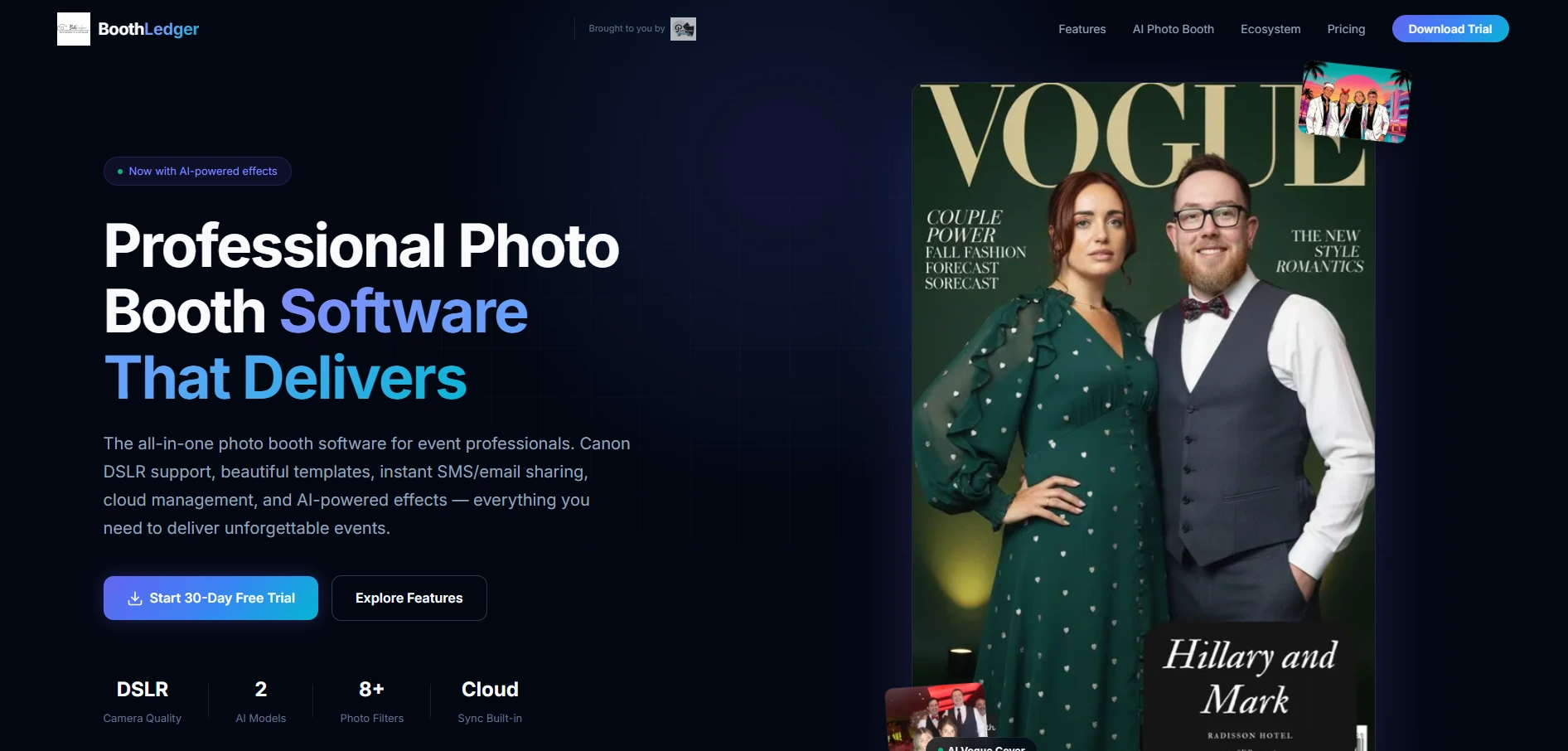
At busy festivals, AI effects priced per generation add up fast when a single booth processes hundreds of guests across a weekend. BoothLedger takes a different approach: bundle everything at a flat monthly rate with no per-image surprises.
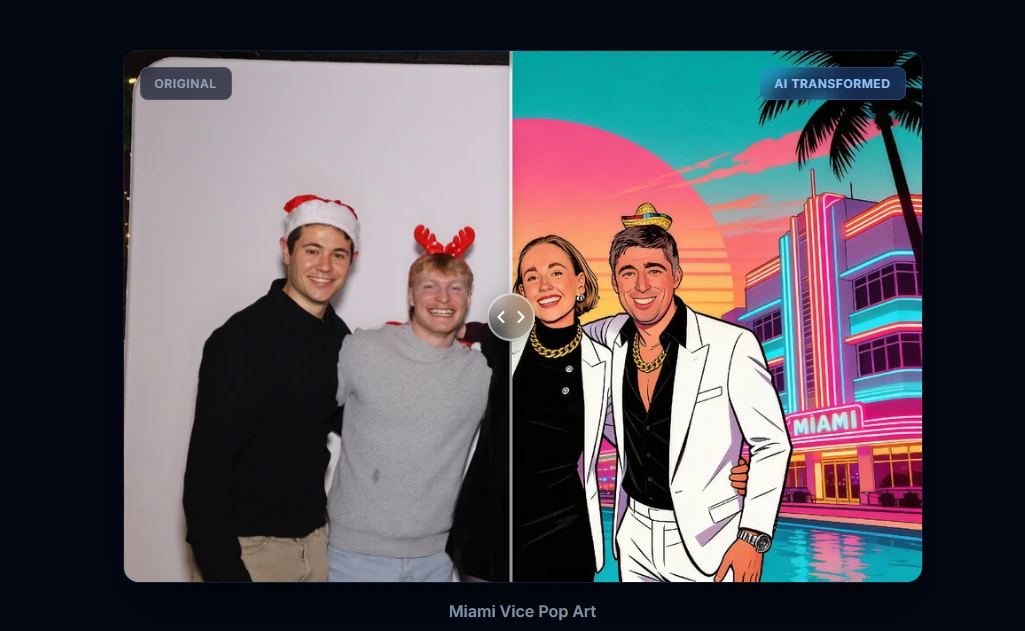
BoothLedger is a newer Windows-based photo booth platform built by PhotoBooth Guys, an active Irish event rental company. It bundles AI face swap, AI background transformation, and over 50 creative art styles (magazine covers, movie posters, anime, pop art, watercolors, and more) into a flat-rate AI Photobooth plan at €35/month with no per-image surcharges. Every subscription tier includes two device licenses by default.
| BoothLedger Pros | BoothLedger Cons |
|---|---|
| - Bundled AI effects with no per-generation fees at any volume | - Windows 10/11 only (no Mac, iPad, or mobile) |
| - Two device licenses included in every plan | - Canon DSLRs and webcams only (no Nikon or Sony yet) |
| - Offline-first: captures, prints, and queues shares without internet | - Launched 2026; no independent review presence on G2 or Capterra |
| - €35/month for the full AI tier | - No published privacy policy or data processing agreement |
BoothLedger: Top 3 Unique Features
- Flat-rate AI: face swap, background removal, face enhancement, and 50+ art styles at €35/month with no per-image charges
- Two device licenses in every plan, reducing per-booth costs for operators running dual-booth festival setups on a single subscription
- Offline-first architecture that captures, prints, and queues shares without internet, syncing automatically when connectivity returns
The platform offers two selectable AI engines: Core (optimized for high-throughput volume) and Nano Banana Pro (higher fidelity for VIP activations). The cloud dashboard syncs changes every 45 seconds, letting operators push sponsor template swaps or AI prompt changes from the festival production office without visiting the physical booth. Canon DSLR integration via the Canon EDSDK delivers full-resolution capture with live view and autofocus for outdoor stages and branded activations.
Source: BoothLedger
For festival operators quoting flat-rate packages to sponsors, BoothLedger’s bundled pricing means AI costs don’t shift based on guest volume. An activation running 8-10 hours across two days with unpredictable foot traffic costs the same as a quiet afternoon session.
BoothLedger Pricing
Flat-rate subscriptions with two device licenses included. Annual billing saves approximately 15%.
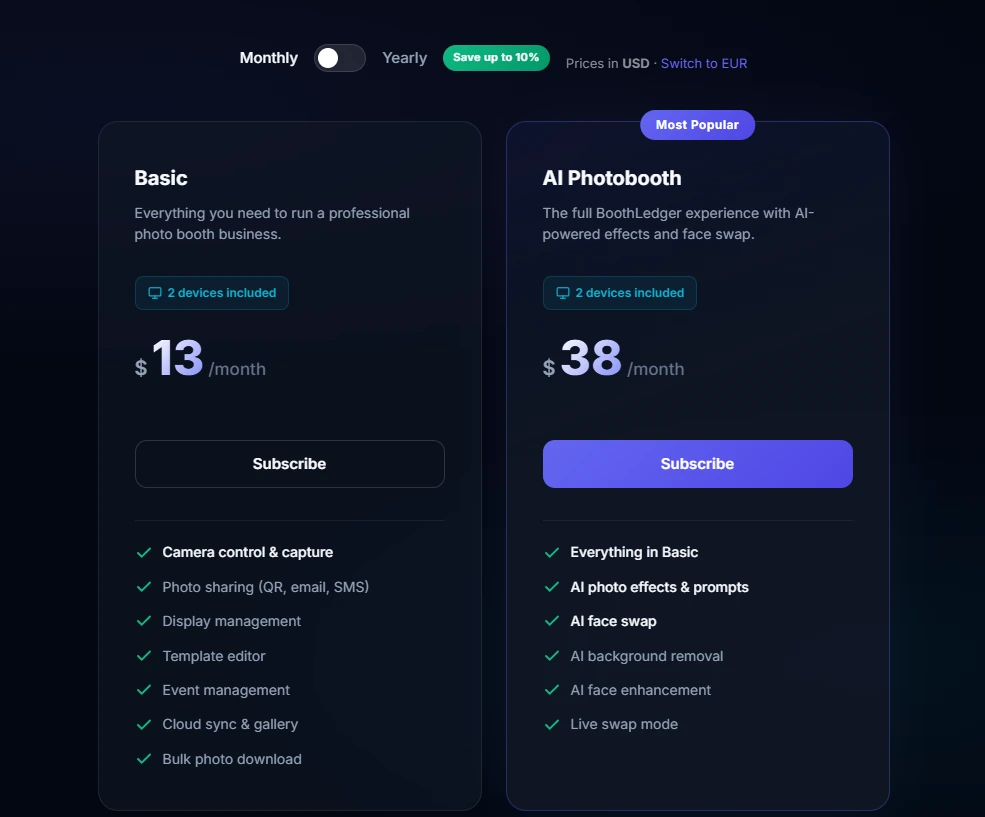
- Basic costs $13/month. Two devices; Canon DSLR and webcam capture; QR, email, and SMS sharing; template editor; cloud gallery.
- AI Photobooth costs $38/month. Everything in Basic plus 50+ AI art styles, face swap, AI background removal, face enhancement, and dual AI engine selection.
Source: BoothLedger
A 30-day free trial with no credit card required is available. When a trial expires, events and photos are preserved.
Pricing is denominated in EUR. BoothLedger is headquartered in Dublin, Ireland; operators in non-EUR markets will see currency conversion applied at billing.
Use BoothLedger if:
- You run dual-booth festival activations and want both devices on one flat-rate subscription without per-device add-on fees
- You want AI effects that are cost-predictable at any guest volume, with no per-generation billing risk
- You operate Canon DSLR equipment on Windows and need professional image quality at outdoor festivals
- You need a booth that keeps running when festival Wi-Fi drops entirely
And That’s Our List of…
…The best photo booth platforms for music festivals and outdoor events, covering operators and budgets of all sizes. Some platforms offer more features than others. But for festival and outdoor use, connectivity resilience, setup speed, photo quality in variable lighting, and marketing data capture matter more than feature count alone.
Here are our top three picks for the most common festival use cases:
- Simple Booth: If you want a self-running iPad photo booth with professional ring lighting, offline reliability, and built-in lead capture that turns festival activations into measurable marketing events. Get started with a free Simple Booth trial.
- Snappic: If you operate multiple booth types (iPad, 360, GlamBot, mirror, roaming) and need one platform covering all formats with AI effects and client-facing analytics.
- LumaBooth: If you’re entering the festival market and need the lowest-cost professional platform with a full feature set, cross-platform flexibility, and an unlimited free trial to test in real conditions.
Best Photo Booths for Music Festivals and Outdoor Events FAQ
What is the best photo booth for music festivals?
Simple Booth is our top pick for music festivals, combining HALO ring lighting hardware (2,100 lumens, machined aluminum chassis) with an iPad app that sets up in under a minute and runs unattended. Its offline mode keeps the booth running when festival Wi-Fi drops, and the built-in lead capture achieves opt-in rates as high as 87-89%, making it ideal for operators and sponsors who need both photo quality and marketing data.
Which photo booth software works offline at outdoor events?
Several platforms on this list offer offline capabilities. Simple Booth queues sessions in offline mode and delivers when connectivity returns. Touchpix runs AI background removal and face replacement entirely on-device with no internet needed, plus offers Scanpix 2 for internet-free photo delivery. BoothLedger captures, prints, and queues shares without internet. Darkroom Booth operates all core functions locally on Windows. Curator Live processes AR background removal on-device.
What is the most affordable photo booth software for festivals?
LumaBooth offers the lowest monthly entry price at $19.99/month for the Apple plan (iPad/iPhone/Mac), including two device licenses and full access to photo, GIF, 360, glam booth, green screen, and AI background removal. It also offers an unlimited free trial with no time limit and no credit card required. BoothLedger’s AI Photobooth plan at €35/month is another budget-friendly option that bundles AI effects with no per-image charges.
Can I use a photo booth without a subscription?
Yes. Darkroom Booth offers a one-time $295 perpetual license for Windows that continues to run core functions even if the optional $95/year maintenance plan is not renewed. Snappic offers a $29 per-event license for seasonal operators who want to avoid monthly subscription costs. Most other platforms on this list require active subscriptions.
Which photo booth is best for 360-degree video at festivals?
Touchpix is the most specialized platform for 360-degree spinning video booths, with Bluetooth-triggered spinner activation, slow-motion effects, and the widest camera compatibility (GoPro 7-14, Canon, Nikon, Sony across six operating systems). Snappic also supports 360 video as part of its multi-booth-type coverage, and Curator Live offers 360 video with AR compositing for brand activations.
What photo booth features do festival sponsors care about most?
Festival sponsors typically prioritize three things: lead capture (collecting email addresses, phone numbers, and opt-in consent during the photo experience), branded content (custom overlays, AI effects, and white-labeled delivery that carry the sponsor’s identity), and post-event analytics (engagement metrics, sharing rates, and audience data that demonstrate activation ROI). Simple Booth, Snappic, and Curator Live each offer these capabilities at different price points and depth levels.
How much does photo booth software cost for festival operators?
Costs range widely based on platform and billing model. LumaBooth starts at $19.99/month, BoothLedger at €20/month (Basic) or €35/month (AI), Simple Booth Core at $24/week or $490/year, Snappic Starter at $69/month, Touchpix MultiPass at $879.99/year, Curator Live Standard at $69/month, and Darkroom Booth at a one-time $295. AI effects, additional device licenses, and SMS delivery are common add-on costs across most platforms.
Keep reading
 Best Of
7 Best Photo Booth Software with Video Message and Slo-Mo Capture [2026]
Booths that capture heartfelt video notes and buttery slo-mo. The moving stuff.
 Best Of
6 Best Photo Booth Software With QR Code Sharing [August 2026]
Booths that beam every snap to a phone with a quick scan. QR sharing done right.
 Best Of
7 Best Photo Booth Software With Real-Time Analytics and Dashboards [August 2026]
Booths that show the numbers as the party happens. Live dashboards, real insight.