7 Best Photo Booths for Nonprofits, Schools, and Community Events [August 2026]

Nonprofits raised over $557 billion in 2023, but most development teams face a problem they don’t discuss: turning a room full of supporters into a contact list they can actually use.
Galas end. Community festivals pack up. School carnivals wind down. The energy walks out the door with every guest who didn’t leave their email. Event photographers capture the night well, but those photos rarely become new donor relationships, volunteer sign-ups, or repeat attendees.
This is where photo booths have become one of the most useful tools for nonprofit and school events.
A good photo booth does three things at once: it entertains guests, captures shareable branded content, and collects contact information in a way that feels like fun rather than a form. For schools, it builds spirit. For nonprofits, it collects contacts while guests enjoy themselves. For community organizations, it keeps people talking about the event after the decorations come down.
We researched and tested the leading photo booth platforms to find the best options for organizations that need to:
- Run events with volunteer staff and no on-site tech support,
- Capture donor and attendee contact information,
- Operate on tight or nonexistent software budgets,
- Produce shareable content that extends the event’s reach,
- Deploy across different venue types and connectivity conditions,
- And deliver branded, keepsake-quality output.
Here are the best photo booth platforms for nonprofits, schools, and community events in 2026.
What Makes a Photo Booth Right for Nonprofits, Schools, and Community Events?
Photo booths for nonprofits, schools, and community events are software platforms (often paired with hardware) that let organizations run interactive, branded photo experiences at fundraisers, school dances, community fairs, galas, and other gatherings. Unlike commercial photo booth rental services, these platforms serve organizations that may own their equipment, run events with volunteers, and need the booth to do double duty: entertain guests and collect data.
The right platform depends on your situation: budget, existing equipment, event frequency, staffing, and whether you need the booth to capture contact information or simply create a fun experience.
| Best Photo Booths for Nonprofits, Schools & Community Events | ||
|---|---|---|
 | Simple Booth Best for organizations that need a self-operating photo booth with built-in lead capture for donor and attendee data collection. | |
 | Snappic Best for large nonprofits and professional event teams running multi-format booths (iPad, 360, mirror, GlamBot) from a single platform. | |
 | Photobooth Supply Co. (Fiesta) Best complete hardware-and-software package for organizations buying a photo booth setup from scratch. | |
 | LumaBooth Best budget-friendly software for schools and nonprofits with existing Canon, Nikon, or Sony cameras. | |
 | TouchPix Best for community events that want 360-degree spinning video experiences on any device. | |
 | Darkroom Booth Best for print-focused events and organizations that need a one-time perpetual license instead of a subscription. | |
 | ZillaBooth Best free photo booth app for school clubs and volunteer groups with zero software budget. | |
How to Choose the Best Photo Booth for Your Organization
Here’s a checklist for finding the right photo booth platform:
- Budget Reality: Be honest about what your organization can sustain. Some platforms cost $17/month; others run $249/month. A few offer perpetual licenses or free tiers. Match the pricing model to how your budget works (annual allocation, per-event, or recurring).
- Existing Equipment: Do you already own iPads, DSLR cameras, or Windows computers? Some platforms are iPad-only; others tether to Canon, Nikon, or Sony cameras on Windows. The right choice often depends on what’s already in the supply closet.
- Staffing Model: Will a dedicated volunteer run the booth, or does it need to operate unattended for hours? Self-operating and kiosk-mode features matter most for understaffed events.
- Data Capture Needs: If your goal is collecting donor emails, attendee phone numbers, or survey responses, look for platforms with built-in lead capture forms and CRM export. If data collection creates compliance concerns (school events with minors), look for platforms that let guests share photos without submitting personal information.
- Venue Connectivity: Outdoor festivals, school gymnasiums, and community center basements often have unreliable Wi-Fi. Offline photo capture and delivery can prevent a failed guest experience mid-event.
- Event Frequency: Organizations running one or two events per year have different needs than those hosting monthly events. Per-event pricing, perpetual licenses, or free tiers may cost less than annual subscriptions for infrequent use.
How We Picked the Platforms
We started with the most commonly recommended photo booth platforms in the nonprofit, education, and community event space, then tested each through demos, free trials, help center documentation, and user reviews across the App Store, G2, and Capterra.
We evaluated each platform against four criteria:
- Ease of Use: Can a volunteer with no technical background set up and run this booth at an event?
- Budget Fit: Does the pricing model work for organizations with constrained, approval-dependent budgets?
- Data & Engagement Value: Does the booth capture contact information, generate shareable content, or produce analytics for post-event reporting?
- Operational Resilience: Can the booth run reliably in unpredictable community venues with limited Wi-Fi, rotating staff, and multi-hour events?
This gave us seven platforms, each suited for a different situation. Let’s dive in.
1. Simple Booth — Best for Self-Operating Photo Booths with Built-In Lead Capture
For nonprofits and schools, the photo booth moment is a rare window: guests are relaxed, having fun, and willing to engage. The question is whether your booth captures that moment as a contact you can follow up with, or just as a photo on a camera roll.
Simple Booth turns that moment into a data capture opportunity.
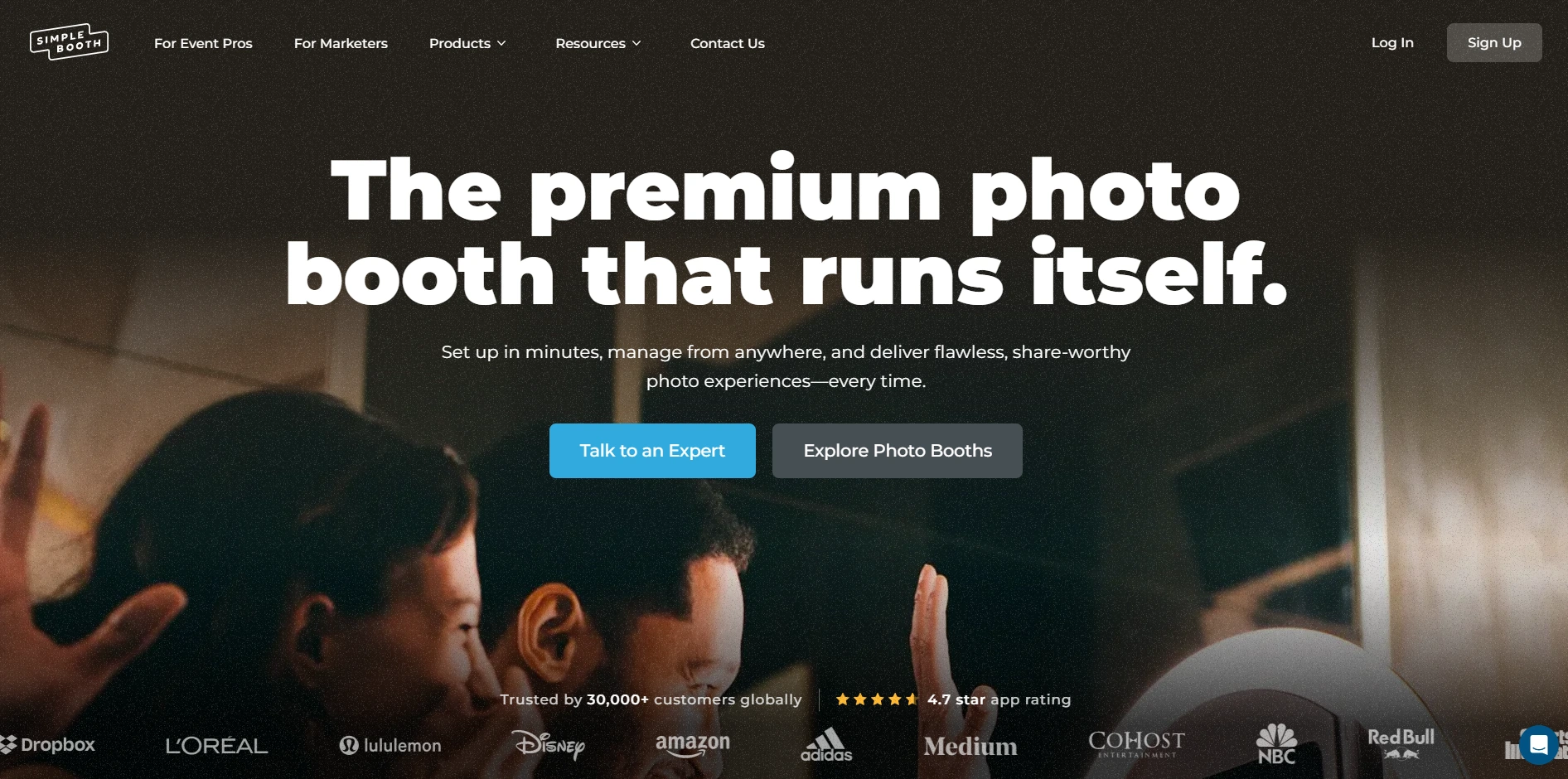
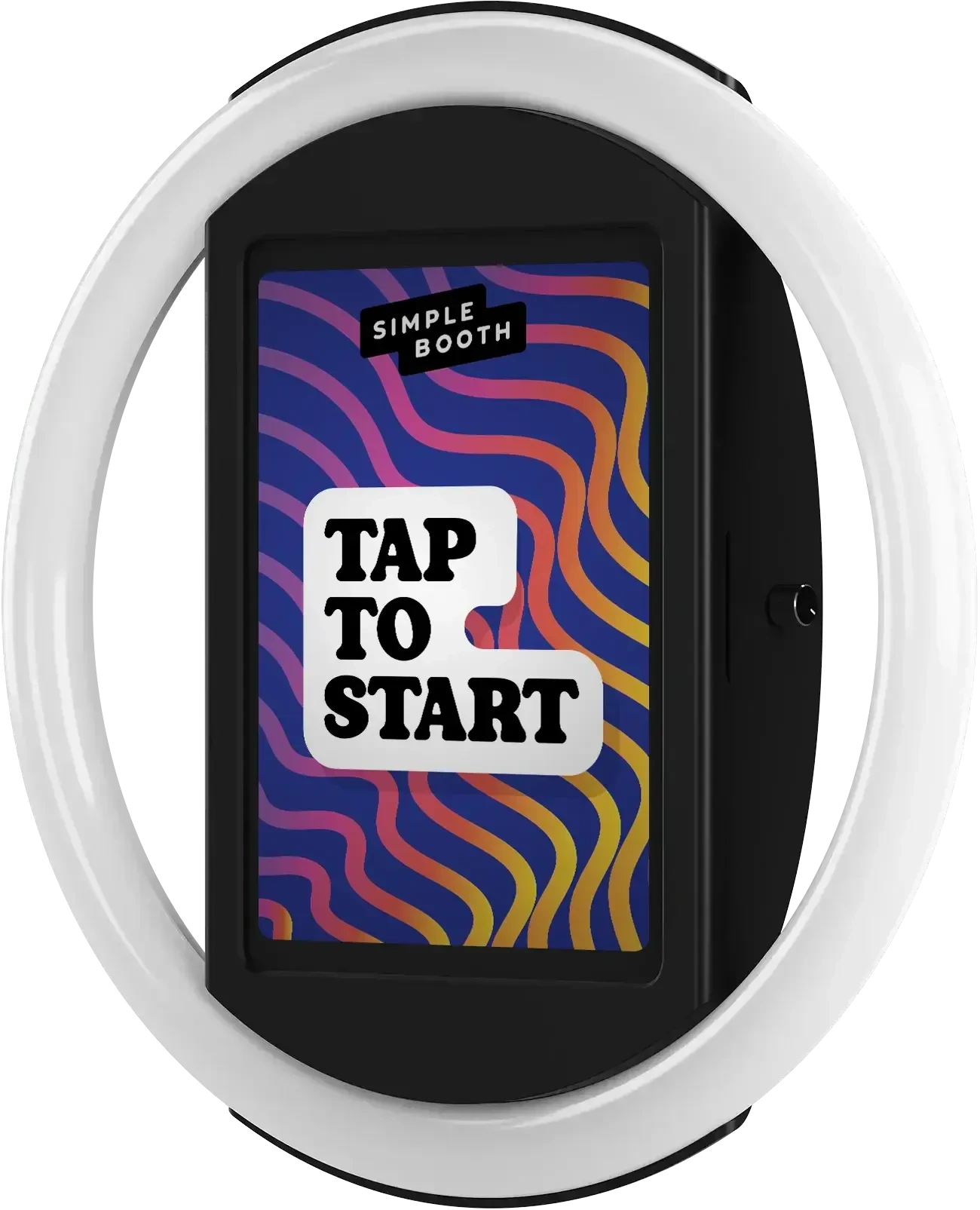
Simple Booth is an iPad-based photo booth platform that pairs a subscription app (the HALO app) with proprietary ring-light hardware (the HALO kits) and a browser-based Virtual Booth for remote or hybrid events. It sets up in minutes, manages from anywhere, and runs with minimal staffing, making it well suited for organizations that need a self-operating booth with built-in data collection.
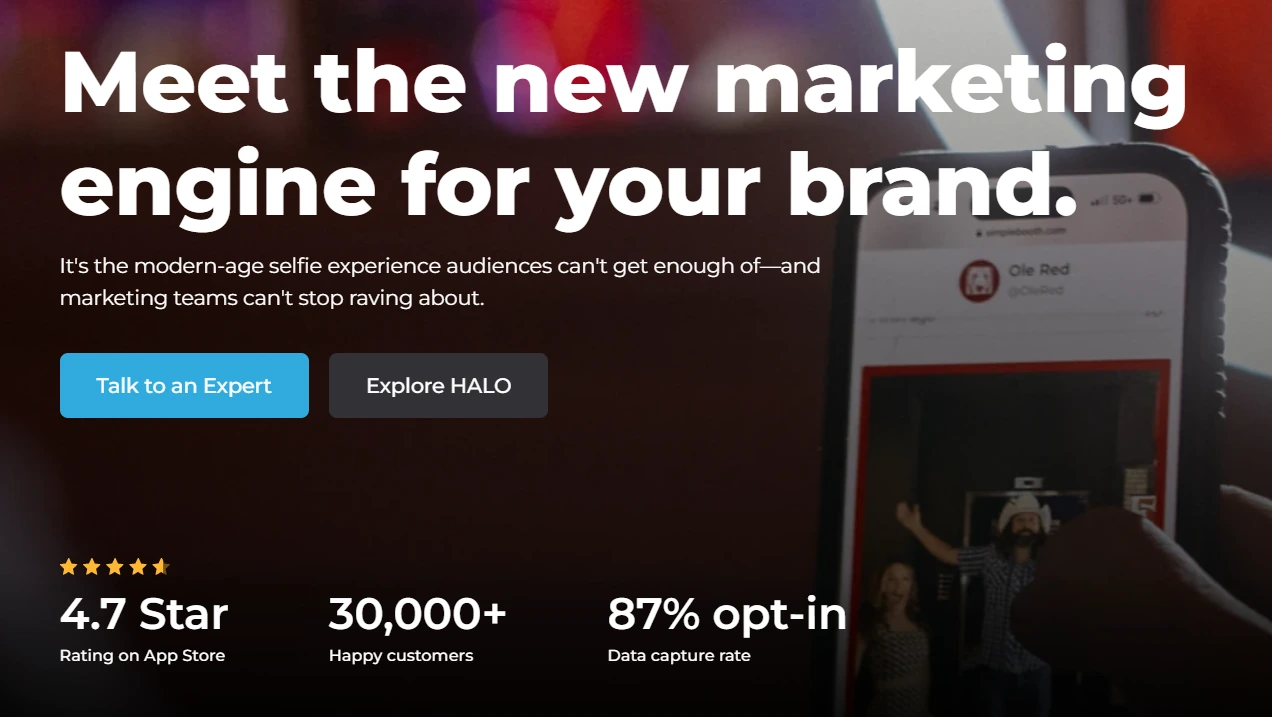
The platform serves 30,000+ customers globally and has captured 40 million+ moments since 2013, and holds a 4.7-star App Store rating from 2,400+ ratings.
| Simple Booth Pros | Simple Booth Cons |
|---|---|
| - 1-minute setup with no tools required | - iPad-only (no Android or Windows support) |
| - 87%+ opt-in rate on lead capture forms | - Occasional post-update bugs reported in reviews |
| - Remote management from any browser | - Entry Lite tier includes ads |
| - Offline mode queues photos for later delivery | - DSLR support requires Core plan or above |
| - AI effects, background replacement, and Layout Designer built in |
Why Choose Simple Booth for Nonprofit and School Events?
Simple Booth earned the top position on this list for a specific reason: it turns a photo booth into a data collection and engagement tool while requiring the least effort to run.
Self-Operating Reliability for Volunteer-Staffed Events
The HALO hardware deploys in under one minute with no tools: the iPad snaps into a tool-less faceplate, the ring light powers on, and the app launches into booth mode. Once running, the booth operates on its own.
A Preflight Check screen catches configuration issues before the event starts, and iPad Guided Access prevents guests from navigating away. For organizations running events with volunteers who have never used photo booth software, this setup-and-leave reliability matters more than any feature list.
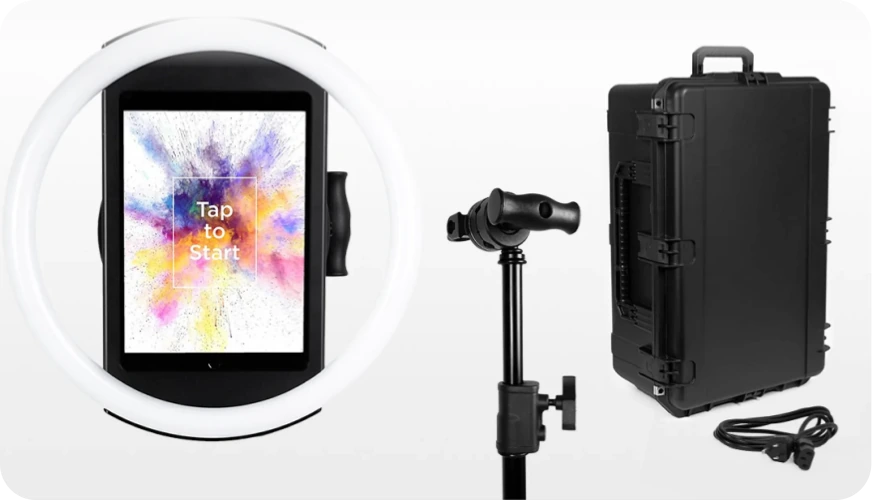
The HALO chassis is machined from a single billet of aluminum with 112 LEDs producing up to 2,100 lumens, rated for 50,000 hours of operation. Groups can stand 6 to 8 feet back and still be well-lit. The booth produces flattering photos in the dim ballrooms and gymnasium lighting typical of galas and school dances.
Lead Capture That Feels Like Part of the Fun
This is where Simple Booth delivers the most value for nonprofits. The platform captures opt-in rates as high as 87 to 89% because the data collection form sits inside the photo-sharing flow: guests enter their information to receive their photo, not as a separate ask.
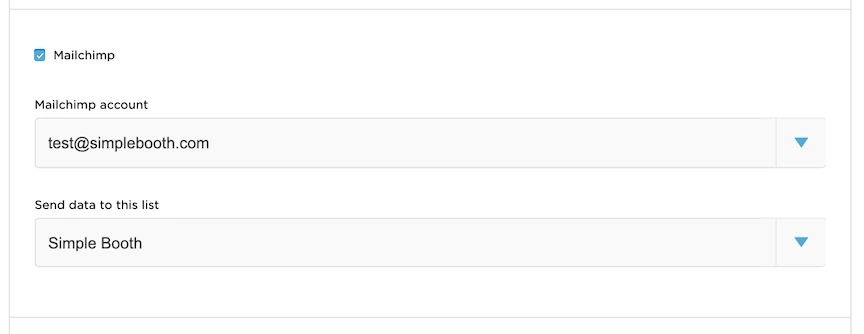
Pro and Select plans support up to 6 standard fields or 10 custom fields including checkboxes and legal terms, with data exporting as CSV or syncing with MailChimp. For nonprofits building email lists at events, this approach works better than a sign-up sheet at the registration table.
Arizona Opera grew its email list by 1,000 addresses in a few events using Simple Booth’s lead capture. (Simple Booth)
Virtual Booth for Hybrid and Remote Engagement
Not every event is in-person. Virtual Booth runs entirely in a web browser with no app install, letting participants join from their own devices via a QR code or link. It supports background replacement, overlays, AI effects, and data capture, all feeding into the same analytics dashboard as in-person HALO sessions.
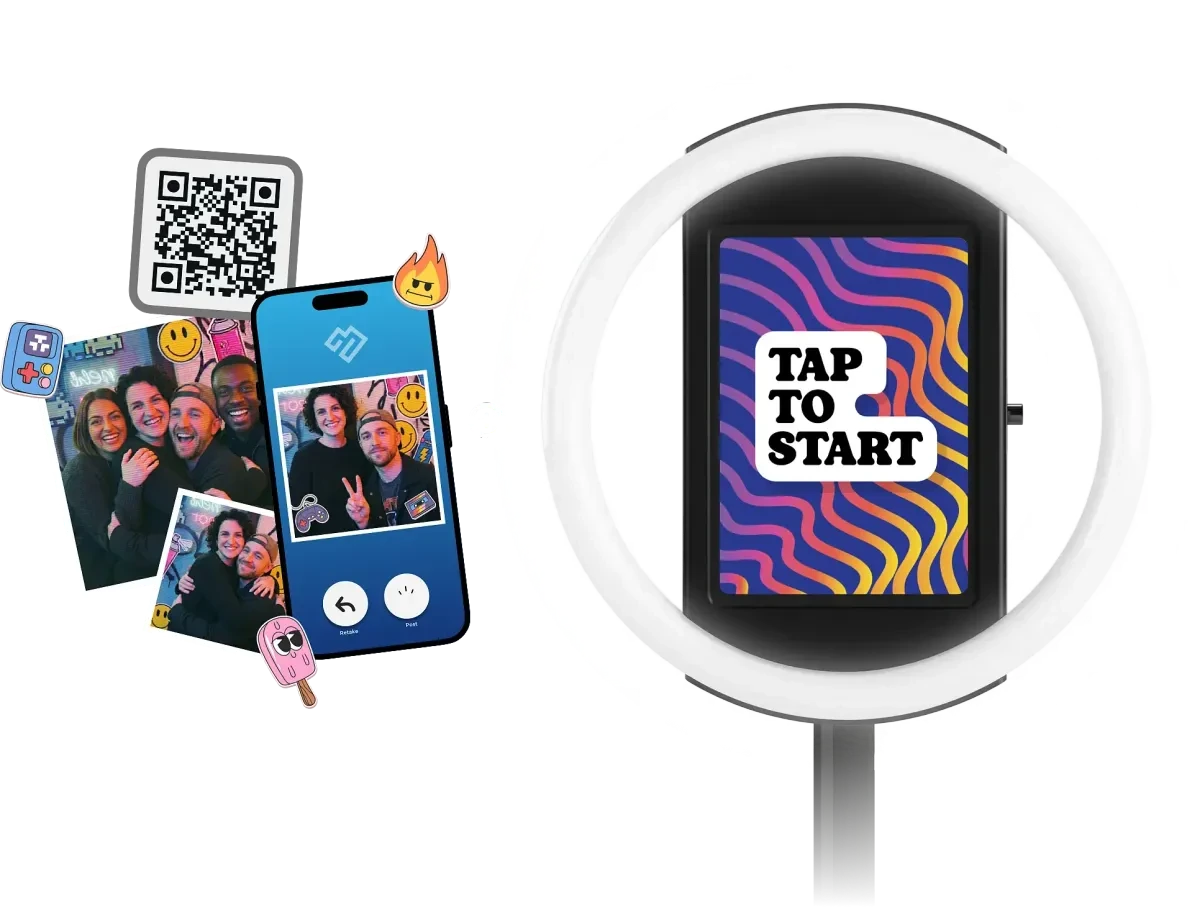
For nonprofits running virtual galas, hybrid fundraising campaigns, or ongoing engagement tied to printed materials and email outreach, Virtual Booth extends the photo booth experience beyond the physical venue.
Remote Management and AI Tools

Operators configure and update presets remotely via the online dashboard, with changes syncing to the iPad without exiting booth mode.
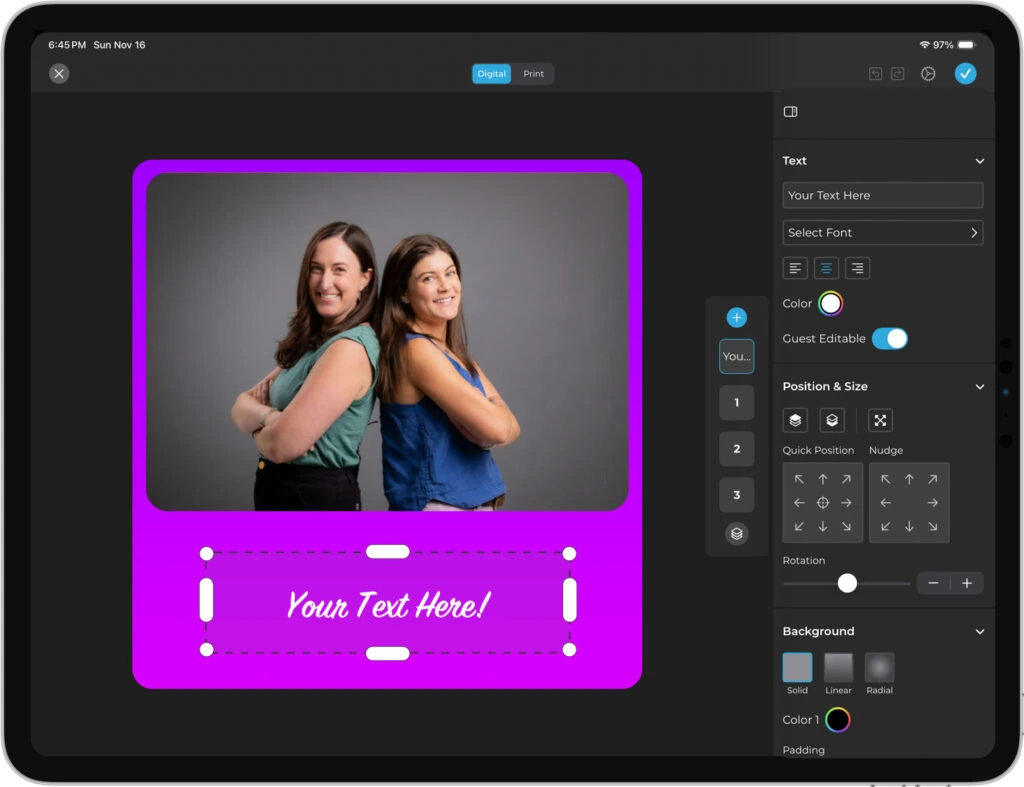
The Layout Designer is a built-in design tool for creating branded templates with logos, overlays, text layers, and gradients, replacing the need for external graphic design software.
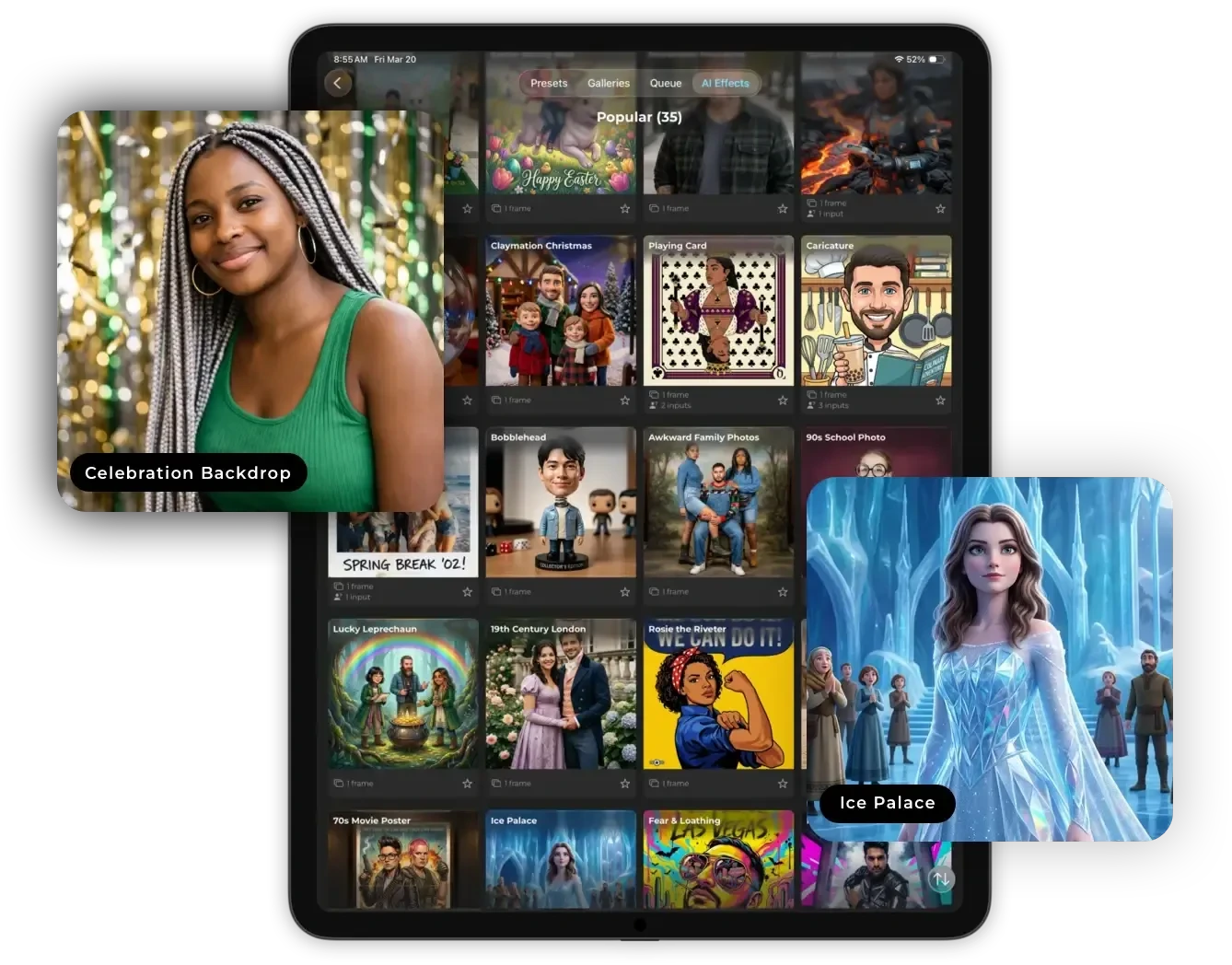
AI Effects transform guest photos using text prompts while preserving the guest’s identity regardless of the artistic style. You can test prompts outside booth mode at no credit cost.
Simple Booth Pricing
Simple Booth uses a per-license subscription model. Each plan includes one device license with no caps on photos or events:
- Lite at $14.99/week, $29.99/month, or $289.99/year (App Store only): custom layouts, motion and still capture, photo delivery, online galleries. Includes ads; excludes branding, analytics, and lead capture.
- Core at $24/week, $49/month, or $490/year: removes ads; adds DSLR camera support, video, background replacement, Dropbox integration, AI effects, and Virtual Booth.
- Plus at $49/week, $99/month, or $990/year: adds custom branding, analytics, guest-editable text, and custom AI effects.
- Pro at $149/month or $1,490/year: adds lead capture, API integration, phone support, moderation, and age gate.
- Select at $249/month or $2,490/year: adds custom legal terms, demographic analytics, and security questionnaire support.
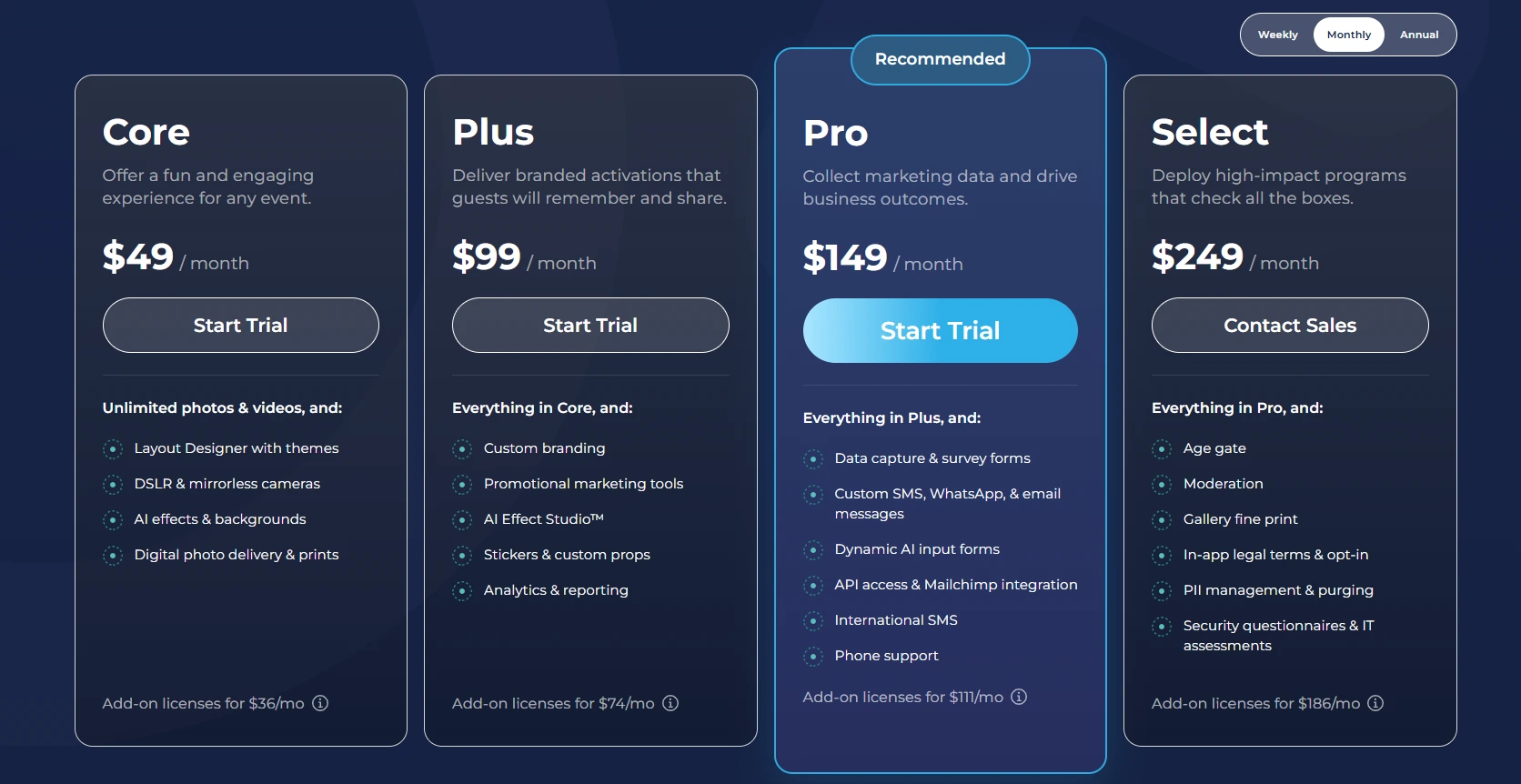
A 7-day free trial is available with 25 free AI credits. HALO hardware kits are sold separately at buy.simplebooth.com with 0% financing available.
Use Simple Booth If:
- You need a self-operating photo booth that volunteers can set up in under a minute and leave running unattended
- Your primary goal is capturing donor or attendee contact information with high opt-in rates as part of the photo experience
- You want remote management so a coordinator can configure and monitor the booth without being on-site
- You run hybrid or virtual events and need a browser-based booth alongside your in-person hardware
- You want strong photo quality with ring lighting in venues with dim or inconsistent ambient light
2. Snappic — Best for Large Nonprofits Running Multi-Format, High-Volume Events
Source: Snappic
Large nonprofits and universities don’t run one type of event. A gala might call for a mirror booth in the ballroom and a 360 spinner on the dance floor. Orientation week might need iPad stations at check-in and roaming photography across campus. Running separate software for each format creates credential sprawl, duplicate billing, and volunteer confusion.
Snappic consolidates all of it. The platform supports iPad photo booths, 360-degree video booths, mirror booths, GlamBot/robot arm setups, and roaming photography under a single subscription. It is the only platform on this list covering this many hardware formats from one account, and it has been deployed at 100,000+ events worldwide across 8,000+ operators.
| Snappic Pros | Snappic Cons |
|---|---|
| - Covers iPad, 360, mirror, GlamBot, and roaming booth formats | - AI background removal and international SMS cost extra |
| - AVA demographic analytics for post-event reporting | - Starter plan excludes AI-FX, analytics, and white-label features |
| - 24/7/365 live support including during events | - Scale plan pricing may exceed small nonprofit budgets |
| - Send Analytics to Client for board-ready deliverables |
Snappic: Top 3 Advantages for Nonprofits
1. One Platform for Every Booth Format.
According to Snappic’s own comparison pages, the platform covers more booth types than any named competitor from a single subscription. Volunteers train on one system, administrators clone event settings from one dashboard, and budget officers negotiate one vendor contract. This matters most for organizations whose booth fleet is growing or whose events mix formats.
2. AI Photo Enhancement Without On-Site Design Expertise.
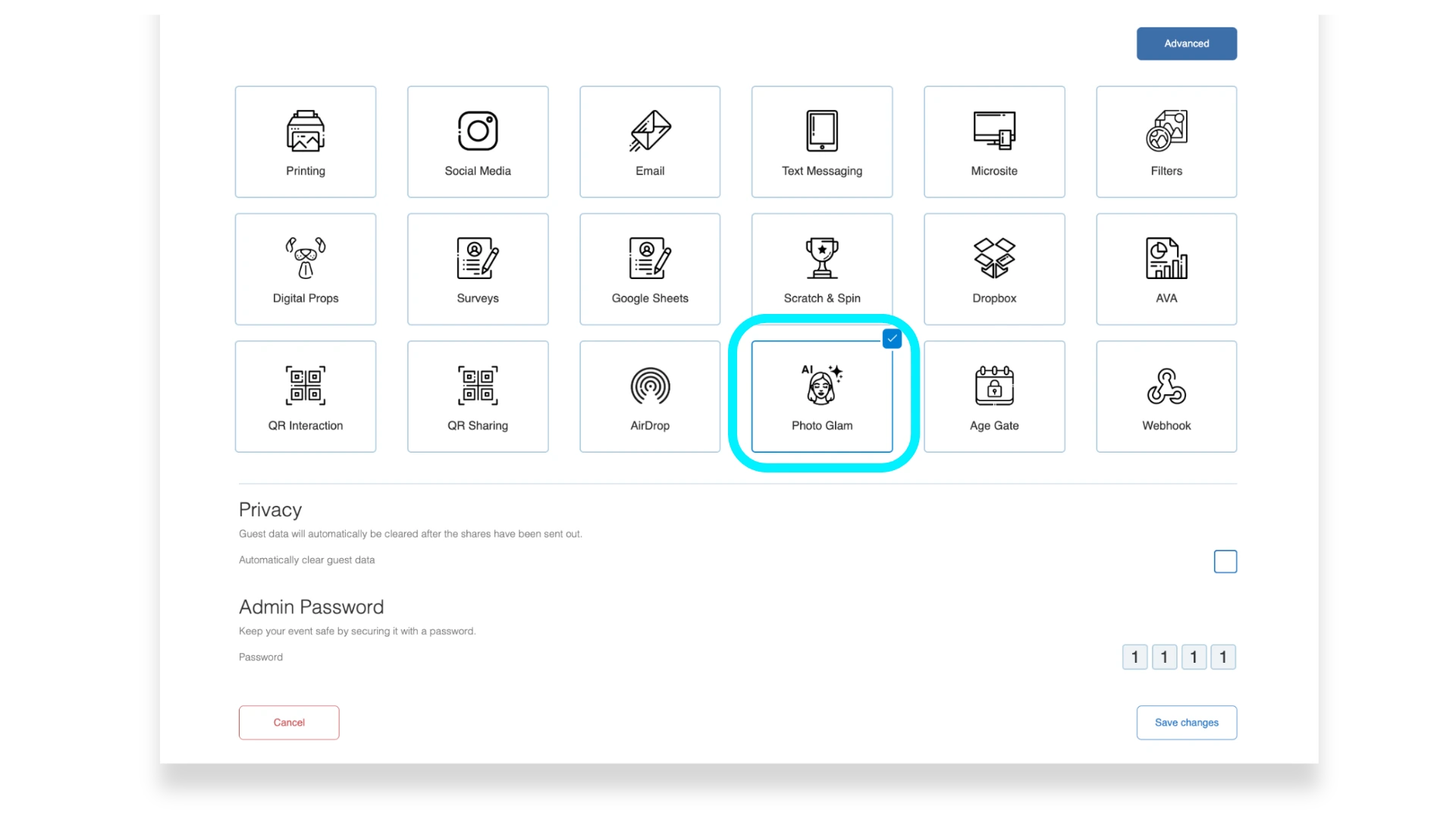
Photo Glam runs offline, applying skin smoothing at configurable intensity without credits or internet.
Source: Snappic
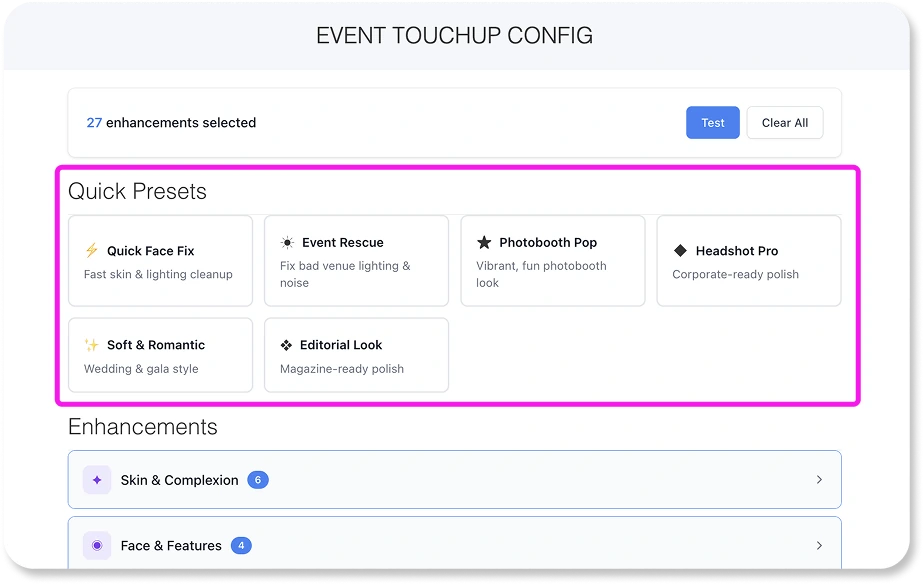
AI Touchups applies cloud-based enhancement across 40+ parameters with presets for weddings, corporate events, and photo booths. AI-FX generates style transfers and branded keepsakes that guests share on their own. All AI features are available on every plan tier.
Source: Snappic
3. Data Capture and Analytics for Impact Reporting.
The Send Analytics to Client feature (Business+) generates a shareable webpage with the event gallery, downloadable contact data, and engagement metrics. Development teams can forward this directly to major donors or grant partners. AVA (Automated Vision Analytics) produces aggregate demographic breakdowns (gender, age ranges, face counts) without identifying individuals. Custom surveys collect structured responses exportable via CSV or routed through webhooks to CRMs in real time.
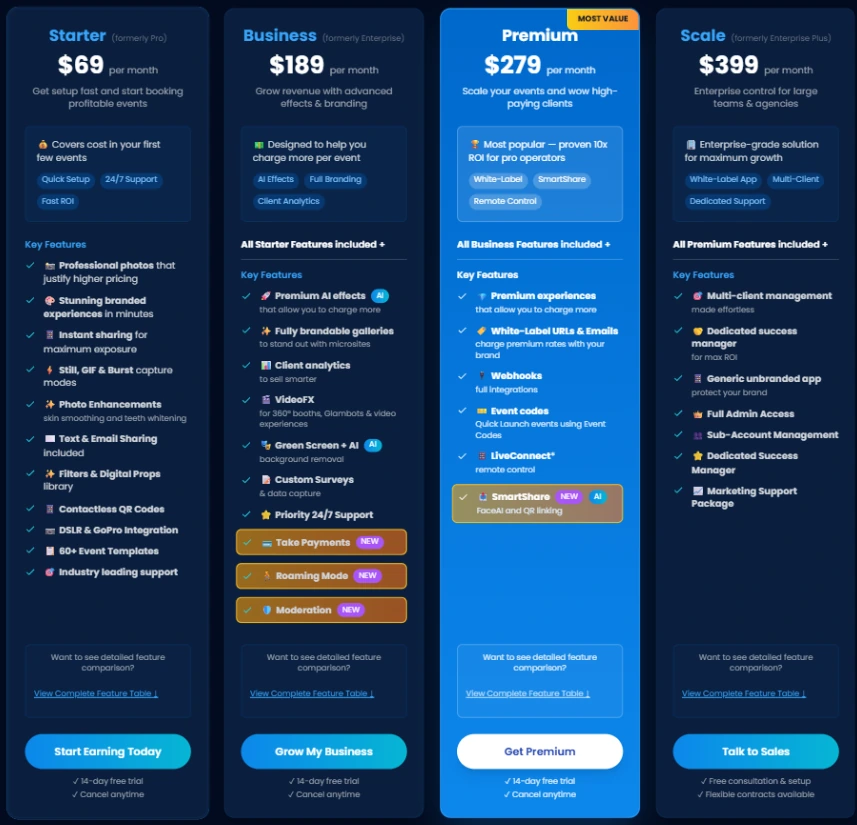
Snappic Pricing
Snappic uses a per-booth license subscription model. Annual billing saves 20%.
- Starter at $69/month ($499/year): one photo booth license; core capture, SMS/email sharing, 60+ templates, 24/7 support. Excludes VideoFX, AI-FX, and client analytics.
- Business at $189/month ($1,799/year): adds VideoFX (360, GlamBot, video), AI-FX, branded microsites, client analytics, custom surveys, roaming mode, and priority support.
- Premium at $279/month: all Business features plus white-label URLs, webhooks, and LiveConnect remote booth control.
- Scale at $399/month ($3,999/year): multi-client management, unlimited sub-accounts, and a dedicated Customer Success Manager.
Source: Snappic
Per-event licenses are available at $29 (Starter) or $79 (Business) for one-off events.
Use Snappic If:
- Your organization runs multiple booth formats at the same event or across a circuit of events and needs one platform for all of them
- You need post-event analytics to report engagement to boards, donors, or grant partners
- You manage a professional event operation with multiple clients or multi-room events simultaneously
3. Fiesta by Photo Booth Supply Co. — Best Complete Package for Starting from Scratch
Source: Fiesta
For a nonprofit PTA or school events committee buying a photo booth for the first time, the biggest barrier isn’t price. It’s figuring out what to buy, whether it will work together, and who to call when it doesn’t.
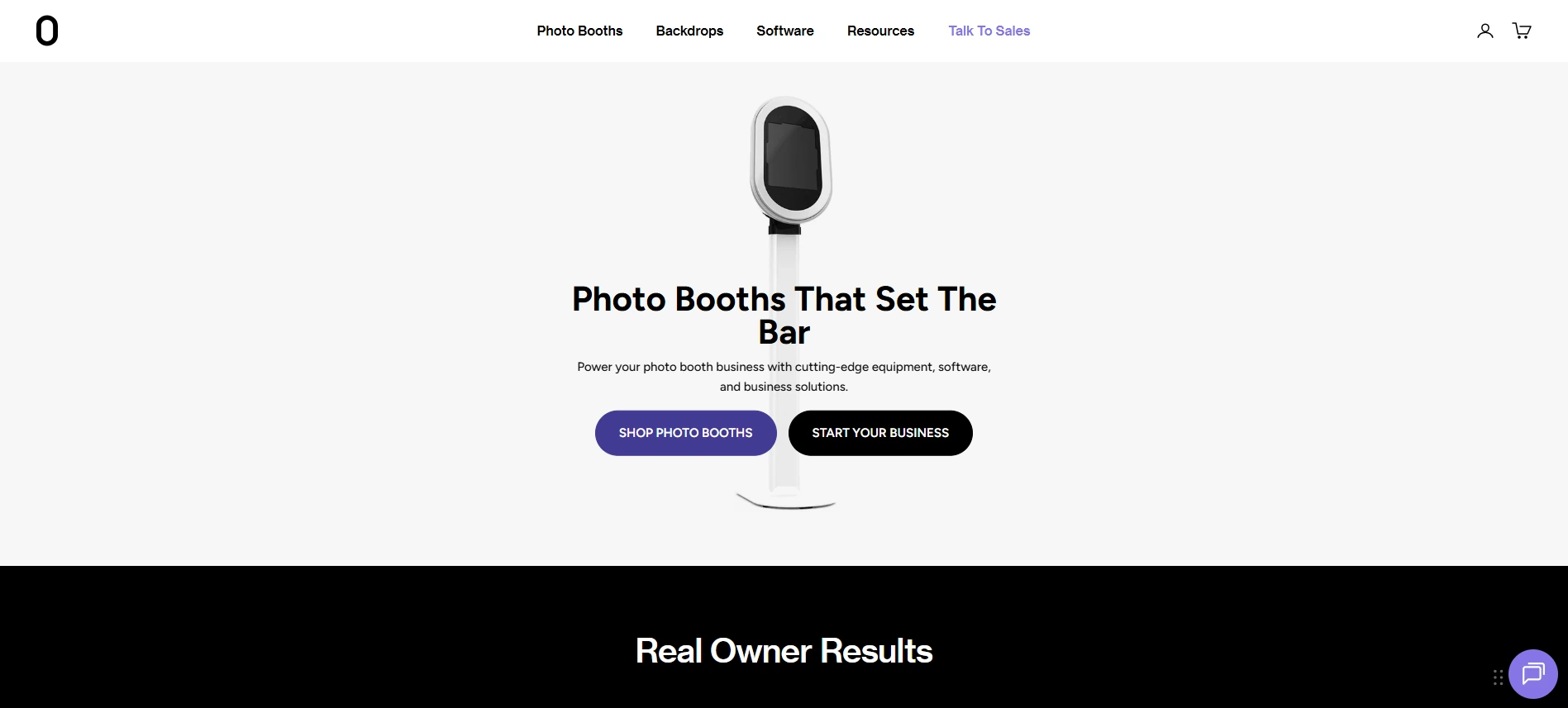
Fiesta eliminates that problem. Photo Booth Supply Co. (PBSCO) sells every layer: the enclosure (Salsa 2, Tortilla 360 spinner, Guac & Chips backdrop), the printer, and the software. When a nonprofit buys a PBSCO booth with a Fiesta subscription, the hardware and software have already been tested together. Native LED control, Bluetooth motor sync for the Tortilla arm, and DSLR-specific camera optimizations are exclusive to Fiesta and cannot be replicated by third-party software.
| Fiesta Pros | Fiesta Cons |
|---|---|
| - One vendor for hardware, software, and support | - 360 and print output require Pro plan |
| - Built-in Design Studio with thousands of templates | - No Windows support |
| - Unlimited SMS, email, QR, and AirDrop sharing on all plans | - Phone support only on Pro plan |
| - Annual subscribers get up to $1,000 off PBSCO hardware |
Fiesta: Top 3 Advantages for First-Time Buyers
1. Single-Vendor Simplicity.
One support contact for the entire setup is a real advantage for volunteer-run organizations without IT or AV staff. The Salsa 2, Tortilla, and Guac & Chips are all co-designed with Fiesta, so compatibility is guaranteed out of the box.
2. Design Studio for Non-Designers.
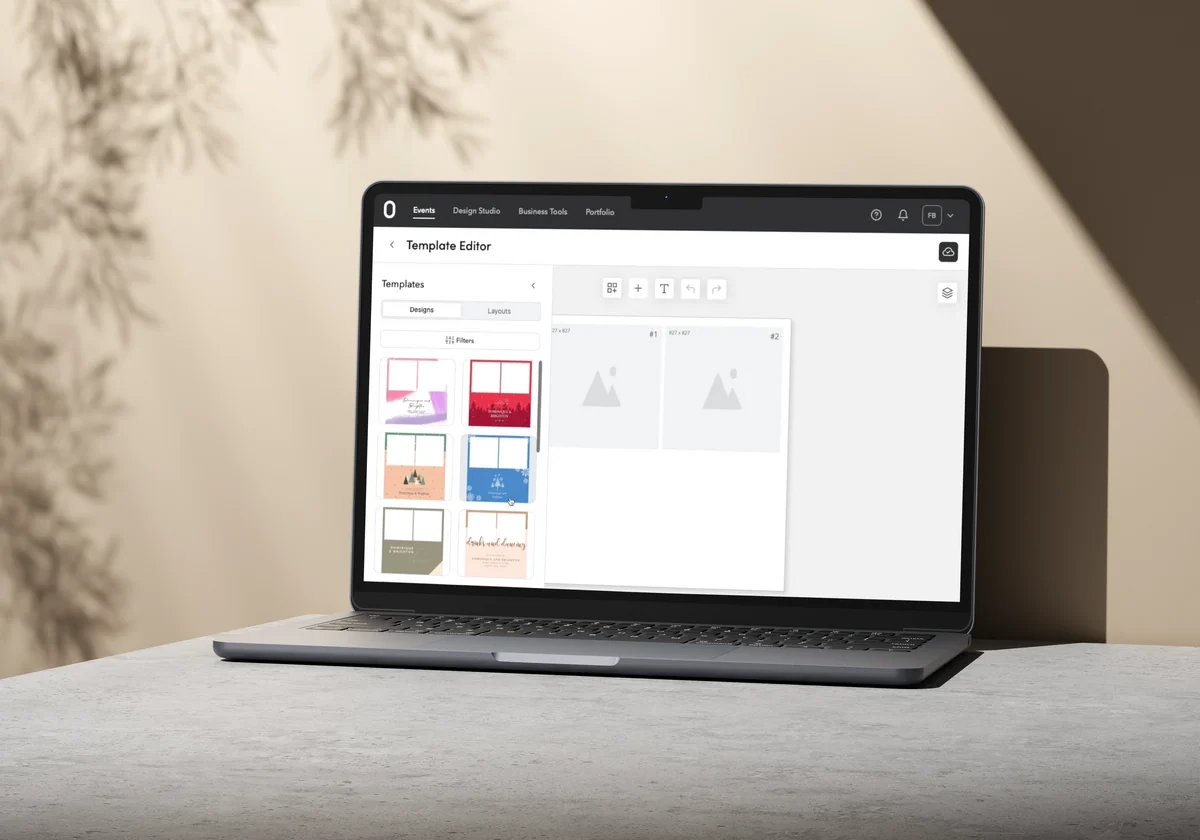
The Design Studio is a browser-based drag-and-drop editor with thousands of templates organized by event type. Volunteers can build branded overlays, tap-to-start screens, and print layouts without Photoshop or external design tools. Completed designs link to the event and load automatically on the booth iPad at launch.
Source: Fiesta
3. Live Gallery and Analytics for Post-Event Reporting.
The Live Gallery (Pro) streams each capture to any connected screen or projector in real time, keeping participation up throughout multi-hour events. The analytics dashboard tracks total captures, delivery method breakdowns, gallery views, and lead data, giving committees concrete engagement metrics for funder and board reports.
Fiesta Pricing
Fiesta charges a flat monthly subscription with no per-event or per-capture fees.
- Plus at $59/month (~$49/month billed annually at $590/year): unlimited captures, all capture modes except 360 and print, Design Studio, unlimited sharing, analytics, and AI background removal.
- Pro at $119/month (~$99/month billed annually at $1,190/year): adds 360 event type, print output, live gallery, unlimited sharing stations, phone support, surveys, and Dropbox/FTP integration.
Annual subscribers receive hardware discounts: up to $1,000 off a Tortilla 360 spinner and up to $750 off a Salsa 2 (Pro annual). Free trial available with no credit card required.
Use Fiesta If:
- You’re buying a complete photo booth setup for the first time and want hardware, software, and support from one vendor
- Your volunteer coordinators need to create branded templates without design expertise
- You want a live photo feed on a projector to keep crowd energy up at galas and community events
4. LumaBooth — Best Budget-Friendly Option for Organizations with Existing Cameras
Source: LumaBooth
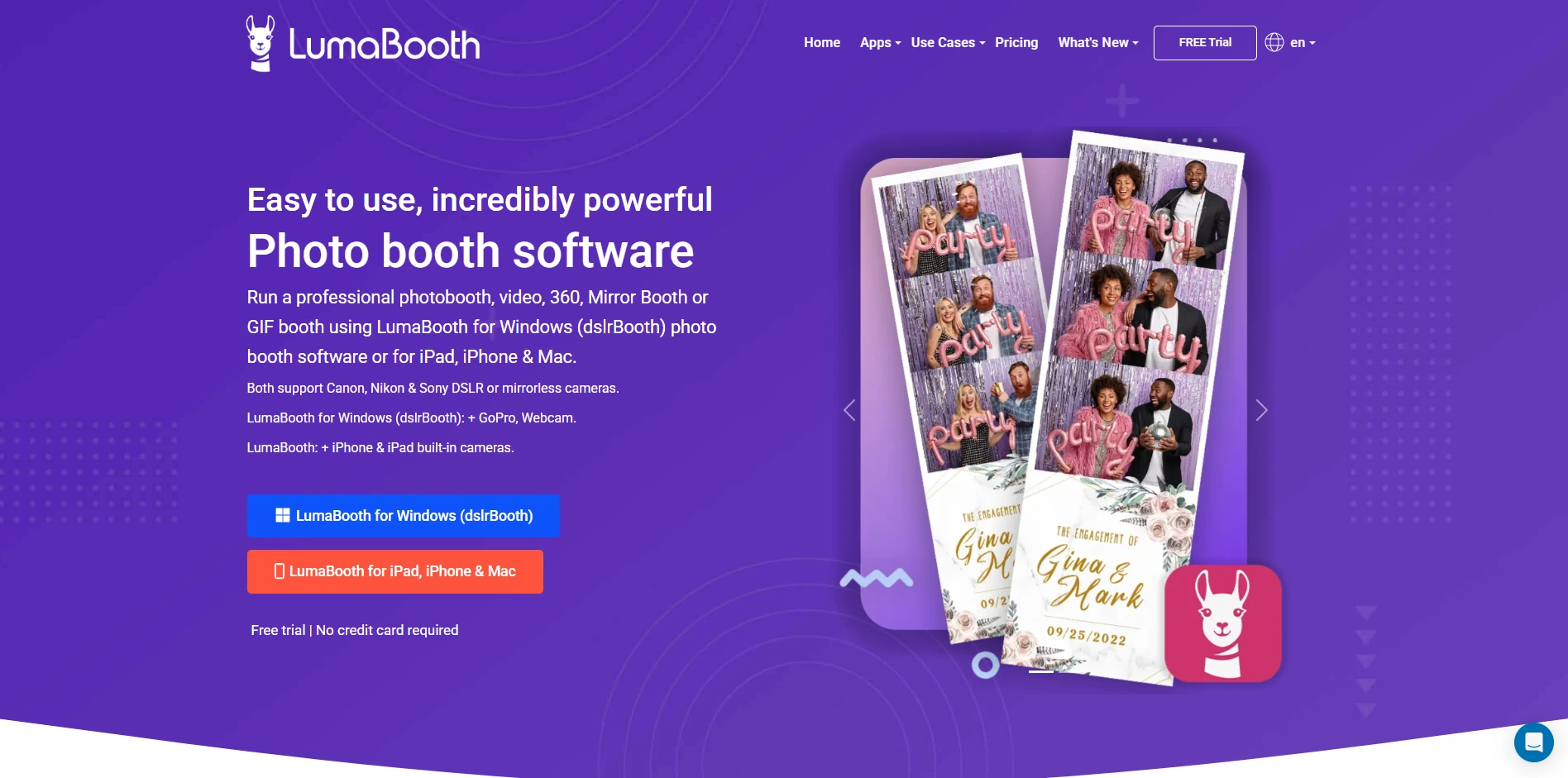
Most photo booth platforms assume you’re starting with an iPad. But many schools already own Canon DSLRs for yearbook photography, and plenty of nonprofits have Nikon or Sony cameras donated by board members. LumaBooth lets you build a photo booth on equipment you already have.
LumaBooth (by Lumasoft, formerly dslrBooth until a March 2026 rebrand) runs on Windows PC, iPad, iPhone, and Mac, tethering directly to Canon, Nikon, and Sony cameras over USB. Its annual subscription costs approximately $17/month for Windows, one of the lowest price points in professional photo booth software.
| LumaBooth Pros | LumaBooth Cons |
|---|---|
| - ~$204/year for Windows with all booth modes included | - Windows version requires quad-core i5 (9th gen+) and 8GB RAM |
| - USB tethering to Canon, Nikon, and Sony cameras | - SMS delivery costs an additional $10/month |
| - Built-in green screen and on-device AI background removal | - No dedicated ring-light hardware ecosystem |
| - Unlimited free trial (watermarked) with no credit card required |
LumaBooth: Top 3 Advantages for Budget-Conscious Organizations
1. One of the Lowest Annual Costs in Professional Photo Booth Software.
At $204/year for Windows, a single well-run fundraiser can recover the full annual cost. The free trial has no time limit and requires no credit card; the only restriction is a watermark until you subscribe. New subscribers receive 20 free AI portrait credits.
2. Use the Cameras Your Organization Already Owns.
LumaBooth for Windows connects to Canon EOS, Nikon D/Z-series, and Sony mirrorless cameras over USB. A school whose media department owns a Canon EOS R100 or a nonprofit with a donated Nikon body can turn that existing camera into a branded photo booth without buying new equipment.
3. Green Screen and AI Backgrounds Without Ongoing Costs.
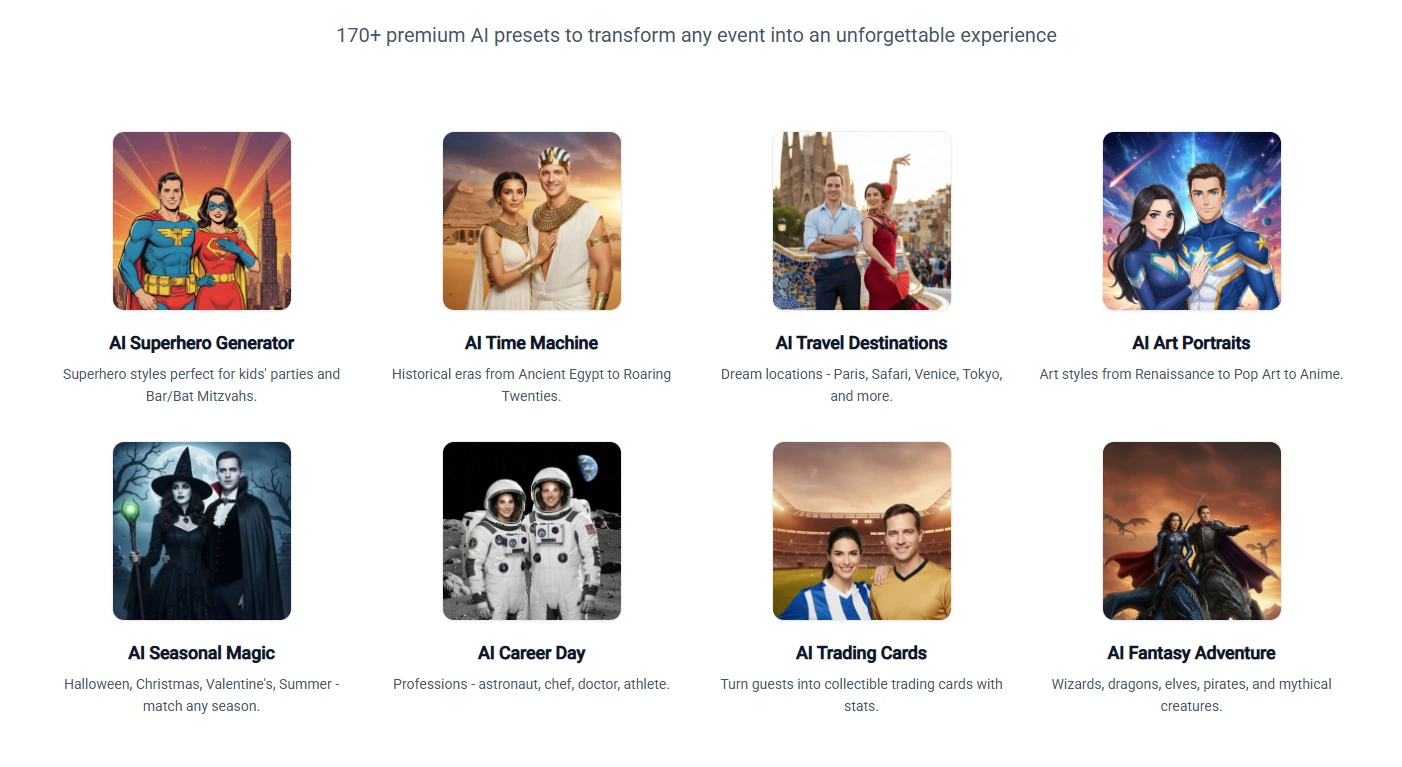
Traditional green screen chroma keying replaces a physical backdrop with uploaded images (school mascots, sponsor banners, cause imagery).
Source: LumaBooth
AI Background Removal runs on-device without internet or per-removal fees, so you can use branded backgrounds at events without a physical green screen.
LumaBooth Pricing
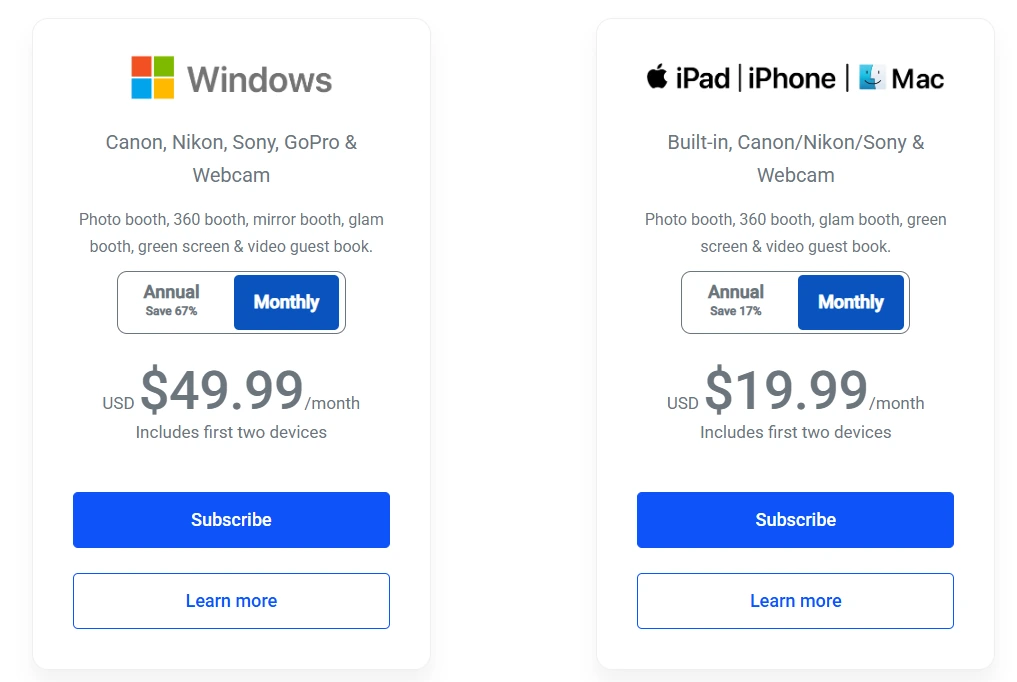
- Windows Annual at $17/month billed annually (~$204/year): covers two devices; all booth modes, green screen, AI background removal.
- Windows Monthly at $49.99/month: same features, higher cost.
- Apple Annual at $18/month billed annually (~$216/year): covers two devices; same booth modes as Windows.
Source: LumaBooth
Optional add-ons: SMS delivery ($10/month), LumaShare companion app ($7.99/month), fotoShare Cloud Plus ($19.99/month).
Use LumaBooth If:
- Your organization already owns Canon, Nikon, or Sony cameras and wants to use them as a photo booth
- Your annual software budget is under $250 and requires committee or board approval
- You plan to grow from standard photos into 360 or mirror booth formats without switching software
5. TouchPix — Best for 360-Degree Experiences and Cross-Device Flexibility
Source: TouchPix
The 360-degree spinning video booth has become one of the most popular activations at community events. The slow-motion clips are shareable by nature, and guests post them on their own, turning each clip into social media content that spreads awareness for the sponsoring organization.
TouchPix built its identity around running these rigs. The platform supports GoPro models 7 through 14 alongside Canon, Nikon, and Sony cameras, with Bluetooth automatic trigger integration that starts the spin sequence when a guest steps onto the platform. TouchPix holds a 4.8-star rating across 6,600+ App Store reviews and has been deployed at over half a million events.
| TouchPix Pros | TouchPix Cons |
|---|---|
| - Leading 360 spinner support with GoPro 7-14 | - Entry PhotoPass plan excludes video and 360 |
| - Runs on iOS, Android, Windows, macOS, Linux, and Raspberry Pi | - AI Pro credits sold separately |
| - Offline QR sharing via Scanpix 2 (no Wi-Fi needed) | - Annual pricing starts at $439.90 for basic photo-only tier |
| - Unlimited devices on every plan |
TouchPix: Top 3 Advantages for Community Events
1. The Strongest 360 Spinner Platform.
Bluetooth trigger integration automates each spin sequence without an attendant manually starting the rotation. At a busy school carnival or outdoor festival where one person runs the booth solo, this automation matters.
2. Runs on Whatever Device You Already Own.
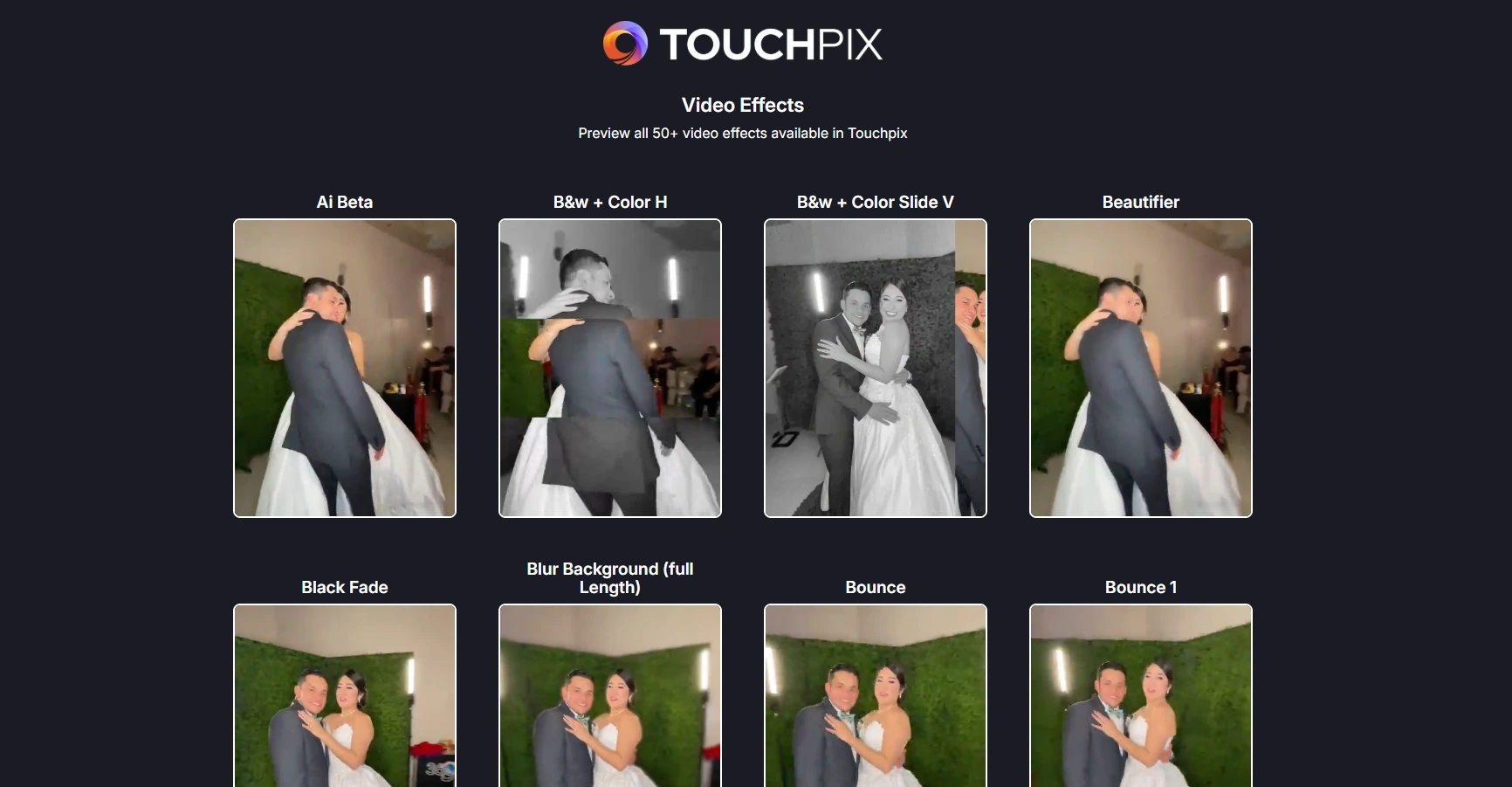
TouchPix runs natively on iOS, Android, macOS, Windows, Linux, and Raspberry Pi under a single subscription with unlimited devices on every plan. An organization with a Windows laptop, an Android tablet, and a used iPad can run all three at once. A library of 300+ animated overlays and 60+ filters lets you customize branding quickly without graphic design skills.
3. Offline-First Design.
The Scanpix 2 offline sharing system delivers media via QR code with no internet connection. AI background removal and face replacement run on-device without cloud processing. For school grounds, municipal parks, and community centers with unreliable Wi-Fi, this removes a real operational risk.
Source: TouchPix
TouchPix Pricing
TouchPix prices by active event slots, not by device or seat. All plans include unlimited devices.
- PhotoPass at $439.90/year (2 active events): photos, Photo AI, and animated GIFs. Excludes video and 360.
- MultiPass at $879.99/year (4 active events): adds video, slow-motion, and boomerang.
- MultiPass Pro at $1,407.99/year (8 active events): adds Virtual Booth and advanced surveys.
- MultiPass Enterprise at $2,199.99/year (12 active events): adds Mosaic collaborative photo wall and RAW backups.
14-day free trial with no watermarks and no credit card required.
Use TouchPix If:
- Your organization wants a 360-degree spinning video booth that produces shareable slow-motion clips
- You have a mix of devices (Android, Windows, iPad) and need one license for all of them
- Your events take place at venues with limited or no Wi-Fi where offline sharing is essential
6. Darkroom Booth — Best for Print-Focused Events with a Perpetual License
Source: Darkroom Booth
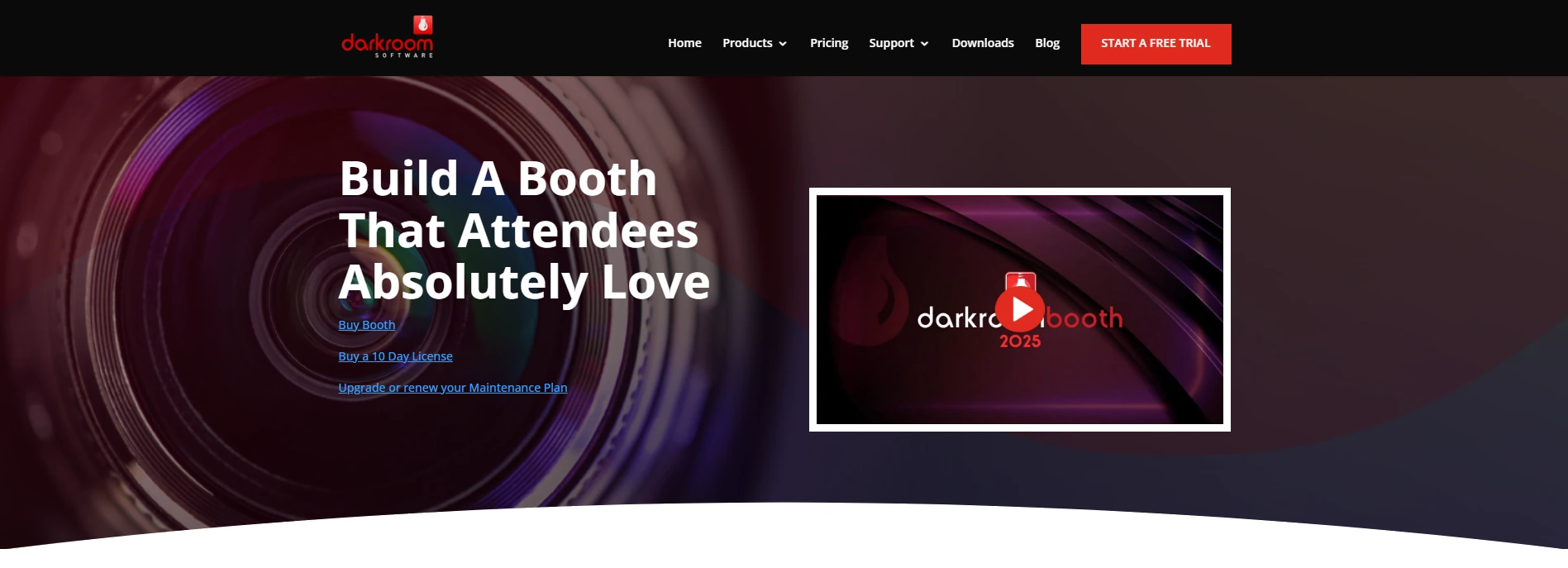
Nonprofits and school organizations face a budget reality that commercial operators don’t: recurring software subscriptions must be re-justified and re-approved every budget cycle. If a payment lapses mid-year, the program goes dark.
Darkroom Booth solves this with a perpetual license. The full license costs $295, paid once, and that purchase gives the organization permanent ownership. An optional $95/year maintenance renewal restores access to updates and support, but the software keeps running after maintenance expires.
| Darkroom Booth Pros | Darkroom Booth Cons |
|---|---|
| - $295 one-time license; no recurring subscription required | - Windows only |
| - 75+ print templates with drag-and-drop editor | - Email and Twilio hosting require active maintenance plan |
| - Direct DSLR tethering for Canon EOS and Nikon Z/D-series | - Steeper learning curve than iPad-based platforms |
| - AI effects included with no per-feature add-on cost |
Darkroom Booth: Top 3 Advantages for Budget-Constrained Organizations
1. A One-Time Cost That Fits Annual Budget Cycles.
Over five years, compare $295 plus optional $95/year maintenance against $3,000 for a $50/month subscription. A school photography program running the booth three times a year can use the software indefinitely without writing another check. The $295 can come from a technology budget line, equipment fund, or grant allocation.
2. Print Layout Control for Keepsake-Quality Output.
Physical photo strips remain the most requested keepsake at school dances and fundraisers. The built-in drag-and-drop template editor controls every element: photo placement, overlays, borders, text, and logo positioning, all without Photoshop. The software ships with over 75 customizable templates covering standard strip and print sizes.
3. Canon and Nikon DSLR Integration.
Darkroom Booth tethers to a wide range of Canon EOS and Nikon Z/D-series bodies via USB or WiFi, producing photo strips at the optical quality of professional event photography.
Source: Darkroom Booth
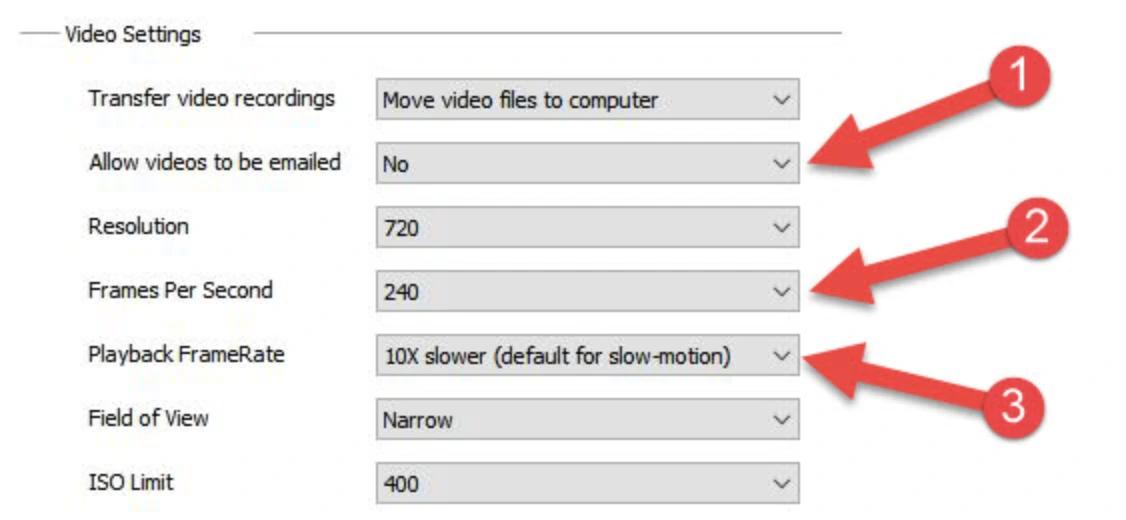
The AI photo transformation suite introduced in 2025 includes generative portraits, face swap, scene generation, and AI glam, all included in the perpetual license.
Darkroom Booth Pricing
- Full License at $295 (one-time): perpetual ownership; activates on up to 2 computers; includes one year of updates and support.
- Annual Maintenance at $95/year (optional): renews updates and support access. Core booth software continues without it.
- 10-Day Temporary License at $45: for existing license holders needing a second machine temporarily.
- Free Trial: no time expiration; outputs watermarked and video disabled.
Use Darkroom Booth If:
- Your organization cannot commit to recurring software fees and needs a one-time purchase that fits an annual budget approval process
- Your events rely on printed photo strips as the primary guest keepsake and you need precise print layout control
- You already own Canon or Nikon cameras and run on Windows hardware
7. ZillaBooth — Best Free Photo Booth App for Zero-Budget Community Events
Source: ZillaBooth
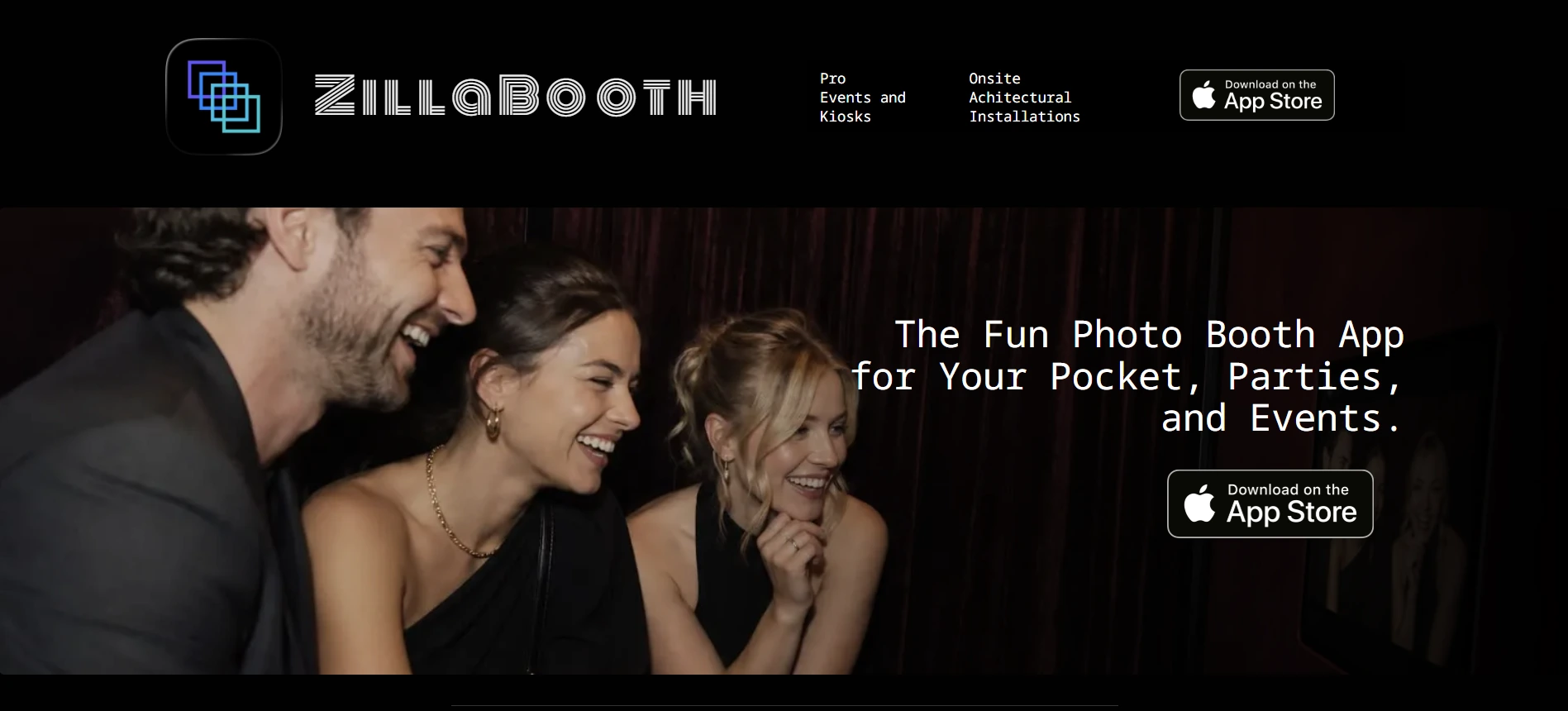
For PTAs, school clubs, church volunteer teams, and community groups whose photo booth “budget” is whatever spare iPad sits in the supply closet, ZillaBooth removes every barrier.
ZillaBooth is a native iOS photo booth app that runs free at its Core tier with no account creation, no watermarks, no subscription, and no internet connection required. It is the only option on this list that needs nothing more than an App Store download to get a functional, unbranded booth running at an event.
| ZillaBooth Pros | ZillaBooth Cons |
|---|---|
| - Permanently free Core tier with no watermarks or ads | - Small user base (15 App Store ratings; launched Q4 2025) |
| - Party Mode via iOS Guided Access for unattended operation | - No data capture or lead collection |
| - No guest data collection required (privacy-friendly for school events) | - Advanced kiosk features require Pro subscription |
| - Setup in under a minute with no technical background needed | - No DSLR camera support on free tier |
ZillaBooth: Top 3 Advantages for Budget-Constrained Groups
1. A Free Tier That Actually Works.
The Core tier includes two collage formats (a 2x2 grid and 1x4 strip, both sized for 4x6” printing), automatic countdown, full-screen flash, and native iOS sharing via AirDrop, Messages, and Mail. No watermarks, no ads, no expiration.
2. Unattended Operation for Understaffed Events.
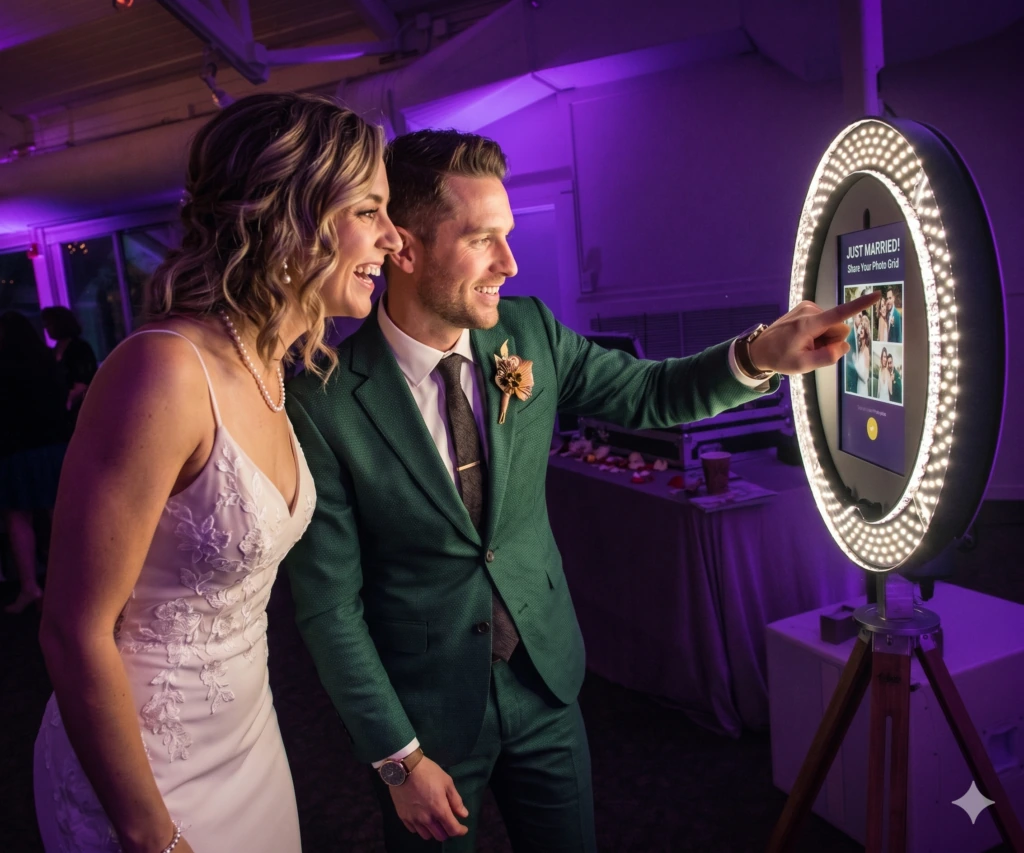
Party Mode via iOS Guided Access locks the iPad inside ZillaBooth so guests cannot exit the app or change settings.
Source: ZillaBooth
Pro subscribers get Auto-Restart (returns to the welcome screen after 5 minutes of inactivity) and Keep Awake for multi-hour events. Free Core users can configure standard iOS Guided Access manually.
3. No Data Collection for Privacy-Sensitive Events.
Sharing routes through the native iOS share sheet: guests tap AirDrop or Messages with no personal information required. ZillaBooth’s privacy policy confirms the app does not collect or transmit user data. For school events where COPPA compliance and parental consent around student data are real concerns, this is a feature, not a limitation.
ZillaBooth Pricing
- Core at Free (no time limit): no watermarks, no account; 2x2 grid and 1x4 strip layouts; AirDrop, Messages, Mail sharing; fully offline.
- Pocket at ~$4.99 (one-time): adjustable countdown, flash control, lens selection, border customization, auto-save.
- Pro at ~$9.99/month or ~$99.99/year: full kiosk suite, SMTP email delivery, AirPrint, custom overlays, Bluetooth remote shutter, USB external camera support, Event Readiness Dashboard.
Use ZillaBooth If:
- You have zero software budget and need a functional, unbranded photo booth today
- Your event is staffed by rotating volunteers who need a booth any team member can set up in under a minute
- Data collection from guests creates compliance concerns at school or youth organization events
And That’s Our List…
Seven photo booth platforms covering organizations of every size, budget, and event type. Some serve large events with donor analytics; others need nothing more than an iPad and a free download. The right choice depends on your organization’s needs, not on which platform has the most features.
Here are our top picks for the three most common situations:
- Simple Booth: If you need a self-operating photo booth that captures donor and attendee data with near-90% opt-in rates, manages remotely from any browser, and delivers quality photos in any venue lighting. Get started with a free trial of Simple Booth.
- LumaBooth: If your organization already owns Canon, Nikon, or Sony cameras and needs photo booth software at under $18/month with every booth format included.
- ZillaBooth: If your budget is zero and you need a free, unbranded photo booth app that runs on any iPad with no account, no watermarks, and no data collection requirements.
Best Photo Booths for Nonprofits, Schools & Community Events FAQ
Which photo booth is best for capturing donor and attendee data at fundraising events?
Simple Booth is the top choice for data capture at nonprofit events, with opt-in rates as high as 87 to 89% because the data collection form sits inside the photo-sharing flow. Pro and Select plans support up to 10 custom fields including checkboxes and legal terms, with MailChimp sync and CSV export.
Is there a free photo booth app for school events?
Yes. ZillaBooth’s Core tier is permanently free with no watermarks, no ads, no account required, and no expiration. It includes two collage layouts sized for standard 4x6” printing and shares photos through AirDrop and Messages without collecting guest data, making it suitable for school environments where student data privacy is a concern.
What is the most affordable professional photo booth software?
LumaBooth for Windows costs approximately $17/month billed annually ($204/year), with all booth modes (photo, 360, mirror, GIF, video) included. Darkroom Booth offers a one-time perpetual license at $295 with no recurring fees, which may cost less for organizations running only a few events per year.
Which photo booth works best at venues with unreliable Wi-Fi?
TouchPix and Simple Booth both handle connectivity challenges well. TouchPix’s Scanpix 2 system delivers photos to guests via QR code with no internet connection at all, and its AI features run on-device. Simple Booth’s HALO app queues sessions in offline mode and delivers them when connectivity returns.
Can I run a photo booth without a dedicated attendant?
Yes. Simple Booth is designed for unattended operation with its 1-minute hardware setup, iOS Guided Access lockdown, and Preflight Check screen. ZillaBooth offers Party Mode via iOS Guided Access on its free tier. Both platforms let the booth run independently through multi-hour events without a volunteer stationed at the device.
Which platform should I choose if I already own DSLR cameras?
LumaBooth and Darkroom Booth both tether directly to Canon, Nikon, and Sony DSLRs on Windows. LumaBooth uses a $204/year subscription; Darkroom Booth uses a $295 one-time perpetual license. Simple Booth also supports Canon and Sony DSLR and mirrorless cameras on its Core plan and above, but runs on iPad rather than Windows.
What photo booth is best for events that need 360-degree video?
TouchPix leads for 360-degree spinning video booths, with native support for GoPro models 7 through 14, Bluetooth-automated spin triggers, and deployment across half a million events. Snappic and Fiesta also support 360 format on their higher-tier plans, but TouchPix’s focus on 360 and its cross-platform device support make it the strongest option for organizations building around 360 experiences.
How much does photo booth software typically cost for nonprofits?
Pricing ranges widely. ZillaBooth is permanently free. LumaBooth starts at approximately $204/year. Fiesta starts at $590/year (Plus annual). Simple Booth’s Core plan is $490/year. TouchPix starts at $439.90/year. Darkroom Booth is a one-time $295 purchase. Snappic ranges from $499/year (Starter) to $3,999/year (Scale). Many platforms offer free trials, and organizations with infrequent events should compare annual costs against per-event pricing options.
Keep reading
 Best Of
7 Best Photo Booth Software with Video Message and Slo-Mo Capture [2026]
Booths that capture heartfelt video notes and buttery slo-mo. The moving stuff.
 Best Of
6 Best Photo Booth Software With QR Code Sharing [August 2026]
Booths that beam every snap to a phone with a quick scan. QR sharing done right.
 Best Of
7 Best Photo Booth Software With Real-Time Analytics and Dashboards [August 2026]
Booths that show the numbers as the party happens. Live dashboards, real insight.