5 Best Photo Booths for Weddings and Social Celebrations [August 2026]

According to The Knot’s most recent Real Weddings Study, the average U.S. wedding now costs over $35,000, and couples are spending more on interactive entertainment that doubles as content creation.
Photo booths have moved well past the enclosed mall kiosks of the 2000s: today’s platforms combine studio-quality lighting, AI effects, 360-degree video, and instant social sharing to turn every guest into a content creator.
But with dozens of platforms on the market, each promising “the best” experience, choosing the right one for your wedding, birthday, or social event takes work.
We tested, researched, and compared the leading platforms to help you find the right fit.
Whether you’re a photo booth rental operator building a business around weddings, a DIY couple planning your own reception, or an event professional expanding your services, this guide breaks down the five best photo booths for weddings and social celebrations based on real capabilities, pricing transparency, and the specific use cases each one serves best.
What Makes a Great Photo Booth for Weddings and Social Celebrations?
A great wedding or social event photo booth is more than a camera on a stand. It needs to deliver four things at once: photo quality that holds up alongside professional event photography, ease of setup so the booth runs reliably with minimal oversight, guest experience that feels polished and fun without a learning curve, and shareability so guests leave with content they actually post, text to friends, or keep.
For rental operators, the platform also needs to support the business side: remote management, multi-device scaling, lead capture, and the reliability to run unattended at a venue without Wi-Fi problems derailing the evening.
Here are our top picks for different wedding and event use cases:
| Best Photo Booths for Weddings and Social Celebrations | ||
|---|---|---|
 | Simple Booth Best for rental operators and venues that want a self-running iPad photo booth with integrated hardware, AI effects, and lead capture. | |
 | Snappic Best for established operators and event agencies running premium wedding packages with AI effects, 360 video, and social media integration. | |
 | LumaBooth Best for operators who need every major booth format (photo, 360, mirror, glam, video guestbook) under a single affordable subscription across Windows and Apple devices. | |
 | TouchPix Best for rental companies specializing in 360-degree video experiences as a standalone wedding service. | |
 | BoothLedger Best emerging platform for operators who want modern AI effects, wedding-specific monogram templates, and Canon DSLR quality at an entry-level price point. | |
How to Choose the Best Photo Booth for Weddings and Social Celebrations
Here’s a short checklist to help you find the right platform:
- Photo Quality: Look for platforms with integrated lighting, DSLR camera support, or AI enhancements that produce prints and digital shares worthy of a professional event.
- Ease of Setup and Operation: The booth should deploy quickly and run reliably without constant attendant oversight. For rental operators, unattended operation and remote management are critical.
- Guest Experience: Guests should walk up, take a photo, and share it without instructions. The fewer steps between “smile” and “shared,” the more guests will use it.
- Sharing and Delivery Options: SMS, email, QR code, AirDrop, and WhatsApp coverage ensures every guest can receive their photos regardless of device or location.
- Customization and Branding: Custom overlays, layouts, monograms, and branded start screens let operators or couples make every print and share feel personal to the event.
- Pricing Model Fit: Subscription frequency (weekly, monthly, annual) and per-device licensing should match your event volume. A one-time license may suit occasional use; a subscription fits regular rental businesses.
How We Picked the Platforms
We evaluated photo booth platforms across four criteria that matter most for weddings and social celebrations:
- Photo and Video Quality: How professional do the outputs look? Does the platform support DSLR cameras, studio lighting, or AI enhancement to close the gap between a phone selfie and event-grade photography?
- Setup and Reliability: Can an operator deploy the booth in minutes and trust it to run through a four-hour reception without crashing, losing photos, or dropping connectivity?
- Guest Sharing Experience: How frictionless is photo delivery? Do guests walk away with their photos immediately, or do they have to jump through hoops?
- Value for the Price: Does the platform deliver professional results at a price point that makes sense for rental businesses, venues, or DIY event hosts?
By weighing these factors against real product capabilities and documented user feedback, we narrowed the field to five platforms that each serve a distinct wedding and social event use case. Let’s dive in.
1. Simple Booth - Best Self-Running iPad Photo Booth for Weddings, Venues, and Brand Activations
When a couple hires a photo booth for their wedding, the last thing anyone wants is for the booth to crash during the reception, produce poorly lit photos, or require a dedicated attendant babysitting a tablet all night.
That’s where Simple Booth stands apart.
Simple Booth is an integrated hardware-and-software photo booth system built around the iPad, designed to ”set up in minutes, manage from anywhere, and deliver flawless, share-worthy photo experiences - every time.”
It pairs a subscription-based iPad app (HALO) with ring-light hardware (HALO kits), plus a browser-based Virtual Booth product that requires no hardware at all. With 30,000+ customers globally, a 4.7-star App Store rating from 2,400+ ratings, and 40 million+ moments captured since 2013, Simple Booth has the track record to back its position.
| Simple Booth Pros | Simple Booth Cons |
|---|---|
| - Integrated ring-light hardware with patented design | - iPad-only (no Android support) |
| - Sub-one-minute setup with no tools required | - Occasional post-update bugs reported in App Store reviews |
| - 4.7-star App Store rating from 2,400+ reviews | - Lite plan includes ads and excludes custom branding |
| - AI effects, background replacement, and DSLR support | - CRM integrations limited beyond MailChimp and API |
| - WhatsApp, AirDrop, SMS, email, and QR code delivery | |
| - Offline mode for venues with unreliable Wi-Fi |
Why Choose Simple Booth for Wedding and Event Photo Booths?
Simple Booth serves two audiences: event rental professionals who want to “build a more profitable photo booth business” and marketing teams who want a “new marketing engine for your brand.” For weddings and social celebrations, the rental operator use case is where Simple Booth’s strengths show most clearly.
HALO Hardware: Studio-Quality Lighting in a One-Minute Setup
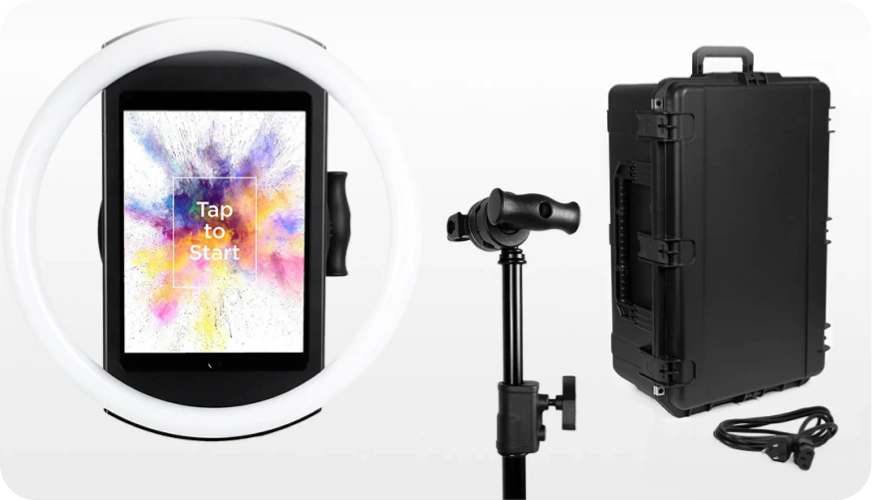
The HALO chassis is precision-machined from a single billet of aluminum with patented ring-light technology: 112 high-end LEDs producing up to 2,100 lumens with a refined diffuser for flattering, even illumination.
Source: Simple Booth
Groups can stand 6 to 8 feet back from the camera and still be well-lit in most indoor settings. The LEDs are rated for up to 50,000 hours, keeping replacement costs low for operators running events weekly.
Setup takes under a minute. The iPad snaps in via a tool-less faceplate, and a concealed built-in USB-C cable keeps the iPad charged throughout the event without dangling wires. The Event Kit comes with an adjustable selfie stand and a waterproof travel case with wheels, weighing 49 lbs total. For permanent venue installations (bars, restaurants, hotels), the Install Kit includes a heavy-duty steel wall mount.
HALO App: The Full Photo Booth Experience, Managed From Anywhere
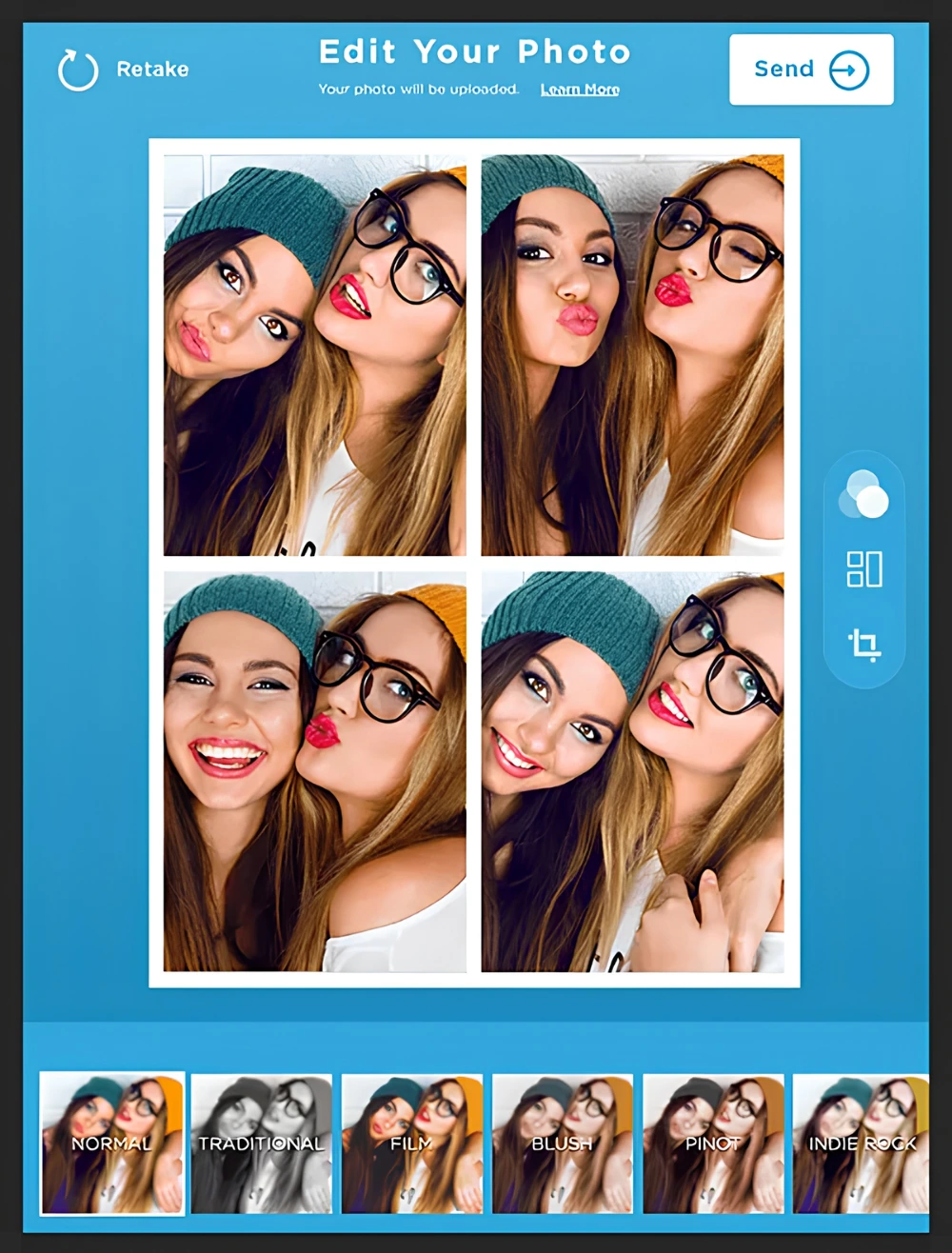
The HALO app handles capture, branding, delivery, data collection, and analytics from a single interface. Capture modes include still photos, classic photo strips, custom layouts, GIFs, looping Rebound clips, and video (5 to 120 seconds).
Source: Simple Booth
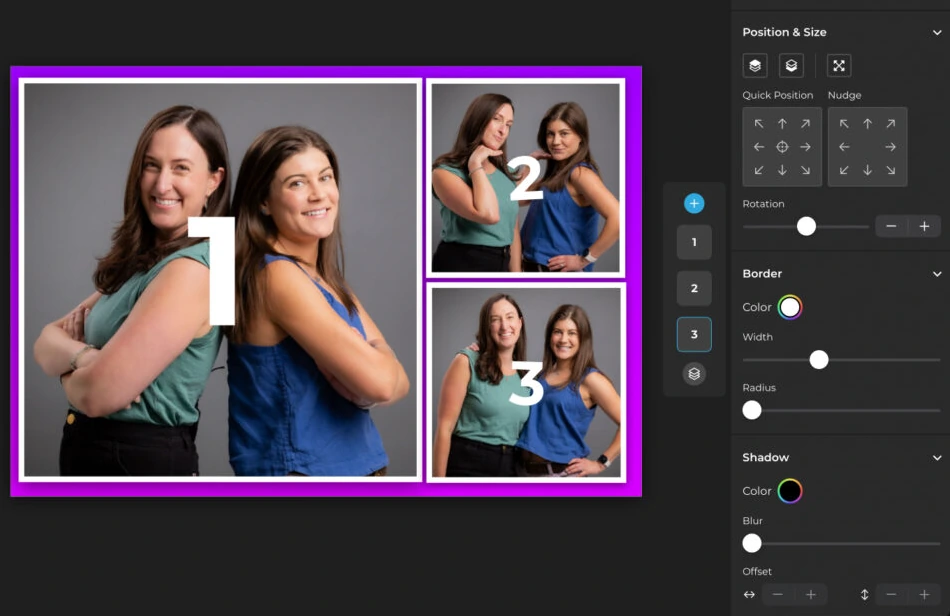
The Layout Designer, introduced in HALO 5.0 (November 2025), is a full in-app design tool with layers, fonts, gradients, QR code embedding, and multi-layout support, so operators design custom wedding templates without external graphic design software.
Source: Simple Booth
For wedding-specific personalization, guest-editable text layers let participants type names, captions, or hashtags directly onto their photo before sharing. Dynamic text sizing keeps designs clean regardless of message length, all without operator involvement.
Remote management stands out: operators configure and update presets remotely via the online dashboard, with changes syncing to the iPad without exiting booth mode.
The Mission Control overlay, triggered by a two-finger pinch gesture, lets operators monitor device health, adjust camera settings, and sync changes during live events without disrupting the guest-facing interface. An offline upload queue stores sessions and delivers them automatically when connectivity returns, a critical feature for barn, vineyard, and garden wedding venues.
AI Effects and DSLR Support: High-Quality Output
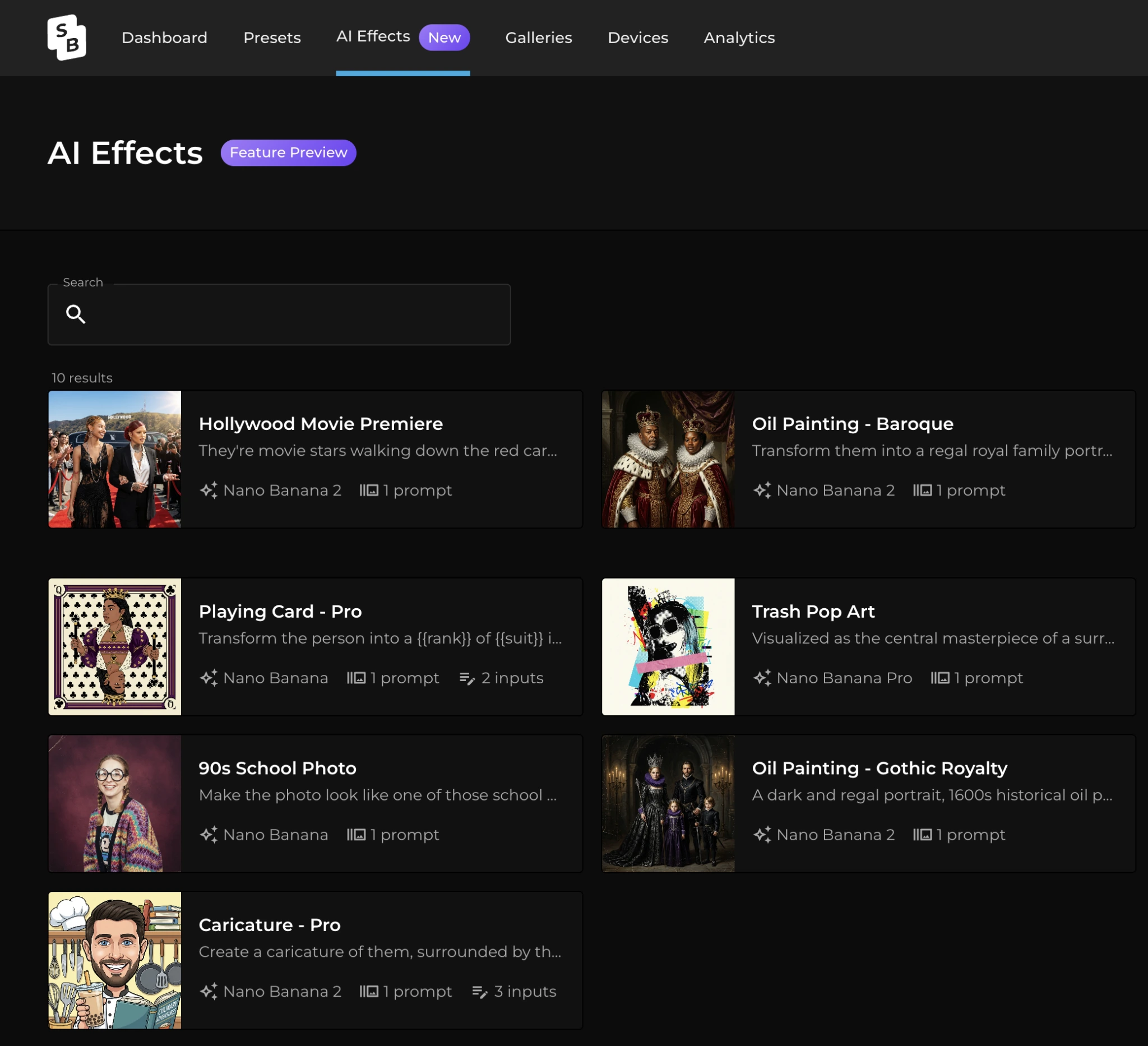
AI Effects (Nano Banana models) transform captured photos using text prompts, with identity preservation handled automatically at the platform level, so guests remain recognizable regardless of how artistic the transformation gets.
Source: Simple Booth
Operators can assign a unique AI prompt to every individual frame in a multi-frame layout for narrative photo strips. Testing prompts outside of booth mode consumes zero credits, so operators iterate freely before the event.
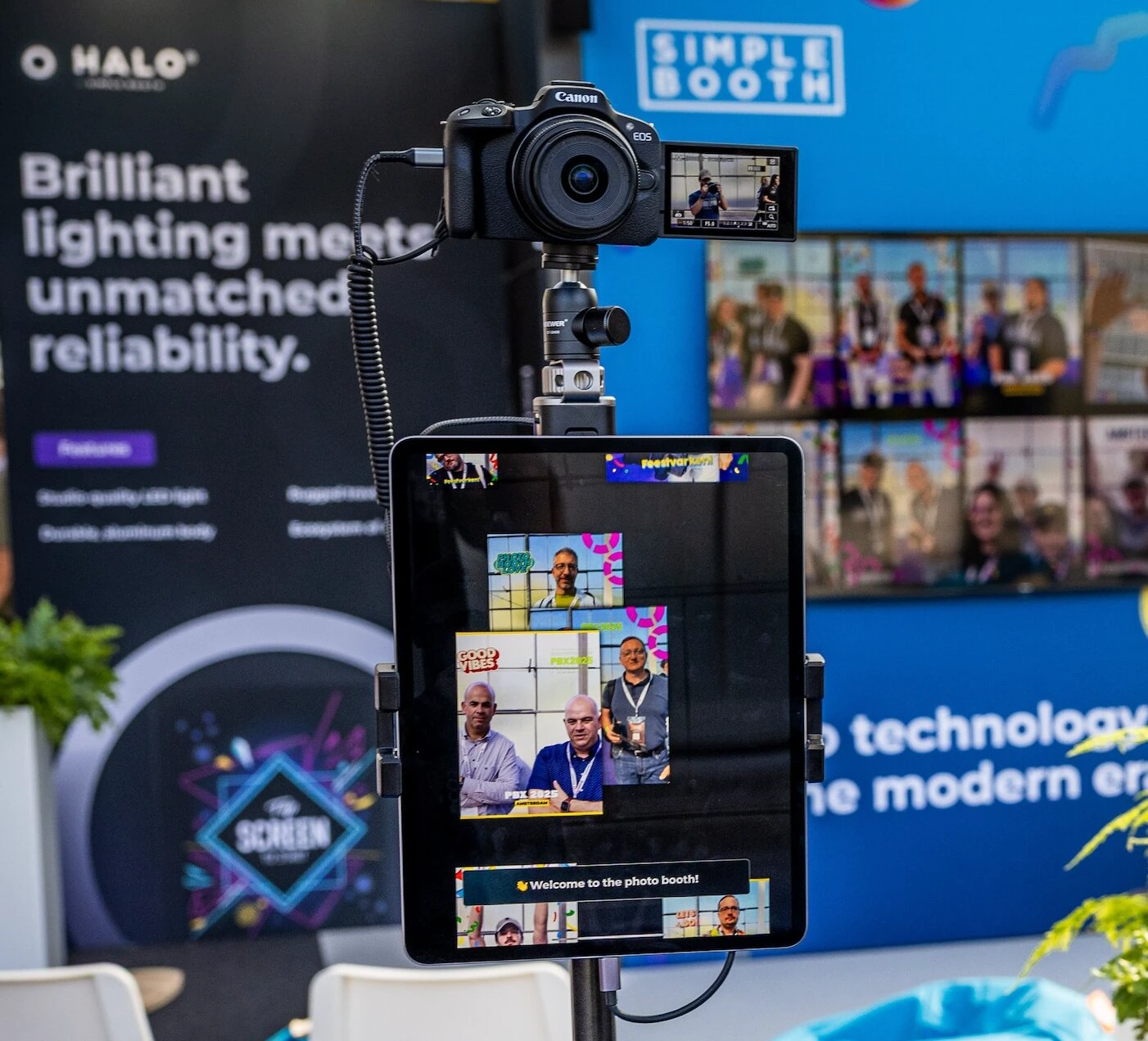
HALO 5.0 also introduced DSLR and mirrorless camera integration on Core plans and above, currently supporting Canon and Sony cameras (Nikon support is coming soon). The integration works over both wired USB for long-event reliability and wireless WiFi for more flexible creative setups. Most competing platforms don’t offer wireless DSLR connectivity.
Source: Simple Booth
Combined with Glam skin smoothing and DSLR-style background blur, the iPad produces output quality typically associated with more expensive dedicated camera rigs.
Photo Delivery and Lead Capture: Every Guest Leaves With Their Photos
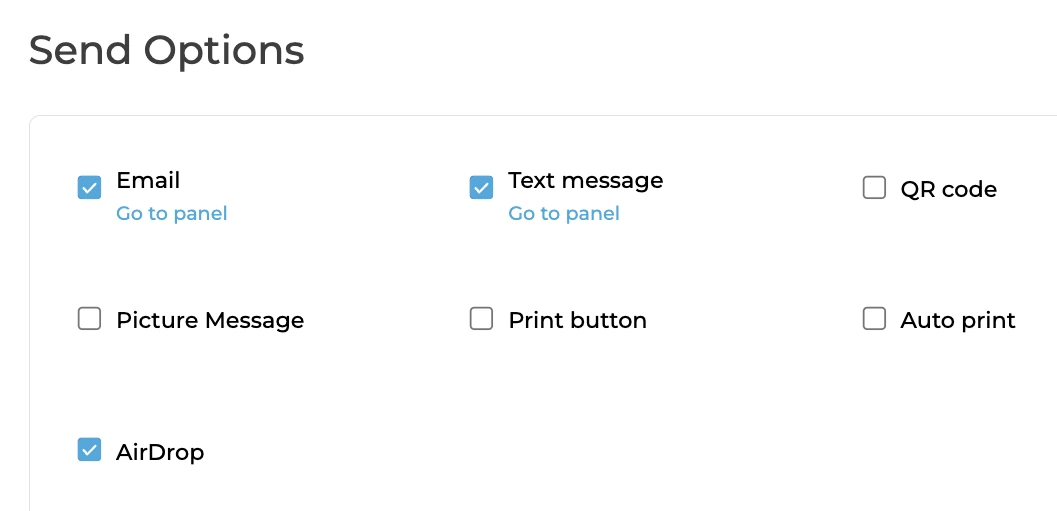
Guests receive photos via QR code, email, SMS, AirDrop, or WhatsApp. WhatsApp delivery, added in HALO 5.0, is particularly relevant for international deployments and messaging-first audiences. Each event generates an online gallery that can also drive a Live Feed display for a TV or projector at the reception.
Source: Simple Booth
For operators building a rental business, Simple Booth’s lead capture achieves opt-in rates as high as 87 to 89% when guests receive photos, well above typical marketing form conversion rates.
Arizona Opera grew its email list by 1,000 addresses in just a few events using Simple Booth’s lead capture system. (Simple Booth)
Virtual Booth: No Hardware Required
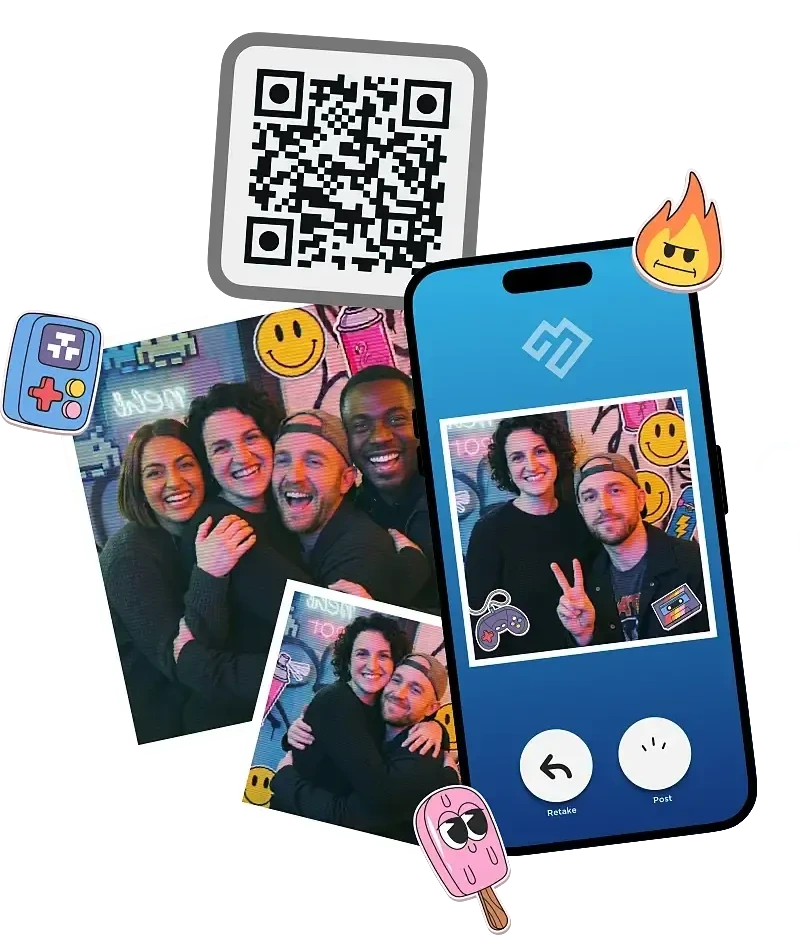
For hybrid events or always-on campaigns, Virtual Booth delivers a branded photo experience entirely in a web browser, with no app install required from participants. Background replacement works without a green screen, AI effects are available, and all submissions feed the same analytics and gallery infrastructure as HALO hardware sessions.
Source: Simple Booth
Simple Booth Pricing
Simple Booth uses a per-license subscription model. Each plan includes one device license, with add-on licenses available for multi-booth operations. No caps on photo counts or event counts.
- Lite - $14.99/week, $29.99/month, $289.99/year (App Store only; designed for personal and casual use)
Custom layouts, motion and still capture, photo delivery, galleries, themes, and props. Includes ads; excludes custom branding, DSLR, analytics, and lead capture.
- Core - $24/week, $49/month, $490/year
Everything in Lite plus ads removed, DSLR camera connection, video, background replacement and blur, Dropbox integration, AI effects, and Virtual Booth. 50 bonus AI credits.
- Plus - $49/week, $99/month, $990/year
Everything in Core plus custom branding, analytics, custom props, guest-editable text layers, and custom AI effects. 100 bonus AI credits.
- Pro - $149/month, $1,490/year
Everything in Plus plus lead capture, API integration, phone support, moderation, age gate, and data compliance tools. 150 bonus AI credits.
- Select - $249/month, $2,490/year
Everything in Pro plus in-app custom legal terms, security questionnaires, and demographic analytics. 200 bonus AI credits.
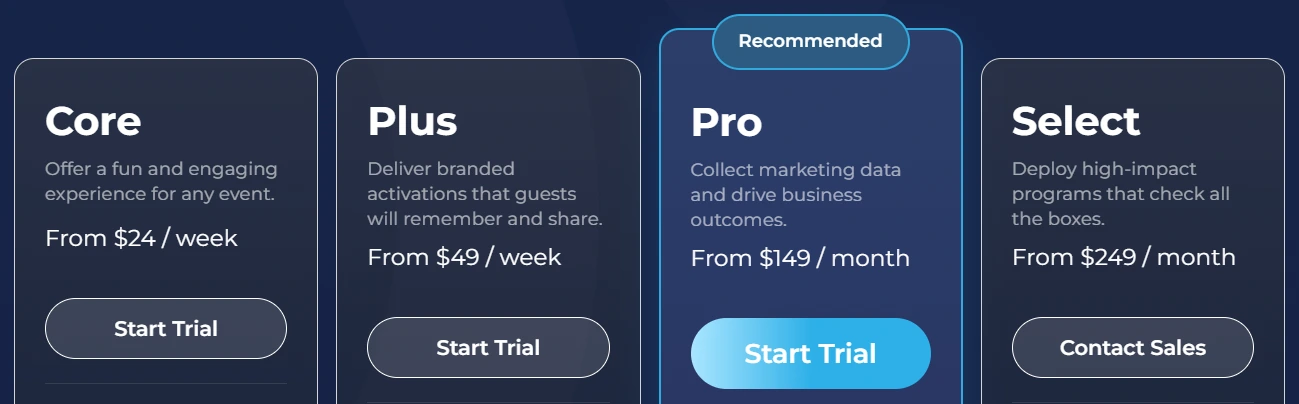
AI effect credits cost $0.10 each and do not expire once purchased. A 7-day free trial is available with 25 free AI credits.
Use Simple Booth If:
- You want a complete, integrated hardware-and-software system that sets up in under a minute and runs itself at weddings without a dedicated attendant
- You need remote management for multi-booth operations across multiple events per week
- You want AI photo effects with built-in identity preservation and zero-cost prompt testing
- You need reliable offline operation for venues with poor Wi-Fi (barns, gardens, rural reception halls)
- You want lead capture and analytics to build a data-driven photo booth rental business
Why Simple Booth Topped Our List
Simple Booth earned the top spot because it is the only platform on this list that delivers an integrated hardware-and-software system built for unattended, self-running operation at weddings and events. The HALO’s patented ring light, sub-one-minute setup, offline resilience, and remote dashboard management solve the operational problems that rental companies face every weekend.
Other platforms on this list offer deeper AI transformation suites (Snappic), broader format coverage (LumaBooth), or more affordable entry points (BoothLedger, Sparkbooth), but none package hardware reliability, software polish, and business tools into a single system the way Simple Booth does.
2. Snappic - Best for Established Operators Running Premium Wedding Packages With AI Effects and 360 Video
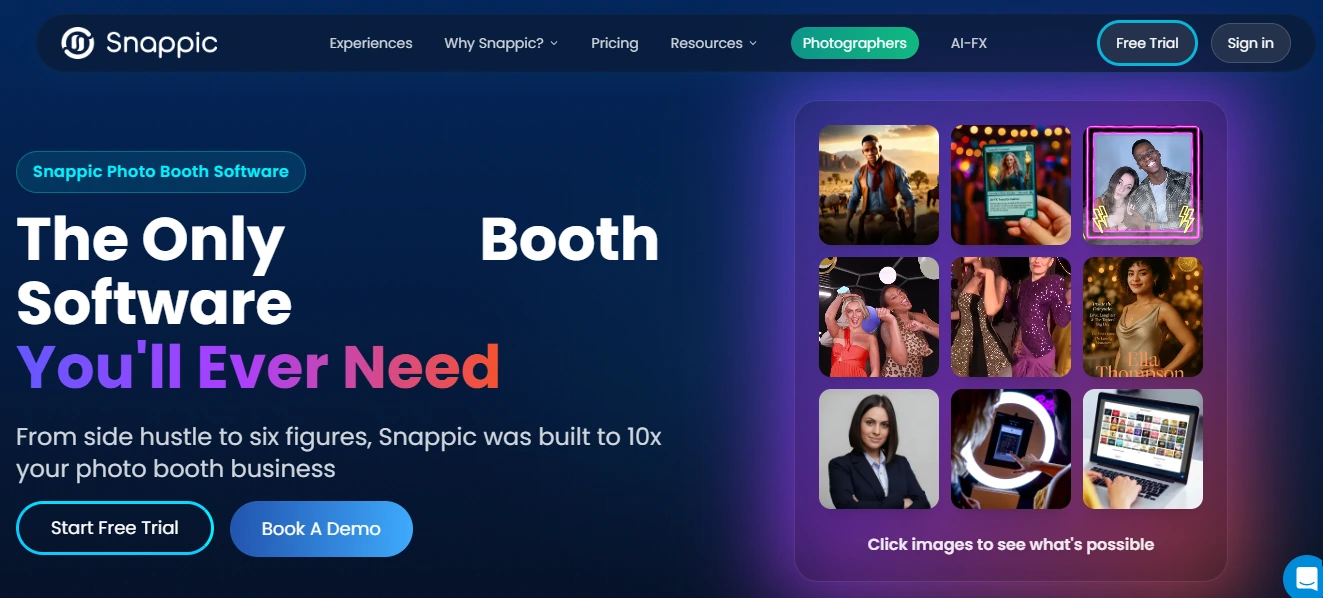
If you’re an established photo booth operator looking to charge $1,500 to $3,000+ per wedding event, you need a platform that justifies that pricing with capabilities guests can’t get from a standard photo booth.
That’s Snappic’s lane.
Snappic is a photo booth software platform for professional event operators that layers AI-transformed portraits, slow-motion 360 video, and branded microsites on top of every wedding it powers.
Its depth across multiple AI engines and cinematic video formats lets operators tier their service offerings: a standard wedding package uses core effects, a premium package adds personalized avatar generation, and the highest-margin corporate tier deploys a fully branded AI experience.
| Snappic Pros | Snappic Cons |
|---|---|
| - Deep AI effects suite across three distinct engines | - Per-image AI credit costs add up at high-volume events |
| - 360 video, GlamBot, mirror, and roaming support from one platform | - Higher monthly cost than most competitors |
| - Branded microsite galleries that outlive the event | - More complexity than needed for simple photo-only setups |
| - SmartShare AI auto-delivers photos without re-entry | |
| - 24/7 live support available on event nights |
Snappic: Top 3 Unique Features
- Multi-engine AI effects suite (AI-FX, PersonaFX, BananaFX) with 360 video support
- SmartShare AI auto-delivery system with face linking
- Branded per-event microsites with social sharing infrastructure
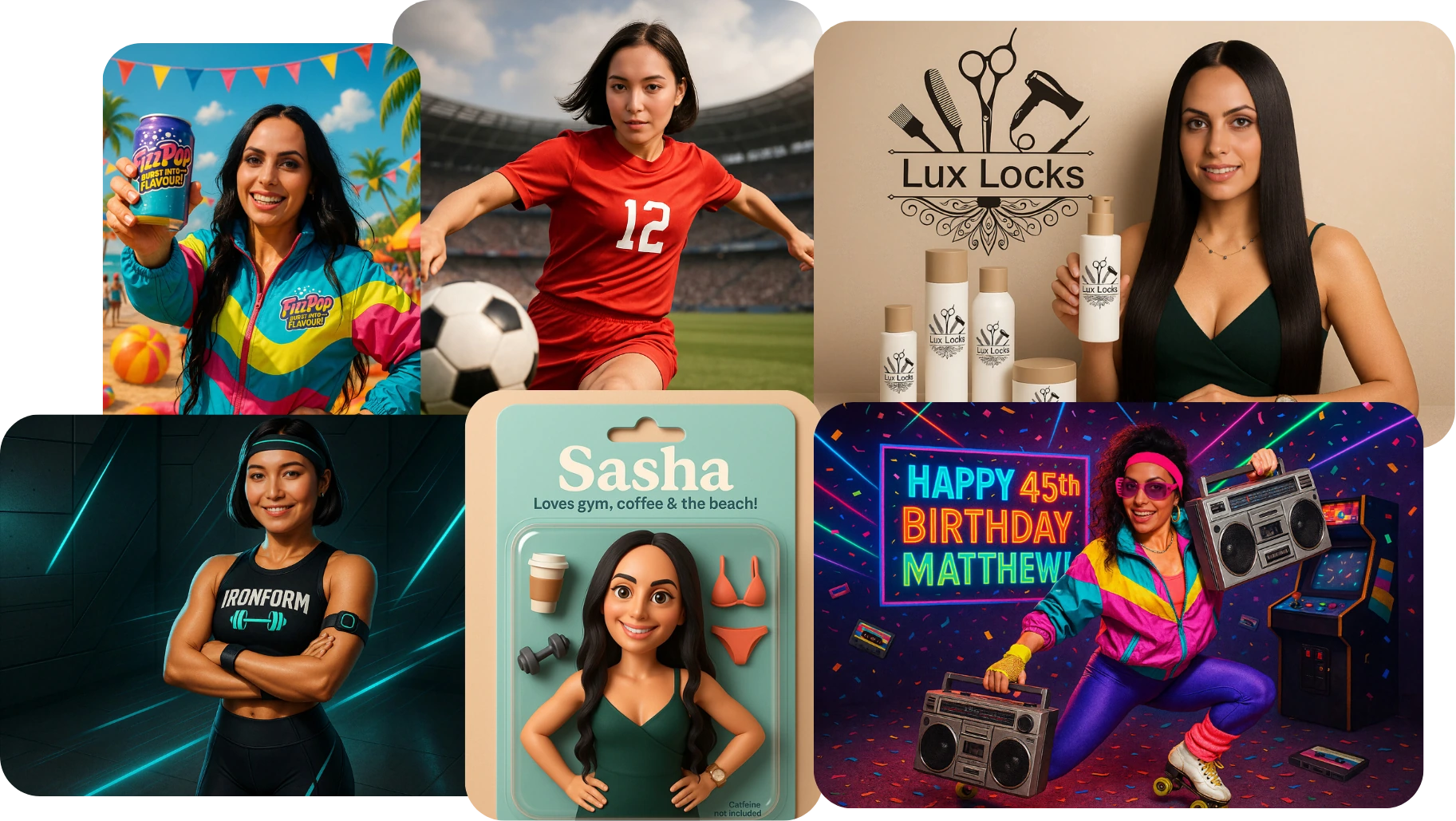
Snappic’s AI capabilities operate across three distinct engines. The AI-FX suite handles style transfers and themed transformations.
PersonaFX generates avatar-style portraits, from photorealistic headshots to 3D cartoon styles with custom details like jersey numbers baked into the output, commonly priced at $50 to $100 per guest or $1,500 to $3,000 per event. BananaFX, running on Google’s Gemini 2.5, regenerates images from custom text prompts, producing branded looks that no preset filter library could replicate.
Source: Snappic
For operators diversifying beyond standard photo booths, Snappic’s VideoFX system covers 360-degree spinning platforms, Robot Arm and GlamBot rigs, Mirror booths, and Roaming photography, all governed by the same template builder. Pre-built GlamBot templates produce 8 to 11-second cinematic outputs from 2 to 3 seconds of capture, matching red-carpet content ratios.
The sharing infrastructure handles volume well. SmartShare eliminates repeated contact entry: guests link their information once, and the system recognizes them in every subsequent capture via AI-based Face Linking and dispatches automatically. The branded Microsite creates a per-event web gallery that outlives the wedding, carrying the operator’s branding and optional password protection.
Snappic’s institutional stability was reinforced by its 2024 acquisition by Banyan Software, a permanent-capital buy-and-hold acquirer, with all four co-founders retaining their roles post-deal.
Snappic Pricing
Snappic prices by simultaneous booth licenses with all features accessible within each tier.
- Per-Event License
$29/event (Starter features) or $79/event (Business features), 48-hour access
- Starter - $69/month ($499/year)
One Photo Booth License. Core capture, SMS/email sharing, 60+ templates, DSLR/GoPro integration, 24/7 support. Excludes AI-FX, VideoFX, analytics, and white-label.
- Business - $189/month ($1,799/year)
One Photo Booth + one Sharing Station License. Adds VideoFX, AI-FX, branded microsites, AI background removal, client analytics, and Priority Support.
- Premium - $279/month ($2,799/year)
All Business features plus white-label URLs, webhooks, LiveConnect remote control, and SmartShare AI (400 credits/month).
- Scale - $399/month (Contact sales)
All Premium features plus multi-client management, unlimited sub-accounts, Grey Label App, and Dedicated Customer Success Manager.
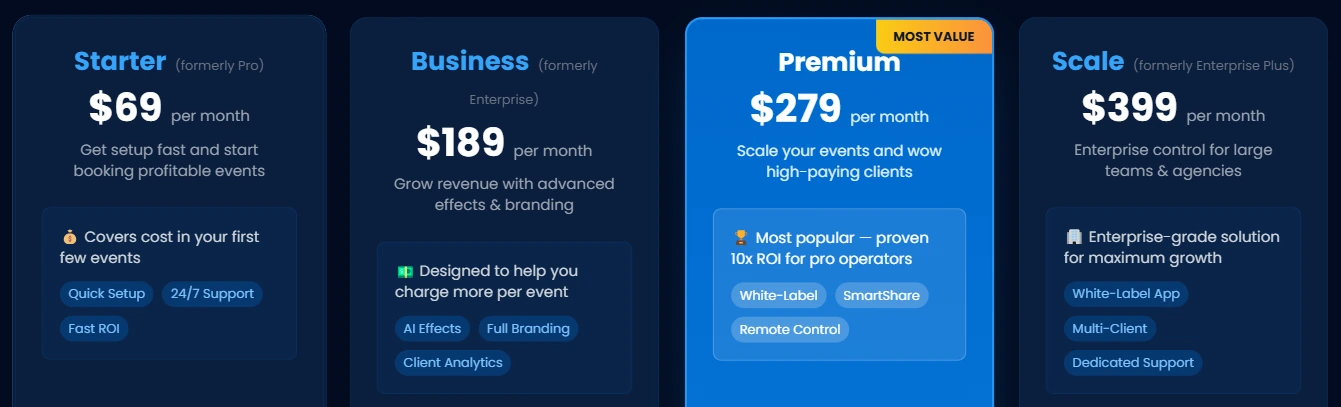
AI credits are purchased separately: AI-FX generation at $20/200 credits, AI background removal at $15/100 images. A 14-day free trial with no credit card required is available.
Use Snappic If:
- You are an established operator running attended weddings and want to justify premium per-event rates through deep AI effects and 360 video
- You operate multiple booth formats (iPad, 360, GlamBot, Mirror, Roaming) and want one platform for all of them
- Social sharing and branded post-event galleries are central to the value you sell at weddings
3. LumaBooth - Best for Operators Who Need Every Booth Format Under One Affordable Subscription
One couple wants a 360 spin video. The next wants a mirror booth with touchscreen stickers. The third wants a video guestbook. If you’re running separate software for each format, you’re paying three licenses and learning three interfaces.
LumaBooth eliminates that fragmentation.
LumaBooth (by Lumasoft, the same company behind the long-running dslrBooth for Windows) consolidates photo booth, 360 video booth, mirror booth, glam booth, video guestbook, GIF booth, boomerang, slow-motion, and AI Portraits into a single subscription on both Windows PCs and Apple devices (iPad, iPhone, Mac), starting at $17 to $18/month annually with two device licenses included.
| LumaBooth Pros | LumaBooth Cons |
|---|---|
| - Five distinct booth formats in a single subscription | - AI credits, SMS, and cloud upgrades cost extra |
| - Cross-platform support (Windows, iPad, iPhone, Mac) | - Dashboard is stronger for pre-event config than live monitoring |
| - Broad Canon, Nikon, and Sony DSLR/mirrorless support | - Sony cameras cannot capture boomerang or video |
| - AI background removal at no additional fee (on-device) | |
| - Two device licenses included at base price |
LumaBooth: Top 3 Unique Features
- Five booth formats with no per-format upsells
- Cross-platform Windows and Apple support under one dashboard
- On-device AI background removal at no additional fee
LumaBooth’s format coverage is fully implemented, not stripped-down versions. The 360 Booth captures at up to 120 fps on Windows and 240 fps on recent iPads, with multi-clip speed ramp timelines and motion-activated recording.
The Mirror Booth runs professionally animated Virtual Attendant sequences with touchscreen signatures and stickers. The Video Guestbook mode plays video or audio prompts to guide guests through personal messages at the same hardware setup used for photo capture.
LumaBooth is the only photo booth platform that connects Windows PCs and Apple devices under a single brand, dashboard, and subscription model.
The LumaBooth Dashboard at dash.lumabooth.com lets operators configure templates, overlays, and event settings before arriving at the venue, with settings syncing to whichever device runs at the event. Operators can push last-minute client changes remotely from any browser.
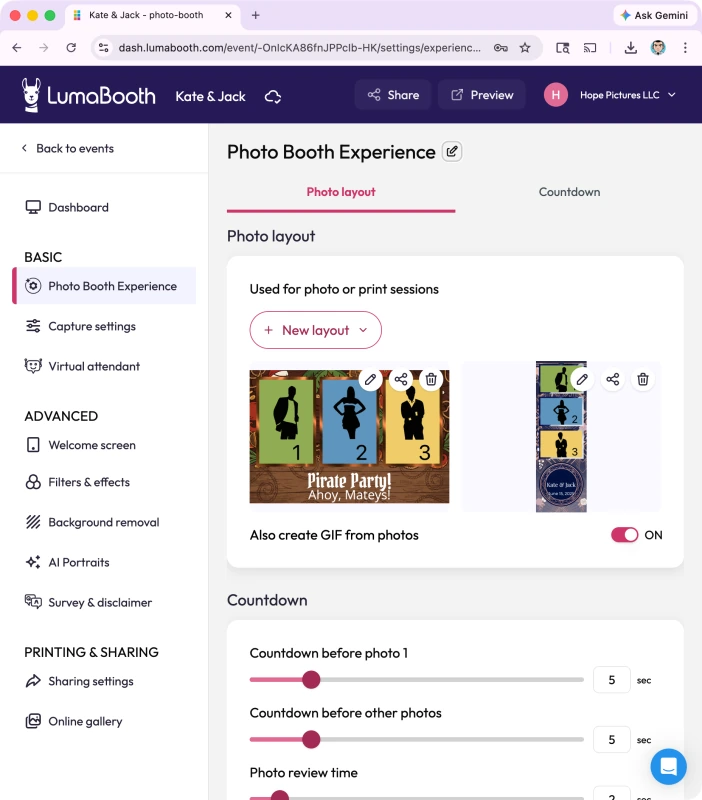
Source: LumaBooth
For background replacement, AI Background Removal processes images entirely on the local device with no internet connection required on Windows and no additional fee on either platform. Traditional Green Screen chroma key with calibration profiles is also available from the same settings panel.
LumaBooth Pricing
LumaBooth uses a per-device subscription model. Both plans include two device licenses.
- LumaBooth for Windows - $17/month (annual) or $49.99/month (monthly). All booth formats, fotoShare Cloud Basic, Booth CoPilot mobile management app, and LumaShare companion sharing app.
- LumaBooth for Apple - $18/month (annual) or $19.99/month (monthly). Two device licenses with photo, 360, glam, green screen, GIF, boomerang, and video guestbook modes.
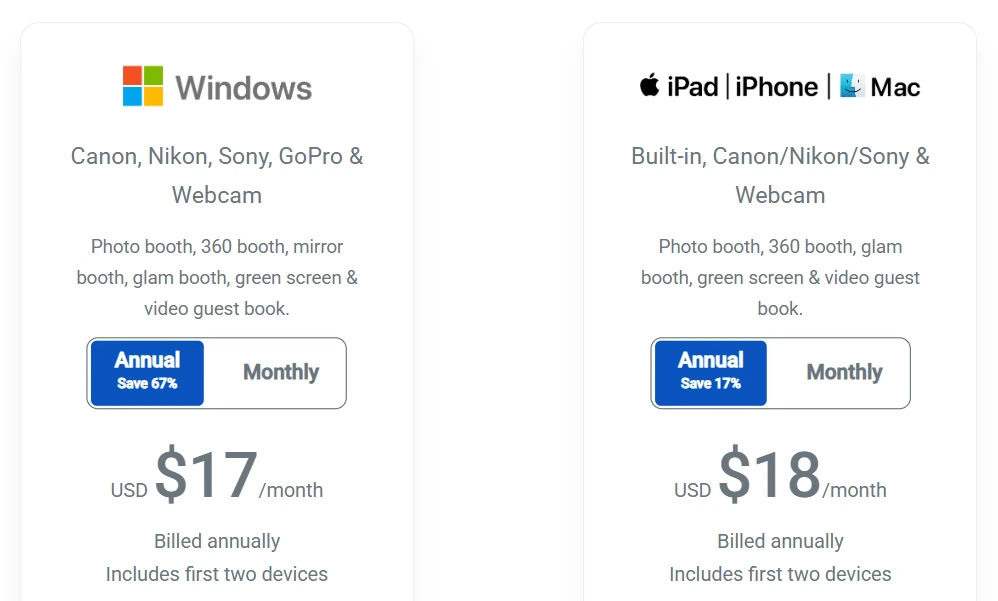
Additional costs for fully-featured deployments include AI Credits ($14.99 to $199.99/month), LumaShare companion app (+$7.99/month on Apple), fotoShare Cloud Plus (+$19.99/month), and US/Canada SMS (+$10/month).
Use LumaBooth If:
- You serve wedding clients with varied booth format requests across a season and need one subscription to cover 360, mirror, photo, glam, and video guestbook
- You run a mixed Windows and Apple hardware fleet and want a single account managing both platforms
- You already own Canon, Nikon, or Sony DSLR/mirrorless cameras and want broad tethered camera compatibility
4. TouchPix - Best for Rental Companies Specializing in 360 Video Experiences at Weddings
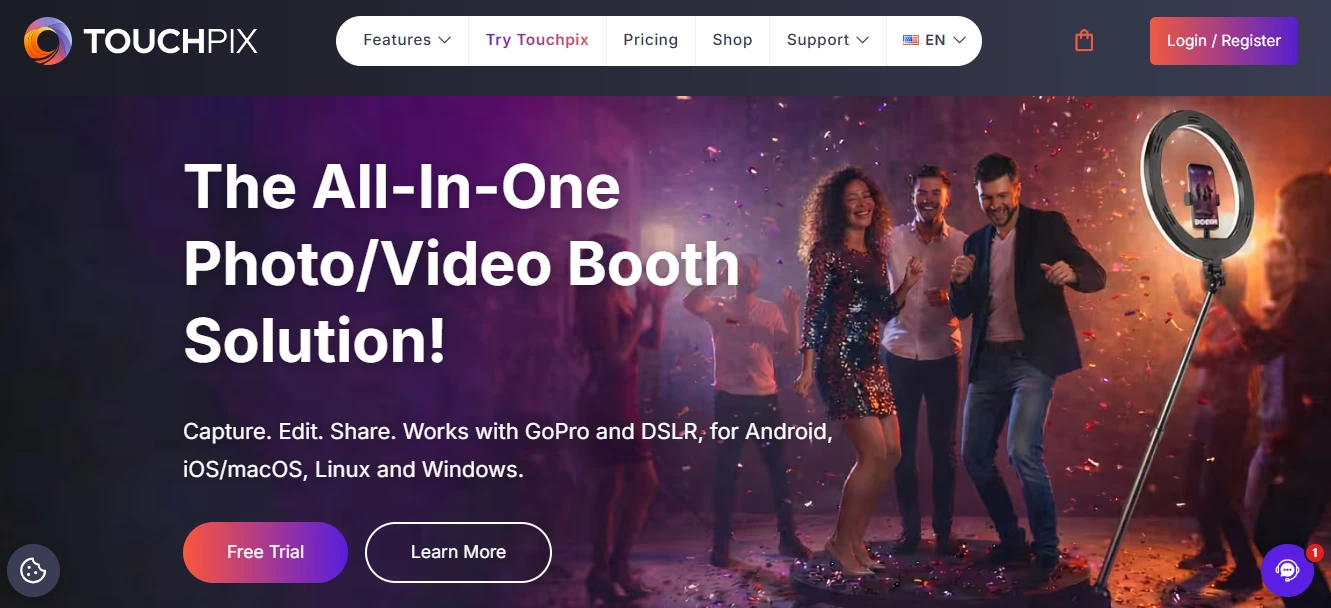
The 360-degree spinning video booth has become one of the highest-margin upsells in the wedding photo booth market. But most platforms treat 360 as one checkbox among many, bolting on GoPro support as an afterthought with unstable wireless workarounds.
TouchPix built its entire product around 360 from the ground up.
TouchPix is a subscription-based photo and video booth platform that calls itself the “industry standard 360 Photo Booth App”, with wired and wireless native integration for GoPro models 7 through 14, Bluetooth automation triggers for spinning arm rigs, and cross-platform reach spanning iOS, Android, macOS, Windows, Linux, and Raspberry Pi.
| TouchPix Pros | TouchPix Cons |
|---|---|
| - Built for 360 video with native GoPro integration | - Interface complexity makes it less ideal for unattended setups |
| - Six capture modes in one app (photo, AI, boomerang, video, GIF, slow-mo) | - GoPro connection reliability concerns under extended unattended use |
| - Widest device compatibility (iOS, Android, Windows, Mac, Linux, Raspberry Pi) | - Photos-only tier (PhotoPass) excludes video and 360 |
| - Flexible billing (weekly, monthly, half-yearly, yearly) | |
| - 300+ animated overlays and 60+ cinematic filters |
TouchPix: Top 3 Unique Features
- Dedicated GoPro 360 workflow with Bluetooth automation
- Six capture modes under a single subscription
- Cross-platform hardware freedom with unlimited devices per account
TouchPix’s architecture was built from the ground up around the GoPro workflow. Wired GoPro integration for models 7 through 14 is the recommended production path, with a dedicated knowledge base article specifying exact firmware version requirements per camera model.
The Bluetooth trigger starts the spinning arm platform automatically when a guest steps on, without requiring an attendant to press a button.
Beyond 360, TouchPix consolidates still photos, AI-transformed photos, boomerangs, regular video, animated GIFs, and slow-motion video into a single app, with the operator choosing which modes to activate per event.
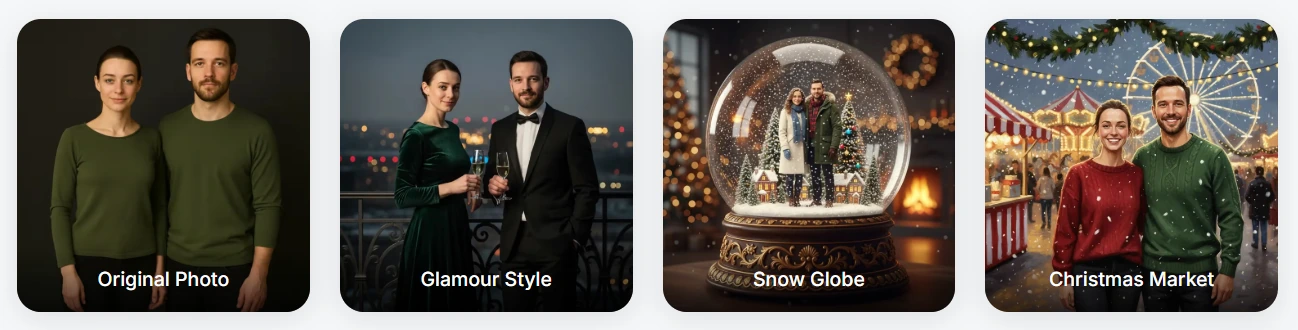
The AI Photo Booth module adds 80+ style transformations and custom prompt capability. This lets operators upsell couples on a multi-format package (360 videos plus boomerangs plus a branded GIF gallery) from one setup.
Source: TouchPix
The platform runs on iOS, Android, macOS, Windows, Linux, and Raspberry Pi, the broadest hardware coverage of any platform reviewed here, with unlimited devices per account. The Scanpix 2 offline sharing system delivers 360 clips via QR code even when the wedding venue has no reliable Wi-Fi, covering barn, vineyard, and garden reception locations.
TouchPix Pricing
TouchPix prices by active event slots (simultaneous live booth activations) with unlimited devices per account.
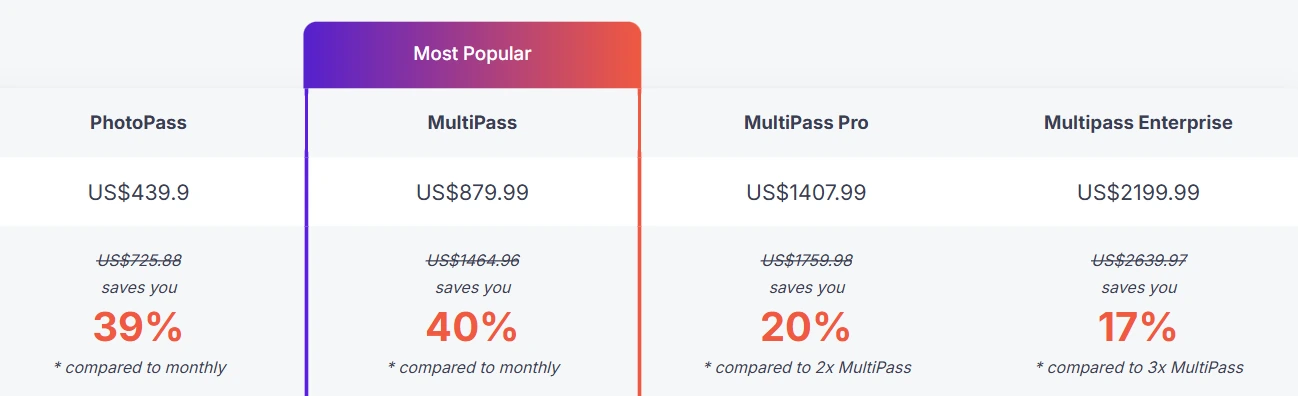
- PhotoPass - $439.90/year (annual). 2 active events. Still photos, AI photos, animated GIFs. Excludes video, slow-mo, boomerang.
- MultiPass - $879.99/year (annual), $43.99/week, or $439.99/half-year. 4 active events. All PhotoPass features plus video, slow-motion, and boomerang.
- MultiPass Pro - $1,407.99/year 8 active events. All MultiPass features plus Virtual Booth and Advanced Surveys (lead capture).
- MultiPass Enterprise - $2,199.99/year 12 active events. All Pro features plus Mosaic photo wall and RAW cloud backups.
AI Pro credits for cloud AI transformations: $12 for 100, $20 for 200, $49 for 500. All plans include a 14-day free trial with no credit card required.
For seasonal operators, the weekly ($43.99/week) and half-yearly ($439.99) MultiPass options allow subscribing only during the active booking season rather than paying year-round.
Use TouchPix If:
- Your primary booth format is a 360-degree spinning video rig and you need software that treats GoPro integration as a first-class feature
- You operate across multiple device types (iOS, Android, Windows, Linux) and want unlimited devices per account
- You’re building a 360 booth service and want flexible billing that matches your seasonal booking calendar
5. BoothLedger - Best Emerging Platform for Wedding-Specific AI Effects and Canon DSLR Quality at an Entry-Level Price
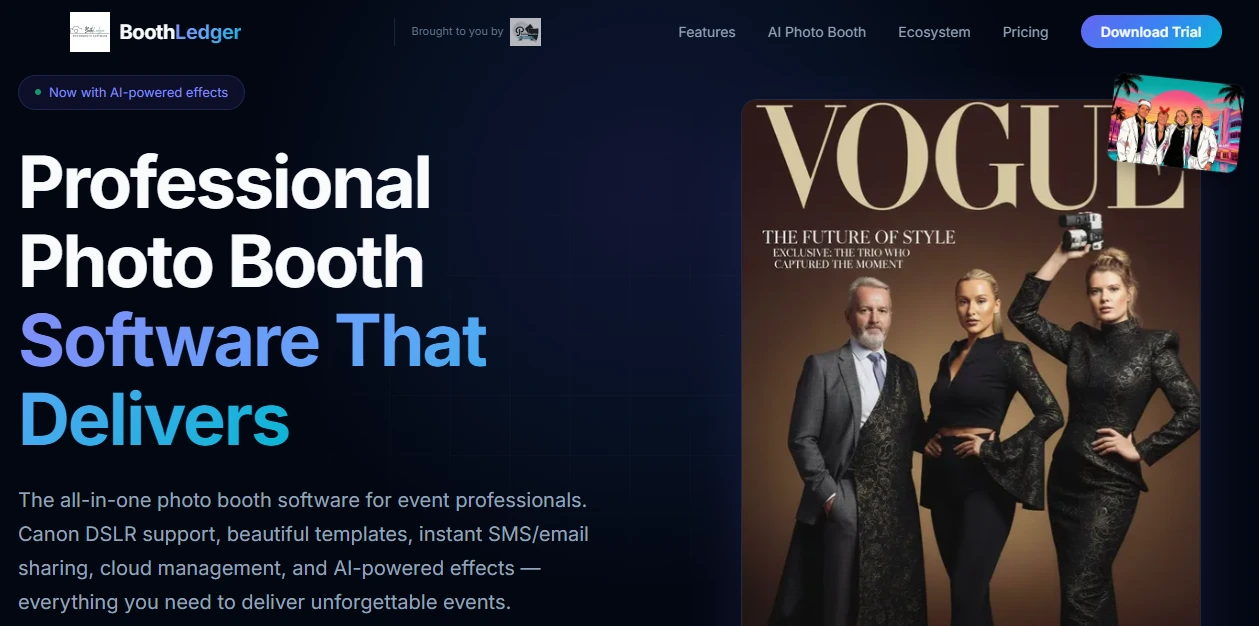
For independent operators and small-fleet rental companies entering the wedding market, BoothLedger offers a compelling combination: modern AI effects, wedding-specific personalization tools, and Canon DSLR quality at a price point that undercuts most competitors.
BoothLedger is a Windows-native photo booth software built and field-tested by PhotoBooth Guys, an active Irish event hire company, and brings practical wedding-specific features that larger platforms often overlook.
| BoothLedger Pros | BoothLedger Cons |
|---|---|
| - Wedding-specific monogram template editor | - Windows-only (no Mac, iPad, or mobile support) |
| - AI face swap and background removal without green screen | - Newer platform with a smaller established user base |
| - Digital guest signature with automatic guestbook compilation | - EUR pricing; currency conversion applies for non-EUR buyers |
| - Canon DSLR tethering via official EDSDK | |
| - Entry-level pricing at $13/month with two device licenses |
BoothLedger: Top 3 Unique Features
- Wedding monogram templates with per-couple customization
- Digital guest signatures that auto-compile into a guestbook
- Dual AI engines (Core and Nano Banana Pro) for different quality tiers
BoothLedger’s built-in template editor lets operators build custom monogram layouts with the couple’s initials, wedding date, venue name, and event hashtag baked into every print and digital share.
Multiple template slots per event let operators load different branded layouts for different moments in the reception. Changes through BoothLedger Cloud propagate to on-site booth hardware within 45 seconds, so last-minute adjustments don’t require touching the booth machine.
The digital guestbook system collapses two wedding stations into one: after capture, guests sign directly on the touch screen, and the handwritten signature composites onto the photo template. Every signed photo compiles automatically into a digital guestbook the couple receives after the event, a permanent, photo-paired record that doesn’t fade, get water-damaged, or get lost during venue breakdown.
The AI layer operates through two selectable engines: Core, optimized for high-volume events at the lowest cost per image, and Nano Banana Pro, built for the highest-fidelity transformations suited for luxury weddings.

The AI Photobooth plan includes over 50 creative art styles with no listed per-effect or per-image surcharges, and AI background removal works against any real venue background without green screen hardware.
Source: BoothLedger
Native Canon DSLR tethering uses Canon’s official EDSDK, supporting a broad lineup from EOS Rebel bodies through the complete EOS R mirrorless range (R, RP, R5, R6, R6 II, R7, R8, R10, R50, R100). For venues with unreliable Wi-Fi, BoothLedger’s offline-first architecture captures, prints, and queues share requests locally, syncing to BoothLedger Cloud when connectivity returns.
BoothLedger Pricing
All plans include two device licenses, cloud sync, and gallery storage. Annual billing saves approximately 15%. Pricing is in EUR.
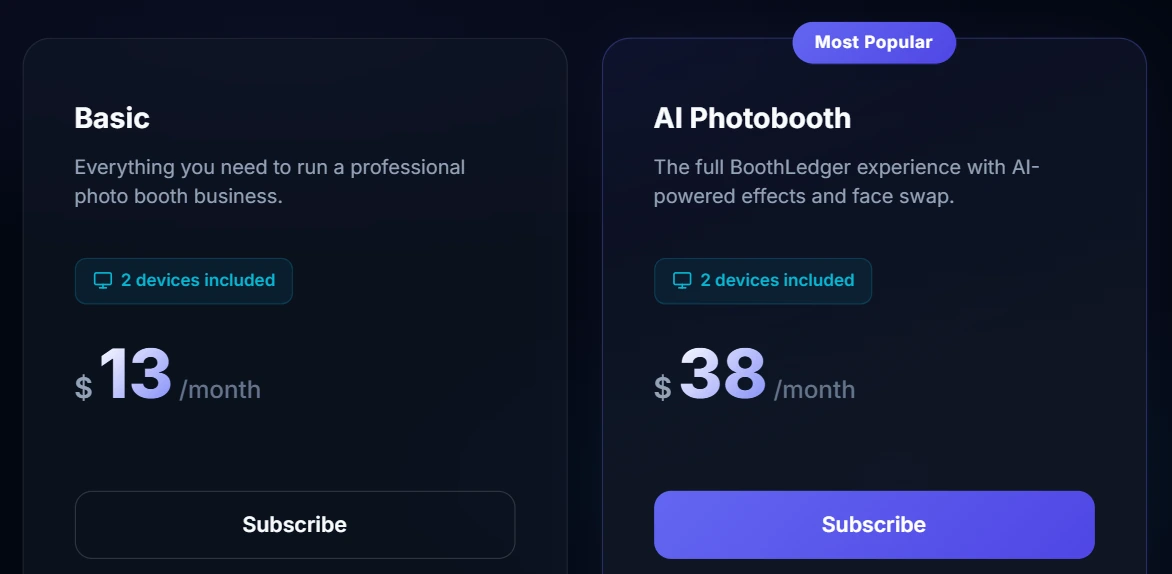
- Basic - $13/month Canon DSLR tethering, template editor with monogram layouts, cloud gallery, QR/email/SMS sharing, offline mode, and printing. 30-day free trial, no credit card required.
- AI Photobooth - $38/month Everything in Basic plus AI face swap, AI background removal, AI face enhancement, live swap mode, and 50+ art styles across Core and Nano Banana Pro engines.
Use BoothLedger If:
- You run Canon DSLR hardware on Windows and serve weddings where print quality and personalization define the deliverable
- You want AI effects without the logistics of a physical green screen, at a price point that starts at $13/month
- You need wedding-specific tools (monogram templates, digital guestbook with guest signatures) that larger, more generic platforms don’t prioritize
Sparkbooth - Honorable Mention for Budget-Conscious Beginners and DIY Event Hosts
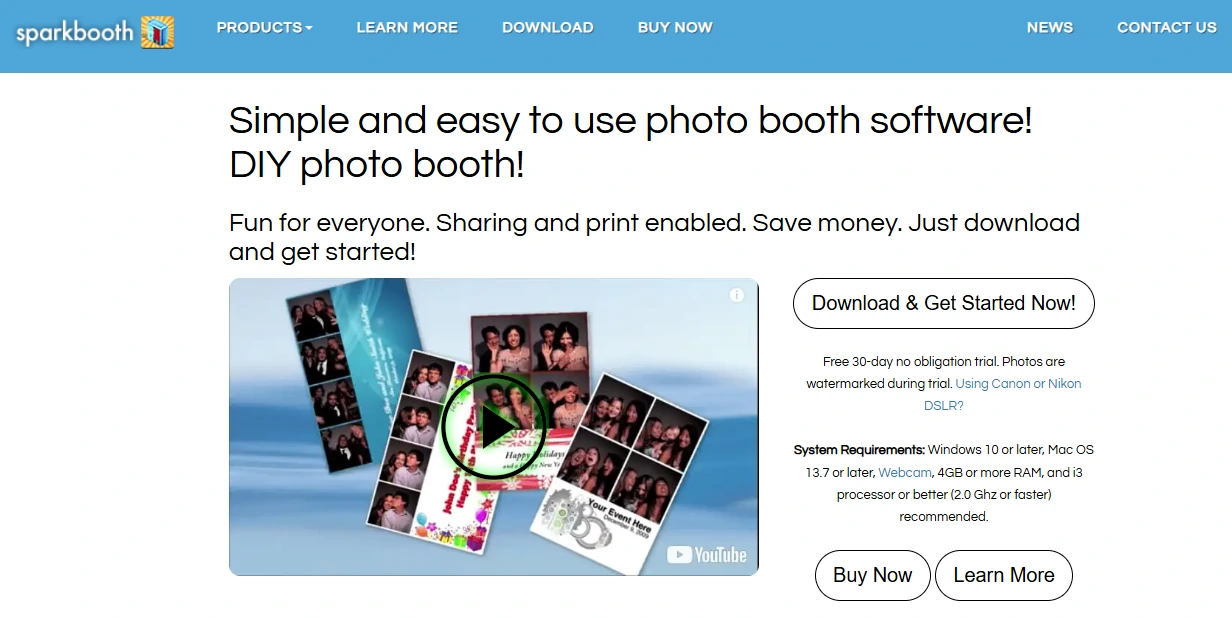
While our main list focuses on subscription-based platforms built for professional rental operators, Sparkbooth deserves a mention as the strongest option for a different buyer: the DIY couple hosting their own wedding photo booth, or the small-scale operator who prefers a one-time license over recurring fees.
Sparkbooth offers a one-time lifetime license at $149 (Premium/webcam) or $189 (DSLR) with no subscription, no per-event fees, and no recurring costs.
It includes animated GIF output (forward, boomerang, and rewind formats), a drag-and-drop Layout Editor for custom wedding branding, green screen support, and Canon and Nikon DSLR tethering in a single application. A 30-day fully featured free trial (photos watermarked) lets buyers evaluate everything before spending a dollar.
Choose Sparkbooth if you prefer owning your software outright, run a small number of events per year, and want the lowest total cost of ownership over time. It lacks the AI effects, remote management, and multi-device scaling that professional rental businesses need, but for entry-level and DIY use, the math is hard to beat.
Final Verdict
Every platform on this list serves a real need in the wedding and social event photo booth market. Some are more capable than others in specific areas, but the right choice depends on your use case, your hardware, and your business model.
Here are our top recommendations for the three most common scenarios:
- Simple Booth: If you want a complete hardware-and-software system that sets up in under a minute, runs unattended at weddings, and gives you remote management, AI effects, and lead capture tools to build a profitable rental business. Start your free trial with Simple Booth.
- Snappic: If you’re an established operator running premium wedding packages and need deep AI transformation suites, 360 video support, and branded post-event microsites to justify $1,500 to $3,000+ per-event pricing.
- LumaBooth: If you serve wedding clients with varied booth format requests and need one affordable subscription that covers photo, 360, mirror, glam, and video guestbook formats across both Windows and Apple hardware.
Best Photo Booths for Weddings and Social Celebrations FAQ
What is the best photo booth for wedding rental businesses?
Simple Booth is the top choice for rental operators, combining ring-light hardware, a subscription iPad app with remote management, and an offline mode that handles venues with unreliable Wi-Fi. Its sub-one-minute setup, 4.7-star App Store rating from 2,400+ reviews, and lead capture with 87%+ opt-in rates make it built for scaling a profitable rental operation.
How much does photo booth software cost for weddings?
Pricing varies widely by platform and model. Simple Booth starts at $24/week (Core plan), Snappic starts at $69/month or $29 per event, LumaBooth starts at $17 to $18/month annually, TouchPix starts at $43.99/week (MultiPass), and BoothLedger starts at $13/month.
Sparkbooth offers a one-time $149 to $189 lifetime license for budget-conscious buyers. Most platforms also charge separately for AI credits, SMS delivery, or cloud storage upgrades.
Can I run a photo booth at a wedding without Wi-Fi?
Yes. Several platforms support offline operation. Simple Booth’s HALO app queues sessions in offline mode and delivers them when connectivity returns. BoothLedger captures, prints, and queues share requests locally without internet. TouchPix’s Scanpix 2 system delivers 360 clips via QR code offline. LumaBooth’s AI background removal works entirely on-device without a connection on Windows.
Do I need a DSLR camera for a wedding photo booth?
Not necessarily. iPad-based platforms like Simple Booth produce professional results using the iPad camera enhanced by integrated ring lighting, Glam smoothing, and AI background blur.
However, if you already own a Canon, Nikon, or Sony DSLR or mirrorless camera, platforms like LumaBooth, BoothLedger, Snappic, and Simple Booth (Canon and Sony, Core plan and above) support tethered camera integration for studio-grade image quality.
What is a 360 photo booth and is it worth adding to wedding packages?
A 360 photo booth uses a spinning platform with a mounted camera (typically a GoPro or smartphone) to capture a slow-motion video of guests from all angles. It has become one of the highest-margin upsells in the wedding market. TouchPix is the most 360-focused platform, while Snappic and LumaBooth include 360 support as part of broader multi-format subscriptions.
Which photo booth platform supports the most device types?
TouchPix offers the broadest hardware compatibility, running natively on iOS, Android, macOS, Windows, Linux, and Raspberry Pi with unlimited devices per account. LumaBooth covers Windows, iPad, iPhone, and Mac. Simple Booth is iPad-only, while BoothLedger and Sparkbooth run on Windows (Sparkbooth also supports Mac).
What should I look for when choosing a photo booth for a wedding?
Focus on photo quality (integrated lighting, DSLR support, or AI enhancement), reliability under live event conditions (offline mode, hardware durability), guest sharing experience (SMS, QR code, WhatsApp, AirDrop), and pricing model fit for your event volume.
For rental businesses, also prioritize remote management, multi-device licensing, and lead capture capabilities. The best platform is the one that matches your specific use case, not the one with the most features.
Is there a free photo booth app for weddings?
Most professional platforms offer free trials rather than permanent free plans. Simple Booth provides a 7-day free trial, Snappic and TouchPix offer 14-day trials, and BoothLedger has a 30-day trial. Sparkbooth offers a 30-day fully featured trial with watermarked photos.
For a permanent free option with professional features, the selection is very limited; most viable wedding photo booth solutions require a paid subscription or one-time license.
Keep reading
 Best Of
7 Best Photo Booth Software with Video Message and Slo-Mo Capture [2026]
Booths that capture heartfelt video notes and buttery slo-mo. The moving stuff.
 Best Of
6 Best Photo Booth Software With QR Code Sharing [August 2026]
Booths that beam every snap to a phone with a quick scan. QR sharing done right.
 Best Of
7 Best Photo Booth Software With Real-Time Analytics and Dashboards [August 2026]
Booths that show the numbers as the party happens. Live dashboards, real insight.