Breeze Booth vs Snappic (vs Simple Booth): Which Photo Booth Software Should You Run in 2026?

Choosing between Breeze Booth and Snappic for your photo booth business often comes down to five questions:
- Do you need full creative control over every screen a guest touches, or would you rather launch events fast with ready-made templates?
- Are you running one booth type or building a fleet across 360, mirror, robot arm, and iPad formats?
- How important is it that your booth runs without internet?
- Do you want to spend weeks learning a platform, or be productive on day one?
- Is integrated hardware part of your strategy, or are you pairing software with third-party rigs?
In short, here’s what we recommend:
Breeze Booth is for technically skilled operators who want pixel-level control over every element of the guest experience. Its Touch Screen Designer, Photo Layout Editor, and Profile-based architecture let you replace every screen, countdown frame, keyboard, and output layout with custom-designed assets. Combined with 100% offline operation and hardware integrations (Canon DSLRs, Nayax payment terminals, Arduino, DMX lighting), Breeze Booth is used in 80 countries.
That control comes with a steep learning curve, fragmented pricing across its Booth, Cloud, and FX products, and no proprietary hardware to ensure consistent photo quality.
Snappic targets operators building multi-format businesses. It’s the only platform that runs iPad, 360-degree video, robot arm/Glambot, mirror, and roaming configurations from a single app, with all features available on every plan. Its AI-FX suite (powered by multiple AI engines including Google’s Gemini) and VideoFX template builder give operators experiences they can sell at higher rates. With 24/7/365 support and 8,000+ operators across 100,000+ events, Snappic has scale.
The trade-offs: higher monthly costs, credit-based pricing on top of subscriptions for AI and background removal, and cloud dependency for its most distinctive features.
Both platforms give operators strong tools. But one asks you to become a technical expert, and the other asks you to manage a growing list of credits and add-ons. For operators who want a self-running photo booth system that works out of the box, there’s a third option worth considering.
Simple Booth pairs its HALO app with aluminum ring-light hardware that sets up in under a minute and produces studio-quality photos from an iPad alone. The Layout Designer handles template creation without external design software. AI effects with automatic identity preservation, wired and wireless DSLR camera integration, and delivery via QR code, SMS, email, AirDrop, and WhatsApp are built into a single subscription.
With 30,000+ customers and a 4.7-star rating from 2,400+ reviews, Simple Booth is built for operators who want reliable photo quality without the complexity.
If a turnkey photo booth system sounds like the right fit, start your free trial of Simple Booth.
Breeze Booth vs Snappic vs Simple Booth at a glance
| Breeze Booth | Snappic | Simple Booth | |
|---|---|---|---|
| Core strength | Design customization | Multi-format booth coverage | Integrated hardware + software |
| Booth types | iPad/iPhone (360 via Auto Motion Start) | iPad, 360, Mirror, Glambot, Roaming | iPad (with HALO ring-light hardware) |
| Learning curve | Steep | Moderate-to-steep | Minimal |
| AI effects | Cloud-based Breeze FX (per-image credits) | Multiple AI engines (per-credit pricing) | Built-in AI effects (per-credit pricing) |
| Offline capability | Full 100% offline mode | Capture offline; AI/sharing need internet | Offline queue with auto-upload |
| DSLR support | Canon DSLR/mirrorless | Canon DSLR, GoPro | Canon DSLR/mirrorless, wired + wireless (Core+) |
| Hardware included | Software only | Software only | HALO ring-light kits available |
| Sharing channels | SMS, email, QR, MMS | SMS, email, QR, SmartShare FaceAI | QR, SMS, email, AirDrop, WhatsApp |
| Starting price | $49/month per device | $69/month (Starter) | $14.99/week (Lite) |
| Free trial | Unlimited (watermarked after 10 sessions/day) | 14-day, no credit card | 7-day |
| Support | Email, forum, Facebook group | 24/7/365 live support | Email, chat, phone (Pro+) |
| App Store rating | 3.6 stars (5 ratings) | 4.5 stars (93 ratings) | 4.7 stars (2,400+ ratings) |
Design customization: Total control vs practical speed
This is where the three platforms diverge most.
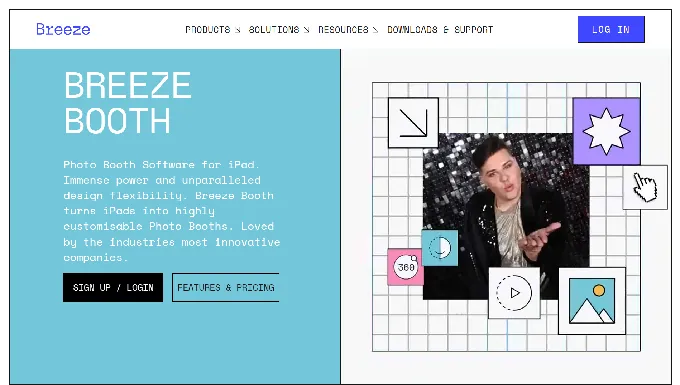
Breeze Booth offers the deepest customization in the category. Operators replace every screen a guest touches (welcome screens, countdown frames, menus, survey keyboards, share screens, even error states) with custom assets built in Photoshop or After Effects. The Profile system lets a single event hold multiple complete UI configurations that guests switch between via touchscreen menus, enabling experiences like team-selection interfaces at sports events.
That depth extends to output design. The Print Layout Editor supports layered compositions with photos, logos, QR codes, and dynamic text driven by a token system that injects survey responses directly into print layouts. A guest’s name and team number can appear on a trading card print without post-processing. Animated overlays using alpha-channel video composited over the live camera view give operators cinematic booth interfaces no template system can replicate.
Source: Breeze Booth
The cost is time. Building a fully custom Breeze Booth event means working across the Event Editor web application, managing file-based Profile folders, positioning touch-action zones as percentages, and understanding the token system.
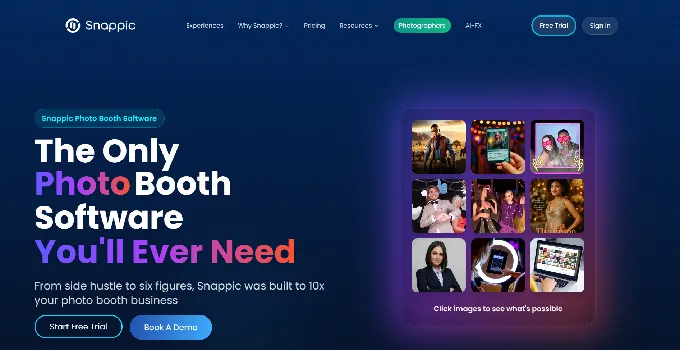
Snappic takes a faster path. Its Template Designer is a browser-based canvas editor with layers, blend modes, text styling, and frame positioning. Operators choose from 60+ ready-made event templates or build custom layouts. Any configured event can be saved as a reusable template. Magazine Cover and Trading Card templates are built into the standard overlay system, and the microsite accepts custom CSS for gallery branding.
Source: Snappic
Snappic doesn’t match Breeze Booth’s depth. You can’t replace every screen in the guest flow with custom assets, and the design tools operate within the app’s framework rather than being open-ended. But for most events, the Template Designer produces professional results in a fraction of the time.
Simple Booth introduced the Layout Designer in HALO 5.0, putting template creation directly inside the app and web dashboard. Operators place photos, add text layers with font and color controls, position logos and overlays, embed dynamic QR codes, and set background gradients, all without external design software. Simple Booth calls it “the most powerful design tool in the photo booth industry.”
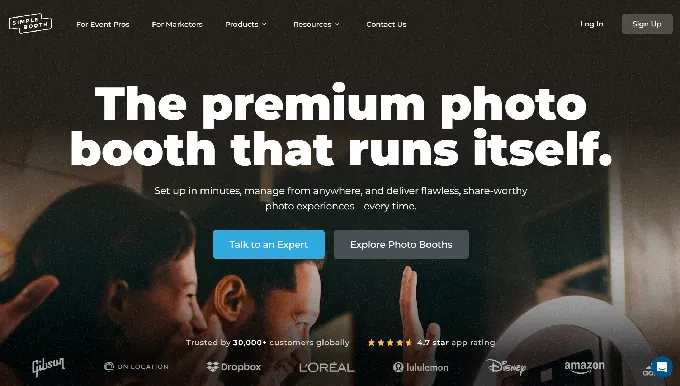
What sets Simple Booth apart on design is the guest-editable text layer (Plus+ plans): guests type their own names, captions, or hashtags directly onto their photo before sharing, with dynamic text sizing that keeps the layout clean regardless of message length. It’s personalization at scale without adding operational steps.
Booth type and hardware coverage
If you run multiple booth formats, this comparison matters more than any other.
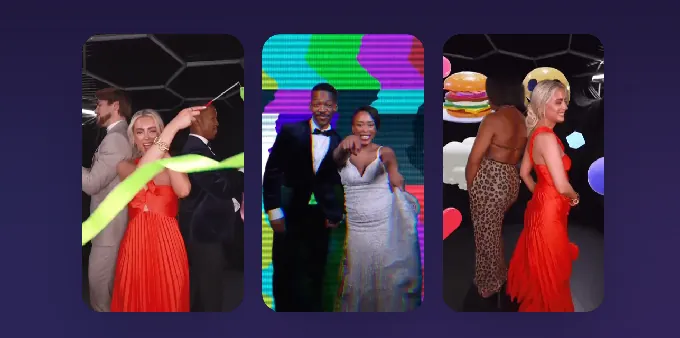
Snappic covers the widest range. A single subscription runs iPad photo booths, 360-degree video booths, robot arm/Glambot setups, mirror booths, and roaming photography. The VideoFX Template Builder handles video production across all formats with the same three-tab editor. For operators who own a 360 spinner and a Glambot alongside their iPad booths, Snappic eliminates the need for separate software.
Source: Snappic
The video capabilities stand out. High-frame-rate slow motion supports up to 240 fps capture with Canon DSLRs and iPhones, producing 8x slow-motion output. Pre-built Glambot templates produce cinematic videos from 2-3 seconds of capture. One operator described filming and processing 100 branded videos in under an hour with the Glambot integration.
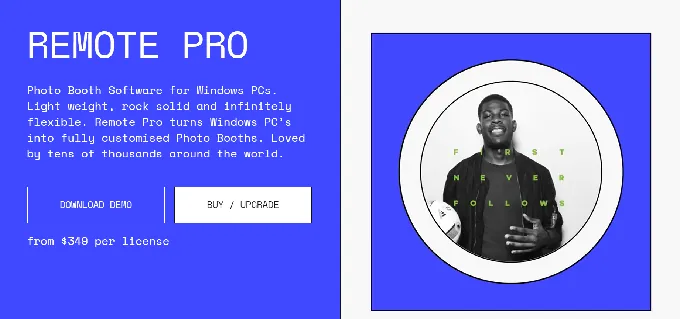
Breeze Booth is iPad/iPhone-only for its core product, with a separate Remote Pro product for Windows. It compensates with hardware-agnostic 360 support: Auto Motion Start detects when any 360 spinner or robot arm begins moving and triggers capture automatically, making it “compatible with any 360 on the market.” The Video Edit List provides frame-level editing with speed ramps, jump cuts, pans, zooms, and rotations, all configurable as a reusable file.
Source: Breeze Booth
Breeze Booth’s hardware integration list is long: Canon DSLRs, Nayax payment terminals, Stripe QR payments, Zebra barcode scanners, coin and bill acceptors, Arduino, DMX lighting controllers, and OrcaVue 360 spinners. For operators building permanent kiosks with payment processing, this range is hard to match.
Simple Booth takes a narrower approach. The HALO hardware is designed for iPad photo booths, with 112 LEDs producing up to 2,100 lumens in a machined aluminum chassis rated for 50,000 hours. The iPad snaps in via a tool-less faceplate, a concealed USB-C cable keeps it charged, and the entire Event Kit travels in a rolling case.
Simple Booth doesn’t try to run mirror booths or Glambots. Instead, it maximizes what an iPad booth can do: still photos, GIFs, Rebound boomerang clips, and full-length video, with AI background replacement and background blur that produces DSLR-quality bokeh from the iPad camera.
For higher-end events, DSLR and mirrorless camera integration supports both wired USB and wireless WiFi connections, a wireless capability most competitors don’t offer. All effects, filters, and capture modes work together across stills, video, DSLR, and offline mode, so operators don’t have to navigate compatibility rules.
For businesses centered on iPad booths, the integrated hardware-software experience outperforms DIY setups where you source a ring light, tablet stand, and software separately.
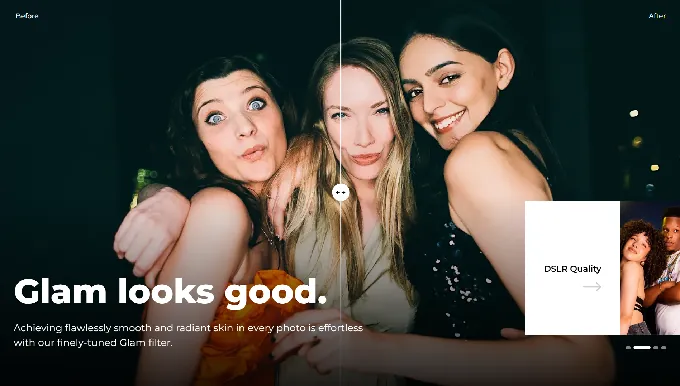
“10+ years, we’re big Simple Booth believers.” G7 Entertainment Marketing reported over 136,000 fan interactions using Simple Booth’s platform. (Simple Booth)
AI effects: Three approaches to the same opportunity
AI photo transformations have become a premium upsell for event operators. All three platforms offer them, but the implementations differ.
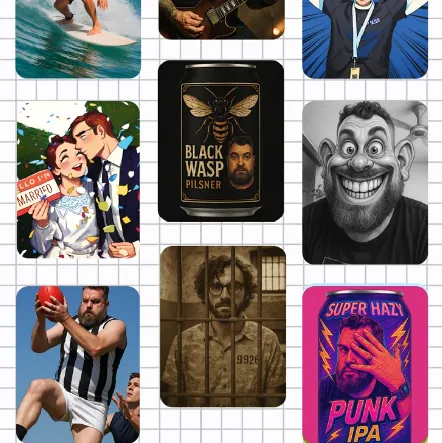
Breeze Booth runs AI through Breeze FX, a separate cloud service from the same company. The suite includes OpenAI GPT-4o image generation, Face Swap, nine cartoon/anime styles, BytePlus Seedream and Google Gemini models, skin smoothing, and content moderation. Processing takes 10-60 seconds depending on the effect.
Breeze FX’s distinctive feature is survey-driven AI prompts. The GPT Image configuration supports token injection: answers a guest enters at the booth (team color, shirt number) feed directly into the AI prompt, personalizing each output. For trading card and sports activations, this matters. Breeze FX also combines on-device AI background removal (free, offline, no credits) with cloud AI for deeper transformations, giving operators two tiers to work with.
The complication is pricing. Breeze FX runs on a separate credit system with per-image costs ranging from $0.032 for Face Swap to $0.455 for GPT Image generation. These stack on top of the Breeze Booth subscription, so high-volume events require careful budgeting.
Source: Breeze Booth
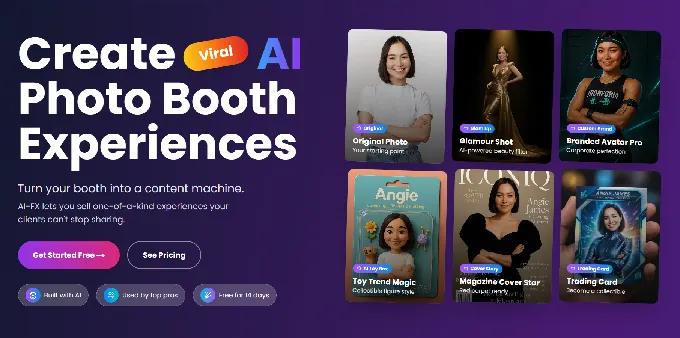
Snappic runs three parallel AI subsystems. AI-FX covers style transfers, branded avatars, and magazine covers from a preset filter library. PersonaFX handles photorealistic and styled avatar generation with survey-driven personalization. BananaFX, powered by Google Gemini 2.5, regenerates the entire image from a custom prompt rather than filtering the original.
Snappic adds Photo Glam (skin smoothing and teeth whitening that runs offline with no credits) and AI Touchups with 40+ enhancement parameters. For operators who want variety in one place, Snappic’s breadth is appealing. But AI-FX requires the Business plan ($189/month) or higher, and credits are $20 per 200 on top of the subscription.
Source: Snappic
Simple Booth integrates AI effects natively into the HALO app and Virtual Booth. Three Nano Banana AI models balance speed, quality, and group size. Operators choose from a public prompt library or write custom prompts, with unlimited test generations at zero credit cost outside of booth mode. In production, credits cost $0.10 each, with models consuming 1x, 2x, or 3x credits per generation.
Two capabilities set Simple Booth’s AI apart. First, the platform automatically preserves identity and likeness without requiring operators to engineer prompts. Guests stay recognizable no matter how dramatic the transformation. Second, per-frame multi-prompt storyboarding assigns a unique AI prompt to every individual frame in a multi-frame layout, enabling comic strip and cinematic narrative strips. Purchased credits do not expire, reducing risk for operators with variable event calendars.

Offline reliability separates the approaches
Venue Wi-Fi is unreliable. Basements, ballrooms, and rural estates can all kill a cloud-dependent workflow. Each platform handles this differently.
Breeze Booth takes the strongest stance: the software runs 100% offline with no personal data or images sent to any third party, including Breeze Software itself. Email and phone data can be optionally encrypted in local storage. GDPR compliance is stated explicitly. For operators serving enterprise clients with strict data requirements, this offline-first architecture is a purchasing requirement, not a preference.
On-device AI background removal runs locally without internet or credits. Only cloud-based Breeze FX effects need connectivity.
Snappic handles offline well for core capture. Once an event downloads to the iPad, a live connection is no longer required. The app queues shares and uploads, then resumes when connectivity returns. Photo Glam and offline AI background removal also work without internet. But AI-FX, SmartShare, and cloud sharing all require an active connection.
Simple Booth follows a similar approach. The HALO app queues sessions in offline mode and delivers them when connectivity returns. At venues with intermittent Wi-Fi, the booth never stops working. Guests capture their photos, and delivery happens in the background.
Sharing and photo delivery
Getting photos into guests’ hands fast is what makes a booth worthwhile.
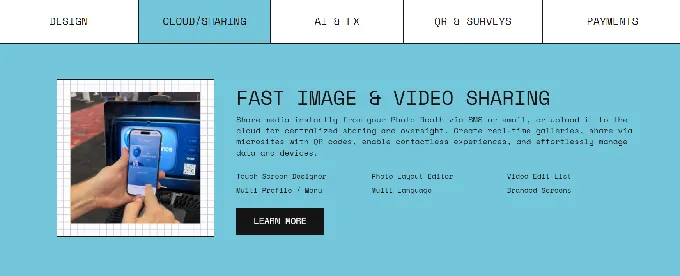
Breeze Booth delivers through SMS, custom HTML email, MMS (US and Canada), and QR codes. The cloud layer, Breeze Cloud, adds real-time galleries, branded microsites with custom domains, and Mission Control for monitoring multiple booths remotely. A contactless workflow lets guests register once via a cloud-hosted microsite, scan their personal QR code to trigger sessions, and receive media automatically with no touchscreen contact.
The three-level URL hierarchy (gallery, session, individual media) means one guest cannot discover another guest’s session URL. For corporate activations, this privacy-by-default design matters.
Source: Breeze Booth
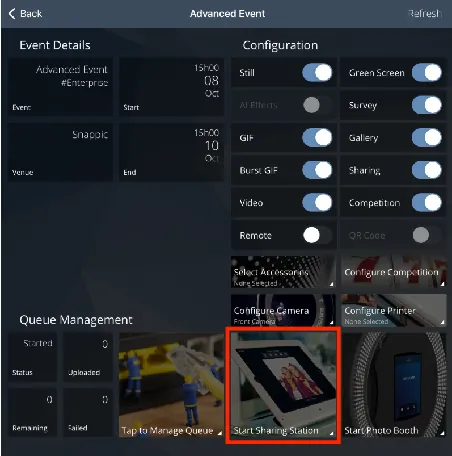
Snappic adds intelligence to sharing. SmartShare uses AI facial recognition or personal QR cards to identify guests across multiple sessions. Once linked, every subsequent capture dispatches automatically without re-entering contact details. The Sharing Station puts photo sharing on a second iPad so the main booth never waits for a guest to type an email address. Branded microsites serve as post-event galleries, and white-label URLs and emails keep the operator’s brand visible. Note that the Starter plan limits delivery to email and text only. SmartShare, the Sharing Station, and QR-based sharing require Business or above.
Source: Snappic
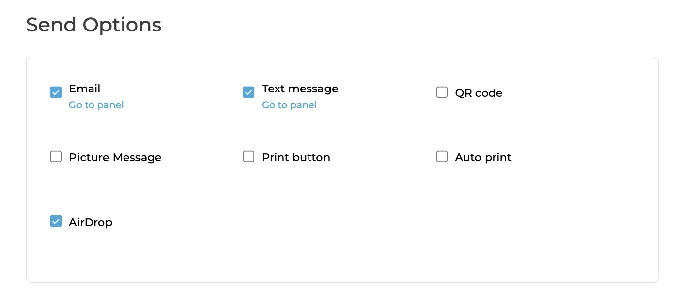
Simple Booth delivers via QR code, SMS, email, AirDrop, and WhatsApp. AirDrop sends photos directly to nearby iPhones without internet or data entry. The WhatsApp option, added in HALO 5.0, opens international deployments that SMS-only platforms cannot serve. Every event generates an online gallery that doubles as a Live Feed for real-time display on any TV or projector with a single tap. Lead capture forms achieve opt-in rates as high as 87-89% because data collection happens naturally as part of receiving a photo.
Arizona Opera grew its email list by 1,000 addresses in a few events using Simple Booth’s lead capture. (Simple Booth)
Ease of use and learning curve
The time between opening the box and running your first event varies widely.
Breeze Booth requires the most investment. Operators work across two applications: the Event Editor (a web-based configuration tool) and the Breeze Booth App (the runtime capture app on iPad). Building a custom event means understanding Profile folders, the Touchscreen Editor’s percentage-based positioning, the token system, hardware configuration, and post-processing webhooks. The platform markets itself as “your way, not our way”, and that creative freedom requires matching expertise.
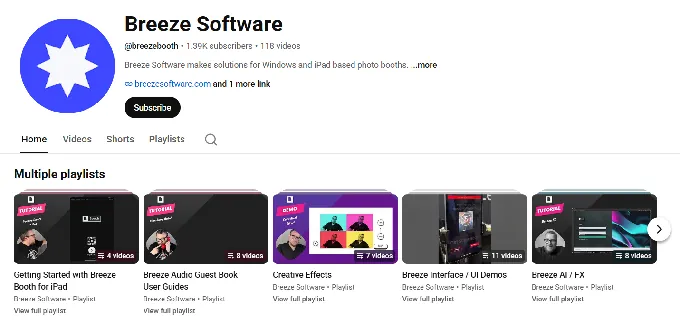
Support resources include a help center, video learning course with 11 lessons, a YouTube channel, a Facebook community group, and a forum. There is no live chat or phone support. Email at support@breezesoftware.com is the primary direct channel.
Source: YouTube
Snappic lands in the middle. The web dashboard handles event configuration at a desk, and the iPad app deploys on-site. The volume of settings across booth types, AI subsystems, and sharing channels makes the ramp-up steeper than the interface first suggests. Getting-started guides are tiered by plan so operators only see features relevant to their subscription. 24/7/365 live support sets Snappic apart here. App Store reviewers describe support that “answers in a matter of seconds”. But Snappic’s own materials acknowledge the platform “can feel like more platform than needed if you only run one booth type.”
Simple Booth is the fastest to learn. The homepage promise, “set up in minutes, manage from anywhere”, reflects a design built for operators without technical backgrounds. The numbered Start Guide walks through plan selection to first event in sequential steps. HALO 5.0’s redesigned preset editor presents the entire booth flow visually rather than as a settings list. A Preflight Check screen catches configuration issues before each event launch.
For drop-off events, the guest interface works unattended, with no attendant needed. The web dashboard enables remote device monitoring across simultaneous events, tracking battery levels, upload queues, and active presets from anywhere. Rendering optimizations produce image previews up to 12x faster, keeping guest lines moving. And for businesses hiring event staff, the straightforward design means new team members get productive fast without extensive training.
The HALO hardware removes setup complexity. The iPad snaps in via a tool-less faceplate, the ring light illuminates the scene, and the integrated USB-C cable keeps the iPad charged. Unboxing to running an event takes under a minute.
“I knew nothing about photo booths when we started,” said Amore Entertainment, who launched their business using Simple Booth during COVID and scaled to multiple booths. (Simple Booth)
Pricing: Three models, three trade-offs
Each platform structures costs differently, and the sticker price rarely tells the full story.
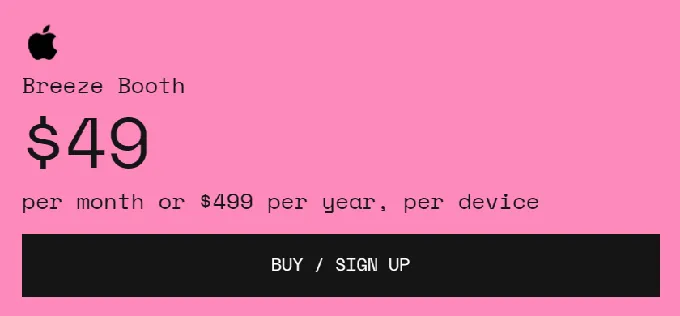
Breeze Booth charges $49/month per device ($499/year, roughly a 15% discount). There’s a single plan with every feature included. No tiers, no feature gating. The free trial is unlimited in duration with output watermarked after 10 sessions per day.
Source: Breeze Booth
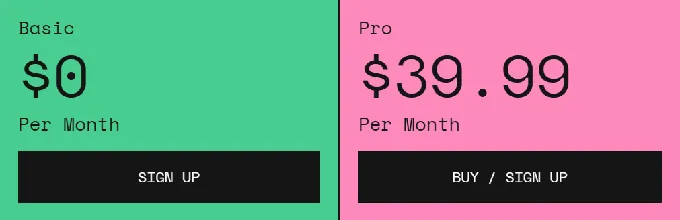
The simplicity ends at the base subscription. AI capability requires Breeze FX credits ($0.032-$0.455 per image). Cloud galleries and custom domains need Breeze Cloud Pro at $39.99/month. Extra storage runs $30/month per block beyond the included 50 GB. Stripe QR payments add ~$0.05 per transaction. A three-device operator wanting AI effects and cloud delivery could pay $147/month in base subscriptions plus $39.99 for Cloud Pro plus variable FX credits.
Source: Breeze Booth
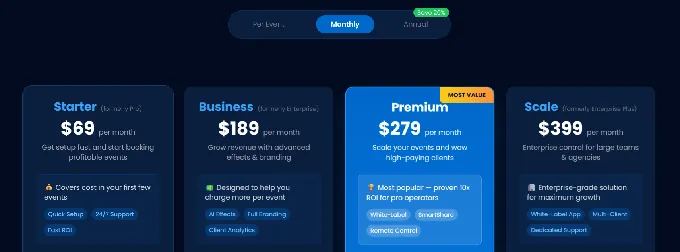
Snappic tiers by booth license count and feature access:
- Starter: $69/month ($499/year), core photo booth features; no AI-FX, no VideoFX, no analytics
- Business: $189/month ($1,799/year), adds VideoFX, AI-FX, microsites, analytics, surveys
- Premium: $279/month, adds white-label, webhooks, SmartShare with 400 credits
- Scale: $399/month ($3,999/year), adds sub-accounts, grey-label app, dedicated success manager
All features are available on every plan, but “all features” means all features within that tier. AI-FX and VideoFX require Business or above. On top of subscriptions, operators pay for AI-FX credits ($20 per 200), background removal credits ($15 per 100), and international SMS credits ($39 per 1,000). Additional device licenses range from $39-$119/month depending on plan and license type.
A 14-day free trial requires no credit card.
Source: Snappic
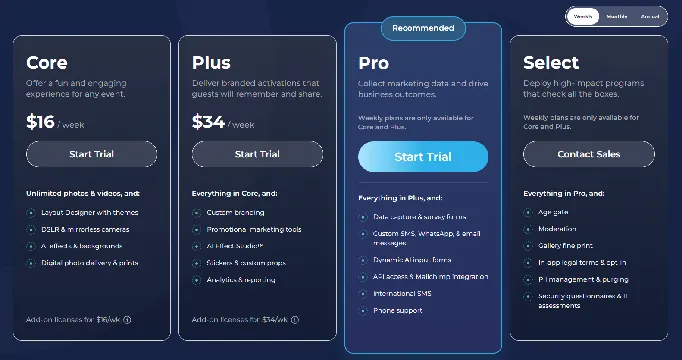
Simple Booth offers the widest pricing range with weekly, monthly, and annual billing:
- Lite: $14.99/week (~$290/year), basic capture and delivery with ads
- Core: $24.99/week (~$490/year), ads removed, DSLR, video, background replacement, AI effects
- Plus: $49.99/week (~$990/year), custom branding, analytics, custom AI effects
- Pro: $149/month ($1,490/year), lead capture, API, phone support, moderation
- Select: $249/month ($2,490/year), custom legal terms, demographic analytics, security assessments
Weekly billing lets event rental operators pay only when they have events, avoiding monthly costs during slow periods. AI credits are $0.10 each and do not expire. HALO hardware kits are sold separately starting at approximately $2,090 for the Event Kit.
A 7-day free trial is available with 25 free AI credits.
Analytics and client reporting
For operators serving brand clients, post-event data is how you justify pricing and win repeat bookings.
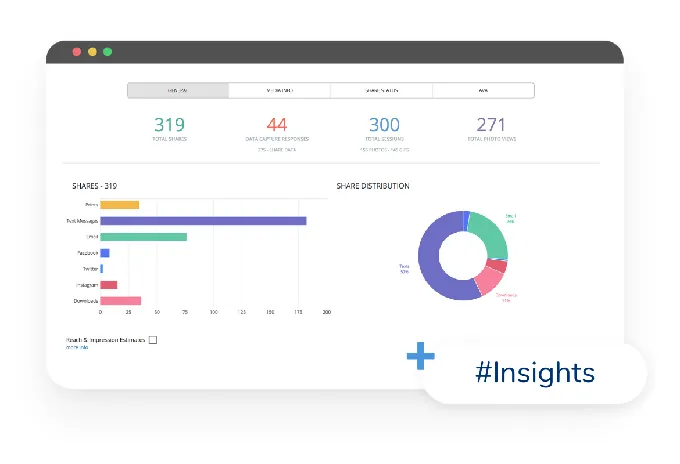
Snappic leads here. Built-in event analytics track shares by channel, session counts, photo views, peak engagement times, and estimated reach. AVA (Advanced Vision Analytics) uses facial recognition to produce anonymized demographic insights (gender, age ranges, face counts) included on all plans. The Send to Client feature delivers a live analytics page to clients with downloadable guest data and gallery access. For corporate clients who need proof of engagement, this is a direct upsell.
Source: Snappic
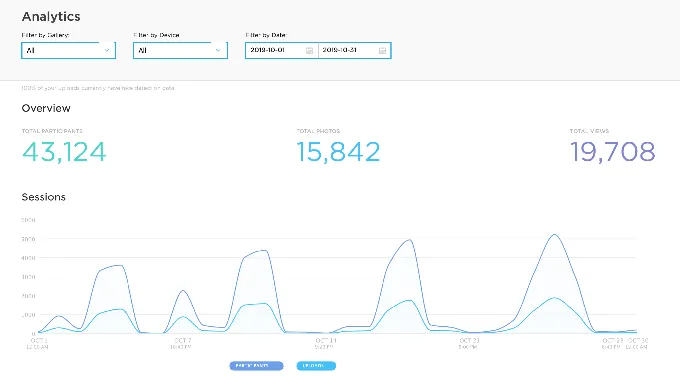
Simple Booth provides analytics and reporting on Plus plans and above, including total participants, gallery views, and social share tracking across Facebook, X, LinkedIn, and Instagram. The Select tier adds face-detection demographic insights (estimated age, gender breakdown, and average group size). Data exports to CSV, and MailChimp integration syncs leads without developer involvement.
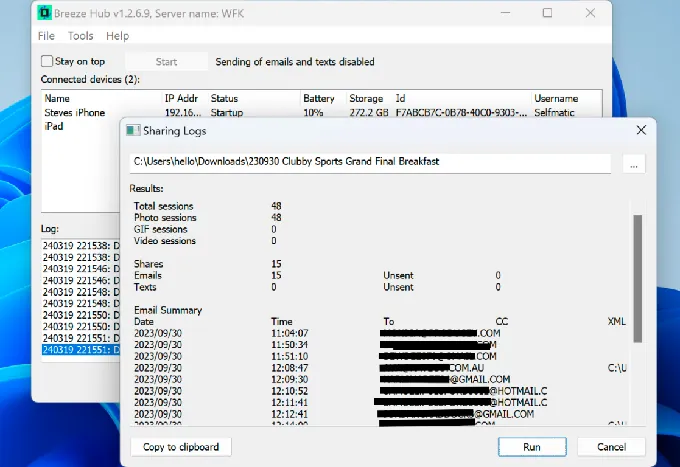
Breeze Booth is the weakest here. Reports through Breeze Hub provide basic exports: survey data, sharing reports, and statistics in tab-delimited format for spreadsheet import. There is no client-facing analytics dashboard, no demographic insights, and no native CRM integration. For operators whose clients expect post-event performance data, this gap is significant.
Source: Breeze Booth
Breeze Booth vs Snappic vs Simple Booth: Which should you choose?
The right choice depends on your business model, technical comfort, and growth plans.
Choose Breeze Booth if:
- You want pixel-level control over every screen, layout, and animation in the guest experience
- You serve enterprise clients with strict data privacy requirements and need 100% offline operation
- You’re building custom booth formats with specialized hardware (payment kiosks, Arduino, DMX lighting)
- You’re technically skilled and willing to invest significant time mastering the platform
- You want a flat per-device price with no feature tiers
Choose Snappic if:
- You run multiple booth formats (360, mirror, Glambot, iPad) and need one platform for all of them
- AI effects are central to your pricing strategy for corporate clients
- You want 24/7/365 support for live events where downtime means lost revenue
- You’re building toward a multi-booth agency and need sub-account management and white-labeling
- Client-facing analytics and post-event reporting are part of your sales pitch
Choose Simple Booth if:
- You want an integrated hardware-software system that sets up in under a minute
- You run drop-off or unattended events and need a booth guests can operate without guidance
- Photo quality matters, and dedicated ring lighting and AI processing are part of your competitive edge
- You need to be productive immediately and train new staff quickly, without weeks of technical configuration
- Lead capture, branded galleries, and marketing tools matter to your event and venue clients
- You value a proven platform with 30,000+ customers and a 4.7-star rating from 2,400+ reviews
Start your Simple Booth free trial and see why operators stick with it for years.
Each platform has earned its place. Breeze Booth rewards technical mastery with creative freedom. Snappic rewards ambition with the broadest booth-type coverage and AI upsells. Simple Booth rewards operators who value reliability and quality with a system that works from the moment you set it up.
The question isn’t which platform has the most features. It’s which one fits the way you want to run your business.
Breeze Booth vs Snappic vs Simple Booth FAQ
What is the main difference between Breeze Booth, Snappic, and Simple Booth?
Breeze Booth is built for technically skilled operators who want full creative control over every screen, layout, and animation in the guest experience, with complete offline capability. Snappic is built for operators running multiple booth formats (iPad, 360, mirror, Glambot, roaming) from a single platform, with AI effects and 24/7 support. Simple Booth pairs proprietary ring-light hardware with an intuitive iPad app for operators who want a turnkey system that sets up in under a minute.
Which platform is cheapest for a solo photo booth operator?
Simple Booth’s Lite plan at $14.99/week (roughly $290/year) is the lowest entry point, though it includes ads and excludes DSLR support, custom branding, and AI effects. Breeze Booth’s single plan at $49/month ($499/year) includes all features but requires separate purchases for cloud delivery and AI effects. Snappic’s Starter at $69/month ($499/year) covers core photo booth features but excludes AI-FX, video, and analytics. The true cost depends on which features you actually need.
Which platform supports the most booth types?
Snappic supports the widest range: iPad, 360-degree video, robot arm/Glambot, mirror, and roaming configurations all run from a single subscription. Breeze Booth is iPad/iPhone-only but supports 360 video through its hardware-agnostic Auto Motion Start feature, which works with any spinner. Simple Booth focuses on the iPad photo booth format with its integrated HALO hardware.
Can any of these platforms run completely offline?
Breeze Booth has the strongest offline capability. It runs 100 percent offline with no data sent to any third party, including Breeze Software itself. Snappic and Simple Booth both queue sessions offline and upload automatically when connectivity returns, but their AI effects, cloud sharing, and gallery features require internet access.
How do the AI photo effects compare across platforms?
All three offer AI photo transformations on a per-credit basis. Breeze Booth runs multiple AI models (OpenAI GPT-4o, Google Gemini, BytePlus) through its separate Breeze FX service, with costs from $0.032 to $0.455 per image. Snappic runs three AI subsystems (AI-FX, PersonaFX, BananaFX) at $20 per 200 credits. Simple Booth uses Nano Banana models at $0.10 per credit with automatic identity preservation and free testing outside of booth mode. All three also include free on-device AI background removal.
Which platform is easiest to learn?
Simple Booth is the fastest to learn, with a visual preset editor, a numbered start guide, and the HALO hardware’s tool-less setup. Snappic falls in the middle, with plan-tiered onboarding guides and 24/7 support. Breeze Booth has the steepest learning curve due to its file-based Profile system, two-application architecture, and extensive token and customization framework. It offers the most control but demands the most time to master.
Do any of these platforms include proprietary hardware?
Only Simple Booth sells proprietary hardware: the HALO ring-light kits in machined aluminum with 112 LEDs and up to 2,100 lumens, available in Event Kit (selfie stand and travel case) and Install Kit (wall mount) configurations. Breeze Booth and Snappic are software-only platforms that pair with third-party hardware.
Which platform offers the best support for live events?
Snappic leads with 24/7/365 live support on every plan, with App Store reviewers consistently citing fast response times. Simple Booth offers email and chat support on all plans, with phone support on Pro and above, and a dedicated account manager on Select. Breeze Booth relies on email support, a community forum, and a Facebook group, with no live chat or phone support publicly listed.
Keep reading
 Showdowns
Simple Booth vs Snappic: Which Photo Booth Software Fits Your Business in 2026?
Integrated iPad system vs multi-format fleet. Simple Booth or Snappic?
 Showdowns
Snappic vs Touchpix (vs Simple Booth): Which Photo Booth Software Should You Choose in 2026?
Multi-format all-rounder vs 360 video specialist. Snappic or Touchpix?
 Showdowns
LumaBooth vs Snappic (vs Simple Booth): Which Photo Booth Software Fits Your Business in 2026?
Budget multi-format app vs enterprise fleet platform. LumaBooth or Snappic?