7 Darkroom Booth Alternatives: Photo Booth Software for Every Operator (2026)

Darkroom Booth has been a fixture in photo booth software for over a decade. Its one-time $295 license, wide hardware compatibility, and large template library make it a standard choice for Windows-based operators running weddings, corporate events, and brand activations.
But the photo booth industry has moved on. Cloud management, iPad portability, AI photo experiences, and virtual event support have become client expectations, and Darkroom Booth’s Windows-only architecture hasn’t kept pace. Common friction points include:
- The Windows-only requirement, which excludes Mac and iPad operators
- No cloud-based remote management or online galleries without a separate subscription product
- Support limited to business hours (Monday through Friday, 9am to 5pm Central), leaving operators uncovered during evenings and weekends when most events happen
- No virtual or hybrid event capability for clients who need browser-based photo experiences
- AI features added later, not built into the platform from the start
That’s where this guide comes in. We’ll cover Darkroom Booth alternatives that excel in specific areas, whether you’re looking to:
- Run a self-operating iPad photo booth with built-in lead capture and marketing analytics
- Manage multi-format booth fleets from one cloud platform with 24/7 support
- Deploy cross-platform software that runs on both Windows and iPad under one subscription
- Deliver enterprise event activations with measurable ROI
- Operate 360-degree spinning arm video booths across any device
- Start a photo booth business with zero upfront software cost
- Use AI photo transformations without per-image surcharges
This isn’t about finding a “better” platform. It’s about finding the right fit for your hardware, event types, and growth plans. Some operators use these tools alongside Darkroom; others switch entirely.
The Best Darkroom Booth Alternatives
 | Simple Booth Best Alternative for Premium iPad Photo Booths With Built-In Marketing We chose Simple Booth because its integrated hardware and software, sub-one-minute setup, 87%+ lead capture opt-in rates, and AI photo experiences make it the strongest iPad photo booth platform for operators who want reliable setup and built-in marketing tools. |
|---|---|
 | Snappic Best Alternative for Enterprise Operators Running Multiple Booth Types We chose Snappic because it runs iPad, 360, Glambot, and mirror booths from one platform with 24/7 live support and remote fleet management, fitting operators who are scaling beyond a single booth format. |
 | LumaBooth Best Alternative for Cross-Platform Flexibility and AI Portrait Upsells We chose LumaBooth because it runs natively on Windows, iPad, iPhone, and Mac under one subscription, with 170+ AI Portrait presets and a browser-based event dashboard. |
 | Snapbar Best Alternative for Enterprise Experiential Marketing Activations We chose Snapbar because its eight activation formats, CRM-integrated lead capture, and browser-based virtual booth serve corporate marketing teams and experiential agencies. |
 | TouchPix Best Alternative for Cross-Platform 360 Video Booth Operations We chose TouchPix because it runs on iOS, Android, Windows, Mac, Linux, and Raspberry Pi with native 360 spinning arm integration and offline AI processing. |
 | Flassh Best Alternative for Occasional Operators and Market Testing We chose Flassh because its permanently free tier and $29 per-event pricing let photographers and seasonal operators validate the photo booth business model before committing any fixed software cost. |
 | BoothLedger Best Alternative for Windows Operators Who Want Built-In AI Without Per-Image Fees We chose BoothLedger because its two AI engines and flat-rate subscription include 50+ creative styles with no per-image surcharges, plus cloud galleries at no extra cost. |
What is Darkroom Booth?
Darkroom Booth is Windows-only photo booth software made by Darkroom Software, LLC, a private, family-owned company with roots going back to 1992 in the professional photography supply chain. The product launched in 2013 and is built for photo booth operators who want control and customization over the guest experience on Windows hardware.
Its key features include:
- A $295 one-time perpetual license with an optional $95/year maintenance plan for updates and support
- Support for most Canon and Nikon DSLRs, GoPro Hero 9/10, and any Windows-compatible webcam via direct tether
- Over 75 free customizable templates for print and screen with a built-in drag-and-drop editor
- Multiple capture modes: still photos, video, slow-motion, animated GIFs, Boomerangs, green screen, and VR 180/360 panoramic images
- Booth Control™ remote monitoring from any phone or tablet on the same Wi-Fi network
- Built-in surveys, quizzes, and data collection with nine question formats
- AI features including generative portraits, face swap, and scene generation added in 2025
- Darkroom Phone built-in texting service for instant photo-to-phone delivery
- Payment hardware support via bill acceptors, coin-op mechanisms, and arcade buttons
When an operator sets up Darkroom Booth at an event, the software tethers directly to their camera, manages the guest session flow (from trigger to capture to sharing), and outputs across print, digital, and social channels. The Phidget hardware integration lets operators wire in custom physical controls for more elaborate installations.
A reliable, customizable Windows platform at a one-time price is an advantage for full-time operators who have already invested in Windows hardware. But as client expectations shift toward cloud management, iPad portability, virtual activations, and AI-first experiences, some operators find themselves looking for platforms designed around these capabilities from the start.
Looking for an iPad photo booth that sets up in under a minute and captures leads at 87%+ opt-in rates? Learn more about Simple Booth.
How We Curated Our List of Darkroom Booth Alternatives
We looked for tools that address the areas where operators most often need a different approach from Darkroom Booth. While Darkroom handles Windows-based attended photo booth operations well, some businesses need more when it comes to:
- Running photo booths on iPad, Mac, or mobile devices instead of (or alongside) Windows
- Managing multiple booths remotely from a cloud dashboard without being on the same Wi-Fi network
- Offering virtual and hybrid event experiences that work in a browser with no hardware required
- Using AI photo transformations as a core guest deliverable, not an add-on
- Operating 360-degree spinning arm booths with native hardware integration
- Starting a photo booth business with minimal upfront investment
- Getting live technical support during evening and weekend events
Each tool on this list leads in one of these areas. You might use them alongside your existing setup or switch entirely; it depends on what your business needs.
| ❗DISCLAIMER: We aren’t covering every single photo booth software on the market! Our focus is on highlighting the best alternatives that address some of Darkroom Booth’s limitations for various use cases and business models. |
|---|
1. Simple Booth: Best Alternative for Premium iPad Photo Booths With Built-In Marketing
Simple Booth is a photo booth platform that pairs a subscription iPad app (HALO) with proprietary ring-light hardware and a browser-based Virtual Booth product.
With 30,000+ customers, a 4.7-star App Store rating from 2,400+ reviews, and 40 million+ photos captured, Simple Booth serves event rental operators and marketing teams who want a self-operating, cloud-managed photo booth that also captures leads. The platform has stayed competitive since 2012 by pairing ease of use with real customization depth.
Its key features include:
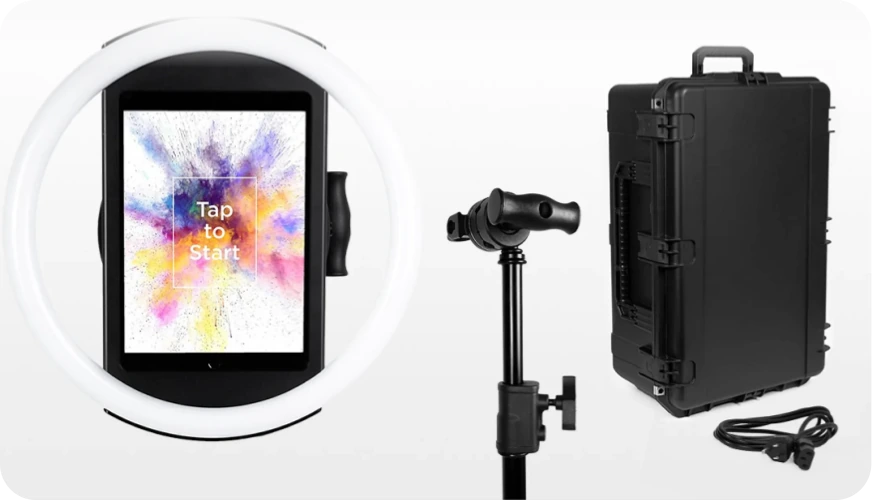
- Integrated HALO hardware: Precision-machined aluminum ring light with 112 LEDs producing up to 2,100 lumens, rated for 50,000 hours, with tool-less iPad mounting and sub-one-minute setup
- AI photo experiences: AI Effects (Nano Banana models) transform guest photos using text prompts, with built-in identity preservation and zero-cost prompt testing
- Lead capture: 87%+ opt-in rates with customizable data capture forms, MailChimp integration, and open API
- Cloud dashboard: Remote preset management, analytics, and multi-device control from any browser
- Virtual Booth: Browser-based photo experiences requiring no hardware, supporting virtual events, hybrid events, and always-on marketing campaigns
- DSLR and mirrorless camera integration: Available on Core plans and up, with both wired USB and wireless WiFi connections for professional photos and videos, plus automatic fallback to iPad camera if the external camera disconnects
- Multiple sharing options: AirDrop for instant offline delivery with no forms to fill out, WhatsApp for international events, plus text, email, and QR code sharing
- Layout Designer: In-app design tool available on both the iPad app and web dashboard for custom templates with layers, fonts, gradients, dynamic QR codes, and 60+ importable themes
Simple Booth occupies a different position than Darkroom Booth.
Darkroom is a Windows application for operators who bring their own camera and PC. Simple Booth is an integrated iPad system where the hardware, software, and cloud services are designed together. Features work together: frame effects, filters, background blur, and Glam all function with video, DSLR, and offline mode, so operators don’t have to check compatibility rules. Image previews render up to 12x faster, and support is available 7 days a week from real people.
Why Choose Simple Booth Over Darkroom Booth
Darkroom Booth offers customization for Windows operators. Simple Booth excels as a self-operating photo booth platform with built-in marketing tools and cloud management.
Here’s where it steps up.
Sub-One-Minute Setup With No Tools, No PC, No Tethering
Setting up a Darkroom Booth deployment means configuring a Windows PC, tethering a camera (via USB or wireless), connecting a printer, and running through the software settings. For full-time operators who run the same rig weekly, this is a familiar process.
But for operators running multiple events per week, or rental companies whose staff varies from event to event, setup complexity is a direct cost center.
Simple Booth’s HALO system sets up in under one minute. The iPad snaps into the HALO body via a tool-less faceplate, a concealed built-in USB-C cable keeps it charged, and the operator launches the app. No camera tethering cables, no Windows configuration, no separate printer drivers. The entire system travels in a rugged rolling case weighing 49 lbs with wheels and an extendable handle.
For rental companies scaling from one booth to multiple units, this means any staff member can deploy a Simple Booth without technical training. As one customer put it: “I knew nothing about photo booths when we started.”
Source: Simple Booth
⚡ Simple Booth in Action: Your rental company books three events on the same Saturday. Instead of three trained technicians configuring three Windows PCs with camera tethers and printer connections, three staff members each grab a HALO Event Kit, roll it to the venue, snap in the iPad, and launch the app. The presets you configured remotely from your dashboard are already synced. Each booth is operational in under a minute.
Cloud Dashboard for Remote Management Across Every Device
Darkroom Booth’s remote management works through Booth Control™, which lets operators monitor a running booth from any device on the same local Wi-Fi network. It works for unattended setups at a single venue, but the limitation is local access: you must be on the same network.
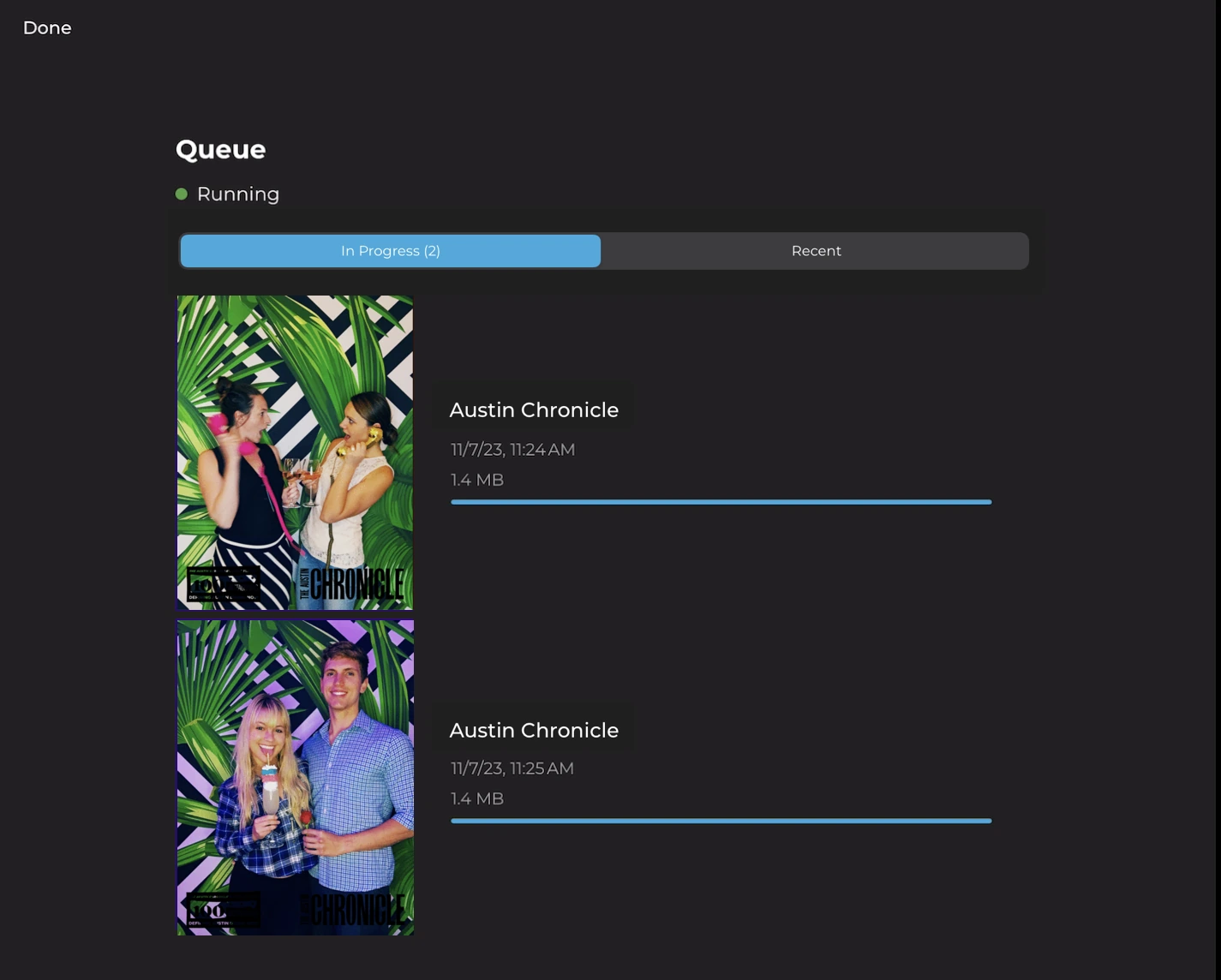
Simple Booth’s online dashboard is cloud-based, accessible from any browser. The preset editor shows the full booth flow visually, from start screen to photo delivery, instead of burying options in settings panels. Operators configure and update presets remotely, and change sync to the iPad without exiting booth mode. You can swap a client’s logo, update a sharing message, or change an AI effect from your phone while the booth runs at a venue across town.
For multi-booth operators, the dashboard becomes a control center. Settings can be shared with staff accounts, multiple iPads run under one account with add-on licenses, and the Permanent Install Guide supports long-term unattended deployments at bars, restaurants, and entertainment venues.
Source: Simple Booth
⚡ Simple Booth in Action: You manage four permanent photo booth installations across restaurant and entertainment venue locations. From your laptop at home, you update the seasonal overlay for all four booths, check gallery analytics to see which location drove the most social shares last week, and export the combined lead capture data as a CSV for the client’s monthly report. None of this requires visiting any venue or being on any local network.
87%+ Lead Capture Opt-In Rate Built Into the Photo Experience
Darkroom Booth includes a built-in survey and quiz engine that captures email addresses and custom fields, with results stored in a local SQLite database. It’s a functional data collection tool, but the data pipeline ends at a file on the booth computer.
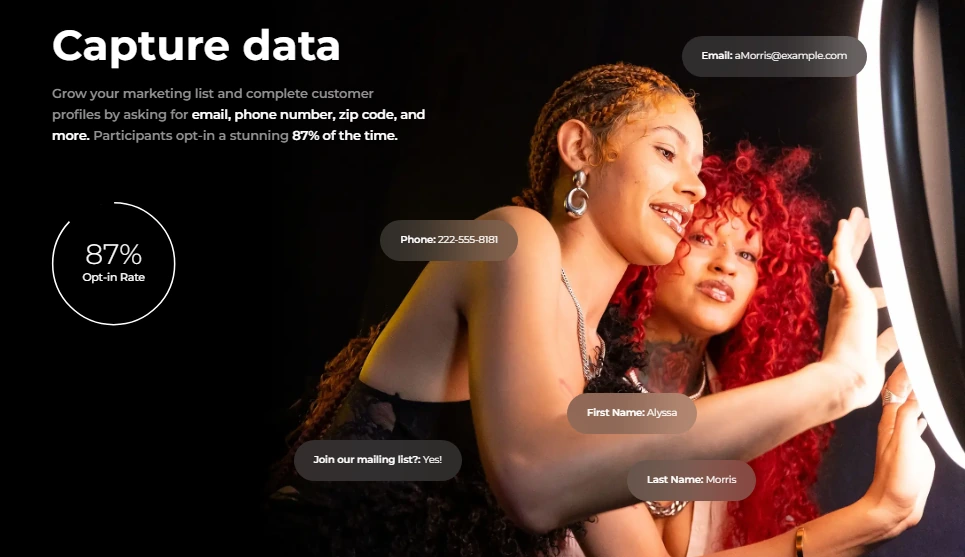
Simple Booth approaches data capture differently: the lead capture form is embedded into the photo-sharing flow itself, so guests provide their information as a natural part of receiving their photo, not as a separate marketing ask. The result is opt-in rates of 87 to 89%, which traditional form-based capture rarely matches.
Data flows to the cloud dashboard for CSV export, integrates with MailChimp for email lists, or routes to custom CRMs via the Open API on Pro plans. On the Select tier, operators can add up to 10 custom fields, including required legal terms and custom checkboxes for compliance.
Source: Simple Booth
⚡ Simple Booth in Action: A spirits brand runs Simple Booth at a series of bar events over a weekend. By Monday morning, the marketing team has 2,400 new email addresses with opt-in consent, ready to load into their email platform. They know which venue generated the most leads, which photos were shared most on social media, and the age gate feature ensured only guests of legal drinking age participated.
Arizona Opera grew its email list by 1,000 addresses in just a few events using Simple Booth’s integrated lead capture, while Treetop Golf built 150,000 unique email addresses across their venue locations.
Virtual Booth: No-Hardware Photo Experiences for Any Audience, Anywhere
Darkroom Booth has no virtual event capability. It requires a Windows machine and a physical camera at the event. If your client needs a browser-based photo experience for remote attendees, a digital activation tied to product packaging, or a hybrid event mixing in-room and virtual guests, Darkroom can’t help.
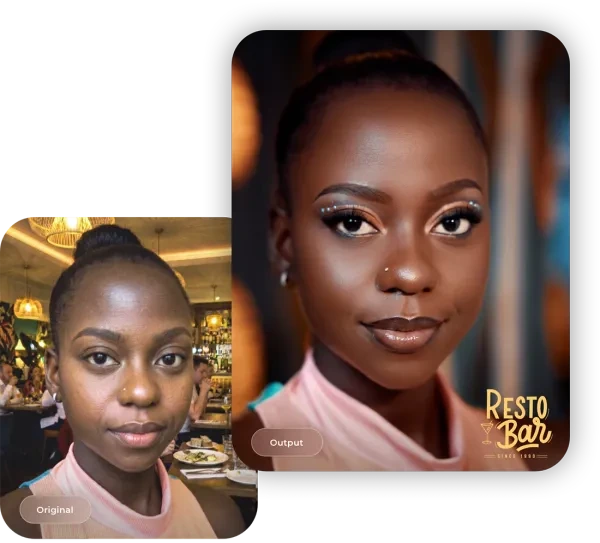
Simple Booth’s Virtual Booth is a browser-based photo experience that runs on any device with no app download required. Participants join via QR code or link, take or upload a photo, apply branded effects (overlays, stickers, AI transformations, background replacement), and share to social media. All submissions feed the same analytics, Live Feed, and gallery infrastructure as HALO hardware sessions.
Virtual Booth supports multi-language localization (English, Spanish, French, Dutch, German, Italian, Polish, Danish, Hebrew), runs unlimited simultaneous events, and includes data capture for lead generation. For hybrid events, operators can run HALO at the physical venue and Virtual Booth for remote attendees, with both feeding a single combined gallery.
Source: Simple Booth
⚡ Simple Booth in Action: A consumer goods brand prints QR codes on product packaging that link to a Virtual Booth experience. Customers scan the code from home, take a photo, apply a branded AI effect, and share it on Instagram with the brand’s hashtag. The brand captures email addresses and tracks social sharing, turning every product into an ongoing activation with no physical booth required.
AI Photo Experiences With Built-In Identity Preservation and Brand Integration
Darkroom Booth launched AI features in May 2025 including generative portraits, face swap, and scene generation. These are functional additions, but they were layered onto a 12-year-old architecture. The AI processing requires an internet connection, and configuration happens within the existing template editor.
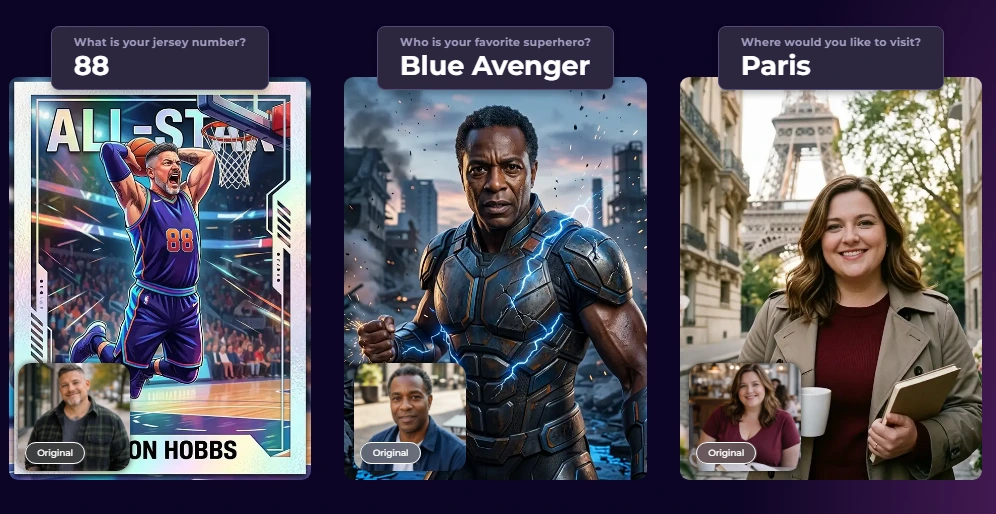
Simple Booth’s AI Effects use three Nano Banana AI models (each balancing speed, quality, and group size), and the system handles identity preservation automatically. Operators do not need to engineer prompts to keep guests recognizable.
What distinguishes Simple Booth’s AI is its integration with the Layout Designer.
AI transformations composite with brand overlays, logos, and graphic frames in one workflow. Operators can assign a unique AI prompt to every individual frame in a multi-frame layout, enabling narrative photo strips. The Guest Input system lets guests answer questions that inject directly into the AI prompt, producing personalized outputs per guest.
AI credits cost $0.10 each, and prompts can be tested outside of booth mode at zero credit cost, so operators iterate freely before events.
Source: Simple Booth
🏅 NOTE: We looked at several iPad photo booth apps and found Simple Booth’s combination of proprietary ring-light hardware, cloud management, AI effects, and Virtual Booth to be unique. Other iPad apps offer subsets of these features, but no other platform integrates hardware, software, and cloud analytics from one vendor at this level.
Simple Booth Pricing
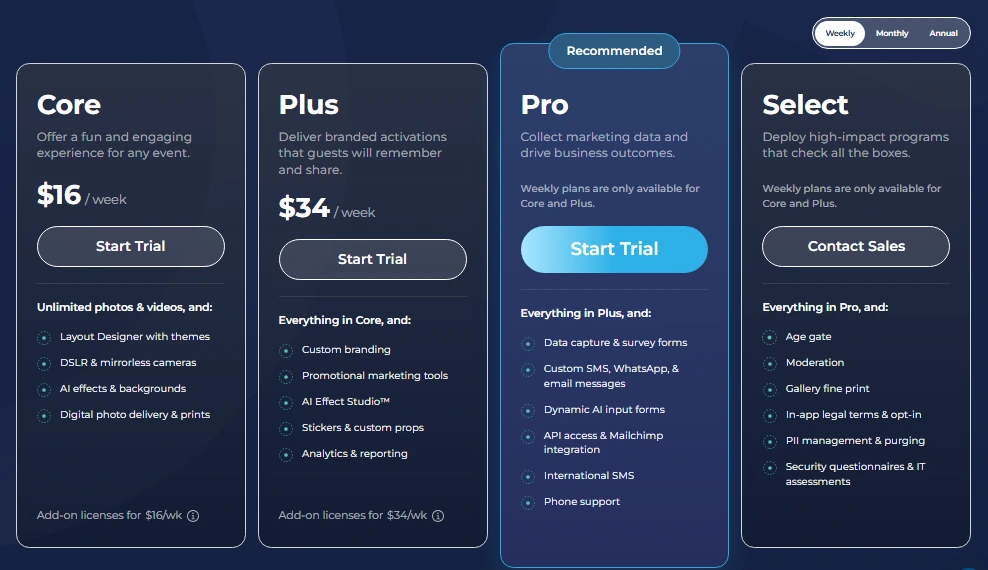
Simple Booth uses a per-license subscription model. Each plan includes one license (one device). Additional devices require add-on licenses. There are no caps on photo counts or event counts. Billing is available weekly, monthly, or yearly.
Everyday Plans:
- Lite ($14.99/week, $290/year): Custom layouts, motion and still capture, photo delivery, online galleries, themes and props. Includes ads in the app; excludes custom branding, analytics, DSLR, video, and lead capture.
- Core ($24.99/week, $49/month, $490/year): Adds DSLR/mirrorless camera support, video, background replacement and blur, Dropbox integration, AI effects, Virtual Booth, and AI-generated layout images. 50 bonus AI credits.
- Plus ($49.99/week, $99/month, $990/year): Adds custom branding, analytics and reporting, guest-editable text layers, custom AI effects. 100 bonus AI credits.
Business Plans:
- Pro ($149/month, $1,490/year): Adds lead capture (up to 6 fields), API integration, phone support, moderation, age gate, and data compliance tools. 150 bonus AI credits.
- Select ($249/month, $2,490/year): Adds in-app custom legal terms, security questionnaires, demographic analytics via face detection. 200 bonus AI credits.
Simple Booth also offers a 7-day free trial with 25 free AI credits.
HALO hardware kits are sold separately at buy.simplebooth.com, with 0% financing available.
Source: Simple Booth
Who Should Use Simple Booth?
Choose Simple Booth if:
- You want an integrated hardware-and-software photo booth that sets up in under a minute, runs unattended, and manages remotely from a cloud dashboard (no Windows PC, camera cables, or printer drivers).
- You’re a marketing team or experiential agency that needs first-party lead capture at events with opt-in rates above 87%, native CRM integration, and analytics that demonstrate event ROI.
- You need to serve both in-person and virtual audiences from the same platform, with HALO at physical events and Virtual Booth for remote participants, hybrid conferences, or always-on digital activations.
- You’re starting a photo booth rental business and want an entry point at $14.99/week with an interface that makes it easy to train staff and scale.
Want to see Simple Booth in action? Start your free 7-day trial and experience the iPad photo booth that runs itself.
2. Snappic: Best Alternative for Enterprise Operators Running Multiple Booth Types
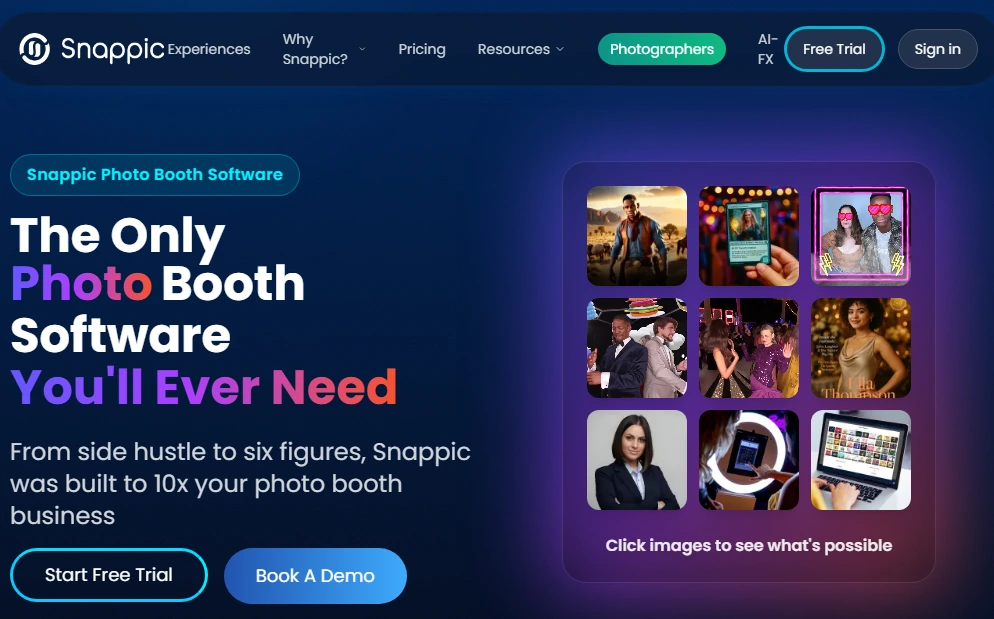
Snappic is a cloud-backed, iPad-native photo booth platform built for operators who need to run every major booth format from a single account. Acquired by a private equity company in 2024, Snappic has expanded its features, though its breadth of settings can present a steeper learning curve for newer operators.
Where Darkroom Booth is a Windows desktop application suited to single-hardware setups, Snappic is designed for operators whose service menu spans multiple booth types.
Its key features include:
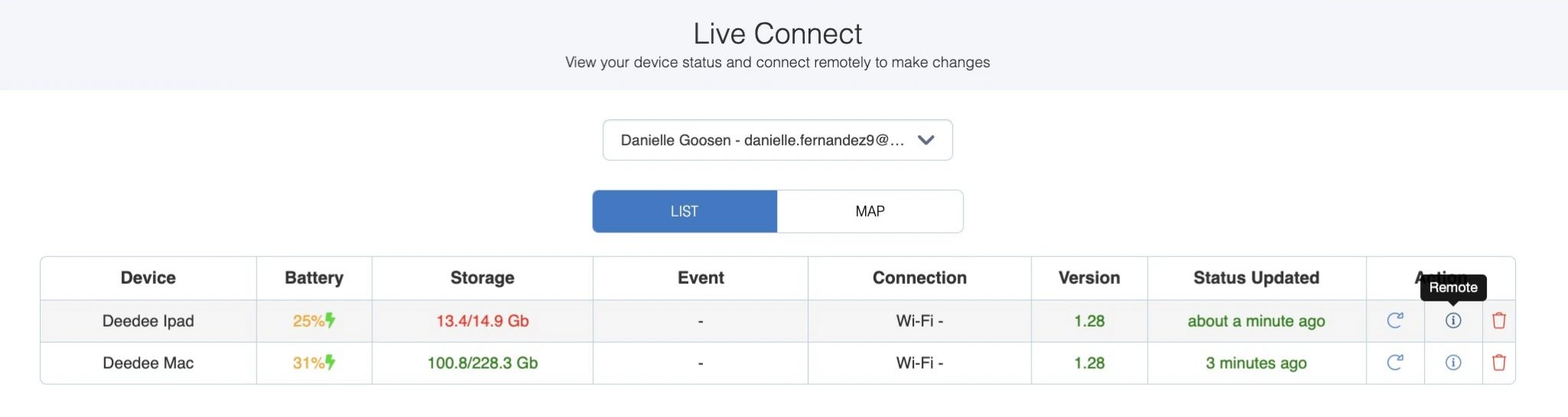
- 24/7/365 live chat support with Live Connect remote access for real-time troubleshooting during active events
- Multi-booth type support: iPad, 360, robot arm/Glambot, mirror booth, and roaming from one platform
- Cloud-based remote fleet management across unlimited devices
- VideoFX engine supporting up to 240fps recording with automated color grading and pre-built cinematic templates
- Advanced Vision Analytics (AVA) with anonymized demographic data
- Scale plan for agencies with sub-account management and grey-label app
Why Choose Snappic Over Darkroom Booth for Multi-Booth Operations?
Snappic stands out in the following areas:
- 24/7 Live Event Support That Covers When Events Actually Happen
Darkroom Booth’s support runs Monday through Friday, 9am to 5pm Central, missing the majority of when photo booth events occur. Snappic provides 24/7 support 365 days a year, including live chat accessible directly from the Dashboard.
The Live Connect feature lets the support team remotely access the operator’s iPad to diagnose and resolve issues during an active event.
Source: Snappic
- Every Major Booth Type Under One Subscription
If an operator using Darkroom Booth decides to add a 360 video booth, Glambot, or mirror booth, they need separate software for each format. Snappic supports iPad selfie booths, 360 video booths, robot arm/Glambot, mirror booths, and roaming photography from a single account with a unified template library. The same VideoFX template builder powers all formats.
- Cloud-Based Fleet Management for Multi-Event Operations
Darkroom Booth’s Booth Control™ monitors a single booth over a local Wi-Fi network. Snappic’s remote management is cloud-based and scales to unlimited devices: operators push template updates across all active units and manage events in real time from any browser.
The Scale plan’s sub-account management extends this into agency infrastructure with separate client logins, grey-label app, and a dedicated success manager.
- Post-Event Analytics and Client Reporting
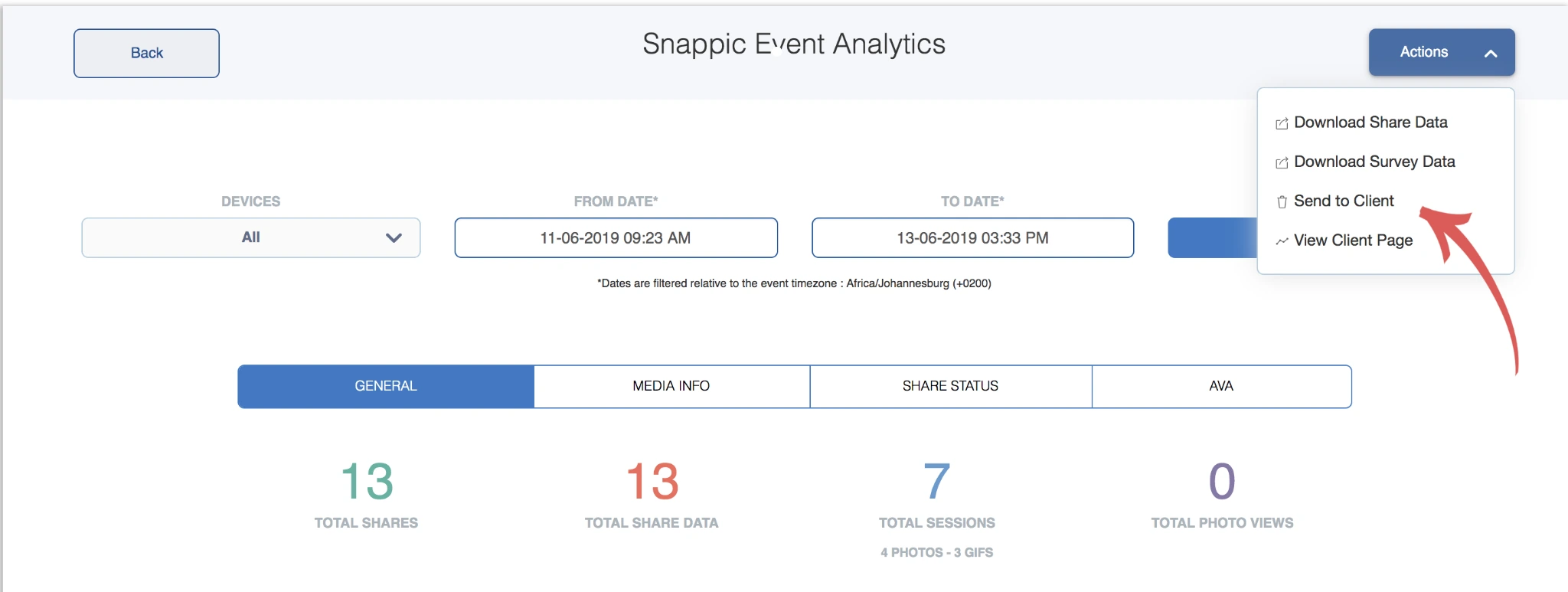
Snappic’s Advanced Vision Analytics provide anonymized demographic breakdowns (gender distribution, age ranges, average group size) from captured photos. The Send to Client feature packages this into a branded deliverable with gallery access and downloadable share data. Darkroom Booth has no equivalent post-event analytics layer.
Source: Snappic
🏅 NOTE: We also evaluated Snapbar for this category given its enterprise track record. While Snapbar excels at staffed, large-scale experiential marketing events, Snappic offers the most complete solution for independent photo booth operators, covering every major booth type under one platform with the only 24/7 live event support in the category.
Snappic Pricing
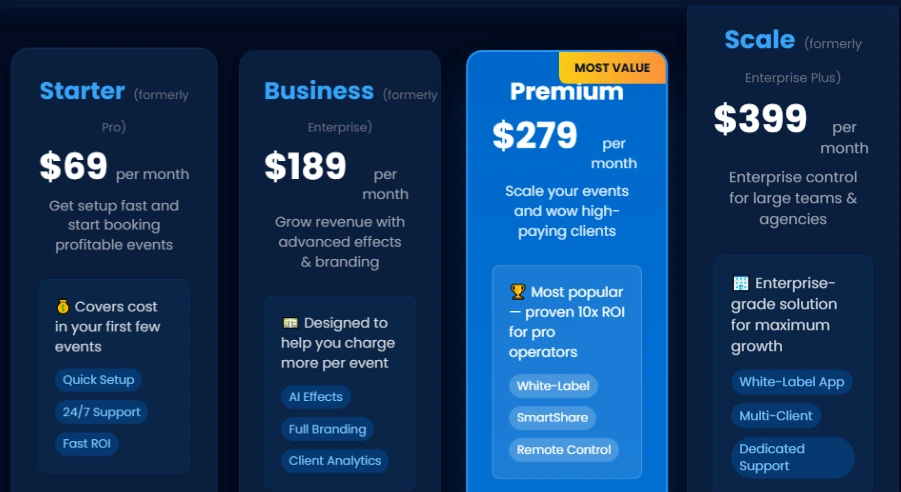
Snappic offers tiered subscription plans:
- Starter ($69/month, $499/year): One Photo Booth License, core photo/GIF/burst capture, SMS and email sharing (US/Canada), 60+ event templates, digital props, filters, QR codes.
- Business ($189/month, $1,799/year): One Photo Booth License plus one Sharing Station License, VideoFX (360 booths, Glambot, video), Premium AI-FX, brandable microsite galleries, client analytics, surveys, roaming mode, in-app Stripe payments, content moderation, priority support.
- Premium ($279/month): All Business features plus white-label URLs, webhooks, event codes, LiveConnect, and SmartShare AI (400 credits included).
- Scale ($399/month, $3,999/year): All Premium features plus multi-client management, unlimited sub-accounts, Grey Label App, dedicated Customer Success Manager, marketing support.
Source: Snappic
Per-event licenses are also available at $29/event (Starter) or $79/event (Business) for operators running fewer than 3 events per month. AI-FX credits ($20 per 200 credits) and Background Removal credits ($15 per 100 images) are billed separately on all tiers.
Features like green screen and branded galleries may also require higher-tier plans or additional fees beyond the base subscription.
Who Should Use Snappic?
Choose Snappic if:
- You operate or plan to operate multiple booth types (360, Glambot, mirror, iPad) and want to manage them from one platform without juggling separate software subscriptions.
- You run events on evenings and weekends and need live support when failures actually happen, not a hold-until-Monday queue.
- You’re building toward an agency model with multiple clients and need enterprise sub-account management, grey-label branding, and a dedicated success manager.
Be prepared for an initial learning curve: Snappic’s breadth of features means more settings to navigate than simpler, single-format platforms. Operators new to photo booth software may find Simple Booth easier to get started with at a lower price point ($14.99/week vs. Snappic’s $69/month starting tier).
3. LumaBooth: Best Alternative for Cross-Platform Flexibility and AI Portrait Upsells
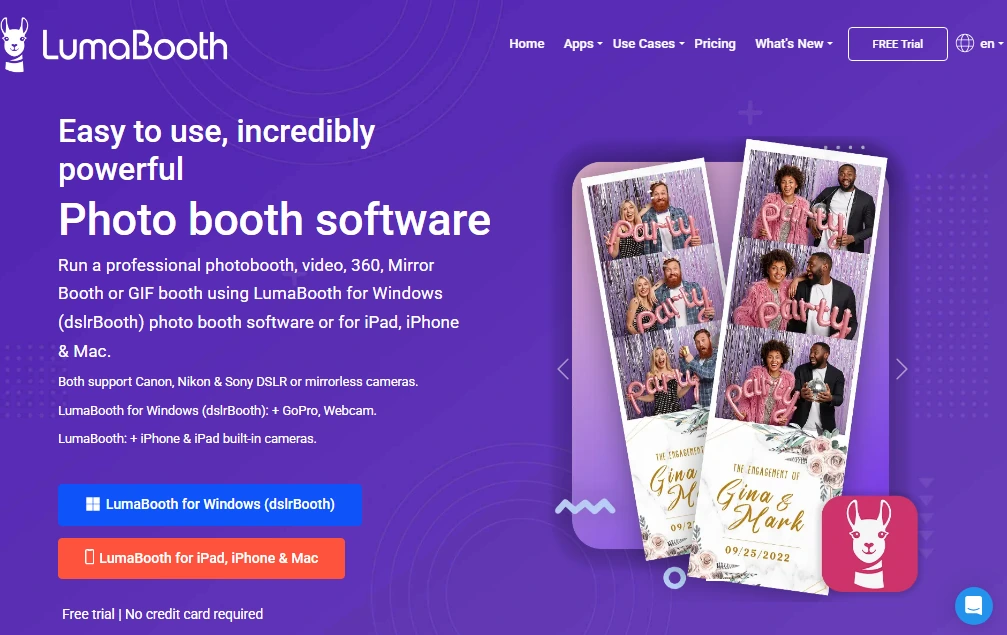
LumaBooth by Lumasoft (the company behind the original DSLR Booth for Windows) runs natively on Windows, iPad, iPhone, and Mac under a single subscription and shared dashboard.
With a 14-year track record and tens of thousands of operators in 150+ countries, LumaBooth is the only subscription platform connecting both iOS and Windows. Its Windows-first heritage shows in navigation that can feel less intuitive than apps built for iPad from the start, and its built-in design tools are more limited than dedicated layout designers like Simple Booth’s.
Its key features include:
- Cross-platform operation across iPad, iPhone, Mac, and Windows with a shared LumaBooth Dashboard
- 170+ AI Portrait presets with a custom prompt builder for branded or personalized looks
- Camera support spanning Canon, Nikon, Sony mirrorless, GoPro 5 through 13, and standard webcams
- All major booth modes: 360, Mirror, Glam, Green Screen, AI Background Removal, Video Guestbook, GIF, Boomerang, Slow-Motion
- 820+ professionally designed templates with Canva Direct Import
Why Choose LumaBooth Over Darkroom Booth for Cross-Platform Operations?
LumaBooth stands out in the following areas:
- True Cross-Platform Operation Under One Subscription
Darkroom Booth is exclusively a Windows application. If you use Macs, iPhones, or iPads, Darkroom forces you to maintain a separate Windows machine for every deployment.
LumaBooth activates two devices on a single subscription, and those devices can be any combination of iPad, iPhone, Mac, or Windows PC.
For operators who run iPad booths for portable events but occasionally need a Windows PC with a DSLR tether, LumaBooth covers both without double-paying.
- 170+ AI Portrait Styles With Custom Prompt Builder
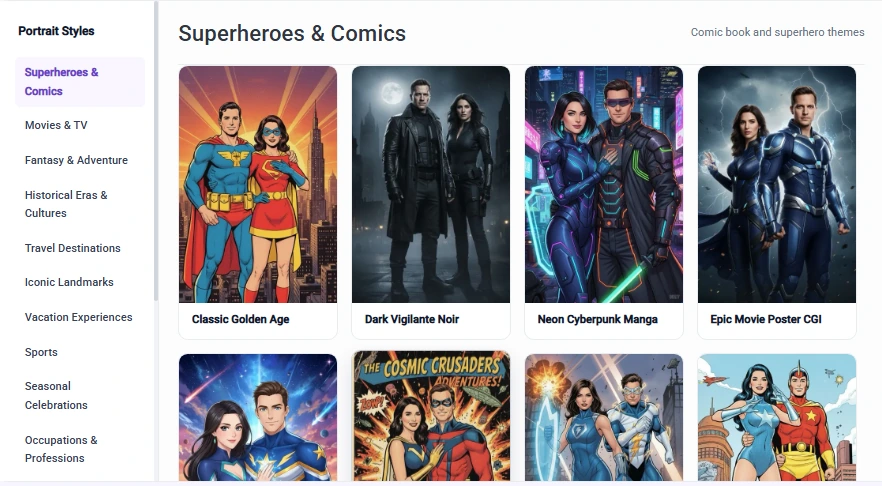
LumaBooth’s AI Portraits system includes over 170 preset styles organized into categories (Superheroes, Movies, Fantasy, Historical Eras, Sports, Art Styles), each generating in approximately 10 seconds.
Custom AI Prompts let operators write free-text prompts, upload reference images, and attach per-guest questions so answers render directly into the generated artwork.
Source: LumaBooth
- Browser-Based Event Preparation via the LumaBooth Dashboard
Darkroom Booth’s event configuration must be done directly on the booth computer before the event. LumaBooth’s Dashboard is browser-based: operators configure templates, overlays, sharing settings, and AI presets from anywhere. When the booth device opens LumaBooth on-site, all settings sync automatically. Last-minute changes can be pushed from the operator’s phone without touching the booth device.
🏅 NOTE: We also evaluated Sparkbooth ($149 one-time license for Windows and Mac). While Sparkbooth offers one-time pricing and dual-platform support, it lacks LumaBooth’s AI Portrait system, web-based Dashboard, and dedicated iPhone/iPad app. LumaBooth offers the strongest combination of cross-platform support, AI upsells, and browser-based event preparation for small operators.
LumaBooth Pricing
LumaBooth for Apple (iPad/iPhone/Mac):
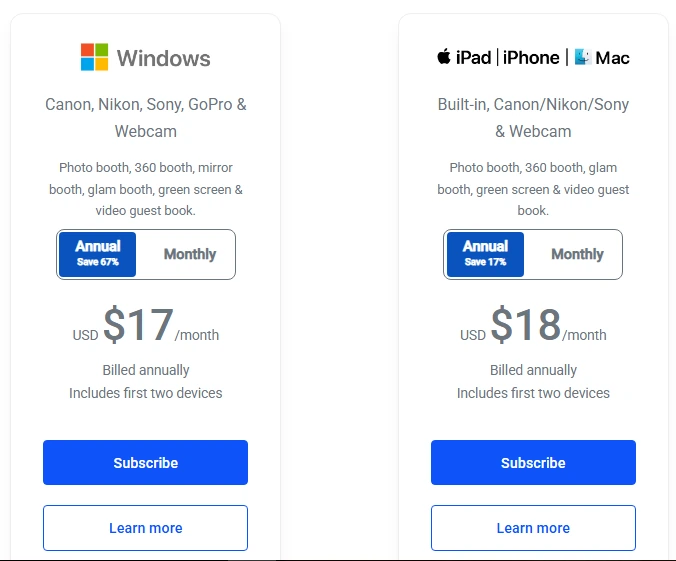
- Monthly: $19.99/month (covers two device activations)
- Annual: $18/month (billed annually, approximately 10% savings)
- Free trial available with no time limit; watermarked outputs until subscribed; 20 free AI credits for new subscribers
LumaBooth for Windows:
- Monthly: $49.99/month (covers two device activations)
- Annual: $17/month (billed annually, approximately 66% savings)
- Includes Mirror Booth, Cashless Payments, Booth CoPilot mobile management app
Common add-ons: SMS Plan (US/Canada): +$10/month; AI Credits Basic: +$14.99/month (150 credits); AI Credits Pro: +$49.99/month (500 credits); fotoShare Cloud Plus: +$19.99/month.
Source: LumaBooth
Who Should Use LumaBooth?
Choose LumaBooth if:
- You operate on both Windows PC and iPad or iPhone, and want a single subscription covering both hardware environments without separate licenses for each platform.
- You want to offer AI Portrait experiences as a paid upsell, transforming guests into branded characters, art styles, or custom themes in approximately 10 seconds per portrait.
- You run a small multi-device setup and need the most cost-effective subscription covering two simultaneous device activations.
If advanced template design is a priority for your events, note that LumaBooth’s built-in design tools are more basic than what platforms with dedicated layout designers (like Simple Booth’s Layout Designer) offer for in-app customization.
4. Snapbar: Best Alternative for Enterprise Experiential Marketing Activations
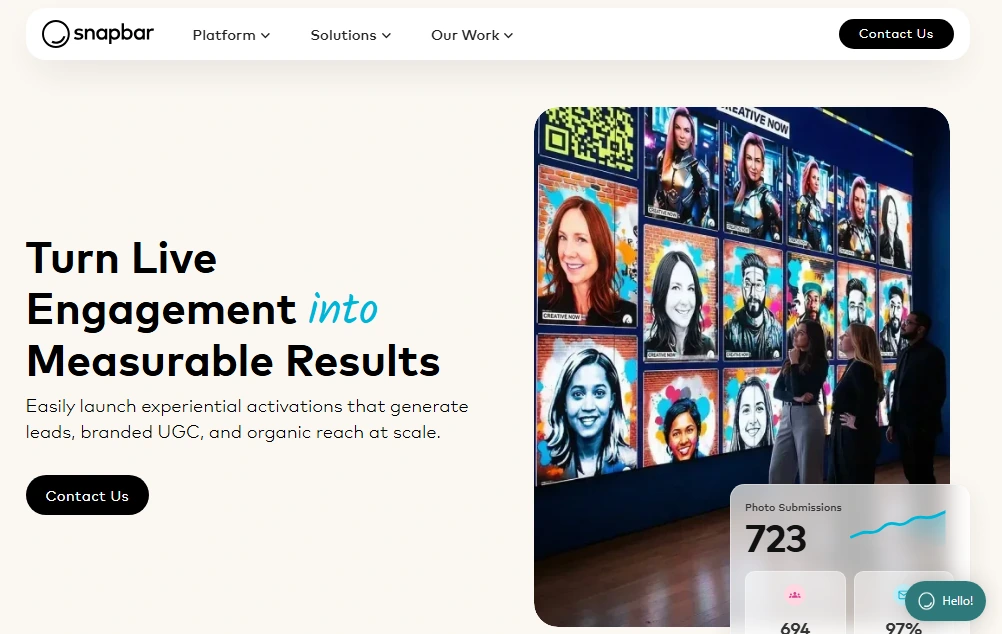
Snapbar is an experiential marketing platform that turns event engagement into measurable results through multiple activation formats, all running from a single browser-based platform. Trusted by Visa, Adobe, Netflix, Nordstrom, Microsoft, T-Mobile, ServiceNow, and Cisco, Snapbar is built for corporate marketing teams and experiential agencies, not independent booth operators.
Its key features include:
- Eight activation formats: AI Photo Booth, AI Video, AI Stories, Persona Quiz, Trading Cards, Digital Photo Booth, Event Headshots, and Selfie Stations
- Browser-based architecture requiring no app download for attendees, working on any phone, tablet, or laptop via QR code or URL
- Lead capture integrated into the creative experience with CRM-ready CSV export for Salesforce, HubSpot, and Marketo
- Real-time Display suite (Live Slideshow, Social Wall, Mosaics, Photo Booth Gallery)
- 95% email open rate on content delivery emails
- Virtual and hybrid event support with no hardware required
Why Choose Snapbar Over Darkroom Booth for Enterprise Activations?
Snapbar stands out in the following areas:
- Eight Activation Formats vs. One Desktop Booth Mode
Darkroom Booth runs a traditional attended photo booth on a Windows machine. Any event scenario outside that footprint (virtual summits, AI portrait experiences, professional headshot lounges, hybrid conferences) requires a separate vendor.
Snapbar operates across eight activation formats from one account and one dashboard. The entire activation runs in any browser on the device the attendee already has in their pocket.
- Lead Capture and CRM Integration Built Into the Experience
Snapbar captures lead data during the creative experience itself: name, email, job title, company, quiz answers, and story inputs. Data exports in CRM-ready format. The platform reports a 95% email open rate because guests are waiting for their personalized result. Darkroom Booth’s survey data ends at a local SQLite database on the booth computer.
- Virtual and Hybrid Event Capability
Darkroom Booth has no virtual event capability. Snapbar’s browser-based architecture can run simultaneously as an in-person kiosk and a remote experience for virtual attendees, both feeding the same gallery and analytics.
🏅 NOTE: We also evaluated Curator (strong video-forward capabilities) and TouchPix (360-degree booth focus). Snapbar offers the broadest multi-format experiential platform, spanning virtual, AI, headshots, and physical activations under one account, with an enterprise client roster including Visa, Adobe, and Netflix.
Snapbar Pricing
Snapbar uses a build-your-own quote model based on product selection, experience level, and expected attendee volume.
The company acknowledges its positioning: “our starting cost is higher, meaning our platform is not the most budget-friendly option for smaller events.” Custom quotes are available via the sales team, and the platform is designed for collaborative enterprise engagements rather than self-serve solo operators.
Who Should Use Snapbar?
Choose Snapbar if:
- Your team runs events as a marketing channel and needs qualified lead capture, personalized branded content, and CRM-ready data export, not just photo strips for guests.
- You manage hybrid or virtual events alongside in-person activations and need a single platform that handles remote attendees via browser without hardware.
- You’re a corporate brand team or experiential agency managing multiple activation types across an annual event calendar and want all of them under one contract.
5. TouchPix: Best Alternative for Cross-Platform 360 Video Booth Operations
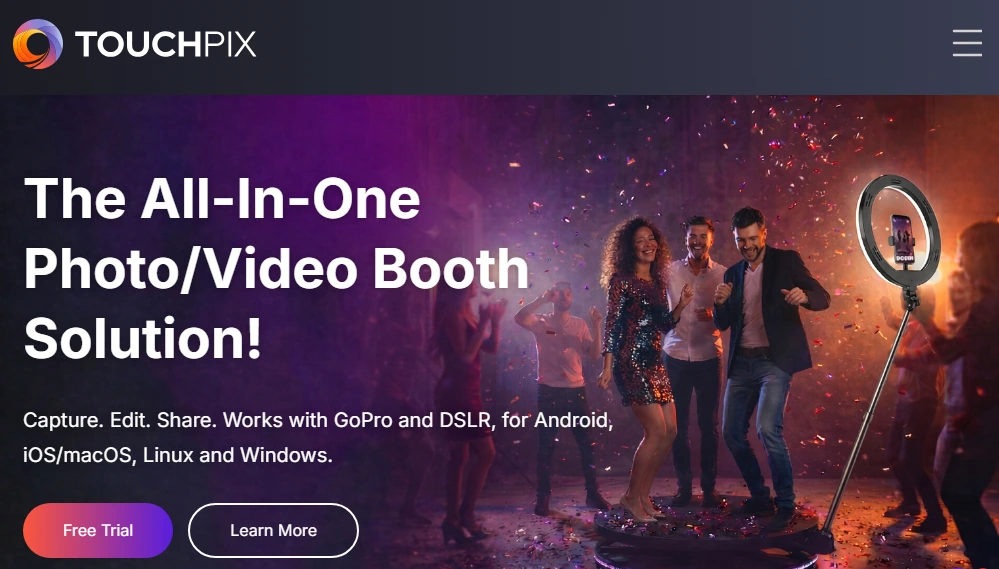
TouchPix is a subscription-based photo and video booth platform built for event rental operators who deploy 360-degree spinning arm booths across any hardware they own.
Launched in 2020, TouchPix grew on the strength of its 360 booth focus, though some operators report a confusing interface and slower rendering compared to more established alternatives. While Darkroom Booth is Windows-only, TouchPix ships a single subscription that runs natively on every major operating system.
Its key features include:
- Cross-platform support across iOS, Android, Windows, Mac, Linux, and Raspberry Pi under a single subscription with unlimited devices
- Native GoPro wireless and wired integration (models 7 through 14) alongside Canon, Nikon, and Sony DSLR/mirrorless support
- 360 Bluetooth trigger integration for automated spinning arm capture sequences
- AI Face Replacement and background removal running on-device without internet
- Scanpix 2 offline sharing for instant QR-code media delivery with no internet needed
- 14-day free trial with full pro feature access and no credit card required
Why Choose TouchPix Over Darkroom Booth for 360 Booth Operations?
TouchPix stands out in the following areas:
- Cross-Platform OS Support Eliminates the Windows Lock
Darkroom Booth has no native macOS version. TouchPix runs the same application natively on iOS, iPadOS, macOS, Android, Windows, Linux, and Raspberry Pi.
An operator can run a 360 booth off an iPad at a wedding Friday night, deploy a DSLR flat booth on a Mac at a corporate event Saturday, and spin up a low-cost Raspberry Pi kiosk at a recurring venue Sunday, all on the same subscription.
- Native 360 Spinning Arm Integration
Darkroom Booth supports GoPro for slow-motion and has VR 360 template workflows, but 360-degree spinning arm booths are not its primary design target.
The platform’s 360 Bluetooth trigger communicates directly with spinning arm hardware so capture starts automatically. GoPro support covers models 7 through 14 in both wired and wireless modes, with documented firmware requirements per camera model.
- Offline AI Processing for Venue-Agnostic Operation
Darkroom Booth’s AI features require the internet. TouchPix runs AI Face Replacement and background removal on-device with no internet required. The Scanpix 2 offline sharing system extends this to media delivery: guests receive content via QR code even at venues with no internet, and an offline queue uploads automatically once connectivity returns.
🏅 NOTE: We also evaluated Snap360 as a dedicated 360-booth platform. TouchPix was selected because its support for Android, Linux, and Raspberry Pi in addition to iOS and Windows gives operators wider hardware options when building or scaling a multi-booth operation.
TouchPix Pricing
TouchPix uses annual subscription pricing based on active event slots:
- PhotoPass ($439.90/year, 2 active events): Photos, Photo AI, and Animated GIFs; unlimited devices; 6-month cloud storage; cross-platform.
- MultiPass ($879.99/year, 4 active events): All PhotoPass features plus Video, Slow-Motion, and Boomerang.
- MultiPass Pro ($1,407.99/year, 8 active events): Everything in MultiPass plus Virtual Booth and Advanced Surveys.
- MultiPass Enterprise ($2,199.99/year, 12 active events): Everything in MultiPass Pro plus Mosaic and RAW cloud backups.
Add-on features are available as 14-day extensions for operators who don’t need them full-time. AI Pro cloud transformations run on a separate credit system starting at $12.00 for 100 credits.
Who Should Use TouchPix?
Choose TouchPix if:
- Your primary booth type is a 360-degree spinning arm video booth, and you need native Bluetooth trigger integration and GoPro support across models 7 through 14.
- You want to run photo booth software on whatever device you already own (Android tablets, Macs, Linux machines, Raspberry Pi) without maintaining a dedicated Windows machine.
- You operate at venues with unreliable or nonexistent internet and need AI features and media delivery to work without venue Wi-Fi.
Keep in mind that TouchPix is a young platform (founded 2020), so operators who prioritize reliability for unattended or drop-off events may want to test thoroughly before committing to high-stakes deployments.
6. Flassh: Best Alternative for Occasional Operators and Market Testing
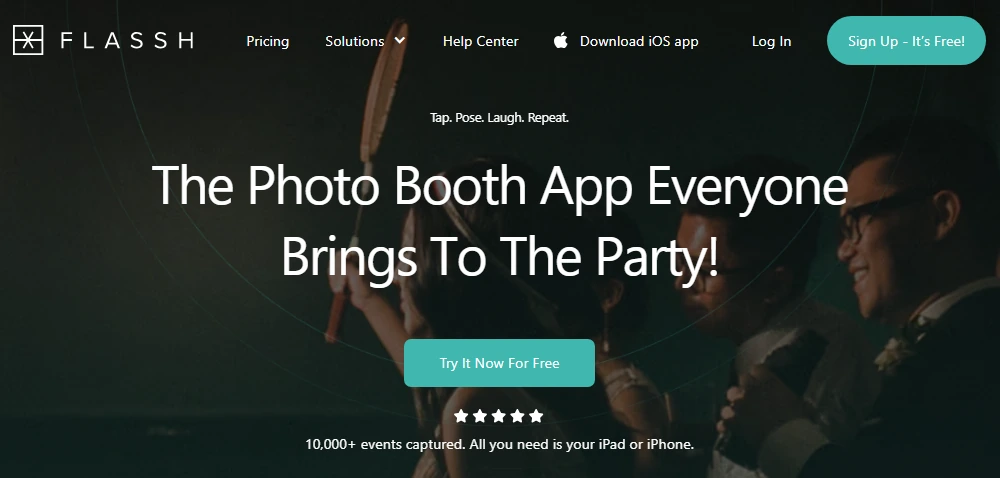
Flassh is an iOS-native photo booth platform built on the idea that you shouldn’t have to invest money before validating the business. Powering 10,000+ events to date, Flassh offers a permanently free tier and per-event pricing that lets operators pay only for the events they actually book.
Its key features include:
- Permanently free “Setup Mode” tier with up to 25 photos per test event and no credit card required
- $29 per-event pricing for a 24-hour unlimited-photo event window
- iOS-native operation on any iPhone or iPad with no PC or dedicated hardware required
- Canon and Nikon DSLR support via USB tether on Windows for professional image quality
- Live Kiosk Mode on a second device for self-service guest sharing
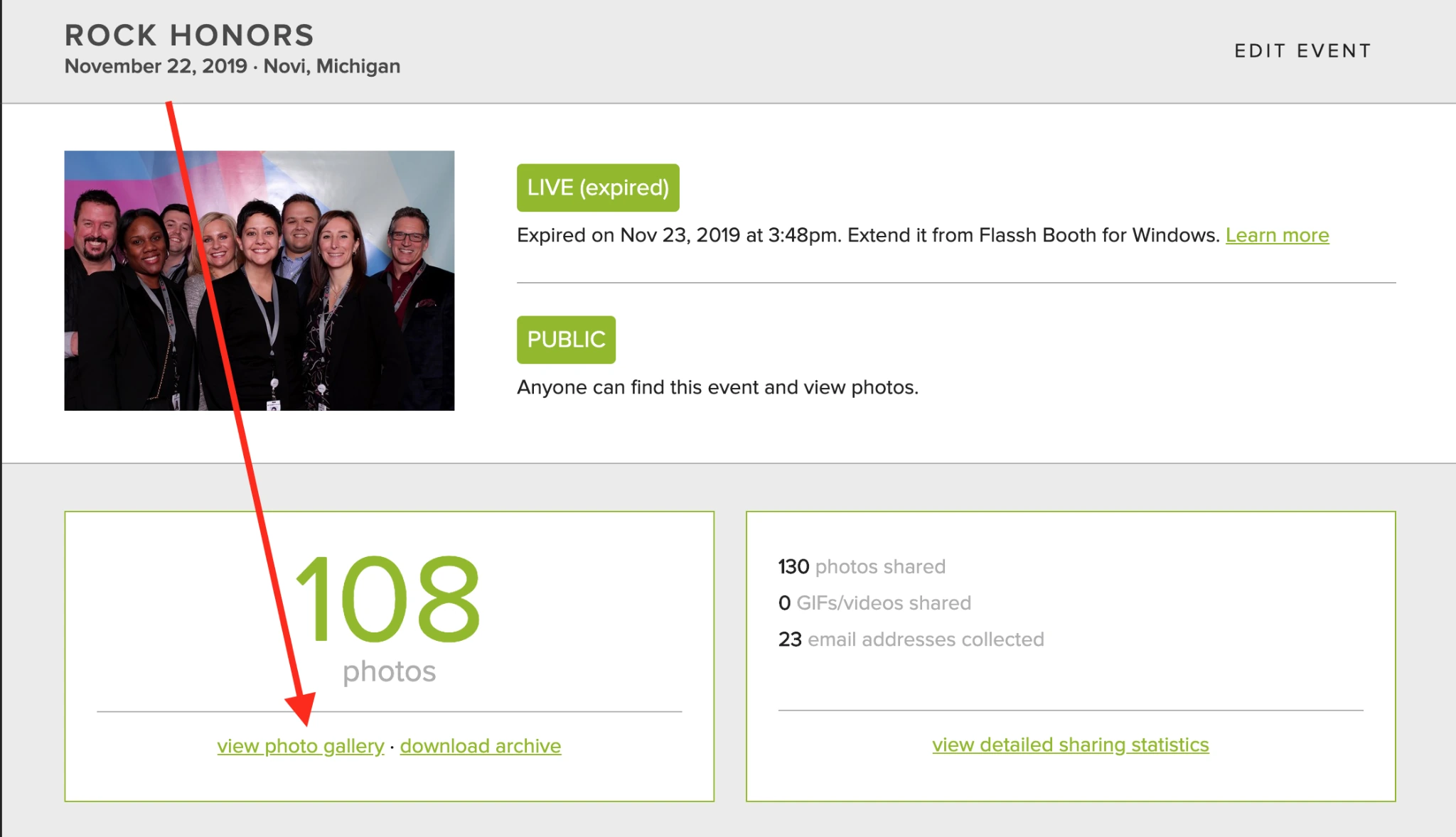
- Cloud galleries where photos appear online the moment they are captured
Why Choose Flassh Over Darkroom Booth for Occasional Operations?
Flassh stands out in the following areas:
- Pay Only for Events You Actually Run
Darkroom Booth’s $295 one-time license is excellent value for full-time operators running 50+ events per year. But for a photographer adding photo booth service to four or five weddings annually, or a seasonal operator running holiday events, Flassh’s $29 per-event pricing makes the economics transparent. An operator running four events per year pays $116 total with Flassh versus $295 (or $390 with maintenance renewal) with Darkroom.
- A Genuinely Free Validation Path
Darkroom Booth’s free trial produces watermarked output with video disabled. Flassh’s free Setup Mode is permanent, requires no credit card, and delivers up to 25 real photos per test event with complete gallery delivery. An operator can validate their entire workflow before spending a dollar.
- Cloud Galleries Eliminate Post-Event Upload Labor
Darkroom Booth stores photos on the booth’s local hard drive. Getting them into an online gallery requires exporting files and uploading to a companion service (or maintaining a separate EventGallery subscription). Flassh publishes photos online the moment they are captured. The guest gallery is live during the event, not after it.
Source: Flassh
🏅 NOTE: We also evaluated ZillaBooth and Metropolitan Photobooth for the lowest-barrier entry category. Flassh was selected because it supports Canon and Nikon DSLRs for professional output quality, provides web-based event management tools, and has per-event pricing that scales sensibly before committing to a subscription.
Flassh Pricing
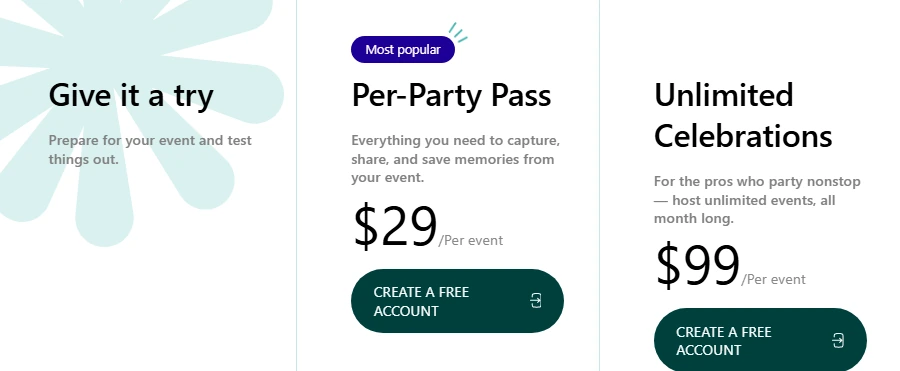
- Free, Setup Mode: Unlimited test events with up to 25 photos per event. Full gallery delivery, no credit card required, no time limit.
- Per-Party Pass ($29 per event): One live event for a 24-hour window with unlimited photos. Instant online guest gallery, downloadable archive, Dropbox real-time sync, 2-year photo retention. Credits never expire.
- Unlimited Celebrations ($99/month): Unlimited events and photos across unlimited devices. Adds guest email capture with CSV export, sharing statistics, Flassh branding removal, and custom domain support. Month-to-month with no minimum term.
Source: Flassh
Who Should Use Flassh?
Choose Flassh if:
- You are a photographer or creative professional adding occasional photo booth revenue without wanting to maintain a separate Windows PC or amortize a $295 software license against a handful of annual events.
- You want to test the photo booth market before committing any budget, with a permanently free tier that delivers real photos to a real guest gallery.
- You run a seasonal or irregular event calendar where paying per event is more cost-effective than a fixed software license.
7. BoothLedger: Best Alternative for Windows Operators Who Want Built-In AI Without Per-Image Fees
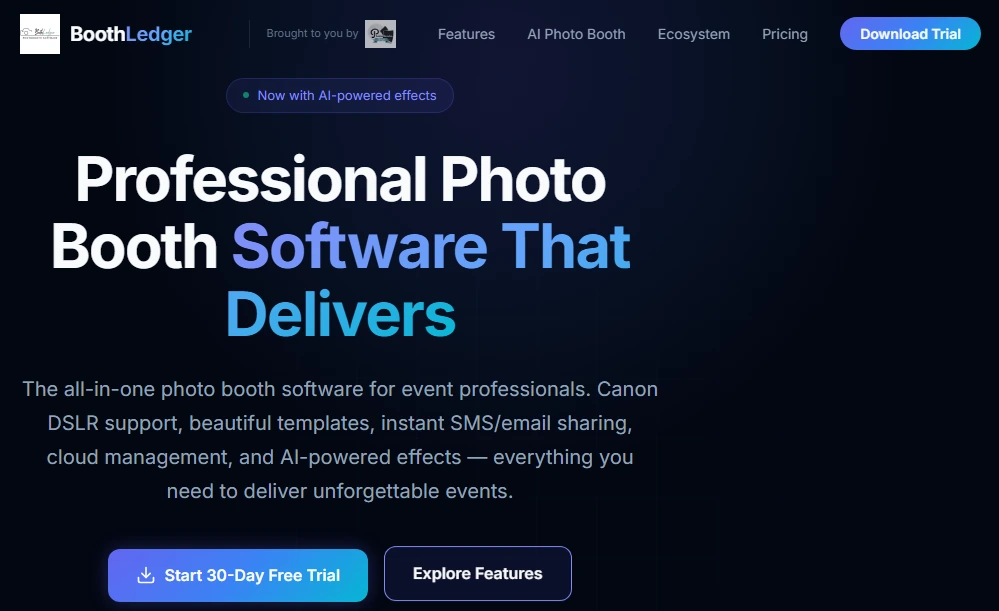
BoothLedger is Windows-native photo booth software built by PhotoBooth Guys, an active Irish event hire company that runs the platform at their own events. It is an AI-focused subscription alternative for Windows operators ready to move beyond Darkroom Booth’s perpetual license model.
Its key features include:
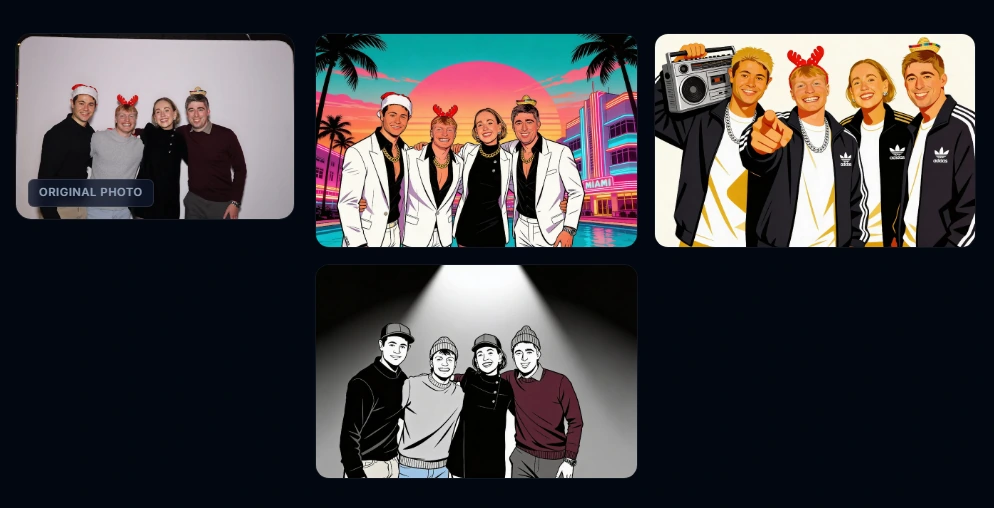
- Two AI engines (Core and Nano Banana Pro) covering 50+ creative styles including magazine covers, movie posters, oil paintings, and pop art
- AI face swap and green screen-free background replacement included without per-image charges on the AI Photobooth plan
- Direct Canon DSLR tethering via Canon’s EDSDK with live view streaming and remote exposure control
- Automatic cloud sync with offline retry queue via BoothLedger Cloud
- Remote event management with template pushes that sync within 45 seconds without interrupting active sessions
- 30-day free trial with no credit card required
Why Choose BoothLedger Over Darkroom Booth for AI-Powered Experiences?
BoothLedger stands out in the following areas:
- AI Built Into the Platform From Day One
Darkroom Booth’s AI features arrived in May 2025, twelve years after launch, as additions layered into an existing workflow. BoothLedger’s two AI engines (Core for volume, Nano Banana Pro for high fidelity) were present at launch.
The 50+ creative styles, face swap, and AI background removal are included in the €35/month AI Photobooth plan with no per-image surcharge and no credit system to manage mid-event.
Source: BoothLedger
- Cloud Gallery and Remote Management Included, No Second Subscription
Darkroom Booth’s online gallery functionality requires EventGallery.com, a separate Darkroom product with its own subscription.
BoothLedger includes BoothLedger Cloud on both plans at no additional cost: automatic photo upload, QR-accessible event galleries, branded email notifications, and browser-based remote management. Configuration changes pushed via the dashboard sync within 45 seconds without restarting the booth.
- 30-Day Full-Feature Trial for Real Commercial Events
Darkroom Booth’s trial produces watermarked output with video disabled, preventing commercial use during evaluation. BoothLedger’s 30-day trial requires no credit card and includes full feature access, allowing operators to run actual paid bookings during the trial and make a subscription decision based on real event experience.
🏅 NOTE: We also evaluated Booth.Events as a newer Windows-compatible platform gaining attention. BoothLedger was selected because its two AI engines with no per-image surcharges represent a differentiated approach. Its 500+ events powered by the parent company’s own hire fleet also provides operational evidence newer entrants can’t match.
BoothLedger Pricing
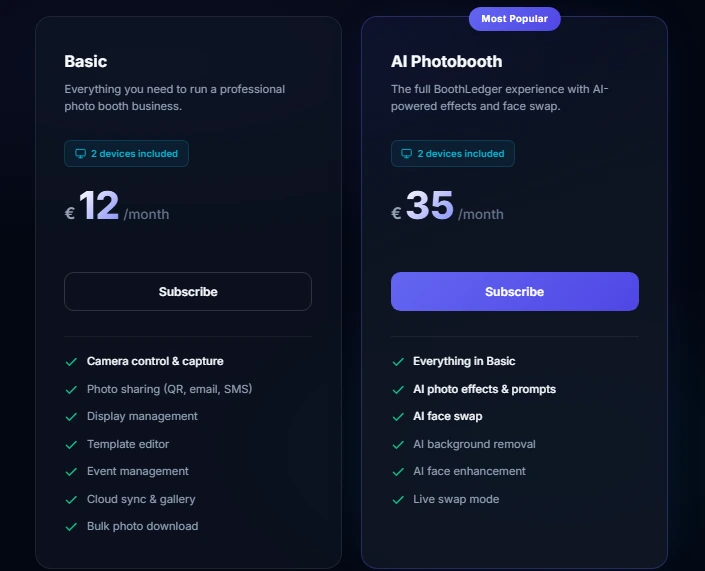
- Basic (€12/month): 2 device licenses, Canon DSLR tethering plus USB webcam support, built-in template editor, SMS/email/QR sharing, BoothLedger Cloud gallery, dye-sublimation printing, offline retry queue. Approximately 15% savings on annual billing.
- AI Photobooth (€35/month): Everything in Basic plus both AI engines (Core and Nano Banana Pro), AI face swap, AI background removal, AI face enhancement, live swap mode, and 50+ creative AI art styles. Approximately 15% savings on annual billing.
Source: BoothLedger
Who Should Use BoothLedger?
Choose BoothLedger if:
- You operate Canon DSLR hardware on Windows and want AI guest deliverables (magazine covers, movie poster treatments, face swaps) designed into the core product rather than added as a feature layer.
- Your clients expect branded AI-transformed content as a standard deliverable, and you need flat-rate pricing with no per-image charges or mid-event credit systems.
- You want cloud gallery delivery and remote management included in your base subscription without purchasing a separate product.
The Final Verdict
Darkroom Booth remains a capable platform for Windows-based photo booth operations, but the industry has expanded beyond what a single desktop application can serve. Based on our research, here are the best alternatives for specific needs:
- Simple Booth for an iPad photo booth with integrated hardware, sub-one-minute setup, 87%+ lead capture, AI effects, wireless DSLR support, and virtual event capability (starting at $14.99/week)
- Snappic for enterprise operators running multiple booth types (iPad, 360, Glambot, mirror) from one platform with 24/7 live support
- LumaBooth for cross-platform flexibility across iPad, iPhone, Mac, and Windows under one subscription with 170+ AI Portrait upsell styles
- Snapbar for corporate marketing teams and experiential agencies running multi-format brand activations with CRM-integrated lead capture
- TouchPix for 360-degree spinning arm booth operators who need cross-platform support and offline AI processing
- Flassh for occasional operators and photographers testing the photo booth market with zero upfront cost
- BoothLedger for Windows Canon DSLR operators who want built-in AI at a flat monthly rate without per-image fees
Your choice depends on your hardware, event types, and growth plans. Some operators use multiple platforms for different event scenarios. Consider what matters most to your business today and where you want to be in a year.
Want to see what a self-operating iPad photo booth can do for your events? Start your free Simple Booth trial and see the difference that integrated hardware, AI effects, and cloud management make.
Darkroom Booth Alternatives FAQ
Why do operators look for Darkroom Booth alternatives?
The most common reasons are Darkroom Booth’s Windows-only requirement (which excludes Mac and iPad operators), the lack of cloud-based remote management without a separate subscription product, and business-hours-only support that doesn’t cover evenings and weekends when most events occur.
Operators also look for alternatives when they need virtual event capability, AI-first experiences, or multi-format booth support that the desktop application wasn’t designed to provide.
What is the best Darkroom Booth alternative for iPad operators?
Simple Booth is built for iPad-based photo booth operations, with proprietary ring-light hardware, a cloud management dashboard, wireless DSLR integration, AI effects, and a Virtual Booth product for no-hardware activations. Its HALO system sets up in under one minute, all features work together (including video, DSLR, and offline mode), and it has earned a 4.7-star App Store rating from over 2,400 reviews. Plans start at $14.99/week.
Is there a free alternative to Darkroom Booth?
Flassh offers a permanently free Setup Mode with up to 25 photos per test event and no credit card required. Darkroom Booth’s own free trial has no time limit but produces watermarked output with video disabled. TouchPix offers a 14-day free trial with full pro feature access, and BoothLedger provides a 30-day free trial with no credit card required.
Which alternative is best for 360-degree spinning arm booths?
TouchPix is built for 360-degree spinning arm operations, with native Bluetooth trigger integration, GoPro support for models 7 through 14 (both wired and wireless), and cross-platform support across iOS, Android, Windows, Mac, Linux, and Raspberry Pi. Its offline AI processing and media delivery work without the internet, making it venue-agnostic.
Which Darkroom Booth alternative works on Mac?
LumaBooth runs natively on Mac, iPad, iPhone, and Windows under a single subscription. TouchPix also supports macOS alongside iOS, Android, Windows, Linux, and Raspberry Pi. Simple Booth runs on iPad (not Mac directly), and Snapbar runs entirely in a browser with no platform dependency.
How does Darkroom Booth’s pricing compare to subscription alternatives?
Darkroom Booth’s one-time $295 license with optional $95/year maintenance is the most cost-effective option for full-time Windows operators over a multi-year horizon. However, subscription alternatives include cloud galleries, remote management, and AI features that Darkroom charges separately for or does not offer.
For example, BoothLedger at €35/month includes cloud galleries and AI without per-image fees, while Darkroom Booth requires a separate EventGallery subscription for online gallery functionality.
Which alternative is best for corporate brand activations and lead capture?
For independent operators, Simple Booth’s 87%+ lead capture opt-in rate, MailChimp integration, and analytics dashboard make it the strongest choice for branded activations. For enterprise-scale experiential marketing with CRM integration (Salesforce, HubSpot, Marketo) and multiple activation formats, Snapbar is built for that use case.
Can I use Darkroom Booth alongside one of these alternatives?
Yes. Many operators use different platforms for different event types. For example, you might use Darkroom Booth for attended DSLR-based corporate photo sessions on Windows while using Simple Booth for unattended iPad installations at venues, or TouchPix for 360 booth deployments on weekends. Each platform serves a distinct set of hardware and event requirements.
Keep reading
 Showdowns
Simple Booth vs Darkroom Booth: Which Photo Booth Software Fits Your Business in 2026?
iPad turnkey vs Windows DSLR veteran. Simple Booth or Darkroom Booth?
 Reviews
Darkroom Booth Review 2026: Is This Photo Booth Software Right for You?
Darkroom Booth, reviewed straight. A $295 Windows veteran, but does it still hold up?
 Showdowns
Darkroom Booth vs Snappic (vs Simple Booth): Which Photo Booth Software Should You Choose in 2026?
Own-it-forever desktop vs slick iPad subscription. Darkroom Booth or Snappic?