7 Fastest Photo Booth Software for High-Throughput Events [July 2026]

At large-scale events, a photo booth is only as good as its throughput.
A 500-guest corporate gala with a four-hour window and a persistent queue doesn’t care about your software’s feature count. It cares about howph many guests move through the booth per hour, how quickly each person gets their photo, and whether the system still works at hour six.
The difference between a photo booth that processes 80 guests per hour and one that stalls at 40 isn’t a feature gap. It’s a revenue gap, a guest experience gap, and often a client retention gap.
We tested and researched the leading photo booth platforms to find the software built for speed, reliability, and high-volume event conditions. Here are our top picks for:
- Fastest setup and self-running operation,
- Highest guest-per-hour throughput at scale,
- Most reliable performance across marathon events,
- Best offline resilience for difficult venue conditions,
- And most cost-effective options for growing operators.
Here is the best photo booth software for high-throughput events in 2026.
What Is High-Throughput Photo Booth Software?
High-throughput photo booth software is designed to maximize the number of guests served per hour at live events without sacrificing photo quality, brand consistency, or data capture. Unlike basic photo apps for personal use, these platforms optimize every stage of the event workflow: setup speed, capture cycle time, photo processing, guest delivery, and multi-device management.
The best high-throughput platforms share a few common traits:
- Fast setup that minimizes pre-event downtime
- Quick capture-to-delivery cycles so guests don’t hold up the queue
- Offline resilience to keep running when venue Wi-Fi drops
- Remote management so operators can oversee multiple booths without being on-site
- Architecture that maintains speed as guest volume grows
| Fastest Photo Booth Software for High-Throughput Events | ||
|---|---|---|
 | Simple Booth Best for iPad operators who want a self-running photo booth with sub-one-minute setup and the fastest guest-to-share turnaround. | |
 | Snappic Best for enterprise operators doubling guest throughput with dedicated sharing stations and centralized fleet management. | |
 | LumaBooth Best for growing rental businesses scaling across six booth formats with multi-brand DSLR camera flexibility. | |
 | Touchpix Best for 360 video booth operators running high-volume spinning experiences at any venue, online or offline. | |
 | Darkroom Booth Best for Windows operators needing sustained reliability across marathon six-plus-hour events. | |
 | Sparkbooth Best for operators wanting professional, offline-ready photo booth software at a one-time lifetime price. | |
 | BoothLedger Best for Windows-based Canon DSLR operators wanting bundled AI effects at the lowest subscription price. | |
How to Choose the Fastest Photo Booth Software for High-Throughput Events
A short checklist to help you find the right platform for your event volume:
- Setup Speed: How quickly can you go from arrival to a running booth? Every minute of setup is a minute guests aren’t being served.
- Capture Cycle Time: How fast is the full loop from guest stepping up to receiving their photo? Platforms that separate capture from delivery, or offer multiple delivery channels at once, reduce queue bottlenecks.
- Offline Resilience: Does the software keep running when venue Wi-Fi drops? High-volume events at hotels, outdoor venues, and conference centers routinely have unreliable connectivity.
- Remote Management: Can you monitor and configure multiple booths from a single dashboard without walking to each device? This matters for operators running more than one booth at the same event.
- Hardware Flexibility: Does the software lock you into a specific device ecosystem, or can you deploy across the cameras and devices you already own?
- Reliability Under Load: Can the software sustain continuous operation across a six-plus-hour event without crashes, memory leaks, or restart requirements?
How We Curated Our List of Platforms
We started with the most frequently recommended photo booth platforms across professional operator communities, trade events, and user reviews. We then evaluated each platform for high-throughput performance, testing their workflows, reviewing documentation, and assessing real-world event capabilities.
We focused on four criteria:
- Throughput Architecture: Does the platform’s design reduce per-guest cycle time, or does speed depend entirely on operator skill?
- Event Reliability: Can the software sustain multi-hour operation without restarts or manual intervention?
- Deployment Flexibility: How quickly can an operator set up, manage, and troubleshoot the booth at a fast-paced event?
- Total Cost of Speed: Does achieving high throughput require expensive add-ons, or is it built into the base platform?
These four factors led us to seven platforms that best serve operators running high-volume events.
1. Simple Booth — Best for Self-Running Photo Booth Experiences With Sub-One-Minute Setup
When you’re running back-to-back events or managing multiple activations in a single weekend, every minute of setup time is a minute you can’t bill for. And every minute a booth sits idle because something went wrong is a guest who didn’t get their photo.
Simple Booth solves this.
Simple Booth is an integrated photo booth system pairing a subscription-based iPad app (the HALO app) with proprietary ring-light hardware (the HALO kits).
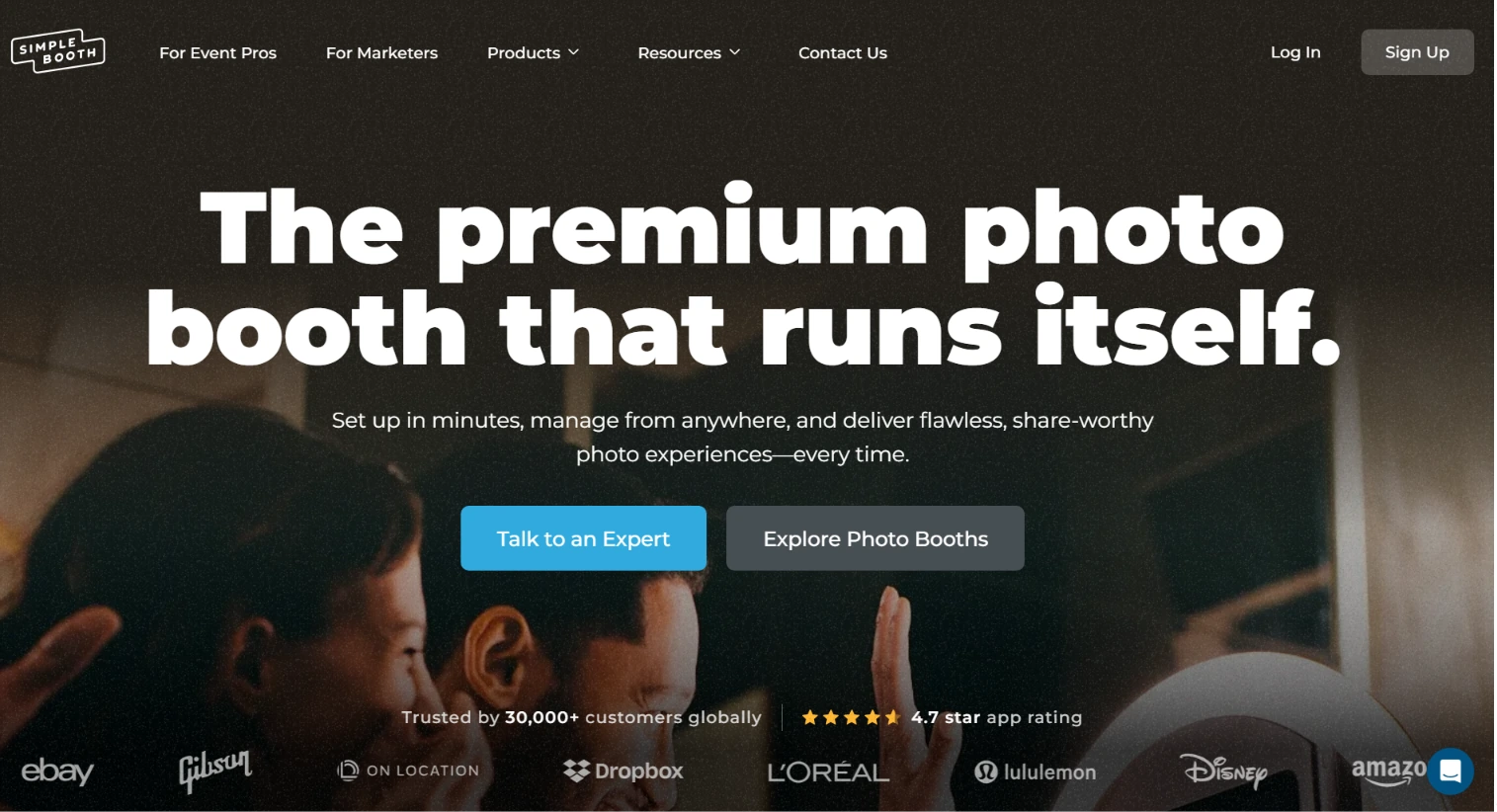
Its advantage for high-throughput events is speed at every stage: setup in under one minute, self-running operation that removes the attendant bottleneck, and multiple delivery channels that keep the queue moving. Its core features include:
- Sub-one-minute setup with a tool-less faceplate and deployable selfie stand
- Self-operating booth mode with Preflight Check and Mission Control for live monitoring
- Photo delivery via QR code, email, SMS, AirDrop, and WhatsApp on all plans
- AI Effects with automatic identity preservation and zero-cost prompt testing
- Remote multi-device management via an online dashboard
- Offline mode that queues sessions and delivers them when connectivity returns
| Simple Booth Pros | Simple Booth Cons |
|---|---|
| Sub-one-minute setup, no tools required | iPad-only; no Android or Windows support |
| Self-running operation without an attendant | AI effects require active internet connection |
| 5 delivery channels including WhatsApp and AirDrop | Lite plan includes ads and excludes custom branding |
| 4.7-star App Store rating from 2,400+ ratings | |
| Offline queue for unreliable venue Wi-Fi |
Why Choose Simple Booth for High-Throughput Events?
Building iPad photo booth software since 2012, Simple Booth now serves 30,000+ customers globally and holds a 4.7-star App Store rating from 2,400+ ratings.
Enterprise deployments with Live Nation VIP events, Sports Illustrated Tickets, and Gibson Brands show its capability at high-volume activations.
To see why thousands of operators trust Simple Booth for their most demanding events, start with a free trial!
Setup Speed and Hardware: Get Running in Under a Minute
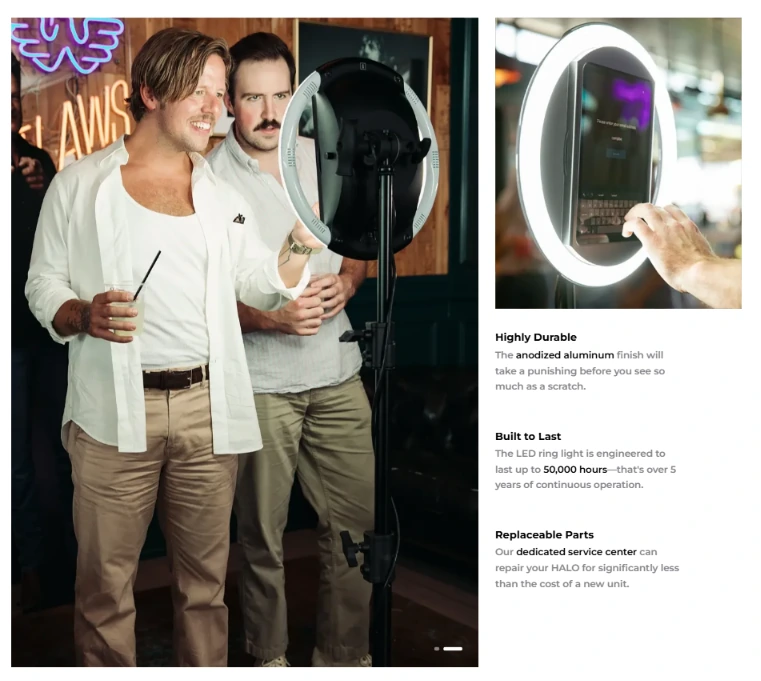
The HALO hardware kit is machined from a single billet of aluminum with 112 LEDs producing up to 2,100 lumens, rated for 50,000 hours of operation. The iPad snaps in via a tool-less faceplate and stays charged through a concealed built-in USB-C cable.
Source: Simple Booth
For high-throughput operators, the speed advantage is concrete: no screws or brackets to assemble, no external ring light to position, no cable management to sort out.
The full Event Kit weighs 49 lbs with its wheeled travel case and supports both portrait and landscape orientation.
A Preflight Check screen runs before each event to catch configuration issues before they become mid-event failures.
For operators who need higher image quality, HALO 5.0 added Canon DSLR and mirrorless camera support on Core plans and above, with both wired USB and wireless Wi-Fi connectivity.
Wireless camera support is something most competitors don’t offer, and it allows more creative booth configurations without cable constraints. Connected cameras pipe through the full HALO feature set including filters, effects, and background blur.
Self-Running Operation and Fast Delivery: Keep the Queue Moving
Once a preset is active, the booth runs itself. Guests interact with the touchscreen, pose, and receive their photo through their preferred delivery channel, all without operator involvement.
Mission Control, triggered by a two-finger pinch gesture, lets operators monitor device health, adjust camera settings, and sync dashboard changes during live events without interrupting the guest experience.
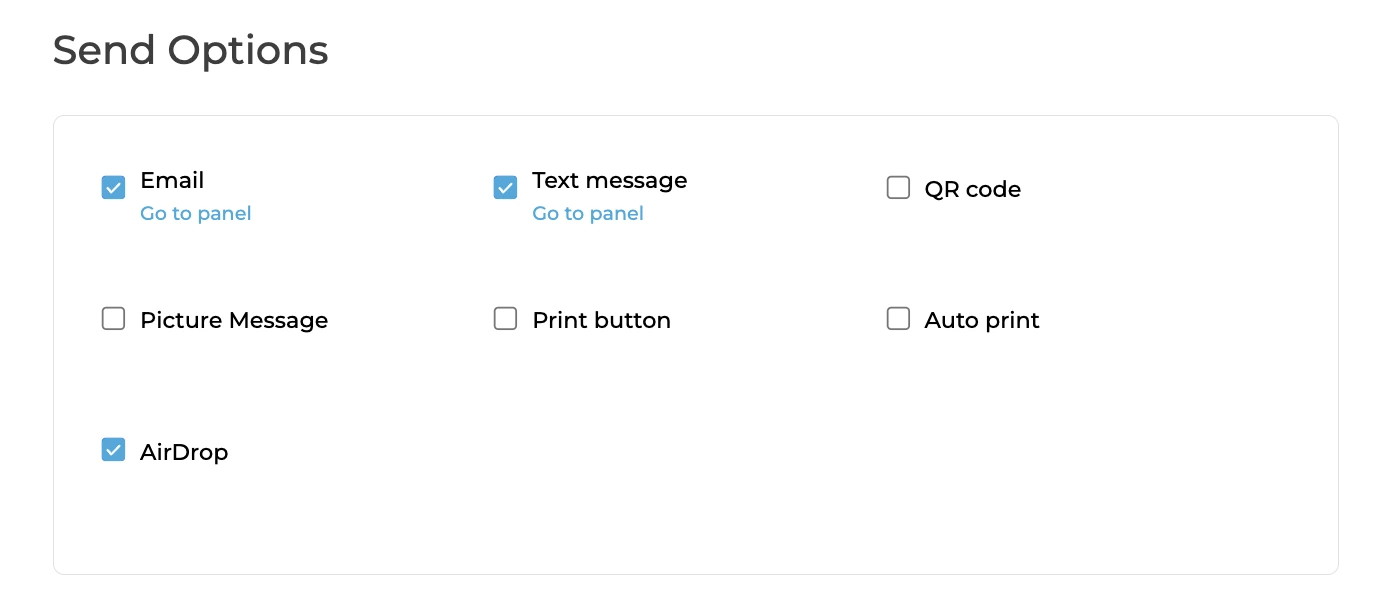
The delivery pipeline is where Simple Booth keeps queues short. Five delivery options running at once (QR code, email, SMS, AirDrop, and WhatsApp) mean guests pick the fastest path for them.
Source: Simple Booth
WhatsApp delivery, added in HALO 5.0, opens international deployments where SMS infrastructure is unreliable. AirDrop handles venues with poor cellular coverage.
And the offline upload queue stores sessions locally and delivers them automatically when connectivity returns, so the booth never stalls waiting for Wi-Fi.
Processing speed keeps pace with delivery. Image previews render up to 12x faster than previous software generations, and photos with filters, frames, stickers, and digital props process quickly enough for guests to see their finished result before leaving the booth.
Fast video rendering means GIFs and short clips deliver the same quick results as still photos.
For lead capture, opt-in rates reach 87-89% when guests receive their photo, turning every session into a data capture opportunity without slowing the line.
A single ongoing HALO installation at the W Hotel Austin recorded 12,765 photos, 31,730 participants, and 92,579 gallery views, showing sustained high-throughput performance from a single setup. (Simple Booth)
Simple Booth Pricing
Simple Booth offers weekly, monthly, and yearly billing with no caps on photo counts or event counts. Each plan includes one device license; additional devices require add-on licenses.
- Lite starts at $14.99/week ($290/year): Custom layouts, photo delivery, online galleries. Includes ads.
- Core starts at $24.99/week ($490/year): Ads removed, DSLR camera support, background replacement, AI effects, Virtual Booth.
- Plus starts at $49.99/week ($990/year): Custom branding, analytics, guest-editable text layers, custom AI effects.
- Pro starts at $149/month ($1,490/year): Lead capture, API integration, phone support, moderation, age gate.
- Select starts at $249/month ($2,490/year): Custom legal terms, security questionnaires, demographic analytics.
A 7-day free trial is available with 25 free AI credits. AI effect credits cost $0.10 each beyond plan bonuses.
Use Simple Booth if:
- You want a plug-and-play system that sets up in under one minute with no tools required
- You need a self-running booth that keeps the guest queue moving without an attendant managing every session
- You want multiple delivery channels (QR, SMS, email, AirDrop, WhatsApp) to minimize per-guest delivery time
- You need offline resilience so your booth never stalls at venues with unreliable Wi-Fi
- You want quality photos with integrated ring lighting and optional DSLR support
2. Snappic — Best for Enterprise Operators Doubling Guest Throughput With Dedicated Sharing Stations
At a 500-guest gala with a four-hour window and a persistent queue, the bottleneck is rarely the photo capture itself. It’s the time each guest spends typing an email address, selecting a sharing method, and confirming the send.
That sharing step holds up the next guest, and for high-volume corporate events, it’s the biggest constraint on per-hour output.
Snappic addresses this structurally with its Sharing Station: a second iPad dedicated entirely to photo delivery. The main booth captures and immediately resets; a separate device handles sharing.
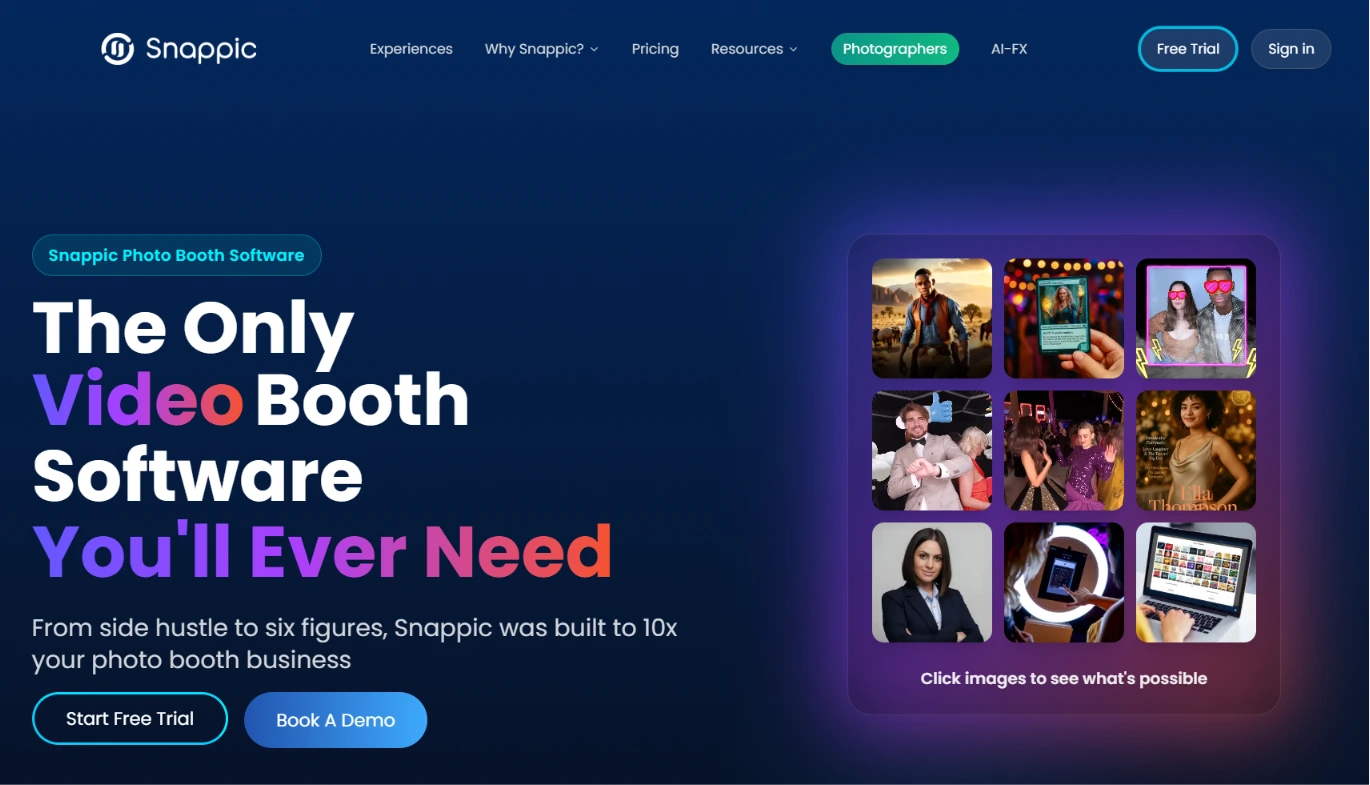
For operators running multi-hour corporate events, this separation can realistically double the guest-per-hour output from the same physical setup without adding staff.
| Snappic Pros | Snappic Cons |
|---|---|
| Sharing Station doubles per-booth throughput | Higher price point starting at $189/month |
| Live Connect fleet monitoring and remote control | White-label and LiveConnect require Premium or add-on |
| Multi-booth-type support (iPad, 360, mirror, Glambot, DSLR) | No perpetual license option |
| AVA demographic analytics for post-event reporting | Extensive settings panels carry a steeper learning curve for new operators |
Snappic: Top 3 Throughput Features
- Sharing Station for decoupled capture and delivery
- Live Connect for real-time remote fleet management
- Event-based licensing with instant device reassignment
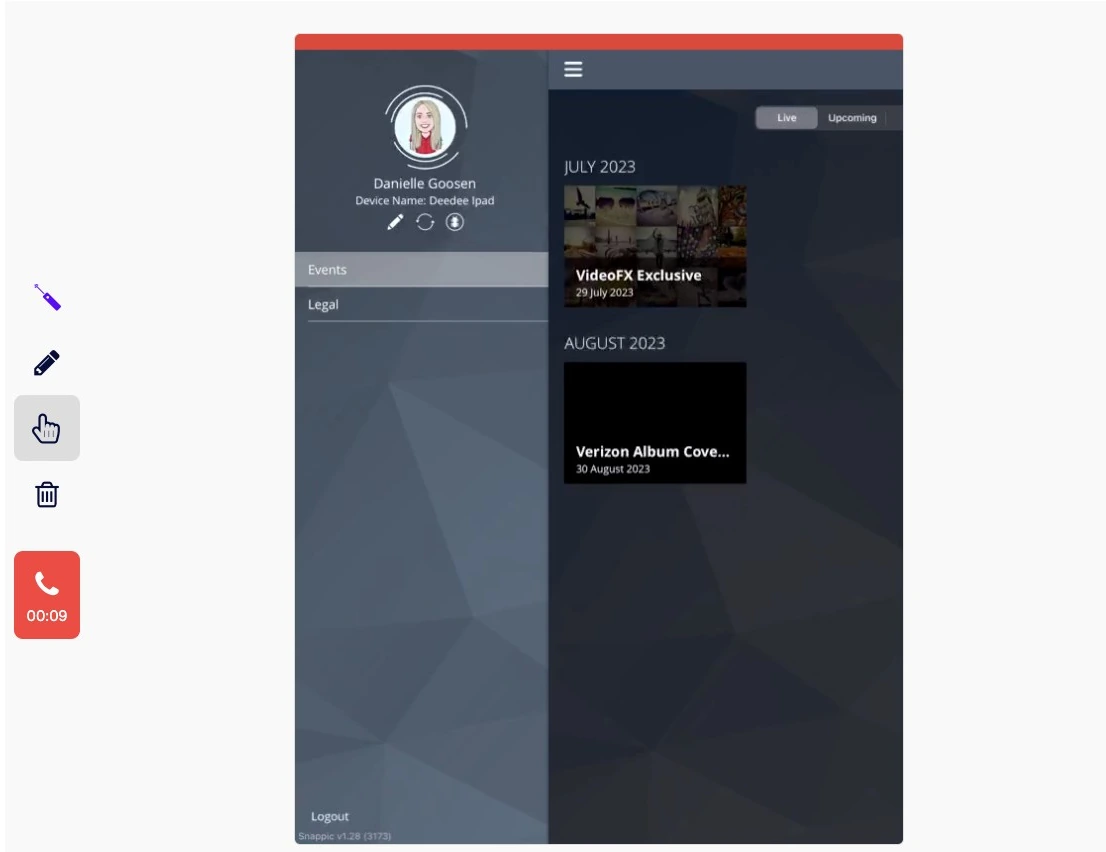
Beyond the Sharing Station, Live Connect gives operators a browser-based remote control interface for every active device in the fleet. Template updates and configuration changes push to all iPads at once without interrupting running events.
Source: Snappic
If a device fails mid-event, the software license transfers instantly to a spare iPad, preserving the full event configuration.
For operators managing eight booths across a convention center, one person at a central hub can oversee the entire fleet.
Snappic also supports five booth types from a single subscription: iPad, 360-degree, mirror, robot arm/Glambot, and DSLR. This eliminates the need to run separate software for each hardware format at mixed-format events.
Advanced Vision Analytics (AVA) adds automated demographic data collection (age ranges, gender distribution, group size) across all booth types, producing the post-event audience reports that corporate clients expect as deliverables.
Snappic Pricing
Snappic uses a per-booth license model with annual billing saving 20%. A 14-day free trial requires no credit card.
- Business at $189/month: One Photo Booth + one Sharing Station license. LiveConnect and white-label available as paid add-ons ($79/month bundle).
- Premium at $279/month: All features included by default. White-label, webhooks, LiveConnect, SmartShare AI with 400 credits/month.
- Scale at $399/month: Multi-client management, unlimited sub-accounts, Grey Label App, dedicated Customer Success Manager.
Use Snappic if:
- You operate five or more booths simultaneously and need centralized fleet monitoring with instant device failover
- Guest queue management is a primary concern and you want to physically separate capture from delivery
- You mix booth formats (iPad, 360, mirror, Glambot) across large corporate activations
- Your corporate clients expect post-event demographic analytics as a deliverable
3. LumaBooth — Best for Growing Rental Businesses Scaling Across Six Booth Formats With DSLR Flexibility
Rental companies that book multiple events per week need two things from their software: the flexibility to use the cameras they already own, and the depth to offer varied services (photo strips, 360 video, mirror booth, AI portraits) without managing separate licenses for each format.
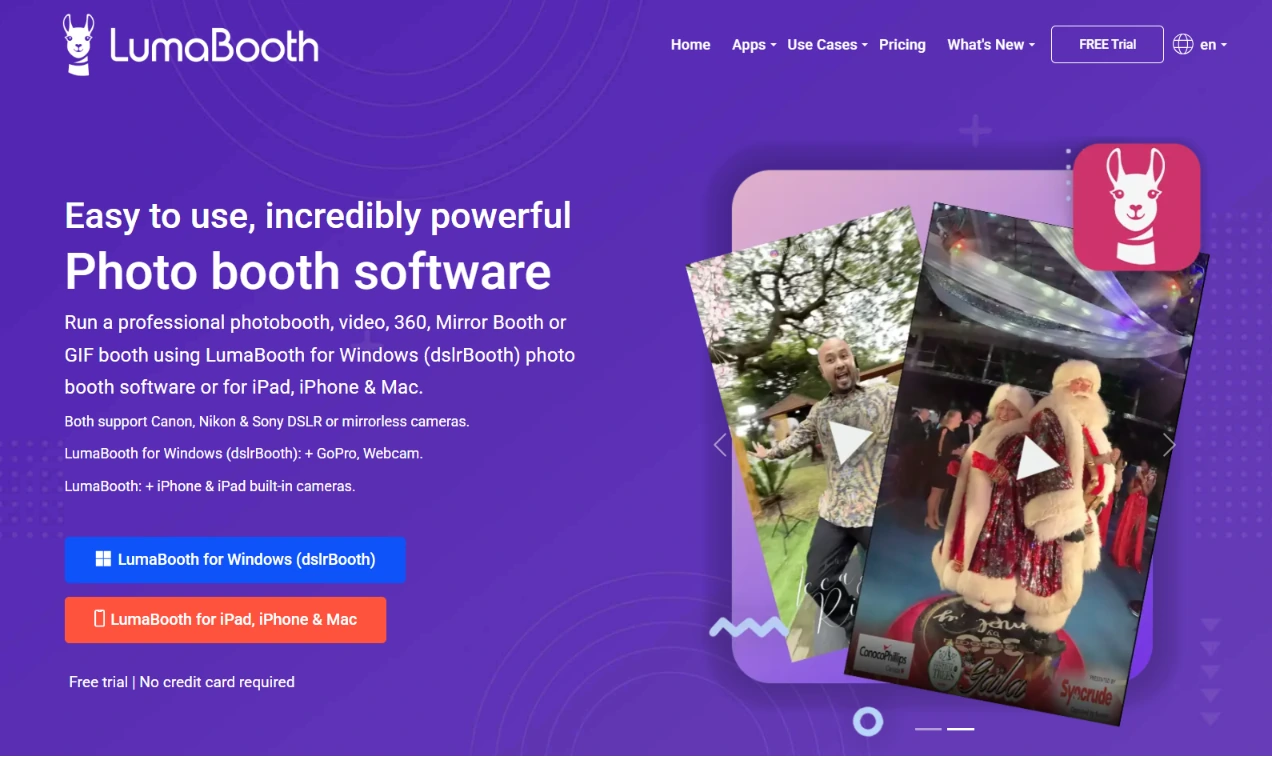
LumaBooth (by Lumasoft, formerly dslrBooth) delivers both. In continuous production since 2012 and used by tens of thousands of operators in over 150 countries, LumaBooth connects to Canon, Nikon, Sony mirrorless via USB, and GoPro 5-13 cameras, all from a single subscription.
| LumaBooth Pros | LumaBooth Cons |
|---|---|
| Multi-brand DSLR support (Canon, Nikon, Sony, GoPro) | Sony cameras cannot capture boomerang or video sessions |
| 820+ designed templates | AI credits are a separate add-on cost |
| Six booth formats in one subscription | Base subscription excludes SMS and advanced cloud gallery |
| Two devices included per subscription | App-centric workflow with limited remote device monitoring |
LumaBooth: Top 3 Throughput Features
- 820+ cloud-hosted templates for rapid event setup
- Six booth formats (photo, 360, mirror, glam, green screen, video guestbook) in one license
- Canva Direct Import for fast custom template creation
When a client changes their event’s color scheme the day before, having 820+ templates available through the LumaBooth Dashboard means operators can swap to a polished, event-ready design in minutes. Templates sync automatically to connected devices at the venue.
The 360 booth mode supports up to 120 fps on Windows with motion-activated recording that starts automatically when the spinner moves. The Mirror Booth uses a Virtual Attendant animation system where guests interact with the mirror surface to add signatures, stickers, and emojis.
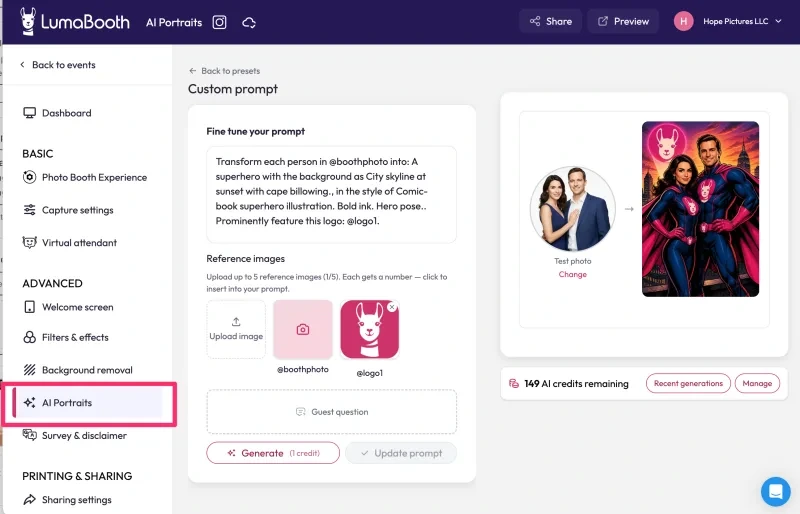
AI Portraits with 170+ preset styles and Custom AI Prompts with per-guest personalization offer a high-margin upsell without adding operational complexity at events.
Source: LumaBooth
LumaBooth Pricing
LumaBooth covers two simultaneous devices per subscription. Annual billing is available on both platforms.
- Windows: $17/month billed annually (~$204/year). Includes all booth formats and fotoShare Cloud Basic.
- Apple (iPad/iPhone/Mac): $18/month annually; $19.99/month on monthly billing.
- SMS Plan: +$10/month. AI Credits: $14.99/month (150 credits) to $199.99/month (2,000 credits).
- Free trial with no time limit; permanent watermark until subscription is activated.
Use LumaBooth if:
- You already own Canon, Nikon, Sony, or GoPro cameras and want software that connects to your existing gear
- You need to offer multiple booth formats (photo, 360, mirror, AI portraits) from a single subscription
- You book multiple events per week and need a large template library to handle last-minute client changes
- You’re scaling from one to three booths and want cost-effective per-device pricing at $17-18/month for two devices
4. Touchpix — Best for 360 Video Booth Operators Running High-Volume Spinning Experiences
The 360-degree spinning arm booth is one of the most throughput-sensitive formats in the industry. The capture hardware is typically a GoPro on a rotating arm, and the output is a 10-to-15-second video clip that is much larger than a still photo.
When venue Wi-Fi is unreliable, cloud-dependent delivery stalls the entire pipeline.
Touchpix, which launched in 2020, has become the standard platform for operators whose business is built around this format. Its native GoPro wireless sync (models 7-14) with Bluetooth rig triggering automates the capture sequence without any attendant pressing a button.
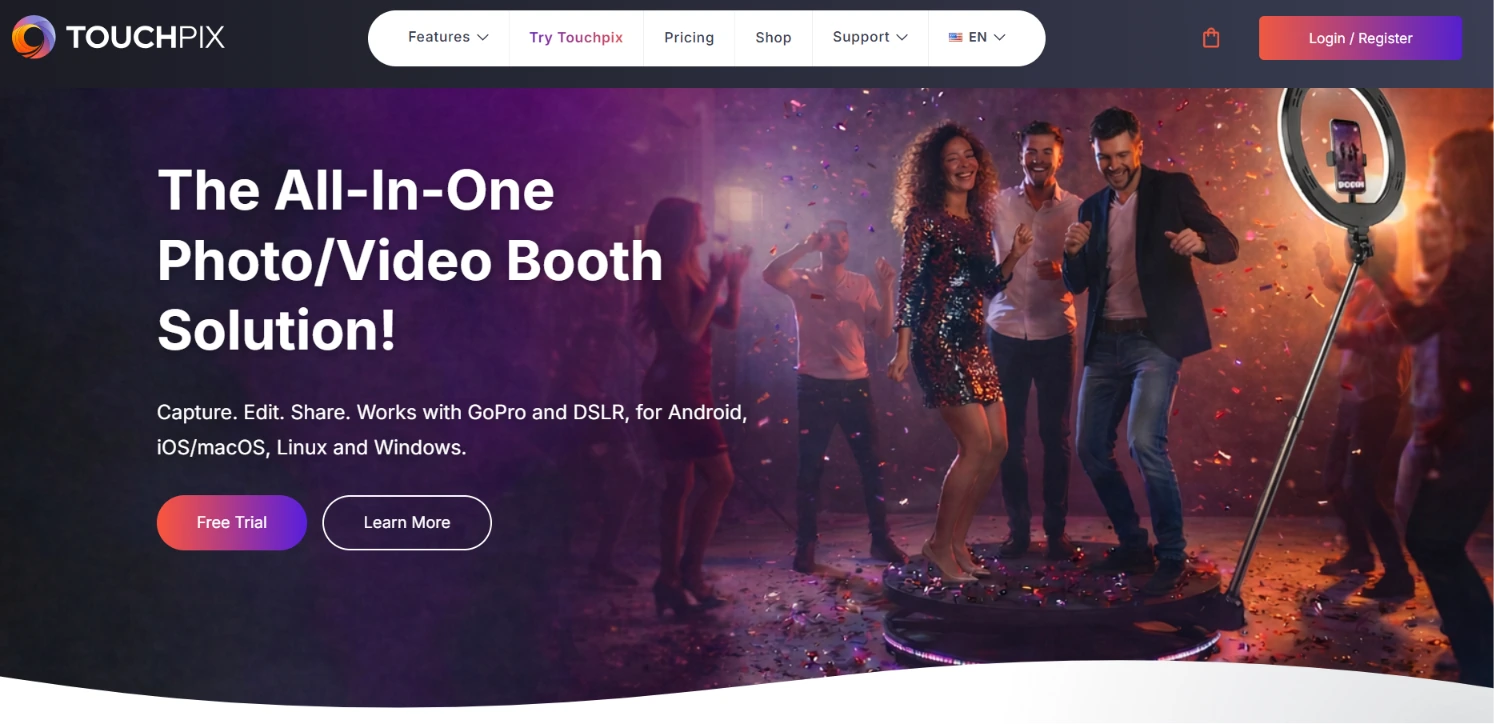
And its Scanpix offline QR code sharing delivers guest media without any venue internet connection at all.
| Touchpix Pros | Touchpix Cons |
|---|---|
| Native GoPro wireless sync with Bluetooth triggering | Occasional GoPro disconnections reported under heavy load |
| Scanpix offline QR sharing (no internet needed) | Subscriptions are non-refundable once purchased |
| Cross-platform: iOS, Android, macOS, Windows, Linux, Raspberry Pi | Video capture requires MultiPass plan or higher |
| On-device AI processing with no cloud dependency | Video and image rendering can be slower under high-volume event loads |
Touchpix: Top 3 Throughput Features
- Scanpix offline QR code sharing for venue-agnostic delivery
- Native GoPro wireless sync with automated Bluetooth rig triggering
- On-device AI face replacement and background removal with no cloud upload step
Scanpix solves the 360 booth’s biggest throughput killer. The clip transfers directly from the Touchpix device to the guest’s phone via the QR code’s local connection, with no internet required.
A 360 booth with a 45-second total cycle time stays at 45 seconds whether the venue has gigabit fiber or no cellular signal.
Touchpix runs natively on iOS, Android, macOS, Windows, Linux, and Raspberry Pi under a single subscription with unlimited devices, so operators deploy on whatever hardware they already own.
On-device AI processing handles face replacement and automatic background removal locally, keeping the total cycle time predictable without a cloud dependency.
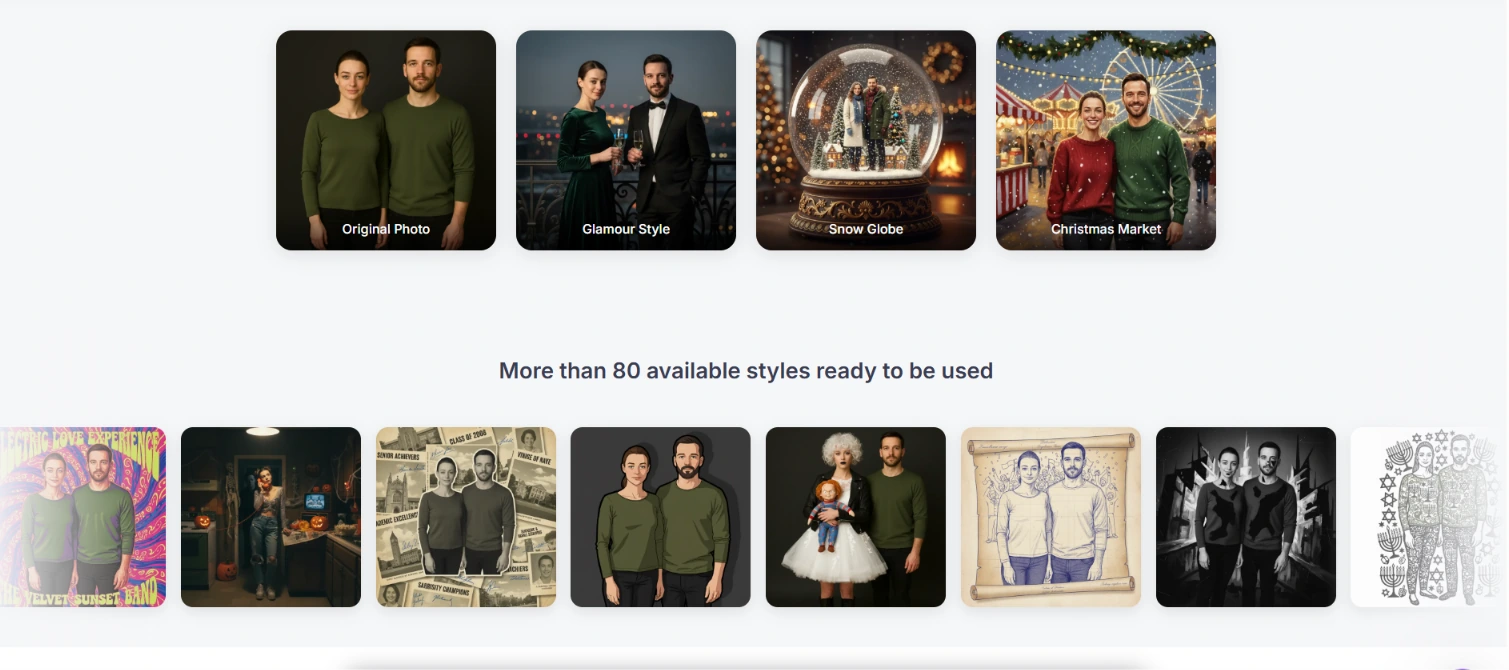
The optional 80+ AI Photo styles powered by Google’s Gemini are available for operators who want cloud-based creative transformations, with 15 free AI credits for new accounts.
Source: Touchpix
Touchpix Pricing
Priced per active event slot (simultaneous bookings). Annual billing saves approximately 40%.
- PhotoPass: $439.90/year (2 events). Photo and animated GIF only; no video.
- MultiPass: $879.99/year (4 events). Adds video, slomo, and boomerang. Minimum plan for 360 video.
- MultiPass Pro: $1,407.99/year (8 events). Adds Virtual Booth and Advanced Surveys.
- MultiPass Enterprise: $2,199.99/year (12 events). Full feature set including Mosaic and RAW backups.
- 14-day free trial with full feature access. No credit card required.
Use Touchpix if:
- Your event lineup centers on 360-degree spinning arm booths and you need native GoPro wireless sync
- You regularly work at venues with unreliable Wi-Fi and need offline QR sharing and on-device AI processing
- You operate a multi-device fleet across mixed operating systems and want a single license with unlimited devices
- You run 4 or more simultaneous bookings and need clear event-slot-based scaling
5. Darkroom Booth — Best for Windows Operators Needing Sustained Reliability Across Marathon Events
When a booth needs to run continuously for six-plus hours at a wedding, corporate activation, or school event without a single restart, the software’s feature list matters less than whether it’s still running at hour seven. Darkroom Booth has built its reputation on exactly this.
Darkroom Booth is a professional Windows desktop application from a company with three decades in photography software (Darkroom Software traces its roots to 1992).
Customer testimonials describe operations running 230 prints over 4.5 unattended hours without a single failure. Enterprise clients include Carnival Cruise Line, Canon, Fujifilm, and Picture People.
| Darkroom Booth Pros | Darkroom Booth Cons |
|---|---|
| Documented sustained reliability under production load | Windows-only; no macOS native or iPad version |
| $295 perpetual license with no recurring fees | Cloud sharing features require $95/year maintenance |
| Native Phidget support for custom kiosk installations | No dedicated 360 spinning arm workflow |
| Built-in drivers for 20+ dye-sublimation printers |
Darkroom Booth: Top 3 Throughput Features
- Sustained multi-hour operation without memory leaks or restart requirements
- Booth Control remote management from any phone or tablet on the same Wi-Fi
- Perpetual license for 2 simultaneous computers with no per-event fees
The $295 one-time purchase amortizes across every event the software ever runs, with no volume-based charges. An optional $95/year maintenance plan restores access to updates and cloud sharing, but the software keeps running its core functions even if maintenance expires.
Hardware compatibility spans Canon, Nikon, GoPro, and most Windows-compatible webcams, with built-in drivers for 20+ dye-sublimation printer models including DNP, Fujifilm, and Mitsubishi.
Native Phidget support enables bill acceptors, coin mechanisms, and arcade-style buttons for permanent kiosk installations, making Darkroom Booth viable for pay-per-print setups and amusement venues.
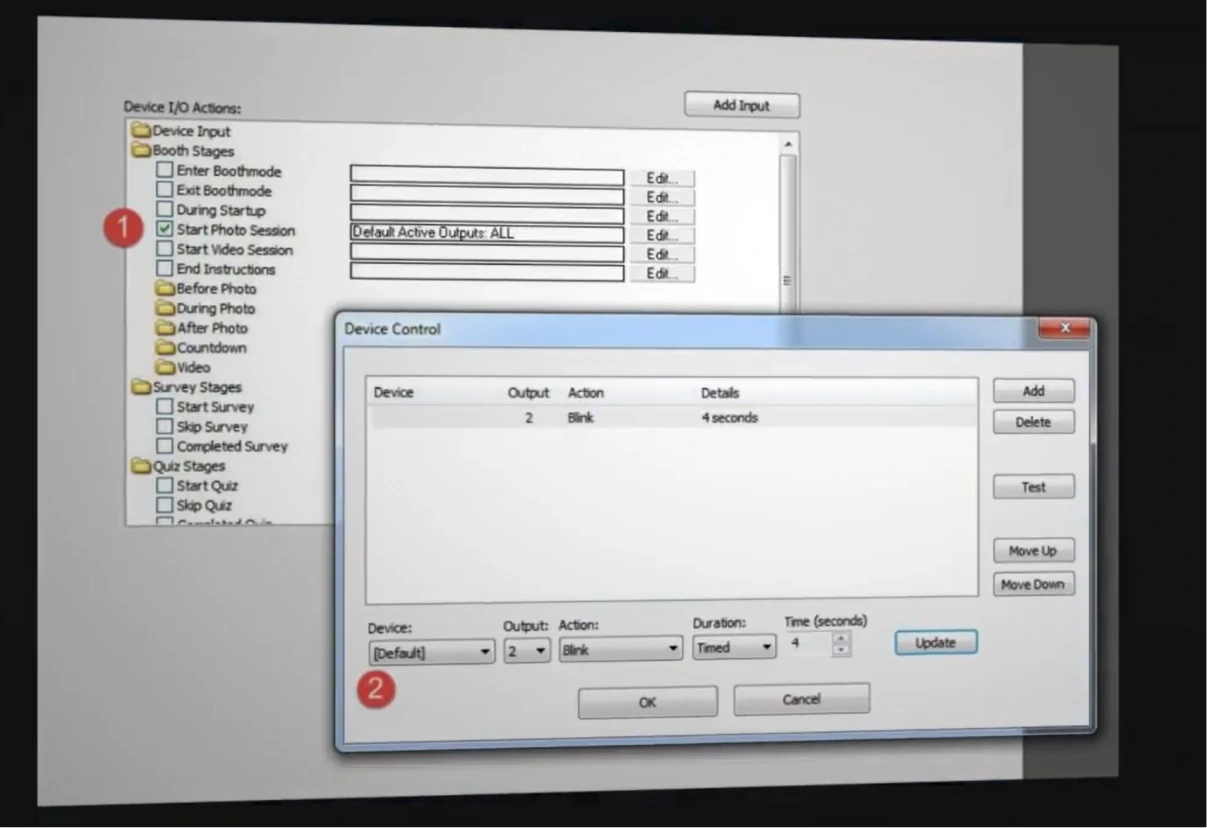
Source: Darkroom Booth
A $45 ten-day temporary license covers overbooking situations without scaling a monthly subscription.
Darkroom Booth Pricing
- Full License: $295 one-time. Covers 2 simultaneous computers. Includes 1 year of updates and support.
- Annual Maintenance: $95/year (optional after the first year). Required for cloud sharing features.
- 10-Day Temporary License: $45 for existing owners in overbooking situations.
- Free trial available (watermarked output, no time limit).
Use Darkroom Booth if:
- You run Windows-based attended events and need software that won’t fail across six-plus-hour sessions
- You prefer owning your software outright rather than paying recurring subscription fees
- You operate complex hardware configurations with custom kiosk installations, bill acceptors, or multiple dye-sub printers
- You want the lowest total cost of ownership for a high-event-volume operation
6. Sparkbooth — Best for Professional Offline-Ready Booth Software at a One-Time Price
Not every operator needs fleet management or enterprise analytics.
For solo operators and small studios entering the rental market, the priority is professional results without recurring overhead, and the ability to run reliably at venues where Wi-Fi doesn’t exist.
Sparkbooth is desktop photo booth software for Windows and Mac that turns any computer with a webcam, or a compatible Canon or Nikon DSLR, into a functional event photo booth.
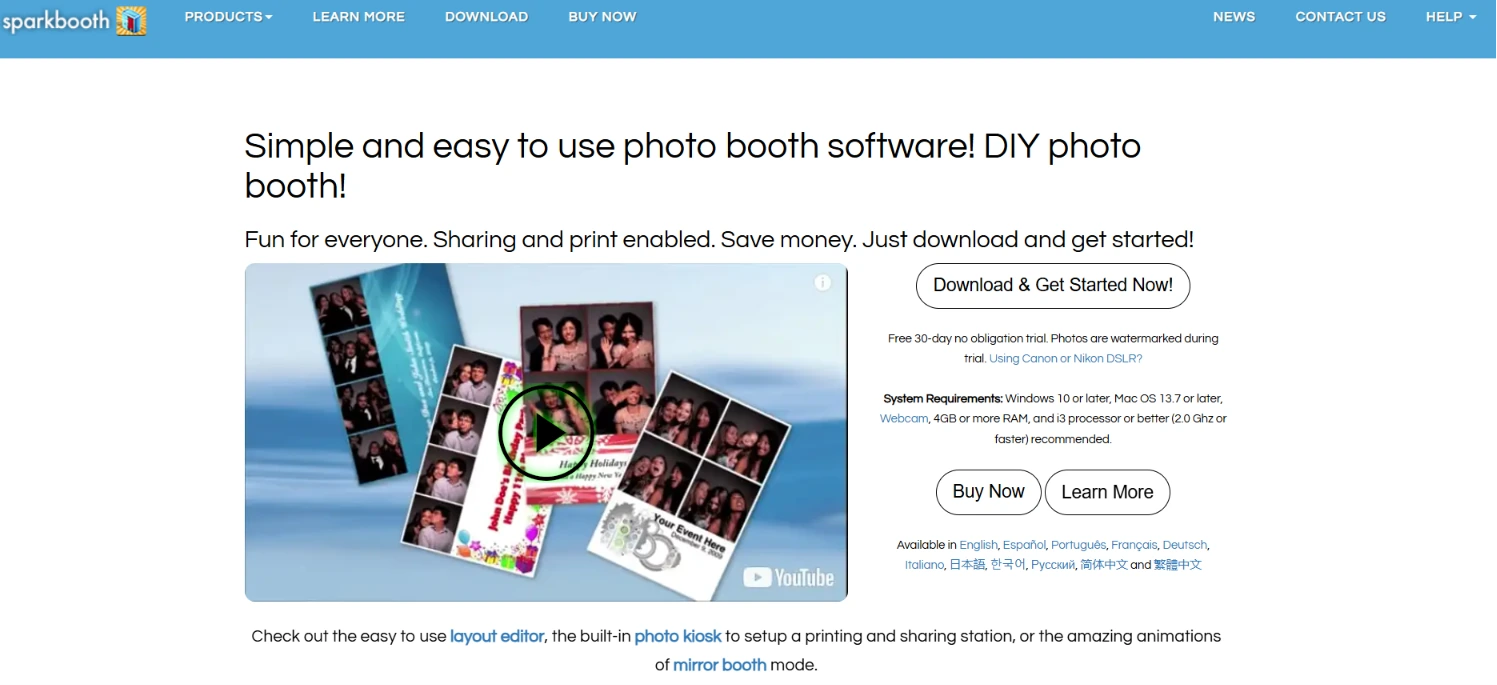
The licensing model is a single one-time purchase: $149 for webcam or $189 for DSLR, with no monthly or annual fees.
| Sparkbooth Pros | Sparkbooth Cons |
|---|---|
| One-time lifetime license ($149-$189) | No cloud-based fleet management or remote dashboard |
| 30-day full-feature trial (watermarked only) | Canon DSLR support is Windows-only |
| True offline operation for email, print, and QR delivery | No 360 or mirror booth modes |
| Runs on both Windows and Mac |
Sparkbooth: Top 3 Throughput Features
- Offline-first architecture for email, printing, and QR code delivery
- 30-day full-feature trial for real-event validation before purchase
- Drag-and-drop Layout Editor for quick on-site template creation
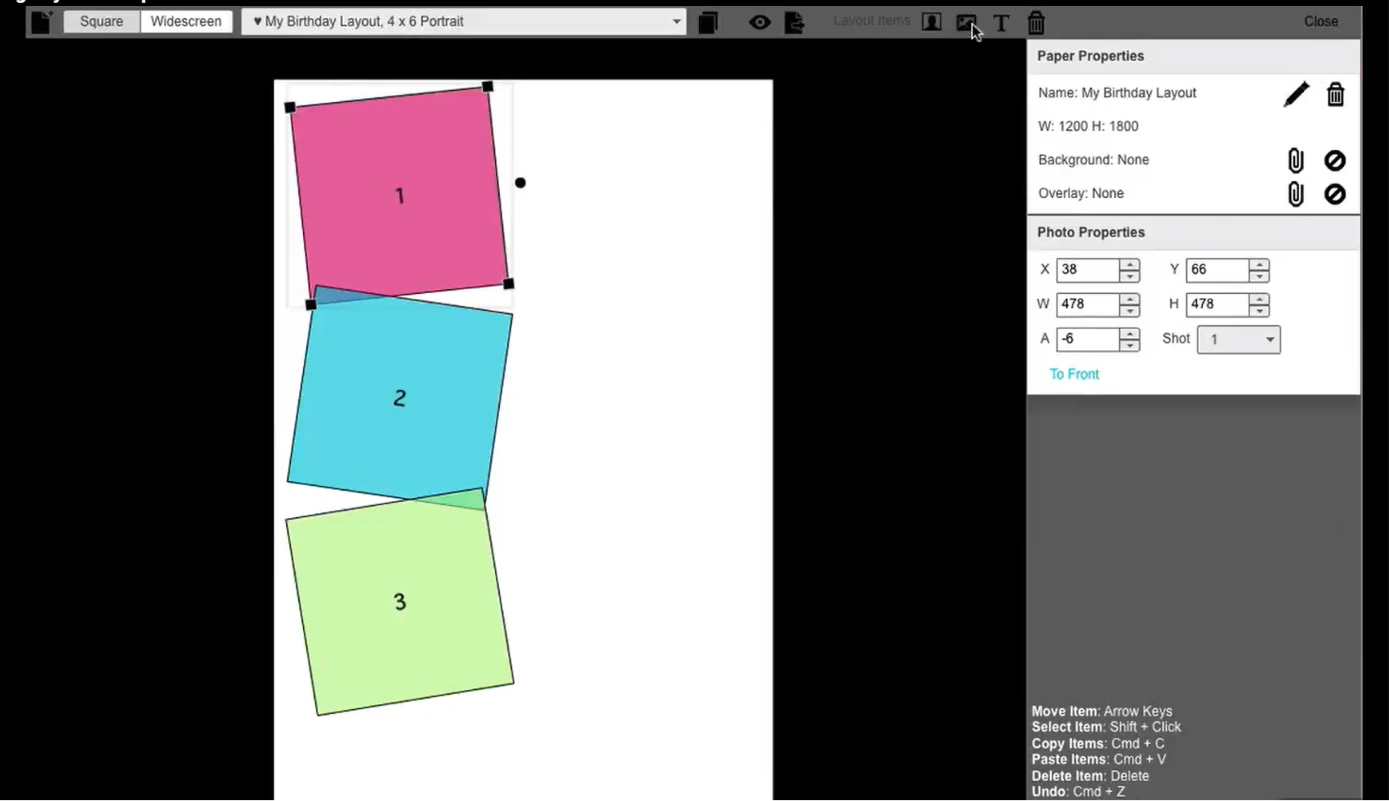
Source: Sparkbooth
Photos queue for upload and email delivery when internet is unavailable, with the entire queue batch-delivered once connectivity returns. The queue can also be exported and imported to a different computer as a backup.
UnlimitedBG AI background removal runs entirely offline, and QR code delivery via qrcode.photos generates codes without live internet.
For operators who frequently work at venues with poor connectivity, this offline depth is a real advantage.
The trial is generous: all features unlocked for 30 days, with the only difference being watermarked output. Operators can take the software to an actual event with their real camera and printer and make a purchasing decision based on observed performance.
If the license key hasn’t been activated after purchase, there’s a 60-day refund window. Three activations are included per license, commercial use is permitted, and there are no per-event fees.
Sparkbooth Pricing
- Premium: $149 one-time. Webcam support. Windows 10+ and Mac OS 13.7+. 3 activations. All features included.
- DSLR: $189 one-time. Canon and Nikon DSLR/mirrorless support. Windows (Canon + Nikon); Mac (Nikon only). All Premium features included.
- Optional add-ons: UnlimitedBG AI background removal and qrcode.photos QR delivery (separate subscriptions).
Use Sparkbooth if:
- You run a defined number of events per year and want to close the software cost permanently with a one-time purchase
- You want to validate software at a real event before committing any money, using the 30-day full-feature trial
- You frequently operate at venues without reliable internet and need offline-first photo delivery
- You’re entering the photo booth rental market and want to minimize upfront costs while keeping professional capabilities
7. BoothLedger — Best for Canon DSLR Operators Wanting Bundled AI Effects at the Lowest Subscription Price
Most platforms that offer AI creative effects either gate them behind a separate tier or charge per transformation. At a 500-guest corporate event, per-credit pricing creates unpredictable costs that only arrive after the event is over.
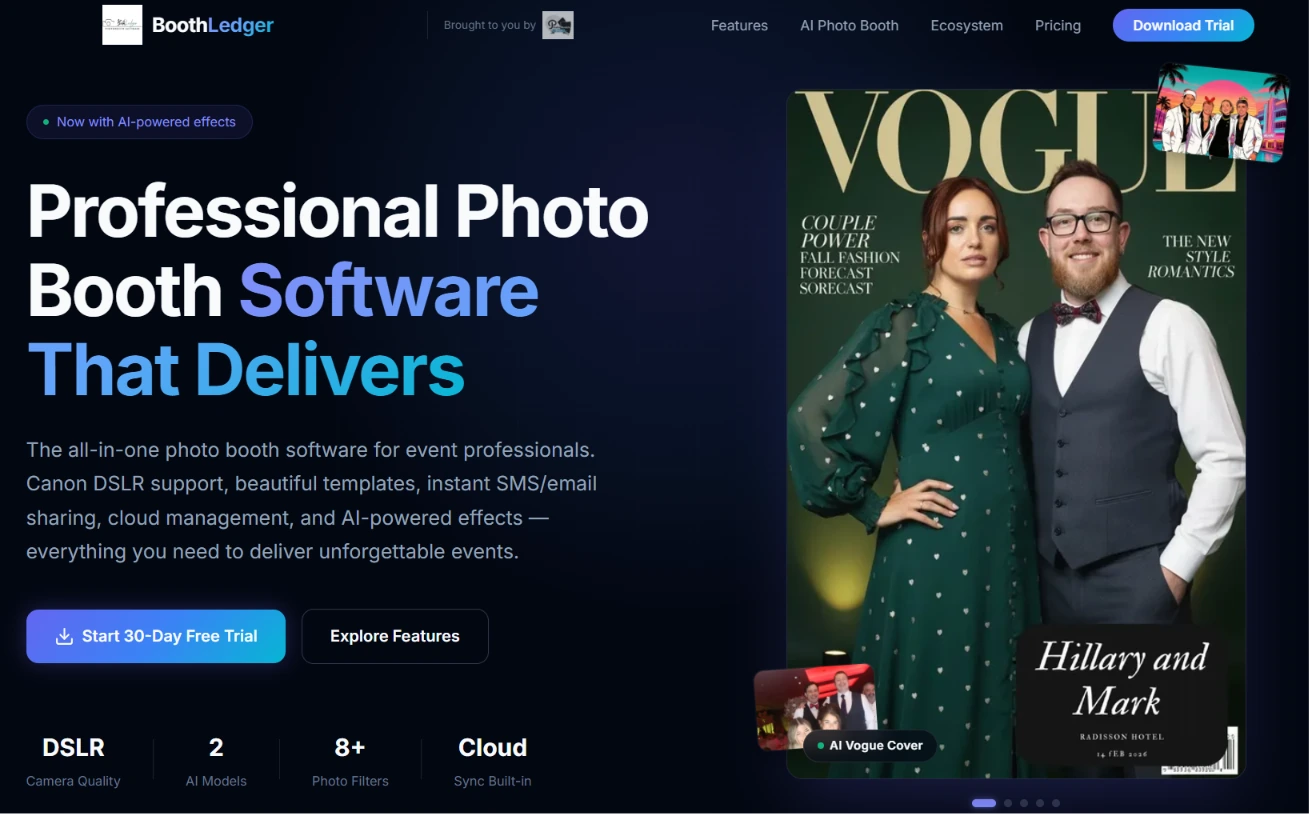
BoothLedger takes a different approach. Built by PhotoBooth Guys, an active Irish event hire company that has run 500+ events for clients including Google, Microsoft, Meta, and LinkedIn, BoothLedger bundles both AI engines and 50+ art styles into a flat €35/month subscription with no per-image charges.
| BoothLedger Pros | BoothLedger Cons |
|---|---|
| Bundled AI with no per-credit costs at €35/month | Windows 10/11 only; no macOS or iPad version |
| Native Canon DSLR tethering via official EDSDK | Canon-only camera support (Nikon and Sony on roadmap) |
| Offline-first capture and share queue | Launched in early 2026; limited third-party reviews |
| - Two device licenses included on every plan |
BoothLedger: Top 3 Throughput Features
- Dual AI engines (Core + Nano Banana Pro) bundled at a flat rate with no per-credit costs
- Native Canon EDSDK tethering with per-shot autofocus and automatic reconnection
- Offline-first architecture with 45-second cloud sync cycles
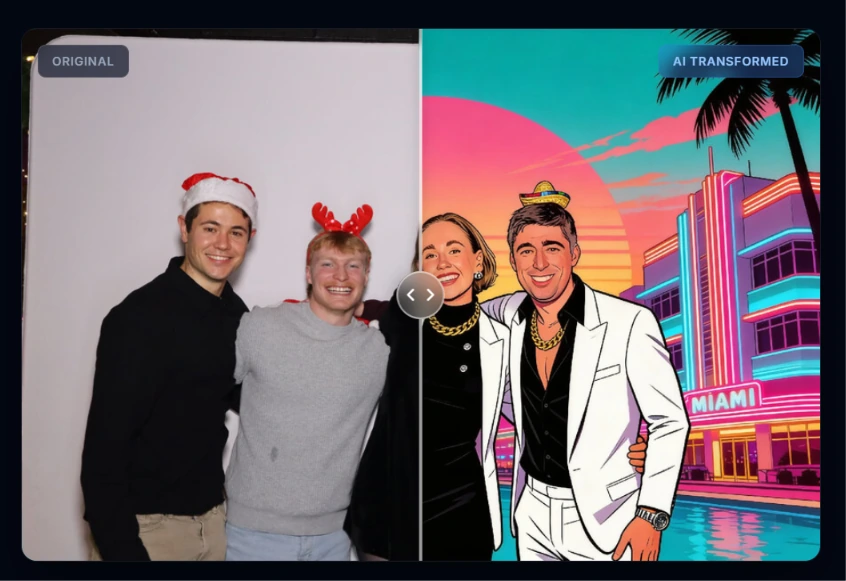
Operators choose the AI engine that matches the brief: Core for high-volume throughput at corporate conferences, Nano Banana Pro for higher fidelity at luxury brand activations.
AI background removal handles swaps without physical green screen hardware, eliminating setup time and floor space requirements. Face swap, face enhancement, and Live Swap mode are all included.
Source: BoothLedger
The Canon integration is built on Canon’s official EDSDK, giving direct control over supported EOS bodies from the Rebel/xxxD series through the full R mirrorless range.
Autofocus fires per shot with face detection, and when USB drops mid-event, reconnect logic re-establishes the tether automatically. The company reports zero mid-event crashes across 500+ events for enterprise clients.
BoothLedger captures, prints, and shares via QR and AirDrop without any internet connection, then queues cloud uploads to sync automatically when connectivity returns.
BoothLedger Pricing
All pricing is EUR-denominated. Both tiers include two device licenses as standard. Annual billing saves approximately 15%.
- Basic: €12/month. Canon DSLR and webcam capture, template editor, SMS/email/QR/AirDrop sharing, cloud gallery.
- AI Photobooth: €35/month. Everything in Basic plus dual AI engines, 50+ AI styles, face swap, AI background removal.
- 30-day free trial with no credit card required.
Use BoothLedger if:
- You’re a Windows-based operator with Canon DSLR hardware who wants bundled AI effects at a predictable monthly cost
- You run events at venues with unpredictable Wi-Fi and need offline-first capture and sharing
- You want the lowest-priced subscription that includes both Canon DSLR support and a complete AI effects suite
- You run brand activations where AI-generated social shareables are a client deliverable
And That’s Our List of…
…the fastest photo booth software platforms for high-throughput events in 2026. Each platform approaches the speed and throughput challenge differently: some optimize the capture-to-delivery pipeline, others focus on fleet-scale operations, and still others prioritize sustained reliability across marathon events.
The right choice depends on your specific throughput bottleneck. Here are our top picks for the three most common high-volume scenarios:
- Simple Booth: If you want the fastest end-to-end guest experience with sub-one-minute setup, self-running operation, and five delivery channels on an iPad-based system.
Start with a Simple Booth free trial.
- Snappic: If you manage fleets of five or more booths at enterprise events and need the Sharing Station architecture to double per-booth throughput.
- Darkroom Booth: If you run Windows-based attended events lasting six-plus hours and need software that will not fail under sustained production load, at a one-time price.
Fastest Photo Booth Software FAQ
What is the fastest photo booth software for large events?
Simple Booth offers the fastest end-to-end guest experience for iPad-based operations, with sub-one-minute hardware setup, self-running booth mode, and five delivery channels (QR code, SMS, email, AirDrop, WhatsApp).
For enterprise operations running multiple booths, Snappic’s Sharing Station physically separates capture from delivery, doubling per-booth throughput at high-volume events.
Can photo booth software work without Wi-Fi at a venue?
Yes, several platforms on this list offer offline capabilities. Touchpix’s Scanpix system delivers media via offline QR codes with no internet connection required.
Sparkbooth and BoothLedger both use offline-first architectures that queue photos locally and batch-deliver when connectivity returns.
Simple Booth’s HALO app also queues sessions in offline mode and delivers them automatically once a connection is restored.
What is the most affordable photo booth software for a startup rental business?
Sparkbooth offers the lowest upfront cost at $149 for a lifetime webcam license or $189 for DSLR support, with no recurring fees.
For subscription-based options, Simple Booth starts at $14.99/week, BoothLedger starts at €12/month for two device licenses including Canon DSLR support, and LumaBooth starts at $17/month annually for two devices with six booth formats included.
Which photo booth software supports the most camera brands?
LumaBooth has the broadest camera compatibility, connecting to Canon EOS DSLRs and mirrorless, Nikon D-series and Z-series, Sony mirrorless via USB, GoPro 5-13 over Wi-Fi, and standard webcams, all from a single subscription.
Darkroom Booth also supports Canon, Nikon, GoPro, and most Windows-compatible webcams.
Simple Booth supports Canon DSLR and mirrorless cameras on its Core plan and above.
Is there a one-time purchase photo booth software option?
Yes. Darkroom Booth offers a $295 perpetual license for Windows that covers two simultaneous computers and includes one year of updates.
Sparkbooth offers a $149 (webcam) or $189 (DSLR) lifetime license for Windows and Mac with three activations included.
Both operate without recurring subscription fees, though some cloud-dependent features may require optional add-on payments.
Which photo booth software is best for 360 spinning arm booths?
Touchpix leads the category for 360-degree spinning arm booths, with native GoPro wireless sync (models 7-14), Bluetooth rig triggering for automated capture, Scanpix offline QR delivery, and cross-platform support across iOS, Android, macOS, Windows, Linux, and Raspberry Pi.
Its pricing is based on active event slots rather than per-device fees, which aligns well with multi-booking 360 operators.
Do I need special hardware to run photo booth software?
It depends on the platform. Simple Booth runs on iPad paired with its proprietary HALO ring-light hardware kit. LumaBooth and Darkroom Booth run on Windows PCs with supported DSLR cameras.
Sparkbooth runs on Windows and Mac with a webcam or DSLR.
Touchpix runs on virtually any device, including Raspberry Pi.
BoothLedger runs on Windows with a Canon DSLR or webcam. Most platforms also work with standard webcams for basic operation.
How many guests can a photo booth serve per hour at a high-volume event?
Guest-per-hour throughput varies based on the capture format, delivery method, and whether the booth operates with or without an attendant. A well-configured booth running still photos with QR code delivery typically handles 60-100 guests per hour. Snappic’s Sharing Station, which separates capture from delivery onto two devices, can push this higher by removing the delivery bottleneck. Video and 360 formats have longer per-guest cycle times but produce more engaging, shareable content.
Keep reading
 Best Of
7 Best Photo Booth Software with Video Message and Slo-Mo Capture [2026]
Booths that capture heartfelt video notes and buttery slo-mo. The moving stuff.
 Best Of
6 Best Photo Booth Software With QR Code Sharing [August 2026]
Booths that beam every snap to a phone with a quick scan. QR sharing done right.
 Best Of
7 Best Photo Booth Software With Real-Time Analytics and Dashboards [August 2026]
Booths that show the numbers as the party happens. Live dashboards, real insight.