Gifyyy Review 2026: Is This GIF Photobooth Right for Your Events?

Gifyyy was built by a wedding photographer who needed a photobooth he could carry in one hand, set up between shots, and leave running while he worked the reception. The result is a compact iPad-based GIF booth designed for solo operators who want to add a revenue stream without adding staff.
To write this Gifyyy review, we analyzed the platform thoroughly. It’s the right choice if:
- You’re a solo wedding photographer looking for a lightweight revenue add-on
- You want a one-time hardware purchase with no monthly subscription
- Portability is your top priority (the full unit weighs about 12 pounds)
- You need a booth that runs unattended while you shoot
- Your delivery needs are limited to SMS and email
However, Gifyyy might not be the best choice if:
- You need video capture, DSLR-quality output, or AI-powered effects
- You want flexible delivery options like WhatsApp, AirDrop, or QR codes
- You’re building a multi-booth rental business that requires fleet management
- You run brand activations, venue installations, or corporate events at scale
- You need in-depth analytics, lead capture forms, or CRM integrations
In this case, you should consider Simple Booth: a photo booth platform that pairs aluminum hardware with subscription software covering AI photo transformations, DSLR camera integration, and a browser-based Virtual Booth that requires no hardware at all. With 30,000+ customers and 40 million moments captured, it serves solo operators and enterprise brands like Live Nation and Sports Illustrated Tickets.
We’ve included a detailed look at Simple Booth later in this review for operators who need more than a GIF booth. If you’re ready to explore the platform, you can start your free trial of Simple Booth here.
What is Gifyyy?
Source: Gifyyy
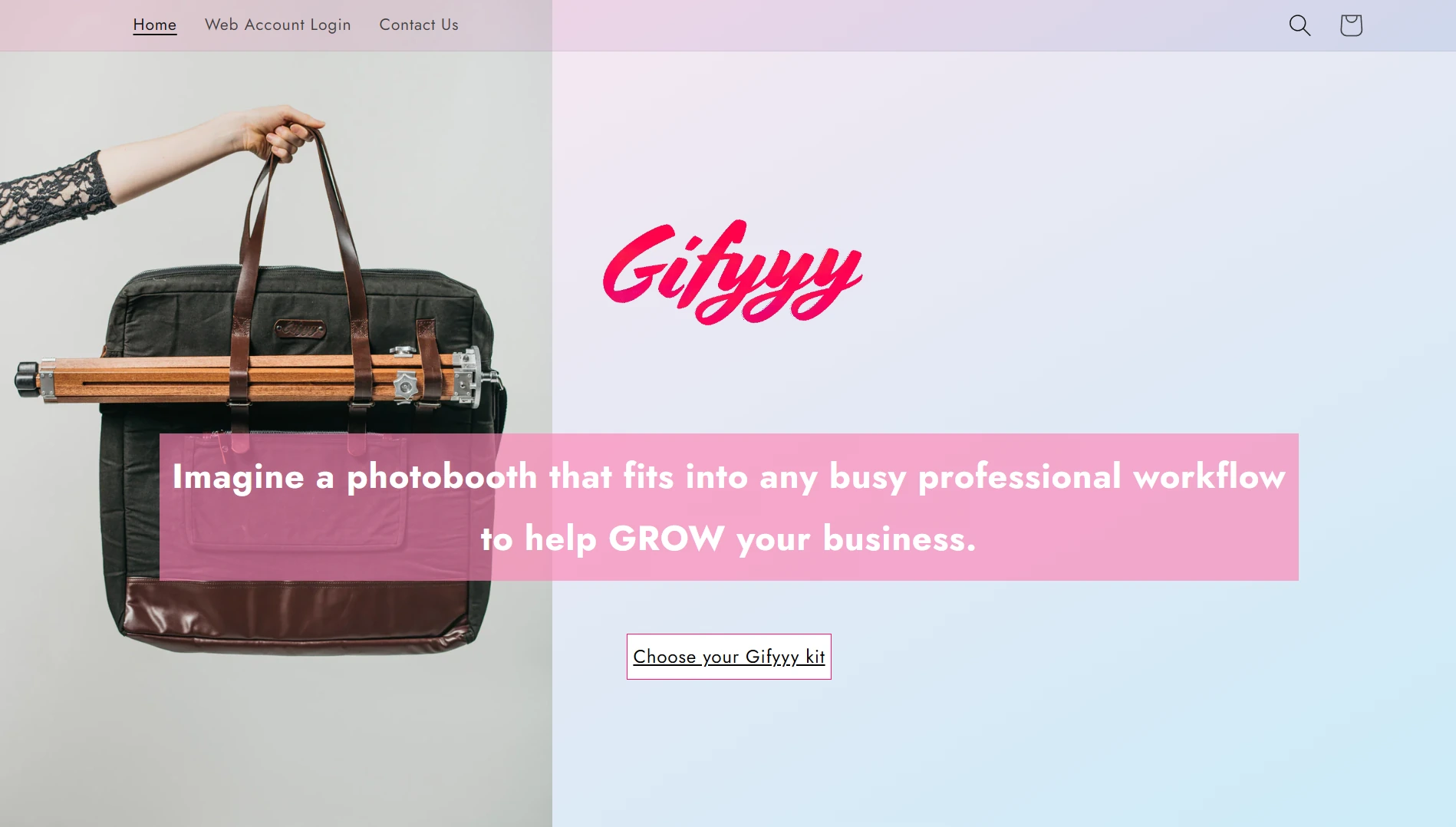
Gifyyy is a GIF photobooth combining hardware and software for event professionals. Founded in 2015 by wedding photographer Benjamin Chernivsky and digital product designer David Miller in the Chicago area, it was born from a frustration: Chernivsky wanted to offer photobooth services at weddings but found every available option too bulky, complicated, and staff-intensive to fit alongside his shooting duties. He flew his college roommate David Miller from London to Chicago, and together they built the first prototype from an iPad, a custom wooden tripod, and an LED ring light.
The product debuted at Mystic Seminars in Portland in early 2016 before reaching the broader photography market. Today, Gifyyy targets wedding photographers, wedding planners, venues, photobooth companies, and DJs who want a self-operating booth they can deploy without hiring additional staff. Guests approach the booth, touch the screen, pose for an animated GIF or still photo, and receive their image via SMS within seconds.
Gifyyy operates as a bootstrapped business under This Is Feeling Photography, LLC. It sells hardware kits at a one-time price ($2,595–$3,895 depending on tier) with a per-event software fee of $29 after five complimentary events.
Gifyyy Pros & Cons
| Pros | Cons |
|---|---|
| - Portable (~12 lbs, one-hand carry) | - Requires operator-supplied iPad (adds $300–$600+) |
| - 30-second setup, no attendant required | - Image quality limited to iPad camera |
| - One-time hardware purchase, no monthly fees | - iOS/iPad only, no Android support |
| - Per-event pricing ($29) suits seasonal operators | - No video capture capability |
| - Offline mode with operator-controlled upload timing | - No public API or third-party integrations |
| - Built-in SMS remarketing via TXTOMATION | - All sales final with 10% restocking fee |
| - USA-made handcrafted wooden tripod legs | - No presence on G2, Capterra, or TrustRadius |
Gifyyy Review: How It Works & Key Features
Hardware & Portability: A booth you can carry in one hand and set up in under a minute.
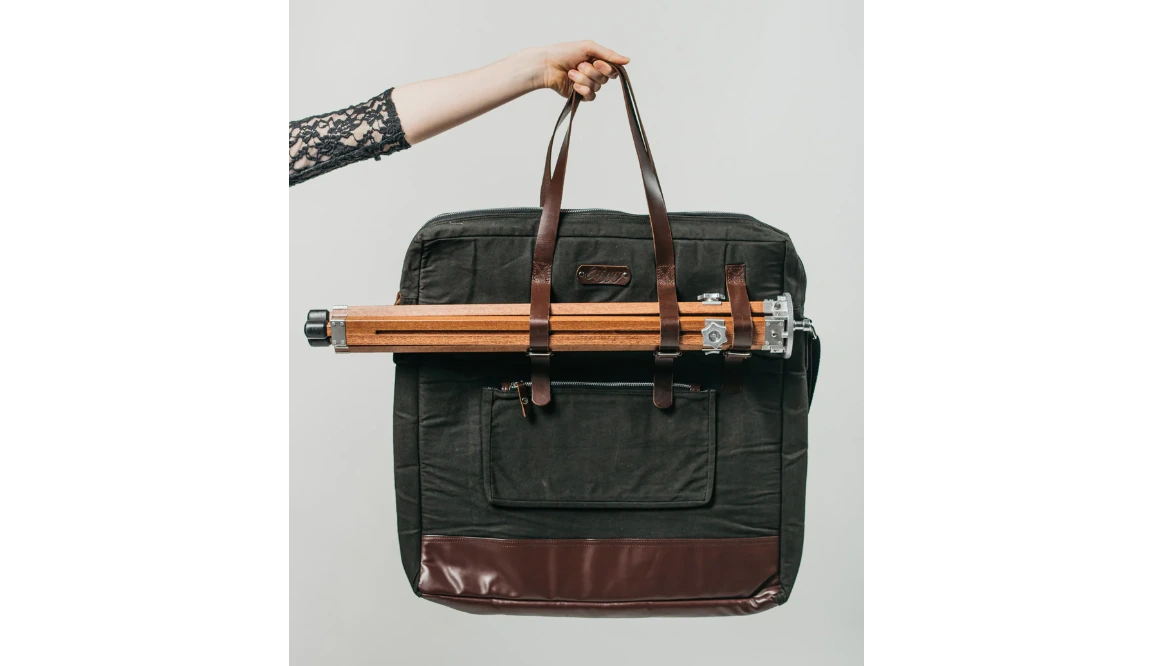
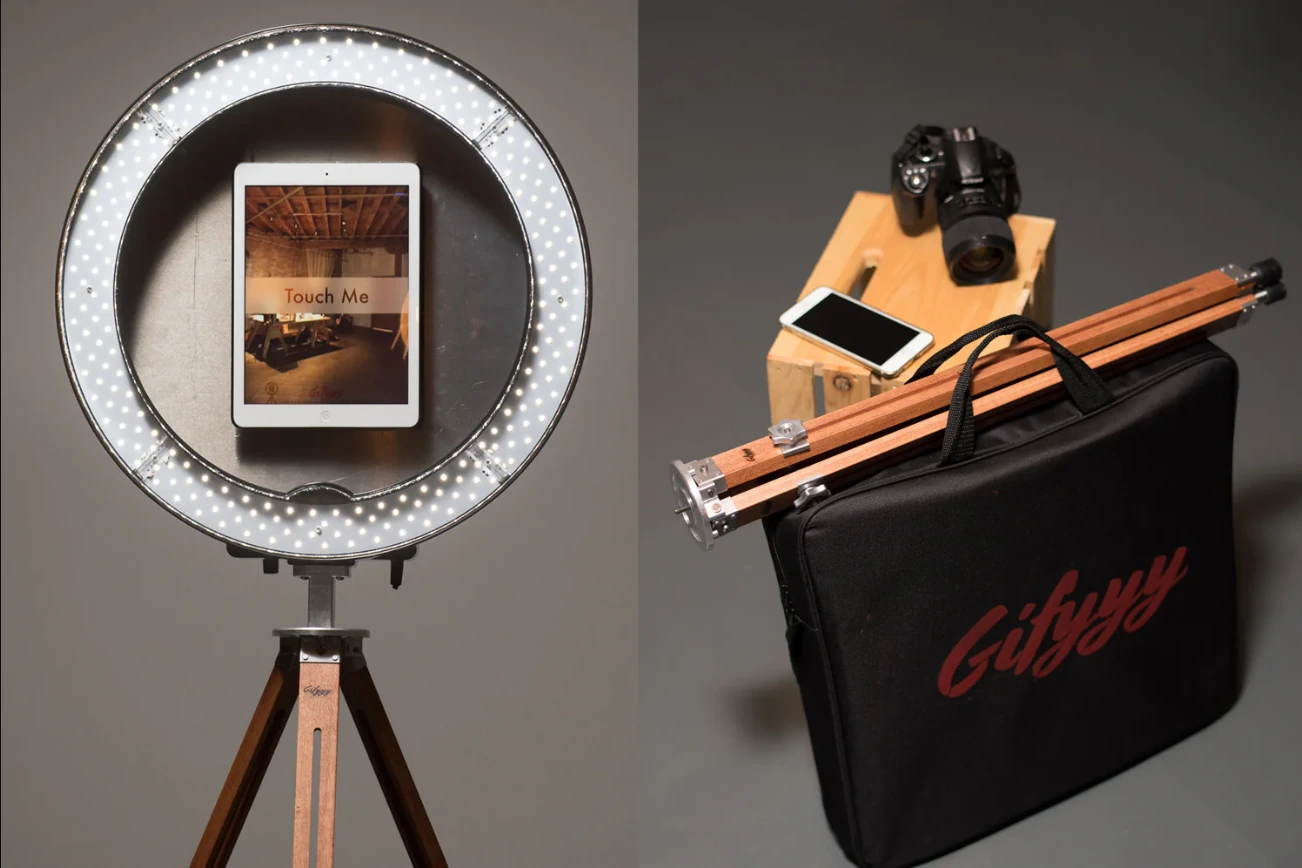
Gifyyy’s hardware centers on a Top Unit (an LED ring light with iPad bracket) mounted on USA-made wooden tripod legs. The design goal is portability: the complete unit carries in one hand, sets up in 30 seconds, and runs unattended.
Source: Gifyyy
The Starter Kit ($2,595) includes the Top Unit, tripod legs, app license, web account access, a soft carrying case, and five free event credits. The iPad is not included in the base price. The Pro Kit ($3,645 with iPad) adds a Front-Plate (bead-blasted aluminum, magnetic attachment), the upgraded BAGG carrying case, and a Go-Pack Battery that powers the ring light for 6 to 9 hours with a 500-cycle lifespan (roughly 1,000 events). The Pro Kit Plus+ ($3,895 with iPad) adds a Promo Pack of unbranded marketing content and a Workflow Pack with rental agreements and booking templates.
Source: Gifyyy
For venues without reliable power, the Go-Pack’s dual-output design simultaneously runs the ring light and charges the iPad or a mobile hotspot via USB. Everything packs into the included carrying case for single-person transport.
iPad App & Capture Modes: A touch-to-start experience with multiple capture formats.
The Gifyyy iPad App is the software core of the system. When guests approach, they see a “Touch Me” prompt. Tapping starts a countdown, the app captures a few quick frames, loops them into an animated GIF, and displays the result. Guests then choose “send it to me” (entering their phone number for SMS delivery) or “again” to retake.
Capture modes include boomerang-style animated GIFs, slow-motion video, and still photos. Gifyyy claims to be the “world’s first SLOWMO compatible iPad photo booth”. The July 2021 hybrid update lets operators offer guests a choice between two capture formats (for example, slow-mo alongside GIFs), capped at two to prevent choice paralysis.
Additional app features include brandable overlays, built-in camera filters (Noir, FaceBrush, FaceBrush+, Bang!, and #NoFilter), configurable exposure modes, and a live slideshow mode for venue display. The app requires iOS 12.3 or newer, with iPadOS 14+ required for the latest update, and is recommended on iPad Air 2 and newer.

Source: Gifyyy
SMS Delivery & TXTOMATION: Guest delivery with built-in post-event remarketing.
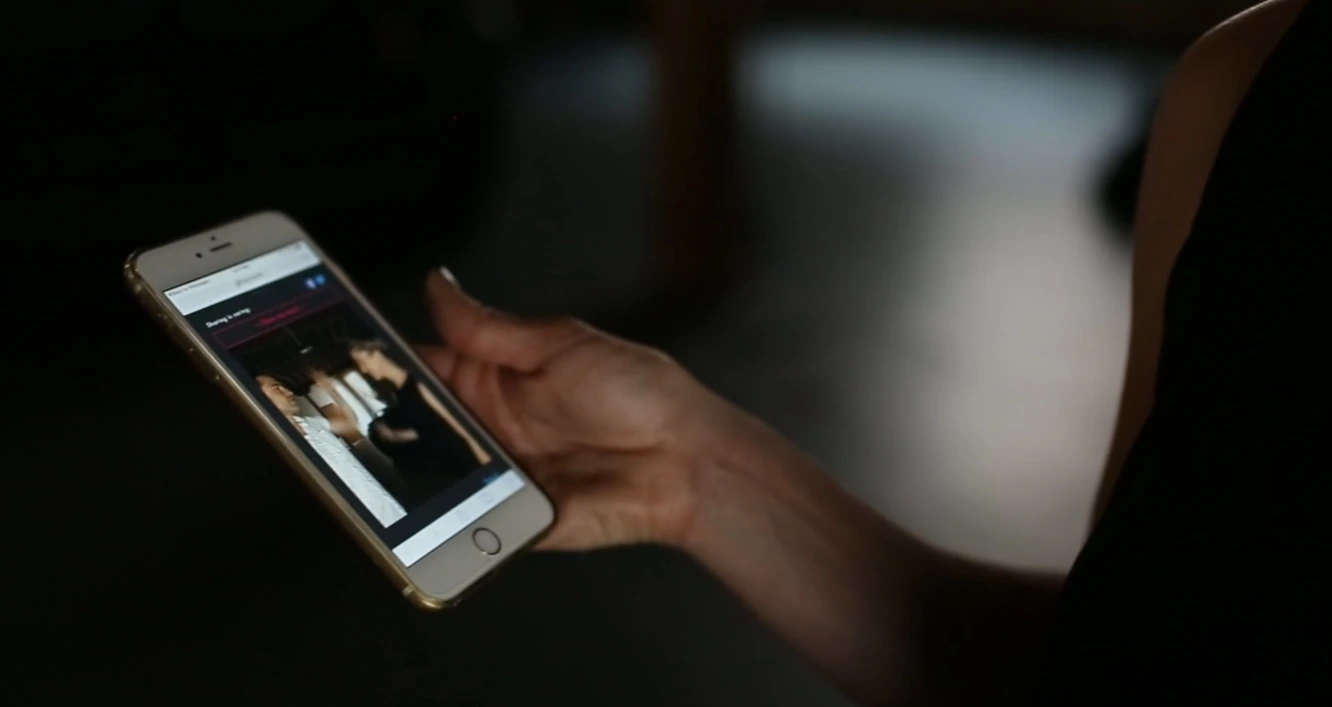
Gifyyy’s delivery system works through TXTOMATION, the platform’s SMS-based delivery and remarketing service. When a guest enters their phone number at the booth, they receive an SMS within seconds containing a link to their GIF on a Gifyyy-hosted webpage. The page includes the guest’s image, the operator’s branding, social sharing options, and a gallery of all event GIFs.
Source: Gifyyy
The remarketing layer separates Gifyyy from a photo delivery tool. Operators can send up to three bulk SMS messages per event to all collected phone numbers. The typical sequence: a same-night gallery link, then follow-up messages days later linking to the photographer’s website or promotional offers.
SimpleTexting powers the SMS delivery, supporting the U.S. and Canada. The platform also captures email addresses as a secondary contact method during delivery.
GifGo Galleries & Offline Mode: Cloud-hosted galleries with operator-controlled delivery timing.
GifGo is Gifyyy’s gallery hosting platform, built on Amazon AWS’s content delivery network. Every image captured at the booth uploads automatically to GifGo.
GifGo operates on a separate domain rather than gifyyy.com. Gifyyy calls this a “grey-label” approach: “our efforts don’t conflict with yours, or leave your users confused as to who you are.” Galleries display the operator’s branding, not Gifyyy’s.
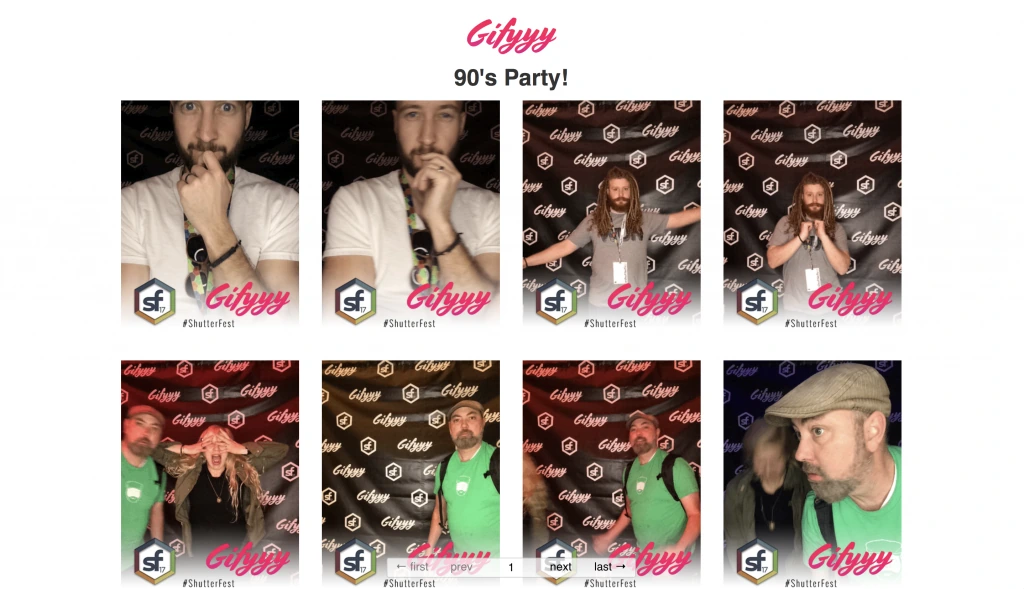
Source: Gifyyy
Operators manage events through a web dashboard at my.gifyyy.com, where they can view page views, unique visitors, and sharing rates per event, configure gallery access (including locking galleries or requiring email entry), and send follow-up messages.
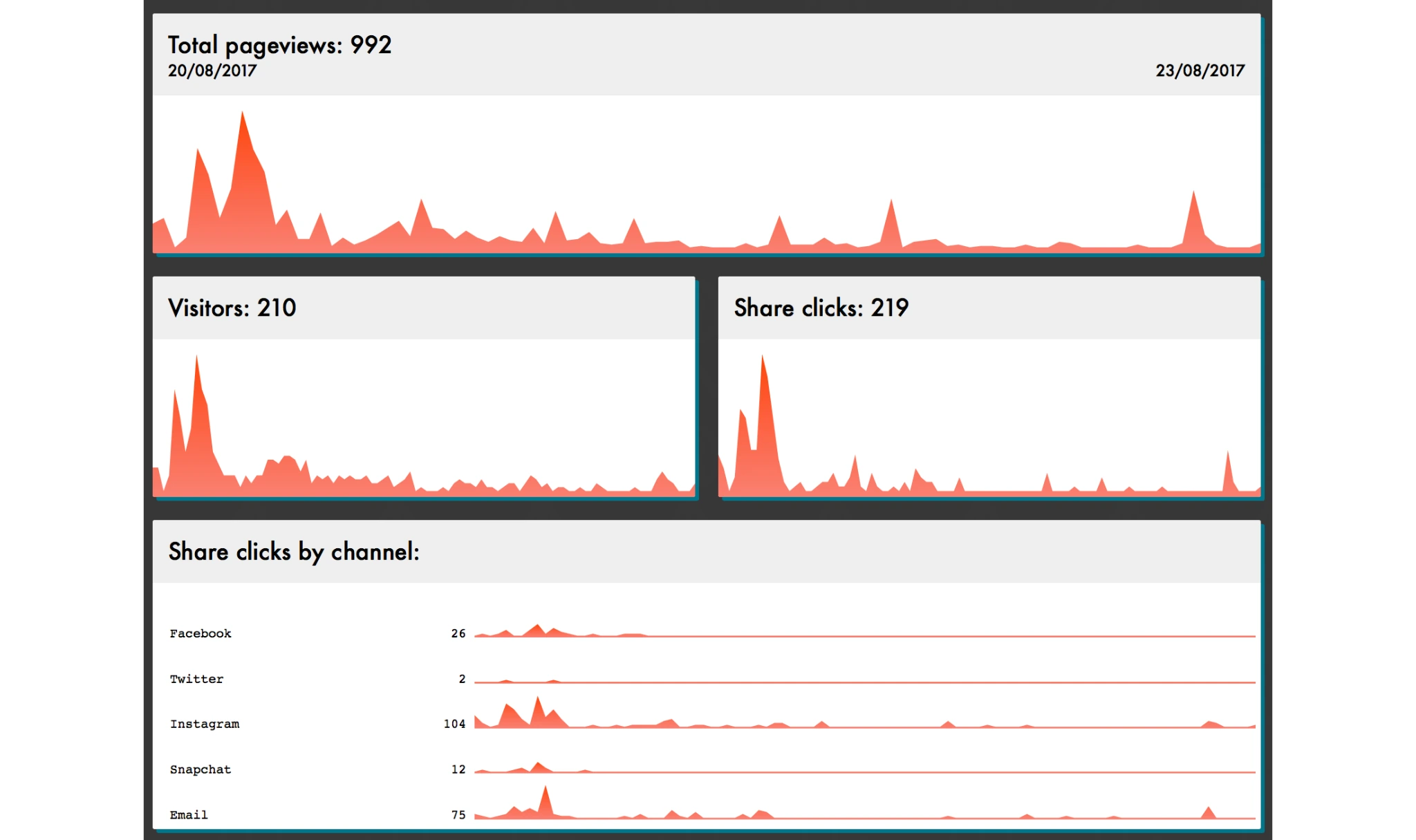
Source: Gifyyy
Gifyyy has supported offline operation since 2015. All content is stored on the iPad when no connection is available, and operators use Trigger Upload to push content when connectivity is restored. This operator-controlled timing prevents guests from receiving surprise 3am messages when the iPad auto-reconnects at a venue with spotty wifi.
Pricing: One-time purchase with per-event fees and no monthly subscription.
Gifyyy’s pricing is straightforward: a one-time hardware purchase plus a flat fee per event. No monthly subscription.
| Tier | Price (with iPad) | What’s Included |
|---|---|---|
| Starter Kit | From $2,595 (without iPad) | Top Unit, tripod legs, app license, web account, soft case, 5 free events |
| Pro Kit | $3,645 | Everything in Starter + Front-Plate, BAGG case, Go-Pack battery |
| Pro Kit Plus+ | $3,895 | Everything in Pro + Promo Pack + Workflow Pack |
After five free events, each subsequent event costs $29. Events with fewer than 10 uploads are free and don’t consume a credit. Test events are always free.
Gifyyy’s ROI math: at 25 weddings per year with 80% photobooth interest at $650 per booking, an operator earns $13,000/year from photobooth add-ons, paying back the hardware cost within 5 to 6 bookings. Photographer Lindsay Hite launched a standalone photobooth brand (BostonGIF) and generated $14,800 in revenue in six months using Gifyyy.
A 12-month payment plan is available for kit purchases. Per the Sale of Goods Agreement, all sales are final subject to a one-year limited warranty. Returns permitted at company discretion carry a 20% restocking fee plus return shipping.
Where Gifyyy Falls Short
Gifyyy delivers on its core promise: a portable, self-operating GIF booth for wedding photographers. But several limitations surface for operators with broader needs.
iPad Camera Quality Ceiling: Gifyyy’s output is limited to the iPad’s built-in camera. Gifyyy acknowledges this, positioning the output for social sharing and group chats rather than large-format prints. Complaints about “grainy or choppy Instagram stories” from the original GIF format partly drove a 2018 shift to MP4. For operators who want studio-grade photos alongside GIFs, the iPad camera is a hard ceiling.
No Video, No AI, No DSLR Support: Gifyyy captures GIFs, stills, slow-motion clips, and boomerangs. It does not support full-length video recording, AI-powered photo transformations, or external DSLR/mirrorless camera connections. As guests come to expect the AI effects and high-resolution outputs they see on social media, this limits what the booth can deliver.
iPad Dependency and Compatibility Risk: The iPad is not included in the base kits, adding $300–$600+ to the effective entry cost. Apple OS updates can also break functionality. A documented compatibility issue with the latest iPad Air exists, and the July 2021 update requires iPadOS 14+. Operators depend on Apple’s update cycle.
SMS-Only Delivery: Gifyyy delivers content via SMS (and optionally email). There is no WhatsApp delivery, no AirDrop, and no QR code sharing. For international events or venues with poor cellular coverage, SMS-only delivery is a real constraint. Gifyyy also experienced a carrier filtering episode that temporarily cut off SMS delivery in the U.S., showing the risk of depending on a single delivery channel.
No Integrations or API: Gifyyy offers no public API, no webhook system, and no connections to CRM, marketing automation, or event management platforms. It doesn’t appear in Zapier, Make, or any integration marketplace. Guest data lives inside Gifyyy’s system with no automated way to route it elsewhere.
Aging Documentation and Limited Review Presence: The privacy policy hasn’t been updated since March 2017 (predating GDPR), and the blog’s most recent post is from September 2022. Gifyyy does not appear on G2, Capterra, or TrustRadius, making due diligence difficult for prospective buyers.
These limitations aren’t failures. They reflect a product built for one use case: a solo wedding photographer adding a GIF booth to existing gigs. But for operators who want more capture formats, higher photo quality, modern delivery options, or scalable business tools, the constraints add up.
Top Gifyyy Alternative for Growing Photo Booth Businesses: Simple Booth
Simple Booth addresses Gifyyy’s limitations with a photo booth platform that covers casual selfie booths through enterprise brand activations. Developing iPad photo booth apps since 2012 and founded in 2013 by Mark Hennings (a self-taught app developer and wedding videographer) and Jeremy Cox (an Austin-based DJ and event professional), the company has grown to serve 30,000+ customers with 40 million moments captured and a 4.7-star App Store rating from 2,400+ reviews.
Hardware with Professional Lighting: HALO delivers studio-grade illumination in a machined aluminum chassis.
The HALO photo booth is precision-machined from a single billet of anodized aluminum with a patented ring-light system. Its 112 LEDs produce up to 2,100 lumens with a diffuser, illuminating groups 6 to 8 feet from the camera in most indoor environments. The LEDs are rated for 50,000 hours.
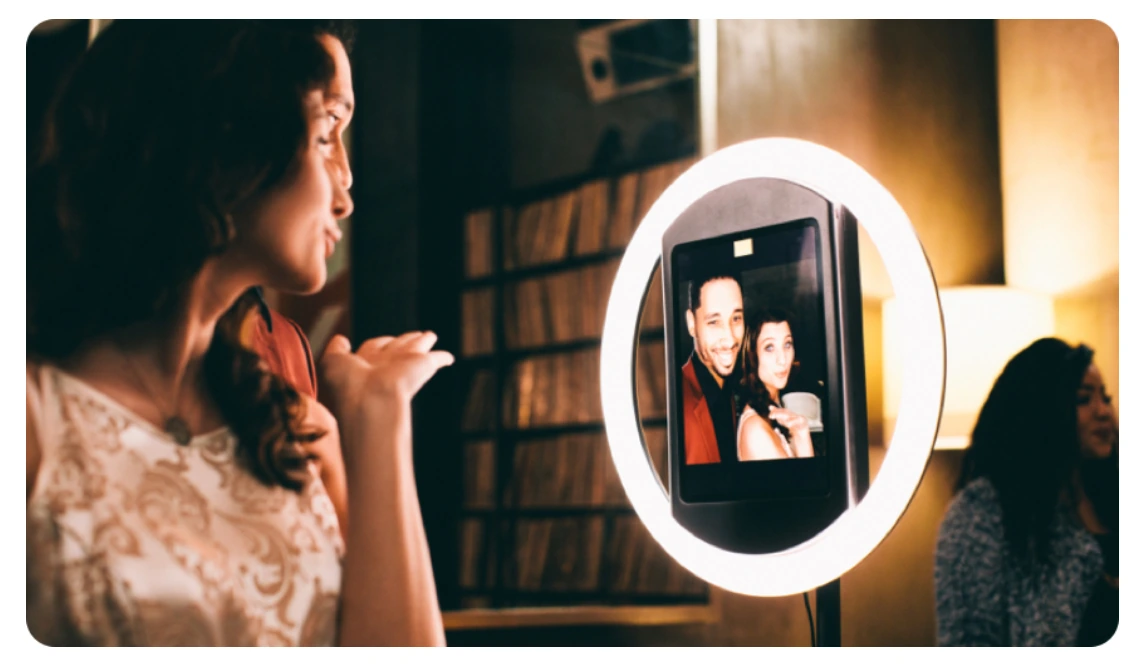
Setup takes under one minute with a tool-less faceplate and a concealed USB-C cable that keeps the iPad charged throughout events. The Event Kit pairs HALO with an adjustable selfie stand and a waterproof rolling hard case. The Install Kit uses a heavy-duty steel wall mount for permanent venue deployments. For international use, HALO supports dual voltage (110V–240V).
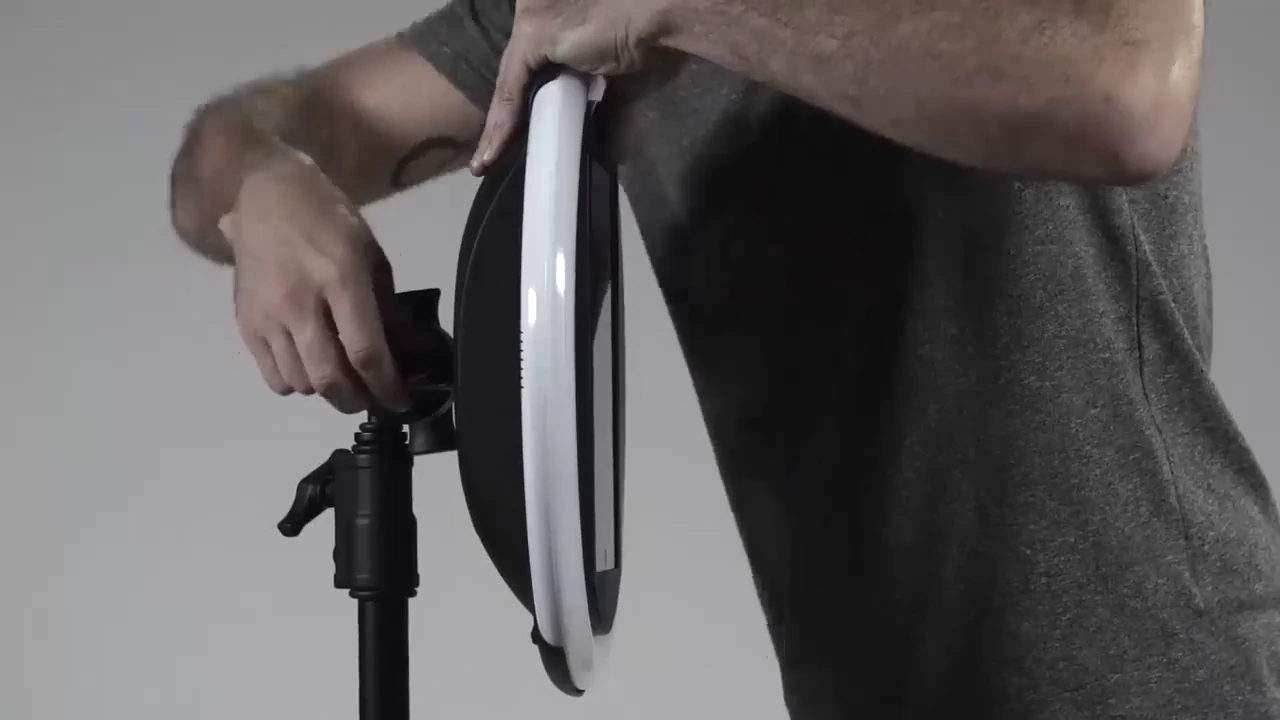
Kurt Nielson Photography found that the HALO “paid for itself pretty quickly. Now it’s just extra money coming in.” (Simple Booth)
Expanded Capture & AI Effects: Stills, video, GIFs, AI transformations, and DSLR camera support in one app.
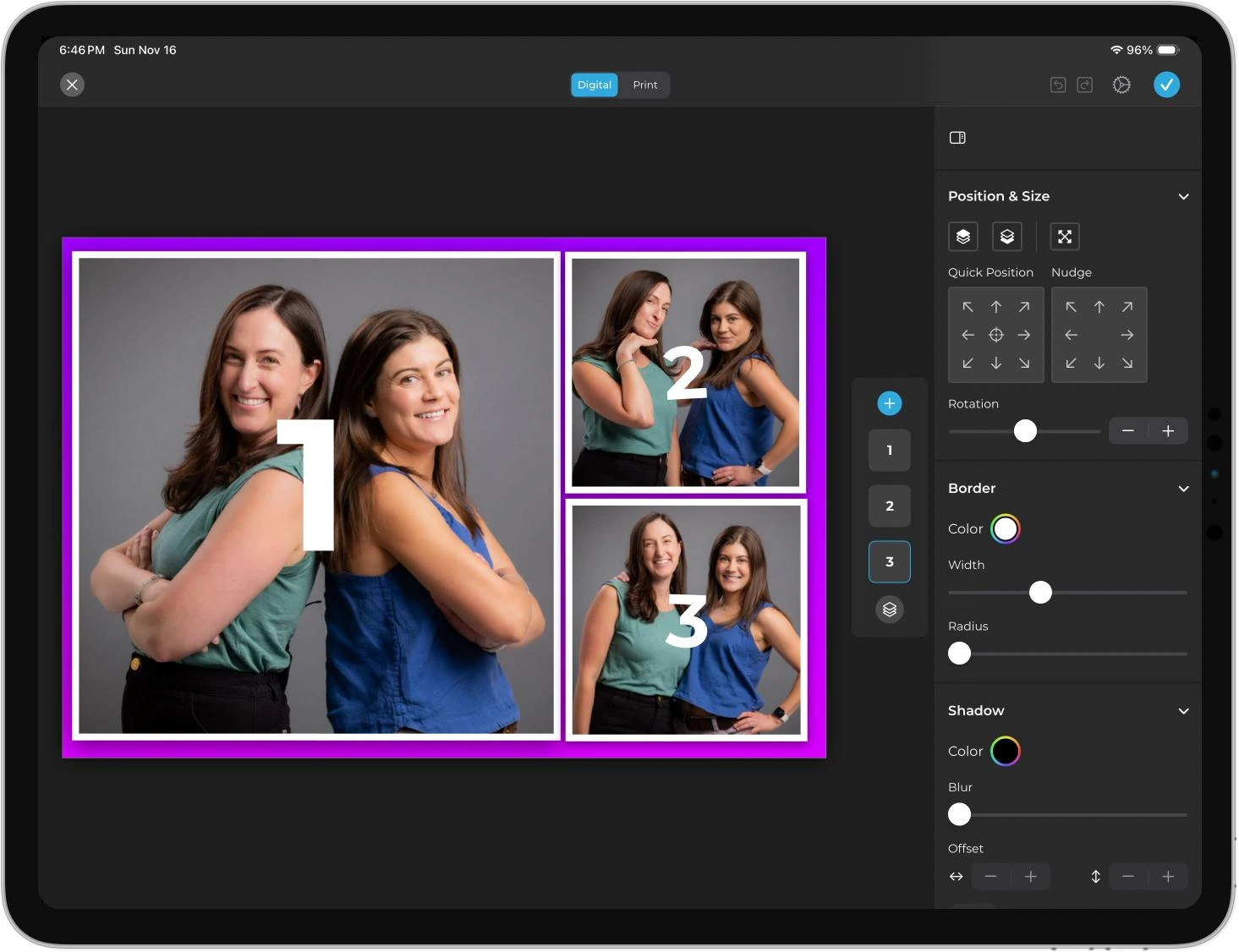
Where Gifyyy offers GIFs, stills, slow-mo, and boomerangs, Simple Booth’s HALO app supports still photos (single and multi-frame), animated GIFs, Live GIFs, Rebound boomerang clips, and full-length video (5 to 120 seconds). The Layout Designer, available on both the app and web dashboard on all plans, lets operators design custom photo templates with layers, fonts, gradients, and logo placement without external design software. It includes 60+ ready-made themes that can be imported and customized, plus dynamic QR codes that link to galleries or custom URLs.
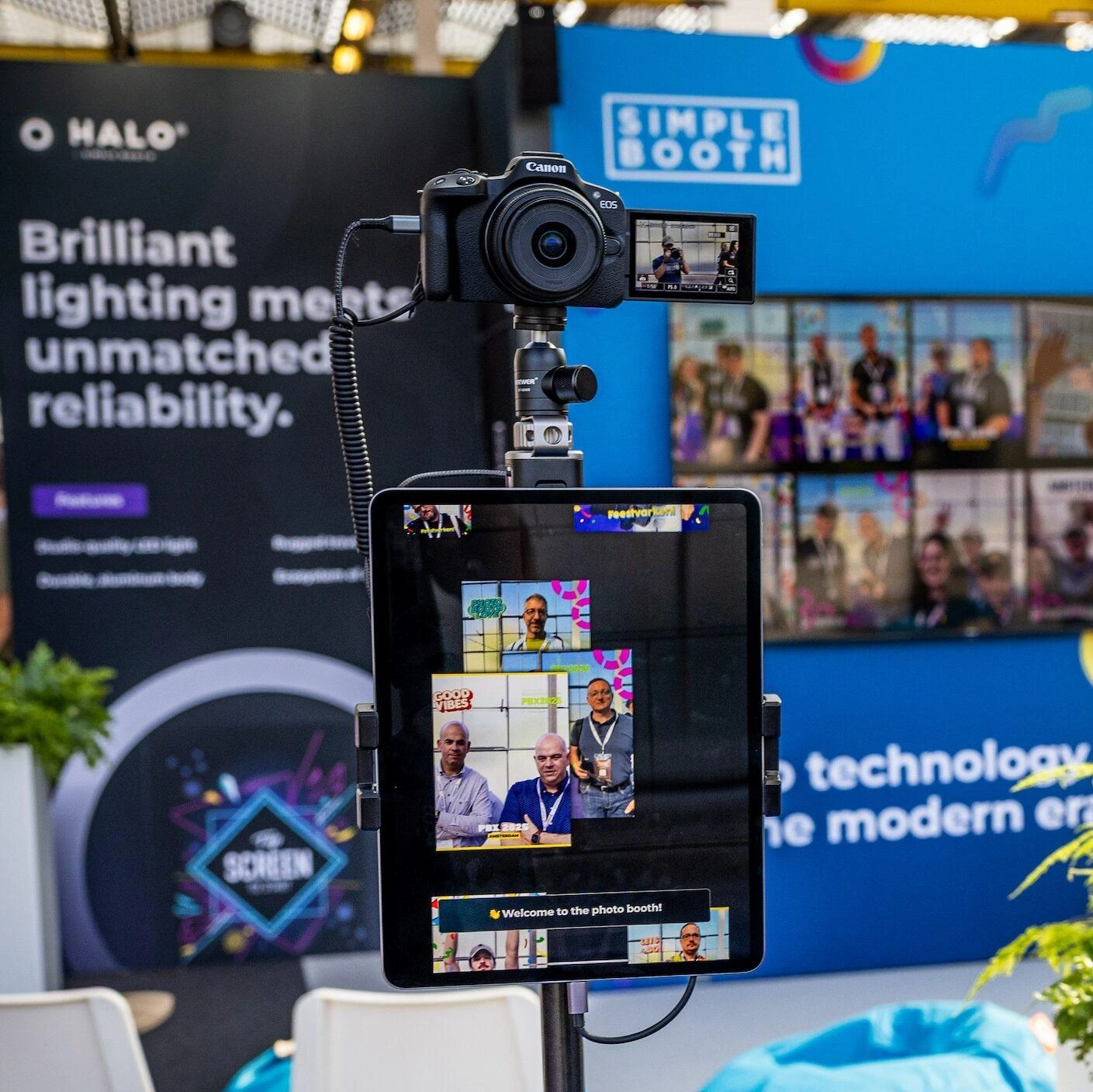
For operators who want output beyond iPad camera quality, HALO 5.0 added DSLR/mirrorless camera integration with Canon cameras via USB or WiFi, giving operators studio-grade image quality through the same workflow. Wireless camera connectivity is a feature most competing platforms don’t offer, enabling creative setups without cables.
The AI Photo Booth transforms captured photos using text prompts through three Nano Banana AI models that balance speed, quality, and group size. Operators can assign AI prompts to every frame in a multi-frame layout, creating sequential narrative strips. The system preserves identity automatically so guests stay recognizable regardless of the transformation. Operators can test prompts outside booth mode at zero credit cost.
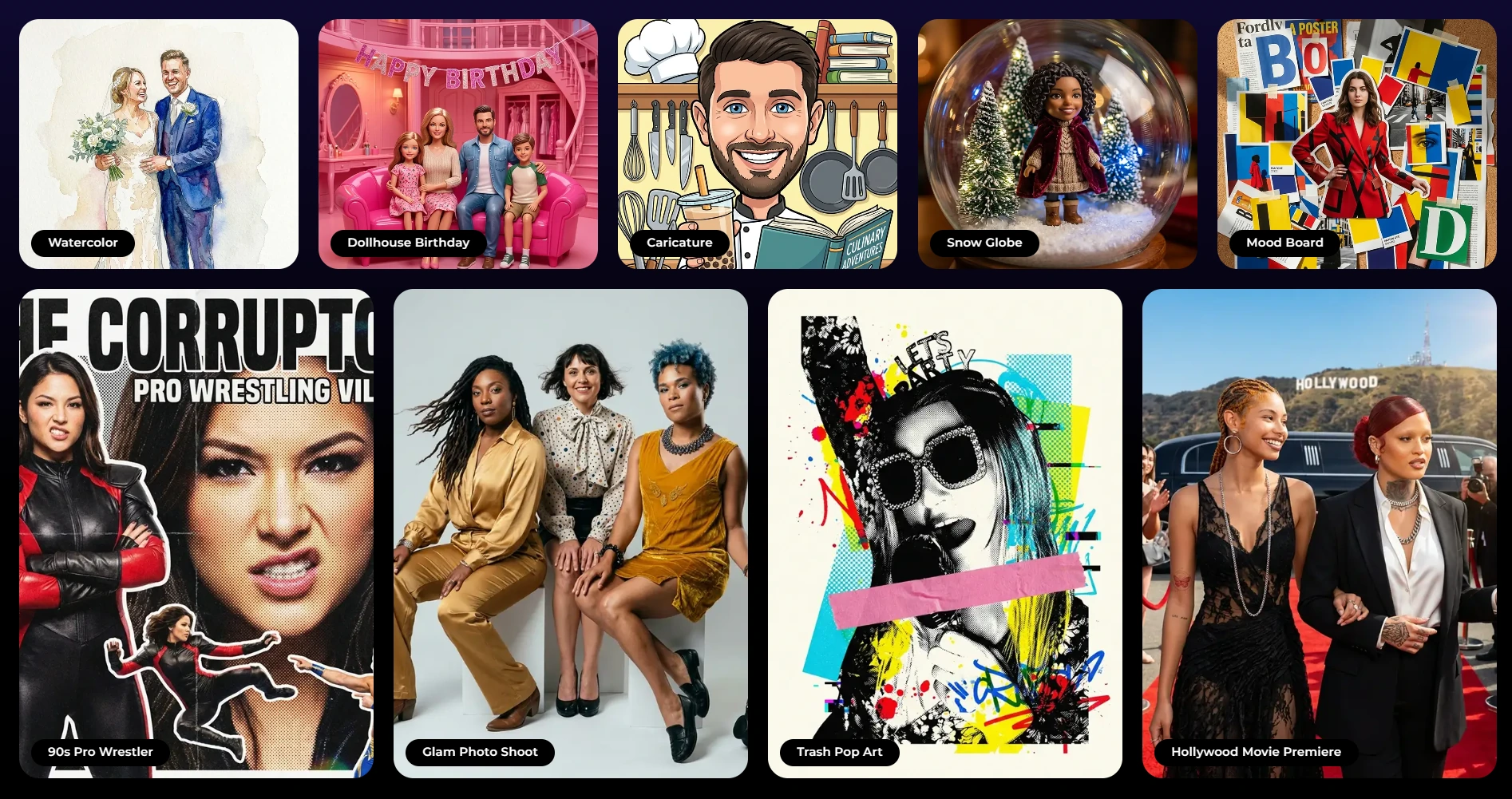
AI background replacement works without a physical green screen. Glam skin smoothing and DSLR-style background blur are also available. All effects work together (filters, background blur, Glam, and DSLR integration all function with video and in offline mode), so operators don’t have to check compatibility rules. Image previews render up to 12x faster than previous versions, so guests don’t wait.
Multi-Channel Delivery & Lead Capture: QR codes, WhatsApp, AirDrop, SMS, and email with 87% opt-in rates.
Simple Booth delivers photos through QR code, email, SMS, AirDrop, and WhatsApp. WhatsApp delivery (added in HALO 5.0) opens international markets that SMS-only systems cannot serve. AirDrop handles venues where cellular coverage is unreliable. An offline queue stores sessions and delivers them when connectivity returns, so events run without internet.
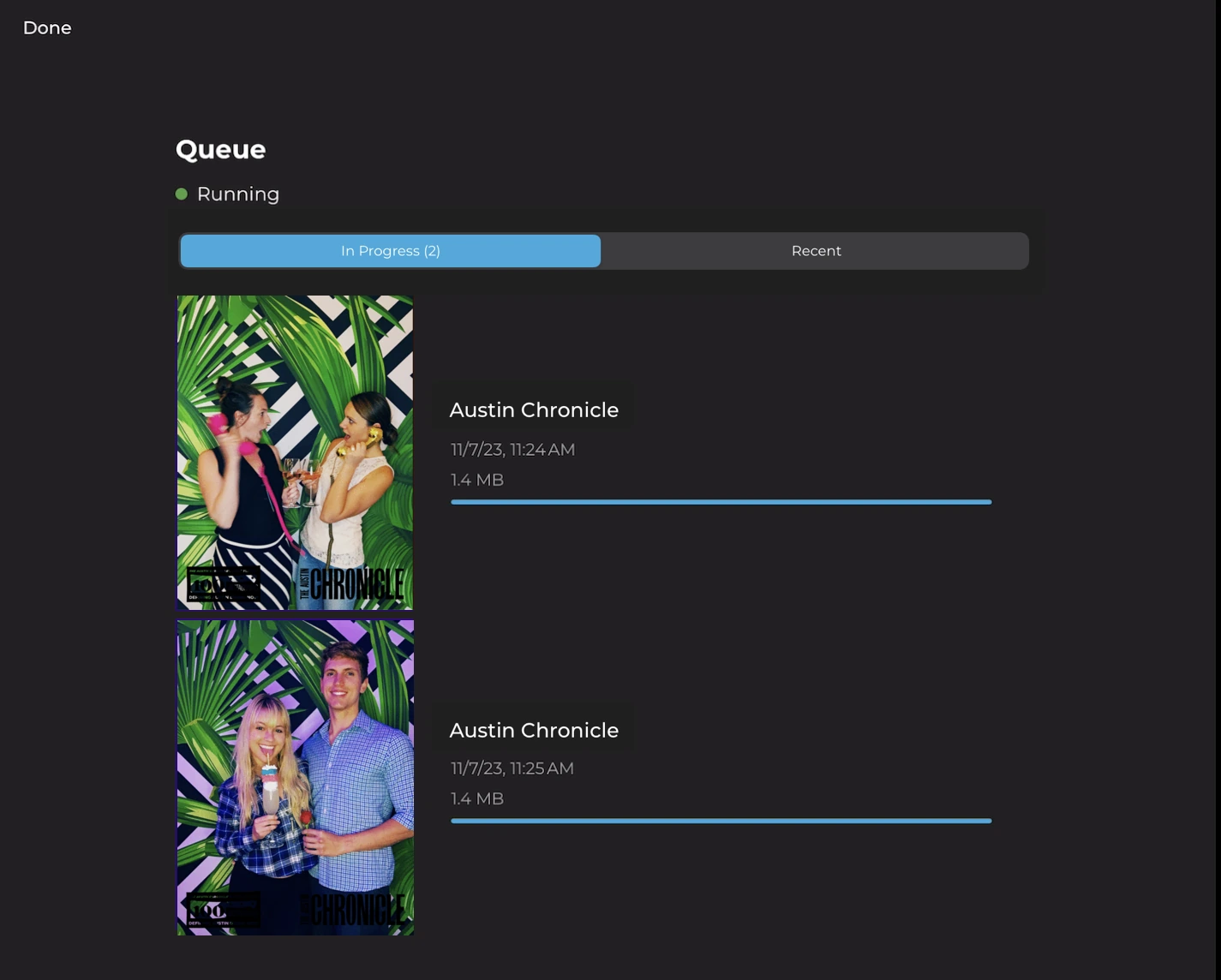
The lead capture system goes beyond collecting phone numbers. Customizable data capture forms collect email, name, phone, postal code, and date of birth (Pro plan), with up to 10 custom fields including checkboxes and required legal terms on the Select plan. Simple Booth reports opt-in rates as high as 87 to 89% when guests receive photos. Data exports as CSV, syncs with MailChimp, and routes to custom CRMs via an Open API.
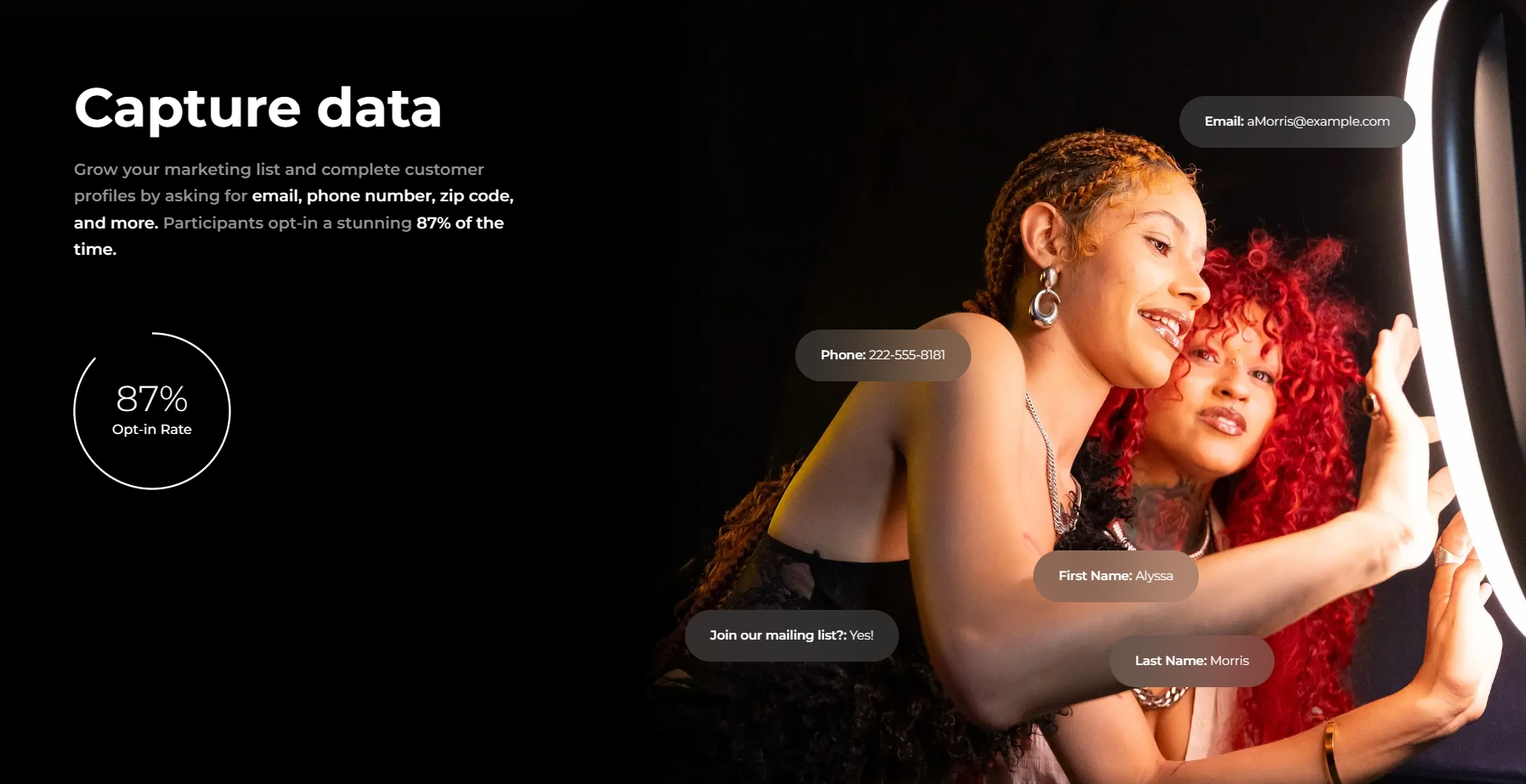
Each event generates a branded online gallery with configurable privacy levels, social sharing prompts that pre-populate event hashtags on X/Twitter and Facebook, and a Live Feed that converts any gallery into a real-time slideshow for TV or projector display.

Treetop Golf built 150,000 unique email addresses across locations using Simple Booth’s lead capture. (Simple Booth)
Virtual Booth & Enterprise Features: Browser-based photo experiences and compliance tools.
Virtual Booth is a browser-based photo experience that requires no hardware or app installation. Participants join from their own phone or laptop via a QR code or link, apply branded overlays, stickers, and AI effects, then share to social media. It runs alongside HALO on the same analytics and gallery infrastructure, making it suitable for hybrid events where some attendees are remote.
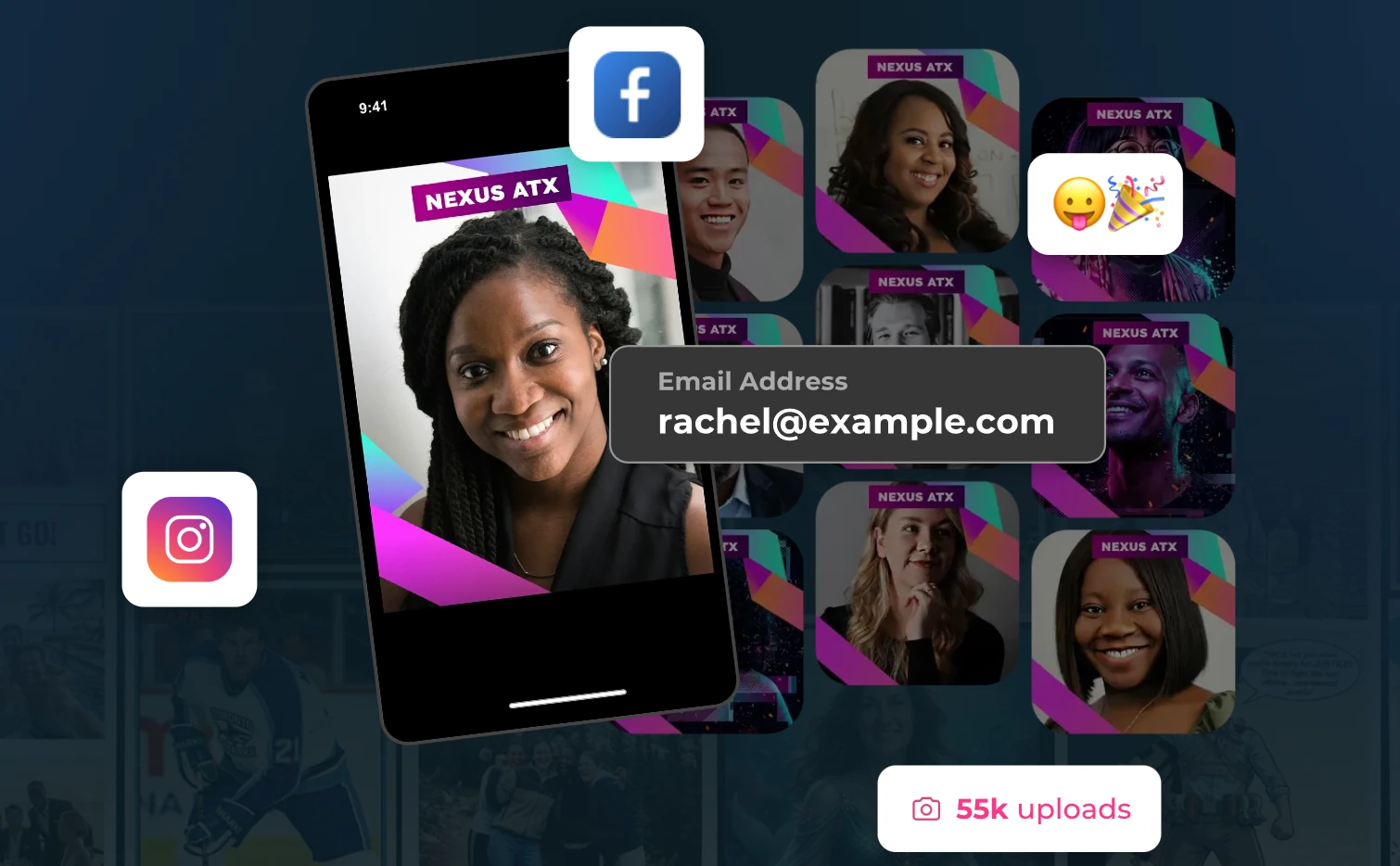
The web dashboard includes remote device management for monitoring all iPad booths in real time. Operators can track battery levels, disk space, upload queue status, and switch presets across multiple locations without being on-site. For enterprise buyers, the Pro and Select plans add brand moderation (approve photos before delivery or gallery display), age gating, data compliance tools (delete PII on demand), in-app custom legal terms, and security questionnaire support. Demographic analytics via face detection (age estimation, gender breakdown, average group size) are available on the Select plan.
Documented enterprise deployments include Live Nation VIP events, Sports Illustrated Tickets, and Gibson Brands.
G7 Entertainment Marketing has used Simple Booth for over “10+ years” across 136,000+ fan interactions, calling themselves “big Simple Booth believers.” (Simple Booth)
Subscription Pricing: Weekly, monthly, and annual plans from $14.99/week to $249/month.
Simple Booth uses a per-license subscription model. Each plan includes one device license with no caps on photos or events. Plans are available in weekly, monthly, and annual billing cycles.
| Plan | Weekly | Monthly | Annual | Key Additions |
|---|---|---|---|---|
| Lite | $14.99/week | — | $290/year | Custom layouts, motion & still capture, galleries |
| Core | $24.99/week | $49/month | $490/year | + Ads removed, DSLR, video, AI effects, Virtual Booth |
| Plus | $49.99/week | $99/month | $990/year | + Custom branding, analytics, guest-editable text |
| Pro | — | $149/month | $1,490/year | + Lead capture, API, moderation, phone support |
| Select | — | $249/month | $2,490/year | + Custom legal terms, demographic analytics |
A 7-day free trial is available with 25 free AI credits. Hardware kits are sold separately at buy.simplebooth.com with 0% financing available. AI effect credits cost $0.10 each and do not expire once purchased.
Gifyyy or Simple Booth: Comparison Summary
| Gifyyy | Simple Booth | |
|---|---|---|
| Target audience | Solo wedding photographers | Rental companies, venues, brand marketers, enterprises |
| Pricing model | One-time hardware purchase + $29/event | Subscription from $14.99/week + separate hardware kits |
| Capture modes | GIFs, stills, slow-mo, boomerang | Stills, GIFs, video, Rebound, custom layouts |
| Camera support | iPad only | iPad + Canon DSLR/mirrorless via USB or WiFi (Core+) |
| AI effects | Not available | AI transformations, background replacement, AI layouts |
| Photo delivery | SMS and email only | QR code, SMS, email, WhatsApp, AirDrop |
| Lead capture | Phone number + email via TXTOMATION | Up to 10 custom fields, 87%+ opt-in rates |
| Design tools | Brandable overlays | Full Layout Designer with layers, fonts, gradients |
| Virtual/remote booth | Not available | Browser-based Virtual Booth |
| Offline mode | Yes (operator-controlled Trigger Upload) | Yes (automatic queue and delivery) |
| Hardware weight | ~12 lbs | 6.5 lbs (HALO body); 49 lbs (Event Kit with case) |
| Setup time | 30 seconds | Under 1 minute |
| Integrations | SimpleTexting only | MailChimp, Dropbox, Open API, WhatsApp |
| App Store rating | Not listed on App Store review platforms | 4.7 stars from 2,400+ ratings |
| Enterprise features | Not available | Moderation, age gate, compliance, demographic analytics |
| Free trial | 5 free events with hardware purchase | 7-day free trial |
Final Verdict
The choice between Gifyyy and Simple Booth depends on where you are in your photo booth business and what you need the booth to do.
Choose Gifyyy if you’re a solo wedding photographer who wants the simplest way to add photobooth revenue without changing how you work. The per-event pricing means you pay nothing during slow months, the 12-pound unit fits in a shoulder bag, and the unattended operation lets you focus on what you were hired for. At 5 to 6 bookings to payback, the ROI math works for photographers who already have steady wedding bookings and want an add-on, not a new business.
Choose Simple Booth if you need more than a GIF booth. Whether you’re building a multi-booth rental company, running brand activations, installing a permanent booth in a venue, or capturing leads at corporate events, Simple Booth’s aluminum hardware, wireless DSLR support, AI photo effects, multi-channel delivery, and compliance tools cover ground that a GIF-only booth cannot reach. With plans starting at $14.99/week, the entry point works for operators starting out or running a side hustle, and the platform scales as you grow.
Start your free trial of Simple Booth here.
Gifyyy does one thing well: it gives wedding photographers a GIF booth they can carry and forget about. Simple Booth does that and everything beyond it. Your choice depends on whether the one thing is enough.
Gifyyy FAQ
What does Gifyyy cost?
Gifyyy sells hardware kits at a one-time price: the Starter Kit starts at $2,595 (without iPad), the Pro Kit at $3,645 (with iPad), and the Pro Kit Plus+ at $3,895 (with iPad). After five free events included with purchase, each additional event costs $29. Events with fewer than 10 uploads are free. There is no monthly subscription. Operators must supply their own iPad unless they purchase a kit that includes one. Simple Booth uses a subscription model starting at $14.99/week for the Lite plan, with hardware kits sold separately.
Does Gifyyy require an iPad?
Yes. Gifyyy is an iPad-only platform. The iPad is not included in the base Starter Kit price, adding $300–$600+ to the total cost depending on the model. Kits with an iPad are available at a higher price. The app requires iOS 12.3 or newer, with the latest update requiring iPadOS 14 or higher. iPad Air 2 or newer is recommended. Simple Booth also runs on iPad, but its Virtual Booth requires no hardware at all.
Can Gifyyy record video?
No. Gifyyy captures animated GIFs, still photos, slow-motion clips, and boomerangs. It does not support full-length video recording. Simple Booth supports video capture from 5 to 120 seconds, in addition to stills, GIFs, Rebound clips, and custom multi-frame layouts.
How does Gifyyy deliver photos to guests?
Gifyyy delivers content via SMS through its TXTOMATION system, powered by SimpleTexting. Guests enter their phone number at the booth and receive an SMS link within seconds. Email capture is available as a secondary option. SMS delivery works in the U.S. and Canada. Simple Booth offers five delivery channels: QR code, SMS, email, WhatsApp, and AirDrop.
Does Gifyyy work offline?
Yes. Gifyyy has supported offline operation since 2015. The iPad stores all content when no internet connection is available. Operators use the Trigger Upload feature to push content when connectivity is restored, giving them control over delivery timing rather than auto-sending when wifi reconnects. Simple Booth also supports offline mode with an automatic upload queue that delivers sessions when connectivity returns.
Does Gifyyy have AI photo effects?
No. Gifyyy offers built-in camera filters (black and white, FaceBrush, and others) but does not include AI-powered photo transformations, background replacement, or generative effects. Simple Booth offers AI Effects that transform captured photos using text prompts, AI background replacement without a green screen, and AI-generated design elements for layouts.
What is Gifyyy’s return policy?
Per the Sale of Goods Agreement, all sales are final subject to a one-year limited manufacture warranty covering defects in materials and workmanship. Returns permitted at company discretion carry a 10% restocking fee plus return shipping costs. If a returned unit is inspected and no defect is found, a $100 diagnostic fee plus $100 shipping and processing fee applies. One year of tech support is included with purchase and is non-transferable if the kit is resold.
Does Gifyyy integrate with other tools?
No. Gifyyy does not offer a public API, webhooks, or connections to CRM, marketing automation, or event management platforms. Its only confirmed third-party integration is a backend connection with SimpleTexting for SMS delivery. Guest data collected through TXTOMATION stays within Gifyyy’s web platform. Simple Booth offers MailChimp integration, Dropbox sync, and an Open API for custom CRM delivery on the Pro plan and above.
Keep reading
 Alternatives
7 Gifyyy Alternatives: Photo Booth Solutions for Growing Event Businesses (2026)
Outgrowing Gifyyy? These alternatives scale with your event business.
 Pricing
Gifyyy Pricing: Worth It or Consider Simple Booth? (June 2026)
Big upfront, then per-event nibbles. Gifyyy pricing, fully unpacked.
 Reviews
Snapbar Review 2026: Is This Experiential Marketing Platform Right for You?
Enterprise AI experiences, no self-serve or public pricing. Snapbar, reviewed.