7 Most Portable Photo Booth Systems for Mobile Event Companies [August 2026]

Running a mobile photo booth business means your equipment travels as much as you do.
Between loading, driving, setting up, operating, tearing down, and loading again (often multiple times per week), portability isn’t a bonus. It’s the foundation your operation runs on. Heavy, bulky, or hard-to-assemble systems don’t just slow you down; they limit how many events you can book per day, which venues you can serve, and the profit you keep at the end of the month.
We evaluated the leading photo booth platforms against the demands mobile event operators face: transport weight, setup speed, venue flexibility, offline reliability, and photo quality on the go. Here are the seven most portable systems for mobile event companies, each standing out for a different use case:
- Rapid deployment with minimal assembly time
- Compact, travel-friendly form factors
- Professional photo quality in varying venue conditions
- Reliable operation with or without stable WiFi
- Software that lets you manage events remotely
Let’s start with a quick summary.
What Are Portable Photo Booth Systems?
Portable photo booth systems are integrated hardware and software setups designed for repeated transport and quick deployment at events. Unlike traditional enclosed photo booths that require dedicated floor space and permanent installation, portable systems pack into compact cases, set up in minutes, and deliver professional-quality photo experiences across different venue types.
For mobile event companies, “portable” goes beyond lightweight. It means a system that a solo operator can unload from a vehicle, assemble without tools, run reliably through a multi-hour event, and tear down quickly before heading to the next booking.
Most Portable Photo Booth Systems for Mobile Event Companies
 | Simple Booth Best for mobile event companies that want a self-operating photo booth with the fastest setup in the category. |
|---|---|
 | Snappic Best for operators managing multi-format booth fleets who need one platform across every rig they own. |
 | LumaBooth Best for new operators who want professional camera quality at a startup-friendly subscription price. |
 | TouchPix Best for mobile 360 video booth operators who need cross-platform hardware flexibility. |
 | Salsa 2 Best for growing businesses that need cordless operation at outdoor and power-restricted venues. |
 | BoothLedger Best for Windows-based operators who want AI effects at the lowest monthly price in the category. |
 | Darkroom Booth Best for established operators who want professional booth software with no recurring monthly fees. |
How to Choose the Best Portable Photo Booth System
A short checklist for finding the right portable photo booth system for your mobile event business:
- ⚡ Setup Speed: Look for systems that assemble in minutes without tools. Every minute of setup is a minute you’re not earning, and fast teardown means you can book back-to-back events.
- 🧳 Transport Weight and Form Factor: Consider total packed weight, case dimensions, and whether the system fits in a standard vehicle. Solo operators should prioritize systems under 50 lbs with rolling cases.
- 🔋 Power Flexibility: Some venues don’t have convenient outlets. Systems with battery support or cordless operation open up outdoor, rooftop, and unconventional venue bookings.
- 📶 Offline Reliability: WiFi at event venues is notoriously unreliable. Choose a system that can capture, save, and queue photo delivery without an internet connection.
- 📸 Photo Quality: Your photos represent your brand. Look for systems with professional lighting, camera options, and image processing that produce consistent results regardless of venue conditions.
- 📱 Remote Management: Configuring and monitoring your booth remotely matters when you’re running multiple events or sending staff to operate on your behalf.
How We Curated Our List
We started by identifying the photo booth platforms most used by professional event operators, then evaluated each against the demands of mobile event businesses.
We examined setup workflows, hardware portability, software reliability, and operational flexibility through demos, documentation, help center resources, and real user feedback. Our evaluation focused on four criteria:
- Portability: How easily can a solo operator transport, set up, and tear down the system?
- Reliability: How does the system perform in real event conditions, including poor WiFi and variable lighting?
- Feature Depth: What capture modes, branding options, and delivery methods does the platform support?
- Value: What does an operator actually pay for a functional professional setup?
Here are our top picks.
1. Simple Booth — Best for Self-Operating Photo Experiences That Set Up in Under a Minute
When your business depends on delivering consistent photo experiences across dozens of venues each month, you need equipment that deploys fast, runs reliably, and impresses clients enough to command higher rental rates.
Simple Booth was built for that workflow.
Simple Booth is “the premium photo booth that runs itself”, an integrated system pairing a subscription-based iPad app (the HALO app) with proprietary ring-light hardware (the HALO kits). The platform serves 30,000+ customers globally and holds a 4.7-star App Store rating from 2,400+ ratings. Its core features include:
- Machined aluminum ring-light hardware with a patented system producing up to 2,100 lumens from 112 LEDs
- Sub-one-minute setup with a tool-less iPad faceplate and deployable selfie stand
- Offline mode that queues sessions and delivers them when connectivity returns
- Remote preset management via an online dashboard, with changes syncing to the iPad without exiting booth mode
- AI Effects, DSLR camera support, and a built-in Layout Designer for creating branded photo experiences without external design software
| Simple Booth Pros | Simple Booth Cons |
|---|---|
| - Sub-one-minute, tool-free setup | - iPad-only (no Android or Windows support) |
| - Aluminum build rated for 50,000 hours | - Post-update bugs reported in some App Store reviews |
| - 4.7-star App Store rating from 2,400+ reviews | - Lite plan includes ads |
| - Offline mode for unreliable WiFi venues | - Limited native CRM integrations beyond MailChimp |
| - Remote dashboard management | |
| - DSLR/mirrorless camera support (Core+) |
Why Choose Simple Booth for Your Mobile Photo Booth Business?
Over 30,000 customers globally, including enterprise deployments for Live Nation VIP events, Sports Illustrated Tickets, and Gibson Brands, have chosen Simple Booth. The company ranked #414 on the Inc. 5000 in 2018 with 1,210% three-year revenue growth.
Want to see what Simple Booth can do for your mobile event business? Start with a free trial.
Hardware Portability: Built to Travel
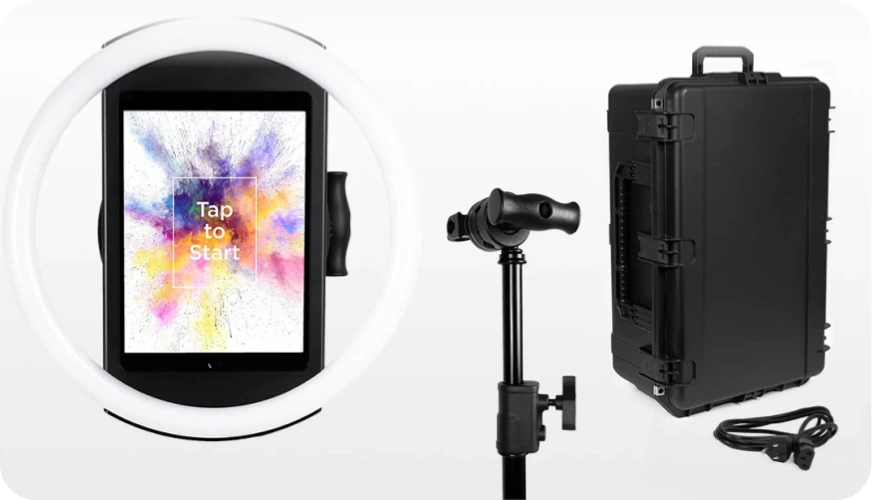
The HALO body weighs 6.5 lbs, and the full Event Kit ships in a wheeled travel case with an extendable handle at 49 lbs total. The machined aluminum chassis resists the scratches and dings that plastic enclosures accumulate over hundreds of events.
Setup is fast: the iPad snaps in via a tool-less faceplate, a concealed built-in USB-C cable keeps it charged without dangling wires, and the selfie stand deploys without assembly. Simple Booth’s 1-minute setup claim holds up: no screws, no wiring, no calibration.
Source: Simple Booth
For events without wall power, compatible portable batteries provide 6+ hours of runtime. For international events, the HALO supports dual voltage (110V-240V) and requires only a plug adapter.
Amore Entertainment launched their photo booth business with no prior experience and scaled to multiple booths: “I knew nothing about photo booths when we started.” (Amore Entertainment)
Photo Quality: Professional Lighting in Any Venue
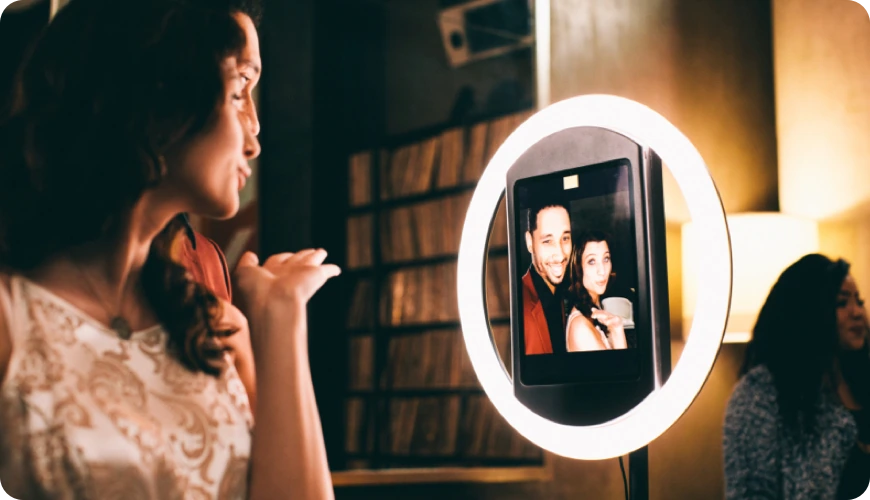
Venue lighting is unpredictable, and mobile operators can’t control it. Simple Booth’s patented ring-light system addresses this with 2,100 lumens of even, diffused illumination that produces consistent, flattering photos whether the event is in a dim hotel ballroom or a sun-washed outdoor patio. Groups can stand 6-8 feet from the camera and still be well-lit. The LEDs are rated for up to 50,000 hours, keeping maintenance costs low.
Source: Simple Booth
The software adds Glam skin smoothing, DSLR-style background blur, and AI background replacement without a physical green screen. For operators who own Canon or Sony cameras, DSLR/mirrorless camera integration (Core plan and above) delivers studio-grade image quality through the full HALO workflow.
The integration supports both wired USB connections for long-event reliability and wireless connections over WiFi for more creative setups, a feature most competitors in this category don’t offer.
Software: Design, Manage, and Deliver From Anywhere
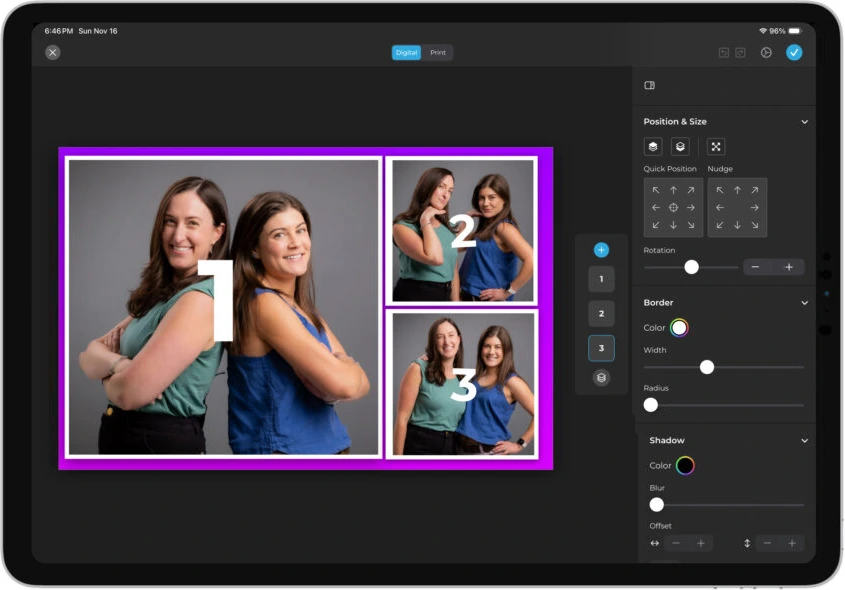
The HALO 5.0 Layout Designer is a full in-app design tool for creating branded photo templates with layers, fonts, gradients, logos, and embedded QR codes. Simple Booth calls it “the most powerful design tool in the photo booth industry”, and it eliminates the need for external graphic design software.
Source: Simple Booth
Capture modes include still photos, classic photo strips, custom layouts, GIFs, looping Rebound clips, and video. Photo delivery spans QR code, email, SMS, AirDrop, and WhatsApp, covering both domestic and international events. The lead capture system achieves opt-in rates as high as 87-89% when guests receive their photos.
For operators running multiple booths, the online dashboard lets you configure presets remotely and sync changes to the iPad without interrupting the guest experience. A Preflight Check screen catches configuration issues before each event launches, and Mission Control (triggered by a two-finger pinch) lets operators monitor device health and adjust camera settings during live events.
G7 Entertainment Marketing has used Simple Booth for over a decade, capturing 136,000+ fan interactions: “10+ years, we’re big Simple Booth believers.” (G7 Entertainment Marketing)
Simple Booth Pricing
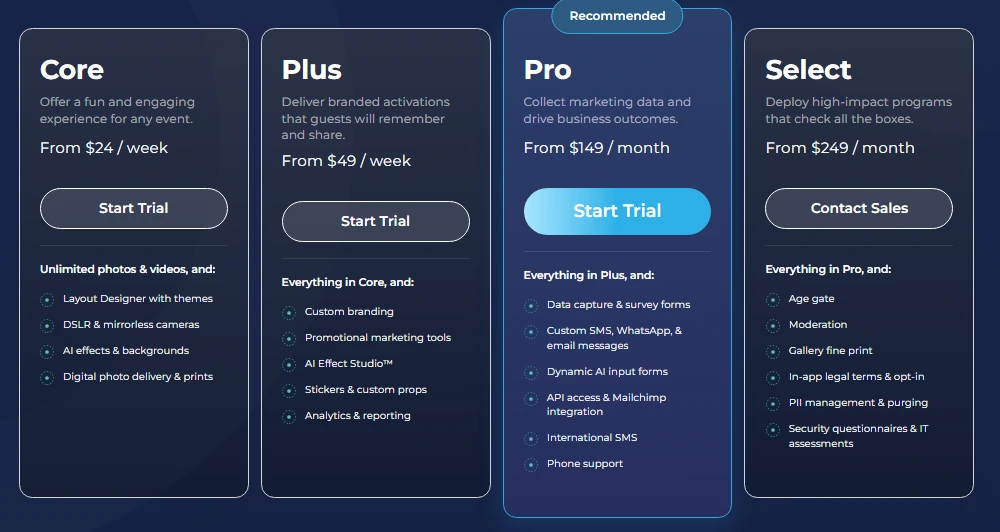
Simple Booth uses a per-license subscription model with weekly, monthly, and annual billing. Each plan includes one device license:
- Lite — $14.99/week, $29.99/month, $289.99/year (App Store only; includes ads; designed for personal/casual use)
- Core — $24/week, $49/month, $490/year
- Plus — $49/week, $99/month, $990/year
- Pro — $149/month, $1,490/year
- Select — $249/month, $2,490/year
Source: Simple Booth
For professional rental businesses, Core ($24/week) is the realistic entry point. It’s the first tier that includes the Layout Designer and DSLR integration that mobile event operations depend on.
HALO hardware kits are sold separately at buy.simplebooth.com, with Event Kits starting at approximately $2,090. 0% financing is available. A 7-day free trial includes 25 free AI credits.
“It paid for itself pretty quickly. Now it’s just extra money coming in.” (Kurt Nielson Photography)
Use Simple Booth if:
- You want the fastest setup time in the category for running multiple events per week
- You need professional lighting that produces consistent results across unpredictable venues
- You want to manage and update booth configurations remotely from a single dashboard
- You’re looking for a durable system built for repeated transport and long-term use
- You need offline reliability for events at venues with poor WiFi coverage
Why Simple Booth Topped Our List
We’ll be upfront: this is Simple Booth’s blog, so we understand the skepticism. But the reasons are grounded in the hardware. No other system on this list matches its combination of portability (6.5 lb HALO body, 49 lb rolling kit), setup speed (under one minute, no tools), and integrated lighting quality (2,100 lumens from a patented ring-light system).
Other platforms on this list excel in specific areas, including fleet management, 360 video, and budget pricing. But for the core mobile event workflow of load, drive, set up, run, tear down, and repeat, Simple Booth is the most complete system available.
2. Snappic — Best for Managing Multi-Format Booth Fleets Across Events
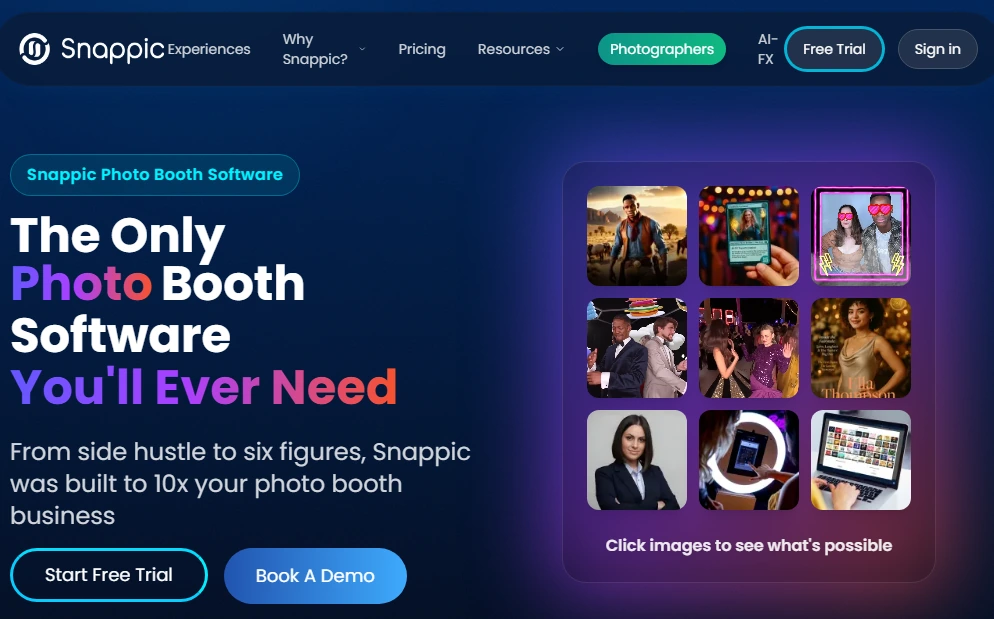
As your mobile event business grows beyond a single booth type, running different software for your iPad booth, 360 rig, and mirror booth becomes an operational headache. Snappic eliminates that complexity.
Snappic is photo booth software for professional operators who run multiple booth types and need a single platform across their entire fleet. It supports iPad, 360-degree video, Robot Arm/Glambot, Mirror, and Roaming booth configurations from one subscription and dashboard.
| Snappic Pros | Snappic Cons |
|---|---|
| - Supports every major booth format from one account | - iOS/Mac only (no Android or Windows) |
| - Full AI-FX suite included on all plan tiers | - Higher price point than single-format alternatives |
| - Client-facing analytics and branded microsite galleries | - SmartShare credits don’t roll over month-to-month |
| - 24/7/365 live support |
Snappic: Top 3 Unique Features
- Multi-format booth management from a single dashboard and template library
- Multi-engine AI-FX suite with PersonaFX avatar generation and BananaFX powered by Google Gemini
- Client-facing analytics reports with branded microsite galleries
Snappic offers the widest booth-type coverage in the category. Templates configured in the VideoFX Template Builder work across every video hardware type, so an operator running an open-air iPad booth on Friday and a mirror booth on Saturday uses the same template system, analytics, and client-facing infrastructure for both events. Hardware partner integrations add native LED controller support and partnerships with Mobibooth, ATA, and others.
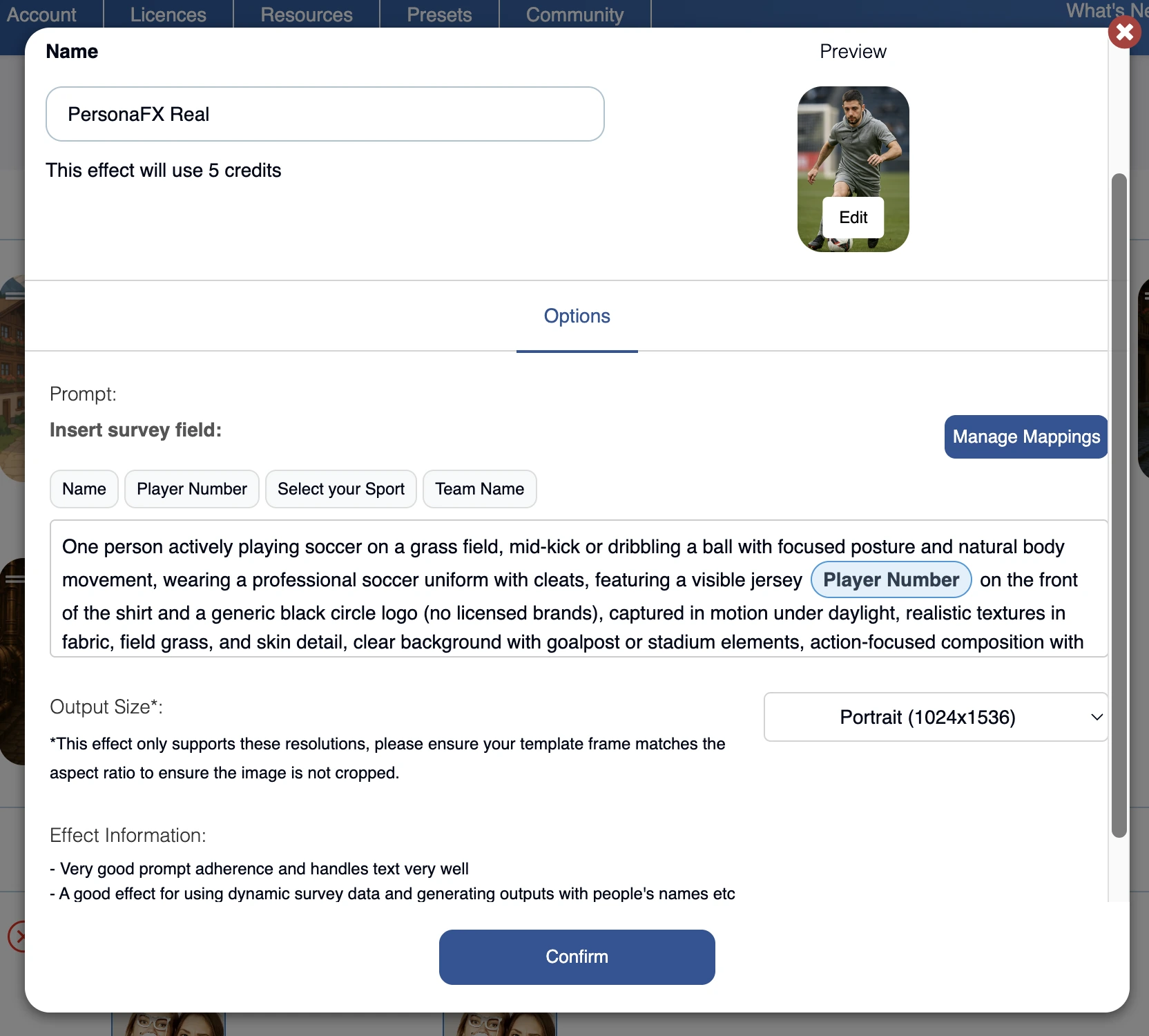
The AI-FX suite runs three AI subsystems: a core AI-FX pipeline for style transfers, PersonaFX for photorealistic avatar generation with survey-driven personalization, and BananaFX powered by Google Gemini 2.5 for full-image regeneration. All AI features are available on every subscription plan; tiers differ only by device license count.
Source: Snappic
For corporate clients, analytics capture shares by channel, engagement timelines, and session counts, while Send to Client generates a branded webpage with gallery access and downloadable data. Automated Vision Analytics (AVA) adds anonymized demographic data, including gender distribution and approximate age ranges.
Snappic Pricing
Snappic uses per-booth license pricing. Annual billing saves 20%.
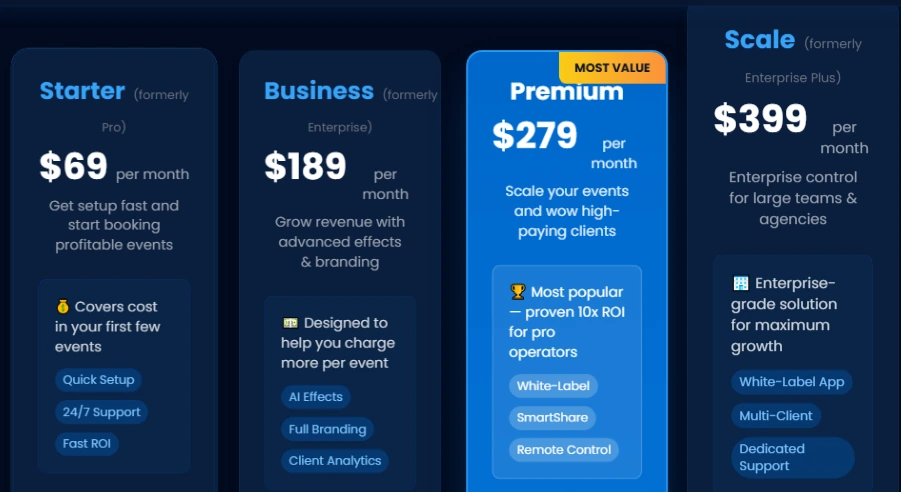
- Per-Event — $29/event (Starter-level, 48-hour access)
- Starter — $69/month ($499/year); one license; still photo and GIF capture
- Business — $189/month ($1,799/year); adds VideoFX, AI-FX, microsites, surveys
- Premium — $279/month; adds white-label, webhooks, SmartShare
- Scale — $399/month ($3,999/year); adds sub-accounts, grey-label app, dedicated success manager
Source: Snappic
AI-FX credits cost $20 per 200 images. 14-day free trial available, no credit card required.
Use Snappic if:
- Your business runs more than one booth format and you want one platform managing everything
- You serve corporate or agency clients who expect branded galleries, analytics, and structured lead data
- You need 24/7/365 live support during events at any hour
- You’re building toward a multi-client agency model with sub-accounts and white-label capabilities
3. LumaBooth — Best for New Operators Who Want Professional Camera Quality at a Startup-Friendly Price
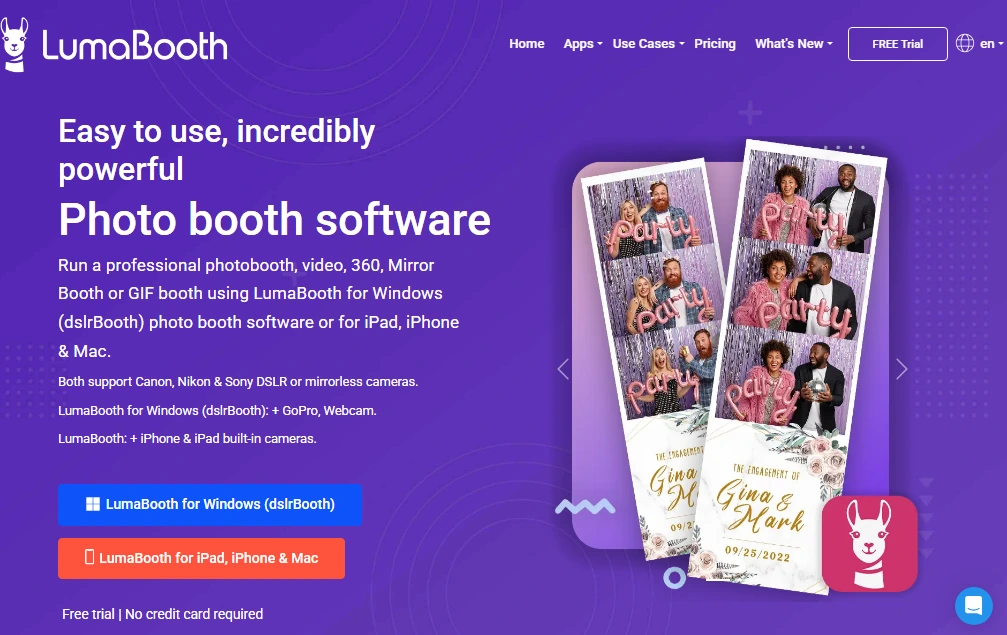
Starting a mobile photo booth business means balancing quality against budget. LumaBooth makes that easier by including professional camera connectivity, all capture formats, and cross-platform flexibility at the lowest base subscription in the category.
LumaBooth is professional photo booth software by Lumasoft, the 14-year-old company behind the widely-used dslrBooth for Windows. It runs on both iPad and Windows under one brand and browser-based Dashboard.
| LumaBooth Pros | LumaBooth Cons |
|---|---|
| - DSLR support included at base price ($17-19/mo) | - AI credits and SMS are paid add-ons |
| - iPad and Windows unified under one account | - Sony cameras can’t capture boomerang or video |
| - All capture formats included (photo, GIF, boomerang, video, 360) | - Effective cost climbs with add-ons |
| - 820+ professionally designed templates |
LumaBooth: Top 3 Unique Features
- Canon, Nikon, and Sony DSLR/mirrorless camera support at the base subscription price
- iPad-to-Windows scalability within a single platform and shared Dashboard
- 170+ AI Portrait presets across multiple categories with custom prompt capability
For operators who already own a Canon, Nikon, or Sony mirrorless camera, LumaBooth removes the frustration of software that locks DSLR support behind a higher plan. On Windows, Canon EOS, Nikon D-series and Z-series, and Sony mirrorless models are all supported at the standard $17/month annual subscription.
One limitation worth noting: Sony cameras cannot capture boomerang or video content on either platform.
The platform’s strongest advantage for growing operations is its hardware upgrade path. The LumaBooth iPad app and LumaBooth for Windows share the same account and browser-based Dashboard. An operator can begin with an iPad booth and later add a Windows DSLR rig for higher-end events without rebuilding templates or learning a new interface. LumaBooth calls this an industry first: “No other photo booth platform connects Windows and iOS under one roof.”
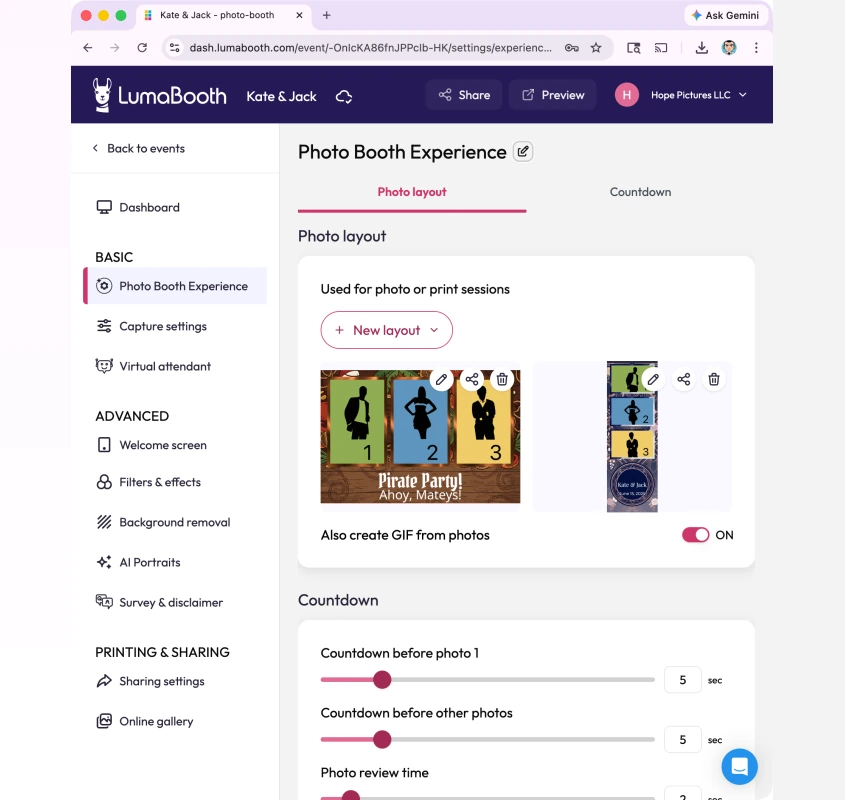
Source: LumaBooth
All five primary capture formats (photo, GIF, boomerang, video, and 360/slow-motion video) are included in the base plan. On Windows, GoPro 5 through 13 are also supported for 360 video capture, including automatic Wi-Fi management that switches between the GoPro’s network and venue internet.
LumaBooth Pricing
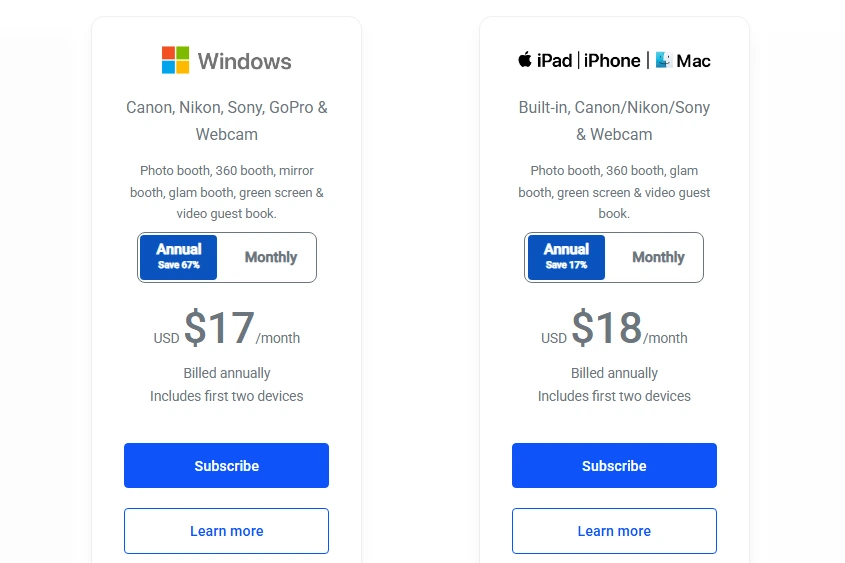
- Windows — $17/month billed annually (~$204/year) or $49.99/month
- Apple (iPad/iPhone/Mac) — $18/month billed annually (~$216/year) or $19.99/month
Source: LumaBooth
Both cover the first two devices. Common add-ons include fotoShare Cloud Plus (+$19.99/mo), SMS (+$10/mo), and AI Credits Basic (+$14.99/mo for 150 credits). The free trial has no time limit; output is watermarked until a subscription is activated.
Use LumaBooth if:
- You already own a Canon, Nikon, or Sony mirrorless camera and want to use it from event one
- You want to start with an iPad booth and add a Windows DSLR rig later without switching platforms
- You need all rental formats clients request (GIF, boomerang, 360, video, photo) included from the start
- You’re looking for the lowest base software price that still includes professional camera tethering
4. TouchPix — Best for Mobile 360 Video Booth Operators
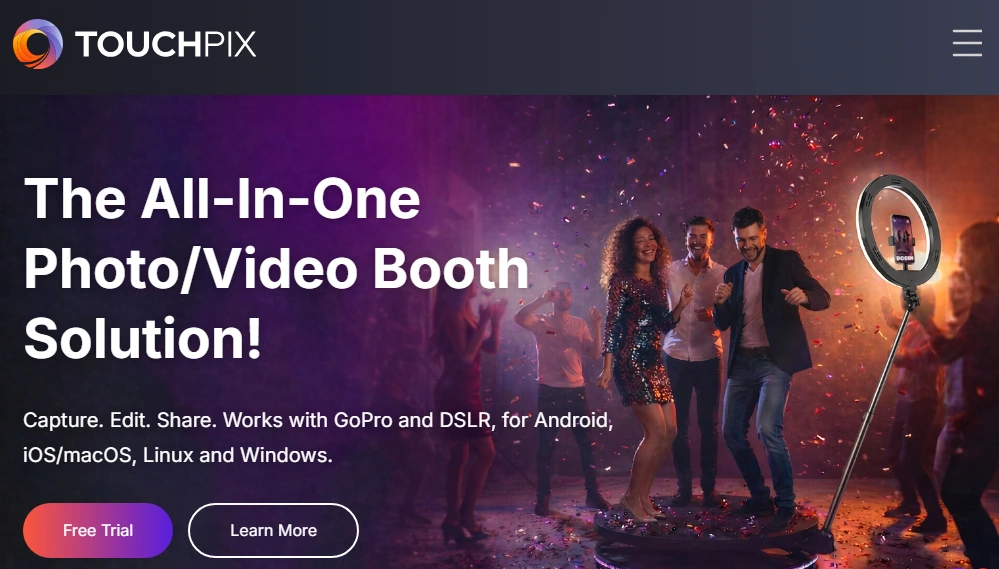
If 360 spinning arm video is your primary or growing booth offering, you need software designed around that workflow. TouchPix is that platform.
TouchPix is subscription-based photo and video booth software built around the 360-degree spinning arm workflow. From Bluetooth-triggered capture to multi-generation GoPro hardware connectivity to 300+ motion-designed overlays and 60+ filters, the platform was designed for 360 operators.
| TouchPix Pros | TouchPix Cons |
|---|---|
| - Runs on iOS, Android, Windows, macOS, Linux, and Raspberry Pi | - Entry PhotoPass tier excludes video capture |
| - GoPro 7-14 support with wired and wireless modes | - Smaller user community than older platforms |
| - All plans include unlimited devices | - Video required for core 360 use case bumps entry price |
| - Offline AI face replacement (no internet required) |
TouchPix: Top 3 Unique Features
- Native Bluetooth 360 arm trigger that automates the full capture and delivery sequence
- GoPro models 7 through 14 supported in both wired and wireless modes
- Runs natively on iOS, Android, macOS, Windows, Linux, and Raspberry Pi
TouchPix’s native Bluetooth 360 integration communicates directly with spinning arm hardware, starting the rotation, managing timing, and queuing the clip for overlay application automatically. For operators running 360 booths with a single attendant over 4-6 hours, this automation is what separates a smooth operation from a frustrating one.
The platform supports GoPro models 7 through 14 in both wired (recommended for production) and wireless modes, with per-firmware-version guidance for each model. Operators who have accumulated older GoPro hardware don’t need to upgrade cameras to upgrade software. Beyond GoPro, Canon, Nikon, and Sony DSLR and mirrorless cameras are also supported for flat-photo setups.
Cross-platform availability is rare in this category: a single subscription runs on iOS, Android, macOS, Windows, Linux, and Raspberry Pi, and all plans include unlimited devices. For venues with poor WiFi, Scanpix 2 offline sharing delivers guest media via QR code without internet, and the offline AI face replacement runs entirely on-device.
TouchPix Pricing
TouchPix uses a subscription model priced by simultaneous active events. Yearly billing saves approximately 40%. A 14-day free trial is available with no credit card required.
- PhotoPass — $439.90/year; 2 simultaneous events; photos and GIFs only (no video)
- MultiPass — $879.99/year; 4 events; adds video, slow-motion, boomerang
- MultiPass Pro — $1,407.99/year; 8 events; adds Virtual Booth and advanced surveys
- MultiPass Enterprise — $2,199.99/year; 12 events; adds Mosaic and RAW cloud backups
Note: The MultiPass tier ($879.99/year) is the realistic entry point for 360 video booth operators, since the PhotoPass tier excludes video capture.
Use TouchPix if:
- Your primary offering is a 360 spinning arm video booth and you need software built around that workflow
- You already own GoPro hardware or plan to build your rig around GoPros
- You need to run booth software on non-iPad hardware (Android, Windows, Linux, or Raspberry Pi)
- Your events frequently take place at venues with unreliable internet connectivity
5. Salsa 2 — Best for Cordless Operation at Outdoor and Power-Restricted Venues
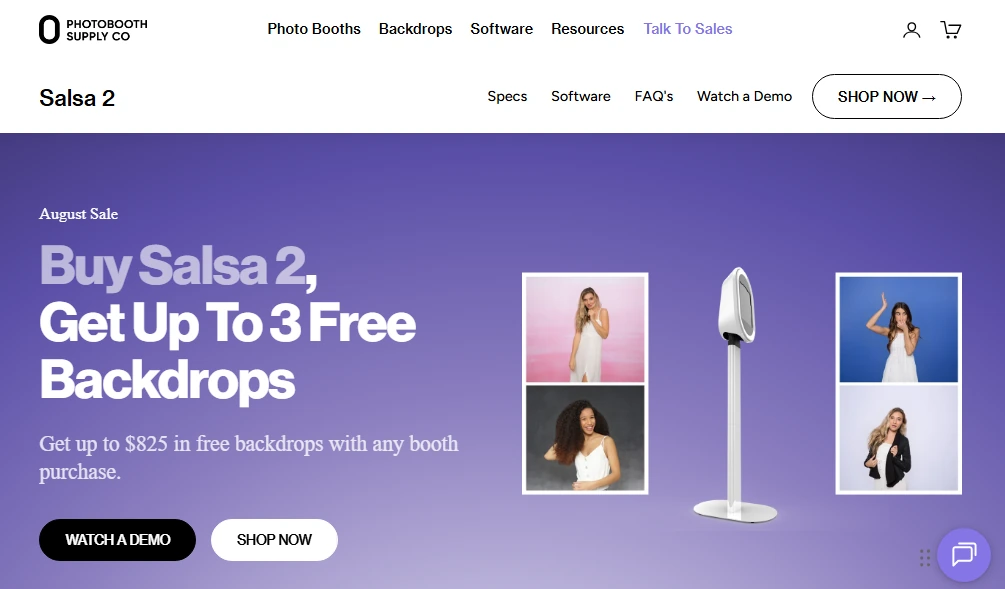
Some of the best-paying event bookings happen at venues where a power outlet isn’t within reach: rooftop terraces, winery courtyards, outdoor ceremonies, and museum spaces with restricted electrical access. Salsa 2 is built for those events.
Salsa 2 is an iPad-based photo booth system by Photobooth Supply Co. (PBSCO). Unlike software-only platforms, it’s a physical product: an aluminum-and-polycarbonate enclosure that delivers three operating configurations from a single chassis, runs on battery power, and ships alongside a business launch program.
| Salsa 2 Pros | Salsa 2 Cons |
|---|---|
| - Battery-powered (no outlet required) | - Battery runtime limited to 2-3 hours without backup |
| - Three configurations: stationary, roaming, wall mount | - Hardware cannot be returned once shipped |
| - Rolling case included with every purchase | - iPad, power bank, and VESA arm sold separately |
| - Business coaching and training included | - Fiesta subscriptions are non-refundable |
Salsa 2: Top 3 Unique Features
- Cordless, battery-powered operation via USB-C power bank
- Three configurations from one unit: stationary floor-standing, detachable 6-lb roaming head, VESA wall mount
- Quick Start Program with business coaching, training videos, marketing assets, and community access
Salsa 2’s defining feature is its three-in-one design.
In Stationary mode, it assembles to 64 inches tall in about one minute. In Roaming mode, the operator detaches the head (6.05 lbs with iPad and handle) and carries it through the event space during cocktail hours or brand activations. In VESA mode, the head attaches to any 100mm x 100mm VESA-compatible arm for permanent installations. A fourth format, Salsa Mini, screws the head directly to the base plate for a compact tabletop setup.
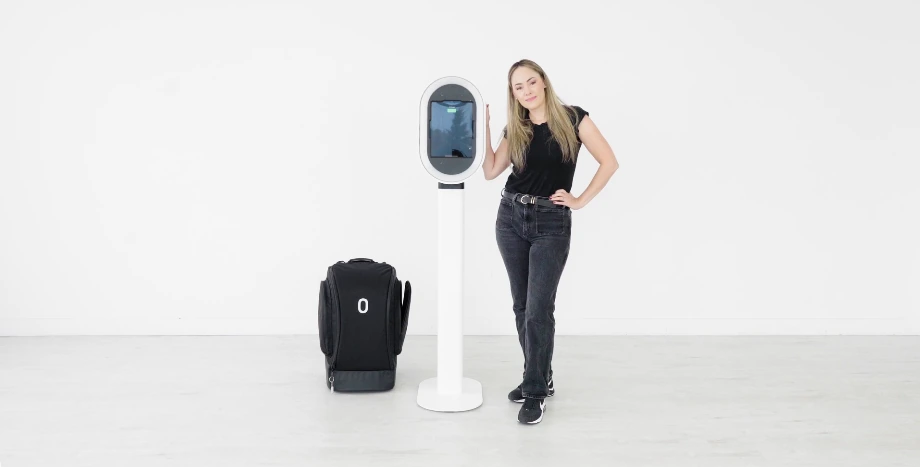
Source: Photobooth Supply Co.
The system runs on a compatible USB-C power bank, eliminating outlet concerns from pre-event site visits. Runtime varies by battery: the Anker 737 delivers 90 minutes to 2 hours, while the INIU 140W extends to 2-3 hours. The auto-switching power supply rated 85-240V supports international events without a converter.
The total system weighs 49.4 lbs with iPad. Every purchase includes a custom soft rolling case (26”x17”x17”, with side pockets and extendable handle). PBSCO notes the system fits in a Mini Cooper.
Every package includes the Quick Start Program (valued at $2,750+): professional marketing photos, a pre-built website template, one-on-one business coaching, and Photobooth Academy with 100+ video lessons. The Fiesta software has processed 550,000+ events and 94M+ captures across 9,000+ active business accounts.
Salsa 2 Pricing
Salsa 2 is sold as hardware packages with financing available via Klarna, Shop Pay, and PayPal.
- Starter — $2,999 (from $97/month financing)
- Essentials — $4,999 (adds Fiesta Plus 1-year subscription, coaching, training)
- Growth — $9,399 (adds Fiesta Pro 1-year, additional training)
Fiesta software, purchased separately: Plus at $49/month annually ($590/year); Pro at $99/month annually ($1,190/year). Annual Fiesta subscribers receive $500-$750 off hardware purchases.
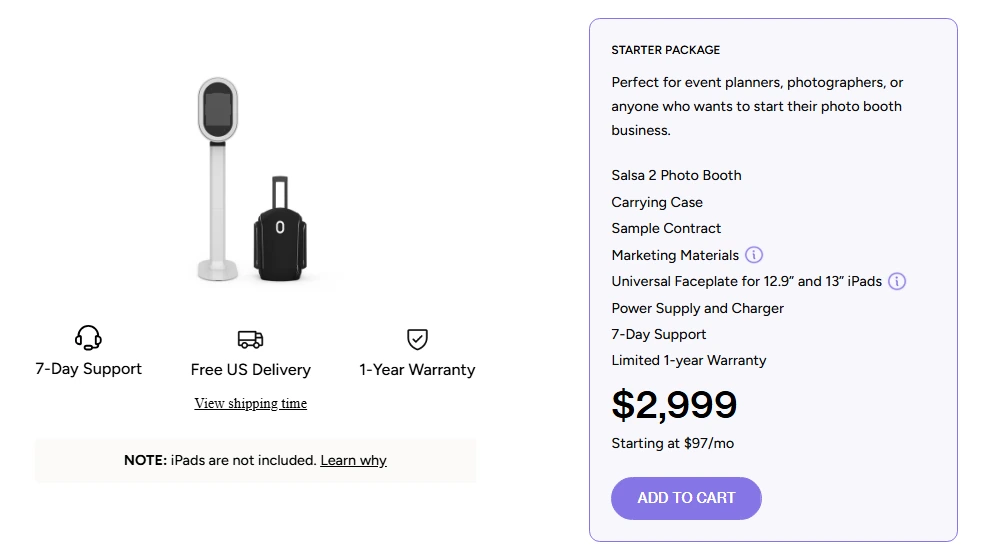
Source: Photobooth Supply Co.
Note: iPad, USB-C power bank, and VESA arm are not included in the hardware packages and must be sourced independently. Hardware cannot be returned once shipped, and Fiesta subscriptions are non-refundable.
Use Salsa 2 if:
- You need cordless operation for outdoor events, rooftops, and venues without convenient outlets
- You want multiple configurations (stationary, roaming, wall mount) from a single hardware investment
- You’re starting a photo booth business and want built-in coaching, training, and community support
- You’re a solo operator who needs a system one person can transport in a standard vehicle
6. BoothLedger — Best for Professional AI Effects at the Lowest Monthly Price
If you run a Windows-based Canon DSLR setup and want AI photo transformations without paying $99+ per month, BoothLedger offers the most capable AI toolkit at the lowest published monthly price in the category.
BoothLedger is a Windows-native photo booth platform built by PhotoBooth Guys, an Irish event rental company that developed the software to solve operational problems mid-event. The software powered 500+ events internally before launching publicly in April 2026.
| BoothLedger Pros | BoothLedger Cons |
|---|---|
| - AI effects at €12/month (50+ styles) | - Windows only (no iPad or Mac) |
| - Canon DSLR tethering included at base price | - Canon cameras only (Nikon/Sony on roadmap) |
| - Two-device licensing on every plan | - No native CRM integrations (CSV export only) |
| - 30-day free trial, no credit card required | - Launched April 2026 (limited public track record) |
BoothLedger: Top 3 Unique Features
- 50+ AI creative transformations including face swap, magazine covers, and AI background removal at €35/month
- Canon DSLR live-view tethering with per-shot autofocus and RAW+JPEG capture at the base plan
- Offline-first architecture with automatic BoothLedger Cloud sync on reconnect
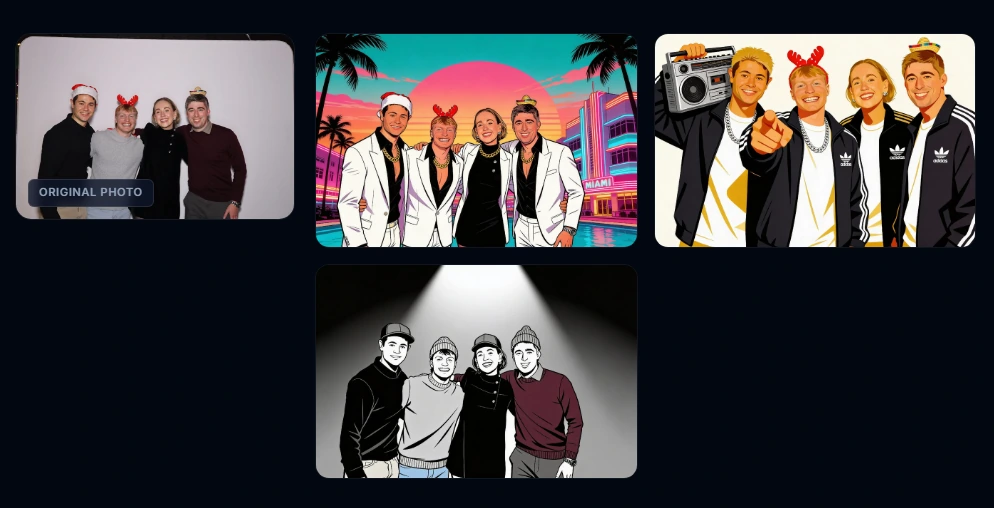
The AI Photobooth plan at €35/month includes AI face swap, AI background removal without a green screen, and over 50 creative art styles including magazine covers, movie poster transformations, pencil sketches, watercolors, pop art, and anime. The platform offers a dual-engine choice: the Core engine for high-volume events where cost control matters, and Nano Banana Pro for activations where output fidelity is the priority.
Source: BoothLedger
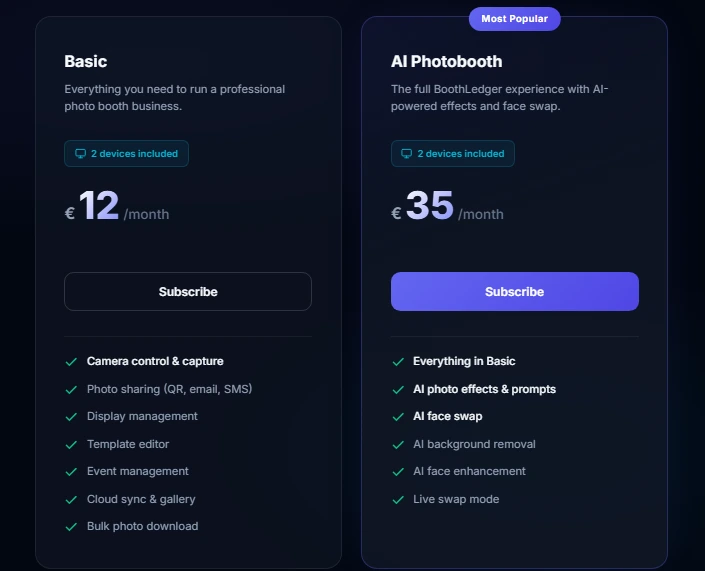
The base plan at €12/month covers Canon DSLR live-view tethering with real-time filter preview, per-shot autofocus, and RAW+JPEG capture. The supported Canon lineup spans Rebel/xxxD bodies, full-frame pro bodies (5D Mark III/IV, 6D Mark II), and the complete EOS R mirrorless range. Both plans include two device licenses, so dual-booth operators don’t pay double from day one.
The offline-first architecture captures, prints, and shares via QR code without any internet connection. Settings propagate to the booth every 45 seconds, so template changes pushed from the cloud dashboard apply remotely without a restart. Lead capture with GDPR-compliant consent and CSV export is included on both tiers at no extra cost.
BoothLedger Pricing
- Basic — €12/month; 2 device licenses; Canon DSLR, template editor, cloud sync, sharing, DNP printer support
- AI Photobooth — €35/month; everything in Basic plus AI face swap, background removal, 50+ art styles, dual-engine processing
Source: BoothLedger
Annual billing saves approximately 15%. 30-day free trial available, no credit card required.
Use BoothLedger if:
- You run a Windows-based Canon DSLR setup and want AI effects without paying $99+/month
- You operate at venues with unreliable WiFi and need offline-first reliability
- You regularly deploy two booths per event and want two-device licensing included at no extra cost
- You want to evaluate the platform risk-free with a 30-day no-credit-card trial
7. Darkroom Booth — Best for Operators Who Want Professional Booth Software With No Recurring Monthly Fees
For established operators who plan to stay in the photo booth business for years, monthly software subscriptions add up. Darkroom Booth offers a different model: buy once, run indefinitely.
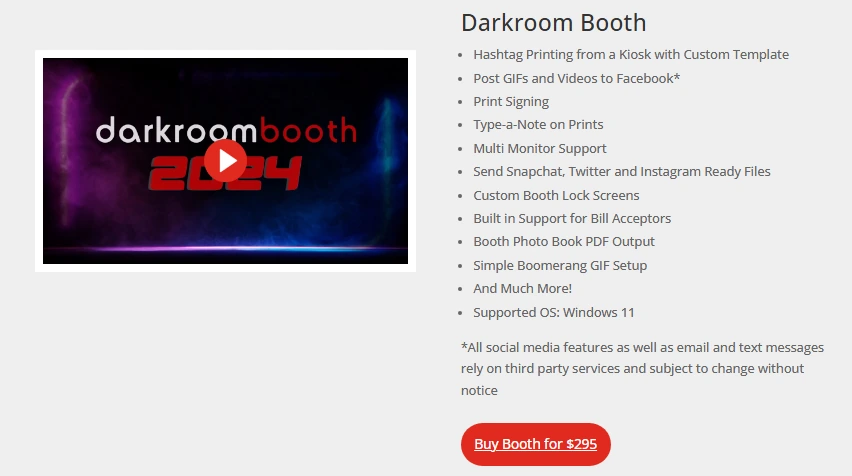
Darkroom Booth is Windows-native photo booth software by Darkroom Software, LLC, a family-owned company with roots going back to 1992. Its perpetual license model means you own the software after a single $295 purchase.
| Darkroom Booth Pros | Darkroom Booth Cons |
|---|---|
| - $295 one-time purchase (no recurring fees required) | - Windows only (no Mac or iPad) |
| - Supports Canon, Nikon, GoPro, and most webcams | - No native cloud gallery hosting (add-on required) |
| - Green screen / chroma key included in base license | - Attended-event design (less suited for unattended setups) |
| - Software keeps running if maintenance lapses | - Basic remote management compared to cloud-first platforms |
Darkroom Booth: Top 3 Unique Features
- Perpetual software license at $295 that keeps running even if you skip annual renewals
- Broad camera support across Canon, Nikon, GoPro, and webcams
- Built-in green screen compositing and 75+ customizable templates at no extra cost
Pay $295 once and own the software, including one year of updates and support. The optional $95/year maintenance renewal restores access to new versions, but the key distinction is that the software continues to run after maintenance expires. There is no activation kill switch. An operator running Darkroom Booth for three years pays $295 plus, at most, two $95 renewal cycles ($485 total) versus $1,188+ for a $33/month subscription competitor over the same period.
Camera support covers Canon EOS and PowerShot, Nikon Z and D series, GoPro HERO 9/10, and most Windows-compatible webcams. Built-in print drivers for DNP, Fujifilm, Mitsubishi, Sony, Shinko/Sinfonia, HiTi, and Ciaat dye-sublimation printers speed up print setup. A single license activates on up to two computers simultaneously.
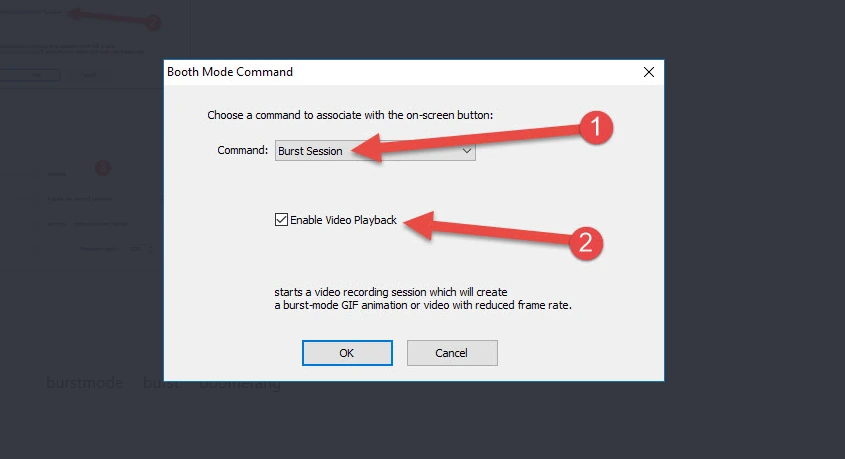
Built-in chroma key compositing supports green, blue, or automatic knockout modes with static image, overlay, or video backgrounds. Remove.bg AI background removal is also available for removing backgrounds without a physical green screen. Six capture types ship in a single install: still photos, video, slow-motion (up to 240 fps via GoPro), animated GIFs, Boomerang/Burst Mode, and 360/180 panoramic images.
Source: Darkroom Software
In 2025, Darkroom added AI-powered photo transformations including generative portraits, face swap, and scene generation.
The Booth Control smartphone remote lets attendants monitor booth status, trigger sessions, and pull stats from any device on the same WiFi network.
Darkroom Booth Pricing
- Full License — $295 one-time; 2 computers; 1 year of updates and support included
- Annual Maintenance — $95/year (optional); restores updates and support
- 10-Day Temporary License — $45 (for overbooking situations)
Source: Darkroom Software
A free trial is available with no time limit; outputs are watermarked until license purchase.
Note: The Event Gallery add-on ($30-$75/month depending on tier) is required for cloud-hosted gallery features. This is a genuine additional cost for operators who need online gallery delivery.
Use Darkroom Booth if:
- You want to eliminate recurring monthly software costs entirely
- You already own Canon, Nikon, or GoPro hardware you want to use
- You need built-in green screen compositing without paying extra
- You prefer a one-time purchase model where the software keeps running regardless of renewal status
And That’s Our List of…
…the most portable photo booth systems built for the demands of mobile event companies. Each platform excels in its own way, but your choice should match your specific operation: how many events you run per week, what booth formats your clients request, what hardware you already own, and what price point fits your business model.
Here are our top picks for the three most common mobile event scenarios:
- Simple Booth: If you want the fastest setup, most reliable operation, and best photo quality across every venue you serve.
Start with a free Simple Booth trial.
- Salsa 2: If you need cordless, battery-powered operation for outdoor venues and power-restricted locations, with multiple hardware configurations from a single investment.
- LumaBooth: If you’re starting out and want the most affordable path to professional DSLR photo quality, with room to scale from iPad to Windows as your business grows.
Most Portable Photo Booth Systems FAQ
What makes a photo booth system “portable” for mobile event companies?
A portable photo booth system should weigh under 50 lbs in its travel case, set up in minutes without tools, and work reliably across different venue conditions. Key portability factors include a rolling case for easy transport, battery compatibility for venues without outlets, and offline capability for locations with poor WiFi.
Which portable photo booth system has the fastest setup time?
Simple Booth’s HALO system offers a sub-one-minute setup. The iPad snaps into a tool-less faceplate, the selfie stand deploys without assembly, and a concealed USB-C cable handles charging. No screws, wiring, or calibration steps are needed.
Can I run a portable photo booth without a power outlet?
Yes. Salsa 2 is designed for cordless operation via USB-C power banks, with runtimes of 90 minutes to 3 hours depending on the battery. Simple Booth’s HALO also supports compatible portable batteries with 6+ hours of runtime. Both systems work at outdoor venues, rooftops, and locations where wall outlets aren’t accessible.
What is the most affordable photo booth software for new operators?
LumaBooth offers the lowest base subscription at $17-18/month (billed annually) with professional DSLR camera support included. BoothLedger starts at €12/month with Canon DSLR tethering. Darkroom Booth offers the lowest long-term cost with a $295 one-time perpetual license and no mandatory recurring fees.
Do I need an iPad for every photo booth system on this list?
No. While Simple Booth and Salsa 2 require iPads, several platforms offer alternatives. TouchPix runs on iOS, Android, Windows, macOS, Linux, and Raspberry Pi. LumaBooth runs on both iPad and Windows. BoothLedger and Darkroom Booth are Windows-only. Choose a platform that matches the hardware you already own or plan to purchase.
Which portable photo booth system is best for 360 video booths?
TouchPix is the strongest option for 360 video booth operators. Its native Bluetooth arm trigger automates the full 360 capture sequence, it supports GoPro models 7 through 14, and the platform was built around the 360 workflow. The MultiPass plan ($879.99/year) is the entry point for 360 video, since the lower tier excludes video capture.
How much does a complete portable photo booth system cost?
Total costs vary. A complete Simple Booth HALO setup runs approximately $2,090+ for hardware plus $490-2,490/year for software. Salsa 2 packages start at $2,999 including hardware and a rolling case. For software-only solutions, costs range from $295 one-time (Darkroom Booth) to $204-3,999/year depending on the platform and tier. Factor in additional costs for iPads, cameras, cases, and power banks if not included.
What should I look for in photo booth software for mobile events?
Prioritize offline reliability (venue WiFi is unpredictable), remote management (for updating configurations without being on-site), multiple photo delivery options (QR, SMS, email, and WhatsApp cover all guest preferences), and consistent photo quality in variable lighting. Also consider whether the software’s pricing model (weekly, monthly, annual, or perpetual) matches your event volume and booking patterns.
Keep reading
 Best Of
7 Best Photo Booth Software with Video Message and Slo-Mo Capture [2026]
Booths that capture heartfelt video notes and buttery slo-mo. The moving stuff.
 Best Of
6 Best Photo Booth Software With QR Code Sharing [August 2026]
Booths that beam every snap to a phone with a quick scan. QR sharing done right.
 Best Of
7 Best Photo Booth Software With Real-Time Analytics and Dashboards [August 2026]
Booths that show the numbers as the party happens. Live dashboards, real insight.