Simple Booth vs Curator Live: Which Photo Booth Platform Fits Your Business in 2026?

If you’re comparing Simple Booth and Curator Live for your photo booth business, you’re looking at two iPad-based platforms that solve the same problem (running professional photo experiences at events) with different philosophies about how to get there.
Choosing between them often comes down to these questions:
- Do you want an integrated hardware-and-software system, or are you bringing your own iPad and booth enclosure?
- Is your priority turnkey reliability and marketing data capture, or full creative control over capture formats and effects?
- Do you need a browser-based virtual booth for remote activations, or are all your events in-person?
- Are you running brand activations where lead capture and analytics matter most, or 360 and AI experiences where visual output is the draw?
- Do you prefer weekly billing flexibility, or per-event pricing that maps directly to your client invoices?
In short, here’s what we recommend:
Curator Live is the creative platform for photo booth operators who want the most control over their output. Its CustomFX timeline editor gives operators layer-based video compositing with overlays, pre-roll, post-roll, and audio (capabilities found in post-production software, not a booth app).
The platform handles photos, GIFs, boomerangs, 360 video, DSLR capture, drone booths, and video guest books in a single subscription, with AI photo rendering, face swap, and facial recognition delivery built in. Its per-event pricing starting at $29/event suits operators who want to pay only when they work.
However, Curator Live is iOS-only with no virtual booth product, no public API, and a small team that, while praised for responsiveness, limits the platform’s enterprise infrastructure.
Simple Booth is the turnkey system for operators and marketers who need reliable, branded photo experiences that produce measurable business results. Its HALO hardware pairs a patented aluminum ring light with the iPad app for consistent photo quality and sub-one-minute setup.
The platform captures first-party data at 87%+ opt-in rates, feeds it into analytics dashboards and CRM integrations, and extends reach through Virtual Booth, a browser-based product that requires no hardware at all.
With 30,000+ customers and a 4.7-star rating from 2,400+ reviews, Simple Booth has the larger installed base and a clear enterprise path through its Pro and Select tiers with compliance tools, moderation, and API access.
Both platforms are strong iPad photo booth solutions, but they serve different priorities: Curator Live focuses on creative output; Simple Booth focuses on operational reliability and marketing value.
G7 Entertainment Marketing has used Simple Booth for over 10 years across 136,000+ fan interactions, calling themselves “big Simple Booth believers.” (Simple Booth)
Simple Booth vs Curator Live at a glance
| Simple Booth | Curator Live | |
|---|---|---|
| Core Philosophy | Turnkey hardware + software + marketing | Creative-first capture platform |
| Hardware | Proprietary HALO ring light kits | Bring your own iPad/enclosure |
| Platform | iPad only (app) + browser (Virtual Booth) | iPad and iPhone (app only) |
| Capture Formats | Photos, GIFs, Rebound, video | Photos, GIFs, boomerangs, 360, video, drone |
| 360 Booth Support | Not supported | Full CustomFX timeline + OrcaVue integration |
| AI Effects | Nano Banana (3 models) | Nano Banana + Face Swap (0 credits) |
| DSLR Support | Canon & Sony; wired + wireless (Core+) | 100+ models across Canon, Nikon, Sony, Olympus |
| Virtual/Remote Booth | Yes (browser-based) | No |
| Lead Capture | Up to 10 custom fields, MailChimp, API | Data capture with CSV export |
| Analytics | Detailed with demographic insights (Select) | Basic to full by tier |
| API Access | REST API (Pro+) | No public API |
| Starting Price | $24/week (Core) | $29/event (Standard) |
| Monthly Starting Price | $49/month (Core) | $69/month (Standard) |
| Best For | Rental businesses and brand marketers | Creative operators and 360 booth owners |
The core difference: Marketing platform vs creative studio
The split between these platforms runs deeper than feature lists. It reflects two different answers to the question: what is a photo booth for?
Simple Booth treats the photo booth as a marketing channel. The photo is the hook; the data is the product. Every design decision funnels toward capturing contact information, generating branded social content, and producing analytics that prove ROI.
The HALO hardware makes that funnel reliable: consistent lighting, fast setup, no attendant needed. The Virtual Booth extends the same logic to remote audiences. The Layout Designer, AI effects, and guest-editable text layers all serve brand activations where the photo experience generates leads and user-generated content, not just memories.
The customer base reflects this philosophy. Live Nation uses Simple Booth for VIP fan experiences. Sports Illustrated Tickets creates branded photo moments for fans. Deep Eddy Vodka generated 14,000 social posts from activations. These are marketing outcomes, not photo booth gigs.
Curator Live treats the photo booth as a creative canvas. The photo (or video, or 360 clip, or AI transformation) is the product itself. Every design decision expands what operators can create: more capture formats, more effects, more compositing power, more hardware compatibility.
The CustomFX timeline editor with transparent HEVC video layers, the drone booth integration, the IRIS photography mode for macro eye portraits: these are tools for operators whose competitive advantage is the quality and novelty of their output.
Curator Live’s founder, James Trivlis, built his first photo booth in 2012 and created the software because existing options couldn’t match his creative vision. That operator-first origin shows in every feature: the platform was built by someone who runs booths, for people who run booths.
Capture formats and creative capabilities
This is where Curator Live pulls ahead on breadth.
Curator Live bundles photos, GIFs, boomerangs, 360 video, video guest books, DSLR photography, drone booth capture, and AI rendering into a single app and subscription. An operator can offer guests up to 6 different experiences in one event, each with its own selection button (a photo booth, a GIF station, and a 360 spinner running simultaneously from the same account).
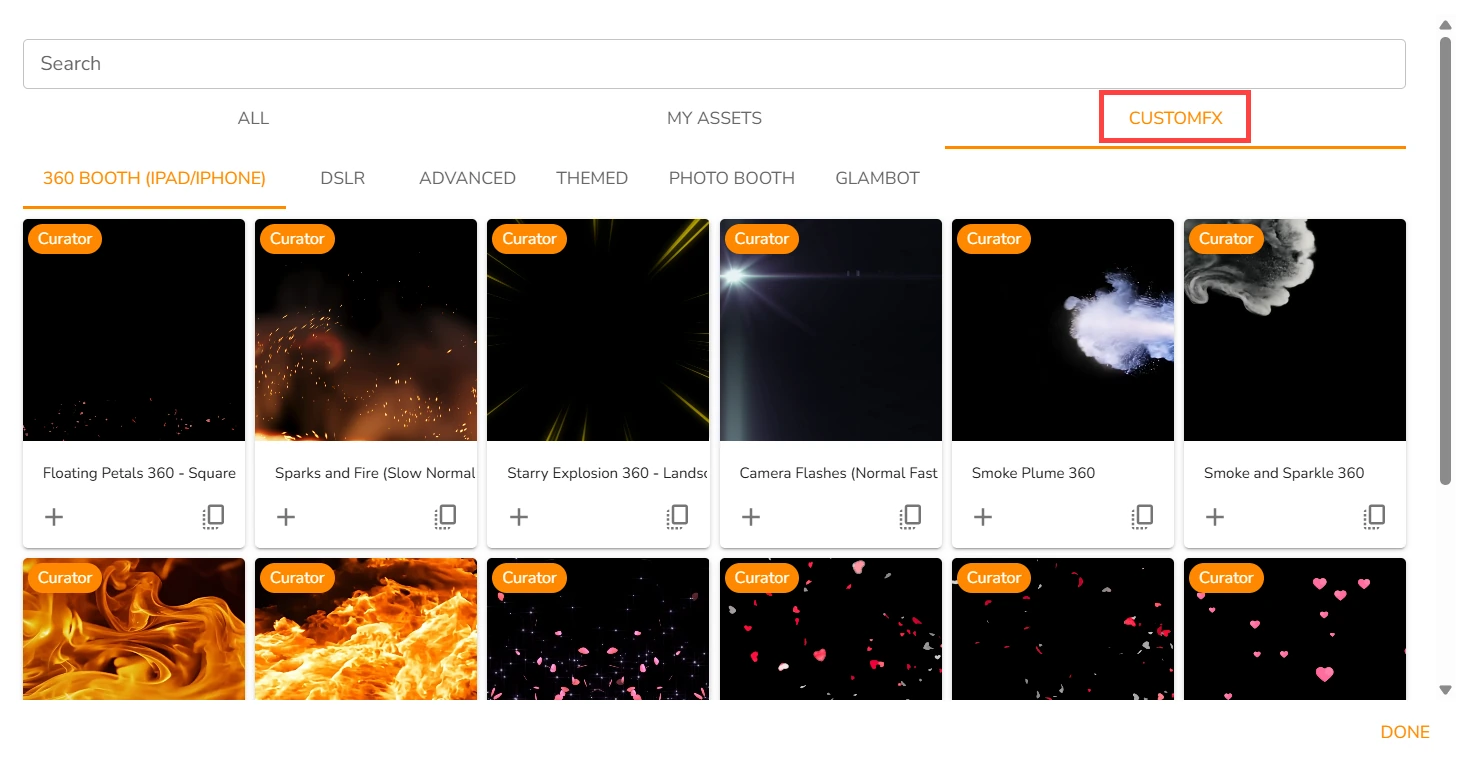
The standout is the CustomFX timeline builder. Rather than applying simple overlays to video, Curator gives operators a layer-based editor with overlay, background, pre-roll, post-roll, and audio tracks.
Source: Curator Live
Transparent HEVC .mp4 video layers can composite effects both in front of and behind the recorded subject, the kind of layered compositing normally done in post-production software. For 360 booth operators, this means delivering branded, music-scored video clips to guests before they leave the event.
Curator Live also supports OrcaVue 360 and GlamBot hardware via Bluetooth control from within the app, and an automated drone booth pipeline where a drone captures, Curator applies effects, and guests receive the finished video instantly.
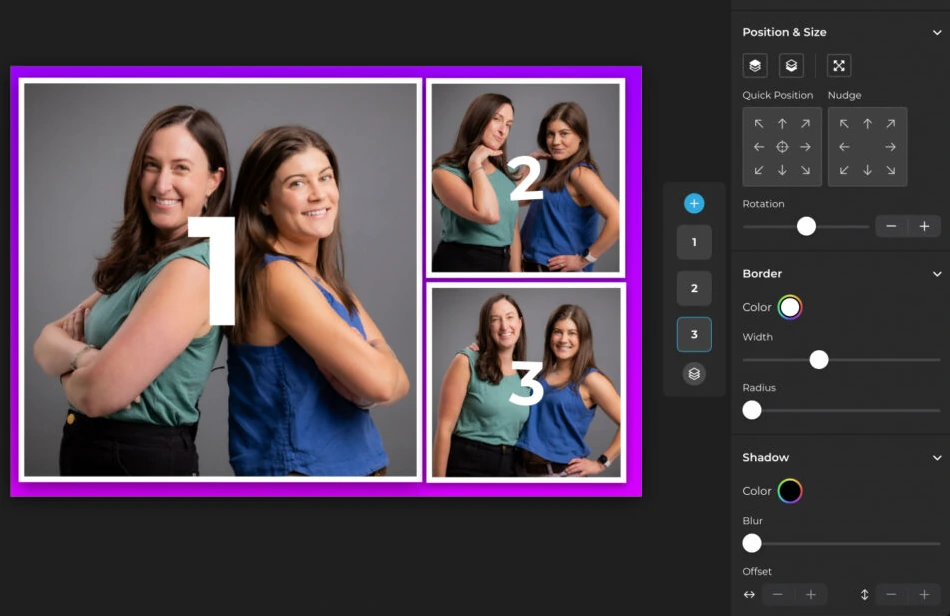
Simple Booth covers the core formats: still photos, multi-frame strips, custom layouts, GIFs, Rebound boomerang clips, and full-length video (5 to 120 seconds on Core and above). The Layout Designer introduced in HALO 5.0 gives operators an in-app design tool with layers, fonts, gradients, QR code embedding, and multi-layout support, eliminating the need for external graphic design software.
Source: Simple Booth
Where Simple Booth differentiates is guest-facing personalization. Guest-editable text layers let participants type names, captions, or hashtags directly onto their photo before sharing, with dynamic text sizing that keeps the design clean regardless of message length. This scales personalization to high-volume events without adding operator workload.
One operational advantage worth noting: Simple Booth’s features work together without complex compatibility rules. Filters, Glam, background blur, and frame effects all function with video, DSLR integration, and offline mode. Operators don’t have to navigate restrictions on which settings can be combined.
Simple Booth does not support 360 video, drone booths, or timeline-based video compositing. If 360 experiences are central to your business, Curator Live is the clear choice.
AI effects and photo transformation
Both platforms use the same underlying AI model family (Nano Banana) but expose it differently.
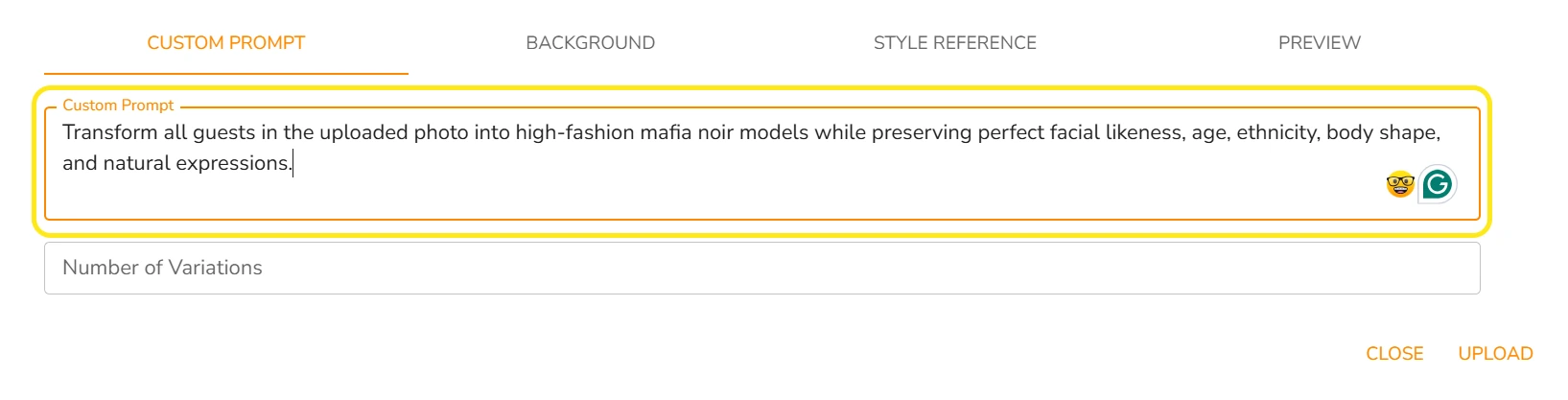
Curator Live gives operators the most access to the prompt layer. The platform offers three AI model tiers: Face Swap at zero credits, Nano Banana standard at approximately $0.45 per image, and Nano Banana Pro at approximately $1.00 per image. The Pro tier is designed for groups of 8 or more with high fidelity, a problem most photo booth AI struggles with.
Operators can load up to 40 prompts per AI experience and run up to 6 AI experiences per event, with three selection modes: manual guest choice, random, and “All” mode where every loaded prompt generates from one photo.
The Curator Prompt Builder, a dedicated GPT-based tool, helps operators craft and test prompts before deploying them live. Advanced options include fixed background images, custom background prompts, and style reference images for brand-specific scenes.
Source: Curator Live
Curator Live’s Magic AI Background Removal runs on-device with no internet required and no additional credit cost, a real advantage at high-volume installations or venues with poor connectivity.
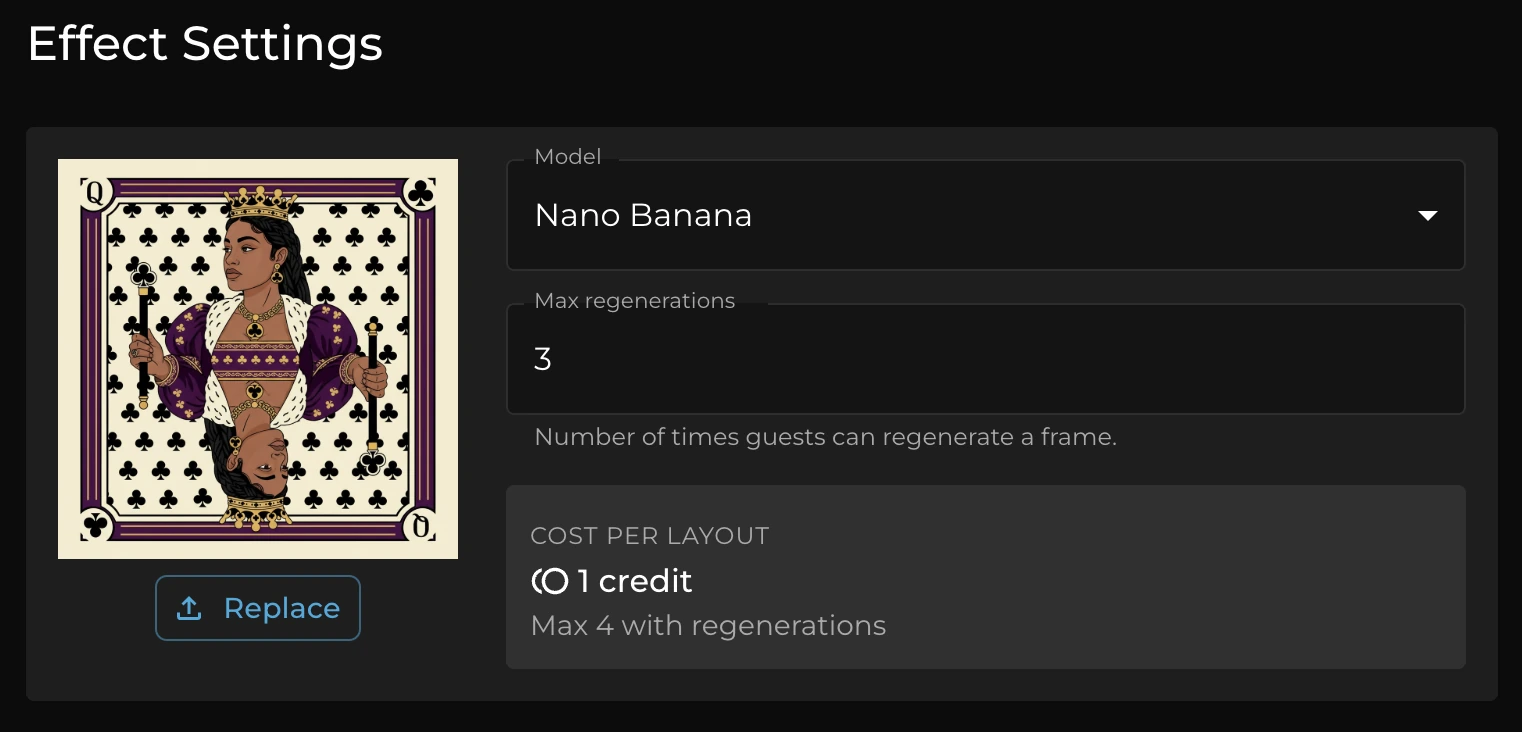
Simple Booth makes AI more accessible to operators who don’t want to write prompts. The platform offers three Nano Banana models: Nano Banana 1 (fastest, 1 credit), Nano Banana 2 (balanced, 2 credits), and Nano Banana Pro (best quality, 3 credits). Credits cost $0.10 each and do not expire.
Source: Simple Booth
Simple Booth’s key advantage is zero-cost prompt testing: operators iterate freely outside of booth mode without spending credits. The platform also handles identity preservation automatically at the system level, so guests remain recognizable without prompt engineering.
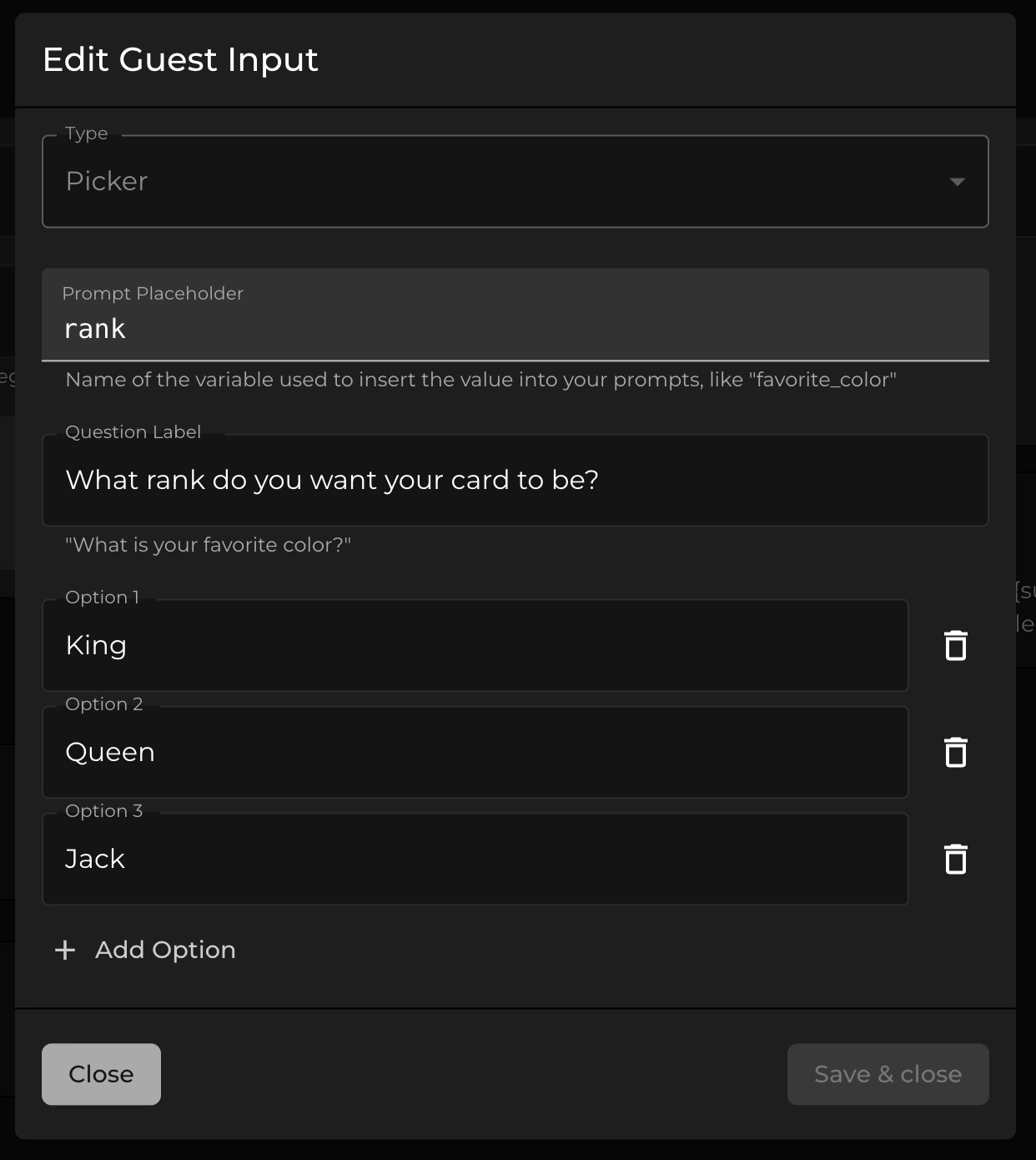
A distinctive capability is per-frame multi-prompt storyboarding: operators assign unique AI prompts to each frame in a multi-frame layout, enabling comic strip or cinematic narrative strips. The Guest Input system (Pro/Select) lets participants answer questions that feed directly into the prompt as template variables, producing personalized AI output per guest.
Source: Simple Booth
Simple Booth also offers AI-generated layout images (graphic design elements created by AI inside the Layout Designer at zero credit cost) and has AI-generated start screens coming soon.
Both platforms deliver strong AI capabilities. Curator Live offers more granular control and group-optimized rendering; Simple Booth offers easier adoption and tighter integration with its layout and branding pipeline.
DSLR and camera support
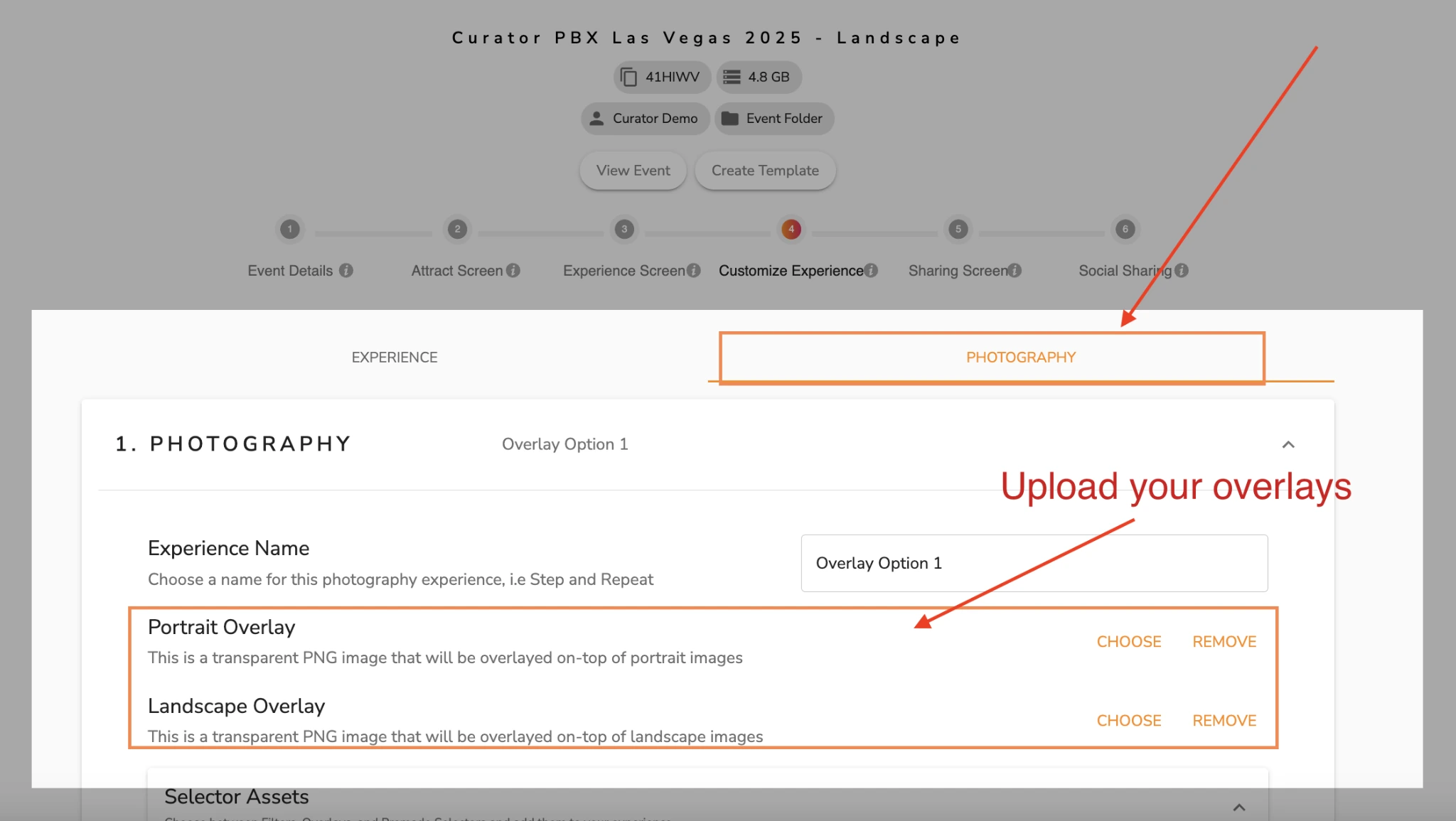
Curator Live supports over 100 DSLR and mirrorless camera bodies across Canon, Nikon, Olympus, and Sony, connected via USB tethering to an iPhone. The dedicated Photography Mode turns a DSLR-and-iPhone rig into a roaming capture-and-delivery unit: the photographer walks through an event while photos appear in the app instantly and guests receive them via text, email, or QR code.
Source: Curator Live
This roaming-first design is Curator Live’s clearest DSLR differentiator. The hardware guide is oriented around mobile rigs rather than static studio setups, with tested bracket combinations for walking through cruise ships, resort pools, and museum galleries.
Facial recognition groups every photo of a guest taken across an event into a single personalized gallery delivered via secure link, solving the problem of reuniting hundreds of captures with the right people.
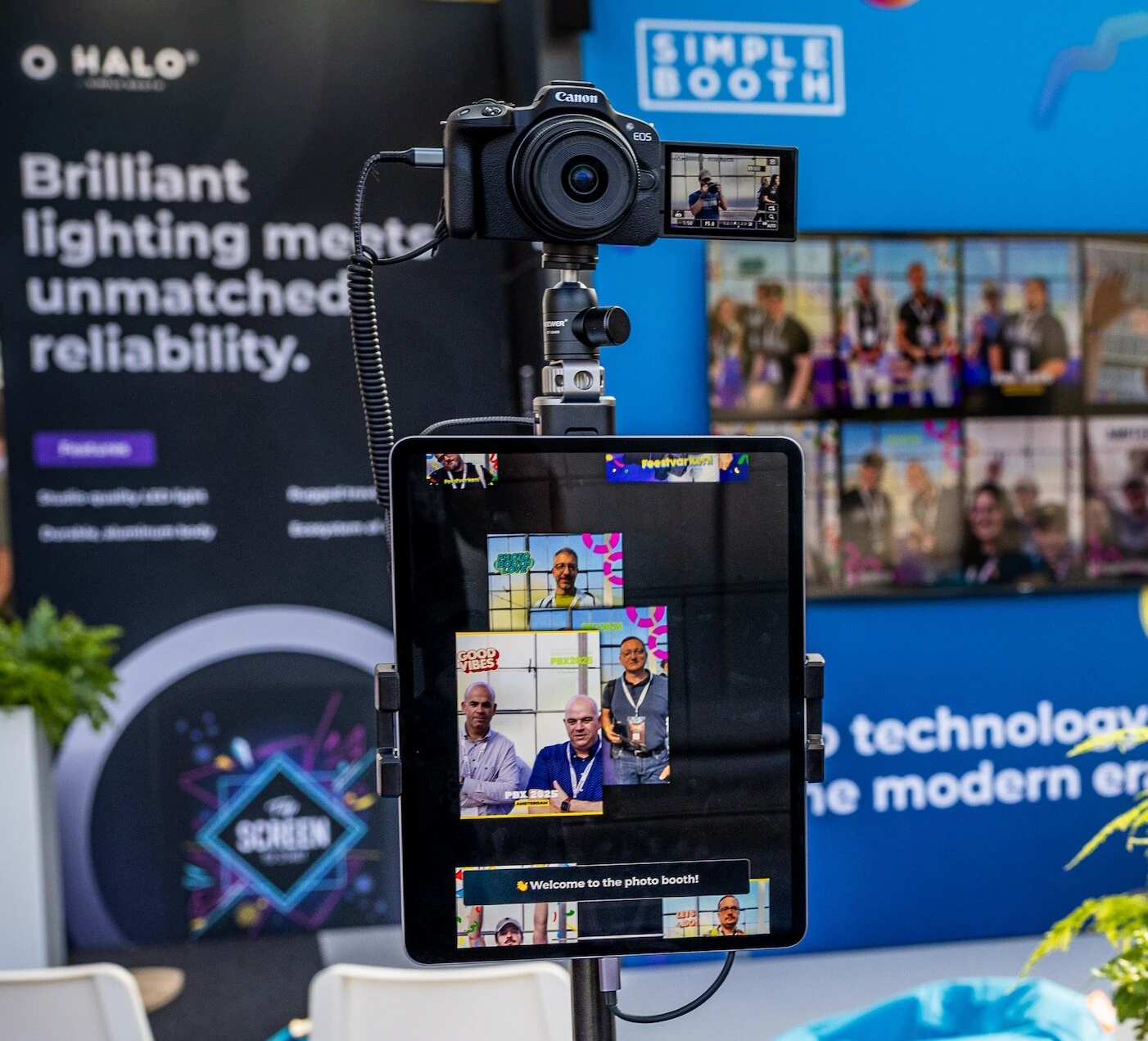
Simple Booth added DSLR and mirrorless camera integration in HALO 5.0 (November 2025), available on Core and above, with support for Canon and Sony cameras and Nikon listed as coming soon. The connection supports both wired USB for long-event reliability and wireless WiFi for more creative setups.
Source: Simple Booth
Wireless DSLR is a differentiating capability that most competing booth platforms don’t offer. DSLR photos pass through the full software pipeline (Layout Designer branding, AI effects, data capture, gallery publishing) so operators get professional image quality through the same workflow they use for iPad-camera sessions.
The difference: Curator Live treats DSLR as a roaming photography platform supporting four camera brands and 100+ models. Simple Booth treats it as a quality upgrade for the existing booth experience with Canon and Sony support today and Nikon on the way, plus wireless camera connections.
Marketing, data capture, and analytics
This is where Simple Booth’s marketing-platform philosophy creates a measurable gap.
Simple Booth captures opt-in rates as high as 87 to 89% when guests receive photos, well above typical marketing form conversion. The data capture form supports up to 6 standard fields on Pro (email, first name, last name, phone, postal code, date of birth) and up to 10 custom fields on Select including checkboxes and required legal terms.
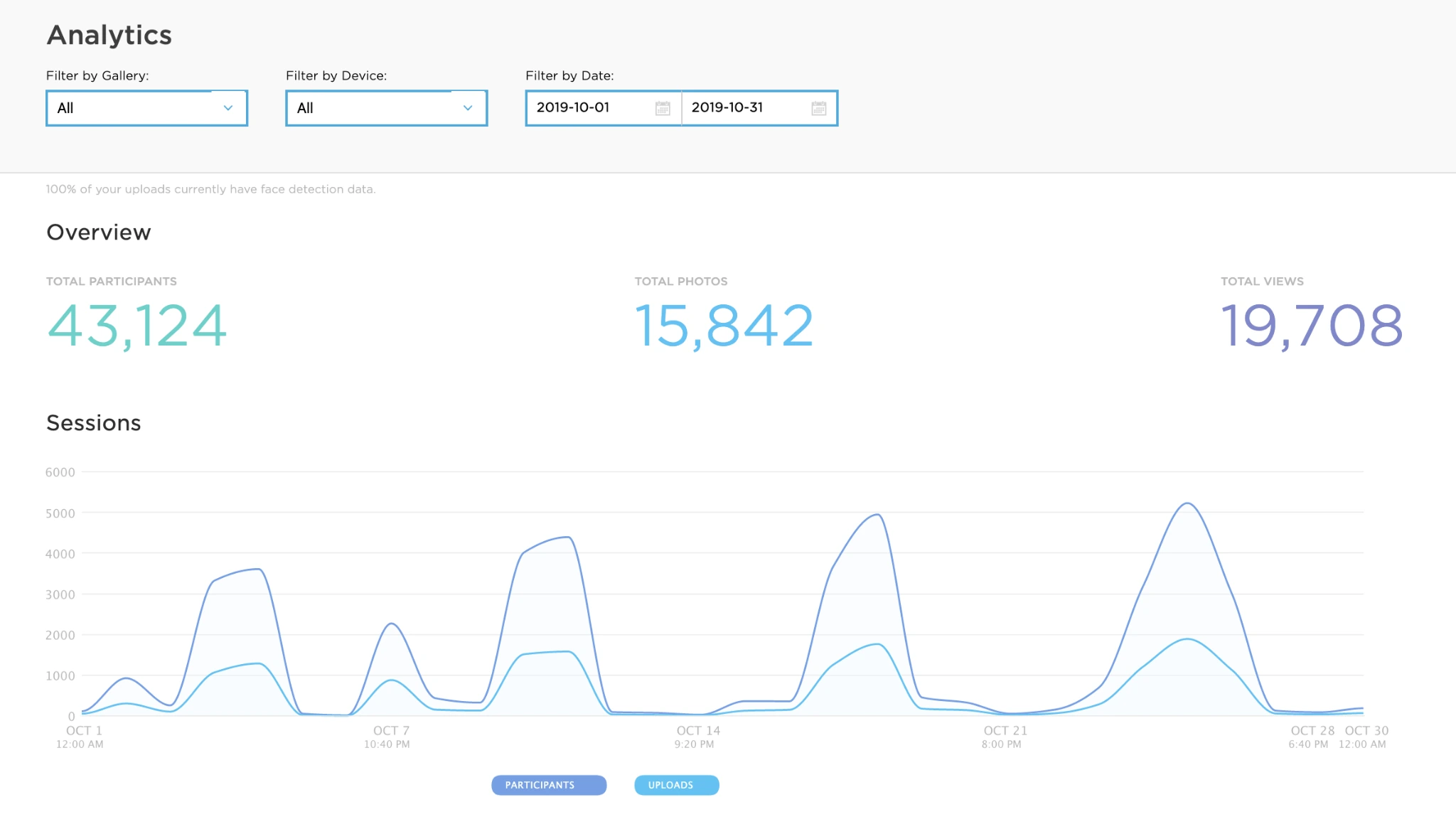
Data flows into an analytics dashboard with metrics on participants, uploads, gallery views, and social sharing performance across Facebook, X, LinkedIn, and Instagram. The Select tier adds demographic insights via face detection (estimated age, gender breakdown, and average group size) giving marketers audience composition data from activations.
Source: Simple Booth
Integration options include native MailChimp sync (no developer needed), a REST API for custom CRM delivery on Pro and above, and Dropbox sync for bulk photo access. The Open API integration pushes participant data to an external server automatically after each form submission.
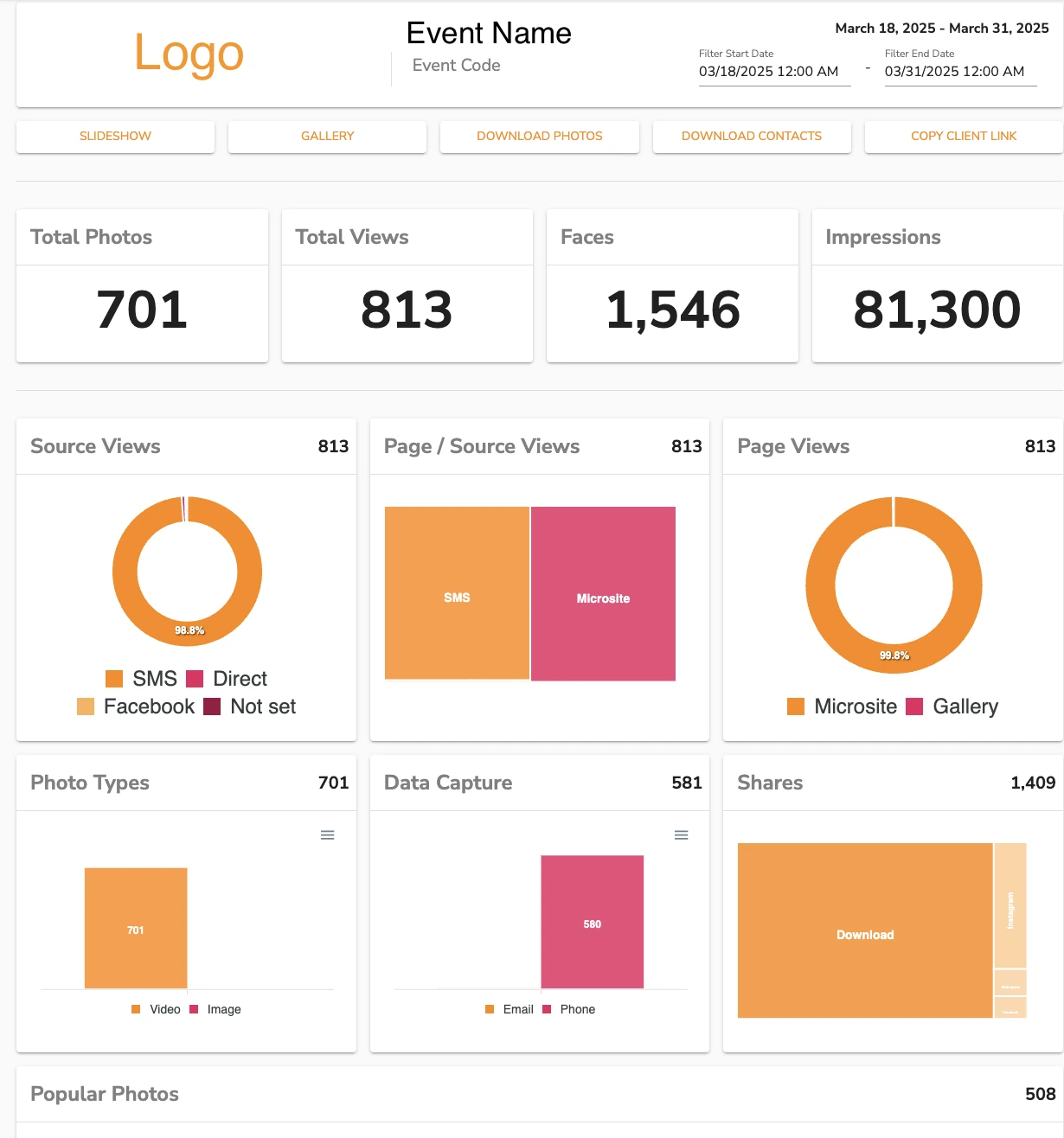
Curator Live includes data capture and analytics on all paid tiers, with Google Analytics and Facebook Pixel tracking on event microsites and galleries. The platform captures guest contact information for photo delivery and supports CSV download of survey and user data.
Source: Curator Live
However, Curator Live has no public API, no native CRM integrations beyond its own platform, and no MailChimp or similar marketing automation connection. There is no Zapier, Make, or iPaaS connector documented. For operators whose primary goal is lead generation and CRM delivery, this is a significant limitation.
Arizona Opera grew its email list by 1,000 addresses in a few events using Simple Booth’s lead capture. (Simple Booth)
Virtual and remote experiences
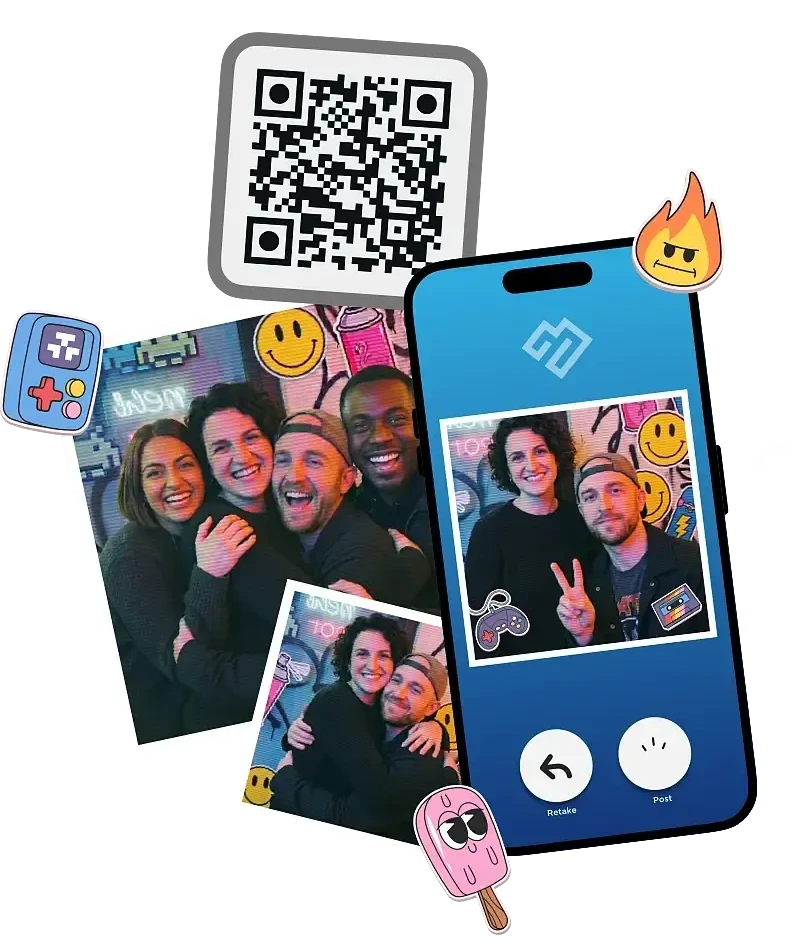
Simple Booth offers Virtual Booth, a browser-based photo experience that runs on any device without an app install. Participants join via a QR code or link, grant camera access or upload an existing photo, apply overlays, stickers, AI effects, and background replacement, then submit to a branded gallery.
Source: Simple Booth
Virtual Booth supports unlimited photo submissions on all plans, multi-language localization (English, Spanish, French, Dutch, German, Italian, Polish, Hebrew, Danish), and the same AI effects available in the HALO app.
It connects to the same analytics, Live Feed, and gallery infrastructure as physical booths, enabling hybrid events where in-room HALO kiosks and remote Virtual Booth participants feed a single combined gallery.
This extends the photo booth concept beyond events entirely. Virtual Booth links can be embedded in email campaigns, printed on consumer packaging, or placed on a brand website as a persistent activation.
Curator Live does not offer a virtual or browser-based booth product. All experiences require the iOS app running on physical hardware at the event location.
For operators or brands that need remote, hybrid, or always-on digital activations, Simple Booth is the only option between the two.
Hardware and setup
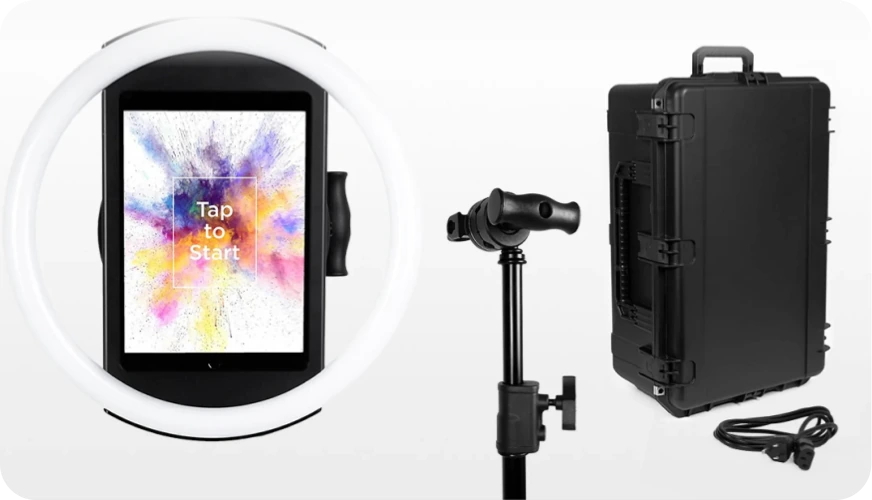

Simple Booth sells dedicated hardware through its HALO product line. The HALO chassis is machined from a single billet of anodized aluminum with a patented ring-light system of 112 LEDs producing up to 2,100 lumens, rated for 50,000 hours. The iPad snaps in via a tool-less faceplate with a concealed USB-C cable for continuous charging.
Source: Simple Booth
Two configurations are available: the Event Kit with an adjustable selfie stand and waterproof travel case (49 lbs total with wheels and extendable handle), and the Install Kit with a heavy-duty steel wall mount for permanent venues. Setup takes under one minute with no tools. HALO supports dual voltage (110V–240V) for international use.
Source: Simple Booth
The hardware investment starts at approximately $2,090 (Event Kit with iPad and Simple Care protection) with 0% financing available.
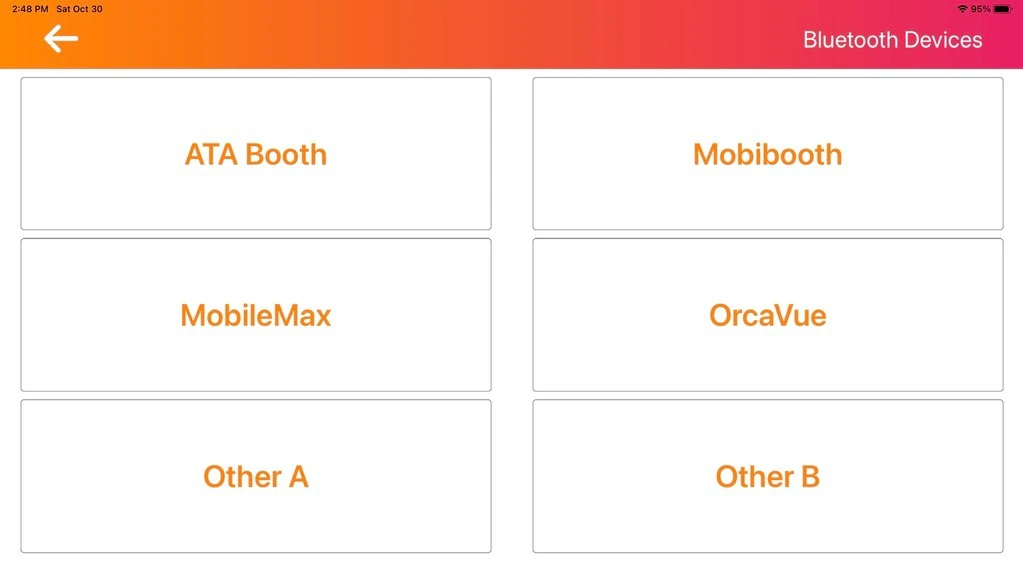
Curator Live is software-only. It does not sell proprietary hardware. Operators bring their own iPad (minimum iPad Air 3) or iPhone and pair it with their own booth enclosure, stand, and lighting. The platform integrates with third-party hardware via Bluetooth: OrcaVue 360 platforms and GlamBot arms, Mobibooth, Lume Cube, and several other LED and controller systems.
Source: Curator Live
This distinction shapes the buying decision. Simple Booth’s integrated approach means consistent quality and no hardware sourcing decisions, but a higher upfront investment and commitment to one vendor’s ecosystem. Curator Live’s bring-your-own approach means lower entry cost and freedom to choose any booth hardware, but photo quality depends on the operator’s own lighting and enclosure choices.
Treetop Golf built 150,000 unique email addresses across locations using Simple Booth’s permanent-install HALO kits. (Simple Booth)
Pricing comparison
The two platforms use different billing models that reflect their different customer bases.
Curator Live offers per-event, monthly, and yearly billing across three tiers:
| Standard | Event Pro | Agency Pro | |
|---|---|---|---|
| Per Event | $29 | $59 | $99 |
| Monthly | $69 | $149 | $249 |
| Yearly | $499 | $1,499 | $2,499 |
Per-event pricing fits operators who run a handful of events monthly. $29 per activation is easy to fold into a client invoice. Standard includes all capture experiences, AI background removal, green screen, and DSLR support.
Event Pro adds AI FX features, facial recognition, the Sharing Station app, and full analytics. Agency Pro adds Photography Mode and white-label URL (included on yearly; $449/year or $59/month on other tiers).
Additional device licenses cost $19–$99 per device per event, $29–$99 per device monthly, or $199–$999 per device yearly, depending on tier.
AI photo rendering credits are purchased separately (approximately $0.45 per standard image and $1.00 per Pro image). SMS delivery integrates via Twilio, with costs billed directly by Twilio.
Simple Booth offers weekly, monthly, and yearly billing across five tiers:
| Lite | Core | Plus | Pro | Select | |
|---|---|---|---|---|---|
| Weekly | $14.99 | $24 | $49 | N/A | N/A |
| Monthly | $29.99 | $49 | $99 | $149 | $249 |
| Yearly | $289.99 | $490 | $990 | $1,490 | $2,490 |
Weekly billing is unique to Simple Booth and valuable for operators with variable event calendars: pay for the weeks you work, cancel anytime. Lite is the entry point for personal and casual use (App Store only) but includes ads and excludes DSLR, video, custom branding, and lead capture.
For rental businesses, Core at $24/week is the realistic starting tier since it’s the first plan with the Layout Designer, DSLR integration, and video that professional operators need. Core removes ads and adds DSLR, video, background replacement, and Virtual Booth.
Plus adds custom branding, analytics, and custom AI prompts. Pro adds lead capture, API access, phone support, and moderation. Select adds compliance tools, demographic analytics, and custom legal terms.
AI credits cost $0.10 each, with models consuming 1x, 2x, or 3x credits per generation. Credits do not expire.
Additional device licenses range from $24/week to $186/month depending on tier.
Cost comparison for common scenarios:
A solo operator running 4 events per month:
- Curator Live Standard per-event: $29 × 4 = $116/month
- Simple Booth Core monthly: $49/month (or $24/week × 4 weeks = $96)
A multi-booth agency running 3 devices year-round:
- Curator Live Agency Pro yearly + 2 extra devices: $2,499 + ($999 × 2) = $4,497/year
- Simple Booth Plus yearly + 2 extra devices: $990 + ($740 × 2) = $2,470/year
Per-event pricing gives Curator Live an edge for low-volume operators. Simple Booth’s weekly and annual plans create savings for operators with consistent schedules. Both platforms add costs for AI credits and multi-device licensing on top of the base subscription.
Support and reliability
Curator Live is a small team (2 to 10 employees per LinkedIn) that performs well on support. Multiple App Store reviewers single out Curator’s willingness to answer calls during live events on evenings and weekends when operators actually need help.
All paid tiers include 24-hour chat support, emergency phone support, and a dedicated account representative. New customers receive a free 30-minute one-on-one onboarding session.
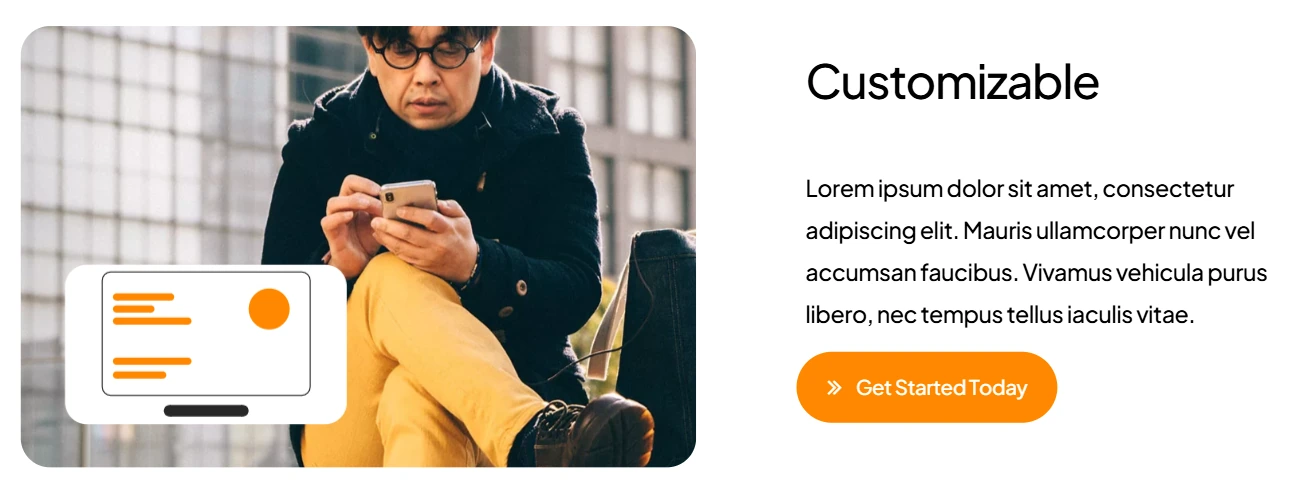
The help center covers 100+ articles organized by topic, with active updates through 2026. One caveat: several marketing pages on the main website contain placeholder content and lorem ipsum text, which may leave a poor first impression on buyers doing pre-purchase research.
Source: Curator Live
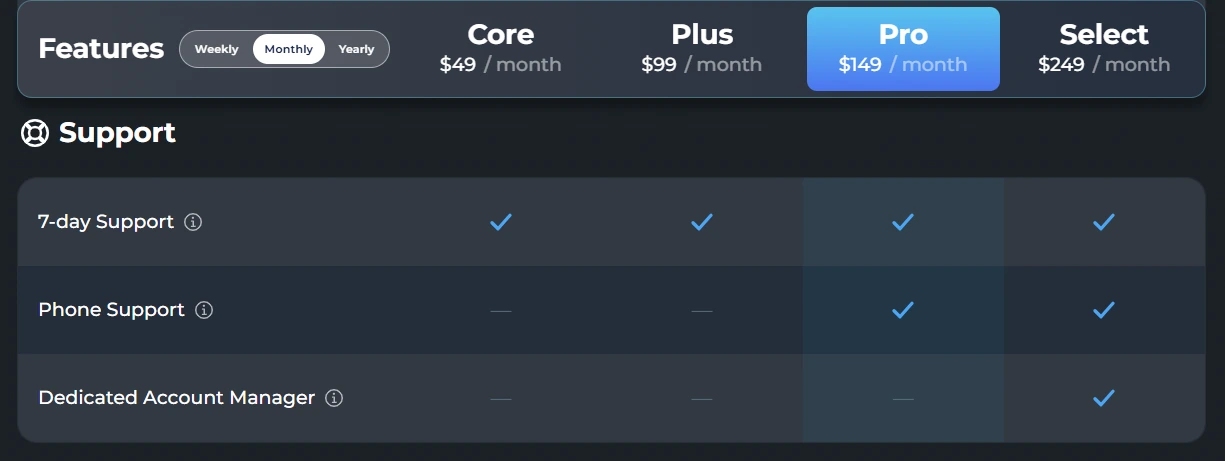
Simple Booth tiers support by plan: 7-day support on Lite, email and chat on Core/Plus, phone support on Pro, and a dedicated account manager on Select. The help center contains 148+ articles, and the 5.0 transition guide on GitBook includes an AI assistant for natural-language documentation queries.
Source: Simple Booth
App Store reviews reveal a recurring pattern worth noting: post-update bugs have disrupted events for some operators, and Simple Booth’s own responses advise disabling auto-updates as a workaround.
A November 2025 review documented settings that failed to persist, resulting in lost photos at a wedding. These are isolated incidents in a 4.7-star, 2,400+ review body, but they matter in an industry where a single event failure is unrecoverable.
Both platforms offer offline resilience (sessions queue locally and upload when connectivity returns). Both use Intercom-powered chat for real-time support.
Platform scope and ecosystem

Simple Booth offers a broader ecosystem beyond the core booth app. Virtual Booth extends reach to remote audiences. The REST API (Pro+) enables custom CRM integrations. MailChimp syncs lead data without developer involvement. Dropbox syncs captures automatically.
Live Feed displays gallery content on any TV or projector via a browser. The analytics dashboard tracks social sharing, gallery views, and audience demographics.
Source: Simple Booth
Enterprise features on Pro and Select tiers include moderation (approve photos before delivery), age gating, data compliance tools, custom legal terms, and security questionnaire support, features that matter for regulated industries and Fortune 500 brand activations.
Curator Live offers a deeper capture platform with more hardware integrations but a narrower surrounding ecosystem. Storage integrations include Dropbox on all plans and Google Cloud Bucket and AWS S3 on Event Pro and Agency Pro (marked Enterprise).
Picture Mosaics integrates for live photo mosaics. Hardware integrations span OrcaVue, GlamBot, Mobibooth, Lume Cube, Picbox, and multiple Bluetooth controllers.
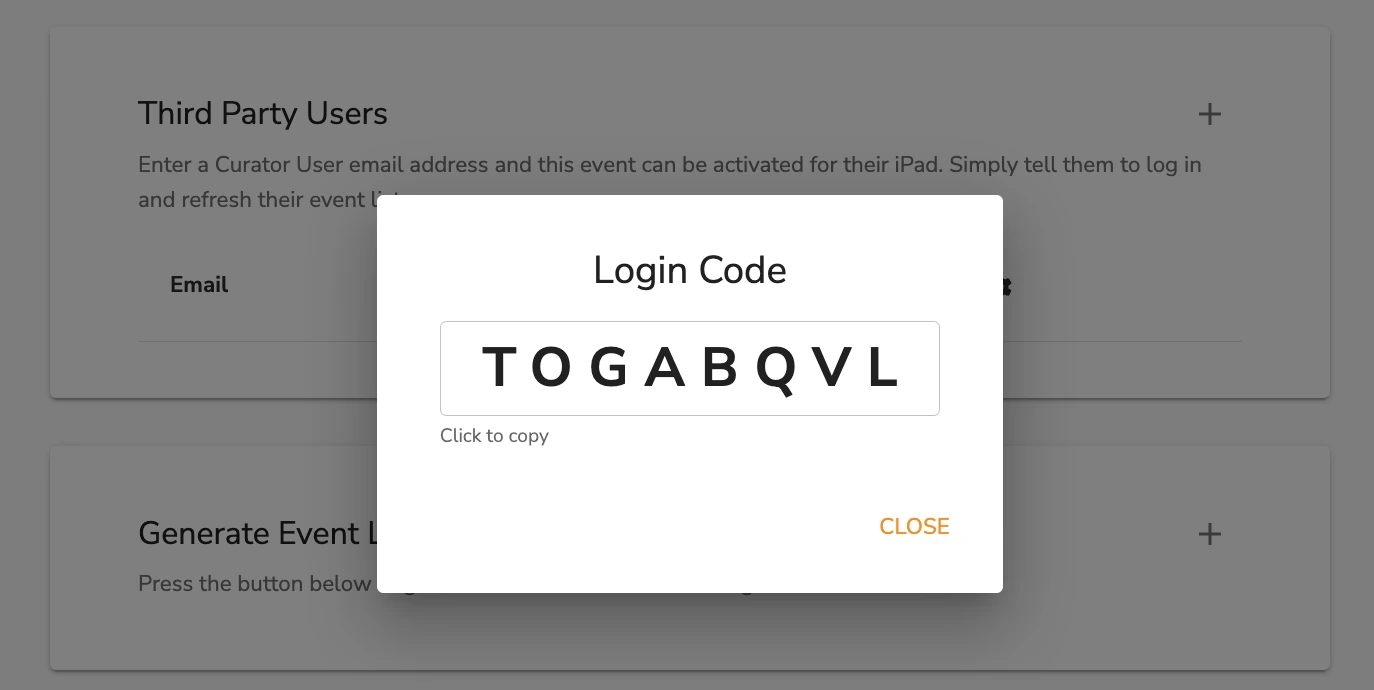
Curator Live supports an 11-role permission model across owner, admin, designer, and operator roles, useful for agencies with freelance staff. It also offers event login codes on Agency Pro so staff can activate experiences without accessing main account credentials.
Source: Curator Live
However, Curator Live has no public API, no native CRM integrations, no iPaaS connections, no virtual booth product, and no documented webhook system. Enterprise buyers needing programmatic access or automated data flows will find these gaps limiting.
Simple Booth vs Curator Live: Which should you choose?
The choice depends on what your photo booth business prioritizes and how you plan to grow.
Choose Curator Live if:
- 360 video booths, drone booths, or video guest books are central to your business
- You want the most creative control over video output with timeline-based compositing
- You prefer per-event pricing that maps directly to client invoices
- You need DSLR support across Canon, Nikon, Sony, and Olympus bodies
- Roaming photography with facial recognition delivery fits your use case
- You want AI effects with full prompt customization and group-optimized rendering
- You already own iPad/iPhone hardware and booth enclosures
- Live-event phone support regardless of the hour is a priority
Choose Simple Booth if:
- You want an integrated hardware-and-software system with consistent photo quality
- Lead capture, CRM integration, and marketing analytics drive your business model
- You need a virtual booth product for remote, hybrid, or always-on digital activations
- Brand activations with moderation, compliance tools, and age gating are part of your work
- You prefer weekly billing flexibility with no long-term commitment
- An established platform with 30,000+ customers and a documented enterprise path matters
- You want a REST API for custom integrations and native MailChimp sync
- Sub-one-minute setup and unattended operation are operational requirements
Get a 7-day free trial with Simple Booth here!
Both platforms deliver professional photo booth experiences on iPad hardware, but they serve different growth paths. Curator Live is for operators building their reputation on creative output (the quality and novelty of what guests take home). Simple Booth is for operators and brands building a business on engagement data (using photo experiences as a marketing engine with measurable ROI).
Your decision should match not just your current event roster, but where you see your photo booth business heading.
An operator moving into brand activations and venue installations will find Simple Booth’s marketing tools and hardware ecosystem hard to replace. An operator expanding into 360 experiences, event photography, and creative productions will find Curator Live’s capture breadth and compositing power hard to match.
Simple Booth vs Curator Live FAQ
What is the main difference between Simple Booth and Curator Live?
Simple Booth is a turnkey system pairing proprietary ring-light hardware with subscription software, built for reliable branded experiences, lead capture, and marketing analytics.
Curator Live is a software-only creative platform offering the widest range of capture formats (including 360 video, drone booths, and timeline-based video compositing) for operators who prioritize creative output over marketing infrastructure.
Which platform supports 360 video booths?
Curator Live supports 360 video booths with its CustomFX timeline editor, native OrcaVue and GlamBot Bluetooth control, and an automated drone booth pipeline. Simple Booth does not support 360 video capture. Its focus is on still photos, GIFs, boomerang clips, and standard video.
Can I use either platform without buying proprietary hardware?
Curator Live is software-only. Operators bring their own iPad, iPhone, or booth enclosure and pair it with third-party hardware. Simple Booth sells the HALO hardware kit (starting around $2,090), but the HALO app also works with just an iPad and no additional hardware, though the HALO ring light provides the best photo quality.
Which platform is better for lead capture and marketing?
Simple Booth is significantly stronger for marketing use cases. It captures first-party data at 87%+ opt-in rates, supports up to 10 custom form fields, integrates natively with MailChimp, offers a REST API for CRM delivery, and provides analytics with demographic insights. Curator Live collects contact data for photo delivery and offers CSV exports, but lacks CRM integrations, a public API, and marketing analytics.
How does pricing compare for a solo operator running a few events per month?
Curator Live’s per-event pricing ($29/event for Standard) suits low-volume operators. Four events cost $116 with no ongoing subscription. Simple Booth’s weekly billing ($24/week for Core) costs $96 over four active weeks, but the subscription runs continuously unless paused. For operators with fewer than four events monthly, Curator Live’s per-event model is more cost-efficient.
Does either platform offer a virtual or remote photo booth?
Simple Booth offers Virtual Booth, a browser-based product that runs on any device without hardware or app installation. Participants join via a link or QR code and can apply overlays, AI effects, and background replacement from their own phone or laptop. Curator Live does not offer a virtual booth product. All experiences require the iOS app running on physical hardware at the event location.
Which platform has better DSLR camera support?
Curator Live supports over 100 DSLR and mirrorless camera bodies across Canon, Nikon, Sony, and Olympus, with a dedicated Photography Mode designed for roaming event photography.
Simple Booth added Canon and Sony DSLR and mirrorless support in its 5.0 update (with Nikon coming soon), running through the same HALO workflow as iPad-camera sessions and supporting both wired and wireless connections.
Curator Live offers broader camera compatibility and a roaming-first design; Simple Booth offers tighter integration with its branding and data capture pipeline plus wireless DSLR connections.
Is either platform available on Android or Windows?
Neither platform supports Android or Windows for its primary booth app. Both are iPad-based (Curator Live also runs on iPhone). This is the most frequently cited hardware limitation for both platforms. Operators using Android tablets or Windows-based booth hardware cannot use either solution without switching to Apple devices.
Keep reading
 Showdowns
Simple Booth vs Darkroom Booth: Which Photo Booth Software Fits Your Business in 2026?
iPad turnkey vs Windows DSLR veteran. Simple Booth or Darkroom Booth?
 Showdowns
Simple Booth vs Flassh: Which Photo Booth Platform Fits Your Events in 2026?
Integrated system vs speedy setup. Simple Booth or Flassh?
 Showdowns
Simple Booth vs LumaBooth: Which Photo Booth Software Fits Your Business in 2026?
Turnkey hardware vs budget cross-platform app. Simple Booth or LumaBooth?